Wireframing and MVP
Malaysian Global Innovation & Creativity Centre (MaGIC)
23 July 2016
1. Understand wireframe
2. How to communicate and validate using wireframe
3. How to evaluate a wireframe
4. Learn the tools to build wireframe
5. Learn the process to build a wireframe
Key learnings
Goal of the day
Everyone will have a wireframe
1.0 Who we are?
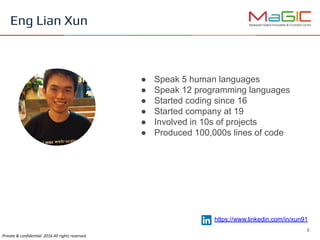
● Speak 5 human languages
● Speak 12 programming languages
● Started coding since 16
● Started company at 19
● Involved in 10s of projects
● Produced 100,000s lines of code
Eng Lian Xun
https://www.linkedin.com/in/xun91
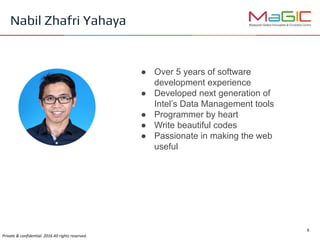
● Over 5 years of software
development experience
● Developed next generation of
Intel’s Data Management tools
● Programmer by heart
● Write beautiful codes
● Passionate in making the web
useful
Nabil Zhafri Yahaya
● Tech evangelist
● Data scientist
● Full stack web developer
● More than 10 years of experience
in IT industry
● Co-founded JoinHappen.com
● Actively speaking at conferences
and local community meetups
● Passionate in growing talents
Dr Lau Cher Han
I want to build a website/app
But I don’t know how
People always ask me:
No worry. You don’t always have to write any code
There is a process! It’s called wireframe.
2.0 What is wireframe?
Visual representation of an interface using simple
shapes
It shows Layout, Functionality and User flow
A blueprint for designers, engineers, architects, project
managers to work together
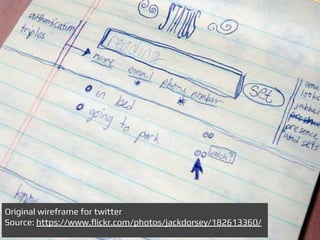
Original wireframe for twitter
Source: https://www.flickr.com/photos/jackdorsey/182613360/
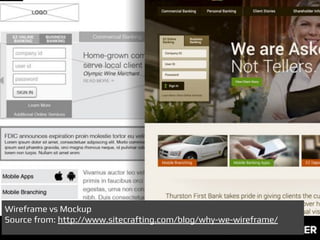
Wireframe vs Mockup
Source from: http://www.sitecrafting.com/blog/why-we-wireframe/
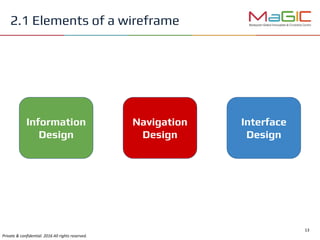
2.1 Elements of a wireframe
Information
Design
Interface
Design
Navigation
Design
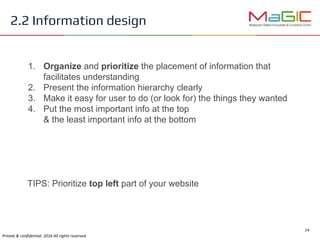
1. Organize and prioritize the placement of information that
facilitates understanding
2. Present the information hierarchy clearly
3. Make it easy for user to do (or look for) the things they wanted
4. Put the most important info at the top
& the least important info at the bottom
TIPS: Prioritize top left part of your website
2.2 Information design
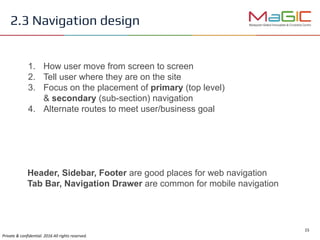
1. How user move from screen to screen
2. Tell user where they are on the site
3. Focus on the placement of primary (top level)
& secondary (sub-section) navigation
4. Alternate routes to meet user/business goal
Header, Sidebar, Footer are good places for web navigation
Tab Bar, Navigation Drawer are common for mobile navigation
2.3 Navigation design
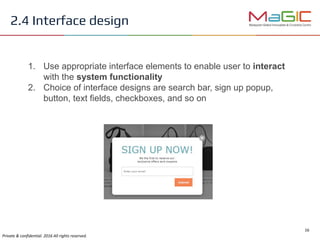
1. Use appropriate interface elements to enable user to interact
with the system functionality
2. Choice of interface designs are search bar, sign up popup,
button, text fields, checkboxes, and so on
2.4 Interface design
2.5 Common pitfalls
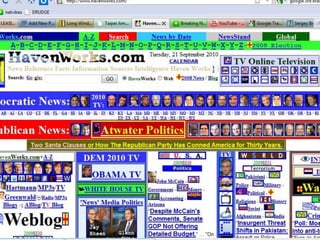
Anything that put into the system add a development cost to you
Anything that place onto the screen add a learning cost to users
Remember your goal is not to put things on screen
but to enable user to complete their task
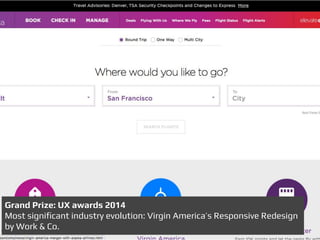
Grand Prize: UX awards 2014
Most significant industry evolution: Virgin America’s Responsive Redesign
by Work & Co.
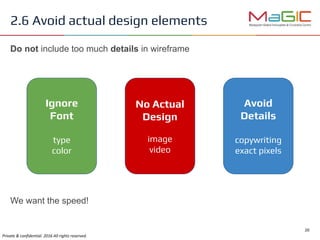
2.6 Avoid actual design elements
Ignore
Font
type
color
No Actual
Design
image
video
Avoid
Details
copywriting
exact pixels
We want the speed!
Do not include too much details in wireframe
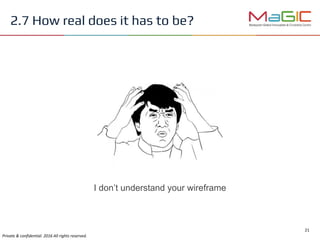
2.7 How real does it has to be?
I don’t understand your wireframe
2.7 How real does it has to be?
Best wireframe should map out every confusing aspect of your design
to make your idea clear
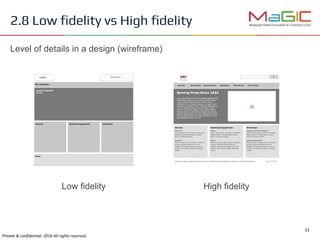
2.8 Low fidelity vs High fidelity
Low fidelity High fidelity
Level of details in a design (wireframe)
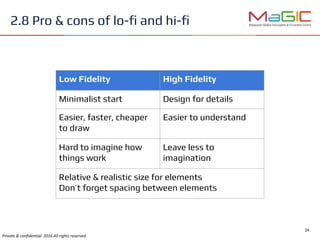
2.8 Pro & cons of lo-fi and hi-fi
Low Fidelity High Fidelity
Minimalist start Design for details
Easier, faster, cheaper
to draw
Easier to understand
Hard to imagine how
things work
Leave less to
imagination
Relative & realistic size for elements
Don’t forget spacing between elements
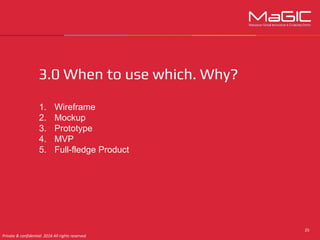
3.0 When to use which. Why?
1. Wireframe
2. Mockup
3. Prototype
4. MVP
5. Full-fledge Product
3.5 MVP
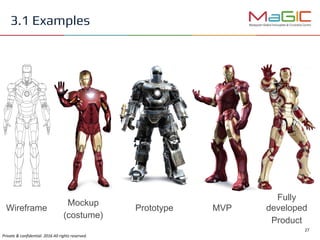
Wireframe Prototype MVP
Fully
developed
Product
3.1 Examples
Mockup
(costume)
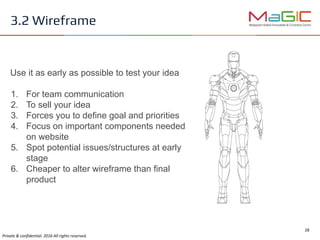
Use it as early as possible to test your idea
1. For team communication
2. To sell your idea
3. Forces you to define goal and priorities
4. Focus on important components needed
on website
5. Spot potential issues/structures at early
stage
6. Cheaper to alter wireframe than final
product
3.2 Wireframe
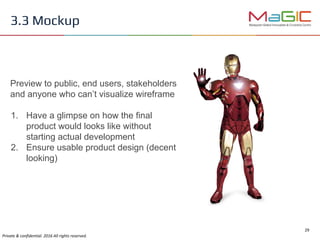
Preview to public, end users, stakeholders
and anyone who can’t visualize wireframe
1. Have a glimpse on how the final
product would looks like without
starting actual development
2. Ensure usable product design (decent
looking)
3.3 Mockup
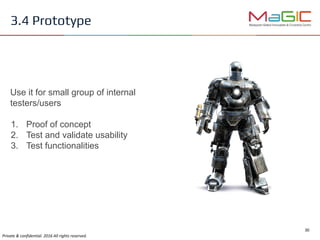
Use it for small group of internal
testers/users
1. Proof of concept
2. Test and validate usability
3. Test functionalities
3.4 Prototype
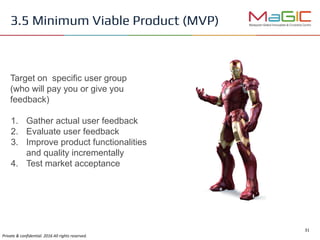
Target on specific user group
(who will pay you or give you
feedback)
1. Gather actual user feedback
2. Evaluate user feedback
3. Improve product functionalities
and quality incrementally
4. Test market acceptance
3.5 Minimum Viable Product (MVP)
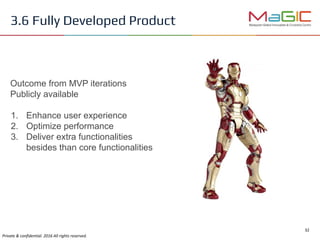
Outcome from MVP iterations
Publicly available
1. Enhance user experience
2. Optimize performance
3. Deliver extra functionalities
besides than core functionalities
3.6 Fully Developed Product
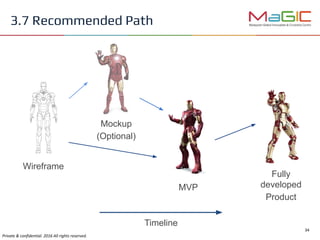
Wireframe
MVP
3.7 Recommended Path
Mockup
(Optional)
Fully
developed
Product
Timeline
3.7 Recommended Path
Break
10 mins
Activity 1
Pitch your idea
4.0 Communicate & validate ideas
using wireframe
Credits: Austin Wong
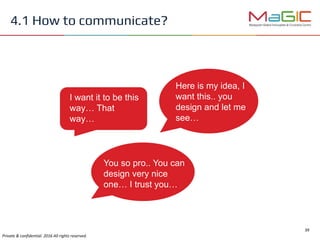
4.1 How to communicate?
I want it to be this
way… That
way…
Here is my idea, I
want this.. you
design and let me
see…
You so pro.. You can
design very nice
one… I trust you…
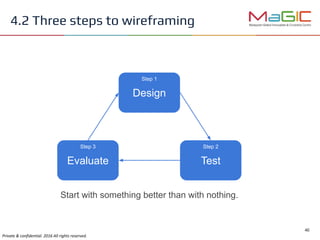
4.2 Three steps to wireframing
Design
TestEvaluate
Step 1
Step 2Step 3
Start with something better than with nothing.
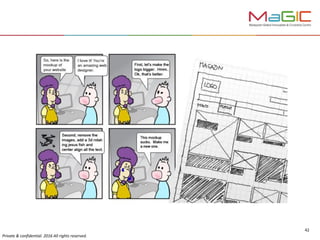
4.3 Testing wireframe
Why do I have to test wireframe?
First attempt is never perfect
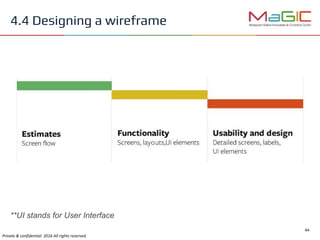
4.4 Designing a wireframe
**UI stands for User Interface
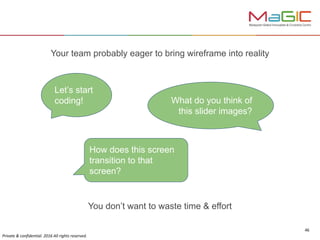
You don’t want to waste time & effort
Let’s start
coding! What do you think of
this slider images?
How does this screen
transition to that
screen?
Your team probably eager to bring wireframe into reality
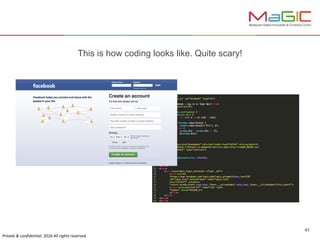
This is how coding looks like. Quite scary!
“You can use an eraser on the drafting
table or a sledgehammer on the
construction site.”
- Frank Lloyd Wright
Credits: Austin Wong
5.0 What makes a good wireframe
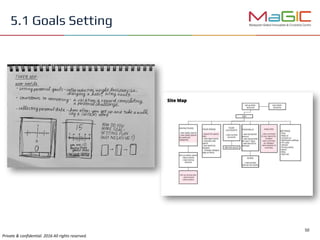
5.1 Goals Setting
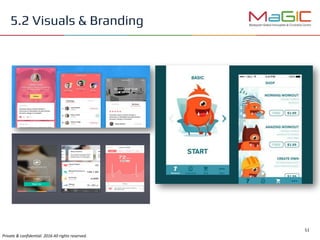
5.2 Visuals & Branding
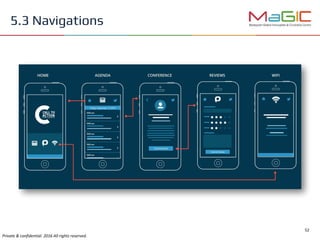
5.3 Navigations
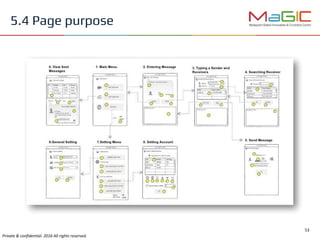
5.4 Page purpose
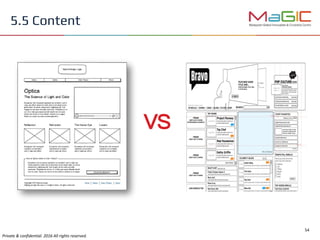
5.5 Content
VS
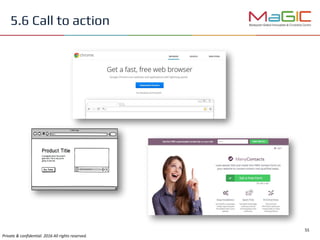
5.6 Call to action
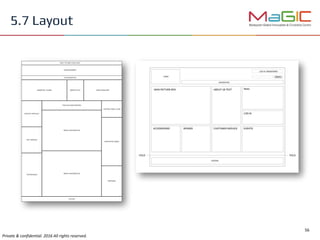
5.7 Layout

Wireframe and MVP

  • 1.
    Wireframing and MVP MalaysianGlobal Innovation & Creativity Centre (MaGIC) 23 July 2016
  • 2.
    1. Understand wireframe 2.How to communicate and validate using wireframe 3. How to evaluate a wireframe 4. Learn the tools to build wireframe 5. Learn the process to build a wireframe Key learnings
  • 3.
    Goal of theday Everyone will have a wireframe
  • 4.
  • 5.
    ● Speak 5human languages ● Speak 12 programming languages ● Started coding since 16 ● Started company at 19 ● Involved in 10s of projects ● Produced 100,000s lines of code Eng Lian Xun https://www.linkedin.com/in/xun91
  • 6.
    ● Over 5years of software development experience ● Developed next generation of Intel’s Data Management tools ● Programmer by heart ● Write beautiful codes ● Passionate in making the web useful Nabil Zhafri Yahaya
  • 7.
    ● Tech evangelist ●Data scientist ● Full stack web developer ● More than 10 years of experience in IT industry ● Co-founded JoinHappen.com ● Actively speaking at conferences and local community meetups ● Passionate in growing talents Dr Lau Cher Han
  • 8.
    I want tobuild a website/app But I don’t know how People always ask me:
  • 9.
    No worry. Youdon’t always have to write any code There is a process! It’s called wireframe.
  • 10.
    2.0 What iswireframe? Visual representation of an interface using simple shapes It shows Layout, Functionality and User flow A blueprint for designers, engineers, architects, project managers to work together
  • 11.
    Original wireframe fortwitter Source: https://www.flickr.com/photos/jackdorsey/182613360/
  • 12.
    Wireframe vs Mockup Sourcefrom: http://www.sitecrafting.com/blog/why-we-wireframe/
  • 13.
    2.1 Elements ofa wireframe Information Design Interface Design Navigation Design
  • 14.
    1. Organize andprioritize the placement of information that facilitates understanding 2. Present the information hierarchy clearly 3. Make it easy for user to do (or look for) the things they wanted 4. Put the most important info at the top & the least important info at the bottom TIPS: Prioritize top left part of your website 2.2 Information design
  • 15.
    1. How usermove from screen to screen 2. Tell user where they are on the site 3. Focus on the placement of primary (top level) & secondary (sub-section) navigation 4. Alternate routes to meet user/business goal Header, Sidebar, Footer are good places for web navigation Tab Bar, Navigation Drawer are common for mobile navigation 2.3 Navigation design
  • 16.
    1. Use appropriateinterface elements to enable user to interact with the system functionality 2. Choice of interface designs are search bar, sign up popup, button, text fields, checkboxes, and so on 2.4 Interface design
  • 17.
    2.5 Common pitfalls Anythingthat put into the system add a development cost to you Anything that place onto the screen add a learning cost to users Remember your goal is not to put things on screen but to enable user to complete their task
  • 19.
    Grand Prize: UXawards 2014 Most significant industry evolution: Virgin America’s Responsive Redesign by Work & Co.
  • 20.
    2.6 Avoid actualdesign elements Ignore Font type color No Actual Design image video Avoid Details copywriting exact pixels We want the speed! Do not include too much details in wireframe
  • 21.
    2.7 How realdoes it has to be? I don’t understand your wireframe
  • 22.
    2.7 How realdoes it has to be? Best wireframe should map out every confusing aspect of your design to make your idea clear
  • 23.
    2.8 Low fidelityvs High fidelity Low fidelity High fidelity Level of details in a design (wireframe)
  • 24.
    2.8 Pro &cons of lo-fi and hi-fi Low Fidelity High Fidelity Minimalist start Design for details Easier, faster, cheaper to draw Easier to understand Hard to imagine how things work Leave less to imagination Relative & realistic size for elements Don’t forget spacing between elements
  • 25.
    3.0 When touse which. Why? 1. Wireframe 2. Mockup 3. Prototype 4. MVP 5. Full-fledge Product
  • 26.
  • 27.
  • 28.
    Use it asearly as possible to test your idea 1. For team communication 2. To sell your idea 3. Forces you to define goal and priorities 4. Focus on important components needed on website 5. Spot potential issues/structures at early stage 6. Cheaper to alter wireframe than final product 3.2 Wireframe
  • 29.
    Preview to public,end users, stakeholders and anyone who can’t visualize wireframe 1. Have a glimpse on how the final product would looks like without starting actual development 2. Ensure usable product design (decent looking) 3.3 Mockup
  • 30.
    Use it forsmall group of internal testers/users 1. Proof of concept 2. Test and validate usability 3. Test functionalities 3.4 Prototype
  • 31.
    Target on specificuser group (who will pay you or give you feedback) 1. Gather actual user feedback 2. Evaluate user feedback 3. Improve product functionalities and quality incrementally 4. Test market acceptance 3.5 Minimum Viable Product (MVP)
  • 32.
    Outcome from MVPiterations Publicly available 1. Enhance user experience 2. Optimize performance 3. Deliver extra functionalities besides than core functionalities 3.6 Fully Developed Product
  • 33.
  • 34.
  • 35.
  • 36.
  • 37.
  • 38.
    4.0 Communicate &validate ideas using wireframe Credits: Austin Wong
  • 39.
    4.1 How tocommunicate? I want it to be this way… That way… Here is my idea, I want this.. you design and let me see… You so pro.. You can design very nice one… I trust you…
  • 40.
    4.2 Three stepsto wireframing Design TestEvaluate Step 1 Step 2Step 3 Start with something better than with nothing.
  • 41.
    4.3 Testing wireframe Whydo I have to test wireframe?
  • 43.
    First attempt isnever perfect
  • 44.
    4.4 Designing awireframe **UI stands for User Interface
  • 46.
    You don’t wantto waste time & effort Let’s start coding! What do you think of this slider images? How does this screen transition to that screen? Your team probably eager to bring wireframe into reality
  • 47.
    This is howcoding looks like. Quite scary!
  • 48.
    “You can usean eraser on the drafting table or a sledgehammer on the construction site.” - Frank Lloyd Wright
  • 49.
    Credits: Austin Wong 5.0What makes a good wireframe
  • 50.
  • 51.
    5.2 Visuals &Branding
  • 52.
  • 53.
  • 54.
  • 55.
  • 56.