Game Design 2
                 Lecture 10: Game Interface Prototyping


                                         Partially adapted from:
                     Joel Laumans - Introduction to Wireframes - http://bit.ly/48uVt7


http://www.comu346.com                                                       dfarrell@davidlearnsgames.com
Why?
• Games are expensive
 • Large teams, extended development time
• Game designers, programmers, artists will
  all spend a lot of time implementing the
  interface
• prototypes are a design aid
• prototypes are a communication aid
Tools
• Card Sorting
• Flow Charts
 • use case flow
 • final menu build
• Wireframes
• Paper Prototype
Wireframes are:

A visual representation of an interface; used
   to communicate the structure, content,
 information hierarchy, functionality, and
          behaviour of an interface.
Wireframes are:

A visual representation of an interface; used
   to communicate the structure, content,
 information hierarchy, functionality, and
          behaviour of an interface.
Blueprints of design

• Formalise ideas
• communicate ideas
• test usability
Uses for Wireframes

• Structure
• Content
• Information Hierarchy
• Functionality
• Behaviour
Structure
• How is the interface put together?
Content
• What is displayed in the interface?
Information Hierarchy
• How id the data organised?
Functionality
• How does the interface work?
Behaviour
• How do the player and interface interact?
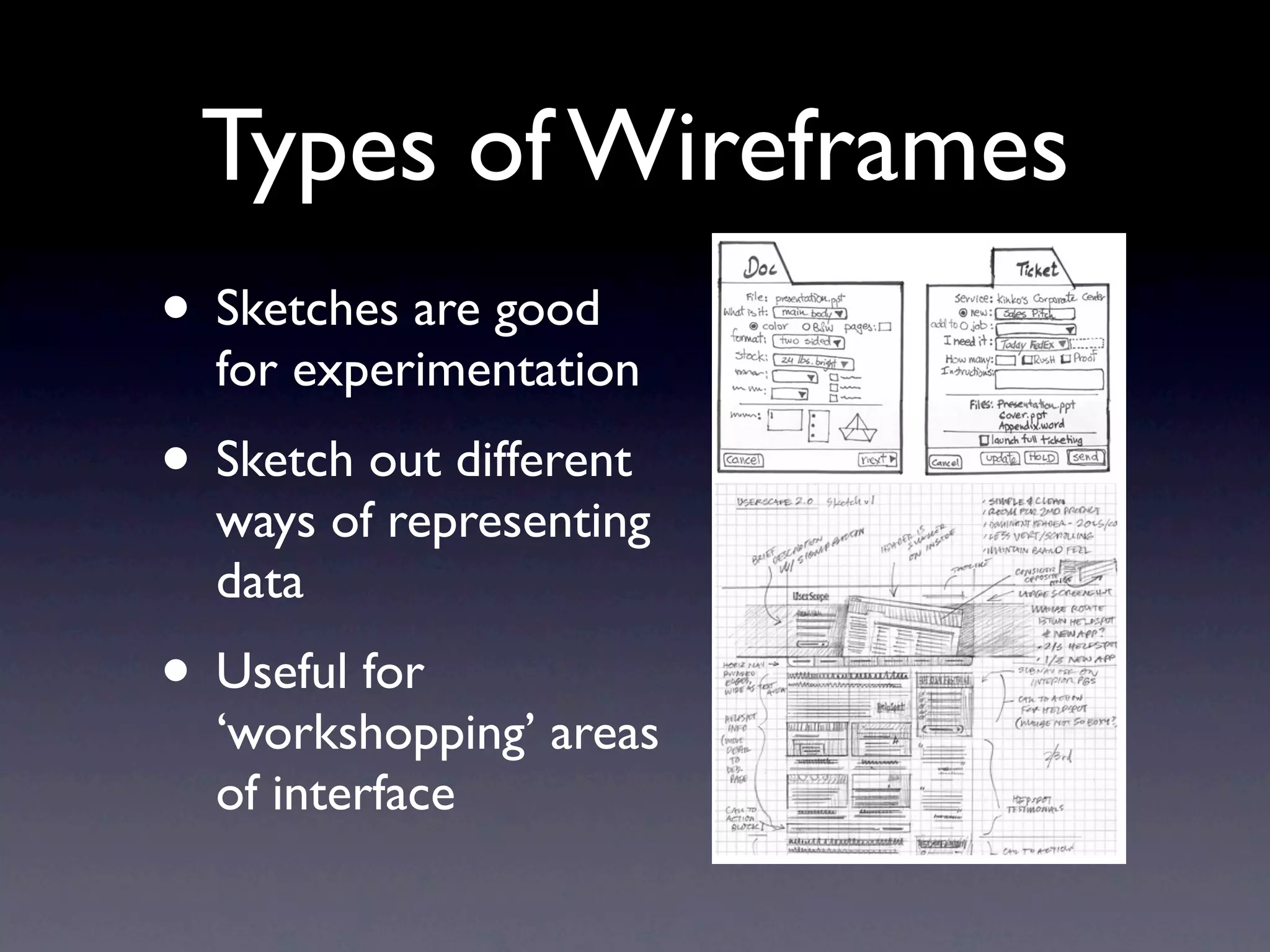
Types of Wireframes
      Types of wireframes

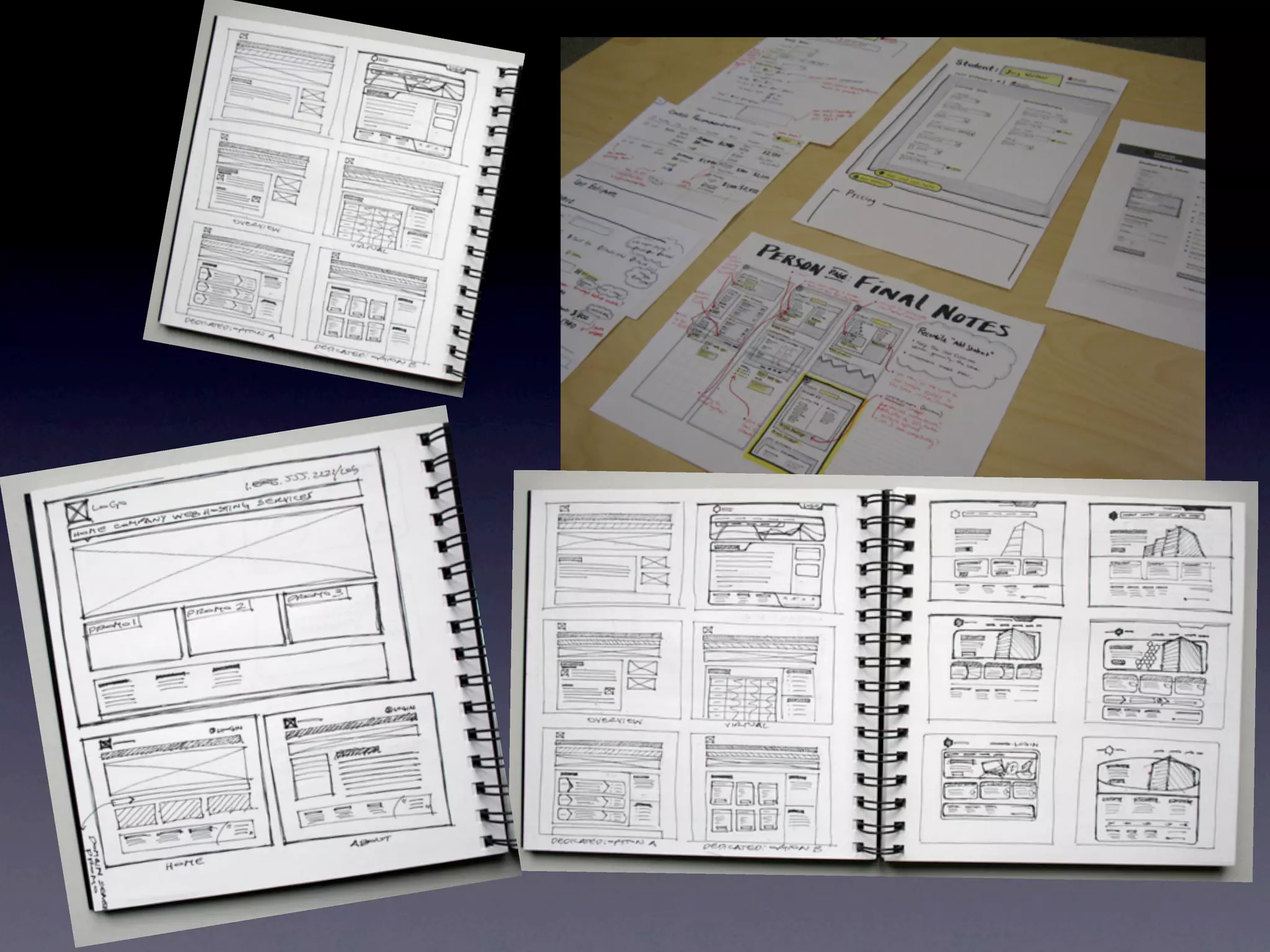
• Sketches are good
      Sketches
      Quick / experiment
  for experimentation
      Good for feedback


• Sketch out different
  ways of representing
  data
• Useful for
  ‘workshopping’ areas
  of interface
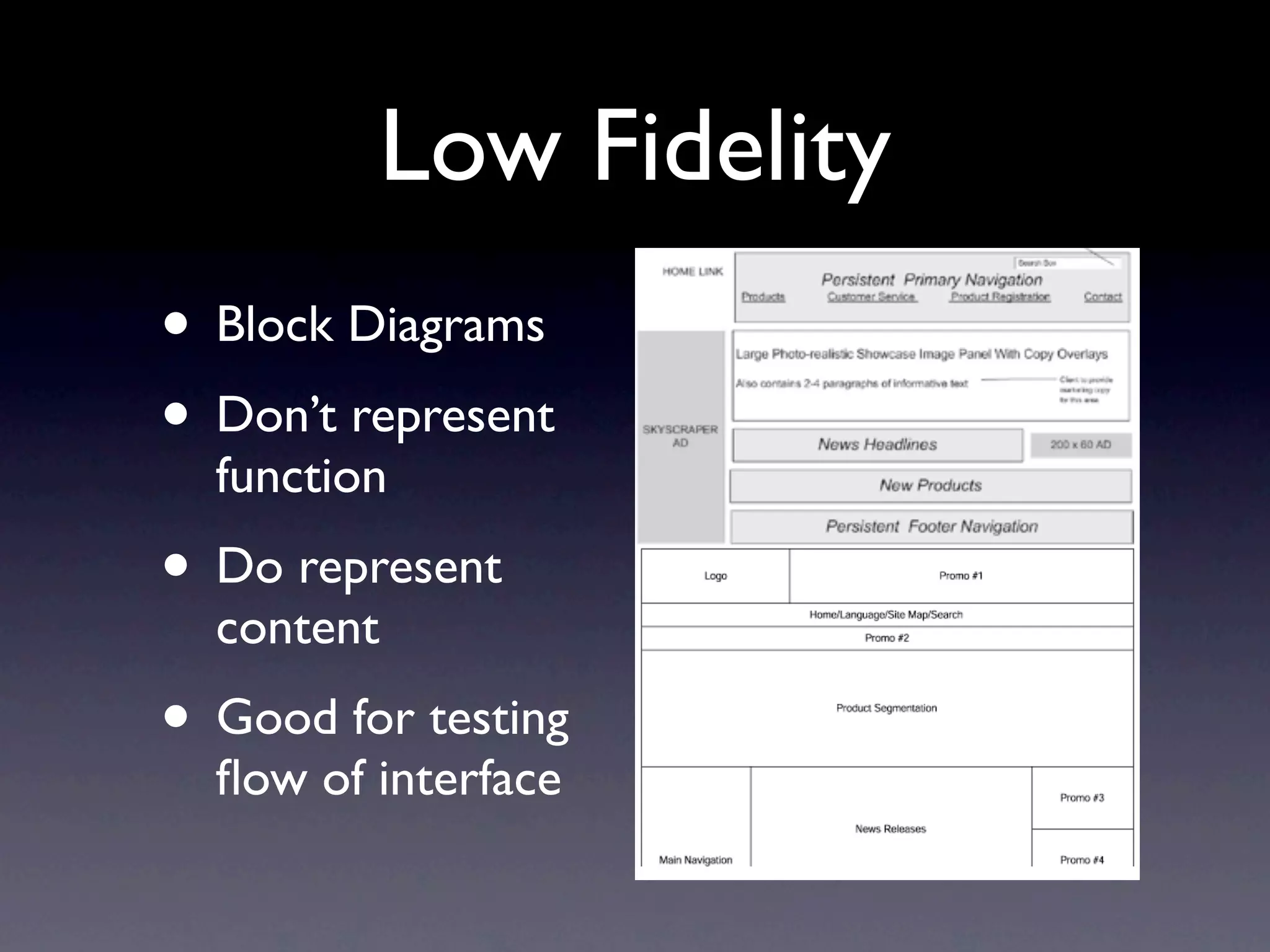
Low Fidelity
  Types of wireframes

• Block Diagrams
  Sketches
  Quick / experiment

• Don’t represent
  Good for feedback

  Lo-fidelity
  function
  Block diagrams
  Good for testing flows


• Do represent
  content
• Good for testing
  flow of interface
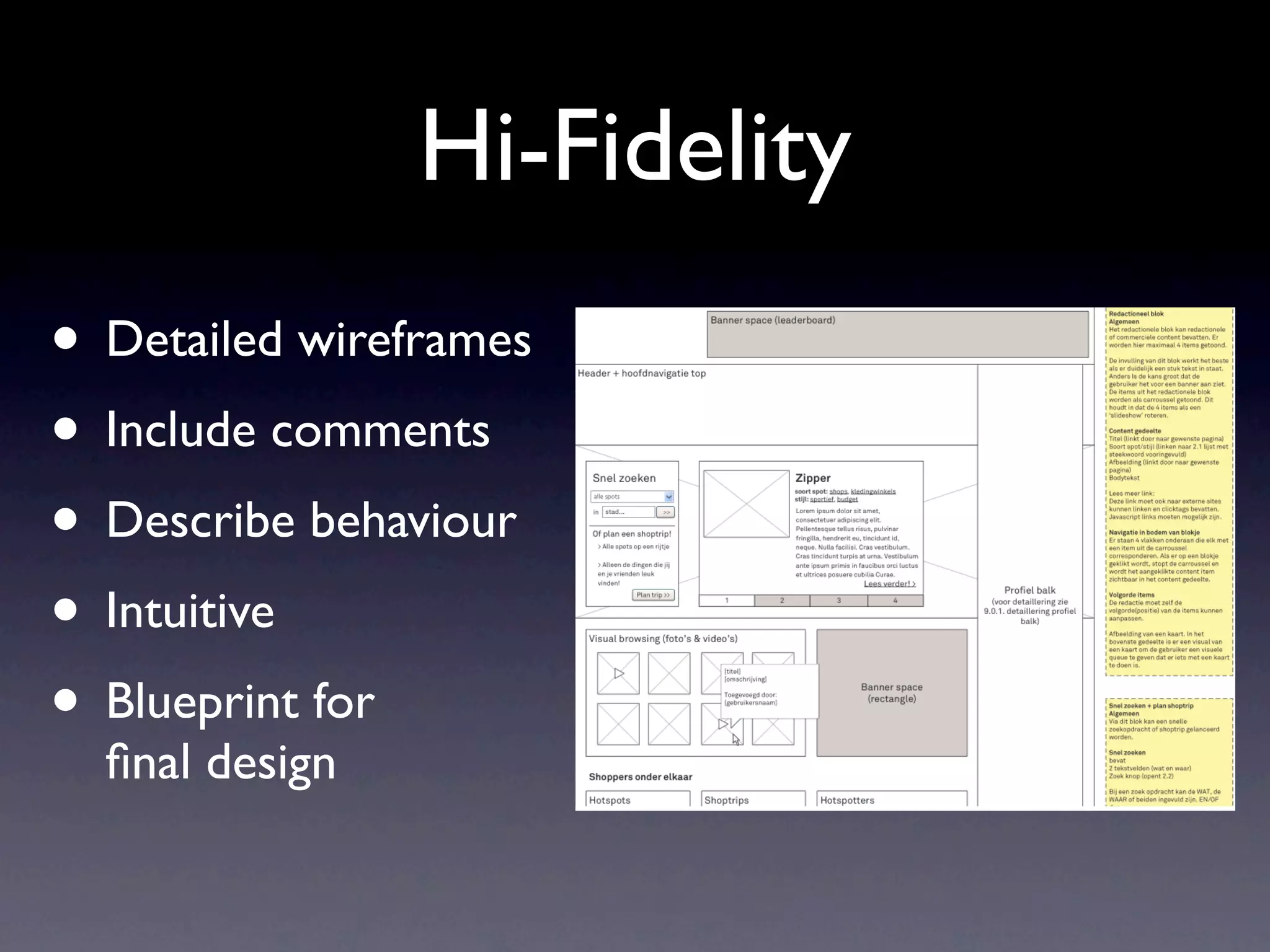
Hi-Fidelity
• Detailed wireframes
       Types of wireframes

       Sketches


• Include comments
       Quick / experiment
       Good for feedback

       Lo-fi / Content only


• Describe behaviour
       Block diagrams
       Good for testing flows

       Hi-fidelity


• Intuitive
       Detailed wireframes
       Including comments
       Describe content & behavior


• Blueprint for
       “Blueprint for final design”
       Should be understood without
       explanation


  final design

       CMD Rotterdam | Interaction Design - Wireframes
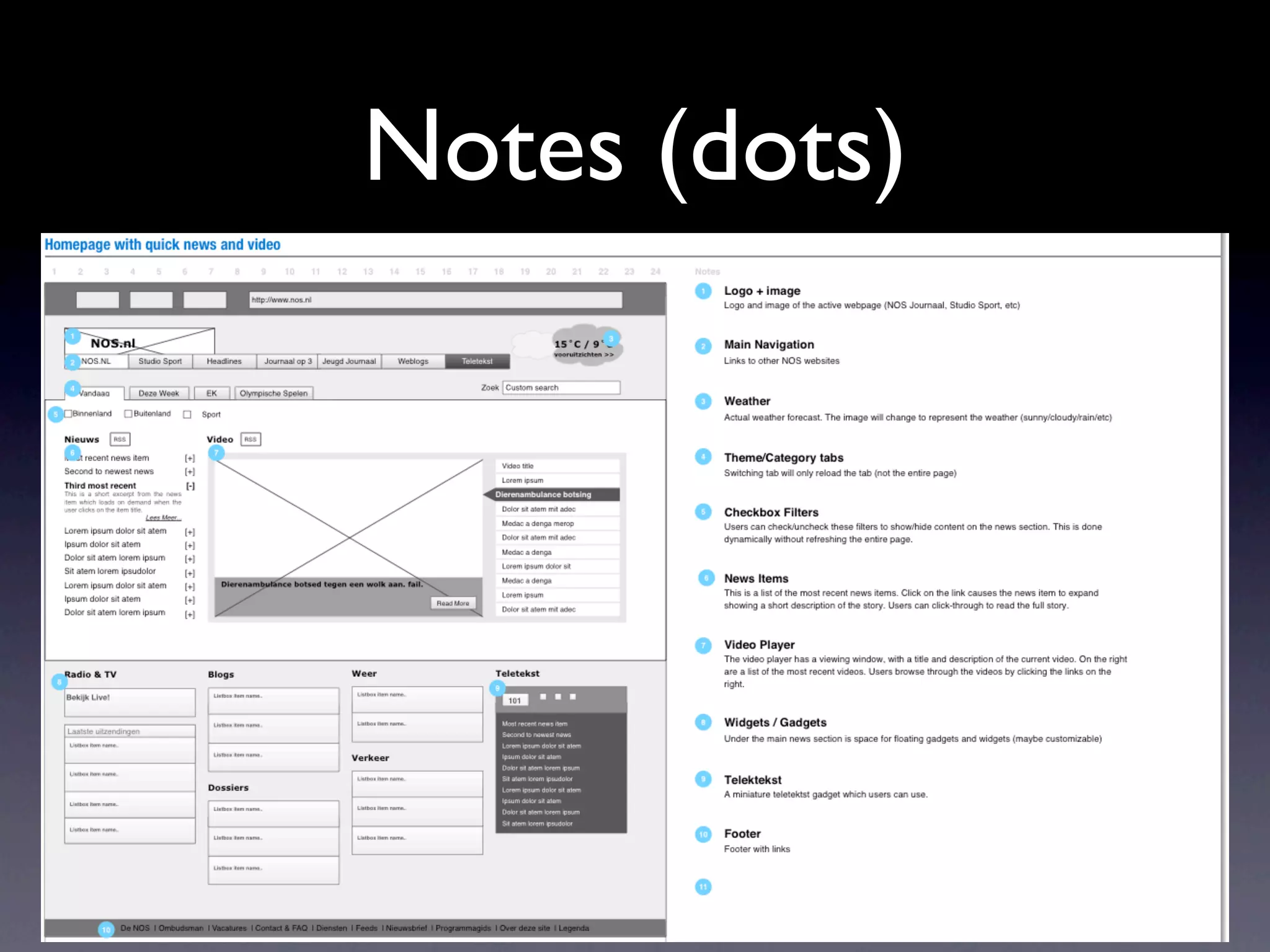
Notes (dots)


n
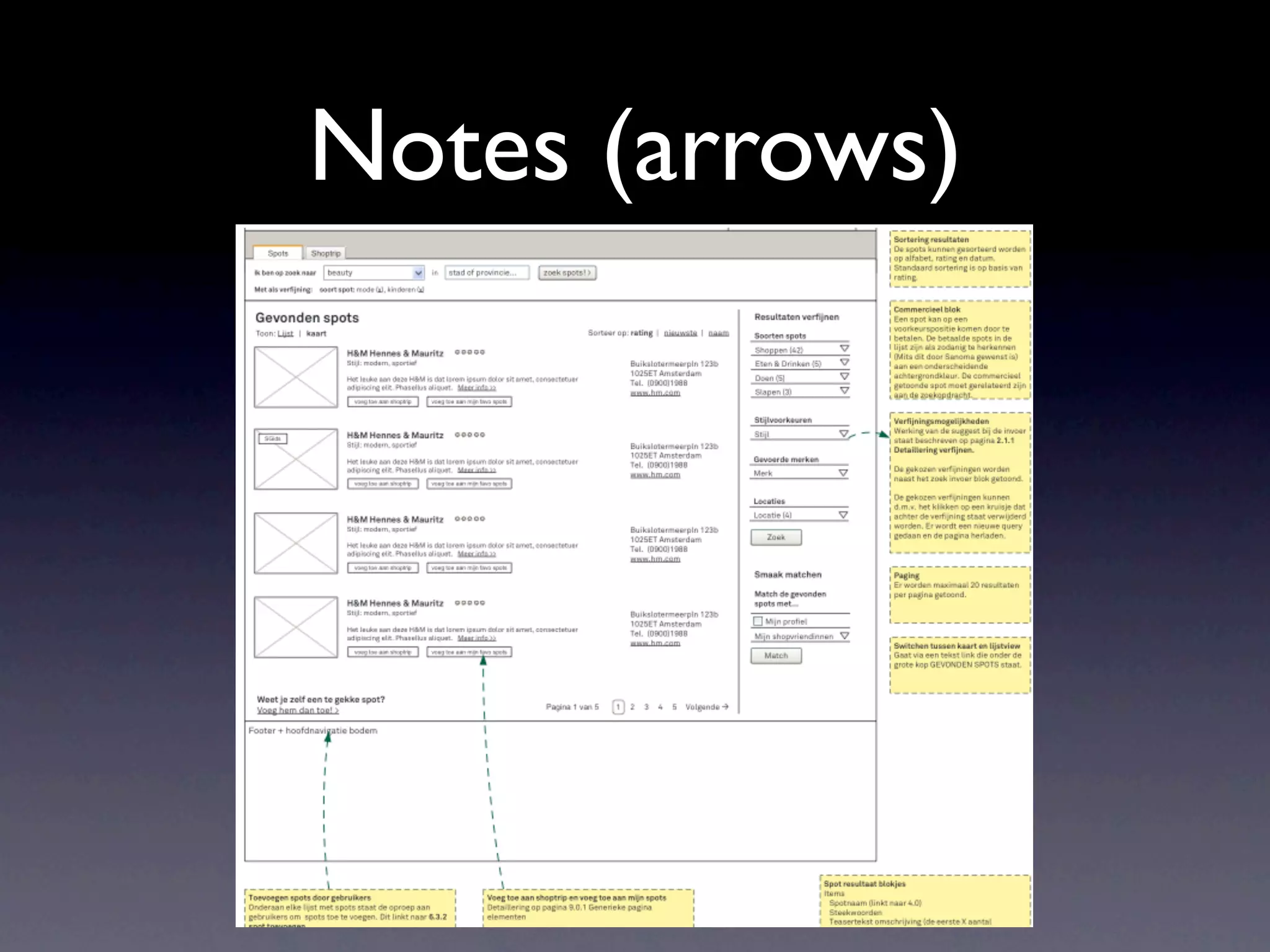
Notes (arrows)
o the
o use
ements to
Wireframes

• Visual design
 • NOT graphical elements
 • NOT branding, mood etc.
• Avoid unnecessary elements
• Focus on content and interaction
Wireframe Tools

• Similar to flowcharting, any vector graphics
  program is suitable
  • Visio on Windows
  • OmniGraffle on OS X
  • Inkscape on Windows, Mac, Linux
Paper Prototyping
• Even with a wireframe, it is possible to miss
  important interface elements
• A digital prototype will allow for expert
  and user testing
• Even this is quite expensive
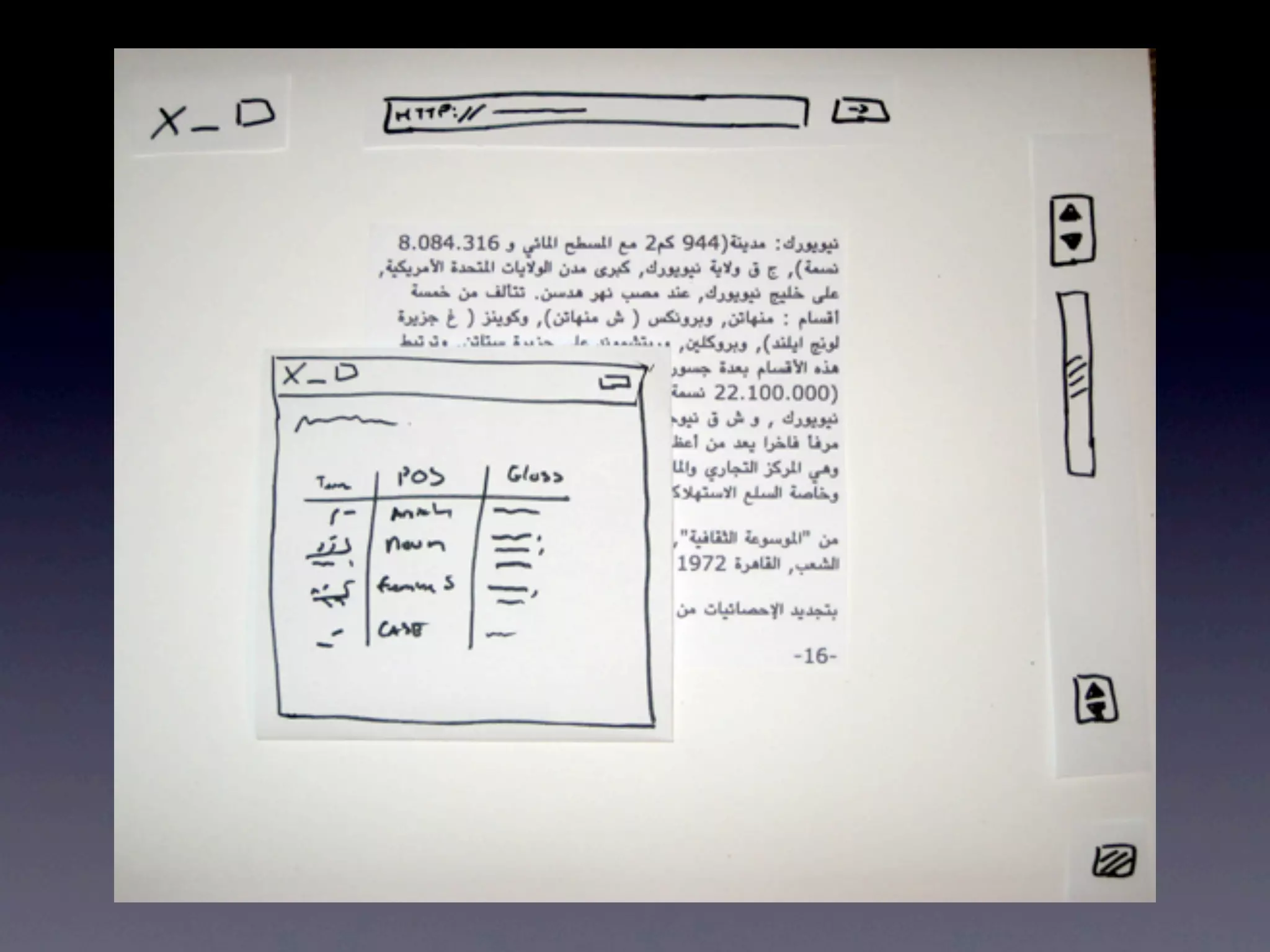
• Paper prototyping allows a relatively cheap
  method of evaluating
Creation
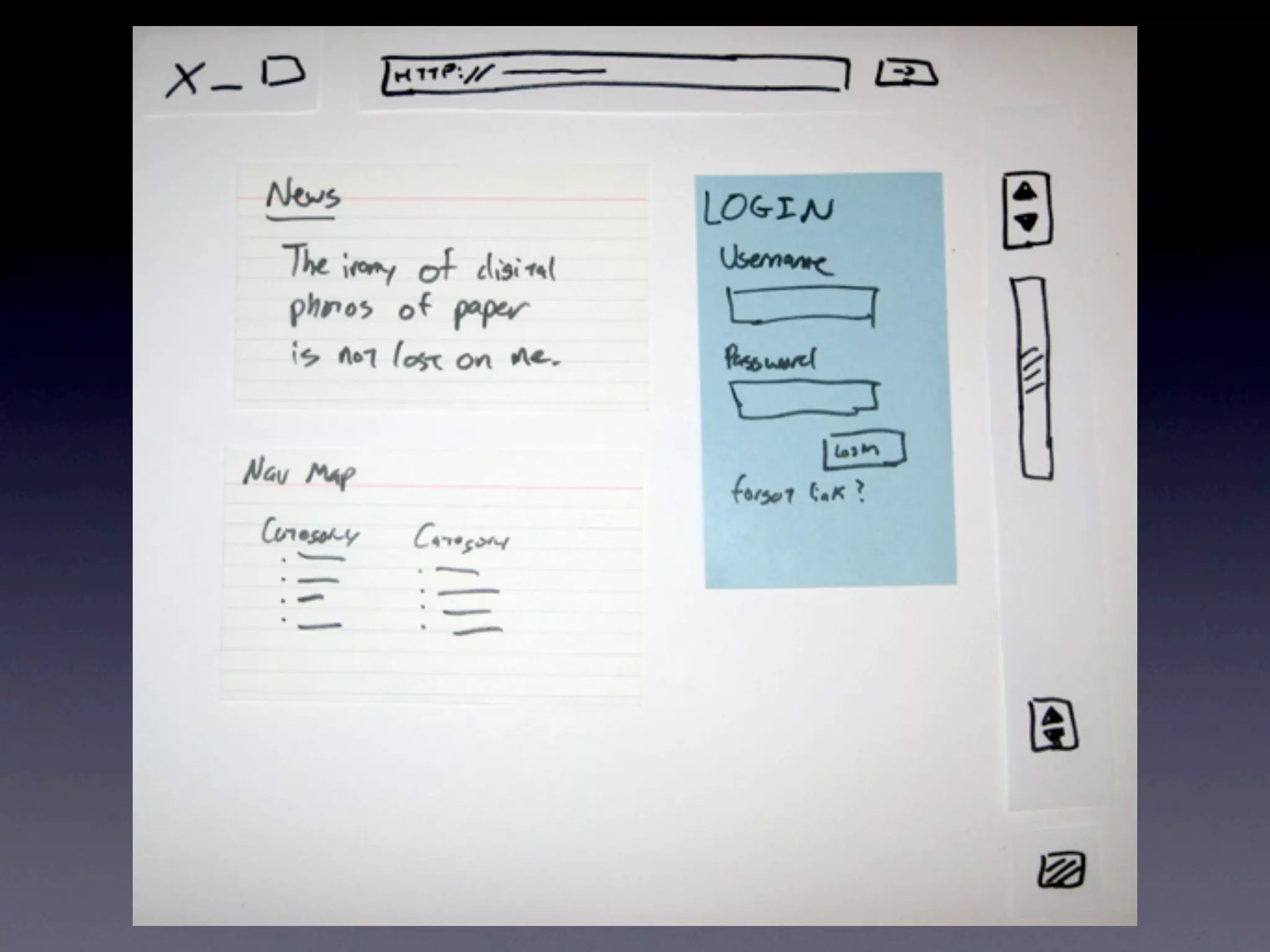
• Draw UI components
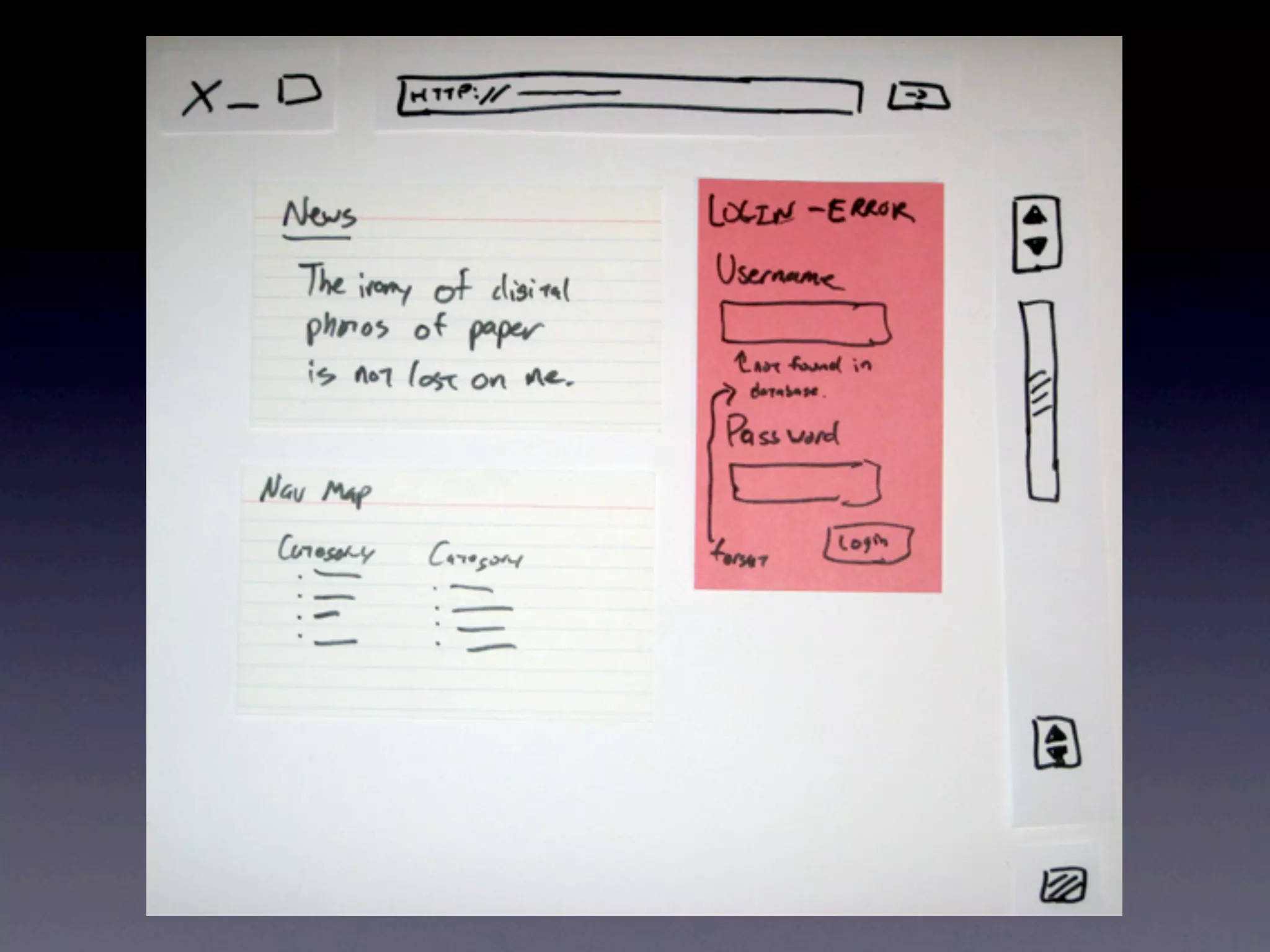
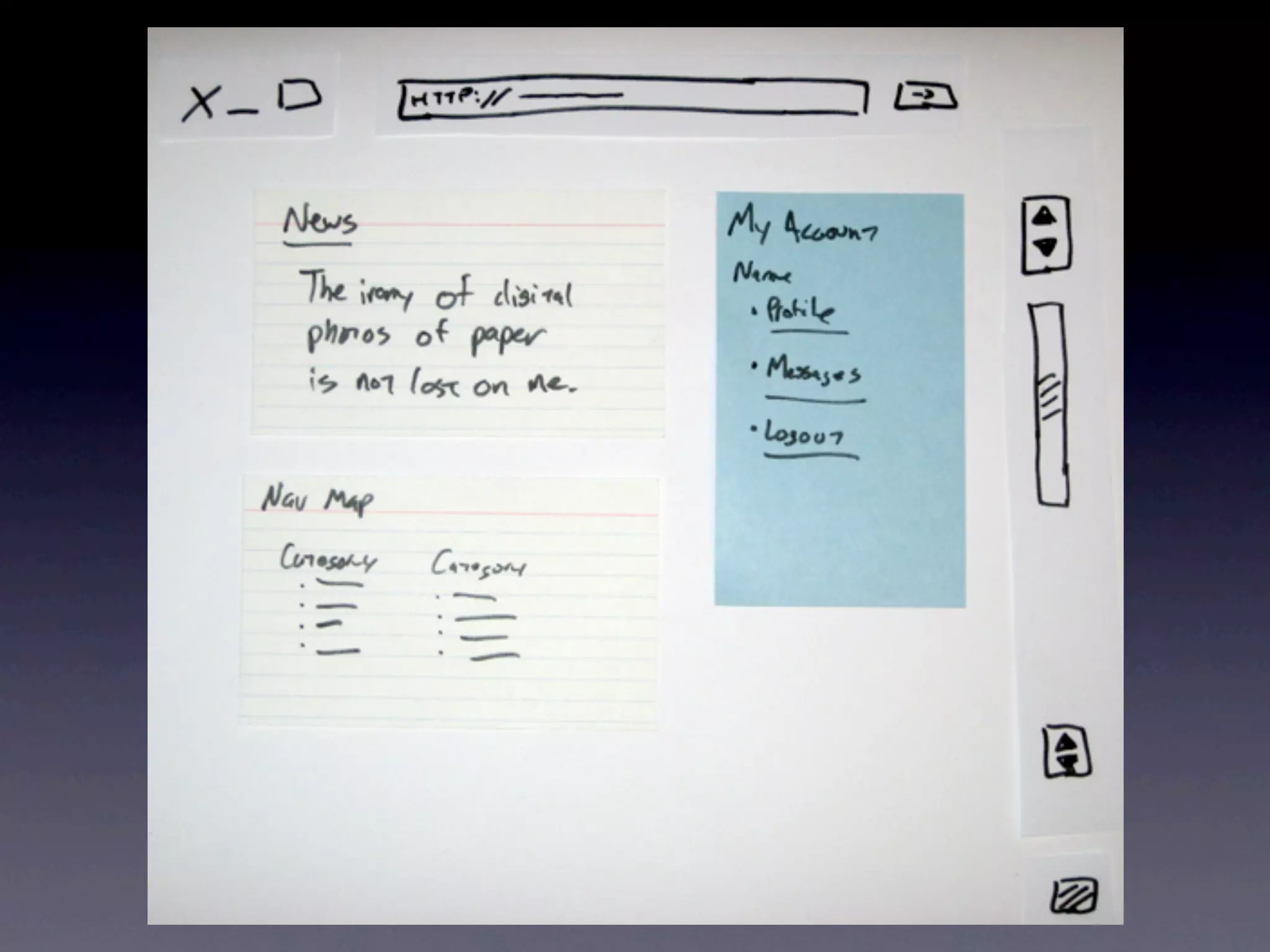
• Model different states
• Ideal for work-shopping each part of
  interface
• More visual than wireframing
 • may feature platform UI components
• Sketch an outcome for every possible
  action on your interface
• This might seem like a lot of work but it’s
  far far lest work than a digital mock-up or a
  real interface
eeeee
• Can also help identify physical interface
  problems
Where does it fit?

• Where a wireframe shows flow, a paper
  prototype shows UI elements and can be
  handed off to a developer.
• Can be used along side wireframes to pitch
  to team / publisher
• Can be used to test with audience
Usability Testing
• Present user with first ‘screen’
• have library of ‘screens’ and widgets
  available
• ask them to perform an action and state
  steps
• every step should be a verb like ‘click on
  this’ or ‘press this button’
Usability Testing
• layer widgets and replace screens as
  required.
• If user confused to an action, give them
  paper and ask them to sketch what they
  would expect.
• video sessions and label user sketches to
  help identify required changes
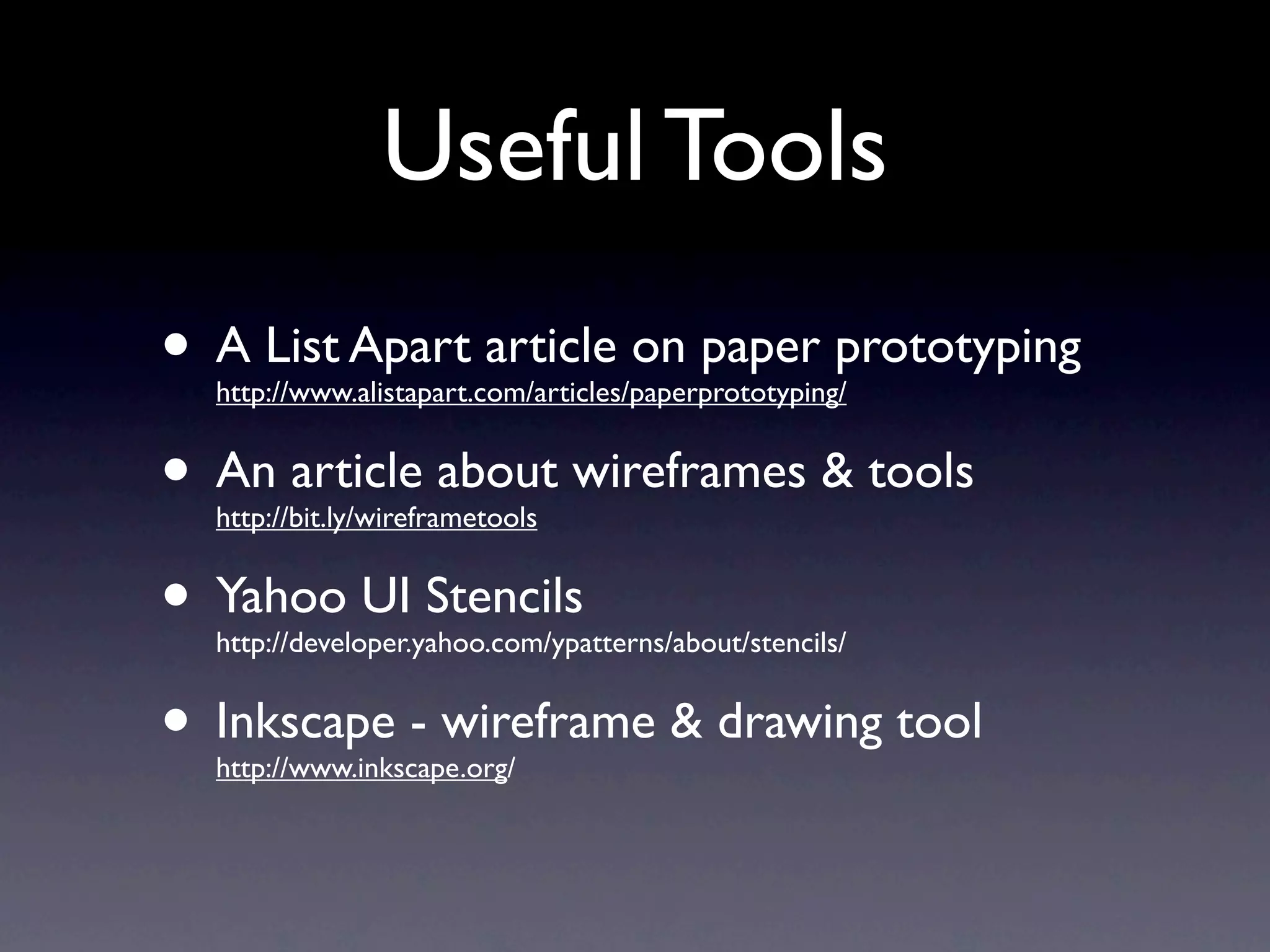
Useful Tools
• A List Apart article on paper prototyping
  http://www.alistapart.com/articles/paperprototyping/


• An article about wireframes & tools
  http://bit.ly/wireframetools


• Yahoo UI Stencils
  http://developer.yahoo.com/ypatterns/about/stencils/


• Inkscape - wireframe & drawing tool
  http://www.inkscape.org/

Games Design 2 - Lecture 10 - Game Interface Prototyping

  • 1.
    Game Design 2 Lecture 10: Game Interface Prototyping Partially adapted from: Joel Laumans - Introduction to Wireframes - http://bit.ly/48uVt7 http://www.comu346.com dfarrell@davidlearnsgames.com
  • 2.
    Why? • Games areexpensive • Large teams, extended development time • Game designers, programmers, artists will all spend a lot of time implementing the interface • prototypes are a design aid • prototypes are a communication aid
  • 5.
    Tools • Card Sorting •Flow Charts • use case flow • final menu build • Wireframes • Paper Prototype
  • 6.
    Wireframes are: A visualrepresentation of an interface; used to communicate the structure, content, information hierarchy, functionality, and behaviour of an interface.
  • 7.
    Wireframes are: A visualrepresentation of an interface; used to communicate the structure, content, information hierarchy, functionality, and behaviour of an interface.
  • 9.
    Blueprints of design •Formalise ideas • communicate ideas • test usability
  • 10.
    Uses for Wireframes •Structure • Content • Information Hierarchy • Functionality • Behaviour
  • 11.
    Structure • How isthe interface put together?
  • 12.
    Content • What isdisplayed in the interface?
  • 13.
    Information Hierarchy • Howid the data organised?
  • 14.
    Functionality • How doesthe interface work?
  • 15.
    Behaviour • How dothe player and interface interact?
  • 16.
    Types of Wireframes Types of wireframes • Sketches are good Sketches Quick / experiment for experimentation Good for feedback • Sketch out different ways of representing data • Useful for ‘workshopping’ areas of interface
  • 17.
    Low Fidelity Types of wireframes • Block Diagrams Sketches Quick / experiment • Don’t represent Good for feedback Lo-fidelity function Block diagrams Good for testing flows • Do represent content • Good for testing flow of interface
  • 18.
    Hi-Fidelity • Detailed wireframes Types of wireframes Sketches • Include comments Quick / experiment Good for feedback Lo-fi / Content only • Describe behaviour Block diagrams Good for testing flows Hi-fidelity • Intuitive Detailed wireframes Including comments Describe content & behavior • Blueprint for “Blueprint for final design” Should be understood without explanation final design CMD Rotterdam | Interaction Design - Wireframes
  • 19.
  • 20.
  • 21.
    Wireframes • Visual design • NOT graphical elements • NOT branding, mood etc. • Avoid unnecessary elements • Focus on content and interaction
  • 22.
    Wireframe Tools • Similarto flowcharting, any vector graphics program is suitable • Visio on Windows • OmniGraffle on OS X • Inkscape on Windows, Mac, Linux
  • 23.
    Paper Prototyping • Evenwith a wireframe, it is possible to miss important interface elements • A digital prototype will allow for expert and user testing • Even this is quite expensive • Paper prototyping allows a relatively cheap method of evaluating
  • 24.
    Creation • Draw UIcomponents • Model different states • Ideal for work-shopping each part of interface • More visual than wireframing • may feature platform UI components
  • 26.
    • Sketch anoutcome for every possible action on your interface • This might seem like a lot of work but it’s far far lest work than a digital mock-up or a real interface
  • 28.
  • 29.
    • Can alsohelp identify physical interface problems
  • 31.
    Where does itfit? • Where a wireframe shows flow, a paper prototype shows UI elements and can be handed off to a developer. • Can be used along side wireframes to pitch to team / publisher • Can be used to test with audience
  • 32.
    Usability Testing • Presentuser with first ‘screen’ • have library of ‘screens’ and widgets available • ask them to perform an action and state steps • every step should be a verb like ‘click on this’ or ‘press this button’
  • 33.
    Usability Testing • layerwidgets and replace screens as required. • If user confused to an action, give them paper and ask them to sketch what they would expect. • video sessions and label user sketches to help identify required changes
  • 34.
    Useful Tools • AList Apart article on paper prototyping http://www.alistapart.com/articles/paperprototyping/ • An article about wireframes & tools http://bit.ly/wireframetools • Yahoo UI Stencils http://developer.yahoo.com/ypatterns/about/stencils/ • Inkscape - wireframe & drawing tool http://www.inkscape.org/