WindowsPowerShell forSharePointOnline Office 365
Today I am writingaboutSharePointonlineManagementshell,there ismanyof Article aboutthe same
but still manybeginnersare gettingconfuse aboutthe same.
We are usingSharePointonlineManagement shell forefficientlymanage SharePointusers,sitesandin
short I can say will make easiestforAdministratortasks.
WindowsSharePointOnlineManagementshelliscommandline operationinwindowsPowerShell are
composedof seriesof commandtouse in Office 365 or SharePointonline.
There isa lotto learnaboutSharePointManagementandOffice 365 shell.
Belowis the URL to learn the same from MSDN:
https://technet.microsoft.com/en-us/library/fp161362.aspx
So I will start my first use ofSharePoint online,here we will describe about belowpoints:
 Downloadingandinstallationof SharePointonline ManagementShell
 ConnectSharePointsite usingPowerShell
 Creatingsite usingcommand
 Viewingsitecollectionandsubsiteandetc…
Let us start from downloadingand installationSP online Managementshell.
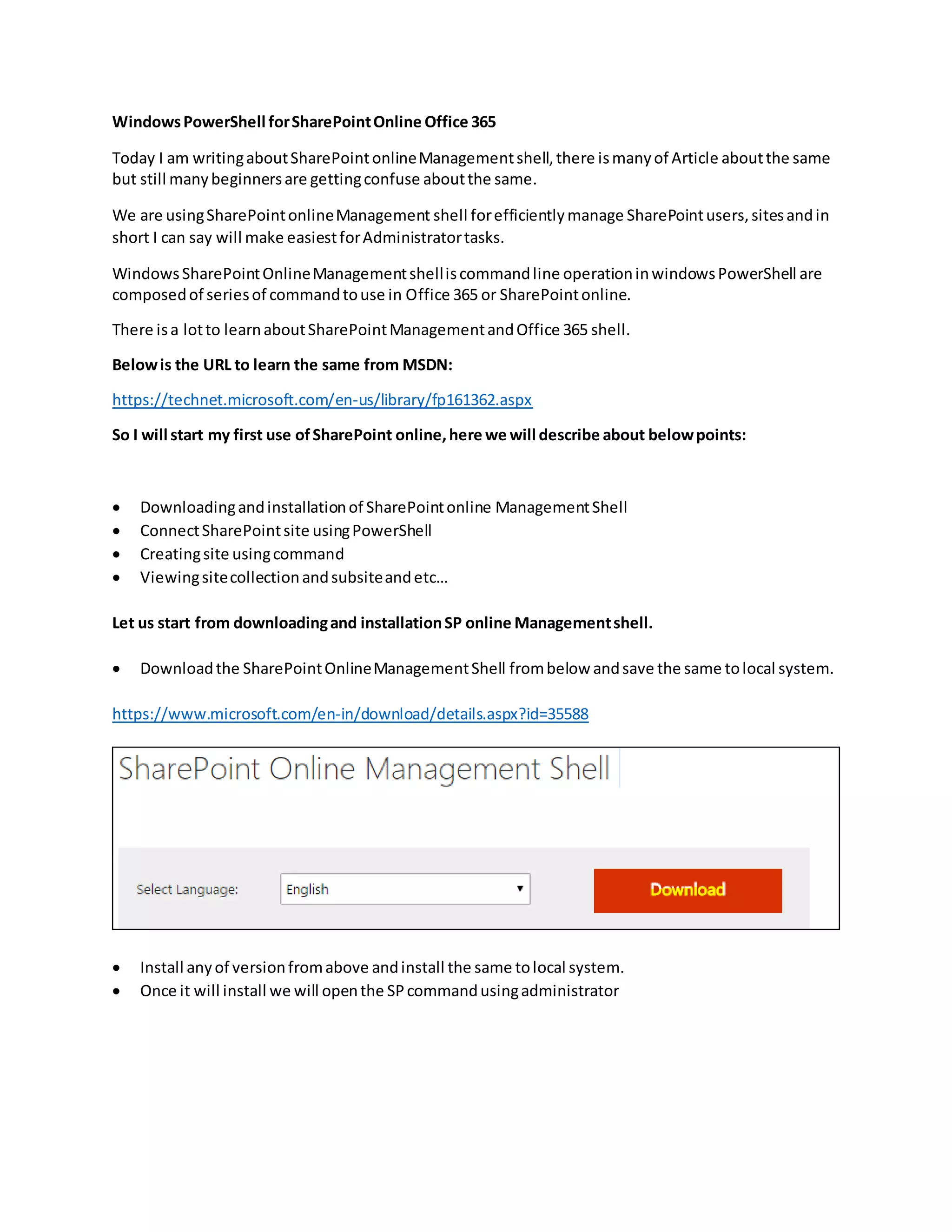
 Downloadthe SharePointOnlineManagementShell frombelow andsave the same tolocal system.
https://www.microsoft.com/en-in/download/details.aspx?id=35588
 Install anyof versionfromabove andinstall the same tolocal system.
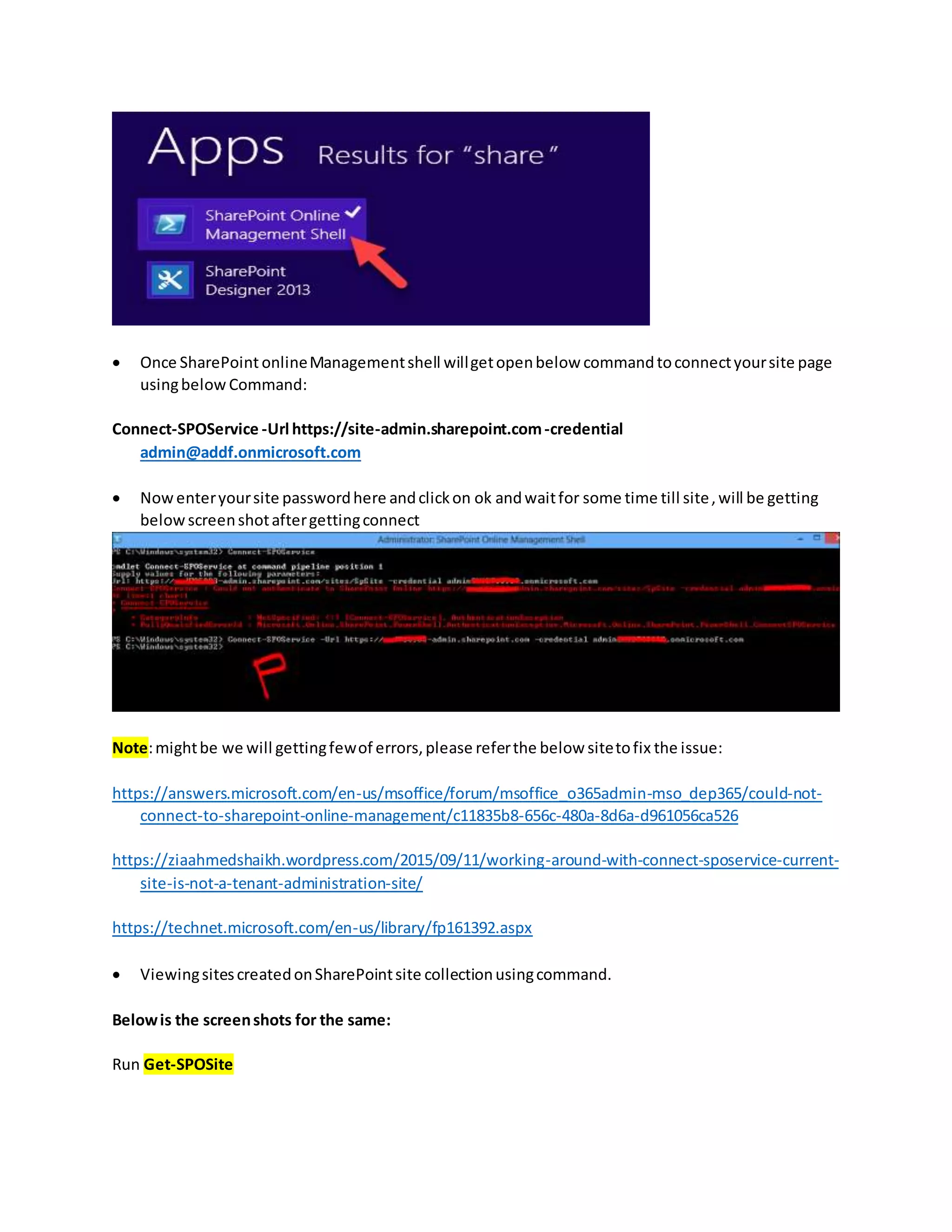
 Once it will install we will openthe SPcommandusingadministrator
 Once SharePoint onlineManagementshell willgetopenbelow commandtoconnectyoursite page
usingbelow Command:
Connect-SPOService -Url https://site-admin.sharepoint.com-credential
admin@addf.onmicrosoft.com
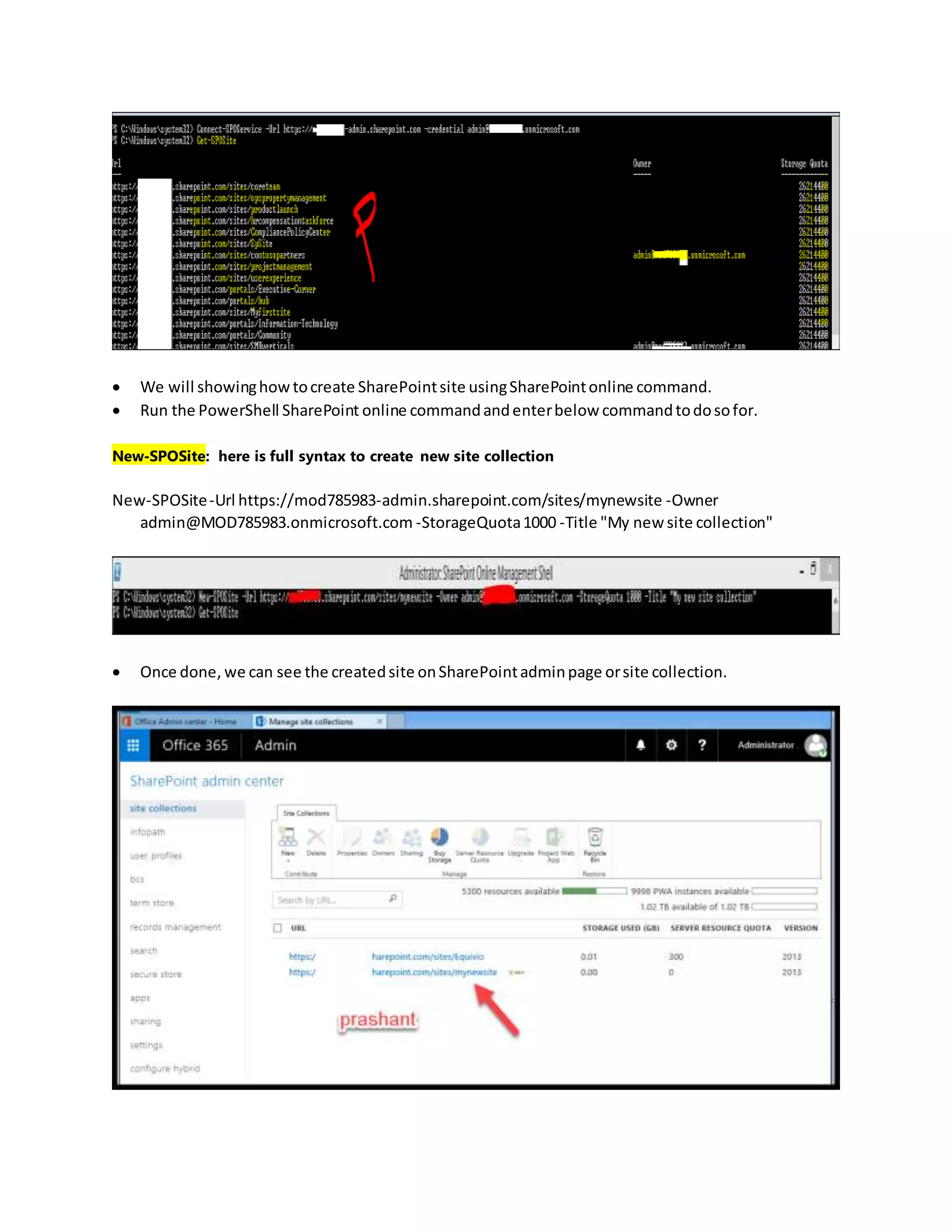
 Nowenteryoursite passwordhere andclickon ok andwaitfor some time till site,will be getting
belowscreenshotaftergettingconnect
Note:mightbe we will gettingfewof errors,please referthe below sitetofix the issue:
https://answers.microsoft.com/en-us/msoffice/forum/msoffice_o365admin-mso_dep365/could-not-
connect-to-sharepoint-online-management/c11835b8-656c-480a-8d6a-d961056ca526
https://ziaahmedshaikh.wordpress.com/2015/09/11/working-around-with-connect-sposervice-current-
site-is-not-a-tenant-administration-site/
https://technet.microsoft.com/en-us/library/fp161392.aspx
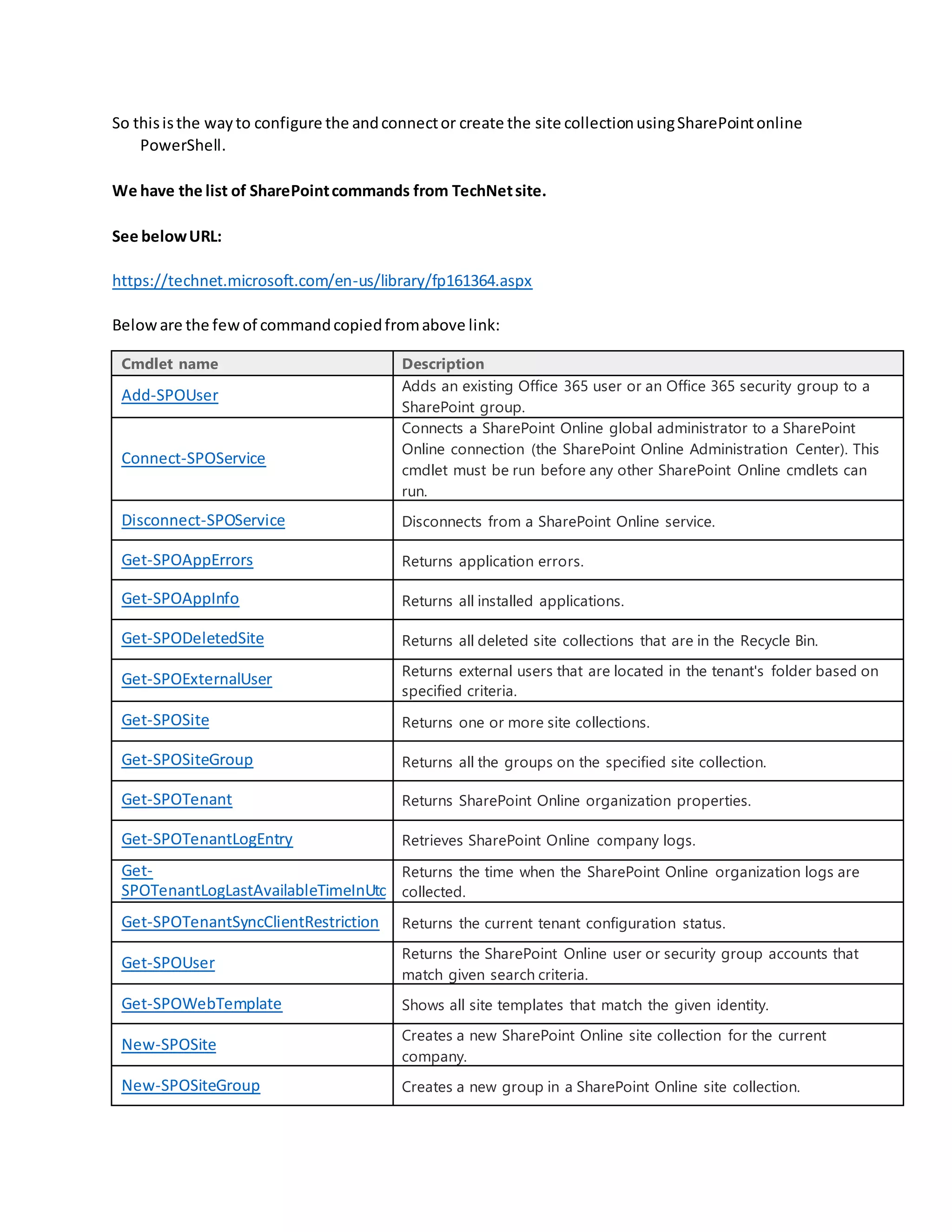
 ViewingsitescreatedonSharePointsite collectionusingcommand.
Belowis the screenshots for the same:
Run Get-SPOSite
 We will showinghowtocreate SharePointsite usingSharePointonline command.
 Run the PowerShell SharePoint online commandandenterbelow commandtodosofor.
New-SPOSite: here is full syntax to create new site collection
New-SPOSite-Url https://mod785983-admin.sharepoint.com/sites/mynewsite -Owner
admin@MOD785983.onmicrosoft.com -StorageQuota1000 -Title "My new site collection"
 Once done, we can see the createdsite onSharePointadminpage orsite collection.
So thisisthe wayto configure the andconnector create the site collectionusingSharePointonline
PowerShell.
We have the list of SharePointcommands from TechNetsite.
See belowURL:
https://technet.microsoft.com/en-us/library/fp161364.aspx
Beloware the fewof commandcopiedfromabove link:
Cmdlet name Description
Add-SPOUser
Adds an existing Office 365 user or an Office 365 security group to a
SharePoint group.
Connect-SPOService
Connects a SharePoint Online global administrator to a SharePoint
Online connection (the SharePoint Online Administration Center). This
cmdlet must be run before any other SharePoint Online cmdlets can
run.
Disconnect-SPOService Disconnects from a SharePoint Online service.
Get-SPOAppErrors Returns application errors.
Get-SPOAppInfo Returns all installed applications.
Get-SPODeletedSite Returns all deleted site collections that are in the Recycle Bin.
Get-SPOExternalUser Returns external users that are located in the tenant's folder based on
specified criteria.
Get-SPOSite Returns one or more site collections.
Get-SPOSiteGroup Returns all the groups on the specified site collection.
Get-SPOTenant Returns SharePoint Online organization properties.
Get-SPOTenantLogEntry Retrieves SharePoint Online company logs.
Get-
SPOTenantLogLastAvailableTimeInUtc
Returns the time when the SharePoint Online organization logs are
collected.
Get-SPOTenantSyncClientRestriction Returns the current tenant configuration status.
Get-SPOUser
Returns the SharePoint Online user or security group accounts that
match given search criteria.
Get-SPOWebTemplate Shows all site templates that match the given identity.
New-SPOSite
Creates a new SharePoint Online site collection for the current
company.
New-SPOSiteGroup Creates a new group in a SharePoint Online site collection.
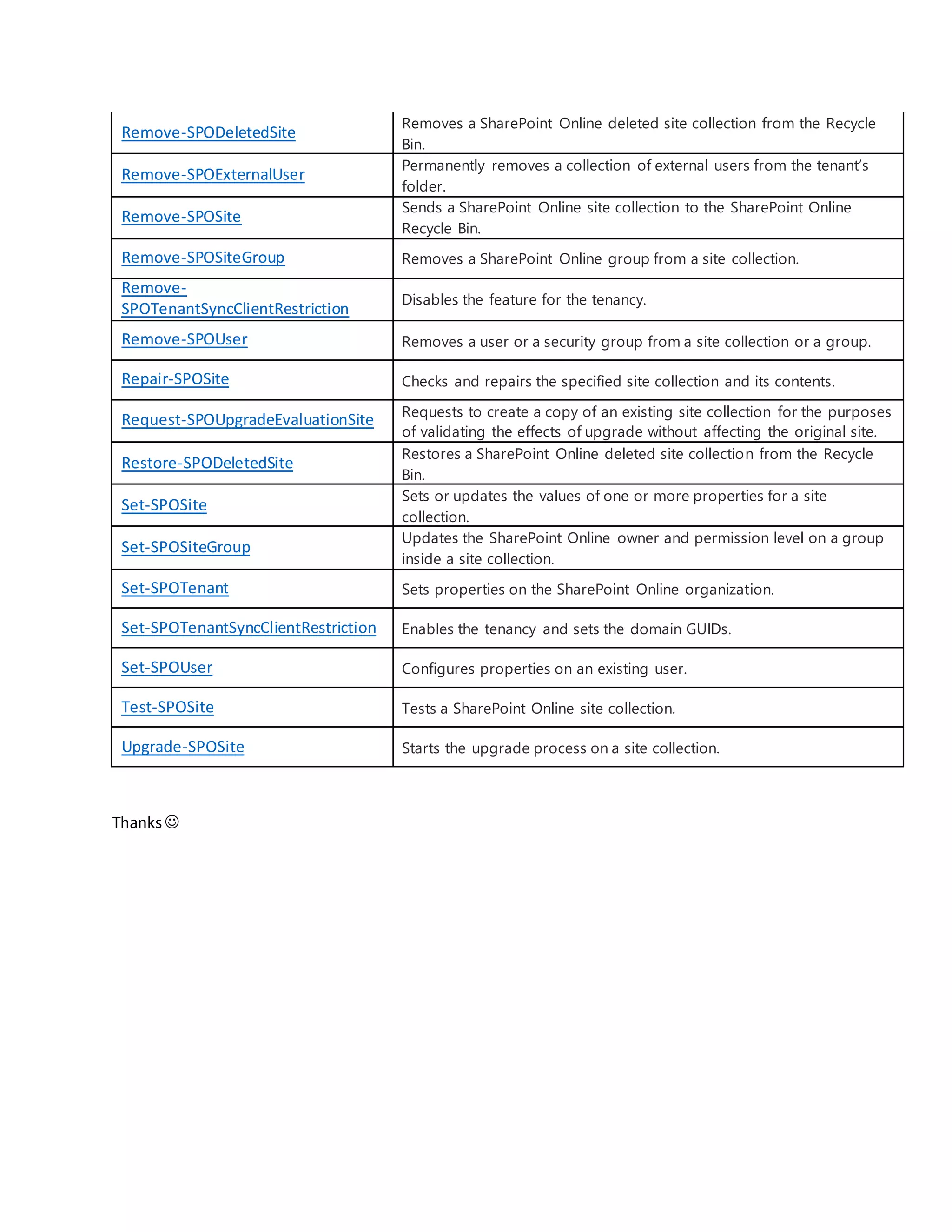
Remove-SPODeletedSite
Removes a SharePoint Online deleted site collection from the Recycle
Bin.
Remove-SPOExternalUser
Permanently removes a collection of external users from the tenant’s
folder.
Remove-SPOSite
Sends a SharePoint Online site collection to the SharePoint Online
Recycle Bin.
Remove-SPOSiteGroup Removes a SharePoint Online group from a site collection.
Remove-
SPOTenantSyncClientRestriction
Disables the feature for the tenancy.
Remove-SPOUser Removes a user or a security group from a site collection or a group.
Repair-SPOSite Checks and repairs the specified site collection and its contents.
Request-SPOUpgradeEvaluationSite Requests to create a copy of an existing site collection for the purposes
of validating the effects of upgrade without affecting the original site.
Restore-SPODeletedSite
Restores a SharePoint Online deleted site collection from the Recycle
Bin.
Set-SPOSite
Sets or updates the values of one or more properties for a site
collection.
Set-SPOSiteGroup
Updates the SharePoint Online owner and permission level on a group
inside a site collection.
Set-SPOTenant Sets properties on the SharePoint Online organization.
Set-SPOTenantSyncClientRestriction Enables the tenancy and sets the domain GUIDs.
Set-SPOUser Configures properties on an existing user.
Test-SPOSite Tests a SharePoint Online site collection.
Upgrade-SPOSite Starts the upgrade process on a site collection.
Thanks

Windows power shell for sharepoint online & office 365

  • 1.
    WindowsPowerShell forSharePointOnline Office365 Today I am writingaboutSharePointonlineManagementshell,there ismanyof Article aboutthe same but still manybeginnersare gettingconfuse aboutthe same. We are usingSharePointonlineManagement shell forefficientlymanage SharePointusers,sitesandin short I can say will make easiestforAdministratortasks. WindowsSharePointOnlineManagementshelliscommandline operationinwindowsPowerShell are composedof seriesof commandtouse in Office 365 or SharePointonline. There isa lotto learnaboutSharePointManagementandOffice 365 shell. Belowis the URL to learn the same from MSDN: https://technet.microsoft.com/en-us/library/fp161362.aspx So I will start my first use ofSharePoint online,here we will describe about belowpoints:  Downloadingandinstallationof SharePointonline ManagementShell  ConnectSharePointsite usingPowerShell  Creatingsite usingcommand  Viewingsitecollectionandsubsiteandetc… Let us start from downloadingand installationSP online Managementshell.  Downloadthe SharePointOnlineManagementShell frombelow andsave the same tolocal system. https://www.microsoft.com/en-in/download/details.aspx?id=35588  Install anyof versionfromabove andinstall the same tolocal system.  Once it will install we will openthe SPcommandusingadministrator
  • 2.
     Once SharePointonlineManagementshell willgetopenbelow commandtoconnectyoursite page usingbelow Command: Connect-SPOService -Url https://site-admin.sharepoint.com-credential admin@addf.onmicrosoft.com  Nowenteryoursite passwordhere andclickon ok andwaitfor some time till site,will be getting belowscreenshotaftergettingconnect Note:mightbe we will gettingfewof errors,please referthe below sitetofix the issue: https://answers.microsoft.com/en-us/msoffice/forum/msoffice_o365admin-mso_dep365/could-not- connect-to-sharepoint-online-management/c11835b8-656c-480a-8d6a-d961056ca526 https://ziaahmedshaikh.wordpress.com/2015/09/11/working-around-with-connect-sposervice-current- site-is-not-a-tenant-administration-site/ https://technet.microsoft.com/en-us/library/fp161392.aspx  ViewingsitescreatedonSharePointsite collectionusingcommand. Belowis the screenshots for the same: Run Get-SPOSite
  • 3.
     We willshowinghowtocreate SharePointsite usingSharePointonline command.  Run the PowerShell SharePoint online commandandenterbelow commandtodosofor. New-SPOSite: here is full syntax to create new site collection New-SPOSite-Url https://mod785983-admin.sharepoint.com/sites/mynewsite -Owner admin@MOD785983.onmicrosoft.com -StorageQuota1000 -Title "My new site collection"  Once done, we can see the createdsite onSharePointadminpage orsite collection.
  • 4.
    So thisisthe waytoconfigure the andconnector create the site collectionusingSharePointonline PowerShell. We have the list of SharePointcommands from TechNetsite. See belowURL: https://technet.microsoft.com/en-us/library/fp161364.aspx Beloware the fewof commandcopiedfromabove link: Cmdlet name Description Add-SPOUser Adds an existing Office 365 user or an Office 365 security group to a SharePoint group. Connect-SPOService Connects a SharePoint Online global administrator to a SharePoint Online connection (the SharePoint Online Administration Center). This cmdlet must be run before any other SharePoint Online cmdlets can run. Disconnect-SPOService Disconnects from a SharePoint Online service. Get-SPOAppErrors Returns application errors. Get-SPOAppInfo Returns all installed applications. Get-SPODeletedSite Returns all deleted site collections that are in the Recycle Bin. Get-SPOExternalUser Returns external users that are located in the tenant's folder based on specified criteria. Get-SPOSite Returns one or more site collections. Get-SPOSiteGroup Returns all the groups on the specified site collection. Get-SPOTenant Returns SharePoint Online organization properties. Get-SPOTenantLogEntry Retrieves SharePoint Online company logs. Get- SPOTenantLogLastAvailableTimeInUtc Returns the time when the SharePoint Online organization logs are collected. Get-SPOTenantSyncClientRestriction Returns the current tenant configuration status. Get-SPOUser Returns the SharePoint Online user or security group accounts that match given search criteria. Get-SPOWebTemplate Shows all site templates that match the given identity. New-SPOSite Creates a new SharePoint Online site collection for the current company. New-SPOSiteGroup Creates a new group in a SharePoint Online site collection.
  • 5.
    Remove-SPODeletedSite Removes a SharePointOnline deleted site collection from the Recycle Bin. Remove-SPOExternalUser Permanently removes a collection of external users from the tenant’s folder. Remove-SPOSite Sends a SharePoint Online site collection to the SharePoint Online Recycle Bin. Remove-SPOSiteGroup Removes a SharePoint Online group from a site collection. Remove- SPOTenantSyncClientRestriction Disables the feature for the tenancy. Remove-SPOUser Removes a user or a security group from a site collection or a group. Repair-SPOSite Checks and repairs the specified site collection and its contents. Request-SPOUpgradeEvaluationSite Requests to create a copy of an existing site collection for the purposes of validating the effects of upgrade without affecting the original site. Restore-SPODeletedSite Restores a SharePoint Online deleted site collection from the Recycle Bin. Set-SPOSite Sets or updates the values of one or more properties for a site collection. Set-SPOSiteGroup Updates the SharePoint Online owner and permission level on a group inside a site collection. Set-SPOTenant Sets properties on the SharePoint Online organization. Set-SPOTenantSyncClientRestriction Enables the tenancy and sets the domain GUIDs. Set-SPOUser Configures properties on an existing user. Test-SPOSite Tests a SharePoint Online site collection. Upgrade-SPOSite Starts the upgrade process on a site collection. Thanks