SharePoint Saturday
Ottawa
Office 365 & PowerShell : A match made
in heaven
Sébastien Levert
Office 365 Junkie & MVP
November 21st, 2015
Thanks to all of our Sponsors!
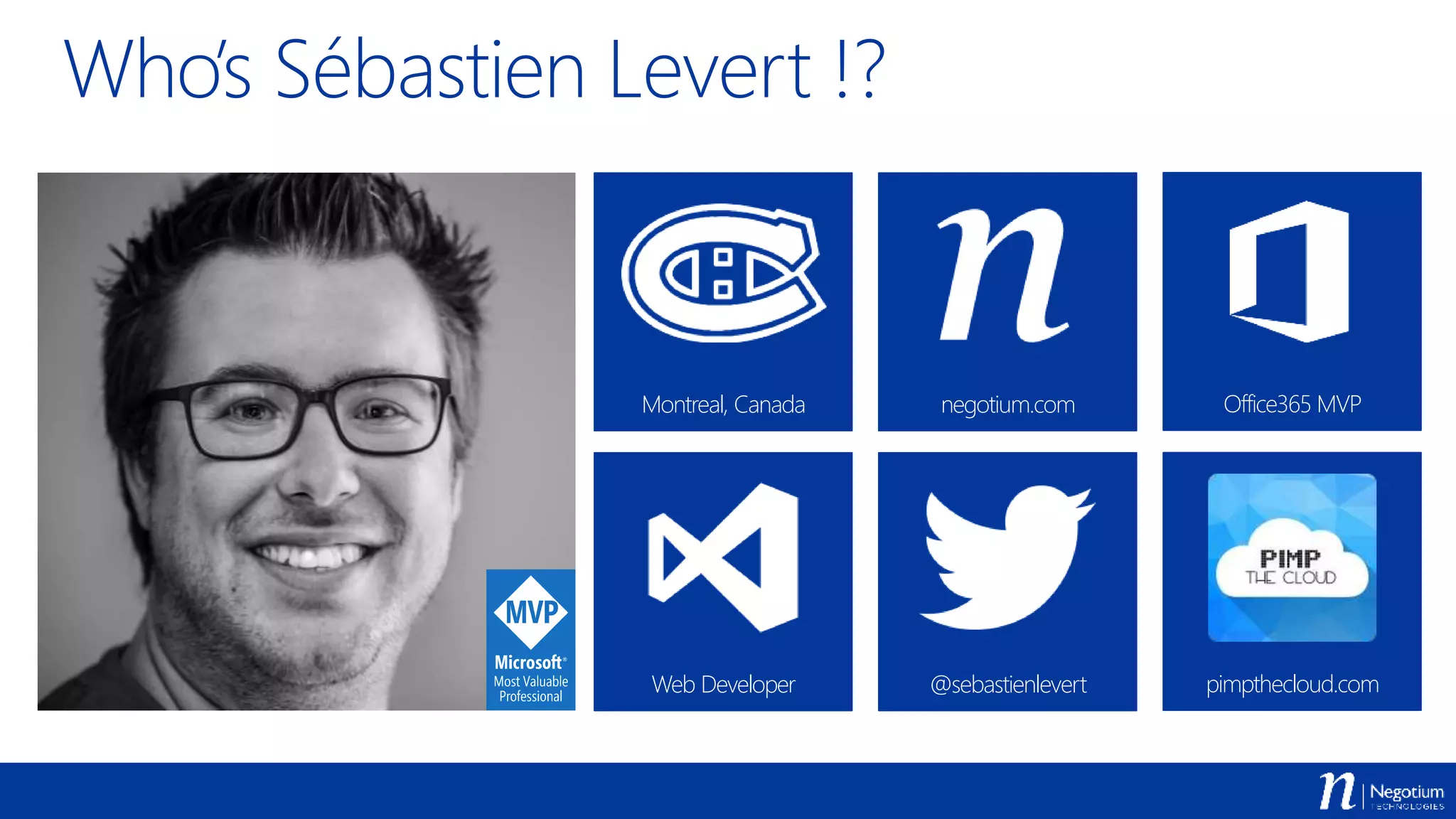
Web Developer @sebastienlevert pimpthecloud.com
Who’s Sébastien Levert !?
Montreal, Canada negotium.com Office365 MVP
Agenda
 Introduction to PowerShell in Office 365
 Using PowerShell with SharePoint Online
 Using PowerShell with the Office 365 APIs
 DevOps with PowerShell in Office 365
Getting started
 Announced at Ignite 2015
 http://powershell.office.com
 Sets of samples, scenarios, guides, …
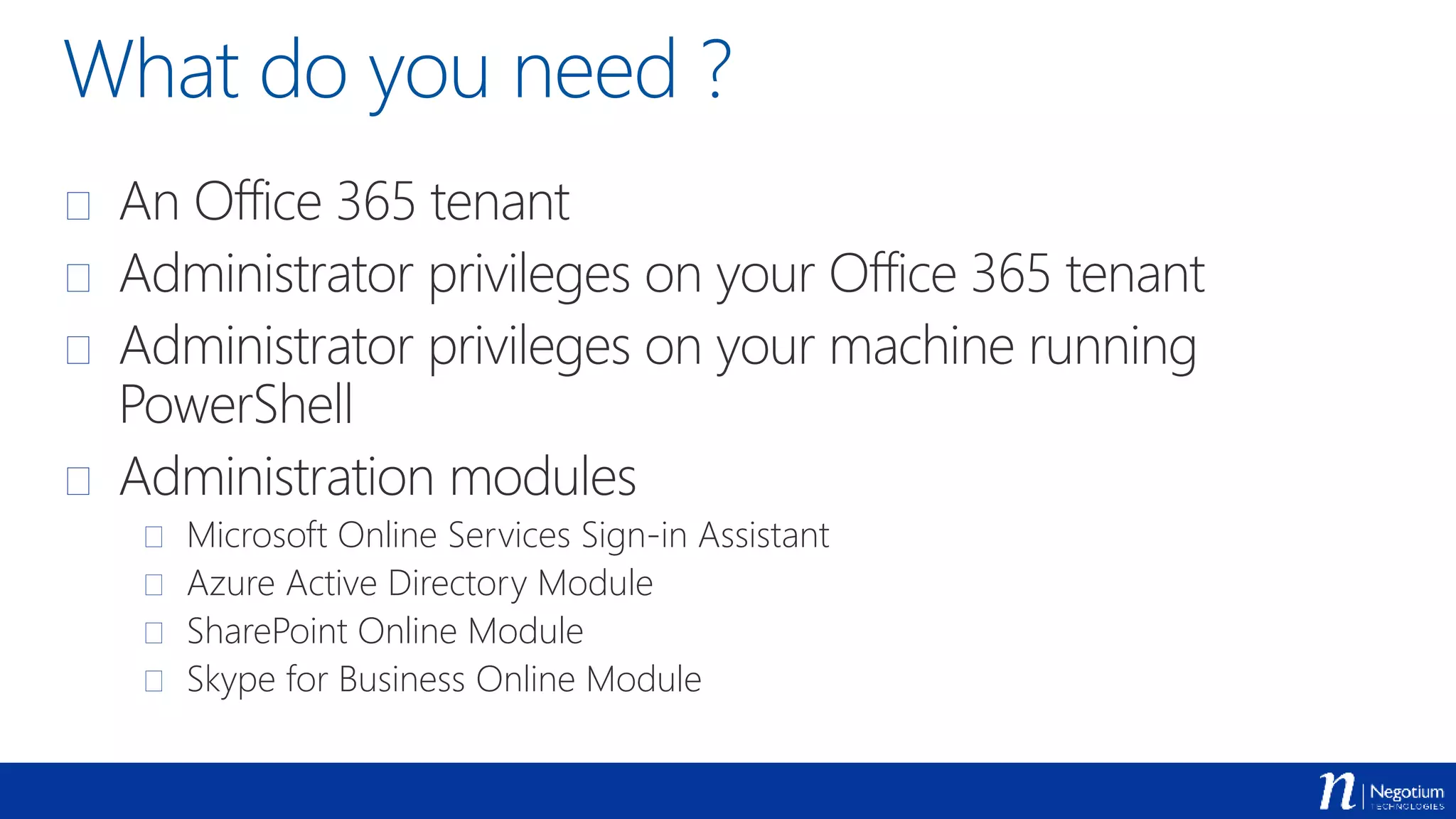
What do you need ?
 An Office 365 tenant
 Administrator privileges on your Office 365 tenant
 Administrator privileges on your machine running
PowerShell
 Administration modules
 Microsoft Online Services Sign-in Assistant
 Azure Active Directory Module
 SharePoint Online Module
 Skype for Business Online Module
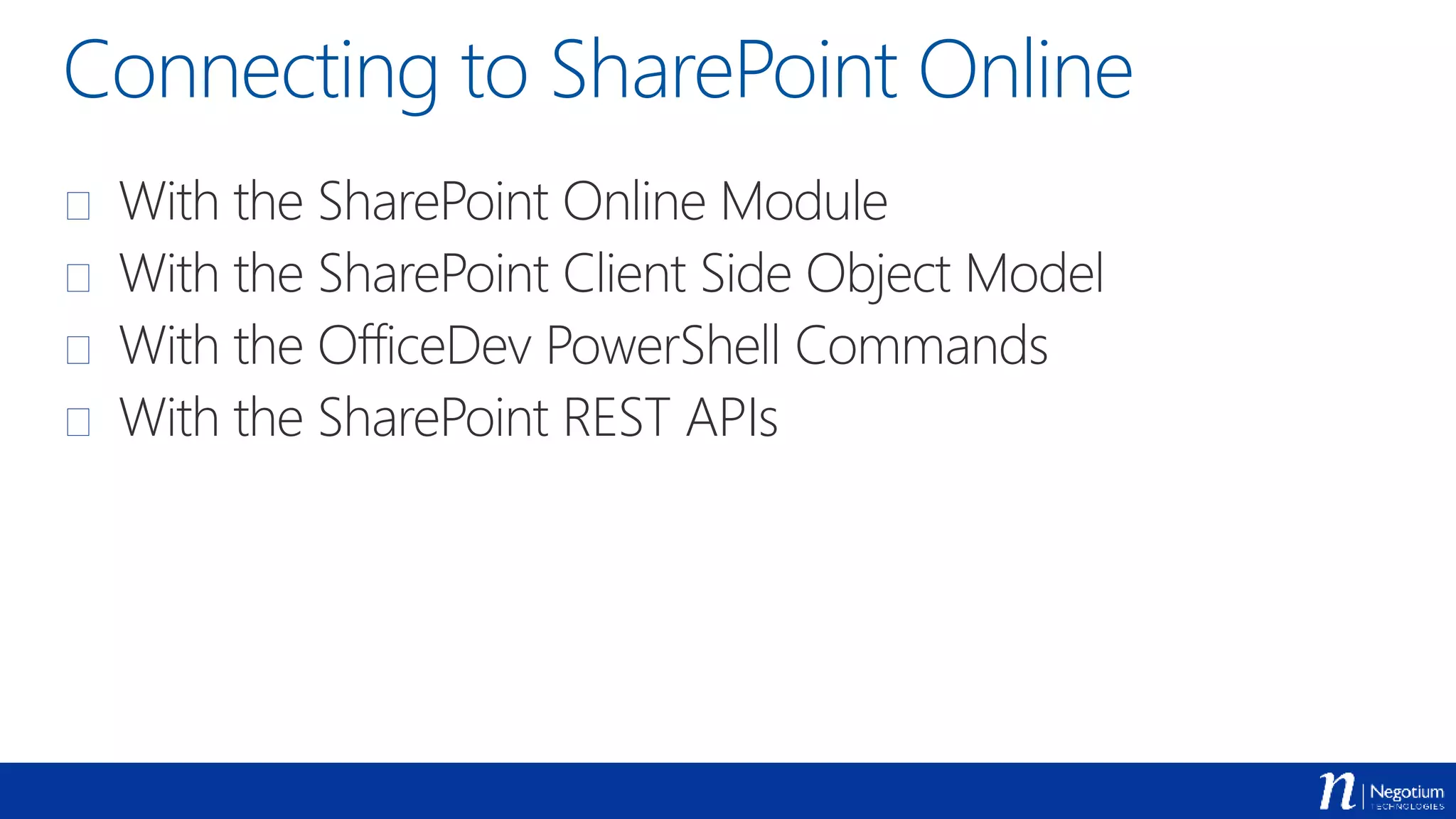
Connecting to SharePoint Online
 With the SharePoint Online Module
 With the SharePoint Client Side Object Model
 With the OfficeDev PowerShell Commands
 With the SharePoint REST APIs
Getting all your Site
Collections
Demo
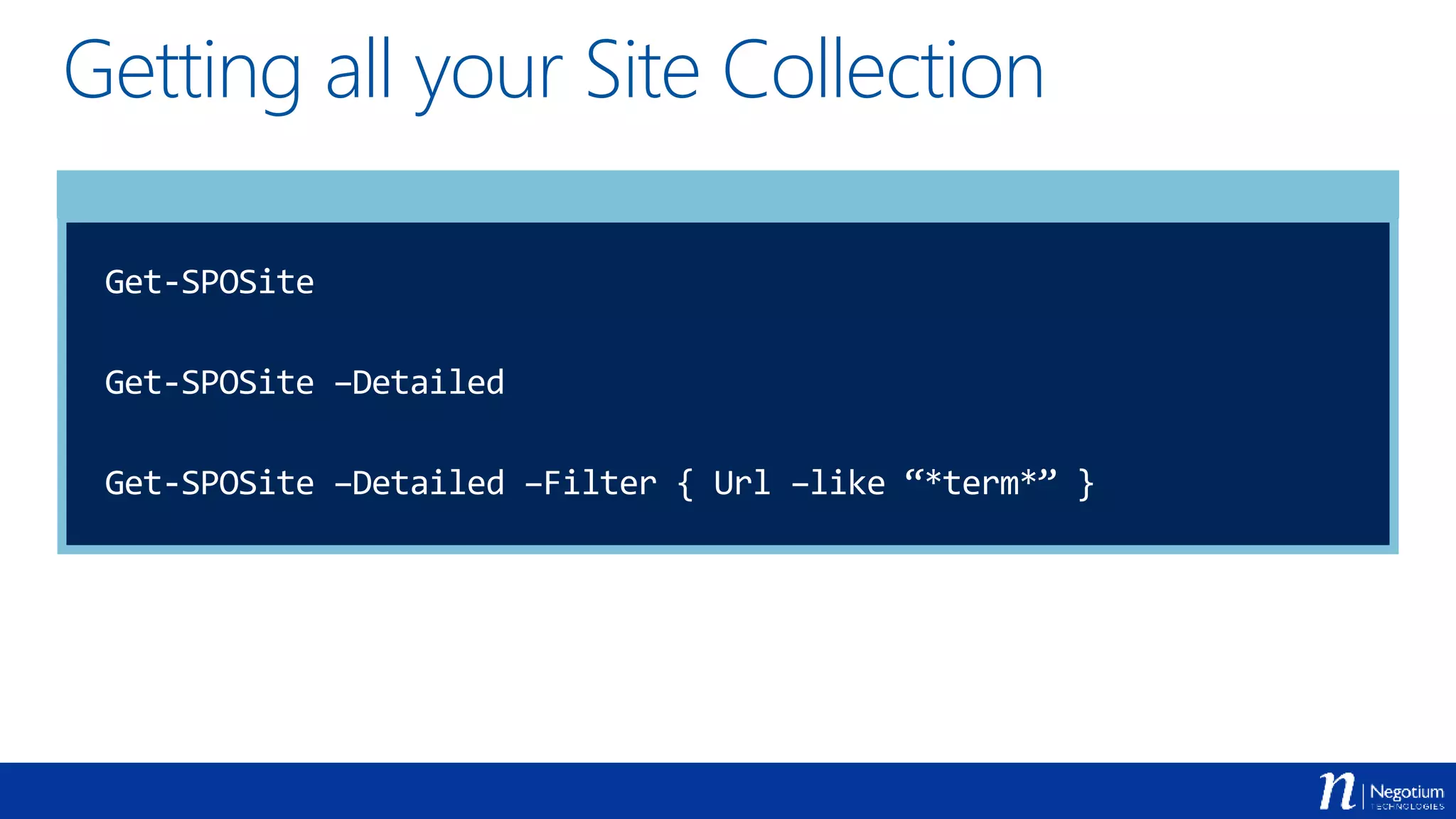
Getting all your Site Collection
Get-SPOSite
Get-SPOSite –Detailed
Get-SPOSite –Detailed –Filter { Url –like “*term*” }
Using SharePoint CSOM in PowerShell
 You have to manually get the CSOM Assemblies
 You have to manually load the CSOM Assemblies in your
PowerShell Sessions
 Ensure to have the latest bits of the CSOM Assemblies
[AppDomain]::CurrentDomain.GetAssemblies() | Where-Object {
$_.FullName -like "*SharePoint*” –or $_.FullName –like “*Office*”
} | Select FullName
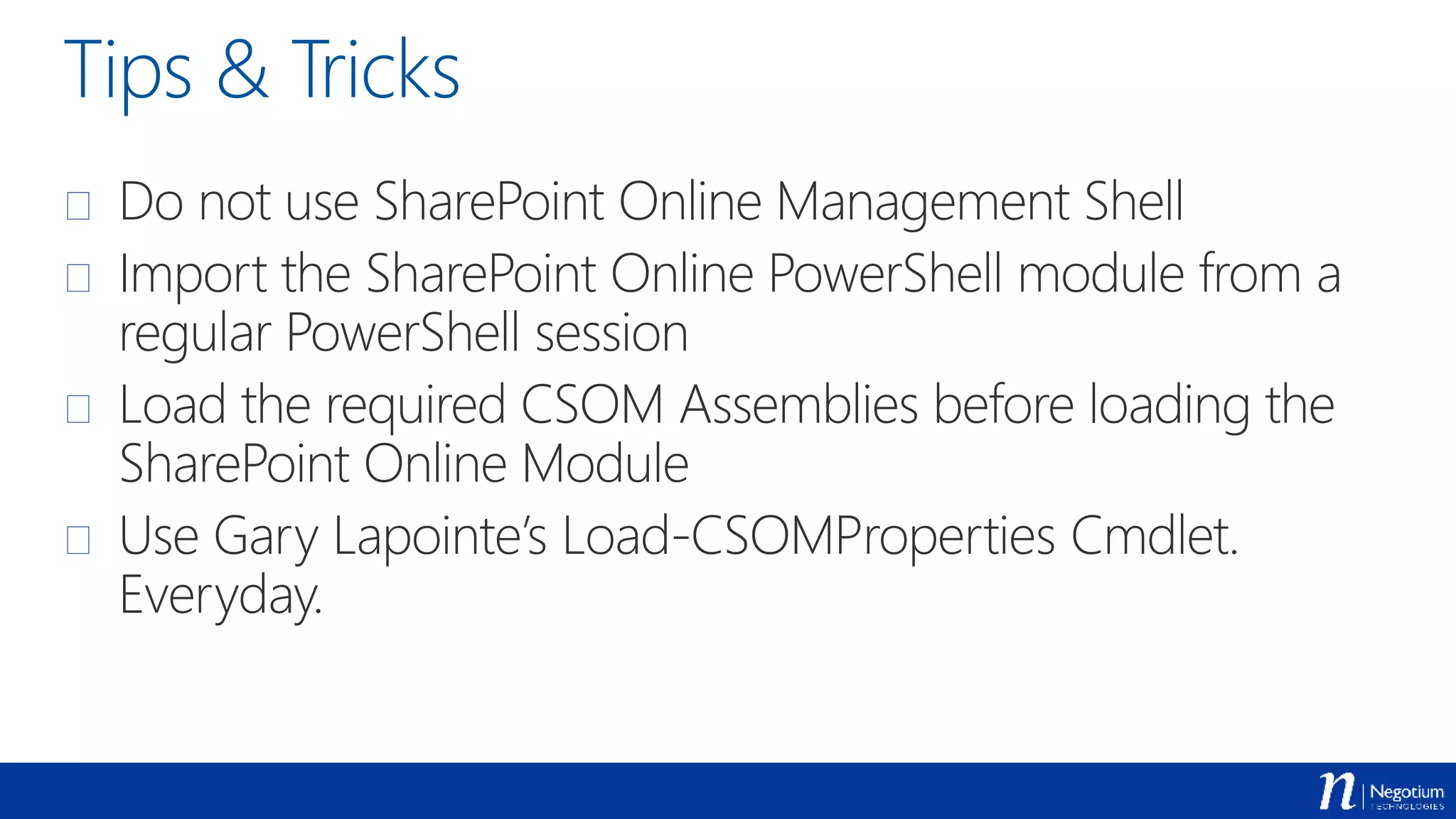
Tips & Tricks
 Do not use SharePoint Online Management Shell
 Import the SharePoint Online PowerShell module from a
regular PowerShell session
 Load the required CSOM Assemblies before loading the
SharePoint Online Module
 Use Gary Lapointe’s Load-CSOMProperties Cmdlet.
Everyday.
Getting the CSOM
Assemblies
Demo
Working with the CSOM Assemblies
Import-Module C:PathPTC.O365.PowerShell.psm1
Get-ClientAssemblies –Version 16 –TargetDirectory C:assemblies
Add-ClientAssemblies –AssembliesDirectory C:assemblies
[AppDomain]::CurrentDomain.GetAssemblies() | Where-Object {
$_.FullName -like "*SharePoint*” –or $_.FullName –like “*Office*”
} | Select FullName
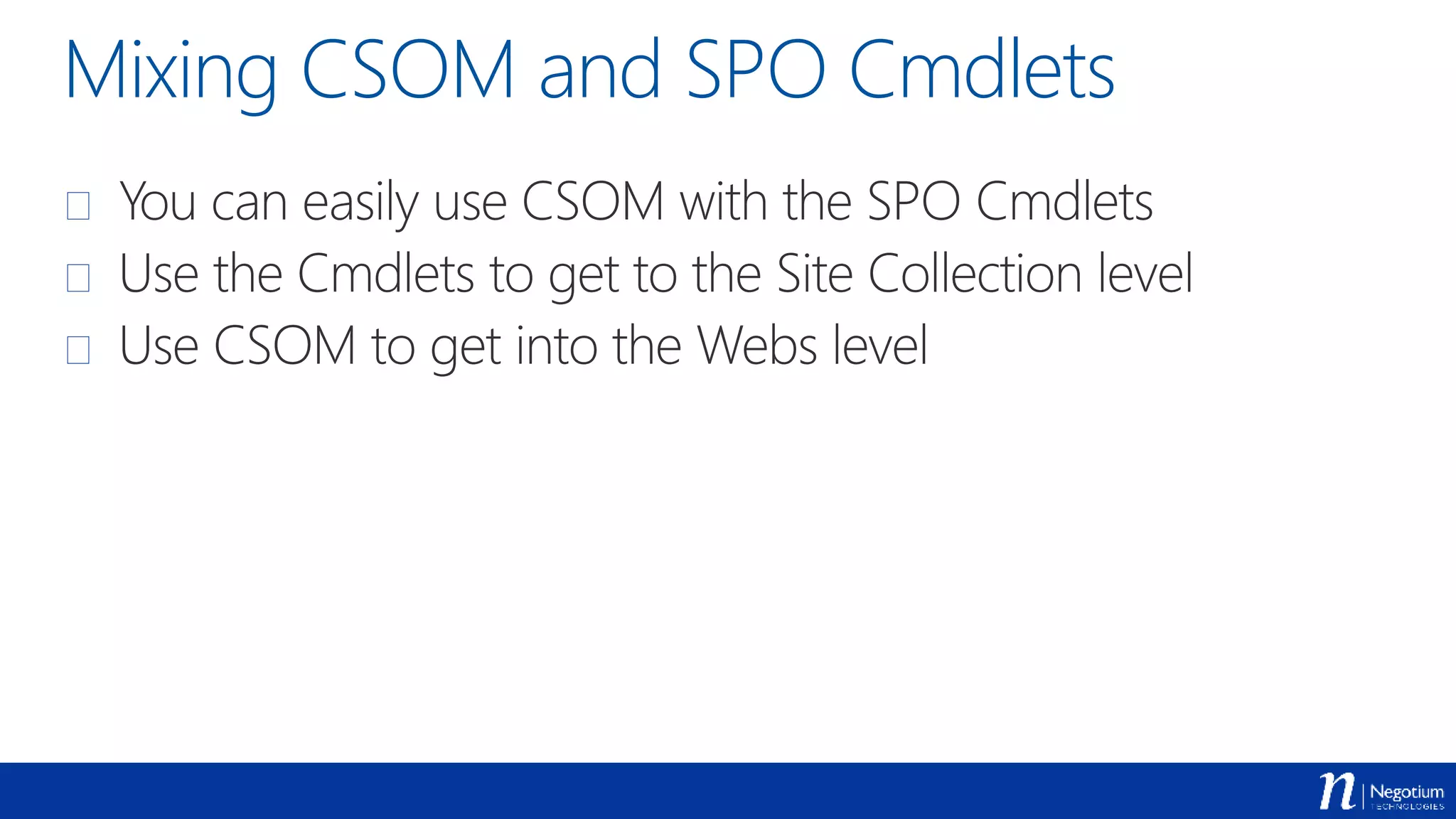
Mixing CSOM and SPO Cmdlets
 You can easily use CSOM with the SPO Cmdlets
 Use the Cmdlets to get to the Site Collection level
 Use CSOM to get into the Webs level
Getting all the Sites of
every Site Collection
Demo
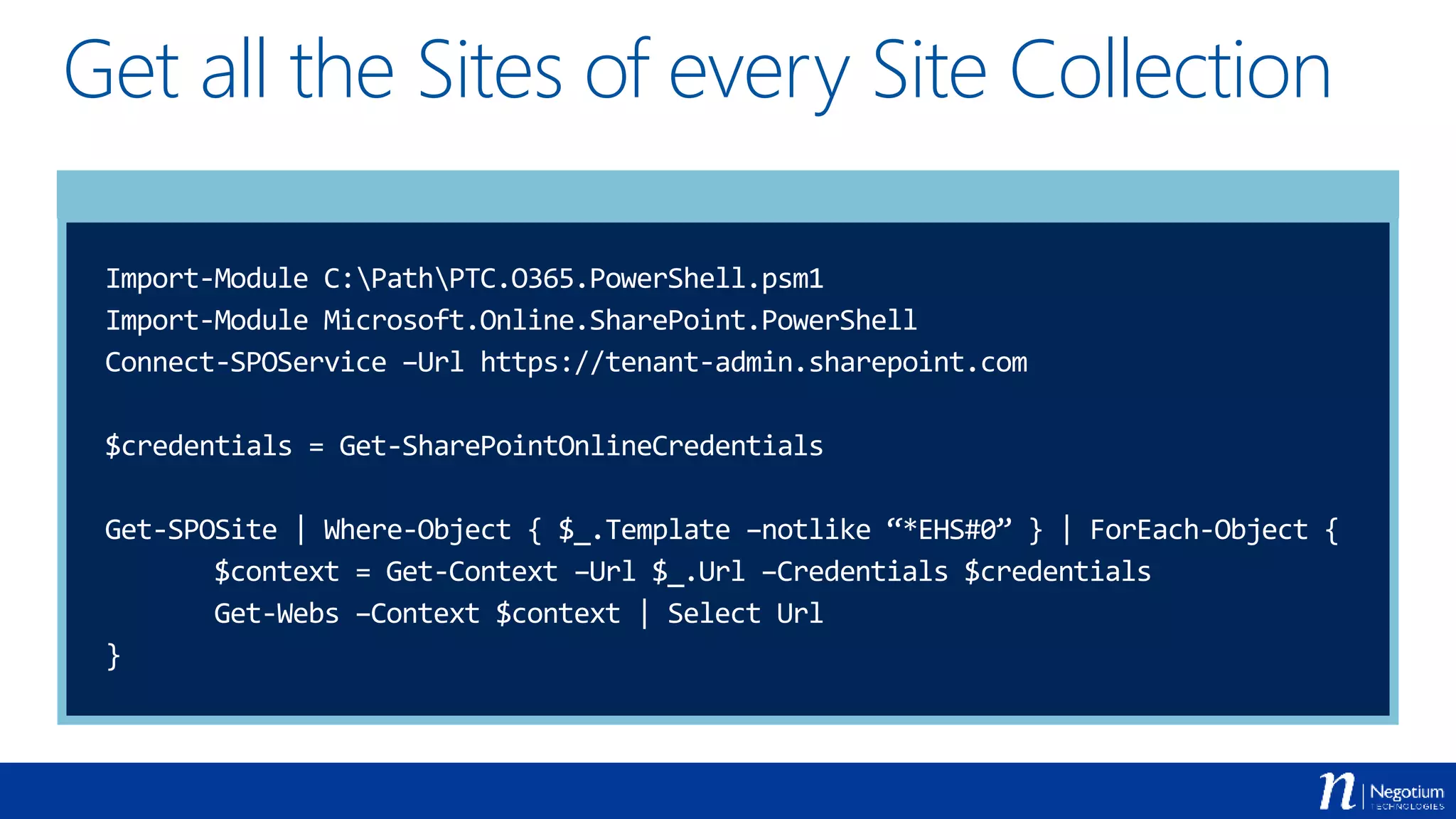
Get all the Sites of every Site Collection
Import-Module C:PathPTC.O365.PowerShell.psm1
Import-Module Microsoft.Online.SharePoint.PowerShell
Connect-SPOService –Url https://tenant-admin.sharepoint.com
$credentials = Get-SharePointOnlineCredentials
Get-SPOSite | Where-Object { $_.Template –notlike “*EHS#0” } | ForEach-Object {
$context = Get-Context –Url $_.Url –Credentials $credentials
Get-Webs –Context $context | Select Url
}
Export the content of
a SharePoint list
Demo
Export the content of a SharePoint list
$credentials = Get-SharePointOnlineCredentials
$context = Get-Context –Url “https://tenant.sharepoint.com” –Credentials $credentials
$web = Get-Web -Context $context
$list = Get-List –Web $web –Title “Tasks”
$items = Get-ListContent –List $list -Fields @(“ID”, “Title”, “DueDate”)
$items | Select @{ Name = “ID”; Expression = { $_[“ID”] } },
@{ Name = “Title”; Expression = { $_[“Title”] } },
@{ Name = “DueDate”; Expression = { $_[“DueDate”] } } |
Export-CSV –Path C:Tasks.csv –NoTypeInformation –Encoding UTF8
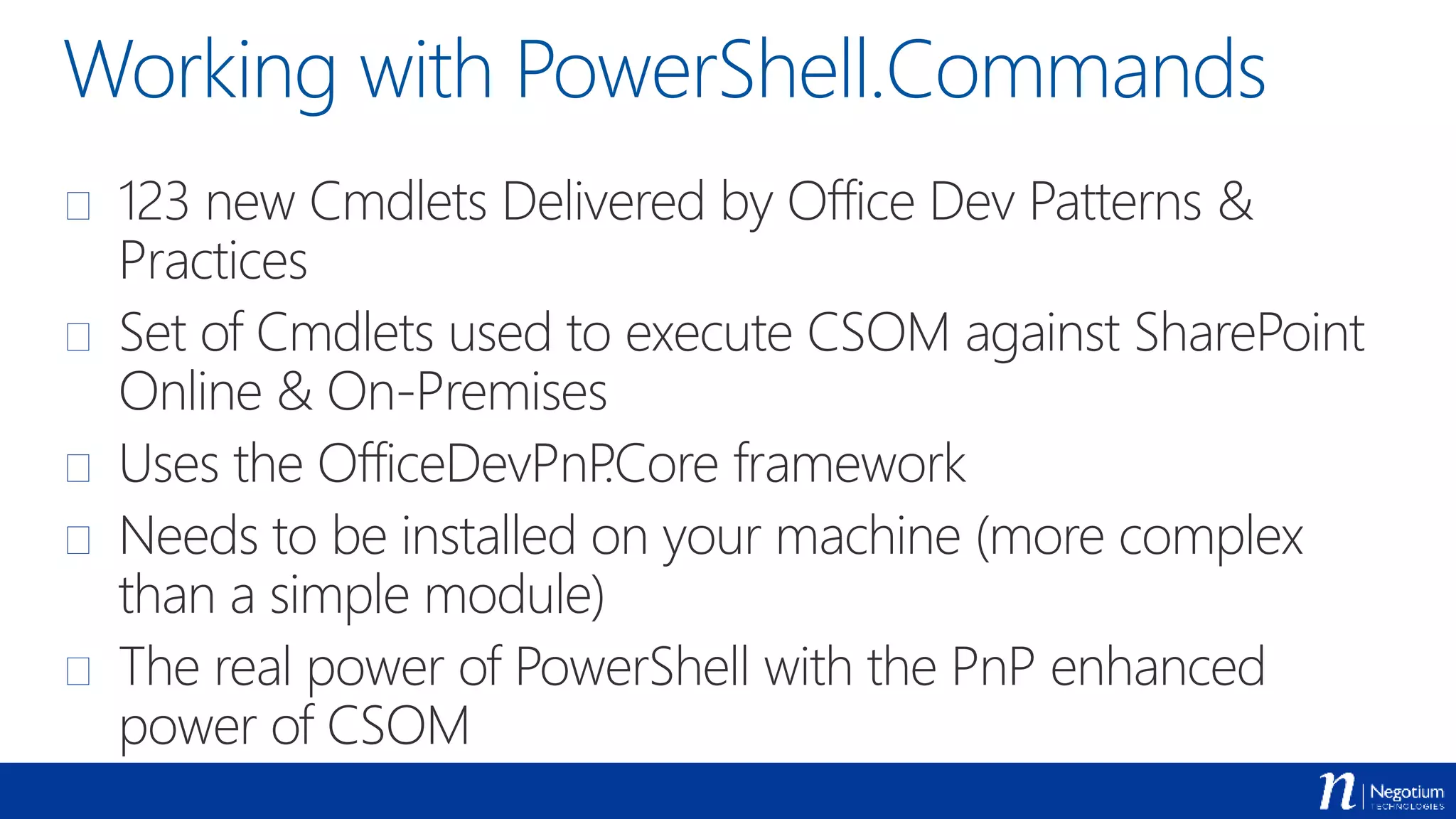
Working with PowerShell.Commands
 123 new Cmdlets Delivered by Office Dev Patterns &
Practices
 Set of Cmdlets used to execute CSOM against SharePoint
Online & On-Premises
 Uses the OfficeDevPnP.Core framework
 Needs to be installed on your machine (more complex
than a simple module)
 The real power of PowerShell with the PnP enhanced
power of CSOM
Adding and setting a
new theme to a site
Demo
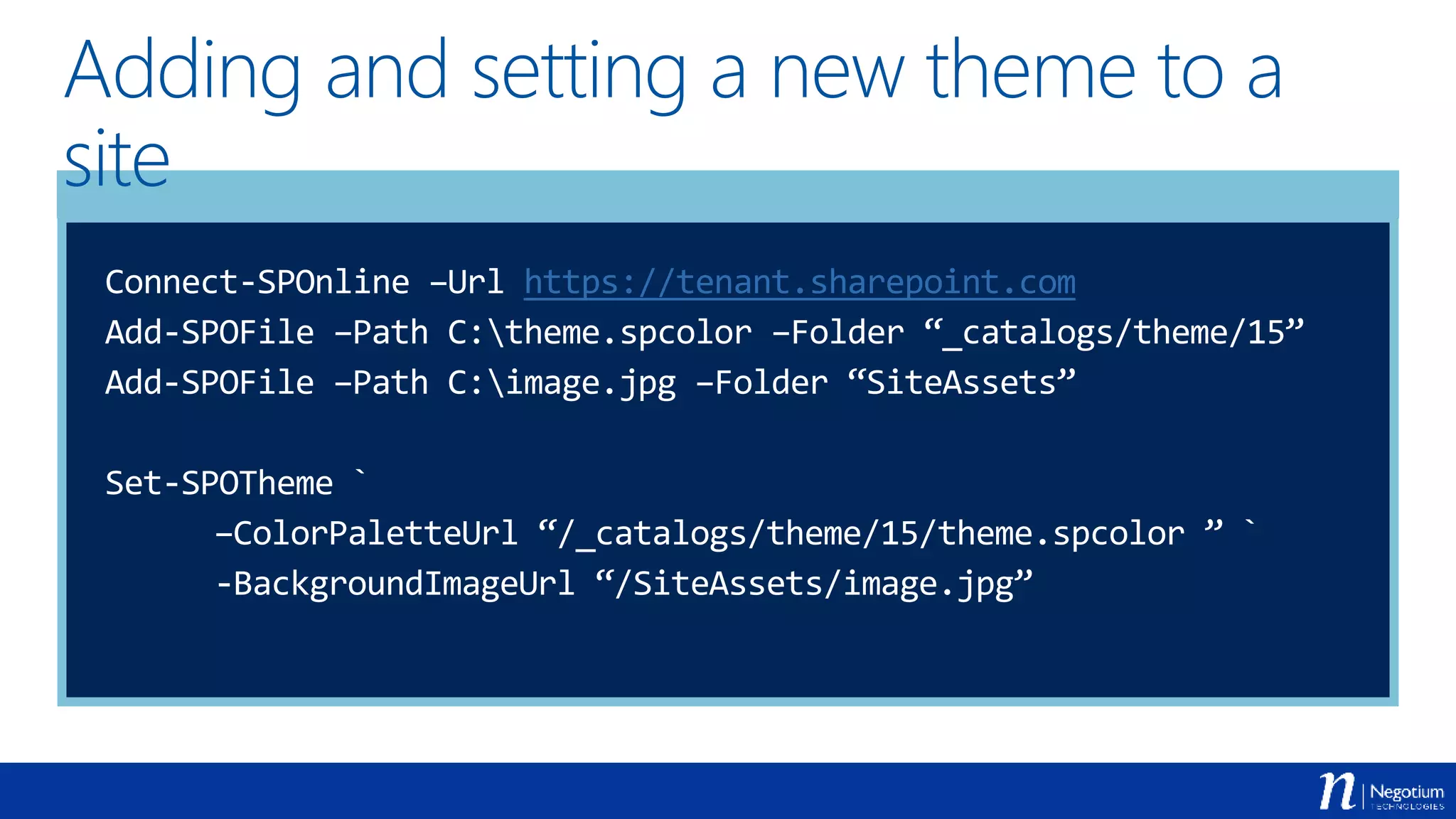
Adding and setting a new theme to a
site
Connect-SPOnline –Url https://tenant.sharepoint.com
Add-SPOFile –Path C:theme.spcolor –Folder “_catalogs/theme/15”
Add-SPOFile –Path C:image.jpg –Folder “SiteAssets”
Set-SPOTheme `
–ColorPaletteUrl “/_catalogs/theme/15/theme.spcolor ” `
-BackgroundImageUrl “/SiteAssets/image.jpg”
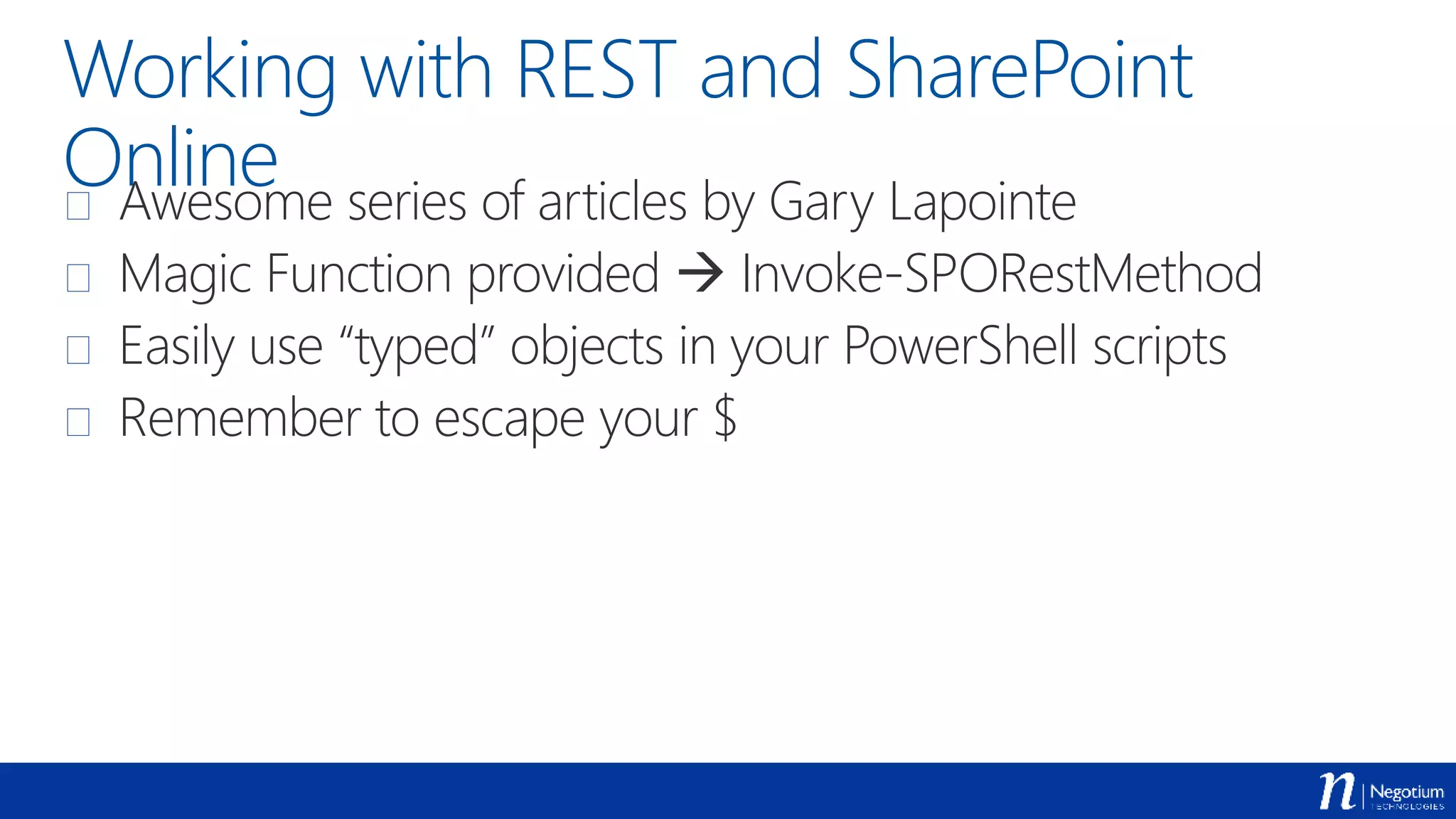
Working with REST and SharePoint
Online Awesome series of articles by Gary Lapointe
 Magic Function provided  Invoke-SPORestMethod
 Easily use “typed” objects in your PowerShell scripts
 Remember to escape your $
Query list items with
OData
Demo
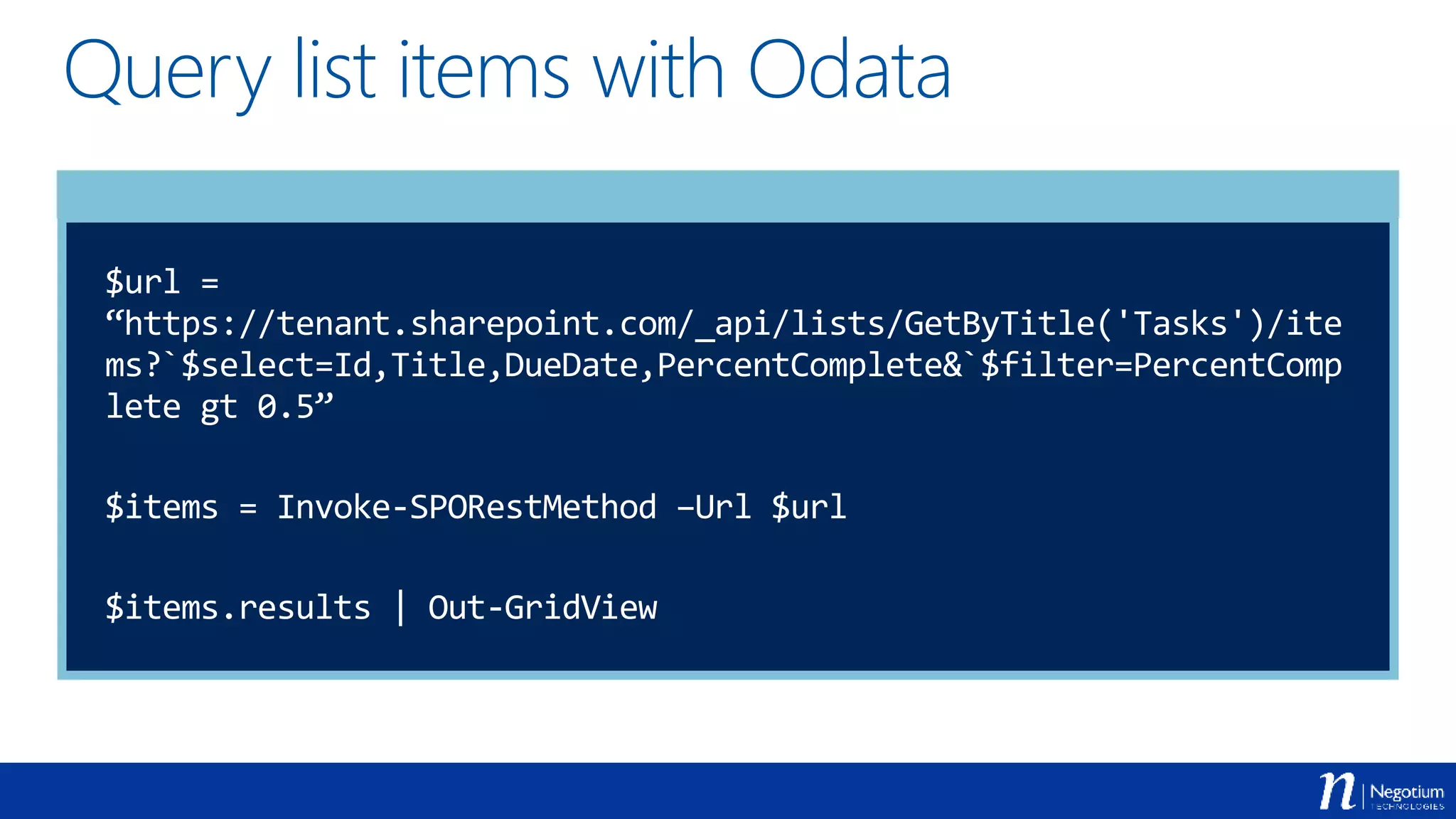
Query list items with Odata
$url =
“https://tenant.sharepoint.com/_api/lists/GetByTitle('Tasks')/ite
ms?`$select=Id,Title,DueDate,PercentComplete&`$filter=PercentComp
lete gt 0.5”
$items = Invoke-SPORestMethod –Url $url
$items.results | Out-GridView
Use the search REST
API to query the
Graph
Demo
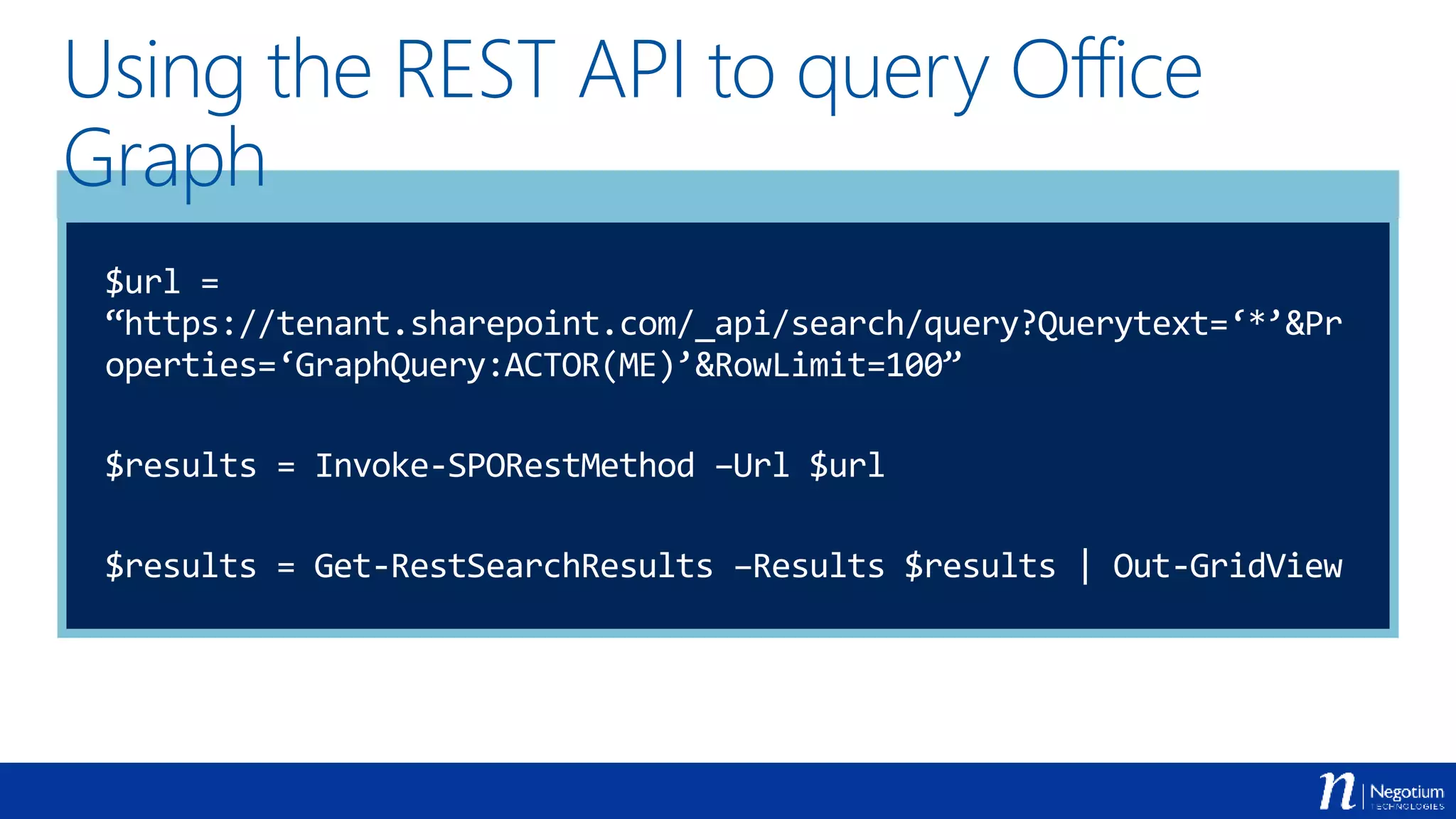
Using the REST API to query Office
Graph
$url =
“https://tenant.sharepoint.com/_api/search/query?Querytext=‘*’&Pr
operties=‘GraphQuery:ACTOR(ME)’&RowLimit=100”
$results = Invoke-SPORestMethod –Url $url
$results = Get-RestSearchResults –Results $results | Out-GridView
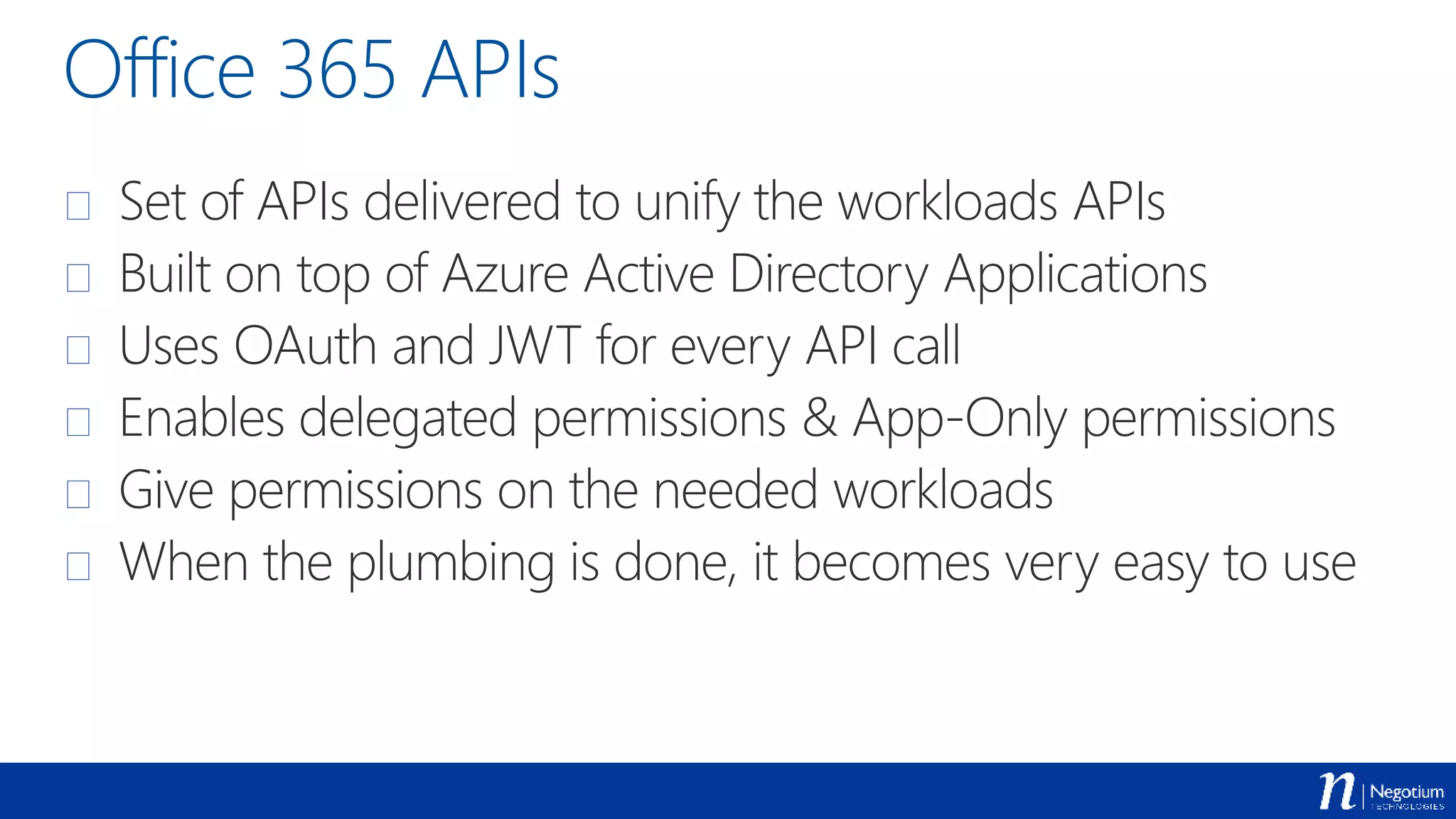
Office 365 APIs
 Set of APIs delivered to unify the workloads APIs
 Built on top of Azure Active Directory Applications
 Uses OAuth and JWT for every API call
 Enables delegated permissions & App-Only permissions
 Give permissions on the needed workloads
 When the plumbing is done, it becomes very easy to use
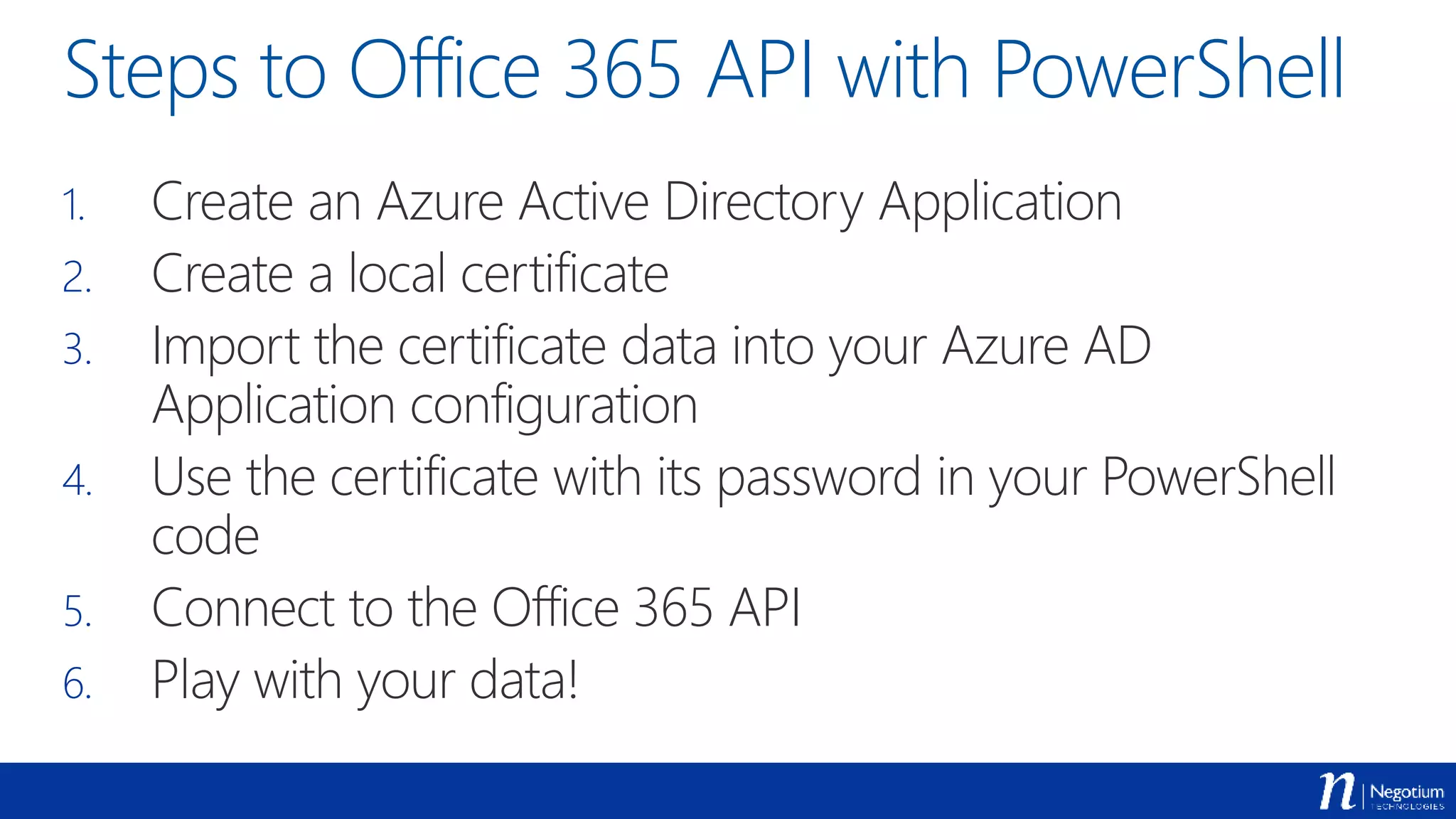
Steps to Office 365 API with PowerShell
1. Create an Azure Active Directory Application
2. Create a local certificate
3. Import the certificate data into your Azure AD
Application configuration
4. Use the certificate with its password in your PowerShell
code
5. Connect to the Office 365 API
6. Play with your data!
Getting ready
Demo
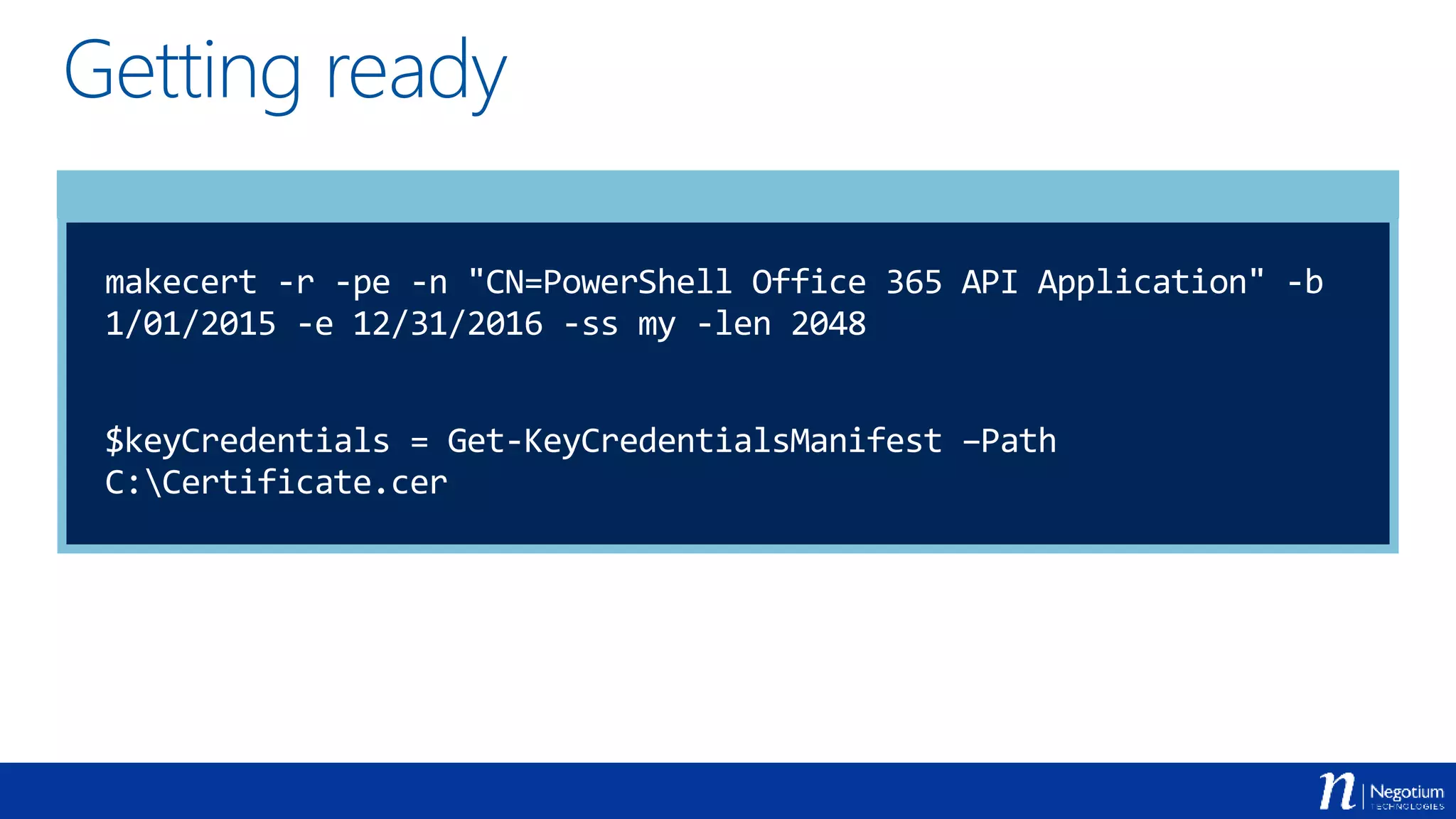
Getting ready
makecert -r -pe -n "CN=PowerShell Office 365 API Application" -b
1/01/2015 -e 12/31/2016 -ss my -len 2048
$keyCredentials = Get-KeyCredentialsManifest –Path
C:Certificate.cer
Get an Access Token
Demo
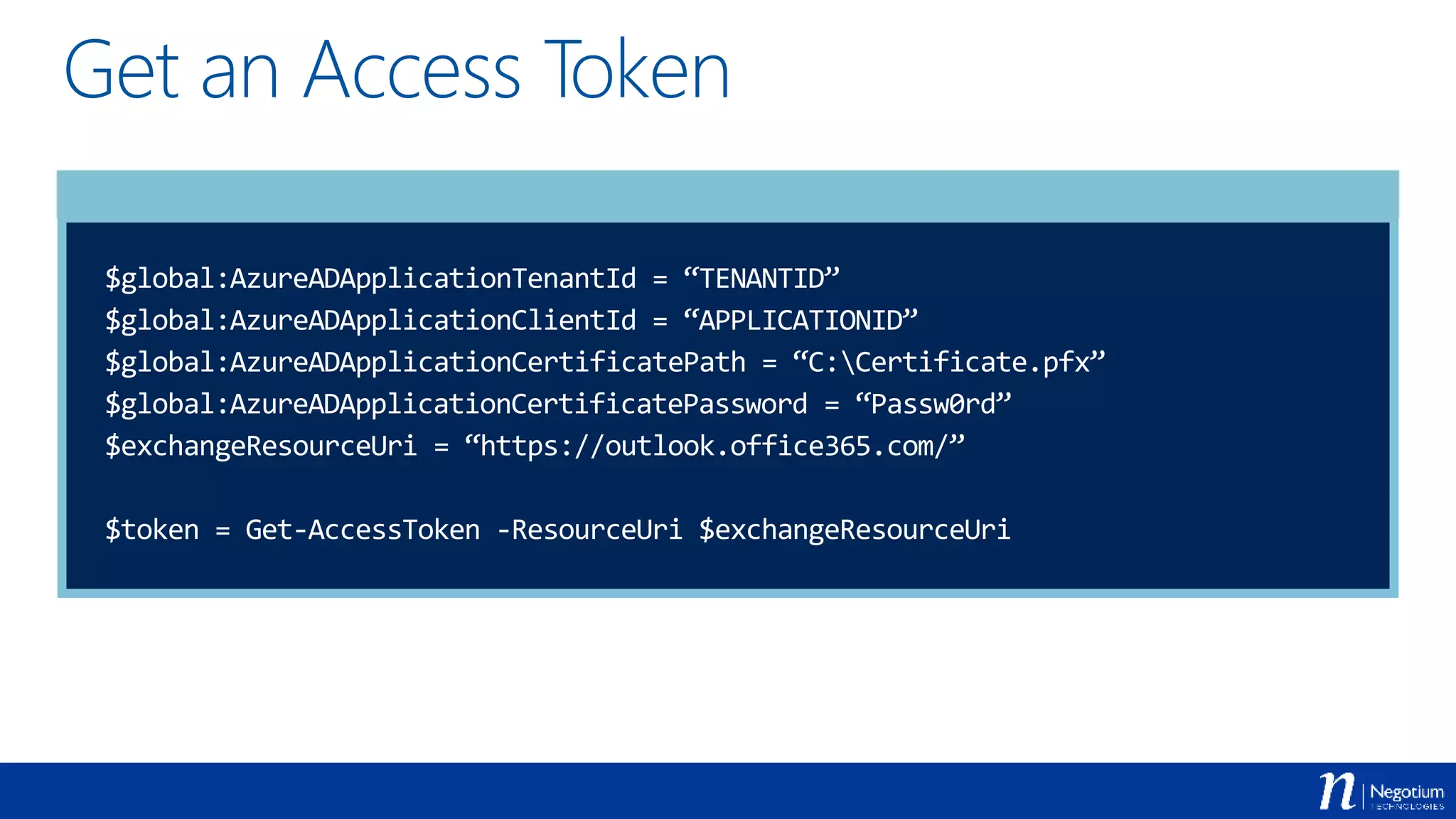
Get an Access Token
$global:AzureADApplicationTenantId = “TENANTID”
$global:AzureADApplicationClientId = “APPLICATIONID”
$global:AzureADApplicationCertificatePath = “C:Certificate.pfx”
$global:AzureADApplicationCertificatePassword = “Passw0rd”
$exchangeResourceUri = “https://outlook.office365.com/”
$token = Get-AccessToken -ResourceUri $exchangeResourceUri
Get the content of
your Mailbox
Demo
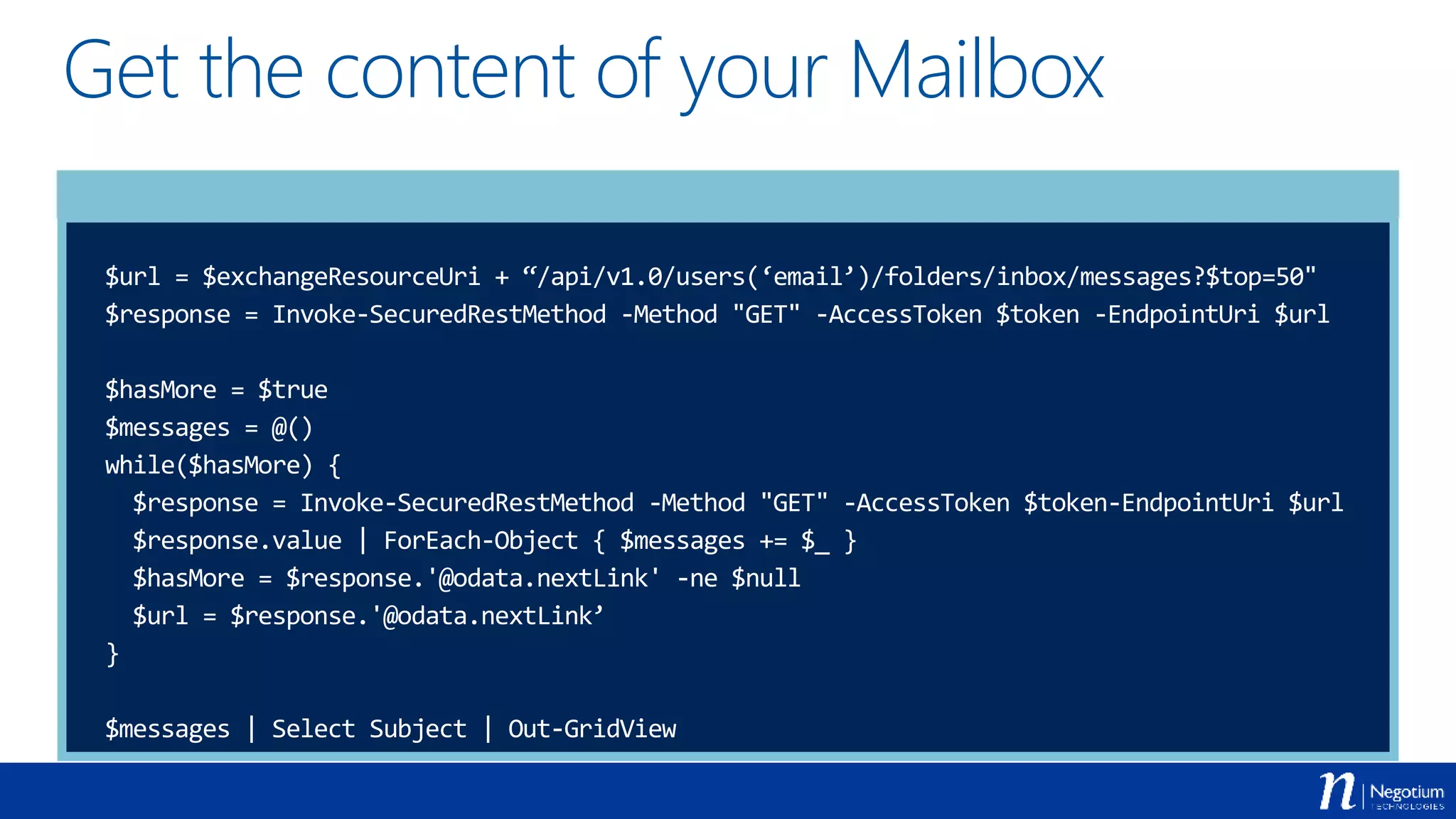
Get the content of your Mailbox
$url = $exchangeResourceUri + “/api/v1.0/users(‘email’)/folders/inbox/messages?$top=50"
$response = Invoke-SecuredRestMethod -Method "GET" -AccessToken $token -EndpointUri $url
$hasMore = $true
$messages = @()
while($hasMore) {
$response = Invoke-SecuredRestMethod -Method "GET" -AccessToken $token-EndpointUri $url
$response.value | ForEach-Object { $messages += $_ }
$hasMore = $response.'@odata.nextLink' -ne $null
$url = $response.'@odata.nextLink’
}
$messages | Select Subject | Out-GridView
Send an Email
Demo
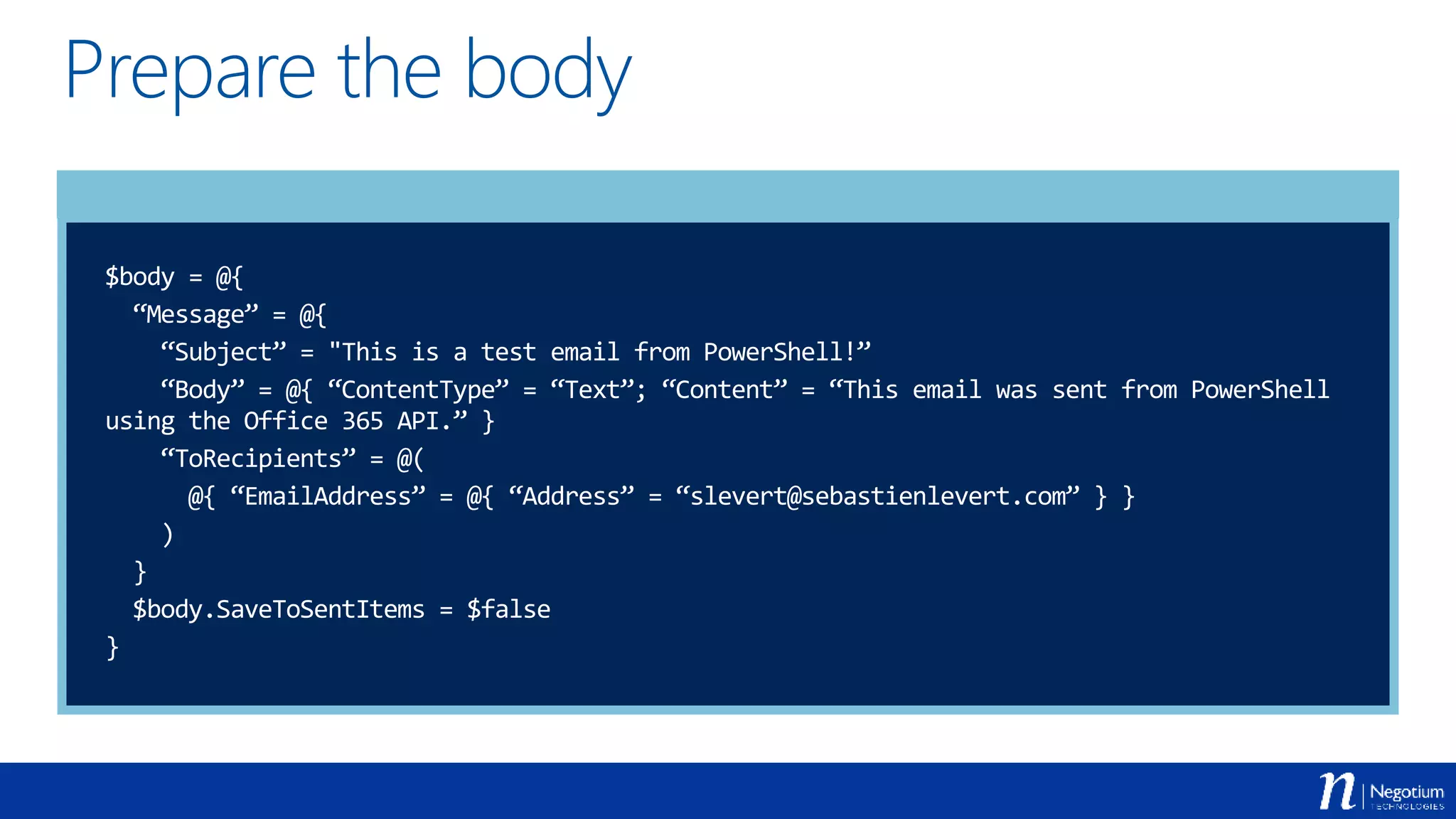
Prepare the body
$body = @{
“Message” = @{
“Subject” = "This is a test email from PowerShell!”
“Body” = @{ “ContentType” = “Text”; “Content” = “This email was sent from PowerShell
using the Office 365 API.” }
“ToRecipients” = @(
@{ “EmailAddress” = @{ “Address” = “slevert@sebastienlevert.com” } }
)
}
$body.SaveToSentItems = $false
}
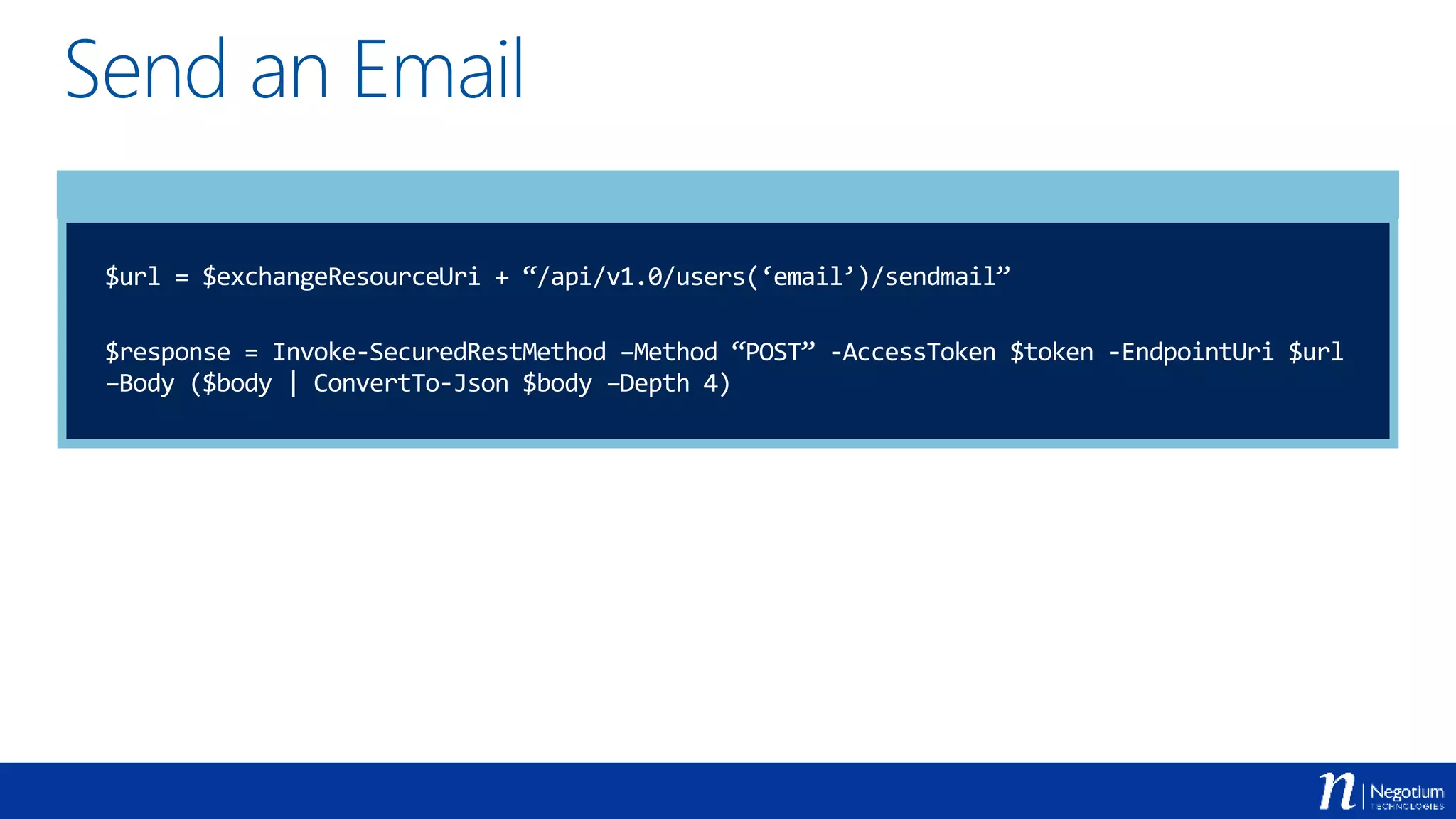
Send an Email
$url = $exchangeResourceUri + “/api/v1.0/users(‘email’)/sendmail”
$response = Invoke-SecuredRestMethod –Method “POST” -AccessToken $token -EndpointUri $url
–Body ($body | ConvertTo-Json $body –Depth 4)
First… What is DevOps ?
 DevOps (a clipped compound of “development” and
“operations”) is a software development method that
stresses communication, collaboration, integration,
automation and measurement of cooperation between
software developers and other information-technology (IT)
professionals.
What it means to me…
 Automate everything you can (developers can help!)
 Ensure that every configuration can be replicated
anywhere at any time
 Gain a maximum of control over your deployments
 Are you scared of your users ?
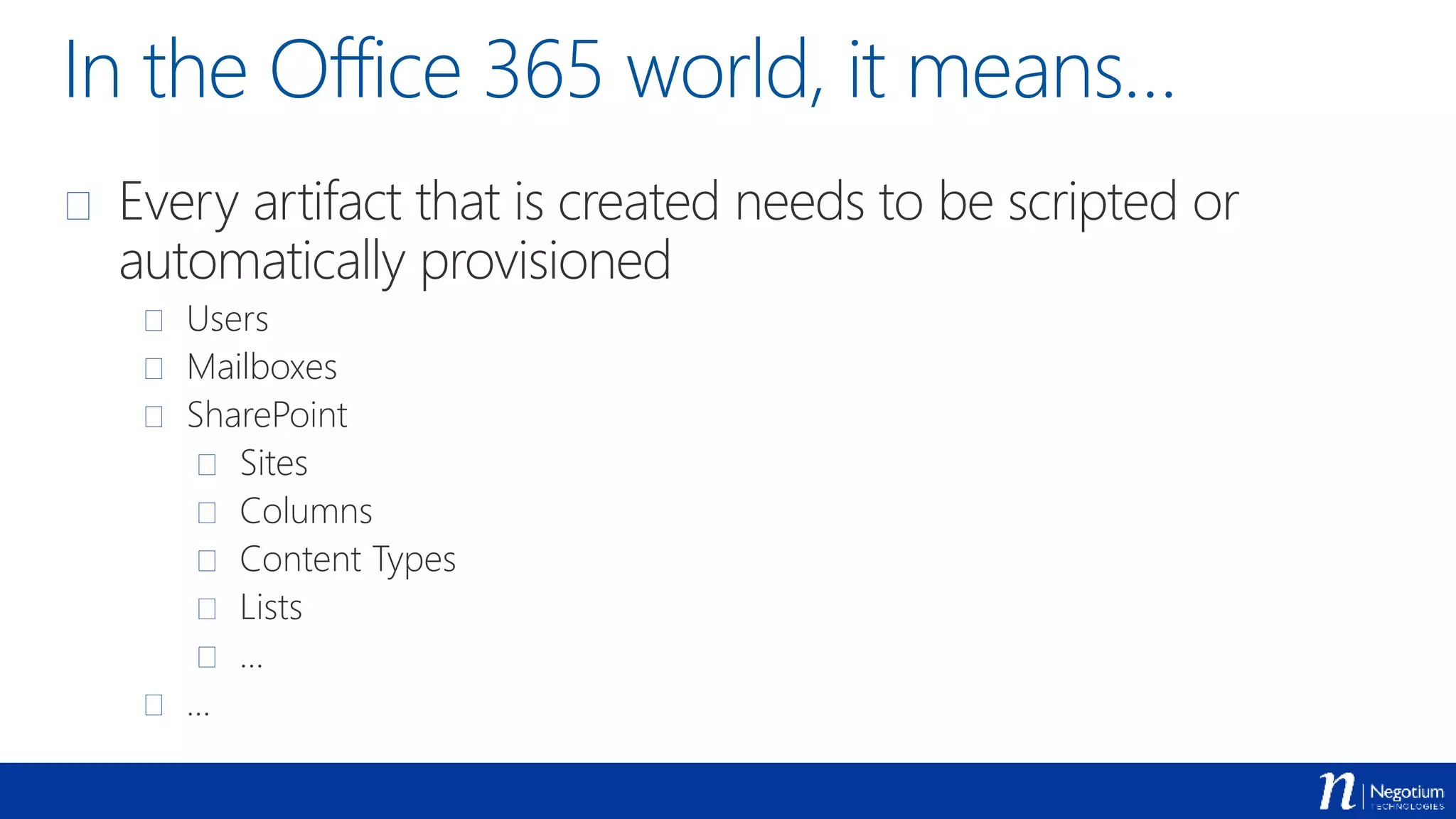
In the Office 365 world, it means…
 Every artifact that is created needs to be scripted or
automatically provisioned
 Users
 Mailboxes
 SharePoint
 Sites
 Columns
 Content Types
 Lists
 …
 …
Export SharePoint site
configuration
Demo
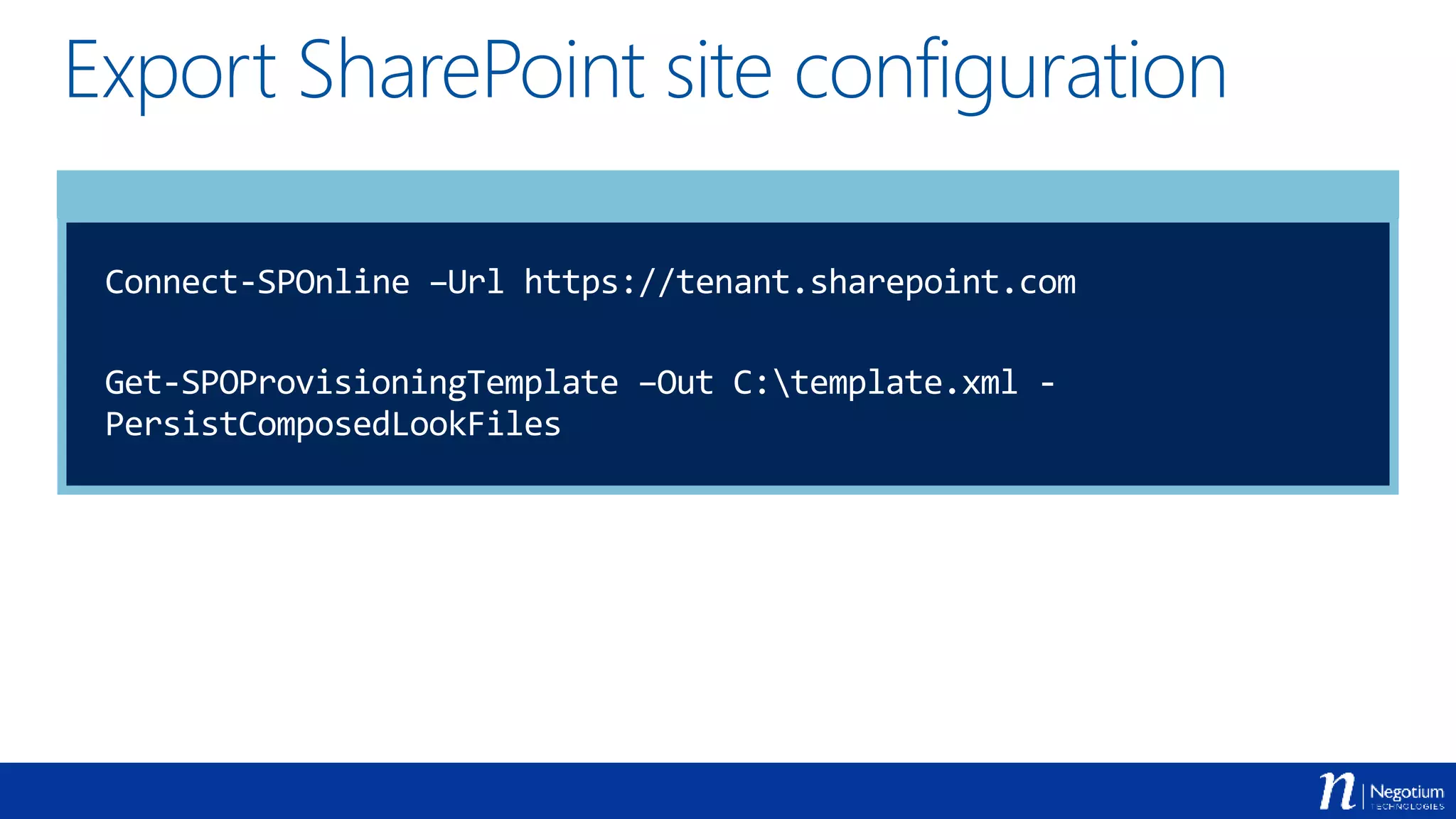
Export SharePoint site configuration
Connect-SPOnline –Url https://tenant.sharepoint.com
Get-SPOProvisioningTemplate –Out C:template.xml -
PersistComposedLookFiles
Import SharePoint site
configuration
Demo
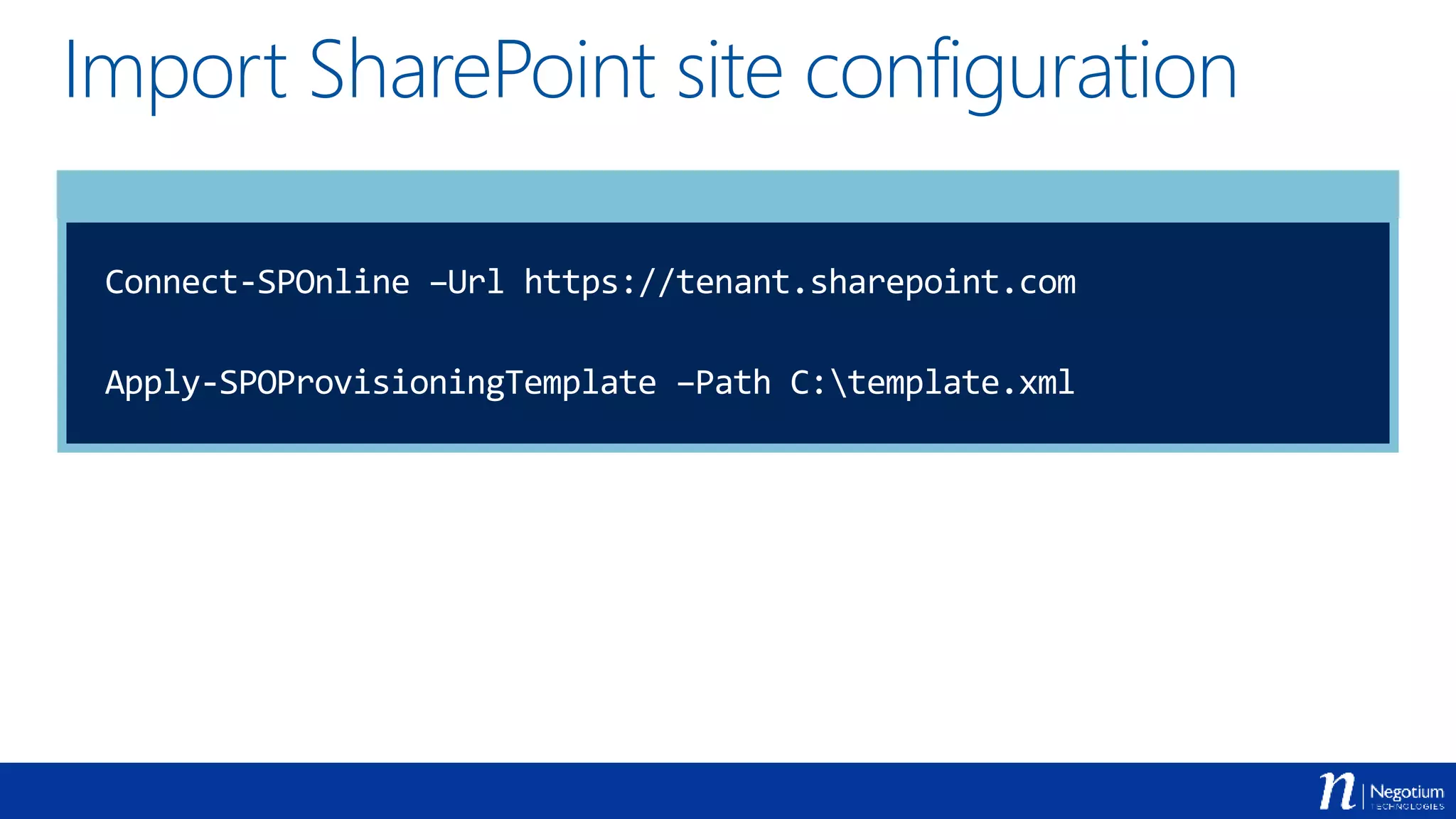
Import SharePoint site configuration
Connect-SPOnline –Url https://tenant.sharepoint.com
Apply-SPOProvisioningTemplate –Path C:template.xml
PowerShell for Office 365 Resources
 PowerShell for Office 365
 http://powershell.office.com
 Microsoft Online Services Sign-In Assistant for IT
Professionals
 http://www.microsoft.com/en-us/download/details.aspx?id=41950
 SharePoint Online Management Shell
 http://www.microsoft.com/en-us/download/details.aspx?id=35588
 Windows PowerShell Module for Skype for Business
Online
 http://www.microsoft.com/en-us/download/details.aspx?id=39366
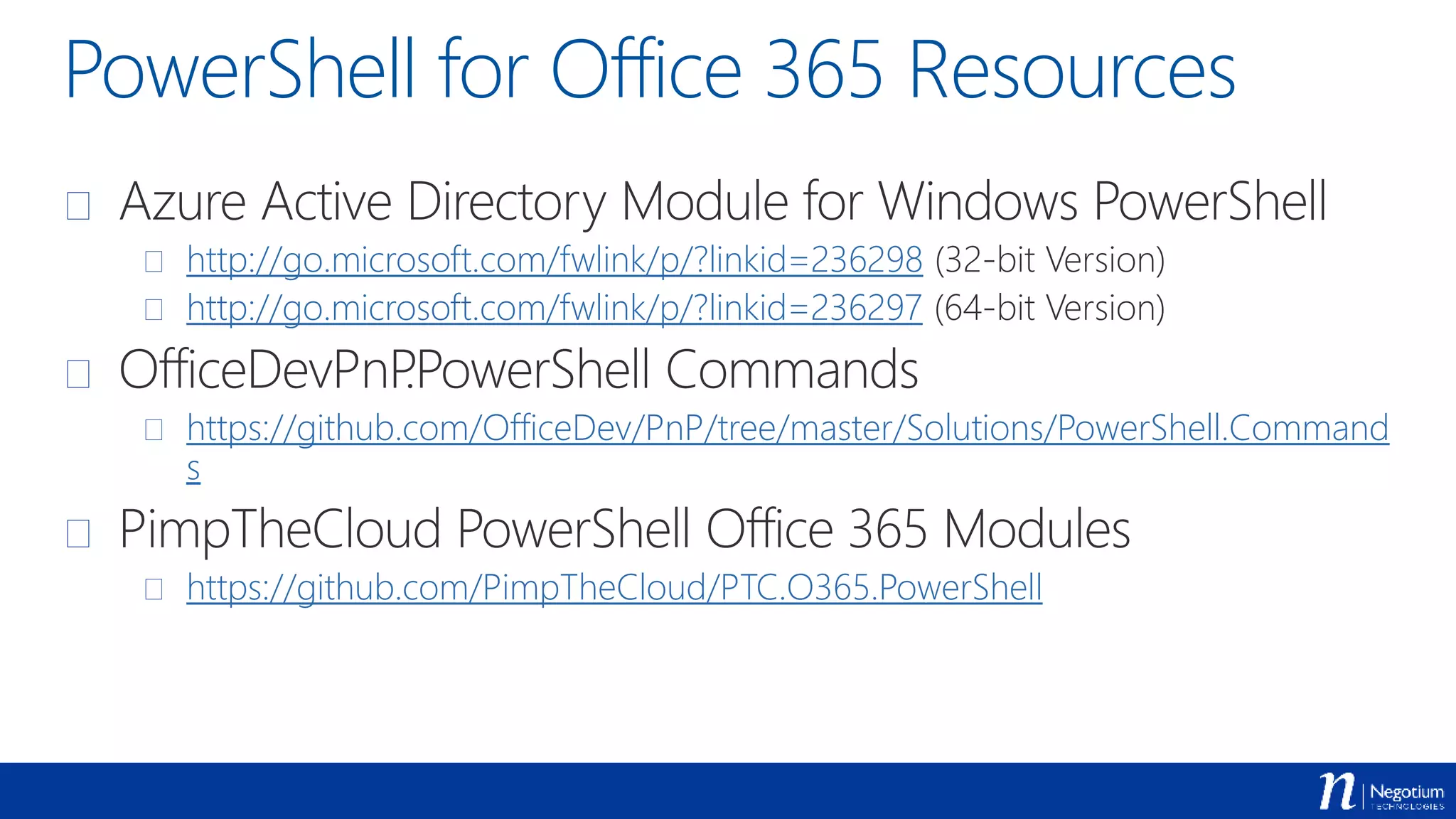
PowerShell for Office 365 Resources
 Azure Active Directory Module for Windows PowerShell
 http://go.microsoft.com/fwlink/p/?linkid=236298 (32-bit Version)
 http://go.microsoft.com/fwlink/p/?linkid=236297 (64-bit Version)
 OfficeDevPnP.PowerShell Commands
 https://github.com/OfficeDev/PnP/tree/master/Solutions/PowerShell.Command
s
 PimpTheCloud PowerShell Office 365 Modules
 https://github.com/PimpTheCloud/PTC.O365.PowerShell
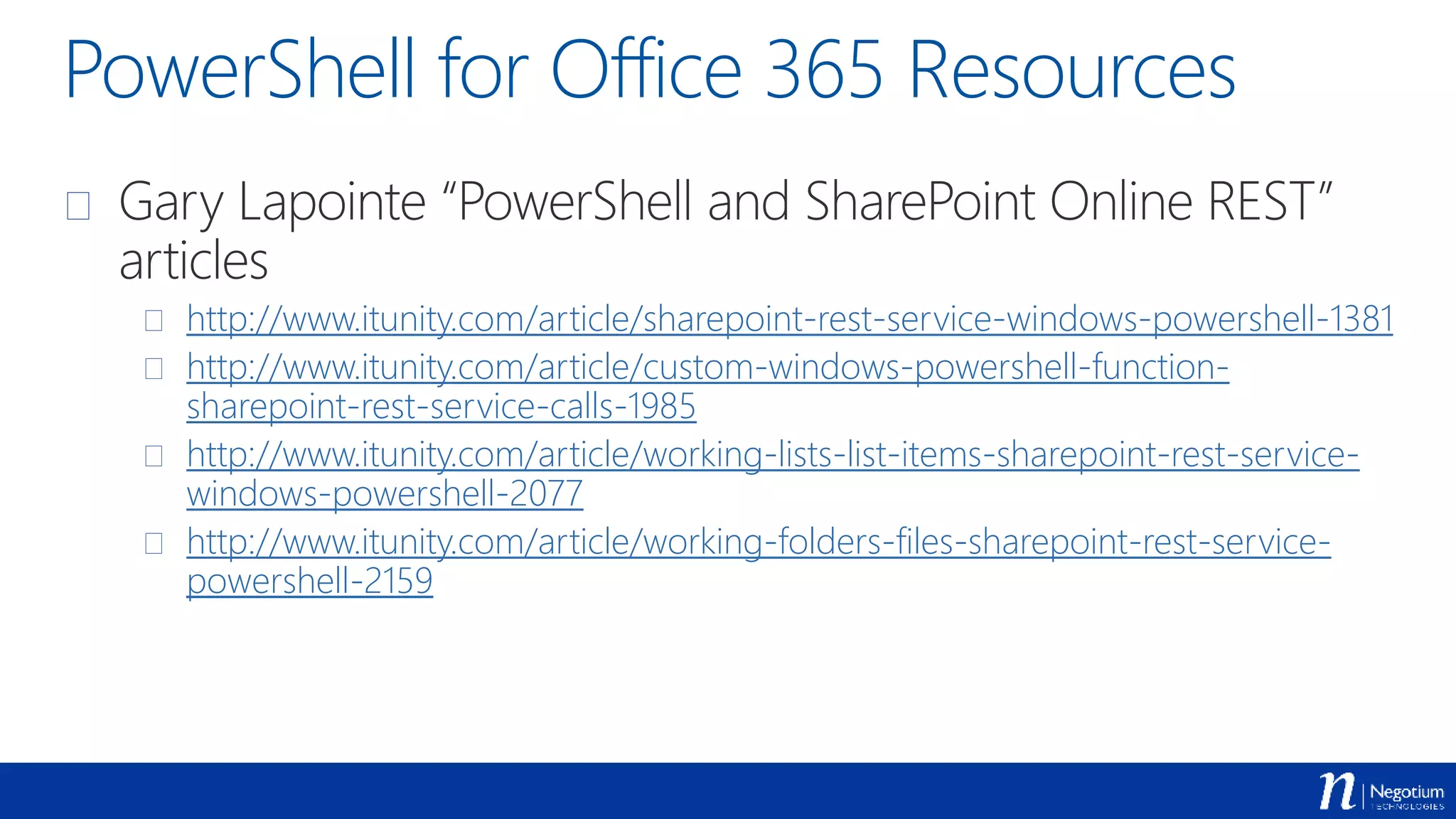
PowerShell for Office 365 Resources
 Gary Lapointe “PowerShell and SharePoint Online REST”
articles
 http://www.itunity.com/article/sharepoint-rest-service-windows-powershell-1381
 http://www.itunity.com/article/custom-windows-powershell-function-
sharepoint-rest-service-calls-1985
 http://www.itunity.com/article/working-lists-list-items-sharepoint-rest-service-
windows-powershell-2077
 http://www.itunity.com/article/working-folders-files-sharepoint-rest-service-
powershell-2159
Thanks to all of our Sponsors!
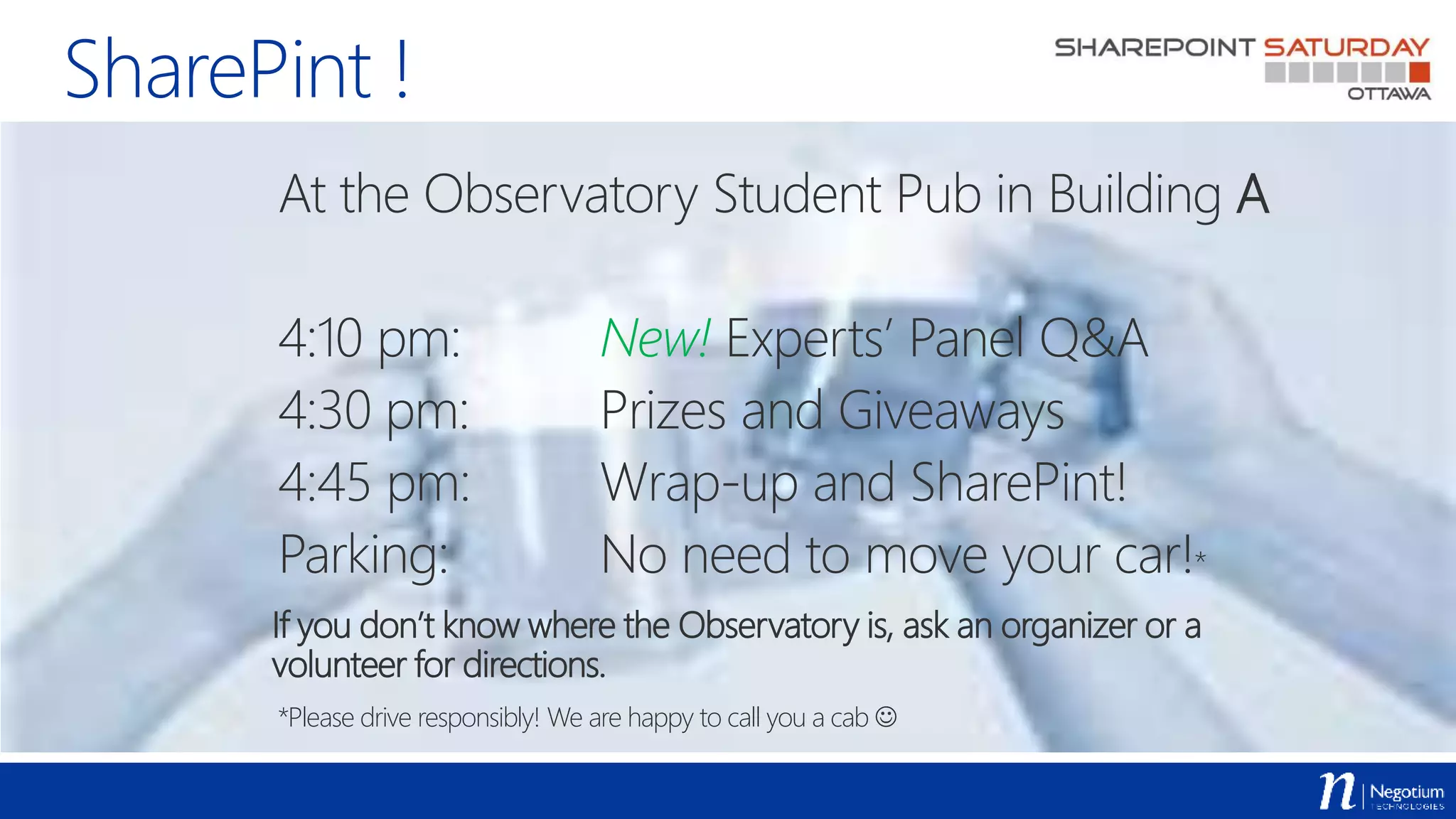
SharePint !
At the Observatory Student Pub in Building A
4:10 pm: New! Experts’ Panel Q&A
4:30 pm: Prizes and Giveaways
4:45 pm: Wrap-up and SharePint!
Parking: No need to move your car!*
If you don’t know where the Observatory is, ask an organizer or a
volunteer for directions.
*Please drive responsibly! We are happy to call you a cab 

SharePoint Saturday Ottawa 2015 - Office 365 and PowerShell - A match made in heaven

  • 1.
    SharePoint Saturday Ottawa Office 365& PowerShell : A match made in heaven Sébastien Levert Office 365 Junkie & MVP November 21st, 2015
  • 2.
    Thanks to allof our Sponsors!
  • 3.
    Web Developer @sebastienlevertpimpthecloud.com Who’s Sébastien Levert !? Montreal, Canada negotium.com Office365 MVP
  • 4.
    Agenda  Introduction toPowerShell in Office 365  Using PowerShell with SharePoint Online  Using PowerShell with the Office 365 APIs  DevOps with PowerShell in Office 365
  • 6.
    Getting started  Announcedat Ignite 2015  http://powershell.office.com  Sets of samples, scenarios, guides, …
  • 7.
    What do youneed ?  An Office 365 tenant  Administrator privileges on your Office 365 tenant  Administrator privileges on your machine running PowerShell  Administration modules  Microsoft Online Services Sign-in Assistant  Azure Active Directory Module  SharePoint Online Module  Skype for Business Online Module
  • 9.
    Connecting to SharePointOnline  With the SharePoint Online Module  With the SharePoint Client Side Object Model  With the OfficeDev PowerShell Commands  With the SharePoint REST APIs
  • 11.
    Getting all yourSite Collections Demo
  • 12.
    Getting all yourSite Collection Get-SPOSite Get-SPOSite –Detailed Get-SPOSite –Detailed –Filter { Url –like “*term*” }
  • 15.
    Using SharePoint CSOMin PowerShell  You have to manually get the CSOM Assemblies  You have to manually load the CSOM Assemblies in your PowerShell Sessions  Ensure to have the latest bits of the CSOM Assemblies [AppDomain]::CurrentDomain.GetAssemblies() | Where-Object { $_.FullName -like "*SharePoint*” –or $_.FullName –like “*Office*” } | Select FullName
  • 16.
    Tips & Tricks Do not use SharePoint Online Management Shell  Import the SharePoint Online PowerShell module from a regular PowerShell session  Load the required CSOM Assemblies before loading the SharePoint Online Module  Use Gary Lapointe’s Load-CSOMProperties Cmdlet. Everyday.
  • 17.
  • 18.
    Working with theCSOM Assemblies Import-Module C:PathPTC.O365.PowerShell.psm1 Get-ClientAssemblies –Version 16 –TargetDirectory C:assemblies Add-ClientAssemblies –AssembliesDirectory C:assemblies [AppDomain]::CurrentDomain.GetAssemblies() | Where-Object { $_.FullName -like "*SharePoint*” –or $_.FullName –like “*Office*” } | Select FullName
  • 19.
    Mixing CSOM andSPO Cmdlets  You can easily use CSOM with the SPO Cmdlets  Use the Cmdlets to get to the Site Collection level  Use CSOM to get into the Webs level
  • 20.
    Getting all theSites of every Site Collection Demo
  • 21.
    Get all theSites of every Site Collection Import-Module C:PathPTC.O365.PowerShell.psm1 Import-Module Microsoft.Online.SharePoint.PowerShell Connect-SPOService –Url https://tenant-admin.sharepoint.com $credentials = Get-SharePointOnlineCredentials Get-SPOSite | Where-Object { $_.Template –notlike “*EHS#0” } | ForEach-Object { $context = Get-Context –Url $_.Url –Credentials $credentials Get-Webs –Context $context | Select Url }
  • 22.
    Export the contentof a SharePoint list Demo
  • 23.
    Export the contentof a SharePoint list $credentials = Get-SharePointOnlineCredentials $context = Get-Context –Url “https://tenant.sharepoint.com” –Credentials $credentials $web = Get-Web -Context $context $list = Get-List –Web $web –Title “Tasks” $items = Get-ListContent –List $list -Fields @(“ID”, “Title”, “DueDate”) $items | Select @{ Name = “ID”; Expression = { $_[“ID”] } }, @{ Name = “Title”; Expression = { $_[“Title”] } }, @{ Name = “DueDate”; Expression = { $_[“DueDate”] } } | Export-CSV –Path C:Tasks.csv –NoTypeInformation –Encoding UTF8
  • 25.
    Working with PowerShell.Commands 123 new Cmdlets Delivered by Office Dev Patterns & Practices  Set of Cmdlets used to execute CSOM against SharePoint Online & On-Premises  Uses the OfficeDevPnP.Core framework  Needs to be installed on your machine (more complex than a simple module)  The real power of PowerShell with the PnP enhanced power of CSOM
  • 26.
    Adding and settinga new theme to a site Demo
  • 27.
    Adding and settinga new theme to a site Connect-SPOnline –Url https://tenant.sharepoint.com Add-SPOFile –Path C:theme.spcolor –Folder “_catalogs/theme/15” Add-SPOFile –Path C:image.jpg –Folder “SiteAssets” Set-SPOTheme ` –ColorPaletteUrl “/_catalogs/theme/15/theme.spcolor ” ` -BackgroundImageUrl “/SiteAssets/image.jpg”
  • 29.
    Working with RESTand SharePoint Online Awesome series of articles by Gary Lapointe  Magic Function provided  Invoke-SPORestMethod  Easily use “typed” objects in your PowerShell scripts  Remember to escape your $
  • 30.
    Query list itemswith OData Demo
  • 31.
    Query list itemswith Odata $url = “https://tenant.sharepoint.com/_api/lists/GetByTitle('Tasks')/ite ms?`$select=Id,Title,DueDate,PercentComplete&`$filter=PercentComp lete gt 0.5” $items = Invoke-SPORestMethod –Url $url $items.results | Out-GridView
  • 32.
    Use the searchREST API to query the Graph Demo
  • 33.
    Using the RESTAPI to query Office Graph $url = “https://tenant.sharepoint.com/_api/search/query?Querytext=‘*’&Pr operties=‘GraphQuery:ACTOR(ME)’&RowLimit=100” $results = Invoke-SPORestMethod –Url $url $results = Get-RestSearchResults –Results $results | Out-GridView
  • 35.
    Office 365 APIs Set of APIs delivered to unify the workloads APIs  Built on top of Azure Active Directory Applications  Uses OAuth and JWT for every API call  Enables delegated permissions & App-Only permissions  Give permissions on the needed workloads  When the plumbing is done, it becomes very easy to use
  • 36.
    Steps to Office365 API with PowerShell 1. Create an Azure Active Directory Application 2. Create a local certificate 3. Import the certificate data into your Azure AD Application configuration 4. Use the certificate with its password in your PowerShell code 5. Connect to the Office 365 API 6. Play with your data!
  • 37.
  • 38.
    Getting ready makecert -r-pe -n "CN=PowerShell Office 365 API Application" -b 1/01/2015 -e 12/31/2016 -ss my -len 2048 $keyCredentials = Get-KeyCredentialsManifest –Path C:Certificate.cer
  • 39.
    Get an AccessToken Demo
  • 40.
    Get an AccessToken $global:AzureADApplicationTenantId = “TENANTID” $global:AzureADApplicationClientId = “APPLICATIONID” $global:AzureADApplicationCertificatePath = “C:Certificate.pfx” $global:AzureADApplicationCertificatePassword = “Passw0rd” $exchangeResourceUri = “https://outlook.office365.com/” $token = Get-AccessToken -ResourceUri $exchangeResourceUri
  • 41.
    Get the contentof your Mailbox Demo
  • 42.
    Get the contentof your Mailbox $url = $exchangeResourceUri + “/api/v1.0/users(‘email’)/folders/inbox/messages?$top=50" $response = Invoke-SecuredRestMethod -Method "GET" -AccessToken $token -EndpointUri $url $hasMore = $true $messages = @() while($hasMore) { $response = Invoke-SecuredRestMethod -Method "GET" -AccessToken $token-EndpointUri $url $response.value | ForEach-Object { $messages += $_ } $hasMore = $response.'@odata.nextLink' -ne $null $url = $response.'@odata.nextLink’ } $messages | Select Subject | Out-GridView
  • 43.
  • 44.
    Prepare the body $body= @{ “Message” = @{ “Subject” = "This is a test email from PowerShell!” “Body” = @{ “ContentType” = “Text”; “Content” = “This email was sent from PowerShell using the Office 365 API.” } “ToRecipients” = @( @{ “EmailAddress” = @{ “Address” = “slevert@sebastienlevert.com” } } ) } $body.SaveToSentItems = $false }
  • 45.
    Send an Email $url= $exchangeResourceUri + “/api/v1.0/users(‘email’)/sendmail” $response = Invoke-SecuredRestMethod –Method “POST” -AccessToken $token -EndpointUri $url –Body ($body | ConvertTo-Json $body –Depth 4)
  • 47.
    First… What isDevOps ?  DevOps (a clipped compound of “development” and “operations”) is a software development method that stresses communication, collaboration, integration, automation and measurement of cooperation between software developers and other information-technology (IT) professionals.
  • 48.
    What it meansto me…  Automate everything you can (developers can help!)  Ensure that every configuration can be replicated anywhere at any time  Gain a maximum of control over your deployments  Are you scared of your users ?
  • 49.
    In the Office365 world, it means…  Every artifact that is created needs to be scripted or automatically provisioned  Users  Mailboxes  SharePoint  Sites  Columns  Content Types  Lists  …  …
  • 50.
  • 51.
    Export SharePoint siteconfiguration Connect-SPOnline –Url https://tenant.sharepoint.com Get-SPOProvisioningTemplate –Out C:template.xml - PersistComposedLookFiles
  • 52.
  • 53.
    Import SharePoint siteconfiguration Connect-SPOnline –Url https://tenant.sharepoint.com Apply-SPOProvisioningTemplate –Path C:template.xml
  • 55.
    PowerShell for Office365 Resources  PowerShell for Office 365  http://powershell.office.com  Microsoft Online Services Sign-In Assistant for IT Professionals  http://www.microsoft.com/en-us/download/details.aspx?id=41950  SharePoint Online Management Shell  http://www.microsoft.com/en-us/download/details.aspx?id=35588  Windows PowerShell Module for Skype for Business Online  http://www.microsoft.com/en-us/download/details.aspx?id=39366
  • 56.
    PowerShell for Office365 Resources  Azure Active Directory Module for Windows PowerShell  http://go.microsoft.com/fwlink/p/?linkid=236298 (32-bit Version)  http://go.microsoft.com/fwlink/p/?linkid=236297 (64-bit Version)  OfficeDevPnP.PowerShell Commands  https://github.com/OfficeDev/PnP/tree/master/Solutions/PowerShell.Command s  PimpTheCloud PowerShell Office 365 Modules  https://github.com/PimpTheCloud/PTC.O365.PowerShell
  • 57.
    PowerShell for Office365 Resources  Gary Lapointe “PowerShell and SharePoint Online REST” articles  http://www.itunity.com/article/sharepoint-rest-service-windows-powershell-1381  http://www.itunity.com/article/custom-windows-powershell-function- sharepoint-rest-service-calls-1985  http://www.itunity.com/article/working-lists-list-items-sharepoint-rest-service- windows-powershell-2077  http://www.itunity.com/article/working-folders-files-sharepoint-rest-service- powershell-2159
  • 59.
    Thanks to allof our Sponsors!
  • 60.
    SharePint ! At theObservatory Student Pub in Building A 4:10 pm: New! Experts’ Panel Q&A 4:30 pm: Prizes and Giveaways 4:45 pm: Wrap-up and SharePint! Parking: No need to move your car!* If you don’t know where the Observatory is, ask an organizer or a volunteer for directions. *Please drive responsibly! We are happy to call you a cab 