





Consultant
Certification
Mohan Arumugam
Technologies Specialist
E-mail : moohanan@gmail.com
Phone : +91 99406 53876
Profile
Blogger
Trainer
Who Am I ?
 PowerShell is a tool that's intended to replace the
Command Prompt and deliver more power and
control over the Windows operating system.
 That's why we decided to get a taste of PowerShell
and then explain to all our readers what this tool is,
why it is so powerful and who tends to use it more
often. Let's see what PowerShell is and what you can
do with it.
 Microsoft designed Windows PowerShell as a tool that helps you
automate and quickly solve a lot of tedious administration tasks.
 PowerShell's capabilities allow you to simplify and automate tedious
and repetitive tasks by creating scripts and combining multiple
commands together.
 If you are a network administrator, you will find that PowerShell very
helpful in working with Active Directory . Given that it contains
hundreds of customizable commands, which are called cmdlets,
the degree to which PowerShell can help you become more
productive is extremely high.
 PowerShell is a tool that's intended to replace the Command
Prompt and deliver more power and control over the Windows
operating system.
 That's why we decided to get a taste of PowerShell and then
explain to all our readers what this tool is, why it is so powerful and
who tends to use it more often. Let's see what PowerShell is and
what you can do with it.
 When you couple this powerful tool with a complex application
such as SharePoint it really opens a world of interesting and creative
ways of troubleshooting and data gathering. However, most
struggle to determine where to start.
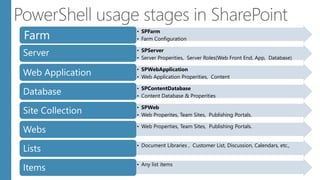
• SPFarm
• Farm ConfigurationFarm
• SPServer
• Server Properities, Server Roles(Web Front End, App, Database)
Server
• SPWebApplication
• Web Application Properities, Content
Web Application
• SPContentDatabase
• Content Database & Properities
Database
• SPWeb
• Web Properites, Team Sites, Publishing Portals.
Site Collection
• Web Properties, Team Sites, Publishing Portals.
Webs
• Document Libraries , Customer List, Discussion, Calendars, etc.,
Lists
• Any list items
Items
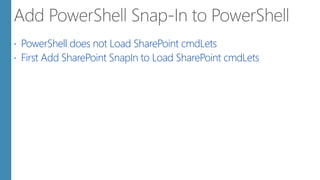
 PowerShell does not Load SharePoint cmdLets
 First Add SharePoint SnapIn to Load SharePoint cmdLets
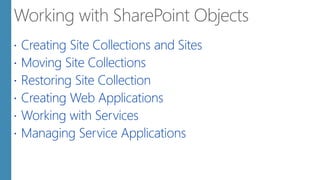
 Creating Site Collections and Sites
 Moving Site Collections
 Restoring Site Collection
 Creating Web Applications
 Working with Services
 Managing Service Applications
Upgrade to SharePoint
2013
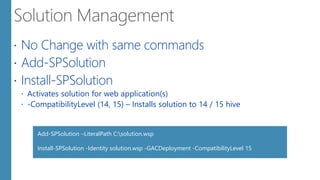
 No Change with same commands
 Add-SPSolution
 Install-SPSolution
 Activates solution for web application(s)
 -CompatibilityLevel (14, 15) – Installs solution to 14 / 15 hive
Add-SPSolution –LiteralPath C:solution.wsp
Install-SPSolution -Identity solution.wsp -GACDeployment -CompatibilityLevel 15
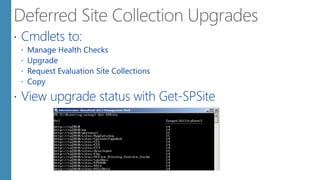
 Cmdlets to:
 Manage Health Checks
 Upgrade
 Request Evaluation Site Collections
 Copy
 View upgrade status with Get-SPSite
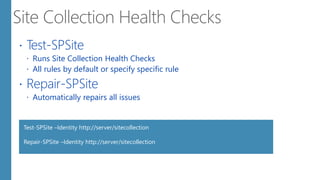
 Test-SPSite
 Runs Site Collection Health Checks
 All rules by default or specify specific rule
 Repair-SPSite
 Automatically repairs all issues
Test-SPSite –Identity http://server/sitecollection
Repair-SPSite –Identity http://server/sitecollection
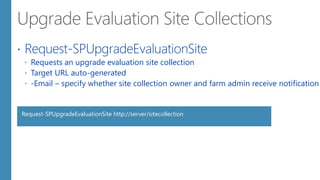
 Request-SPUpgradeEvaluationSite
 Requests an upgrade evaluation site collection
 Target URL auto-generated
 -Email – specify whether site collection owner and farm admin receive notification
Request-SPUpgradeEvaluationSite http://server/sitecollection
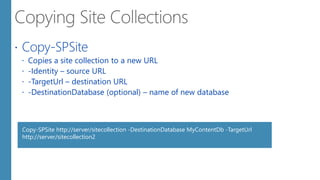
 Copy-SPSite
 Copies a site collection to a new URL
 -Identity – source URL
 -TargetUrl – destination URL
 -DestinationDatabase (optional) – name of new database
Copy-SPSite http://server/sitecollection -DestinationDatabase MyContentDb -TargetUrl
http://server/sitecollection2
 Most Service Applications deployed by:
 Creating a Service
 Creating a Proxy
 Parameters vary by application
 Service Application Name
 Database
 Application Pool
 Most SAs take time to provision
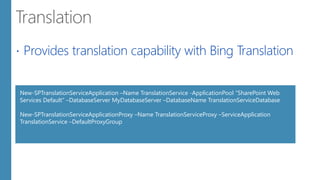
 Provides translation capability with Bing Translation
New-SPTranslationServiceApplication –Name TranslationService -ApplicationPool “SharePoint Web
Services Default” –DatabaseServer MyDatabaseServer –DatabaseName TranslationServiceDatabase
New-SPTranslationServiceApplicationProxy –Name TranslationServiceProxy –ServiceApplication
TranslationService –DefaultProxyGroup
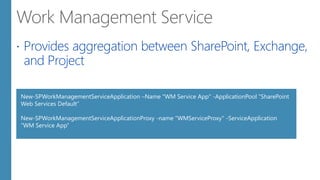
 Provides aggregation between SharePoint, Exchange,
and Project
New-SPWorkManagementServiceApplication –Name "WM Service App" -ApplicationPool “SharePoint
Web Services Default”
New-SPWorkManagementServiceApplicationProxy -name "WMServiceProxy" -ServiceApplication
“WM Service App”
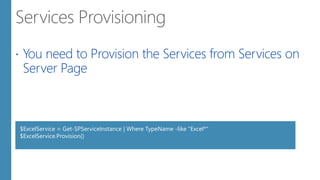
 You need to Provision the Services from Services on
Server Page
$ExcelService = Get-SPServiceInstance | Where TypeName -like "Excel*"
$ExcelService.Provision()
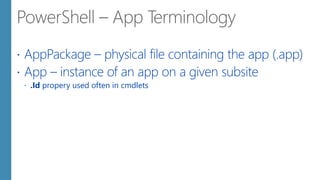
 AppPackage – physical file containing the app (.app)
 App – instance of an app on a given subsite
 .Id propery used often in cmdlets
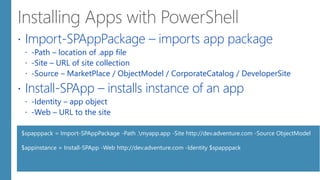
 Import-SPAppPackage – imports app package
 -Path – location of .app file
 -Site – URL of site collection
 -Source – MarketPlace / ObjectModel / CorporateCatalog / DeveloperSite
 Install-SPApp – installs instance of an app
 -Identity – app object
 -Web – URL to the site
$spapppack = Import-SPAppPackage -Path .myapp.app -Site http://dev.adventure.com -Source ObjectModel
$appinstance = Install-SPApp -Web http://dev.adventure.com -Identity $spapppack
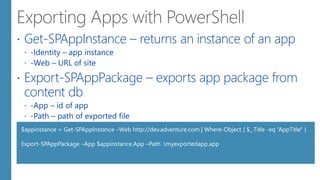
 Get-SPAppInstance – returns an instance of an app
 -Identity – app instance
 -Web – URL of site
 Export-SPAppPackage – exports app package from
content db
 -App – id of app
 -Path – path of exported file
$appinstance = Get-SPAppInstance –Web http://dev.adventure.com | Where-Object { $_.Title -eq “AppTitle" }
Export-SPAppPackage –App $appinstance.App –Path .myexportedapp.app
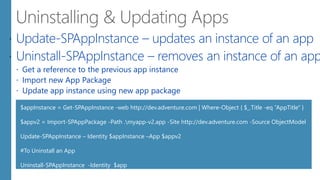
 Update-SPAppInstance – updates an instance of an app
 Uninstall-SPAppInstance – removes an instance of an app
 Get a reference to the previous app instance
 Import new App Package
 Update app instance using new app package
$appInstance = Get-SPAppInstance -web http://dev.adventure.com | Where-Object { $_.Title -eq “AppTitle" }
$appv2 = Import-SPAppPackage -Path .myapp-v2.app -Site http://dev.adventure.com -Source ObjectModel
Update-SPAppInstance – Identity $appInstance –App $appv2
#To Uninstall an App
Uninstall-SPAppInstance -Identity $app
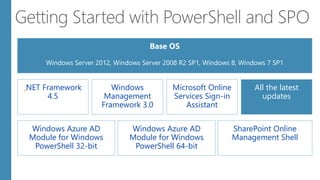
.NET Framework
4.5
Windows
Management
Framework 3.0
Microsoft Online
Services Sign-in
Assistant
All the latest
updates
Windows Azure AD
Module for Windows
PowerShell 32-bit
SharePoint Online
Management Shell
Windows Azure AD
Module for Windows
PowerShell 64-bit
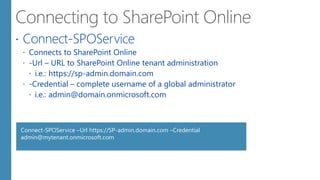
 Connect-SPOService
 Connects to SharePoint Online
 -Url – URL to SharePoint Online tenant administration
 i.e.: https://sp-admin.domain.com
 -Credential – complete username of a global administrator
 i.e.: admin@domain.onmicrosoft.com
Connect-SPOService –Url https://SP-admin.domain.com –Credential
admin@mytenant.onmicrosoft.com
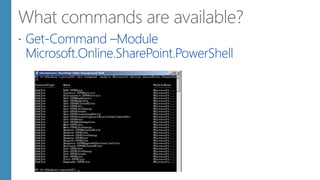
 Get-Command –Module
Microsoft.Online.SharePoint.PowerShell
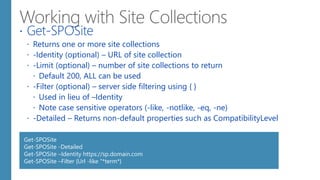
 Get-SPOSite
 Returns one or more site collections
 -Identity (optional) – URL of site collection
 -Limit (optional) – number of site collections to return
 Default 200, ALL can be used
 -Filter (optional) – server side filtering using { }
 Used in lieu of –Identity
 Note case sensitive operators (-like, -notlike, -eq, -ne)
 -Detailed – Returns non-default properties such as CompatibilityLevel
Get-SPOSite
Get-SPOSite -Detailed
Get-SPOSite –Identity https://sp.domain.com
Get-SPOSite –Filter {Url -like “*term*}
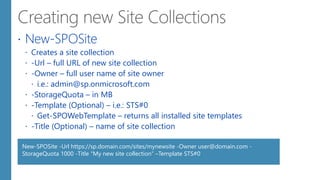
 New-SPOSite
 Creates a site collection
 -Url – full URL of new site collection
 -Owner – full user name of site owner
 i.e.: admin@sp.onmicrosoft.com
 -StorageQuota – in MB
 -Template (Optional) – i.e.: STS#0
 Get-SPOWebTemplate – returns all installed site templates
 -Title (Optional) – name of site collection
New-SPOSite -Url https://sp.domain.com/sites/mynewsite -Owner user@domain.com -
StorageQuota 1000 -Title "My new site collection“ –Template STS#0
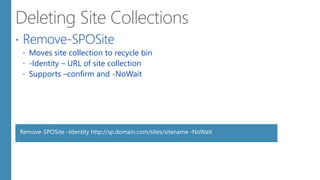
 Remove-SPOSite
 Moves site collection to recycle bin
 -Identity – URL of site collection
 Supports –confirm and -NoWait
Remove-SPOSite –Identity http://sp.domain.com/sites/sitename -NoWait
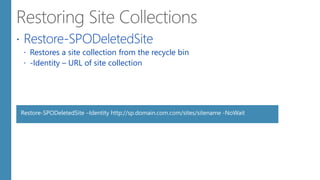
 Restore-SPODeletedSite
 Restores a site collection from the recycle bin
 -Identity – URL of site collection
Restore-SPODeletedSite –Identity http://sp.domain.com.com/sites/sitename -NoWait
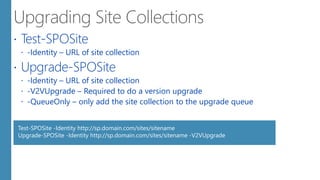
 Test-SPOSite
 -Identity – URL of site collection
 Upgrade-SPOSite
 -Identity – URL of site collection
 -V2VUpgrade – Required to do a version upgrade
 -QueueOnly – only add the site collection to the upgrade queue
Test-SPOSite -Identity http://sp.domain.com/sites/sitename
Upgrade-SPOSite -Identity http://sp.domain.com/sites/sitename -V2VUpgrade
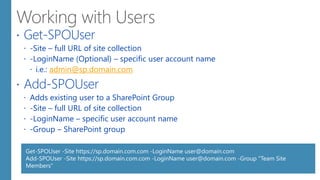
 Get-SPOUser
 -Site – full URL of site collection
 -LoginName (Optional) – specific user account name
 i.e.: admin@sp.domain.com
 Add-SPOUser
 Adds existing user to a SharePoint Group
 -Site – full URL of site collection
 -LoginName – specific user account name
 -Group – SharePoint group
Get-SPOUser -Site https://sp.domain.com.com -LoginName user@domain.com
Add-SPOUser -Site https://sp.domain.com.com -LoginName user@domain.com -Group "Team Site
Members“
Mohan Arumugam
Technologies Specialist
E-mail : moohanan@gmail.com
Phone : +91 99406 53876
Profile
Thank You

Power Shell and Sharepoint 2013

  • 2.
    Consultant Certification Mohan Arumugam Technologies Specialist E-mail: moohanan@gmail.com Phone : +91 99406 53876 Profile Blogger Trainer Who Am I ?
  • 5.
     PowerShell isa tool that's intended to replace the Command Prompt and deliver more power and control over the Windows operating system.  That's why we decided to get a taste of PowerShell and then explain to all our readers what this tool is, why it is so powerful and who tends to use it more often. Let's see what PowerShell is and what you can do with it.
  • 6.
     Microsoft designedWindows PowerShell as a tool that helps you automate and quickly solve a lot of tedious administration tasks.  PowerShell's capabilities allow you to simplify and automate tedious and repetitive tasks by creating scripts and combining multiple commands together.  If you are a network administrator, you will find that PowerShell very helpful in working with Active Directory . Given that it contains hundreds of customizable commands, which are called cmdlets, the degree to which PowerShell can help you become more productive is extremely high.
  • 7.
     PowerShell isa tool that's intended to replace the Command Prompt and deliver more power and control over the Windows operating system.  That's why we decided to get a taste of PowerShell and then explain to all our readers what this tool is, why it is so powerful and who tends to use it more often. Let's see what PowerShell is and what you can do with it.
  • 9.
     When youcouple this powerful tool with a complex application such as SharePoint it really opens a world of interesting and creative ways of troubleshooting and data gathering. However, most struggle to determine where to start.
  • 10.
    • SPFarm • FarmConfigurationFarm • SPServer • Server Properities, Server Roles(Web Front End, App, Database) Server • SPWebApplication • Web Application Properities, Content Web Application • SPContentDatabase • Content Database & Properities Database • SPWeb • Web Properites, Team Sites, Publishing Portals. Site Collection • Web Properties, Team Sites, Publishing Portals. Webs • Document Libraries , Customer List, Discussion, Calendars, etc., Lists • Any list items Items
  • 11.
     PowerShell doesnot Load SharePoint cmdLets  First Add SharePoint SnapIn to Load SharePoint cmdLets
  • 13.
     Creating SiteCollections and Sites  Moving Site Collections  Restoring Site Collection  Creating Web Applications  Working with Services  Managing Service Applications
  • 14.
  • 15.
     No Changewith same commands  Add-SPSolution  Install-SPSolution  Activates solution for web application(s)  -CompatibilityLevel (14, 15) – Installs solution to 14 / 15 hive Add-SPSolution –LiteralPath C:solution.wsp Install-SPSolution -Identity solution.wsp -GACDeployment -CompatibilityLevel 15
  • 16.
     Cmdlets to: Manage Health Checks  Upgrade  Request Evaluation Site Collections  Copy  View upgrade status with Get-SPSite
  • 17.
     Test-SPSite  RunsSite Collection Health Checks  All rules by default or specify specific rule  Repair-SPSite  Automatically repairs all issues Test-SPSite –Identity http://server/sitecollection Repair-SPSite –Identity http://server/sitecollection
  • 18.
     Request-SPUpgradeEvaluationSite  Requestsan upgrade evaluation site collection  Target URL auto-generated  -Email – specify whether site collection owner and farm admin receive notification Request-SPUpgradeEvaluationSite http://server/sitecollection
  • 19.
     Copy-SPSite  Copiesa site collection to a new URL  -Identity – source URL  -TargetUrl – destination URL  -DestinationDatabase (optional) – name of new database Copy-SPSite http://server/sitecollection -DestinationDatabase MyContentDb -TargetUrl http://server/sitecollection2
  • 21.
     Most ServiceApplications deployed by:  Creating a Service  Creating a Proxy  Parameters vary by application  Service Application Name  Database  Application Pool  Most SAs take time to provision
  • 22.
     Provides translationcapability with Bing Translation New-SPTranslationServiceApplication –Name TranslationService -ApplicationPool “SharePoint Web Services Default” –DatabaseServer MyDatabaseServer –DatabaseName TranslationServiceDatabase New-SPTranslationServiceApplicationProxy –Name TranslationServiceProxy –ServiceApplication TranslationService –DefaultProxyGroup
  • 23.
     Provides aggregationbetween SharePoint, Exchange, and Project New-SPWorkManagementServiceApplication –Name "WM Service App" -ApplicationPool “SharePoint Web Services Default” New-SPWorkManagementServiceApplicationProxy -name "WMServiceProxy" -ServiceApplication “WM Service App”
  • 24.
     You needto Provision the Services from Services on Server Page $ExcelService = Get-SPServiceInstance | Where TypeName -like "Excel*" $ExcelService.Provision()
  • 26.
     AppPackage –physical file containing the app (.app)  App – instance of an app on a given subsite  .Id propery used often in cmdlets
  • 27.
     Import-SPAppPackage –imports app package  -Path – location of .app file  -Site – URL of site collection  -Source – MarketPlace / ObjectModel / CorporateCatalog / DeveloperSite  Install-SPApp – installs instance of an app  -Identity – app object  -Web – URL to the site $spapppack = Import-SPAppPackage -Path .myapp.app -Site http://dev.adventure.com -Source ObjectModel $appinstance = Install-SPApp -Web http://dev.adventure.com -Identity $spapppack
  • 28.
     Get-SPAppInstance –returns an instance of an app  -Identity – app instance  -Web – URL of site  Export-SPAppPackage – exports app package from content db  -App – id of app  -Path – path of exported file $appinstance = Get-SPAppInstance –Web http://dev.adventure.com | Where-Object { $_.Title -eq “AppTitle" } Export-SPAppPackage –App $appinstance.App –Path .myexportedapp.app
  • 29.
     Update-SPAppInstance –updates an instance of an app  Uninstall-SPAppInstance – removes an instance of an app  Get a reference to the previous app instance  Import new App Package  Update app instance using new app package $appInstance = Get-SPAppInstance -web http://dev.adventure.com | Where-Object { $_.Title -eq “AppTitle" } $appv2 = Import-SPAppPackage -Path .myapp-v2.app -Site http://dev.adventure.com -Source ObjectModel Update-SPAppInstance – Identity $appInstance –App $appv2 #To Uninstall an App Uninstall-SPAppInstance -Identity $app
  • 31.
    .NET Framework 4.5 Windows Management Framework 3.0 MicrosoftOnline Services Sign-in Assistant All the latest updates Windows Azure AD Module for Windows PowerShell 32-bit SharePoint Online Management Shell Windows Azure AD Module for Windows PowerShell 64-bit
  • 32.
     Connect-SPOService  Connectsto SharePoint Online  -Url – URL to SharePoint Online tenant administration  i.e.: https://sp-admin.domain.com  -Credential – complete username of a global administrator  i.e.: admin@domain.onmicrosoft.com Connect-SPOService –Url https://SP-admin.domain.com –Credential admin@mytenant.onmicrosoft.com
  • 33.
  • 34.
     Get-SPOSite  Returnsone or more site collections  -Identity (optional) – URL of site collection  -Limit (optional) – number of site collections to return  Default 200, ALL can be used  -Filter (optional) – server side filtering using { }  Used in lieu of –Identity  Note case sensitive operators (-like, -notlike, -eq, -ne)  -Detailed – Returns non-default properties such as CompatibilityLevel Get-SPOSite Get-SPOSite -Detailed Get-SPOSite –Identity https://sp.domain.com Get-SPOSite –Filter {Url -like “*term*}
  • 35.
     New-SPOSite  Createsa site collection  -Url – full URL of new site collection  -Owner – full user name of site owner  i.e.: admin@sp.onmicrosoft.com  -StorageQuota – in MB  -Template (Optional) – i.e.: STS#0  Get-SPOWebTemplate – returns all installed site templates  -Title (Optional) – name of site collection New-SPOSite -Url https://sp.domain.com/sites/mynewsite -Owner user@domain.com - StorageQuota 1000 -Title "My new site collection“ –Template STS#0
  • 36.
     Remove-SPOSite  Movessite collection to recycle bin  -Identity – URL of site collection  Supports –confirm and -NoWait Remove-SPOSite –Identity http://sp.domain.com/sites/sitename -NoWait
  • 37.
     Restore-SPODeletedSite  Restoresa site collection from the recycle bin  -Identity – URL of site collection Restore-SPODeletedSite –Identity http://sp.domain.com.com/sites/sitename -NoWait
  • 38.
     Test-SPOSite  -Identity– URL of site collection  Upgrade-SPOSite  -Identity – URL of site collection  -V2VUpgrade – Required to do a version upgrade  -QueueOnly – only add the site collection to the upgrade queue Test-SPOSite -Identity http://sp.domain.com/sites/sitename Upgrade-SPOSite -Identity http://sp.domain.com/sites/sitename -V2VUpgrade
  • 39.
     Get-SPOUser  -Site– full URL of site collection  -LoginName (Optional) – specific user account name  i.e.: admin@sp.domain.com  Add-SPOUser  Adds existing user to a SharePoint Group  -Site – full URL of site collection  -LoginName – specific user account name  -Group – SharePoint group Get-SPOUser -Site https://sp.domain.com.com -LoginName user@domain.com Add-SPOUser -Site https://sp.domain.com.com -LoginName user@domain.com -Group "Team Site Members“
  • 41.
    Mohan Arumugam Technologies Specialist E-mail: moohanan@gmail.com Phone : +91 99406 53876 Profile Thank You