Administering SharePoint 2010with Windows PowerShellDon JonesConcentrated Technology, LLChttp://concentratedtech.com
This slide deck was used in one of our many conference presentations. We hope you enjoy it, and invite you to use it within your own organization however you like.For more information on our company, including information on private classes and upcoming conference appearances, please visit our Web site, www.ConcentratedTech.com. For links to newly-posted decks, follow us on Twitter:@concentrateddon or @concentratdgregThis work is copyright ©Concentrated Technology, LLC
AgendaOur main goal is to explore what’s possible in SharePoint using Windows PowerShell……and to start looking at the major command sets that accomplish administrative tasksWe’ll spend a lot of time examining the Help files as part of this
CAUTION: DEMOS AHEADThis is a demonstration-intensive session (very few slides)I will capture a shell transcript and save all of my scriptsYou can download these (in a week or so) from ConcentratedTech.com (there’s a “Conference Materials” link in the menu)
SP Management ShellNot really an independent shell……just a “preloaded” Windows PowerShellLoads a specific module/snapin at startup so that SP commands are availableYou could also manually load these into a “normal” shell (or 3rd-party host)Let’s see
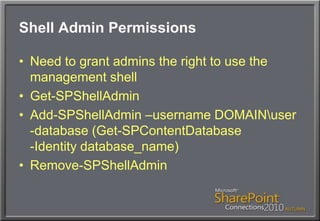
Shell Admin PermissionsNeed to grant admins the right to use the management shellGet-SPShellAdminAdd-SPShellAdmin –username DOMAIN\user-database (Get-SPContentDatabase-Identity database_name)Remove-SPShellAdmin
Cmdlet NamingNotice the SP prefix on the noun of all SharePoint cmdlets?Get-Command –noun SP* Or…Get-Command limited to the SharePoint module/snapin (let’s see)
START THINKING…What SP admin tasks would YOU want to automate within the shell?Your ideas will drive our discovery of commands and capabilities… so start coming up with ideas!
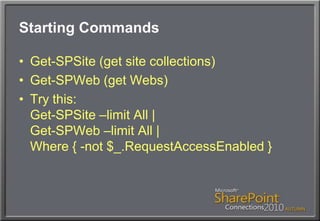
Starting CommandsGet-SPSite (get site collections)Get-SPWeb (get Webs)Try this:Get-SPSite –limit All |Get-SPWeb –limit All |Where { -not $_.RequestAccessEnabled }
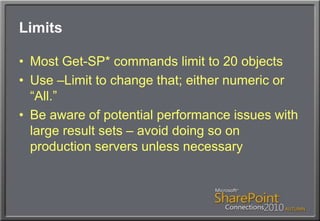
LimitsMost Get-SP* commands limit to 20 objectsUse –Limit to change that; either numeric or “All.”Be aware of potential performance issues with large result sets – avoid doing so on production servers unless necessary
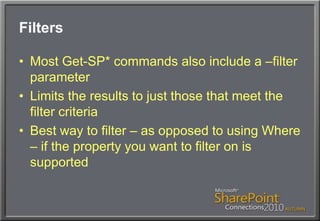
FiltersMost Get-SP* commands also include a –filter parameterLimits the results to just those that meet the filter criteriaBest way to filter – as opposed to using Where – if the property you want to filter on is supported
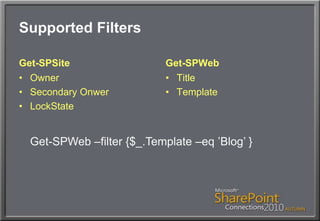
Supported FiltersGet-SPSiteOwnerSecondary OnwerLockStateGet-SPWebTitleTemplateGet-SPWeb –filter {$_.Template –eq ’Blog’ }
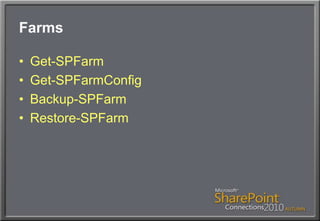
FarmsGet-SPFarmGet-SPFarmConfigBackup-SPFarmRestore-SPFarm
ServersGet-SPServer [[-Identity] name]Get-SPServer | Where { $_.Role –eq "Application" }
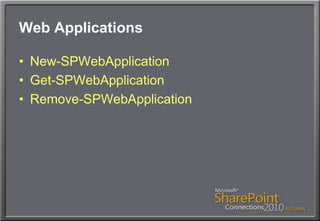
Web ApplicationsNew-SPWebApplicationGet-SPWebApplicationRemove-SPWebApplication
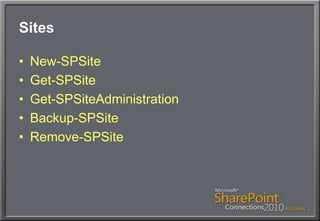
SitesNew-SPSiteGet-SPSiteGet-SPSiteAdministrationBackup-SPSiteRemove-SPSite
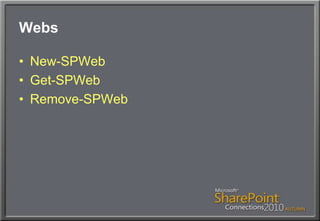
WebsNew-SPWebGet-SPWebRemove-SPWeb
NOW… let’s do some Q&AI’ve got more demos to show you, but want to make sure I address your questionsAsk ‘em now!The remainder of the session will be additional demosRemember: Transcript will be downloadable; no need to copy down the syntaxAsk for a “reminder card” if you want to download this stuff next week.
Final Notes…Please be sure to submit a session evaluation form!Download slides & materials from www.ConcentratedTech.com within one week!Blog, URLs, and other information is also available at www.ConcentratedTech.com for your referenceMore resources at www.ShellHub.comThank you very much!
Your Feedback is ImportantPlease fill out a session evaluation form.Thank you!
This slide deck was used in one of our many conference presentations. We hope you enjoy it, and invite you to use it within your own organization however you like.For more information on our company, including information on private classes and upcoming conference appearances, please visit our Web site, www.ConcentratedTech.com. For links to newly-posted decks, follow us on Twitter:@concentrateddon or @concentratdgregThis work is copyright ©Concentrated Technology, LLC

Admin SharePoint 2010 with PowerShell

  • 1.
    Administering SharePoint 2010withWindows PowerShellDon JonesConcentrated Technology, LLChttp://concentratedtech.com
  • 2.
    This slide deckwas used in one of our many conference presentations. We hope you enjoy it, and invite you to use it within your own organization however you like.For more information on our company, including information on private classes and upcoming conference appearances, please visit our Web site, www.ConcentratedTech.com. For links to newly-posted decks, follow us on Twitter:@concentrateddon or @concentratdgregThis work is copyright ©Concentrated Technology, LLC
  • 3.
    AgendaOur main goalis to explore what’s possible in SharePoint using Windows PowerShell……and to start looking at the major command sets that accomplish administrative tasksWe’ll spend a lot of time examining the Help files as part of this
  • 4.
    CAUTION: DEMOS AHEADThisis a demonstration-intensive session (very few slides)I will capture a shell transcript and save all of my scriptsYou can download these (in a week or so) from ConcentratedTech.com (there’s a “Conference Materials” link in the menu)
  • 5.
    SP Management ShellNotreally an independent shell……just a “preloaded” Windows PowerShellLoads a specific module/snapin at startup so that SP commands are availableYou could also manually load these into a “normal” shell (or 3rd-party host)Let’s see
  • 6.
    Shell Admin PermissionsNeedto grant admins the right to use the management shellGet-SPShellAdminAdd-SPShellAdmin –username DOMAIN\user-database (Get-SPContentDatabase-Identity database_name)Remove-SPShellAdmin
  • 7.
    Cmdlet NamingNotice theSP prefix on the noun of all SharePoint cmdlets?Get-Command –noun SP* Or…Get-Command limited to the SharePoint module/snapin (let’s see)
  • 8.
    START THINKING…What SPadmin tasks would YOU want to automate within the shell?Your ideas will drive our discovery of commands and capabilities… so start coming up with ideas!
  • 9.
    Starting CommandsGet-SPSite (getsite collections)Get-SPWeb (get Webs)Try this:Get-SPSite –limit All |Get-SPWeb –limit All |Where { -not $_.RequestAccessEnabled }
  • 10.
    LimitsMost Get-SP* commandslimit to 20 objectsUse –Limit to change that; either numeric or “All.”Be aware of potential performance issues with large result sets – avoid doing so on production servers unless necessary
  • 11.
    FiltersMost Get-SP* commandsalso include a –filter parameterLimits the results to just those that meet the filter criteriaBest way to filter – as opposed to using Where – if the property you want to filter on is supported
  • 12.
  • 13.
  • 14.
    ServersGet-SPServer [[-Identity] name]Get-SPServer| Where { $_.Role –eq "Application" }
  • 15.
  • 16.
  • 17.
  • 18.
    NOW… let’s dosome Q&AI’ve got more demos to show you, but want to make sure I address your questionsAsk ‘em now!The remainder of the session will be additional demosRemember: Transcript will be downloadable; no need to copy down the syntaxAsk for a “reminder card” if you want to download this stuff next week.
  • 19.
    Final Notes…Please besure to submit a session evaluation form!Download slides & materials from www.ConcentratedTech.com within one week!Blog, URLs, and other information is also available at www.ConcentratedTech.com for your referenceMore resources at www.ShellHub.comThank you very much!
  • 20.
    Your Feedback isImportantPlease fill out a session evaluation form.Thank you!
  • 21.
    This slide deckwas used in one of our many conference presentations. We hope you enjoy it, and invite you to use it within your own organization however you like.For more information on our company, including information on private classes and upcoming conference appearances, please visit our Web site, www.ConcentratedTech.com. For links to newly-posted decks, follow us on Twitter:@concentrateddon or @concentratdgregThis work is copyright ©Concentrated Technology, LLC