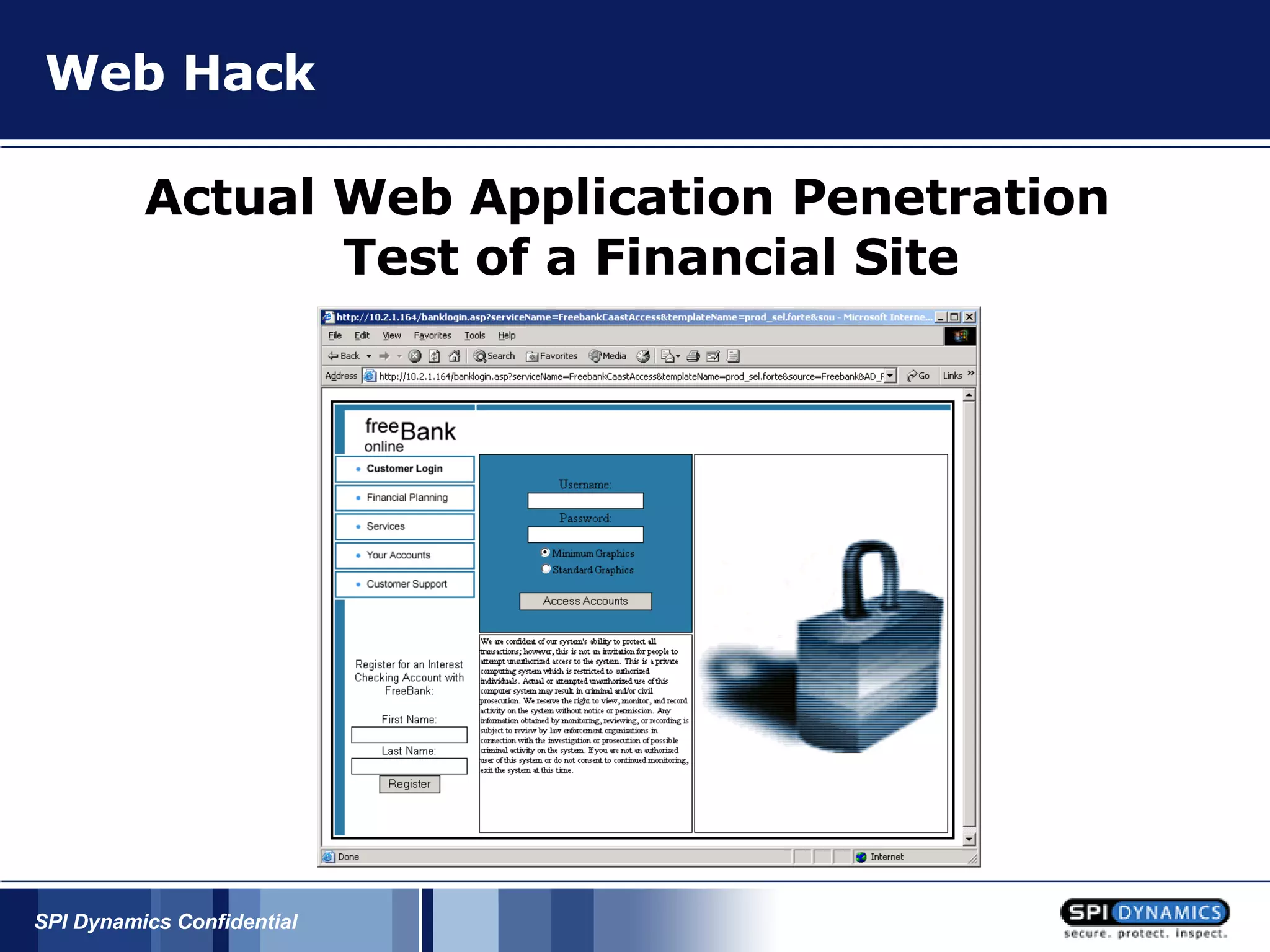
Web Hack Actual Web Application Penetration Test of a Financial Site
Discovery Four servers were found on the internet facing side of the company. 1.  www.site.com - (Main site) 2. enroll.site.com - (Customer Enrollment) 3. calc.site.com - (Financial web tools)    4. secure.site.com – (Customer web banking) This information was easily discovered by: 1. Web browsing 2. Using Google
Issue List Two main servers were first targeted (enroll.site.com, www.site.com).  An automated attack was first run against the server.  This is used to discover any low hanging fruit. The results of the automated scan were:   1. Each server was (Netscape-Enterprise/4.0) Not much information was retrieved, further research would have to be done to get anything useful.
Let’s target enroll.site.com first Running some customized attack scripts did not reveal much more information. 1.  A file of enroll.site.com/cfcache.map existed 2.  A directory called “template” existed on enroll
The Attack Browsing the website I noticed that the URL stayed pretty much the same except for the templateName value changed on each page: https://enroll.site.com/cgi-forte/fortecgi? serviceName=siteCaastAccess&templateName=prod_sel.forte&source=site&AD_REFERRING_URL=http://www.site.com By deleting all the information after the script and then reissuing the request …
The Attack …  the server responded with a very detailed error message.   Please specify the name of Forté service and page. Usage:http://web_server_name/cgi_directory_name/fortecgi?serviceName=Forté_service_name&pageName=request_page&other_info   Forte WebEnterprise Version WE.1.0.E.0 Copyright (c) 1999, Forte Software, Inc. All Rights Reserved.
The Attack Several facts were gleaned out of this error message.   https://enroll.site.com/cgi-forte/fortecgi? serviceName=siteCaastAccess&templateName=prod_sel.forte&source=site&AD_REFERRING_URL=http://www.site.com 1. serviceName is equal to a variable Forte service 2. pageName or templateName is a script or page and other commands can be appended using the "&"  operator 3. The type of application being used: Forte WebEnterprise  4. The version being used: WE.1.0.E.0
The Attack Doing a simple search on google for “Forte WebEnterprise” results in some nice documentation.
The Attack With this information and a little research, several articles and tech notes were discovered on Forte WebEnterprise server showing us how the application worked and what default files might exist. Enroll.site.com had several of these default files:   This file gave the application version being used.
The Attack https://enroll.site.com/forte/cgi_bin/fortecgi.dat
The Attack This file shows Internal IP's as well  as what services the application is offering. By viewing this file: siteCaastAccess 6501 192.168.32.11 4  siteIntranetIIS 1785 192.168.32.11 4    we can see that the internal ip of the server is 192.168.32.11 and valid values for the serviceName variable being passed to fortecgi is siteCaastAccess or siteIntranetIIS.
The Attack https://enroll.site.com/cgi-forte/fortecgi? serviceName=siteCaastAccess&templateName=prod_sel.forte&source=site&AD_REFERRING_URL=http://www.site.com 1. serviceName is equal to a variable Forte service 2. pageName or templateName is a script or page and other commands can be appended using the "&"  operator 3. The type of application being used: Forte WebEnterprise  4. The version being used: WE.1.0.E.0
The Attack 3. /cgi-forte/fortecgi? serviceName=internalmonitor&PageName=pingcgi  This is a debug option available in forte, by issuing this request, forte will return all the system variables:
Issue List Each server is (Netscape-Enterprise/4.0) A file of enroll.site.com/cfcache.map existed A directory of enroll.site.com/template existed Enroll is running Forte WebEnterprise Version WE.1.0.E.0 An ability to tell what the parameters in the URL mean Enroll has 2 services available: siteCaastAccess and siteIntranetIIS The internal IP address of the server is 192.168.32.11 Access to all system variables is available “ ServiceName” in the URL specifies what services to access “ TemplateName” in the URL specifies what templates to load A list of template files from the URL such as “prod_sel.forte”
The Attack At the beginning of the scan, a directory /template was found. To test a theory a request was issued for:    
Full Source Code
The Attack This allowed us to view the exact details of how the script worked and what other files or scripts it referenced. By methodically going thru and retrieving the source for all the scripts available a large database of filenames was logged.
The Attack After gathering the list of filenames – Several filenames stood out: 1. VerifyLogin.htm  2. ApplicationDetail.htm 3. CreditReport.htm 4. ChangePassword.htm A connection was tried to each file. https://enroll.site.com/cgi-forte/fortecgi?serviceName=siteCaastAccess&templateName=ApplicationDetail.htm
The Attack The server returned a "User not Logged in" message for each request. It also stated that the connection must be made from the Intranet. At first this seemed to be a well secured area but after sniffing the connection, it appeared that ApplicationDetail.htm set a cookie string. siteIntranetIIS=091B1A7D2625162A28241B28167927; frte_lbf_siteIntranetIIS=04392k0W0BTG
Attempt to access with cookie https://enroll.site.com/cgi-forte/fortecgi?serviceName=siteCaastAccess&templateName=ApplicationDetail.htm Cookie: siteIntranetIIS=091B1A7D2625162A28241B28167927; frte_lbf_siteIntranetIIS=04392k0W0BTG   The server returned back a different error that stated: “User must connect from the Intranet”
The Attack By taking this cookie and and changing the URL so “serviceName” is set to “siteIntranetIIS” and  recreating our request. Our request now looks like this: https://enroll.site.com/cgi-forte/fortecgi ? serviceName=siteIntranetIIS&templateName=ApplicationDetail.htm Cookie: siteIntranetIIS=091B1A7D2625162A28241B28167927; frte_lbf_siteIntranetIIS=04392k0W0BTG
Jackpot! ApplicationDetail.htm returned Client information and credit cards anytime an application was being processed.
The Attack By then issuing a request for CreditReport.htm.   The server replied with this error message: HTMLScannerException detected Detecting Method  HTMLScanner::HandleExecuteBlock Message qqsp_Exception caught while executing EXECUTE tag named  EMCreditRptHandler.GetCreditReport  Original message: Cannot add member name View to result  set creditRS - value specified is NIL.
The Attack By using the very detailed error message, we could derive that the server is failing due to the value of a variable named "View" currently has a NULL value. Therefore by defining the value of View we can retrieve the CreditReports page. https://enroll.site.com/cgi-forte/fortecgi? serviceName=siteIntranetIIS&templateName= CreditReport.htm& View=1
The Attack Access granted.
The Attack CreditReport.htm allows us to view customer data, credit report status, Fraud Information, Declined application status and a multitude of various sensitive information. By crafting a special script together we were able to continuously retrieve different client information and credit cards.
How Did This Happen? Data Center Enroll. Site Calc. Site WWW Secure Site CSR Network
I’ve been 0wned
Icing On The Cake By accessing the ChangePassword.htm page. The ability to reset the users web banking password was available.
Icing On The Cake Retrieved application source code and system user names and passwords.
Icing On The Cake Calc.site.com: Ability to retrieve the admin login and password. Ability to upload files to the server if they were ‘calc template files’. Ability to retrieve all source code off of the site due to a flaw in the calculator software.
Summary Vulnerabilities discovered in the site application located on enroll.site.com are: 1. Detailed Error messages 2. Lack of Session Authentication on certain scripts 3. Virtual Directories are not mapped correctly 4. Default Forte files were existent  5. Incorrect File permissions 6. Internal Forte debug option accessible 7. Test files and old scripts remained
References XDA Developers Site http://www.xda-developers.com/ ITSX Site http://www.itsx.com/home-index.html CellPhone Security: Google: Anything related to google hacking http://johnny.ihackstuff.com Google Hacking Tool ‘SiteDigger’ http://www.foundstone.com Binary Analysis: Google search for ‘Halvar Flake ’
Try WebInspect SPI Dynamics, Inc. 115 Perimeter Center Place Suite 270 Atlanta, GA 30346 Caleb Sima [email_address] For a free WebInspect TM  15-day trial download visit:  www.spidynamics.com

Online Bank Hack

  • 1.
    Web Hack ActualWeb Application Penetration Test of a Financial Site
  • 2.
    Discovery Four serverswere found on the internet facing side of the company. 1. www.site.com - (Main site) 2. enroll.site.com - (Customer Enrollment) 3. calc.site.com - (Financial web tools) 4. secure.site.com – (Customer web banking) This information was easily discovered by: 1. Web browsing 2. Using Google
  • 3.
    Issue List Twomain servers were first targeted (enroll.site.com, www.site.com). An automated attack was first run against the server. This is used to discover any low hanging fruit. The results of the automated scan were: 1. Each server was (Netscape-Enterprise/4.0) Not much information was retrieved, further research would have to be done to get anything useful.
  • 4.
    Let’s target enroll.site.comfirst Running some customized attack scripts did not reveal much more information. 1. A file of enroll.site.com/cfcache.map existed 2. A directory called “template” existed on enroll
  • 5.
    The Attack Browsingthe website I noticed that the URL stayed pretty much the same except for the templateName value changed on each page: https://enroll.site.com/cgi-forte/fortecgi? serviceName=siteCaastAccess&templateName=prod_sel.forte&source=site&AD_REFERRING_URL=http://www.site.com By deleting all the information after the script and then reissuing the request …
  • 6.
    The Attack … the server responded with a very detailed error message.   Please specify the name of Forté service and page. Usage:http://web_server_name/cgi_directory_name/fortecgi?serviceName=Forté_service_name&pageName=request_page&other_info   Forte WebEnterprise Version WE.1.0.E.0 Copyright (c) 1999, Forte Software, Inc. All Rights Reserved.
  • 7.
    The Attack Severalfacts were gleaned out of this error message.   https://enroll.site.com/cgi-forte/fortecgi? serviceName=siteCaastAccess&templateName=prod_sel.forte&source=site&AD_REFERRING_URL=http://www.site.com 1. serviceName is equal to a variable Forte service 2. pageName or templateName is a script or page and other commands can be appended using the "&" operator 3. The type of application being used: Forte WebEnterprise 4. The version being used: WE.1.0.E.0
  • 8.
    The Attack Doinga simple search on google for “Forte WebEnterprise” results in some nice documentation.
  • 9.
    The Attack Withthis information and a little research, several articles and tech notes were discovered on Forte WebEnterprise server showing us how the application worked and what default files might exist. Enroll.site.com had several of these default files:   This file gave the application version being used.
  • 10.
  • 11.
    The Attack Thisfile shows Internal IP's as well as what services the application is offering. By viewing this file: siteCaastAccess 6501 192.168.32.11 4 siteIntranetIIS 1785 192.168.32.11 4   we can see that the internal ip of the server is 192.168.32.11 and valid values for the serviceName variable being passed to fortecgi is siteCaastAccess or siteIntranetIIS.
  • 12.
    The Attack https://enroll.site.com/cgi-forte/fortecgi?serviceName=siteCaastAccess&templateName=prod_sel.forte&source=site&AD_REFERRING_URL=http://www.site.com 1. serviceName is equal to a variable Forte service 2. pageName or templateName is a script or page and other commands can be appended using the "&" operator 3. The type of application being used: Forte WebEnterprise 4. The version being used: WE.1.0.E.0
  • 13.
    The Attack 3./cgi-forte/fortecgi? serviceName=internalmonitor&PageName=pingcgi This is a debug option available in forte, by issuing this request, forte will return all the system variables:
  • 14.
    Issue List Eachserver is (Netscape-Enterprise/4.0) A file of enroll.site.com/cfcache.map existed A directory of enroll.site.com/template existed Enroll is running Forte WebEnterprise Version WE.1.0.E.0 An ability to tell what the parameters in the URL mean Enroll has 2 services available: siteCaastAccess and siteIntranetIIS The internal IP address of the server is 192.168.32.11 Access to all system variables is available “ ServiceName” in the URL specifies what services to access “ TemplateName” in the URL specifies what templates to load A list of template files from the URL such as “prod_sel.forte”
  • 15.
    The Attack Atthe beginning of the scan, a directory /template was found. To test a theory a request was issued for:    
  • 16.
  • 17.
    The Attack Thisallowed us to view the exact details of how the script worked and what other files or scripts it referenced. By methodically going thru and retrieving the source for all the scripts available a large database of filenames was logged.
  • 18.
    The Attack Aftergathering the list of filenames – Several filenames stood out: 1. VerifyLogin.htm 2. ApplicationDetail.htm 3. CreditReport.htm 4. ChangePassword.htm A connection was tried to each file. https://enroll.site.com/cgi-forte/fortecgi?serviceName=siteCaastAccess&templateName=ApplicationDetail.htm
  • 19.
    The Attack Theserver returned a "User not Logged in" message for each request. It also stated that the connection must be made from the Intranet. At first this seemed to be a well secured area but after sniffing the connection, it appeared that ApplicationDetail.htm set a cookie string. siteIntranetIIS=091B1A7D2625162A28241B28167927; frte_lbf_siteIntranetIIS=04392k0W0BTG
  • 20.
    Attempt to accesswith cookie https://enroll.site.com/cgi-forte/fortecgi?serviceName=siteCaastAccess&templateName=ApplicationDetail.htm Cookie: siteIntranetIIS=091B1A7D2625162A28241B28167927; frte_lbf_siteIntranetIIS=04392k0W0BTG The server returned back a different error that stated: “User must connect from the Intranet”
  • 21.
    The Attack Bytaking this cookie and and changing the URL so “serviceName” is set to “siteIntranetIIS” and recreating our request. Our request now looks like this: https://enroll.site.com/cgi-forte/fortecgi ? serviceName=siteIntranetIIS&templateName=ApplicationDetail.htm Cookie: siteIntranetIIS=091B1A7D2625162A28241B28167927; frte_lbf_siteIntranetIIS=04392k0W0BTG
  • 22.
    Jackpot! ApplicationDetail.htm returnedClient information and credit cards anytime an application was being processed.
  • 23.
    Jackpot! ApplicationDetail.htm returnedClient information and credit cards anytime an application was being processed.
  • 24.
    The Attack Bythen issuing a request for CreditReport.htm.   The server replied with this error message: HTMLScannerException detected Detecting Method HTMLScanner::HandleExecuteBlock Message qqsp_Exception caught while executing EXECUTE tag named EMCreditRptHandler.GetCreditReport Original message: Cannot add member name View to result set creditRS - value specified is NIL.
  • 25.
    The Attack Byusing the very detailed error message, we could derive that the server is failing due to the value of a variable named "View" currently has a NULL value. Therefore by defining the value of View we can retrieve the CreditReports page. https://enroll.site.com/cgi-forte/fortecgi? serviceName=siteIntranetIIS&templateName= CreditReport.htm& View=1
  • 26.
  • 27.
    The Attack CreditReport.htmallows us to view customer data, credit report status, Fraud Information, Declined application status and a multitude of various sensitive information. By crafting a special script together we were able to continuously retrieve different client information and credit cards.
  • 28.
    How Did ThisHappen? Data Center Enroll. Site Calc. Site WWW Secure Site CSR Network
  • 29.
  • 30.
    Icing On TheCake By accessing the ChangePassword.htm page. The ability to reset the users web banking password was available.
  • 31.
    Icing On TheCake Retrieved application source code and system user names and passwords.
  • 32.
    Icing On TheCake Calc.site.com: Ability to retrieve the admin login and password. Ability to upload files to the server if they were ‘calc template files’. Ability to retrieve all source code off of the site due to a flaw in the calculator software.
  • 33.
    Summary Vulnerabilities discoveredin the site application located on enroll.site.com are: 1. Detailed Error messages 2. Lack of Session Authentication on certain scripts 3. Virtual Directories are not mapped correctly 4. Default Forte files were existent 5. Incorrect File permissions 6. Internal Forte debug option accessible 7. Test files and old scripts remained
  • 34.
    References XDA DevelopersSite http://www.xda-developers.com/ ITSX Site http://www.itsx.com/home-index.html CellPhone Security: Google: Anything related to google hacking http://johnny.ihackstuff.com Google Hacking Tool ‘SiteDigger’ http://www.foundstone.com Binary Analysis: Google search for ‘Halvar Flake ’
  • 35.
    Try WebInspect SPIDynamics, Inc. 115 Perimeter Center Place Suite 270 Atlanta, GA 30346 Caleb Sima [email_address] For a free WebInspect TM 15-day trial download visit: www.spidynamics.com