
Windows 7Alan RichardsWest Hatch High School
TopicsWhy Windows 7PlanningDeployment MethodsWDSMDT 2010In place upgradeSuccessesProblems / Issues
Why Windows 7PersonalPart of a planOld HardwareNot Vista capableNeeded to ‘dump’ XP
PlanningWhole new networkNew deployment serverServer 2008 Enterprise x64  (Upgraded to R2 on release)
Deployment MethodsWindows Deployment ServicesMicrosoft Deployment Toolkit 2010
WDSSimple and effectiveQuick setupEasy to configureF12 options in R2Stop need for 2nd F12 key press to continueCapture and deploy imagesDeploy base installCapture image of master machine4 images for Whole School
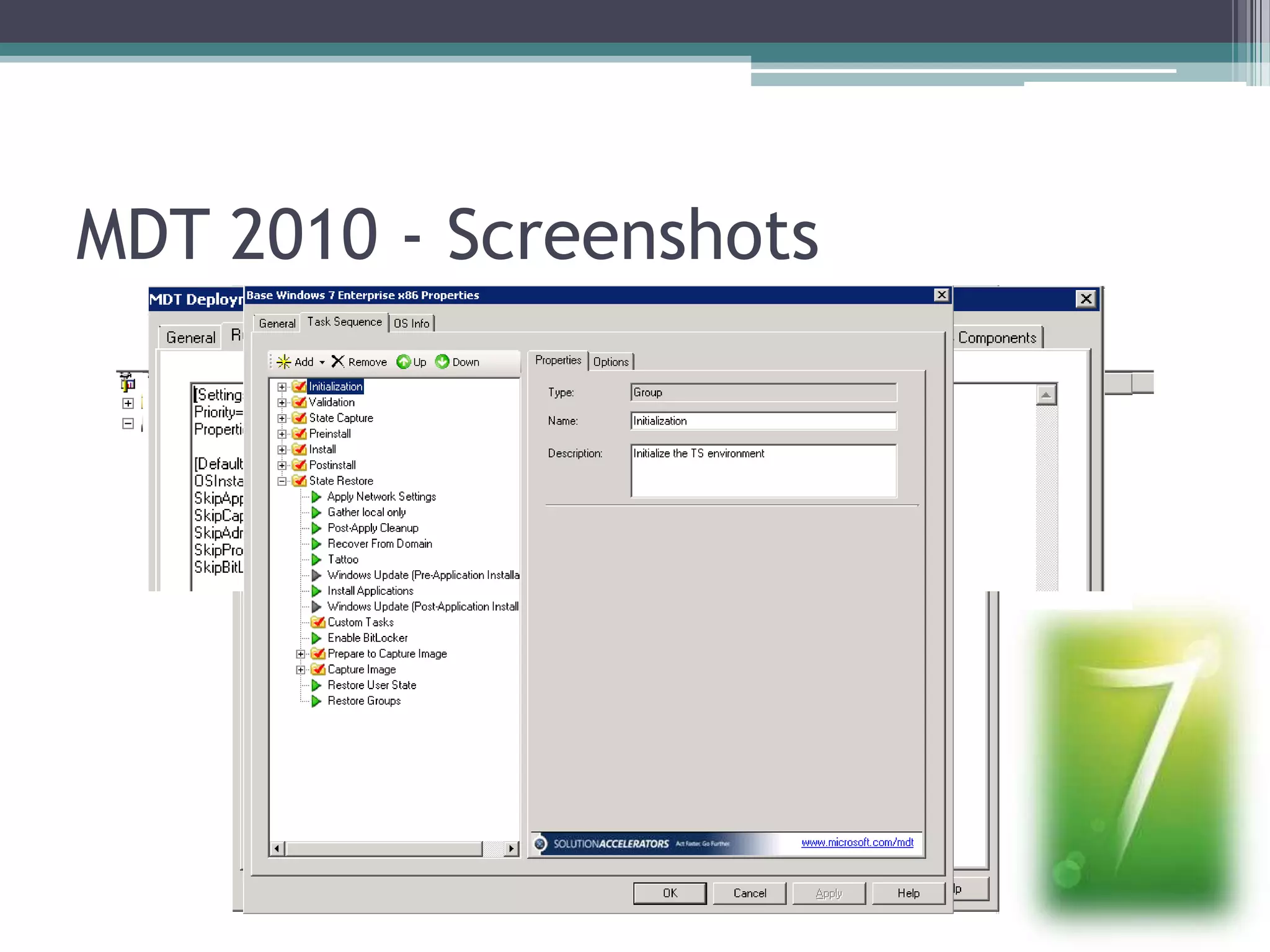
MDT 2010Script drivenSimilar to WDSIntegrate with WDS for multicast deploymentIntegrates with SCCM
MDT 2010 - Screenshots
SuccessesSIMS on Windows 7Not officially supported by CapitaOld hardware now running Windows 7Staff queuing to have it installed on laptopsPrepares machine for BitLockerBitLocker to goWindows Snap is sick
Problems / IssuesDriversOld VGA cardsOld WirelessDefault route – 0.0.0.0 onLinkRegistry entry to add DisableDHCPMediaSenseLaptops and hibernationLaptops with no TPM chipNeed for encryption key on USBMovie Maker
Contactsarichards@westhatch.essex.sch.ukwww.learninggateway.net/blogs@arichards_Saruk

Windows 7 Early Adopters