Windows® 7 for the Optimized DesktopPresenter nameTitledate
Windows 7: Works the Way You WantWindows 7 for the EnterpriseThe Windows Optimized DesktopAgenda
The Making of Windows 7video
Windows 7: Works the Way You WantDesign FundamentalsFaster, more reliable
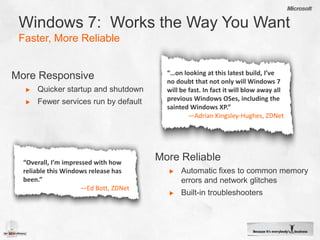
Windows 7:  Works the Way You WantFaster, More Reliable“…on looking at this latest build, I’ve no doubt that not only will Windows 7 will be fast. In fact it will blow away all previous Windows OSes, including the sainted Windows XP.”—Adrian Kingsley-Hughes, ZDNetMore ResponsiveQuicker startup and shutdownFewer services run by defaultMore ReliableAutomatic fixes to common memory errors and network glitches
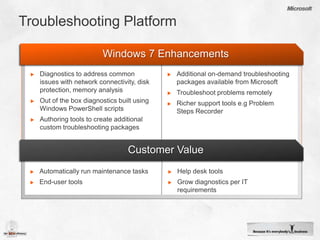
Built-in troubleshooters“Overall, I’m impressed with how reliable this Windows release has been.”—Ed Bott, ZDNet
Windows 7: Works the Way You WantDesign FundamentalsFaster, more reliableMore secure
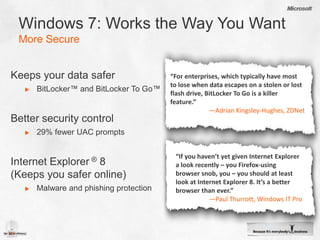
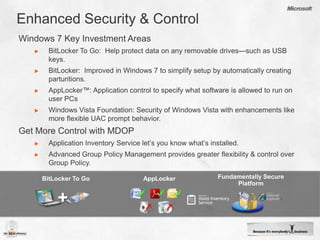
Windows 7: Works the Way You WantMore SecureKeeps your data saferBitLocker™ and BitLocker To Go™Better security control29% fewer UAC promptsInternet Explorer® 8          (Keeps you safer online)Malware and phishing protection“For enterprises, which typically have most to lose when data escapes on a stolen or lost flash drive, BitLocker To Go is a killer feature.”—Adrian Kingsley-Hughes, ZDNet“If you haven’t yet given Internet Explorer a look recently – you Firefox-using browser snob, you – you should at least look at Internet Explorer 8. It’s a better browser than ever.”—Paul Thurrott, Windows IT Pro
Windows 7: Works the Way You WantDesign FundamentalsFaster, more reliableMore compatibleMore secure
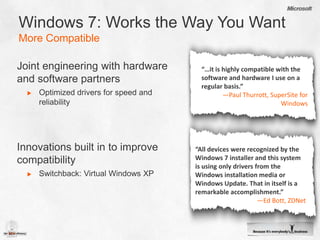
Windows 7: Works the Way You WantMore CompatibleJoint engineering with hardware and software partnersOptimized drivers for speed and reliabilityInnovations built in to improve compatibilitySwitchback: Virtual Windows XP“…it is highly compatible with the software and hardware I use on a regular basis.” —Paul Thurrott, SuperSite for Windows“All devices were recognized by the Windows 7 installer and this system is using only drivers from the Windows installation media or Windows Update. That in itself is a remarkable accomplishment.”—Ed Bott, ZDNet
Windows 7: Works the Way You WantDesign FundamentalsFaster, more reliableMore compatibleEasy to useMore secure
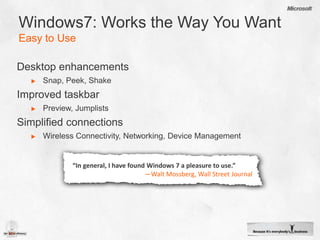
Windows7: Works the Way You WantEasy to UseDesktop enhancementsSnap, Peek, ShakeImproved taskbarPreview, JumplistsSimplified connectionsWireless Connectivity, Networking, Device Management“In general, I have found Windows 7 a pleasure to use.”—Walt Mossberg, Wall Street Journal
Windows 7: Easy to Usedemo
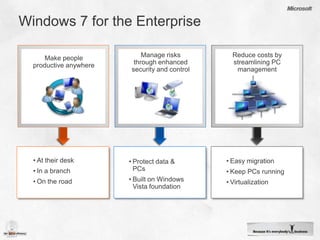
Windows 7 for the EnterpriseManage risks through enhanced  security and controlReduce costs by streamlining PC managementMake peopleproductive anywhereEasy migration
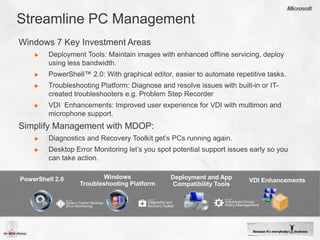
Keep PCs running
Virtualization
At their desk
In a branch
On the road
Protect data & PCs
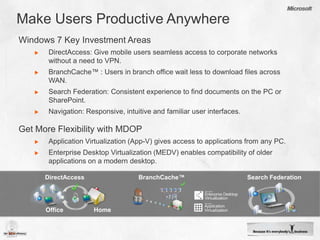
Built on Windows Vista foundation Make Users Productive AnywhereWindows 7 Key Investment AreasDirectAccess: Give mobile users seamless access to corporate networks without a need to VPN.
BranchCache™ : Users in branch office wait less to download files across WAN.
Search Federation: Consistent experience to find documents on the PC or SharePoint.
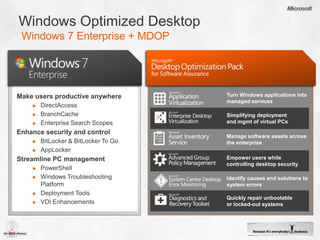
Navigation: Responsive, intuitive and familiar user interfaces.Get More Flexibility with MDOPApplication Virtualization (App-V) gives access to applications from any PC.

Windows 7 Optimized Desktop

  • 1.
    Windows® 7 forthe Optimized DesktopPresenter nameTitledate
  • 2.
    Windows 7: Worksthe Way You WantWindows 7 for the EnterpriseThe Windows Optimized DesktopAgenda
  • 3.
    The Making ofWindows 7video
  • 4.
    Windows 7: Worksthe Way You WantDesign FundamentalsFaster, more reliable
  • 5.
    Windows 7: Works the Way You WantFaster, More Reliable“…on looking at this latest build, I’ve no doubt that not only will Windows 7 will be fast. In fact it will blow away all previous Windows OSes, including the sainted Windows XP.”—Adrian Kingsley-Hughes, ZDNetMore ResponsiveQuicker startup and shutdownFewer services run by defaultMore ReliableAutomatic fixes to common memory errors and network glitches
  • 6.
    Built-in troubleshooters“Overall, I’mimpressed with how reliable this Windows release has been.”—Ed Bott, ZDNet
  • 7.
    Windows 7: Worksthe Way You WantDesign FundamentalsFaster, more reliableMore secure
  • 8.
    Windows 7: Worksthe Way You WantMore SecureKeeps your data saferBitLocker™ and BitLocker To Go™Better security control29% fewer UAC promptsInternet Explorer® 8 (Keeps you safer online)Malware and phishing protection“For enterprises, which typically have most to lose when data escapes on a stolen or lost flash drive, BitLocker To Go is a killer feature.”—Adrian Kingsley-Hughes, ZDNet“If you haven’t yet given Internet Explorer a look recently – you Firefox-using browser snob, you – you should at least look at Internet Explorer 8. It’s a better browser than ever.”—Paul Thurrott, Windows IT Pro
  • 9.
    Windows 7: Worksthe Way You WantDesign FundamentalsFaster, more reliableMore compatibleMore secure
  • 10.
    Windows 7: Worksthe Way You WantMore CompatibleJoint engineering with hardware and software partnersOptimized drivers for speed and reliabilityInnovations built in to improve compatibilitySwitchback: Virtual Windows XP“…it is highly compatible with the software and hardware I use on a regular basis.” —Paul Thurrott, SuperSite for Windows“All devices were recognized by the Windows 7 installer and this system is using only drivers from the Windows installation media or Windows Update. That in itself is a remarkable accomplishment.”—Ed Bott, ZDNet
  • 11.
    Windows 7: Worksthe Way You WantDesign FundamentalsFaster, more reliableMore compatibleEasy to useMore secure
  • 12.
    Windows7: Works theWay You WantEasy to UseDesktop enhancementsSnap, Peek, ShakeImproved taskbarPreview, JumplistsSimplified connectionsWireless Connectivity, Networking, Device Management“In general, I have found Windows 7 a pleasure to use.”—Walt Mossberg, Wall Street Journal
  • 13.
    Windows 7: Easyto Usedemo
  • 14.
    Windows 7 forthe EnterpriseManage risks through enhanced security and controlReduce costs by streamlining PC managementMake peopleproductive anywhereEasy migration
  • 15.
  • 16.
  • 17.
  • 18.
  • 19.
  • 20.
  • 21.
    Built on WindowsVista foundation Make Users Productive AnywhereWindows 7 Key Investment AreasDirectAccess: Give mobile users seamless access to corporate networks without a need to VPN.
  • 22.
    BranchCache™ : Usersin branch office wait less to download files across WAN.
  • 23.
    Search Federation: Consistentexperience to find documents on the PC or SharePoint.
  • 24.
    Navigation: Responsive, intuitiveand familiar user interfaces.Get More Flexibility with MDOPApplication Virtualization (App-V) gives access to applications from any PC.