Topic:- World Without Wires-
WiFi
Presented By :-Akshay N Mahajan
World Without Wires
Wi-
Fi Prepared ByPrepared By:
Akshay N Mahajan (5Akshay N Mahajan (5thth
IT)IT)
It’s not HI-FI !!!
Contents
 Overview of Wi-Fi
 Types of Wi-Fi Technology
 Major Components of a Wi-
Fi Network
• Wi-Fi Radios
• Access Points
 How Does Access Point Work?
 Security Features
• Virtual Private Network
• Firewalls
• Media Access Control Filtering
• RADIUS
 Benefits of Wi-Fi
 Future of Wi-Fi
 Inference
 References
What is Wi-Fi?
 Wi-Fi is the commercial name given to the
IEEE 802.11b communications standard for
Wireless Local Area Networks (WLANs).
 Wi-Fi allows you to connect to the Internet
from an airport or coffee shop, or retrieving
files or presentations from the corporate
network or sending instant messages to co-
workers while sitting in a conference room at
work without wires.
Types of Wi-Fi technology
 802.11a – It provides speed up to 54
Mbps in the 5GHz band.
 802.11b (also referred to as 802.11
High Rate or Wi Fi) – It provides 11
Mbps transmission in the 2.4 GHz band.
 802.11g – It provides 20+ Mbps in the
2.4 GHz band
Major Components of Wi-Fi
Network
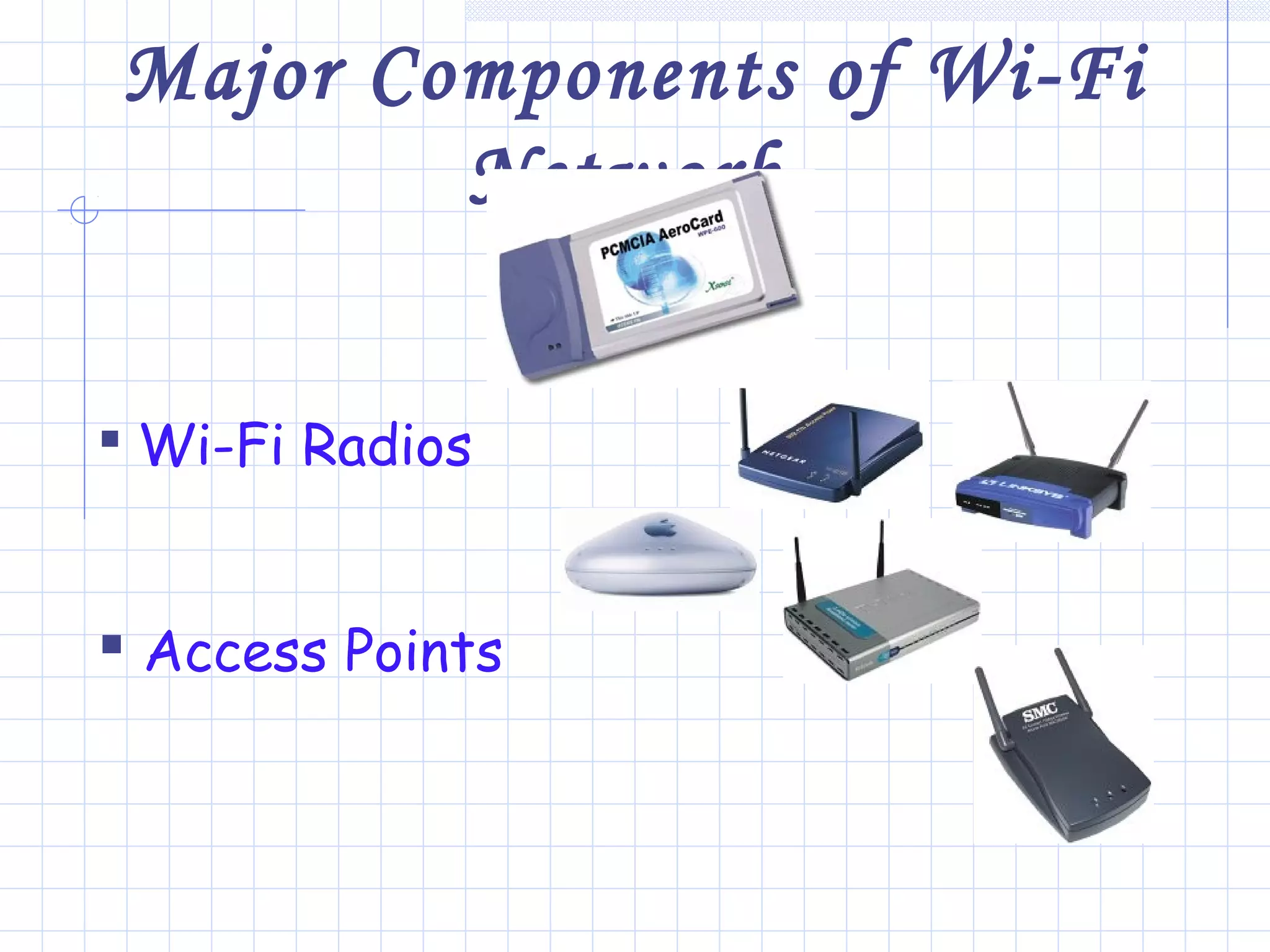
 Wi-Fi Radios
 Access Points
Types of Wi-Fi Radios
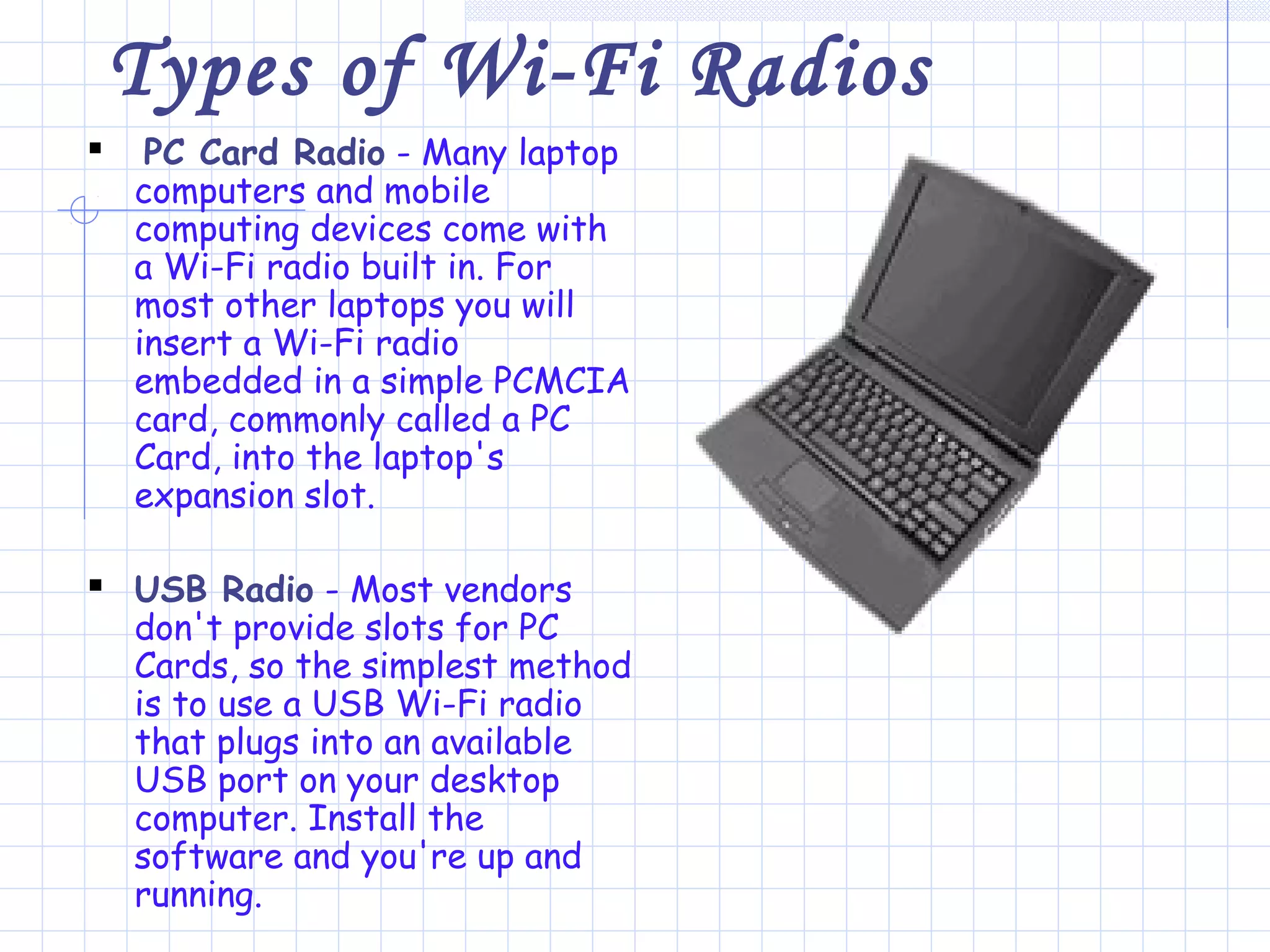
 PC Card Radio - Many laptop
computers and mobile
computing devices come with
a Wi-Fi radio built in. For
most other laptops you will
insert a Wi-Fi radio
embedded in a simple PCMCIA
card, commonly called a PC
Card, into the laptop's
expansion slot.
 USB Radio - Most vendors
don't provide slots for PC
Cards, so the simplest method
is to use a USB Wi-Fi radio
that plugs into an available
USB port on your desktop
computer. Install the
software and you're up and
running.
Access Points
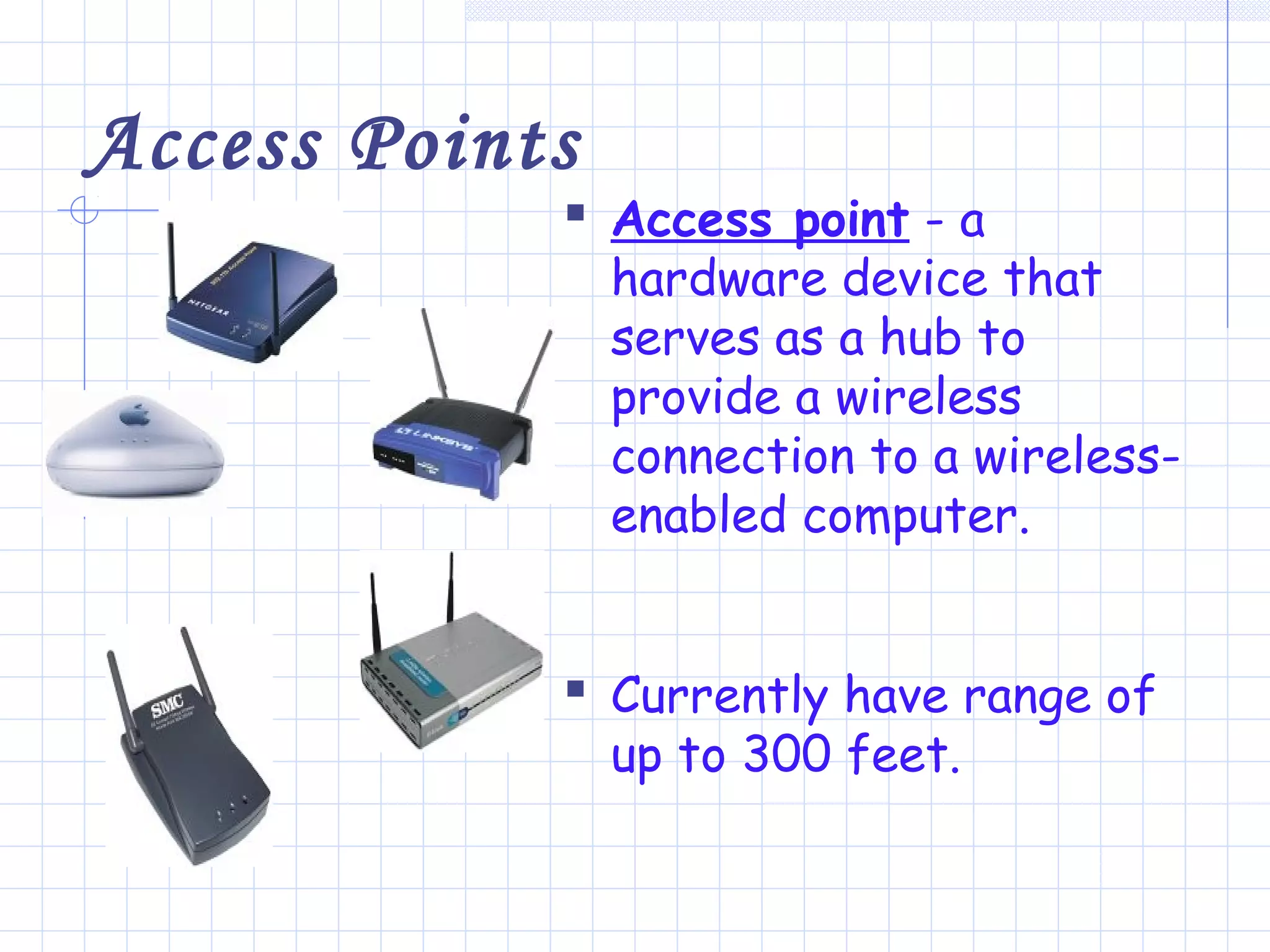
 Access point - a
hardware device that
serves as a hub to
provide a wireless
connection to a wireless-
enabled computer.
 Currently have range of
up to 300 feet.
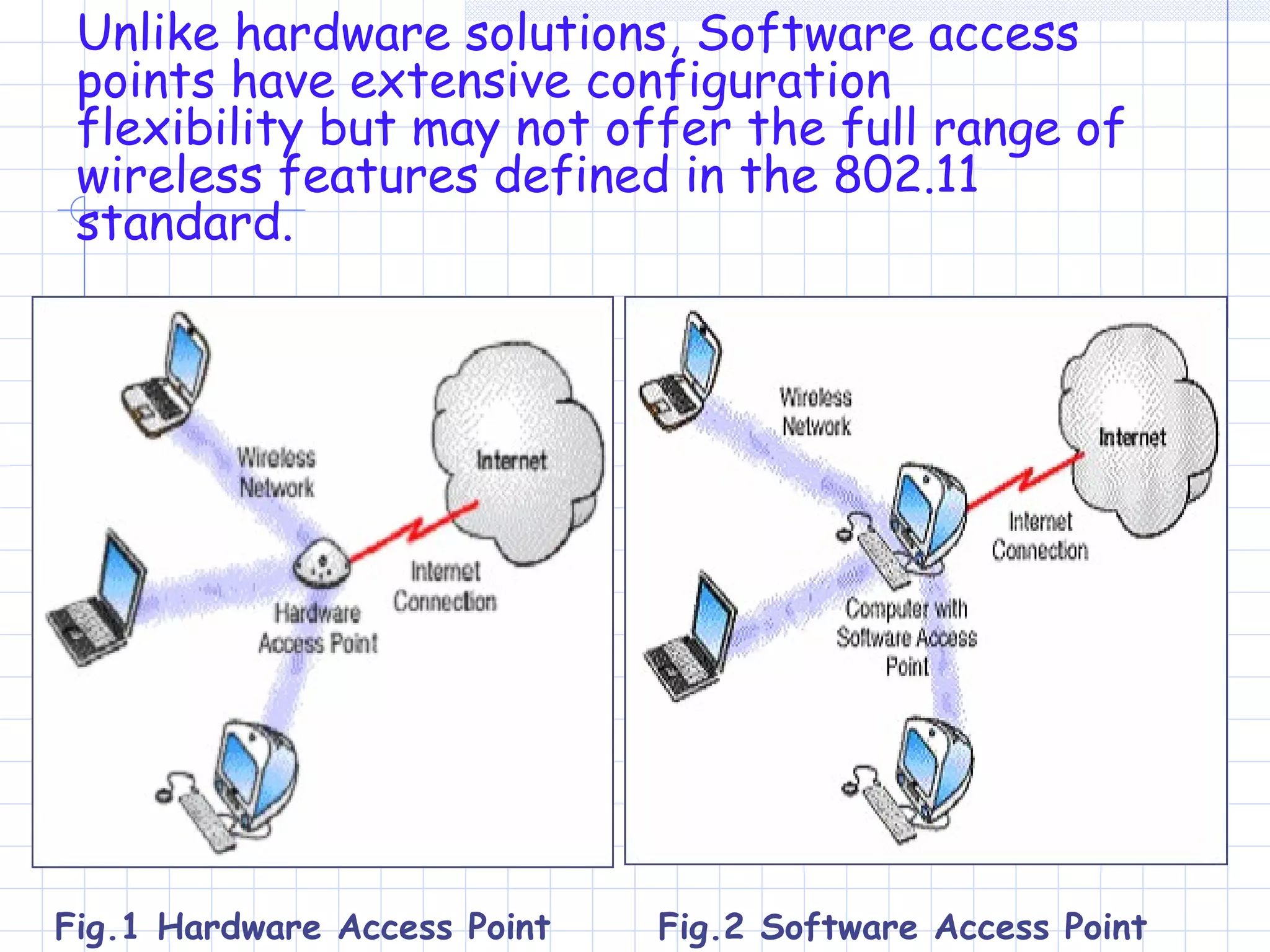
Unlike hardware solutions, Software access
points have extensive configuration
flexibility but may not offer the full range of
wireless features defined in the 802.11
standard.
Fig.2 Software Access PointFig.1 Hardware Access Point
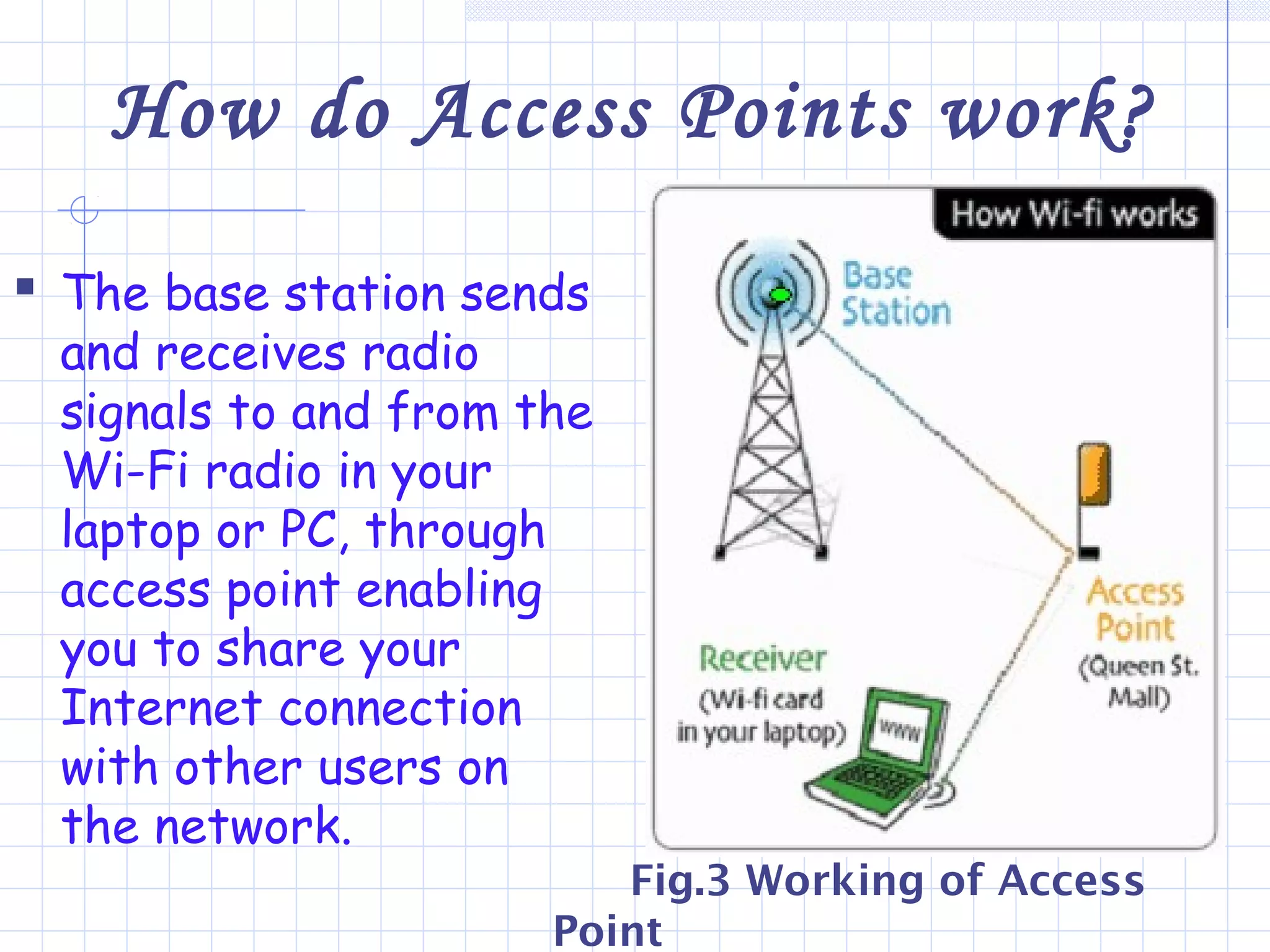
How do Access Points work?
 The base station sends
and receives radio
signals to and from the
Wi-Fi radio in your
laptop or PC, through
access point enabling
you to share your
Internet connection
with other users on
the network.
Fig.3 Working of Access
Point
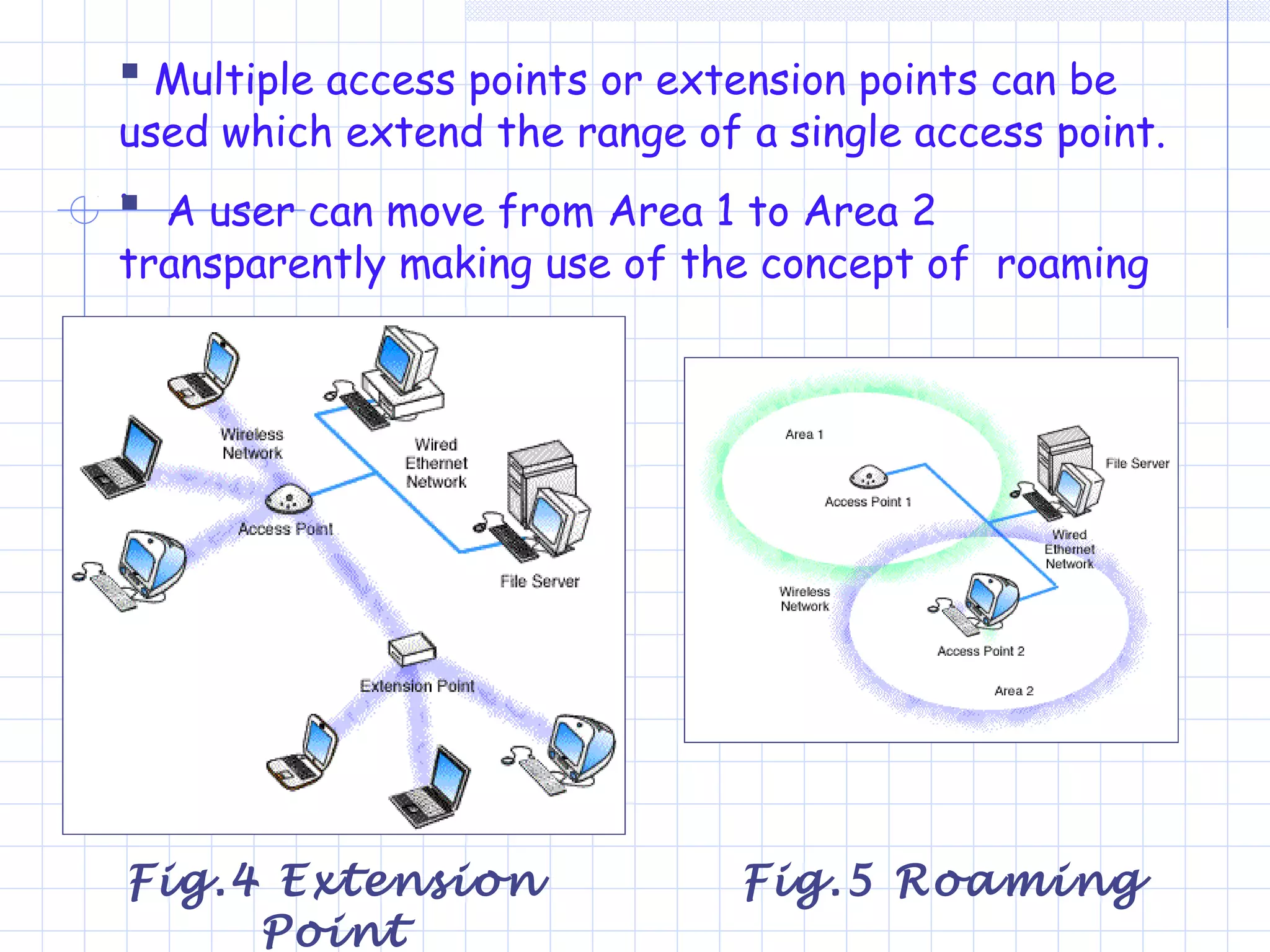
 Multiple access points or extension points can be
used which extend the range of a single access point.
.
 A user can move from Area 1 to Area 2
transparently making use of the concept of roaming
Fig.4 Extension
Point
Fig.5 Roaming
Security Features
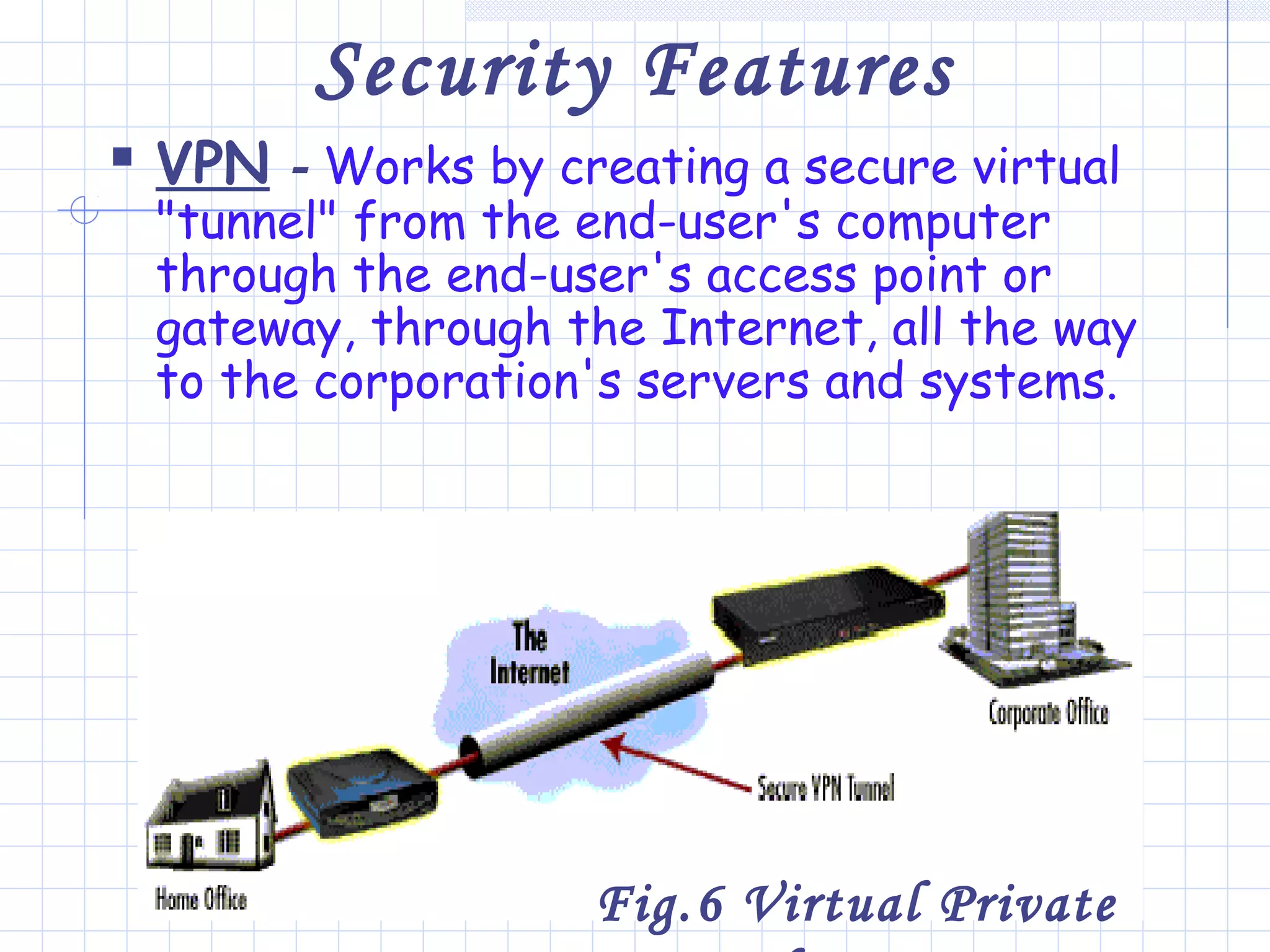
 VPN - Works by creating a secure virtual
"tunnel" from the end-user's computer
through the end-user's access point or
gateway, through the Internet, all the way
to the corporation's servers and systems.
Fig.6 Virtual Private
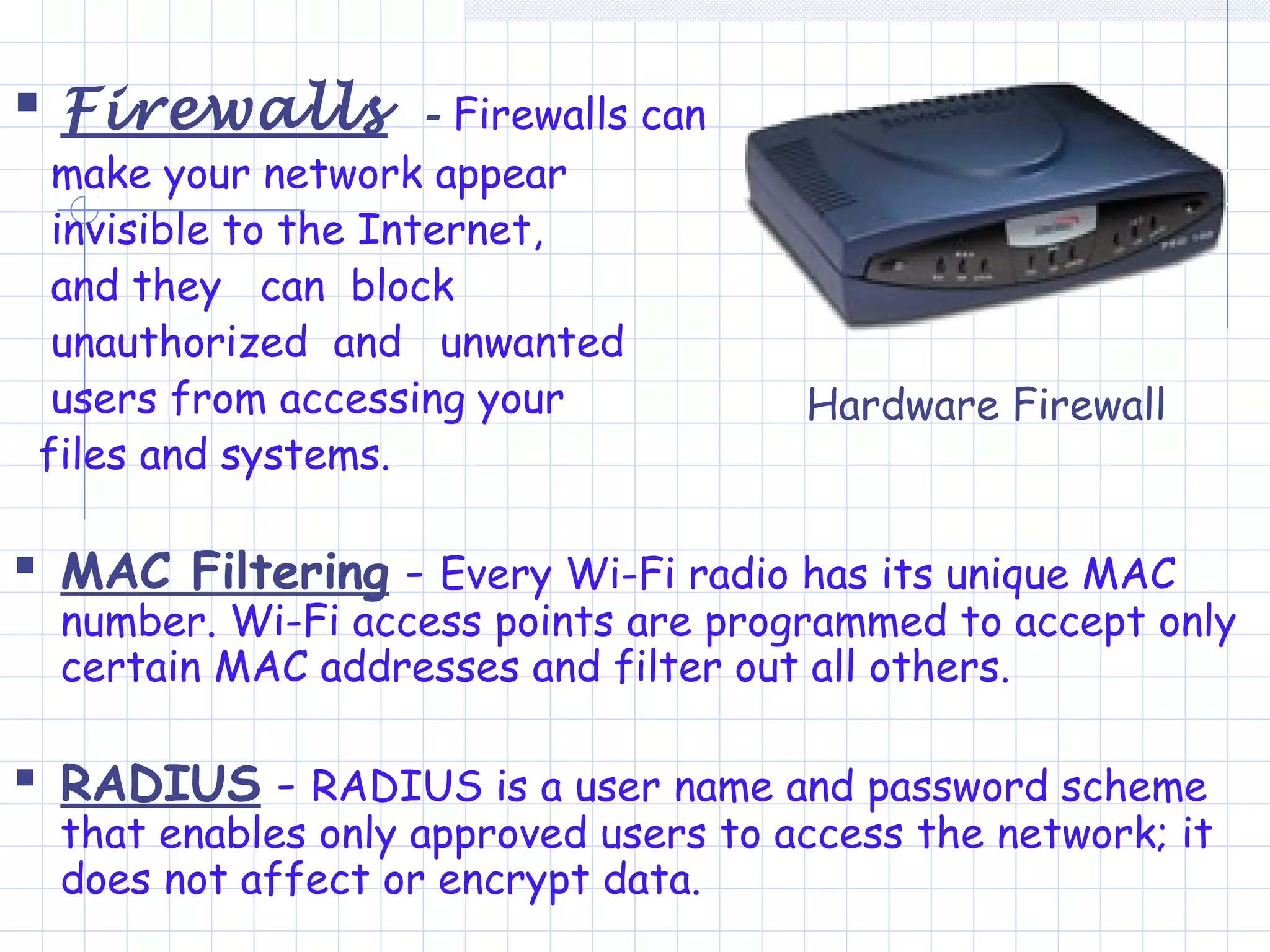
 Firewalls - Firewalls can
make your network appear
invisible to the Internet,
and they can block
unauthorized and unwanted
users from accessing your
files and systems.
 MAC Filtering - Every Wi-Fi radio has its unique MAC
number. Wi-Fi access points are programmed to accept only
certain MAC addresses and filter out all others.
 RADIUS - RADIUS is a user name and password scheme
that enables only approved users to access the network; it
does not affect or encrypt data.
Hardware Firewall
Benefits of Wi-Fi
 Wi-Fi can become one of the main enablers
to the vision of omnipresent computing.
 Wi-Fi is one of the leading candidates to
bring Internet access to new environments
that were previously limited by the cost of
physically connecting through cables.
 If you don't want to have each computer
on the network all the time, you can save
money by sharing the PC Cards or the USB
radio/adaptors for your laptops and other
mobile computing devices.
Comparative Study
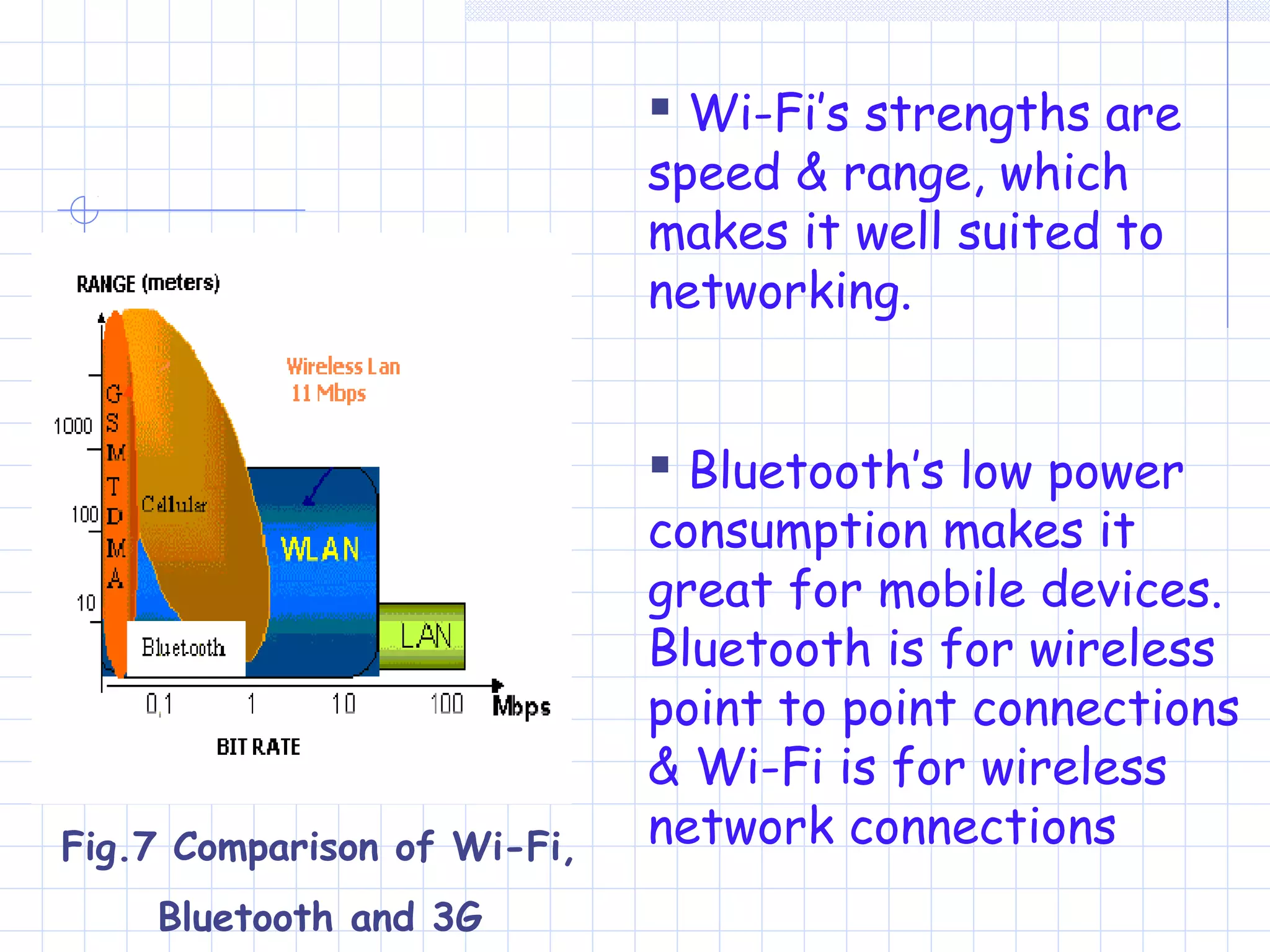
 Bluetooth has a shorter range restricted to
just 10 meters (40 feet) & maximum data
transfer capacity is around 1 Mbps.
Bluetooth seems to be the king in the very
short range.
 Bluetooth is just a cable replacement and
not a real technology like Wi-Fi.
 3G has strong qualities in truly Mobile
connectivity, but at a high cost and low data
transfer rates.
 Wi-Fi’s strengths are
speed & range, which
makes it well suited to
networking.
 Bluetooth’s low power
consumption makes it
great for mobile devices.
Bluetooth is for wireless
point to point connections
& Wi-Fi is for wireless
network connectionsFig.7 Comparison of Wi-Fi,
Bluetooth and 3G
And Lastly…The Inference
 As a concluding note it is important for us
to know that getting a secure network with
fast processes is necessary irrespective of
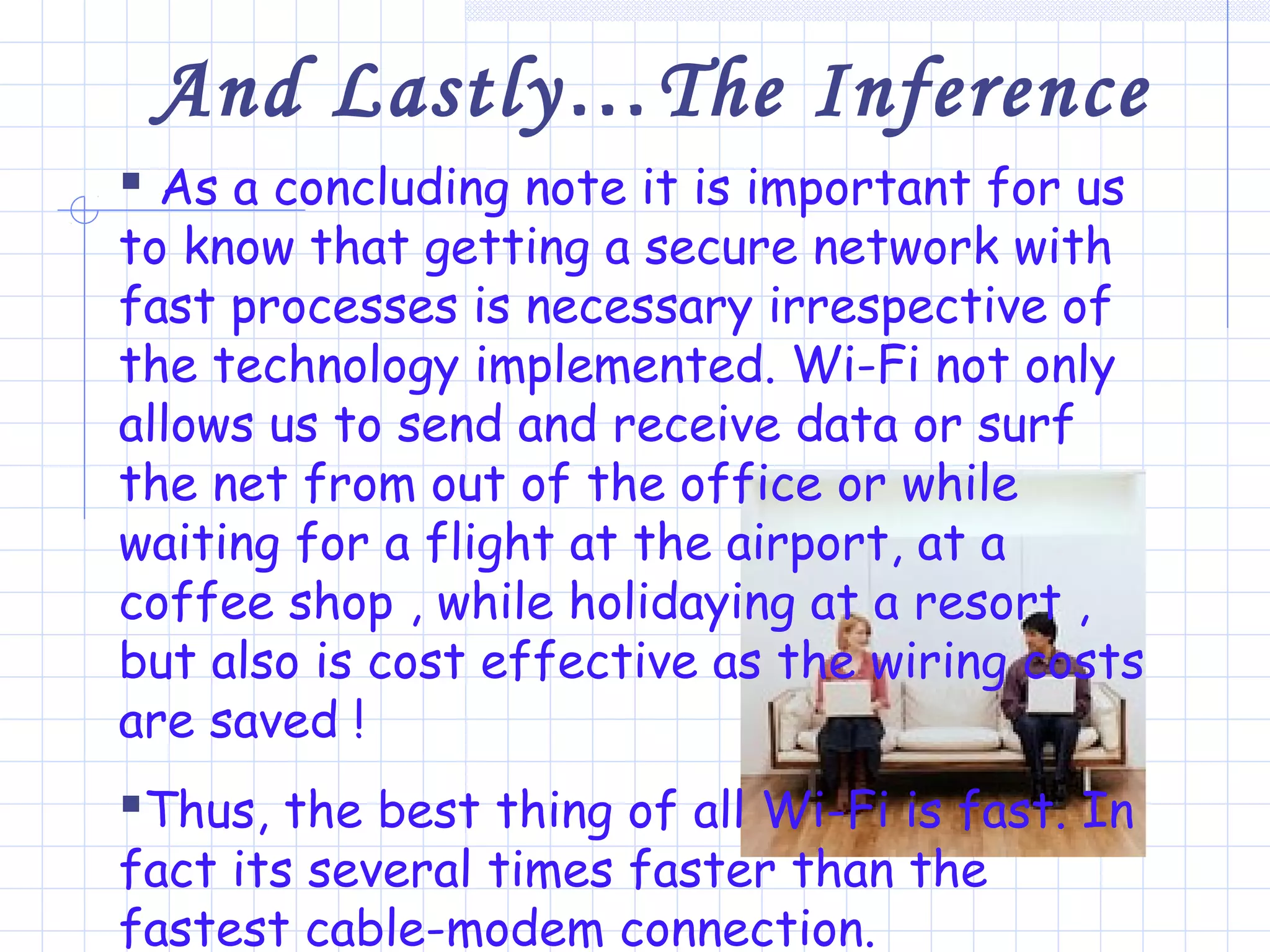
the technology implemented. Wi-Fi not only
allows us to send and receive data or surf
the net from out of the office or while
waiting for a flight at the airport, at a
coffee shop , while holidaying at a resort ,
but also is cost effective as the wiring costs
are saved !
Thus, the best thing of all Wi-Fi is fast. In
fact its several times faster than the
fastest cable-modem connection.
References:
 Magazines and Books
 Electronics for you, monthly magazine on
Networking.
 Data Communication and Networking, B.A. Forouzan
 Commputer Networks, Andrew S. Tanenbaum
 Websites referred to
 www.Amazon.com
 www.vcomsoft.com
 www.Wi-Fi.org.com
 www.google.com
Hope that everyone present here agrees
that Wi-FiWi-Fi is no longeris no longer Hi-Hi-
FiFi !!!
Thank YouThank You
??
? ?
??
?

Wi fi

  • 1.
    Topic:- World WithoutWires- WiFi Presented By :-Akshay N Mahajan
  • 2.
    World Without Wires Wi- FiPrepared ByPrepared By: Akshay N Mahajan (5Akshay N Mahajan (5thth IT)IT) It’s not HI-FI !!!
  • 3.
    Contents  Overview ofWi-Fi  Types of Wi-Fi Technology  Major Components of a Wi- Fi Network • Wi-Fi Radios • Access Points  How Does Access Point Work?  Security Features • Virtual Private Network • Firewalls • Media Access Control Filtering • RADIUS  Benefits of Wi-Fi  Future of Wi-Fi  Inference  References
  • 4.
    What is Wi-Fi? Wi-Fi is the commercial name given to the IEEE 802.11b communications standard for Wireless Local Area Networks (WLANs).  Wi-Fi allows you to connect to the Internet from an airport or coffee shop, or retrieving files or presentations from the corporate network or sending instant messages to co- workers while sitting in a conference room at work without wires.
  • 5.
    Types of Wi-Fitechnology  802.11a – It provides speed up to 54 Mbps in the 5GHz band.  802.11b (also referred to as 802.11 High Rate or Wi Fi) – It provides 11 Mbps transmission in the 2.4 GHz band.  802.11g – It provides 20+ Mbps in the 2.4 GHz band
  • 6.
    Major Components ofWi-Fi Network  Wi-Fi Radios  Access Points
  • 7.
    Types of Wi-FiRadios  PC Card Radio - Many laptop computers and mobile computing devices come with a Wi-Fi radio built in. For most other laptops you will insert a Wi-Fi radio embedded in a simple PCMCIA card, commonly called a PC Card, into the laptop's expansion slot.  USB Radio - Most vendors don't provide slots for PC Cards, so the simplest method is to use a USB Wi-Fi radio that plugs into an available USB port on your desktop computer. Install the software and you're up and running.
  • 8.
    Access Points  Accesspoint - a hardware device that serves as a hub to provide a wireless connection to a wireless- enabled computer.  Currently have range of up to 300 feet.
  • 9.
    Unlike hardware solutions,Software access points have extensive configuration flexibility but may not offer the full range of wireless features defined in the 802.11 standard. Fig.2 Software Access PointFig.1 Hardware Access Point
  • 10.
    How do AccessPoints work?  The base station sends and receives radio signals to and from the Wi-Fi radio in your laptop or PC, through access point enabling you to share your Internet connection with other users on the network. Fig.3 Working of Access Point
  • 11.
     Multiple accesspoints or extension points can be used which extend the range of a single access point. .  A user can move from Area 1 to Area 2 transparently making use of the concept of roaming Fig.4 Extension Point Fig.5 Roaming
  • 12.
    Security Features  VPN- Works by creating a secure virtual "tunnel" from the end-user's computer through the end-user's access point or gateway, through the Internet, all the way to the corporation's servers and systems. Fig.6 Virtual Private
  • 13.
     Firewalls -Firewalls can make your network appear invisible to the Internet, and they can block unauthorized and unwanted users from accessing your files and systems.  MAC Filtering - Every Wi-Fi radio has its unique MAC number. Wi-Fi access points are programmed to accept only certain MAC addresses and filter out all others.  RADIUS - RADIUS is a user name and password scheme that enables only approved users to access the network; it does not affect or encrypt data. Hardware Firewall
  • 14.
    Benefits of Wi-Fi Wi-Fi can become one of the main enablers to the vision of omnipresent computing.  Wi-Fi is one of the leading candidates to bring Internet access to new environments that were previously limited by the cost of physically connecting through cables.  If you don't want to have each computer on the network all the time, you can save money by sharing the PC Cards or the USB radio/adaptors for your laptops and other mobile computing devices.
  • 15.
    Comparative Study  Bluetoothhas a shorter range restricted to just 10 meters (40 feet) & maximum data transfer capacity is around 1 Mbps. Bluetooth seems to be the king in the very short range.  Bluetooth is just a cable replacement and not a real technology like Wi-Fi.  3G has strong qualities in truly Mobile connectivity, but at a high cost and low data transfer rates.
  • 16.
     Wi-Fi’s strengthsare speed & range, which makes it well suited to networking.  Bluetooth’s low power consumption makes it great for mobile devices. Bluetooth is for wireless point to point connections & Wi-Fi is for wireless network connectionsFig.7 Comparison of Wi-Fi, Bluetooth and 3G
  • 17.
    And Lastly…The Inference As a concluding note it is important for us to know that getting a secure network with fast processes is necessary irrespective of the technology implemented. Wi-Fi not only allows us to send and receive data or surf the net from out of the office or while waiting for a flight at the airport, at a coffee shop , while holidaying at a resort , but also is cost effective as the wiring costs are saved ! Thus, the best thing of all Wi-Fi is fast. In fact its several times faster than the fastest cable-modem connection.
  • 18.
    References:  Magazines andBooks  Electronics for you, monthly magazine on Networking.  Data Communication and Networking, B.A. Forouzan  Commputer Networks, Andrew S. Tanenbaum  Websites referred to  www.Amazon.com  www.vcomsoft.com  www.Wi-Fi.org.com  www.google.com
  • 19.
    Hope that everyonepresent here agrees that Wi-FiWi-Fi is no longeris no longer Hi-Hi- FiFi !!! Thank YouThank You ?? ? ? ?? ?