When should I use
simulation?
Prof. Brian Harrington
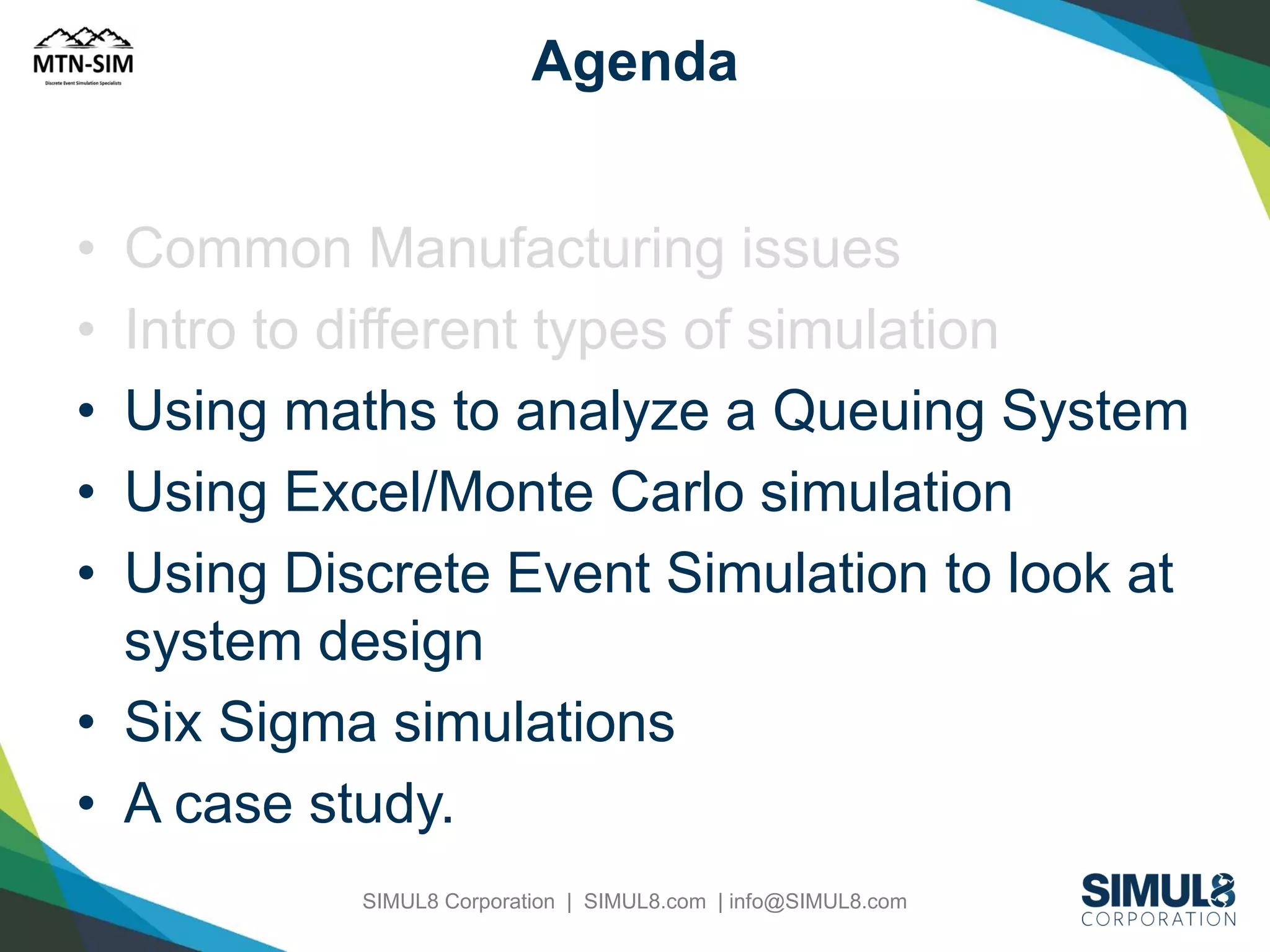
Agenda
•
•
•
•
•

Common Manufacturing issues
Intro to different types of simulation
Using maths to analyze a Queuing System
Using Excel/Monte Carlo simulation
Using Discrete Event Simulation to look at
system design
• Six Sigma simulations
• A case study.
SIMUL8 Corporation | SIMUL8.com | info@SIMUL8.com
Manufacturing Dilemma

• Any product development process
involves extensive prototyping;
• Yet, costly manufacturing production
systems are typically not prototyped

SIMUL8 Corporation | SIMUL8.com | info@SIMUL8.com
Simulation in Manufacturing

• System Design
• Operational Procedures
• Performance Evaluation

SIMUL8 Corporation | SIMUL8.com | info@SIMUL8.com
System Design

•
•
•
•
•
•
•

Plant Layout
Effects of introducing new equipment
Location and sizing of inventory buffers
Location of inspection stations
Optimal number of carriers, pallets
Resource planning
Protective capacity planning
Biggest Bang for the Dollar!
Contains Operational Procedures &
Performance Metrics.
SIMUL8 Corporation | SIMUL8.com | info@SIMUL8.com
Operational Procedures
• Production Scheduling - Choice of scheduling
and dispatching rules
• Control strategies for material handling
equipment
• Shift patterns and planned downtime
• Impact of product variety and mix
• Inventory Analysis
• Preventative maintenance on equipment
availability
Continuous Improvement

SIMUL8 Corporation | SIMUL8.com | info@SIMUL8.com
Performance Evaluation

• Throughput Analysis (capacity of the
system, identification of bottlenecks); Jobs
per Hour
• Time-in-System Analysis
• Assessment of Work-in-process (WIP)
levels
• Setting performance measure standards;
OEE
If you can measure it, you can manage it!
SIMUL8 Corporation | SIMUL8.com | info@SIMUL8.com
Agenda
•
•
•
•
•

Common Manufacturing issues
Intro to different types of simulation
Using maths to analyze a Queuing System
Using Excel/Monte Carlo simulation
Using Discrete Event Simulation to look at
system design
• Six Sigma simulations
• A case study.
SIMUL8 Corporation | SIMUL8.com | info@SIMUL8.com
Why Simulation?

•
•
•
•
•

Competition drives the following:
Leaner production environment
Shorter product development cycles
Narrower profit margins
Flexible Manufacturing (1 Facility, 1
Process, Multiple Models)

SIMUL8 Corporation | SIMUL8.com | info@SIMUL8.com
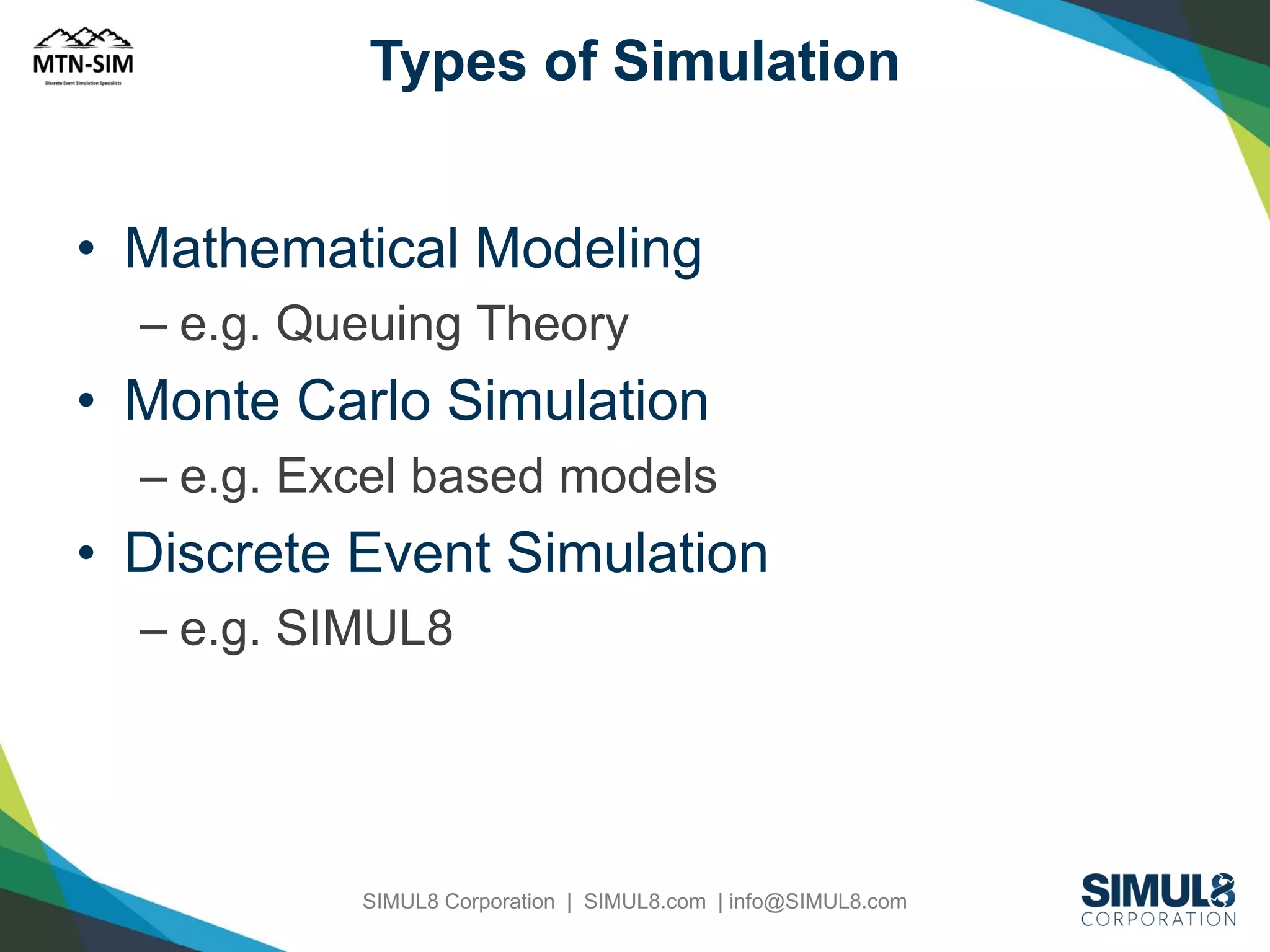
Types of Simulation

• Mathematical Modeling
– e.g. Queuing Theory

• Monte Carlo Simulation
– e.g. Excel based models

• Discrete Event Simulation
– e.g. SIMUL8

SIMUL8 Corporation | SIMUL8.com | info@SIMUL8.com
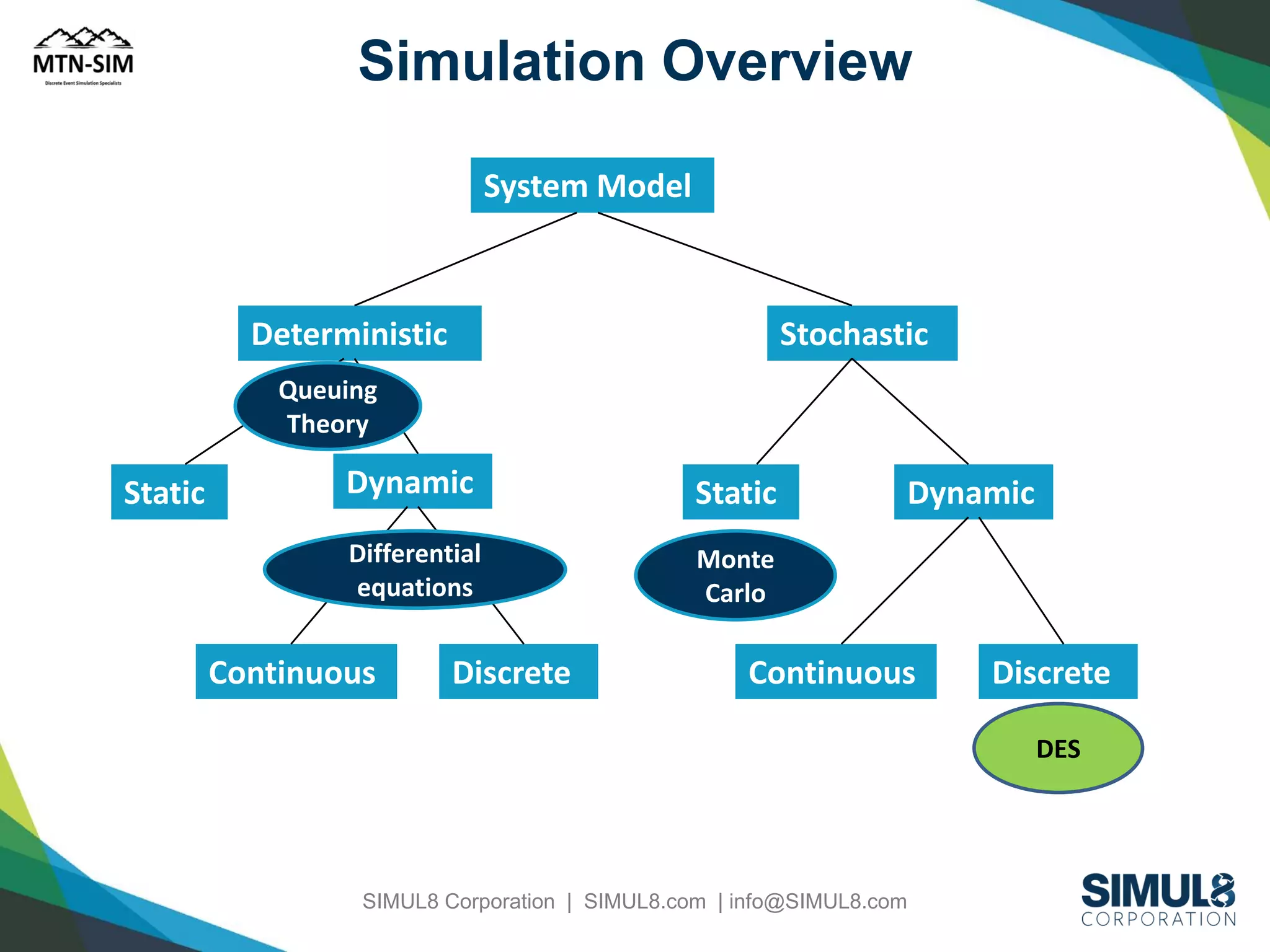
Simulation Overview
System Model

Deterministic

Stochastic

Queuing
Theory

Static

Dynamic

Static

Differential
equations

Monte
Carlo

Continuous

Discrete

Dynamic

Continuous

Discrete
DES

SIMUL8 Corporation | SIMUL8.com | info@SIMUL8.com
Agenda
•
•
•
•
•

Common Manufacturing issues
Intro to different types of simulation
Using maths to analyze a Queuing System
Using Excel/Monte Carlo simulation
Using Discrete Event Simulation to look at
system design
• Six Sigma simulations
• A case study.
SIMUL8 Corporation | SIMUL8.com | info@SIMUL8.com
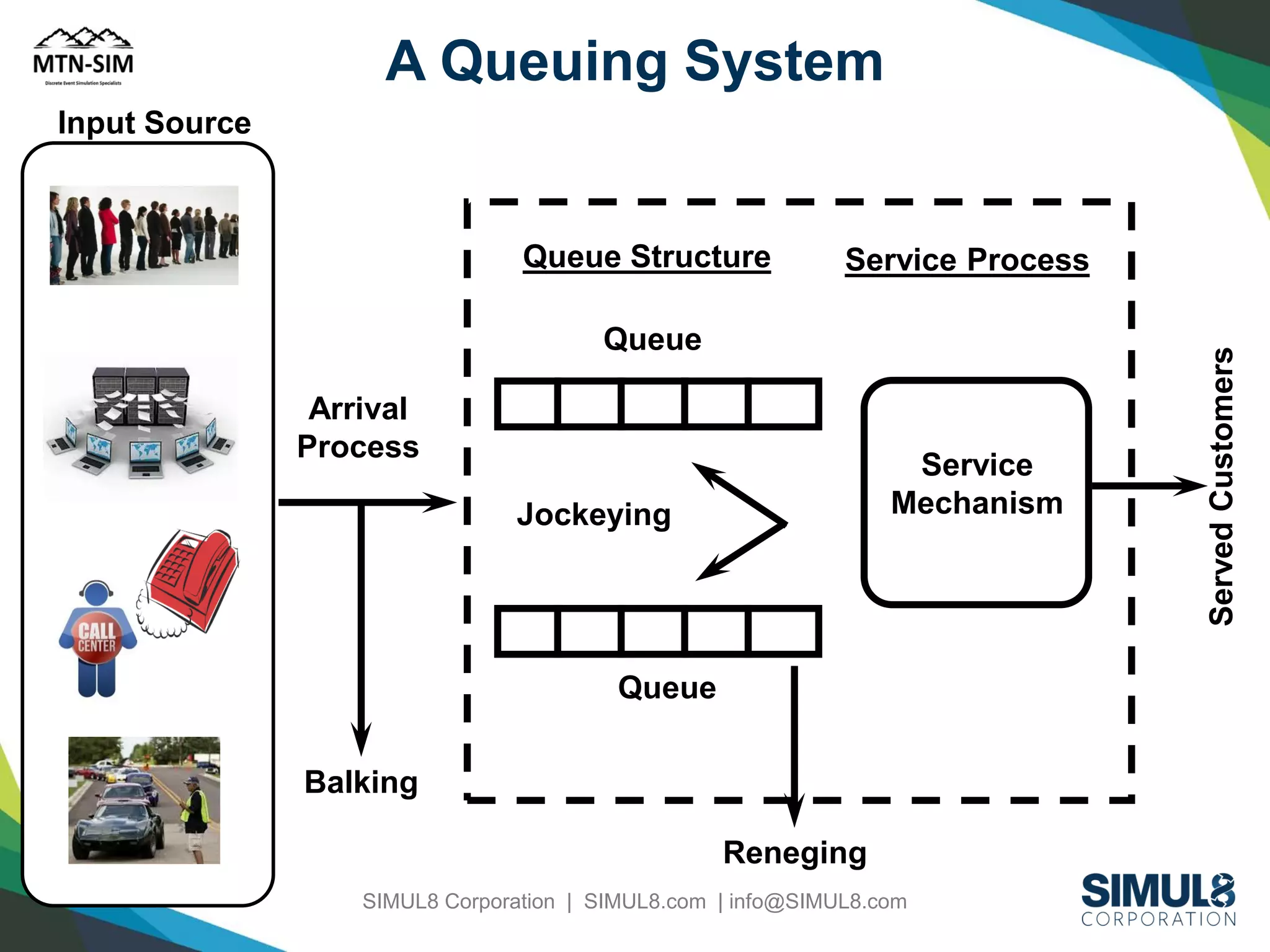
A Queuing System
Input Source

Service Process

Queue
Arrival
Process

Service
Mechanism

Jockeying

Queue
Balking
Reneging
SIMUL8 Corporation | SIMUL8.com | info@SIMUL8.com

Served Customers

Queue Structure
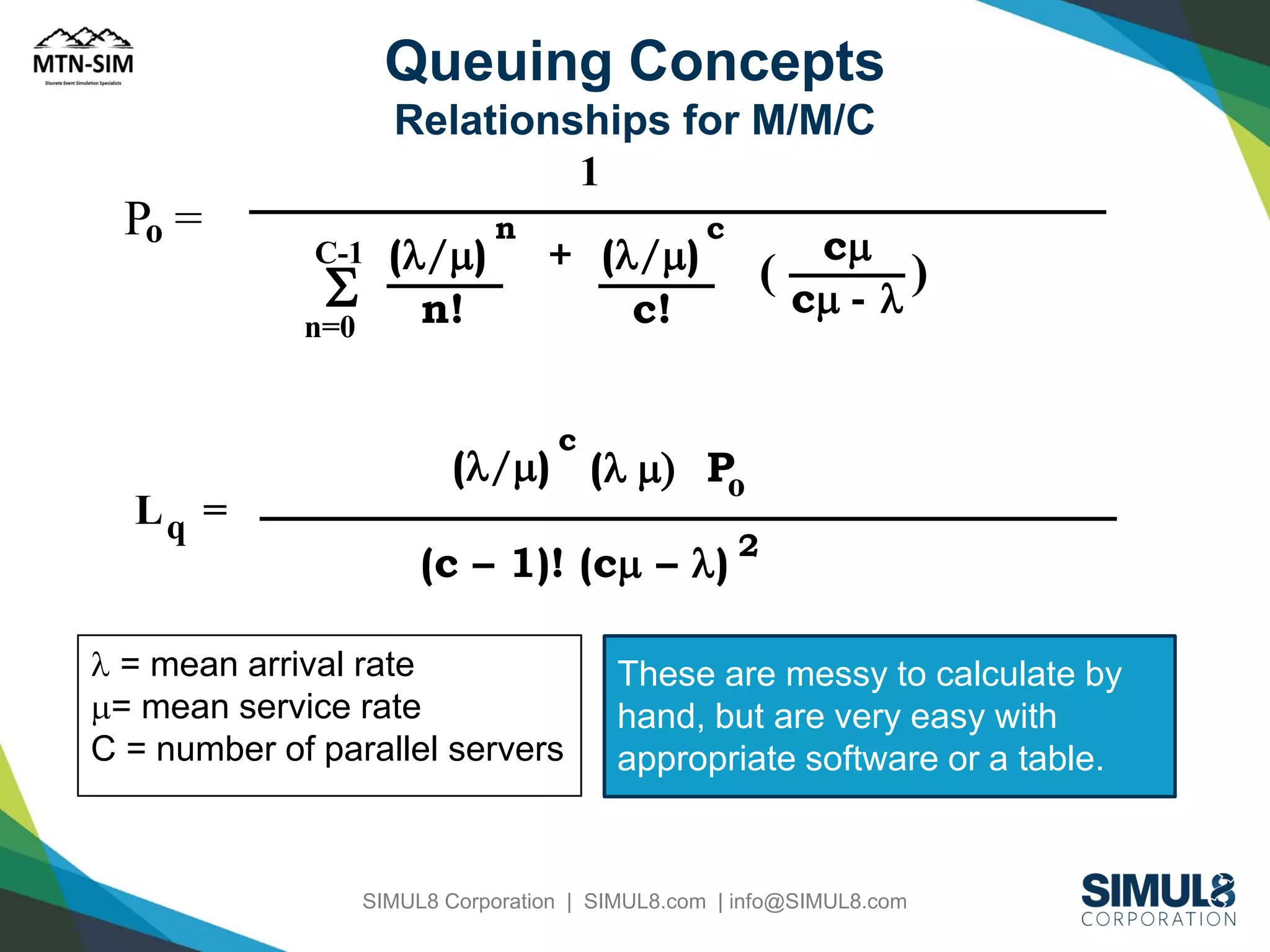
Queuing Concepts
Relationships for M/M/C
1

Po =

C-1

S

n=0

(l/m)
n!

n

+ (l/m)
c!

c

cm
(
)
cm - l

c

Lq =

(l/m) (l m) Po
(c – 1)! (cm – l) 2

l = mean arrival rate
m= mean service rate
C = number of parallel servers

These are messy to calculate by
hand, but are very easy with
appropriate software or a table.

SIMUL8 Corporation | SIMUL8.com | info@SIMUL8.com
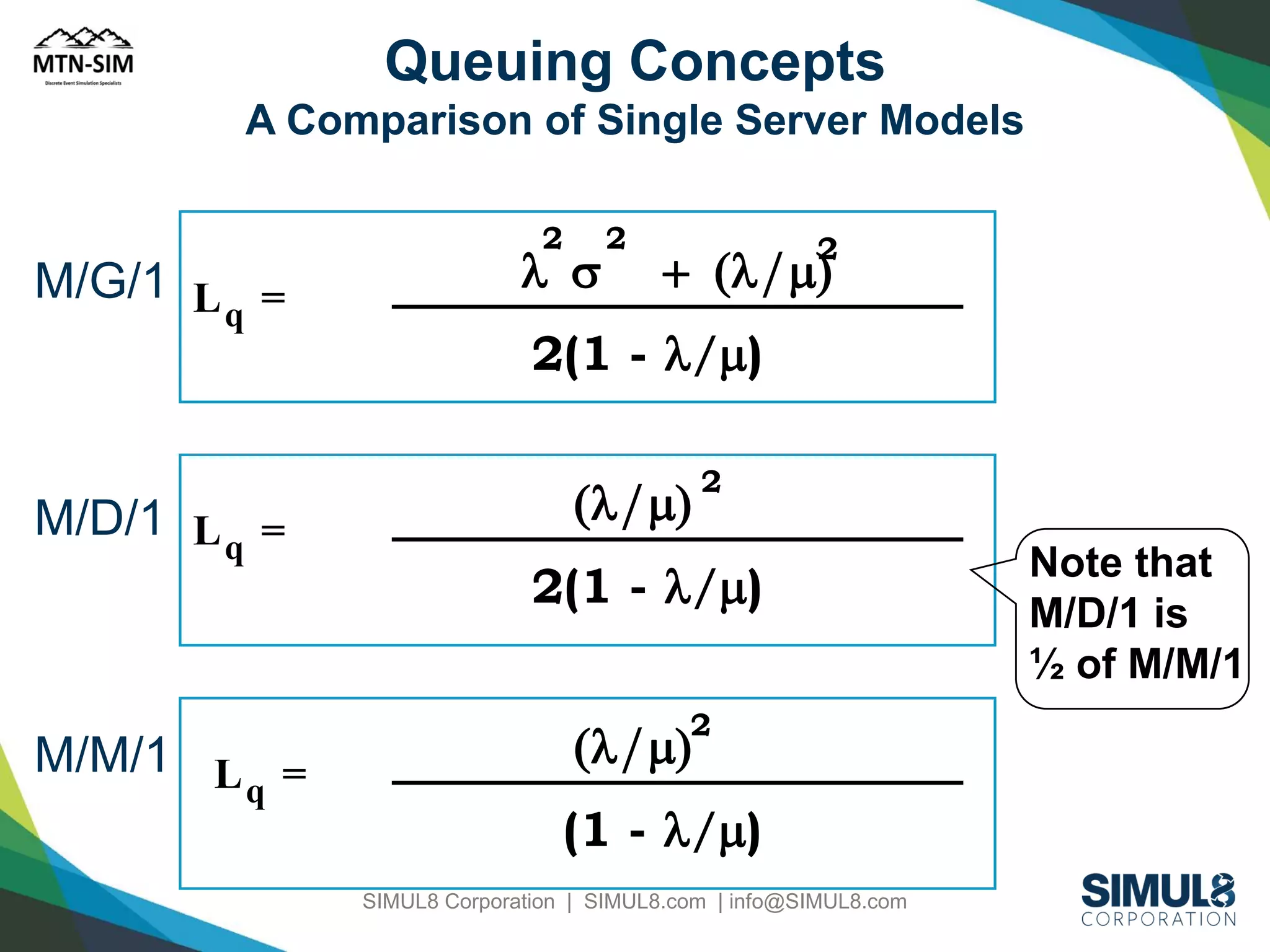
Queuing Concepts
A Comparison of Single Server Models
2

M/G/1 L =
q

M/D/1 L q =

M/M/1 L =
q

l s

2

2

+ (l/m)

2(1 - l/m)

(l/m)

2

2(1 - l/m)
2

(l/m)

(1 - l/m)
SIMUL8 Corporation | SIMUL8.com | info@SIMUL8.com

Note that
M/D/1 is
½ of M/M/1
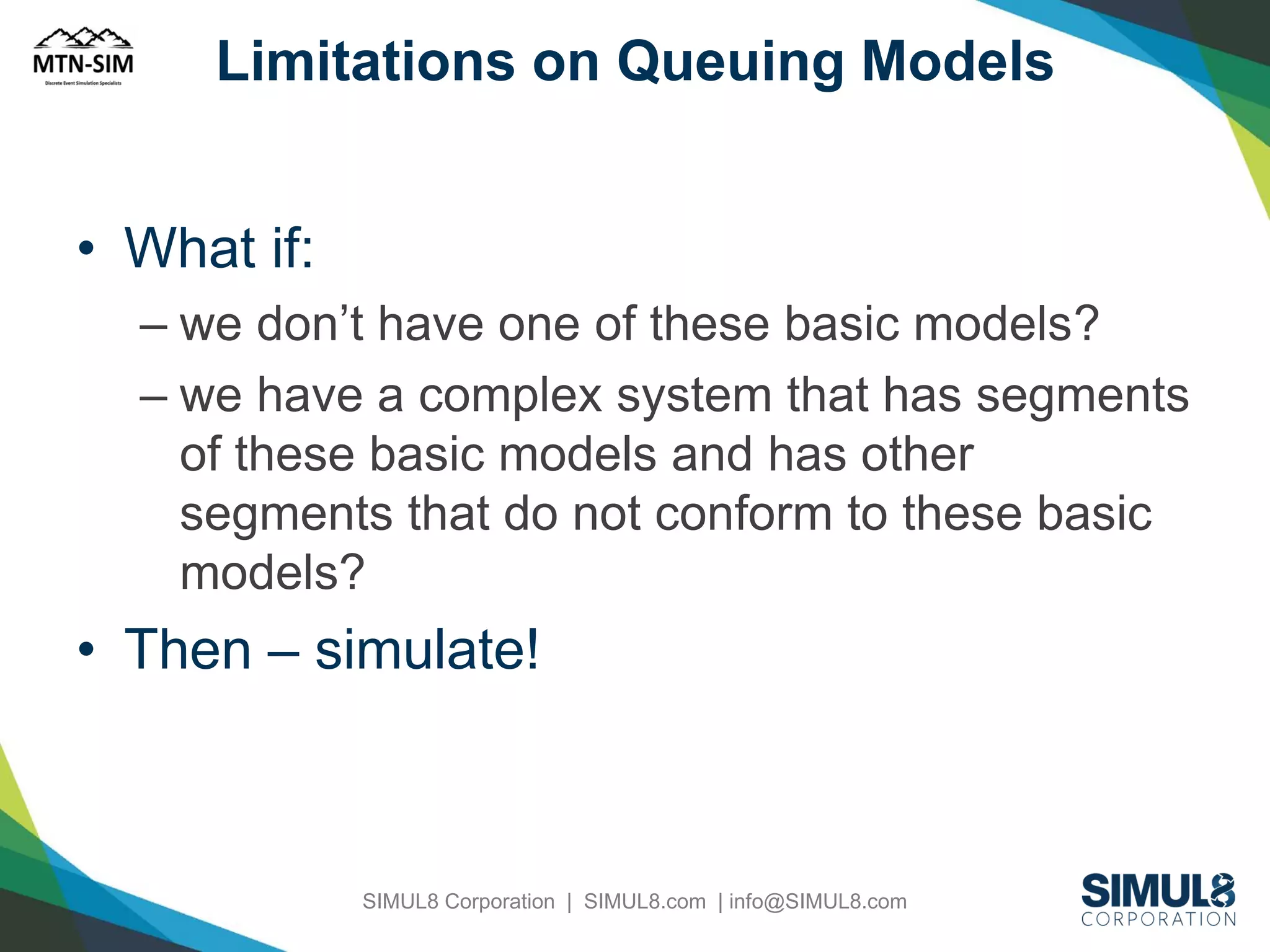
Limitations on Queuing Models

• What if:
– we don’t have one of these basic models?
– we have a complex system that has segments
of these basic models and has other
segments that do not conform to these basic
models?

• Then – simulate!

SIMUL8 Corporation | SIMUL8.com | info@SIMUL8.com
Excel Based Simulations
• Uses Data Table functions
• Each Row might be one iteration of a simulation
• Each Col is a random variable generated in the
simulation
• RAND(), VLOOKUP(), COUNTIF(), NORMINV()
• Calculation & Iteration
• >>> Using VBA to bring in Probability functions

SIMUL8 Corporation | SIMUL8.com | info@SIMUL8.com
Monte Carlo Simulation
• Named after the gaming tables of Monte Carlo
• Also referred to as a Static Simulation Model in
that it is a representation of a system at a
particular point in time
• In contrast, a Dynamic Simulation is a
representation of a system as it evolves over
time
• Might be accomplished using Excel and the
Random()
SIMUL8 Corporation | SIMUL8.com | info@SIMUL8.com
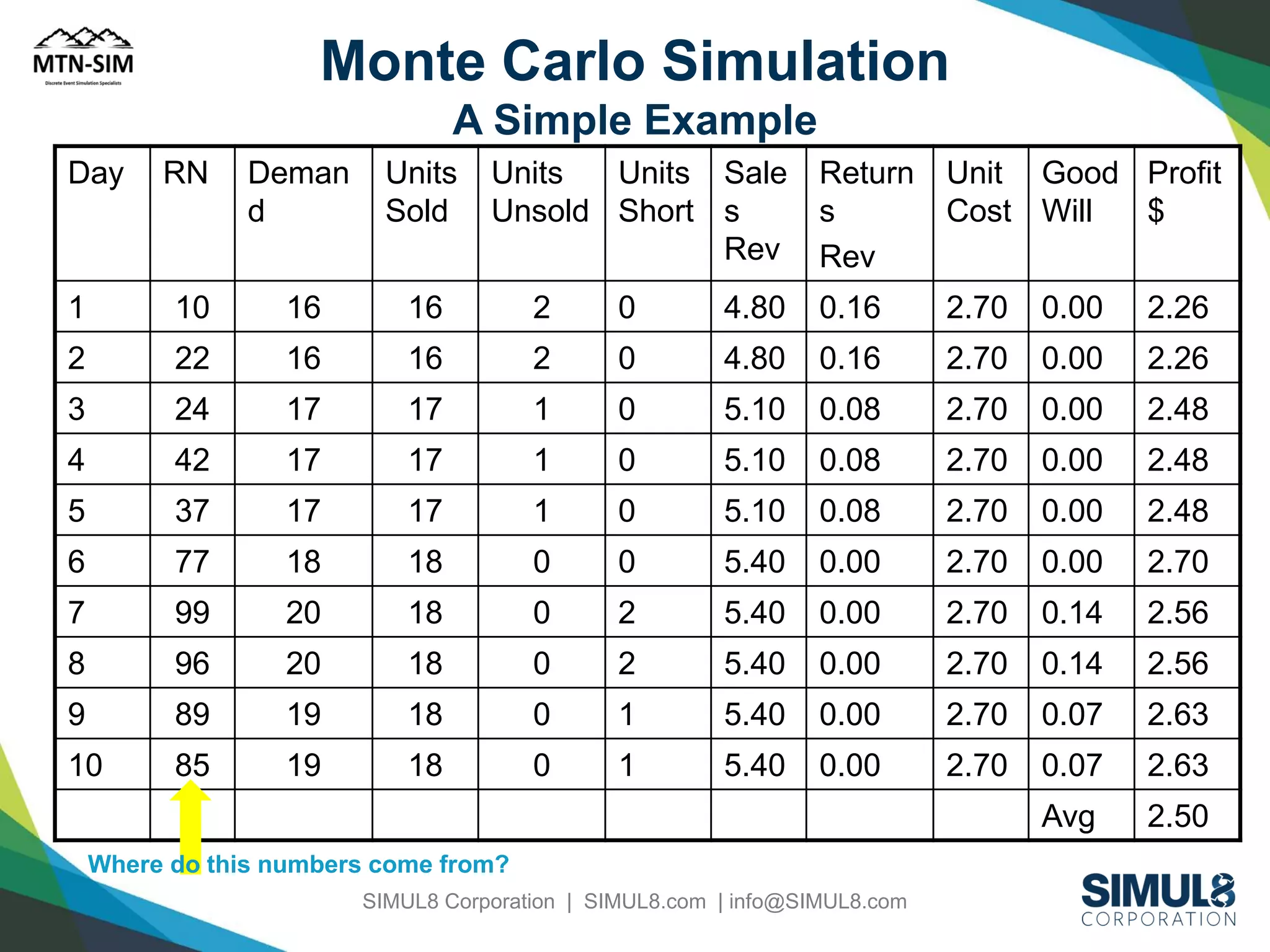
Monte Carlo Simulation
A Simple Example
Day

RN

Deman
d

Units
Sold

Units
Units Sale
Unsold Short s
Rev

Return
s
Rev

Unit Good Profit
Cost Will
$

1

10

16

16

2

0

4.80

0.16

2.70

0.00

2.26

2

22

16

16

2

0

4.80

0.16

2.70

0.00

2.26

3

24

17

17

1

0

5.10

0.08

2.70

0.00

2.48

4

42

17

17

1

0

5.10

0.08

2.70

0.00

2.48

5

37

17

17

1

0

5.10

0.08

2.70

0.00

2.48

6

77

18

18

0

0

5.40

0.00

2.70

0.00

2.70

7

99

20

18

0

2

5.40

0.00

2.70

0.14

2.56

8

96

20

18

0

2

5.40

0.00

2.70

0.14

2.56

9

89

19

18

0

1

5.40

0.00

2.70

0.07

2.63

10

85

19

18

0

1

5.40

0.00

2.70

0.07

2.63

Avg

2.50

Where do this numbers come from?
SIMUL8 Corporation | SIMUL8.com | info@SIMUL8.com
Limitations & Disadvantages

• Stochastic, but static! Usually the time
evolution of a manufacturing system is
significant!
• Excel based models, soon start to use
VBA, and become very complicated
• Might require 1000’s of iterations; Data
Tables become slow
• Difficult to communicate results to
management.
SIMUL8 Corporation | SIMUL8.com | info@SIMUL8.com
Agenda
•
•
•
•
•

Common Manufacturing issues
Intro to different types of simulation
Using maths to analyze a Queuing System
Using Excel/Monte Carlo simulation
Using Discrete Event Simulation to look at
system design
• Six Sigma simulations
• A case study.
SIMUL8 Corporation | SIMUL8.com | info@SIMUL8.com
Benefits of using DES Simulation
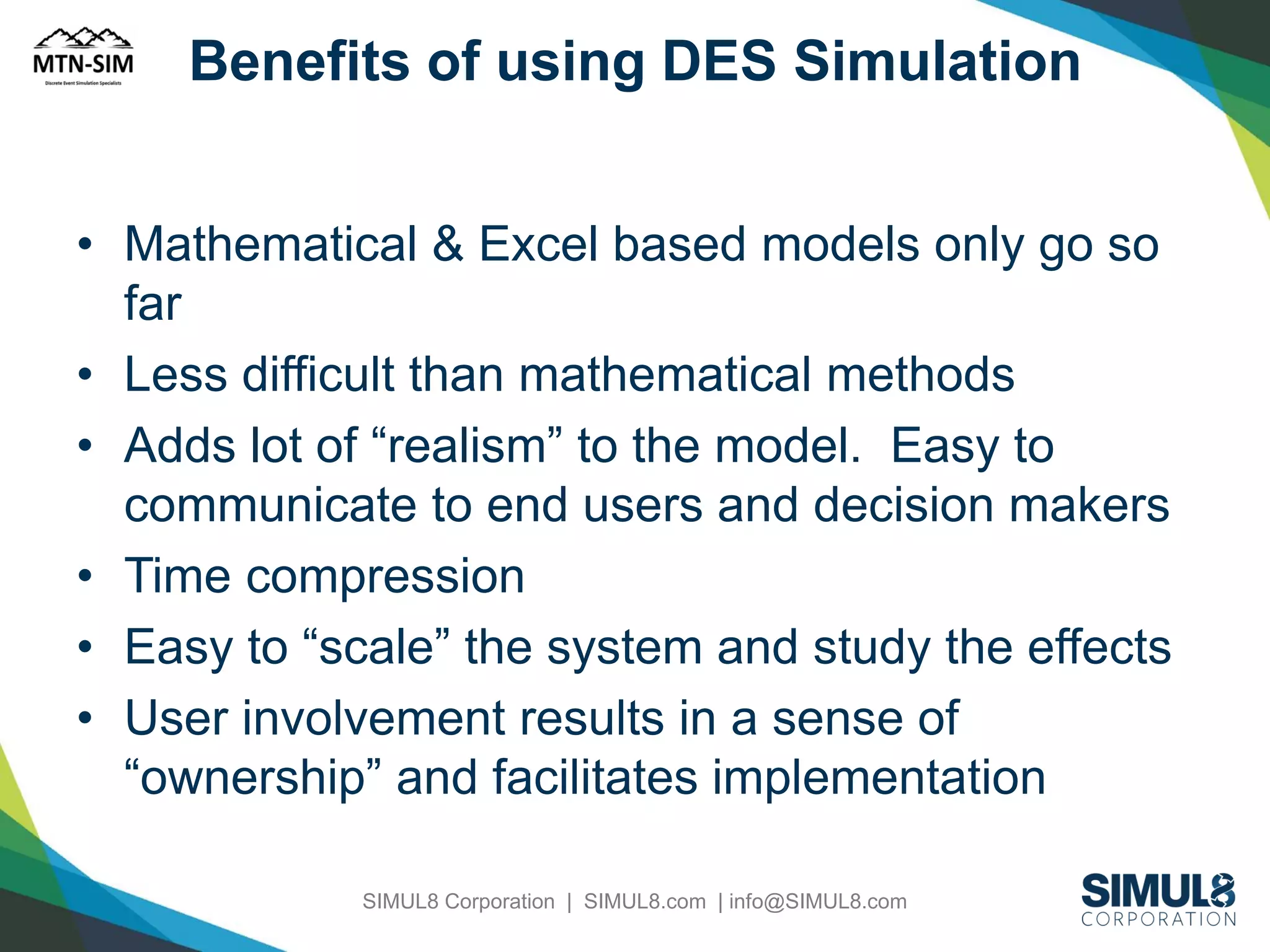
• Mathematical & Excel based models only go so
far
• Less difficult than mathematical methods
• Adds lot of “realism” to the model. Easy to
communicate to end users and decision makers
• Time compression
• Easy to “scale” the system and study the effects
• User involvement results in a sense of
“ownership” and facilitates implementation
SIMUL8 Corporation | SIMUL8.com | info@SIMUL8.com
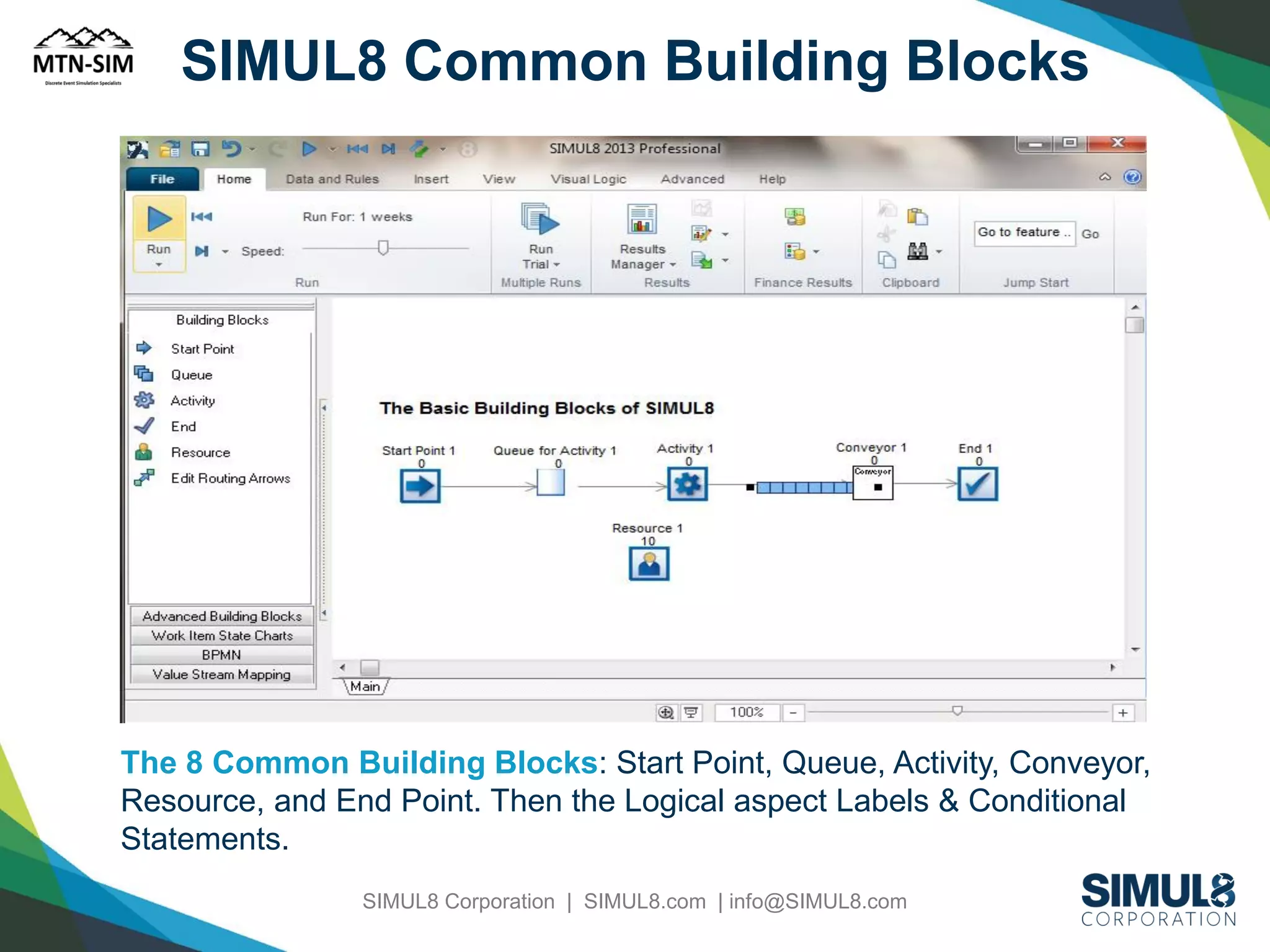
SIMUL8 Common Building Blocks

The 8 Common Building Blocks: Start Point, Queue, Activity, Conveyor,
Resource, and End Point. Then the Logical aspect Labels & Conditional
Statements.
SIMUL8 Corporation | SIMUL8.com | info@SIMUL8.com
8 is all you Need
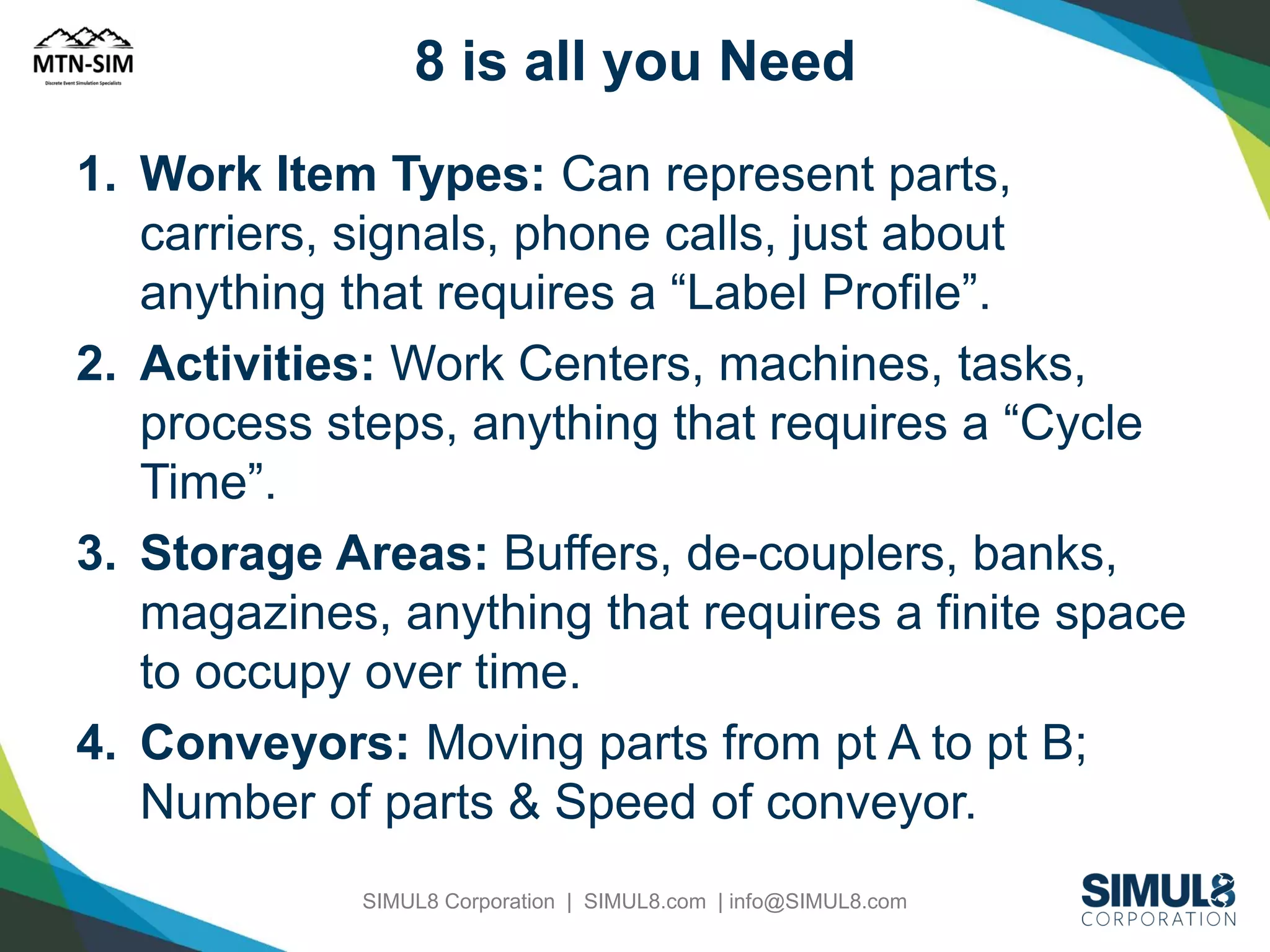
1. Work Item Types: Can represent parts,
carriers, signals, phone calls, just about
anything that requires a “Label Profile”.
2. Activities: Work Centers, machines, tasks,
process steps, anything that requires a “Cycle
Time”.
3. Storage Areas: Buffers, de-couplers, banks,
magazines, anything that requires a finite space
to occupy over time.
4. Conveyors: Moving parts from pt A to pt B;
Number of parts & Speed of conveyor.
SIMUL8 Corporation | SIMUL8.com | info@SIMUL8.com
…8 is all you Need…
5. Resources: Manpower, crews, forklifts, tugs;
anything that require a certain resource to be
present.
6. End Pt: Keep track of statistics and free
memory!
7. Labels: The attributes of a Work Item.
8. Visual Logic: The ability to create conditional
statements; variables, loops, commands &
functions.

SIMUL8 Corporation | SIMUL8.com | info@SIMUL8.com
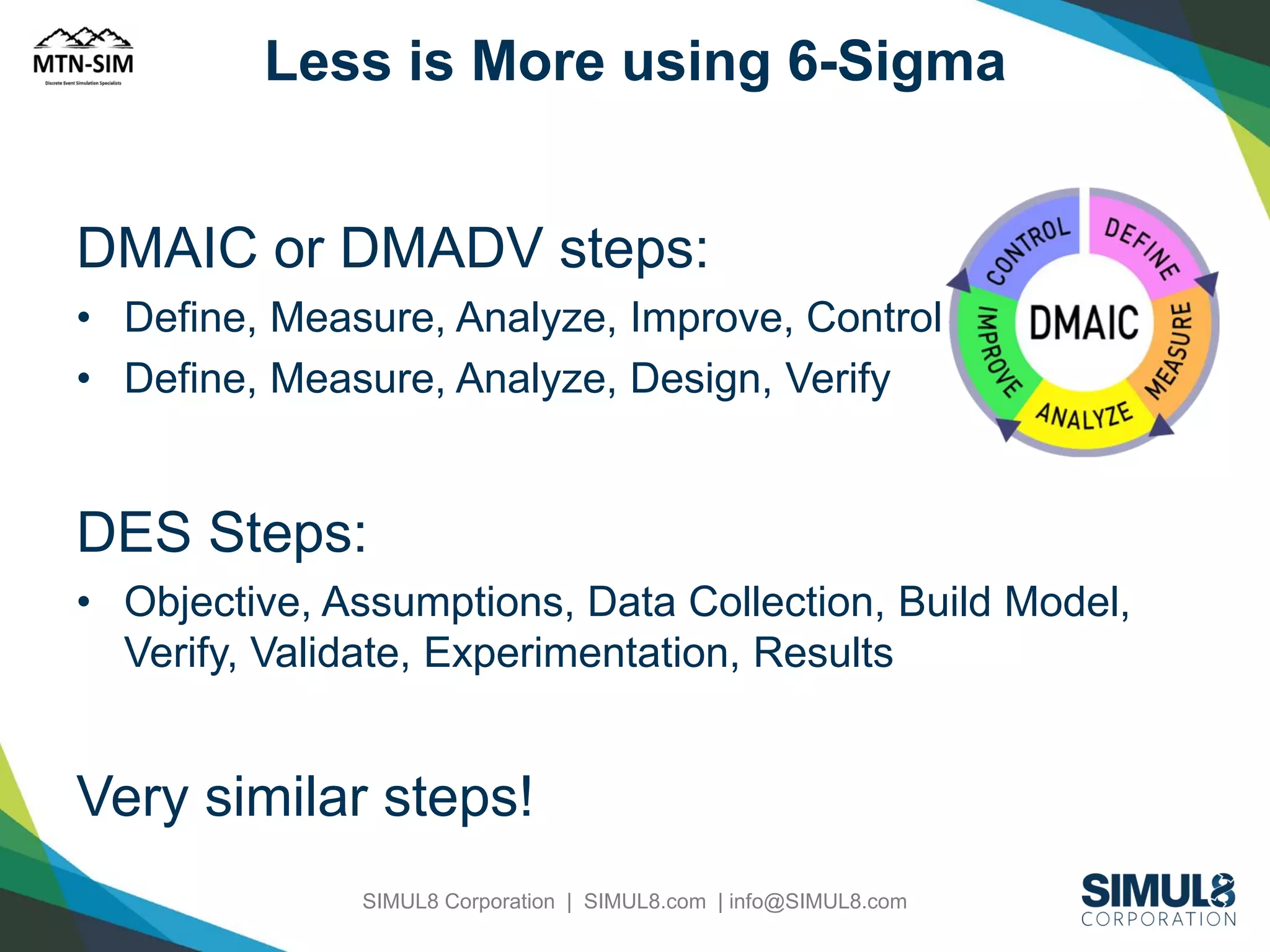
Less is More using 6-Sigma

DMAIC or DMADV steps:
• Define, Measure, Analyze, Improve, Control
• Define, Measure, Analyze, Design, Verify

DES Steps:
• Objective, Assumptions, Data Collection, Build Model,
Verify, Validate, Experimentation, Results

Very similar steps!
SIMUL8 Corporation | SIMUL8.com | info@SIMUL8.com

When Should I use Simulation?

  • 1.
    When should Iuse simulation? Prof. Brian Harrington
  • 2.
    Agenda • • • • • Common Manufacturing issues Introto different types of simulation Using maths to analyze a Queuing System Using Excel/Monte Carlo simulation Using Discrete Event Simulation to look at system design • Six Sigma simulations • A case study. SIMUL8 Corporation | SIMUL8.com | info@SIMUL8.com
  • 3.
    Manufacturing Dilemma • Anyproduct development process involves extensive prototyping; • Yet, costly manufacturing production systems are typically not prototyped SIMUL8 Corporation | SIMUL8.com | info@SIMUL8.com
  • 4.
    Simulation in Manufacturing •System Design • Operational Procedures • Performance Evaluation SIMUL8 Corporation | SIMUL8.com | info@SIMUL8.com
  • 5.
    System Design • • • • • • • Plant Layout Effectsof introducing new equipment Location and sizing of inventory buffers Location of inspection stations Optimal number of carriers, pallets Resource planning Protective capacity planning Biggest Bang for the Dollar! Contains Operational Procedures & Performance Metrics. SIMUL8 Corporation | SIMUL8.com | info@SIMUL8.com
  • 6.
    Operational Procedures • ProductionScheduling - Choice of scheduling and dispatching rules • Control strategies for material handling equipment • Shift patterns and planned downtime • Impact of product variety and mix • Inventory Analysis • Preventative maintenance on equipment availability Continuous Improvement SIMUL8 Corporation | SIMUL8.com | info@SIMUL8.com
  • 7.
    Performance Evaluation • ThroughputAnalysis (capacity of the system, identification of bottlenecks); Jobs per Hour • Time-in-System Analysis • Assessment of Work-in-process (WIP) levels • Setting performance measure standards; OEE If you can measure it, you can manage it! SIMUL8 Corporation | SIMUL8.com | info@SIMUL8.com
  • 8.
    Agenda • • • • • Common Manufacturing issues Introto different types of simulation Using maths to analyze a Queuing System Using Excel/Monte Carlo simulation Using Discrete Event Simulation to look at system design • Six Sigma simulations • A case study. SIMUL8 Corporation | SIMUL8.com | info@SIMUL8.com
  • 9.
    Why Simulation? • • • • • Competition drivesthe following: Leaner production environment Shorter product development cycles Narrower profit margins Flexible Manufacturing (1 Facility, 1 Process, Multiple Models) SIMUL8 Corporation | SIMUL8.com | info@SIMUL8.com
  • 10.
    Types of Simulation •Mathematical Modeling – e.g. Queuing Theory • Monte Carlo Simulation – e.g. Excel based models • Discrete Event Simulation – e.g. SIMUL8 SIMUL8 Corporation | SIMUL8.com | info@SIMUL8.com
  • 11.
  • 12.
    Agenda • • • • • Common Manufacturing issues Introto different types of simulation Using maths to analyze a Queuing System Using Excel/Monte Carlo simulation Using Discrete Event Simulation to look at system design • Six Sigma simulations • A case study. SIMUL8 Corporation | SIMUL8.com | info@SIMUL8.com
  • 13.
    A Queuing System InputSource Service Process Queue Arrival Process Service Mechanism Jockeying Queue Balking Reneging SIMUL8 Corporation | SIMUL8.com | info@SIMUL8.com Served Customers Queue Structure
  • 14.
    Queuing Concepts Relationships forM/M/C 1 Po = C-1 S n=0 (l/m) n! n + (l/m) c! c cm ( ) cm - l c Lq = (l/m) (l m) Po (c – 1)! (cm – l) 2 l = mean arrival rate m= mean service rate C = number of parallel servers These are messy to calculate by hand, but are very easy with appropriate software or a table. SIMUL8 Corporation | SIMUL8.com | info@SIMUL8.com
  • 15.
    Queuing Concepts A Comparisonof Single Server Models 2 M/G/1 L = q M/D/1 L q = M/M/1 L = q l s 2 2 + (l/m) 2(1 - l/m) (l/m) 2 2(1 - l/m) 2 (l/m) (1 - l/m) SIMUL8 Corporation | SIMUL8.com | info@SIMUL8.com Note that M/D/1 is ½ of M/M/1
  • 16.
    Limitations on QueuingModels • What if: – we don’t have one of these basic models? – we have a complex system that has segments of these basic models and has other segments that do not conform to these basic models? • Then – simulate! SIMUL8 Corporation | SIMUL8.com | info@SIMUL8.com
  • 17.
    Excel Based Simulations •Uses Data Table functions • Each Row might be one iteration of a simulation • Each Col is a random variable generated in the simulation • RAND(), VLOOKUP(), COUNTIF(), NORMINV() • Calculation & Iteration • >>> Using VBA to bring in Probability functions SIMUL8 Corporation | SIMUL8.com | info@SIMUL8.com
  • 18.
    Monte Carlo Simulation •Named after the gaming tables of Monte Carlo • Also referred to as a Static Simulation Model in that it is a representation of a system at a particular point in time • In contrast, a Dynamic Simulation is a representation of a system as it evolves over time • Might be accomplished using Excel and the Random() SIMUL8 Corporation | SIMUL8.com | info@SIMUL8.com
  • 19.
    Monte Carlo Simulation ASimple Example Day RN Deman d Units Sold Units Units Sale Unsold Short s Rev Return s Rev Unit Good Profit Cost Will $ 1 10 16 16 2 0 4.80 0.16 2.70 0.00 2.26 2 22 16 16 2 0 4.80 0.16 2.70 0.00 2.26 3 24 17 17 1 0 5.10 0.08 2.70 0.00 2.48 4 42 17 17 1 0 5.10 0.08 2.70 0.00 2.48 5 37 17 17 1 0 5.10 0.08 2.70 0.00 2.48 6 77 18 18 0 0 5.40 0.00 2.70 0.00 2.70 7 99 20 18 0 2 5.40 0.00 2.70 0.14 2.56 8 96 20 18 0 2 5.40 0.00 2.70 0.14 2.56 9 89 19 18 0 1 5.40 0.00 2.70 0.07 2.63 10 85 19 18 0 1 5.40 0.00 2.70 0.07 2.63 Avg 2.50 Where do this numbers come from? SIMUL8 Corporation | SIMUL8.com | info@SIMUL8.com
  • 20.
    Limitations & Disadvantages •Stochastic, but static! Usually the time evolution of a manufacturing system is significant! • Excel based models, soon start to use VBA, and become very complicated • Might require 1000’s of iterations; Data Tables become slow • Difficult to communicate results to management. SIMUL8 Corporation | SIMUL8.com | info@SIMUL8.com
  • 21.
    Agenda • • • • • Common Manufacturing issues Introto different types of simulation Using maths to analyze a Queuing System Using Excel/Monte Carlo simulation Using Discrete Event Simulation to look at system design • Six Sigma simulations • A case study. SIMUL8 Corporation | SIMUL8.com | info@SIMUL8.com
  • 22.
    Benefits of usingDES Simulation • Mathematical & Excel based models only go so far • Less difficult than mathematical methods • Adds lot of “realism” to the model. Easy to communicate to end users and decision makers • Time compression • Easy to “scale” the system and study the effects • User involvement results in a sense of “ownership” and facilitates implementation SIMUL8 Corporation | SIMUL8.com | info@SIMUL8.com
  • 23.
    SIMUL8 Common BuildingBlocks The 8 Common Building Blocks: Start Point, Queue, Activity, Conveyor, Resource, and End Point. Then the Logical aspect Labels & Conditional Statements. SIMUL8 Corporation | SIMUL8.com | info@SIMUL8.com
  • 24.
    8 is allyou Need 1. Work Item Types: Can represent parts, carriers, signals, phone calls, just about anything that requires a “Label Profile”. 2. Activities: Work Centers, machines, tasks, process steps, anything that requires a “Cycle Time”. 3. Storage Areas: Buffers, de-couplers, banks, magazines, anything that requires a finite space to occupy over time. 4. Conveyors: Moving parts from pt A to pt B; Number of parts & Speed of conveyor. SIMUL8 Corporation | SIMUL8.com | info@SIMUL8.com
  • 25.
    …8 is allyou Need… 5. Resources: Manpower, crews, forklifts, tugs; anything that require a certain resource to be present. 6. End Pt: Keep track of statistics and free memory! 7. Labels: The attributes of a Work Item. 8. Visual Logic: The ability to create conditional statements; variables, loops, commands & functions. SIMUL8 Corporation | SIMUL8.com | info@SIMUL8.com
  • 26.
    Less is Moreusing 6-Sigma DMAIC or DMADV steps: • Define, Measure, Analyze, Improve, Control • Define, Measure, Analyze, Design, Verify DES Steps: • Objective, Assumptions, Data Collection, Build Model, Verify, Validate, Experimentation, Results Very similar steps! SIMUL8 Corporation | SIMUL8.com | info@SIMUL8.com