Form I-9 and E-Verify
Tops Tips for Compliance
www.uscis.gov/I-9Central
Dave Basham
Agenda
 Form I-9
 E-Verify
 Resources
2/20/2018Form I-9 and E-Verify Tips for Compliance 2
Immigrant and Employee Rights Section (IER)
The anti-discrimination provisions of the INA are
enforced by:
Department of Justice
Civil Rights Division
Immigrant and Employee Rights Section
 Employees may contact the Immigrant and Employee Rights Section (IER) to obtain additional
information regarding employment discrimination and employee rights and responsibilities*
1-800-255-7688 (TDD: 1-800-616-5525)
 Employers may also contact IER*
1-800-255-8155 (TDD: 1-800-362-2735)
*callers may remain anonymous
See IER’s “Employer Dos and Don’ts.”
2/20/2018Form I-9 and E-Verify Tips for Compliance 3
Form I-9 Requirements
All U.S. employers must have a Form I-9 on file for all
current employees.
 The revised form has a revision date of July 17, 2017N. As of
September 18, 2017, employers must use this revised form for all
newly hired employees and any necessary reverification.
 Exception: Employers are not required to have Forms I-9 for employees
hired on or before November 6, 1986.
 You may delegate the authority to complete Form I-9 to a responsible
agent, however, you will retain liability for any errors.
2/20/2018Form I-9 and E-Verify Tips for Compliance 4
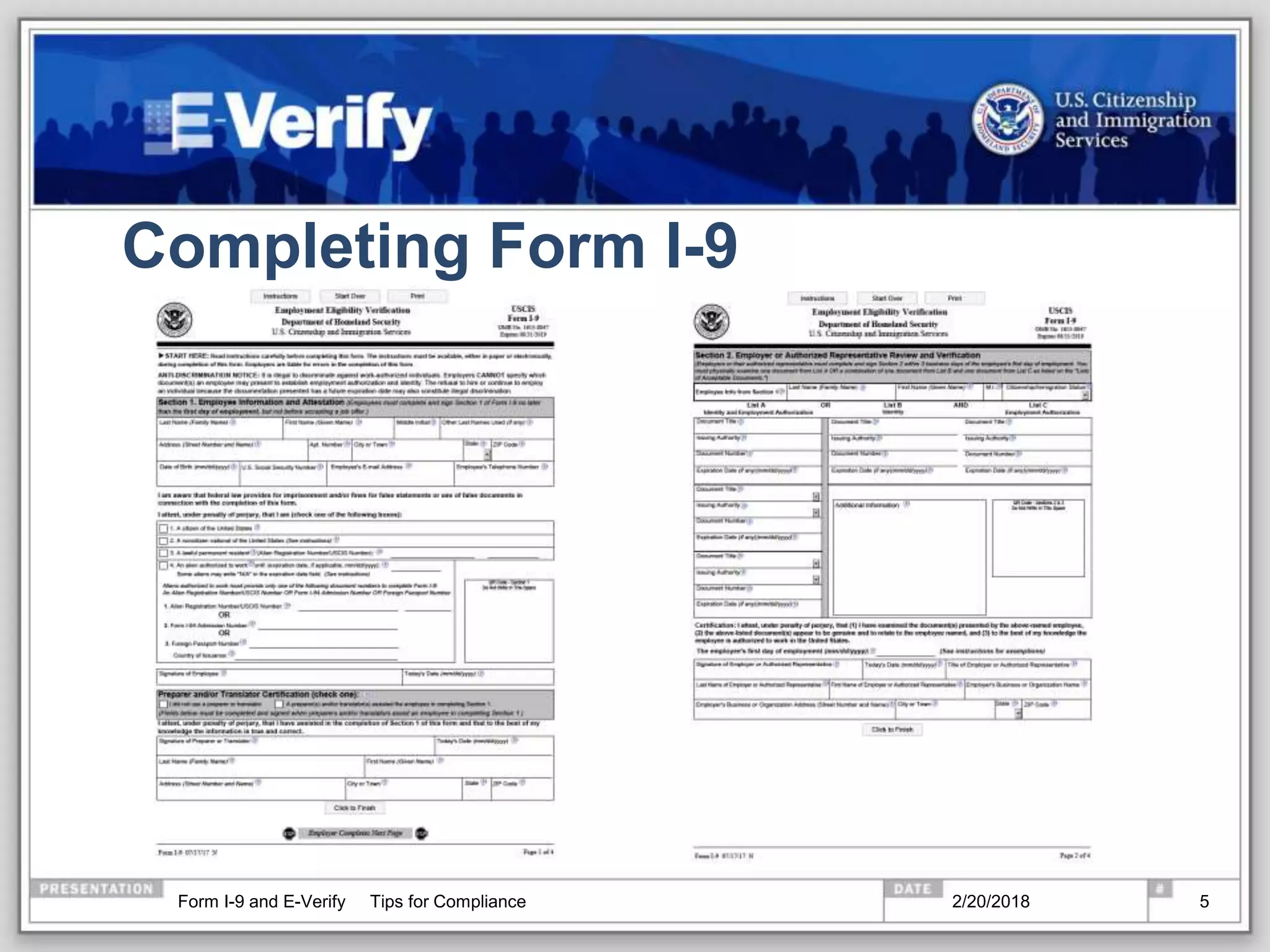
Completing Form I-9
2/20/2018Form I-9 and E-Verify Tips for Compliance 5
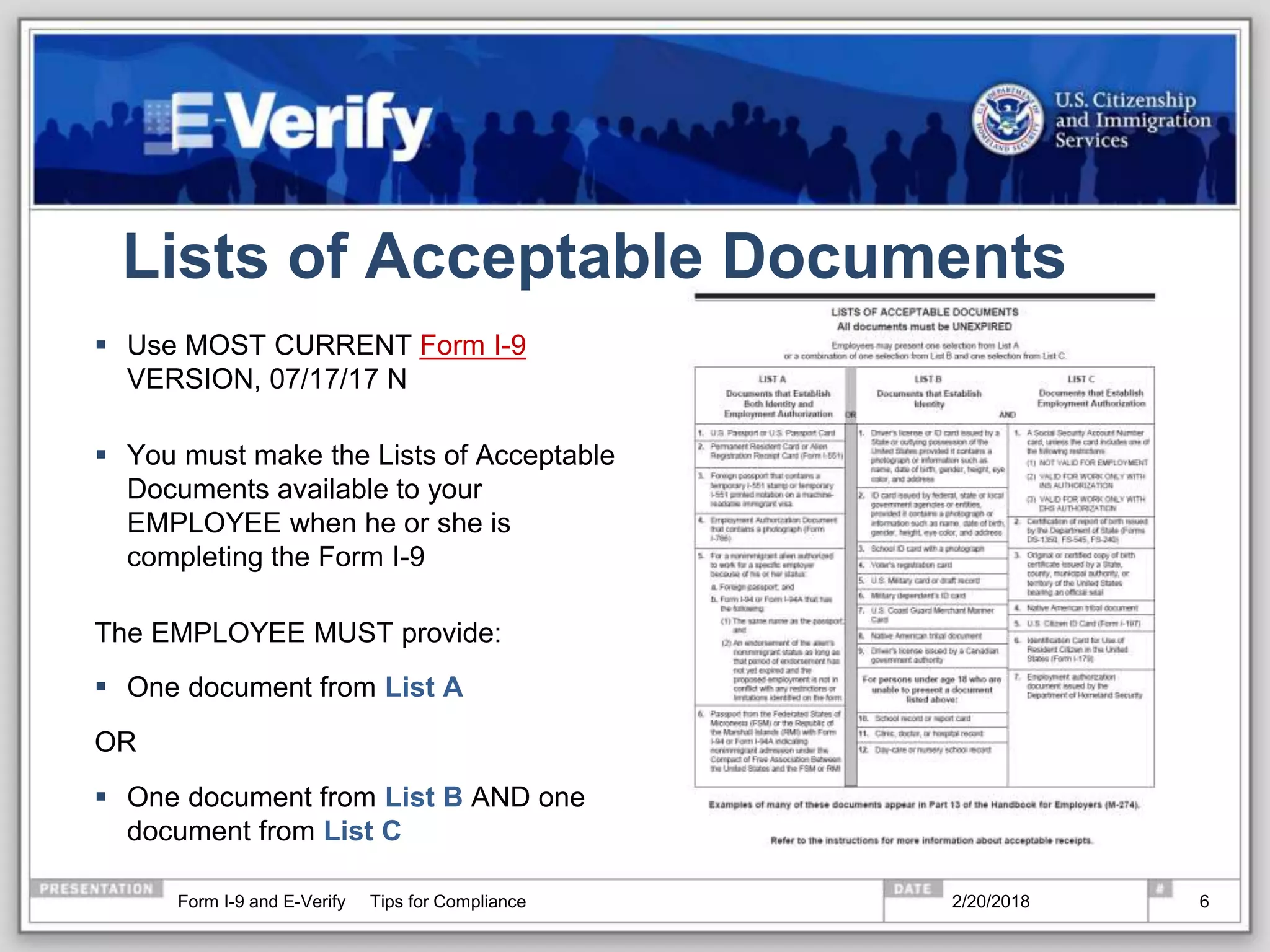
Lists of Acceptable Documents
 Use MOST CURRENT Form I-9
VERSION, 07/17/17 N
 You must make the Lists of Acceptable
Documents available to your
EMPLOYEE when he or she is
completing the Form I-9
The EMPLOYEE MUST provide:
 One document from List A
OR
 One document from List B AND one
document from List C
2/20/2018Form I-9 and E-Verify Tips for Compliance 6
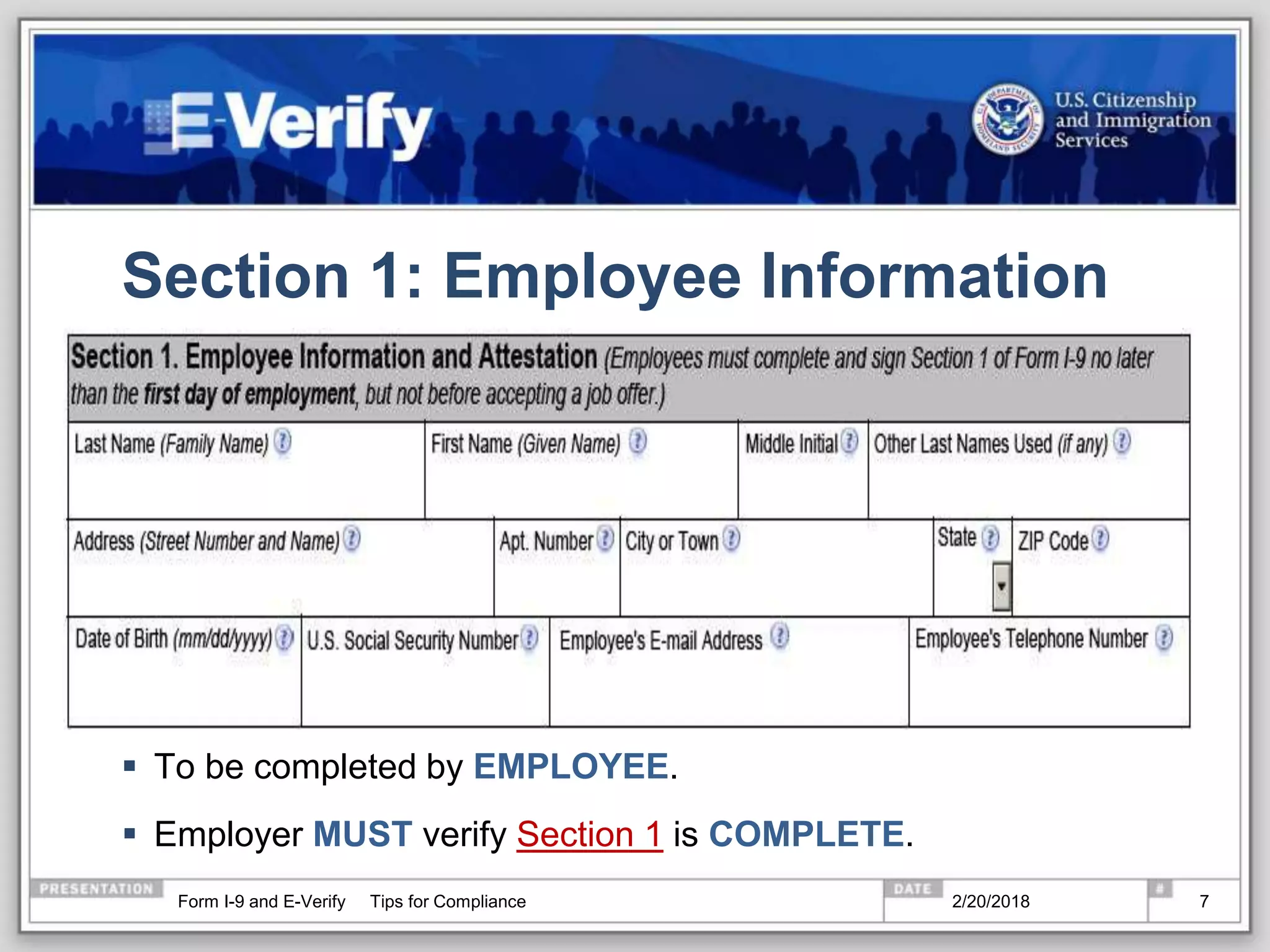
Section 1: Employee Information
 To be completed by EMPLOYEE.
 Employer MUST verify Section 1 is COMPLETE.
2/20/2018Form I-9 and E-Verify Tips for Compliance 7
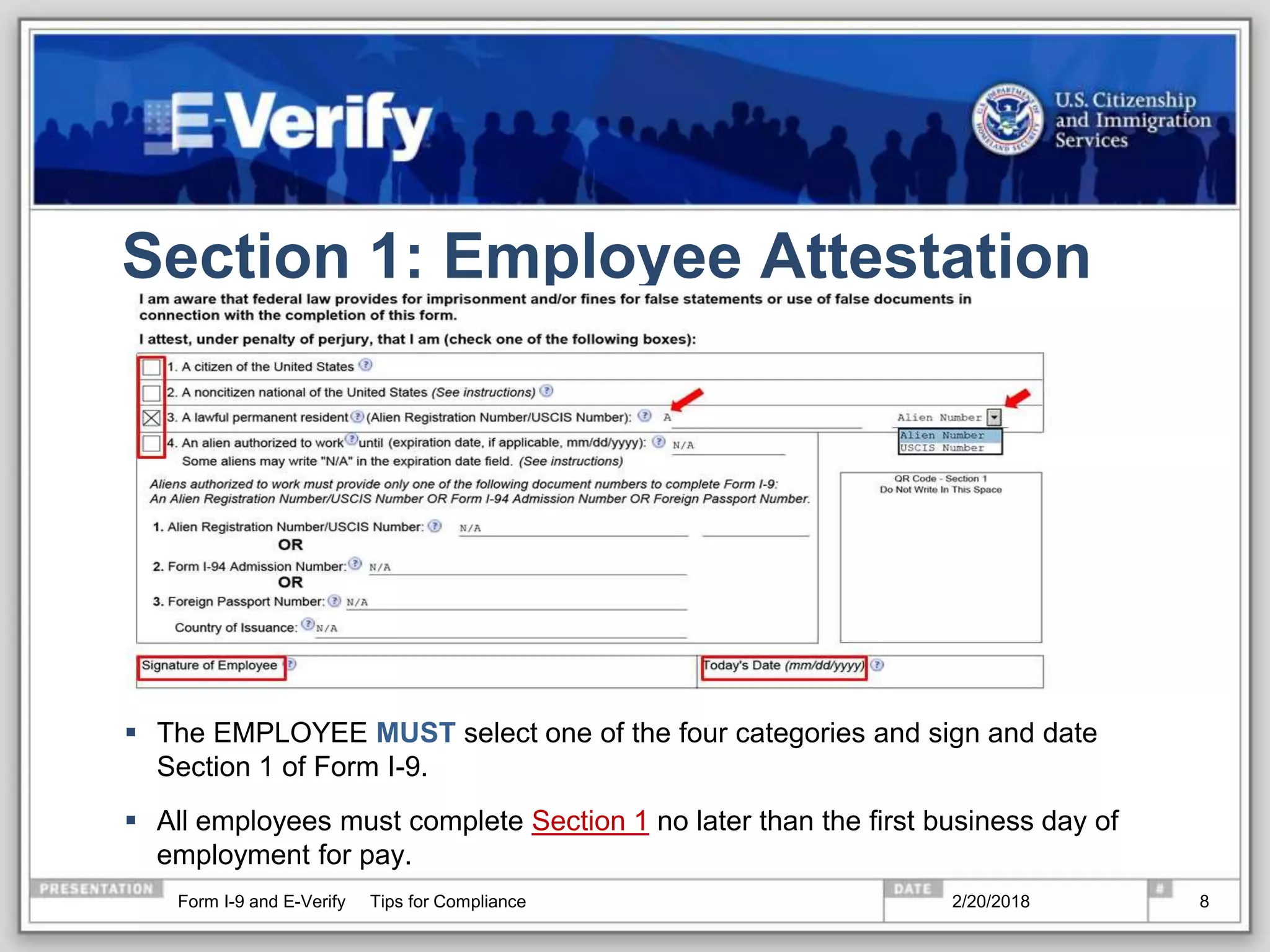
Section 1: Employee Attestation
 The EMPLOYEE MUST select one of the four categories and sign and date
Section 1 of Form I-9.
 All employees must complete Section 1 no later than the first business day of
employment for pay.
2/20/2018Form I-9 and E-Verify Tips for Compliance 8
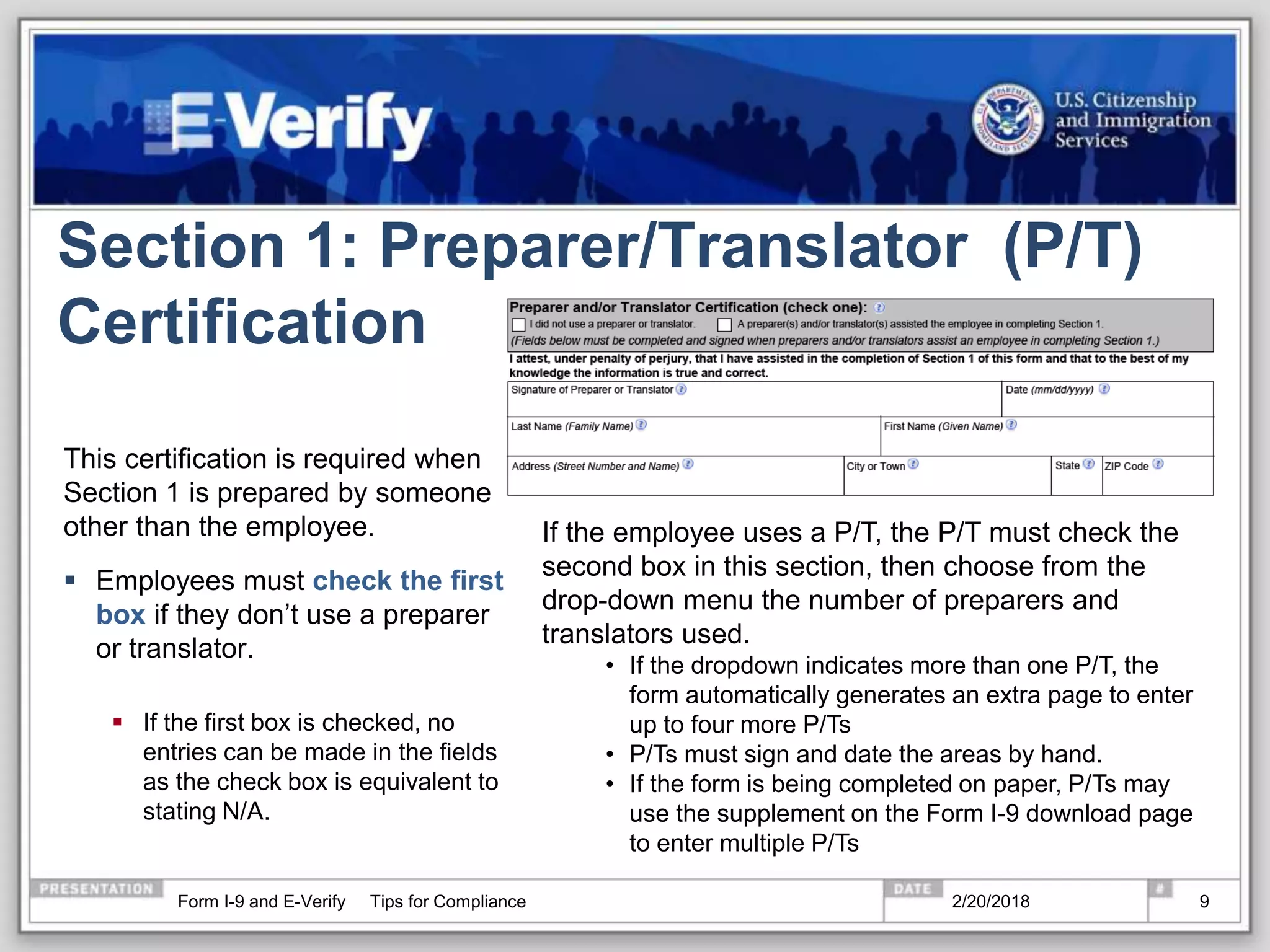
Section 1: Preparer/Translator (P/T)
Certification
This certification is required when
Section 1 is prepared by someone
other than the employee.
 Employees must check the first
box if they don’t use a preparer
or translator.
 If the first box is checked, no
entries can be made in the fields
as the check box is equivalent to
stating N/A.
If the employee uses a P/T, the P/T must check the
second box in this section, then choose from the
drop-down menu the number of preparers and
translators used.
• If the dropdown indicates more than one P/T, the
form automatically generates an extra page to enter
up to four more P/Ts
• P/Ts must sign and date the areas by hand.
• If the form is being completed on paper, P/Ts may
use the supplement on the Form I-9 download page
to enter multiple P/Ts
2/20/2018Form I-9 and E-Verify Tips for Compliance 9
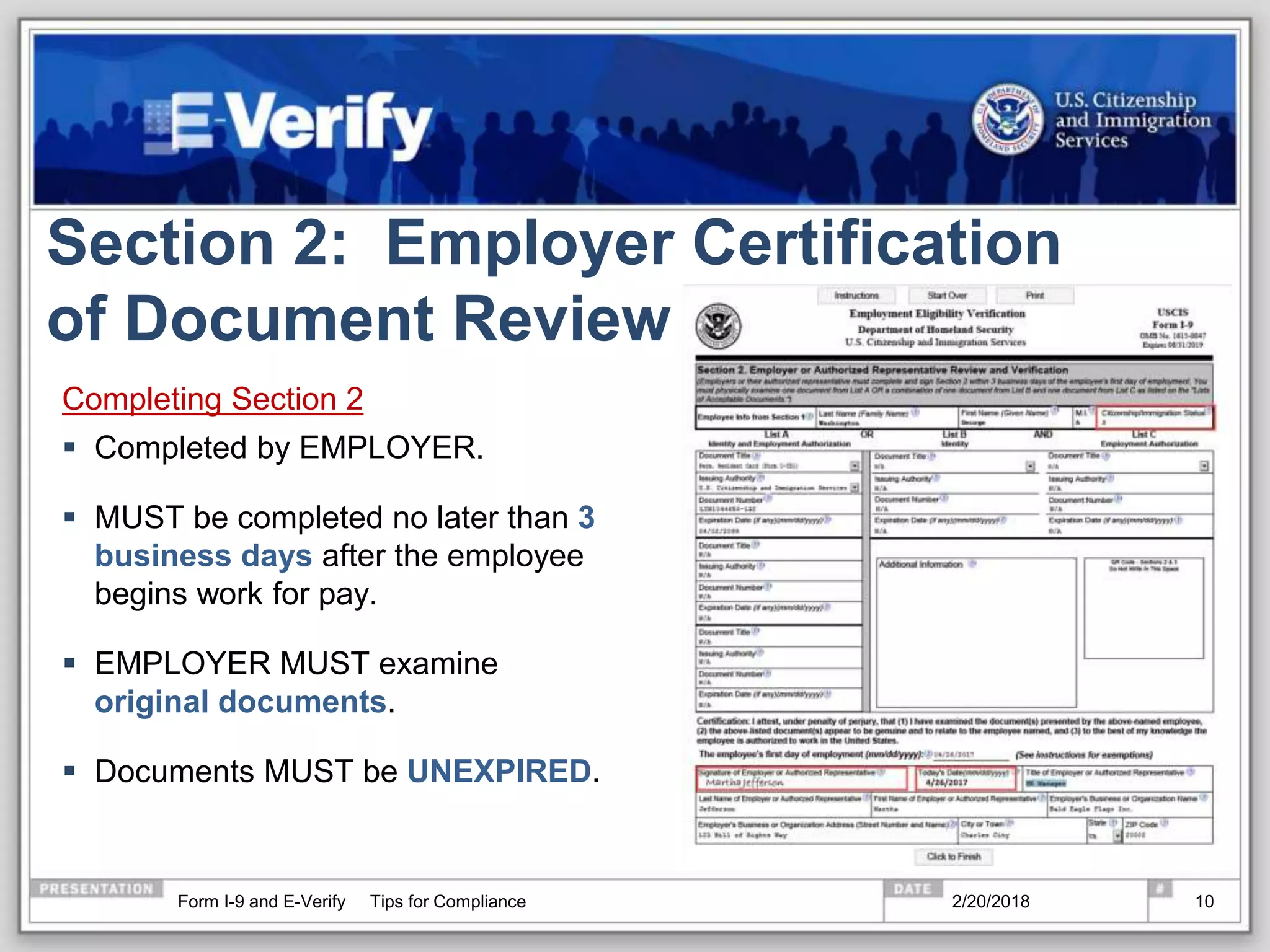
Section 2: Employer Certification
of Document Review
Completing Section 2
 Completed by EMPLOYER.
 MUST be completed no later than 3
business days after the employee
begins work for pay.
 EMPLOYER MUST examine
original documents.
 Documents MUST be UNEXPIRED.
2/20/2018Form I-9 and E-Verify Tips for Compliance 10
Redesigned Green Cards and Employment
Authorization Documents
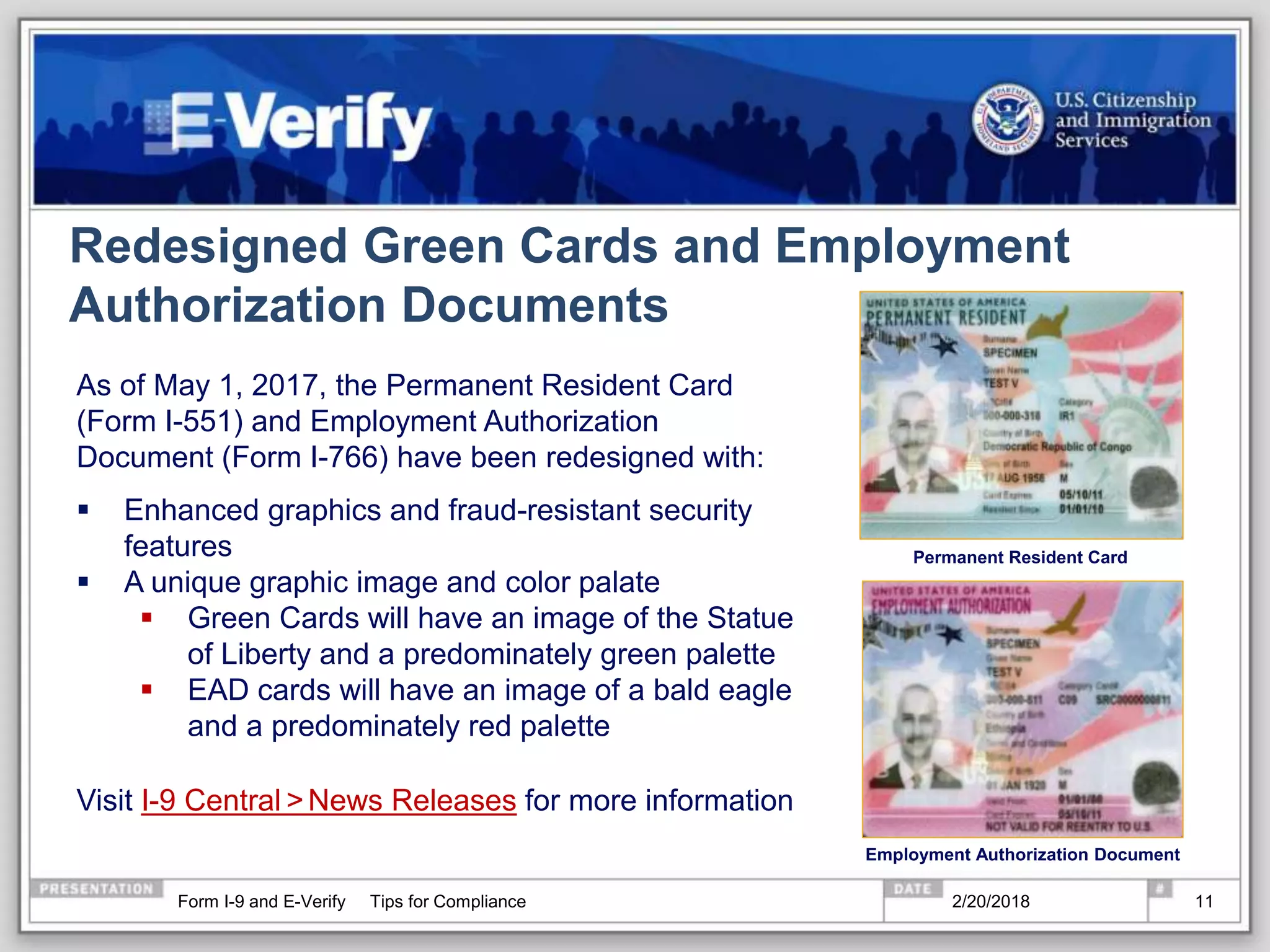
As of May 1, 2017, the Permanent Resident Card
(Form I-551) and Employment Authorization
Document (Form I-766) have been redesigned with:
 Enhanced graphics and fraud-resistant security
features
 A unique graphic image and color palate
 Green Cards will have an image of the Statue
of Liberty and a predominately green palette
 EAD cards will have an image of a bald eagle
and a predominately red palette
Visit I-9 Central >News Releases for more information
Permanent Resident Card
Employment Authorization Document
2/20/2018Form I-9 and E-Verify Tips for Compliance 11
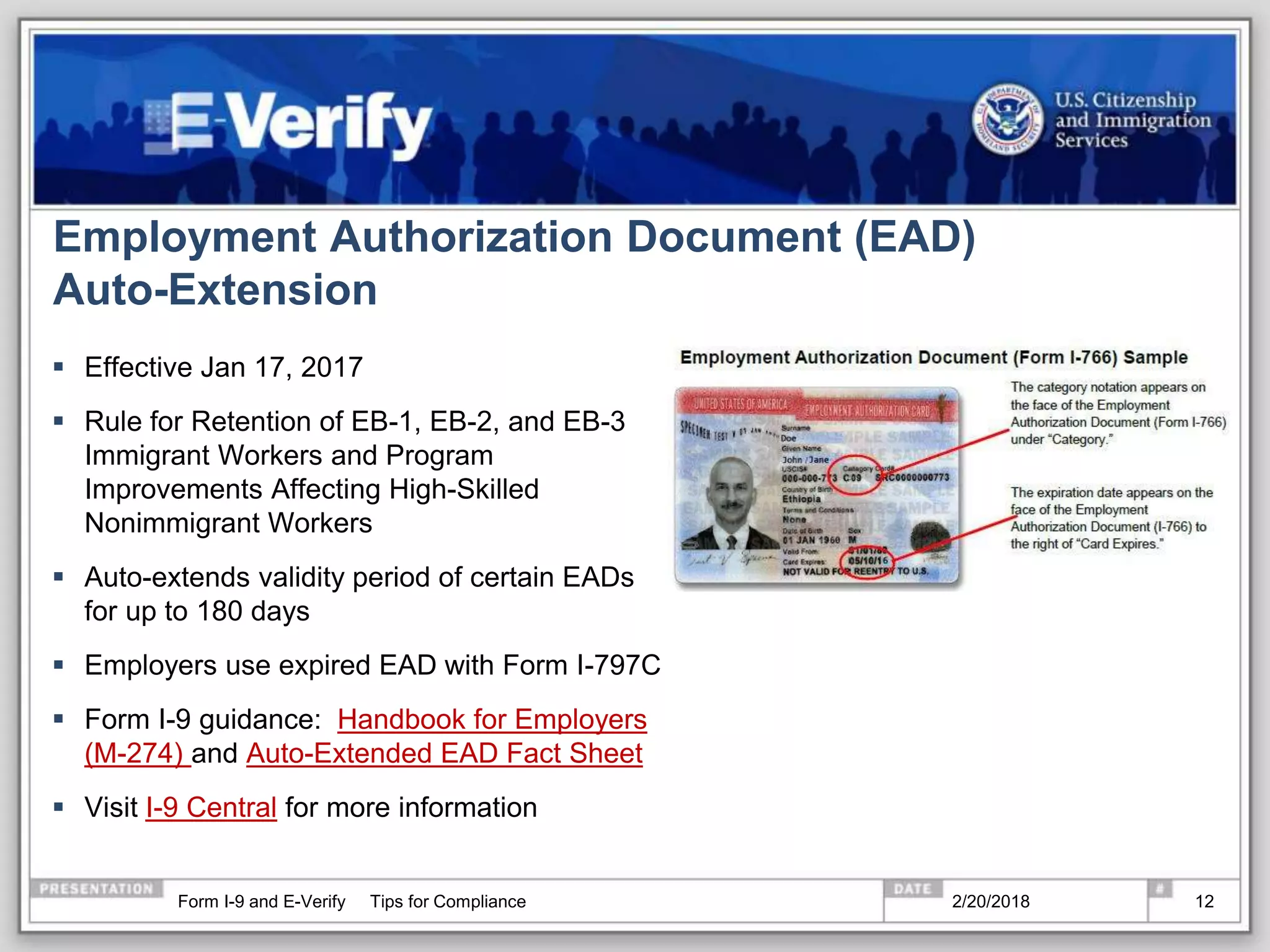
Employment Authorization Document (EAD)
Auto-Extension
 Effective Jan 17, 2017
 Rule for Retention of EB-1, EB-2, and EB-3
Immigrant Workers and Program
Improvements Affecting High-Skilled
Nonimmigrant Workers
 Auto-extends validity period of certain EADs
for up to 180 days
 Employers use expired EAD with Form I-797C
 Form I-9 guidance: Handbook for Employers
(M-274) and Auto-Extended EAD Fact Sheet
 Visit I-9 Central for more information
2/20/2018Form I-9 and E-Verify Tips for Compliance 12
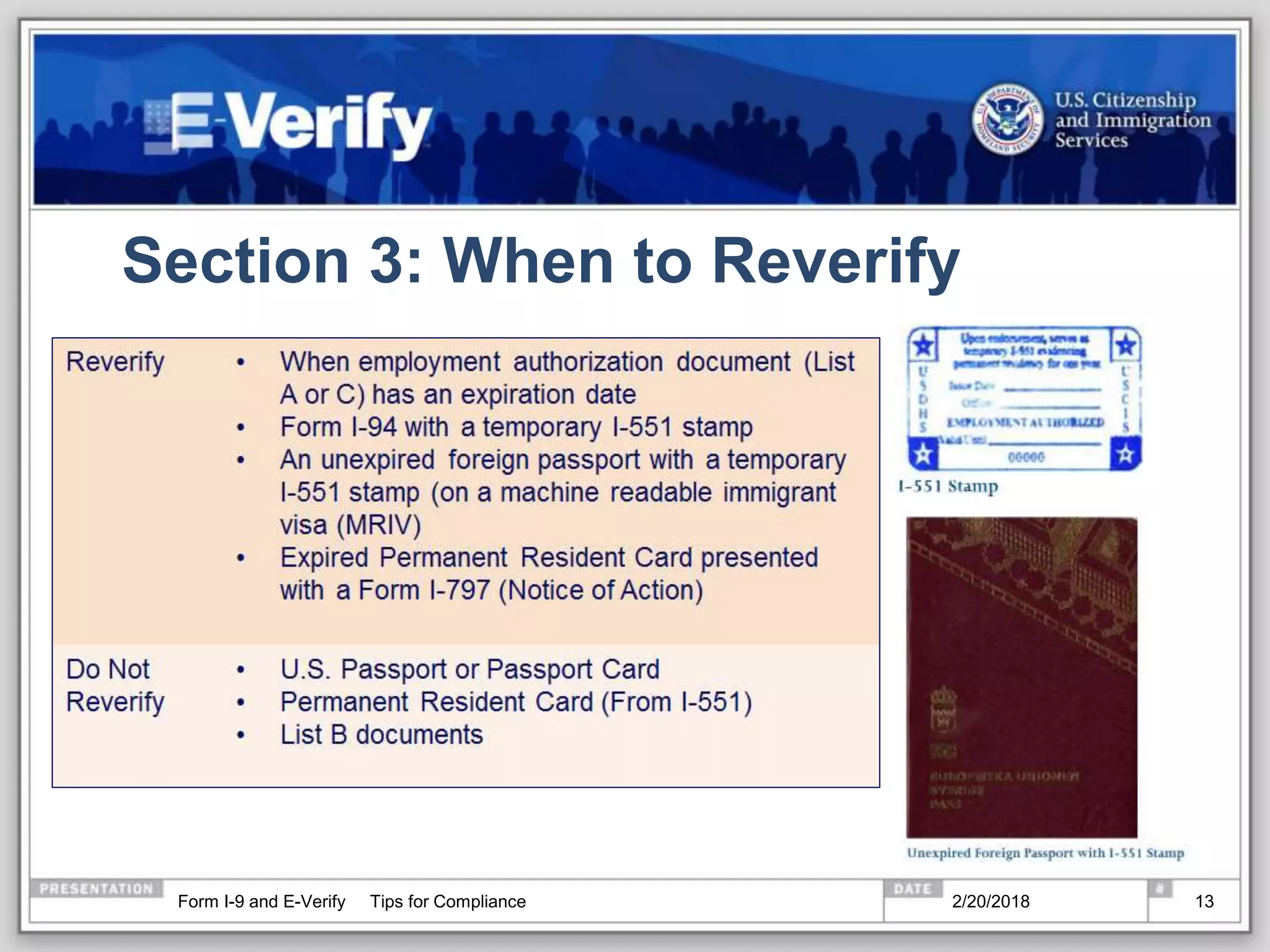
Section 3: When to Reverify
2/20/2018Form I-9 and E-Verify Tips for Compliance 13
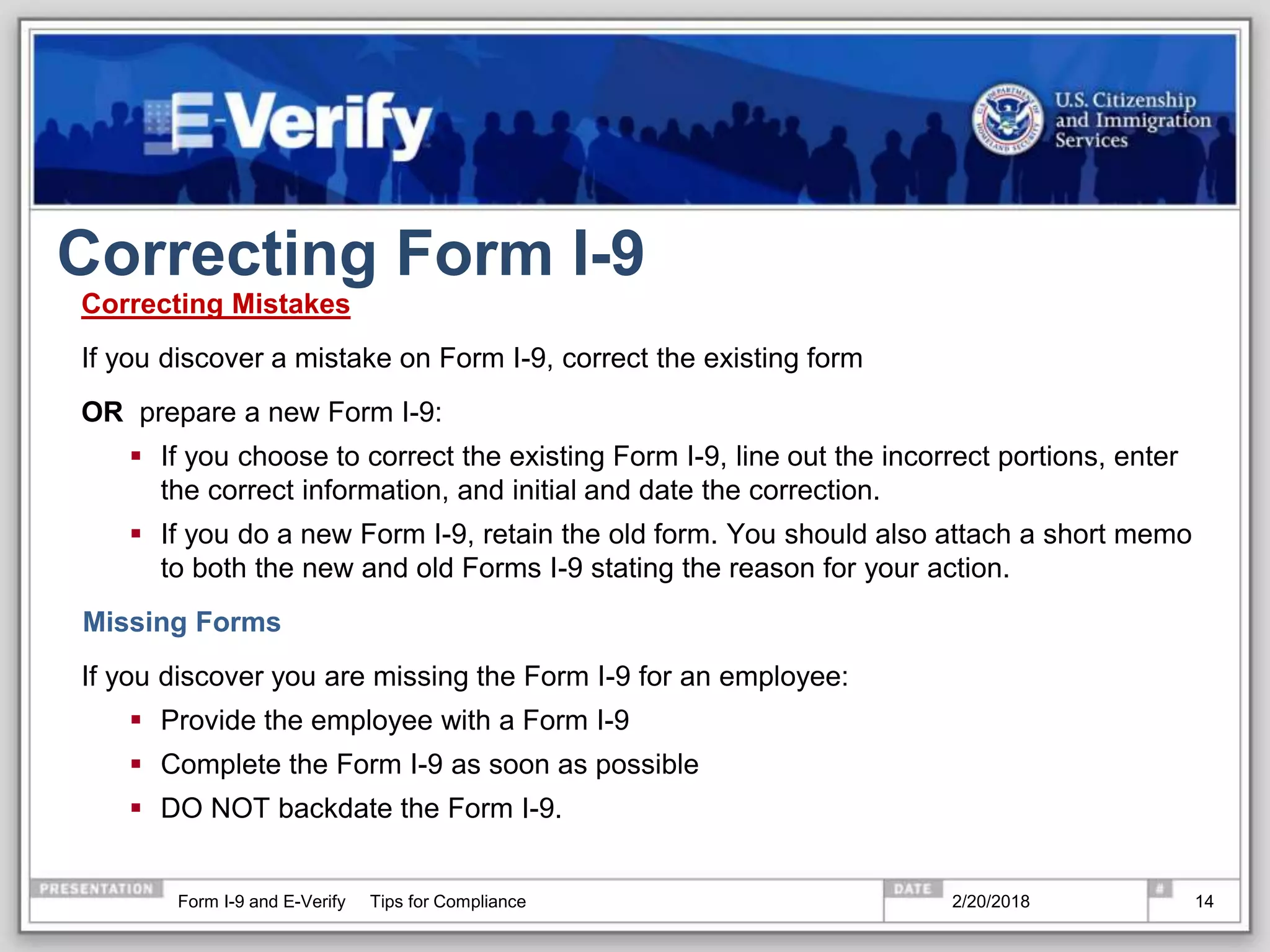
Correcting Form I-9
Correcting Mistakes
If you discover a mistake on Form I-9, correct the existing form
OR prepare a new Form I-9:
 If you choose to correct the existing Form I-9, line out the incorrect portions, enter
the correct information, and initial and date the correction.
 If you do a new Form I-9, retain the old form. You should also attach a short memo
to both the new and old Forms I-9 stating the reason for your action.
Missing Forms
If you discover you are missing the Form I-9 for an employee:
 Provide the employee with a Form I-9
 Complete the Form I-9 as soon as possible
 DO NOT backdate the Form I-9.
2/20/2018Form I-9 and E-Verify Tips for Compliance 14
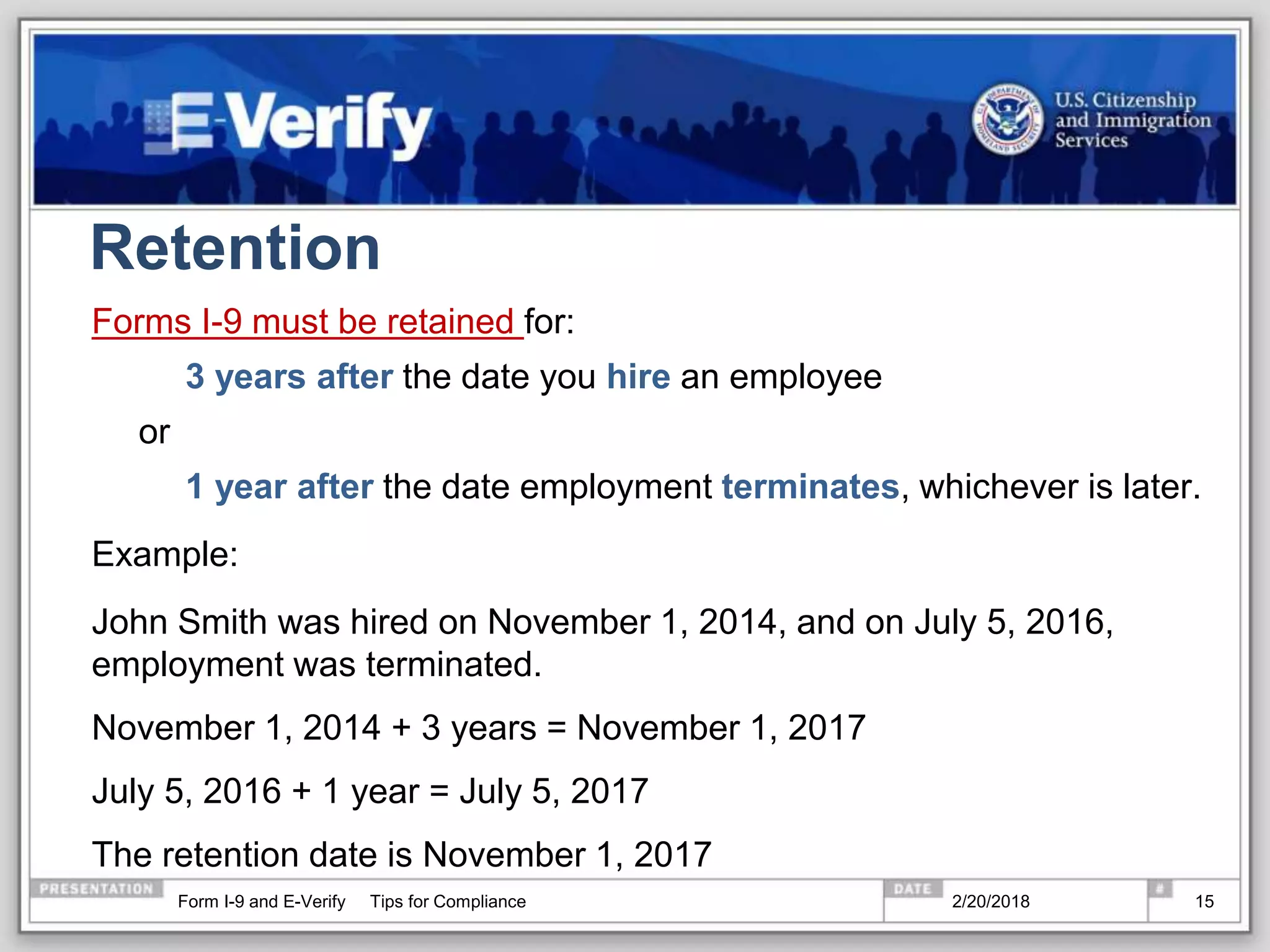
Retention
Forms I-9 must be retained for:
3 years after the date you hire an employee
or
1 year after the date employment terminates, whichever is later.
Example:
John Smith was hired on November 1, 2014, and on July 5, 2016,
employment was terminated.
November 1, 2014 + 3 years = November 1, 2017
July 5, 2016 + 1 year = July 5, 2017
The retention date is November 1, 2017
2/20/2018Form I-9 and E-Verify Tips for Compliance 15
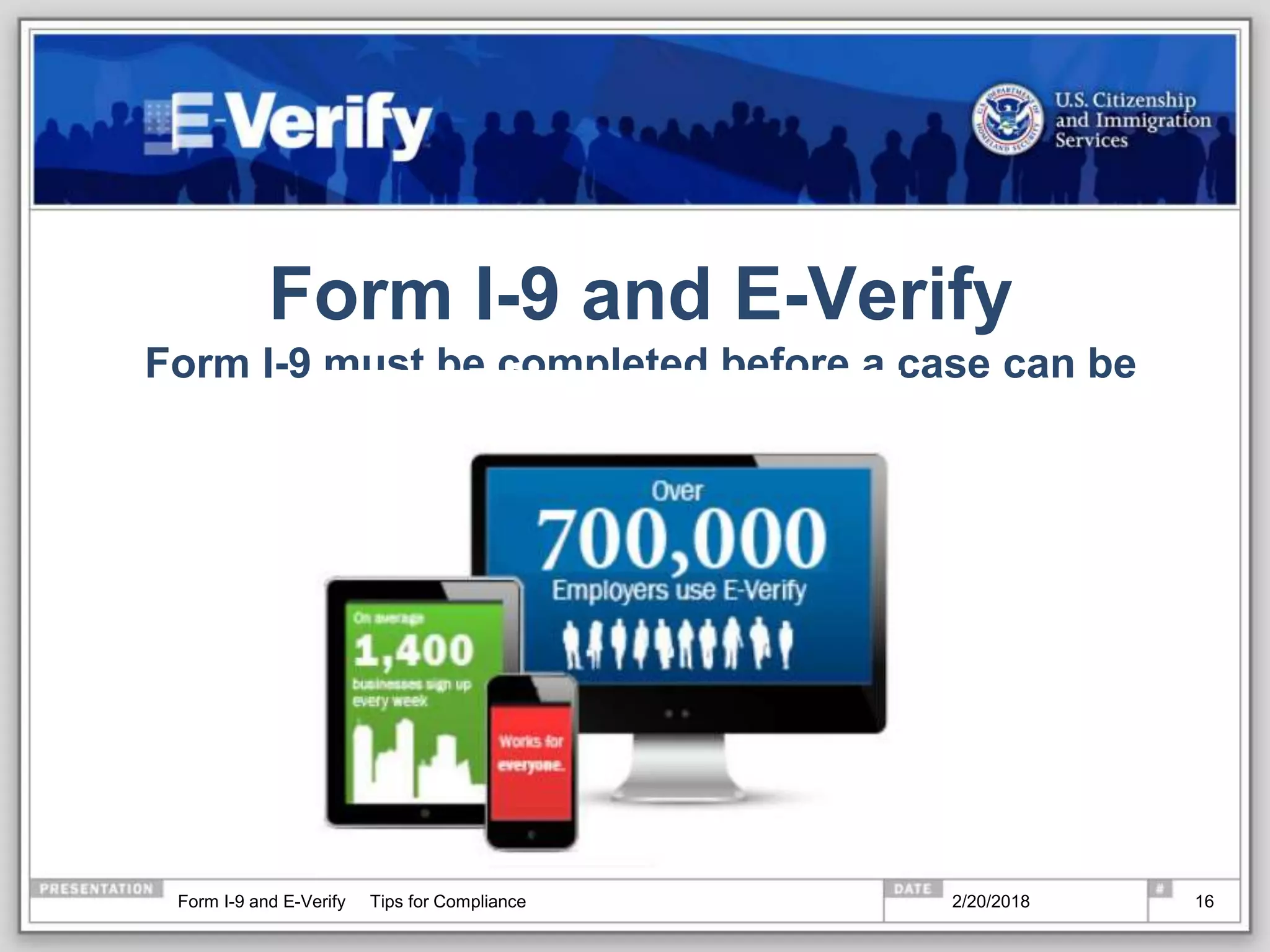
Form I-9 and E-Verify
Form I-9 must be completed before a case can be
created in E-Verify.
2/20/2018Form I-9 and E-Verify Tips for Compliance 16
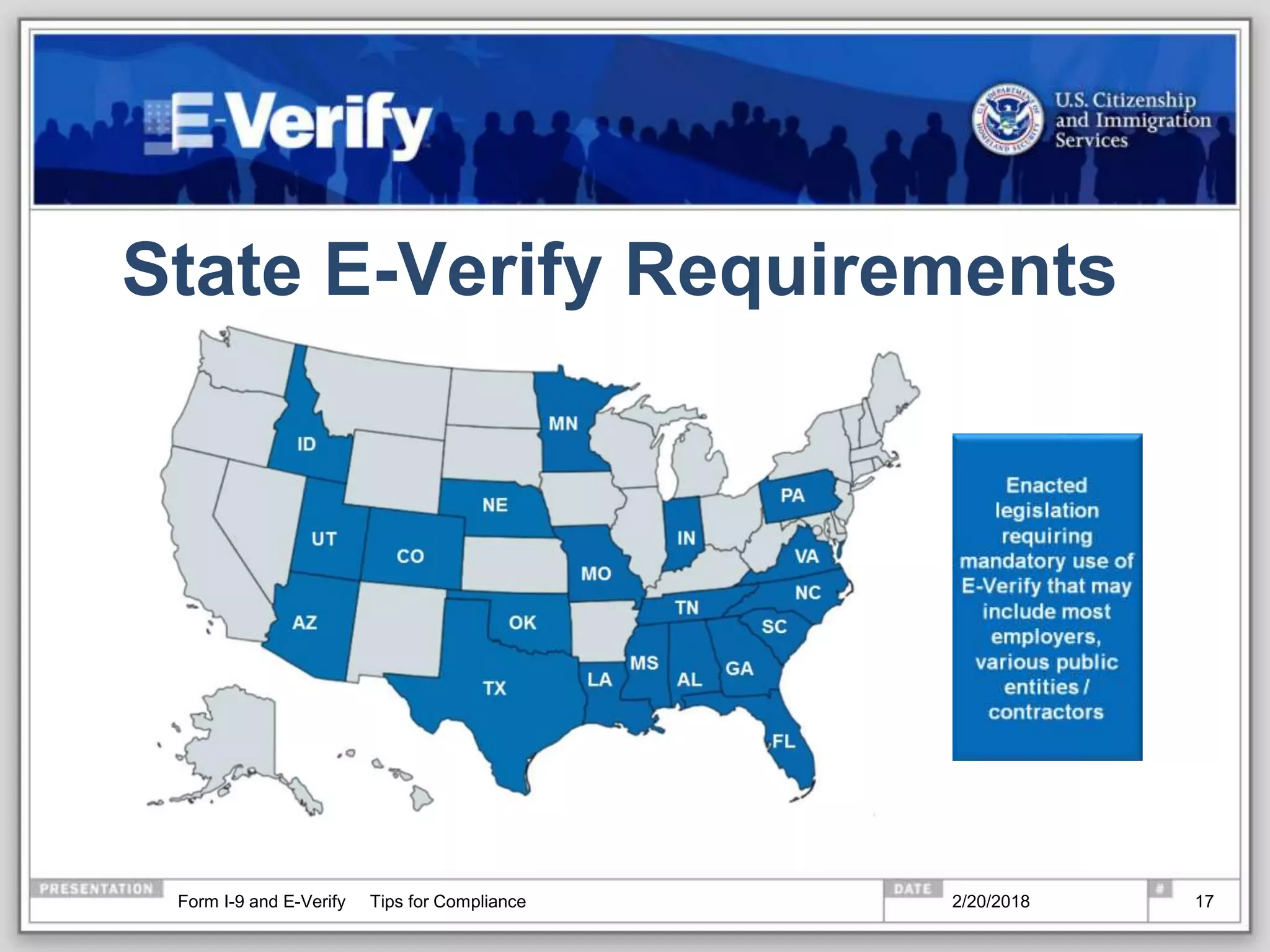
State E-Verify Requirements
2/20/2018Form I-9 and E-Verify Tips for Compliance 17
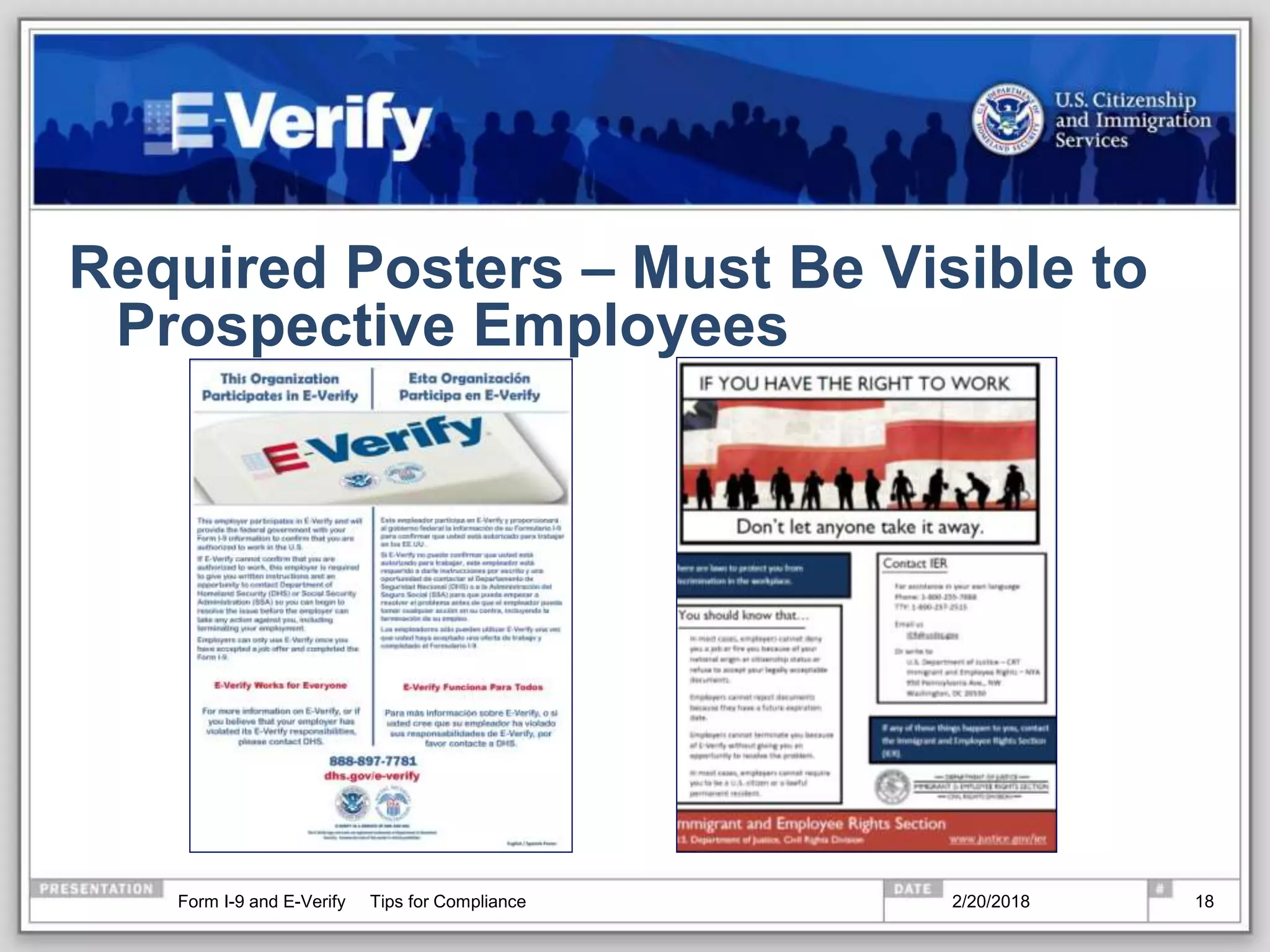
Required Posters – Must Be Visible to
Prospective Employees
2/20/2018Form I-9 and E-Verify Tips for Compliance 18
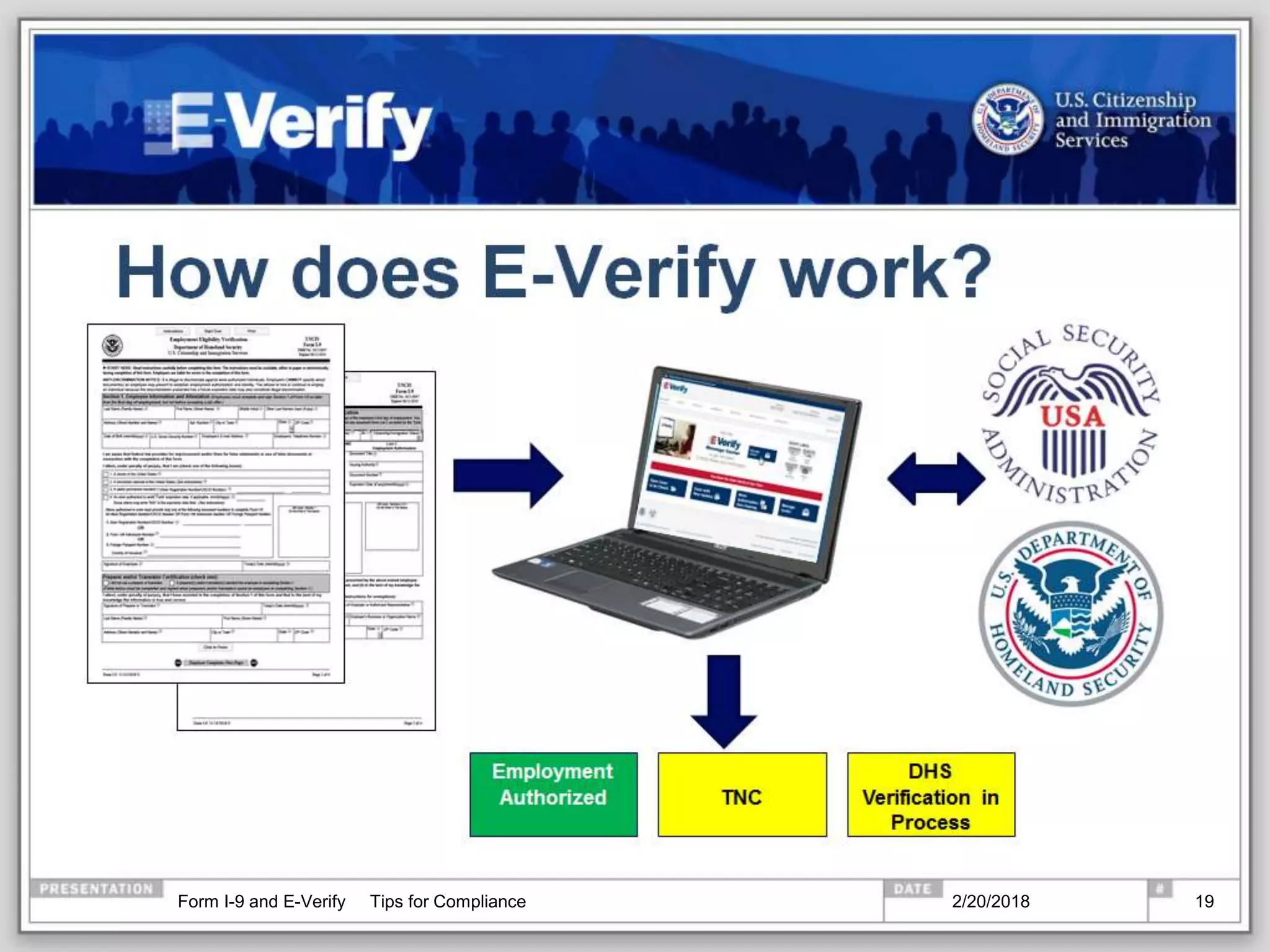
How does E-Verify work?
2/20/2018Form I-9 and E-Verify Tips for Compliance 19
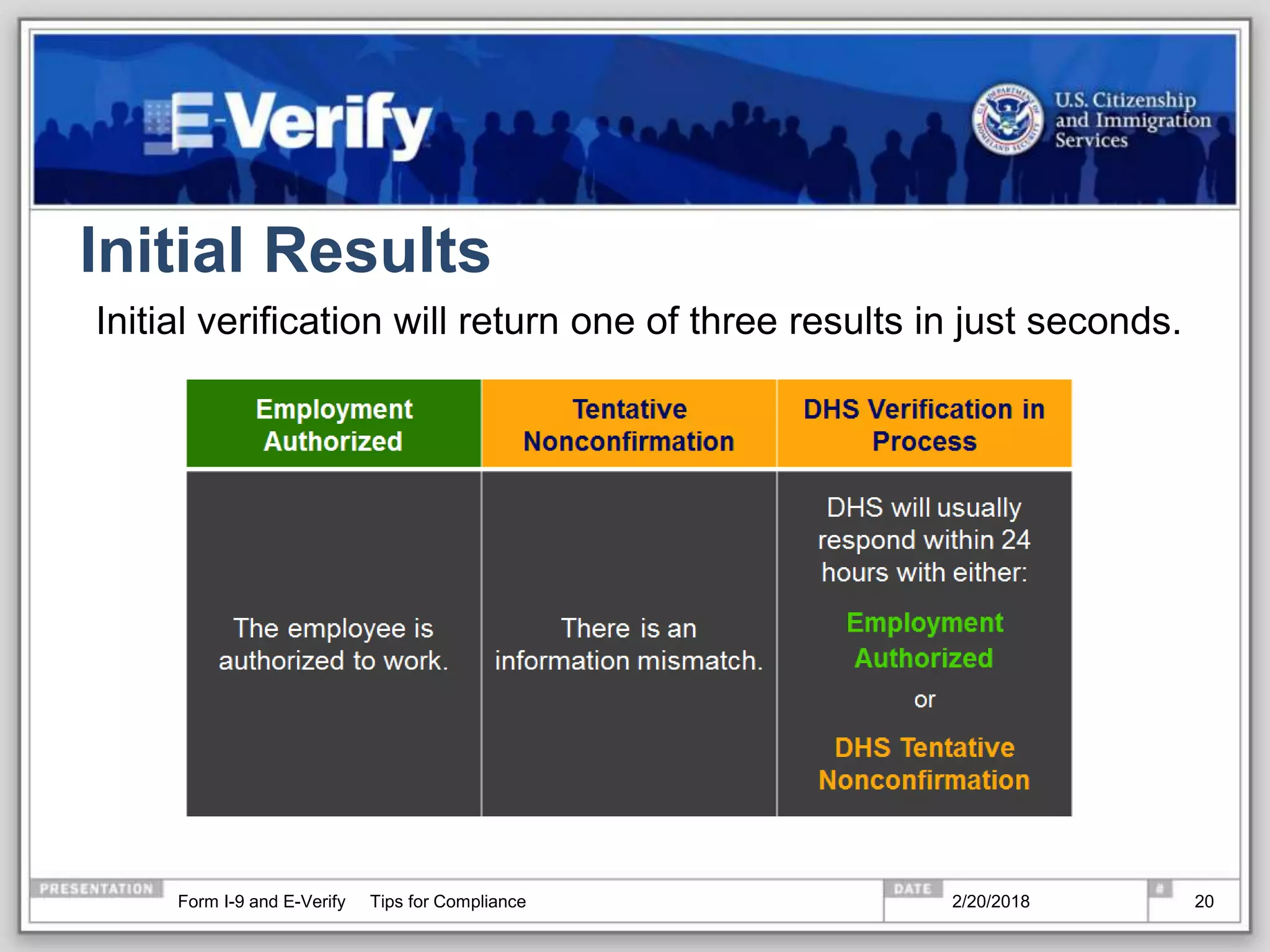
Initial Results
Initial verification will return one of three results in just seconds.
2/20/2018Form I-9 and E-Verify Tips for Compliance 20
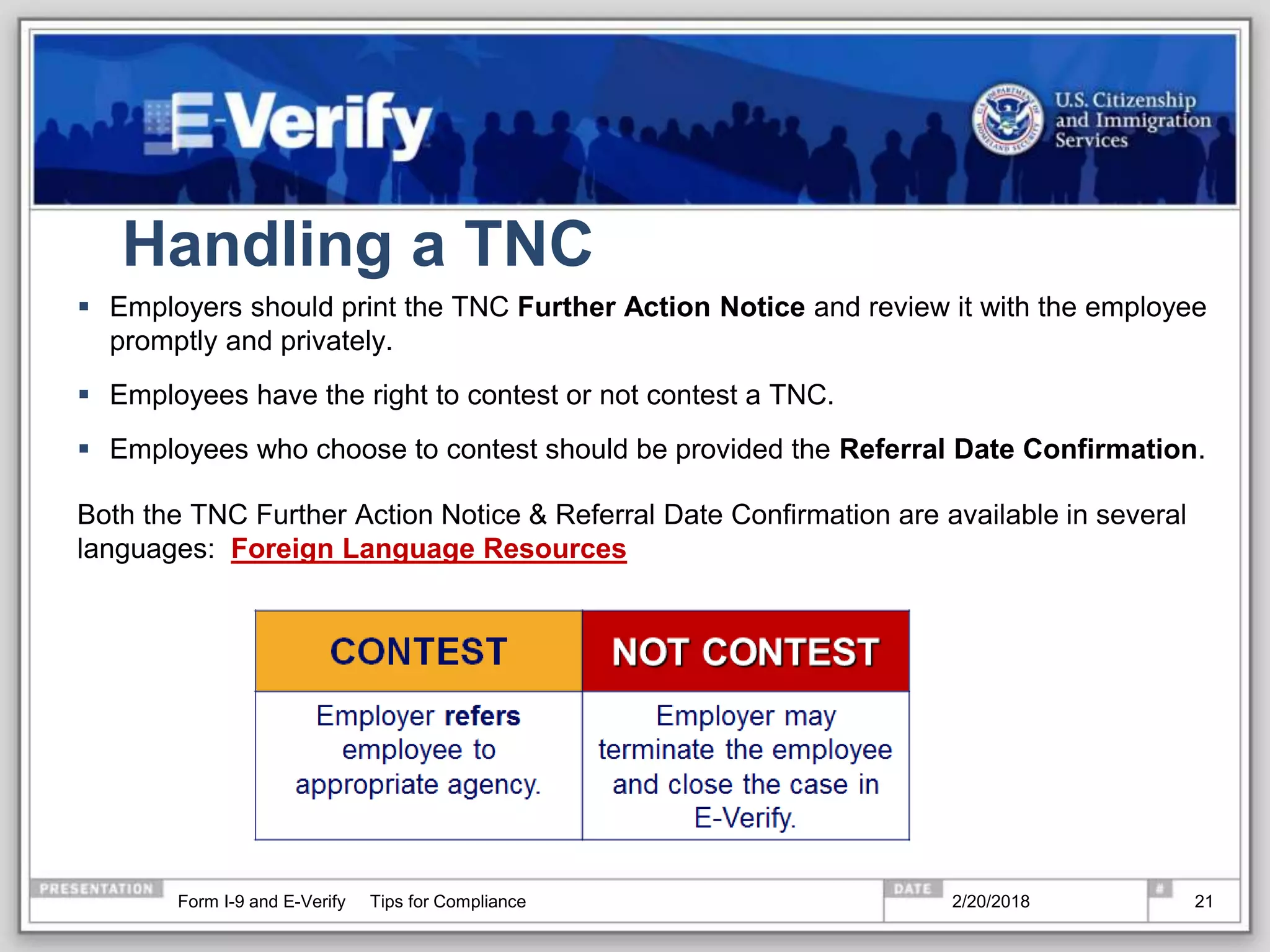
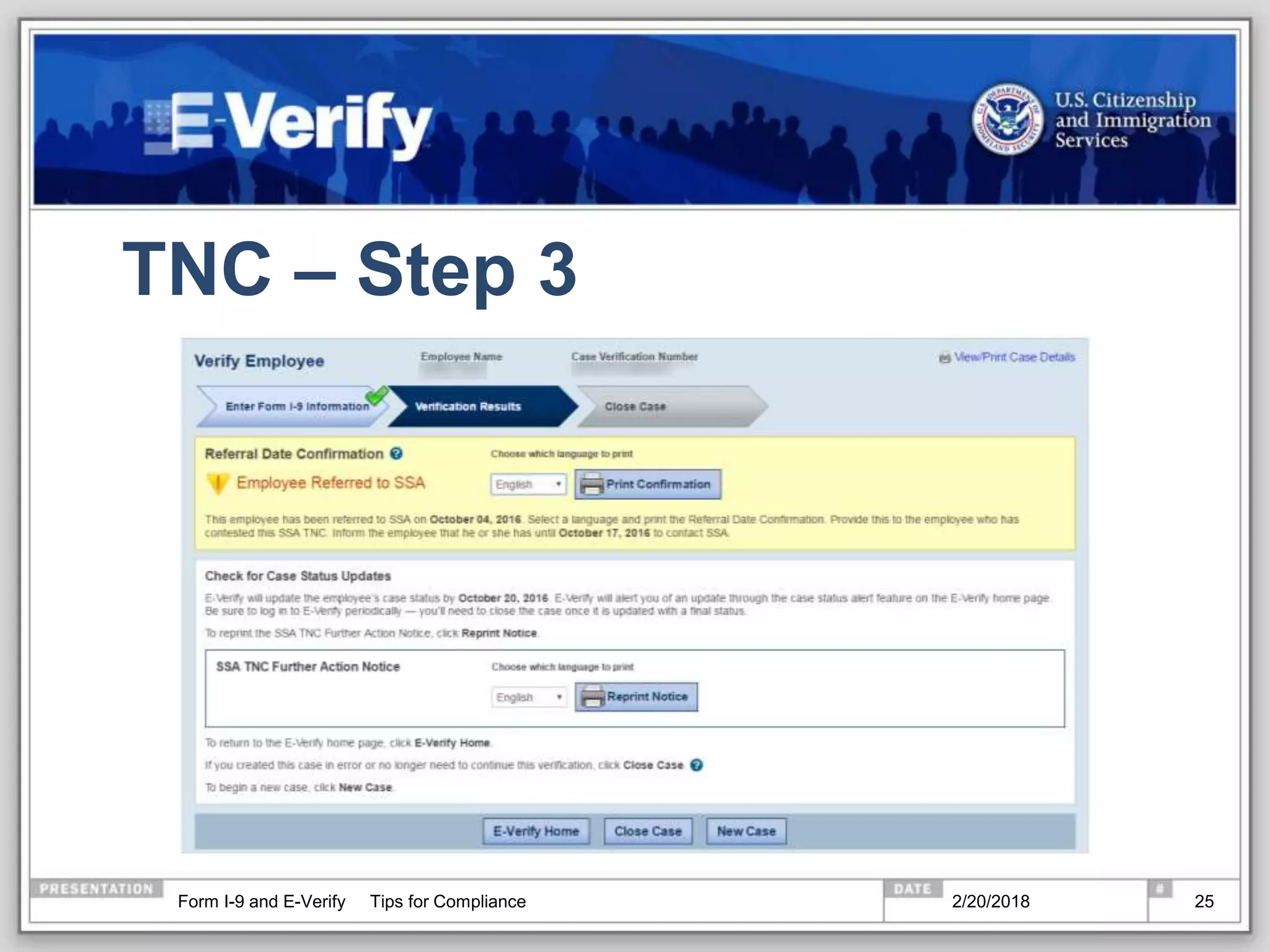
Handling a TNC
 Employers should print the TNC Further Action Notice and review it with the employee
promptly and privately.
 Employees have the right to contest or not contest a TNC.
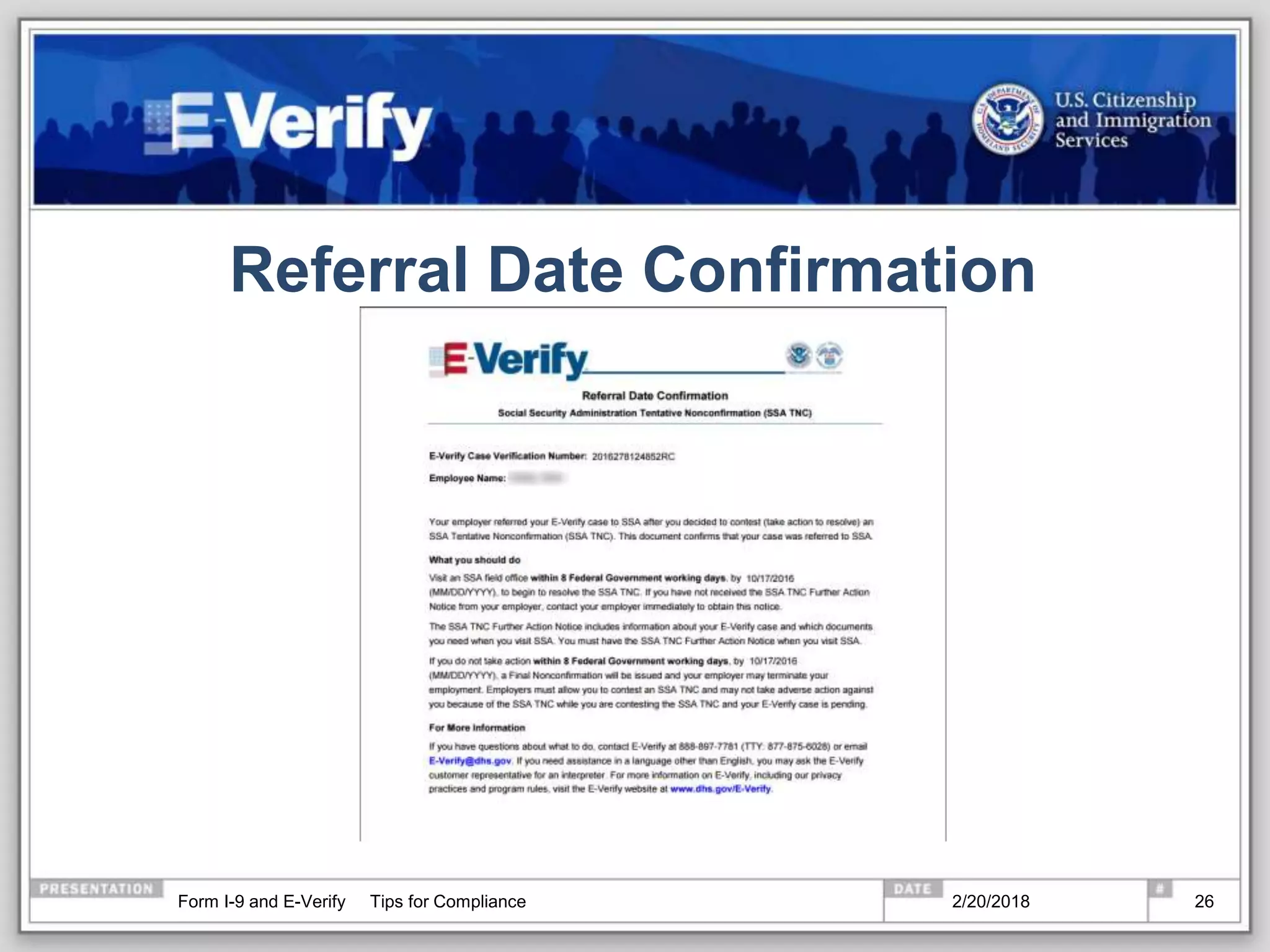
 Employees who choose to contest should be provided the Referral Date Confirmation.
Both the TNC Further Action Notice & Referral Date Confirmation are available in several
languages: Foreign Language Resources
2/20/2018Form I-9 and E-Verify Tips for Compliance 21
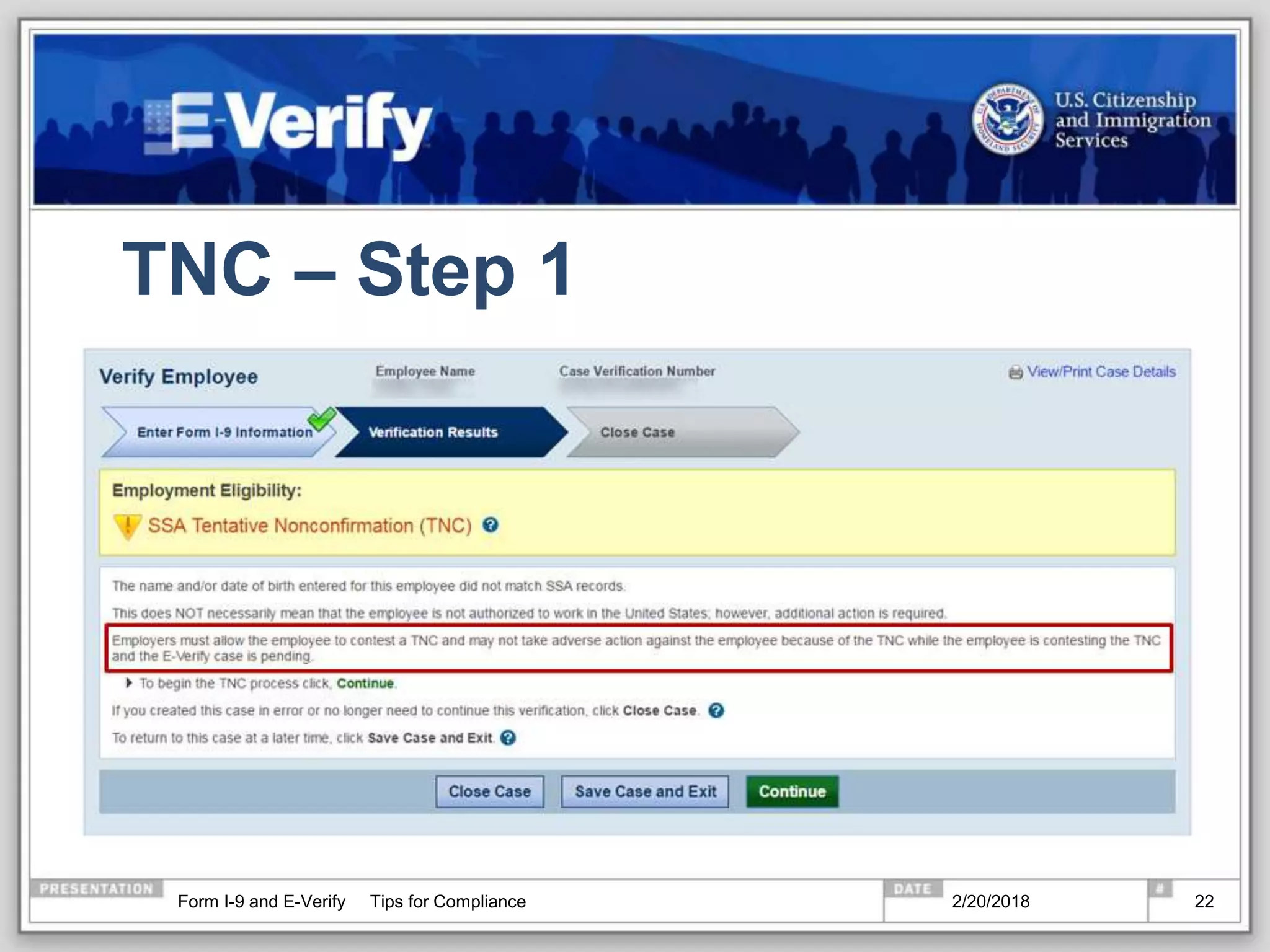
TNC – Step 1
2/20/2018Form I-9 and E-Verify Tips for Compliance 22
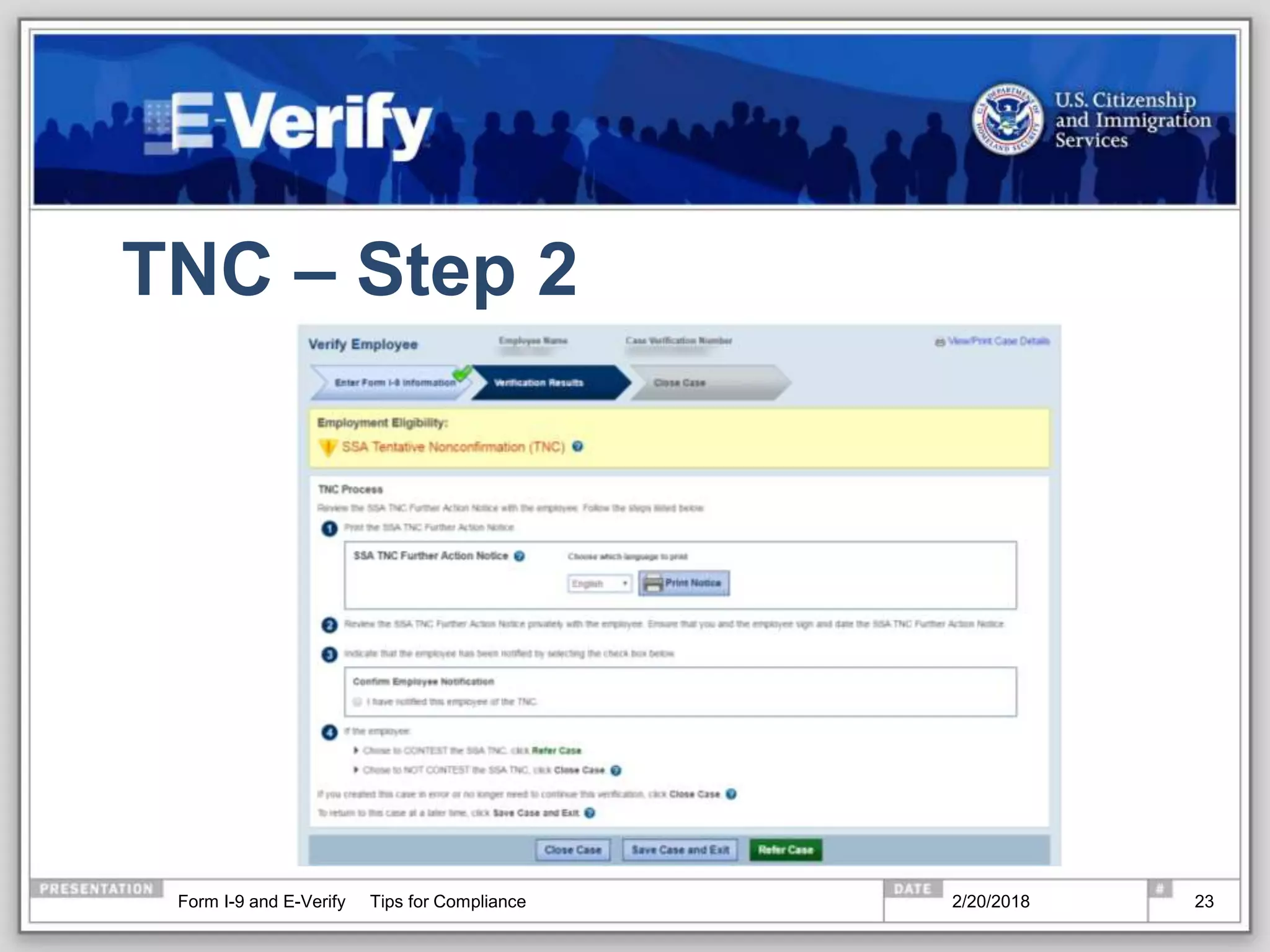
TNC – Step 2
2/20/2018Form I-9 and E-Verify Tips for Compliance 23
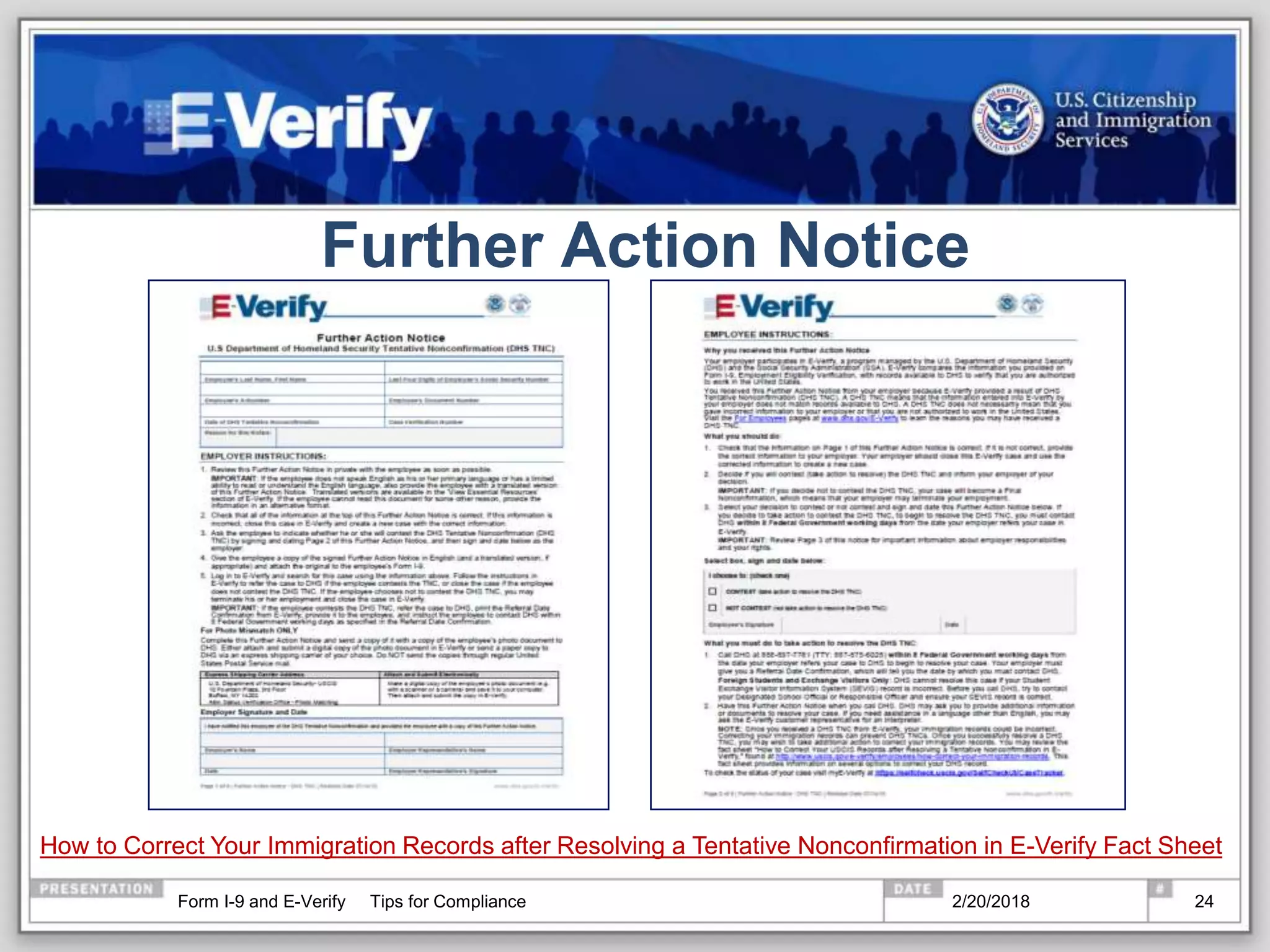
Further Action Notice
How to Correct Your Immigration Records after Resolving a Tentative Nonconfirmation in E-Verify Fact Sheet
2/20/2018Form I-9 and E-Verify Tips for Compliance 24
TNC – Step 3
2/20/2018Form I-9 and E-Verify Tips for Compliance 25
Referral Date Confirmation
2/20/2018Form I-9 and E-Verify Tips for Compliance 26
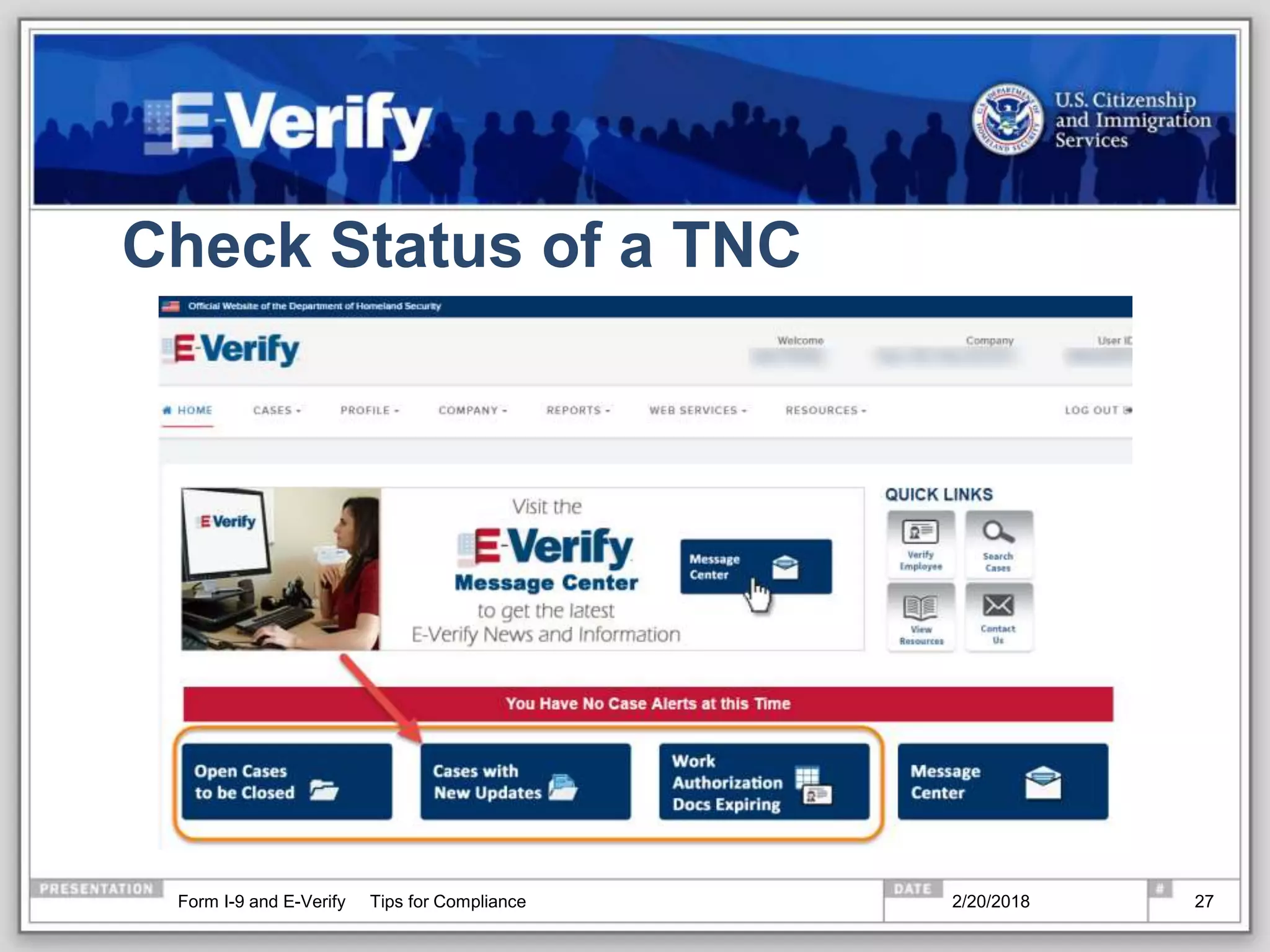
Check Status of a TNC
2/20/2018Form I-9 and E-Verify Tips for Compliance 27
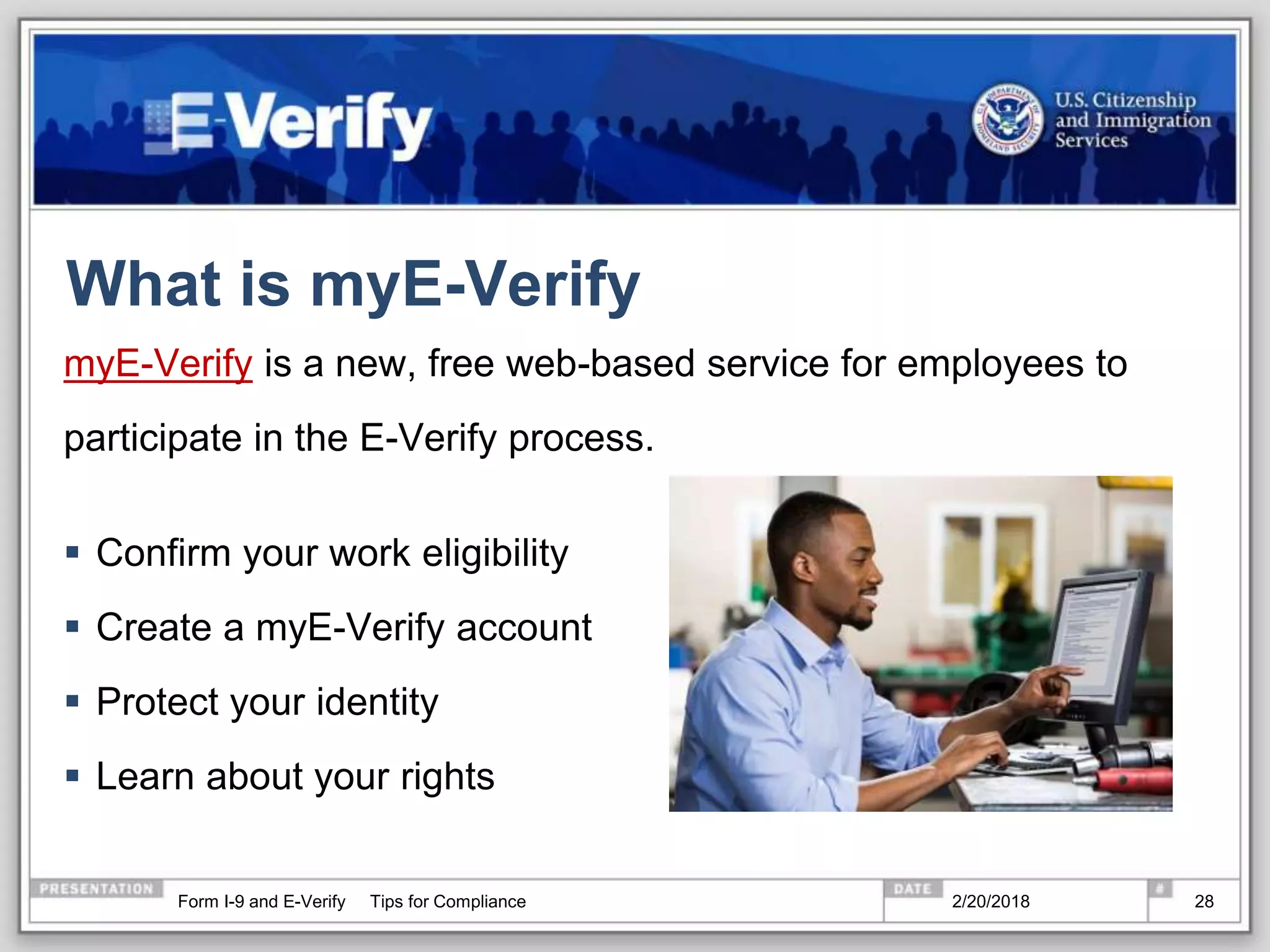
What is myE-Verify
myE-Verify is a new, free web-based service for employees to
participate in the E-Verify process.
 Confirm your work eligibility
 Create a myE-Verify account
 Protect your identity
 Learn about your rights
2/20/2018Form I-9 and E-Verify Tips for Compliance 28
Resources
2/20/2018Form I-9 and E-Verify Tips for Compliance 29
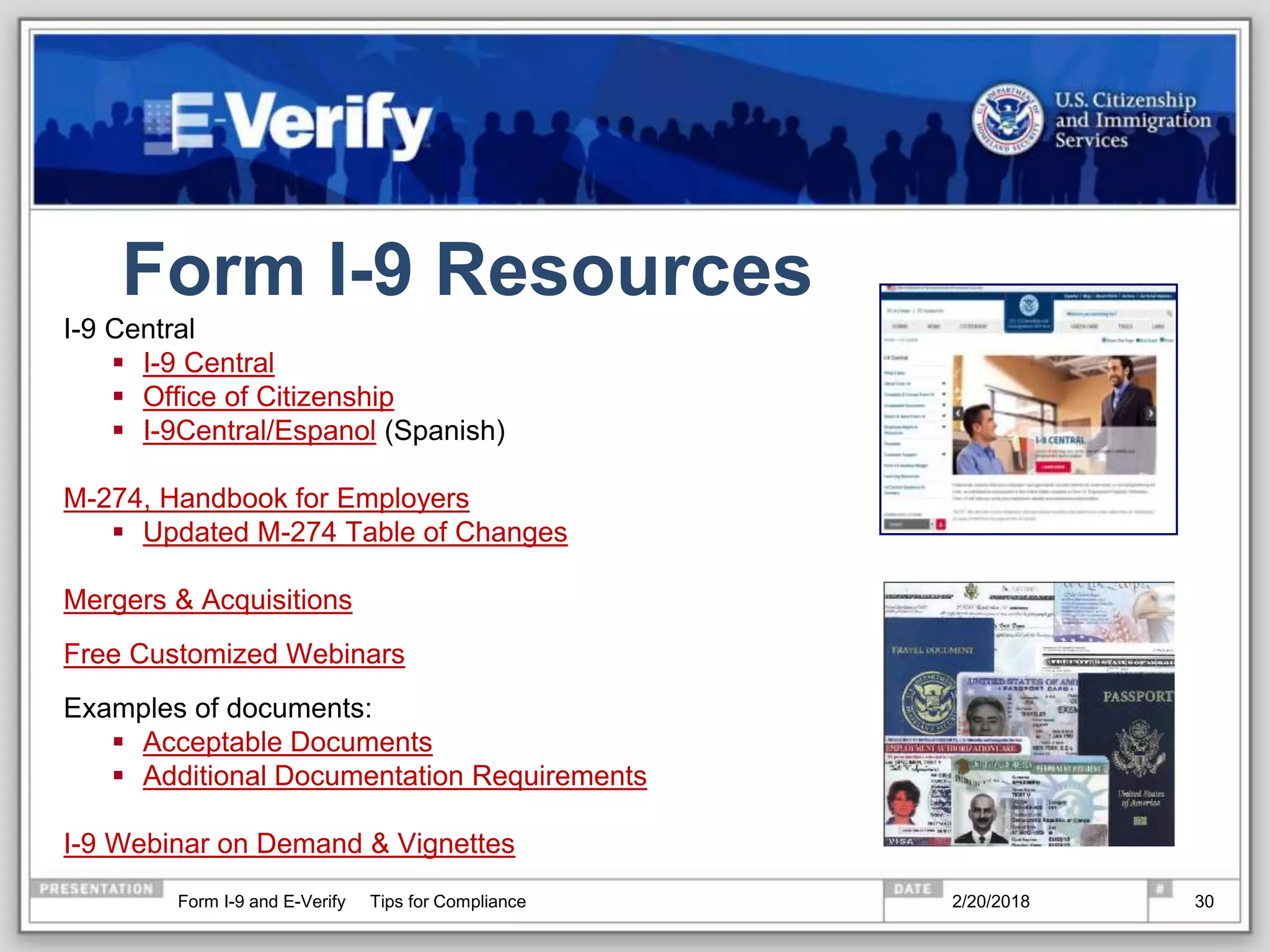
Form I-9 Resources
I-9 Central
 I-9 Central
 Office of Citizenship
 I-9Central/Espanol (Spanish)
M-274, Handbook for Employers
 Updated M-274 Table of Changes
Mergers & Acquisitions
Free Customized Webinars
Examples of documents:
 Acceptable Documents
 Additional Documentation Requirements
I-9 Webinar on Demand & Vignettes
2/20/2018Form I-9 and E-Verify Tips for Compliance 30
E-Verify Outreach
 Free Customized Webinars
 Content for your newsletters
 Authorization to use the E-Verify® Logo and Name and I E-
Verify Seal
 Add E-Verify to your job announcements
 Example: “Our company uses E-Verify to confirm the
employment eligibility of all newly hired employees. To learn
more about E-Verify, including your rights and responsibilities,
please visit www.dhs.gov/E-Verify.”
2/20/2018Form I-9 and E-Verify Tips for Compliance 31
Customer Service
E-Verify received one of the highest customer service ratings among
federal agencies according to the 2016 American Customer Satisfaction
Survey.
 Employer Hotline: (888) 464-4218
 Employee Hotline: (888) 897-7781
 Form I-9 E-Mail: I-9Central@dhs.gov
 E-Verify E-Mail: E-Verify@dhs.gov
 Form I-9 Website: www.uscis.gov/I-9Central
 E-Verify Website: www.dhs.gov/E-Verify
2/20/2018Form I-9 and E-Verify Tips for Compliance 32
Disclaimer
Immigration law can be complex and it is not possible to
describe every aspect of the process.
This presentation provides basic information to help you
become generally familiar with rules and procedures.
For more information on the law and regulations please see
our Web site: www.dhs.gov/E-Verify.
2/20/2018Form I-9 and E-Verify Tips for Compliance 33

What's new in 2018 with Form i-9 and E-verify

  • 1.
    Form I-9 andE-Verify Tops Tips for Compliance www.uscis.gov/I-9Central Dave Basham
  • 2.
    Agenda  Form I-9 E-Verify  Resources 2/20/2018Form I-9 and E-Verify Tips for Compliance 2
  • 3.
    Immigrant and EmployeeRights Section (IER) The anti-discrimination provisions of the INA are enforced by: Department of Justice Civil Rights Division Immigrant and Employee Rights Section  Employees may contact the Immigrant and Employee Rights Section (IER) to obtain additional information regarding employment discrimination and employee rights and responsibilities* 1-800-255-7688 (TDD: 1-800-616-5525)  Employers may also contact IER* 1-800-255-8155 (TDD: 1-800-362-2735) *callers may remain anonymous See IER’s “Employer Dos and Don’ts.” 2/20/2018Form I-9 and E-Verify Tips for Compliance 3
  • 4.
    Form I-9 Requirements AllU.S. employers must have a Form I-9 on file for all current employees.  The revised form has a revision date of July 17, 2017N. As of September 18, 2017, employers must use this revised form for all newly hired employees and any necessary reverification.  Exception: Employers are not required to have Forms I-9 for employees hired on or before November 6, 1986.  You may delegate the authority to complete Form I-9 to a responsible agent, however, you will retain liability for any errors. 2/20/2018Form I-9 and E-Verify Tips for Compliance 4
  • 5.
    Completing Form I-9 2/20/2018FormI-9 and E-Verify Tips for Compliance 5
  • 6.
    Lists of AcceptableDocuments  Use MOST CURRENT Form I-9 VERSION, 07/17/17 N  You must make the Lists of Acceptable Documents available to your EMPLOYEE when he or she is completing the Form I-9 The EMPLOYEE MUST provide:  One document from List A OR  One document from List B AND one document from List C 2/20/2018Form I-9 and E-Verify Tips for Compliance 6
  • 7.
    Section 1: EmployeeInformation  To be completed by EMPLOYEE.  Employer MUST verify Section 1 is COMPLETE. 2/20/2018Form I-9 and E-Verify Tips for Compliance 7
  • 8.
    Section 1: EmployeeAttestation  The EMPLOYEE MUST select one of the four categories and sign and date Section 1 of Form I-9.  All employees must complete Section 1 no later than the first business day of employment for pay. 2/20/2018Form I-9 and E-Verify Tips for Compliance 8
  • 9.
    Section 1: Preparer/Translator(P/T) Certification This certification is required when Section 1 is prepared by someone other than the employee.  Employees must check the first box if they don’t use a preparer or translator.  If the first box is checked, no entries can be made in the fields as the check box is equivalent to stating N/A. If the employee uses a P/T, the P/T must check the second box in this section, then choose from the drop-down menu the number of preparers and translators used. • If the dropdown indicates more than one P/T, the form automatically generates an extra page to enter up to four more P/Ts • P/Ts must sign and date the areas by hand. • If the form is being completed on paper, P/Ts may use the supplement on the Form I-9 download page to enter multiple P/Ts 2/20/2018Form I-9 and E-Verify Tips for Compliance 9
  • 10.
    Section 2: EmployerCertification of Document Review Completing Section 2  Completed by EMPLOYER.  MUST be completed no later than 3 business days after the employee begins work for pay.  EMPLOYER MUST examine original documents.  Documents MUST be UNEXPIRED. 2/20/2018Form I-9 and E-Verify Tips for Compliance 10
  • 11.
    Redesigned Green Cardsand Employment Authorization Documents As of May 1, 2017, the Permanent Resident Card (Form I-551) and Employment Authorization Document (Form I-766) have been redesigned with:  Enhanced graphics and fraud-resistant security features  A unique graphic image and color palate  Green Cards will have an image of the Statue of Liberty and a predominately green palette  EAD cards will have an image of a bald eagle and a predominately red palette Visit I-9 Central >News Releases for more information Permanent Resident Card Employment Authorization Document 2/20/2018Form I-9 and E-Verify Tips for Compliance 11
  • 12.
    Employment Authorization Document(EAD) Auto-Extension  Effective Jan 17, 2017  Rule for Retention of EB-1, EB-2, and EB-3 Immigrant Workers and Program Improvements Affecting High-Skilled Nonimmigrant Workers  Auto-extends validity period of certain EADs for up to 180 days  Employers use expired EAD with Form I-797C  Form I-9 guidance: Handbook for Employers (M-274) and Auto-Extended EAD Fact Sheet  Visit I-9 Central for more information 2/20/2018Form I-9 and E-Verify Tips for Compliance 12
  • 13.
    Section 3: Whento Reverify 2/20/2018Form I-9 and E-Verify Tips for Compliance 13
  • 14.
    Correcting Form I-9 CorrectingMistakes If you discover a mistake on Form I-9, correct the existing form OR prepare a new Form I-9:  If you choose to correct the existing Form I-9, line out the incorrect portions, enter the correct information, and initial and date the correction.  If you do a new Form I-9, retain the old form. You should also attach a short memo to both the new and old Forms I-9 stating the reason for your action. Missing Forms If you discover you are missing the Form I-9 for an employee:  Provide the employee with a Form I-9  Complete the Form I-9 as soon as possible  DO NOT backdate the Form I-9. 2/20/2018Form I-9 and E-Verify Tips for Compliance 14
  • 15.
    Retention Forms I-9 mustbe retained for: 3 years after the date you hire an employee or 1 year after the date employment terminates, whichever is later. Example: John Smith was hired on November 1, 2014, and on July 5, 2016, employment was terminated. November 1, 2014 + 3 years = November 1, 2017 July 5, 2016 + 1 year = July 5, 2017 The retention date is November 1, 2017 2/20/2018Form I-9 and E-Verify Tips for Compliance 15
  • 16.
    Form I-9 andE-Verify Form I-9 must be completed before a case can be created in E-Verify. 2/20/2018Form I-9 and E-Verify Tips for Compliance 16
  • 17.
    State E-Verify Requirements 2/20/2018FormI-9 and E-Verify Tips for Compliance 17
  • 18.
    Required Posters –Must Be Visible to Prospective Employees 2/20/2018Form I-9 and E-Verify Tips for Compliance 18
  • 19.
    How does E-Verifywork? 2/20/2018Form I-9 and E-Verify Tips for Compliance 19
  • 20.
    Initial Results Initial verificationwill return one of three results in just seconds. 2/20/2018Form I-9 and E-Verify Tips for Compliance 20
  • 21.
    Handling a TNC Employers should print the TNC Further Action Notice and review it with the employee promptly and privately.  Employees have the right to contest or not contest a TNC.  Employees who choose to contest should be provided the Referral Date Confirmation. Both the TNC Further Action Notice & Referral Date Confirmation are available in several languages: Foreign Language Resources 2/20/2018Form I-9 and E-Verify Tips for Compliance 21
  • 22.
    TNC – Step1 2/20/2018Form I-9 and E-Verify Tips for Compliance 22
  • 23.
    TNC – Step2 2/20/2018Form I-9 and E-Verify Tips for Compliance 23
  • 24.
    Further Action Notice Howto Correct Your Immigration Records after Resolving a Tentative Nonconfirmation in E-Verify Fact Sheet 2/20/2018Form I-9 and E-Verify Tips for Compliance 24
  • 25.
    TNC – Step3 2/20/2018Form I-9 and E-Verify Tips for Compliance 25
  • 26.
    Referral Date Confirmation 2/20/2018FormI-9 and E-Verify Tips for Compliance 26
  • 27.
    Check Status ofa TNC 2/20/2018Form I-9 and E-Verify Tips for Compliance 27
  • 28.
    What is myE-Verify myE-Verifyis a new, free web-based service for employees to participate in the E-Verify process.  Confirm your work eligibility  Create a myE-Verify account  Protect your identity  Learn about your rights 2/20/2018Form I-9 and E-Verify Tips for Compliance 28
  • 29.
    Resources 2/20/2018Form I-9 andE-Verify Tips for Compliance 29
  • 30.
    Form I-9 Resources I-9Central  I-9 Central  Office of Citizenship  I-9Central/Espanol (Spanish) M-274, Handbook for Employers  Updated M-274 Table of Changes Mergers & Acquisitions Free Customized Webinars Examples of documents:  Acceptable Documents  Additional Documentation Requirements I-9 Webinar on Demand & Vignettes 2/20/2018Form I-9 and E-Verify Tips for Compliance 30
  • 31.
    E-Verify Outreach  FreeCustomized Webinars  Content for your newsletters  Authorization to use the E-Verify® Logo and Name and I E- Verify Seal  Add E-Verify to your job announcements  Example: “Our company uses E-Verify to confirm the employment eligibility of all newly hired employees. To learn more about E-Verify, including your rights and responsibilities, please visit www.dhs.gov/E-Verify.” 2/20/2018Form I-9 and E-Verify Tips for Compliance 31
  • 32.
    Customer Service E-Verify receivedone of the highest customer service ratings among federal agencies according to the 2016 American Customer Satisfaction Survey.  Employer Hotline: (888) 464-4218  Employee Hotline: (888) 897-7781  Form I-9 E-Mail: I-9Central@dhs.gov  E-Verify E-Mail: E-Verify@dhs.gov  Form I-9 Website: www.uscis.gov/I-9Central  E-Verify Website: www.dhs.gov/E-Verify 2/20/2018Form I-9 and E-Verify Tips for Compliance 32
  • 33.
    Disclaimer Immigration law canbe complex and it is not possible to describe every aspect of the process. This presentation provides basic information to help you become generally familiar with rules and procedures. For more information on the law and regulations please see our Web site: www.dhs.gov/E-Verify. 2/20/2018Form I-9 and E-Verify Tips for Compliance 33