Disclaimer
This presentation isintended for E-Verify employers and their designated
agents. This presentation provides basic guidance about the rules and
responsibilities during the employment eligibility verification process. For
more information visit the e-verify.gov website.
This presentation is not intended for members of the media. For all media
inquires visit the U.S. Citizenship and Immigration Services Media Contacts
webpage.
E-Verify Overview 2
3.
Agenda
Section I: E-Verify- The Big Picture
Section II: E-Verify Enrollment and Use
Section III: Additional Information
E-Verify Overview 3
4.
Section I: E-Verify–
The Big Picture
What is E-Verify?
Why use E-Verify?
Who uses E-Verify?
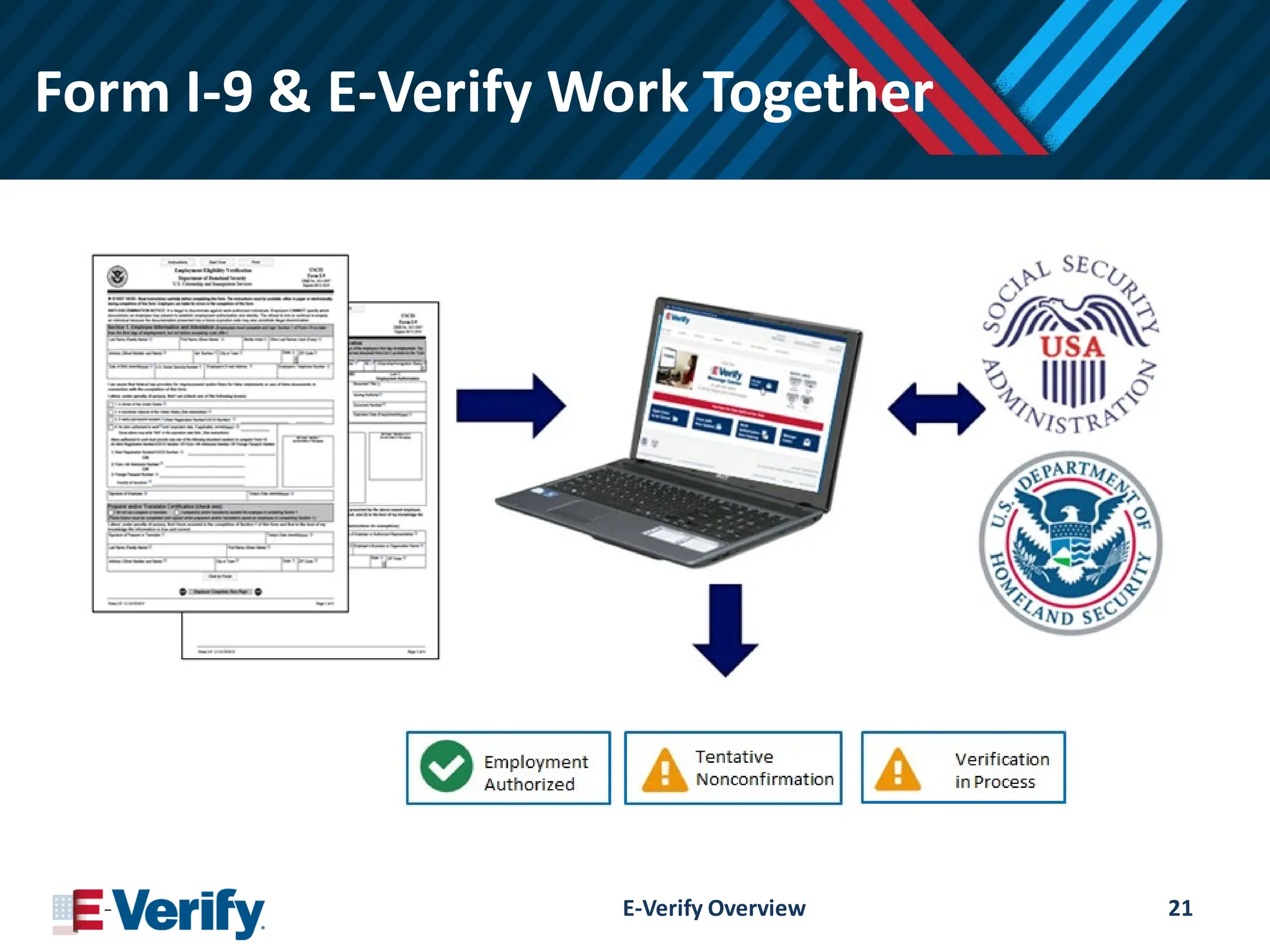
E-Verify and Form I-9
E-Verify Overview 4
5.
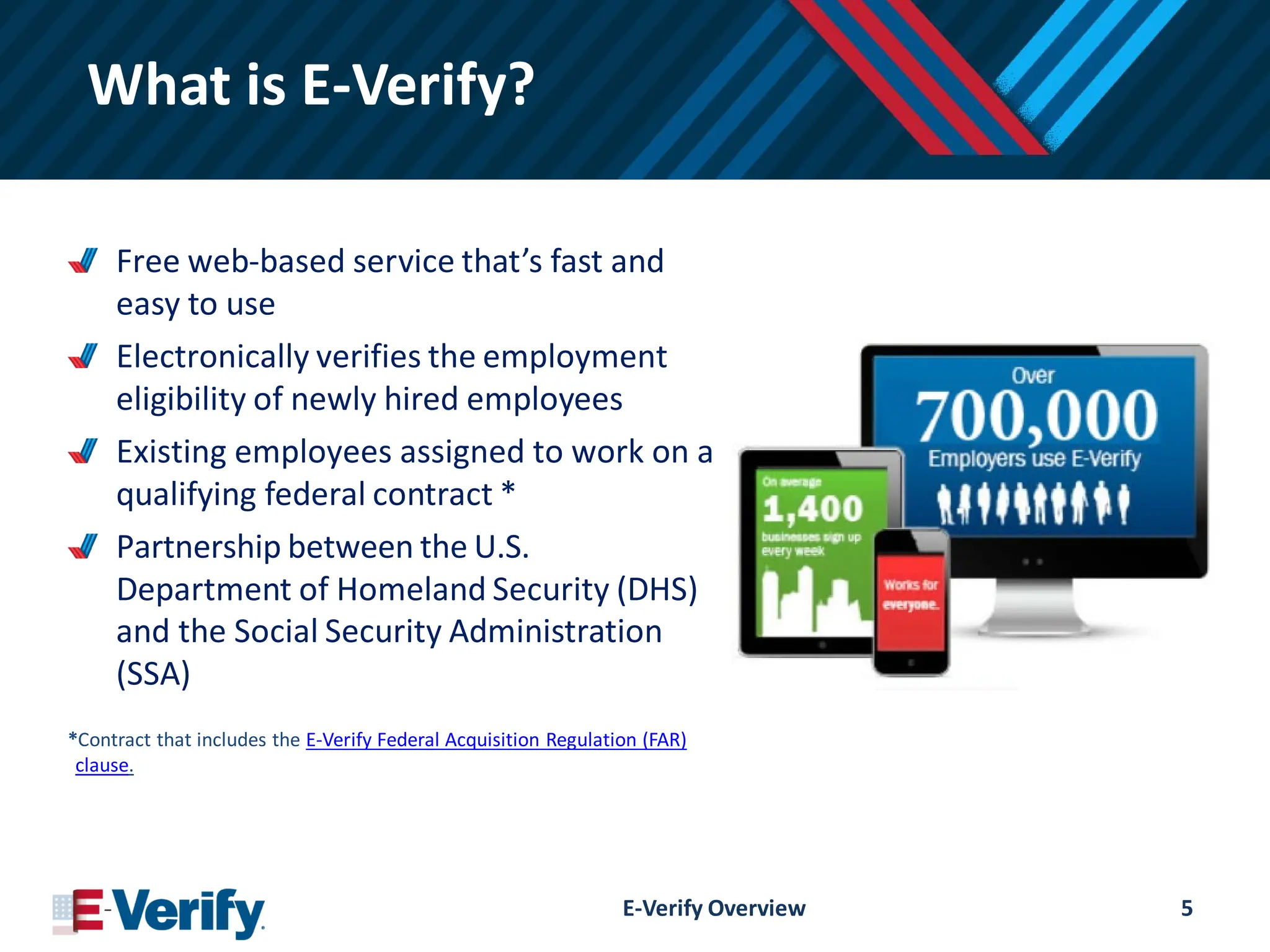
What is E-Verify?
Freeweb-based service that’s fast and
easy to use
Electronically verifies the employment
eligibility of newly hired employees
Existing employees assigned to work on a
qualifying federal contract *
Partnership between the U.S.
Department of Homeland Security (DHS)
and the Social Security Administration
(SSA)
*Contract that includes the E-Verify Federal Acquisition Regulation (FAR)
clause.
E-Verify Overview 5
6.
What Does E-VerifyNot Do?
E-Verify is not…
…a system that provides immigration status
…used for prescreening
…a safe harbor from worksite enforcement
E-Verify Overview 6
7.
Why use E-Verify?
Ensuresa legal workforce
Protects jobs for authorized workers
Deters document and identity fraud
Works seamlessly with Form I-9
E-Verify Overview 7
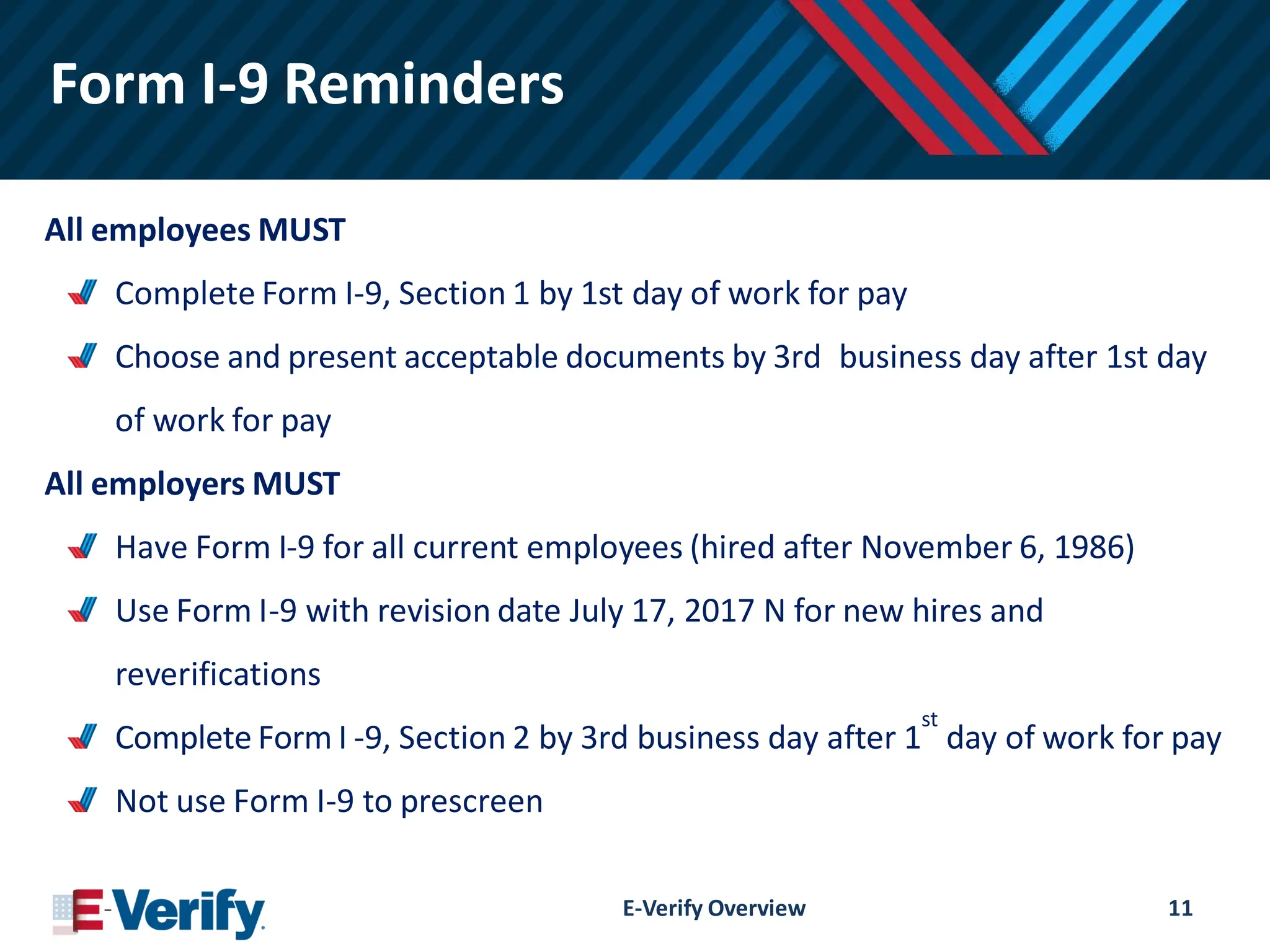
Form I-9 Reminders
Allemployees MUST
Complete Form I-9, Section 1 by 1st day of work for pay
Choose and present acceptable documents by 3rd business day after 1st day
of work for pay
All employers MUST
Have Form I-9 for all current employees (hired after November 6, 1986)
Use Form I-9 with revision date July 17, 2017 N for new hires and
reverifications
Complete Form I -9, Section 2 by 3rd business day after 1
st
day of work for pay
Not use Form I-9 to prescreen
E-Verify Overview 11
12.
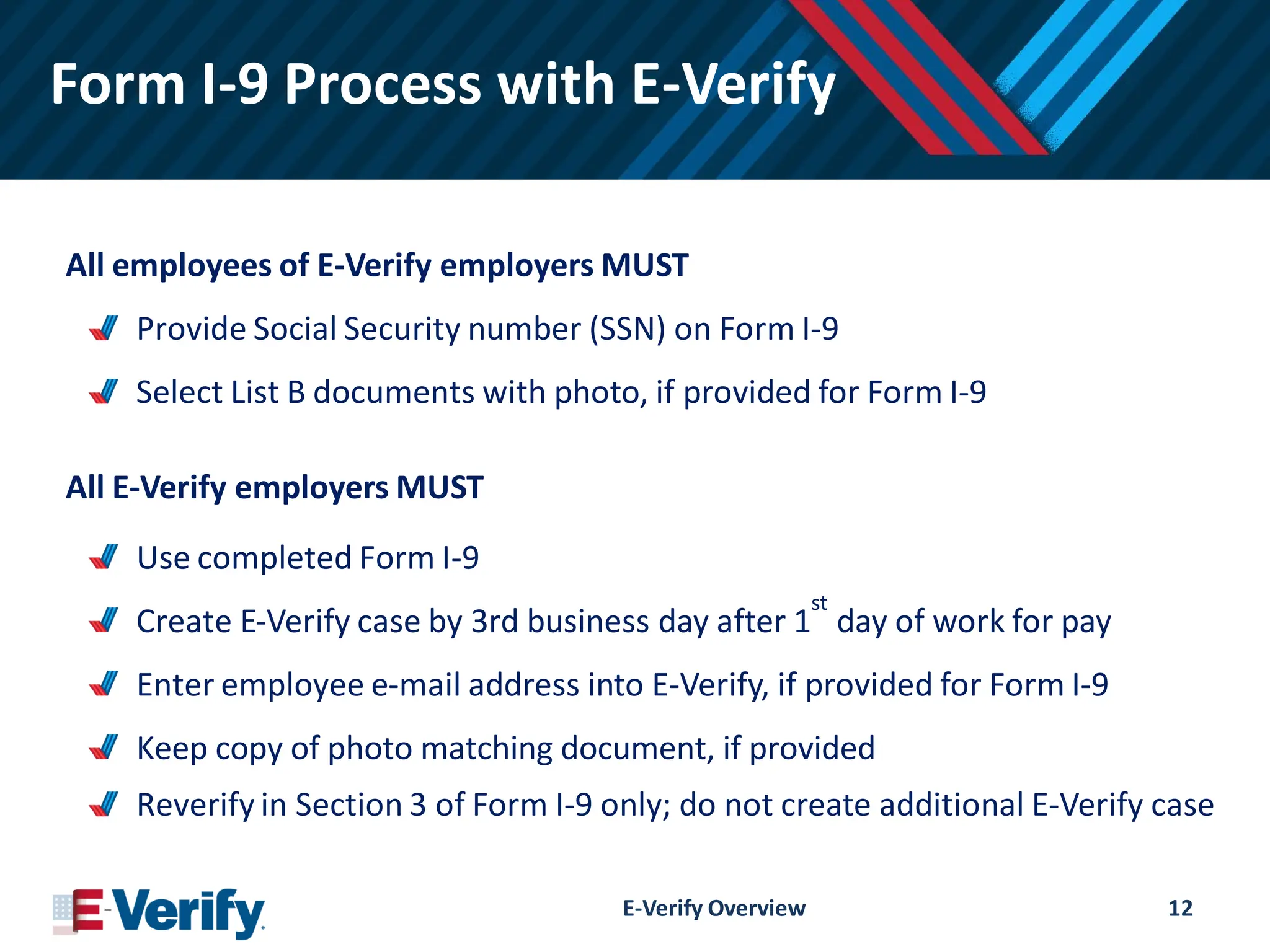
Form I-9 Processwith E-Verify
All employees of E-Verify employers MUST
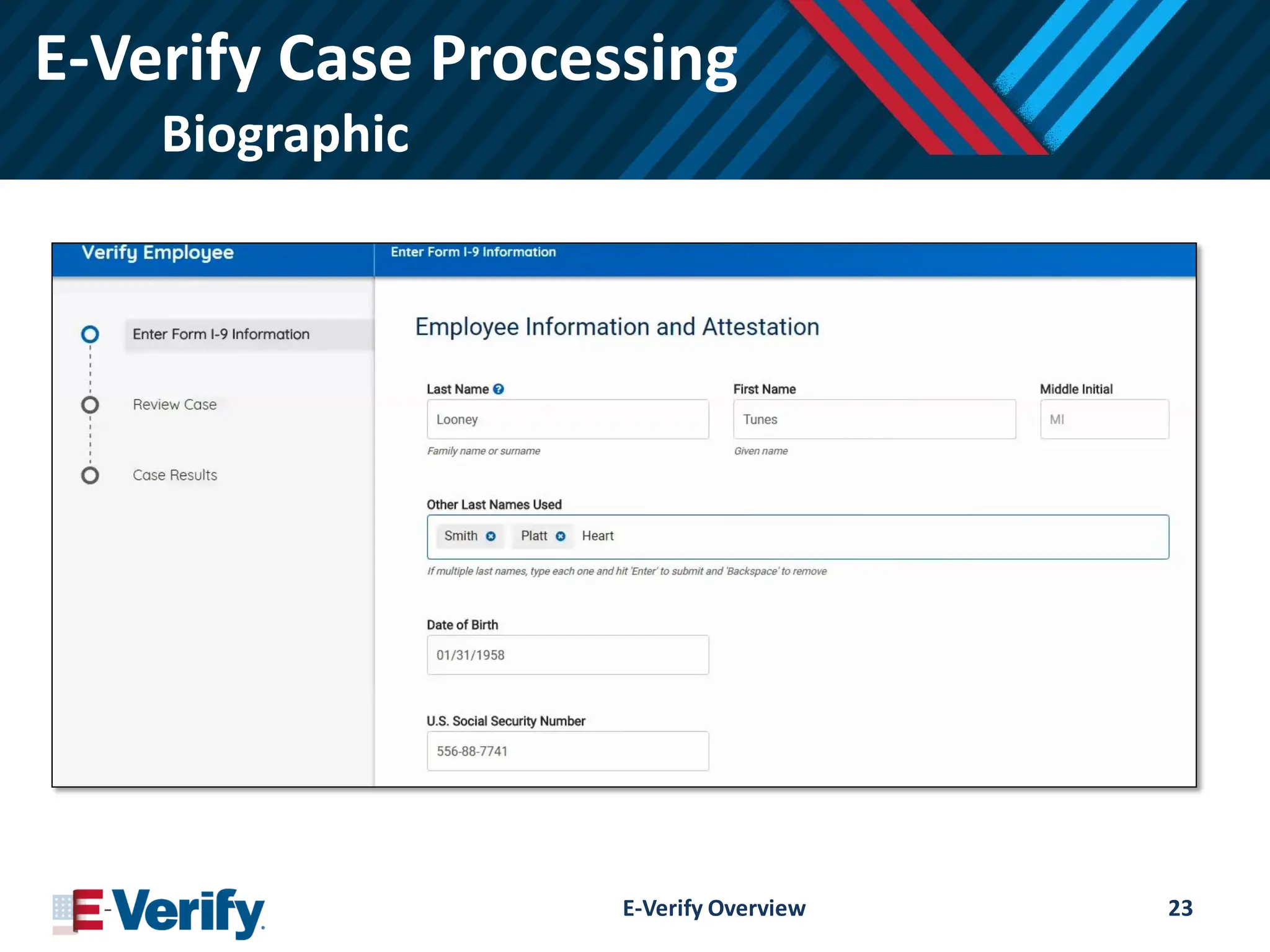
Provide Social Security number (SSN) on Form I-9
Select List B documents with photo, if provided for Form I-9
All E-Verify employers MUST
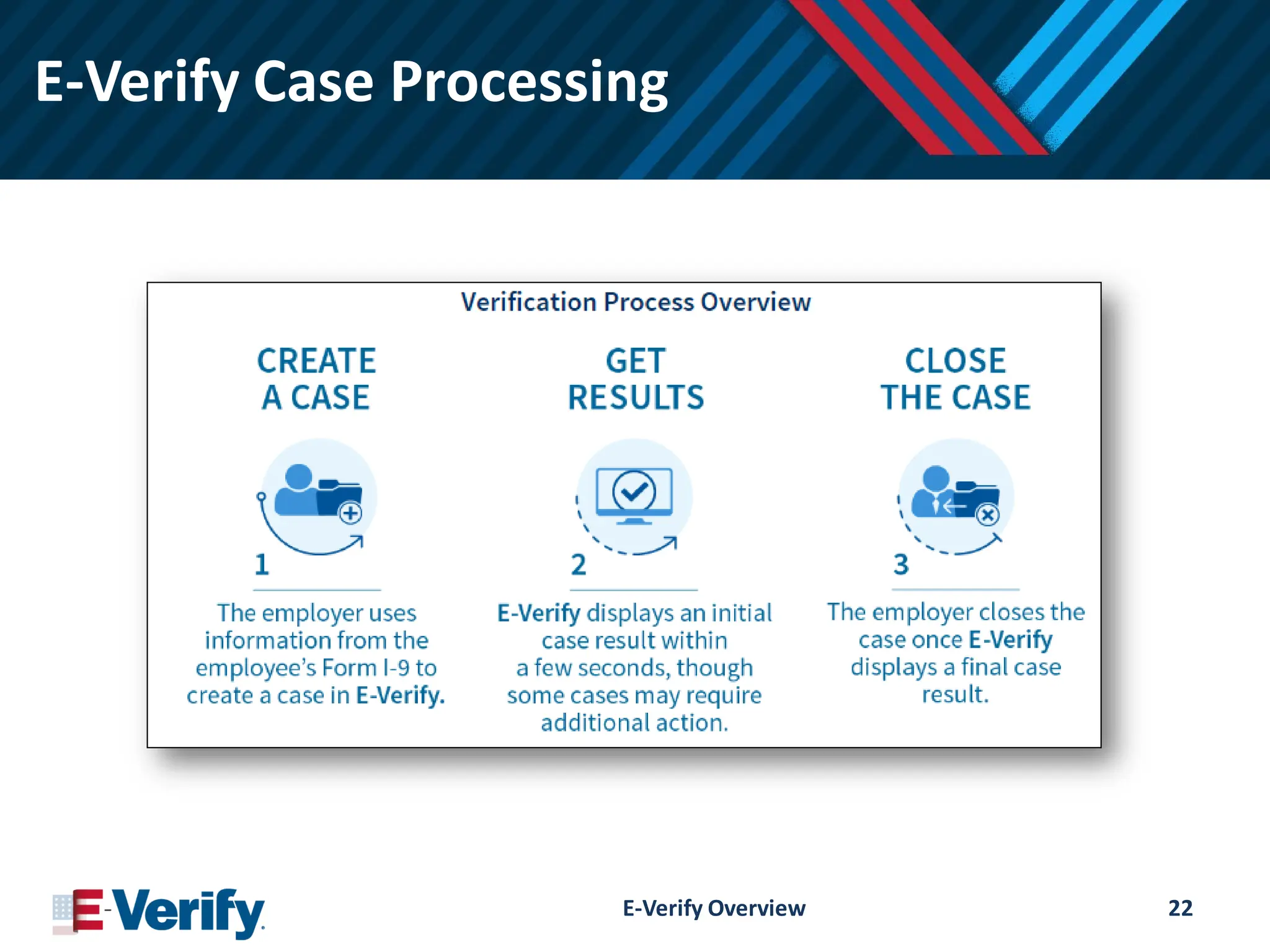
Use completed Form I-9
Create E-Verify case by 3rd business day after 1
st
day of work for pay
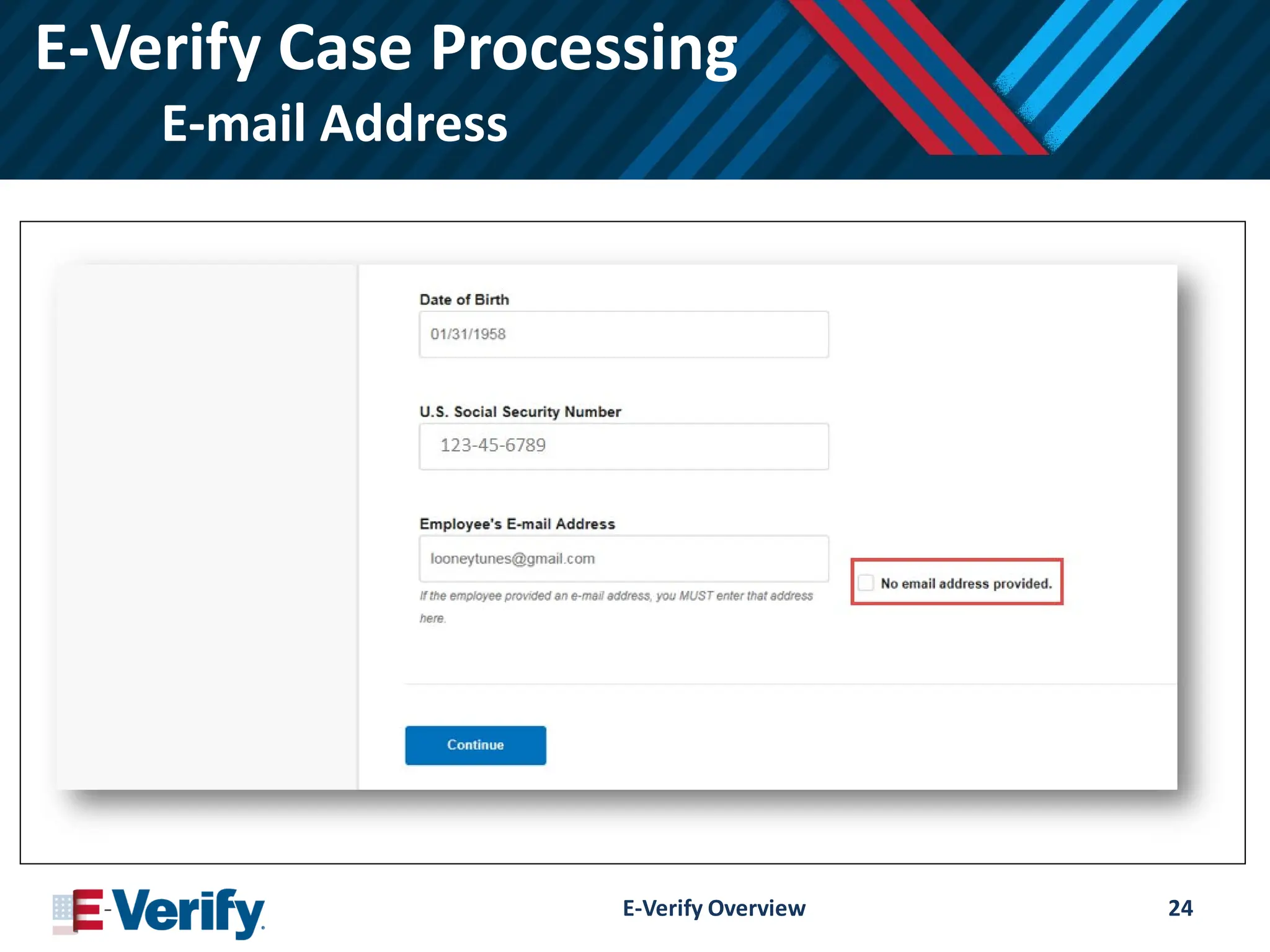
Enter employee e-mail address into E-Verify, if provided for Form I-9
Keep copy of photo matching document, if provided
Reverify in Section 3 of Form I-9 only; do not create additional E-Verify case
E-Verify Overview 12
13.
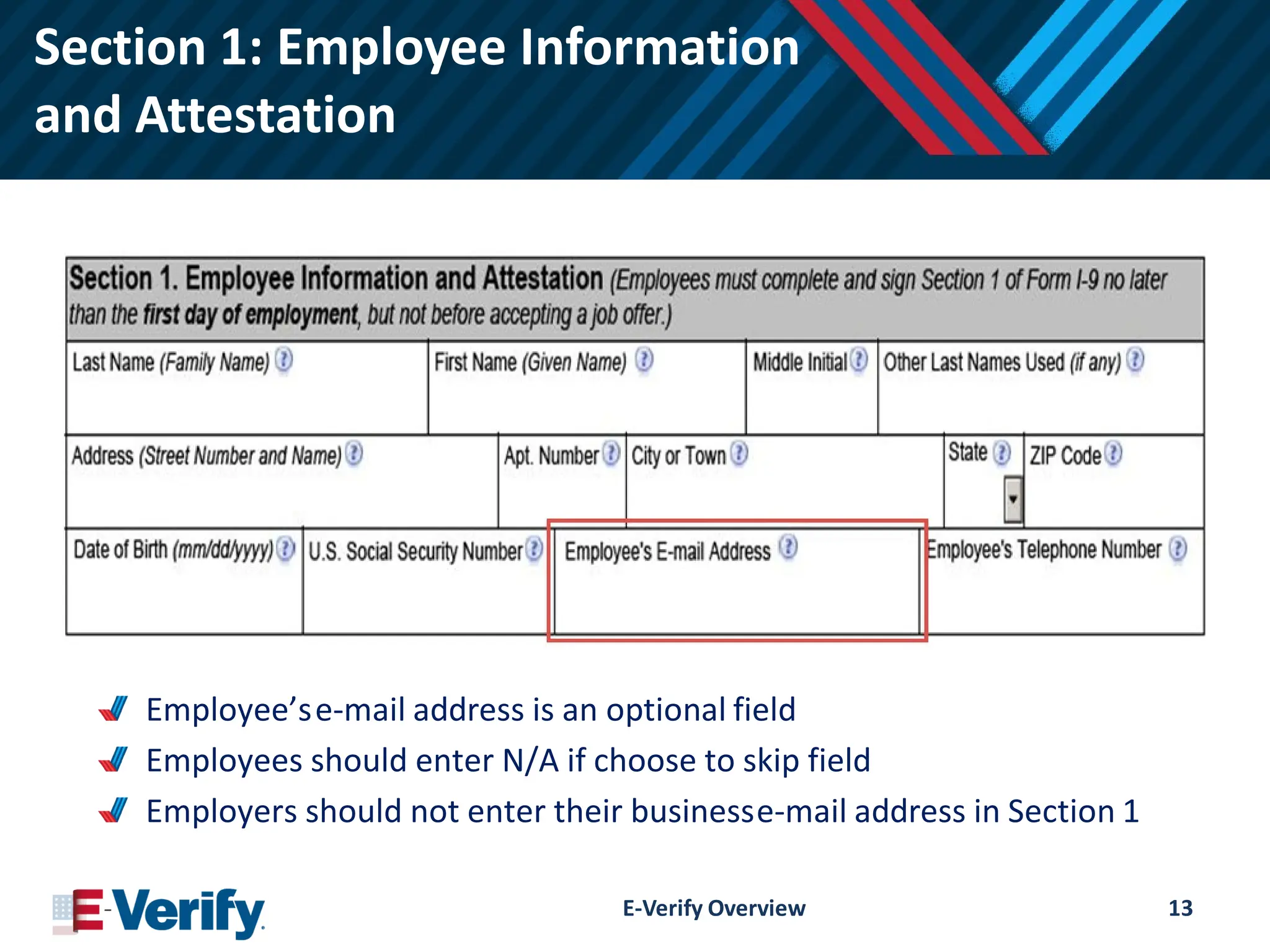
Section 1: EmployeeInformation
and Attestation
Employee’se-mail address is an optional field
Employees should enter N/A if choose to skip field
Employers should not enter their businesse-mail address in Section 1
E-Verify Overview 13
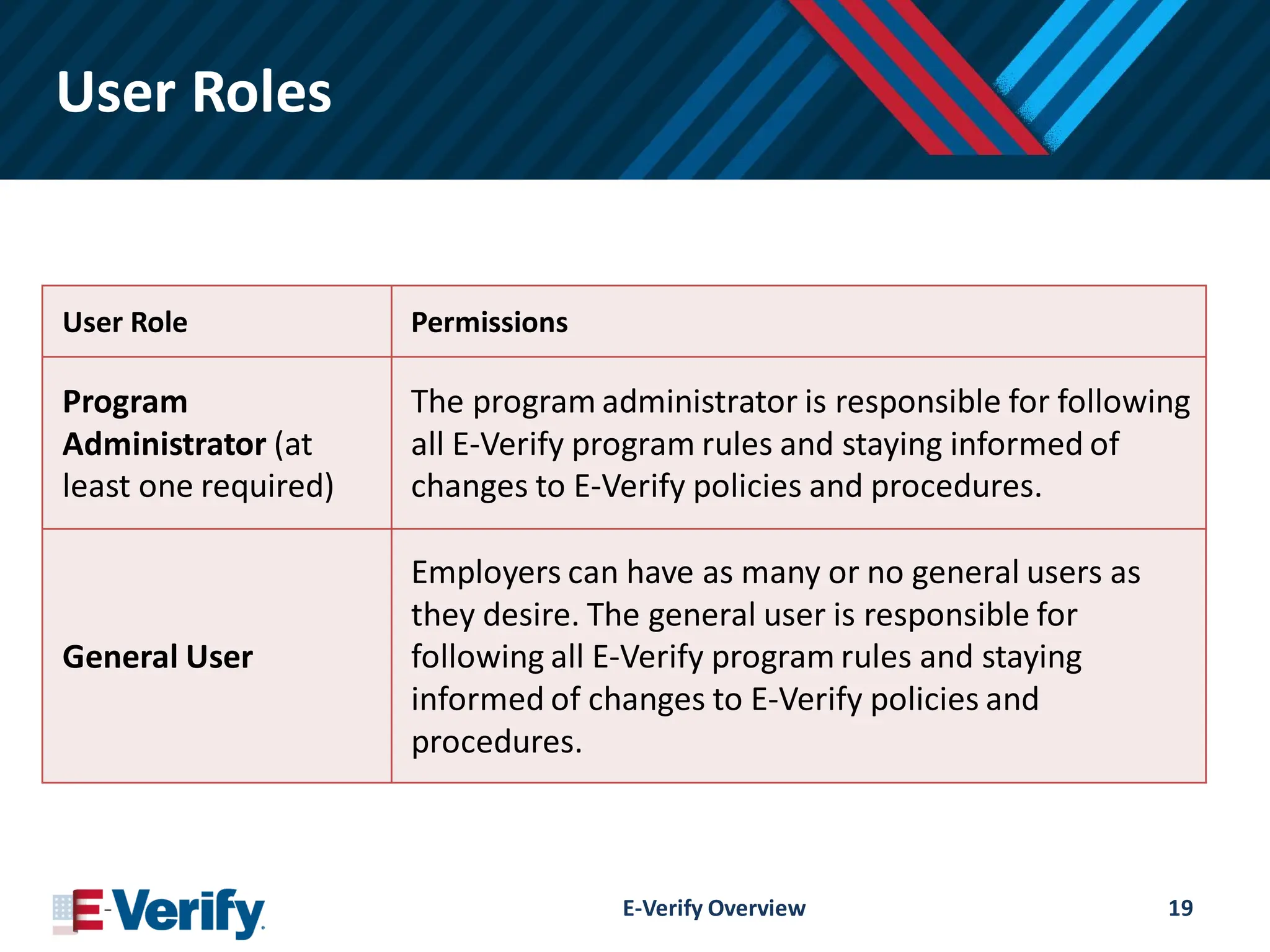
User Roles
User RolePermissions
Program
Administrator (at
least one required)
The program administrator is responsible for following
all E-Verify program rules and staying informed of
changes to E-Verify policies and procedures.
General User
Employers can have as many or no general users as
they desire. The general user is responsible for
following all E-Verify program rules and staying
informed of changes to E-Verify policies and
procedures.
E-Verify Overview 19
20.
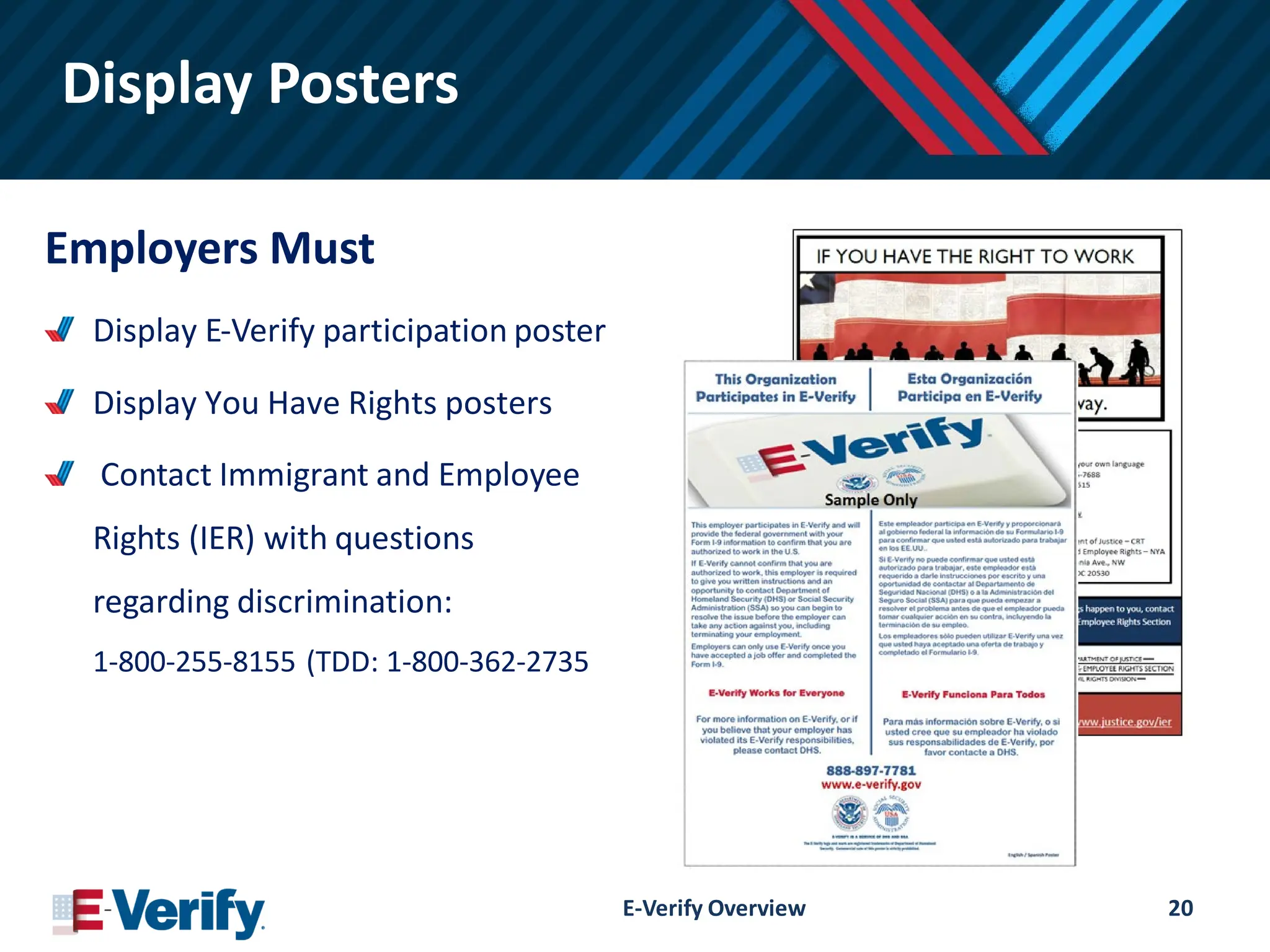
Display Posters
Employers Must
DisplayE-Verify participation poster
Display You Have Rights posters
Contact Immigrant and Employee
Rights (IER) with questions
regarding discrimination:
1-800-255-8155 (TDD: 1-800-362-2735
E-Verify Overview 20
21.
Form I-9 &E-Verify Work Together
E-Verify Overview 21
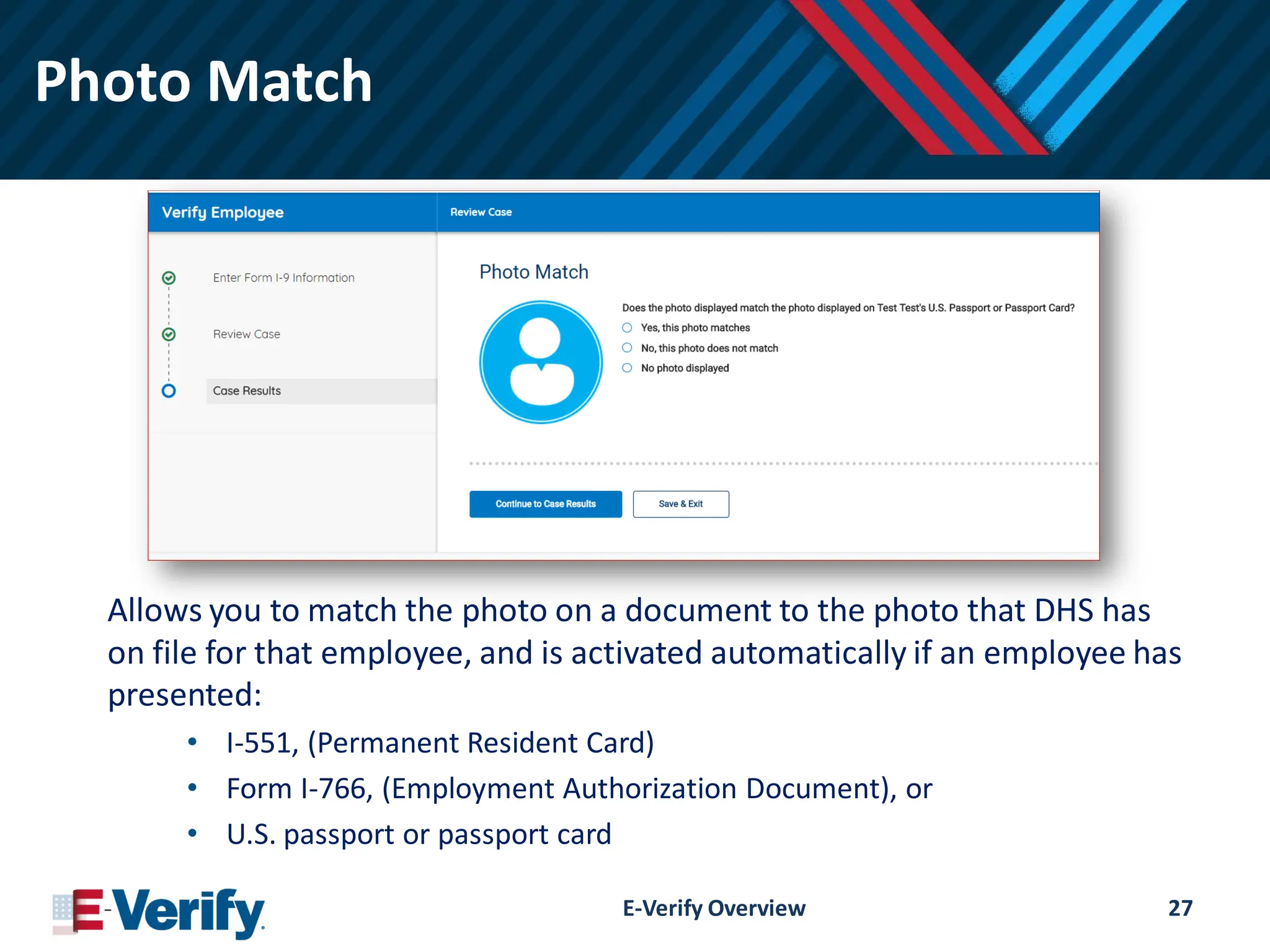
Photo Match
Allows youto match the photo on a document to the photo that DHS has
on file for that employee, and is activated automatically if an employee has
presented:
• I-551, (Permanent Resident Card)
• Form I-766, (Employment Authorization Document), or
• U.S. passport or passport card
E-Verify Overview 27
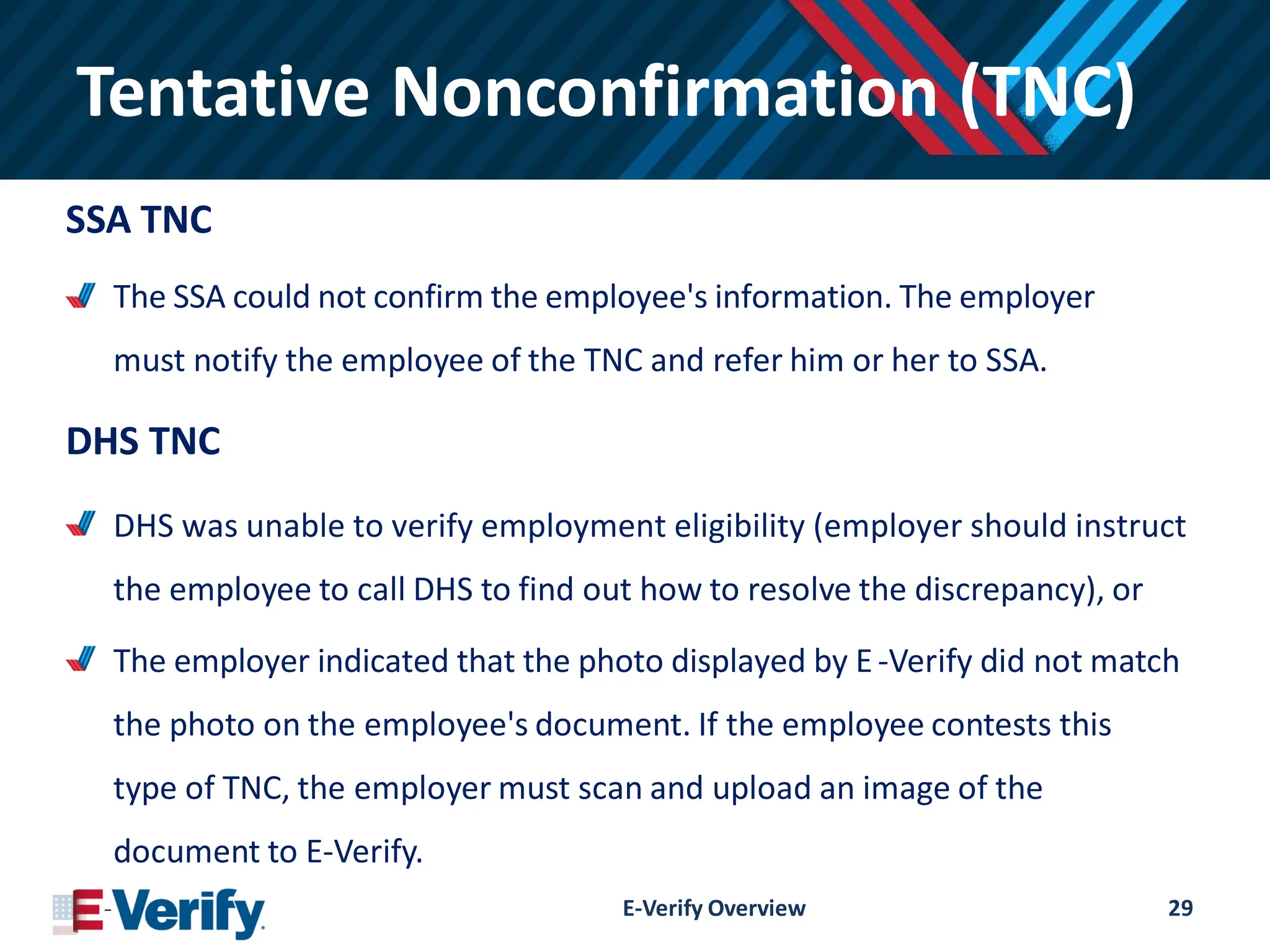
Tentative Nonconfirmation (TNC)
SSATNC
The SSA could not confirm the employee's information. The employer
must notify the employee of the TNC and refer him or her to SSA.
DHS TNC
DHS was unable to verify employment eligibility (employer should instruct
the employee to call DHS to find out how to resolve the discrepancy), or
The employer indicated that the photo displayed by E-Verify did not match
the photo on the employee's document. If the employee contests this
type of TNC, the employer must scan and upload an image of the
document to E-Verify.
E-Verify Overview 29
30.
Tentative Nonconfirmation
Common Reasonsfor a TNC
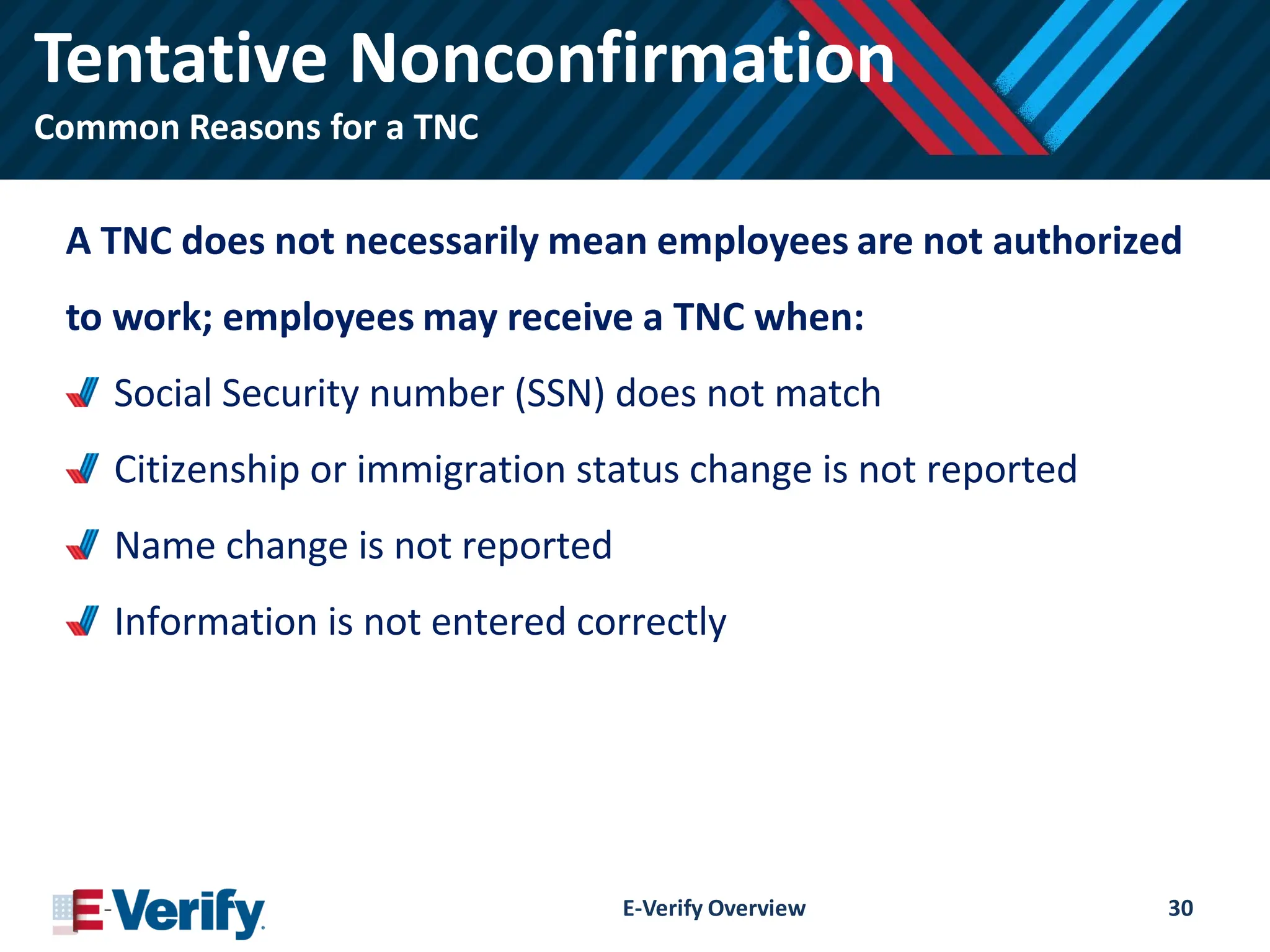
A TNC does not necessarily mean employees are not authorized
to work; employees may receive a TNC when:
Social Security number (SSN) does not match
Citizenship or immigration status change is not reported
Name change is not reported
Information is not entered correctly
E-Verify Overview 30
31.
Tentative Nonconfirmation
Action Required
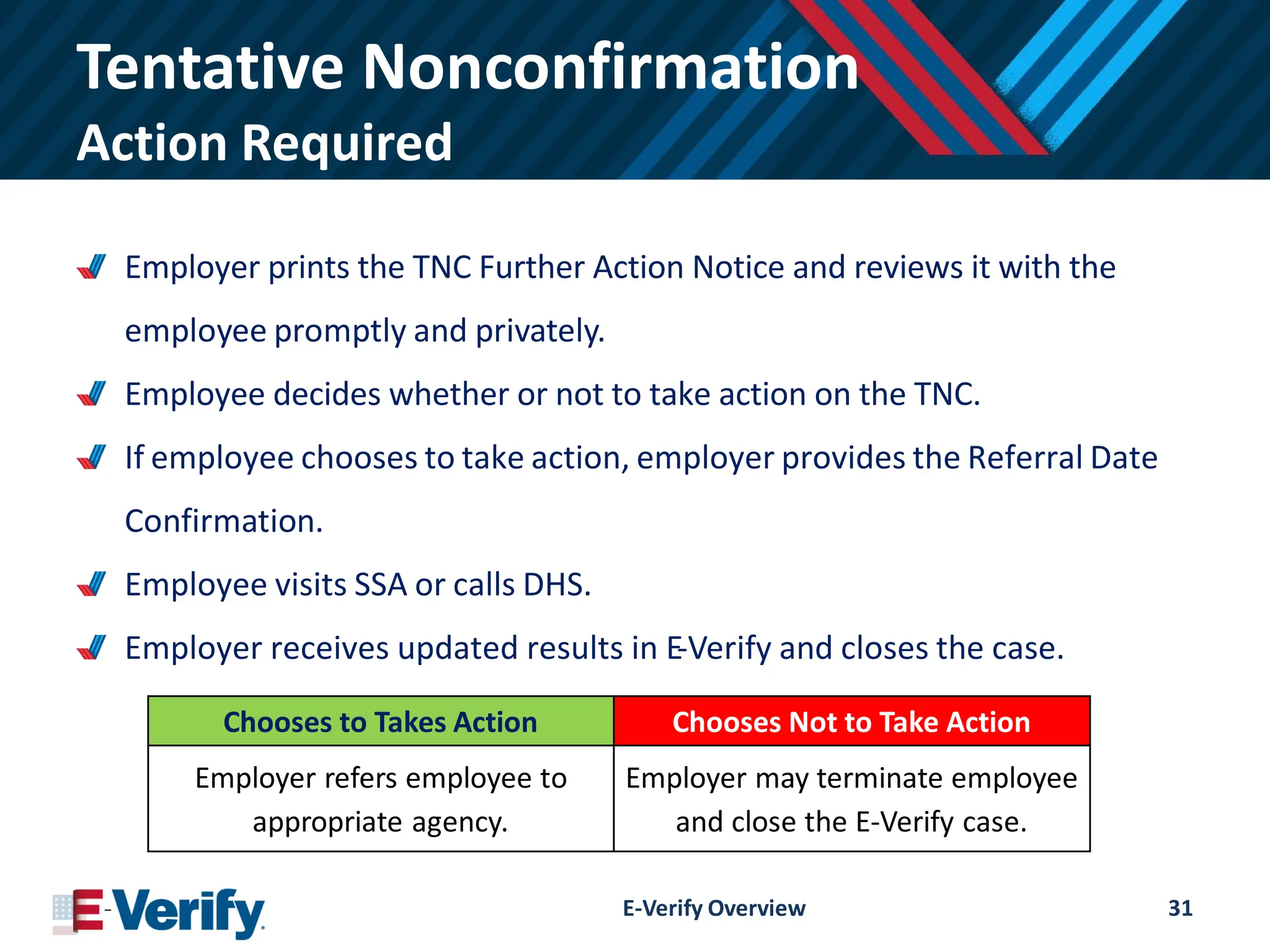
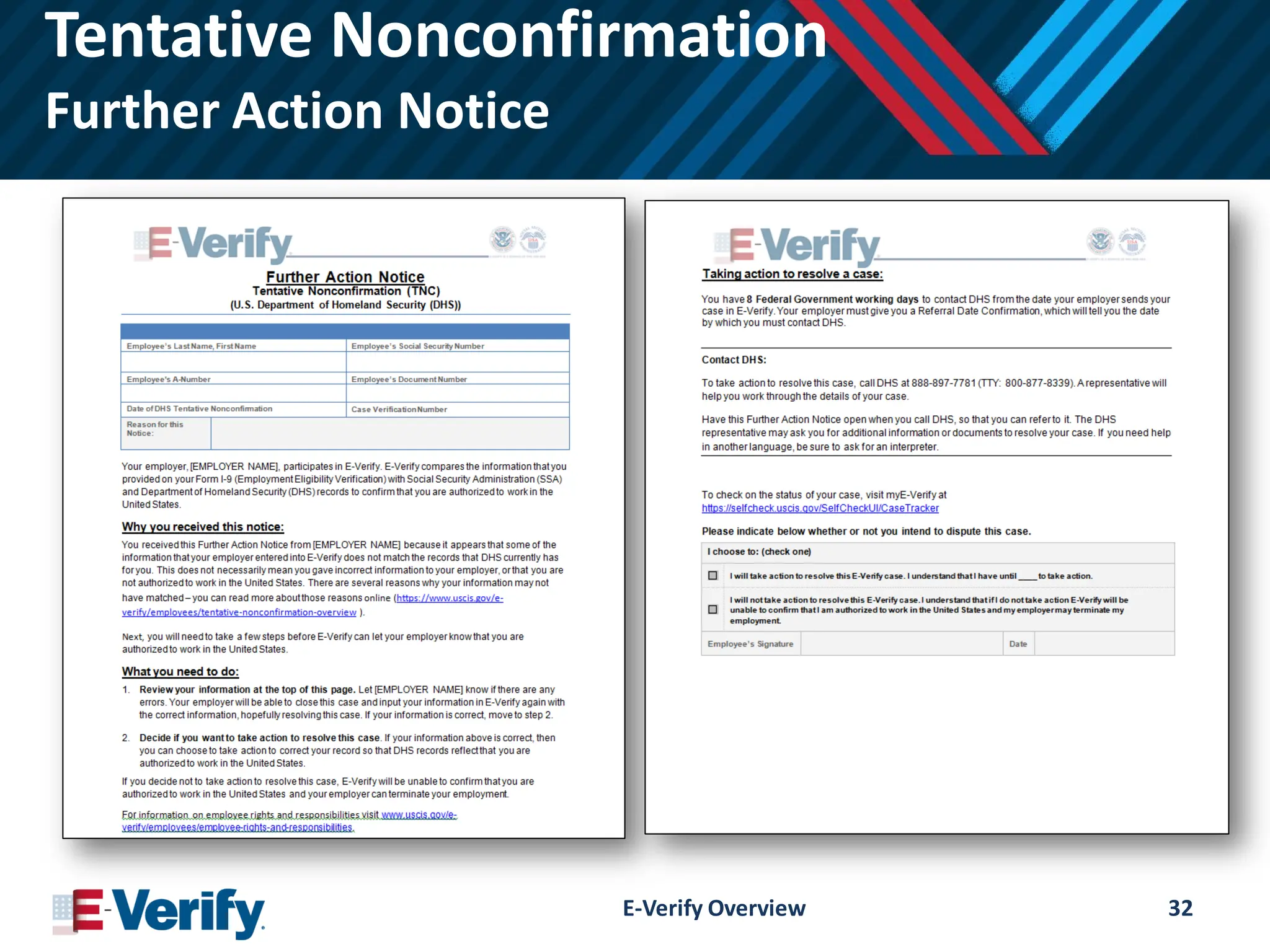
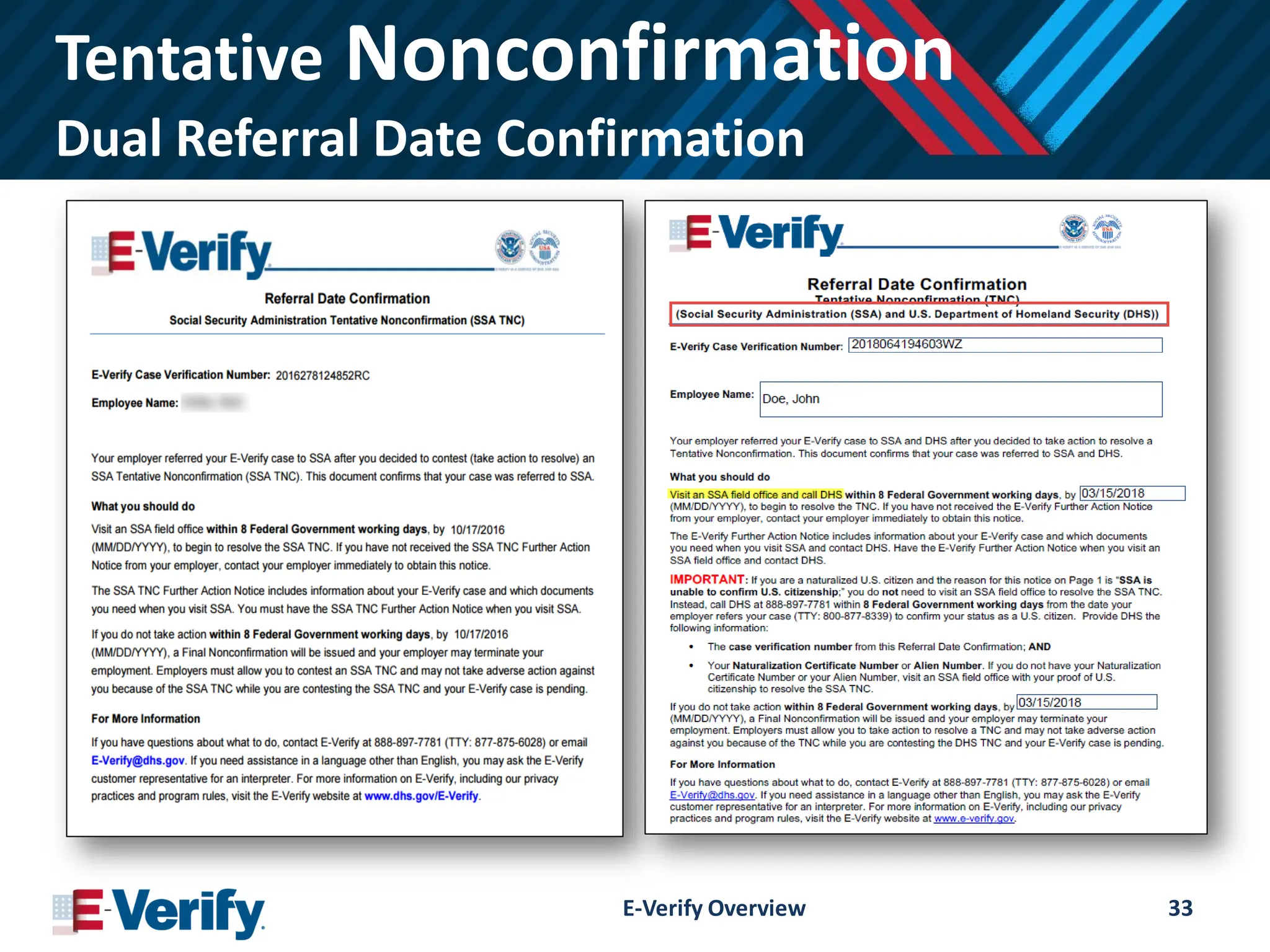
Employerprints the TNC Further Action Notice and reviews it with the
employee promptly and privately.
Employee decides whether or not to take action on the TNC.
If employee chooses to take action, employer provides the Referral Date
Confirmation.
Employee visits SSA or calls DHS.
Employer receives updated results in E-Verify and closes the case.
E-Verify Overview 31
Chooses to Takes Action Chooses Not to Take Action
Employer refers employee to
appropriate agency.
Employer may terminate employee
and close the E-Verify case.
Best Practices
Case StatusUpdates
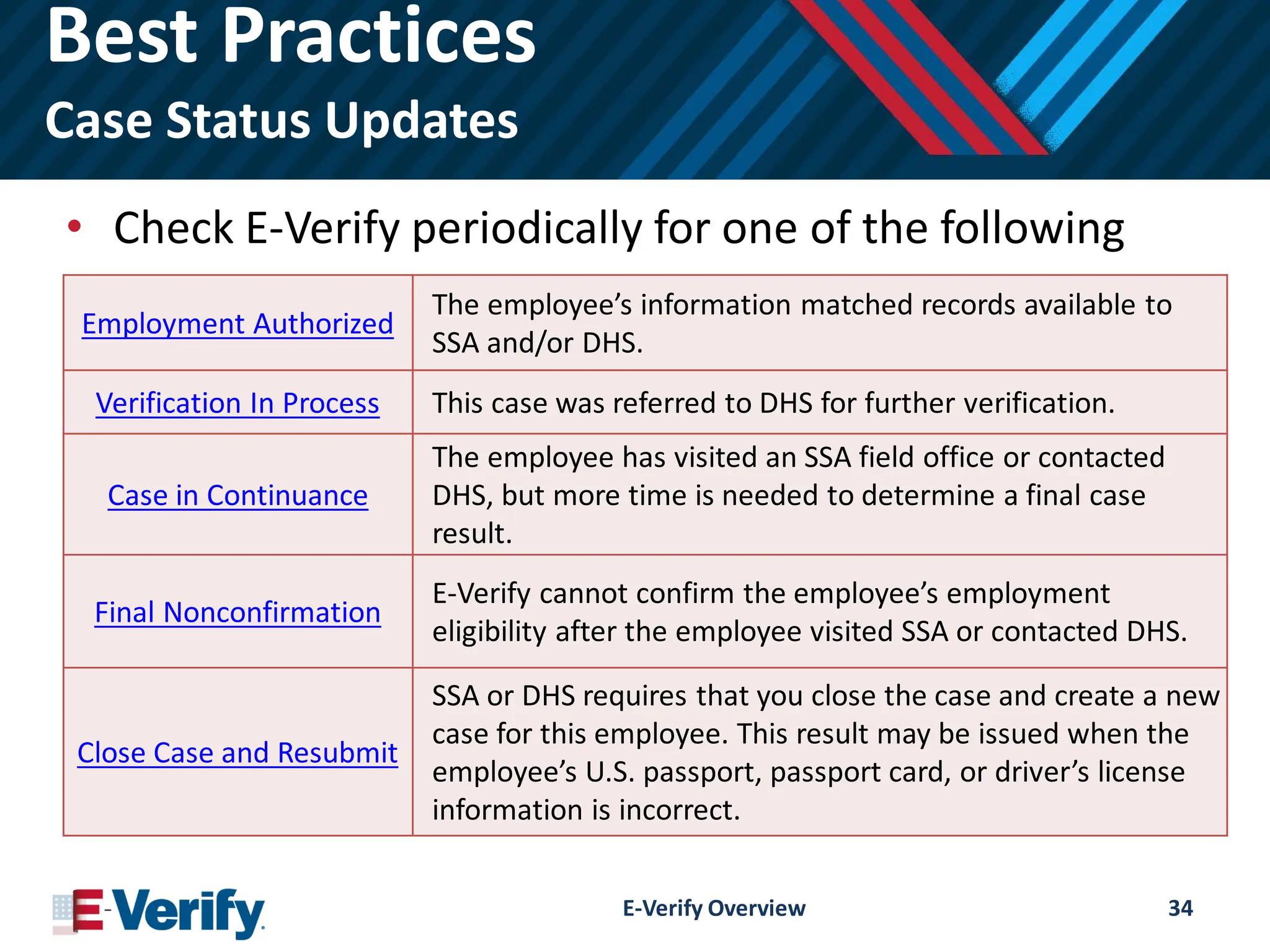
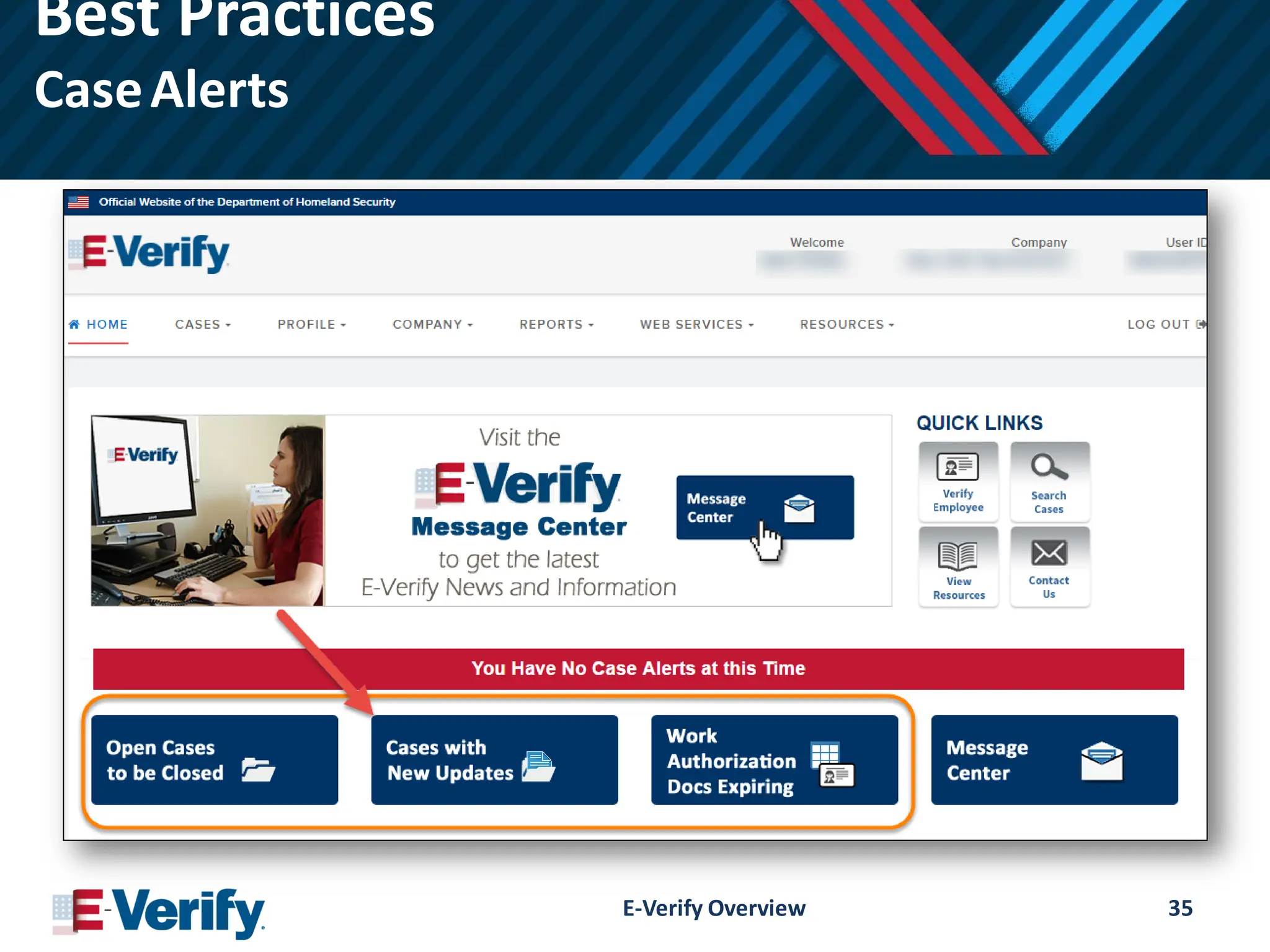
• Check E-Verify periodically for one of the following
responses:
E-Verify Overview 34
Employment Authorized
The employee’s information matched records available to
SSA and/or DHS.
Verification In Process This case was referred to DHS for further verification.
Case in Continuance
The employee has visited an SSA field office or contacted
DHS, but more time is needed to determine a final case
result.
Final Nonconfirmation
E-Verify cannot confirm the employee’s employment
eligibility after the employee visited SSA or contacted DHS.
Close Case and Resubmit
SSA or DHS requires that you close the case and create a new
case for this employee. This result may be issued when the
employee’s U.S. passport, passport card, or driver’s license
information is incorrect.
Employee Rights
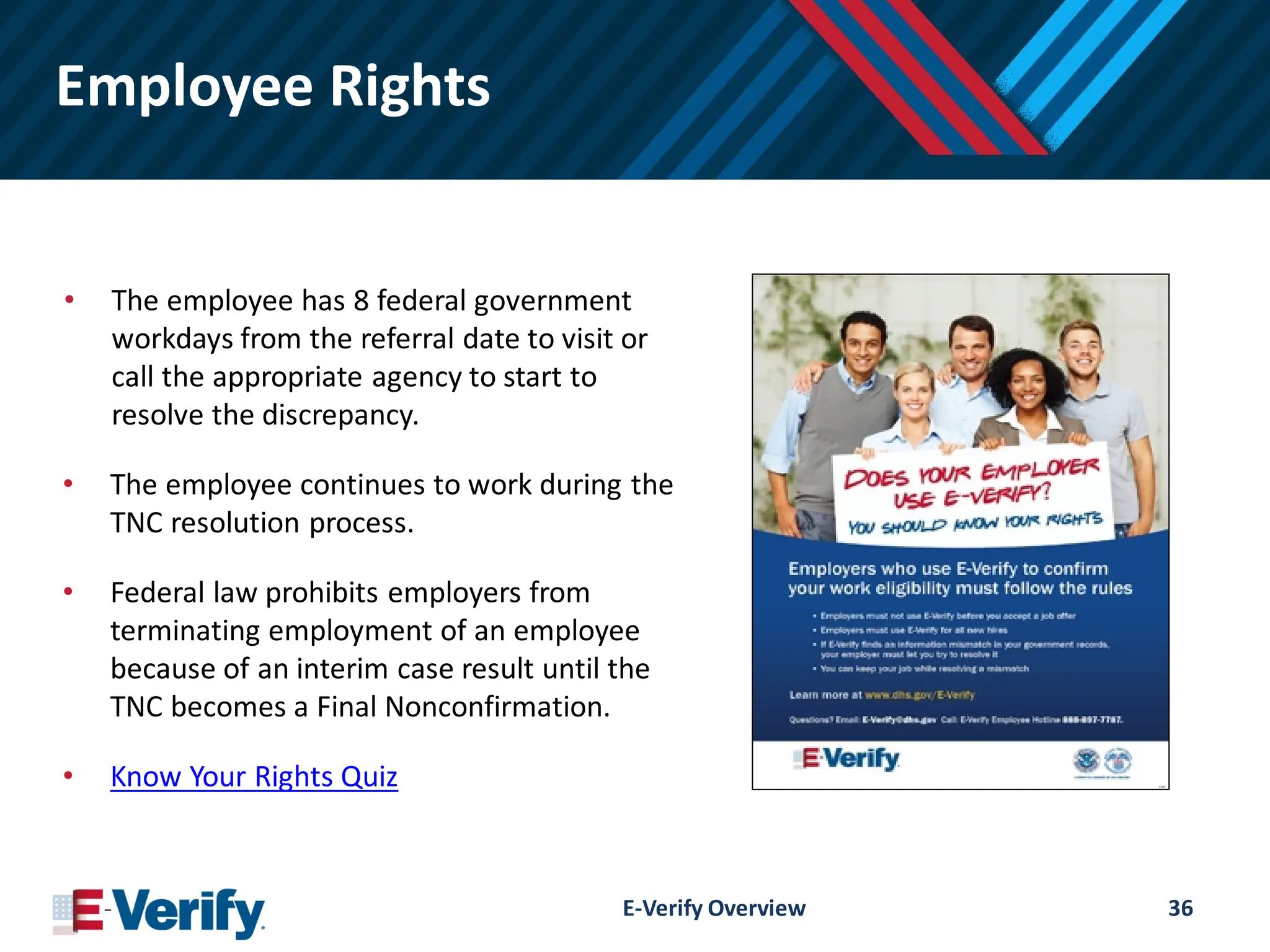
• Theemployee has 8 federal government
workdays from the referral date to visit or
call the appropriate agency to start to
resolve the discrepancy.
• The employee continues to work during the
TNC resolution process.
• Federal law prohibits employers from
terminating employment of an employee
because of an interim case result until the
TNC becomes a Final Nonconfirmation.
• Know Your Rights Quiz
E-Verify Overview 36
37.
Employer Responsibilities
Employers mustnot:
Use E-Verify to pre-screen employment applicants
Use E-Verify selectively; E-Verify must be used for all
new hires
Influence or coerce an employee’s decision whether to
contest a TNC
Terminate or take adverse action against an employee
who is contesting a TNC
Ask for additional documentation after obtaining a TNC
for an employee
E-Verify Overview 37
38.
Federal Contractors
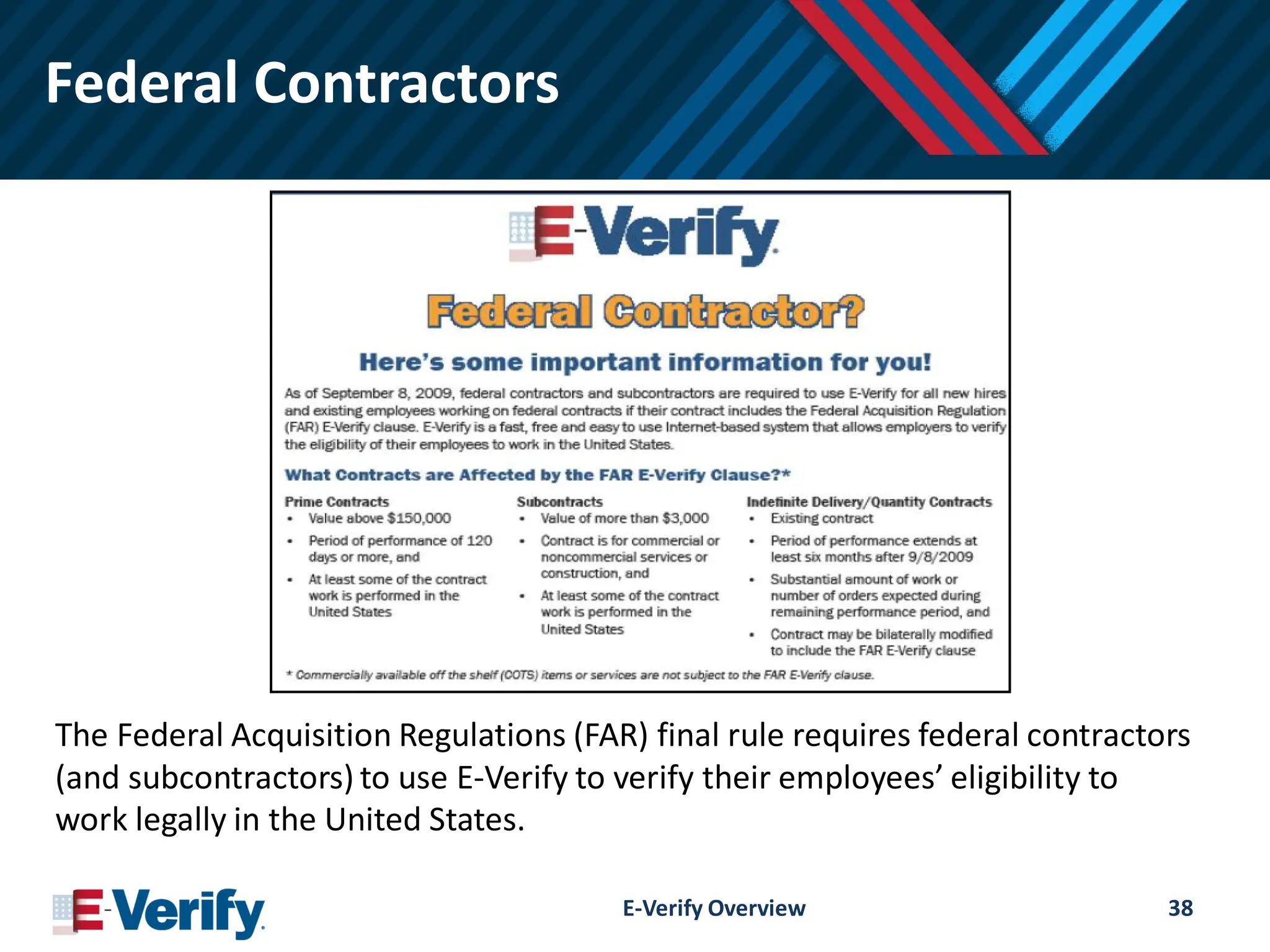
The FederalAcquisition Regulations (FAR) final rule requires federal contractors
(and subcontractors) to use E-Verify to verify their employees’ eligibility to
work legally in the United States.
E-Verify Overview 38
39.
What is myE-Verify?
myE-Verifyis a free web-based service for employees to
participate in the E-Verify process.
Access Self Check to confirm your work eligibility
Create a myE-Verify account
Protect your identity
Learn about your individual rights
myE-Verify Case Tracker
E-Verify Overview 39
40.
Additional Resources
Engage withus online and via Social Media
Visit www.E-Verify.gov
Check out our Videos, E-Verify User Manual, Job Aids, Fact
Sheets, Reports and more on the Employer Resources page
Check out our additional websites I-9Central, myE-Verify
Subscribe to our E-Verify Connection newsletter
Follow #EVerify on www.Twitter.com/EVerify
Watch us on www.youtube.com/uscis
E-Verify Overview 40
41.
Additional Resources
Outreach Services
Takeadvantage of our FREE Outreach services
Take additional public webinars
Request event speakers, customized webinars, or content for
your publications
Seek approval for E-Verify® Logo Authorization
Contact our award winning customer service
E-Verify e-mail: E-VerifyOutreachSupport@uscis.dhs.gov
E-Verify Overview 41
42.
Additional Resources
Feedback
Share yourfeedback
E-mail webinar comments (with date, time and topic) to
E-VerifyOutreachSupport@uscis.dhs.gov
Submit Form I-9, E-Verify and myE-Verify ideas and feedback
on E-Verify Listens
E-Verify Overview 42