What Web 2.0 can do for you  Ann Chapman UKOLN University of Bath Bath, UK UKOLN is supported by: This work is licensed under a Attribution-NonCommercial-ShareAlike 2.0 licence (but note caveat) About this Talk This talk will look at how you can use the social web to support the work of your organisation http://www.ukoln.ac.uk/cultural-heritage/events/social-web-birmingham-2010-10/ Twitter: http://twitter.com/ukolnculture/  Email: [email_address]
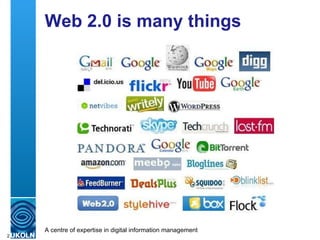
Web 2.0 is many things
What defines Web 2.0? It’s an attitude – not technical standards Always evolving Can be ephemeral  Participation Openness and trust Simple to use Often free to use
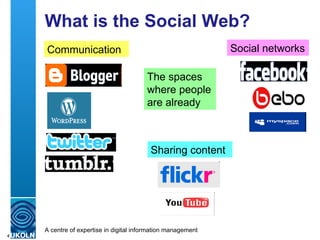
What is the Social Web? Communication Social networks Sharing content The spaces where people are already
Social Web Users Who? Many grew up with Web 2.0 But not just the young - silver surfers People with disabilities What for? See Web 2.0 as a social environment Use Web 2.0 for personal storage Share content via Web 2.0 How? Devices may determine type of service use Age may steer choice of service types
Did You Know? Fact 72% of internet population are on at least one social network Twitter gets 300,000 new users every day Figures above from: 52 Cool Facts about social media (http:bit.ly/aoczDA) 13 Mind-blowing facts on social media (http:bit.ly/9HDprr) Alerted to these by: Phil Bradley column in CILIP Update
Where Do You Start? Don’t start with ‘ We need to blog ’ But ask yourself What do I want to achieve? Who do I want to make contact with? What are their likely interests? What do they use?
Task = Communicate Think Web 2.0 “ as well as ” Not instead of Web page, RSS feed, posters and fliers, etc. Activities Holiday challenges for children Touch sessions for visually impaired people News Announcements and reminders Changes (to opening hours, services, contact details, etc.) Emergencies (closed by snow, floods, power cuts)
Communicate by … Activities Blogs, Twitter, Web pages News – general Blogs as well as home page and RSS feeds News - emergency Twitter: re-tweets mean a message can reach a wide audience very quickly Update your Facebook page and set up automatic tweets
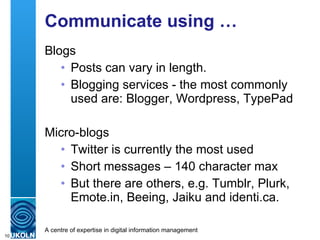
Communicate using … Blogs Posts can vary in length. Blogging services - the most commonly used are: Blogger, Wordpress, TypePad Micro-blogs Twitter is currently the most used Short messages – 140 character max But there are others, e.g. Tumblr, Plurk, Emote.in, Beeing, Jaiku and identi.ca.
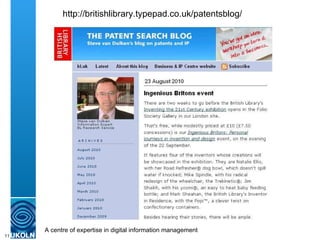
http://britishlibrary.typepad.co.uk/patentsblog/
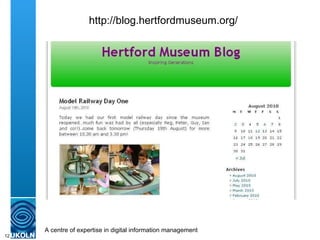
http://blog.hertfordmuseum.org/
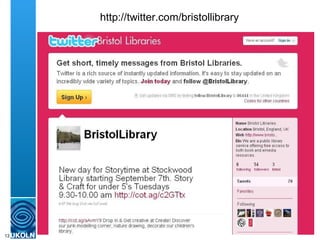
http://twitter.com/bristollibrary
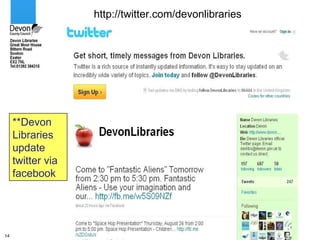
http://twitter.com/devonlibraries **Devon Libraries update  twitter via facebook
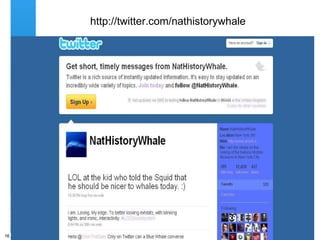
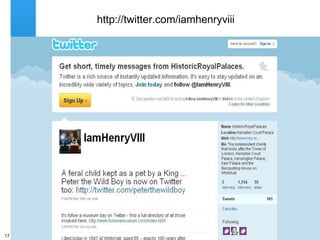
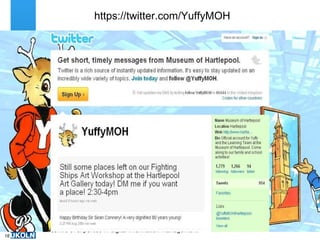
Character Twitter Accounts Why? Establishing a character makes it more personal Can be quirky and eye-catching It’s fun – appeals to the young (and not so young?) Builds a link to the organisation
http://twitter.com/nathistorywhale
http://twitter.com/iamhenryviii
https://twitter.com/YuffyMOH
Task = Building Communities Reading groups Friends of the (museum/library/archive) Local history groups
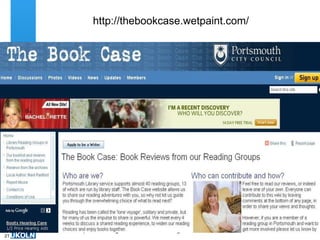
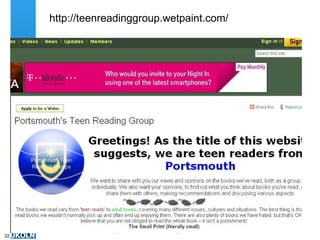
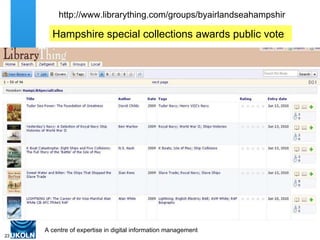
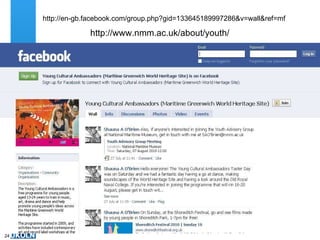
Build Community by … Reading groups Continue discussion from meetings Enable housebound / sensory impaired to join in Blogs or wikis Friends of the museum – promote activities Facebook groups Local history group - share content Flickr group
http://thebookcase.wetpaint.com/
http://teenreadinggroup.wetpaint.com/
http://www.librarything.com/groups/byairlandseahampshir Hampshire special collections awards public vote
http://www.nmm.ac.uk/about/youth/ http://en-gb.facebook.com/group.php?gid=133645189997286&v=wall&ref=mf
Task = Staff Development The problems Little or no budget Limited staff time to attend courses Staff located in multiple locations Part-time staff – timetabling issues Staff at different levels of experience
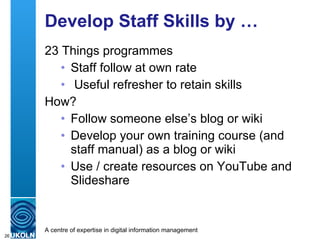
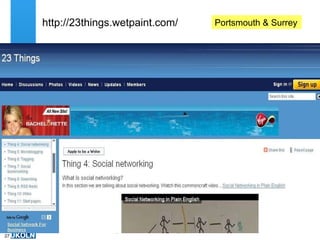
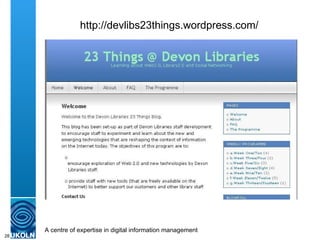
Develop Staff Skills by … 23 Things programmes  Staff follow at own rate Useful refresher to retain skills How? Follow someone else’s blog or wiki Develop your own training course (and staff manual) as a blog or wiki Use / create resources on YouTube and Slideshare
http://23things.wetpaint.com/ Portsmouth & Surrey
http://devlibs23things.wordpress.com/
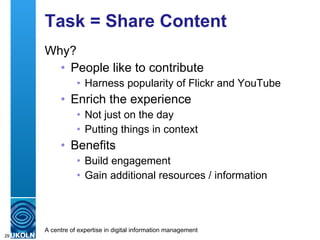
Task = Share Content Why? People like to contribute Harness popularity of Flickr and YouTube Enrich the experience Not just on the day Putting things in context Benefits Build engagement Gain additional resources / information
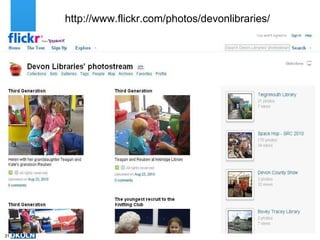
Share Content by … Blogs Local history – post on topic, people add information through comments Flickr Your photos lacking date/place/names Their photos: current events, historical YouTube Curator talks on specific objects Author talks Oral history interviews
http://www.flickr.com/photos/devonlibraries/
What Else Could I Use? Podcasts (via YouTube) Can be audio or video Oral history interviews, author talks ‘ How to’ talks Brian Kelly on Web 2.0 (video podcast on YouTube) http://www.youtube.com/watch?v=axoRFdINQRc Librarything Free up to 200 titles, or small fee above that ‘ New to the library’ collection Virtual bookshelf on a topic Reading group resource
Questions Any questions? Name : Ann Chapman  Address : UKOLN, University of Bath, BATH, UK Email : a.d.chapman@ukoln.ac.uk Web site : http://www.ukoln.ac.uk/ Blog :  http://blogs.ukoln.ac.uk/cultural-heritage/

What Web 2.0 Can Do For You

  • 1.
    What Web 2.0can do for you Ann Chapman UKOLN University of Bath Bath, UK UKOLN is supported by: This work is licensed under a Attribution-NonCommercial-ShareAlike 2.0 licence (but note caveat) About this Talk This talk will look at how you can use the social web to support the work of your organisation http://www.ukoln.ac.uk/cultural-heritage/events/social-web-birmingham-2010-10/ Twitter: http://twitter.com/ukolnculture/ Email: [email_address]
  • 2.
    Web 2.0 ismany things
  • 3.
    What defines Web2.0? It’s an attitude – not technical standards Always evolving Can be ephemeral Participation Openness and trust Simple to use Often free to use
  • 4.
    What is theSocial Web? Communication Social networks Sharing content The spaces where people are already
  • 5.
    Social Web UsersWho? Many grew up with Web 2.0 But not just the young - silver surfers People with disabilities What for? See Web 2.0 as a social environment Use Web 2.0 for personal storage Share content via Web 2.0 How? Devices may determine type of service use Age may steer choice of service types
  • 6.
    Did You Know?Fact 72% of internet population are on at least one social network Twitter gets 300,000 new users every day Figures above from: 52 Cool Facts about social media (http:bit.ly/aoczDA) 13 Mind-blowing facts on social media (http:bit.ly/9HDprr) Alerted to these by: Phil Bradley column in CILIP Update
  • 7.
    Where Do YouStart? Don’t start with ‘ We need to blog ’ But ask yourself What do I want to achieve? Who do I want to make contact with? What are their likely interests? What do they use?
  • 8.
    Task = CommunicateThink Web 2.0 “ as well as ” Not instead of Web page, RSS feed, posters and fliers, etc. Activities Holiday challenges for children Touch sessions for visually impaired people News Announcements and reminders Changes (to opening hours, services, contact details, etc.) Emergencies (closed by snow, floods, power cuts)
  • 9.
    Communicate by …Activities Blogs, Twitter, Web pages News – general Blogs as well as home page and RSS feeds News - emergency Twitter: re-tweets mean a message can reach a wide audience very quickly Update your Facebook page and set up automatic tweets
  • 10.
    Communicate using …Blogs Posts can vary in length. Blogging services - the most commonly used are: Blogger, Wordpress, TypePad Micro-blogs Twitter is currently the most used Short messages – 140 character max But there are others, e.g. Tumblr, Plurk, Emote.in, Beeing, Jaiku and identi.ca.
  • 11.
  • 12.
  • 13.
  • 14.
  • 15.
    Character Twitter AccountsWhy? Establishing a character makes it more personal Can be quirky and eye-catching It’s fun – appeals to the young (and not so young?) Builds a link to the organisation
  • 16.
  • 17.
  • 18.
  • 19.
    Task = BuildingCommunities Reading groups Friends of the (museum/library/archive) Local history groups
  • 20.
    Build Community by… Reading groups Continue discussion from meetings Enable housebound / sensory impaired to join in Blogs or wikis Friends of the museum – promote activities Facebook groups Local history group - share content Flickr group
  • 21.
  • 22.
  • 23.
  • 24.
  • 25.
    Task = StaffDevelopment The problems Little or no budget Limited staff time to attend courses Staff located in multiple locations Part-time staff – timetabling issues Staff at different levels of experience
  • 26.
    Develop Staff Skillsby … 23 Things programmes Staff follow at own rate Useful refresher to retain skills How? Follow someone else’s blog or wiki Develop your own training course (and staff manual) as a blog or wiki Use / create resources on YouTube and Slideshare
  • 27.
  • 28.
  • 29.
    Task = ShareContent Why? People like to contribute Harness popularity of Flickr and YouTube Enrich the experience Not just on the day Putting things in context Benefits Build engagement Gain additional resources / information
  • 30.
    Share Content by… Blogs Local history – post on topic, people add information through comments Flickr Your photos lacking date/place/names Their photos: current events, historical YouTube Curator talks on specific objects Author talks Oral history interviews
  • 31.
  • 32.
    What Else CouldI Use? Podcasts (via YouTube) Can be audio or video Oral history interviews, author talks ‘ How to’ talks Brian Kelly on Web 2.0 (video podcast on YouTube) http://www.youtube.com/watch?v=axoRFdINQRc Librarything Free up to 200 titles, or small fee above that ‘ New to the library’ collection Virtual bookshelf on a topic Reading group resource
  • 33.
    Questions Any questions?Name : Ann Chapman Address : UKOLN, University of Bath, BATH, UK Email : a.d.chapman@ukoln.ac.uk Web site : http://www.ukoln.ac.uk/ Blog : http://blogs.ukoln.ac.uk/cultural-heritage/