Mike Gilronan
SharePoint Practice Director
McGladrey, LLP
mike.gilronan@mcgladrey.com
@mikegil
What Goes Where
Rules of the Road for Microsoft Social and
Collaboration Technologies
What Goes Where
Rules of the Road for Microsoft Social and Collaboration Technologies
SharePoint Saturday New Hampshire
21 September 2013
Mike Gilronan
What We’ll Cover
• Collaboration Tools
• Amplifiers, Hurdles, Simplifiers
• How to Chooose
• Action Plan
Definition of terms
• Collaboration (def.) – People working with other people toward a
common outcome. (M. Sampson, “Collaboration Roadmap”)
• Communication is different from, but essential to, collaboration.
Flickr photo courtesy of jovike: http://www.flickr.com/photos/jvk/19894053/
Why Does This Matter?
• World is:
• Smaller
• Flatter
• More Complex
• More Connected
• Collaboration is more important than ever, but still done badly.
• “We built it and they didn’t come.”
• “The business” and IT don’t agree
• Business factors and human factors are not supported enough
• Plenty of “People-Ready Software,” not enough “Software-Ready People”
Flickr photo courtesy of Eric Fischer: http://www.flickr.com/photos/walkingsf/6858366278/
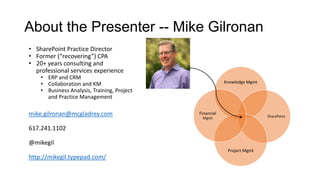
About the Presenter -- Mike Gilronan
• SharePoint Practice Director
• Former (“recovering”) CPA
• 20+ years consulting and
professional services experience
• ERP and CRM
• Collaboration and KM
• Business Analysis, Training, Project
and Practice Management
mike.gilronan@mcgladrey.com
617.241.1102
@mikegil
http://mikegil.typepad.com/
Knowledge Mgmt
SharePoint
Project Mgmt
Financial
Mgmt
Background – Narrative Arc
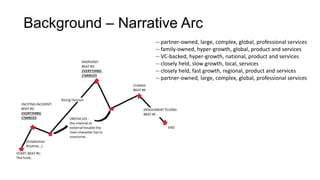
-- partner-owned, large, complex, global, professional services
-- family-owned, hyper-growth, global, product and services
-- VC-backed, hyper-growth, national, product and services
-- closely held, slow growth, local, services
-- closely held, fast growth, regional, product and services
-- partner-owned, large, complex, global, professional services
Unindicted Co-Conspirator
About YOU -- Objectives
• Introduction:
• Organization
• Role
• Types of Teams
• Types of Content
TO TELL ME ABOUT
YOURSELF
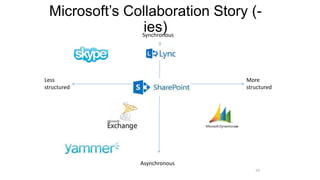
Microsoft’s Collaboration Story (-
ies)
10
More
structured
Less
structured
Asynchronous
Synchronous
What it Means
Photo source: Wikipedia
Tools for Communication and
Collaboration
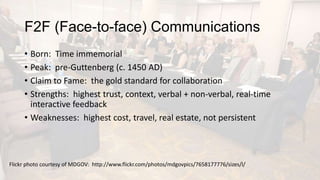
F2F (Face-to-face) Communications
• Born: Time immemorial
• Peak: pre-Guttenberg (c. 1450 AD)
• Claim to Fame: the gold standard for collaboration
• Strengths: highest trust, context, verbal + non-verbal, real-time
interactive feedback
• Weaknesses: highest cost, travel, real estate, not persistent
Flickr photo courtesy of MDGOV: http://www.flickr.com/photos/mdgovpics/7658177776/sizes/l/
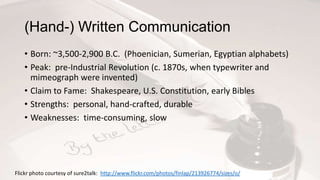
(Hand-) Written Communication
• Born: ~3,500-2,900 B.C. (Phoenician, Sumerian, Egyptian alphabets)
• Peak: pre-Industrial Revolution (c. 1870s, when typewriter and
mimeograph were invented)
• Claim to Fame: Shakespeare, U.S. Constitution, early Bibles
• Strengths: personal, hand-crafted, durable
• Weaknesses: time-consuming, slow
Flickr photo courtesy of sure2talk: http://www.flickr.com/photos/finlap/213926774/sizes/o/
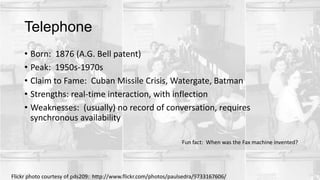
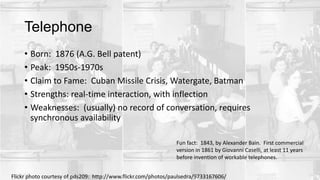
Telephone
• Born: 1876 (A.G. Bell patent)
• Peak: 1950s-1970s
• Claim to Fame: Cuban Missile Crisis, Watergate, Batman
• Strengths: real-time interaction, with inflection
• Weaknesses: (usually) no record of conversation, requires
synchronous availability
Flickr photo courtesy of pds209: http://www.flickr.com/photos/paulsedra/9733167606/
Fun fact: When was the Fax machine invented?
Telephone
• Born: 1876 (A.G. Bell patent)
• Peak: 1950s-1970s
• Claim to Fame: Cuban Missile Crisis, Watergate, Batman
• Strengths: real-time interaction, with inflection
• Weaknesses: (usually) no record of conversation, requires
synchronous availability
Fun fact: 1843, by Alexander Bain. First commercial
version in 1861 by Giovanni Caselli, at least 11 years
before invention of workable telephones.
Flickr photo courtesy of pds209: http://www.flickr.com/photos/paulsedra/9733167606/
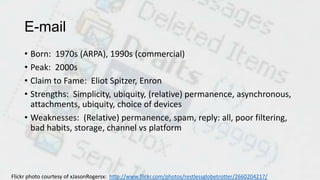
E-mail
• Born: 1970s (ARPA), 1990s (commercial)
• Peak: 2000s
• Claim to Fame: Eliot Spitzer, Enron
• Strengths: Simplicity, ubiquity, (relative) permanence, asynchronous,
attachments, ubiquity, choice of devices
• Weaknesses: (Relative) permanence, spam, reply: all, poor filtering,
bad habits, storage, channel vs platform
Flickr photo courtesy of xJasonRogersx: http://www.flickr.com/photos/restlessglobetrotter/2660204217/
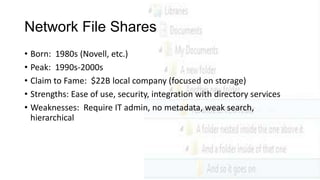
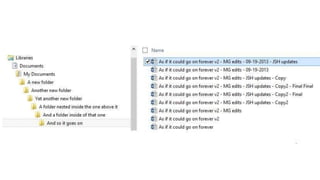
Network File Shares
• Born: 1980s (Novell, etc.)
• Peak: 1990s-2000s
• Claim to Fame: $22B local company (focused on storage)
• Strengths: Ease of use, security, integration with directory services
• Weaknesses: Require IT admin, no metadata, weak search,
hierarchical
SharePoint
• Born: ~2001
• Peak: 2010-2013
• Claim to Fame: Fastest MSFT product to $1B
• Strengths: Platform of productivity tools, empowering content
owners
• Weaknesses: Bad IA, bad governance, bad adoption, limits
to/complexity of external sharing
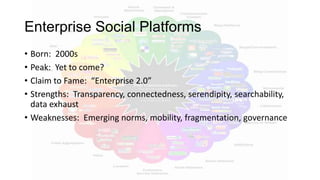
Enterprise Social Platforms
• Born: 2000s
• Peak: Yet to come?
• Claim to Fame: “Enterprise 2.0”
• Strengths: Transparency, connectedness, serendipity, searchability,
data exhaust
• Weaknesses: Emerging norms, mobility, fragmentation, governance
Frameworks for Assessment
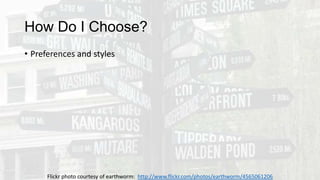
How Do I Choose?
• Preferences and styles
Flickr photo courtesy of earthworm: http://www.flickr.com/photos/earthworm/4565061206
How Do I Choose?
• Preferences and styles
• Multiple ways to connect
Flickr photo courtesy of earthworm: http://www.flickr.com/photos/earthworm/4565061206
How Do I Choose?
• Preferences and styles
• Multiple ways to connect
• Delineate between core team and broader stakeholder needs
Flickr photo courtesy of earthworm: http://www.flickr.com/photos/earthworm/4565061206
How Do I Choose?
• Preferences and styles
• Multiple ways to connect
• Delineate between core team and broader stakeholder needs
• Build on comfort to add new capabilities (with clear objectives)
Flickr photo courtesy of earthworm: http://www.flickr.com/photos/earthworm/4565061206
How Do I Choose?
• Preferences and styles
• Multiple ways to connect
• Delineate between core team and broader stakeholder needs
• Build on comfort to add new capabilities (with clear objectives)
• Consider how team members will reach out, and for what purpose
Flickr photo courtesy of earthworm: http://www.flickr.com/photos/earthworm/4565061206
How Do I Choose?
• Preferences and styles
• Multiple ways to connect
• Delineate between core team and broader stakeholder needs
• Build on comfort to add new capabilities (with clear objectives)
• Consider how team members will reach out, and for what purpose
• Don’t forget face-to-face meetings (with a purpose!)
Flickr photo courtesy of earthworm: http://www.flickr.com/photos/earthworm/4565061206
How Do I Choose?
• Preferences and styles
• Multiple ways to connect
• Delineate between core team and broader stakeholder needs
• Build on comfort to add new capabilities (with clear objectives)
• Consider how team members will reach out, and for what purpose
• Don’t forget face-to-face meetings (with a purpose!)
• Create synchronous and asynchronous venues
Flickr photo courtesy of earthworm: http://www.flickr.com/photos/earthworm/4565061206
How Do I Choose?
• Preferences and styles
• Multiple ways to connect
• Delineate between core team and broader stakeholder needs
• Build on comfort to add new capabilities (with clear objectives)
• Consider how team members will reach out, and for what purpose
• Don’t forget face-to-face meetings (with a purpose!)
• Create synchronous and asynchronous venues
• Track progress
Flickr photo courtesy of earthworm: http://www.flickr.com/photos/earthworm/4565061206
How Do I Choose?
• Preferences and styles
• Multiple ways to connect
• Delineate between core team and broader stakeholder needs
• Build on comfort to add new capabilities (with clear objectives)
• Consider how team members will reach out, and for what purpose
• Don’t forget face-to-face meetings (with a purpose!)
• Create synchronous and asynchronous venues
• Track progress
• Use alerts!
Flickr photo courtesy of earthworm: http://www.flickr.com/photos/earthworm/4565061206
How Do I Choose?
• Preferences and styles
• Multiple ways to connect
• Delineate between core team and broader stakeholder needs
• Build on comfort to add new capabilities (with clear objectives)
• Consider how team members will reach out, and for what purpose
• Don’t forget face-to-face meetings (with a purpose!)
• Create synchronous and asynchronous venues
• Track progress
• Use alerts!
• Provide feedback, revisit what’s working/not working
Flickr photo courtesy of earthworm: http://www.flickr.com/photos/earthworm/4565061206
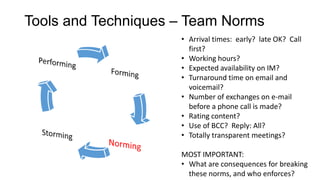
Tools and Techniques – Team Norms
• Arrival times: early? late OK? Call
first?
• Working hours?
• Expected availability on IM?
• Turnaround time on email and
voicemail?
• Number of exchanges on e-mail
before a phone call is made?
• Rating content?
• Use of BCC? Reply: All?
• Totally transparent meetings?
MOST IMPORTANT:
• What are consequences for breaking
these norms, and who enforces?
Sample Team Communication Planning Matrix
Objectives Audience Media Timing Content Creator Content Approver Other
Publish definitive
RFP documents
RFP Response
Team
Publish PDF documents to
RFP Response Team
Portal
Outset of RFP
response
process
RFP Response
Team Lead
RFP Response Team
Lead
Consider Office 365 for ease of
external collaboration (external
sharing must be activated at site
collection level by Farm Admin)
Coordinate
activities each day
RFP Response
Team Conference call Daily
RFP Response
Team Lead
RFP Response Team
Lead
Call notes should be disseminated to
team at close of call
Review
deliverables prior
to submission
RFP Response
Team
Web conference to
review documents that
are stored in portal and
version-controlled
Prior to
submission of
deliverables
RFP Response
Team Lead
RFP Response Team
Lead
[Adapted from “Leading Effective Virtual Teams,” by Nancy Settle-Murphy, used with permission]
Tools and Techniques – Communications
Plans
Go Forth…
• Listen to your teams
• Document your norms
• Build your plans
• Deploy your tools
• Govern your processes
• Measure your results
• Listen to your teams.
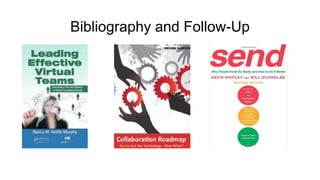
Bibliography and Follow-Up
Wrap-Up
• Q&A
• Giveaways
• Thank you to SPSNH and our generous sponsors!
Flickr photo courtesy of redstamp: http://www.flickr.com/photos/redstamp/3425825517/
All Flickr photos used with permission under Creative Commons license.
was made possible by the generous
support of the following sponsors…
And by your participation… Thank you!
Be sure to fill out your eval form & turn
in at the end of the day for a ticket to the
BIG raffle!
Join us for the raffle &
SharePint following the
last session

SPSNH - what goes where

  • 1.
    Mike Gilronan SharePoint PracticeDirector McGladrey, LLP mike.gilronan@mcgladrey.com @mikegil What Goes Where Rules of the Road for Microsoft Social and Collaboration Technologies
  • 2.
    What Goes Where Rulesof the Road for Microsoft Social and Collaboration Technologies SharePoint Saturday New Hampshire 21 September 2013 Mike Gilronan
  • 3.
    What We’ll Cover •Collaboration Tools • Amplifiers, Hurdles, Simplifiers • How to Chooose • Action Plan
  • 4.
    Definition of terms •Collaboration (def.) – People working with other people toward a common outcome. (M. Sampson, “Collaboration Roadmap”) • Communication is different from, but essential to, collaboration. Flickr photo courtesy of jovike: http://www.flickr.com/photos/jvk/19894053/
  • 5.
    Why Does ThisMatter? • World is: • Smaller • Flatter • More Complex • More Connected • Collaboration is more important than ever, but still done badly. • “We built it and they didn’t come.” • “The business” and IT don’t agree • Business factors and human factors are not supported enough • Plenty of “People-Ready Software,” not enough “Software-Ready People” Flickr photo courtesy of Eric Fischer: http://www.flickr.com/photos/walkingsf/6858366278/
  • 6.
    About the Presenter-- Mike Gilronan • SharePoint Practice Director • Former (“recovering”) CPA • 20+ years consulting and professional services experience • ERP and CRM • Collaboration and KM • Business Analysis, Training, Project and Practice Management mike.gilronan@mcgladrey.com 617.241.1102 @mikegil http://mikegil.typepad.com/ Knowledge Mgmt SharePoint Project Mgmt Financial Mgmt
  • 7.
    Background – NarrativeArc -- partner-owned, large, complex, global, professional services -- family-owned, hyper-growth, global, product and services -- VC-backed, hyper-growth, national, product and services -- closely held, slow growth, local, services -- closely held, fast growth, regional, product and services -- partner-owned, large, complex, global, professional services
  • 8.
  • 9.
    About YOU --Objectives • Introduction: • Organization • Role • Types of Teams • Types of Content TO TELL ME ABOUT YOURSELF
  • 10.
    Microsoft’s Collaboration Story(- ies) 10 More structured Less structured Asynchronous Synchronous
  • 11.
    What it Means Photosource: Wikipedia
  • 12.
    Tools for Communicationand Collaboration
  • 13.
    F2F (Face-to-face) Communications •Born: Time immemorial • Peak: pre-Guttenberg (c. 1450 AD) • Claim to Fame: the gold standard for collaboration • Strengths: highest trust, context, verbal + non-verbal, real-time interactive feedback • Weaknesses: highest cost, travel, real estate, not persistent Flickr photo courtesy of MDGOV: http://www.flickr.com/photos/mdgovpics/7658177776/sizes/l/
  • 14.
    (Hand-) Written Communication •Born: ~3,500-2,900 B.C. (Phoenician, Sumerian, Egyptian alphabets) • Peak: pre-Industrial Revolution (c. 1870s, when typewriter and mimeograph were invented) • Claim to Fame: Shakespeare, U.S. Constitution, early Bibles • Strengths: personal, hand-crafted, durable • Weaknesses: time-consuming, slow Flickr photo courtesy of sure2talk: http://www.flickr.com/photos/finlap/213926774/sizes/o/
  • 15.
    Telephone • Born: 1876(A.G. Bell patent) • Peak: 1950s-1970s • Claim to Fame: Cuban Missile Crisis, Watergate, Batman • Strengths: real-time interaction, with inflection • Weaknesses: (usually) no record of conversation, requires synchronous availability Flickr photo courtesy of pds209: http://www.flickr.com/photos/paulsedra/9733167606/ Fun fact: When was the Fax machine invented?
  • 16.
    Telephone • Born: 1876(A.G. Bell patent) • Peak: 1950s-1970s • Claim to Fame: Cuban Missile Crisis, Watergate, Batman • Strengths: real-time interaction, with inflection • Weaknesses: (usually) no record of conversation, requires synchronous availability Fun fact: 1843, by Alexander Bain. First commercial version in 1861 by Giovanni Caselli, at least 11 years before invention of workable telephones. Flickr photo courtesy of pds209: http://www.flickr.com/photos/paulsedra/9733167606/
  • 17.
    E-mail • Born: 1970s(ARPA), 1990s (commercial) • Peak: 2000s • Claim to Fame: Eliot Spitzer, Enron • Strengths: Simplicity, ubiquity, (relative) permanence, asynchronous, attachments, ubiquity, choice of devices • Weaknesses: (Relative) permanence, spam, reply: all, poor filtering, bad habits, storage, channel vs platform Flickr photo courtesy of xJasonRogersx: http://www.flickr.com/photos/restlessglobetrotter/2660204217/
  • 18.
    Network File Shares •Born: 1980s (Novell, etc.) • Peak: 1990s-2000s • Claim to Fame: $22B local company (focused on storage) • Strengths: Ease of use, security, integration with directory services • Weaknesses: Require IT admin, no metadata, weak search, hierarchical
  • 20.
    SharePoint • Born: ~2001 •Peak: 2010-2013 • Claim to Fame: Fastest MSFT product to $1B • Strengths: Platform of productivity tools, empowering content owners • Weaknesses: Bad IA, bad governance, bad adoption, limits to/complexity of external sharing
  • 21.
    Enterprise Social Platforms •Born: 2000s • Peak: Yet to come? • Claim to Fame: “Enterprise 2.0” • Strengths: Transparency, connectedness, serendipity, searchability, data exhaust • Weaknesses: Emerging norms, mobility, fragmentation, governance
  • 22.
  • 23.
    How Do IChoose? • Preferences and styles Flickr photo courtesy of earthworm: http://www.flickr.com/photos/earthworm/4565061206
  • 24.
    How Do IChoose? • Preferences and styles • Multiple ways to connect Flickr photo courtesy of earthworm: http://www.flickr.com/photos/earthworm/4565061206
  • 25.
    How Do IChoose? • Preferences and styles • Multiple ways to connect • Delineate between core team and broader stakeholder needs Flickr photo courtesy of earthworm: http://www.flickr.com/photos/earthworm/4565061206
  • 26.
    How Do IChoose? • Preferences and styles • Multiple ways to connect • Delineate between core team and broader stakeholder needs • Build on comfort to add new capabilities (with clear objectives) Flickr photo courtesy of earthworm: http://www.flickr.com/photos/earthworm/4565061206
  • 27.
    How Do IChoose? • Preferences and styles • Multiple ways to connect • Delineate between core team and broader stakeholder needs • Build on comfort to add new capabilities (with clear objectives) • Consider how team members will reach out, and for what purpose Flickr photo courtesy of earthworm: http://www.flickr.com/photos/earthworm/4565061206
  • 28.
    How Do IChoose? • Preferences and styles • Multiple ways to connect • Delineate between core team and broader stakeholder needs • Build on comfort to add new capabilities (with clear objectives) • Consider how team members will reach out, and for what purpose • Don’t forget face-to-face meetings (with a purpose!) Flickr photo courtesy of earthworm: http://www.flickr.com/photos/earthworm/4565061206
  • 29.
    How Do IChoose? • Preferences and styles • Multiple ways to connect • Delineate between core team and broader stakeholder needs • Build on comfort to add new capabilities (with clear objectives) • Consider how team members will reach out, and for what purpose • Don’t forget face-to-face meetings (with a purpose!) • Create synchronous and asynchronous venues Flickr photo courtesy of earthworm: http://www.flickr.com/photos/earthworm/4565061206
  • 30.
    How Do IChoose? • Preferences and styles • Multiple ways to connect • Delineate between core team and broader stakeholder needs • Build on comfort to add new capabilities (with clear objectives) • Consider how team members will reach out, and for what purpose • Don’t forget face-to-face meetings (with a purpose!) • Create synchronous and asynchronous venues • Track progress Flickr photo courtesy of earthworm: http://www.flickr.com/photos/earthworm/4565061206
  • 31.
    How Do IChoose? • Preferences and styles • Multiple ways to connect • Delineate between core team and broader stakeholder needs • Build on comfort to add new capabilities (with clear objectives) • Consider how team members will reach out, and for what purpose • Don’t forget face-to-face meetings (with a purpose!) • Create synchronous and asynchronous venues • Track progress • Use alerts! Flickr photo courtesy of earthworm: http://www.flickr.com/photos/earthworm/4565061206
  • 32.
    How Do IChoose? • Preferences and styles • Multiple ways to connect • Delineate between core team and broader stakeholder needs • Build on comfort to add new capabilities (with clear objectives) • Consider how team members will reach out, and for what purpose • Don’t forget face-to-face meetings (with a purpose!) • Create synchronous and asynchronous venues • Track progress • Use alerts! • Provide feedback, revisit what’s working/not working Flickr photo courtesy of earthworm: http://www.flickr.com/photos/earthworm/4565061206
  • 33.
    Tools and Techniques– Team Norms • Arrival times: early? late OK? Call first? • Working hours? • Expected availability on IM? • Turnaround time on email and voicemail? • Number of exchanges on e-mail before a phone call is made? • Rating content? • Use of BCC? Reply: All? • Totally transparent meetings? MOST IMPORTANT: • What are consequences for breaking these norms, and who enforces?
  • 34.
    Sample Team CommunicationPlanning Matrix Objectives Audience Media Timing Content Creator Content Approver Other Publish definitive RFP documents RFP Response Team Publish PDF documents to RFP Response Team Portal Outset of RFP response process RFP Response Team Lead RFP Response Team Lead Consider Office 365 for ease of external collaboration (external sharing must be activated at site collection level by Farm Admin) Coordinate activities each day RFP Response Team Conference call Daily RFP Response Team Lead RFP Response Team Lead Call notes should be disseminated to team at close of call Review deliverables prior to submission RFP Response Team Web conference to review documents that are stored in portal and version-controlled Prior to submission of deliverables RFP Response Team Lead RFP Response Team Lead [Adapted from “Leading Effective Virtual Teams,” by Nancy Settle-Murphy, used with permission] Tools and Techniques – Communications Plans
  • 35.
    Go Forth… • Listento your teams • Document your norms • Build your plans • Deploy your tools • Govern your processes • Measure your results • Listen to your teams.
  • 36.
  • 37.
    Wrap-Up • Q&A • Giveaways •Thank you to SPSNH and our generous sponsors! Flickr photo courtesy of redstamp: http://www.flickr.com/photos/redstamp/3425825517/ All Flickr photos used with permission under Creative Commons license.
  • 38.
    was made possibleby the generous support of the following sponsors… And by your participation… Thank you!
  • 39.
    Be sure tofill out your eval form & turn in at the end of the day for a ticket to the BIG raffle! Join us for the raffle & SharePint following the last session