Configuration Manager 2012 Features that are often
Underutilized
Date: March 25th, 2015
Name: Wally Mead
Cireson’s Power of 1
Innovation
Cireson was founded on a simple, powerful idea: to be the forward thinkers on all things surrounding Microsoft
System Center.
We are 100% dedicated to the System Center community.
Cireson Consulting Services
Proven System Center deployment methodologies that simply deliver. Period.
Cireson Store
Built for System Center. Ready for anything. Apps that make System Center wonderful.
Custom BuiltApps and Features
Do you log an enhancement request with Microsoft Support or Cireson?
We can help with adding additional functionality to meet your exact needs. We’re the experts.
Training
System Center training help to maximize the solution and your career.
Your Community
Microsoft, System Center Alliance, http://scsm.us/, myITforum,Think HDI, & itSMF.
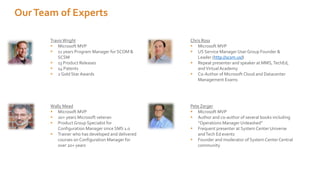
TravisWright
 Microsoft MVP
 11 years Program Manager for SCOM &
SCSM
 13 Product Releases
 14 Patents
 2 Gold Star Awards
Chris Ross
 Microsoft MVP
 US Service Manager User Group Founder &
Leader (http://scsm.us/)
 Repeat presenter and speaker at MMS,TechEd,
andVirtualAcademy
 Co-Author of Microsoft Cloud and Datacenter
Management Exams
Wally Mead
 Microsoft MVP
 20+ years Microsoft veteran
 Product Group Specialist for
Configuration Manager since SMS 1.0
 Trainer who has developed and delivered
courses on Configuration Manager for
over 20+ years
Pete Zerger
 Microsoft MVP
 Author and co-author of several books including
“Operations Manager Unleashed”
 Frequent presenter at System Center Universe
andTech Ed events
 Founder and moderator of System CenterCentral
community
OurTeam of Experts
Over 700 customers trust us
Agenda
 Pretty simple agenda – let’s discuss product features that are either not used
enough, or not used properly
 Demo as much as possible
 Hopefully this will incent you to implement, or more correctly use, some of
these features
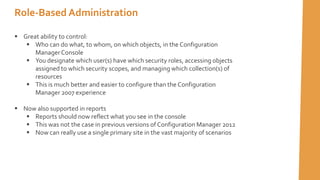
 Great ability to control:
 Who can do what, to whom, on which objects, in the Configuration
ManagerConsole
 You designate which user(s) have which security roles, accessing objects
assigned to which security scopes, and managing which collection(s) of
resources
 This is much better and easier to configure than the Configuration
Manager 2007 experience
 Now also supported in reports
 Reports should now reflect what you see in the console
 This was not the case in previous versions of Configuration Manager 2012
 Now can really use a single primary site in the vast majority of scenarios
Role-Based Administration
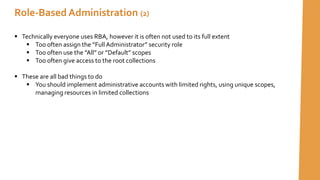
 Technically everyone uses RBA, however it is often not used to its full extent
 Too often assign the ”Full Administrator” security role
 Too often use the ”All” or ”Default” scopes
 Too often give access to the root collections
 These are all bad things to do
 You should implement administrative accounts with limited rights, using unique scopes,
managing resources in limited collections
Role-Based Administration (2)
Let’s take a few minutes to look at role-based administration
Demo
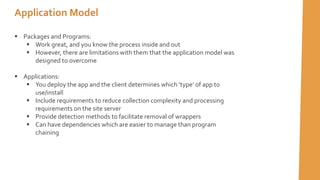
 Packages and Programs:
 Work great, and you know the process inside and out
 However, there are limitations with them that the application model was
designed to overcome
 Applications:
 You deploy the app and the client determines which ’type’ of app to
use/install
 Include requirements to reduce collection complexity and processing
requirements on the site server
 Provide detection methods to facilitate removal of wrappers
 Can have dependencies which are easier to manage than program
chaining
Application Model
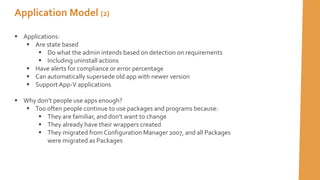
Application Model (2)
 Applications:
 Are state based
 Do what the admin intends based on detection on requirements
 Including uninstall actions
 Have alerts for compliance or error percentage
 Can automatically supersede old app with newer version
 SupportApp-V applications
 Why don’t people use apps enough?
 Too often people continue to use packages and programs because:
 They are familiar, and don’t want to change
 They already have their wrappers created
 They migrated from Configuration Manager 2007, and all Packages
were migrated as Packages
DemoTime
Let’s take a few minutes to look at the application
model feature
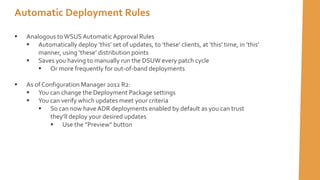
Automatic Deployment Rules
 Analogous toWSUSAutomatic Approval Rules
 Automatically deploy ’this’ set of updates, to ’these’ clients, at ’this’ time, in ’this’
manner, using ’these’ distribution points
 Saves you having to manually run the DSUW every patch cycle
 Or more frequently for out-of-band deployments
 As of Configuration Manager 2012 R2:
 You can change the Deployment Package settings
 You can verify which updates meet your criteria
 So can now haveADR deployments enabled by default as you can trust
they’ll deploy your desired updates
 Use the ”Preview” button
Automatic Deployment Rules
Why don’t people use ADRs?
 Too often, admins don’t trust the results
 Patching is too important, you want control over the entire process
 You have a complex patch process – test, dev, pilot, workstation rollout, and finally
servers
DemoTime
Let’s take a few minutes to look at theADR feature
 Pretty good ability to ’discover’ applications that are installed on clients
 Multiple sources are used to find applications installed
 You can also import license information from .CSV or MSVL
 Allows you to run reports on imported license counts versus installations
 Can customize categories, families, and labels for your own needs
 Can request updates to the catalog
 Why don’t people use it?
 Don’t understand what it does 
 Not easy to normalize the data
 Discovered that it doesn’t give you what you need
 Discovered that it doesn’t go far enough
Asset Intelligence
Let’s take a few minutes to look at the Asset Intelligence
feature
DemoTime
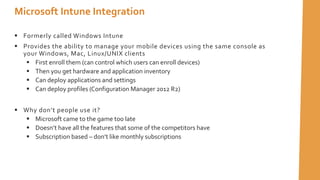
 Formerly called Windows Intune
 Provides the ability to manage your mobile devices using the same console as
your Windows, Mac, Linux/UNIX clients
 First enroll them (can control which users can enroll devices)
 Then you get hardware and application inventory
 Can deploy applications and settings
 Can deploy profiles (Configuration Manager 2012 R2)
 Why don’t people use it?
 Microsoft came to the game too late
 Doesn’t have all the features that some of the competitors have
 Subscription based – don’t like monthly subscriptions
Microsoft Intune Integration
Let’s take a few minutes to look at the Microsoft Intune
feature
DemoTime
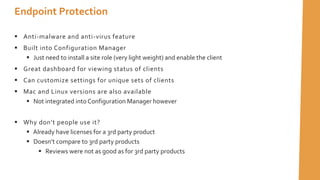
 Anti-malware and anti-virus feature
 Built into Configuration Manager
 Just need to install a site role (very light weight) and enable the client
 Great dashboard for viewing status of clients
 Can customize settings for unique sets of clients
 Mac and Linux versions are also available
 Not integrated into Configuration Manager however
 Why don’t people use it?
 Already have licenses for a 3rd party product
 Doesn’t compare to 3rd party products
 Reviews were not as good as for 3rd party products
Endpoint Protection
Let’s take a few minutes to look at the Endpoint Protection
feature
DemoTime
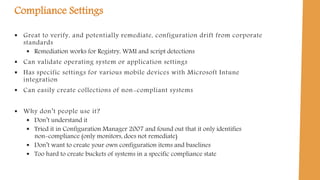
Compliance Settings
 Great to verify, and potentially remediate, configuration drift from corporate
standards
 Remediation works for Registry, WMI and script detections
 Can validate operating system or application settings
 Has specific settings for various mobile devices with Microsoft Intune
integration
 Can easily create collections of non-compliant systems
 Why don’t people use it?
 Don’t understand it
 Tried it in Configuration Manager 2007 and found out that it only identifies
non-compliance (only monitors, does not remediate)
 Don’t want to create your own configuration items and baselines
 Too hard to create buckets of systems in a specific compliance state
Let’s take a few minutes to look at the Compliance
Settings feature
DemoTime
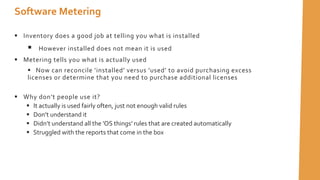
 Inventory does a good job at telling you what is installed
 However installed does not mean it is used
 Metering tells you what is actually used
 Now can reconcile ’installed’ versus ’used’ to avoid purchasing excess
licenses or determine that you need to purchase additional licenses
 Why don’t people use it?
 It actually is used fairly often, just not enough valid rules
 Don’t understand it
 Didn’t understand all the ’OS things’ rules that are created automatically
 Struggled with the reports that come in the box
Software Metering
Let’s take a few minutes to look at the Software
Metering feature
DemoTime
 If you are not using these features, or not to their full capability, you should be

 They can provide great capabilities to assist you in your management of
resources using Configuration Manager
 Lots of community support out there to help you learn, implement and
troubleshoot these features
 Plus a whole lot more goodness in Configuration Manager 2012
Summary

The Most Underutilized Configuration Management Features

  • 1.
    Configuration Manager 2012Features that are often Underutilized Date: March 25th, 2015 Name: Wally Mead
  • 2.
    Cireson’s Power of1 Innovation Cireson was founded on a simple, powerful idea: to be the forward thinkers on all things surrounding Microsoft System Center. We are 100% dedicated to the System Center community. Cireson Consulting Services Proven System Center deployment methodologies that simply deliver. Period. Cireson Store Built for System Center. Ready for anything. Apps that make System Center wonderful. Custom BuiltApps and Features Do you log an enhancement request with Microsoft Support or Cireson? We can help with adding additional functionality to meet your exact needs. We’re the experts. Training System Center training help to maximize the solution and your career. Your Community Microsoft, System Center Alliance, http://scsm.us/, myITforum,Think HDI, & itSMF.
  • 3.
    TravisWright  Microsoft MVP 11 years Program Manager for SCOM & SCSM  13 Product Releases  14 Patents  2 Gold Star Awards Chris Ross  Microsoft MVP  US Service Manager User Group Founder & Leader (http://scsm.us/)  Repeat presenter and speaker at MMS,TechEd, andVirtualAcademy  Co-Author of Microsoft Cloud and Datacenter Management Exams Wally Mead  Microsoft MVP  20+ years Microsoft veteran  Product Group Specialist for Configuration Manager since SMS 1.0  Trainer who has developed and delivered courses on Configuration Manager for over 20+ years Pete Zerger  Microsoft MVP  Author and co-author of several books including “Operations Manager Unleashed”  Frequent presenter at System Center Universe andTech Ed events  Founder and moderator of System CenterCentral community OurTeam of Experts
  • 4.
  • 5.
    Agenda  Pretty simpleagenda – let’s discuss product features that are either not used enough, or not used properly  Demo as much as possible  Hopefully this will incent you to implement, or more correctly use, some of these features
  • 6.
     Great abilityto control:  Who can do what, to whom, on which objects, in the Configuration ManagerConsole  You designate which user(s) have which security roles, accessing objects assigned to which security scopes, and managing which collection(s) of resources  This is much better and easier to configure than the Configuration Manager 2007 experience  Now also supported in reports  Reports should now reflect what you see in the console  This was not the case in previous versions of Configuration Manager 2012  Now can really use a single primary site in the vast majority of scenarios Role-Based Administration
  • 7.
     Technically everyoneuses RBA, however it is often not used to its full extent  Too often assign the ”Full Administrator” security role  Too often use the ”All” or ”Default” scopes  Too often give access to the root collections  These are all bad things to do  You should implement administrative accounts with limited rights, using unique scopes, managing resources in limited collections Role-Based Administration (2)
  • 8.
    Let’s take afew minutes to look at role-based administration Demo
  • 9.
     Packages andPrograms:  Work great, and you know the process inside and out  However, there are limitations with them that the application model was designed to overcome  Applications:  You deploy the app and the client determines which ’type’ of app to use/install  Include requirements to reduce collection complexity and processing requirements on the site server  Provide detection methods to facilitate removal of wrappers  Can have dependencies which are easier to manage than program chaining Application Model
  • 10.
    Application Model (2) Applications:  Are state based  Do what the admin intends based on detection on requirements  Including uninstall actions  Have alerts for compliance or error percentage  Can automatically supersede old app with newer version  SupportApp-V applications  Why don’t people use apps enough?  Too often people continue to use packages and programs because:  They are familiar, and don’t want to change  They already have their wrappers created  They migrated from Configuration Manager 2007, and all Packages were migrated as Packages
  • 11.
    DemoTime Let’s take afew minutes to look at the application model feature
  • 12.
    Automatic Deployment Rules Analogous toWSUSAutomatic Approval Rules  Automatically deploy ’this’ set of updates, to ’these’ clients, at ’this’ time, in ’this’ manner, using ’these’ distribution points  Saves you having to manually run the DSUW every patch cycle  Or more frequently for out-of-band deployments  As of Configuration Manager 2012 R2:  You can change the Deployment Package settings  You can verify which updates meet your criteria  So can now haveADR deployments enabled by default as you can trust they’ll deploy your desired updates  Use the ”Preview” button
  • 13.
    Automatic Deployment Rules Whydon’t people use ADRs?  Too often, admins don’t trust the results  Patching is too important, you want control over the entire process  You have a complex patch process – test, dev, pilot, workstation rollout, and finally servers
  • 14.
    DemoTime Let’s take afew minutes to look at theADR feature
  • 15.
     Pretty goodability to ’discover’ applications that are installed on clients  Multiple sources are used to find applications installed  You can also import license information from .CSV or MSVL  Allows you to run reports on imported license counts versus installations  Can customize categories, families, and labels for your own needs  Can request updates to the catalog  Why don’t people use it?  Don’t understand what it does   Not easy to normalize the data  Discovered that it doesn’t give you what you need  Discovered that it doesn’t go far enough Asset Intelligence
  • 16.
    Let’s take afew minutes to look at the Asset Intelligence feature DemoTime
  • 17.
     Formerly calledWindows Intune  Provides the ability to manage your mobile devices using the same console as your Windows, Mac, Linux/UNIX clients  First enroll them (can control which users can enroll devices)  Then you get hardware and application inventory  Can deploy applications and settings  Can deploy profiles (Configuration Manager 2012 R2)  Why don’t people use it?  Microsoft came to the game too late  Doesn’t have all the features that some of the competitors have  Subscription based – don’t like monthly subscriptions Microsoft Intune Integration
  • 18.
    Let’s take afew minutes to look at the Microsoft Intune feature DemoTime
  • 19.
     Anti-malware andanti-virus feature  Built into Configuration Manager  Just need to install a site role (very light weight) and enable the client  Great dashboard for viewing status of clients  Can customize settings for unique sets of clients  Mac and Linux versions are also available  Not integrated into Configuration Manager however  Why don’t people use it?  Already have licenses for a 3rd party product  Doesn’t compare to 3rd party products  Reviews were not as good as for 3rd party products Endpoint Protection
  • 20.
    Let’s take afew minutes to look at the Endpoint Protection feature DemoTime
  • 21.
    Compliance Settings  Greatto verify, and potentially remediate, configuration drift from corporate standards  Remediation works for Registry, WMI and script detections  Can validate operating system or application settings  Has specific settings for various mobile devices with Microsoft Intune integration  Can easily create collections of non-compliant systems  Why don’t people use it?  Don’t understand it  Tried it in Configuration Manager 2007 and found out that it only identifies non-compliance (only monitors, does not remediate)  Don’t want to create your own configuration items and baselines  Too hard to create buckets of systems in a specific compliance state
  • 22.
    Let’s take afew minutes to look at the Compliance Settings feature DemoTime
  • 23.
     Inventory doesa good job at telling you what is installed  However installed does not mean it is used  Metering tells you what is actually used  Now can reconcile ’installed’ versus ’used’ to avoid purchasing excess licenses or determine that you need to purchase additional licenses  Why don’t people use it?  It actually is used fairly often, just not enough valid rules  Don’t understand it  Didn’t understand all the ’OS things’ rules that are created automatically  Struggled with the reports that come in the box Software Metering
  • 24.
    Let’s take afew minutes to look at the Software Metering feature DemoTime
  • 25.
     If youare not using these features, or not to their full capability, you should be   They can provide great capabilities to assist you in your management of resources using Configuration Manager  Lots of community support out there to help you learn, implement and troubleshoot these features  Plus a whole lot more goodness in Configuration Manager 2012 Summary