W.B.W. Web 2.0 at Williams Web 2.0 and its implications for resources and services in IT and Libraries, more or less Chris Warren  cwarren@williams.edu  ficial.wordpress.com Database Integration Specialist Office for Information Technology Williams College
What's the current status of web 2.0 at Williams? How is it being used?
Overview Overall, limited...  BUT People have really embraced the wiki (Confluence) for documentation and collaboration among controlled user groups We’re continuously experimenting  Individuals and small groups participate in web 2.0 technologies and activities outside their official capacities For students, web 2.0 is simply 'the web'
Student web 2.0 Hardware : laptops, cellphone, wi-fi Functionality and Tools : social networking - Facebook - almost everyone long video - P2P - unknown short video - YouTube - unknown messaging - cellphone text messaging, and various IM - most blogging - various (about 1% of student body, as best can be told) other - unknown - unknown
Administrative web 2.0 wiki for documentation (shared for reading) and collaboration (private) OIT security blog, for announcements / alerts podcasting for Public Affairs, for special needs Sustainability blog, for discussion / dissemination wiki-ish back-end for library and some of WWW
Academic web 2.0 blogs for classes Wikipedia as a resource (de facto, not encouraged / endorsed) Second Life as a platform (Art Mecho) and an object of study (the social and philosophical aspects) our wiki, for closed discussion and collaboration pod- and vod-casting by some individual professors
Alumni and community web 2.0 social networking on Facebook et al professional networking on Linked In et al Ephblog WSO forums Willipedia - the WSO wiki YouTube Flickr individual blogs
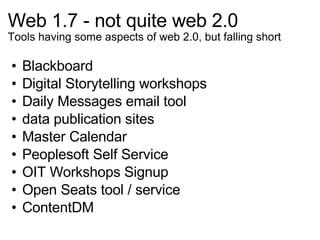
Web 1.7 - not quite web 2.0 Tools having some aspects of web 2.0, but falling short Blackboard Digital Storytelling workshops Daily Messages email tool data publication sites Master Calendar Peoplesoft Self Service OIT Workshops Signup Open Seats tool / service ContentDM
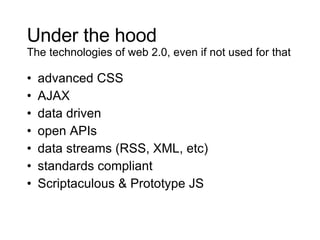
Under the hood The technologies of web 2.0, even if not used for that advanced CSS AJAX data driven open APIs data streams (RSS, XML, etc) standards compliant Scriptaculous & Prototype JS
What we're interested in
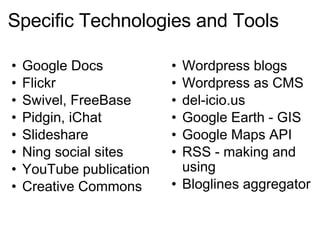
Specific Technologies and Tools Google Docs Flickr Swivel, FreeBase Pidgin, iChat Slideshare Ning social sites YouTube publication Creative Commons  Wordpress blogs Wordpress as CMS del-icio.us Google Earth - GIS Google Maps API RSS - making and using Bloglines aggregator
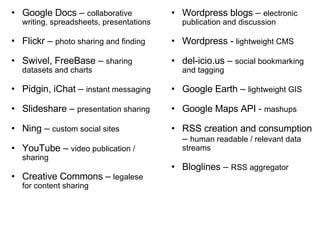
Google Docs –  collaborative writing, spreadsheets, presentations Flickr –  photo sharing and finding Swivel, FreeBase –  sharing datasets and charts Pidgin, iChat –  instant messaging Slideshare –  presentation sharing Ning –  custom social sites YouTube –  video publication / sharing Creative Commons –  legalese for content sharing Wordpress blogs –  electronic publication and discussion Wordpress -  lightweight CMS  del-icio.us –  social bookmarking and tagging Google Earth –  lightweight GIS Google Maps API -  mashups RSS creation and consumption –  human readable / relevant data streams Bloglines –  RSS aggregator
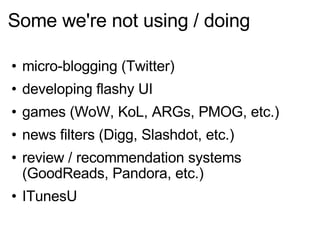
Some we're not using / doing micro-blogging (Twitter) developing flashy UI games (WoW, KoL, ARGs, PMOG, etc.) news filters (Digg, Slashdot, etc.) review / recommendation systems (GoodReads, Pandora, etc.) ITunesU
Food for Thought Obstacles, Opportunities, and Ideas
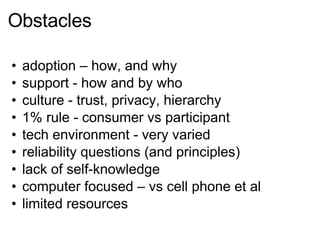
Obstacles adoption – how, and why support - how and by who culture - trust, privacy, hierarchy 1% rule - consumer vs participant tech environment - very varied reliability questions (and principles) lack of self-knowledge computer focused – vs cell phone et al limited resources
Opportunities / Applications intra-campus communication user-based support cross-group social connections student connections content creation / contribution know thyself re-cast existing services customized education experience bend space and time
Some Ideas and Observations We're not promoting web 2.0 to faculty, but trying to prepare them to survive when all students use it The individuals that make up the college community use web 2.0 for themselves even if they don't in their official capacity In many ways web 2.0 is more about individuals than groups or organizations The cultural attitudes and expectations (connectivity, accessibility, adaptability, etc.) associated with web 2.0 are more important than any particular technologies

web 2.0 at Williams

  • 1.
    W.B.W. Web 2.0at Williams Web 2.0 and its implications for resources and services in IT and Libraries, more or less Chris Warren cwarren@williams.edu ficial.wordpress.com Database Integration Specialist Office for Information Technology Williams College
  • 2.
    What's the currentstatus of web 2.0 at Williams? How is it being used?
  • 3.
    Overview Overall, limited... BUT People have really embraced the wiki (Confluence) for documentation and collaboration among controlled user groups We’re continuously experimenting Individuals and small groups participate in web 2.0 technologies and activities outside their official capacities For students, web 2.0 is simply 'the web'
  • 4.
    Student web 2.0Hardware : laptops, cellphone, wi-fi Functionality and Tools : social networking - Facebook - almost everyone long video - P2P - unknown short video - YouTube - unknown messaging - cellphone text messaging, and various IM - most blogging - various (about 1% of student body, as best can be told) other - unknown - unknown
  • 5.
    Administrative web 2.0wiki for documentation (shared for reading) and collaboration (private) OIT security blog, for announcements / alerts podcasting for Public Affairs, for special needs Sustainability blog, for discussion / dissemination wiki-ish back-end for library and some of WWW
  • 6.
    Academic web 2.0blogs for classes Wikipedia as a resource (de facto, not encouraged / endorsed) Second Life as a platform (Art Mecho) and an object of study (the social and philosophical aspects) our wiki, for closed discussion and collaboration pod- and vod-casting by some individual professors
  • 7.
    Alumni and communityweb 2.0 social networking on Facebook et al professional networking on Linked In et al Ephblog WSO forums Willipedia - the WSO wiki YouTube Flickr individual blogs
  • 8.
    Web 1.7 -not quite web 2.0 Tools having some aspects of web 2.0, but falling short Blackboard Digital Storytelling workshops Daily Messages email tool data publication sites Master Calendar Peoplesoft Self Service OIT Workshops Signup Open Seats tool / service ContentDM
  • 9.
    Under the hoodThe technologies of web 2.0, even if not used for that advanced CSS AJAX data driven open APIs data streams (RSS, XML, etc) standards compliant Scriptaculous & Prototype JS
  • 10.
  • 11.
    Specific Technologies andTools Google Docs Flickr Swivel, FreeBase Pidgin, iChat Slideshare Ning social sites YouTube publication Creative Commons Wordpress blogs Wordpress as CMS del-icio.us Google Earth - GIS Google Maps API RSS - making and using Bloglines aggregator
  • 12.
    Google Docs – collaborative writing, spreadsheets, presentations Flickr – photo sharing and finding Swivel, FreeBase – sharing datasets and charts Pidgin, iChat – instant messaging Slideshare – presentation sharing Ning – custom social sites YouTube – video publication / sharing Creative Commons – legalese for content sharing Wordpress blogs – electronic publication and discussion Wordpress - lightweight CMS del-icio.us – social bookmarking and tagging Google Earth – lightweight GIS Google Maps API - mashups RSS creation and consumption – human readable / relevant data streams Bloglines – RSS aggregator
  • 13.
    Some we're notusing / doing micro-blogging (Twitter) developing flashy UI games (WoW, KoL, ARGs, PMOG, etc.) news filters (Digg, Slashdot, etc.) review / recommendation systems (GoodReads, Pandora, etc.) ITunesU
  • 14.
    Food for ThoughtObstacles, Opportunities, and Ideas
  • 15.
    Obstacles adoption –how, and why support - how and by who culture - trust, privacy, hierarchy 1% rule - consumer vs participant tech environment - very varied reliability questions (and principles) lack of self-knowledge computer focused – vs cell phone et al limited resources
  • 16.
    Opportunities / Applicationsintra-campus communication user-based support cross-group social connections student connections content creation / contribution know thyself re-cast existing services customized education experience bend space and time
  • 17.
    Some Ideas andObservations We're not promoting web 2.0 to faculty, but trying to prepare them to survive when all students use it The individuals that make up the college community use web 2.0 for themselves even if they don't in their official capacity In many ways web 2.0 is more about individuals than groups or organizations The cultural attitudes and expectations (connectivity, accessibility, adaptability, etc.) associated with web 2.0 are more important than any particular technologies