D2L Connection:
Minnesota Edition
April 5, 2019
Normandale Community College
Ways Brightspace Can Make Your
Course Communication Even Better
D2L Connection Session Description
We have found D2L Brightspace to be valuable in delivering frequent and
effective course communication. We will demonstrate how to build
community in a course with the purpose of retaining students, achieving
significant student learning and teaching workplace skills students will use
after graduation. Examples are provided. Analyze the effectiveness of your
own current communication by using this course communication plan.
https://community.brightspace.com/s/article/D2L-Connection-2019-Minnesota-Edition
Course Communication Pathway
Today, students have many forms of media vying for their attention, and yours.
Can you name some of them?
Turn to your colleagues and discuss, 30 seconds……. GO!
Course Communication Pathway
What are some of them? How many did you list?
• email
• texting
• IA-LMS automated reminders
• syllabi
• checklists
• calendars
• announcements
• discussions
• faculty-created video messages
• instant messaging
• word of mouth
• group work
• file-sharing programs like Google Docs or Drive
• and more
Course Communication Pathway
With all of these forms of communication, it is critical for you to design a clear
and effective communication plan using a variety of strategies for your course.
To be effective, communication needs to be intentional.
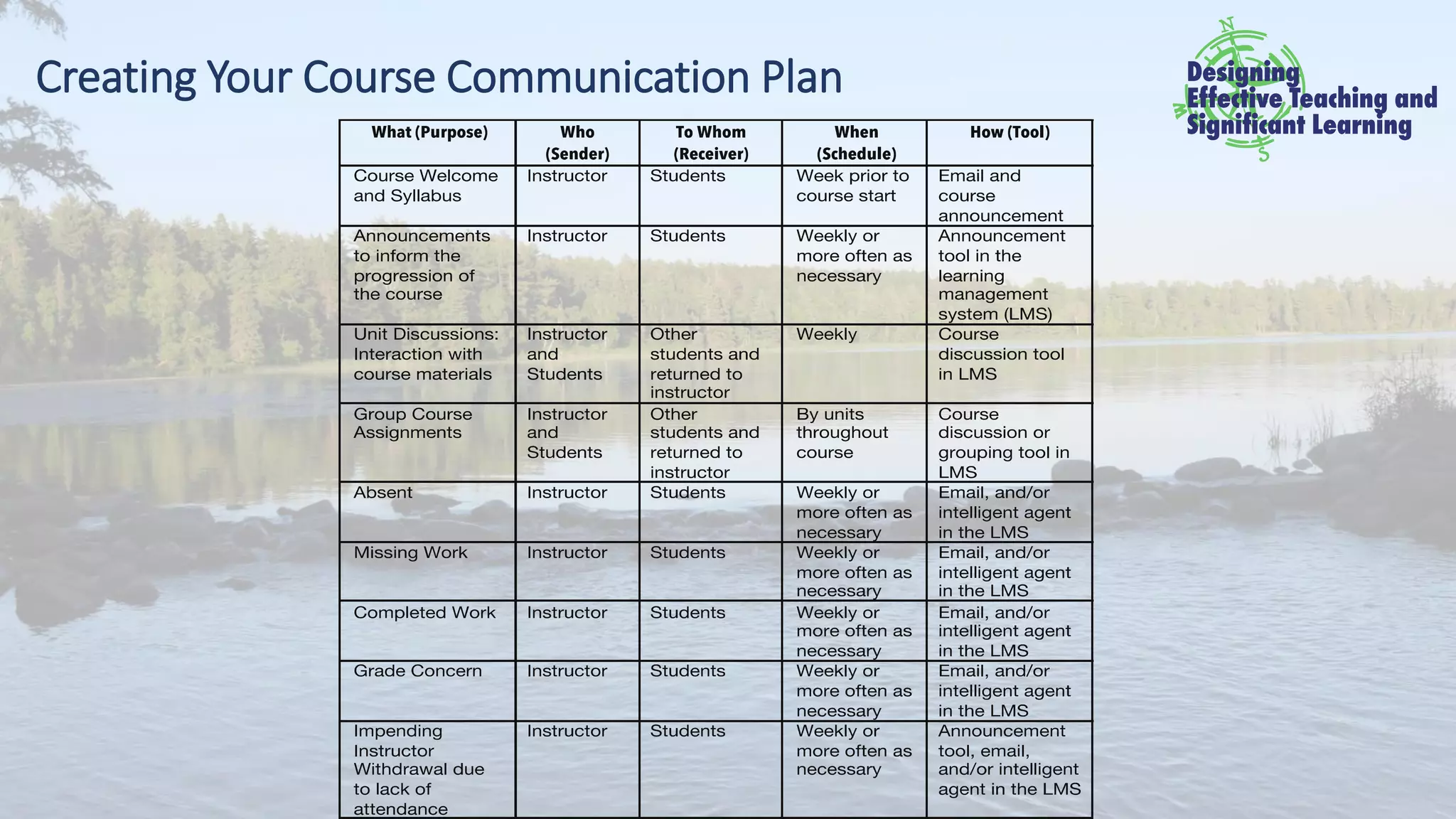
Elements of Course Communication:
• the reasons or purposes for the communication (what and why),
• the senders and receivers of the message – your audience (who),
• the schedule for communication (when),
• and the tools you can use to communicate (how).
Reasons for Communication: The Purpose
Effective course communication experiences can improve your
students’ ability to:
• Participate in the course community.
• Meet your expectations.
• Deliver their best work.
• Achieve the course and institutional learner outcomes.
• Complete the course in a timely manner.
• Navigate the course successfully.
• Build on your program’s/department’s reputation.
• Meet employer expectations.
• Succeed in future learning and workplace opportunities.
Ways to Communicate
• Face-to-face
• Email
• Texting and instant messaging
• Course shell/learning management system (LMS) tools
• Frequently Asked Questions (FAQs) sections in your LMS
• Collaborative online tools
• Course discussions
• Feedback – course, assignment, assessment
• Course syllabi
• Introductions
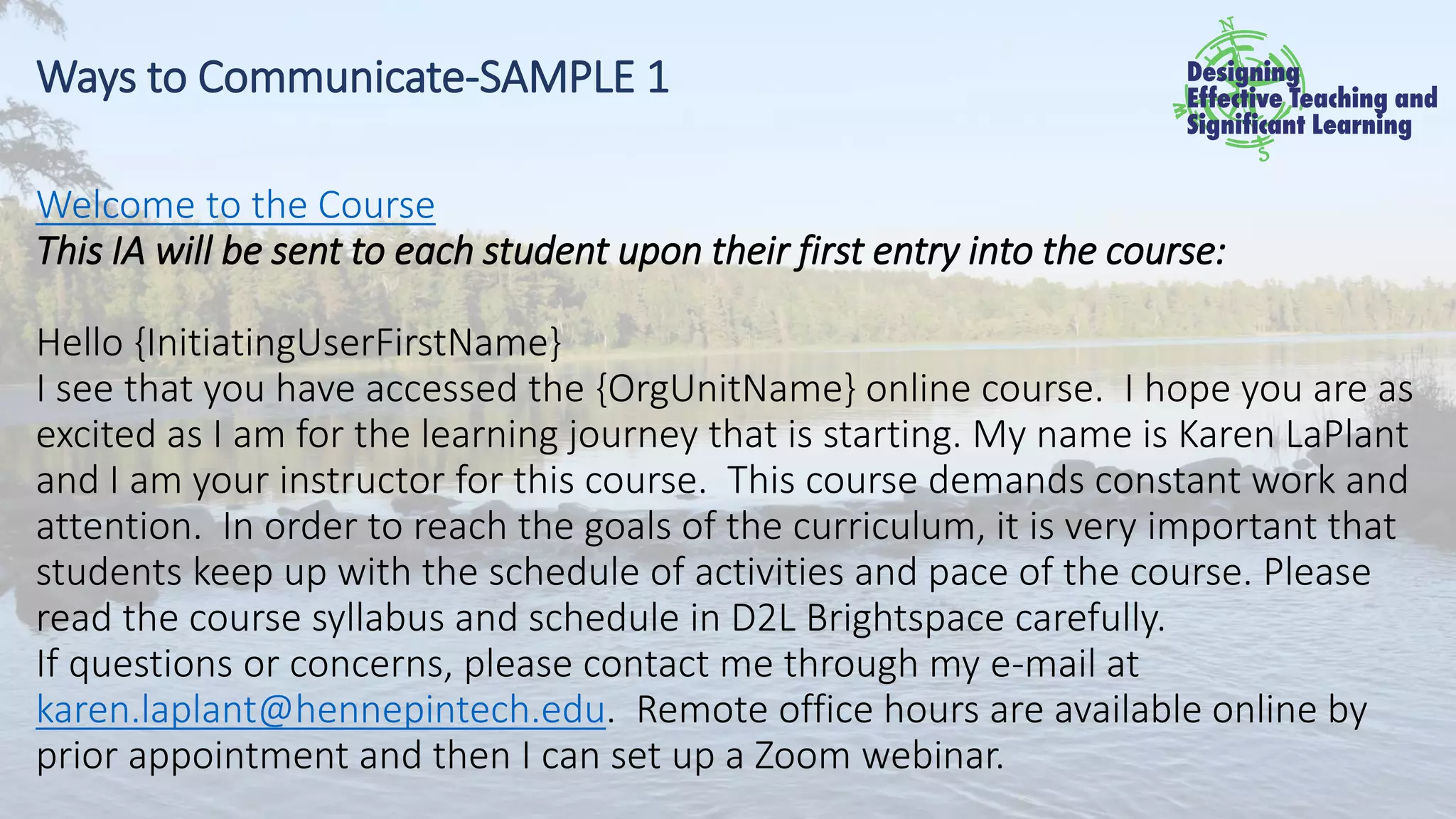
Ways to Communicate-SAMPLE 1
Welcome to the Course
This IA will be sent to each student upon their first entry into the course:
Hello {InitiatingUserFirstName}
I see that you have accessed the {OrgUnitName} online course. I hope you are as
excited as I am for the learning journey that is starting. My name is Karen LaPlant
and I am your instructor for this course. This course demands constant work and
attention. In order to reach the goals of the curriculum, it is very important that
students keep up with the schedule of activities and pace of the course. Please
read the course syllabus and schedule in D2L Brightspace carefully.
If questions or concerns, please contact me through my e-mail at
karen.laplant@hennepintech.edu. Remote office hours are available online by
prior appointment and then I can set up a Zoom webinar.
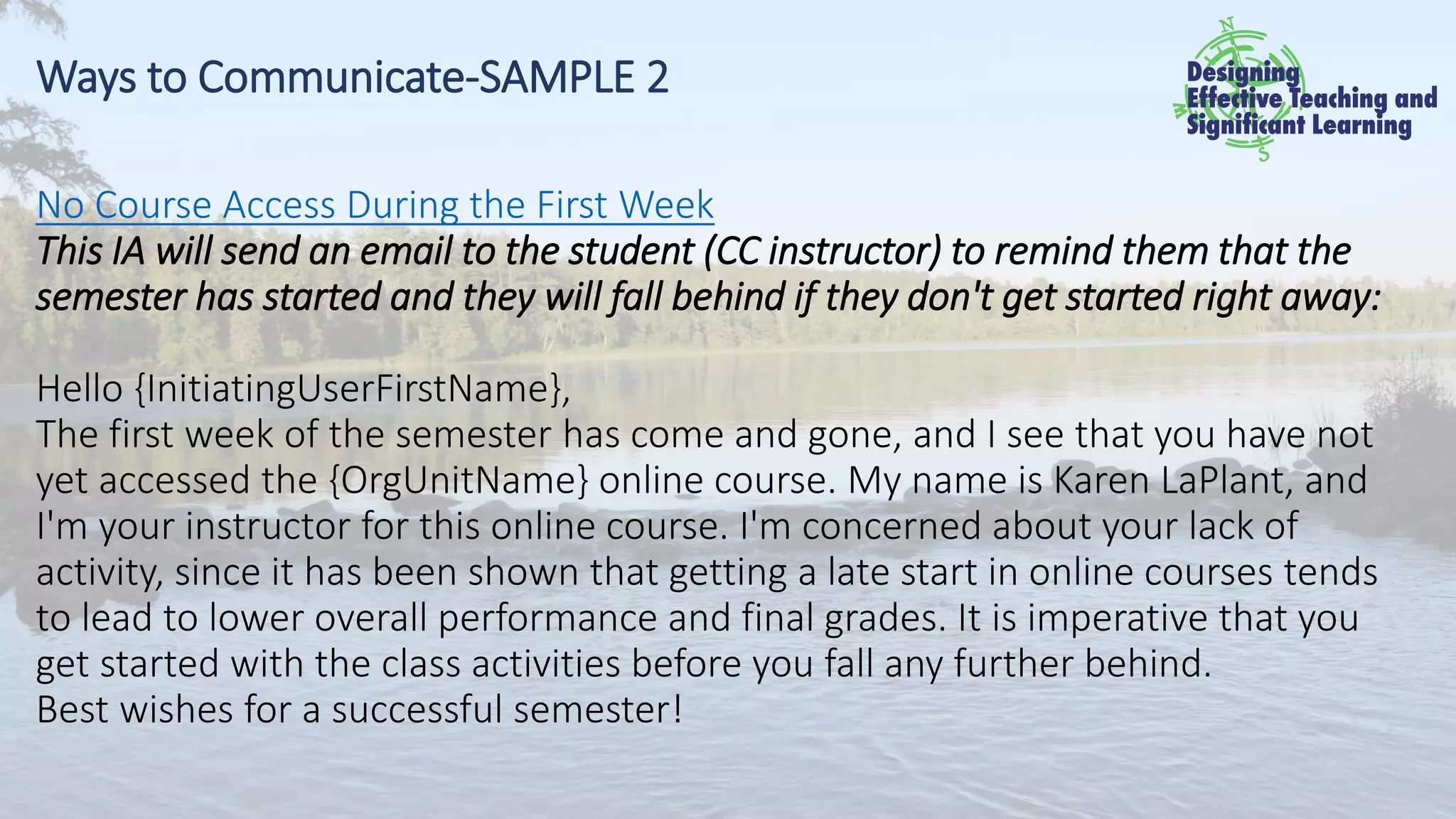
Ways to Communicate-SAMPLE 2
No Course Access During the First Week
This IA will send an email to the student (CC instructor) to remind them that the
semester has started and they will fall behind if they don't get started right away:
Hello {InitiatingUserFirstName},
The first week of the semester has come and gone, and I see that you have not
yet accessed the {OrgUnitName} online course. My name is Karen LaPlant, and
I'm your instructor for this online course. I'm concerned about your lack of
activity, since it has been shown that getting a late start in online courses tends
to lead to lower overall performance and final grades. It is imperative that you
get started with the class activities before you fall any further behind.
Best wishes for a successful semester!
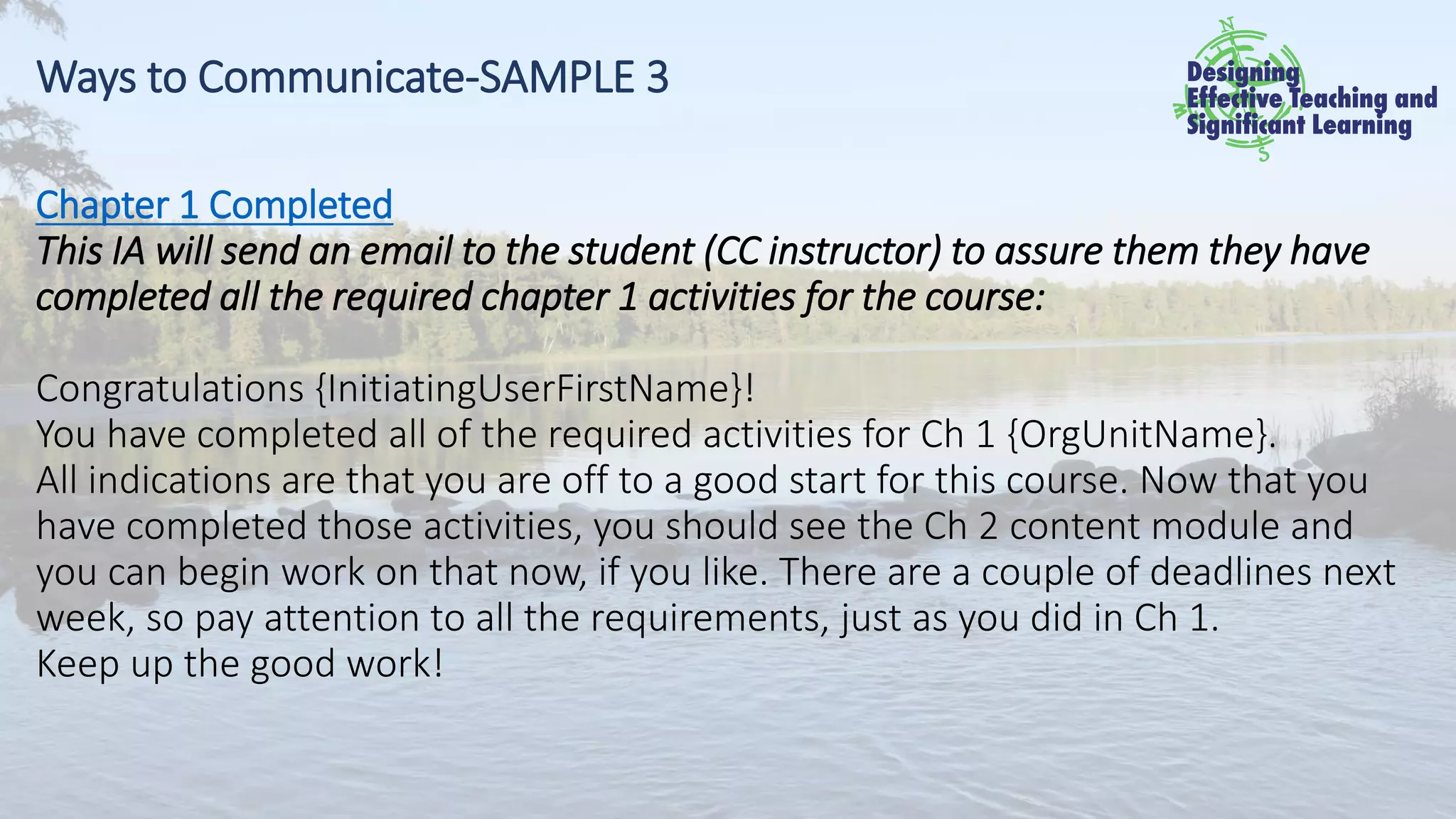
Ways to Communicate-SAMPLE 3
Chapter 1 Completed
This IA will send an email to the student (CC instructor) to assure them they have
completed all the required chapter 1 activities for the course:
Congratulations {InitiatingUserFirstName}!
You have completed all of the required activities for Ch 1 {OrgUnitName}.
All indications are that you are off to a good start for this course. Now that you
have completed those activities, you should see the Ch 2 content module and
you can begin work on that now, if you like. There are a couple of deadlines next
week, so pay attention to all the requirements, just as you did in Ch 1.
Keep up the good work!
Communication Considerations for Faculty
• Keep your purpose in mind. Don’t drift!
• Listen first, act second.
• It is ok to say “I don’t know.”
• Sarcasm can be very dangerous.
• On a similar note, watch your use of humor.
Communication Considerations – Stress Netiquette
• Use the subject line to identify which course they are in; i.e., CHEM 1020-04.
• Introduce themselves (i.e; Hi Mr. Jones, in your Chem 1020-04 class).
• Write in complete sentences using best grammar and punctuation.
• Use emojis and acronyms (IDK, etc.) minimally or not at all.
• Write in a letter format (i.e., using paragraphs).
• Be courteous (i.e., no swearing, using ALL CAPS, etc.).
Communication Considerations – Stress Netiquette
• Add perspectives positively without criticizing others’ viewpoints. Point out
differences without judgment or right/wrong accusations.
• Keep information about yourself and people you know private. Don’t share
sensitive personal information. Use a phrase like, “A person I know…” to make
a point instead of, “My friend, Collette Smith had cancer….”.
• Be patient with others who aren’t as experienced. Everyone is at a different
place with technology and everyone hasn’t had the same learning
opportunities.
(Shea,1994; Mintu-Wilmaatt, Kernek & Lozada, 2010).
When to Communicate – Prior to the Course
Communication could include:
• Computer compatibility or software requirements for the course
• Textbook acquisition
• Time management needed during the course
• Technical skills requirements for the course
• Student email account creation
• Course syllabus and schedule
Some students struggle trying to do all of this the first day of class so helping
them prepare the week before the course begins helps them start on time
and not fall behind.
When to Communicate – Prior to the Course
Example could include:
You will need a working computer with internet access to successfully
take online classes. Have access to a desktop or laptop computer (PC or Mac) and arrange
a back-up plan in case something should happen to your computer or internet source.
Technology skills needed in order to succeed in an online course:
• Use a mouse and a keyboard to type, copy (ctrl+c) and paste (ctrl+v)
• Use Microsoft Word and other Microsoft Office products required for your course
• Save a file in the format required for submitting an assignment (Example: "save as"
docx or PDF)
• Send a webmail message with an attachment
• Download and install software on your computer
• Use a webcam and microphone
When to Communicate – Beginning of the Course
Opening course communication could include:
• Welcome message
• Introductions – instructor and students
• Course reminders
• Syllabus and schedule
When to Communicate – Beginning of the Course
Sample Automated Messages (Intelligent Agents)
CCIS 1005 Computer Security Awareness – Online Spring
This is a fully online course using D2L Brightspace. This is NOT a self-paced course so you
need to be aware of due dates. To be successful you need basic computer skills, Internet
access, the required textbook and a student email account to download and install Office
2016 software.
There will be a course orientation webinar online using ZOOM from 5:00-5:45 pm CST on
Tuesday, January 9. Watch for link in your student email later this week and in D2L
Brightspace Announcements/News when the course opens online at 5 pm. For other
questions, please contact karen.laplant@hennepintech.edu
.
When to Communicate – During the Course
Frequent communication equals connection. Connecting with students weekly
helps retention and success.
• Students who have frequent contact with faculty members in and out of class
during their college years are more satisfied with their educational
experiences, are less likely to drop out, and perceive themselves to have
learned more than students who have less faculty contact (Cross, 1998).
• The more intensely students are engaged and involved in their own
education, the more likely they are to do well, be satisfied with their
educational experience, and stay in school (Pascarella & Terenzini, 1991).
• Students who interact with their teachers develop a support network and are
more likely to persist in classes (Tinto, Russo, & Stephanie, 1994).
When to Communicate – During the Course
Weekly communication as a lifeline which guides some students to complete
course work. Effective strategies include:
• Sending course announcements with reminders about upcoming work or
events and other course related-information.
• Instructor participation in course discussions.
✓ Students enjoy seeing your comments in the course discussion.
✓ It builds the course community so there a feeling of us working together
rather than learners completing assignments on their own.
• Providing feedback to assignments and assessments delivered to entire class
and individuals. Compliment students as a group when some start to turn
things in early and when they, as a group, have done outstanding work.
When to Communicate – During the Course
Weekly communication continued –Using Brightspace Intelligent Agent
reminders. Setting up automated messages provides communication with
students about course progress freeing up your time to provide unique,
individual feedback to improve student performance. Compliment students who
perform exemplary work and encouraging communication with study help for
those who didn’t do as well based on grade book scores. Frequent feedback to
individuals keeps students motivated and connected to the course content and
with you, their instructor.
Sending encouraging emails about progress and assistance. Automated
messaging can encourage participation and assistance. This can accommodate
most of this communication and frees your time to communicate with students
who need some additional or more extensive help.
When to Communicate – Conclusion of the Course
The final time to communicate with your students is at the conclusion of the
course. This course communication could include:
• Reminder to students to provide feedback through the course survey
evaluation
• A final course reflection assignment through email or within a discussion
question
• Reminder to register for next semester
• Additional information about what they need to do next in their program
or major.
Creating Your Course Communication Plan
Contact Us
Karen LaPlant
Karen.LaPlant@metrostate.edu
Zala Fashant
Zala.Fashant@encoreprodev.com
For more information: http://encoreprodev.com/
(Book, Workshops, Blog Articles on Teaching)

Ways Brightspace Can Make Your Course Communication Even Better

  • 1.
    D2L Connection: Minnesota Edition April5, 2019 Normandale Community College
  • 2.
    Ways Brightspace CanMake Your Course Communication Even Better
  • 3.
    D2L Connection SessionDescription We have found D2L Brightspace to be valuable in delivering frequent and effective course communication. We will demonstrate how to build community in a course with the purpose of retaining students, achieving significant student learning and teaching workplace skills students will use after graduation. Examples are provided. Analyze the effectiveness of your own current communication by using this course communication plan. https://community.brightspace.com/s/article/D2L-Connection-2019-Minnesota-Edition
  • 4.
    Course Communication Pathway Today,students have many forms of media vying for their attention, and yours. Can you name some of them? Turn to your colleagues and discuss, 30 seconds……. GO!
  • 5.
    Course Communication Pathway Whatare some of them? How many did you list? • email • texting • IA-LMS automated reminders • syllabi • checklists • calendars • announcements • discussions • faculty-created video messages • instant messaging • word of mouth • group work • file-sharing programs like Google Docs or Drive • and more
  • 6.
    Course Communication Pathway Withall of these forms of communication, it is critical for you to design a clear and effective communication plan using a variety of strategies for your course. To be effective, communication needs to be intentional. Elements of Course Communication: • the reasons or purposes for the communication (what and why), • the senders and receivers of the message – your audience (who), • the schedule for communication (when), • and the tools you can use to communicate (how).
  • 7.
    Reasons for Communication:The Purpose Effective course communication experiences can improve your students’ ability to: • Participate in the course community. • Meet your expectations. • Deliver their best work. • Achieve the course and institutional learner outcomes. • Complete the course in a timely manner. • Navigate the course successfully. • Build on your program’s/department’s reputation. • Meet employer expectations. • Succeed in future learning and workplace opportunities.
  • 8.
    Ways to Communicate •Face-to-face • Email • Texting and instant messaging • Course shell/learning management system (LMS) tools • Frequently Asked Questions (FAQs) sections in your LMS • Collaborative online tools • Course discussions • Feedback – course, assignment, assessment • Course syllabi • Introductions
  • 9.
    Ways to Communicate-SAMPLE1 Welcome to the Course This IA will be sent to each student upon their first entry into the course: Hello {InitiatingUserFirstName} I see that you have accessed the {OrgUnitName} online course. I hope you are as excited as I am for the learning journey that is starting. My name is Karen LaPlant and I am your instructor for this course. This course demands constant work and attention. In order to reach the goals of the curriculum, it is very important that students keep up with the schedule of activities and pace of the course. Please read the course syllabus and schedule in D2L Brightspace carefully. If questions or concerns, please contact me through my e-mail at karen.laplant@hennepintech.edu. Remote office hours are available online by prior appointment and then I can set up a Zoom webinar.
  • 10.
    Ways to Communicate-SAMPLE2 No Course Access During the First Week This IA will send an email to the student (CC instructor) to remind them that the semester has started and they will fall behind if they don't get started right away: Hello {InitiatingUserFirstName}, The first week of the semester has come and gone, and I see that you have not yet accessed the {OrgUnitName} online course. My name is Karen LaPlant, and I'm your instructor for this online course. I'm concerned about your lack of activity, since it has been shown that getting a late start in online courses tends to lead to lower overall performance and final grades. It is imperative that you get started with the class activities before you fall any further behind. Best wishes for a successful semester!
  • 11.
    Ways to Communicate-SAMPLE3 Chapter 1 Completed This IA will send an email to the student (CC instructor) to assure them they have completed all the required chapter 1 activities for the course: Congratulations {InitiatingUserFirstName}! You have completed all of the required activities for Ch 1 {OrgUnitName}. All indications are that you are off to a good start for this course. Now that you have completed those activities, you should see the Ch 2 content module and you can begin work on that now, if you like. There are a couple of deadlines next week, so pay attention to all the requirements, just as you did in Ch 1. Keep up the good work!
  • 12.
    Communication Considerations forFaculty • Keep your purpose in mind. Don’t drift! • Listen first, act second. • It is ok to say “I don’t know.” • Sarcasm can be very dangerous. • On a similar note, watch your use of humor.
  • 13.
    Communication Considerations –Stress Netiquette • Use the subject line to identify which course they are in; i.e., CHEM 1020-04. • Introduce themselves (i.e; Hi Mr. Jones, in your Chem 1020-04 class). • Write in complete sentences using best grammar and punctuation. • Use emojis and acronyms (IDK, etc.) minimally or not at all. • Write in a letter format (i.e., using paragraphs). • Be courteous (i.e., no swearing, using ALL CAPS, etc.).
  • 14.
    Communication Considerations –Stress Netiquette • Add perspectives positively without criticizing others’ viewpoints. Point out differences without judgment or right/wrong accusations. • Keep information about yourself and people you know private. Don’t share sensitive personal information. Use a phrase like, “A person I know…” to make a point instead of, “My friend, Collette Smith had cancer….”. • Be patient with others who aren’t as experienced. Everyone is at a different place with technology and everyone hasn’t had the same learning opportunities. (Shea,1994; Mintu-Wilmaatt, Kernek & Lozada, 2010).
  • 15.
    When to Communicate– Prior to the Course Communication could include: • Computer compatibility or software requirements for the course • Textbook acquisition • Time management needed during the course • Technical skills requirements for the course • Student email account creation • Course syllabus and schedule Some students struggle trying to do all of this the first day of class so helping them prepare the week before the course begins helps them start on time and not fall behind.
  • 16.
    When to Communicate– Prior to the Course Example could include: You will need a working computer with internet access to successfully take online classes. Have access to a desktop or laptop computer (PC or Mac) and arrange a back-up plan in case something should happen to your computer or internet source. Technology skills needed in order to succeed in an online course: • Use a mouse and a keyboard to type, copy (ctrl+c) and paste (ctrl+v) • Use Microsoft Word and other Microsoft Office products required for your course • Save a file in the format required for submitting an assignment (Example: "save as" docx or PDF) • Send a webmail message with an attachment • Download and install software on your computer • Use a webcam and microphone
  • 17.
    When to Communicate– Beginning of the Course Opening course communication could include: • Welcome message • Introductions – instructor and students • Course reminders • Syllabus and schedule
  • 18.
    When to Communicate– Beginning of the Course Sample Automated Messages (Intelligent Agents) CCIS 1005 Computer Security Awareness – Online Spring This is a fully online course using D2L Brightspace. This is NOT a self-paced course so you need to be aware of due dates. To be successful you need basic computer skills, Internet access, the required textbook and a student email account to download and install Office 2016 software. There will be a course orientation webinar online using ZOOM from 5:00-5:45 pm CST on Tuesday, January 9. Watch for link in your student email later this week and in D2L Brightspace Announcements/News when the course opens online at 5 pm. For other questions, please contact karen.laplant@hennepintech.edu .
  • 19.
    When to Communicate– During the Course Frequent communication equals connection. Connecting with students weekly helps retention and success. • Students who have frequent contact with faculty members in and out of class during their college years are more satisfied with their educational experiences, are less likely to drop out, and perceive themselves to have learned more than students who have less faculty contact (Cross, 1998). • The more intensely students are engaged and involved in their own education, the more likely they are to do well, be satisfied with their educational experience, and stay in school (Pascarella & Terenzini, 1991). • Students who interact with their teachers develop a support network and are more likely to persist in classes (Tinto, Russo, & Stephanie, 1994).
  • 20.
    When to Communicate– During the Course Weekly communication as a lifeline which guides some students to complete course work. Effective strategies include: • Sending course announcements with reminders about upcoming work or events and other course related-information. • Instructor participation in course discussions. ✓ Students enjoy seeing your comments in the course discussion. ✓ It builds the course community so there a feeling of us working together rather than learners completing assignments on their own. • Providing feedback to assignments and assessments delivered to entire class and individuals. Compliment students as a group when some start to turn things in early and when they, as a group, have done outstanding work.
  • 21.
    When to Communicate– During the Course Weekly communication continued –Using Brightspace Intelligent Agent reminders. Setting up automated messages provides communication with students about course progress freeing up your time to provide unique, individual feedback to improve student performance. Compliment students who perform exemplary work and encouraging communication with study help for those who didn’t do as well based on grade book scores. Frequent feedback to individuals keeps students motivated and connected to the course content and with you, their instructor. Sending encouraging emails about progress and assistance. Automated messaging can encourage participation and assistance. This can accommodate most of this communication and frees your time to communicate with students who need some additional or more extensive help.
  • 22.
    When to Communicate– Conclusion of the Course The final time to communicate with your students is at the conclusion of the course. This course communication could include: • Reminder to students to provide feedback through the course survey evaluation • A final course reflection assignment through email or within a discussion question • Reminder to register for next semester • Additional information about what they need to do next in their program or major.
  • 23.
    Creating Your CourseCommunication Plan
  • 24.
    Contact Us Karen LaPlant Karen.LaPlant@metrostate.edu ZalaFashant Zala.Fashant@encoreprodev.com For more information: http://encoreprodev.com/ (Book, Workshops, Blog Articles on Teaching)