Answers to Frequently Asked Questions about Online Courses
Welcome to this course Online Teaching Institute – Spring 2010 Meets Fridays 9-noon beginning February 4 th
Most online classes are NOT self-paced. Usually homework, other activities, and online class participation must be completed by deadlines. Many instructors set the deadline for midnight on Saturday to assist those who work Monday – Friday.  Use a calendar for deadlines. Set aside time each week to login.   Question:  Is an online class the same as a self-paced class? Answer: NO
Question:  How much time do I have to spend online? You should plan to spend  at least the same amount of time you would spend on a face-to-face class.  For a one unit class -- you'll spend a minimum of one hour a week looking at some of the class resources, checking on assignments, contributing to discussions, and posting homework.  You’ll probably spend another  3 hours on reading, practice activities and homework.  Answer:  That is up to you
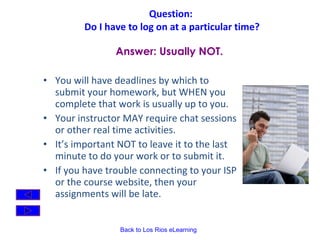
Question:  Do I have to log on at a particular time? You will have deadlines by which to submit your homework, but WHEN you complete that work is usually up to you.   Your instructor MAY require chat sessions or other real time activities. It’s important NOT to leave it to the last minute to do your work or to submit it.  If you have trouble connecting to your ISP or the course website, then your assignments will be late. Answer: Usually NOT.
Question:  Where do we meet for class?   Other than the orientation meeting, most online courses don't really "meet" in a physical face to face sense.  We'll interact regularly through the Internet.  We'll be using some software called Desire2Learn and using the  Los Rios eLearning  web server.    Course materials are available on the course web pages, the bulletin boards,  announcements and email. Answer: Online, not in a classroom.
Question:  How will we communicate? We'll communicate with each other using web-based bulletin boards, chat rooms and email.    The instructor is available to you through email, voicemail and virtual office hours.  On-campus office hours are also available by appointment. These same tools will be used for student-to-student communication also.   Answer:  In many ways.
Question:  Is taking a class online easier than a "regular" class?   Some students think an online class is even more demanding  than a face-to-face class. You have to stay motivated and stay on top of your work for the class.  The workload in an online class is usually identical to an on-site class on the same topic. Answer: No.
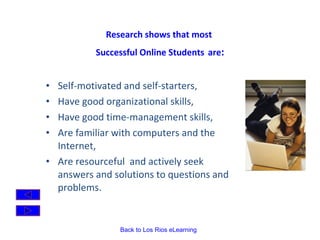
Research shows that most  Successful Online Students   are : Self-motivated and self-starters,  Have good organizational skills, Have good time-management skills, Are familiar with computers and the Internet,  Are resourceful  and actively seek answers and solutions to questions and problems.
Question:  Do I have to have a computer at home? Access to a computer at home makes it easier, but  you do  NOT  have to own a computer for an online class.  Students can access computers on the campus in several locations (the Learning Resource Center, and the Business Computer lab, for example) or at other district colleges.  Some students complete online classes from work (with permission from their employer, of course).    Answer: NO
Question:  What Internet skills would be helpful  in an online class?  Answer:   Know how to use a web browser.  Know how to use an email program.  Know how to make and organize bookmarks in your browser software.  Some familiarity with web-based interactions--bulletin boards, chat and mailing lists will also be useful.  Some familiarity with word processing.  Experience in successful Internet searches using a variety of search engines.
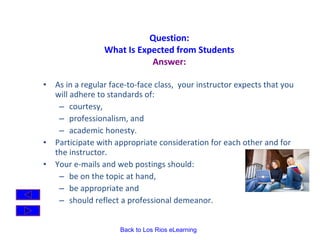
Question: What Is Expected from Students Answer: As in a regular face-to-face class,  your instructor expects that you will adhere to standards of: courtesy,  professionalism, and  academic honesty. Participate with appropriate consideration for each other and for the instructor.   Your e-mails and web postings should: be on the topic at hand,  be appropriate and  should reflect a professional demeanor.
Do You Know Online Etiquette?  Identify yourself by name in each email or posting. Be supportive and constructive in your comments to each other. Help and support each other. Everyone will benefit from a positive online learning environment. Read information on  Online Etiquette . (Use the Back button to come back and finish the presentation.)
Academic Honesty: It is a violation of college policy to plagiarize or to recycle work.  You must not:  take others’ thoughts or words without appropriate acknowledgment;  submit work that has been written or revised in part or in whole by another person;  submit work that you have submitted for another class .
Be sure to get the following Course Information  from your instructor: Course Objectives Course Expectations  Assignments How to submit assignments How to label files How to address your emails to the instructor Grading Policies Other course issues
Video Clips and Animations Another section of the Orientation will demonstrate some of the online tools that we’ll use for the course You can read the written instructions or watch the video demonstrations. Link to an Orientation on:  Using Los Rios eLearning Desire2Learn Other tools for  Getting Started .
Contact your instructor  if you have  any other questions.
Login to Los Rios eLearning by clicking on the link below. Happy Computing!

Fa Qs For Online Students Grofe

  • 1.
    Answers to FrequentlyAsked Questions about Online Courses
  • 2.
    Welcome to thiscourse Online Teaching Institute – Spring 2010 Meets Fridays 9-noon beginning February 4 th
  • 3.
    Most online classesare NOT self-paced. Usually homework, other activities, and online class participation must be completed by deadlines. Many instructors set the deadline for midnight on Saturday to assist those who work Monday – Friday. Use a calendar for deadlines. Set aside time each week to login. Question: Is an online class the same as a self-paced class? Answer: NO
  • 4.
    Question: Howmuch time do I have to spend online? You should plan to spend at least the same amount of time you would spend on a face-to-face class. For a one unit class -- you'll spend a minimum of one hour a week looking at some of the class resources, checking on assignments, contributing to discussions, and posting homework. You’ll probably spend another 3 hours on reading, practice activities and homework.  Answer: That is up to you
  • 5.
    Question: DoI have to log on at a particular time? You will have deadlines by which to submit your homework, but WHEN you complete that work is usually up to you.  Your instructor MAY require chat sessions or other real time activities. It’s important NOT to leave it to the last minute to do your work or to submit it. If you have trouble connecting to your ISP or the course website, then your assignments will be late. Answer: Usually NOT.
  • 6.
    Question: Wheredo we meet for class? Other than the orientation meeting, most online courses don't really "meet" in a physical face to face sense. We'll interact regularly through the Internet. We'll be using some software called Desire2Learn and using the Los Rios eLearning web server.   Course materials are available on the course web pages, the bulletin boards, announcements and email. Answer: Online, not in a classroom.
  • 7.
    Question: Howwill we communicate? We'll communicate with each other using web-based bulletin boards, chat rooms and email.   The instructor is available to you through email, voicemail and virtual office hours. On-campus office hours are also available by appointment. These same tools will be used for student-to-student communication also. Answer: In many ways.
  • 8.
    Question: Istaking a class online easier than a "regular" class? Some students think an online class is even more demanding than a face-to-face class. You have to stay motivated and stay on top of your work for the class. The workload in an online class is usually identical to an on-site class on the same topic. Answer: No.
  • 9.
    Research shows thatmost Successful Online Students are : Self-motivated and self-starters, Have good organizational skills, Have good time-management skills, Are familiar with computers and the Internet, Are resourceful and actively seek answers and solutions to questions and problems.
  • 10.
    Question: DoI have to have a computer at home? Access to a computer at home makes it easier, but you do NOT have to own a computer for an online class. Students can access computers on the campus in several locations (the Learning Resource Center, and the Business Computer lab, for example) or at other district colleges. Some students complete online classes from work (with permission from their employer, of course).   Answer: NO
  • 11.
    Question: WhatInternet skills would be helpful in an online class? Answer: Know how to use a web browser. Know how to use an email program. Know how to make and organize bookmarks in your browser software. Some familiarity with web-based interactions--bulletin boards, chat and mailing lists will also be useful. Some familiarity with word processing. Experience in successful Internet searches using a variety of search engines.
  • 12.
    Question: What IsExpected from Students Answer: As in a regular face-to-face class, your instructor expects that you will adhere to standards of: courtesy, professionalism, and academic honesty. Participate with appropriate consideration for each other and for the instructor.  Your e-mails and web postings should: be on the topic at hand, be appropriate and should reflect a professional demeanor.
  • 13.
    Do You KnowOnline Etiquette?  Identify yourself by name in each email or posting. Be supportive and constructive in your comments to each other. Help and support each other. Everyone will benefit from a positive online learning environment. Read information on Online Etiquette . (Use the Back button to come back and finish the presentation.)
  • 14.
    Academic Honesty: Itis a violation of college policy to plagiarize or to recycle work. You must not: take others’ thoughts or words without appropriate acknowledgment; submit work that has been written or revised in part or in whole by another person; submit work that you have submitted for another class .
  • 15.
    Be sure toget the following Course Information from your instructor: Course Objectives Course Expectations Assignments How to submit assignments How to label files How to address your emails to the instructor Grading Policies Other course issues
  • 16.
    Video Clips andAnimations Another section of the Orientation will demonstrate some of the online tools that we’ll use for the course You can read the written instructions or watch the video demonstrations. Link to an Orientation on: Using Los Rios eLearning Desire2Learn Other tools for Getting Started .
  • 17.
    Contact your instructor if you have any other questions.
  • 18.
    Login to LosRios eLearning by clicking on the link below. Happy Computing!