*Frequently
Asked
Questions
1
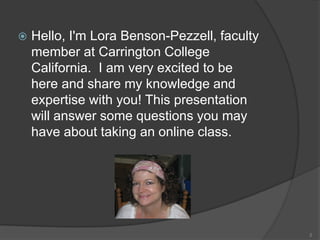
 Hello, I'm Lora Benson-Pezzell, faculty
member at Carrington College
California. I am very excited to be
here and share my knowledge and
expertise with you! This presentation
will answer some questions you may
have about taking an online class.
2
Research shows that most
successful online students are:
3
• Self-motivated and self-starters
• Have good organizational skills
• Have good time-management
skills
• Are familiar with computers and
the Internet
• Are resourceful and actively seek
answers and solutions to
questions and problems.
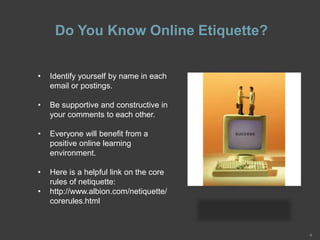
Do You Know Online Etiquette?
4
• Identify yourself by name in each
email or postings.
• Be supportive and constructive in
your comments to each other.
• Everyone will benefit from a
positive online learning
environment.
• Here is a helpful link on the core
rules of netiquette:
• http://www.albion.com/netiquette/
corerules.html
Be sure to get the following course
information from your Syllabus:
5
Go to Course Home, then click on
Syllabus:
Course objectives and Assignments
How to submit assignments
How to label files
Discussion Board Guidelines
Grading Policies
Late Assignment Policy
Attendance Policy
Grading Rubrics
Student Learning Outcomes
Course Schedule
Due Dates for Assignments and Exams
Student Resources: Where Can I find
them?
• What is the hub? It is a student
resource centrally located source for all
of our interactive course materials. In
THE HUB, you will find a technology
enhanced experience specifically
designed for this course.
• It’s the one spot where you can quickly
navigate between all of the resources
that will assist you throughout our
course. As you navigate around THE
HUB, you’ll see that it contains several
different ports, such as the Library.
• Please take some time to familiarize
yourself with what is available in THE
HUB for this course.
• If you have questions about any of this
material or THE HUB itself, please post a
note for me in the Q&A Forum or send
me an e-mail.
6
Use Doc Sharing and Webliography
To get more help with computer training and microsoft
office, internet help, APA format and more, go to:
At Course Home, see the tabs on the upper right hand
side:
Click on Doc Sharing:
Doc Sharing contains short, condensed versions of
your chapters,
Powerpoint presentations on Computer Hardware and
The Internet, and some PDF files on APA format.
Click on Webliography:
Here you will find a variety of links on Computer
Training, Internet Help, Microsoft Office, and a link to
our weekly Adobe Live Training meetings.
7
What if I need a Tutor?
• Tutor.com, 24/7 online tutoring that connects
you with a one-to-one subject expert tutor.
• It is accessible from any internet-enabled
computer or mobile browser through your
course under Home, then select Student
Resources.
• Tutoring is available in the following subject
areas:
• Math – Science – Business – English and
History
• Additionally, the program offers resources
such as study tools, lessons, test prep
materials, and instructional videos.
8
What if I cannot access my e-
book? • For this class, we will be using an
eBook through VitalSource.
• Please make sure you can access
your book and review the
VitalSource materials and
references on our syllabus.
• VitalSource allows you to view your
book three different ways; Online,
Desktop, Mobile App for iPhone,
iPod Touch, or iPad! Sweet!
• If you have trouble with accessing
VitalSource, please contact the
HelpDesk at (866) 933-8661.
9
Academic Honesty:
You must not:
•Take others’ thoughts or words without appropriate acknowledgment.
•Submit work that has been written or revised in part or in whole by another
person.
•Submit work that you have submitted for another class.
•Follow the guidelines for APA format: Before logging onto your class, scroll
down to APA tutorial.
•There is also a campus APA guide in Doc Sharing.
•Do some research on the website: http://plagiarism.org/
10
It is a violation of college policy to plagiarize or to
recycle work.
• Usually homework, other activities, and
online class participation must be
completed by deadline.
• Many Instructors set the deadline for
midnight on Saturday to assist those who
work Monday-Friday.
• Use a calendar for deadlines.
• Set aside time each week to login.
Answer: NO
11
Question: Is an online class the same
as a self-paced class?
Question: How much time do I have to
spend online?
12
• You should plan to spend at least the
same amount of time you would spend
on a face-to-face class, at least 7 to 8
hours per week to complete reading and
writing assignments and take your
quizzes or exams.
Question: Do you have to log on at any
particular time?
13
• In online classes, attendance and
participation are not the same. Please
note that attendance is tracked by
Online Administration, whereas
participation is graded by your instructor.
• Attendance is monitored daily and is
reviewed weekly. Remember that the
online week begins on Monday and
ends on Sunday. To be in attendance
during a week, you must log in to your
online class and post at least one
message on at least one day during
each week. Deadlines for attendance
are based on mountain time (MT).
Online Attendance: How is it recorded?
 Attendance is not a graded activity,
unlike participation.
 Any message you post in any course
will count toward the attendance
requirement, regardless of its content
or quality.
 Meeting the attendance requirements
does not ensure a good participation
grade.
 Missing a total of 2 weeks of
attendance in any online course will
result in automatic withdrawal from
the course, and you will not be
eligible to earn a grade.
14
Question: How will we communicate?
Answer: In many ways.
15
• We'll communicate with each other using
web-based discussion boards, Q & A tab
and email at lpezzell@carrington.edu.
• My office hours are also available by
appointment Monday to Thursday 9 to 1
pm at 916-684-9605 PST.
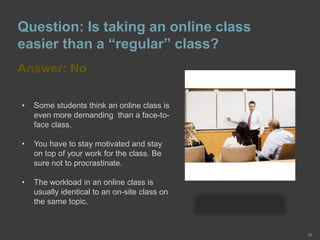
Question: Is taking an online class
easier than a “regular” class?
Answer: No
16
• Some students think an online class is
even more demanding than a face-to-
face class.
• You have to stay motivated and stay
on top of your work for the class. Be
sure not to procrastinate.
• The workload in an online class is
usually identical to an on-site class on
the same topic.
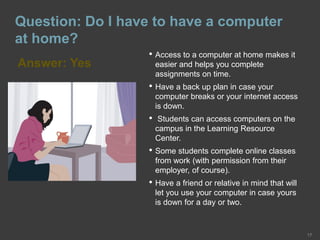
Question: Do I have to have a computer
at home?
Answer: Yes
17
• Access to a computer at home makes it
easier and helps you complete
assignments on time.
• Have a back up plan in case your
computer breaks or your internet access
is down.
• Students can access computers on the
campus in the Learning Resource
Center.
• Some students complete online classes
from work (with permission from their
employer, of course).
• Have a friend or relative in mind that will
let you use your computer in case yours
is down for a day or two.
Question: What Internet skills would be
helpful in an online class?
Answer:
18
• Know how to use a web browser.
• Know how to use an email program.
• Know how to make and organize bookmarks in your
browser software.
• Some familiarity with web-based interactions bulletin
boards, chat and mailing lists will also be useful.
• Some familiarity with word processing.
• Experience in successful Internet searches using a
variety of search engines.
Question: What is expected of students?
Answer:
19
• As in a regular face-to-face class, your
instructor expects that you will adhere to
standards of:
Courtesy
Professionalism
Academic honesty
• Participate with appropriate consideration for
each other and for the instructor.
• Your emails and web postings should:
On the topic at hand
Be appropriate
Should reflect a professional demeanor
Getting Started Online
20
Enjoy the Learning!

Success Tips For Online Students Computer Literacy

  • 1.
  • 2.
     Hello, I'mLora Benson-Pezzell, faculty member at Carrington College California. I am very excited to be here and share my knowledge and expertise with you! This presentation will answer some questions you may have about taking an online class. 2
  • 3.
    Research shows thatmost successful online students are: 3 • Self-motivated and self-starters • Have good organizational skills • Have good time-management skills • Are familiar with computers and the Internet • Are resourceful and actively seek answers and solutions to questions and problems.
  • 4.
    Do You KnowOnline Etiquette? 4 • Identify yourself by name in each email or postings. • Be supportive and constructive in your comments to each other. • Everyone will benefit from a positive online learning environment. • Here is a helpful link on the core rules of netiquette: • http://www.albion.com/netiquette/ corerules.html
  • 5.
    Be sure toget the following course information from your Syllabus: 5 Go to Course Home, then click on Syllabus: Course objectives and Assignments How to submit assignments How to label files Discussion Board Guidelines Grading Policies Late Assignment Policy Attendance Policy Grading Rubrics Student Learning Outcomes Course Schedule Due Dates for Assignments and Exams
  • 6.
    Student Resources: WhereCan I find them? • What is the hub? It is a student resource centrally located source for all of our interactive course materials. In THE HUB, you will find a technology enhanced experience specifically designed for this course. • It’s the one spot where you can quickly navigate between all of the resources that will assist you throughout our course. As you navigate around THE HUB, you’ll see that it contains several different ports, such as the Library. • Please take some time to familiarize yourself with what is available in THE HUB for this course. • If you have questions about any of this material or THE HUB itself, please post a note for me in the Q&A Forum or send me an e-mail. 6
  • 7.
    Use Doc Sharingand Webliography To get more help with computer training and microsoft office, internet help, APA format and more, go to: At Course Home, see the tabs on the upper right hand side: Click on Doc Sharing: Doc Sharing contains short, condensed versions of your chapters, Powerpoint presentations on Computer Hardware and The Internet, and some PDF files on APA format. Click on Webliography: Here you will find a variety of links on Computer Training, Internet Help, Microsoft Office, and a link to our weekly Adobe Live Training meetings. 7
  • 8.
    What if Ineed a Tutor? • Tutor.com, 24/7 online tutoring that connects you with a one-to-one subject expert tutor. • It is accessible from any internet-enabled computer or mobile browser through your course under Home, then select Student Resources. • Tutoring is available in the following subject areas: • Math – Science – Business – English and History • Additionally, the program offers resources such as study tools, lessons, test prep materials, and instructional videos. 8
  • 9.
    What if Icannot access my e- book? • For this class, we will be using an eBook through VitalSource. • Please make sure you can access your book and review the VitalSource materials and references on our syllabus. • VitalSource allows you to view your book three different ways; Online, Desktop, Mobile App for iPhone, iPod Touch, or iPad! Sweet! • If you have trouble with accessing VitalSource, please contact the HelpDesk at (866) 933-8661. 9
  • 10.
    Academic Honesty: You mustnot: •Take others’ thoughts or words without appropriate acknowledgment. •Submit work that has been written or revised in part or in whole by another person. •Submit work that you have submitted for another class. •Follow the guidelines for APA format: Before logging onto your class, scroll down to APA tutorial. •There is also a campus APA guide in Doc Sharing. •Do some research on the website: http://plagiarism.org/ 10 It is a violation of college policy to plagiarize or to recycle work.
  • 11.
    • Usually homework,other activities, and online class participation must be completed by deadline. • Many Instructors set the deadline for midnight on Saturday to assist those who work Monday-Friday. • Use a calendar for deadlines. • Set aside time each week to login. Answer: NO 11 Question: Is an online class the same as a self-paced class?
  • 12.
    Question: How muchtime do I have to spend online? 12 • You should plan to spend at least the same amount of time you would spend on a face-to-face class, at least 7 to 8 hours per week to complete reading and writing assignments and take your quizzes or exams.
  • 13.
    Question: Do youhave to log on at any particular time? 13 • In online classes, attendance and participation are not the same. Please note that attendance is tracked by Online Administration, whereas participation is graded by your instructor. • Attendance is monitored daily and is reviewed weekly. Remember that the online week begins on Monday and ends on Sunday. To be in attendance during a week, you must log in to your online class and post at least one message on at least one day during each week. Deadlines for attendance are based on mountain time (MT).
  • 14.
    Online Attendance: Howis it recorded?  Attendance is not a graded activity, unlike participation.  Any message you post in any course will count toward the attendance requirement, regardless of its content or quality.  Meeting the attendance requirements does not ensure a good participation grade.  Missing a total of 2 weeks of attendance in any online course will result in automatic withdrawal from the course, and you will not be eligible to earn a grade. 14
  • 15.
    Question: How willwe communicate? Answer: In many ways. 15 • We'll communicate with each other using web-based discussion boards, Q & A tab and email at lpezzell@carrington.edu. • My office hours are also available by appointment Monday to Thursday 9 to 1 pm at 916-684-9605 PST.
  • 16.
    Question: Is takingan online class easier than a “regular” class? Answer: No 16 • Some students think an online class is even more demanding than a face-to- face class. • You have to stay motivated and stay on top of your work for the class. Be sure not to procrastinate. • The workload in an online class is usually identical to an on-site class on the same topic.
  • 17.
    Question: Do Ihave to have a computer at home? Answer: Yes 17 • Access to a computer at home makes it easier and helps you complete assignments on time. • Have a back up plan in case your computer breaks or your internet access is down. • Students can access computers on the campus in the Learning Resource Center. • Some students complete online classes from work (with permission from their employer, of course). • Have a friend or relative in mind that will let you use your computer in case yours is down for a day or two.
  • 18.
    Question: What Internetskills would be helpful in an online class? Answer: 18 • Know how to use a web browser. • Know how to use an email program. • Know how to make and organize bookmarks in your browser software. • Some familiarity with web-based interactions bulletin boards, chat and mailing lists will also be useful. • Some familiarity with word processing. • Experience in successful Internet searches using a variety of search engines.
  • 19.
    Question: What isexpected of students? Answer: 19 • As in a regular face-to-face class, your instructor expects that you will adhere to standards of: Courtesy Professionalism Academic honesty • Participate with appropriate consideration for each other and for the instructor. • Your emails and web postings should: On the topic at hand Be appropriate Should reflect a professional demeanor
  • 20.