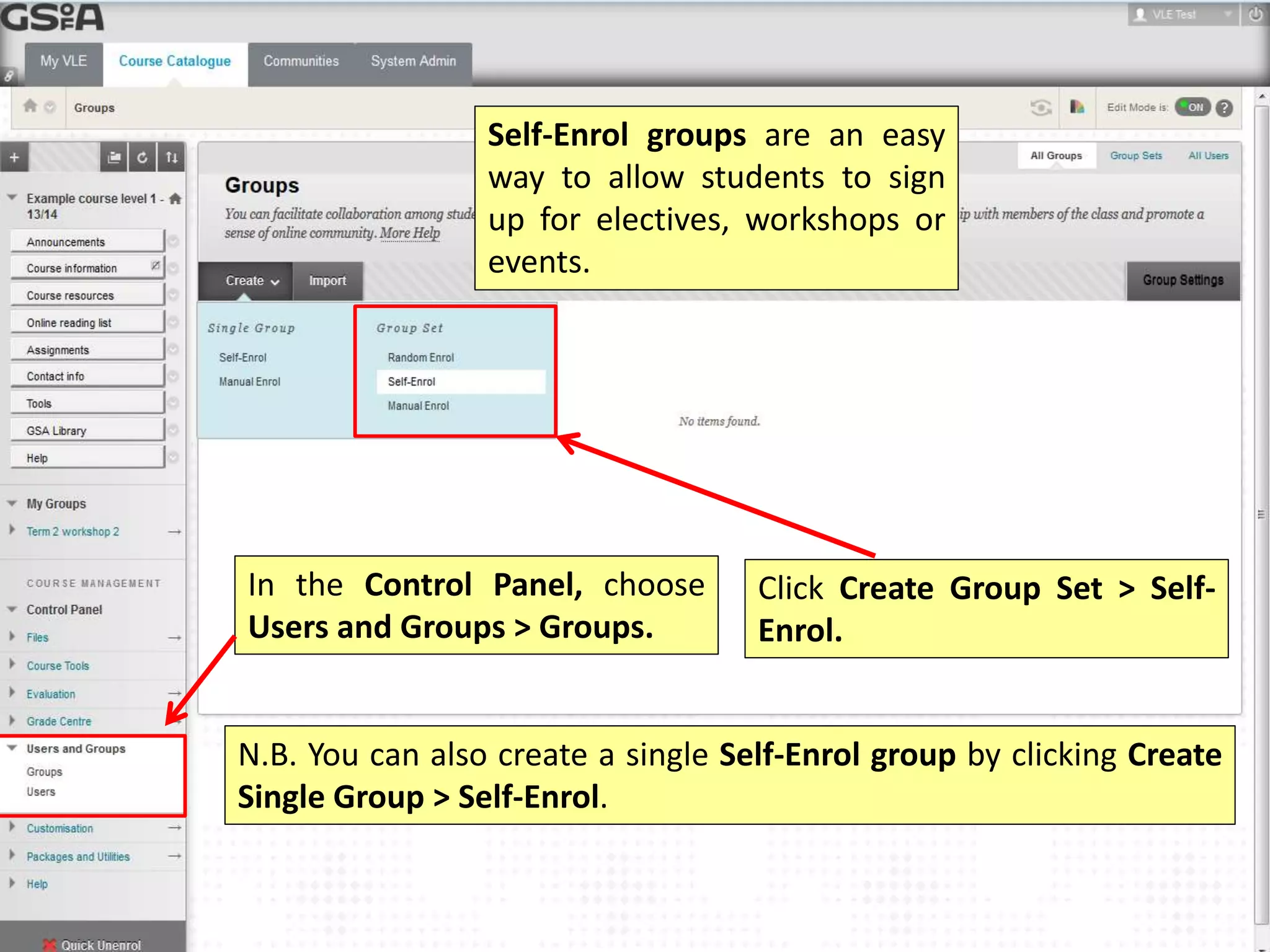
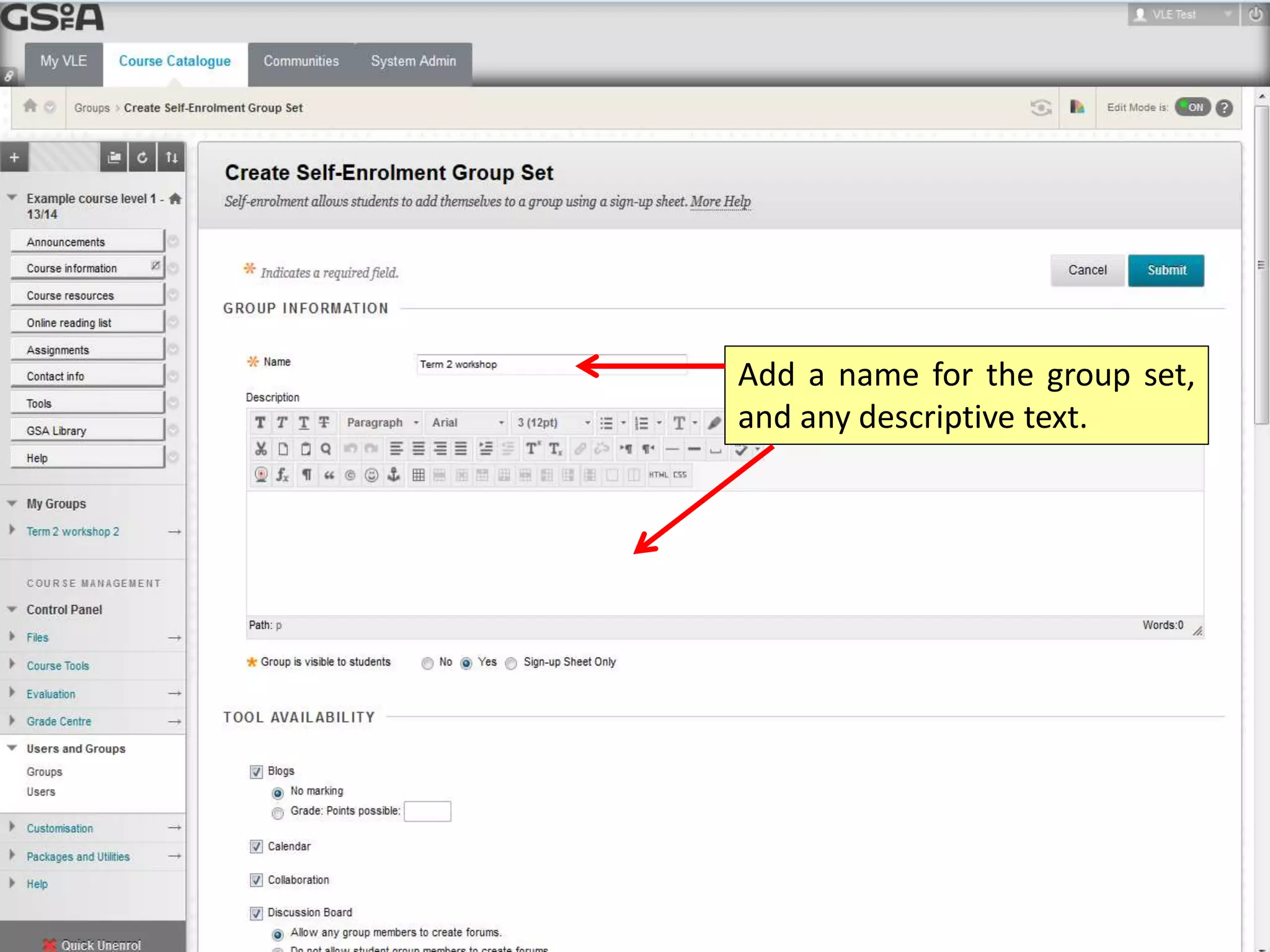
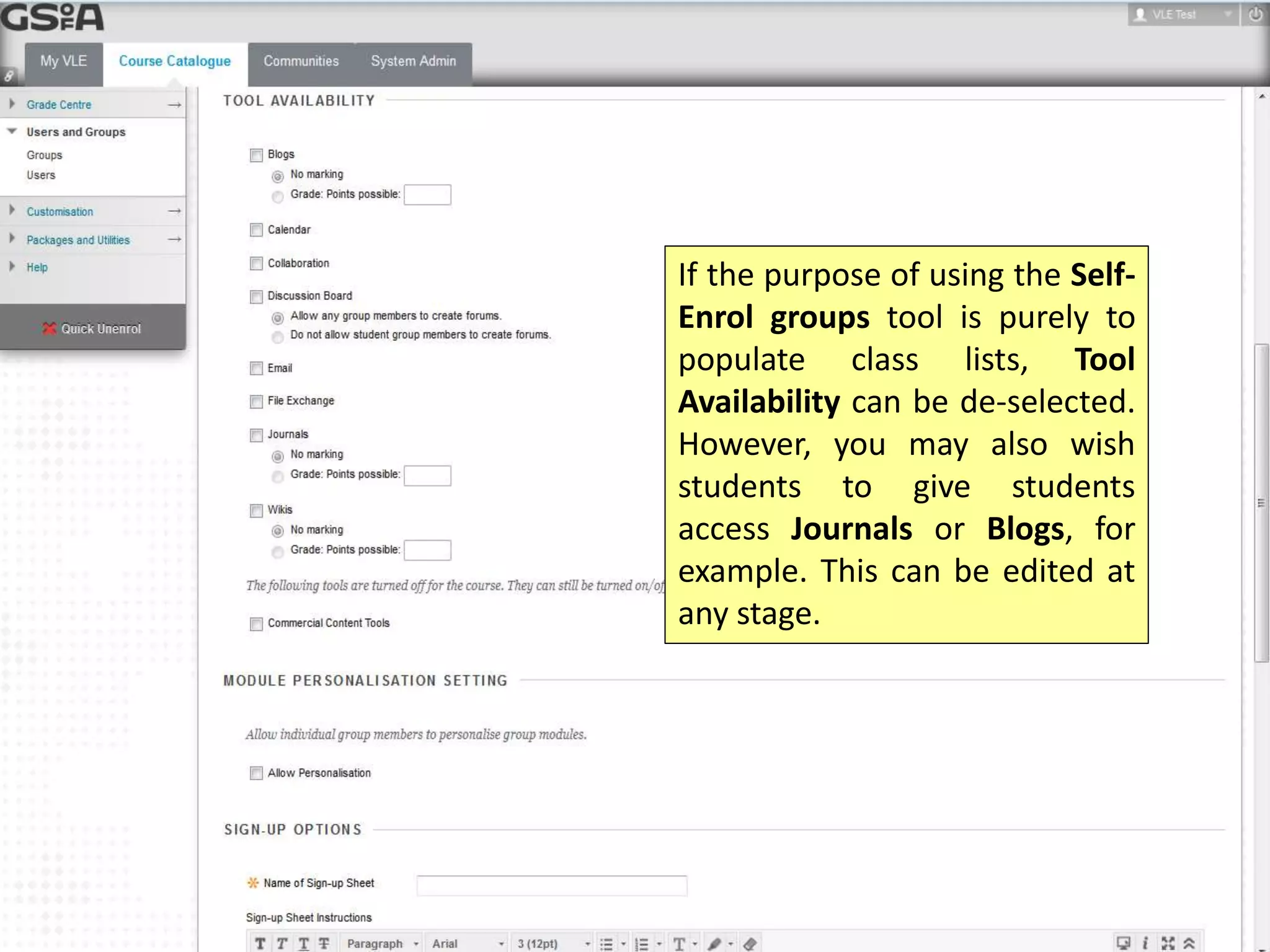
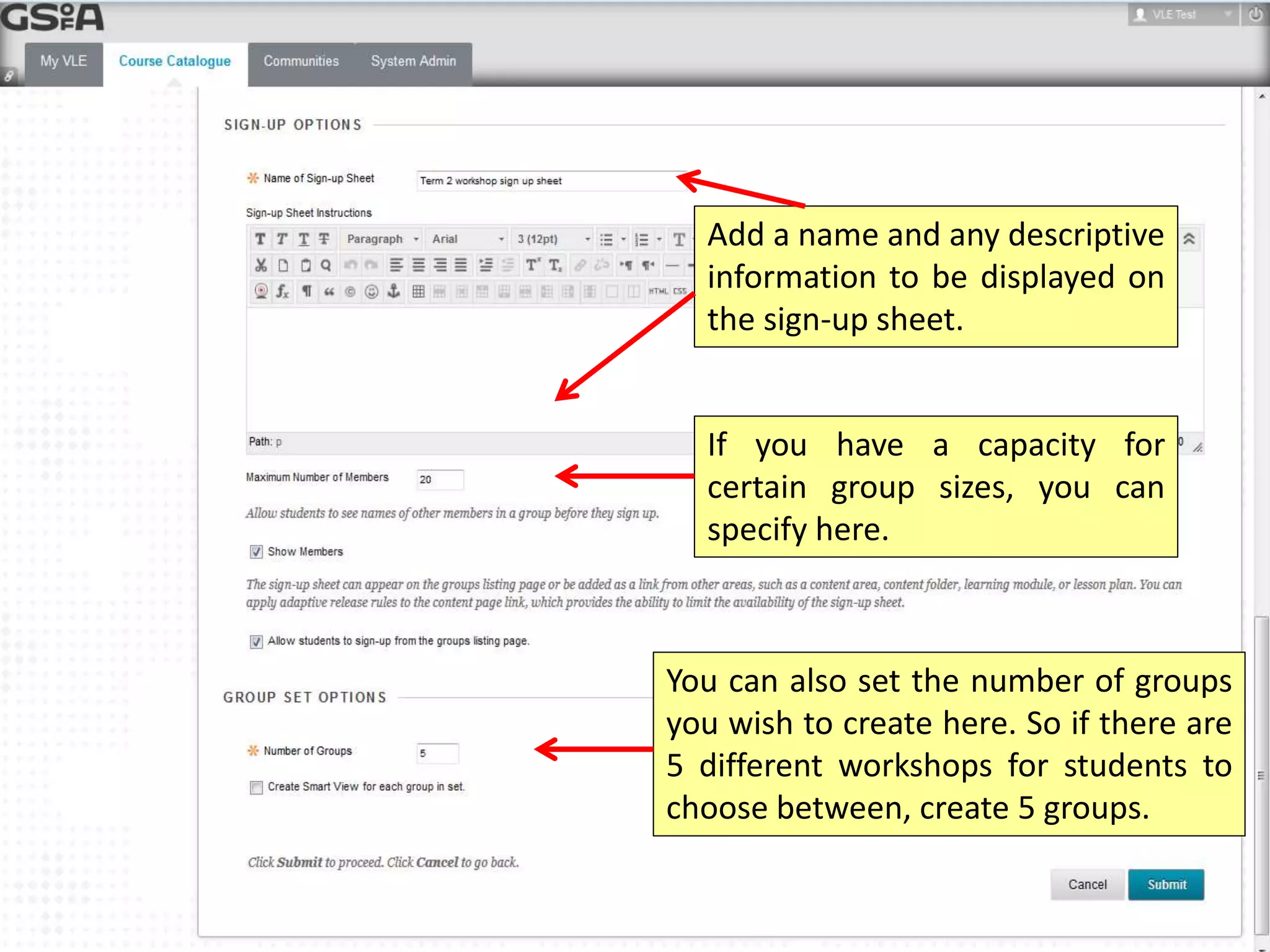
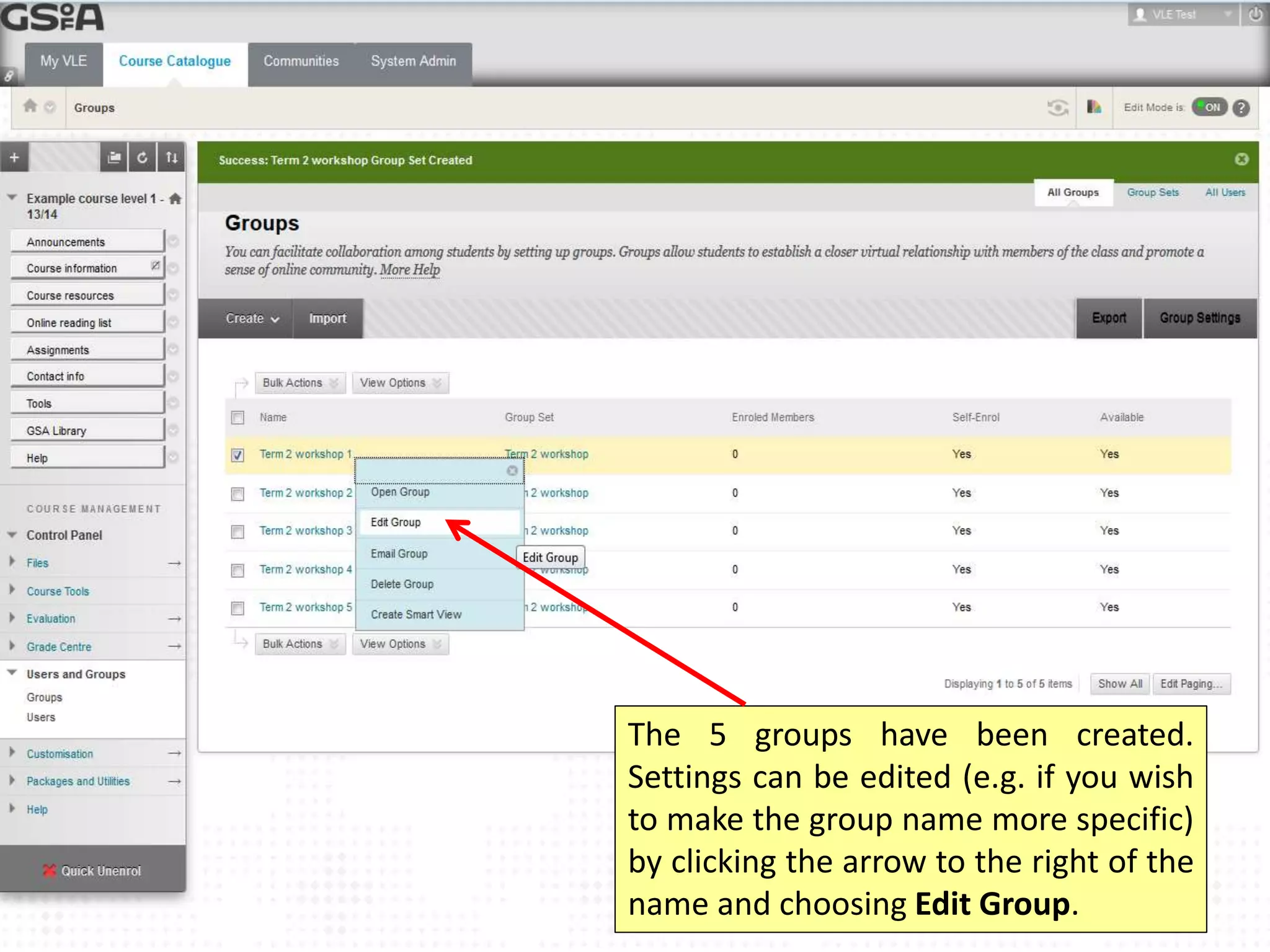
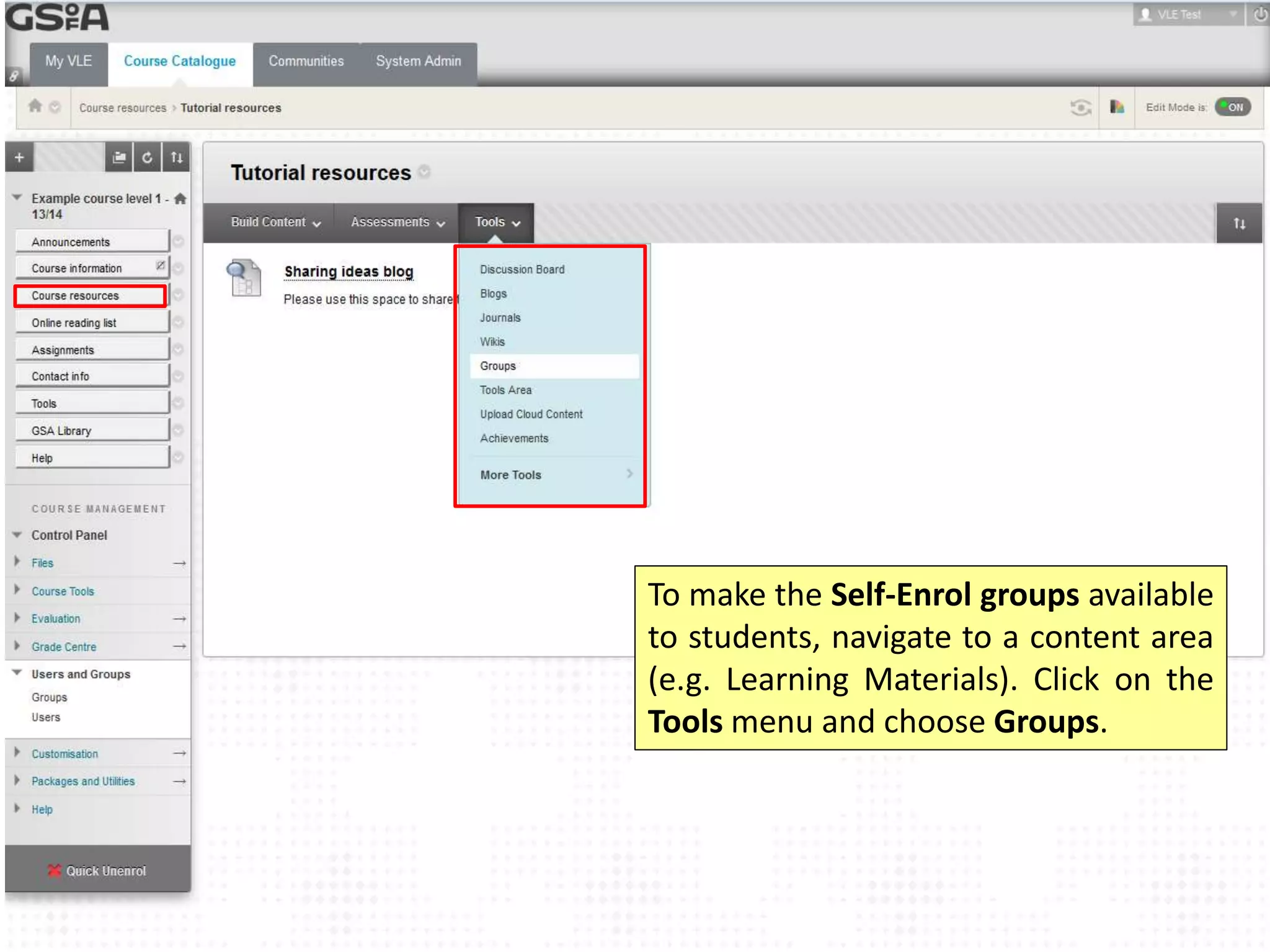
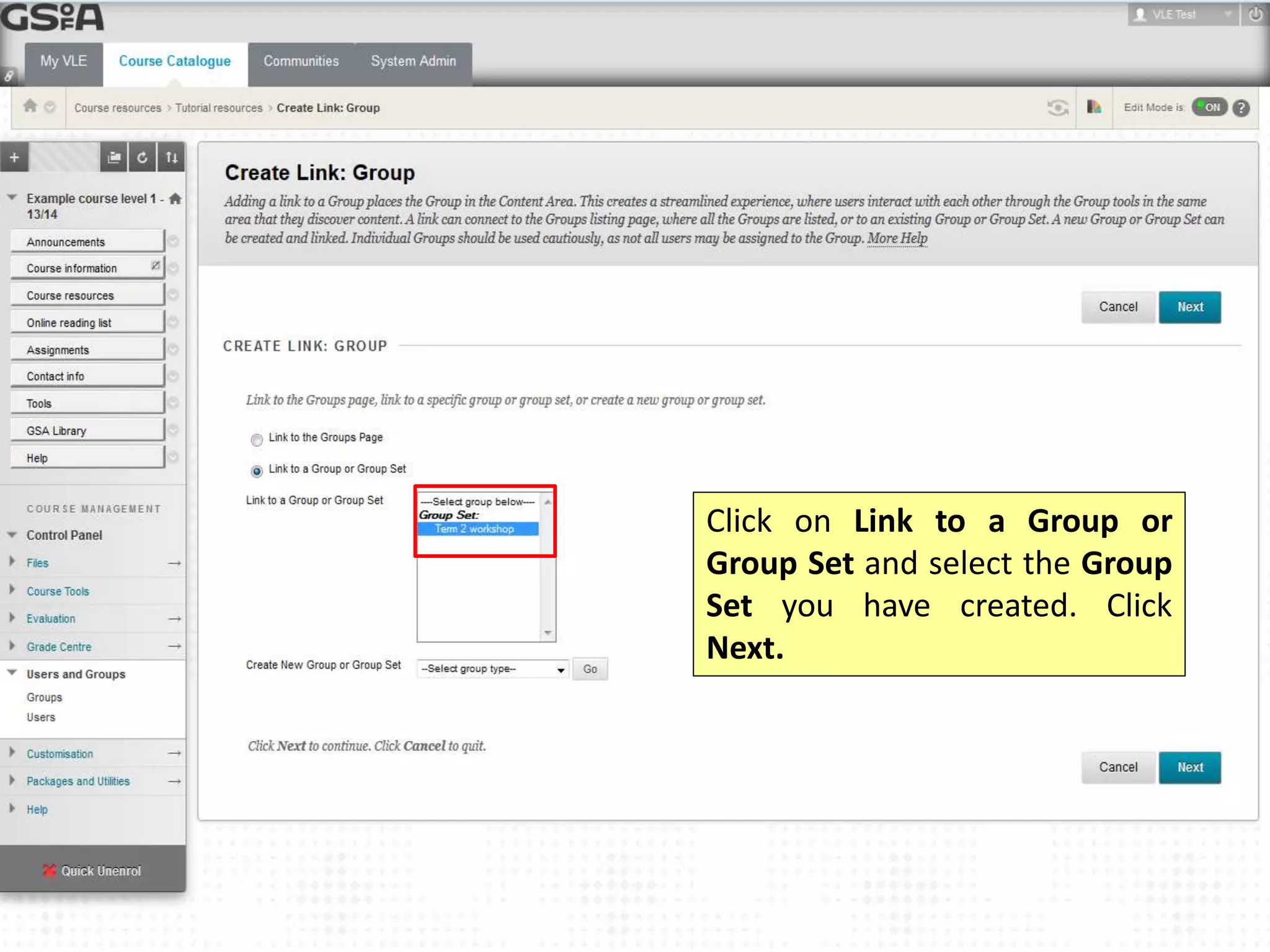
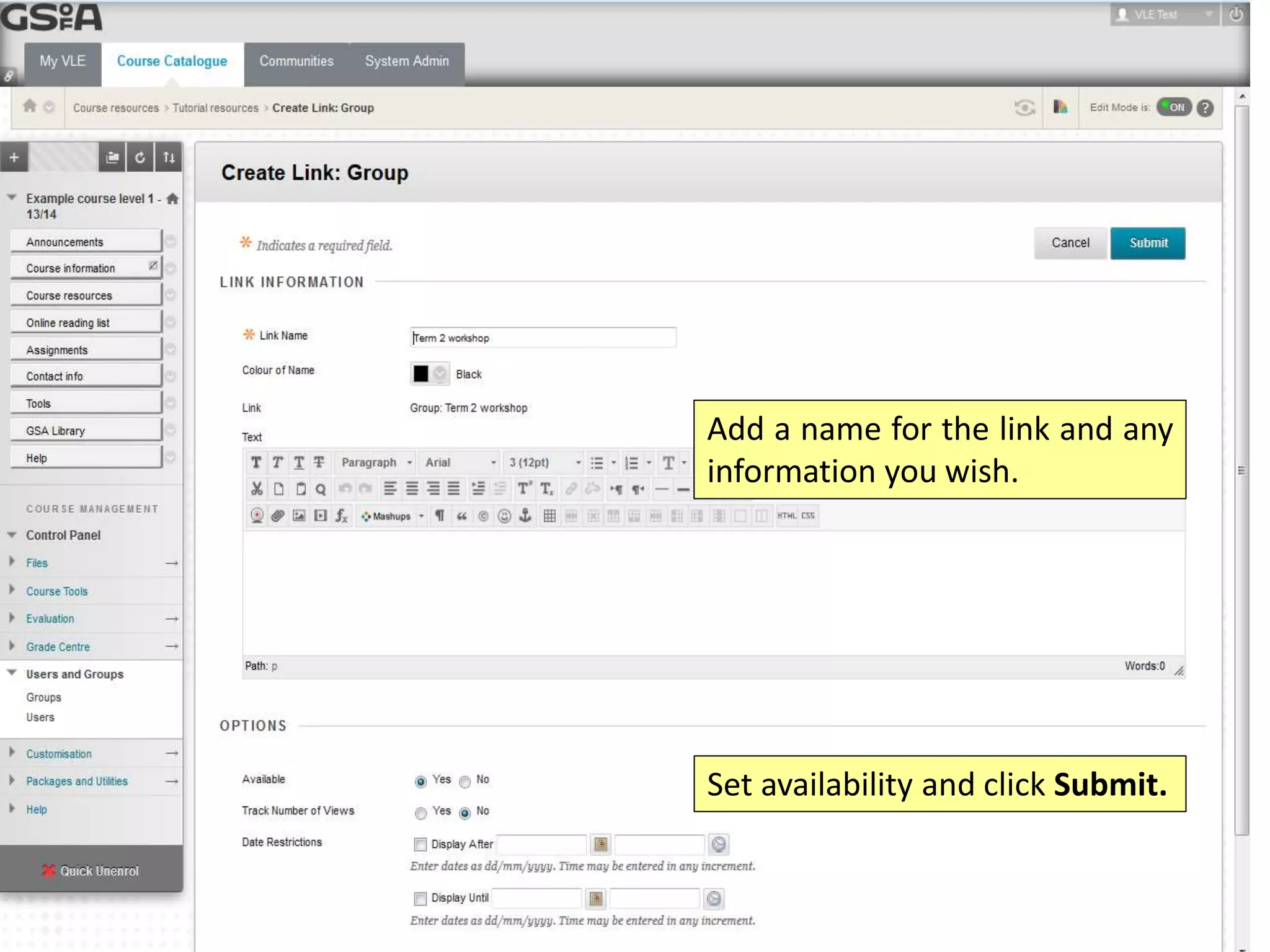
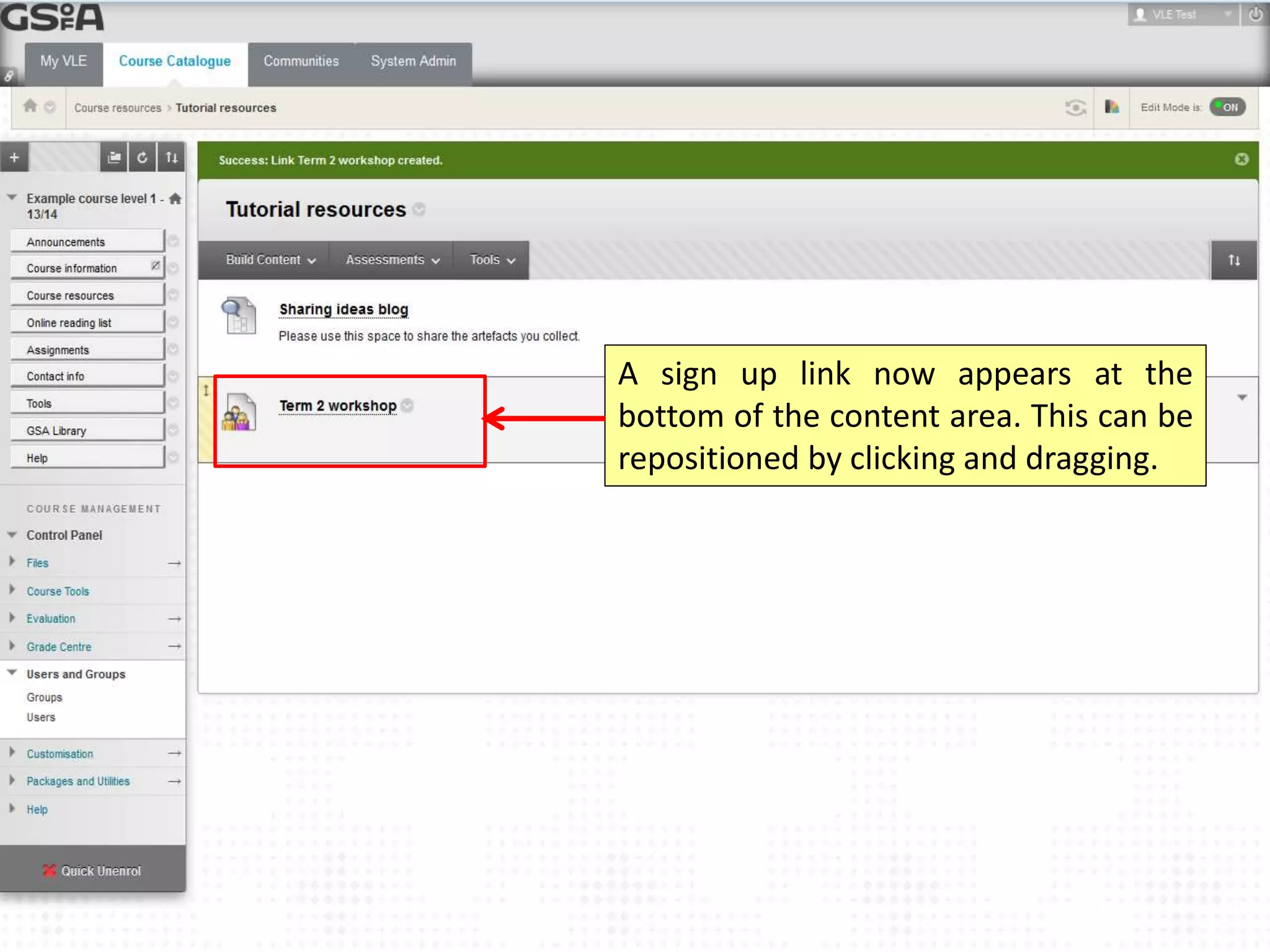
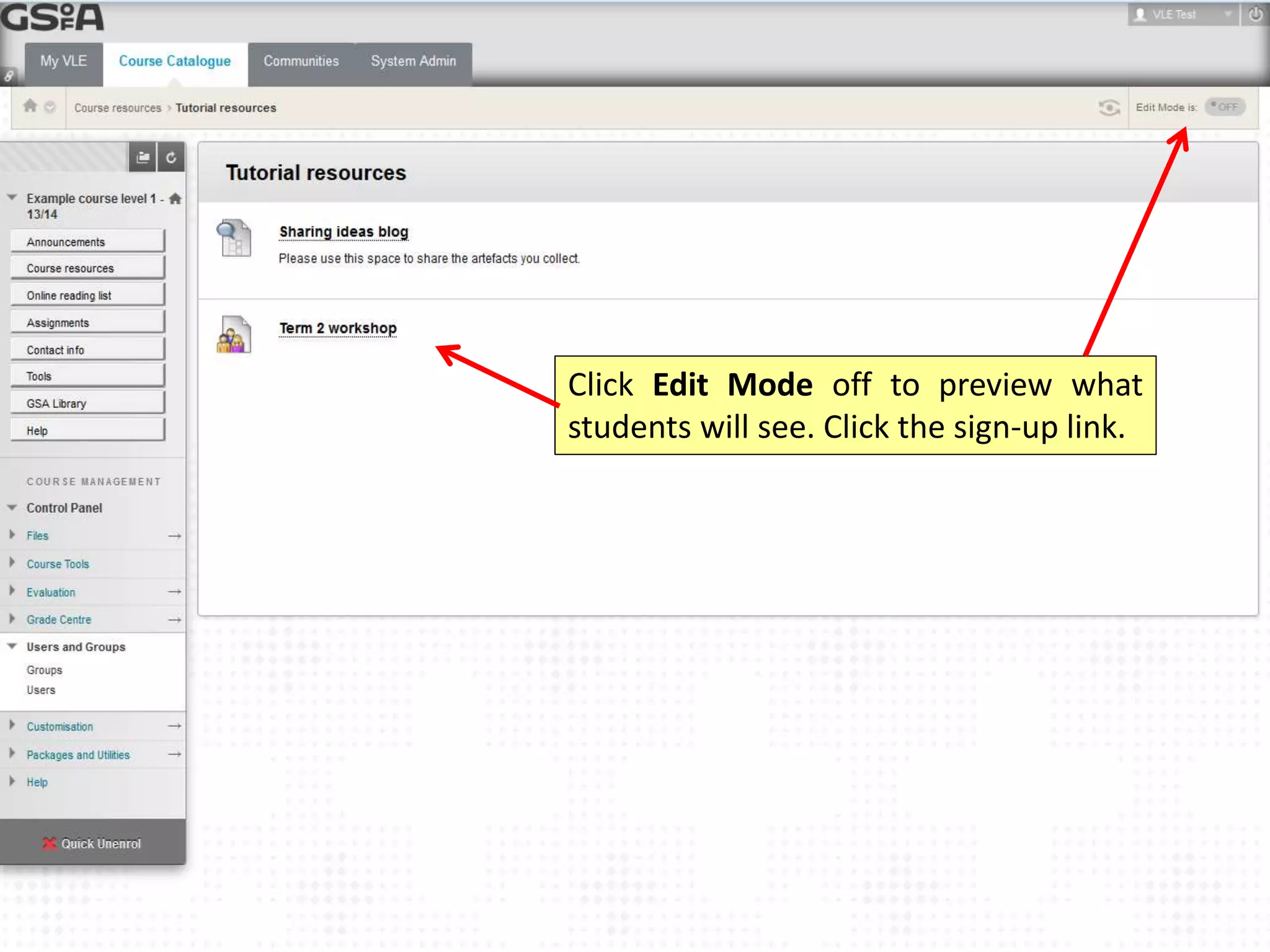
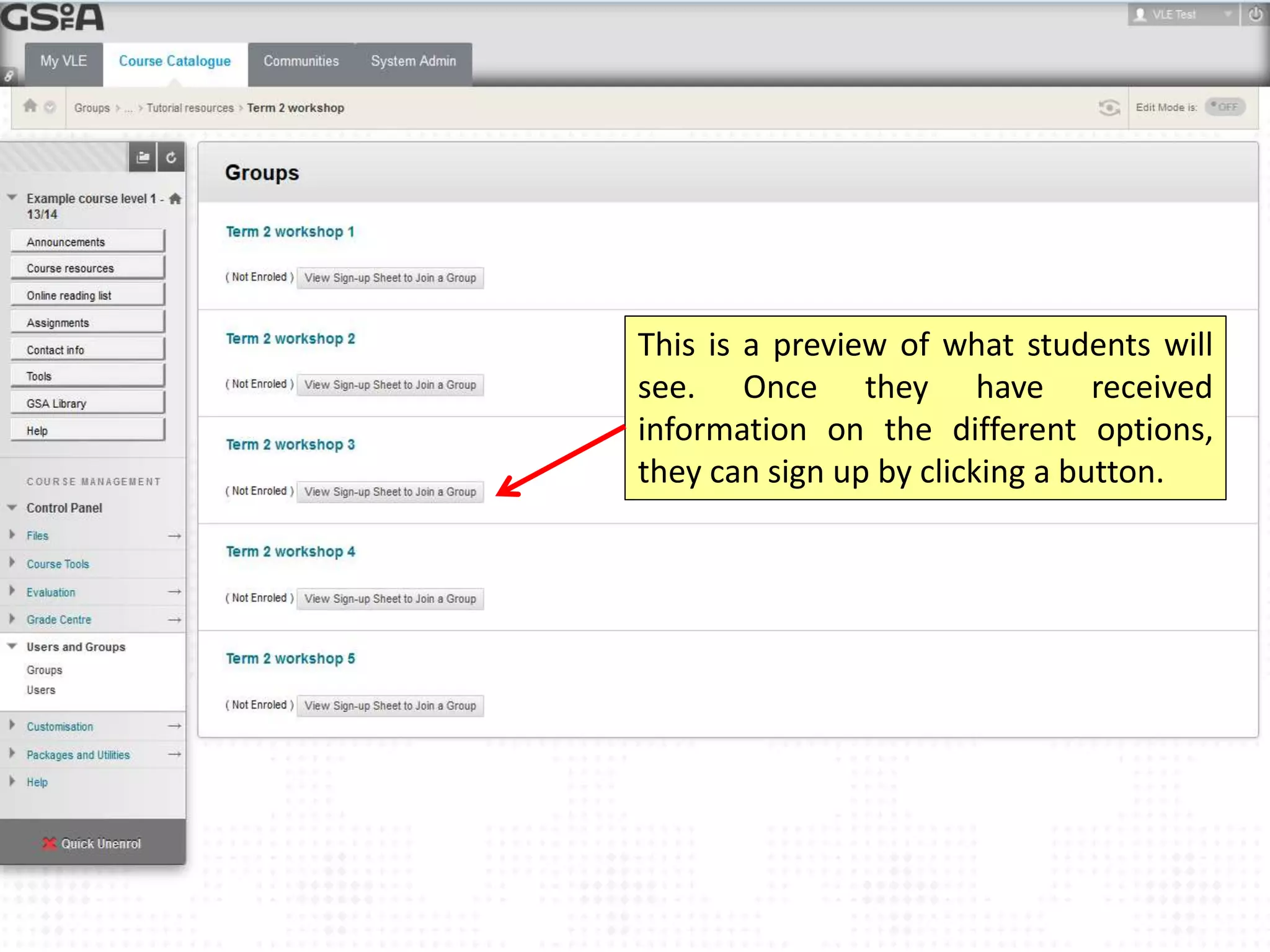
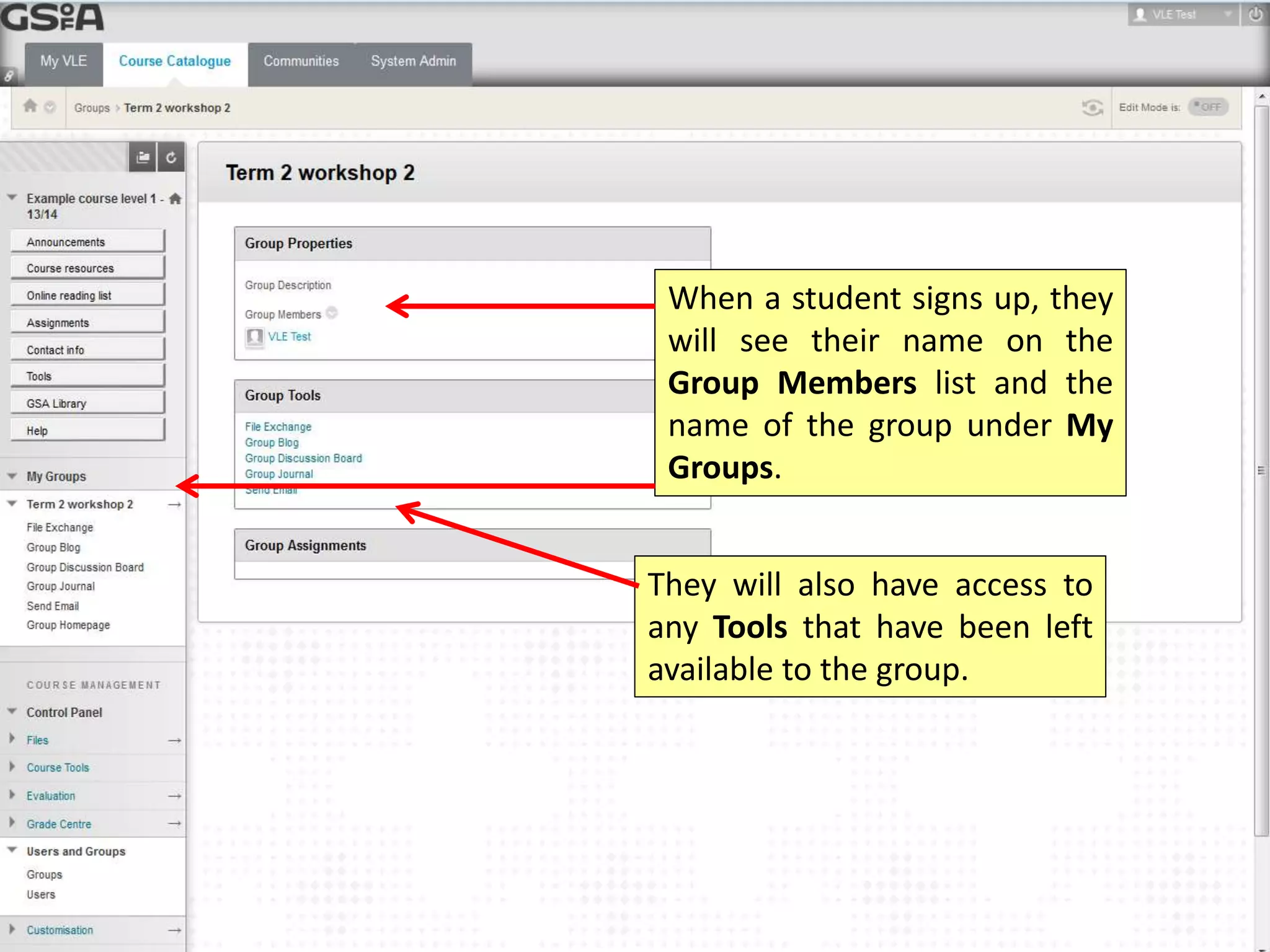
This document provides instructions for creating self-enroll groups in a virtual learning environment (VLE) to allow students to sign up for electives, workshops, or events. Key steps include creating a group set or single self-enroll group, adding descriptive information, setting tool availability and group capacity, linking the group set to a content area, and previewing the sign-up process for students. Once students sign up, their name will be added to the group members list and they will have access to available tools.