10 Best Practices for Virtual
Classrooms
Moving face-to-face training to delivery
in a virtual classroom
By Darlene Christopher
Copyright 2011 D. Christopher
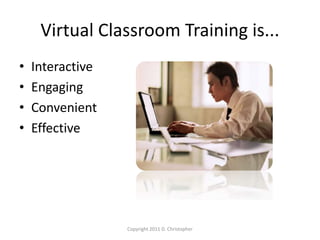
Virtual Classroom Training is...
• Interactive
• Engaging
• Convenient
• Effective
Copyright 2011 D. Christopher
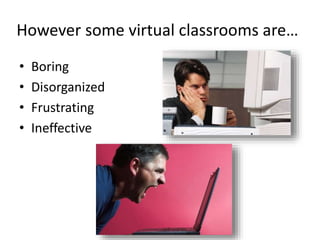
However some virtual classrooms are…
• Boring
• Disorganized
• Frustrating
• Ineffective
Follow these 10 best practices to deliver
top-notch training in a virtual classroom
Copyright 2011 D. Christopher
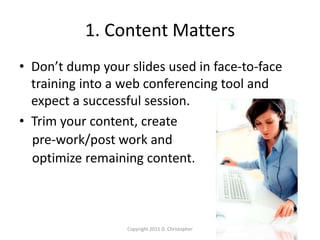
1. Content Matters
• Don’t dump your slides used in face-to-face
training into a web conferencing tool and
expect a successful session.
• Trim your content, create
pre-work/post work and
optimize remaining content.
Copyright 2011 D. Christopher
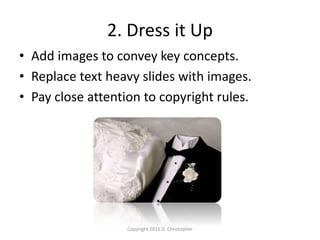
2. Dress it Up
• Add images to convey key concepts.
• Replace text heavy slides with images.
• Pay close attention to copyright rules.
Copyright 2011 D. Christopher
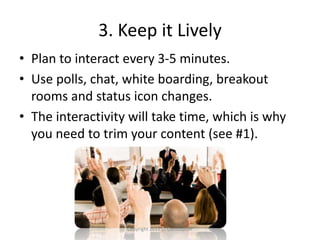
3. Keep it Lively
• Plan to interact every 3-5 minutes.
• Use polls, chat, white boarding, breakout
rooms and status icon changes.
• The interactivity will take time, which is why
you need to trim your content (see #1).
Copyright 2011 D. Christopher
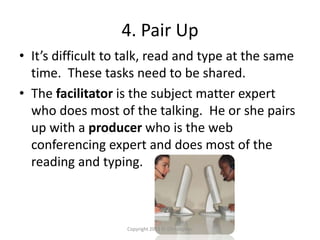
4. Pair Up
• It’s difficult to talk, read and type at the same
time. These tasks need to be shared.
• The facilitator is the subject matter expert
who does most of the talking. He or she pairs
up with a producer who is the web
conferencing expert and does most of the
reading and typing.
Copyright 2011 D. Christopher
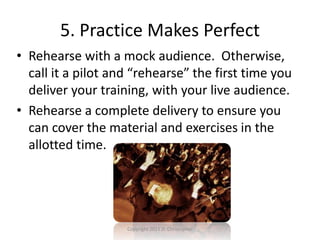
5. Practice Makes Perfect
• Rehearse with a mock audience. Otherwise,
call it a pilot and “rehearse” the first time you
deliver your training, with your live audience.
• Rehearse a complete delivery to ensure you
can cover the material and exercises in the
allotted time.
Copyright 2011 D. Christopher
6. Find Your Voice
• The facilitator’s voice carries additional
importance.
• Use clear and precise language.
• Avoid slang and monotony.
• Record your rehearsal and hear it for yourself.
Copyright 2011 D. Christopher
7. Show Time
• Log in at least 30 minutes early, then start and
end on time.
• Engage the audience early, exposing them to
the interactive features (chat, polls, audio,
status icon changes, polls).
Copyright 2011 D. Christopher
8. The Sound of Silence
• Your audience needs time to process a
question or read a poll and determine how
they will respond. Typing a response in the
chat area requires even more time.
• Resist the urge to jump in and break the
silence. Let your participants fill the pause
instead.
Copyright 2011 D. Christopher
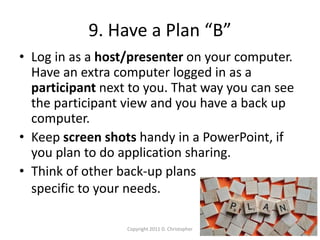
9. Have a Plan “B”
• Log in as a host/presenter on your computer.
Have an extra computer logged in as a
participant next to you. That way you can see
the participant view and you have a back up
computer.
• Keep screen shots handy in a PowerPoint, if
you plan to do application sharing.
• Think of other back-up plans
specific to your needs.
Copyright 2011 D. Christopher
10. Rinse. Lather. Repeat.
• Conduct an online evaluation during the last
few minutes of your session.
• Debrief with your delivery team immediately
after your session concludes.
• Incorporate feedback from attendees and the
delivery team into your training program for
continuous improvement.
Copyright 2011 D. Christopher
About Me
Darlene Christopher is a virtual classroom
professional and author of The Successful Virtual
Classroom. She designs and delivers training in
virtual classrooms for global audiences at the World
Bank Group. Follow her blog at:
darlenechristopher.com
Copyright 2011 D. Christopher
Photo credits: Microsoft

10 best practices for virtual classrooms

  • 1.
    10 Best Practicesfor Virtual Classrooms Moving face-to-face training to delivery in a virtual classroom By Darlene Christopher Copyright 2011 D. Christopher
  • 2.
    Virtual Classroom Trainingis... • Interactive • Engaging • Convenient • Effective Copyright 2011 D. Christopher
  • 3.
    However some virtualclassrooms are… • Boring • Disorganized • Frustrating • Ineffective
  • 4.
    Follow these 10best practices to deliver top-notch training in a virtual classroom Copyright 2011 D. Christopher
  • 5.
    1. Content Matters •Don’t dump your slides used in face-to-face training into a web conferencing tool and expect a successful session. • Trim your content, create pre-work/post work and optimize remaining content. Copyright 2011 D. Christopher
  • 6.
    2. Dress itUp • Add images to convey key concepts. • Replace text heavy slides with images. • Pay close attention to copyright rules. Copyright 2011 D. Christopher
  • 7.
    3. Keep itLively • Plan to interact every 3-5 minutes. • Use polls, chat, white boarding, breakout rooms and status icon changes. • The interactivity will take time, which is why you need to trim your content (see #1). Copyright 2011 D. Christopher
  • 8.
    4. Pair Up •It’s difficult to talk, read and type at the same time. These tasks need to be shared. • The facilitator is the subject matter expert who does most of the talking. He or she pairs up with a producer who is the web conferencing expert and does most of the reading and typing. Copyright 2011 D. Christopher
  • 9.
    5. Practice MakesPerfect • Rehearse with a mock audience. Otherwise, call it a pilot and “rehearse” the first time you deliver your training, with your live audience. • Rehearse a complete delivery to ensure you can cover the material and exercises in the allotted time. Copyright 2011 D. Christopher
  • 10.
    6. Find YourVoice • The facilitator’s voice carries additional importance. • Use clear and precise language. • Avoid slang and monotony. • Record your rehearsal and hear it for yourself. Copyright 2011 D. Christopher
  • 11.
    7. Show Time •Log in at least 30 minutes early, then start and end on time. • Engage the audience early, exposing them to the interactive features (chat, polls, audio, status icon changes, polls). Copyright 2011 D. Christopher
  • 12.
    8. The Soundof Silence • Your audience needs time to process a question or read a poll and determine how they will respond. Typing a response in the chat area requires even more time. • Resist the urge to jump in and break the silence. Let your participants fill the pause instead. Copyright 2011 D. Christopher
  • 13.
    9. Have aPlan “B” • Log in as a host/presenter on your computer. Have an extra computer logged in as a participant next to you. That way you can see the participant view and you have a back up computer. • Keep screen shots handy in a PowerPoint, if you plan to do application sharing. • Think of other back-up plans specific to your needs. Copyright 2011 D. Christopher
  • 14.
    10. Rinse. Lather.Repeat. • Conduct an online evaluation during the last few minutes of your session. • Debrief with your delivery team immediately after your session concludes. • Incorporate feedback from attendees and the delivery team into your training program for continuous improvement. Copyright 2011 D. Christopher
  • 15.
    About Me Darlene Christopheris a virtual classroom professional and author of The Successful Virtual Classroom. She designs and delivers training in virtual classrooms for global audiences at the World Bank Group. Follow her blog at: darlenechristopher.com Copyright 2011 D. Christopher Photo credits: Microsoft