VIRTUAL KEYBOARD
C.SRI SUDHEERA (13891A0414)
DEPARTMENT OF ELECTRONICS AND COMMUNICATION ENGINEERING
VIGNANINSTITUTE OF TECHNOLOGYAND SCIENCE
csrisudheera@gmail.com
ABSTRACT
Input to small devices is becoming an
increasingly crucial factor in development
for the ever-more powerful embedded
market. Speech input promises to become
a feasible alternative to tiny keypads, yet
its limited reliability, robustness, and
flexibility render it unsuitable for certain
tasks and/or environments. This paper
surveys technology for alphanumeric input
devices using virtual keyboard projection
with a strong focus on touch-typing.
KEYWORDS: sensors, QWERTY keyboard,
pattern projector .
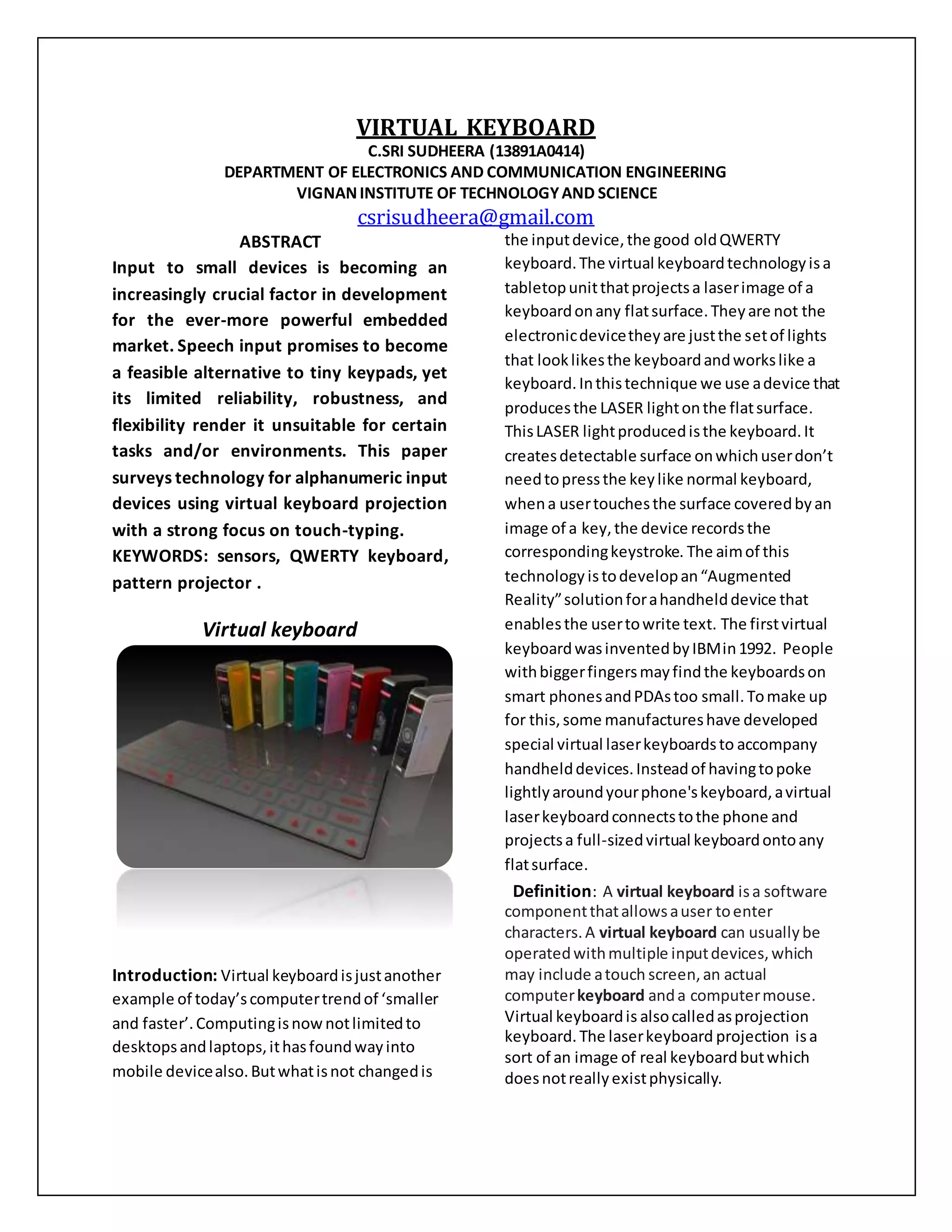
Virtual keyboard
Introduction: Virtual keyboardisjustanother
example of today’scomputertrendof ‘smaller
and faster’.Computingisnownotlimitedto
desktopsandlaptops,ithasfoundwayinto
mobile devicealso.Butwhatisnot changedis
the inputdevice,the good oldQWERTY
keyboard.The virtual keyboardtechnologyisa
tabletopunitthatprojectsa laserimage of a
keyboardonany flatsurface.Theyare not the
electronicdevicetheyare justthe setof lights
that looklikesthe keyboardandworkslike a
keyboard.Inthistechnique we use adevice that
producesthe LASER lightonthe flatsurface.
ThisLASER lightproducedisthe keyboard.It
createsdetectable surface onwhichuserdon’t
needtopressthe keylike normal keyboard,
whena usertouchesthe surface coveredbyan
image of a key,the device recordsthe
correspondingkeystroke. The aimof this
technology istodevelopan“Augmented
Reality”solutionforahandhelddevice that
enablesthe usertowrite text. The firstvirtual
keyboardwasinventedbyIBMin1992. People
withbiggerfingersmayfindthe keyboardson
smart phonesandPDAstoo small.Tomake up
for this,some manufactureshave developed
special virtual laserkeyboardsto accompany
handhelddevices.Insteadof havingtopoke
lightlyaroundyourphone'skeyboard,avirtual
laserkeyboardconnectstothe phone and
projectsa full-sizedvirtual keyboardontoany
flatsurface.
Definition: A virtual keyboard isa software
componentthatallowsauser toenter
characters.A virtual keyboard can usuallybe
operatedwithmultiple inputdevices,which
may include atouch screen,an actual
computerkeyboard anda computermouse.
Virtual keyboardis alsocalledasprojection
keyboard. The laserkeyboard projection isa
sort of an image of real keyboardbutwhich
doesnotreallyexistphysically.
Virtual keyboard features:Most of the
projectionkeyboardsuse areddiodeslaserasa
lightsource andmay projecta full size QWERTY
layoutkeyboard.The projectionkeyboardsizeis
usually295mm*95mm andit isprojectedata
distance 60mm fromthe virtual keyboardunit.
The projectionkeyboardmaydetectupto400
characters perminute andit maybe connected
by usingeitherby USB portsor Bluetooth.And
it worksonlithiumionbatteriesandithasa
capacityof at least120 minutesof continuous
typing.Projectionunitsizevariesnotbigger
than 35mm*92mm*25mm.
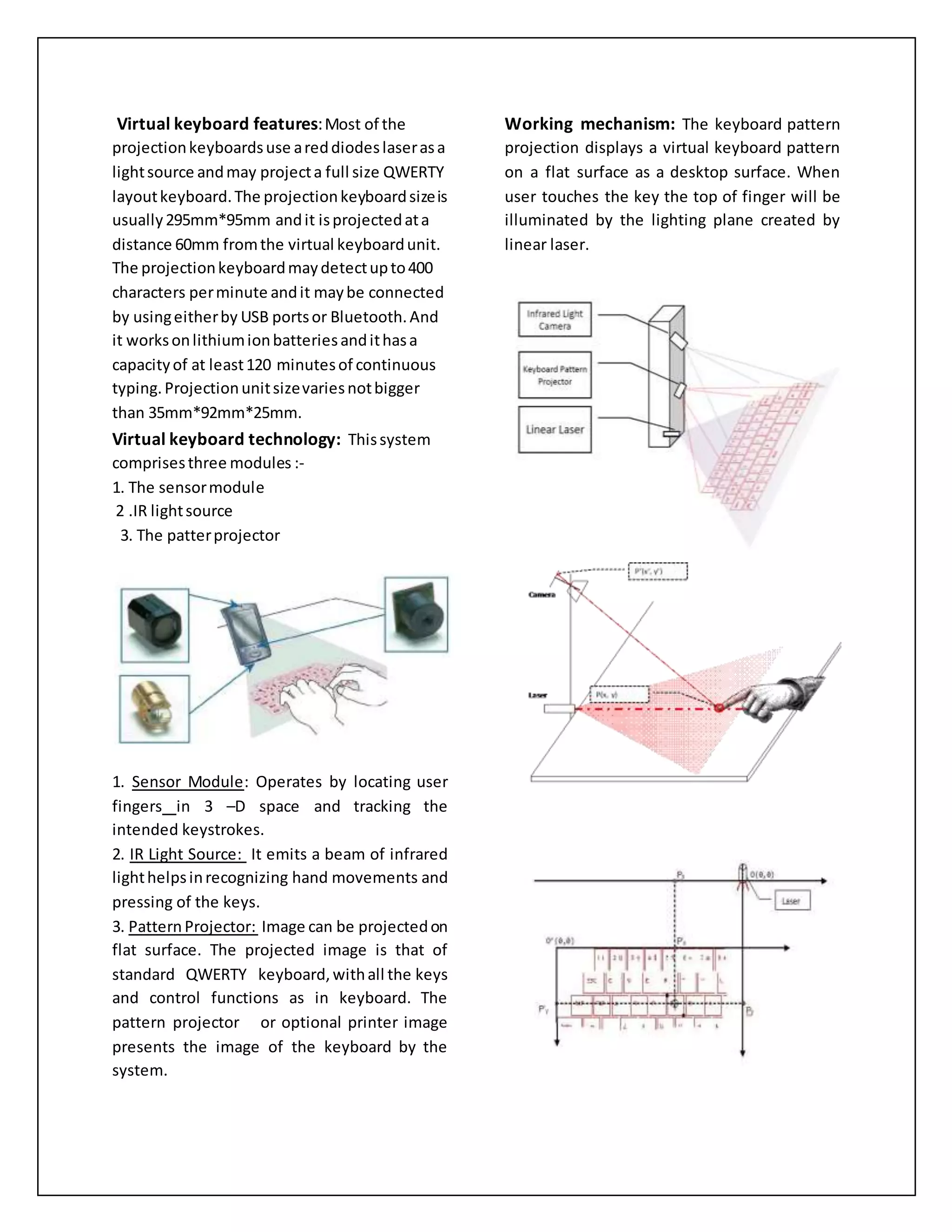
Virtual keyboard technology: Thissystem
comprisesthree modules :-
1. The sensormodule
2 .IR lightsource
3. The patterprojector
1. Sensor Module: Operates by locating user
fingers in 3 –D space and tracking the
intended keystrokes.
2. IR Light Source: It emits a beam of infrared
lighthelpsinrecognizing hand movements and
pressing of the keys.
3. PatternProjector: Image can be projectedon
flat surface. The projected image is that of
standard QWERTY keyboard,withall the keys
and control functions as in keyboard. The
pattern projector or optional printer image
presents the image of the keyboard by the
system.
Working mechanism: The keyboard pattern
projection displays a virtual keyboard pattern
on a flat surface as a desktop surface. When
user touches the key the top of finger will be
illuminated by the lighting plane created by
linear laser.
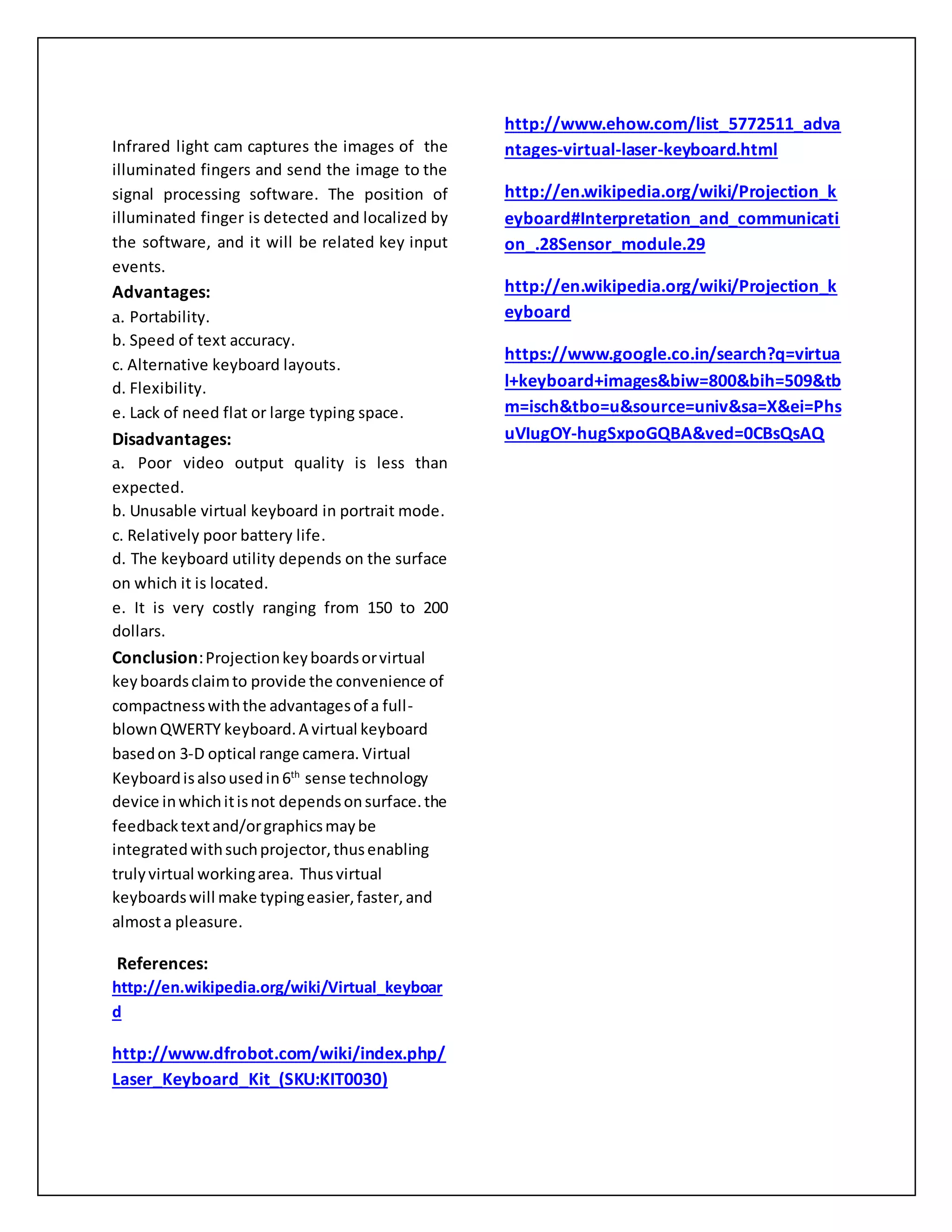
Infrared light cam captures the images of the
illuminated fingers and send the image to the
signal processing software. The position of
illuminated finger is detected and localized by
the software, and it will be related key input
events.
Advantages:
a. Portability.
b. Speed of text accuracy.
c. Alternative keyboard layouts.
d. Flexibility.
e. Lack of need flat or large typing space.
Disadvantages:
a. Poor video output quality is less than
expected.
b. Unusable virtual keyboard in portrait mode.
c. Relatively poor battery life.
d. The keyboard utility depends on the surface
on which it is located.
e. It is very costly ranging from 150 to 200
dollars.
Conclusion:Projectionkeyboardsorvirtual
keyboardsclaimto provide the convenience of
compactnesswiththe advantagesof a full-
blownQWERTY keyboard.A virtual keyboard
basedon 3-D optical range camera. Virtual
Keyboardisalsousedin6th
sense technology
device inwhichitisnot dependsonsurface.the
feedbacktextand/orgraphicsmaybe
integratedwithsuchprojector,thusenabling
trulyvirtual workingarea. Thusvirtual
keyboardswill make typingeasier,faster,and
almosta pleasure.
References:
http://en.wikipedia.org/wiki/Virtual_keyboar
d
http://www.dfrobot.com/wiki/index.php/
Laser_Keyboard_Kit_(SKU:KIT0030)
http://www.ehow.com/list_5772511_adva
ntages-virtual-laser-keyboard.html
http://en.wikipedia.org/wiki/Projection_k
eyboard#Interpretation_and_communicati
on_.28Sensor_module.29
http://en.wikipedia.org/wiki/Projection_k
eyboard
https://www.google.co.in/search?q=virtua
l+keyboard+images&biw=800&bih=509&tb
m=isch&tbo=u&source=univ&sa=X&ei=Phs
uVIugOY-hugSxpoGQBA&ved=0CBsQsAQ

Virtual keyboard abstract

  • 1.
    VIRTUAL KEYBOARD C.SRI SUDHEERA(13891A0414) DEPARTMENT OF ELECTRONICS AND COMMUNICATION ENGINEERING VIGNANINSTITUTE OF TECHNOLOGYAND SCIENCE csrisudheera@gmail.com ABSTRACT Input to small devices is becoming an increasingly crucial factor in development for the ever-more powerful embedded market. Speech input promises to become a feasible alternative to tiny keypads, yet its limited reliability, robustness, and flexibility render it unsuitable for certain tasks and/or environments. This paper surveys technology for alphanumeric input devices using virtual keyboard projection with a strong focus on touch-typing. KEYWORDS: sensors, QWERTY keyboard, pattern projector . Virtual keyboard Introduction: Virtual keyboardisjustanother example of today’scomputertrendof ‘smaller and faster’.Computingisnownotlimitedto desktopsandlaptops,ithasfoundwayinto mobile devicealso.Butwhatisnot changedis the inputdevice,the good oldQWERTY keyboard.The virtual keyboardtechnologyisa tabletopunitthatprojectsa laserimage of a keyboardonany flatsurface.Theyare not the electronicdevicetheyare justthe setof lights that looklikesthe keyboardandworkslike a keyboard.Inthistechnique we use adevice that producesthe LASER lightonthe flatsurface. ThisLASER lightproducedisthe keyboard.It createsdetectable surface onwhichuserdon’t needtopressthe keylike normal keyboard, whena usertouchesthe surface coveredbyan image of a key,the device recordsthe correspondingkeystroke. The aimof this technology istodevelopan“Augmented Reality”solutionforahandhelddevice that enablesthe usertowrite text. The firstvirtual keyboardwasinventedbyIBMin1992. People withbiggerfingersmayfindthe keyboardson smart phonesandPDAstoo small.Tomake up for this,some manufactureshave developed special virtual laserkeyboardsto accompany handhelddevices.Insteadof havingtopoke lightlyaroundyourphone'skeyboard,avirtual laserkeyboardconnectstothe phone and projectsa full-sizedvirtual keyboardontoany flatsurface. Definition: A virtual keyboard isa software componentthatallowsauser toenter characters.A virtual keyboard can usuallybe operatedwithmultiple inputdevices,which may include atouch screen,an actual computerkeyboard anda computermouse. Virtual keyboardis alsocalledasprojection keyboard. The laserkeyboard projection isa sort of an image of real keyboardbutwhich doesnotreallyexistphysically.
  • 2.
    Virtual keyboard features:Mostof the projectionkeyboardsuse areddiodeslaserasa lightsource andmay projecta full size QWERTY layoutkeyboard.The projectionkeyboardsizeis usually295mm*95mm andit isprojectedata distance 60mm fromthe virtual keyboardunit. The projectionkeyboardmaydetectupto400 characters perminute andit maybe connected by usingeitherby USB portsor Bluetooth.And it worksonlithiumionbatteriesandithasa capacityof at least120 minutesof continuous typing.Projectionunitsizevariesnotbigger than 35mm*92mm*25mm. Virtual keyboard technology: Thissystem comprisesthree modules :- 1. The sensormodule 2 .IR lightsource 3. The patterprojector 1. Sensor Module: Operates by locating user fingers in 3 –D space and tracking the intended keystrokes. 2. IR Light Source: It emits a beam of infrared lighthelpsinrecognizing hand movements and pressing of the keys. 3. PatternProjector: Image can be projectedon flat surface. The projected image is that of standard QWERTY keyboard,withall the keys and control functions as in keyboard. The pattern projector or optional printer image presents the image of the keyboard by the system. Working mechanism: The keyboard pattern projection displays a virtual keyboard pattern on a flat surface as a desktop surface. When user touches the key the top of finger will be illuminated by the lighting plane created by linear laser.
  • 3.
    Infrared light camcaptures the images of the illuminated fingers and send the image to the signal processing software. The position of illuminated finger is detected and localized by the software, and it will be related key input events. Advantages: a. Portability. b. Speed of text accuracy. c. Alternative keyboard layouts. d. Flexibility. e. Lack of need flat or large typing space. Disadvantages: a. Poor video output quality is less than expected. b. Unusable virtual keyboard in portrait mode. c. Relatively poor battery life. d. The keyboard utility depends on the surface on which it is located. e. It is very costly ranging from 150 to 200 dollars. Conclusion:Projectionkeyboardsorvirtual keyboardsclaimto provide the convenience of compactnesswiththe advantagesof a full- blownQWERTY keyboard.A virtual keyboard basedon 3-D optical range camera. Virtual Keyboardisalsousedin6th sense technology device inwhichitisnot dependsonsurface.the feedbacktextand/orgraphicsmaybe integratedwithsuchprojector,thusenabling trulyvirtual workingarea. Thusvirtual keyboardswill make typingeasier,faster,and almosta pleasure. References: http://en.wikipedia.org/wiki/Virtual_keyboar d http://www.dfrobot.com/wiki/index.php/ Laser_Keyboard_Kit_(SKU:KIT0030) http://www.ehow.com/list_5772511_adva ntages-virtual-laser-keyboard.html http://en.wikipedia.org/wiki/Projection_k eyboard#Interpretation_and_communicati on_.28Sensor_module.29 http://en.wikipedia.org/wiki/Projection_k eyboard https://www.google.co.in/search?q=virtua l+keyboard+images&biw=800&bih=509&tb m=isch&tbo=u&source=univ&sa=X&ei=Phs uVIugOY-hugSxpoGQBA&ved=0CBsQsAQ