The Vim Survival
Guide
Ben McCormick
Windsor Circle
Twitter: @ben336
Blog: http://benmccormick.org
Who Am I?
• Software Engineer at Windsor Circle
• Vim user since 2013
• Wrote a series of blogs on Vim in 2014
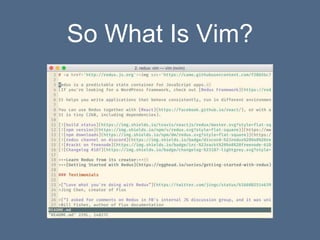
So What Is Vim?
• Open Source Text editor created in 1991, based
on an earlier text editor (vi) created in 1976 for
UNIX
• Terminal based, but can be used in UI
• Some variation on it or vi is shipped in ~all *nix
operating systems
• Charityware
So What Is Vim?
What To Expect
• Intro: Context + History
• Part 1: Surviving Vim
• Why?
• How?
• Part 2: Using Vim
• Why?
• How?
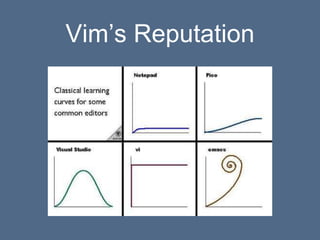
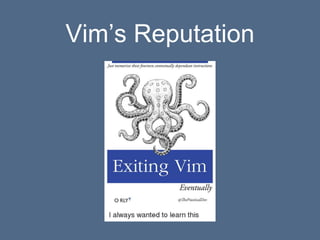
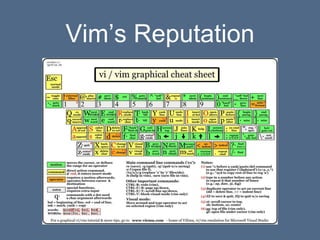
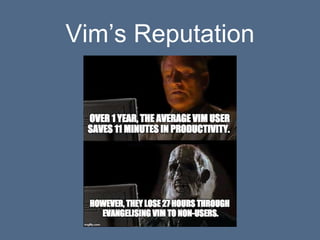
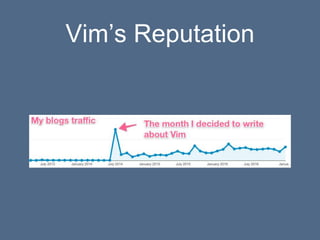
Vim’s Reputation
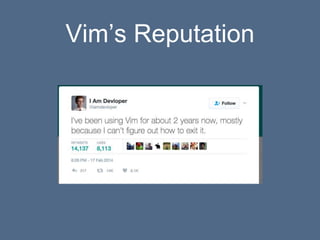
Vim’s Reputation
Vim’s Reputation
Vim’s Reputation
Vim’s Reputation
Vim’s Reputation
Vim’s Reputation
Vim’s Reputation: Fair
Criticism
• Tough initial learning curve
• Truly bad defaults (Bad beginner UX)
• Alien for most modern users
Vim’s Reputation: Myths
• Too old to be relevant
• Not really efficient
• Tough learning curve lasts forever
• Bad (power user) UX
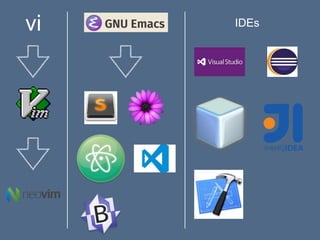
Editor Wars
• Vi vs Emacs
• Many more options now
• But Vim stands apart
vi IDEs
Vim has different ideas about:
• Shortcut keys
• Copy and paste
• File system integration / management
• Configuration
• Keyboard vs mouse use
• Naming conventions
Why use Vim at all?
• Ubiquitous
• Many other editors don't run in a terminal
Surviving Vim: Minimal
knowledge
• Vim is a modal editor
• Vim has a visual editor and a command prompt
(ex) editor
What is a modal editor?
• Commands are contextual
• Depending on what mode you’re in different
keystrokes do different things
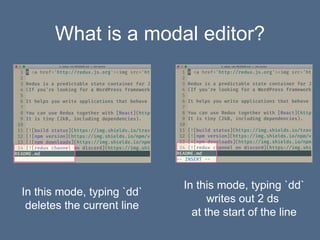
What is a modal editor?
In this mode, typing `dd`
deletes the current line
In this mode, typing `dd`
writes out 2 ds
at the start of the line
Vim Modes
• Normal Mode
• Insert Mode
• Visual Mode
• Others (less important)
Normal mode
• “Normal”
• default when Vim is opened
• Keystrokes are commands
• From other modes use `esc` to switch to normal
mode
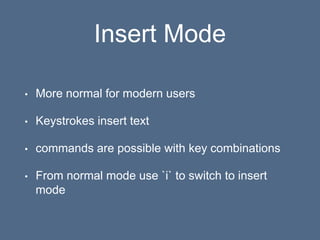
Insert Mode
• More normal for modern users
• Keystrokes insert text
• commands are possible with key combinations
• From normal mode use `i` to switch to insert
mode
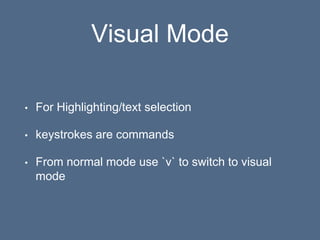
Visual Mode
• For Highlighting/text selection
• keystrokes are commands
• From normal mode use `v` to switch to visual
mode
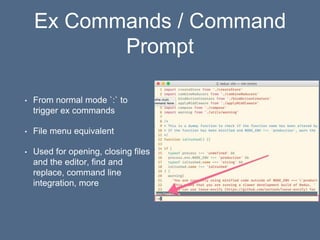
Ex Commands / Command
Prompt
• From normal mode `:` to
trigger ex commands
• File menu equivalent
• Used for opening, closing files
and the editor, find and
replace, command line
integration, more
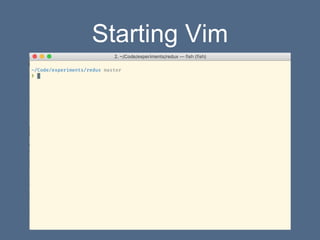
Starting Vim
Opening Files
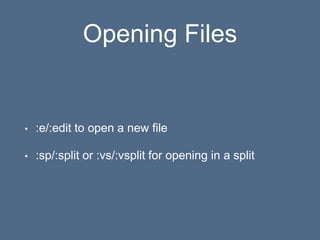
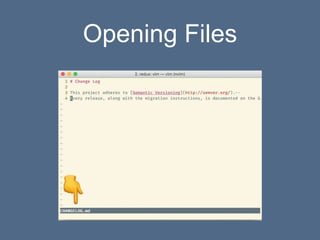
• :e/:edit to open a new file
• :sp/:split or :vs/:vsplit for opening in a split
Opening Files
Closing Files
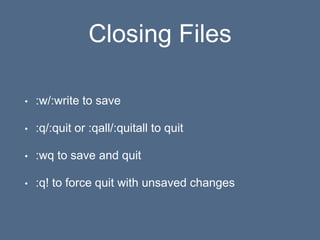
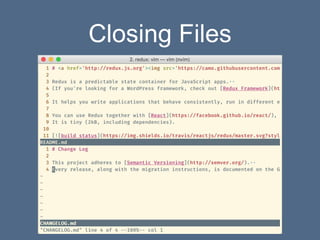
• :w/:write to save
• :q/:quit or :qall/:quitall to quit
• :wq to save and quit
• :q! to force quit with unsaved changes
Closing Files
Navigating Files
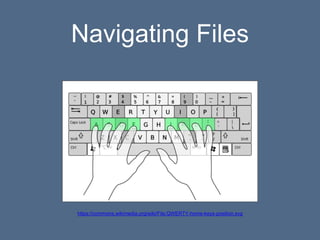
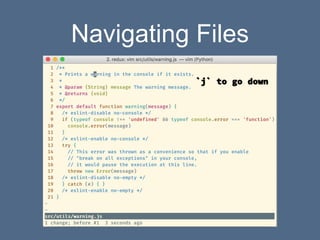
• Encourages use of hjkl instead of the arrow keys
• Arrow keys still work
• Mouse might or might not work depending on
your environment
Navigating Files
https://commons.wikimedia.org/wiki/File:QWERTY-home-keys-position.svg
Navigating Files
Vim Survival
• Remember that Vim is modal
• Insert mode is “normal editing” mode
• Normal mode is “command mode”
• :w to save, :q to quit, :q! to quit decisively :)
Resources
• vimtutor
• vim-adventures.com
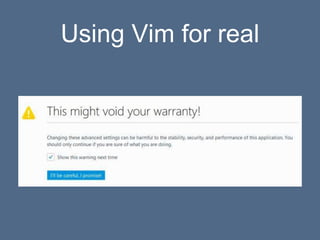
Using Vim for real
Why use Vim over
[Sublime/Atom/VS/IntelliJ/XCode/etc]
?
• A beautiful editing language
• Command Line living
• Top notch flexibility and configurability
Caveats
• Bad defaults
• Learning Curve
• Low UI polish
• Plugin Development
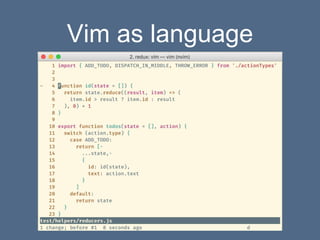
Vim as language
• Motions: hjkl, w, b
• Verbs: d, v
Vim as language
• dh -> delete one character to the left
• dl -> delete one character to the right
• dw -> delete to the start of the next word
• db -> delete back to the start of the current word
Vim as language
Vim as language
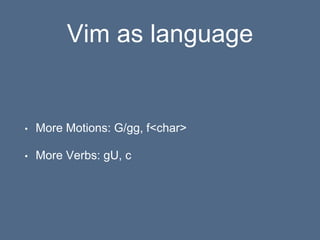
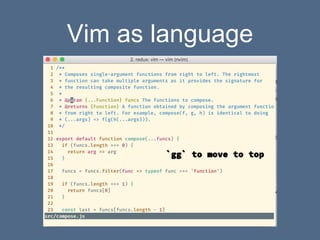
• More Motions: G/gg, f<char>
• More Verbs: gU, c
Vim as language
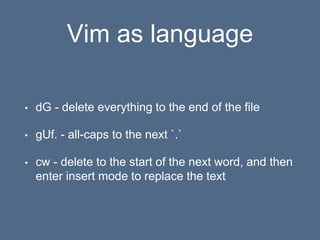
• dG - delete everything to the end of the file
• gUf. - all-caps to the next `.`
• cw - delete to the start of the next word, and then
enter insert mode to replace the text
Vim as language
• Text objects: iw, i(
• Double verbs apply to the whole line
Vim as language
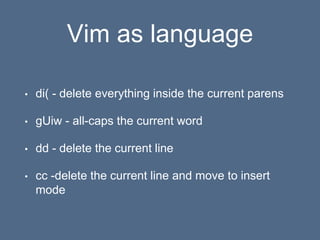
• di( - delete everything inside the current parens
• gUiw - all-caps the current word
• dd - delete the current line
• cc -delete the current line and move to insert
mode
Vim as language
Vim as language
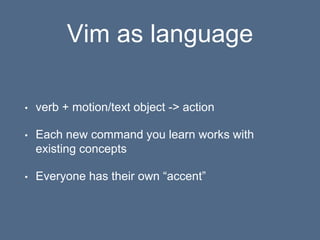
• verb + motion/text object -> action
• Each new command you learn works with
existing concepts
• Everyone has their own “accent”
Vim as Language: Repetition
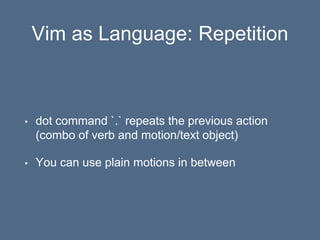
• dot command `.` repeats the previous action
(combo of verb and motion/text object)
• You can use plain motions in between
Vim as Language: Repetition
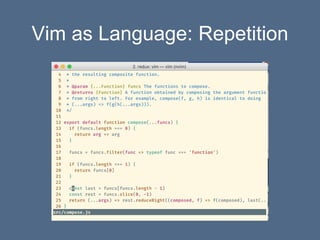
• dw to delete to the start of the next word
• `..` to repeat 2 more times
Vim as Language: Repetition
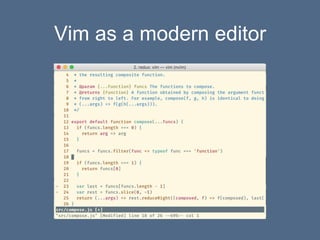
Vim as a modern editor
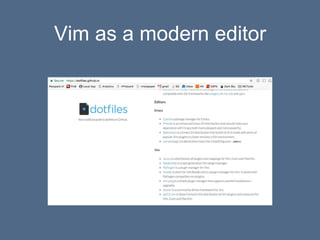
• Fixing bad defaults comes through configuration
in ~/.vimrc file
• Control look and feel, custom commands
• https://dotfiles.github.io/
Vim as a modern editor
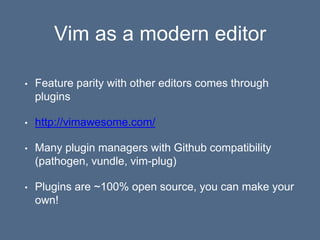
• Feature parity with other editors comes through
plugins
• http://vimawesome.com/
• Many plugin managers with Github compatibility
(pathogen, vundle, vim-plug)
• Plugins are ~100% open source, you can make your
own!
Vim as a modern editor
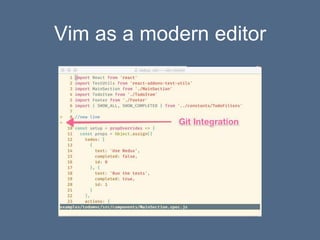
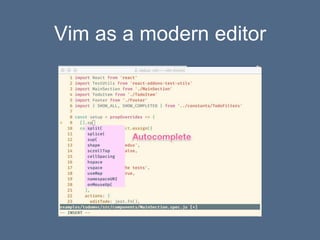
• Fuzzy-finder
• Linting
• Git Integration
• AutoComplete
• Status bars
• Command line integration
Resources
• Practical Vim by Drew Neil
• vimcasts.org
• http://benmccormick.org/learning-vim-in-2014/
Vim Language Elsewhere
• Neovim: a rethinking of Vim
• Vim modes: Sublime, Atom, IntelliJ, Visual Studio
• Command Line: vim modes for bash, zsh, fish
• Elsewhere: Gmail has vi-inspired shortcuts
Questions?
Ben McCormick
Windsor Circle
Twitter: @ben336
Blog: http://benmccormick.org

Vim survival guide

  • 1.
    The Vim Survival Guide BenMcCormick Windsor Circle Twitter: @ben336 Blog: http://benmccormick.org
  • 2.
    Who Am I? •Software Engineer at Windsor Circle • Vim user since 2013 • Wrote a series of blogs on Vim in 2014
  • 3.
    So What IsVim? • Open Source Text editor created in 1991, based on an earlier text editor (vi) created in 1976 for UNIX • Terminal based, but can be used in UI • Some variation on it or vi is shipped in ~all *nix operating systems • Charityware
  • 4.
  • 5.
    What To Expect •Intro: Context + History • Part 1: Surviving Vim • Why? • How? • Part 2: Using Vim • Why? • How?
  • 6.
  • 7.
  • 8.
  • 9.
  • 10.
  • 11.
  • 12.
  • 13.
    Vim’s Reputation: Fair Criticism •Tough initial learning curve • Truly bad defaults (Bad beginner UX) • Alien for most modern users
  • 14.
    Vim’s Reputation: Myths •Too old to be relevant • Not really efficient • Tough learning curve lasts forever • Bad (power user) UX
  • 15.
    Editor Wars • Vivs Emacs • Many more options now • But Vim stands apart
  • 16.
  • 17.
    Vim has differentideas about: • Shortcut keys • Copy and paste • File system integration / management • Configuration • Keyboard vs mouse use • Naming conventions
  • 18.
    Why use Vimat all? • Ubiquitous • Many other editors don't run in a terminal
  • 19.
    Surviving Vim: Minimal knowledge •Vim is a modal editor • Vim has a visual editor and a command prompt (ex) editor
  • 20.
    What is amodal editor? • Commands are contextual • Depending on what mode you’re in different keystrokes do different things
  • 21.
    What is amodal editor? In this mode, typing `dd` deletes the current line In this mode, typing `dd` writes out 2 ds at the start of the line
  • 22.
    Vim Modes • NormalMode • Insert Mode • Visual Mode • Others (less important)
  • 23.
    Normal mode • “Normal” •default when Vim is opened • Keystrokes are commands • From other modes use `esc` to switch to normal mode
  • 24.
    Insert Mode • Morenormal for modern users • Keystrokes insert text • commands are possible with key combinations • From normal mode use `i` to switch to insert mode
  • 25.
    Visual Mode • ForHighlighting/text selection • keystrokes are commands • From normal mode use `v` to switch to visual mode
  • 26.
    Ex Commands /Command Prompt • From normal mode `:` to trigger ex commands • File menu equivalent • Used for opening, closing files and the editor, find and replace, command line integration, more
  • 27.
  • 28.
    Opening Files • :e/:editto open a new file • :sp/:split or :vs/:vsplit for opening in a split
  • 29.
  • 30.
    Closing Files • :w/:writeto save • :q/:quit or :qall/:quitall to quit • :wq to save and quit • :q! to force quit with unsaved changes
  • 31.
  • 32.
    Navigating Files • Encouragesuse of hjkl instead of the arrow keys • Arrow keys still work • Mouse might or might not work depending on your environment
  • 33.
  • 34.
  • 35.
    Vim Survival • Rememberthat Vim is modal • Insert mode is “normal editing” mode • Normal mode is “command mode” • :w to save, :q to quit, :q! to quit decisively :)
  • 36.
  • 37.
  • 38.
    Why use Vimover [Sublime/Atom/VS/IntelliJ/XCode/etc] ? • A beautiful editing language • Command Line living • Top notch flexibility and configurability
  • 39.
    Caveats • Bad defaults •Learning Curve • Low UI polish • Plugin Development
  • 40.
    Vim as language •Motions: hjkl, w, b • Verbs: d, v
  • 41.
    Vim as language •dh -> delete one character to the left • dl -> delete one character to the right • dw -> delete to the start of the next word • db -> delete back to the start of the current word
  • 42.
  • 43.
    Vim as language •More Motions: G/gg, f<char> • More Verbs: gU, c
  • 44.
    Vim as language •dG - delete everything to the end of the file • gUf. - all-caps to the next `.` • cw - delete to the start of the next word, and then enter insert mode to replace the text
  • 45.
    Vim as language •Text objects: iw, i( • Double verbs apply to the whole line
  • 46.
    Vim as language •di( - delete everything inside the current parens • gUiw - all-caps the current word • dd - delete the current line • cc -delete the current line and move to insert mode
  • 47.
  • 48.
    Vim as language •verb + motion/text object -> action • Each new command you learn works with existing concepts • Everyone has their own “accent”
  • 49.
    Vim as Language:Repetition • dot command `.` repeats the previous action (combo of verb and motion/text object) • You can use plain motions in between
  • 50.
    Vim as Language:Repetition • dw to delete to the start of the next word • `..` to repeat 2 more times
  • 51.
    Vim as Language:Repetition
  • 52.
    Vim as amodern editor • Fixing bad defaults comes through configuration in ~/.vimrc file • Control look and feel, custom commands • https://dotfiles.github.io/
  • 53.
    Vim as amodern editor
  • 54.
    Vim as amodern editor • Feature parity with other editors comes through plugins • http://vimawesome.com/ • Many plugin managers with Github compatibility (pathogen, vundle, vim-plug) • Plugins are ~100% open source, you can make your own!
  • 55.
    Vim as amodern editor
  • 56.
    Vim as amodern editor
  • 57.
    Vim as amodern editor
  • 58.
    Vim as amodern editor • Fuzzy-finder • Linting • Git Integration • AutoComplete • Status bars • Command line integration
  • 59.
    Resources • Practical Vimby Drew Neil • vimcasts.org • http://benmccormick.org/learning-vim-in-2014/
  • 60.
    Vim Language Elsewhere •Neovim: a rethinking of Vim • Vim modes: Sublime, Atom, IntelliJ, Visual Studio • Command Line: vim modes for bash, zsh, fish • Elsewhere: Gmail has vi-inspired shortcuts
  • 61.
  • 62.
    Ben McCormick Windsor Circle Twitter:@ben336 Blog: http://benmccormick.org

Editor's Notes

  • #2 Hi everybody. Isn’t this exciting? I’m thankful to get to have a cool event like this in the Triangle. My name is Ben, and I’m going to be talking about Vim today. This talk is a bit different than some of the other talks here practical not theory I’m talking about a 25 year old piece of software, not something new and shiny To start, lets take a quick poll: How many of you have heard of Vim? How many of you have used Vim? How many of you use Vim regularly? Cool. Something for each of you etc
  • #3 yes I’m the type of geek who decides to write long blog posts about a text editor
  • #4 Text editor - general purpose, writing code, editing text files, writing prose Donate to help children in Uganda (about a million dollars) Vi - created by Bill Joy Vim - Bram Moolenaar
  • #5 Text editor - general purpose, writing code, editing text files, writing prose Vi - created by Bill Joy Vim - Bram Moolenaar
  • #6 Title of the talk is Vim Survival Guide Why ever NEED to use Vim Why you’d ever WANT to use Vim One thing we need to talk about first
  • #7 Learning curve starts hard and stays hard
  • #8 Even the people who use it can find it very frustrating
  • #9 Simple things aren’t simple True story, I actually got an email a few weeks ago from somebody who decided to write this book for real and put it on Amazon. He wanted me to review the book.
  • #10 Complicated and Scary!! / lots of arbitrary memorization
  • #11 Take the Jedi skeptic POV: It was great in the old days
  • #12 Vim users are annoying and not as productive as they think
  • #13 The thing is… a lot of people use and care about Vim
  • #14 Initial learning curve
  • #15 Initial learning curve
  • #17 Emacs - lightweight, fast text editors, with pluggable functionality, that you control with complex key combinations
  • #18 Shortcut keys - modal editors Copy and paste - multiple clipboards, doesn’t integrate smoothly with modern OSes by default Very text based rather than UI based in terms of file system integration, splits and buffer list rather than tabs (yes tabs are a thing but they’re weird) Way more stuff is configurable than other editors, way more stuff requires configuration than other editors This is a keyboard driven show Buffer rather than file, delete/yank/put rather than cut/copy/paste, edit/write/ rather than open/save
  • #19 Ubiquitous - make sure to point out that servers still matter for the windows folks in the audience
  • #20 Visual editor (you can see the text of the file and change it) Command prompt editor (you can enter commands)
  • #23 select, command line ex-mode
  • #24 Examples: x in normal mode, delete current character j in normal mode , go down
  • #25 ctrl + w will delete the word before the cursor
  • #29 :e /edit
  • #30 :e /edit
  • #31 :e /edit
  • #35 Controversial statement: This is a dumb way to use Vim if you don’t care about using Vim
  • #38 FF advance setting warning screen seems appropriate
  • #44 G - bottom gg - top
  • #45 G - bottom gg - top
  • #46 in word in parens
  • #47 G - bottom gg - top
  • #61 Neovim - currently similar to vim may evolve Vim modes - the editing language in a more modern frame