TMUX Rocks!	

( Terminal MUltipleXer )
Kent Chen
Kent Chen (chenkaie)	

chenkaie@gmail.com	

http://chenkaie.blogspot.com	

@chenkaie on GitHub	

@chenkaie on SlideShare	

@chenkaie on LinkedIn	

@chenkaie on Twitter	

@+KentChenAtGoogle on Google+
終端复用器
基本功

不談
Not a basic intro course of	

terminal multiplexer
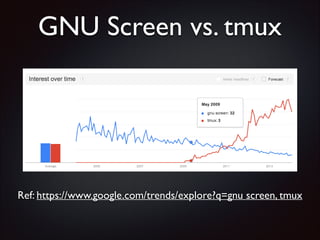
GNU Screen vs. tmux

Ref: https://www.google.com/trends/explore?q=gnu screen, tmux
分享小弟
「跳槽」經驗
(驚)

An experience sharing after “Jump ship”
Screen	

用得好好的?
GNU Screen works god damn well?
為什麼要換
tmux
Why switch to tmux?
請各位客倌

聽我娓娓道來
Now listen carefully
GNU screen	

七宗罪
The SE7EN deadly sins
!

罪宗一
The 1st deadly sin
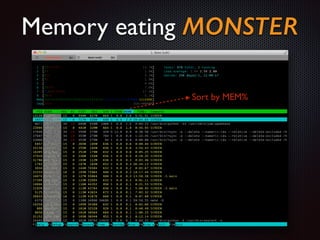
Memory eating MONSTER
Sort by MEM%
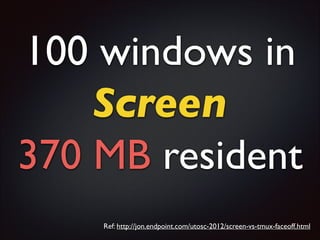
100 windows in 	

Screen	

370 MB resident
Ref: http://jon.endpoint.com/utosc-2012/screen-vs-tmux-faceoff.html
100 windows in 	

tmux	

5 MB resident
Ref: http://jon.endpoint.com/utosc-2012/screen-vs-tmux-faceoff.html
!

罪宗二
The 2nd deadly sin
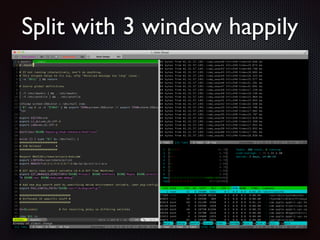
Split with 3 window happily
來去猩巴克

當個

假文青真碼農

Think about coding at Starbucks
體驗文青生活

妹也走光

寫扣吧


$ screen -x	


Reattach to previous session
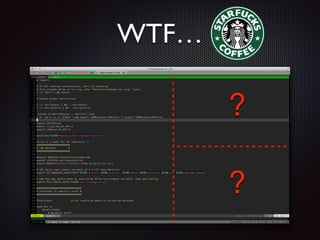
WTF…

?
?
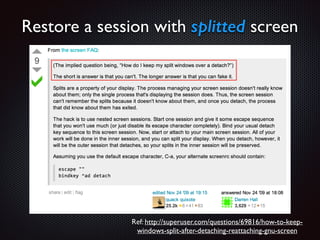
Restore a session with splitted screen

Ref: http://superuser.com/questions/69816/how-to-keepwindows-split-after-detaching-reattaching-gnu-screen
!

罪宗三
The 3rd deadly sin
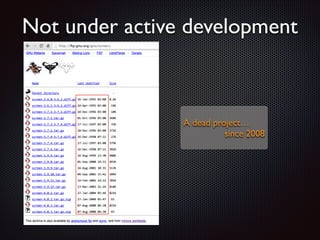
Not under active development

A dead project… 	

since 2008
!

罪宗四
The 4th deadly sin
.
..
...
掰不下去了
Cannot think of more deadly sin
其實還不錯

請繼續支持

自由軟體
Screen is still pretty excellent	

Donate Free Software, thanks!
究竟

tmux	

有何過人之處
Why tmux rocks?
極具彈性的

Session  Window  Pane	


視窗管理
Flexible Session / Window / Pane
window management
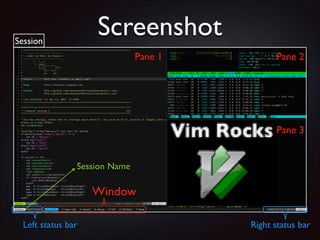
Screenshot

Session

Pane 1

Pane 2

Pane 3
Session Name

Window
Left status bar

Right status bar
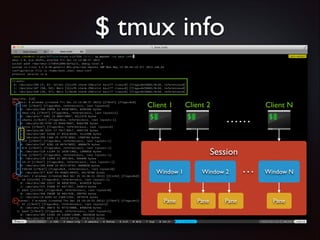
$ tmux info
Client 1

Client 2

Client N

……
Session
Window 1

Pane

Window 2

Pane

Pane

…

Window N

Pane
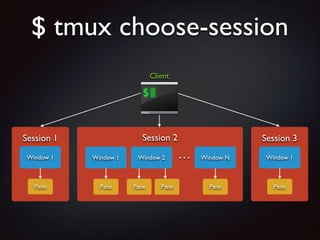
$ tmux choose-session
Client

Session 2

Session 1
Window 1

Window 1

Pane

Pane

Window 2

Pane

Pane

Session 3

…

Window N

Window 1

Pane

Pane
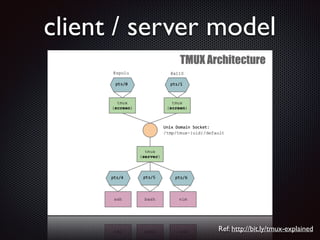
client / server model

Ref: http://bit.ly/tmux-explained
還有什麼

特異功能
Any tricks  tips?
!

第靈招
Tip  Trick 0
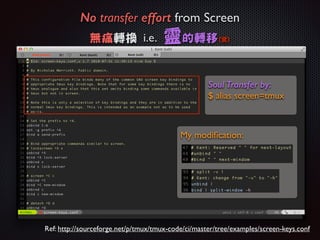
No transfer effort from Screen 	

無痛轉換 i.e.

靈的轉移

(驚)

Soul Transfer by:
$ alias screen=tmux

My modification:

Ref: http://sourceforge.net/p/tmux/tmux-code/ci/master/tree/examples/screen-keys.conf
!

第一招
Tip  Trick 1
Multiple paste buffers
$ tmux list-buffers	

C-b #	

!

$ tmux paste-buffer	

C-b ]
!

第二招
Tip  Trick 2
Powerful mouse mode support
Resize Pane	

Select Pane[1]	

Select Window	

1. screen can do “select pane” only
!

第三招
Tip  Trick 3
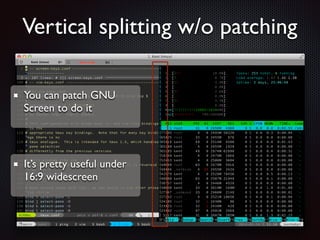
Vertical splitting w/o patching
You can patch GNU
Screen to do it

It’s pretty useful under
16:9 widescreen
!

第四招
Tip  Trick 4
Shared Sessions
Multiple root-privileged system administrators
can share the same session to manage the
server. 	

remote SSH w/o leaking your “password”	

Remote debugging	

Pair Programming
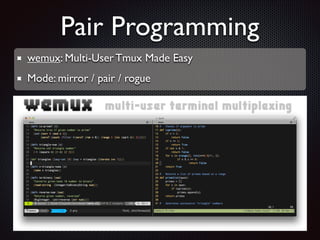
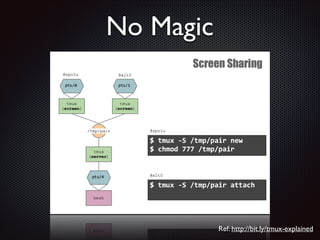
Pair Programming
wemux: Multi-User Tmux Made Easy	

Mode: mirror / pair / rogue
No Magic

Ref: http://bit.ly/tmux-explained
!

第五招
Tip  Trick 5
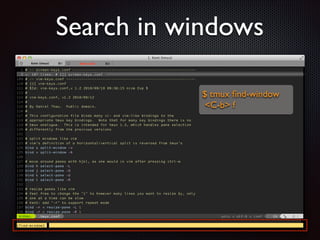
Search in windows
$ tmux find-window	

C-b f
!

第六招
Tip  Trick 6
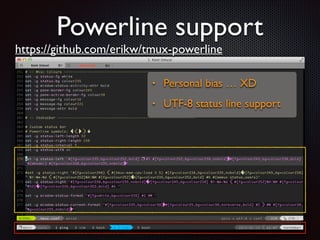
Powerline support
https://github.com/erikw/tmux-powerline
•

Personal bias … XD	


•

UTF-8 status line support
!

第七招
Tip  Trick 7
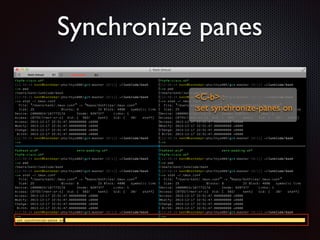
Synchronize panes
C-b : 	

:set synchronize-panes on
!

第八招
Tip  Trick 8
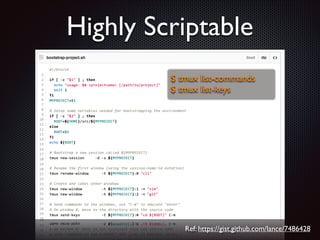
Highly Scriptable
$ tmux list-commands	

$ tmux list-keys

Ref: https://gist.github.com/lance/7486428
!

第九招
Tip  Trick 9
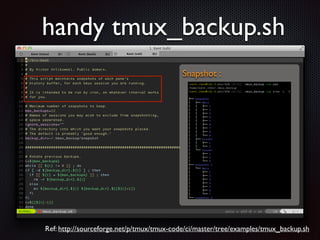
handy tmux_backup.sh
Snapshot :

Ref: http://sourceforge.net/p/tmux/tmux-code/ci/master/tree/examples/tmux_backup.sh
!

第十招
Tip  Trick 10
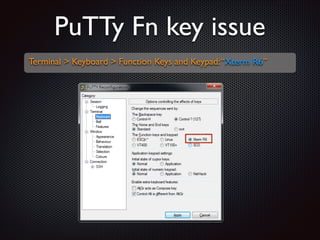
PuTTy Fn key issue
Terminal  Keyboard  Function Keys and Keypad: “Xterm R6”
!

第十一招
Tip  Trick 11
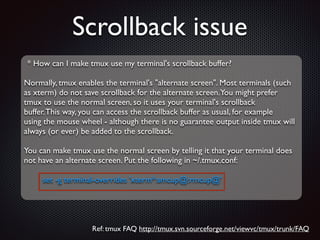
Scrollback issue
* How can I make tmux use my terminal's scrollback buffer?	

!

Normally, tmux enables the terminal's alternate screen. Most terminals (such	

as xterm) do not save scrollback for the alternate screen.You might prefer	

tmux to use the normal screen, so it uses your terminal's scrollback	

buffer. This way, you can access the scrollback buffer as usual, for example	

using the mouse wheel - although there is no guarantee output inside tmux will	

always (or ever) be added to the scrollback.	

!

You can make tmux use the normal screen by telling it that your terminal does	

not have an alternate screen. Put the following in ~/.tmux.conf:	

!

set -g terminal-overrides 'xterm*:smcup@:rmcup@'

Ref: tmux FAQ http://tmux.svn.sourceforge.net/viewvc/tmux/trunk/FAQ
!

第十二招
Tip  Trick 12
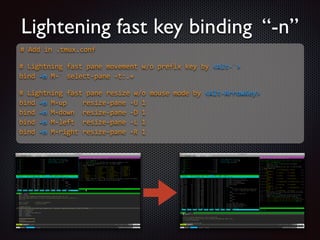
Lightening fast key binding “-n”
#  Add  in  .tmux.conf  

!
#  Lightning  fast  pane  movement  w/o  prefix  key  by  Alt-­‐`  
bind  -­‐n  M-­‐`  select-­‐pane  -­‐t:.+  

!
#  Lightning  fast  pane  resize  w/o  mouse  mode  by  Alt-­‐ArrowKey  
bind  -­‐n  M-­‐up        resize-­‐pane  -­‐U  1  
bind  -­‐n  M-­‐down    resize-­‐pane  -­‐D  1  
bind  -­‐n  M-­‐left    resize-­‐pane  -­‐L  1  
bind  -­‐n  M-­‐right  resize-­‐pane  -­‐R  1  
!

第十三招
Tip  Trick 13
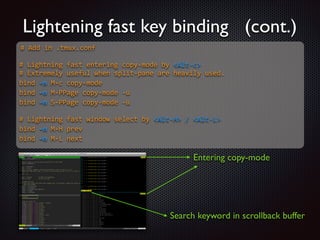
Lightening fast key binding (cont.)
#  Add  in  .tmux.conf  

!
#  Lightning  fast  entering  copy-­‐mode  by  Alt-­‐c  
#  Extremely  useful  when  split-­‐pane  are  heavily  used.  
bind  -­‐n  M-­‐c  copy-­‐mode  
bind  -­‐n  M-­‐PPage  copy-­‐mode  -­‐u  
bind  -­‐n  S-­‐PPage  copy-­‐mode  -­‐u  

!
#  Lightning  fast  window  select  by  Alt-­‐H  /  Alt-­‐L  
bind  -­‐n  M-­‐H  prev  
bind  -­‐n  M-­‐L  next  

Entering copy-mode

Search keyword in scrollback buffer
Reference
Tmux @ Arch Linux wiki	

https://wiki.archlinux.org/index.php/Tmux	

Screen vs. tmux Faceoff	

http://jon.endpoint.com/utosc-2012/screen-vs-tmux-faceoff.html	

Fixing Vim's Background Color Erase for 256-color tmux	

http://sunaku.github.io/vim-256color-bce.html	

How to Copy and Paste with tmux on Mac OS X	

http://robots.thoughtbot.com/how-to-copy-and-paste-withtmux-on-mac-os-x
Reference cont.
wemux: Multi-User Tmux Made Easy	

https://github.com/zolrath/wemux	

tmux-powerline	

https://github.com/erikw/tmux-powerline	

tmux FAQ	

http://sourceforge.net/p/tmux/tmux-code/ci/master/tree/FAQ	

My .tmux.conf	

https://github.com/chenkaie/DotFiles/blob/master/.tmux.conf

TMUX Rocks!