Videoconferencing: Creating the Virtual
Classroom
 WCET Annual Meeting
 San Antonio, TX
 November 1, 2012


                           Alan D. Greenberg
                           Wainhouse Research
                           Robert Wagner
                           Utah State University
                           Andy Black
                           University of Utah College
                           of Nursing
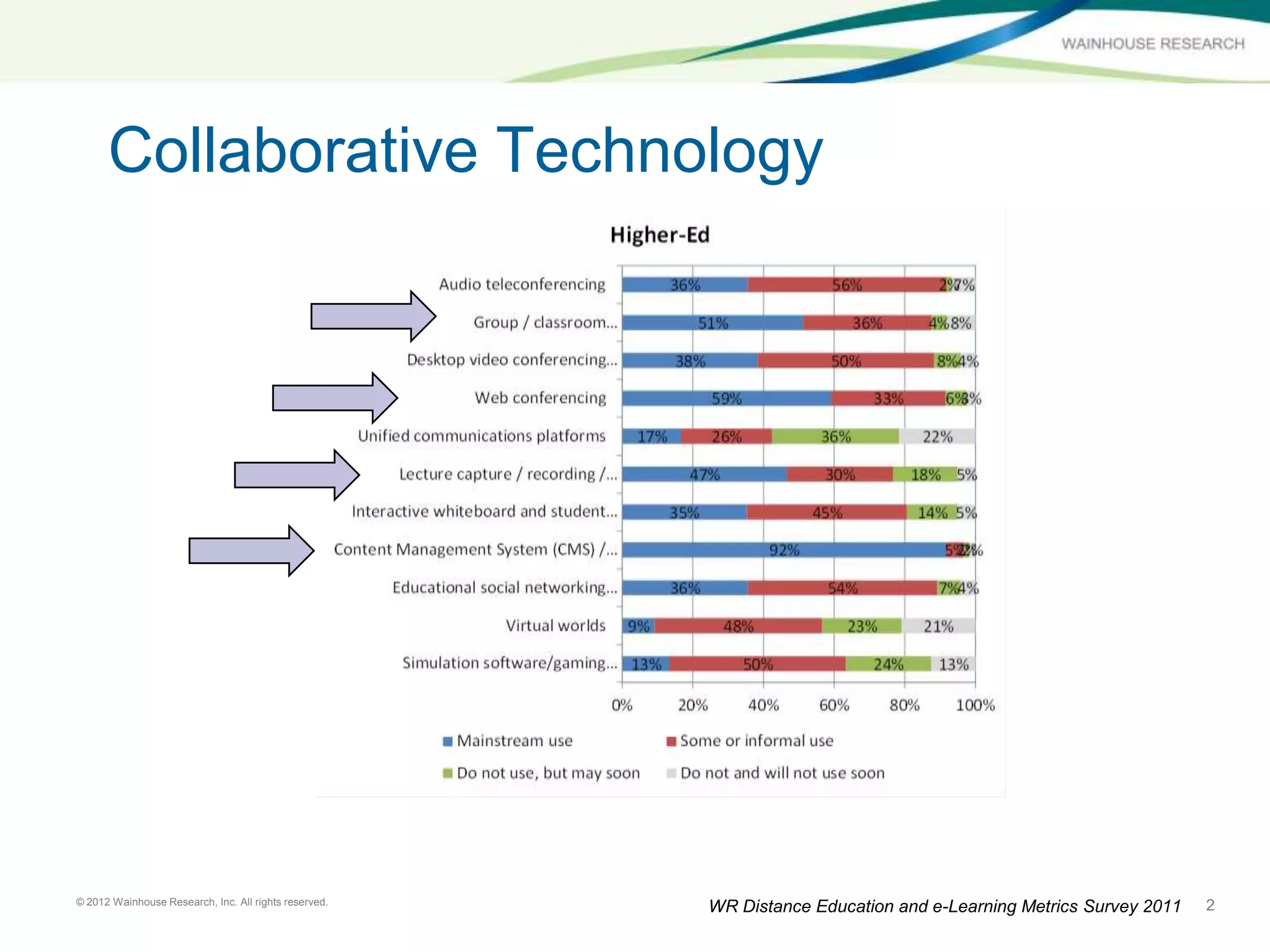
Collaborative Technology


© 2012 Wainhouse Research, Inc. All rights reserved.                                                              2
                                                       WR Distance Education and e-Learning Metrics Survey 2011
What do these (and other colleges /
      universities) have in common?


                                                       ?
© 2012 Wainhouse Research, Inc. All rights reserved.       3
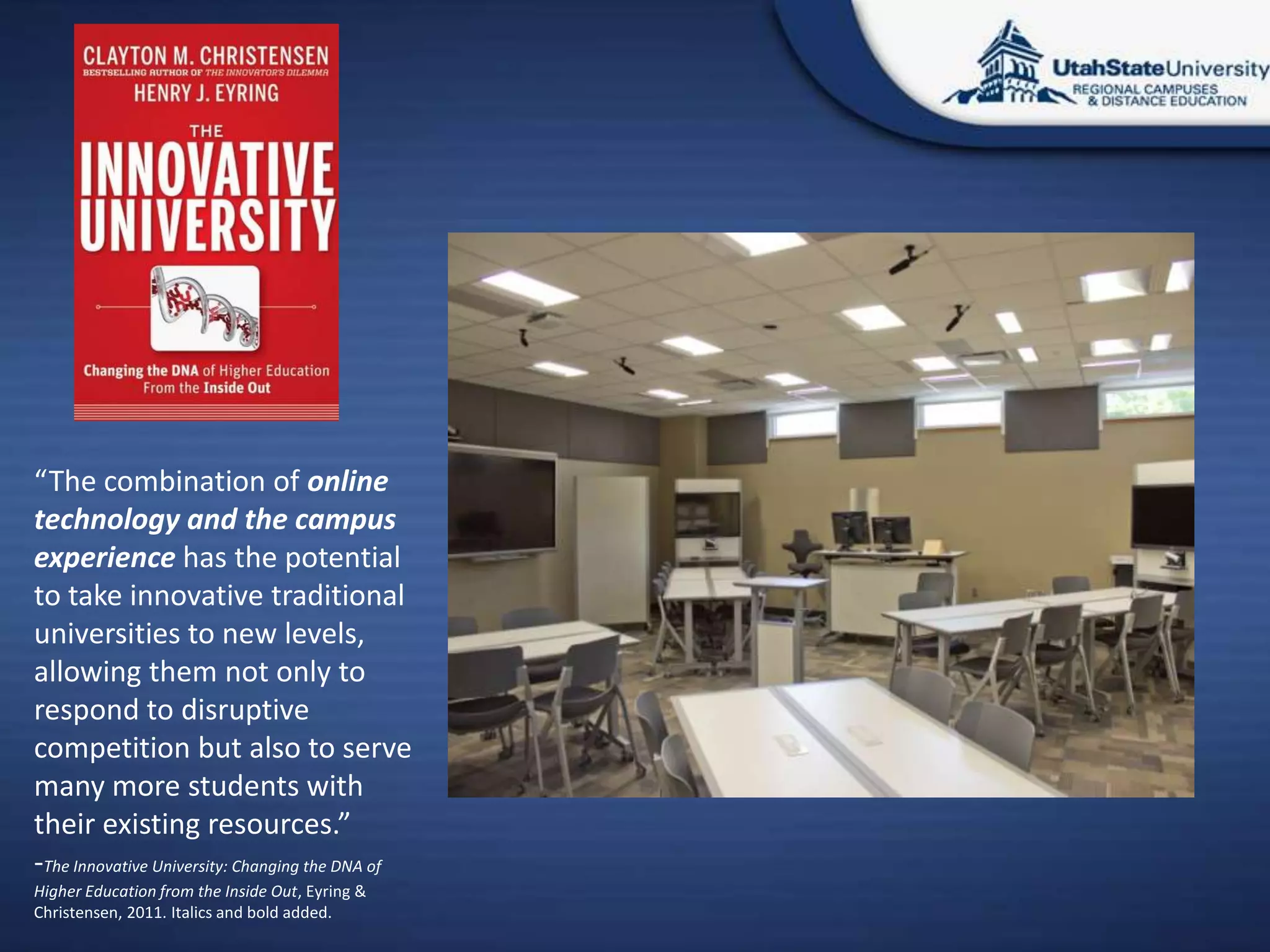
“The combination of online
technology and the campus
experience has the potential
to take innovative traditional
universities to new levels,
allowing them not only to
respond to disruptive
competition but also to serve
many more students with
their existing resources.”
-The Innovative University: Changing the DNA of
Higher Education from the Inside Out, Eyring &
Christensen, 2011. Italics and bold added.
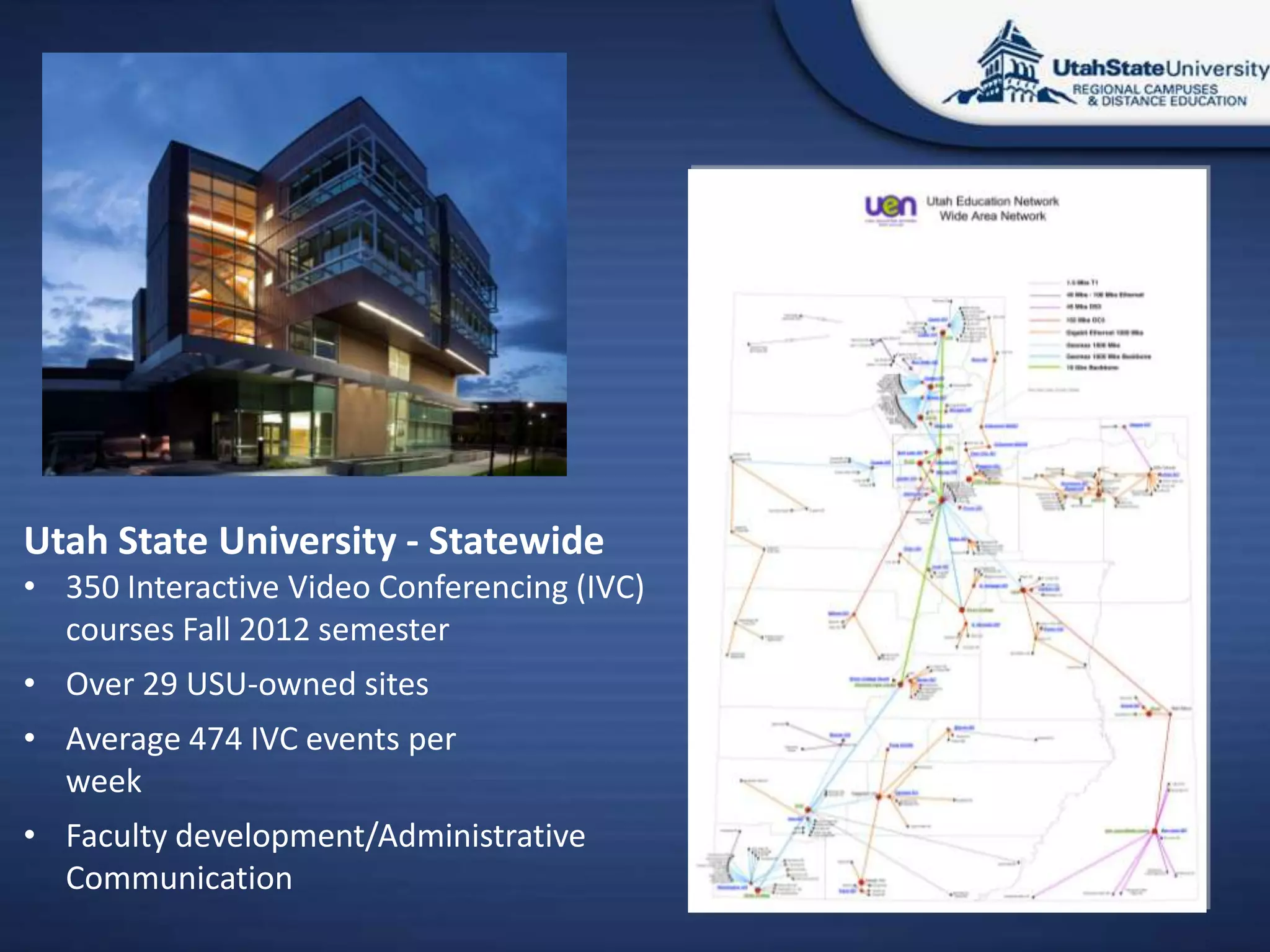
Utah State University - Statewide
• 350 Interactive Video Conferencing (IVC)
  courses Fall 2012 semester
• Over 29 USU-owned sites
• Average 474 IVC events per
  week
• Faculty development/Administrative
  Communication
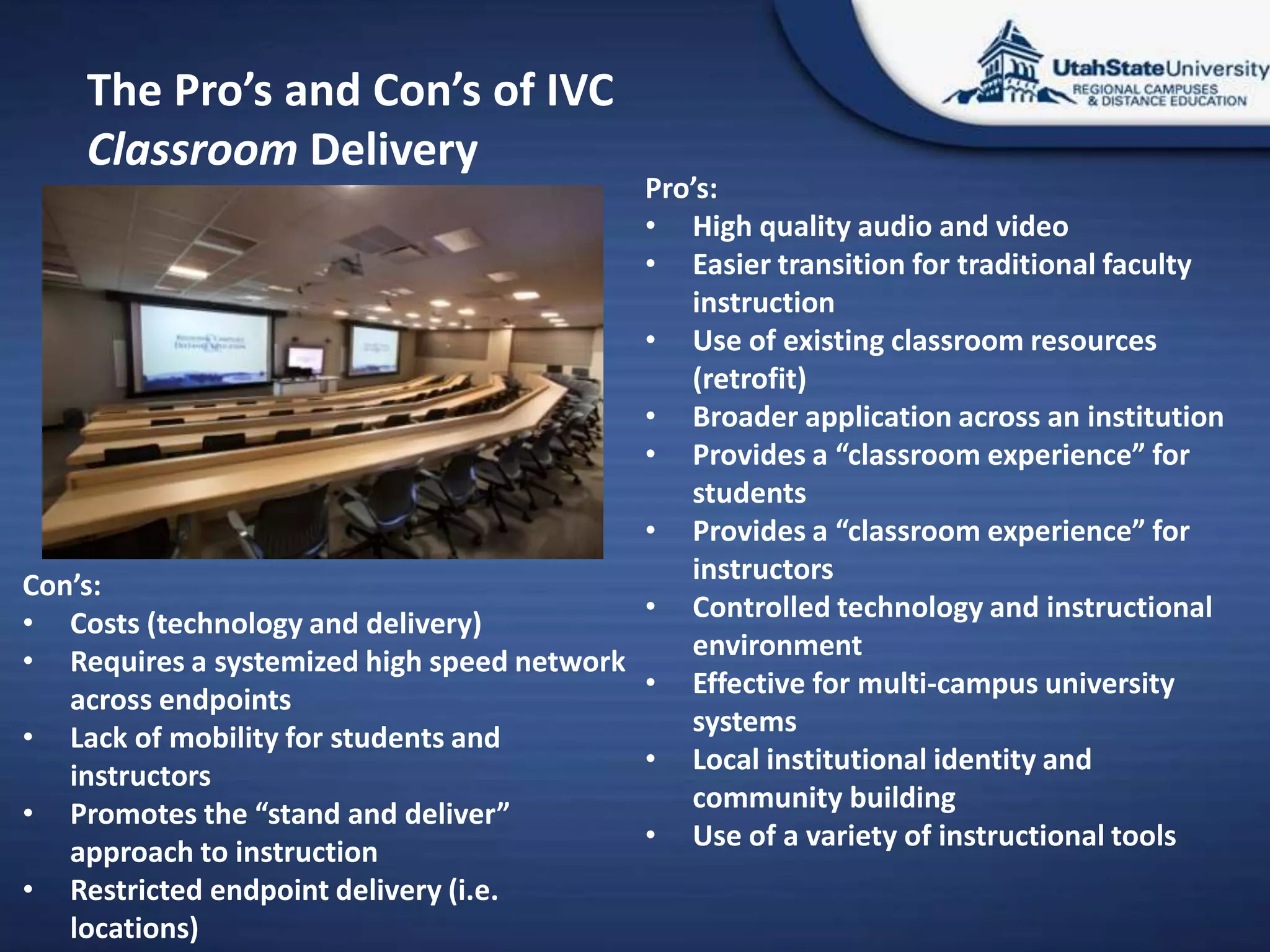
The Pro’s and Con’s of IVC
    Classroom Delivery
                                           Pro’s:
                                           • High quality audio and video
                                           • Easier transition for traditional faculty
                                              instruction
                                           • Use of existing classroom resources
                                              (retrofit)
                                           • Broader application across an institution
                                           • Provides a “classroom experience” for
                                              students
                                           • Provides a “classroom experience” for
                                              instructors
Con’s:
                                           • Controlled technology and instructional
• Costs (technology and delivery)
                                              environment
• Requires a systemized high speed network
                                           • Effective for multi-campus university
   across endpoints
                                              systems
• Lack of mobility for students and
                                           • Local institutional identity and
   instructors
                                              community building
• Promotes the “stand and deliver”
                                           • Use of a variety of instructional tools
   approach to instruction
• Restricted endpoint delivery (i.e.
   locations)
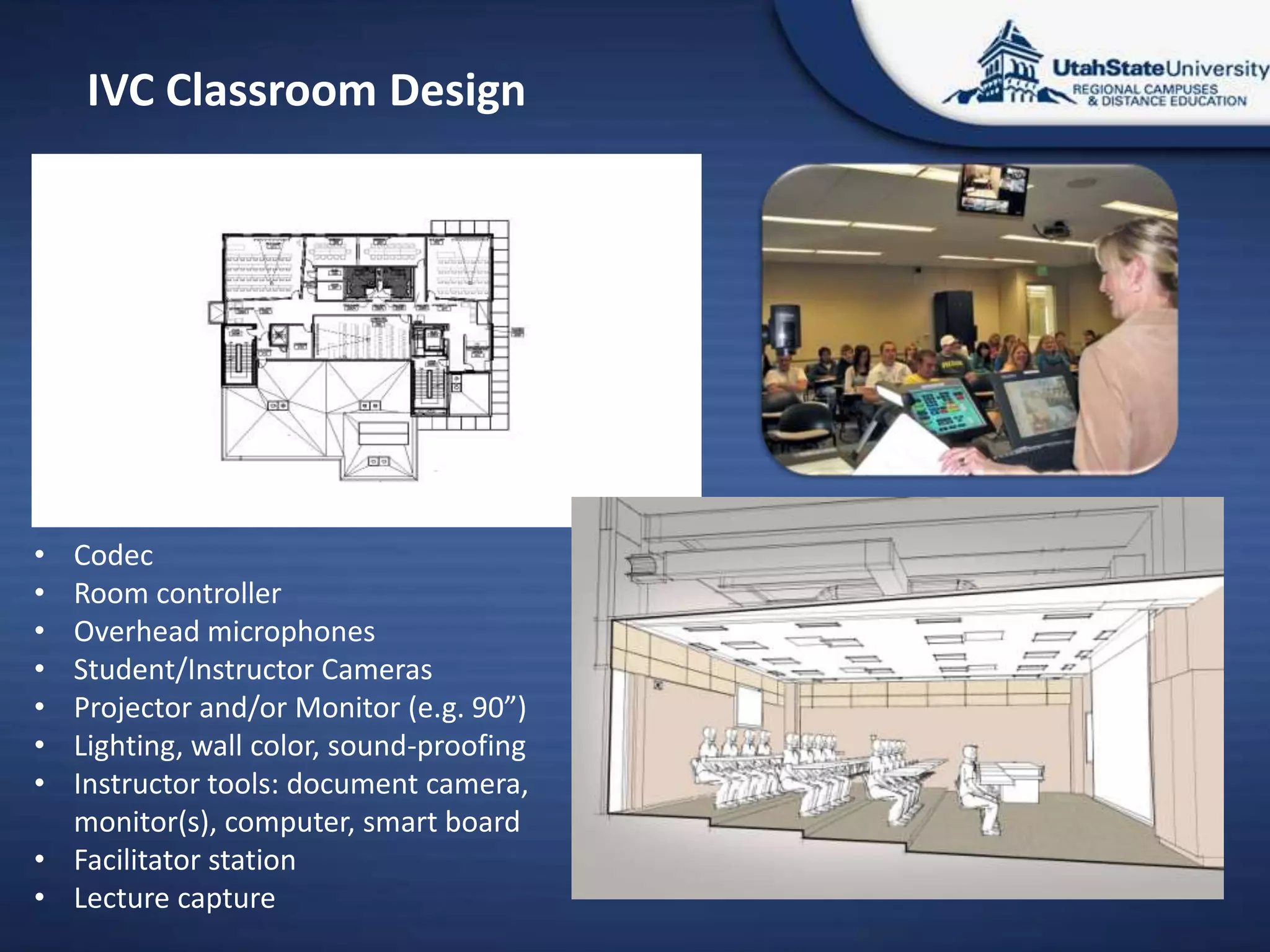
IVC Classroom Design


• Codec
• Room controller
• Overhead microphones
• Student/Instructor Cameras
• Projector and/or Monitor (e.g. 90”)
• Lighting, wall color, sound-proofing
• Instructor tools: document camera,
  monitor(s), computer, smart board
• Facilitator station
• Lecture capture
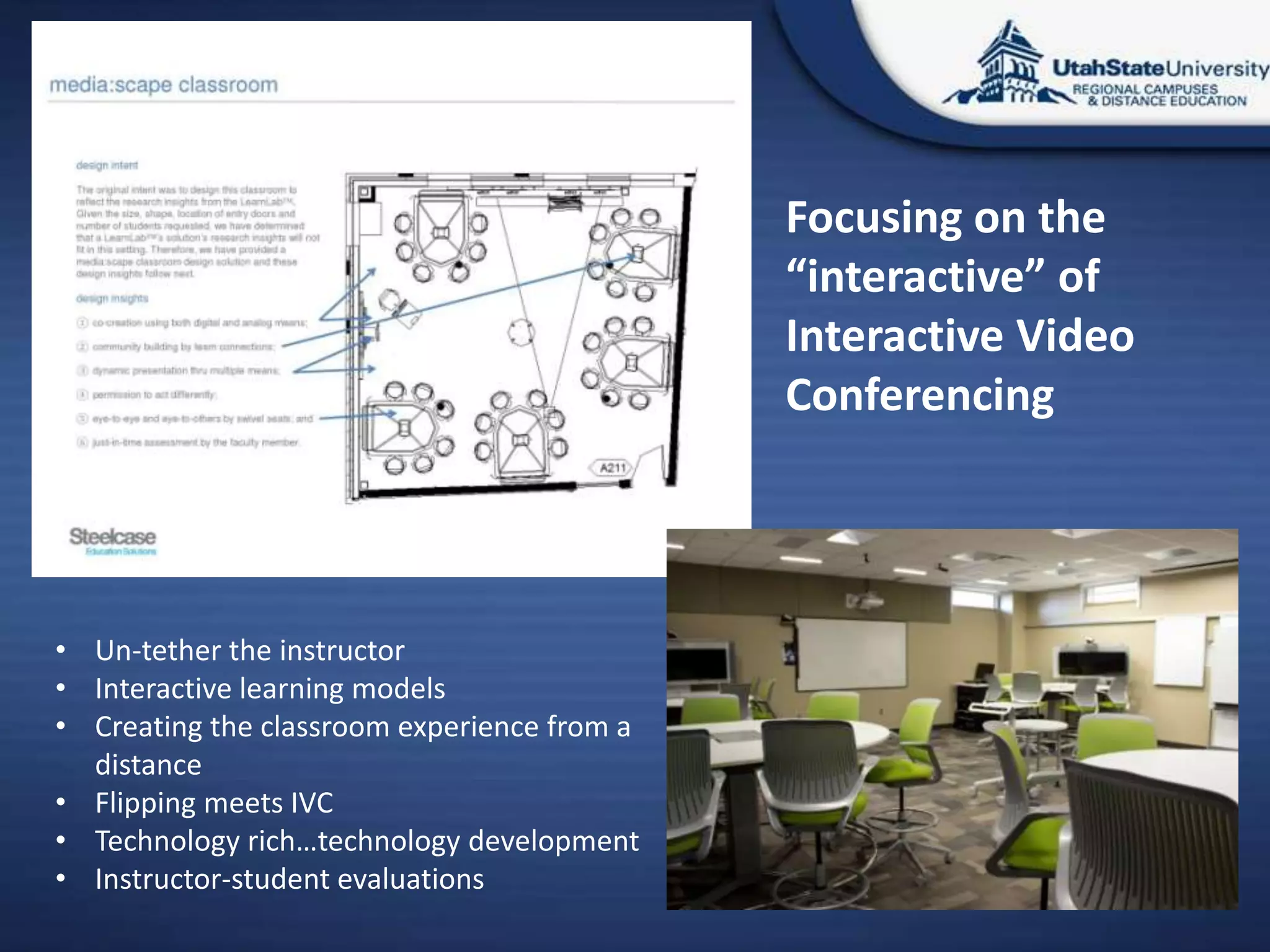
Focusing on the
                                             “interactive” of
                                             Interactive Video
                                             Conferencing


• Un-tether the instructor
• Interactive learning models
• Creating the classroom experience from a
  distance
• Flipping meets IVC
• Technology rich…technology development
• Instructor-student evaluations
University of Utah
           College of Nursing
• In a nutshell…
   o   We offer BS, MS, DNP and PhD education in nursing
   o   All of our courses are enhanced through online learning
   o   Many of our courses are also offered in mixed or fully distance formats
   o   Our PhD nursing program is offered only through synchronous
       videoconferencing

• Nursing education at a distance
   o Our PhD program is designed to educate nurses by allowing them to
     remain in their remote locations within the intermountain west, and
     internationally
   o PhD education is more about learning with others about theoretical
     concepts, and therefore engaging discussion is key
   o Therefore, asynchronous online education was not adequate to meet our
     program goals and objectives
Early PhD Nursing
             Program
• Early PhD Nursing program through synchronous
  videoconferencing
  o Moved entirely to videoconferencing distance classes in 2004
  o Originally delivered using IVC equipment (Polycom) to students in their
    homes on their PC’s using Polycom PVX software
  o Connections made over the Utah Telehealth Network bridging service
  o A technician was employed to watch the courses live and
    troubleshoot/make adjustments on the fly as requested
PhD and DNP Nursing
     Programs Today
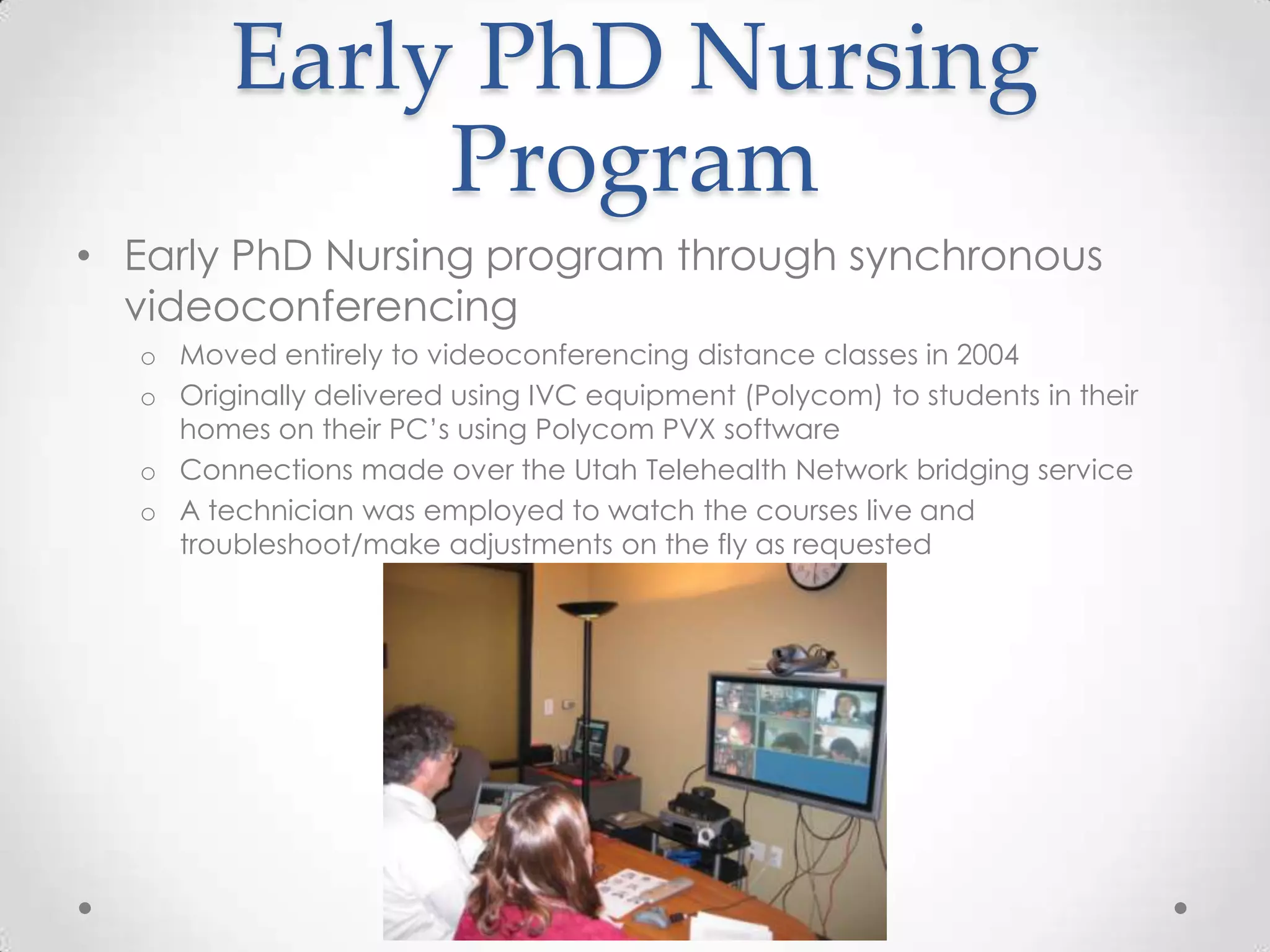
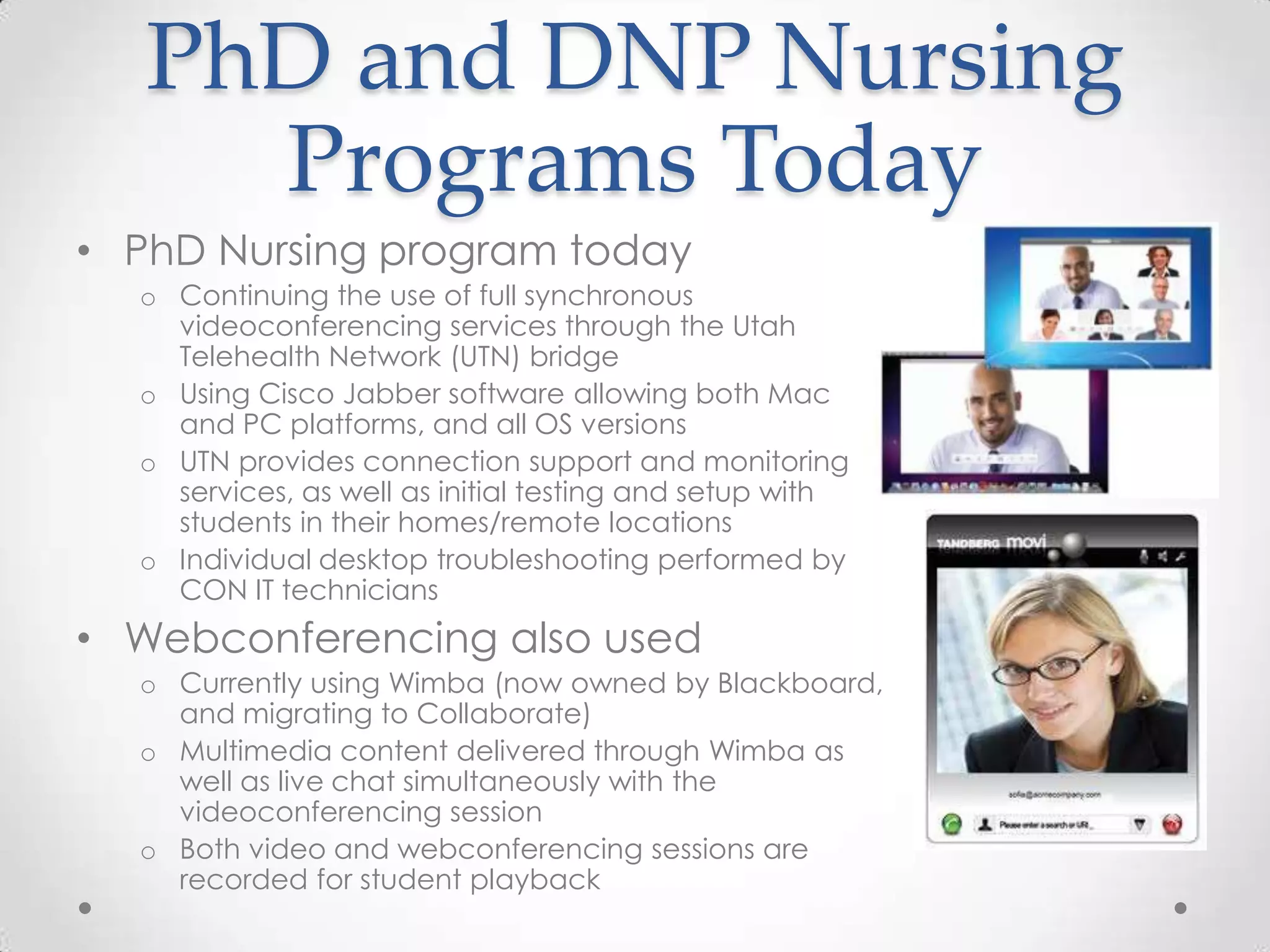
• PhD Nursing program today
  o Continuing the use of full synchronous
    videoconferencing services through the Utah
    Telehealth Network (UTN) bridge
  o Using Cisco Jabber software allowing both Mac
    and PC platforms, and all OS versions
  o UTN provides connection support and monitoring
    services, as well as initial testing and setup with
    students in their homes/remote locations
  o Individual desktop troubleshooting performed by
    CON IT technicians
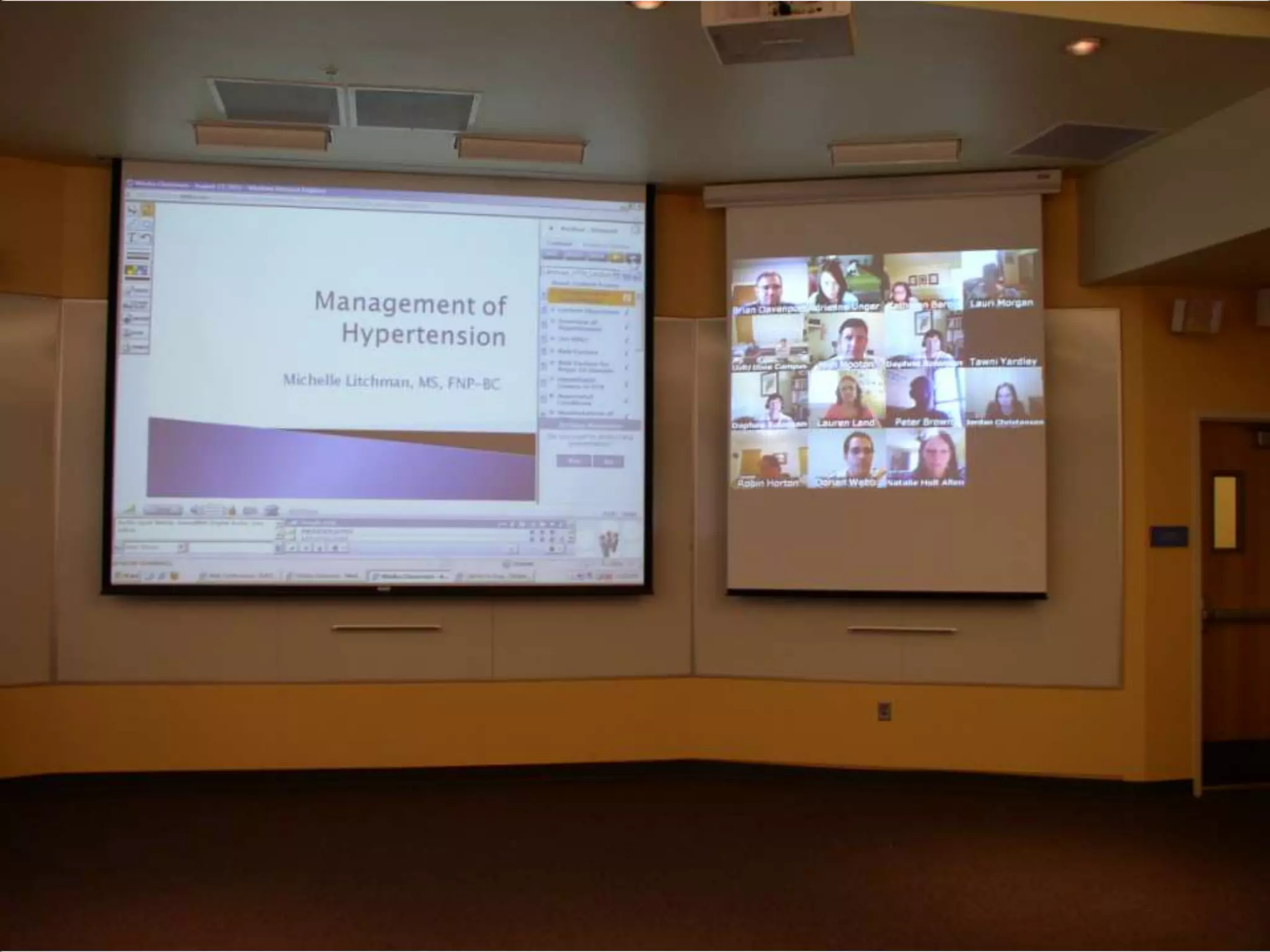
• Webconferencing also used
  o Currently using Wimba (now owned by Blackboard,
    and migrating to Collaborate)
  o Multimedia content delivered through Wimba as
    well as live chat simultaneously with the
    videoconferencing session
  o Both video and webconferencing sessions are
    recorded for student playback
Tried and Learned
• Examples of other applications and systems tried
  and tested for videoconferencing
   o   Skype Group
   o   Adobe Connect
   o   Vidyo
   o   SeeVogh
   o   Conference Me
   o   WebEx
   o   Polycom CMA
• We have not yet found a single solution that
  provides many live video feeds as well as
  webconferencing features in the same application,
  using reasonable Internet bandwidth, and quality
  video resolution at a reasonable price
What we Need
• Still seeking a single low-cost program solution
  which will provide:
   o Multiple synchronous video feeds (up to 20 or more)
   o High quality audio and video transmission
   o Low latency
   o Session recording of all functions (audio, video, desktop and application
     sharing, and multimedia)
   o Webconferencing features:
       • Whiteboard
       • PPT sharing
       • Desktop/application sharing
       • Recording
Need Flexibility
• Faculty able to teach from their offices or on the
  road through the Jabber software, rather than be
  tied to the Polycom hardware
   o Just need a laptop with a camera and a microphone
   o A separate higher quality webcam rather than the built-in is often better
   o A headset with microphone is also better at reducing/eliminating echo
     cancellation issues
       • This is less convenient/comfortable, but the quality is better

• Can still teach from the main classroom using the
  Polycom equipment if desired
   o More controlled environment
Bridging Service
• Most applications such as Skype and Adobe
  Connect rely on Internet bandwidth to manage the
  video connections
   o This is why they limit the number of live video feeds
   o After about 6 live video feeds, the quality dramatically decreases, and
     latency increases

• A bridging service throttles all feeds through the
  same management device, delivering quality to all
  connections
   o More expensive, but provides better quality

• The University of Utah College of Nursing currently
  utilizes the Utah Telehealth Network bridging service
Q&A
Robert Wagner, Robert.Wagner@USU.edu
               Andy Black
       Andy.Black@Nurs.Utah.Edu
           Alan D. Greenberg
      Agreenberg@wainhouse.com

Videoconferencing creating the_virtual

  • 1.
    Videoconferencing: Creating theVirtual Classroom WCET Annual Meeting San Antonio, TX November 1, 2012 Alan D. Greenberg Wainhouse Research Robert Wagner Utah State University Andy Black University of Utah College of Nursing
  • 2.
    Collaborative Technology © 2012Wainhouse Research, Inc. All rights reserved. 2 WR Distance Education and e-Learning Metrics Survey 2011
  • 3.
    What do these(and other colleges / universities) have in common? ? © 2012 Wainhouse Research, Inc. All rights reserved. 3
  • 4.
    “The combination ofonline technology and the campus experience has the potential to take innovative traditional universities to new levels, allowing them not only to respond to disruptive competition but also to serve many more students with their existing resources.” -The Innovative University: Changing the DNA of Higher Education from the Inside Out, Eyring & Christensen, 2011. Italics and bold added.
  • 5.
    Utah State University- Statewide • 350 Interactive Video Conferencing (IVC) courses Fall 2012 semester • Over 29 USU-owned sites • Average 474 IVC events per week • Faculty development/Administrative Communication
  • 6.
    The Pro’s andCon’s of IVC Classroom Delivery Pro’s: • High quality audio and video • Easier transition for traditional faculty instruction • Use of existing classroom resources (retrofit) • Broader application across an institution • Provides a “classroom experience” for students • Provides a “classroom experience” for instructors Con’s: • Controlled technology and instructional • Costs (technology and delivery) environment • Requires a systemized high speed network • Effective for multi-campus university across endpoints systems • Lack of mobility for students and • Local institutional identity and instructors community building • Promotes the “stand and deliver” • Use of a variety of instructional tools approach to instruction • Restricted endpoint delivery (i.e. locations)
  • 7.
    IVC Classroom Design •Codec • Room controller • Overhead microphones • Student/Instructor Cameras • Projector and/or Monitor (e.g. 90”) • Lighting, wall color, sound-proofing • Instructor tools: document camera, monitor(s), computer, smart board • Facilitator station • Lecture capture
  • 8.
    Focusing on the “interactive” of Interactive Video Conferencing • Un-tether the instructor • Interactive learning models • Creating the classroom experience from a distance • Flipping meets IVC • Technology rich…technology development • Instructor-student evaluations
  • 9.
    University of Utah College of Nursing • In a nutshell… o We offer BS, MS, DNP and PhD education in nursing o All of our courses are enhanced through online learning o Many of our courses are also offered in mixed or fully distance formats o Our PhD nursing program is offered only through synchronous videoconferencing • Nursing education at a distance o Our PhD program is designed to educate nurses by allowing them to remain in their remote locations within the intermountain west, and internationally o PhD education is more about learning with others about theoretical concepts, and therefore engaging discussion is key o Therefore, asynchronous online education was not adequate to meet our program goals and objectives
  • 10.
    Early PhD Nursing Program • Early PhD Nursing program through synchronous videoconferencing o Moved entirely to videoconferencing distance classes in 2004 o Originally delivered using IVC equipment (Polycom) to students in their homes on their PC’s using Polycom PVX software o Connections made over the Utah Telehealth Network bridging service o A technician was employed to watch the courses live and troubleshoot/make adjustments on the fly as requested
  • 11.
    PhD and DNPNursing Programs Today • PhD Nursing program today o Continuing the use of full synchronous videoconferencing services through the Utah Telehealth Network (UTN) bridge o Using Cisco Jabber software allowing both Mac and PC platforms, and all OS versions o UTN provides connection support and monitoring services, as well as initial testing and setup with students in their homes/remote locations o Individual desktop troubleshooting performed by CON IT technicians • Webconferencing also used o Currently using Wimba (now owned by Blackboard, and migrating to Collaborate) o Multimedia content delivered through Wimba as well as live chat simultaneously with the videoconferencing session o Both video and webconferencing sessions are recorded for student playback
  • 13.
    Tried and Learned •Examples of other applications and systems tried and tested for videoconferencing o Skype Group o Adobe Connect o Vidyo o SeeVogh o Conference Me o WebEx o Polycom CMA • We have not yet found a single solution that provides many live video feeds as well as webconferencing features in the same application, using reasonable Internet bandwidth, and quality video resolution at a reasonable price
  • 14.
    What we Need •Still seeking a single low-cost program solution which will provide: o Multiple synchronous video feeds (up to 20 or more) o High quality audio and video transmission o Low latency o Session recording of all functions (audio, video, desktop and application sharing, and multimedia) o Webconferencing features: • Whiteboard • PPT sharing • Desktop/application sharing • Recording
  • 15.
    Need Flexibility • Facultyable to teach from their offices or on the road through the Jabber software, rather than be tied to the Polycom hardware o Just need a laptop with a camera and a microphone o A separate higher quality webcam rather than the built-in is often better o A headset with microphone is also better at reducing/eliminating echo cancellation issues • This is less convenient/comfortable, but the quality is better • Can still teach from the main classroom using the Polycom equipment if desired o More controlled environment
  • 16.
    Bridging Service • Mostapplications such as Skype and Adobe Connect rely on Internet bandwidth to manage the video connections o This is why they limit the number of live video feeds o After about 6 live video feeds, the quality dramatically decreases, and latency increases • A bridging service throttles all feeds through the same management device, delivering quality to all connections o More expensive, but provides better quality • The University of Utah College of Nursing currently utilizes the Utah Telehealth Network bridging service
  • 17.
    Q&A Robert Wagner, Robert.Wagner@USU.edu Andy Black Andy.Black@Nurs.Utah.Edu Alan D. Greenberg Agreenberg@wainhouse.com

Editor's Notes

  • #4 USC: Among the options being discussed: Adding a required course in which students make digital videos; or asking all undergraduates to complete a capstone multimedia project. Already have a film center for students to get help. Geology class making short documentaries.Purdue: iphone app for student video projects. Now used for “Great Issues in Science and Society,” forensics, American Sign Language. DE course on public speaking.Villanova: Miss Hannah Minx, playful videos on japanese culture, >50M viewsU of Cincy: core competency, visual literacy. Assn of Uni Libraries: drafted visual literacy stdsUCSD: media literacy course, assigned videos