Introduction to MySQL

●   Introduction
●   Installation
●   SQL
●   Schema design
●   Perl


BITS/VIB Bioinformatics Training – Jun 29, 2011 – Luc Ducazu <luc@daphnia.com>
Database schema
●   Although you can execute DDL commands from 
    the MySQL monitor directly, this is not often 
    done
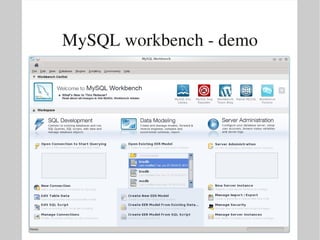
●   There are tools that allow you to design a schema 
    graphically and generate the CREATE TABLE ... 
    statements 
●   Examples:
    –   MySQL workbench
    –   Dia
MySQL workbench
●   Available as a standard package on some Linux 
    distros (eg Fedora) 
●   Available as Windows MSI, Linux DEB or RPM 
    package or source archive from 
    http://dev.mysql.com/downloads/workbench/
●   To install a DEB package:
    # dpkg ­i package.deb
●   To install a RPM package:
    # rpm ­Uvh package.rpm
MySQL workbench ­ demo
Database schema
●   Once the schema is designed, MySQL workbench 
    can generate a 'script' containing all SQL 
    statements to create the tables and other objects:
    File ­> 
    Export ­> 
    Forward Engineer SQL CREATE Script
●   This 'script' can be executed as usual from the 
    MySQL monitor
Inserting rows
●   To populate tables, use the INSERT SQL 
    statement:
    mysql> insert into tbl
           (col1, col2, ...) 
           values
           (val1, val2, ...) [,
           (valx, valy, ...) , ...]
●   With:
    –   tbl the name of the table
    –   col1, col2, ... a list (subset) of column names
    –   val1 value for col1
    –   val2 value for col2
Inserting rows ­ examples
●   Example (biodb version 1)
    insert into modorg
    (id, class, genus, species,
     nchr, gsize, draft)
    values
    (1, “Bacteria”, “Escherichia”, “coli”,
     1, 4.639, “1997­09­05 00:00:00”)
●   Note that strings and dates have to be properly 
    quoted
Inserting rows
●   You can leave out the column list if
     – a value is given for all columns
     – the values are specified in the order dictated by the 
       schema
    mysql> insert into tbl
           values
           (val1, val2, ...) [,
           (valx, valy, ...) , ...]
Changing rows
●   To change one or more rows, use the UPDATE 
    SQL statement:
    mysql> update tbl
    set col1=expr1 [, col2=expr2, ...]
    [where cond]
●   With:
    –   tbl the name of the table
    –   col1 the column to change
    –   expr1 the new value 
    –   cond the row filter ­ if unspecified, all rows of the 
        table will be updated
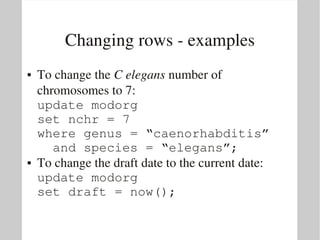
Changing rows ­ examples
●   To change the C elegans number of 
    chromosomes to 7:
    update modorg
    set nchr = 7
    where genus = “caenorhabditis”
      and species = “elegans”;
●   To change the draft date to the current date:
    update modorg
    set draft = now();
Deleting rows
●   To remove rows, you use the DELETE SQL 
    statement:
    delete from tbl
    [where cond]
●   With:
    –   tbl the name of the table
    –   cond the row filter ­ if unspecified, all rows of the 
        table will be deleted
    –   note: since you can only remove entire rows, there is 
        no need to specify column names
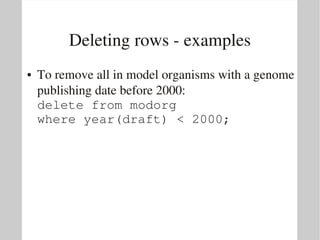
Deleting rows ­ examples
●   To remove all in model organisms with a genome 
    publishing date before 2000:
    delete from modorg
    where year(draft) < 2000;
Introduction to MySQL

●   Introduction
●   Installation
●   SQL
●   Schema design
●   Perl


BITS/VIB Bioinformatics Training – Jun 29, 2011 – Luc Ducazu <luc@daphnia.com>
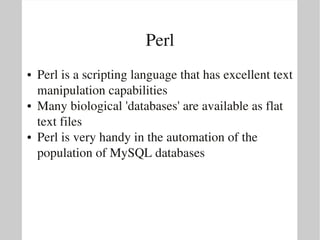
Perl
●   Perl is a scripting language that has excellent text 
    manipulation capabilities
●   Many biological 'databases' are available as flat 
    text files
●   Perl is very handy in the automation of the 
    population of MySQL databases
Automated population
●   There are basically two ways Perl can help to 
    insert data into tables:
    –   The Perl script generates USE, INSERT, ... SQL 
        statements. You can than execute these statements 
        using the MySQL monitor:
        $ perl myscript.pl | mysql
    –   The Perl script connects to the database and executes 
        SQL statements directly: DBI
Perl DBI
●   Perl DBI provides a programming interface that 
    abstracts most of the RDBMS specifics
●   In principle it should be possible to port scripts, 
    written for other RDBMS's (like PostgreSQL), to 
    MySQL with only minimal effort: all you have to 
    do is change the connection string
●   Packages to install (Ubuntu)
    –   libdbi­perl: Perl DBI
    –   libdbd­mysql­perl: MySQL driver for DBI
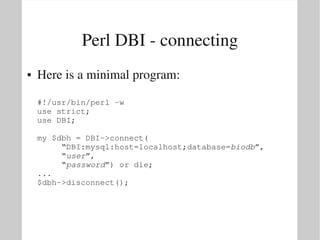
Perl DBI ­ connecting
●   Here is a minimal program:

    #!/usr/bin/perl ­w
    use strict;
    use DBI;

    my $dbh = DBI­>connect(
         “DBI:mysql:host=localhost;database=biodb”,
         “user”,
         “password”) or die;
    ...
    $dbh­>disconnect();
Perl DBI ­ connecting
●   Some highlights:
    –   use DBI;
        Load Perl DBI library
    –   DBI­>connect(connection string);
        Connect to a database
         ●   it is a MySQL database server
         ●   the DB server is running on the local machine
         ●   you can provide the name of the database
         ●   you can provide a user name and password
        The connect() function returns
         ●   a database handle ($dbh) on success
         ●   false on failure
    –   $dbh­>disconnect() to clean up resources
Perl DBI 
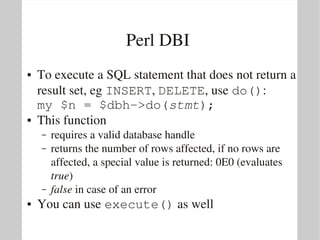
●   To execute a SQL statement that does not return a 
    result set, eg INSERT, DELETE, use do():
    my $n = $dbh­>do(stmt);
●   This function
    –   requires a valid database handle
    –   returns the number of rows affected, if no rows are 
        affected, a special value is returned: 0E0 (evaluates 
        true)
    –   false in case of an error
●   You can use execute() as well
Perl DBI 
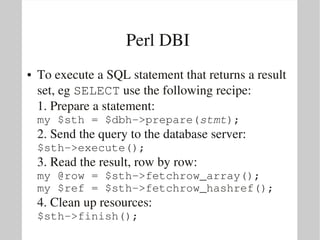
●   To execute a SQL statement that returns a result 
    set, eg SELECT use the following recipe:
    1. Prepare a statement:
    my $sth = $dbh­>prepare(stmt);
    2. Send the query to the database server:
    $sth­>execute();
    3. Read the result, row by row:
    my @row = $sth­>fetchrow_array();
    my $ref = $sth­>fetchrow_hashref();
    4. Clean up resources:
    $sth­>finish();
Perl DBI ­ examples
●   To list all classes in modorg:
    ...
    my $qry = “select distinct class ”
            . “from modorg ” 
            . “order by class”;
    my $sth = $dbh­>prepare($qry);
    $sth­>execute();
    while(my @row = $sth­>fetchrow_array())
    {
       print “$row[0]n”;
    };
    $sth­>finish();
    ...
Perl DBI ­ examples
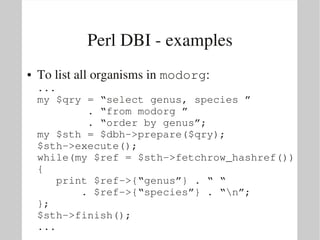
●   To list all organisms in modorg:
    ...
    my $qry = “select genus, species ”
            . “from modorg ” 
            . “order by genus”;
    my $sth = $dbh­>prepare($qry);
    $sth­>execute();
    while(my $ref = $sth­>fetchrow_hashref())
    {
       print $ref­>{“genus”} . “ “ 
           . $ref­>{“species”} . “n”;
    };
    $sth­>finish();
    ...
Perl DBI ­ examples
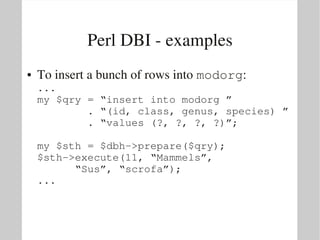
●   To insert a bunch of rows into modorg:
    ...
    my $qry = “insert into modorg ”
            . “(id, class, genus, species) ” 
            . “values (?, ?, ?, ?)”;

    my $sth = $dbh­>prepare($qry);
    $sth­>execute(11, “Mammels”, 
          “Sus”, “scrofa”);
    ...
Quoting
●   Never allow arbitrary user input in SQL 
    statements

BITS: Introduction to relational databases and MySQL - Schema design

  • 1.
    Introduction to MySQL ● Introduction ● Installation ● SQL ● Schema design ● Perl BITS/VIB Bioinformatics Training – Jun 29, 2011 – Luc Ducazu <luc@daphnia.com>
  • 2.
    Database schema ● Although you can execute DDL commands from  the MySQL monitor directly, this is not often  done ● There are tools that allow you to design a schema  graphically and generate the CREATE TABLE ...  statements  ● Examples: – MySQL workbench – Dia
  • 3.
    MySQL workbench ● Available as a standard package on some Linux  distros (eg Fedora)  ● Available as Windows MSI, Linux DEB or RPM  package or source archive from  http://dev.mysql.com/downloads/workbench/ ● To install a DEB package: # dpkg ­i package.deb ● To install a RPM package: # rpm ­Uvh package.rpm
  • 4.
  • 5.
    Database schema ● Once the schema is designed, MySQL workbench  can generate a 'script' containing all SQL  statements to create the tables and other objects: File ­>  Export ­>  Forward Engineer SQL CREATE Script ● This 'script' can be executed as usual from the  MySQL monitor
  • 6.
    Inserting rows ● To populate tables, use the INSERT SQL  statement: mysql> insert into tbl        (col1, col2, ...)         values        (val1, val2, ...) [,        (valx, valy, ...) , ...] ● With: – tbl the name of the table – col1, col2, ... a list (subset) of column names – val1 value for col1 – val2 value for col2
  • 7.
    Inserting rows ­ examples ● Example (biodb version 1) insert into modorg (id, class, genus, species,  nchr, gsize, draft) values (1, “Bacteria”, “Escherichia”, “coli”,  1, 4.639, “1997­09­05 00:00:00”) ● Note that strings and dates have to be properly  quoted
  • 8.
    Inserting rows ● You can leave out the column list if – a value is given for all columns – the values are specified in the order dictated by the  schema mysql> insert into tbl        values        (val1, val2, ...) [,        (valx, valy, ...) , ...]
  • 9.
    Changing rows ● To change one or more rows, use the UPDATE  SQL statement: mysql> update tbl set col1=expr1 [, col2=expr2, ...] [where cond] ● With: – tbl the name of the table – col1 the column to change – expr1 the new value  – cond the row filter ­ if unspecified, all rows of the  table will be updated
  • 10.
    Changing rows ­ examples ● To change the C elegans number of  chromosomes to 7: update modorg set nchr = 7 where genus = “caenorhabditis”   and species = “elegans”; ● To change the draft date to the current date: update modorg set draft = now();
  • 11.
    Deleting rows ● To remove rows, you use the DELETE SQL  statement: delete from tbl [where cond] ● With: – tbl the name of the table – cond the row filter ­ if unspecified, all rows of the  table will be deleted – note: since you can only remove entire rows, there is  no need to specify column names
  • 12.
    Deleting rows ­ examples ● To remove all in model organisms with a genome  publishing date before 2000: delete from modorg where year(draft) < 2000;
  • 13.
    Introduction to MySQL ● Introduction ● Installation ● SQL ● Schema design ● Perl BITS/VIB Bioinformatics Training – Jun 29, 2011 – Luc Ducazu <luc@daphnia.com>
  • 14.
    Perl ● Perl is a scripting language that has excellent text  manipulation capabilities ● Many biological 'databases' are available as flat  text files ● Perl is very handy in the automation of the  population of MySQL databases
  • 15.
    Automated population ● There are basically two ways Perl can help to  insert data into tables: – The Perl script generates USE, INSERT, ... SQL  statements. You can than execute these statements  using the MySQL monitor: $ perl myscript.pl | mysql – The Perl script connects to the database and executes  SQL statements directly: DBI
  • 16.
    Perl DBI ● Perl DBI provides a programming interface that  abstracts most of the RDBMS specifics ● In principle it should be possible to port scripts,  written for other RDBMS's (like PostgreSQL), to  MySQL with only minimal effort: all you have to  do is change the connection string ● Packages to install (Ubuntu) – libdbi­perl: Perl DBI – libdbd­mysql­perl: MySQL driver for DBI
  • 17.
    Perl DBI ­ connecting ● Here is a minimal program: #!/usr/bin/perl ­w use strict; use DBI; my $dbh = DBI­>connect(      “DBI:mysql:host=localhost;database=biodb”,      “user”,      “password”) or die; ... $dbh­>disconnect();
  • 18.
    Perl DBI ­ connecting ● Some highlights: – use DBI; Load Perl DBI library – DBI­>connect(connection string); Connect to a database ● it is a MySQL database server ● the DB server is running on the local machine ● you can provide the name of the database ● you can provide a user name and password The connect() function returns ● a database handle ($dbh) on success ● false on failure – $dbh­>disconnect() to clean up resources
  • 19.
    Perl DBI  ● To execute a SQL statement that does not return a  result set, eg INSERT, DELETE, use do(): my $n = $dbh­>do(stmt); ● This function – requires a valid database handle – returns the number of rows affected, if no rows are  affected, a special value is returned: 0E0 (evaluates  true) – false in case of an error ● You can use execute() as well
  • 20.
    Perl DBI  ● To execute a SQL statement that returns a result  set, eg SELECT use the following recipe: 1. Prepare a statement: my $sth = $dbh­>prepare(stmt); 2. Send the query to the database server: $sth­>execute(); 3. Read the result, row by row: my @row = $sth­>fetchrow_array(); my $ref = $sth­>fetchrow_hashref(); 4. Clean up resources: $sth­>finish();
  • 21.
    Perl DBI ­ examples ● To list all classes in modorg: ... my $qry = “select distinct class ”         . “from modorg ”          . “order by class”; my $sth = $dbh­>prepare($qry); $sth­>execute(); while(my @row = $sth­>fetchrow_array()) {    print “$row[0]n”; }; $sth­>finish(); ...
  • 22.
    Perl DBI ­ examples ● To list all organisms in modorg: ... my $qry = “select genus, species ”         . “from modorg ”          . “order by genus”; my $sth = $dbh­>prepare($qry); $sth­>execute(); while(my $ref = $sth­>fetchrow_hashref()) {    print $ref­>{“genus”} . “ “         . $ref­>{“species”} . “n”; }; $sth­>finish(); ...
  • 23.
    Perl DBI ­ examples ● To insert a bunch of rows into modorg: ... my $qry = “insert into modorg ”         . “(id, class, genus, species) ”          . “values (?, ?, ?, ?)”; my $sth = $dbh­>prepare($qry); $sth­>execute(11, “Mammels”,        “Sus”, “scrofa”); ...
  • 24.
    Quoting ● Never allow arbitrary user input in SQL  statements