Mohd Yasin Abd Karim
yasin@teras-solution.com
   Configuring
   Monitoring, Starting & Stopping
   Managing Users and Connection
   Performing backups
   Others
   Mysqladmin or mysql
   GUI
    ◦ MySQL Administrator
    ◦ MySQL Workbench
    ◦ phpMyAdmin
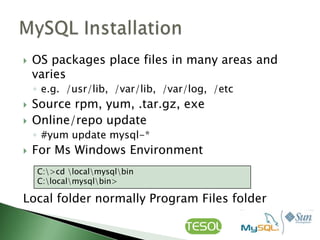
   OS packages place files in many areas and
    varies
    ◦ e.g. /usr/lib, /var/lib, /var/log, /etc
   Source rpm, yum, .tar.gz, exe
   Online/repo update
    ◦ #yum update mysql-*
   For Ms Windows Environment
    C:>cd localmysqlbin
    C:localmysqlbin>

Local folder normally Program Files folder
   Start MySQL process before create database
   To configure MySQL start at boot time
         #chkconfig mysqld on


   Or using GUI tools such as OS Services
    Management
   After boot time using the services commands

      #service mysqld start
      #service mysqld stop
      #Service mysqld restart

   Remember to restart mysqld process every
    time after configuration changed
   to know whether your MySQL server is alive

       #pgrep mysqld


   Should get response process ID numbers
   Or
       #mysqladmin –u root –p ping

   The "mysqld is alive" message tells you that
    your MySQL server is running ok. If your
    MySQL server is not running, you will get a
    "connect ... failed" message.
   my.cnf
    ◦ Watch out for /etc/my.cnf, /etc/mysql/my.cnf
   To get the server listening on all
    interfaces, use 0.0.0.0 as the bind address.
    i.e.:
    --bind-address=0.0.0.0
   Configured to listen TCP/IP Port (default
    3306)
   Additional Instances
    ◦ Different Ports
    ◦ Different IP‟s using default Port
   Local connection using Socket
   Login to MySQL server
       #mysql –h hostname –u root -p


   Create a database
       msql> create database [databasename];


   List all databases on the MySQL server
       msql> show databases;
   Swicth to a database

       msql> use [db_name];


   To see all the tables in the db
       msql> show tables;


   To delete a db
       msql> drop database [databasename];
   To see database‟s field formats
       msql> describe [table name];


   To delete a table
       msql> drop table [table name];


   Show all data in a table

       msql> SELECT * FROM [table name];
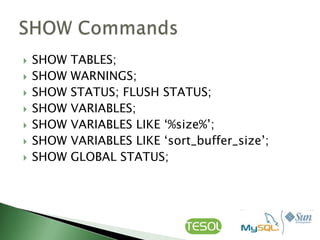
   SHOW   TABLES;
   SHOW   WARNINGS;
   SHOW   STATUS; FLUSH STATUS;
   SHOW   VARIABLES;
   SHOW   VARIABLES LIKE „%size%‟;
   SHOW   VARIABLES LIKE „sort_buffer_size‟;
   SHOW   GLOBAL STATUS;
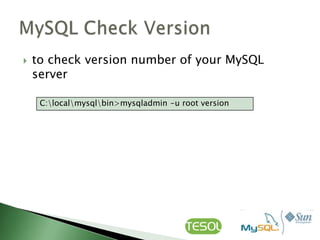
   to check version number of your MySQL
    server

     C:localmysqlbin>mysqladmin -u root version
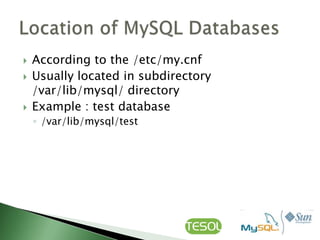
   According to the /etc/my.cnf
   Usually located in subdirectory
    /var/lib/mysql/ directory
   Example : test database
    ◦ /var/lib/mysql/test
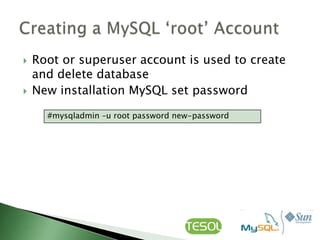
   Root or superuser account is used to create
    and delete database
   New installation MySQL set password

      #mysqladmin –u root password new-password
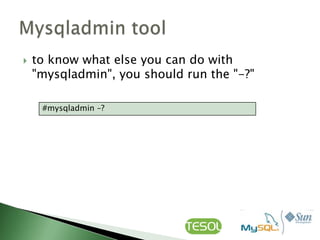
   to know what else you can do with
    "mysqladmin", you should run the "-?"

     #mysqladmin –?
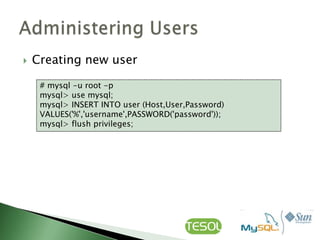
   Creating new user

     # mysql -u root -p
     mysql> use mysql;
     mysql> INSERT INTO user (Host,User,Password)
     VALUES('%','username',PASSWORD('password'));
     mysql> flush privileges;
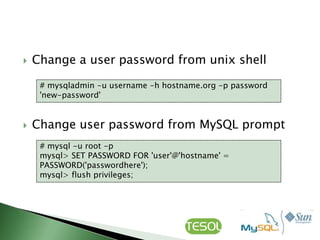
   Change a user password from unix shell

     # mysqladmin -u username -h hostname.org -p password
     'new-password'


   Change user password from MySQL prompt
     # mysql -u root -p
     mysql> SET PASSWORD FOR 'user'@'hostname' =
     PASSWORD('passwordhere');
     mysql> flush privileges;
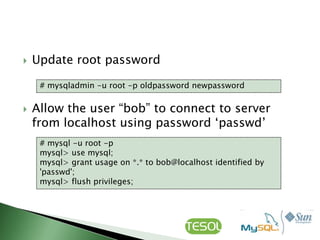
   Update root password

     # mysqladmin -u root -p oldpassword newpassword


   Allow the user “bob” to connect to server
    from localhost using password „passwd‟
     # mysql -u root -p
     mysql> use mysql;
     mysql> grant usage on *.* to bob@localhost identified by
     'passwd';
     mysql> flush privileges;
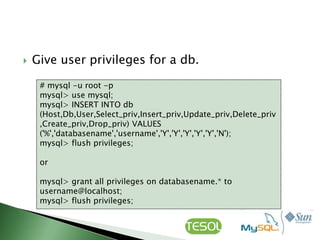
   Give user privileges for a db.

     # mysql -u root -p
     mysql> use mysql;
     mysql> INSERT INTO db
     (Host,Db,User,Select_priv,Insert_priv,Update_priv,Delete_priv
     ,Create_priv,Drop_priv) VALUES
     ('%','databasename','username','Y','Y','Y','Y','Y','N');
     mysql> flush privileges;

     or

     mysql> grant all privileges on databasename.* to
     username@localhost;
     mysql> flush privileges;
   To update info already in table

     mysql> UPDATE [table name] SET Select_priv = 'Y',Insert_priv
     = 'Y',Update_priv = 'Y' where [field name] = 'user';


   Delete a rows from table
     mysql> DELETE from [table name] where [field name] =
     'whatever';

   Update database permissions/privileges
     mysql> flush privileges;
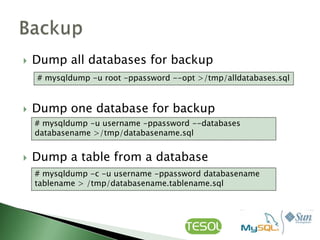
   Dump all databases for backup
    # mysqldump -u root -ppassword --opt >/tmp/alldatabases.sql


   Dump one database for backup
    # mysqldump -u username -ppassword --databases
    databasename >/tmp/databasename.sql


   Dump a table from a database
    # mysqldump -c -u username -ppassword databasename
    tablename > /tmp/databasename.tablename.sql
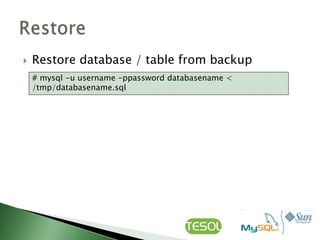
   Restore database / table from backup
    # mysql -u username -ppassword databasename <
    /tmp/databasename.sql
   Example
    mysql> create table [table name] (personid int(50) not null
    auto_increment primary key,firstname varchar(35),middlename
    varchar(50),lastnamevarchar(50) default „yasin');


    mysql> CREATE TABLE [table name] (firstname
    VARCHAR(20), middleinitial VARCHAR(3), lastname
    VARCHAR(35),suffix VARCHAR(3),officeid VARCHAR(10),userid
    VARCHAR(15),username VARCHAR(8),email VARCHAR(35),phone
    VARCHAR(25), groups VARCHAR(15),datestamp DATE,timestamp
    time,pgpemail VARCHAR(255));
   yasin@teras-solution.com

My sql administration

  • 1.
    Mohd Yasin AbdKarim yasin@teras-solution.com
  • 2.
    Configuring  Monitoring, Starting & Stopping  Managing Users and Connection  Performing backups  Others
  • 4.
    Mysqladmin or mysql  GUI ◦ MySQL Administrator ◦ MySQL Workbench ◦ phpMyAdmin
  • 5.
    OS packages place files in many areas and varies ◦ e.g. /usr/lib, /var/lib, /var/log, /etc  Source rpm, yum, .tar.gz, exe  Online/repo update ◦ #yum update mysql-*  For Ms Windows Environment C:>cd localmysqlbin C:localmysqlbin> Local folder normally Program Files folder
  • 6.
    Start MySQL process before create database  To configure MySQL start at boot time #chkconfig mysqld on  Or using GUI tools such as OS Services Management
  • 7.
    After boot time using the services commands #service mysqld start #service mysqld stop #Service mysqld restart  Remember to restart mysqld process every time after configuration changed
  • 8.
    to know whether your MySQL server is alive #pgrep mysqld  Should get response process ID numbers  Or #mysqladmin –u root –p ping  The "mysqld is alive" message tells you that your MySQL server is running ok. If your MySQL server is not running, you will get a "connect ... failed" message.
  • 9.
    my.cnf ◦ Watch out for /etc/my.cnf, /etc/mysql/my.cnf  To get the server listening on all interfaces, use 0.0.0.0 as the bind address. i.e.: --bind-address=0.0.0.0
  • 10.
    Configured to listen TCP/IP Port (default 3306)  Additional Instances ◦ Different Ports ◦ Different IP‟s using default Port  Local connection using Socket
  • 11.
    Login to MySQL server #mysql –h hostname –u root -p  Create a database msql> create database [databasename];  List all databases on the MySQL server msql> show databases;
  • 12.
    Swicth to a database msql> use [db_name];  To see all the tables in the db msql> show tables;  To delete a db msql> drop database [databasename];
  • 13.
    To see database‟s field formats msql> describe [table name];  To delete a table msql> drop table [table name];  Show all data in a table msql> SELECT * FROM [table name];
  • 14.
    SHOW TABLES;  SHOW WARNINGS;  SHOW STATUS; FLUSH STATUS;  SHOW VARIABLES;  SHOW VARIABLES LIKE „%size%‟;  SHOW VARIABLES LIKE „sort_buffer_size‟;  SHOW GLOBAL STATUS;
  • 15.
    to check version number of your MySQL server C:localmysqlbin>mysqladmin -u root version
  • 16.
    According to the /etc/my.cnf  Usually located in subdirectory /var/lib/mysql/ directory  Example : test database ◦ /var/lib/mysql/test
  • 17.
    Root or superuser account is used to create and delete database  New installation MySQL set password #mysqladmin –u root password new-password
  • 18.
    to know what else you can do with "mysqladmin", you should run the "-?" #mysqladmin –?
  • 19.
    Creating new user # mysql -u root -p mysql> use mysql; mysql> INSERT INTO user (Host,User,Password) VALUES('%','username',PASSWORD('password')); mysql> flush privileges;
  • 20.
    Change a user password from unix shell # mysqladmin -u username -h hostname.org -p password 'new-password'  Change user password from MySQL prompt # mysql -u root -p mysql> SET PASSWORD FOR 'user'@'hostname' = PASSWORD('passwordhere'); mysql> flush privileges;
  • 21.
    Update root password # mysqladmin -u root -p oldpassword newpassword  Allow the user “bob” to connect to server from localhost using password „passwd‟ # mysql -u root -p mysql> use mysql; mysql> grant usage on *.* to bob@localhost identified by 'passwd'; mysql> flush privileges;
  • 22.
    Give user privileges for a db. # mysql -u root -p mysql> use mysql; mysql> INSERT INTO db (Host,Db,User,Select_priv,Insert_priv,Update_priv,Delete_priv ,Create_priv,Drop_priv) VALUES ('%','databasename','username','Y','Y','Y','Y','Y','N'); mysql> flush privileges; or mysql> grant all privileges on databasename.* to username@localhost; mysql> flush privileges;
  • 23.
    To update info already in table mysql> UPDATE [table name] SET Select_priv = 'Y',Insert_priv = 'Y',Update_priv = 'Y' where [field name] = 'user';  Delete a rows from table mysql> DELETE from [table name] where [field name] = 'whatever';  Update database permissions/privileges mysql> flush privileges;
  • 24.
    Dump all databases for backup # mysqldump -u root -ppassword --opt >/tmp/alldatabases.sql  Dump one database for backup # mysqldump -u username -ppassword --databases databasename >/tmp/databasename.sql  Dump a table from a database # mysqldump -c -u username -ppassword databasename tablename > /tmp/databasename.tablename.sql
  • 25.
    Restore database / table from backup # mysql -u username -ppassword databasename < /tmp/databasename.sql
  • 26.
    Example mysql> create table [table name] (personid int(50) not null auto_increment primary key,firstname varchar(35),middlename varchar(50),lastnamevarchar(50) default „yasin'); mysql> CREATE TABLE [table name] (firstname VARCHAR(20), middleinitial VARCHAR(3), lastname VARCHAR(35),suffix VARCHAR(3),officeid VARCHAR(10),userid VARCHAR(15),username VARCHAR(8),email VARCHAR(35),phone VARCHAR(25), groups VARCHAR(15),datestamp DATE,timestamp time,pgpemail VARCHAR(255));
  • 27.
    yasin@teras-solution.com

Editor's Notes

  • #10 By default MySQL listens on all your interfaces for database queries from remote MySQL clients. You can see this using netstat -an. Your server will be seen to be listening on IP address 0.0.0.0 (all) on TCP port 3306. Multiple MySQL Instances