Signal Chain Designer BETA and
Engineering Tools
George Clernon, Engineering Tools Manager, Wilmington, MA
Legal Disclaimer
 Notice of proprietary information, Disclaimers and Exclusions Of Warranties
The ADI Presentation is the property of ADI. All copyright, trademark, and other intellectual property and
proprietary rights in the ADI Presentation and in the software, text, graphics, design elements, audio and all
other materials originated or used by ADI herein (the "ADI Information") are reserved to ADI and its licensors.
The ADI Information may not be reproduced, published, adapted, modified, displayed, distributed or sold in any
manner, in any form or media, without the prior written permission of ADI.
THE ADI INFORMATION AND THE ADI PRESENTATION ARE PROVIDED "AS IS". WHILE ADI INTENDS THE ADI
INFORMATION AND THE ADI PRESENTATION TO BE ACCURATE, NO WARRANTIES OF ANY KIND ARE MADE
WITH RESPECT TO THE ADI PRESENTATION AND THE ADI INFORMATION, INCLUDING WITHOUT LIMITATION
ANY WARRANTIES OF ACCURACY OR COMPLETENESS. TYPOGRAPHICAL ERRORS AND OTHER
INACCURACIES OR MISTAKES ARE POSSIBLE. ADI DOES NOT WARRANT THAT THE ADI INFORMATION AND
THE ADI PRESENTATION WILL MEET YOUR REQUIREMENTS, WILL BE ACCURATE, OR WILL BE
UNINTERRUPTED OR ERROR FREE. ADI EXPRESSLY EXCLUDES AND DISCLAIMS ALL EXPRESS AND
IMPLIED WARRANTIES OF MERCHANTABILITY, FITNESS FOR A PARTICULAR PURPOSE AND NON-
INFRINGEMENT OF ANY THIRD PARTY INTELLECTUAL PROPERTY RIGHTS. ADI SHALL NOT BE
RESPONSIBLE FOR ANY DAMAGE OR LOSS OF ANY KIND ARISING OUT OF OR RELATED TO YOUR USE OF
THE ADI INFORMATION AND THE ADI PRESENTATION, INCLUDING WITHOUT LIMITATION DATA LOSS OR
CORRUPTION, COMPUTER VIRUSES, ERRORS, OMISSIONS, INTERRUPTIONS, DEFECTS OR OTHER
FAILURES, REGARDLESS OF WHETHER SUCH LIABILITY IS BASED IN TORT, CONTRACT OR OTHERWISE.
USE OF ANY THIRD-PARTY SOFTWARE REFERENCED WILL BE GOVERNED BY THE APPLICABLE LICENSE
AGREEMENT, IF ANY, WITH SUCH THIRD PARTY.
2
Today’s Agenda
ADI’s Vision for Online Customer Engagement
Introductions to Existing Engineering Tools
New and Innovative Engineering Tools—Three-Way Verification
 Analog Filter Wizard™ BETA
Signal Chain Designer™ BETA
 A new way to design online
 Advanced solution selection and design environment
 Access verified product combinations and applications circuits
3
Product Selection and Solution Discovery
Verification at Every Step
Access from Sensor End
Access from Processor EndDirect Product Page Access
Customer’s
Design Challenge
Eased by
Signal Chain Designer
Collateral
eCommerce
HW Evaluation
Reference Circuits
Tools and Simulation
Introductions to Existing Engineering Tools
Over 70 Engineering Tools
 Design calculators to behavioral modeling to DSP development
 www.analog.com/tools
A Small Sample of Engineering Tools
 ADIsimDDS
 Direct Digital Synthesis Configuration Tool
 ADIsimADC
 Reproduce errors associated with both static and dynamic features,
including ac linearity and clock jitter
 ADI Component Evaluator
 Full-featured and free SPICE simulation environment
Quick Introduction to
 ADIsimPower
ADIsimPower
ADIsimPower can optimize designs for cost, area, efficiency, and
parts count
ADIsimPower is a collection of downloadable Excel spreadsheets
that produce complete power designs optimized to your design
goals.
Outputs
 Schematic
 Bill of Materials
 Performance Data
 Eval Boards
http://designtools.analog.com/dtPowerWeb/dtPowerMain.aspx
New Engineering Tools—Three-Way Verification
Design tools are based on mathematical models of circuits and real
op amp performance
Design tools will generate a complete net list as an output
Design tools will have eval boards for each configuration
Analog Filter Wizard BETA
Design low-pass, high-pass, or band-pass filters with real amplifiers
 Over 330 amplifiers available for selection
Simulate the filter’s performance with these amplifiers in real time
Optimize for power, noise, or voltage range
Examine the effects of resistor and capacitor tolerances on filter
performance
Save design on MyAnalog.com
Download the design, schematics, results to the user’s computer
Share with a colleague for review
Order an evaluation board to try it out on the bench
 Custom BOM generated based on designed solution
Analog Filter Wizard BETA Demonstration
Design a band-pass filter
Set key performance values
Trade-off response against
number of stages
Optimize the design
Examine effect of component
tolerances on performance
Review filter schematic
9
Signal Chain Designer BETA
Discover in Context, Select with Confidence
Advanced Product and Reference Design
Search and Selection
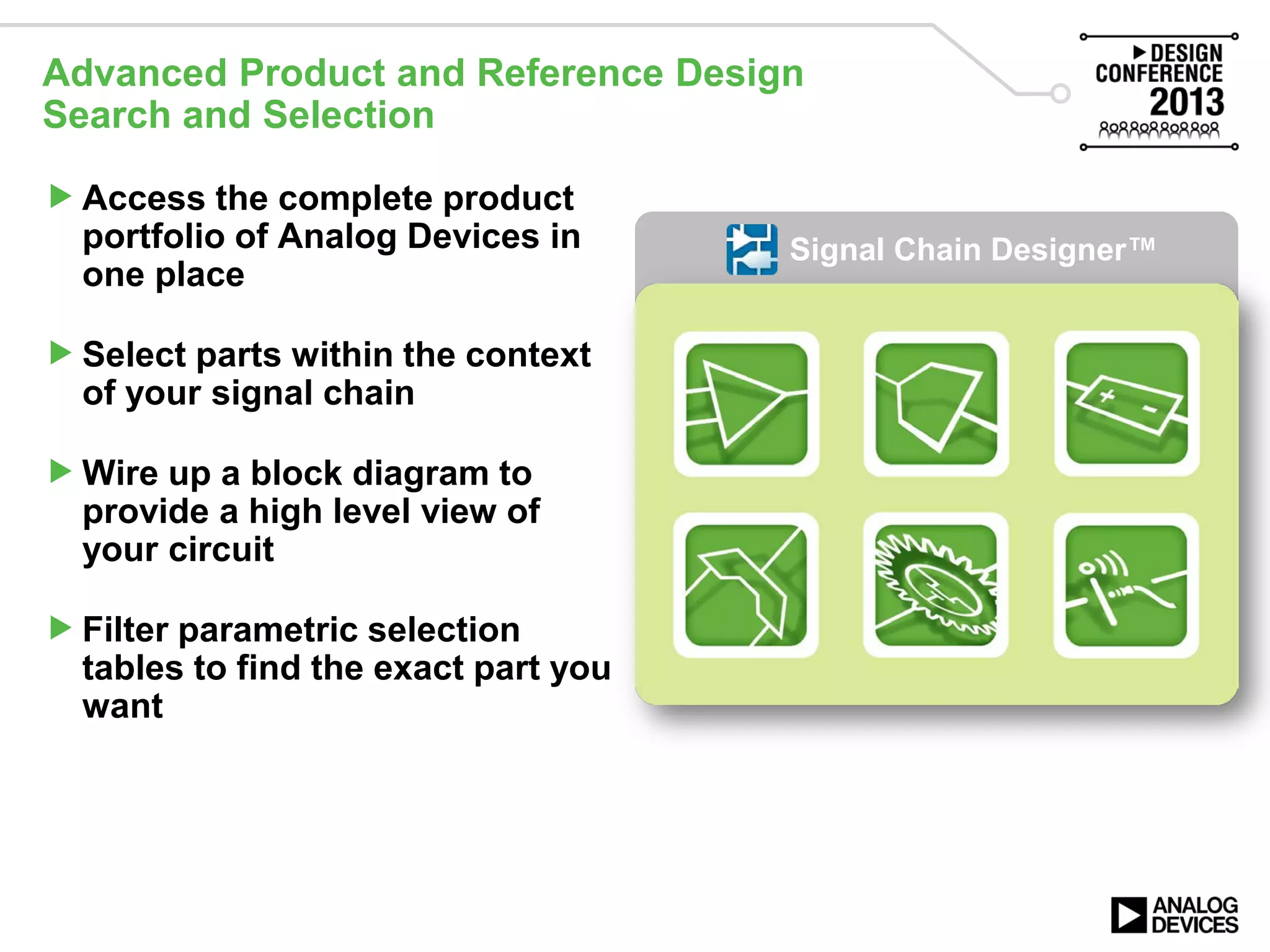
Access the complete product
portfolio of Analog Devices in
one place
Select parts within the context
of your signal chain
Wire up a block diagram to
provide a high level view of
your circuit
Filter parametric selection
tables to find the exact part you
want
Signal Chain Designer™
Integrated Solutions
Spotlight on 200 Verified and Tested Circuits
Easily discover subsystem
reference designs
Expand an existing design
using one of 220 verified
and tested circuits
 180 reference circuits
 45 bench verified
amplifier/SAR ADC pairs
Quickly verify on the bench
by sampling or purchasing
the evaluation or reference
hardware
Signal Chain Designer™
Integration with Engineering Tools
New engineering tools
 Analog Filter Wizard BETA
 Modern, in-browser, easy to
use, yet powerful
 Launch directly from Signal
Chain Designer BETA
 Keep your signal chain and
design simulations in one
place
Links to existing engineering
tools
 For example, ADIsimOpAmp
and ADIsimADC
Signal Chain Designer™
Support for Signal Chain Designer BETA
Support for Signal Chain
Designer is available by
 Emailing the signal chain
designer team directly
 scd@analog.com
 Contacting the customer
interaction centers
 Starting a discussion on the
SCD community on
EngineerZone™
 ez.analog.com
Signal Chain Designer BETA Takeaways
Save, Download, and Share
Keep your signal chains,
simulation results, and
verification data in one place
on MyAnalog.com
Download the
documentation in one zip file
 App notes, circuit notes, data
sheets, etc.
Collaborate with colleagues
and with ADI
Signal Chain Designer™
Signal Chain Designer BETA Takeaways
Bill of Materials and Buy Online
Generate a bill of materials
 Product details, SKUs, and
pricing from key vendors
Verify on the bench
 Sample or buy parts and
hardware directly from ADI
Signal Chain Designer™
Signal Chain Designer BETA
Accessible on www.analog.com
Home page
Product category pages
Product pages
Circuits from the Lab®
Parametric search tables
17
Signal Chain Designer BETA Demonstration
Design a signal chain from the
ground up
 Select amplifiers, ADCs
 Add an active filter design stage
Explore a tilt measurement
reference circuit
 Add isolation
Share the design with a
colleague
Download the design for review
offline
Save the design to
MyAnalog.com
18
Signal Chain Designer Strengths Today
Signal Chain Building Tool
 Start with the key components of your own design
 Place your key components and complete the signal chains
 Verify your selection through the additional content offered
Signal Chain Exploration
 View the signal chains prepared by ADI
 Complete your signal chain with additional elements
 Download all the additional documentation available in one pack
Signal Chain Designer BETA Feedback
Win an Analog Discovery Kit
 Take Signal Chain Designer for a test drive: www.analog.com/scd
 Provide feedback by completing this online survey (hosted by SurveyMonkey)
 https://www.surveymonkey.com/s/X5RT63V - Take it at the demo booth
 All participants who provide feedback will be eligible to win an Analog
Discovery Kit
Is there one feature that will make Signal Chain Designer awesome?
 Tell us: scd@analog.com
 Discuss it: ez.analog.com/community/signal-chain-designer
Tools steering group
 Interested in signal chains and engineering tools?
 Do you want to help set the direction of ADI’s tools?
 Do you want to try out new features before anyone else?
 Why not join the tools steering group
 Email scd@analog.com to express your interest
Tweet it out! @ADI_News #ADIDC13
What We Covered
ADI’s vision for online customer engagement
Introductions to existing engineering tools
New and innovative engineering tools—three-way verification
 Analog Filter Wizard BETA
Signal Chain Designer BETA
 A new way to design online
 Advanced solution selection and design environment
 Access verified product combinations and applications circuits
21
Tweet it out! @ADI_News #ADIDC13
Design Resources Covered in This Session
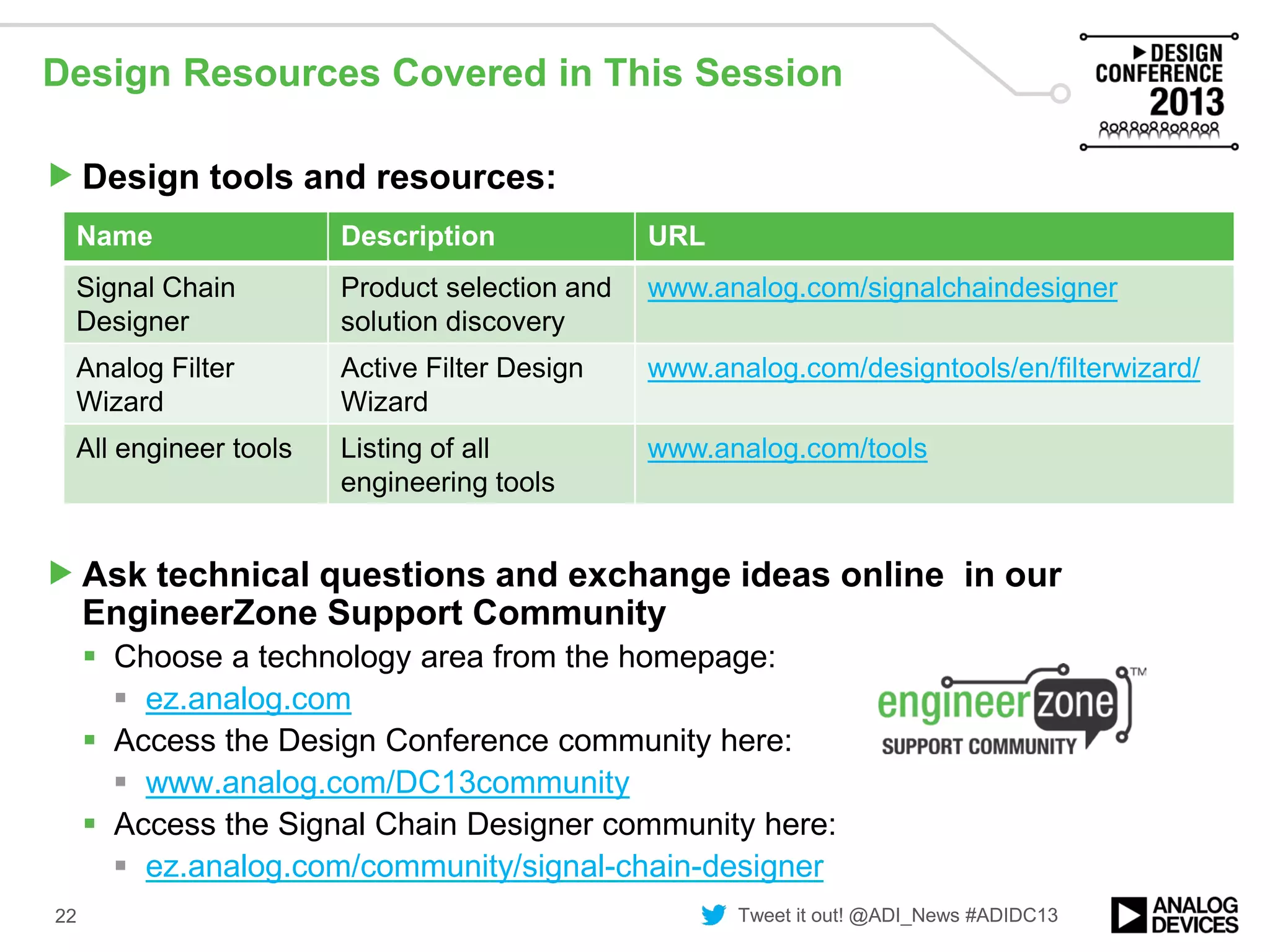
Design tools and resources:
Ask technical questions and exchange ideas online in our
EngineerZone Support Community
 Choose a technology area from the homepage:
 ez.analog.com
 Access the Design Conference community here:
 www.analog.com/DC13community
 Access the Signal Chain Designer community here:
 ez.analog.com/community/signal-chain-designer
22
Name Description URL
Signal Chain
Designer
Product selection and
solution discovery
www.analog.com/signalchaindesigner
Analog Filter
Wizard
Active Filter Design
Wizard
www.analog.com/designtools/en/filterwizard/
All engineer tools Listing of all
engineering tools
www.analog.com/tools

Signal Chain Designer: A New Way to Design Online - VE2013

  • 1.
    Signal Chain DesignerBETA and Engineering Tools George Clernon, Engineering Tools Manager, Wilmington, MA
  • 2.
    Legal Disclaimer  Noticeof proprietary information, Disclaimers and Exclusions Of Warranties The ADI Presentation is the property of ADI. All copyright, trademark, and other intellectual property and proprietary rights in the ADI Presentation and in the software, text, graphics, design elements, audio and all other materials originated or used by ADI herein (the "ADI Information") are reserved to ADI and its licensors. The ADI Information may not be reproduced, published, adapted, modified, displayed, distributed or sold in any manner, in any form or media, without the prior written permission of ADI. THE ADI INFORMATION AND THE ADI PRESENTATION ARE PROVIDED "AS IS". WHILE ADI INTENDS THE ADI INFORMATION AND THE ADI PRESENTATION TO BE ACCURATE, NO WARRANTIES OF ANY KIND ARE MADE WITH RESPECT TO THE ADI PRESENTATION AND THE ADI INFORMATION, INCLUDING WITHOUT LIMITATION ANY WARRANTIES OF ACCURACY OR COMPLETENESS. TYPOGRAPHICAL ERRORS AND OTHER INACCURACIES OR MISTAKES ARE POSSIBLE. ADI DOES NOT WARRANT THAT THE ADI INFORMATION AND THE ADI PRESENTATION WILL MEET YOUR REQUIREMENTS, WILL BE ACCURATE, OR WILL BE UNINTERRUPTED OR ERROR FREE. ADI EXPRESSLY EXCLUDES AND DISCLAIMS ALL EXPRESS AND IMPLIED WARRANTIES OF MERCHANTABILITY, FITNESS FOR A PARTICULAR PURPOSE AND NON- INFRINGEMENT OF ANY THIRD PARTY INTELLECTUAL PROPERTY RIGHTS. ADI SHALL NOT BE RESPONSIBLE FOR ANY DAMAGE OR LOSS OF ANY KIND ARISING OUT OF OR RELATED TO YOUR USE OF THE ADI INFORMATION AND THE ADI PRESENTATION, INCLUDING WITHOUT LIMITATION DATA LOSS OR CORRUPTION, COMPUTER VIRUSES, ERRORS, OMISSIONS, INTERRUPTIONS, DEFECTS OR OTHER FAILURES, REGARDLESS OF WHETHER SUCH LIABILITY IS BASED IN TORT, CONTRACT OR OTHERWISE. USE OF ANY THIRD-PARTY SOFTWARE REFERENCED WILL BE GOVERNED BY THE APPLICABLE LICENSE AGREEMENT, IF ANY, WITH SUCH THIRD PARTY. 2
  • 3.
    Today’s Agenda ADI’s Visionfor Online Customer Engagement Introductions to Existing Engineering Tools New and Innovative Engineering Tools—Three-Way Verification  Analog Filter Wizard™ BETA Signal Chain Designer™ BETA  A new way to design online  Advanced solution selection and design environment  Access verified product combinations and applications circuits 3
  • 4.
    Product Selection andSolution Discovery Verification at Every Step Access from Sensor End Access from Processor EndDirect Product Page Access Customer’s Design Challenge Eased by Signal Chain Designer Collateral eCommerce HW Evaluation Reference Circuits Tools and Simulation
  • 5.
    Introductions to ExistingEngineering Tools Over 70 Engineering Tools  Design calculators to behavioral modeling to DSP development  www.analog.com/tools A Small Sample of Engineering Tools  ADIsimDDS  Direct Digital Synthesis Configuration Tool  ADIsimADC  Reproduce errors associated with both static and dynamic features, including ac linearity and clock jitter  ADI Component Evaluator  Full-featured and free SPICE simulation environment Quick Introduction to  ADIsimPower
  • 6.
    ADIsimPower ADIsimPower can optimizedesigns for cost, area, efficiency, and parts count ADIsimPower is a collection of downloadable Excel spreadsheets that produce complete power designs optimized to your design goals. Outputs  Schematic  Bill of Materials  Performance Data  Eval Boards http://designtools.analog.com/dtPowerWeb/dtPowerMain.aspx
  • 7.
    New Engineering Tools—Three-WayVerification Design tools are based on mathematical models of circuits and real op amp performance Design tools will generate a complete net list as an output Design tools will have eval boards for each configuration
  • 8.
    Analog Filter WizardBETA Design low-pass, high-pass, or band-pass filters with real amplifiers  Over 330 amplifiers available for selection Simulate the filter’s performance with these amplifiers in real time Optimize for power, noise, or voltage range Examine the effects of resistor and capacitor tolerances on filter performance Save design on MyAnalog.com Download the design, schematics, results to the user’s computer Share with a colleague for review Order an evaluation board to try it out on the bench  Custom BOM generated based on designed solution
  • 9.
    Analog Filter WizardBETA Demonstration Design a band-pass filter Set key performance values Trade-off response against number of stages Optimize the design Examine effect of component tolerances on performance Review filter schematic 9
  • 10.
    Signal Chain DesignerBETA Discover in Context, Select with Confidence
  • 11.
    Advanced Product andReference Design Search and Selection Access the complete product portfolio of Analog Devices in one place Select parts within the context of your signal chain Wire up a block diagram to provide a high level view of your circuit Filter parametric selection tables to find the exact part you want Signal Chain Designer™
  • 12.
    Signal Chain Designer™ IntegratedSolutions Spotlight on 200 Verified and Tested Circuits Easily discover subsystem reference designs Expand an existing design using one of 220 verified and tested circuits  180 reference circuits  45 bench verified amplifier/SAR ADC pairs Quickly verify on the bench by sampling or purchasing the evaluation or reference hardware
  • 13.
    Signal Chain Designer™ Integrationwith Engineering Tools New engineering tools  Analog Filter Wizard BETA  Modern, in-browser, easy to use, yet powerful  Launch directly from Signal Chain Designer BETA  Keep your signal chain and design simulations in one place Links to existing engineering tools  For example, ADIsimOpAmp and ADIsimADC
  • 14.
    Signal Chain Designer™ Supportfor Signal Chain Designer BETA Support for Signal Chain Designer is available by  Emailing the signal chain designer team directly  scd@analog.com  Contacting the customer interaction centers  Starting a discussion on the SCD community on EngineerZone™  ez.analog.com
  • 15.
    Signal Chain DesignerBETA Takeaways Save, Download, and Share Keep your signal chains, simulation results, and verification data in one place on MyAnalog.com Download the documentation in one zip file  App notes, circuit notes, data sheets, etc. Collaborate with colleagues and with ADI Signal Chain Designer™
  • 16.
    Signal Chain DesignerBETA Takeaways Bill of Materials and Buy Online Generate a bill of materials  Product details, SKUs, and pricing from key vendors Verify on the bench  Sample or buy parts and hardware directly from ADI Signal Chain Designer™
  • 17.
    Signal Chain DesignerBETA Accessible on www.analog.com Home page Product category pages Product pages Circuits from the Lab® Parametric search tables 17
  • 18.
    Signal Chain DesignerBETA Demonstration Design a signal chain from the ground up  Select amplifiers, ADCs  Add an active filter design stage Explore a tilt measurement reference circuit  Add isolation Share the design with a colleague Download the design for review offline Save the design to MyAnalog.com 18
  • 19.
    Signal Chain DesignerStrengths Today Signal Chain Building Tool  Start with the key components of your own design  Place your key components and complete the signal chains  Verify your selection through the additional content offered Signal Chain Exploration  View the signal chains prepared by ADI  Complete your signal chain with additional elements  Download all the additional documentation available in one pack
  • 20.
    Signal Chain DesignerBETA Feedback Win an Analog Discovery Kit  Take Signal Chain Designer for a test drive: www.analog.com/scd  Provide feedback by completing this online survey (hosted by SurveyMonkey)  https://www.surveymonkey.com/s/X5RT63V - Take it at the demo booth  All participants who provide feedback will be eligible to win an Analog Discovery Kit Is there one feature that will make Signal Chain Designer awesome?  Tell us: scd@analog.com  Discuss it: ez.analog.com/community/signal-chain-designer Tools steering group  Interested in signal chains and engineering tools?  Do you want to help set the direction of ADI’s tools?  Do you want to try out new features before anyone else?  Why not join the tools steering group  Email scd@analog.com to express your interest
  • 21.
    Tweet it out!@ADI_News #ADIDC13 What We Covered ADI’s vision for online customer engagement Introductions to existing engineering tools New and innovative engineering tools—three-way verification  Analog Filter Wizard BETA Signal Chain Designer BETA  A new way to design online  Advanced solution selection and design environment  Access verified product combinations and applications circuits 21
  • 22.
    Tweet it out!@ADI_News #ADIDC13 Design Resources Covered in This Session Design tools and resources: Ask technical questions and exchange ideas online in our EngineerZone Support Community  Choose a technology area from the homepage:  ez.analog.com  Access the Design Conference community here:  www.analog.com/DC13community  Access the Signal Chain Designer community here:  ez.analog.com/community/signal-chain-designer 22 Name Description URL Signal Chain Designer Product selection and solution discovery www.analog.com/signalchaindesigner Analog Filter Wizard Active Filter Design Wizard www.analog.com/designtools/en/filterwizard/ All engineer tools Listing of all engineering tools www.analog.com/tools