sharepointmaven.com @gregoryzelfond
UTILIZING SHAREPOINT
FOR PROJECT MANAGEMENT
GREGORY ZELFOND
sharepointmaven.com @gregoryzelfondsharepointmaven.com @gregoryzelfond
About Me
 Gregory Zelfond
 10+ years of experience with SharePoint
 SharePoint advocate, blogger
 Love to solve business problems using code-free, out of
the box SharePoint configurations
 Owner of SharePoint Maven (sharepointmaven.com)
sharepointmaven.com @gregoryzelfondsharepointmaven.com @gregoryzelfond
About SharePoint Maven
I HELP ORGANIZATIONS TO UNLOCK
THE POWER OF SHAREPOINT
MIGRATION CONSULTING TRAINING
sharepointmaven.com @gregoryzelfondsharepointmaven.com @gregoryzelfond
December 2015 UPDATE!!!
 This slide deck debuted in April 2013
 Since then, I authored 2 blogs which relate to
the topic:
– Follow-up blog post that details STEP-BY-STEP
Instructions on how to create an awesome Project or
Team Site in SharePoint
– Presentation on “3 ways to manage projects in
SharePoint”
 Make sure to check out both links above and
enjoy the rest of this presentation
sharepointmaven.com @gregoryzelfondsharepointmaven.com @gregoryzelfond
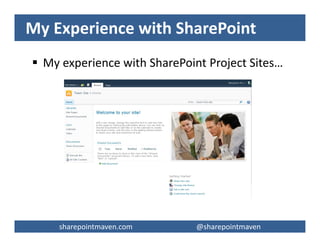
My Experience with SharePoint
 My experience with SharePoint Project Sites…
sharepointmaven.com @gregoryzelfondsharepointmaven.com @gregoryzelfond
Agenda
 Background
 SharePoint Advantages
 Tips & Tricks
 Best Practices
 Training & Buy-In
 Q & A
sharepointmaven.com @gregoryzelfondsharepointmaven.com @gregoryzelfond
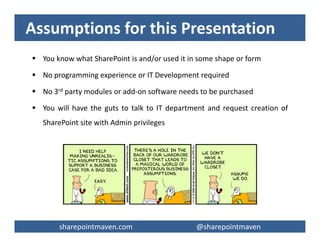
Assumptions for this Presentation
 You know what SharePoint is and/or used it in some shape or form
 No programming experience or IT Development required
 No 3rd party modules or add-on software needs to be purchased
 You will have the guts to talk to IT department and request creation of
SharePoint site with Admin privileges
sharepointmaven.com @gregoryzelfondsharepointmaven.com @gregoryzelfond
Cost & Ease of Use Matter
Enterprise Project &
Portfolio Management
- MS Project Server
- Clarity PPM
- HP PPM Center
- IBM Rational Focal Point
- EPM Live
High, $$$
Web-Based Collaboration
Sites
- SharePoint
- Basecamp
- AceProject
- Zoho Projects
- Google Apps
Medium, $$
- Email (Outlook)
- Shared Drives
- MS Word
- MS Excel
- MS Project
Low, $
sharepointmaven.com @gregoryzelfondsharepointmaven.com @gregoryzelfond
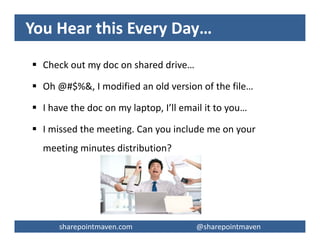
You Hear this Every Day…
 Check out my doc on shared drive…
 Oh @#$%&, I modified an old version of the file…
 I have the doc on my laptop, I’ll email it to you…
 I missed the meeting. Can you include me on your
meeting minutes distribution?
sharepointmaven.com @gregoryzelfondsharepointmaven.com @gregoryzelfond
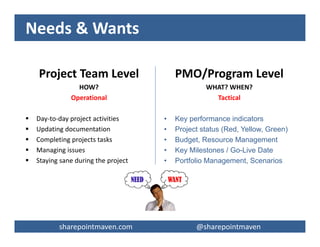
Needs & Wants
Project Team Level
HOW?
Operational
 Day-to-day project activities
 Updating documentation
 Completing projects tasks
 Managing issues
 Staying sane during the project
PMO/Program Level
WHAT? WHEN?
Tactical
• Key performance indicators
• Project status (Red, Yellow, Green)
• Budget, Resource Management
• Key Milestones / Go-Live Date
• Portfolio Management, Scenarios
sharepointmaven.com @gregoryzelfondsharepointmaven.com @gregoryzelfond
Common Challenges for Project Team
 Finding project documents
 Document versioning
 Document sharing
 Information overload
 Lack of common templates
sharepointmaven.com @gregoryzelfondsharepointmaven.com @gregoryzelfond
SharePoint Advantages
 Centralizes project information and documentation
 Empowers the project team
 Facilitates project team collaboration
 Minimal learning curve
 Minimal IT involvement
 Social media impact
sharepointmaven.com @gregoryzelfondsharepointmaven.com @gregoryzelfond
SharePoint Advantages, continued
 MS office look and feel
 One stop shop
 Different views for different audiences
 Search capability
 Information sharing
 Transparency
sharepointmaven.com @gregoryzelfondsharepointmaven.com @gregoryzelfond
Recommended Modules for a Project
Site
1. PMO (Governance) Documents
2. Project Documents
3. Issues Log
4. Project Tasks
5. Risk Register
6. Calendar
7. Contacts
8. Change Control Log
9. Lessons Learned Log
10.Bug Tracker
sharepointmaven.com @gregoryzelfondsharepointmaven.com @gregoryzelfond
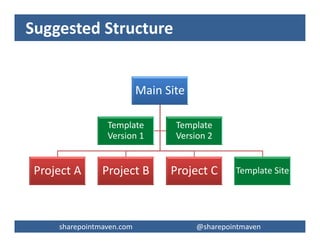
Suggested Structure
Main Site
Project A Project B Project C Template Site
Template
Version 1
Template
Version 2
sharepointmaven.com @gregoryzelfondsharepointmaven.com @gregoryzelfond
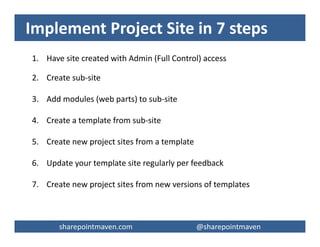
Implement Project Site in 7 steps
1. Have site created with Admin (Full Control) access
2. Create sub-site
3. Add modules (web parts) to sub-site
4. Create a template from sub-site
5. Create new project sites from a template
6. Update your template site regularly per feedback
7. Create new project sites from new versions of templates
sharepointmaven.com @gregoryzelfondsharepointmaven.com @gregoryzelfond
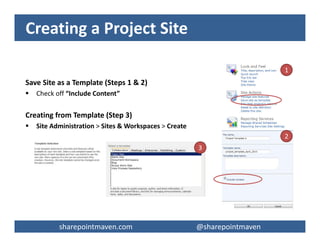
Creating a Project Site
Save Site as a Template (Steps 1 & 2)
 Check off “Include Content”
Creating from Template (Step 3)
 Site Administration > Sites & Workspaces > Create
1
3
2
sharepointmaven.com @gregoryzelfondsharepointmaven.com @gregoryzelfond
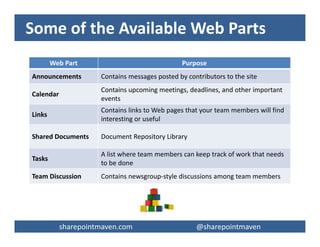
Some of the Available Web Parts
Web Part Purpose
Announcements Contains messages posted by contributors to the site
Calendar
Contains upcoming meetings, deadlines, and other important
events
Links
Contains links to Web pages that your team members will find
interesting or useful
Shared Documents Document Repository Library
Tasks
A list where team members can keep track of work that needs
to be done
Team Discussion Contains newsgroup-style discussions among team members
sharepointmaven.com @gregoryzelfondsharepointmaven.com @gregoryzelfond
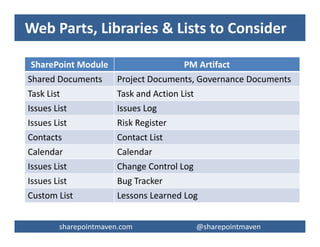
Web Parts, Libraries & Lists to Consider
SharePoint Module PM Artifact
Shared Documents Project Documents, Governance Documents
Task List Task and Action List
Issues List Issues Log
Issues List Risk Register
Contacts Contact List
Calendar Calendar
Issues List Change Control Log
Issues List Bug Tracker
Custom List Lessons Learned Log
sharepointmaven.com @gregoryzelfondsharepointmaven.com @gregoryzelfond
Document Library
 Shared Documents Web Part
 Separate document libraries
– Project Documents
– Governance Documents
 Enable version control if required
 Check-in/Check-out
 No folders please
 Tag the documents!
– i.e. create Doc Types
– other properties
sharepointmaven.com @gregoryzelfondsharepointmaven.com @gregoryzelfond
Document Library, continued
 Consistent Project Management templates via Content Types
 Content type – (reusable) object that is stored within SharePoint that defines several
elements/properties of a piece of content. For example:
– Contacts List: Columns that the content will have associated with it
– Doc Library: Document Template that the content will be based on
 Create Content Types for Your MS Office-based templates, i.e.:
– Project Charter
– BRD
– Design Document
Adding multiple Office templates to a document library
http://office.microsoft.com/en-ca/office365-sharepoint-online-enterprise-help/add-multiple-
office-templates-to-a-document-library-HA102409514.aspx
sharepointmaven.com @gregoryzelfondsharepointmaven.com @gregoryzelfond
Issue Tracking
 Issues List Web Part
 Email Notification
 Multiple views to sort/group and
organize data
– Active Issues
– My Issues
– by Status
– by Assigned To
– by Due Dates
sharepointmaven.com @gregoryzelfondsharepointmaven.com @gregoryzelfond
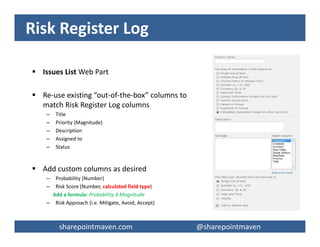
Risk Register Log
 Issues List Web Part
 Re-use existing “out-of-the-box” columns to
match Risk Register Log columns
– Title
– Priority (Magnitude)
– Description
– Assigned to
– Status
 Add custom columns as desired
– Probability (Number)
– Risk Score (Number, calculated field type)
Add a formula: Probability X Magnitude
– Risk Approach (i.e. Mitigate, Avoid, Accept)
sharepointmaven.com @gregoryzelfondsharepointmaven.com @gregoryzelfond
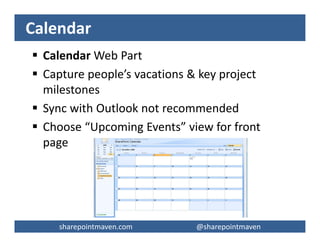
Calendar
 Calendar Web Part
 Capture people’s vacations & key project
milestones
 Sync with Outlook not recommended
 Choose “Upcoming Events” view for front
page
sharepointmaven.com @gregoryzelfondsharepointmaven.com @gregoryzelfond
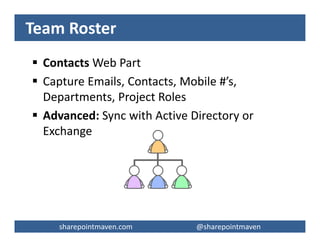
Team Roster
 Contacts Web Part
 Capture Emails, Contacts, Mobile #’s,
Departments, Project Roles
 Advanced: Sync with Active Directory or
Exchange
sharepointmaven.com @gregoryzelfondsharepointmaven.com @gregoryzelfond
Lessons Learned
 Custom List Web Part
 Create Lessons Learned List on each project
site
 Advanced: Roll-up to common Lessons
Learned database
sharepointmaven.com @gregoryzelfondsharepointmaven.com @gregoryzelfond
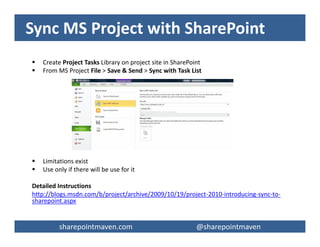
Sync MS Project with SharePoint
 Create Project Tasks Library on project site in SharePoint
 From MS Project File > Save & Send > Sync with Task List
 Limitations exist
 Use only if there will be use for it
Detailed Instructions
http://blogs.msdn.com/b/project/archive/2009/10/19/project-2010-introducing-sync-to-
sharepoint.aspx
sharepointmaven.com @gregoryzelfondsharepointmaven.com @gregoryzelfond
Security for a Project Site
 Groups
– Project Site Admin (Full Control)
• Project Manager & Coordinator
– Project Team (Contribute)
– Visitors (Read Only) – All users
 Stay away from individual user permissions
 Do not inherit permissions from parent site
sharepointmaven.com @gregoryzelfondsharepointmaven.com @gregoryzelfond
Advanced Tools Available
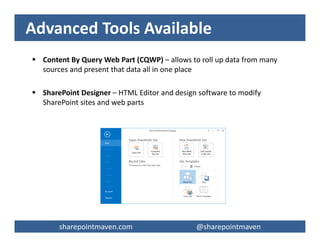
 Content By Query Web Part (CQWP) – allows to roll up data from many
sources and present that data all in one place
 SharePoint Designer – HTML Editor and design software to modify
SharePoint sites and web parts
sharepointmaven.com @gregoryzelfondsharepointmaven.com @gregoryzelfond
Best Practices
 Repeatable process (templates)
 Tag the documents (no folders please!!!)
 Version control on document libraries
 Use different views for Front Page and Full View
 Cleanup/review site contents once in a while
sharepointmaven.com @gregoryzelfondsharepointmaven.com @gregoryzelfond
Best Practices, continued
 Closing Phase = change permissions to “Read
Only”
 Policy or SOP is a great idea
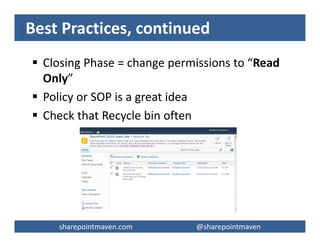
 Check that Recycle bin often
sharepointmaven.com @gregoryzelfondsharepointmaven.com @gregoryzelfond
User Training and Buy-in
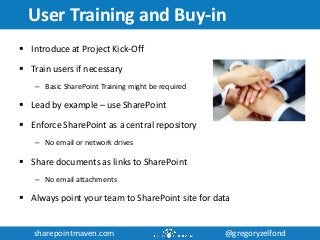
 Introduce at Project Kick-Off
 Train users if necessary
– Basic SharePoint Training might be required
 Lead by example – use SharePoint
 Enforce SharePoint as a central repository
– No email or network drives
 Share documents as links to SharePoint
– No email attachments
 Always point your team to SharePoint site for data
sharepointmaven.com @gregoryzelfondsharepointmaven.com @gregoryzelfond
User Training and Buy-in, continued
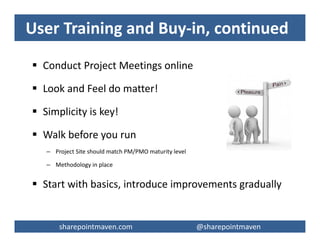
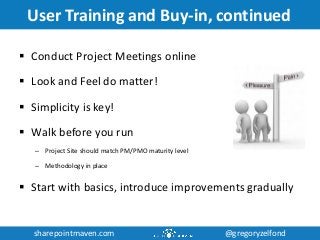
 Conduct Project Meetings online
 Look and Feel do matter!
 Simplicity is key!
 Walk before you run
– Project Site should match PM/PMO maturity level
– Methodology in place
 Start with basics, introduce improvements gradually
sharepointmaven.com @gregoryzelfondsharepointmaven.com @gregoryzelfond
Need help with SharePoint?
 SharePoint Site Configuration and Customization
 Document Migration to SharePoint
 SharePoint Implementation Strategy
 SharePoint Training
 SharePoint User Adoption
 SharePoint Governance
 SharePoint Project Management
sharepointmaven.com @gregoryzelfondsharepointmaven.com @gregoryzelfond
THANK YOU!
Visit: sharepointmaven.com
Email: greg@sharepointmaven.com
Follow: @gregoryzelfond
Connect: linkedin.com/company/sharepoint-maven
View: www.slideshare.net/gzelfond
Get in touch if you have questions

Utilizing SharePoint for Project Management