Usability   for Government:  improving service delivery Ruth Ellison & Adrian Newton  Local Government Web Network Conference 2008 22 August 2008
Introduction
People Feel People
Cameron Adams - Web Design: Print = visual Web = interactive Interaction : behaviour : feelings  People
People Satisfaction? Relief? Impressed? But probably not happy...
People Confusion Frustration Anger
Brian Hardy- Accessibility: ”   Put the user in control   ” People
Involve users in design: What do they want? How do they want to do it? People
Collaborative design extends beyond the user. Boundaries
Governments: Large, conservative bureaucracies Hierarchically structured Functionally organised Boundaries
Functional silos distance stakeholders from each other Boundaries
Silos reflect functional specialisation. Boundaries
Build synergy through cross-functional teaming. Boundaries
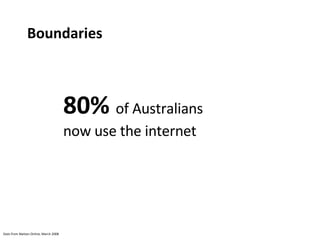
80%  of Australians now use the internet Stats from Nielsen Online, March 2008 Boundaries
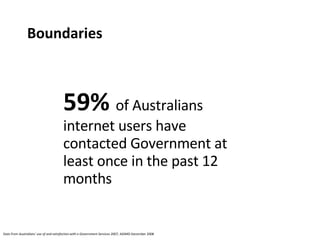
59%  of Australians internet users have contacted Government at least once in the past 12 months Stats from  Australians’ use of and satisfaction with e-Government Services 2007,  AGIMO December 2008 Boundaries
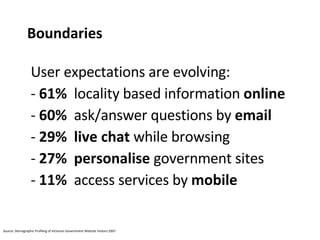
User expectations are evolving: 61%   locality based information  online 60%   ask/answer questions by  email 29%   live chat  while browsing 27%   personalise  government sites 11%   access services by  mobile Boundaries Source: Demographic Profiling of Victorian Government Website Visitors 2007
”  Culture is cultivated behaviour  ” Texas A&M University Cultivate behaviour by transmitting experience through learning Culture
Adapt approach: Communicate Integrate Iterate Culture
Joanna Lewis – IA ”  It’s not about Town Hall...  ” Adapt your services by engaging your users. Culture
Embed usability. Culture
What is usability?
I'm as confused about this intersection as that sign is.... By sweeneytoad from http://www.flickr.com/photos/sweeneytoad/344506101/ Available under a Creative Commons Attribution 2.0 Generic license
Hmmm...  By aturkus from http://www.flickr.com/photos/aturkus/395919628/ Available under a Creative Commons Attribution 2.0 Generic license
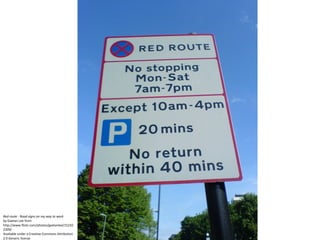
Red route - Road signs on my way to work by Gaetan Lee from http://www.flickr.com/photos/gaetanlee/152102309/  Available under a Creative Commons Attribution 2.0 Generic license
“ Usability really just means making sure that something  works well ”     Steve Krug
Lets take a look at paying rates via the internet
Meet  Jenny
Wants to pay her  rates  online
Needs to  create an account  before she can pay her rates
Interrupted by baby  Lachlan
Pick  Sam  from school
It’s not that simple
It’s more than just a simple function It’s now about  people
Time  is precious
Time  is money
What type of  user experience  do you want your residents to have?
We need to design  effective  and  holistic  user experiences
“ Design is not decoration ” Garr Reynolds
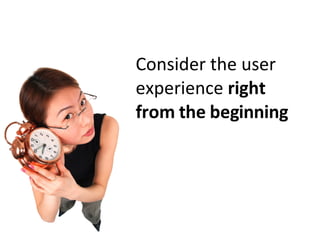
Consider the user experience  right from the beginning
Take a user centred approach
 
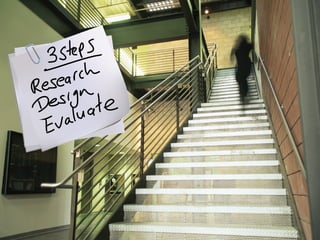
Research
Flip-flops  by theogeo from http://www.flickr.com/photos/theogeo/619457456 Available under a Creative Commons Attribution  2.0 Generic license
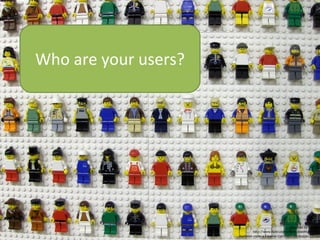
Who are your users? Flip-flops  by Joe Shlabotnik from http://www.flickr.com/photos/joeshlabotnik/305410323/ Available under a Creative Commons Attribution 2.0 Generic license
Many different techniques Understand the business Understand the users Understand the content
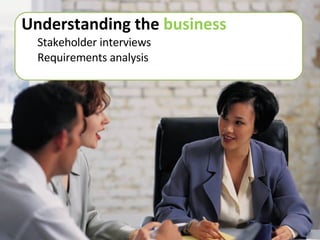
Understanding the  business Stakeholder interviews Requirements analysis
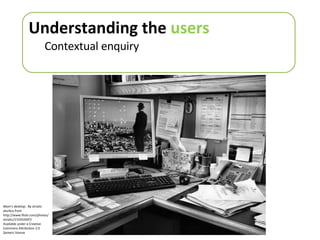
Understanding the  users Contextual enquiry Mom’s desktop..  By striatic aturkus from http://www.flickr.com/photos/striatic/131932697/ Available under a Creative Commons Attribution 2.0 Generic license
Understanding  the  users Surveys
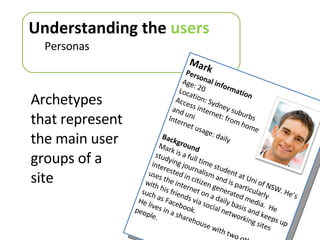
Archetypes that represent the main user groups of a site Understanding the  users Personas Mark Personal information Age: 20 Location: Sydney suburbs Access internet: from home  and uni Internet usage: daily Background Mark is a full time student at Uni of NSW. He’s studying journalism and is particularly interested in citizen generated media.  He uses the internet on a daily basis and keeps up with his friends via social networking sites such as Facebook. He lives in a sharehouse with two other people.
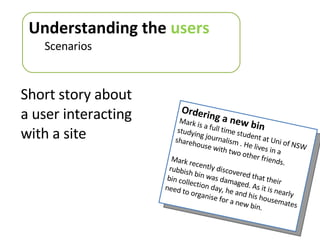
Short story about a user interacting with a site Understanding the  users Scenarios Ordering a new bin Mark is a full time student at Uni of NSW studying journalism . He lives in a  sharehouse with two other friends. Mark recently discovered that their rubbish bin was damaged. As it is nearly bin collection day, he and his housemates need to organise for a new bin.
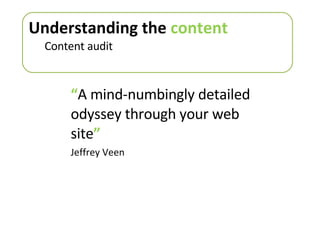
“ A mind-numbingly detailed odyssey through your web site ” Jeffrey Veen Understanding the  content Content audit
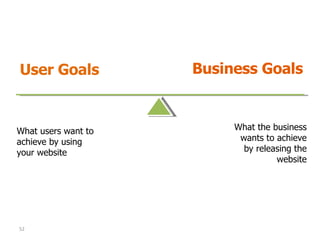
User Goals Business Goals What users want to achieve by using your website What the business wants to achieve by releasing the website Designing with users
Design
 
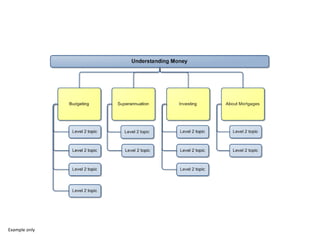
Card sorting Designing with users
Example only
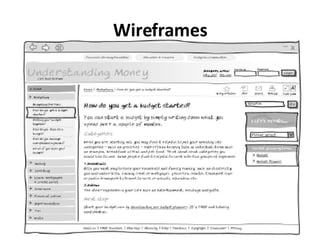
Wireframes Designing with users
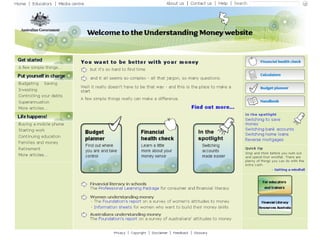
Visual treatment
Evaluate
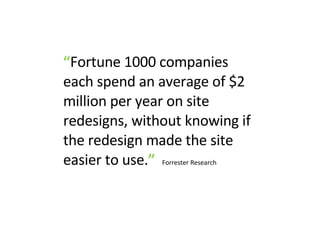
“ Fortune 1000 companies each spend an average of $2 million per year on site redesigns, without knowing if the redesign made the site easier to use. ”   Forrester Research
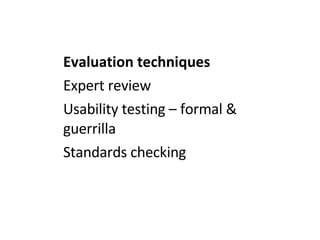
Evaluation techniques Expert review Usability testing – formal & guerrilla  Standards checking
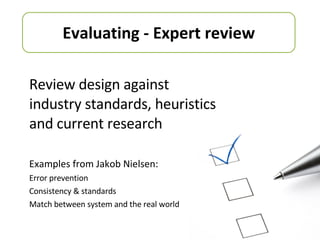
Review design against industry standards, heuristics and current research Examples from Jakob Nielsen: Error prevention Consistency & standards Match between system and the real world Evaluating - Expert review
Evaluating – Usability testing
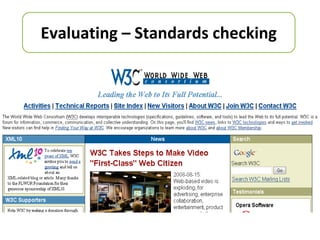
Evaluating – Standards checking
10 tips to take away
Tip #1  Think about  who  your users are
“ Know thy user, and you are not thy user ”   Society for Technical Communication
People aren’t going to your website to be entertained
People are task focussed
Tip #2  Think about  how  they find information on your site
4 types of information seeking behaviour* Known item Exploratory Don’t know what you need to know Re-finding *  Refer to Donna (Maurer) Spencer’s excellent article:  http://www.boxesandarrows.com/view/four_modes_of_seeking_information_and_how_to_design_for_them
Tip #3  Get users  involved early  in the design process
Tip #4  Usability testing doesn’t have to be expensive (or usability testing on a shoestring)
Guerrilla usability testing Need a room Mock-ups of the design  Users Set some realistic tasks Observe Analyse
Tip #5  Content is key!
“ 5%  of your website delivers  25%  of value ” Gerry McGovern Giraffe - Kruger National Park  by Yogi from http://www.flickr.com/photos/yogi/410605111/ Available under a Creative Commons Attribution-Share Alike 2.0 Generic license
Tip #6  Consider how offline communications complement the online world
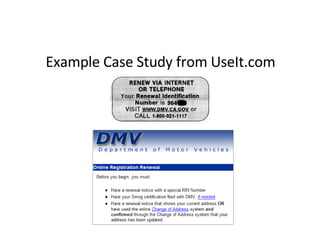
Example Case Study from UseIt.com
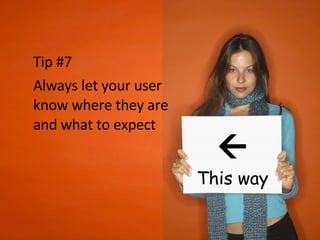
Tip #7  Always let your user know where they are and what to expect  This way
Tip #8 Keep it simple
Tip #9 Don’t skip the research
Tip #10 Integrated approach to accessibility and usability right from the start
 
Questions?
Need more info? Adrian Newton – General Manager Email:  [email_address] Phone:  02 8021 8699 Mobile:  0413 875 325 Ruth Ellison – Senior Consultant Email: [email_address] Phone: 02 6280 7834 Mobile:  0423 763 314 Twitter: @ruthellison Find us at www.stamfordinteractive.com.au

Usability for Government: improving service delivery

  • 1.
    Usability for Government: improving service delivery Ruth Ellison & Adrian Newton Local Government Web Network Conference 2008 22 August 2008
  • 2.
  • 3.
  • 4.
    Cameron Adams -Web Design: Print = visual Web = interactive Interaction : behaviour : feelings People
  • 5.
    People Satisfaction? Relief?Impressed? But probably not happy...
  • 6.
  • 7.
    Brian Hardy- Accessibility:” Put the user in control ” People
  • 8.
    Involve users indesign: What do they want? How do they want to do it? People
  • 9.
    Collaborative design extendsbeyond the user. Boundaries
  • 10.
    Governments: Large, conservativebureaucracies Hierarchically structured Functionally organised Boundaries
  • 11.
    Functional silos distancestakeholders from each other Boundaries
  • 12.
    Silos reflect functionalspecialisation. Boundaries
  • 13.
    Build synergy throughcross-functional teaming. Boundaries
  • 14.
    80% ofAustralians now use the internet Stats from Nielsen Online, March 2008 Boundaries
  • 15.
    59% ofAustralians internet users have contacted Government at least once in the past 12 months Stats from Australians’ use of and satisfaction with e-Government Services 2007, AGIMO December 2008 Boundaries
  • 16.
    User expectations areevolving: 61% locality based information online 60% ask/answer questions by email 29% live chat while browsing 27% personalise government sites 11% access services by mobile Boundaries Source: Demographic Profiling of Victorian Government Website Visitors 2007
  • 17.
    ” Cultureis cultivated behaviour ” Texas A&M University Cultivate behaviour by transmitting experience through learning Culture
  • 18.
    Adapt approach: CommunicateIntegrate Iterate Culture
  • 19.
    Joanna Lewis –IA ” It’s not about Town Hall... ” Adapt your services by engaging your users. Culture
  • 20.
  • 21.
  • 22.
    I'm as confusedabout this intersection as that sign is.... By sweeneytoad from http://www.flickr.com/photos/sweeneytoad/344506101/ Available under a Creative Commons Attribution 2.0 Generic license
  • 23.
    Hmmm... Byaturkus from http://www.flickr.com/photos/aturkus/395919628/ Available under a Creative Commons Attribution 2.0 Generic license
  • 24.
    Red route -Road signs on my way to work by Gaetan Lee from http://www.flickr.com/photos/gaetanlee/152102309/ Available under a Creative Commons Attribution 2.0 Generic license
  • 25.
    “ Usability reallyjust means making sure that something works well ”   Steve Krug
  • 26.
    Lets take alook at paying rates via the internet
  • 27.
  • 28.
    Wants to payher rates online
  • 29.
    Needs to create an account before she can pay her rates
  • 30.
  • 31.
    Pick Sam from school
  • 32.
  • 33.
    It’s more thanjust a simple function It’s now about people
  • 34.
    Time isprecious
  • 35.
    Time ismoney
  • 36.
    What type of user experience do you want your residents to have?
  • 37.
    We need todesign effective and holistic user experiences
  • 38.
    “ Design isnot decoration ” Garr Reynolds
  • 39.
    Consider the userexperience right from the beginning
  • 40.
    Take a usercentred approach
  • 41.
  • 42.
  • 43.
    Flip-flops bytheogeo from http://www.flickr.com/photos/theogeo/619457456 Available under a Creative Commons Attribution 2.0 Generic license
  • 44.
    Who are yourusers? Flip-flops by Joe Shlabotnik from http://www.flickr.com/photos/joeshlabotnik/305410323/ Available under a Creative Commons Attribution 2.0 Generic license
  • 45.
    Many different techniquesUnderstand the business Understand the users Understand the content
  • 46.
    Understanding the business Stakeholder interviews Requirements analysis
  • 47.
    Understanding the users Contextual enquiry Mom’s desktop.. By striatic aturkus from http://www.flickr.com/photos/striatic/131932697/ Available under a Creative Commons Attribution 2.0 Generic license
  • 48.
    Understanding the users Surveys
  • 49.
    Archetypes that representthe main user groups of a site Understanding the users Personas Mark Personal information Age: 20 Location: Sydney suburbs Access internet: from home and uni Internet usage: daily Background Mark is a full time student at Uni of NSW. He’s studying journalism and is particularly interested in citizen generated media. He uses the internet on a daily basis and keeps up with his friends via social networking sites such as Facebook. He lives in a sharehouse with two other people.
  • 50.
    Short story abouta user interacting with a site Understanding the users Scenarios Ordering a new bin Mark is a full time student at Uni of NSW studying journalism . He lives in a sharehouse with two other friends. Mark recently discovered that their rubbish bin was damaged. As it is nearly bin collection day, he and his housemates need to organise for a new bin.
  • 51.
    “ A mind-numbinglydetailed odyssey through your web site ” Jeffrey Veen Understanding the content Content audit
  • 52.
    User Goals BusinessGoals What users want to achieve by using your website What the business wants to achieve by releasing the website Designing with users
  • 53.
  • 54.
  • 55.
  • 56.
  • 57.
  • 58.
  • 59.
  • 60.
    “ Fortune 1000companies each spend an average of $2 million per year on site redesigns, without knowing if the redesign made the site easier to use. ” Forrester Research
  • 61.
    Evaluation techniques Expertreview Usability testing – formal & guerrilla Standards checking
  • 62.
    Review design againstindustry standards, heuristics and current research Examples from Jakob Nielsen: Error prevention Consistency & standards Match between system and the real world Evaluating - Expert review
  • 63.
  • 64.
  • 65.
    10 tips totake away
  • 66.
    Tip #1 Think about who your users are
  • 67.
    “ Know thyuser, and you are not thy user ” Society for Technical Communication
  • 68.
    People aren’t goingto your website to be entertained
  • 69.
  • 70.
    Tip #2 Think about how they find information on your site
  • 71.
    4 types ofinformation seeking behaviour* Known item Exploratory Don’t know what you need to know Re-finding * Refer to Donna (Maurer) Spencer’s excellent article: http://www.boxesandarrows.com/view/four_modes_of_seeking_information_and_how_to_design_for_them
  • 72.
    Tip #3 Get users involved early in the design process
  • 73.
    Tip #4 Usability testing doesn’t have to be expensive (or usability testing on a shoestring)
  • 74.
    Guerrilla usability testingNeed a room Mock-ups of the design Users Set some realistic tasks Observe Analyse
  • 75.
    Tip #5 Content is key!
  • 76.
    “ 5% of your website delivers 25% of value ” Gerry McGovern Giraffe - Kruger National Park by Yogi from http://www.flickr.com/photos/yogi/410605111/ Available under a Creative Commons Attribution-Share Alike 2.0 Generic license
  • 77.
    Tip #6 Consider how offline communications complement the online world
  • 78.
    Example Case Studyfrom UseIt.com
  • 79.
    Tip #7 Always let your user know where they are and what to expect  This way
  • 80.
    Tip #8 Keepit simple
  • 81.
    Tip #9 Don’tskip the research
  • 82.
    Tip #10 Integratedapproach to accessibility and usability right from the start
  • 83.
  • 84.
  • 85.
    Need more info?Adrian Newton – General Manager Email: [email_address] Phone: 02 8021 8699 Mobile: 0413 875 325 Ruth Ellison – Senior Consultant Email: [email_address] Phone: 02 6280 7834 Mobile: 0423 763 314 Twitter: @ruthellison Find us at www.stamfordinteractive.com.au