Untangling the Web
Class 8 – maps and hosting
Agenda
 Homework recap
 Problems folks are running into
 Maps
 Google maps
 Leaflet
 Hosting
 Options and tradeoffs
Turning in homework
 All of you have turned in at least one homework. You know how to find me. But not
turning in a homework just mystifies me.
 If you turn something in that doesn’t work, you will likely get at least some credit
for having tried.
 If you try and need more time I am generous with extensions and can provide
assistance. Regardless of what point you are starting from, if you try in this class
and communicate when you are struggling you will do OK.
 But if you turn nothing in, the assignment is a zero.
 On the current trajectory, some of you will fail this class.
Homework recap
 How many used bootstrap? UI-kit? Flexbox?
 Go over some bootstrap code:
 Modal dialogs
 Revisit some core JS concepts
 Using the chrome developer tools to see a console window
 Variables and syntax
 Arrays and objects
 Some new JS concepts
Bootstrap examples
 https://jsfiddle.net/e4veh4yt/
 http://www.w3schools.com/bootstrap/bootstrap_modal.asp
Using JSFiddle
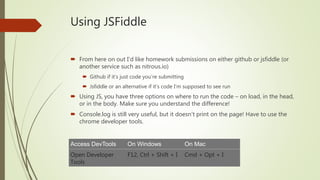
 From here on out I’d like homework submissions on either github or jsfiddle (or
another service such as nitrous.io)
 Github if it’s just code you’re submitting
 Jsfiddle or an alternative if it’s code I’m supposed to see run
 Using JS, you have three options on where to run the code – on load, in the head,
or in the body. Make sure you understand the difference!
 Console.log is still very useful, but it doesn’t print on the page! Have to use the
chrome developer tools.
Access DevTools On Windows On Mac
Open Developer
Tools
F12, Ctrl + Shift + I Cmd + Opt + I
Variables in the html
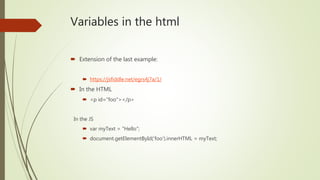
 Extension of the last example:
 https://jsfiddle.net/egrs4j7a/1/
 In the HTML
 <p id="foo"></p>
In the JS
 var myText = "Hello";
 document.getElementById('foo').innerHTML = myText;
Objects versus arrays
 Arrays are actually special cases of objects. All built-in variable types are, really.
 But you use them in different contexts
 Arrays - var myArray = [];
 Multidimensional (potentially)
 Ordered
 Native methods like push, pop
 Objects - var myObject = {};
 Unordered
 Best for key:value pairs
 More info: https://msdn.microsoft.com/en-us/library/89t1khd2%28v=vs.94%29.aspx?f=255&MSPPError=-
2147217396
var a = [1, 2, 3];
var o = {a: 1, b: 2, c: 3};
a[0] = 1; a[1]=2; etc.
o[“a”] = 1
o.a = 1;
A few new JS concepts
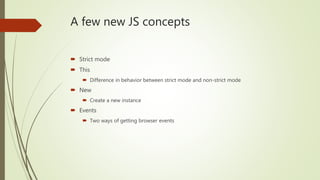
 Strict mode
 This
 Difference in behavior between strict mode and non-strict mode
 New
 Create a new instance
 Events
 Two ways of getting browser events
Strict Mode
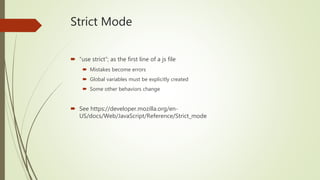
 “use strict”; as the first line of a js file
 Mistakes become errors
 Global variables must be explicitly created
 Some other behaviors change
 See https://developer.mozilla.org/en-
US/docs/Web/JavaScript/Reference/Strict_mode
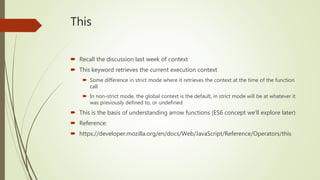
This
 Recall the discussion last week of context
 This keyword retrieves the current execution context
 Some difference in strict mode where it retrieves the context at the time of the function
call
 In non-strict mode, the global context is the default, in strict mode will be at whatever it
was previously defined to, or undefined
 This is the basis of understanding arrow functions (ES6 concept we’ll explore later)
 Reference:
 https://developer.mozilla.org/en/docs/Web/JavaScript/Reference/Operators/this
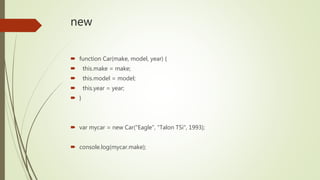
new
 function Car(make, model, year) {
 this.make = make;
 this.model = model;
 this.year = year;
 }
 var mycar = new Car("Eagle", "Talon TSi", 1993);
 console.log(mycar.make);
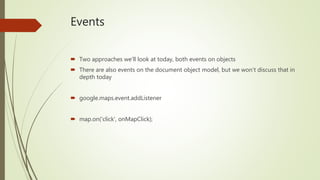
Events
 Two approaches we’ll look at today, both events on objects
 There are also events on the document object model, but we won’t discuss that in
depth today
 google.maps.event.addListener
 map.on('click', onMapClick);
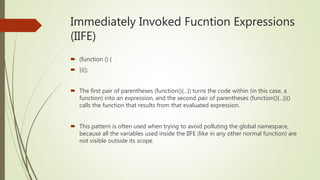
Immediately Invoked Fucntion Expressions
(IIFE)
 (function () {
 })();
 The first pair of parentheses (function(){...}) turns the code within (in this case, a
function) into an expression, and the second pair of parentheses (function(){...})()
calls the function that results from that evaluated expression.
 This pattern is often used when trying to avoid polluting the global namespace,
because all the variables used inside the IIFE (like in any other normal function) are
not visible outside its scope.
Mapping
 Two main options
 Google maps
 Leaflet
 Main decision is really whether to be in the google ecosphere
 Google maps may be slightly easier initially, but leaflet is easier to extend
 Leaflet sits primarily on open street map, so perhaps less detail than google
Google Maps example
 Getting an API key (will initially work without it, but some features disabled and will
not keep working)
 https://developers.google.com/maps/documentation/javascript/get-api-key
 https://jsfiddle.net/v892njbz/1/
 Key concepts
 Arrays (review)
 Looping (review)
 New objects
Google maps example 2
 New concepts
 Events
 https://jsfiddle.net/qswaLznm/5/
Google Maps example 3
 New Concept
 Immediately Invoked Function Expression (IIFE)
 https://jsfiddle.net/v892njbz/
Leaflet example
 https://jsfiddle.net/7yx1o6o8/6/
 No new concepts here but some things to emphasize:
 External resources
 Console log
 Events (a different syntax than in google)
Where to host?
 Many options
 Depends on cost, convenience, other services being used, etc.
Amazon Web Services (AWS)
 This is the default for big sites
 Many, many service offerings
 Confusing console and management
 But it is the only one with full flexibility and nearly infinite scalability, if you can
afford it. Cheaper at scale than the alternatives, though.
Heroku
 Built on top of AWS
 More expensive
 Hugely easier to use
 Great first deployment choice
IBM BlueMix
 Competitive service offerings and pricing
 Trying to break into the market
 Established cloud provider on their own services, just now opening up to the
general public
Google
 Lots of functionality
 Different programming model
 Kubernetes
 Containerization
 Hides underlying server architecture
Microsoft Azure
 Different set of service offerings
 Cognitive services, speech reco, etc.
 If you need c# or .NET this is a better platform, but otherwise more expensive
Digital Ocean
 Advantage of very easy to get a VPS (virtual private server) up and running
 $50 service credit as part of the github student developers package
 No services other than a VPS to speak of, though
Homework
 Create a map on your pizza web page that shows the locations of the stores
 Make up at least 3 locations and insert markers onto the map
 Style the page to look like a decent pizza store web page (using whatever styling
package you like)
 Extra difficulty question
 Allow the user to click on a marker and give the distance from the Uvic campus to that
marker, putting that distance into the popup dialog

Untangling8

  • 1.
    Untangling the Web Class8 – maps and hosting
  • 2.
    Agenda  Homework recap Problems folks are running into  Maps  Google maps  Leaflet  Hosting  Options and tradeoffs
  • 3.
    Turning in homework All of you have turned in at least one homework. You know how to find me. But not turning in a homework just mystifies me.  If you turn something in that doesn’t work, you will likely get at least some credit for having tried.  If you try and need more time I am generous with extensions and can provide assistance. Regardless of what point you are starting from, if you try in this class and communicate when you are struggling you will do OK.  But if you turn nothing in, the assignment is a zero.  On the current trajectory, some of you will fail this class.
  • 4.
    Homework recap  Howmany used bootstrap? UI-kit? Flexbox?  Go over some bootstrap code:  Modal dialogs  Revisit some core JS concepts  Using the chrome developer tools to see a console window  Variables and syntax  Arrays and objects  Some new JS concepts
  • 5.
    Bootstrap examples  https://jsfiddle.net/e4veh4yt/ http://www.w3schools.com/bootstrap/bootstrap_modal.asp
  • 6.
    Using JSFiddle  Fromhere on out I’d like homework submissions on either github or jsfiddle (or another service such as nitrous.io)  Github if it’s just code you’re submitting  Jsfiddle or an alternative if it’s code I’m supposed to see run  Using JS, you have three options on where to run the code – on load, in the head, or in the body. Make sure you understand the difference!  Console.log is still very useful, but it doesn’t print on the page! Have to use the chrome developer tools. Access DevTools On Windows On Mac Open Developer Tools F12, Ctrl + Shift + I Cmd + Opt + I
  • 7.
    Variables in thehtml  Extension of the last example:  https://jsfiddle.net/egrs4j7a/1/  In the HTML  <p id="foo"></p> In the JS  var myText = "Hello";  document.getElementById('foo').innerHTML = myText;
  • 8.
    Objects versus arrays Arrays are actually special cases of objects. All built-in variable types are, really.  But you use them in different contexts  Arrays - var myArray = [];  Multidimensional (potentially)  Ordered  Native methods like push, pop  Objects - var myObject = {};  Unordered  Best for key:value pairs  More info: https://msdn.microsoft.com/en-us/library/89t1khd2%28v=vs.94%29.aspx?f=255&MSPPError=- 2147217396 var a = [1, 2, 3]; var o = {a: 1, b: 2, c: 3}; a[0] = 1; a[1]=2; etc. o[“a”] = 1 o.a = 1;
  • 9.
    A few newJS concepts  Strict mode  This  Difference in behavior between strict mode and non-strict mode  New  Create a new instance  Events  Two ways of getting browser events
  • 10.
    Strict Mode  “usestrict”; as the first line of a js file  Mistakes become errors  Global variables must be explicitly created  Some other behaviors change  See https://developer.mozilla.org/en- US/docs/Web/JavaScript/Reference/Strict_mode
  • 11.
    This  Recall thediscussion last week of context  This keyword retrieves the current execution context  Some difference in strict mode where it retrieves the context at the time of the function call  In non-strict mode, the global context is the default, in strict mode will be at whatever it was previously defined to, or undefined  This is the basis of understanding arrow functions (ES6 concept we’ll explore later)  Reference:  https://developer.mozilla.org/en/docs/Web/JavaScript/Reference/Operators/this
  • 12.
    new  function Car(make,model, year) {  this.make = make;  this.model = model;  this.year = year;  }  var mycar = new Car("Eagle", "Talon TSi", 1993);  console.log(mycar.make);
  • 13.
    Events  Two approacheswe’ll look at today, both events on objects  There are also events on the document object model, but we won’t discuss that in depth today  google.maps.event.addListener  map.on('click', onMapClick);
  • 14.
    Immediately Invoked FucntionExpressions (IIFE)  (function () {  })();  The first pair of parentheses (function(){...}) turns the code within (in this case, a function) into an expression, and the second pair of parentheses (function(){...})() calls the function that results from that evaluated expression.  This pattern is often used when trying to avoid polluting the global namespace, because all the variables used inside the IIFE (like in any other normal function) are not visible outside its scope.
  • 15.
    Mapping  Two mainoptions  Google maps  Leaflet  Main decision is really whether to be in the google ecosphere  Google maps may be slightly easier initially, but leaflet is easier to extend  Leaflet sits primarily on open street map, so perhaps less detail than google
  • 16.
    Google Maps example Getting an API key (will initially work without it, but some features disabled and will not keep working)  https://developers.google.com/maps/documentation/javascript/get-api-key  https://jsfiddle.net/v892njbz/1/  Key concepts  Arrays (review)  Looping (review)  New objects
  • 17.
    Google maps example2  New concepts  Events  https://jsfiddle.net/qswaLznm/5/
  • 18.
    Google Maps example3  New Concept  Immediately Invoked Function Expression (IIFE)  https://jsfiddle.net/v892njbz/
  • 19.
    Leaflet example  https://jsfiddle.net/7yx1o6o8/6/ No new concepts here but some things to emphasize:  External resources  Console log  Events (a different syntax than in google)
  • 20.
    Where to host? Many options  Depends on cost, convenience, other services being used, etc.
  • 21.
    Amazon Web Services(AWS)  This is the default for big sites  Many, many service offerings  Confusing console and management  But it is the only one with full flexibility and nearly infinite scalability, if you can afford it. Cheaper at scale than the alternatives, though.
  • 22.
    Heroku  Built ontop of AWS  More expensive  Hugely easier to use  Great first deployment choice
  • 23.
    IBM BlueMix  Competitiveservice offerings and pricing  Trying to break into the market  Established cloud provider on their own services, just now opening up to the general public
  • 24.
    Google  Lots offunctionality  Different programming model  Kubernetes  Containerization  Hides underlying server architecture
  • 25.
    Microsoft Azure  Differentset of service offerings  Cognitive services, speech reco, etc.  If you need c# or .NET this is a better platform, but otherwise more expensive
  • 26.
    Digital Ocean  Advantageof very easy to get a VPS (virtual private server) up and running  $50 service credit as part of the github student developers package  No services other than a VPS to speak of, though
  • 27.
    Homework  Create amap on your pizza web page that shows the locations of the stores  Make up at least 3 locations and insert markers onto the map  Style the page to look like a decent pizza store web page (using whatever styling package you like)  Extra difficulty question  Allow the user to click on a marker and give the distance from the Uvic campus to that marker, putting that distance into the popup dialog