The Open Source Solutions Center


              Red Hat Enterprise Linux
          Installation, Trouble Shooting and
                   Security Services
Prepared By: KIM Heanh
About: KIM Heanh


• 6 years experiences on Network Professional Trainer
• Completed Training Skill from India
Objectives

•   RED HAT Enterprise Linux
•   The Fedora Project
•   RED HAT Installation Method
•   Fault Analysis
•   Fix problems in different areas of the Linux system
•   Boot the system into various runlevels
•   Use the Rescue environment
•   TCP_wrappers
•   SELinux Management
•   Iptables rules considerations
RED HAT Enterprise Linux

• Enterprise-targeted operating system
• Focused on mature open source technology
• 18-24 month release cycle
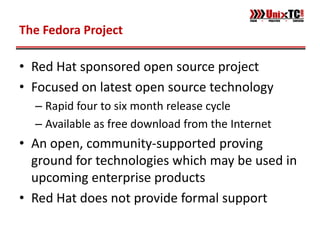
The Fedora Project

• Red Hat sponsored open source project
• Focused on latest open source technology
  – Rapid four to six month release cycle
  – Available as free download from the Internet
• An open, community-supported proving
  ground for technologies which may be used in
  upcoming enterprise products
• Red Hat does not provide formal support
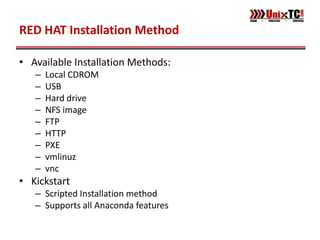
RED HAT Installation Method

• Available Installation Methods:
   –   Local CDROM
   –   USB
   –   Hard drive
   –   NFS image
   –   FTP
   –   HTTP
   –   PXE
   –   vmlinuz
   –   vnc
• Kickstart
   – Scripted Installation method
   – Supports all Anaconda features
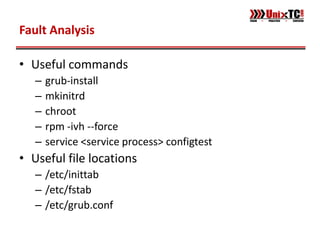
Fault Analysis

• Useful commands
   –   grub-install
   –   mkinitrd
   –   chroot
   –   rpm -ivh --force
   –   service <service process> configtest
• Useful file locations
   – /etc/inittab
   – /etc/fstab
   – /etc/grub.conf
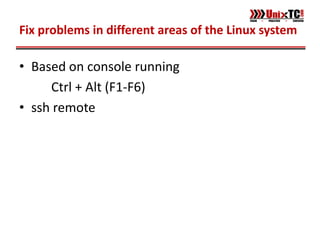
Fix problems in different areas of the Linux system

• Based on console running
     Ctrl + Alt (F1-F6)
• ssh remote
Recovery Run-Levels

• The default runlevel file /etc/inittab
• Runleve 1, s, S or single
Rescue Environment

• Required when root filesystem is unavailable
• Boot from CDROM (boot.iso or CD #1)
• Boot from diskboot.img on USB key
tcp_wrappers

• Three stages of access checking
     Is access explicitly permitted?
     Otherwise, is access explicitly denied?
     Otherwise, by default, permit access!
• Configuration stored in two files:
     Permissions in /etc/hosts.allow
     Denials in /etc/hosts.deny
SELinux: Management

• Modes: Enforcing, Permissive, Disabled
    Changing enforcement is allowed in the
    Targeted policy
    getenforce
    setenforce 0 | 1
    Disable from GRUB with selinux=0
iptables rules considerations

• Mostly closed is appropriate
      iptables -P INPUT DROP
      iptables -A INPUT -j DROP
      iptables -A INPUT -j REJECT
• Criteria also apply to loopback interface
      The example rules above will have the side
      effect of blocking localhost!
Question?

Unix tc

  • 1.
    The Open SourceSolutions Center Red Hat Enterprise Linux Installation, Trouble Shooting and Security Services Prepared By: KIM Heanh
  • 2.
    About: KIM Heanh •6 years experiences on Network Professional Trainer • Completed Training Skill from India
  • 3.
    Objectives • RED HAT Enterprise Linux • The Fedora Project • RED HAT Installation Method • Fault Analysis • Fix problems in different areas of the Linux system • Boot the system into various runlevels • Use the Rescue environment • TCP_wrappers • SELinux Management • Iptables rules considerations
  • 4.
    RED HAT EnterpriseLinux • Enterprise-targeted operating system • Focused on mature open source technology • 18-24 month release cycle
  • 5.
    The Fedora Project •Red Hat sponsored open source project • Focused on latest open source technology – Rapid four to six month release cycle – Available as free download from the Internet • An open, community-supported proving ground for technologies which may be used in upcoming enterprise products • Red Hat does not provide formal support
  • 6.
    RED HAT InstallationMethod • Available Installation Methods: – Local CDROM – USB – Hard drive – NFS image – FTP – HTTP – PXE – vmlinuz – vnc • Kickstart – Scripted Installation method – Supports all Anaconda features
  • 7.
    Fault Analysis • Usefulcommands – grub-install – mkinitrd – chroot – rpm -ivh --force – service <service process> configtest • Useful file locations – /etc/inittab – /etc/fstab – /etc/grub.conf
  • 8.
    Fix problems indifferent areas of the Linux system • Based on console running Ctrl + Alt (F1-F6) • ssh remote
  • 9.
    Recovery Run-Levels • Thedefault runlevel file /etc/inittab • Runleve 1, s, S or single
  • 10.
    Rescue Environment • Requiredwhen root filesystem is unavailable • Boot from CDROM (boot.iso or CD #1) • Boot from diskboot.img on USB key
  • 11.
    tcp_wrappers • Three stagesof access checking Is access explicitly permitted? Otherwise, is access explicitly denied? Otherwise, by default, permit access! • Configuration stored in two files: Permissions in /etc/hosts.allow Denials in /etc/hosts.deny
  • 12.
    SELinux: Management • Modes:Enforcing, Permissive, Disabled Changing enforcement is allowed in the Targeted policy getenforce setenforce 0 | 1 Disable from GRUB with selinux=0
  • 13.
    iptables rules considerations •Mostly closed is appropriate iptables -P INPUT DROP iptables -A INPUT -j DROP iptables -A INPUT -j REJECT • Criteria also apply to loopback interface The example rules above will have the side effect of blocking localhost!
  • 14.