Unix, Linux, and Max OS X Commands
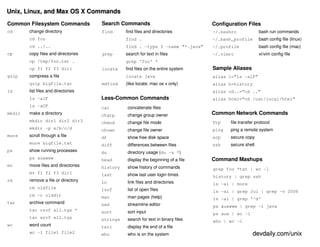
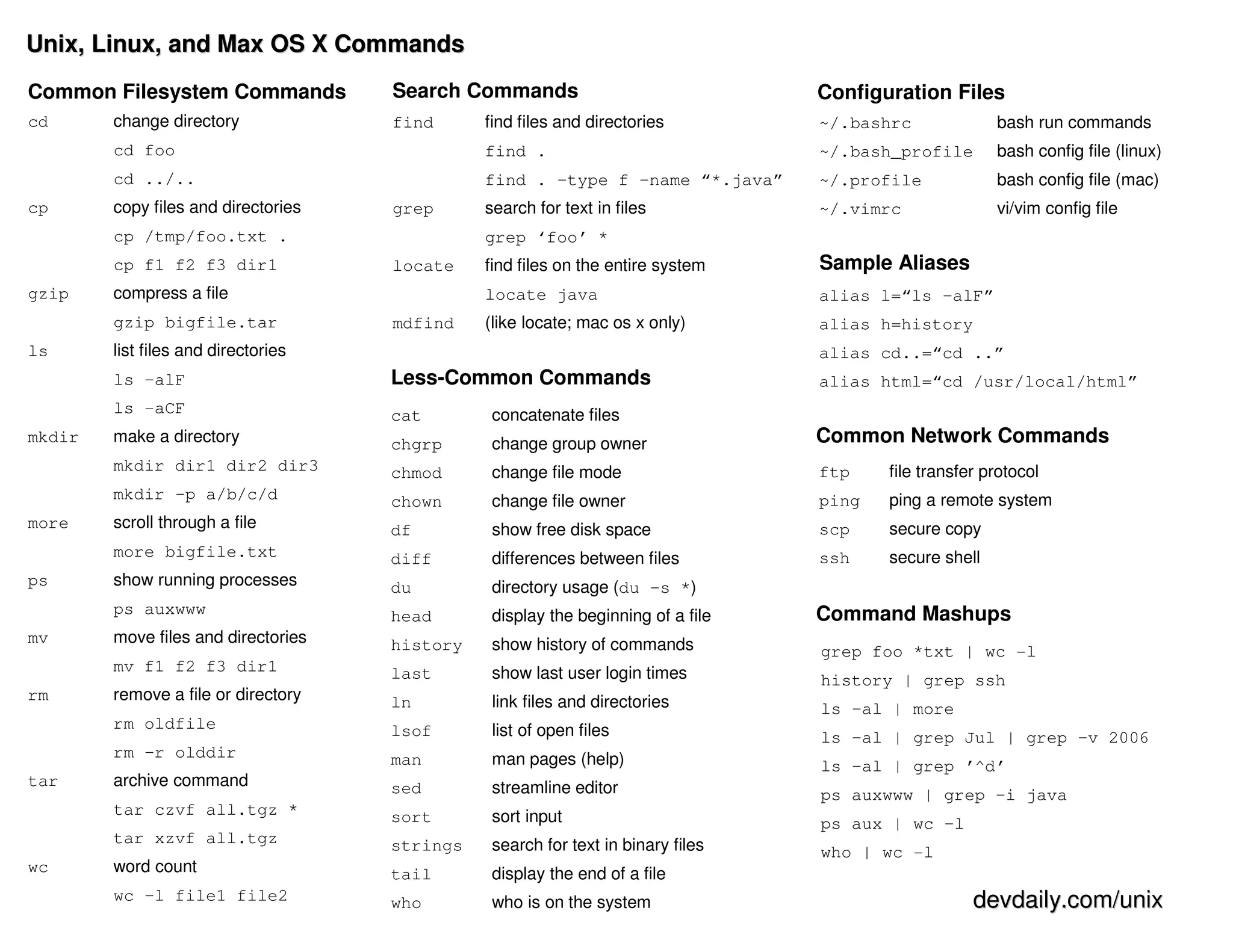
Common Filesystem Commands           Search Commands                              Configuration Files
cd      change directory             find      find files and directories         ~/.bashrc             bash run commands
        cd foo                                 find .                             ~/.bash_profile       bash config file (linux)
        cd ../..                               find . –type f –name “*.java”      ~/.profile            bash config file (mac)
cp      copy files and directories   grep      search for text in files           ~/.vimrc              vi/vim config file
        cp /tmp/foo.txt .                      grep ‘foo’ *
        cp f1 f2 f3 dir1             locate    find files on the entire system    Sample Aliases
gzip    compress a file                        locate java                        alias l=“ls –alF”
        gzip bigfile.tar             mdfind    (like locate; mac os x only)       alias h=history
ls      list files and directories                                                alias cd..=“cd ..”
        ls –alF                      Less-Common Commands                         alias html=“cd /usr/local/html”
        ls -aCF                      cat        concatenate files
mkdir   make a directory             chgrp      change group owner                Common Network Commands
        mkdir dir1 dir2 dir3         chmod      change file mode                  ftp    file transfer protocol
        mkdir –p a/b/c/d             chown      change file owner                 ping   ping a remote system
more    scroll through a file        df         show free disk space              scp    secure copy
        more bigfile.txt             diff       differences between files         ssh    secure shell
ps      show running processes       du         directory usage (du –s *)
        ps auxwww                    head       display the beginning of a file   Command Mashups
mv      move files and directories   history    show history of commands          grep foo *txt | wc -l
        mv f1 f2 f3 dir1             last       show last user login times        history | grep ssh
rm      remove a file or directory   ln         link files and directories        ls –al | more
        rm oldfile                   lsof       list of open files                ls –al | grep Jul | grep –v 2006
        rm –r olddir                 man        man pages (help)                  ls –al | grep ’^d’
tar     archive command              sed        streamline editor                 ps auxwww | grep –i java
        tar czvf all.tgz *           sort       sort input                        ps aux | wc –l
        tar xzvf all.tgz             strings    search for text in binary files   who | wc -l
wc      word count                   tail       display the end of a file
        wc –l file1 file2            who        who is on the system                                 devdaily.com/unix

Unix Cheat Sheet

  • 1.
    Unix, Linux, andMax OS X Commands Common Filesystem Commands Search Commands Configuration Files cd change directory find find files and directories ~/.bashrc bash run commands cd foo find . ~/.bash_profile bash config file (linux) cd ../.. find . –type f –name “*.java” ~/.profile bash config file (mac) cp copy files and directories grep search for text in files ~/.vimrc vi/vim config file cp /tmp/foo.txt . grep ‘foo’ * cp f1 f2 f3 dir1 locate find files on the entire system Sample Aliases gzip compress a file locate java alias l=“ls –alF” gzip bigfile.tar mdfind (like locate; mac os x only) alias h=history ls list files and directories alias cd..=“cd ..” ls –alF Less-Common Commands alias html=“cd /usr/local/html” ls -aCF cat concatenate files mkdir make a directory chgrp change group owner Common Network Commands mkdir dir1 dir2 dir3 chmod change file mode ftp file transfer protocol mkdir –p a/b/c/d chown change file owner ping ping a remote system more scroll through a file df show free disk space scp secure copy more bigfile.txt diff differences between files ssh secure shell ps show running processes du directory usage (du –s *) ps auxwww head display the beginning of a file Command Mashups mv move files and directories history show history of commands grep foo *txt | wc -l mv f1 f2 f3 dir1 last show last user login times history | grep ssh rm remove a file or directory ln link files and directories ls –al | more rm oldfile lsof list of open files ls –al | grep Jul | grep –v 2006 rm –r olddir man man pages (help) ls –al | grep ’^d’ tar archive command sed streamline editor ps auxwww | grep –i java tar czvf all.tgz * sort sort input ps aux | wc –l tar xzvf all.tgz strings search for text in binary files who | wc -l wc word count tail display the end of a file wc –l file1 file2 who who is on the system devdaily.com/unix