Amilton Diesel, Raphael Baldi, Maurício Longoni Aquiris Game Studio Bootcamp Postmortem Developing AAA games in Unity 3
Amilton Diesel Aquiris Game Studio [email_address] Briefing
Meeting Unity 3 Amilton Diesel Aquiris Game Studio [email_address] Demonstrate features Lightmapping OCC System Tree Editor Audio Filters Deffered Rendering Post-Processing FX Core Optimizations Streaming Content Many more…
Main Concept Amilton Diesel Aquiris Game Studio [email_address] Military Trainning Dynamic loadings Stunning Graphics Cutscenes
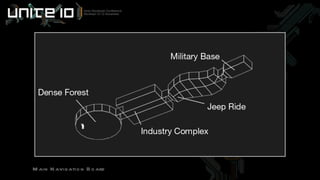
Main Navigation Board
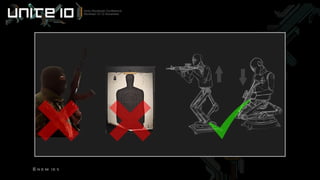
Enemies Amilton Diesel Aquiris Game Studio [email_address] Not really smart Not boring either Original design
Enemies
Amilton Diesel Aquiris Game Studio [email_address] Planning the Graphics
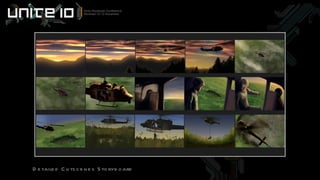
Storyboard Amilton Diesel Aquiris Game Studio [email_address] Detailed Cutscenes First color guide
Detailed Cutscenes Storyboard
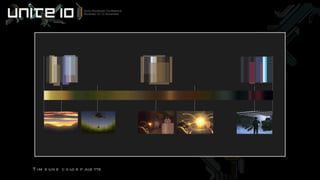
Color Palette Amilton Diesel Aquiris Game Studio [email_address] Timeline oriented Detailed mood board
Timeline color palette
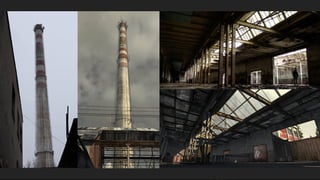
Collecting References Amilton Diesel Aquiris Game Studio [email_address] Search for real places Filter pictures
 
 
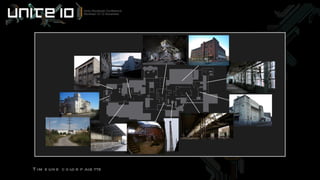
Planning Spaces Amilton Diesel Aquiris Game Studio [email_address] Composing a level by pictures Connecting buildings
Timeline color palette
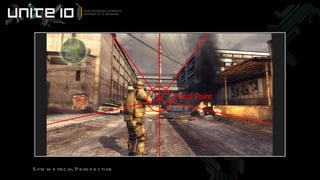
Composition Rules Amilton Diesel Aquiris Game Studio [email_address] One place to remember Same drawing and photography rules
Symmetrical Perspective
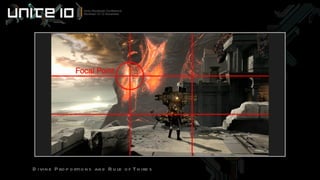
Divine Proportions and Rule of Thirds
Unreachable Illusion Amilton Diesel Aquiris Game Studio [email_address] Large scale feeling More interesting to explore
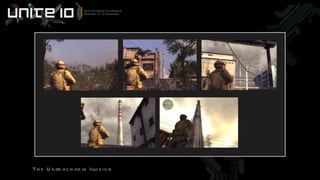
The Unreachable Illusion
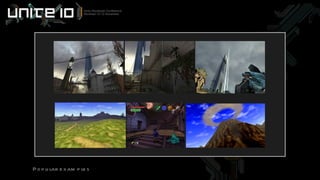
Popular examples
Amilton Diesel Aquiris Game Studio [email_address] Environment Art
Modeling Amilton Diesel Aquiris Game Studio [email_address] Individual Prefabs Unity as a level design tool
Texture Scale Amilton Diesel Aquiris Game Studio [email_address] Real world scale 1cm² = 1px²
Texture Division Amilton Diesel Aquiris Game Studio [email_address] Tileable vs unique textures Advantages and disadvantages
The Half Life 2 like Amilton Diesel Aquiris Game Studio [email_address] Tileable textures Flexible prototyping Fast production Less VRAM required Save triangles No mesh combining Less realistic
The Unreal 3 like Amilton Diesel Aquiris Game Studio [email_address] Unique textures Flexible prototyping Slow production Huge VRAM required Increase triangles Good for batching More realistic
The Bootcamp like Amilton Diesel Aquiris Game Studio [email_address] Middle ground solution Advantages from both sides
Shading Amilton Diesel Aquiris Game Studio [email_address] Reflective/Bumped/Specular Ambient Cubemap
Realistic Vegetation Amilton Diesel Aquiris Game Studio [email_address] Using the Tree Editor Observing nature
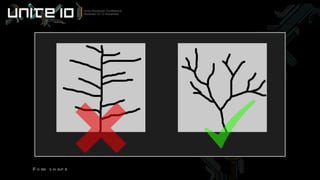
Fork shape
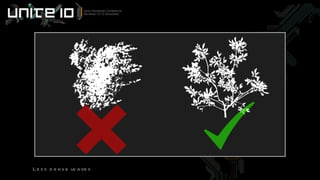
Less dense leaves
Lighting Amilton Diesel Aquiris Game Studio [email_address] Sunlight and Skylight It’s all about colors!
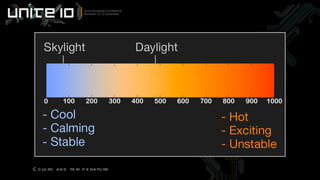
Colors and temperature
Lighting Contrast Amilton Diesel Aquiris Game Studio [email_address] Dark vs Bright Cold vs Warm Shadow vs Light
Raphael Lopes Baldi Aquiris Game Studio [email_address] Coding
Coding Raphael Lopes Baldi Aquiris Game Studio [email_address] Programming language Soldier Enemies Smart objects Streaming and scene loading Decal System
Programming language JavaScript Widespread in the community Easier to learn Raphael Lopes Baldi Aquiris Game Studio [email_address]
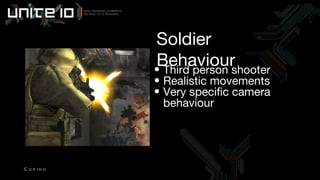
Third person shooter Realistic movements Very specific camera behaviour Soldier Behaviour Coding
 
 
Camera behaviour Non centered character Collide with walls Over the shoulder effect Highlight weapon when aiming Raphael Lopes Baldi Aquiris Game Studio [email_address]
 
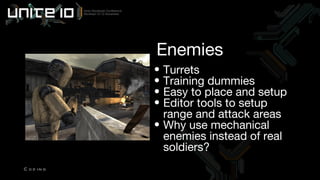
Turrets Training dummies Easy to place and setup Editor tools to setup range and attack areas Why use mechanical enemies instead of real soldiers? Enemies Coding
Smart objects Objects that “know” what must be done under certain conditions Barrels Trash bags Collectable items Raphael Lopes Baldi Aquiris Game Studio [email_address]
Streaming Web deployment Large scenes User must feel that the game is continuous Loading free Raphael Lopes Baldi Aquiris Game Studio [email_address]
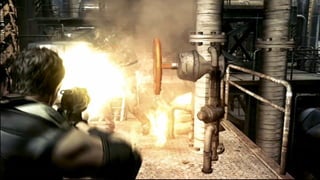
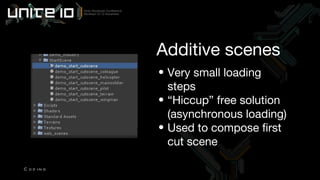
Very small loading steps “ Hiccup” free solution (asynchronous loading) Used to compose first cut scene Additive scenes Coding
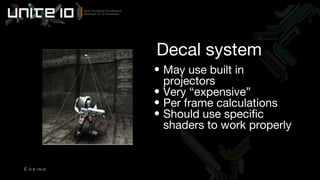
Decal system Main use: bullet holes Secondary use: environment enrichment AAA titles makes extensive use of decals Unity does not have a built in decal system  Raphael Lopes Baldi Aquiris Game Studio [email_address]
May use built in projectors Very “expensive” Per frame calculations Should use specific shaders to work properly Decal system Coding
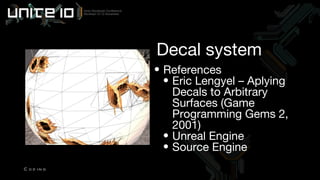
References Eric Lengyel – Aplying Decals to Arbitrary Surfaces (Game Programming Gems 2, 2001) Unreal Engine Source Engine Decal system Coding
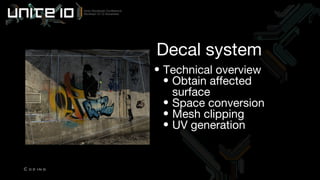
Technical overview Obtain affected surface Space conversion Mesh clipping UV generation Decal system Coding
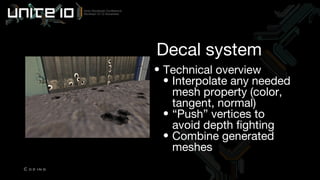
Technical overview Interpolate any needed mesh property (color, tangent, normal) “ Push” vertices to avoid depth fighting Combine generated meshes Decal system Coding
Occlusion Culling Nothing  more than meets the eye
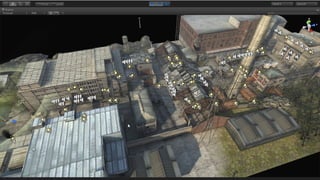
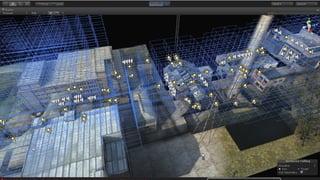
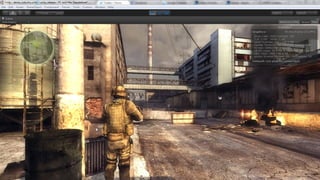
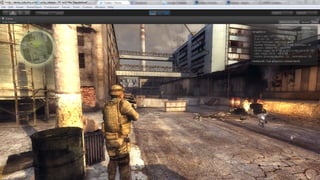
How it actually helps? Objects occluded by others are not rendered Less Draw Calls Less CPU overhead Bigger frame rate Maurício Longoni Aquiris Game Studio [email_address]
Picture text
Picture text
Picture text
Picture text
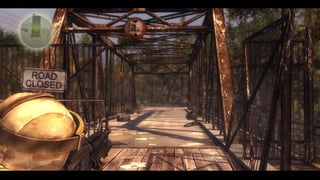
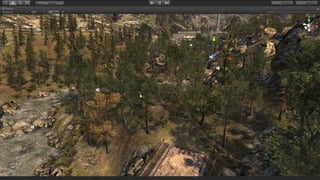
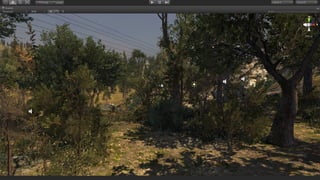
The Forest Challenge Open environment Thin objects Not too much things to hide after Maurício Longoni Aquiris Game Studio [email_address]
Picture text
Picture text
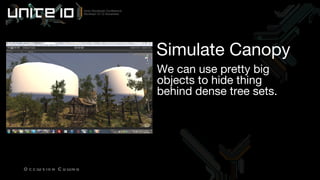
How can we go over that? Fake! If it looks right, it is right tm Take advantage of so many trees Maurício Longoni Aquiris Game Studio [email_address]
We can use pretty big objects to hide thing behind dense tree sets. Simulate Canopy Occlusion Culling
Picture text
Picture text
 

Unity bootcamp post mortem

Editor's Notes

  • #2 - Unity Bootcamp is all about Unity 3 new features. There was no intention to create a revolutionary gameplay, but to really push hard the tool boundaries and create the most advanced and good looking Unity application we could make. Of course we are not AAA game experts, we could learn a lot of things during Bootcamp development, and explored some technics more usual to big studios, that were kind of new for us. But at some level, we could achieve very similar results. - My work in this project embraces all the art direction, both technical and non-technical art. And I`m specialized in creating environments, so I`m going to focus on some technics used in Bootcamp environments.
  • #4 - These are the main features available in Unity3. The tool itself presented a huge breaktrough compared to previous version, so the same is applied to the demo. it was really challenging to create a game based on many new features, most of them in early development stages. - Our briefing was clear. We had to create a demo based on military theme, and keep single situations to show new features. Assets and levels loading should be seamless, and take advantage of beatiful cutscenes to fake data streaming
  • #5 - Our proposal was to create a military training situation. It's a nice starting point because simulate a real war would demand a huge work to make it convicible. On the other hand, creating just a small open world without objectives would be poor. The linear gameplay in a brief training routine fits better and do not create false expectations from users.
  • #6 - Initially, the path was planned to have 4 different sections. Due to delivery dates we were able to deliver the first 2 parts (forest and industry) and the opening cutscenes. The next section would be a Jeep Ride, intended to demonstrate some car physics. And the last scene, an underground military base, perfect to show lots of aftificial lighting and the advantages of the deferred rendering system. - It's always hard to evaluate new project's sizes. Fortunatelly, the fisrt two levels were enough to show pretty well the new features. And we should have that in mind since the begining.
  • #7 - For the enemies. The same comparison involving a war game and a small training, is valid. The AI present on every modern war game is too complex. Human enemies don`t just know when to hide and shoot, but also are able to attack in groups, or prepare an ambush. But also moving wood planks are boring and not cool at all.
  • #8 Then we decided to create this trainning dummies. Which are not intelligent like humans and not boring like wood planks. And we were able to add some original design to the game too, which is good. - The turrets follow the same principle: Simple and functional.
  • #9 - As an important part of the project, the visuals need to be planned carefully. Today, game artists need to consider lots of different expertises to create a good looking game, like photography, for example.
  • #10 - Starting with the basics, a storyboard is essential. For Bootcamp were created detailed and sequenced drawings for cutscenes. And some individual images for gameplay.
  • #11 The Storyboard is essential to take the first game overview. It’s useful to manage colors, cameras, and flow. Dedicate some time to draw a good storyboard if you`re able to.
  • #12 - Another important step of the process is the color palette. Sometimes forgotten by game artists, colors are one of the deepest informations we store in our brain when watch a movie, see an advertising, or play a game. Even when you can`t remember exactly what you saw, the color are still there, in your memory.
  • #13 - This is something we call "timeline color pallete". It translates in a single image the color composition for the entire game sequence. - It`s not totally necessary to turn this single pallete in to a document, but the art-director need to have it clearly on his mind. To orientate other artists.
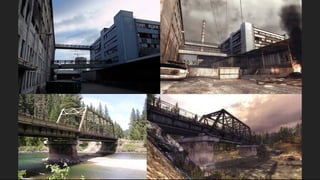
  • #14 - Create very realistic levels is hard. Don`t try to simply start modelling and texturing them because you probably will do it wrong, Collect lots of references instead. In Bootcamp, all the key buildings are based on real places.
  • #15 Real pictures in the left and Unity Bootcamp in the right. - It`s also important to filter all these references before start. For Bootcamp were collected approximately 3.000 pictures. Industries, forests, landscapes, trees, waterfalls, helicopters, military equipment and more. But Less than 20 percent were actually used.
  • #16 - These places are pretty familiar :) - But where to get all this images? There are plenty of good image banks on the internet, and some artists like to keep their own collection..of rusty stairs, for instance. I personally love flat concete walls. It`s just something weird level artist usually do.
  • #17 There are technics to join all these images in just one place. And turn a simple photo album in to a game level
  • #18 - This is the industry foot plan. Every location has a picture assigned. Only few corners and hallways were actually created. Basicaly only to connect buildings to each other. The final result is an original game level, but at the same time, very realistic because it’s based on real pictures.
  • #19 Composition is important to give harmony to every visual media. Like movies, paintings and more recently, games. - Games levels are done to provide a good gameplay experience, but there is some composition tricks capable to turn your level in something more interesting, enjoyable to explore. And are the same tricks present in photography.
  • #20 - In Bootcamp, the industry entrance is the easiest place to stick in your mind and make you think "yes, that place can be interesting". Basicaly, everyone who captured a promotional screenshot in bootcamp, choosed this place to do it, in magazines, blogs, even in Unity web site. And it's not by chance, When this entrance were designed, we wanted to create something more than just a level entrance, but a post card! And that`s what the compostition does. A simple symetry and straight perspective make this place more remarkable than everything else in the game.
  • #21 - Lots of games take advantage of these technics. Here we have a "Rule of thirds" example. The Rule of Thirds divide the screen in 4 divine proportional rectangles. The divine proportion is a measure used in almost everything, from the ancient greek architecture to the ipod, monitors and even the new twitter interface. This proportion is 16 by 10, or 1.6 by 1, the designers here who never heard about it, really should search for some specific articles :) Back to the game, the intersection between any of these 4 rectangles creates the perfect space to concentrate your eye, and make the picture just beautiful!
  • #22 - The unreachable illusion in another composition trick. Many games also take advantage of that to create a huge scale feeling.
  • #23 - Basically, is a big and imponent object placed very very far from the player at the first glance, giving the illusion you can never reach it. And when the gameplay goes on, the object seems to get bigger, switching LODs, and when you realize, you're there!
  • #24 - That's incredible because gives you a real world sensation. That you can explore everything, like a quest, giving the illusion that you can get in to any place. And if you need a short far clipping camera, for optimization purposes, you can use simplyfied models. Like the Death Mountain in Zelda is just a billboard when you see it for the fisrt time, and the model become more complex while you progress. Same happens in our industry tower.
  • #25 - Now is when things actually get fun and Unity3 starts to make the big difference. The Beast Lightmapper, Occlusion Culling and new snap system turn Unity in something more than an engine, but a level design tool.
  • #26 - It means that all level components can be designed separetely, arranged together inside Unity while gameplay is being tested, and just when everything is done, run the lighting and optimization process. - Before Unity3, we had to calculate lighting in third partie softwares and export the entire level once. And do not change anything after that, because lightmaps were already baked. - So, In Bootcamp, all assets, including walls and other important structures to the level, were stored on individual prefabs. And distributed inside Unity, taking all the advantages from the lightmapper and Oclusion Culling system.
  • #27 - When texturing a level, is important to define a real world scale. Most designers think the higher resolution, the better. And that's not true, first because you will compromize video memory and filesize, and second and most important: Big textures not necessarily mean higher quality textures. If the texture is larger than the space it takes on the screen, a mipmap will show up. And mipmaps are not precise, so the texture will get blurry, sometimes more blurry than using a smaller texture by default. - First person, and third person shooters usually have a 1 by 1 scale, same we used in Bootcamp. It means that for 1 centimeter square in a virtual world represents 1 pixel square in the texture. - It`s not a precise measure. But the closer you can keep your textures to the scale, the better.
  • #28 - Figure out the best way to divide textures in a level is never easy. There are several different technics, each one giving lots of advantages and disvantages, There is no right or wrong. In the games industry, two methods are very distinct:
  • #29 - The Half Life 2 like: This technic is an example of an extreme tileable texture use. It means tileable textures are visible all the time, and cover all the main structures
  • #30 - The Unreal 3 Like: Is an example of extreme unique textures per object. Except for terrain and basic mesh, unique textures are visible are responsible for almost everything that looks cool in the level, columns, decorated walls, trims, stairs...and every kind of assets.
  • #31 - So, the main difference is when to use tileable or unique textures. For Unity Bootcamp we decided to stay in the middle ground. And take advantages from both sides:
  • #32 - In Bootcamp we basically used one shader: Reflective/Bumped Specular, even for non reflective surfaces, for two reasons: First, an ambient cubemap, which is a very blurry cubemap does not give the reflection look, but helps to keep the surface lit when there is no light, because reflection is additive. And second, and most important, keep bumpmap visible, when there is no lights.
  • #33 - Unity3 has a very nice tree editor integrated. For Bootcamp, we designed over 20 different trees. And to create realistic vegetation you need to pay atention to their shape and leaves textures.
  • #34 - You need to observe nature to get the correct format in the branches. Real trees have nice branches in a "fork" shape. By editing manually the nodes you can create very complex trees.
  • #35 - Another challenge is texturing the leaves. Still today, there is no other way to create leaves instead creating lots os planes. The problem is, if your texture is too dense, the leaves will look like the planes itself, a big block of leaves. The leaves should be less dense, and sharpen enough to keep every leaf shape. These textures are harder to produce, but the final resut is way better.
  • #36 Lighting is a wide subject, I will not go too deep on that. But just to understand some theory, in the daylight, basicaly have only two light sources, the direct sunlight, and a difuse skylight. Then the photons bounce over every surface and create the shading we see everyday in the real world. This behaviour is simulated by the Beast Lightmapper. So in other words, we just a need an artificial sun, and an artificial sky to reproduce the same effect. The problem is, what colors are these two sources? If you manage correctly these color, probably your lighting will be convicible.
  • #37 - Lighting is all about temperature colors. While the sunlight is warm and yellow, the skylight is cold and blue. For Bootcamp anything new was created, just the same beautiful daylight color!
  • #38 - The important thing to notice is the colors are opposite, and lighting is also about good contrast, not just regarding lightness and darkness, but also opposite colors, which give players different sensations between the blue quietness and the red excitement. And this real life sensation definitelly should be caused by lighting.
  • #39 I’m Raphael and I’m the leader programmer of Aquiris and was also the main programmer of this project. I will briefly talk about the decisions we’ve taken during the development of Unity Bootcamp.
  • #40 I will give you an overview of the project from programming perspective focusing on these topics: programming language, soldier and enemies behaviours, smart objects, streaming and some tools we’ve built to make the development easier.
  • #41 As you know, Unity give us the ability to choose between three languages: JavaScript, C# and Boo. We’ve choosen to use JavaScript as it is widespread around Unity’s community. It’s an easy to learn language and as it is JIT compiled, it runs as fast as Boo and C#. New users would take advantage of this language by being able to seek for help on forums that are mainly focused on JavaScript.
  • #42 The main character is the soldier and as we wanted to show of some cool animations we decided to go with a Third Person Shooter. Based on this decision, we’ve started looking for some good references to its behaviours and controlling system.
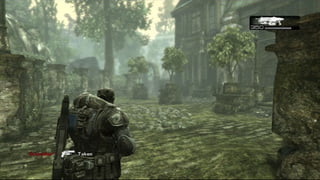
  • #43 Gears of Wars was the main one and helped us developing the camera system. As you see on this game and on Unity Bootcamp, the camera is not centered on the character. This way the soldier remains on the screen but the player can focus on the action.
  • #44 Resident Evil was the main reference for the aiming camera. It provide us the needed parameters to setup our own system.
  • #45 Choosing to develop a Third Person Shooter brings us a great challenge: developing the camera system. The camera must be not centered on the character, must collide with scene objects and must follow the “over the shoulder” effect that we’ve seen in Resident Evil. As Unity provide us a great set of tools to work with Quaternions and transformation matrices the main effect was quite easily achieved. Making the camera collide with walls was also solved really fast as we have a great Physics engine, with built in Raycasts, at our fingers.
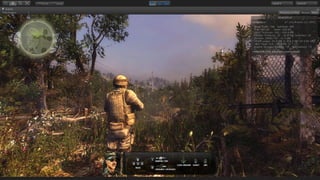
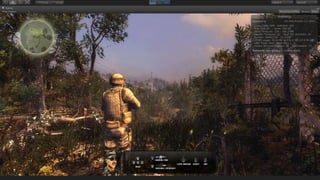
  • #46 This image shows the final result achieved on the game. You can see more by playing it inside Unity or on Unity’s website.
  • #47 We were low on time but willing to build a great gameplay, so we’ve choosen to use standing enemies. As you can see on Unity Bootcamp, Turrets will just shoot the player and Training Dummies will shoot for some time and take cover. This behaviour permited us to save development time and performance. If we’d have decided to use real enemies it would be necessary to develop complex AI behaviours and heavy algorithms that could compromise overall performance. We’ve also built some tools, by extending Unity’s editor in order to make enemy setup and placement easier for level designers.
  • #48 One of the key concepts that we’ve used on this project was the Smart Objects. This kind of approach allowed us to develop specific behaviours that will happen under certain conditions and provide a way to level designers to use those behaviours later. Unity provide a great way for us to develop such technique: you may know the SendMessage method of GameObject class. It allow us to exchange messages between objects without the need to know any of them ahead of time.
  • #49 Another Unity’s feature that we used to develop this game was Streaming. Having the ability to download all kind of assets was very useful as we have very large scenes and a project that runs on the web. We’ve built a very small webplayer and loaded all additional scenes using the methods provided by Unity’s API. We’ve also used the incredible Asynchronous scene loading feature, that allowed us to change scenes almost without hiccups.
  • #50 The start cutscene was built from several pieces that were downloaded and loaded using Additive scene loading feature. This way we ended up with a very small webplayer that has about 700kbytes. It means that the player start playing very fast and we start loading things on the background. Thanks to Unity’s additive scene loading we could split our loading time into very small ones.
  • #51 If we take a look on other games we’ll see that almost all of them make use of some kind of Decal System. It is always used for bullet holes placement and sometimes used as tools for decorating complex scenes. Unfortunately Unity does not have a built in system like that.
  • #52 The first attempt to solve the decal problem was trying to use the built in projector system. We discovered soon that this feature does not fit our needs as it is calculated per frame and we were really bound to performance. The other problem with projector is that we would have to write lot more specific shaders to accomplish the effects that we wanted.
  • #53 The solution for this problem was developing our own custom Decal System inside Unity. Eric Lengyel have written an article that was published on Game Programming Gems 2 about decals, called Aplying Decals to Arbitrary Surfaces. This article gave us the needed technical description of the system so we could write our own. Beside that, we’ve looked on how Valve and Unreal solved the problem. We’ve found that Unreal Engine has a great tool called Decal Actor that we’ve used as a reference when building the tool that allowed level designers placing a lot of stuff on walls an floors on Unity Bootcamp. Now I’ll show you the Decal system in action.
  • #54 I’ll briefly describe the system for those who want to try building a custom one and to make it easy for you to understand the code that comes along with Unity Bootcamp. The first thing we need to do is get affected objects. If your objects have colliders you can use an OverlapSphere or something like that and you’re good to go. The second step is making things talk the same language, in this case, everything must be on the same coordinate space. Thanks to Unity we can easily convert between local and world space and it saves us a lot of work. The next step is the tough one: we must cut out all the faces that are outside our decal projector and generate new ones for the borders. We do it the same way we clip things during the rendering process. After that we can use the new Unity’s Unrwapper to obtain an UV map for the generated surface. Including an UV2 channel, that we can use to lightmap decals.
  • #55 After that we can interpolate any other needed propertie from the original mesh, push vertices through its normals so we can avoid depth fighting between surfaces. Than we can combine all the generated meshes, as we generate one for each affected object. It is an easy to acomplish task as Unity provide us a great Mesh combine tool. I will now let Mauricio explain you how Occlusion Culling saved us a lot of performance. Thanks.