Downloaded 55 times


![Sending Parameters in the Request message:
Parameters can be sent in
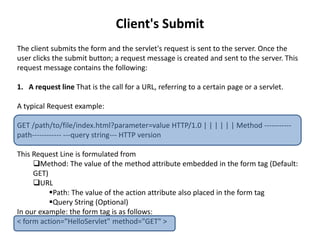
The Request Line
When using the method GET, parameters' names and values are concatenated
in a “Query String―that is of the form [?parameter1=value1parameter2=value2]
And, as mentioned before, this Query String is appended to the path to form the URL
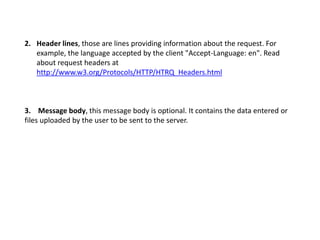
The Message Body
When using the method POST, parameters are sent in the message body.
In our example, we are using the method GET. So parameters will be sent in the URL in
the form of a Query String.
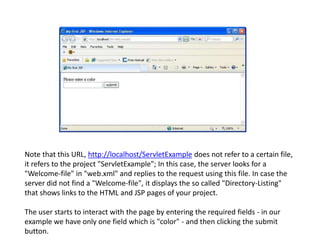
We have only one parameter corresponding to one input field:
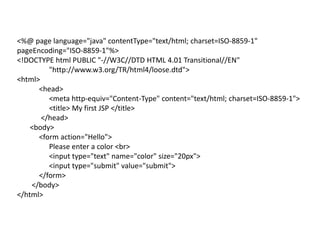
<input type="text" name="color" size="20px">
So this is how the Query String will look like:
?color=red](https://image.slidesharecdn.com/jsp-servlets-141229022140-conversion-gate01/85/Understanding-JSP-Servlets-22-320.jpg)
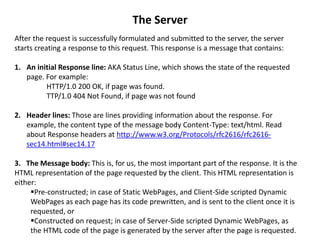
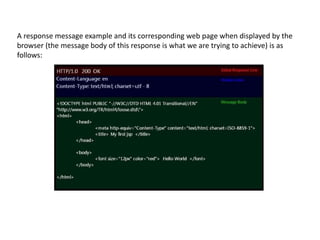
![Read more about request and response from jmarshall and
,Wikipedia. Also see Wikipedia for a response sample at
http://en.wikipedia.org/wiki/File:Http_request_telnet_ubuntu.png.
As said before, JSP – Servlets is a technology developing Dynamic
WebPages; so now let's see how the server constructs such
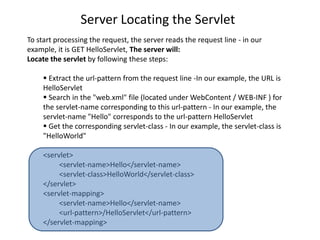
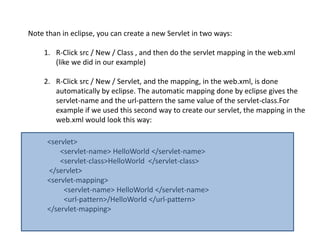
WebPage on request (Steps [3] and [4]).](https://image.slidesharecdn.com/jsp-servlets-141229022140-conversion-gate01/85/Understanding-JSP-Servlets-25-320.jpg)
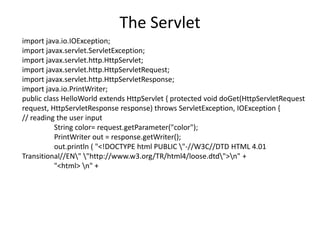
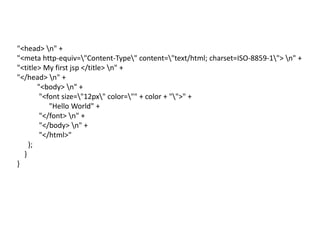
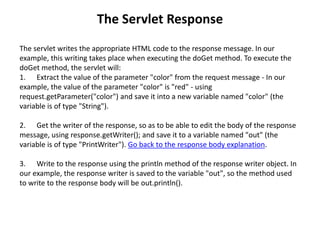
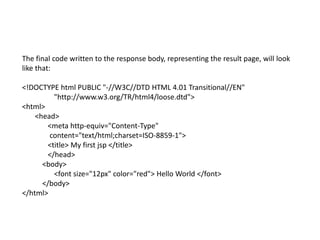
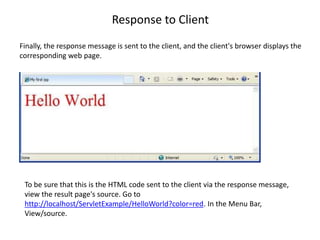

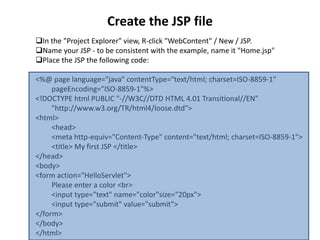
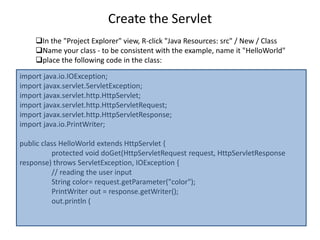
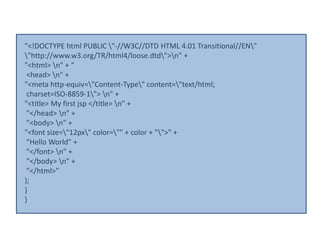
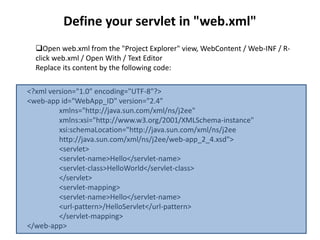
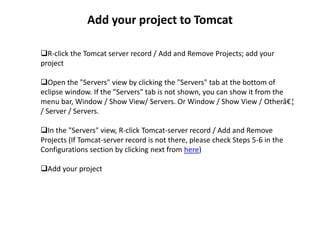
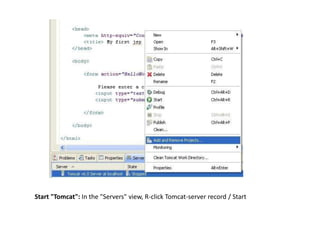
This document provides step-by-step instructions for creating a simple Java servlet example that asks a user to input a color, and then displays "Hello World" in that color. It involves creating a dynamic web project in Eclipse, adding a JSP file to get user input, writing a servlet class to process the request and display the output, configuring the servlet in web.xml, deploying the project to Tomcat, and accessing it through a web browser. The document also explains how the servlet processes the request from getting user input to displaying the output.


