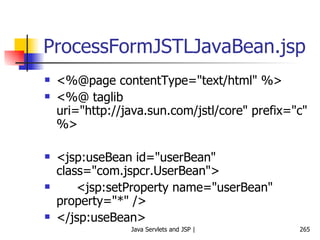
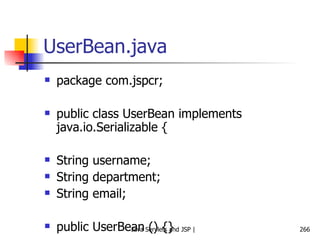
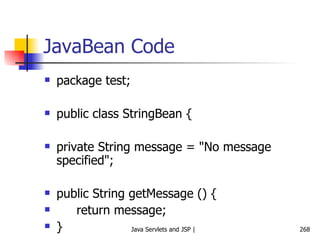
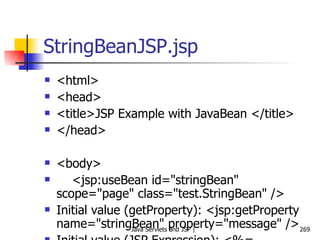
Java Servlets and Java Server Pages (JSP) Atul Kahate   (akahate@gmail.com)
Introduction to HTTP and Web Interactions
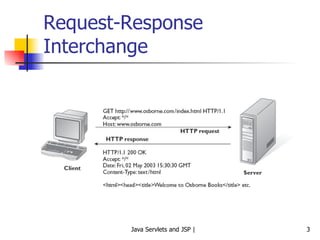
Request-Response Interchange
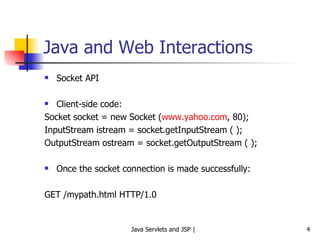
Java and Web Interactions Socket API Client-side code: Socket socket = new Socket ( www.yahoo.com , 80); InputStream istream = socket.getInputStream ( ); OutputStream ostream = socket.getOutputStream ( ); Once the socket connection is made successfully: GET /mypath.html HTTP/1.0
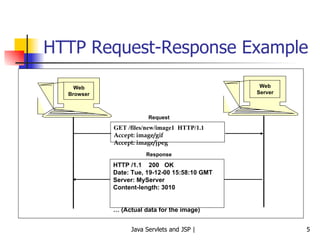
HTTP Request-Response Example Web Browser Web Server GET /files/new/image1  HTTP/1.1 Accept: image/gif Accept: image/jpeg HTTP /1.1  200  OK Date: Tue, 19-12-00 15:58:10 GMT Server: MyServer Content-length: 3010 …  (Actual data for the image) Request Response
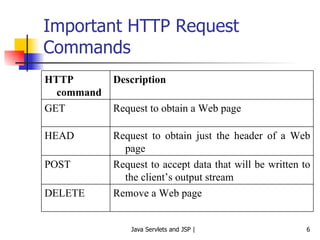
Important HTTP Request Commands Remove a Web page DELETE Request to accept data that will be written to the client’s output stream POST Request to obtain just the header of a Web page HEAD Request to obtain a Web page GET Description HTTP command
Introduction to Servlets
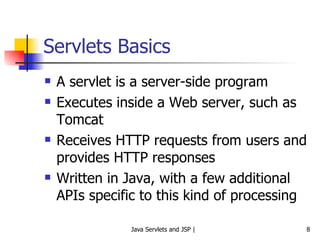
Servlets Basics A servlet is a server-side program Executes inside a Web server, such as Tomcat Receives HTTP requests from users and provides HTTP responses Written in Java, with a few additional APIs specific to this kind of processing
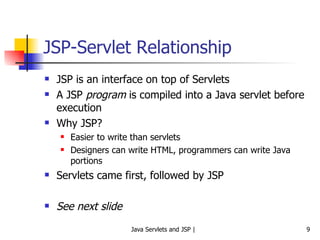
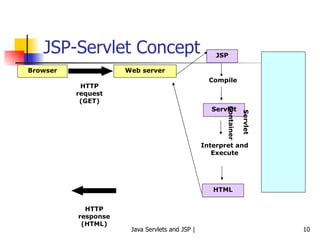
JSP-Servlet Relationship JSP is an interface on top of Servlets A JSP  program  is compiled into a Java servlet before execution Why JSP? Easier to write than servlets Designers can write HTML, programmers can write Java portions Servlets came first, followed by JSP See next slide
JSP-Servlet Concept Browser Web server HTTP request (GET) JSP Compile Servlet Interpret and Execute HTML HTTP response (HTML) Servlet Container
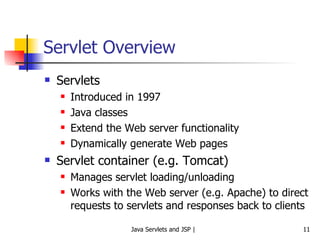
Servlet Overview Servlets Introduced in 1997 Java classes  Extend the Web server functionality  Dynamically generate Web pages Servlet container (e.g. Tomcat) Manages servlet loading/unloading Works with the Web server (e.g. Apache) to direct requests to servlets and responses back to clients
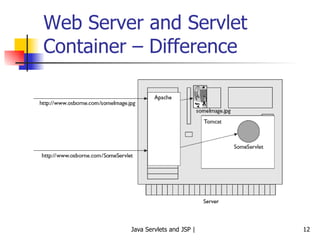
Web Server and Servlet Container – Difference
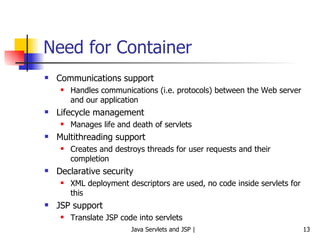
Need for Container Communications support Handles communications (i.e. protocols) between the Web server and our application Lifecycle management Manages life and death of servlets Multithreading support Creates and destroys threads for user requests and their completion Declarative security XML deployment descriptors are used, no code inside servlets for this JSP support Translate JSP code into servlets
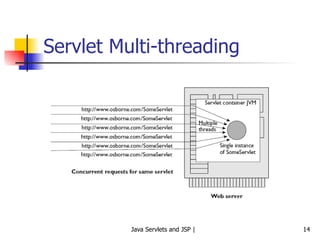
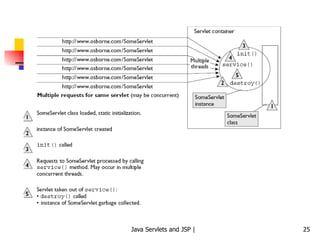
Servlet Multi-threading
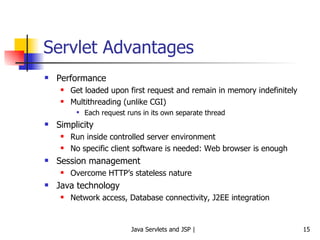
Servlet Advantages Performance Get loaded upon first request and remain in memory indefinitely Multithreading (unlike CGI) Each request runs in its own separate thread Simplicity Run inside controlled server environment No specific client software is needed: Web browser is enough Session management Overcome HTTP’s stateless nature Java technology Network access, Database connectivity, J2EE integration
Development and Execution Environment
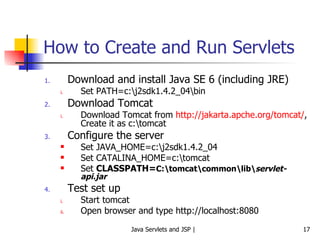
How to Create and Run Servlets Download and install Java SE 6 (including JRE) Set PATH=c:\j2sdk1.4.2_04\bin Download Tomcat Download Tomcat from  http://jakarta.apche.org/tomcat/ , Create it as c:\tomcat Configure the server Set JAVA_HOME=c:\j2sdk1.4.2_04 Set CATALINA_HOME=c:\tomcat Set  CLASSPATH= C:\tomcat\common\lib\ servlet-api.jar Test set up Start tomcat Open browser and type http://localhost:8080
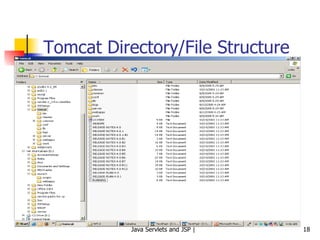
Tomcat Directory/File Structure
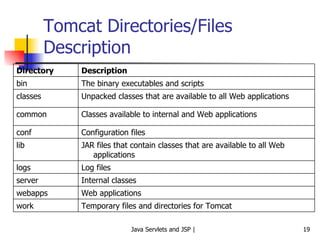
Tomcat Directories/Files Description Temporary files and directories for Tomcat work Web applications webapps Internal classes server Log files logs JAR files that contain classes that are available to all Web applications lib Configuration files conf Classes available to internal and Web applications common Unpacked classes that are available to all Web applications classes The binary executables and scripts bin Description Directory
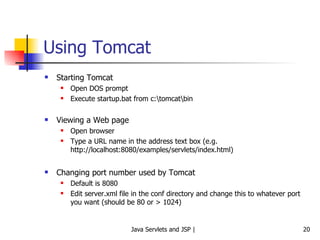
Using Tomcat Starting Tomcat Open DOS prompt Execute startup.bat from c:\tomcat\bin Viewing a Web page Open browser Type a URL name in the address text box (e.g. http://localhost:8080/examples/servlets/index.html) Changing port number used by Tomcat Default is 8080 Edit server.xml file in the conf directory and change this to whatever port you want (should be 80 or > 1024)
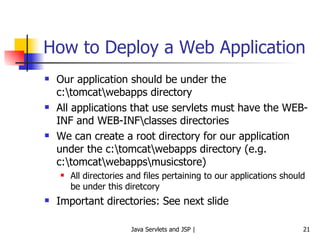
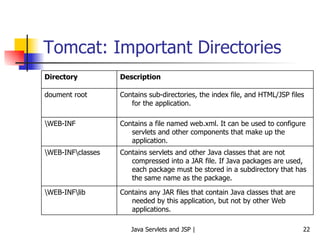
How to Deploy a Web Application Our application should be under the c:\tomcat\webapps directory All applications that use servlets must have the WEB-INF and WEB-INF\classes directories We can create a root directory for our application under the c:\tomcat\webapps directory (e.g. c:\tomcat\webapps\musicstore) All directories and files pertaining to our applications should be under this diretcory Important directories: See next slide
Tomcat: Important Directories Contains any JAR files that contain Java classes that are needed by this application, but not by other Web applications. \WEB-INF\lib Contains servlets and other Java classes that are not compressed into a JAR file. If Java packages are used, each package must be stored in a subdirectory that has the same name as the package. \WEB-INF\classes Contains a file named web.xml. It can be used to configure servlets and other components that make up the application. \WEB-INF Contains sub-directories, the index file, and HTML/JSP files for the application. doument root Description Directory
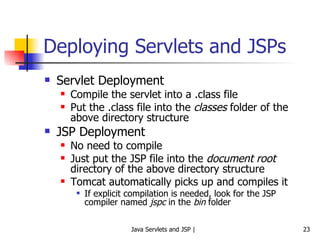
Deploying Servlets and JSPs Servlet Deployment Compile the servlet into a .class file Put the .class file into the  classes  folder of the above directory structure JSP Deployment No need to compile Just put the JSP file into the  document root  directory of the above directory structure Tomcat automatically picks up and compiles it If explicit compilation is needed, look for the JSP compiler named  jspc  in the  bin  folder
Servlet Lifecycle and Execution
 
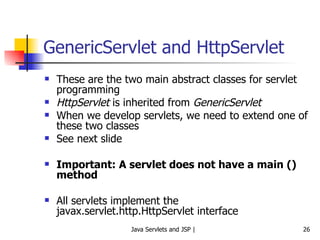
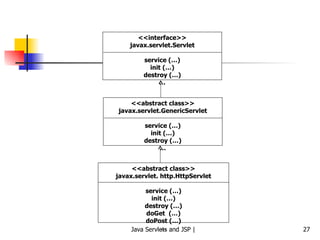
GenericServlet and HttpServlet These are the two main abstract classes for servlet programming HttpServlet  is inherited from  GenericServlet When we develop servlets, we need to extend one of these two classes See next slide Important: A servlet does not have a main () method All servlets implement the javax.servlet.http.HttpServlet interface
<<interface>> javax.servlet.Servlet service (…) init (…) destroy (…) … <<abstract class>> javax.servlet.GenericServlet service (…) init (…) destroy (…) … <<abstract class>> javax.servlet. http.HttpServlet service (…) init (…) destroy (…) doGet  (…) doPost (…) …
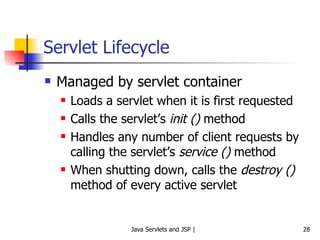
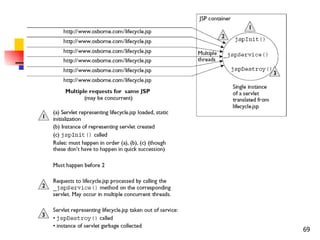
Servlet Lifecycle Managed by servlet container Loads a servlet when it is first requested Calls the servlet’s  init ()  method Handles any number of client requests by calling the servlet’s  service ()  method When shutting down, calls the  destroy ()  method of every active servlet
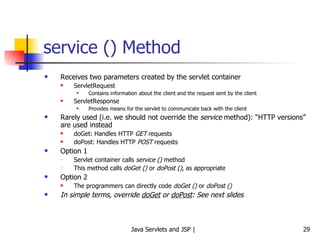
service () Method Receives two parameters created by the servlet container ServletRequest Contains information about the client and the request sent by the client ServletResponse Provides means for the servlet to communicate back with the client Rarely used (i.e. we should not override the  service  method): “HTTP versions” are used instead doGet: Handles HTTP  GET  requests doPost: Handles HTTP  POST  requests Option 1 Servlet container calls  service ()  method This method calls  doGet ()  or  doPost () , as appropriate Option 2 The programmers can directly code  doGet ()  or  doPost () In simple terms, override  doGet  or  doPost : See next slides
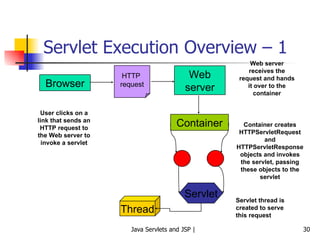
Servlet Execution Overview – 1 Browser HTTP  request Web server Container Servlet Container creates HTTPServletRequest and HTTPServletResponse objects and invokes the servlet, passing these objects to the servlet User clicks on a link that sends an HTTP request to the Web server to invoke a servlet Web server receives the request and hands it over to the container Thread Servlet thread is created to serve this request
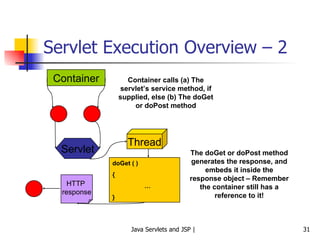
Servlet Execution Overview – 2 Container Servlet Container calls (a) The servlet’s service method, if supplied, else (b) The doGet or doPost method The doGet or doPost method generates the response, and embeds it inside the response object – Remember the container still has a reference to it! HTTP  response doGet ( ) { … } Thread
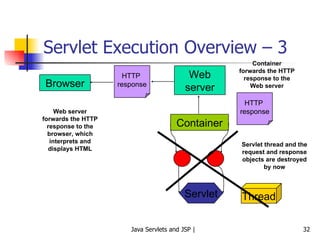
Servlet Execution Overview – 3 Browser HTTP  response Web server Container Servlet Servlet thread and the request and response objects are destroyed by now Web server forwards the HTTP response to the browser, which interprets and displays HTML Container forwards the HTTP response to the Web server HTTP  response Thread
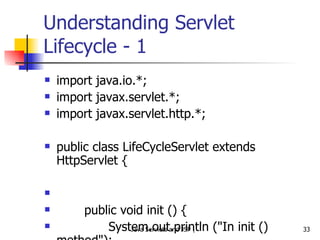
Understanding Servlet Lifecycle - 1 import java.io.*; import javax.servlet.*; import javax.servlet.http.*; public class LifeCycleServlet extends HttpServlet {     public void init () {   System.out.println (&quot;In init () method&quot;);   }         public void doGet (HttpServletRequest request,   HttpServletResponse response) {     System.out.println (&quot;In doGet () method&quot;);   }     public void destroy () {     System.out.println (&quot;In destroy () method&quot;);   }   }
Deployment Descriptor Deployment descriptor is an XML file with the name web.xml It should be in the WEB-INF directory Example follows …
DD Example <?xml version=&quot;1.0&quot; encoding=&quot;ISO-8859-1&quot;?> <!DOCTYPE web-app  …> <web-app> <servlet> <servlet-name> LifeCycleServlet </servlet-name> <servlet-class> LifeCycleServlet </servlet-class> </servlet>  <servlet-mapping> <servlet-name> LifeCycleServlet </servlet-name> <url-pattern>/servlet/ LifeCycleServlet </url-pattern> </servlet-mapping>  </web-app> Name for referring to it elsewhere in the DD Full name, including any package details Name of the servlet again Client’s URL will have this
Understanding Servlet Lifecycle - 2 Run the example:  http://localhost:8080/examples/servlet/LifeCycleServlet Look at the Tomcat messages window To see the message corresponding to  destroy ()  method, just recompile the servlet
HTTP Request-Response – Step 1 Payment Details Card number:  Valid till: Submit Cancel Client Server
HTTP Request-Response – Step 2 Client Server POST /project/myServlet HTTP/1.1 Accept: image/gif, application/msword, … … cardnumber=1234567890123&validtill=022009 … HTTP request
init () Method Called only when a servlet is called for the very first time Performs the necessary startup tasks Variable initializations Opening database connections We need not override this method unless we want to do such initialization tasks
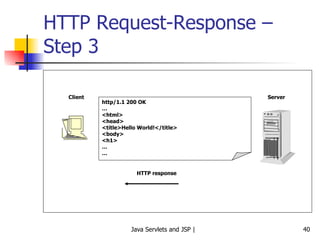
HTTP Request-Response – Step 3 Client Server http/1.1 200 OK … <html> <head> <title>Hello World!</title> <body> <h1> … … HTTP response
Difference Between doGet ( ) and doPost ( ) doGet ( ) Corresponds to the HTTP GET command Limit of 256 characters, user’s input gets appended to the URL Example:  http://www.test.com?user=test&password=test doPost ( ) Corresponds the HTTP POST command User input is sent inside the HTTP request Example POST /project/myServlet HTTP/1.1 Accept: image/gif, application/msword, … … username=test&password=test …
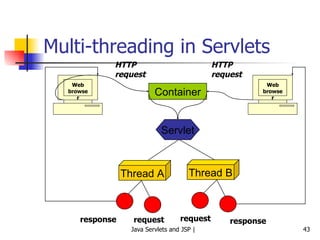
Servlets and Multi-threading Container runs multiple threads to process multiple client requests for the same servlet Every thread (and therefore, every client) has a separate pair of  request  and  response  objects See next slide
Multi-threading in Servlets Web browser Container Web browser HTTP request HTTP request Servlet Thread A Thread B request response request response
destroy () Method Only servlet container can destroy a servlet Calling this method inside a servlet has no effect
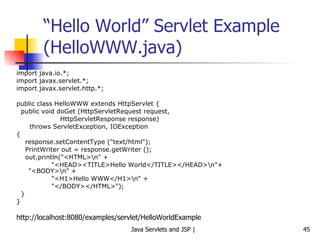
“ Hello World” Servlet Example (HelloWWW.java) import java.io.*; import javax.servlet.*; import javax.servlet.http.*; public class HelloWWW extends HttpServlet { public void doGet (HttpServletRequest request, HttpServletResponse response) throws ServletException, IOException  { response.setContentType (&quot;text/html&quot;); PrintWriter out = response.getWriter (); out.println(&quot;<HTML>\n&quot; + &quot;<HEAD><TITLE>Hello World</TITLE></HEAD>\n&quot;+    &quot;<BODY>\n&quot; + &quot;<H1>Hello WWW</H1>\n&quot; + &quot;</BODY></HTML>&quot;); } } http://localhost:8080/examples/servlet/HelloWorldExample
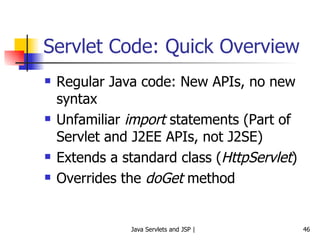
Servlet Code: Quick Overview Regular Java code: New APIs, no new syntax Unfamiliar  import  statements (Part of Servlet and J2EE APIs, not J2SE) Extends a standard class ( HttpServlet ) Overrides the  doGet  method
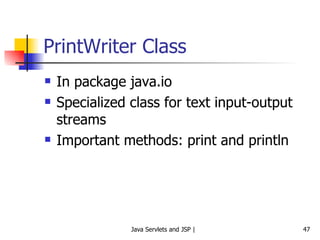
PrintWriter Class In package java.io Specialized class for text input-output streams Important methods: print and println
Exercise: Currency Conversion Write a servlet that displays a table of dollars versus Indian rupees. Assume a conversion rate of 1USD = 45 Indian rupees. Display the table for dollars from 1 to 50.
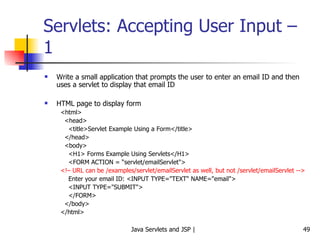
Servlets: Accepting User Input – 1  Write a small application that prompts the user to enter an email ID and then uses a servlet to display that email ID HTML page to display form <html> <head> <title>Servlet Example Using a Form</title> </head> <body> <H1> Forms Example Using Servlets</H1> <FORM ACTION = “servlet/emailServlet&quot;> <!– URL can be /examples/servlet/emailServlet as well, but not /servlet/emailServlet --> Enter your email ID: <INPUT TYPE=&quot;TEXT&quot; NAME=&quot;email&quot;> <INPUT TYPE=&quot;SUBMIT&quot;> </FORM> </body> </html>
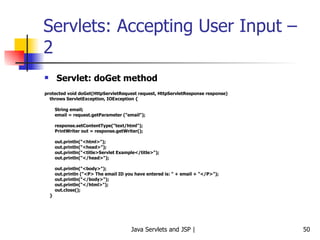
Servlets: Accepting User Input – 2 Servlet: doGet method protected void doGet(HttpServletRequest request, HttpServletResponse response) throws ServletException, IOException { String email; email = request.getParameter (&quot;email&quot;); response.setContentType(&quot;text/html&quot;); PrintWriter out = response.getWriter(); out.println(&quot;<html>&quot;); out.println(&quot;<head>&quot;); out.println(&quot;<title>Servlet Example</title>&quot;); out.println(&quot;</head>&quot;); out.println(&quot;<body>&quot;); out.println (&quot;<P> The email ID you have entered is: &quot; + email + &quot;</P>&quot;);  out.println(&quot;</body>&quot;); out.println(&quot;</html>&quot;); out.close(); }
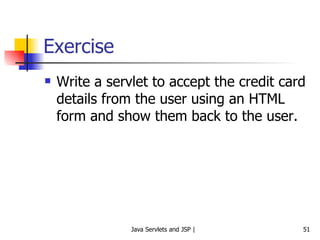
Exercise Write a servlet to accept the credit card details from the user using an HTML form and show them back to the user.
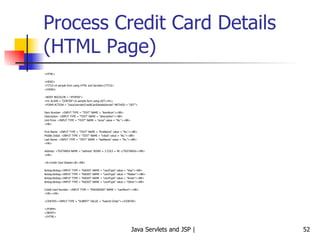
Process Credit Card Details (HTML Page) <HTML> <HEAD> <TITLE>A sample form using HTML and Servlets</TITLE> </HEAD> <BODY BGCOLOR = &quot;#FDFE6&quot;> <H1 ALIGN = &quot;CENTER&quot;>A sample form using GET</H1> <FORM ACTION = &quot;/sicsr/servlet/CreditCardDetailsServlet&quot; METHOD = &quot;GET&quot;> Item Number: <INPUT TYPE = &quot;TEXT&quot; NAME = &quot;itemNum&quot;><BR> Description: <INPUT TYPE = &quot;TEXT&quot; NAME = &quot;description&quot;><BR> Unit Price: <INPUT TYPE = &quot;TEXT&quot; NAME = &quot;price&quot; value = &quot;Rs.&quot;><BR> <HR> First Name: <INPUT TYPE = &quot;TEXT&quot; NAME = &quot;firstName&quot; value = &quot;Rs.&quot;><BR> Middle Initial: <INPUT TYPE = &quot;TEXT&quot; NAME = &quot;initial&quot; value = &quot;Rs.&quot;><BR> Last Name: <INPUT TYPE = &quot;TEXT&quot; NAME = &quot;lastName&quot; value = &quot;Rs.&quot;><BR> <HR> Address: <TEXTAREA NAME = &quot;address&quot; ROWS = 3 COLS = 40 </TEXTAREA><BR> <HR> <B>Credit Card Details</B><BR> &nbsp;&nbsp;<INPUT TYPE = &quot;RADIO&quot; NAME = &quot;cardType&quot; value = &quot;Visa&quot;><BR> &nbsp;&nbsp;<INPUT TYPE = &quot;RADIO&quot; NAME = &quot;cardType&quot; value = &quot;Master&quot;><BR> &nbsp;&nbsp;<INPUT TYPE = &quot;RADIO&quot; NAME = &quot;cardType&quot; value = &quot;Amex&quot;><BR> &nbsp;&nbsp;<INPUT TYPE = &quot;RADIO&quot; NAME = &quot;cardType&quot; value = &quot;Other&quot;><BR> Credit Card Number: <INPUT TYPE = &quot;PASSWORD&quot; NAME = &quot;cardNum&quot;><BR> <HR><HR> <CENTER><INPUT TYPE = &quot;SUBMIT&quot; VALUE = &quot;Submit Order&quot;></CENTER> </FORM> </BODY> </HTML>
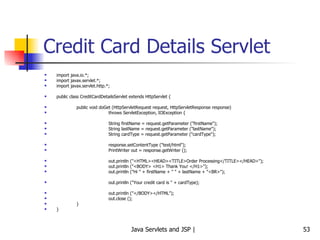
Credit Card Details Servlet import java.io.*; import javax.servlet.*; import javax.servlet.http.*; public class CreditCardDetailsServlet extends HttpServlet { public void doGet (HttpServletRequest request, HttpServletResponse response) throws ServletException, IOException { String firstName = request.getParameter (&quot;firstName&quot;); String lastName = request.getParameter (&quot;lastName&quot;); String cardType = request.getParameter (&quot;cardType&quot;); response.setContentType (&quot;text/html&quot;); PrintWriter out = response.getWriter (); out.println (&quot;<HTML><HEAD><TITLE>Order Processing</TITLE></HEAD>&quot;); out.println (&quot;<BODY> <H1> Thank You! </H1>&quot;); out.println (&quot;Hi &quot; + firstName + &quot; &quot; + lastName + &quot;<BR>&quot;); out.println (&quot;Your credit card is &quot; + cardType); out.println (&quot;</BODY></HTML&quot;); out.close (); } }
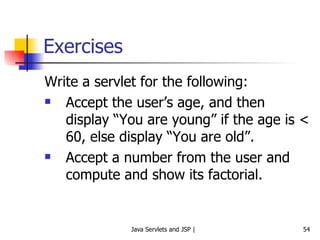
Exercises Write a servlet for the following:  Accept the user’s age, and then display “You are young” if the age is < 60, else display “You are old”. Accept a number from the user and compute and show its factorial.
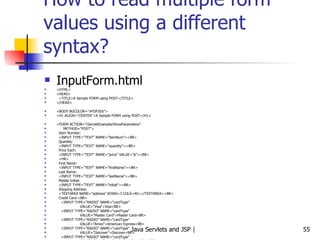
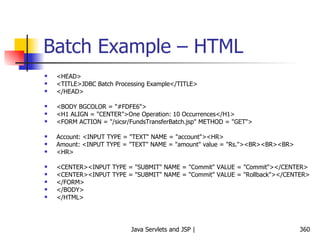
How to read multiple form values using a different syntax? InputForm.html <HTML> <HEAD> <TITLE>A Sample FORM using POST</TITLE> </HEAD> <BODY BGCOLOR=&quot;#FDF5E6&quot;> <H1 ALIGN=&quot;CENTER&quot;>A Sample FORM using POST</H1> <FORM ACTION=&quot;/ServletExample/ShowParameters&quot; METHOD=&quot;POST&quot;> Item Number: <INPUT TYPE=&quot;TEXT&quot; NAME=&quot;itemNum&quot;><BR> Quantity: <INPUT TYPE=&quot;TEXT&quot; NAME=&quot;quantity&quot;><BR> Price Each: <INPUT TYPE=&quot;TEXT&quot; NAME=&quot;price&quot; VALUE=&quot;$&quot;><BR> <HR> First Name: <INPUT TYPE=&quot;TEXT&quot; NAME=&quot;firstName&quot;><BR> Last Name: <INPUT TYPE=&quot;TEXT&quot; NAME=&quot;lastName&quot;><BR> Middle Initial: <INPUT TYPE=&quot;TEXT&quot; NAME=&quot;initial&quot;><BR> Shipping Address: <TEXTAREA NAME=&quot;address&quot; ROWS=3 COLS=40></TEXTAREA><BR> Credit Card:<BR> <INPUT TYPE=&quot;RADIO&quot; NAME=&quot;cardType&quot; VALUE=&quot;Visa&quot;>Visa<BR> <INPUT TYPE=&quot;RADIO&quot; NAME=&quot;cardType&quot; VALUE=&quot;Master Card&quot;>Master Card<BR> <INPUT TYPE=&quot;RADIO&quot; NAME=&quot;cardType&quot; VALUE=&quot;Amex&quot;>American Express<BR> <INPUT TYPE=&quot;RADIO&quot; NAME=&quot;cardType&quot; VALUE=&quot;Discover&quot;>Discover<BR> <INPUT TYPE=&quot;RADIO&quot; NAME=&quot;cardType&quot; VALUE=&quot;Java SmartCard&quot;>Java SmartCard<BR> Credit Card Number: <INPUT TYPE=&quot;PASSWORD&quot; NAME=&quot;cardNum&quot;><BR> Repeat Credit Card Number: <INPUT TYPE=&quot;PASSWORD&quot; NAME=&quot;cardNum&quot;><BR><BR> <CENTER> <INPUT TYPE=&quot;SUBMIT&quot; VALUE=&quot;Submit Order&quot;> </CENTER> </FORM> </BODY> </HTML>
Servlet (ShowParameters.java) package hello; import java.io.*; import javax.servlet.*; import javax.servlet.http.*; import java.util.*; /** Shows all the parameters sent to the servlet via either *  GET or POST. Specially marks parameters that have no values or *  multiple values. *  *  Part of tutorial on servlets and JSP that appears at *  http://www.apl.jhu.edu/~hall/java/Servlet-Tutorial/ *  1999 Marty Hall; may be freely used or adapted. */ public class ShowParameters extends HttpServlet { public void doGet(HttpServletRequest request, HttpServletResponse response) throws ServletException, IOException { response.setContentType(&quot;text/html&quot;); PrintWriter out = response.getWriter(); String title = &quot;Reading All Request Parameters&quot;; out.println(ServletUtilities.headWithTitle(title) + &quot;<BODY BGCOLOR=\&quot;#FDF5E6\&quot;>\n&quot; + &quot;<H1 ALIGN=CENTER>&quot; + title + &quot;</H1>\n&quot; + &quot;<TABLE BORDER=1 ALIGN=CENTER>\n&quot; + &quot;<TR BGCOLOR=\&quot;#FFAD00\&quot;>\n&quot; + &quot;<TH>Parameter Name<TH>Parameter Value(s)&quot;); Enumeration paramNames = request.getParameterNames(); while(paramNames.hasMoreElements()) { String paramName = (String)paramNames.nextElement(); out.println(&quot;<TR><TD>&quot; + paramName + &quot;\n<TD>&quot;); String[] paramValues = request.getParameterValues(paramName); if (paramValues.length == 1) { String paramValue = paramValues[0]; if (paramValue.length() == 0) out.print(&quot;<I>No Value</I>&quot;); else out.print(paramValue); } else { out.println(&quot;<UL>&quot;); for(int i=0; i<paramValues.length; i++) { out.println(&quot;<LI>&quot; + paramValues[i]); } out.println(&quot;</UL>&quot;); } } out.println(&quot;</TABLE>\n</BODY></HTML>&quot;); } public void doPost(HttpServletRequest request, HttpServletResponse response) throws ServletException, IOException { doGet(request, response); } }
Configuring Applications
More Details on the web.xml File Also called as deployment descriptor Used to configure Web applications Can provide an alias for a servlet class so that a servlet can be called using a different name Define initialization parameters for a servlet or for an entire application Define error pages for an entire application Provide security constraints to restrict access to Web pages and servlets
Deploy or Redeploy Servlets Without Restarting Tomcat For Tomcat versions prior to 5.5, in the  server.xml  file, add the following line <DefaultContext reloadable=&quot;true&quot;/> For Tomcat versions from 5.5, do the following in the  context.xml  file <Context reloadable=&quot;true&quot;> Should be used in development environments only, as it incurs overhead
Invoking a Servlet Without a web.xml Mapping
No need to Edit web.xml Every Time Make the following changes to the c:\tomcat\conf\web.xml file <servlet> <servlet-name>invoker</servlet-name> <servlet-class> org.apache.catalina.servlets.InvokerServlet </servlet-class> <init-param> <param-name>debug</param-name> <param-value>0</param-value> </init-param> <load-on-startup>2</load-on-startup> </servlet> <servlet-mapping> <servlet-name>invoker</servlet-name> <url-pattern>/servlet/*</url-pattern> </servlet-mapping>
Invoking Servlets Now Simple paths http://localhost:8080/examples/servlet/HelloServletTest Paths containing package names http://localhost:8080/examples/servlet/com.test.mypackage.HelloServletTest
Use of init ()
Use of init () We can perform any initializations that we want, inside this method For example, the following servlet initializes some lottery numbers in the init () method and the doGet () method displays them http://localhost:8080/sicsr/servlet/LotteryNumbers
Use of init () import java.io.*; import javax.servlet.*; import javax.servlet.http.*; public class LotteryNumbers extends HttpServlet { public long modTime; private int[] numbers = new int [10]; public void init () throws ServletException { modTime = System.currentTimeMillis ( )/1000*1000; for (int i=0; i<numbers.length; i++) { numbers[i] = randomNum (); } } public void doGet (HttpServletRequest request, HttpServletResponse response) throws ServletException, IOException { response.setContentType (&quot;text/html&quot;); PrintWriter out = response.getWriter (); String title = &quot;Your Lottery Numbers&quot;; out.println (&quot;<HTML><HEAD><TITLE>&quot; + title + &quot;</TITLE></HEAD>&quot;); out.println (&quot;H1&quot; + title + &quot;/H1&quot;); out.println (&quot;Your lottery numbers are: &quot; + &quot;<BR>&quot;); out.println (&quot;<OL>&quot;); for (int i=0; i<numbers.length; i++) { out.println (&quot; <LI>&quot; + numbers [i]); } out.println (&quot;</OL></BODY></HTML>&quot;); } private int randomNum () { return ((int) (Math.random () * 100)); } }
Introduction to JSP
JSP Advantages Automatically compiled to servlets whenever necessary HTML-like, so easier to code Servlets System.out.println (“<HTML> … Hello … </HTML>”); JSP <HTML> … Hello … </HTML> Can make use of JavaBeans
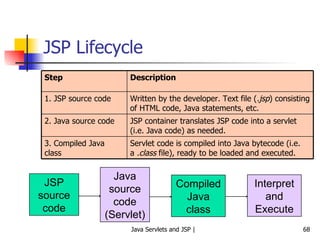
JSP Lifecycle JSP source code Java source code (Servlet) Compiled Java class Interpret and Execute Written by the developer. Text file ( .jsp ) consisting of HTML code, Java statements, etc. 1. JSP source code JSP container translates JSP code into a servlet (i.e. Java code) as needed.  2. Java source code Servlet code is compiled into Java bytecode (i.e. a  .class  file), ready to be loaded and executed. 3. Compiled Java class Description Step
 
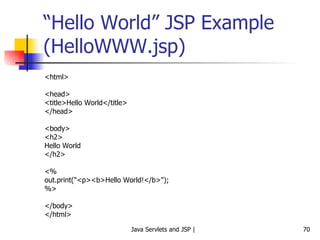
“ Hello World” JSP Example (HelloWWW.jsp) <html> <head> <title>Hello World</title> </head> <body> <h2> Hello World </h2> <% out.print(&quot;<p><b>Hello World!</b>&quot;); %> </body> </html>
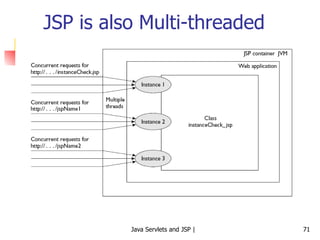
JSP is also Multi-threaded
Elements of JSP JSP Syntax and Semantics
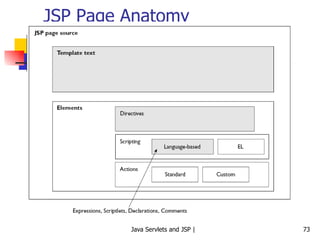
JSP Page Anatomy
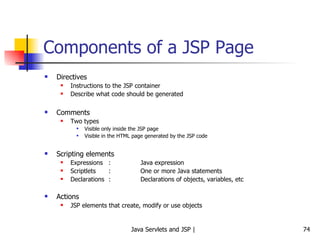
Components of a JSP Page Directives Instructions to the JSP container Describe what code should be generated Comments Two types Visible only inside the JSP page Visible in the HTML page generated by the JSP code Scripting elements Expressions : Java expression Scriptlets : One or more Java statements Declarations : Declarations of objects, variables, etc Actions JSP elements that create, modify or use objects
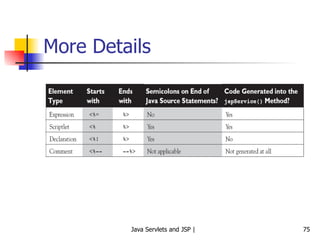
More Details
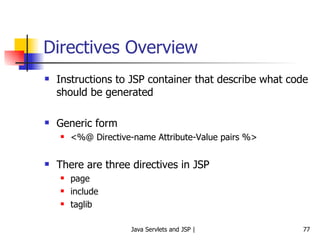
Directives Overview
Directives Overview Instructions to JSP container that describe what code should be generated Generic form <%@ Directive-name Attribute-Value pairs %> There are three directives in JSP page include taglib
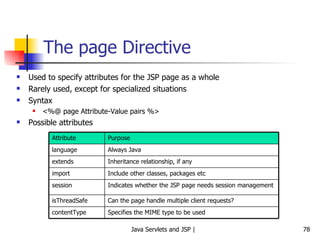
The page Directive  Used to specify attributes for the JSP page as a whole Rarely used, except for specialized situations Syntax <%@ page Attribute-Value pairs %> Possible attributes Include other classes, packages etc import Specifies the MIME type to be used contentType Can the page handle multiple client requests? isThreadSafe Indicates whether the JSP page needs session management session Inheritance relationship, if any extends Always Java language Purpose Attribute
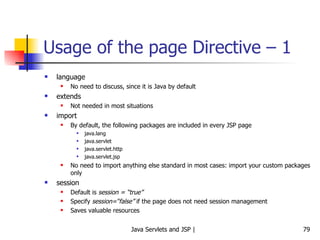
Usage of the page Directive – 1 language No need to discuss, since it is Java by default extends Not needed in most situations import By default, the following packages are included in every JSP page java.lang  java.servlet java.servlet.http java.servlet.jsp No need to import anything else standard in most cases: import your custom packages only session Default is  session = “true” Specify  session=“false”  if the page does not need session management Saves valuable resources
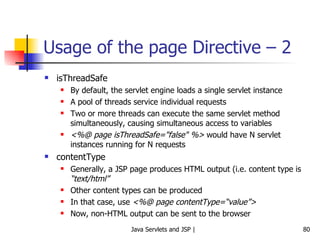
Usage of the page Directive – 2 isThreadSafe By default, the servlet engine loads a single servlet instance A pool of threads service individual requests Two or more threads can execute the same servlet method simultaneously, causing simultaneous access to variables <%@ page isThreadSafe=&quot;false&quot; %>  would have N servlet instances running for N requests contentType Generally, a JSP page produces HTML output (i.e. content type is  “text/html” Other content types can be produced In that case, use  <%@ page contentType=“value”> Now, non-HTML output can be sent to the browser
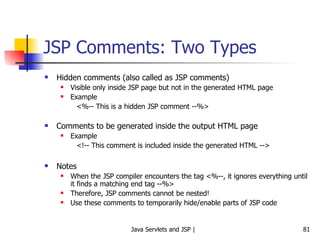
JSP Comments: Two Types Hidden comments (also called as JSP comments) Visible only inside JSP page but not in the generated HTML page Example <%-- This is a hidden JSP comment --%> Comments to be generated inside the output HTML page Example <!-- This comment is included inside the generated HTML --> Notes When the JSP compiler encounters the tag <%--, it ignores everything until it finds a matching end tag --%> Therefore, JSP comments cannot be nested! Use these comments to temporarily hide/enable parts of JSP code
Scripting Elements Expressions Scriptlets Declarations
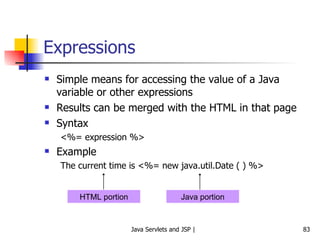
Expressions Simple means for accessing the value of a Java variable or other expressions Results can be merged with the HTML in that page Syntax <%= expression %> Example The current time is <%= new java.util.Date ( ) %> HTML portion Java portion
More Expression Examples Square root of 2 is  <%= Math.sqrt (2) %> The item you are looking for is  <%= items [i] %> Sum of a, b, and c is  <%= a + b + c %>.
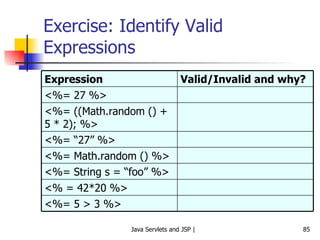
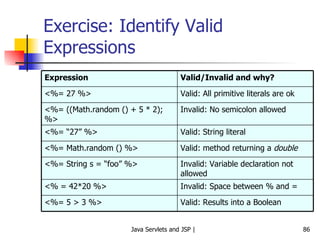
Exercise: Identify Valid Expressions <%= 5 > 3 %> <% = 42*20 %> <%= String s = “foo” %> <%= Math.random () %> <%= “27” %> <%= ((Math.random () + 5 * 2); %> <%= 27 %> Valid/Invalid and why? Expression
Exercise: Identify Valid Expressions Valid: Results into a Boolean <%= 5 > 3 %> Invalid: Space between % and = <% = 42*20 %> Invalid: Variable declaration not allowed <%= String s = “foo” %> Valid: method returning a  double <%= Math.random () %> Valid: String literal <%= “27” %> Invalid: No semicolon allowed <%= ((Math.random () + 5 * 2); %> Valid: All primitive literals are ok <%= 27 %> Valid/Invalid and why? Expression
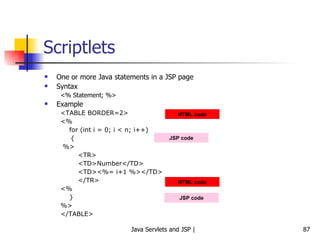
Scriptlets One or more Java statements in a JSP page Syntax <% Statement; %> Example <TABLE BORDER=2> <% for (int i = 0; i < n; i++)  { %> <TR> <TD>Number</TD> <TD><%= i+1 %></TD> </TR> <% } %> </TABLE> HTML code JSP code HTML code JSP code
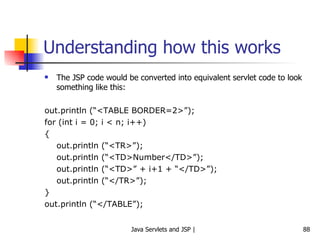
Understanding how this works The JSP code would be converted into equivalent servlet code to look something like this: out.println (“<TABLE BORDER=2>”); for (int i = 0; i < n; i++) { out.println (“<TR>”); out.println (“<TD>Number</TD>”); out.println (“<TD>” + i+1 + “</TD>”); out.println (“</TR>”); } out.println (“</TABLE”);
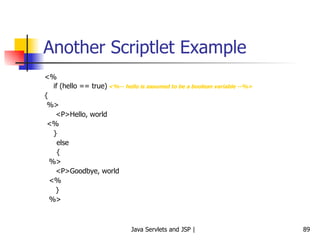
Another Scriptlet Example <% if (hello == true) <%-- hello is assumed to be a boolean variable --%> { %> <P>Hello, world <% }  else  { %> <P>Goodbye, world <% } %>
JSP Exercise Accept amount in USD from the user, convert it into Indian Rupees and display result to the user by using a JSP. Consider that USD 1 = Indian Rupees 39.
Scriptlets Exercise Write a JSP page to produce Fahrenheit to Celsius conversion table. The temperature should start from 32 degrees Fahrenheit and display the table at the interval of every 20 degrees Fahrenheit. Formula: c = ((f - 32) * 5) / 9.0
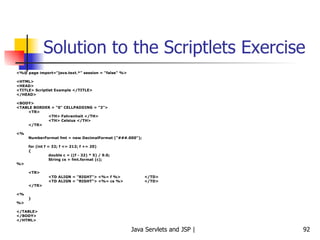
Solution to the Scriptlets Exercise <%@ page import=&quot;java.text.*&quot; session = &quot;false&quot; %> <HTML> <HEAD> <TITLE> Scriptlet Example </TITLE> </HEAD> <BODY> <TABLE BORDER = &quot;0&quot; CELLPADDING = &quot;3&quot;> <TR> <TH> Fahrenheit </TH> <TH> Celsius </TH> </TR> <% NumberFormat fmt = new DecimalFormat (&quot;###.000&quot;); for (int f = 32; f <= 212; f += 20) { double c = ((f - 32) * 5) / 9.0; String cs = fmt.format (c); %> <TR> <TD ALIGN = &quot;RIGHT&quot;> <%= f %>  </TD> <TD ALIGN = &quot;RIGHT&quot;> <%= cs %>  </TD> </TR> <% } %> </TABLE> </BODY> </HTML>
Declarations Used to declare objects, variables, methods, etc Syntax <%! Statement %> Examples <%! int i = 0; %> <%! int a, b; double c; %> <%! Circle a = new Circle(2.0); %>  We must declare a variable or method in a JSP page  before  we use it in the page.  The scope of a declaration is usually a JSP file, but if the JSP file includes other files with the include directive, the scope expands to cover the included files as well. Resulting code is included outside of any method (unlike scriptlet code)
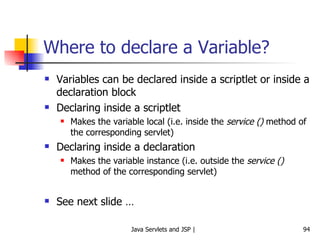
Where to declare a Variable? Variables can be declared inside a scriptlet or inside a declaration block Declaring inside a scriptlet Makes the variable local (i.e. inside the  service ()  method of the corresponding servlet) Declaring inside a declaration Makes the variable instance (i.e. outside the  service ()  method of the corresponding servlet) See next slide …
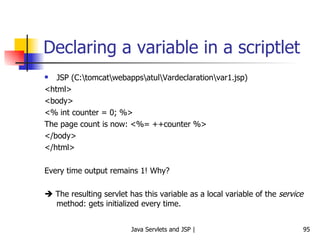
Declaring a variable in a scriptlet JSP (C:\tomcat\webapps\atul\Vardeclaration\var1.jsp) <html> <body> <% int counter = 0; %> The page count is now: <%= ++counter %> </body> </html> Every time output remains 1! Why?    The resulting servlet has this variable as a local variable of the  service  method: gets initialized every time.
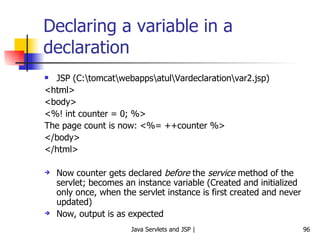
Declaring a variable in a declaration JSP (C:\tomcat\webapps\atul\Vardeclaration\var2.jsp) <html> <body> <%! int counter = 0; %> The page count is now: <%= ++counter %> </body> </html> Now counter gets declared  before  the  service  method of the servlet; becomes an instance variable (Created and initialized only once, when the servlet instance is first created and never updated) Now, output is as expected
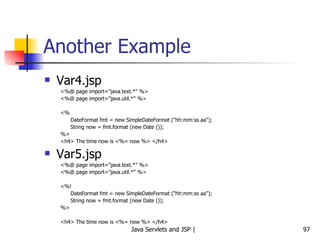
Another Example Var4.jsp <%@ page import=&quot;java.text.*&quot; %> <%@ page import=&quot;java.util.*&quot; %> <% DateFormat fmt = new SimpleDateFormat (&quot;hh:mm:ss aa&quot;); String now = fmt.format (new Date ()); %> <h4> The time now is <%= now %> </h4> Var5.jsp <%@ page import=&quot;java.text.*&quot; %> <%@ page import=&quot;java.util.*&quot; %> <%! DateFormat fmt = new SimpleDateFormat (&quot;hh:mm:ss aa&quot;); String now = fmt.format (new Date ()); %> <h4> The time now is <%= now %> </h4>
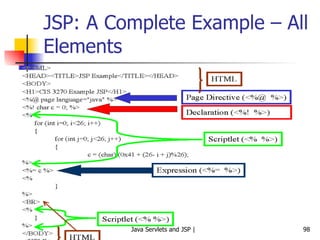
JSP: A Complete Example – All Elements
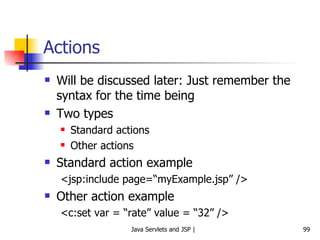
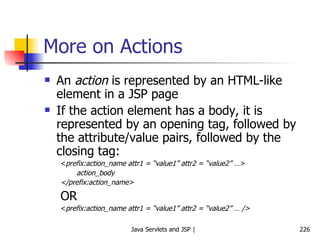
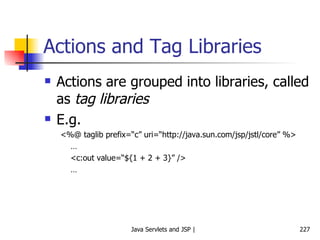
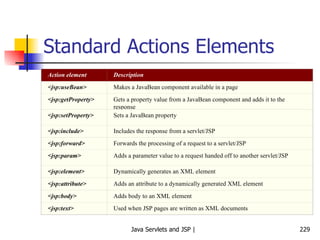
Actions Will be discussed later: Just remember the syntax for the time being Two types Standard actions Other actions Standard action example <jsp:include page=“myExample.jsp” /> Other action example <c:set var = “rate” value = “32” />
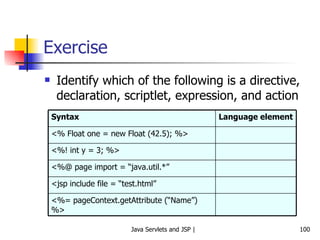
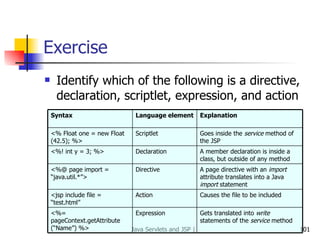
Exercise Identify which of the following is a directive, declaration, scriptlet, expression, and action <%= pageContext.getAttribute (“Name”) %> <jsp include file = “test.html” <%@ page import = “java.util.*” <%! int y = 3; %> <% Float one = new Float (42.5); %> Language element Syntax
Exercise Identify which of the following is a directive, declaration, scriptlet, expression, and action Expression Action Directive Declaration Scriptlet Language element Gets translated into  write  statements of the  service  method <%= pageContext.getAttribute (“Name”) %> Causes the file to be included <jsp include file = “test.html” A page directive with an  import  attribute translates into a Java  import  statement <%@ page import = “java.util.*”> A member declaration is inside a class, but outside of any method <%! int y = 3; %> Goes inside the  service  method of the JSP <% Float one = new Float (42.5); %> Explanation Syntax
Exercises Write a JSP for the following:  Accept the user’s age, and then display “You are young” if the age is < 60, else display “You are old”. Accept a number from the user and compute and show its factorial.
Exercise Accept three numbers from the user using an HTML page and compute and display the factorial of the largest of those three numbers using a JSP (e.g. if the user enters 3, 5, 7; compute the factorial of 7).
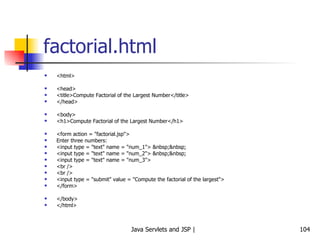
factorial.html <html> <head> <title>Compute Factorial of the Largest Number</title> </head> <body> <h1>Compute Factorial of the Largest Number</h1> <form action = &quot;factorial.jsp&quot;> Enter three numbers: <input type = &quot;text&quot; name = &quot;num_1&quot;> &nbsp;&nbsp; <input type = &quot;text&quot; name = &quot;num_2&quot;> &nbsp;&nbsp; <input type = &quot;text&quot; name = &quot;num_3&quot;> <br /> <br /> <input type = &quot;submit&quot; value = &quot;Compute the factorial of the largest&quot;> </form> </body> </html>
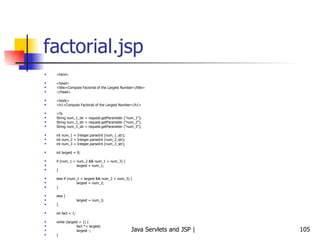
factorial.jsp <html> <head> <title>Compute Factorial of the Largest Number</title> </head> <body> <h1>Compute Factorial of the Largest Number</h1> <% String num_1_str = request.getParameter (&quot;num_1&quot;); String num_2_str = request.getParameter (&quot;num_2&quot;); String num_3_str = request.getParameter (&quot;num_3&quot;); int num_1 = Integer.parseInt (num_1_str); int num_2 = Integer.parseInt (num_2_str); int num_3 = Integer.parseInt (num_3_str); int largest = 0; if (num_1 > num_2 && num_1 > num_3) { largest = num_1; } else if (num_2 > largest && num_2 > num_3) { largest = num_2; } else { largest = num_3; } int fact = 1; while (largest > 1) { fact *= largest; largest--; } %> <h3> The numbers entered are: <%= num_1 %>, <%= num_2 %>, and <%= num_3 %>. </h3> <h2> The largest among them is: <%= largest %>, and its factorial is <%= fact %> </h2> </body> </html>
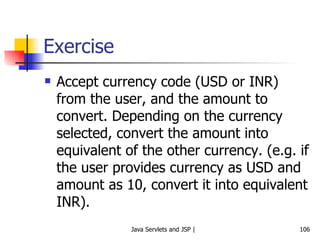
Exercise Accept currency code (USD or INR) from the user, and the amount to convert. Depending on the currency selected, convert the amount into equivalent of the other currency. (e.g. if the user provides currency as USD and amount as 10, convert it into equivalent INR).
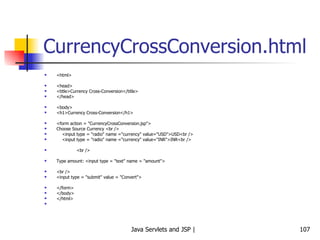
CurrencyCrossConversion.html <html> <head> <title>Currency Cross-Conversion</title> </head> <body> <h1>Currency Cross-Conversion</h1> <form action = &quot;CurrencyCrossConversion.jsp&quot;> Choose Source Currency <br /> <input type = &quot;radio&quot; name =&quot;currency&quot; value=&quot;USD&quot;>USD<br /> <input type = &quot;radio&quot; name =&quot;currency&quot; value=&quot;INR&quot;>INR<br /> <br /> Type amount: <input type = &quot;text&quot; name = &quot;amount&quot;> <br /> <input type = &quot;submit&quot; value = &quot;Convert&quot;> </form> </body> </html>
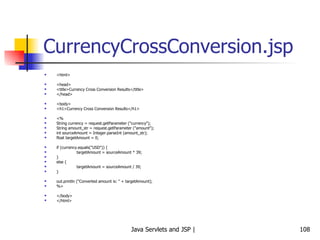
CurrencyCrossConversion.jsp <html> <head> <title>Currency Cross Conversion Results</title> </head> <body> <h1>Currency Cross Conversion Results</h1> <% String currency = request.getParameter (&quot;currency&quot;); String amount_str = request.getParameter (&quot;amount&quot;); int sourceAmount = Integer.parseInt (amount_str); float targetAmount = 0; if (currency.equals(&quot;USD&quot;)) { targetAmount = sourceAmount * 39; } else { targetAmount = sourceAmount / 39; } out.println (&quot;Converted amount is: &quot; + targetAmount); %> </body> </html>
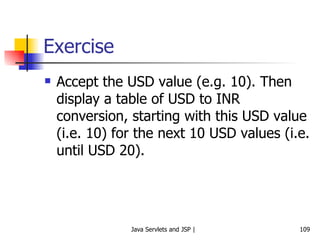
Exercise Accept the USD value (e.g. 10). Then display a table of USD to INR conversion, starting with this USD value (i.e. 10) for the next 10 USD values (i.e. until USD 20).
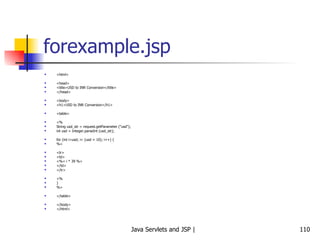
forexample.jsp <html> <head> <title>USD to INR Conversion</title> </head> <body> <h1>USD to INR Conversion</h1> <table> <% String usd_str = request.getParameter (&quot;usd&quot;); int usd = Integer.parseInt (usd_str); for (int i=usd; i< (usd + 10); i++) { %> <tr> <td> <%= i * 39 %> </td> </tr> <% } %> </table> </body> </html>
Simple Example of using a Java Class in a Servlet
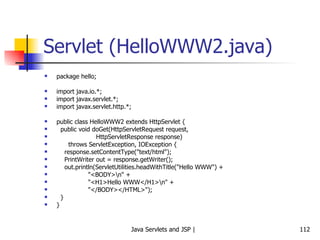
Servlet (HelloWWW2.java) package hello; import java.io.*; import javax.servlet.*; import javax.servlet.http.*; public class HelloWWW2 extends HttpServlet { public void doGet(HttpServletRequest request, HttpServletResponse response) throws ServletException, IOException { response.setContentType(&quot;text/html&quot;); PrintWriter out = response.getWriter(); out.println(ServletUtilities.headWithTitle(&quot;Hello WWW&quot;) + &quot;<BODY>\n&quot; + &quot;<H1>Hello WWW</H1>\n&quot; + &quot;</BODY></HTML>&quot;); } }
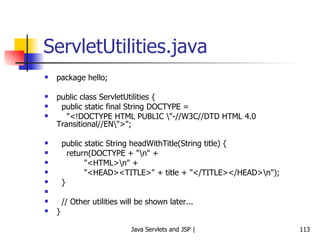
ServletUtilities.java package hello; public class ServletUtilities { public static final String DOCTYPE = &quot;<!DOCTYPE HTML PUBLIC \&quot;-//W3C//DTD HTML 4.0 Transitional//EN\&quot;>&quot;; public static String headWithTitle(String title) { return(DOCTYPE + &quot;\n&quot; + &quot;<HTML>\n&quot; + &quot;<HEAD><TITLE>&quot; + title + &quot;</TITLE></HEAD>\n&quot;); } // Other utilities will be shown later... }
Important Implicit Objects in JSP request response pageContext session application out
Implicit Objects – Basic Concepts Scriptlets and expressions cannot do too much of work themselves They need an environment to operate in JSP container provides this environment in the form of the  implicit objects There are six such standard objects, as listed earlier
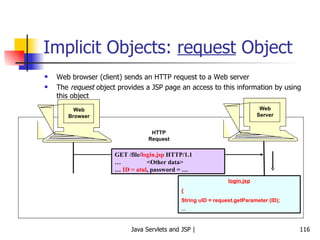
Implicit Objects:  request  Object Web browser (client) sends an HTTP request to a Web server The  request  object provides a JSP page an access to this information by using this object Web Browser Web Server GET /file/ login.jsp  HTTP/1.1 … <Other data> …  ID = atul , password = … HTTP Request login.jsp { String uID = request.getParameter (ID); …
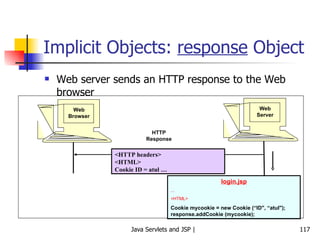
Implicit Objects:  response  Object Web server sends an HTTP response to the Web browser The  response  object provides a JSP page an access to this information by using this object Web Browser Web Server <HTTP headers> <HTML> Cookie ID = atul … HTTP Response login.jsp ... <HTML> Cookie mycookie = new Cookie (“ID&quot;, “atul&quot;); response.addCookie (mycookie);
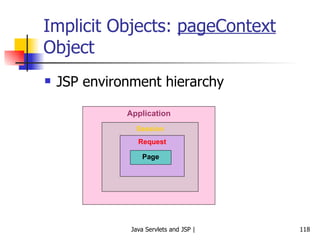
Implicit Objects:  pageContext  Object JSP environment hierarchy Application Session Request Page
Using pageContext We can use a pageContext reference to get any attributes from any scope Supports two overloaded getAttribute () methods A one-argument method, which takes a String A two-argument method, which takes a String and an int Examples follow
pageContext Examples Setting a page-scoped attribute <% Float one = new Float (42.5); %> <% pageContext.setAttribute (“foo”, one); %> Getting a page-scoped attribute <%= pageContext.getAttribute (“foo”); %>
Implicit Objects:  session  Object HTTP is a  stateless  protocol Does not remember what happened between two consecutive requests Example – Online bookshop Browser sends a  login  request to the server, sending the user ID and password Server authenticates user and responds back with a  successful login  message along with the menu of options available to the user User clicks on one of the options (say  Buy book ) Browser sends user’s request to the server Ideally, we would expect the server to  remember  who this user is, based on steps 1 and 2 But this does not happen! Server does not know who this user is Browser has to  remind  server every time!  Hence, server is state less
Implicit Objects:  application  Object Master object  – Consists of all JSP pages, servlets, HTML pages, sessions, etc for an application Used to control actions that affect all users of an application Example: Count the number of  hits  for a Web page
Implicit Objects:  out  Object Used to generate output to be sent to the user Example <% String [] colors = {“red”, “green”, “blue”}; for (int i = 0; i < colors.length; i++) out.println (“<p>” + colors [i] + “</p>”); %> Of course, this can also be written as: <% String [] colors = {“red”, “green”, “blue”}; for (int i = 0; i < colors.length; i++) %> <p> <%= colors [i] %> </p>
Creating Welcome Files for a Web Application
Configuring Welcome Files Suppose the user just provides the directory name, and not an actual file name, in the browser We can set up default home page or welcome page that would be displayed to the user, instead of a list of files
Edit Your Application Directory’s web.xml file <welcome-file-list> <welcome-file>index.html</welcome-file> <welcome-file>default.jsp</welcome-file> </welcome-file-list> Indicates that if the user types the URL  http://localhost:8080/examples , contents of index.html should be shown; and if it is not found, then that of default.jsp should be shown
Transferring Control to Other Pages
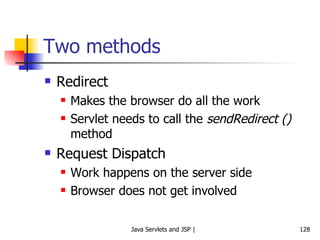
Two methods Redirect Makes the browser do all the work Servlet needs to call the  sendRedirect ()  method Request Dispatch Work happens on the server side Browser does not get involved
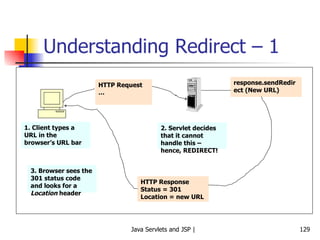
Understanding Redirect – 1 HTTP Request … 1. Client types a URL in the browser’s URL bar 2. Servlet decides that it cannot handle this – hence, REDIRECT! response.sendRedirect (New URL) HTTP Response Status = 301 Location = new URL 3. Browser sees the 301 status code and looks for a  Location  header
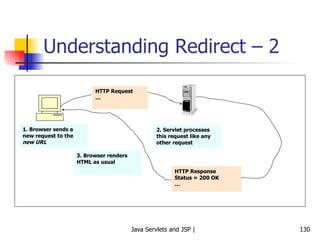
Understanding Redirect – 2 HTTP Request … 1. Browser sends a new request to the  new URL 2. Servlet processes this request like any other request HTTP Response Status = 200 OK … 3. Browser renders HTML as usual
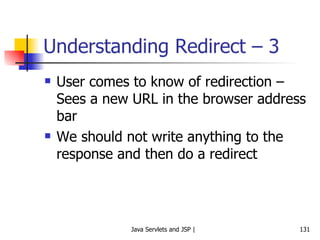
Understanding Redirect – 3 User comes to know of redirection – Sees a new URL in the browser address bar We should not write anything to the response and then do a redirect
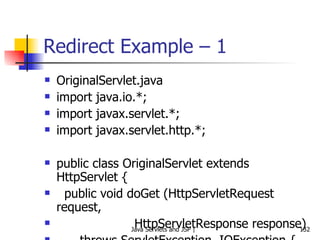
Redirect Example – 1 OriginalServlet.java import java.io.*; import javax.servlet.*; import javax.servlet.http.*; public class OriginalServlet extends HttpServlet { public void doGet (HttpServletRequest request, HttpServletResponse response) throws ServletException, IOException {   System.out.println (&quot;Inside OriginalServlet ...&quot;);   response.sendRedirect (&quot;RedirectedToServlet&quot;); } }
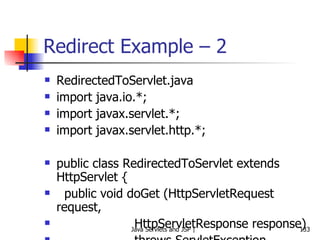
Redirect Example – 2 RedirectedToServlet.java import java.io.*; import javax.servlet.*; import javax.servlet.http.*; public class RedirectedToServlet extends HttpServlet { public void doGet (HttpServletRequest request, HttpServletResponse response) throws ServletException, IOException { System.out.println (&quot;Inside RedirectedToServlet ...&quot;); response.setContentType (&quot;text/html&quot;);   PrintWriter out = response.getWriter ();   out.println(&quot;<HTML>\n&quot; +   &quot;<HEAD><TITLE>Hello World</TITLE></HEAD>\n&quot;+ &quot;<BODY>\n&quot; +   &quot;<H1>You have been redirected successfully</H1>\n&quot; +   &quot;</BODY></HTML>&quot;);   } }
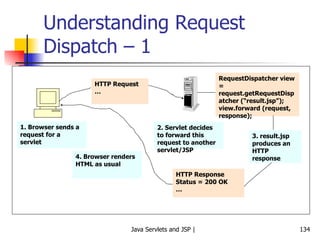
Understanding Request Dispatch – 1 HTTP Request … 1. Browser sends a request for a servlet 2. Servlet decides to forward this request to another servlet/JSP HTTP Response Status = 200 OK … 4. Browser renders HTML as usual RequestDispatcher view = request.getRequestDispatcher (“result.jsp”); view.forward (request, response); 3. result.jsp produces an HTTP response
Understanding Request Dispatch – 2 Server automatically does the forwarding, unlike in the previous case URL in the browser does not change
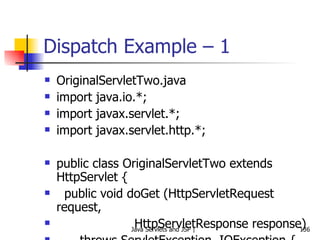
Dispatch Example – 1 OriginalServletTwo.java import java.io.*; import javax.servlet.*; import javax.servlet.http.*; public class OriginalServletTwo extends HttpServlet { public void doGet (HttpServletRequest request, HttpServletResponse response) throws ServletException, IOException {   System.out.println (&quot;Inside OriginalServlet ...&quot;);   RequestDispatcher view = request.getRequestDispatcher (&quot;/result.jsp&quot;);   view.forward (request, response); } }
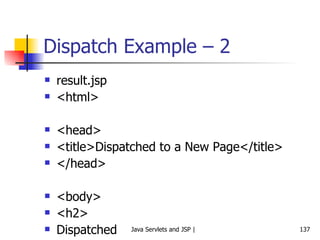
Dispatch Example – 2 result.jsp <html> <head> <title>Dispatched to a New Page</title> </head> <body> <h2> Dispatched </h2> <% out.print(&quot;<p><b>Hi! I am result.jsp<b>&quot;); System.out.println (&quot;In request.jsp ...&quot;); %> </body> </html>
Using Regular Java Classes with JSP http://localhost:8080/examples/join_email.html
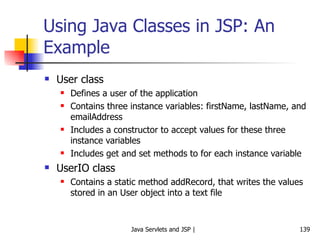
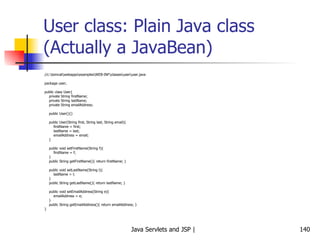
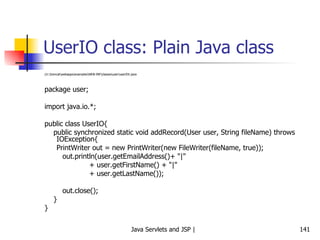
Using Java Classes in JSP: An Example User class Defines a user of the application Contains three instance variables: firstName, lastName, and emailAddress Includes a constructor to accept values for these three instance variables Includes get and set methods to for each instance variable UserIO class Contains a static method addRecord, that writes the values stored in an User object into a text file
User class: Plain Java class (Actually a JavaBean) //c:\tomcat\webapps\examples\WEB-INF\classes\user\user.java package user; public class User{ private String firstName; private String lastName; private String emailAddress; public User(){} public User(String first, String last, String email){ firstName = first; lastName = last; emailAddress = email; } public void setFirstName(String f){ firstName = f; } public String getFirstName(){ return firstName; } public void setLastName(String l){ lastName = l; } public String getLastName(){ return lastName; } public void setEmailAddress(String e){ emailAddress = e; } public String getEmailAddress(){ return emailAddress; } }
UserIO class: Plain Java class //c:\tomcat\webapps\examples\WEB-INF\classes\user\userIOr.java package user; import java.io.*; public class UserIO{ public synchronized static void addRecord(User user, String fileName) throws IOException{ PrintWriter out = new PrintWriter(new FileWriter(fileName, true)); out.println(user.getEmailAddress()+ &quot;|&quot; + user.getFirstName() + &quot;|&quot; + user.getLastName()); out.close(); } }
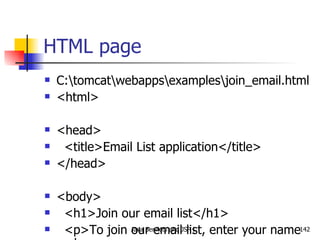
HTML page C:\tomcat\webapps\examples\join_email.html <html> <head> <title>Email List application</title> </head> <body> <h1>Join our email list</h1> <p>To join our email list, enter your name and email address below. <br> Then, click on the Submit button.</p> <form action=&quot;EmailData.jsp&quot; method=&quot;get&quot;> <table cellspacing=&quot;5&quot; border=&quot;0&quot;> <tr> <td align=&quot;right&quot;>First name:</td> <td><input type=&quot;text&quot; name=&quot;firstName&quot;></td> </tr> <tr> <td align=&quot;right&quot;>Last name:</td> <td><input type=&quot;text&quot; name=&quot;lastName&quot;></td> </tr> <tr> <td align=&quot;right&quot;>Email address:</td> <td><input type=&quot;text&quot; name=&quot;emailAddress&quot;></td> </tr> <tr> <td></td> <td><br><input type=&quot;submit&quot; value=&quot;Submit&quot;></td> </tr> </table> </form> </body> </html>
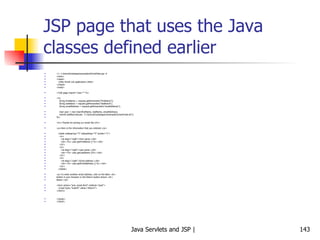
JSP page that uses the Java classes defined earlier <!– c:\tomcat\webapps\examples\EmailData.jsp   <html> <head> <title>Email List application</title> </head> <body> <%@ page import=&quot;user.*&quot; %> <% String firstName = request.getParameter(&quot;firstName&quot;); String lastName = request.getParameter(&quot;lastName&quot;); String emailAddress = request.getParameter(&quot;emailAddress&quot;); User user = new User(firstName, lastName, emailAddress); UserIO.addRecord(user, &quot;c:\\tomcat\\webapps\\examples\\UserEmail.txt&quot;); %> <h1>Thanks for joining our email list</h1> <p>Here is the information that you entered:</p> <table cellspacing=&quot;5&quot; cellpadding=&quot;5&quot; border=&quot;1&quot;> <tr> <td align=&quot;right&quot;>First name:</td> <td><%= user.getFirstName () %></td> </tr> <tr> <td align=&quot;right&quot;>Last name:</td> <td><%= user.getLastName ()%></td> </tr> <tr> <td align=&quot;right&quot;>Email address:</td> <td><%= user.getEmailAddress () %></td> </tr> </table> <p>To enter another email address, click on the Back <br> button in your browser or the Return button shown <br> below.</p> <form action=&quot;join_email.html&quot; method=&quot;post&quot;> <input type=&quot;submit&quot; value=&quot;Return&quot;> </form> </body> </html>
Using Servlets and JSP Together Model-View-Control (MVC) Architecture
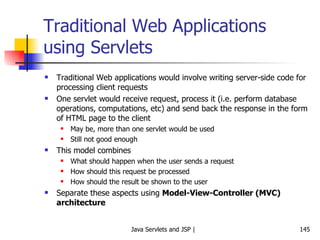
Traditional Web Applications using Servlets Traditional Web applications would involve writing server-side code for processing client requests One servlet would receive request, process it (i.e. perform database operations, computations, etc) and send back the response in the form of HTML page to the client May be, more than one servlet would be used Still not good enough This model combines What should happen when the user sends a request How should this request be processed How should the result be shown to the user Separate these aspects using  Model-View-Controller (MVC) architecture
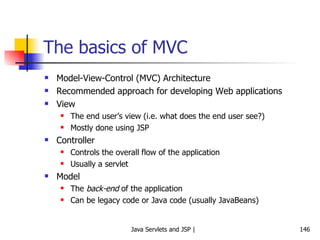
The basics of MVC Model-View-Control (MVC) Architecture Recommended approach for developing Web applications View The end user’s view (i.e. what does the end user see?) Mostly done using JSP Controller Controls the overall flow of the application Usually a servlet Model The  back-end  of the application Can be legacy code or Java code (usually JavaBeans)
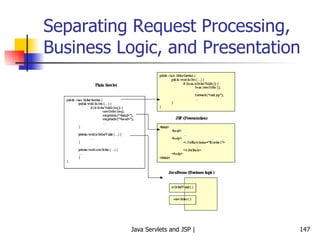
Separating Request Processing, Business Logic, and Presentation
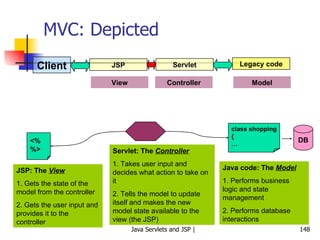
MVC: Depicted Client JSP Servlet Legacy code View Controller Model <% %> JSP: The  View 1. Gets the state of the model from the controller 2. Gets the user input and provides it to the controller Servlet: The  Controller 1. Takes user input and decides what action to take on it 2. Tells the model to update itself and makes the new model state available to the view (the JSP) class shopping { … Java code: The  Model 1. Performs business logic and state management 2. Performs database interactions DB
Case Study using MVC Problem statement Design a small Web application that shows names of players to the user. Based on the name selected, some basic information about that player should be displayed on the user’s screen. Use the MVC architecture and write the necessary code in JSP/servlet/HTML, as appropriate.
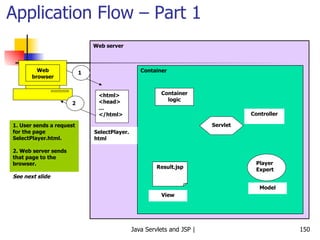
Application Flow – Part 1 Web browser Web server Container 1 <html> <head> … </html> SelectPlayer. html 2 1. User sends a request for the page SelectPlayer.html. 2. Web server sends that page to the browser. See next slide Container logic Servlet Player Expert Controller Model Result.jsp View
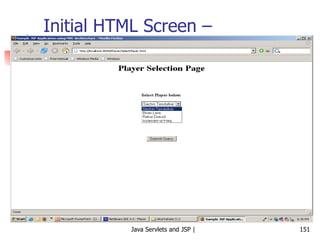
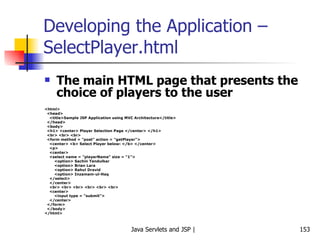
Initial HTML Screen – SelectPlayer.html
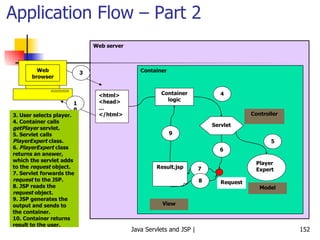
Application Flow – Part 2 Web browser Web server Container 3 <html> <head> … </html> 10 3. User selects player. 4. Container calls  getPlayer  servlet. 5. Servlet calls  PlayerExpert  class. 6.  PlayerExpert  class returns an answer, which the servlet adds to the  request  object. 7. Servlet forwards the  request  to the JSP. 8. JSP reads the  request  object. 9. JSP generates the output and sends to the container. 10. Container returns result to the user. Container logic Servlet Player Expert Controller Model Result.jsp View 4 5 6 Request 7 8 9
Developing the Application – SelectPlayer.html The main HTML page that presents the choice of players to the user <html> <head> <title>Sample JSP Application using MVC Architecture</title> </head> <body> <h1> <center> Player Selection Page </center> </h1> <br> <br> <br> <form method = &quot;post&quot; action = &quot;getPlayer&quot;> <center> <b> Select Player below: </b> </center> <p> <center> <select name = &quot;playerName&quot; size = &quot;1&quot;> <option> Sachin Tendulkar  <option> Brian Lara <option> Rahul Dravid <option> Inzamam-ul-Haq  </select> </center> <br> <br> <br> <br> <br> <br> <center> <input type = &quot;submit&quot;> </center> </form> </body> </html>
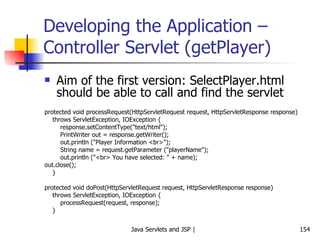
Developing the Application – Controller Servlet (getPlayer) Aim of the first version: SelectPlayer.html should be able to call and find the servlet protected void processRequest(HttpServletRequest request, HttpServletResponse response) throws ServletException, IOException { response.setContentType(&quot;text/html&quot;); PrintWriter out = response.getWriter(); out.println (&quot;Player Information <br>&quot;); String name = request.getParameter (&quot;playerName&quot;); out.println (&quot;<br> You have selected: &quot; + name); out.close(); } protected void doPost(HttpServletRequest request, HttpServletResponse response) throws ServletException, IOException { processRequest(request, response); }
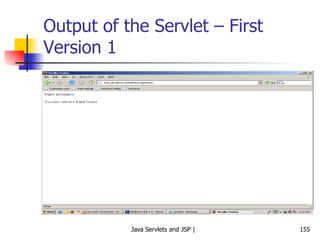
Output of the Servlet – First Version 1
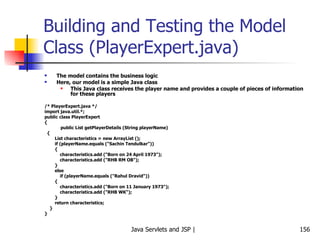
Building and Testing the Model Class (PlayerExpert.java) The model contains the business logic Here, our model is a simple Java class This Java class receives the player name and provides a couple of pieces of information for these players /* PlayerExpert.java */ import java.util.*; public class PlayerExpert  { public List getPlayerDetails (String playerName) { List characteristics = new ArrayList (); if (playerName.equals (&quot;Sachin Tendulkar&quot;)) { characteristics.add (&quot;Born on 24 April 1973&quot;); characteristics.add (&quot;RHB RM OB&quot;); } else  if (playerName.equals (&quot;Rahul Dravid&quot;)) { characteristics.add (&quot;Born on 11 January 1973&quot;); characteristics.add (&quot;RHB WK&quot;); } return characteristics; } }
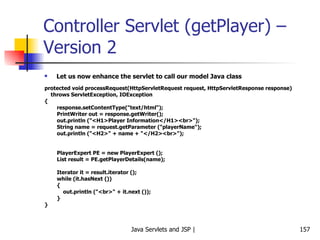
Controller Servlet (getPlayer) – Version 2 Let us now enhance the servlet to call our model Java class protected void processRequest(HttpServletRequest request, HttpServletResponse response) throws ServletException, IOException  { response.setContentType(&quot;text/html&quot;); PrintWriter out = response.getWriter(); out.println (&quot;<H1>Player Information</H1><br>&quot;);  String name = request.getParameter (&quot;playerName&quot;); out.println (&quot;<H2>&quot; + name + &quot;</H2><br>&quot;);  PlayerExpert PE = new PlayerExpert (); List result = PE.getPlayerDetails(name); Iterator it = result.iterator (); while (it.hasNext ()) { out.println (&quot;<br>&quot; + it.next ()); } }
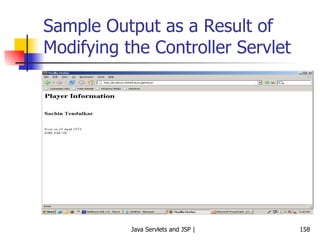
Sample Output as a Result of Modifying the Controller Servlet
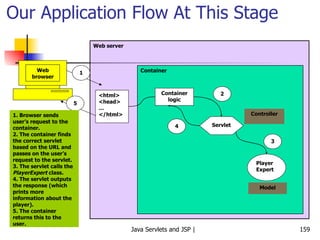
Our Application Flow At This Stage Web browser Web server Container 1 <html> <head> … </html> 5 1. Browser sends user’s request to the container. 2. The container finds the correct servlet based on the URL and passes on the user’s request to the servlet. 3. The servlet calls the  PlayerExpert  class. 4. The servlet outputs the response (which prints more information about the player). 5. The container returns this to the user. Container logic Servlet Player Expert Controller Model 2 3 4
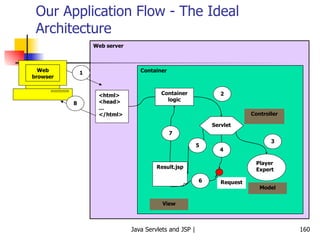
Our Application Flow - The Ideal Architecture Web browser Web server Container 1 <html> <head> … </html> 8 Container logic Servlet Player Expert Controller Model Result.jsp View 2 3 4 Request 5 6 7
Developing the Application – result.jsp – The  View <html> <head><title>Player Details</title></head> <body> <h1 align = &quot;center&quot;> Player Information </h1> <p> <%    // We have not yet defined what this attribute is. Will be clear soon. List PC = (List) request.getAttribute (&quot;playerCharacteristics&quot;); Iterator it = PC.iterator (); String name = (String) request.getAttribute (&quot;playerName&quot;); out.println (&quot;<H2>&quot; + name + &quot;</H2><br>&quot;);  while (it.hasNext ()) out.print (&quot;<br>&quot; + it.next ()); %> </body> </html>
Changes to the Controller Servlet What changes to we need to make to the controller servlet so that it uses our JSP now? Add the answer returned by the PlayerExpert class to the request object Do not have any displaying (i.e. view) capabilities in the controller servlet Instead, comment out/remove this code and call the JSP
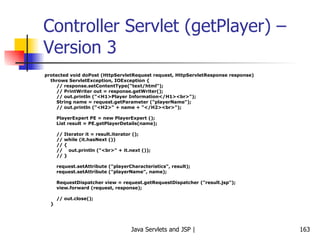
Controller Servlet (getPlayer) – Version 3 protected void doPost (HttpServletRequest request, HttpServletResponse response) throws ServletException, IOException { // response.setContentType(&quot;text/html&quot;); // PrintWriter out = response.getWriter(); // out.println (&quot;<H1>Player Information</H1><br>&quot;);  String name = request.getParameter (&quot;playerName&quot;); // out.println (&quot;<H2>&quot; + name + &quot;</H2><br>&quot;);  PlayerExpert PE = new PlayerExpert (); List result = PE.getPlayerDetails(name); // Iterator it = result.iterator (); // while (it.hasNext ()) // { //  out.println (&quot;<br>&quot; + it.next ()); // } request.setAttribute (&quot;playerCharacteristics&quot;, result); request.setAttribute (&quot;playerName&quot;, name); RequestDispatcher view = request.getRequestDispatcher (&quot;result.jsp&quot;); view.forward (request, response); // out.close(); }
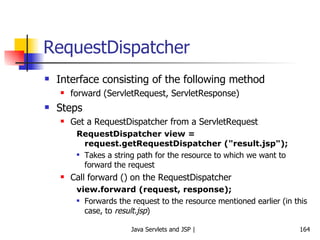
RequestDispatcher Interface consisting of the following method forward (ServletRequest, ServletResponse) Steps Get a RequestDispatcher from a ServletRequest RequestDispatcher view = request.getRequestDispatcher (&quot;result.jsp&quot;); Takes a string path for the resource to which we want to forward the request Call forward () on the RequestDispatcher view.forward (request, response); Forwards the request to the resource mentioned earlier (in this case, to  result.jsp )
Session Management
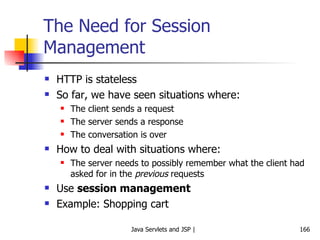
The Need for Session Management HTTP is stateless So far, we have seen situations where: The client sends a request The server sends a response The conversation is over How to deal with situations where: The server needs to possibly remember what the client had asked for in the  previous  requests Use  session management Example: Shopping cart
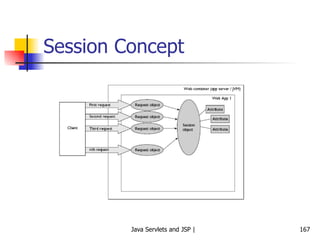
Session Concept
Technology behind Session Management Cookies Small text files that contain the session ID Container creates a cookie and sends it to the client Client creates a temporary file to hold it till the session lasts Alternatives URL rewriting Hidden form variables
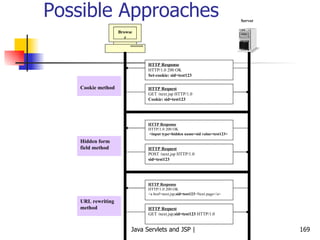
Possible Approaches Browser Server HTTP Response HTTP/1.0 200 OK Set-cookie: sid=test123 HTTP Request GET /next.jsp HTTP/1.0 Cookie: sid=test123 Cookie method HTTP Response HTTP/1.0 200 OK <input type=hidden name=sid value=test123> HTTP Request POST /next.jsp HTTP/1.0 sid=test123 Hidden form field method HTTP Response HTTP/1.0 200 OK <a href=next.jsp; sid=test123 >Next page</a> HTTP Request GET /next.jsp; sid=test123  HTTP/1.0 URL rewriting method
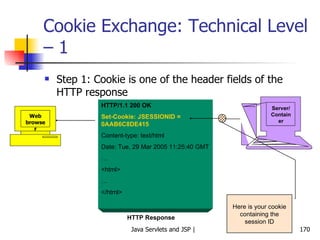
Cookie Exchange: Technical Level – 1 Step 1: Cookie is one of the header fields of the HTTP response Web browser Server/ Container HTTP/1.1 200 OK Set-Cookie: JSESSIONID = 0AAB6C8DE415 Content-type: text/html Date: Tue, 29 Mar 2005 11:25:40 GMT … <html> … </html> HTTP Response Here is your cookie containing the session ID
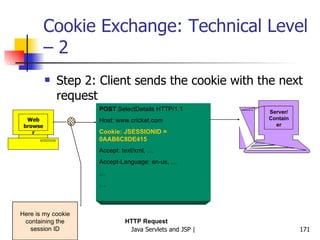
Cookie Exchange: Technical Level – 2 Step 2: Client sends the cookie with the next request Web browser Server/ Container POST  SelectDetails HTTP/1.1 Host: www.cricket.com Cookie: JSESSIONID = 0AAB6C8DE415 Accept: text/xml, … Accept-Language: en-us, … … … HTTP Request Here is my cookie containing the session ID
Programmer and Session Management – 1 Sending a cookie in the HTTP Response HTTPSession session = request.getSession ( ); When the above code executes, the container creates a new session ID (if none exists for this client) The container puts the session ID inside a cookie The container sends the cookie to the client (using the  Set-Cookie  header seen earlier)
Programmer and Session Management – 2 Getting a cookie from the HTTP Request HTTPSession session = request.getSession ( ); The same method is used for getting a cookie, as was used for setting it! When the above code executes, the container does the following check: If the request object received from the client contains a session ID cookie Find the session matching the session ID of the cookie Else (it means that there is no session in place for this user) Create a new session (as explained earlier)
Adding and Retrieving Session Variables setAttribute (String name, Object value) Sets a session variable name to the specified value Object getAttribute (String name) Retrieves the value of a session variable set previously Example HttpSession session = request.getSession (); session.setAttribute (“name”, “ram”); … String user_name = (String) session.getAttribute (name); … session.removeAttribute (name); … session.invalidate ();
Session Example <%@ page session=&quot;true&quot; %> <HTML> <HEAD> <TITLE>Page Counter using Session Variables</TITLE> <STYLE TYPE=&quot;text/css&quot;> H1 {font-size: 150%;} </STYLE> </HEAD> <BODY> <H1>Page Counter using Session Variables</H1> <% int count = 0; Integer parm = (Integer) session.getAttribute (&quot;count&quot;); if (parm != null)  count = parm.intValue (); session.setAttribute (&quot;count&quot;, new Integer (count + 1)); if (count == 0) { %> This is the first time you have accessed the page. <% } else if (count == 1) { %> You have accessed the page once before. <% } else { %> You have accessed the page <%= count %> times before. <% } %> <p> Click <a href= Click <a href=&quot;/atul/CounterSession.jsp&quot;>here </a> to visit again. </p> </body> </html>
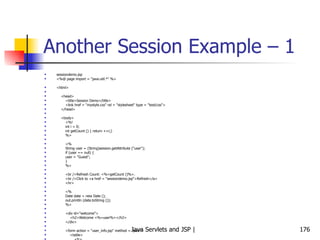
Another Session Example – 1 sessiondemo.jsp <%@ page import = &quot;java.util.*&quot; %> <html> <head> <title>Session Demo</title> <link href = &quot;mystyle.css&quot; rel = &quot;stylesheet&quot; type = &quot;text/css&quot;> </head> <body> <%! int i = 0; int getCount () { return ++i;} %> <% String user = (String)session.getAttribute (&quot;user&quot;); if (user == null) { user = &quot;Guest&quot;; } %> <br />Refresh Count: <%=getCount ()%>. <br />Click to <a href = &quot;sessiondemo.jsp&quot;>Refresh</a> <hr> <% Date date = new Date (); out.println (date.toString ()); %> <div id=&quot;welcome&quot;> <h2>Welcome <%=user%></h2>  </div> <form action = &quot;user_info.jsp&quot; method = &quot;post&quot;> <table> <tr> <td>Enter your full name</td> <td><input type = &quot;text&quot; name = &quot;fullname&quot;></td> </tr> <tr> <td>Enter your city</td> <td><input type = &quot;text&quot; name = &quot;city&quot;></td>  </tr> <tr> <td colspan = &quot;2&quot;><input type = &quot;submit&quot; value = &quot;Submit&quot;></td> </tr>  </table>  </form> </body> </html>
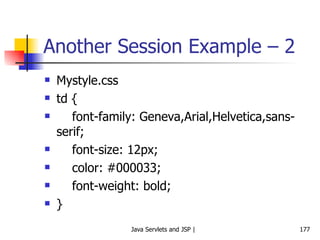
Another Session Example – 2 Mystyle.css td {  font-family: Geneva,Arial,Helvetica,sans-serif; font-size: 12px; color: #000033; font-weight: bold;  }
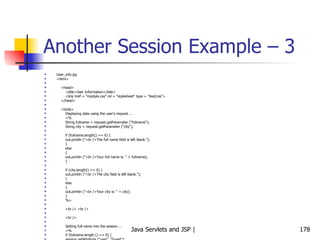
Another Session Example – 3 User_info.jsp <html> <head> <title>User Information</title> <link href = &quot;mystyle.css&quot; rel = &quot;stylesheet&quot; type = &quot;text/css&quot;> </head> <body> Displaying data using the user's request ... <% String fullname = request.getParameter (&quot;fullname&quot;); String city = request.getParameter (&quot;city&quot;); if (fullname.length() == 0) { out.println (&quot;<br />The full name field is left blank.&quot;); } else { out.println (&quot;<br />Your full name is: &quot; + fullname); } if (city.length() == 0) { out.println (&quot;<br />The city field is left blank.&quot;); } else { out.println (&quot;<br />Your city is: &quot; + city); } %> <br /> <br /> <hr /> Setting full name into the session ... <% if (fullname.length () == 0) { session.setAttribute (&quot;user&quot;, &quot;Guest&quot;); } else { session.setAttribute (&quot;user&quot;, fullname); } %> <h2>You are <%=session.getAttribute (&quot;user&quot;)%></h2> <br /> <br /> <a href = &quot;sessiondemo.jsp&quot;>Back</a> </body> </html>
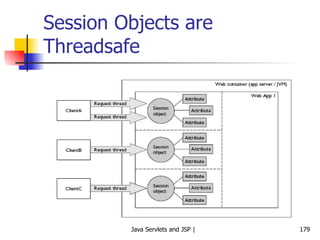
Session Objects are Threadsafe
URL Rewriting
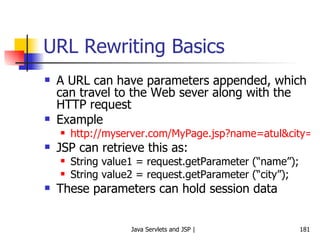
URL Rewriting Basics A URL can have parameters appended, which can travel to the Web sever along with the HTTP request Example http://myserver.com/MyPage.jsp?name=atul&city=pune JSP can retrieve this as: String value1 = request.getParameter (“name”);  String value2 = request.getParameter (“city”); These parameters can hold session data
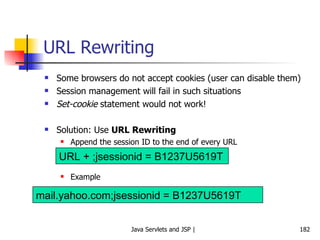
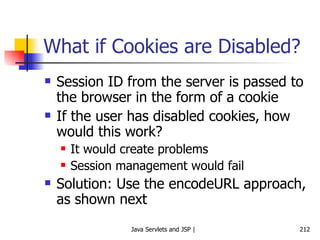
URL Rewriting Some browsers do not accept cookies (user can disable them) Session management will fail in such situations Set-cookie  statement would not work! Solution: Use  URL Rewriting Append the session ID to the end of every URL Example URL + ;jsessionid = B1237U5619T mail.yahoo.com;jsessionid = B1237U5619T
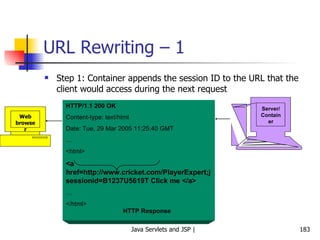
URL Rewriting – 1 Step 1: Container appends the session ID to the URL that the client would access during the next request Web browser Server/ Container HTTP/1.1 200 OK Content-type: text/html Date: Tue, 29 Mar 2005 11:25:40 GMT … <html> <a href=http://www.cricket.com/PlayerExpert;jsessionid=B1237U5619T Click me </a> … </html> HTTP Response
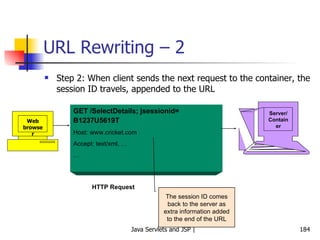
URL Rewriting – 2 Step 2: When client sends the next request to the container, the session ID travels, appended to the URL Web browser Server/ Container GET /SelectDetails; jsessionid= B1237U5619T   Host: www.cricket.com Accept: text/xml, … … HTTP Request The session ID comes back to the server as extra information added to the end of the URL
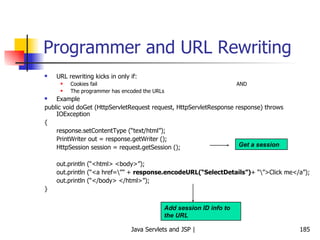
Programmer and URL Rewriting URL rewriting kicks in only if: Cookies fail AND The programmer has encoded the URLs Example public void doGet (HttpServletRequest request, HttpServletResponse response) throws IOException { response.setContentType (“text/html”); PrintWriter out = response.getWriter (); HttpSession session = request.getSession (); out.println (“<html> <body>”); out.println (“<a href=\”” +  response.encodeURL(“SelectDetails”) + “\”>Click me</a”); out.println (“</body> </html>”); } Add session ID info to the URL Get a session
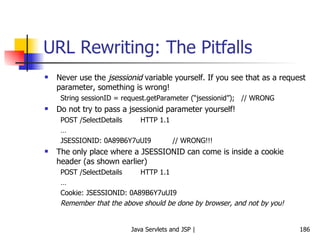
URL Rewriting: The Pitfalls Never use the  jsessionid  variable yourself. If you see that as a request parameter, something is wrong! String sessionID = request.getParameter (“jsessionid”);  // WRONG Do not try to pass a jsessionid parameter yourself! POST /SelectDetails HTTP 1.1 … JSESSIONID: 0A89B6Y7uUI9 // WRONG!!! The only place where a JSESSIONID can come is inside a cookie header (as shown earlier) POST /SelectDetails HTTP 1.1 … Cookie: JSESSIONID: 0A89B6Y7uUI9 Remember that the above should be done by browser, and not by you!
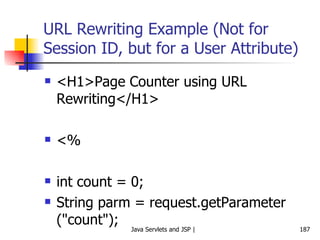
URL Rewriting Example (Not for Session ID, but for a User Attribute) <H1>Page Counter using URL Rewriting</H1> <% int count = 0; String parm = request.getParameter (&quot;count&quot;); if (parm != null) { count = Integer.parseInt (parm); } if (count == 0) { %> This is the first time you have accessed the page. <% } else if (count == 1) { %> You have accessed the page once before. <% } else { %> You have accessed the page <%= count %> times before. <% } %> <p> Click <a href=&quot;counter.jsp?count=<%=count + 1 %>&quot;>here </a> to visit again. </p> </body> </html>
Session Timeouts What happens if a user accesses some site, does some work, a session gets created for her and the user does not do anything for a long time? Container would unnecessarily hold session information Session timeouts  are used in such situations If a user does not perform an action for some time (say 20 minutes), the session information is automatically destroyed We can change this default programmatically: Session.setMaxInactiveInterval (20 * 60); // 20 minutes
More on Cookies …
Cookies A browser is expected to support up to 20 cookies from each Web server, 300 cookies total, and may limit cookie size to 4 KB each
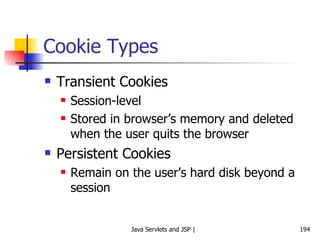
More on Cookies Cookies can be used to store session-related information apart from just the session ID Example: Suppose we want the user to register with our site and thereafter whenever the user visits our site, display a  Welcome <user name>  message We can create a  persistent cookie This type of cookie can be created on the client computer and lasts beyond the lifetime of a single session By default, all cookies are  transient  (live only for the duration of a session) – they are destroyed the moment a session ends (i.e. when a user closes browser) Example: Create a persistent cookie on the user’s computer and use it the next time the user visits any page belonging to our site
Writing Cookies To send cookies to the client, a servlet needs to: Use the Cookie constructor to create cookies with designated names and values Set optional attributes with Cookie.setxyz (and read them by Cookie.getxyz) Insert cookies into the HTTP response header with response.addCookie
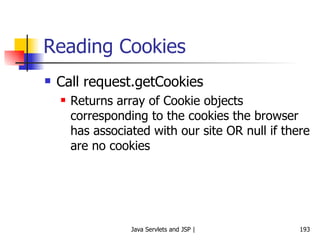
Reading Cookies Call request.getCookies Returns array of Cookie objects corresponding to the cookies the browser has associated with our site OR null if there are no cookies
Cookie Types Transient Cookies Session-level Stored in browser’s memory and deleted when the user quits the browser Persistent Cookies Remain on the user’s hard disk beyond a session
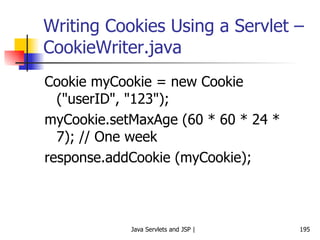
Writing Cookies Using a Servlet – CookieWriter.java Cookie myCookie = new Cookie (&quot;userID&quot;, &quot;123&quot;); myCookie.setMaxAge (60 * 60 * 24 * 7); // One week response.addCookie (myCookie);
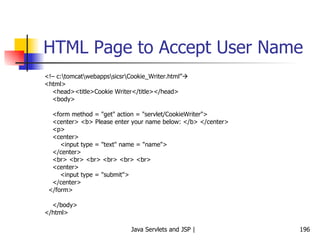
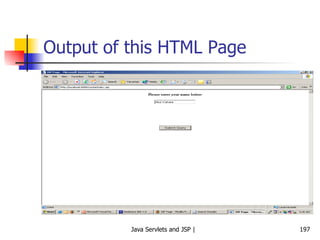
HTML Page to Accept User Name <!– c:\tomcat\webapps\sicsr\Cookie_Writer.html”  <html> <head><title>Cookie Writer</title></head> <body> <form method = &quot;get&quot; action = &quot;servlet/CookieWriter&quot;> <center> <b> Please enter your name below: </b> </center> <p> <center> <input type = &quot;text&quot; name = &quot;name&quot;> </center> <br> <br> <br> <br> <br> <br> <center> <input type = &quot;submit&quot;> </center> </form> </body> </html>
Output of this HTML Page
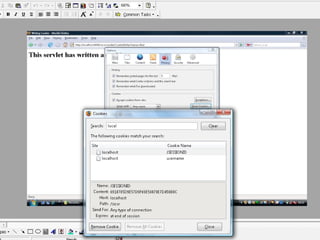
CookeWriter Servlet This servlet would do the following: Create a session ID Write the user name to a cookie Write the password to a session variable Interestingly, the user name and session ID get stored as cookies on the client computer, but the password does not! Tells us that the session variables remain on the server, but just the session ID gets sent as a cookie to the client (e.g. password here) On the other hand, if we use cookie variables explicitly, they get stored on the client’s computer (e.g. user id here)
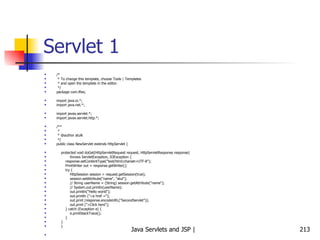
CookieWriter Servlet /* CookieWriter.java */ import javax.servlet.*; import javax.servlet.http.*; import java.io.*; public class CookieWriter extends HttpServlet { public void doGet (HttpServletRequest request, HttpServletResponse response) throws ServletException, IOException { // String name = request.getParameter (&quot;name&quot;); Cookie cookie = new Cookie (&quot;username&quot;, &quot;SICSR&quot;); cookie.setMaxAge (30 * 60); response.addCookie (cookie); HttpSession session = request.getSession (); session.setAttribute (&quot;password&quot;, &quot;SICSR&quot;); response.setContentType(&quot;text/html&quot;); PrintWriter out = response.getWriter(); out.println(&quot;<html>&quot;); out.println(&quot;<head>&quot;); out.println(&quot;<title>Writing Cookie</title>&quot;); out.println(&quot;</head>&quot;); out.println(&quot;<body>&quot;); out.println (&quot;<H1> This servlet has written a cookie </H1>&quot;); out.println(&quot;</body>&quot;); out.println(&quot;</html>&quot;); out.close(); } }
 
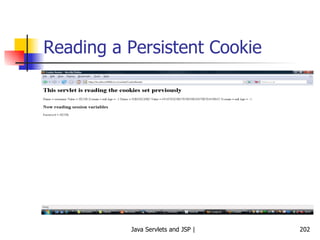
Reading Cookies Using a Servlet – CookieReader.java //  http://localhost:8080/sicsr/servlet/CookieReader /* CookieReader.java */ import java.io.*; import javax.servlet.*; import javax.servlet.http.*; public class CookieReader extends HttpServlet { public void doGet (HttpServletRequest request, HttpServletResponse response) throws ServletException, IOException { response.setContentType(&quot;text/html&quot;); PrintWriter out = response.getWriter(); out.println(&quot;<html>&quot;); out.println(&quot;<head>&quot;); out.println(&quot;<title>Cookie Reader</title>&quot;); out.println(&quot;</head>&quot;); out.println(&quot;<body>&quot;); out.println (&quot;<H1> This servlet is reading the cookies set previously </H1>&quot;); out.println (&quot;<P> </P>&quot;); Cookie [] cookies = request.getCookies (); if (cookies == null) { out.println (&quot;No cookies&quot;); } else { Cookie MyCookie; for (int i=0; i < cookies.length; i++) { MyCookie = cookies [i]; String name = MyCookie.getName ();  // Cookie name String value = MyCookie.getValue ();  // Cookie value int age = MyCookie.getMaxAge(); // Lifetime: -1 if cookie expires on browser closure String domain = MyCookie.getDomain ();  // Domain name out.println (&quot;Name = &quot; + name + &quot; Value = &quot; + value + &quot; Domain = &quot; + domain + &quot; Age = &quot; + age); out.println (&quot;\n&quot;); } } out.println (&quot;<h2>Now reading session variables</h2>&quot;); HttpSession session = request.getSession (); String password = (String) session.getAttribute (&quot;password&quot;); out.println (&quot;Password = &quot; + password); out.println(&quot;</body>&quot;); out.println(&quot;</html>&quot;); out.close(); } }
Reading a Persistent Cookie
Cookie Exercises
Tracking if the user is a first-time visitor or a repeat visitor Write a servlet that detects if the user is visiting your site for the first time, or has visited earlier. Display a  Welcome  message accordingly.
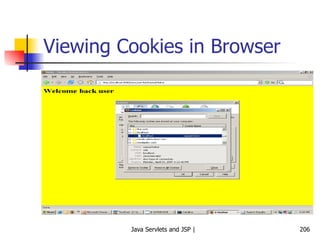
RepeatVisitor Servlet import java.io.*; import javax.servlet.*; import javax.servlet.http.*; public class RepeatVisitor extends HttpServlet { public void doGet (HttpServletRequest request, HttpServletResponse response) throws ServletException, IOException { boolean newUser = true; Cookie [] cookies = request.getCookies (); if (cookies != null) { for (int i=0; i<cookies.length; i++) { Cookie c = cookies[i]; if ((c.getName ().equals (&quot;repeatVisitor&quot;)) && (c.getValue ().equals (&quot;yes&quot;))) { newUser = false; } } } String title; if (newUser) { Cookie returnVisitorCookie = new Cookie (&quot;repeatVisitor&quot;, &quot;yes&quot;); returnVisitorCookie.setMaxAge (60 * 60 * 24 * 365); // 1 year response.addCookie (returnVisitorCookie); title = &quot;Welcome new user&quot;; } else { title = &quot;Welcome back user&quot;; } PrintWriter out = response.getWriter (); out.println (&quot;<HTML>&quot; + &quot;<HEAD>&quot; + &quot;<TITLE>&quot; + &quot;Hello&quot; + &quot;</TITLE>&quot; + &quot;</HEAD>\n&quot;); out.println (&quot;<BODY bgcolor = yellow>&quot; + &quot;<H1>&quot; + title + &quot;</H1>&quot; + &quot;</BODY>&quot; + &quot;</HTML>&quot;); } }
Viewing Cookies in Browser
Registration Forms and Cookies Create an HTML form using the first servlet containing first name, last name, and email address.  The form sends this data to a second servlet, which checks if any of the form data is missing. It then stores the parameters inside cookies. If any parameter is missing, the second servlet redirects the user to the first servlet for redisplaying form. The first servlet should  remember  values entered by the user earlier by reading cookies.
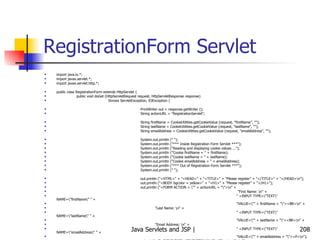
RegistrationForm Servlet import java.io.*; import javax.servlet.*; import javax.servlet.http.*; public class RegistrationForm extends HttpServlet { public void doGet (HttpServletRequest request, HttpServletResponse response) throws ServletException, IOException { PrintWriter out = response.getWriter (); String actionURL = &quot;RegistrationServlet&quot;; String firstName = CookieUtilities.getCookieValue (request, &quot;firstName&quot;, &quot;&quot;); String lastName = CookieUtilities.getCookieValue (request, &quot;lastName&quot;, &quot;&quot;); String emailAddress = CookieUtilities.getCookieValue (request, &quot;emailAddress&quot;, &quot;&quot;); System.out.println (&quot; &quot;); System.out.println (&quot;*** Inside Registration Form Servlet ***&quot;); System.out.println (&quot;Reading and displaying cookie values ...&quot;); System.out.println (&quot;Cookie firstName = &quot; + firstName); System.out.println (&quot;Cookie lastName = &quot; + lastName); System.out.println (&quot;Cookie emailAddress = &quot; + emailAddress); System.out.println (&quot;*** Out of Registration Form Servlet ***&quot;); System.out.println (&quot; &quot;); out.println (&quot;<HTML>&quot; + &quot;<HEAD>&quot; + &quot;<TITLE>&quot; + &quot;Please register&quot; + &quot;</TITLE>&quot; + &quot;</HEAD>\n&quot;); out.println (&quot;<BODY bgcolor = yellow>&quot; + &quot;<H1>&quot; + &quot;Please register&quot; + &quot;</H1>&quot;); out.println (&quot;<FORM ACTION = \&quot;&quot; + actionURL + &quot;\&quot;>\n&quot; +   &quot;First Name: \n&quot; + &quot; <INPUT TYPE=\&quot;TEXT\&quot; NAME=\&quot;firstName\&quot; &quot; + &quot;VALUE=\&quot;&quot; + firstName + &quot;\&quot;><BR>\n&quot; +   &quot;Last Name: \n&quot; + &quot; <INPUT TYPE=\&quot;TEXT\&quot; NAME=\&quot;lastName\&quot; &quot; + &quot;VALUE=\&quot;&quot; + lastName + &quot;\&quot;><BR>\n&quot; +   &quot;Email Address: \n&quot; + &quot; <INPUT TYPE=\&quot;TEXT\&quot; NAME=\&quot;emailAddress\&quot; &quot; + &quot;VALUE=\&quot;&quot; + emailAddress + &quot;\&quot;><P>\n&quot;); out.println (&quot;<INPUT TYPE=\&quot;SUBMIT\&quot; VALUE=\&quot;Register\&quot;>\n&quot;); out.println (&quot;</FORM>&quot; + &quot;</BODY>&quot; + &quot;</HTML>&quot;); } }
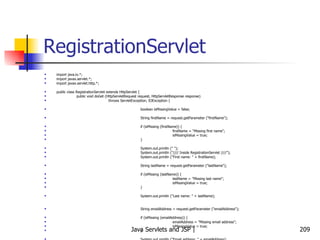
RegistrationServlet import java.io.*; import javax.servlet.*; import javax.servlet.http.*; public class RegistrationServlet extends HttpServlet { public void doGet (HttpServletRequest request, HttpServletResponse response) throws ServletException, IOException { boolean isMissingValue = false; String firstName = request.getParameter (&quot;firstName&quot;); if (isMissing (firstName)) { firstName = &quot;Missing first name&quot;; isMissingValue = true; } System.out.println (&quot; &quot;); System.out.println (&quot;//// Inside RegistrationServlet ////&quot;); System.out.println (&quot;First name: &quot; + firstName); String lastName = request.getParameter (&quot;lastName&quot;); if (isMissing (lastName)) { lastName = &quot;Missing last name&quot;; isMissingValue = true; } System.out.println (&quot;Last name: &quot; + lastName); String emailAddress = request.getParameter (&quot;emailAddress&quot;); if (isMissing (emailAddress)) { emailAddress = &quot;Missing email address&quot;; isMissingValue = true; } System.out.println (&quot;Email address: &quot; + emailAddress); Cookie c1 = new Cookie (&quot;firstName&quot;, firstName); c1.setMaxAge (3600); // one hour response.addCookie (c1); Cookie c2 = new Cookie (&quot;lastName&quot;, lastName); c2.setMaxAge (3600); // one hour response.addCookie (c2); Cookie c3 = new Cookie (&quot;emailAddress&quot;, emailAddress); c3.setMaxAge (3600); // one hour response.addCookie (c3); String formAddress = &quot;RegistrationForm&quot;; if (isMissingValue) { System.out.println (&quot;Incomplete form data&quot;); response.sendRedirect (formAddress); } else { System.out.println (&quot;Form is complete&quot;); PrintWriter out = response.getWriter (); String title = &quot;Thanks for registering&quot;; out.println (&quot;<HTML>&quot; + &quot;<HEAD>&quot; + &quot;<TITLE>&quot; + title + &quot;</TITLE>&quot; + &quot;</HEAD>\n&quot;); out.println (&quot;<BODY> <UL>\n&quot;); out.println (&quot;<LI><B>First Name</B>  : &quot; + firstName + &quot;\n&quot;); out.println (&quot;<LI><B>Last Name</B>  : &quot; + lastName + &quot;\n&quot;); out.println (&quot;<LI><B>Email Address</B>: &quot; + emailAddress+ &quot;\n&quot;); out.println (&quot;</UL> </BODY> </HTML>&quot;); } } private boolean isMissing (String param) { return ((param == null) || (param.trim ().equals (&quot;&quot;))); } }
CookieUtilities Java Class import javax.servlet.*; import javax.servlet.http.*; public class CookieUtilities { public static String getCookieValue (HttpServletRequest request,   String cookieName,   String defaultValue) { Cookie [] cookies = request.getCookies (); System.out.println (&quot;=== Inside CookieUtilities.java ===&quot;); System.out.println (&quot;Cookie name: &quot; + cookieName); System.out.println (&quot;Cookie value: &quot; + defaultValue); System.out.println (&quot;* * * *&quot;); if (cookies != null) { for (int i=0; i<cookies.length; i++) { Cookie c = cookies[i]; if (cookieName.equals (c.getName ())) { return (c.getValue ()); } } } return defaultValue; } }
Cookie Enabling and Sessions
What if Cookies are Disabled? Session ID from the server is passed to the browser in the form of a cookie If the user has disabled cookies, how would this work? It would create problems Session management would fail Solution: Use the encodeURL approach, as shown next
Servlet 1 /* * To change this template, choose Tools | Templates * and open the template in the editor. */ package com.iflex; import java.io.*; import java.net.*; import javax.servlet.*; import javax.servlet.http.*; /** * * @author atulk */ public class NewServlet extends HttpServlet { protected void doGet(HttpServletRequest request, HttpServletResponse response) throws ServletException, IOException { response.setContentType(&quot;text/html;charset=UTF-8&quot;); PrintWriter out = response.getWriter(); try { HttpSession session = request.getSession(true); session.setAttribute(&quot;name&quot;, &quot;atul&quot;); // String userName = (String) session.getAttribute(&quot;name&quot;); // System.out.println(userName); out.println(&quot;Hello world&quot;); out.println (&quot;<a href =&quot;); out.print (response.encodeURL(&quot;SecondServlet&quot;)); out.print (&quot;>Click here&quot;); } catch (Exception e) { e.printStackTrace(); } } }
Servlet 2 /* * To change this template, choose Tools | Templates * and open the template in the editor. */ package com.iflex; import java.io.*; import java.net.*; import javax.servlet.*; import javax.servlet.http.*; /** * * @author atulk */ public class SecondServlet extends HttpServlet { protected void doGet(HttpServletRequest request, HttpServletResponse response) throws ServletException, IOException { response.setContentType(&quot;text/html;charset=UTF-8&quot;); PrintWriter out = response.getWriter(); try { HttpSession session = request.getSession(true); // session.setAttribute(&quot;name&quot;, &quot;atul&quot;); String userName = (String) session.getAttribute(&quot;name&quot;); System.out.println(userName); out.println(&quot;Hello world&quot;); out.println (&quot;hello&quot; + userName); out.println (&quot;<a href = \&quot;NewServlet\&quot;>Click here&quot;); } catch (Exception e) { e.printStackTrace(); } } }
Note When the first servlet passes control to the second servlet, it encodes the URL, so that the session ID is passed to the second servlet via the encoded URL, even if the cookies are disabled in the browser If we do not use encodeURL, session management would fail!
JSTL (JSP Standard Template Library)
What is JSTL? Originally stand-alone, now almost a part of Web applications Allows code development using tags, instead of scriptlets Need: Reduces cluttering of scriptlet code with HTML See next slide
Easy.jsp <%@ taglib uri=&quot;http://java.sun.com/jstl/core&quot; prefix=&quot;c&quot; %> <!– Try this if it does not work:  <%@ taglib uri=&quot;http://java.sun.com /jsp/ jstl/core&quot; prefix=&quot;c&quot; %>  <html> <body> <h1>JSP is as easy as ...</h1> <%-- Calculate the sum of 1, 2, and 3 dynamically --%> 1 + 2 + 3 = <c:out value=&quot;${1 + 2 + 3}&quot; /> </body> </html>
Needs for Using JSTL Download JSTL from  http://jakarta.apache.org/taglibs/
Setting up JSTL in NetBeans Using the Libraries -> Add Library menu option, add the above JARs to your project Example (Next Slide)
JSP Code <html> <head> <title>JSP Example with JavaBean </title> </head> <body> <jsp:useBean id=&quot;stringBean&quot; scope=&quot;page&quot; class=&quot;test.StringBean&quot; /> Initial value (getProperty): <jsp:getProperty name=&quot;stringBean&quot; property=&quot;message&quot; /> Initial value (JSP Expression): <%= stringBean.getMessage () %> <jsp:setProperty name = &quot;stringBean&quot; property = &quot;message&quot; value = &quot;New bean value&quot; /> Value after setting property with setProperty:  <jsp:getProperty name = &quot;stringBean&quot; property = &quot;message&quot; /> <% stringBean.setMessage (&quot;Modified value again!&quot;); %> Value after setting property with scriptlet: <%= stringBean.getMessage () %> </body> </html>
Jstl-example-1.jsp (In NetBeans) <%@ taglib uri=&quot;http://java.sun.com/jstl/core&quot; prefix=&quot;c&quot; %> <%@ taglib uri=&quot;http://java.sun.com/jstl/fmt&quot; prefix=&quot;fmt&quot; %> <html> <head> <title>Temperature Conversion</title> <style> body, td, th { font-family: Tahoma, Sans-Serif; font-size: 10pt; } h1 { font-size: 140%; } h2 { font-size: 120%; } </style> </head> <body> <center> <h1>Temperature Conversion</h1> <h2><i>Using JSTL</i></h2> <table border=&quot;1&quot; cellpadding=&quot;3&quot; cellspacing=&quot;0&quot;> <tr> <th align=&quot;right&quot; width=&quot;100&quot;>Fahrenheit</th> <th align=&quot;right&quot; width=&quot;100&quot;>Celcius</th> </tr> <c:forEach var=&quot;f&quot; begin=&quot;32&quot; end=&quot;212&quot; step=&quot;20&quot;> <tr> <td align=&quot;right&quot;> ${f} </td> <td align=&quot;right&quot;> <fmt:formatNumber pattern=&quot;##0.000&quot;> ${(f - 32) * 5 / 9.0} </fmt:formatNumber> </td> </tr> </c:forEach> </table> </center> </body> </html>
Setting up JSTL in Tomcat - 1 Copy JSTL JAR files into Tomcat’s lib directory Copy all JAR files of JSTL zip file into c:\tomcat\webapps\ROOT\WEB-INF\lib Copy JSTL TLD files into Tomcat’s WEB-INF directory Copy files with .TLD extension from the JSTL zip file into c:\tomcat\webapps\ROOT\WEB-INF Modify the web.xml file in c:\tomcat\webapps\ROOT\WEB-INF to add entries as shown on next slide
Setting up JSTL in Tomcat - 2 <taglib> <taglib-uri>http://java.sun.com/jstl/fmt</taglib-uri> <taglib-location>/WEB-INF/fmt.tld</taglib-location> </taglib> <taglib> <taglib-uri>http://java.sun.com/jstl/fmt-rt</taglib-uri> <taglib-location>/WEB-INF/fmt-rt.tld</taglib-location> </taglib> <taglib> <taglib-uri>http://java.sun.com/jstl/core</taglib-uri> <taglib-location>/WEB-INF/c.tld</taglib-location> </taglib> <taglib> <taglib-uri>http://java.sun.com/jstl/core-rt</taglib-uri> <taglib-location>/WEB-INF/c-rt.tld</taglib-location> </taglib> <taglib> <taglib-uri>http://java.sun.com/jstl/sql</taglib-uri> <taglib-location>/WEB-INF/sql.tld</taglib-location> </taglib> <taglib> <taglib-uri>http://java.sun.com/jstl/sql-rt</taglib-uri> <taglib-location>/WEB-INF/sql.tld</taglib-location> </taglib> <taglib> <taglib-uri>http://java.sun.com/jstl/x</taglib-uri> <taglib-location>/WEB-INF/x.tld</taglib-location> </taglib> <taglib> <taglib-uri>http://java.sun.com/jstl/x-rt</taglib-uri> <taglib-location>/WEB-INF/x-rt.tld</taglib-location> </taglib>
Testing JSTL in Tomcat Code our earlier JSP (Count.jsp) and save it in c:\tomcat\webapps\examples Try  http://localhost:8080/examples/Count.jsp  in the browser
More on Actions An  action  is represented by an HTML-like element in a JSP page If the action element has a body, it is represented by an opening tag, followed by the attribute/value pairs, followed by the closing tag: < prefix:action_name attr1 = “value1” attr2 = “value2” …> action_body </prefix:action_name> OR < prefix:action_name attr1 = “value1” attr2 = “value2” … />
Actions and Tag Libraries Actions are grouped into libraries, called as  tag libraries E.g. <%@ taglib prefix=“c” uri=“http://java.sun.com/jsp/jstl/core” %> … <c:out value=“${1 + 2 + 3}” /> …
Standard Actions Some actions are  standard , meaning that the JSP specification itself has defined them They have the  jsp:  prefix
Standard Actions Elements Action element Description <jsp:useBean> Makes a JavaBean component available in a page <jsp:getProperty> Gets a property value from a JavaBean component and adds it to the response <jsp:setProperty> Sets a JavaBean property <jsp:include> Includes the response from a servlet/JSP <jsp:forward> Forwards the processing of a request to a servlet/JSP <jsp:param> Adds a parameter value to a request handed off to another servlet/JSP <jsp:element> Dynamically generates an XML element <jsp:attribute> Adds an attribute to a dynamically generated XML element <jsp:body> Adds body to an XML element <jsp:text> Used when JSP pages are written as XML documents
Custom Tags/Actions In addition to the basic JSP actions set, we can also define our own actions Called as  custom tags  or  custom actions
JSP Expression Language (EL) Expression Language (EL) is used for setting action attribute values based on runtime data from various sources An EL expression always starts with ${ and ends with } Examples (to produce the same result) <c:out value=“${1 + 2 + 3}” />  OR <1 + 2 + 3 = ${1 + 2 + 3}
EL Operators Operator Purpose . Access a bean property or Map entry [] Access an array or list element ( ) Group a sub-expression to change the evaluation order ? : Conditional operator + - / * % Mathematical operators < > <= >= != == (Or lt gt ge eq, …) Relational operators && || ! (or and or not) Logical operators
Implicit EL Variables Variable name Purpose pageScope Collection (a map) of all page scope variables requestScope Collection (a map) of all request scope variables sessionScope Collection (a map) of all session scope variables applicationScope Collection (a map) of all application scope variables param Collection (a map) of all request parameter values as a String array per parameter header Collection (a map) of all request header values as a String value per header headerValues Collection (a map) of all request header values as a String array per header cookie Collection (a map) of all request cookie values as a single Cookie value per cookie pageContext An instance of pageContext class, providing access to various request data
Displaying First 10 Numbers – Scriptlet Version <html> <head> <title>Count Example</title> </head> <body> <% for (int i=1; i<=10; i++) { %> <%= i %> <br/> <% } %> </body> </html>
Displaying First 10 Numbers – JSTL Version <%@ taglib uri=&quot;http://java.sun.com/jstl/core&quot; prefix=&quot;c&quot; %> <html> <head> <title>Count Example</title> </head> <body> <c:forEach var=&quot;i&quot; begin=&quot;1&quot; end=&quot;10&quot; step=&quot;1&quot;> <c:out value=&quot;${i}&quot; /> <br/> </c:forEach> </body> </html>
Accessing Session Variables Using JSTL http://localhost:8080/examples/SessionCounterUsingJSTL.jsp <%@ page contentType=&quot;text/html&quot; %> <%@ taglib uri=&quot;http://java.sun.com/jstl/core&quot; prefix=&quot;c&quot; %> <html> <head> <title>Counter Page</title> </head> <body bgcolor=&quot;white&quot;> <%-- Increment counter --%> <c:set var=&quot;sessionCounter&quot; scope=&quot;session&quot; value=&quot;${sessionCounter+1}&quot; /> <h1>Counter Page</h1> This page has been visited <b><c:out value=&quot;${sessionCounter}&quot;/></b> times within the current session. </body> </html>
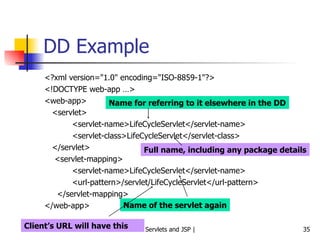
MyClock.jsp <%@ taglib uri=&quot;http://java.sun.com/jstl/core&quot; prefix=&quot;c&quot; %> <html> <body bgcolor=&quot;white&quot;> <jsp:useBean id=&quot;clock&quot; class=&quot;java.util.Date&quot; /> <c:choose> <c:when test=&quot;${clock.hours < 12}&quot;> <h1>Good morning!</h1> </c:when> <c:when test=&quot;${clock.hours < 18}&quot;> <h1>Good day!</h1> </c:when> <c:otherwise> <h1>Good evening!</h1> </c:otherwise> </c:choose> Welcome to our site, open 24 hours of the day! </body> </html>
Another JSTL Example – 1 jstlapp.jsp <%@ taglib prefix = &quot;c&quot; uri = &quot;http://java.sun.com/jstl/core_rt&quot; %> <% String names [] = {&quot;One&quot;, &quot;Two&quot;, &quot;Three&quot;}; request.setAttribute (&quot;usernames&quot;, names); %> <html> <head> <title>Using JSTL</title> <link rel = &quot;stylesheet&quot; type = &quot;text/css&quot; href = &quot;mystyle.css&quot;> </head> <body> <c:set var = &quot;message&quot; value = &quot;Welcome to JSTL&quot; scope = &quot;session&quot; /> <h2><c:out value = &quot;${message}&quot; /></h2> <form action  = &quot;jstlmain.jsp&quot; method = &quot;post&quot;> <table> <tr> <td colspan = &quot;2&quot; align = &quot;center&quot;> <h4>User Detail</h4>  </td> </tr> <tr> <td>Enter your Name</td> <td> <input type = &quot;text&quot; name = &quot;name&quot;>  </td> </tr> <tr> <td>Enter your City</td> <td> <input type = &quot;text&quot; name = &quot;city&quot;>  </td> </tr> <tr> <td>Type</td> <td> <select name= &quot;type&quot;> <option>Manager</option> <option>Clerk</option> </select> </td> </tr> <tr> <td colspan = &quot;2&quot;> <input type = &quot;submit&quot; value = &quot;Submit&quot;>  </td> </tr>  </table> </form> <br /> <br /> Iterating over the array ... <br /> User Names: <c:forEach var = &quot;name&quot; items = &quot;${usernames}&quot;> <c:out value = &quot;${name}&quot; />,  </c:forEach> </body> </html>
Another JSTL Example – 2 jstlmain.jsp <%@ page import = &quot;java.util.*&quot; %> <%@ taglib prefix=&quot;c&quot; uri = &quot;http://java.sun.com/jstl/core_rt&quot; %> <html> <head> <title>JSTL Example</title> <link rel = &quot;stylesheet&quot; type = &quot;text/css&quot; href = &quot;mystyle.css&quot;> </head> <body> <h2> <c:out value = &quot;${message}&quot; />  </h2>  <c:set var = &quot;yourType&quot; value = &quot;${param.type}&quot; /> <c:if test = &quot;${yourType eq 'Manager'}&quot;> <c:import url = &quot;menu.jsp&quot;> <c:param name = &quot;option1&quot; value = &quot;Create user&quot; /> <c:param name = &quot;option2&quot; value = &quot;Delete user&quot; />  </c:import>  </c:if> <c:if test = &quot;${yourType eq 'Clerk'}&quot;> <c:import url = &quot;menu.jsp&quot;> <c:param name = &quot;option1&quot; value = &quot;Reports&quot; /> <c:param name = &quot;option2&quot; value = &quot;Transactions&quot; />  </c:import>  </c:if> Hello <b><c:out value = &quot;${param.name}&quot; />!</b> <br /> <br />  You are using this application as <b><c:out value = &quot;${param.type}&quot; /></b> <c:set var = &quot;city&quot; value = &quot;${param.city}&quot; /> <br /> <br />  Your city is <b><c:out value = &quot;${city}&quot; /></b>  <br /> <br /> <c:choose> <c:when test = &quot;${city eq 'Delhi'}&quot;> You are from <b>India</b>.  </c:when> <c:when test = &quot;${city eq 'London'}&quot;> You are from <b>UK</b>.  </c:when> <c:when test = &quot;${city eq 'Paris'}&quot;> You are from <b>France</b>.  </c:when> <c:when test = &quot;${city eq ''}&quot;> You have left the city field blank.  </c:when> <c:otherwise> I do not know your country.  </c:otherwise> </c:choose> <c:url value = &quot;jstlapp.jsp&quot; var = &quot;backurl&quot; /> <br /> <br />  <a href = &quot;${backurl}&quot;>Back</a>  </body> </html>
Another JSTL Example – 3 menu.jsp <hr> <table align=&quot;center&quot; width = &quot;300&quot; cellspacing=&quot;3&quot;> <tr align=&quot;center&quot; bgcolor = &quot;#fee9c2&quot; height = &quot;20&quot;> <td>${param.option1}</td> <td>${param.option2}</td> </tr> </table> <hr>
JSTL Types core: General tags that allow us to set-get variables, loop, etc xml: Tags to process XML files sql: Database access and manipulations fmt: For formatting numbers, text, etc
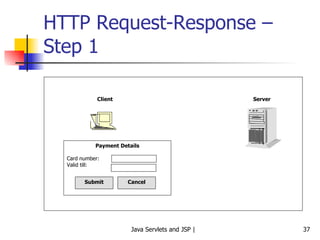
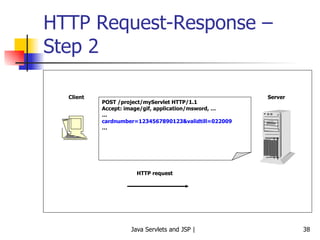
Form Processing Using JSTL
Traditional HTML <html> <head> <title>User Info Entry Form</title> </head> <body bgcolor=&quot;white&quot;> <form action=&quot;process.jsp&quot; method=&quot;post&quot;> <table> <tr> <td>Name:</td> <td> <input type=&quot;text&quot; name=&quot;userName&quot;> </td> </tr> <tr> <td>Birth Date:</td> <td> <input ty=e&quot;text&quot; name=&quot;birthDate&quot;> </td> <td>(Use format yyyy-mm-dd)</td> </tr> <tr> <td>Email Address:</td> <td> <input type=&quot;text&quot; name=&quot;emailAddr&quot;> </td> <td>(Use format name@company.com)</td> </tr> <tr> <td>Gender:</td> <td> <input type=&quot;radio&quot; name=&quot;gender&quot; value=&quot;m&quot; checked>Male<br /> <input type=&quot;radio&quot; name=&quot;gender&quot; value=&quot;f&quot;>Female<br /> </td> </tr> <tr> <td>Lucky number:</td> <td> <input type=&quot;text&quot; name=&quot;luckyNumber&quot;> </td> <td>(A number between 1 and 100)</td> </tr> <tr> <td>Favourite foods:</td> <td> <input type=&quot;checkbox&quot; name=&quot;food&quot; value=&quot;m&quot;>Maharashtrian<br /> <input type=&quot;checkbox&quot; name=&quot;food&quot; value=&quot;s&quot;>South Indian<br /> <input type=&quot;checkbox&quot; name=&quot;food&quot; value=&quot;n&quot;>North Indian<br /> </td> </tr> <tr> <td colspan=2> <input type=&quot;submit&quot; value=&quot;Send data&quot;> </td> </tr> </table> </body> </html>
Process.jsp Kept as exercise
Now using JSTL (input_jstl.jsp) <%@ page contentType=&quot;text/html&quot; %> <%@ taglib prefix=&quot;c&quot; uri=&quot;http://java.sun.com/jstl/core&quot; %> <html> <head> <title>User Info Entry Form</title> </head> <body bgcolor=&quot;white&quot;> <form action=&quot;input_jstl.jsp&quot; method=&quot;post&quot;> <table> <tr> <td>Name:</td> <td> <input type=&quot;text&quot; name=&quot;userName&quot;> </td> </tr> <tr> <td>Birth Date:</td> <td> <input ty p e&quot;text&quot; name=&quot;birthDate&quot;> </td> <td>(Use format yyyy-mm-dd)</td> </tr> <tr> <td>Email Address:</td> <td> <input type=&quot;text&quot; name=&quot;emailAddr&quot;> </td> <td>(Use format name@company.com)</td> </tr> <tr> <td>Gender:</td> <td> <input type=&quot;radio&quot; name=&quot;gender&quot; value=&quot;m&quot; checked>Male<br /> <input type=&quot;radio&quot; name=&quot;gender&quot; value=&quot;f&quot;>Female<br /> </td> </tr> <tr> <td>Lucky number:</td> <td> <input type=&quot;text&quot; name=&quot;luckyNumber&quot;> </td> <td>(A number between 1 and 100)</td> </tr> <tr> <td>Favourite foods:</td> <td> <input type=&quot;checkbox&quot; name=&quot;food&quot; value=&quot;m&quot;>Maharashtrian<br /> <input type=&quot;checkbox&quot; name=&quot;food&quot; value=&quot;s&quot;>South Indian<br /> <input type=&quot;checkbox&quot; name=&quot;food&quot; value=&quot;n&quot;>North Indian<br /> </td> </tr> <tr> <td colspan=2> <input type=&quot;submit&quot; value=&quot;Send data&quot;> </td> </tr> </table> </form> You entered:<br> Name: <c:out value=&quot;${param.userName}&quot; /><br> Birth Date: <c:out value=&quot;${param.birthDate}&quot; /><br> Email Address: <c:out value=&quot;${param.emailAddr}&quot; /><br> Gender: <c:out value=&quot;${param.gender}&quot; /><br> Lucky Number: <c:out value=&quot;${param.luckyNumber}&quot; /><br> Favourite food: <c:forEach items=&quot;${paramValues.food}&quot; var=&quot;current&quot;> <c:out value=&quot;${current}&quot; />&nbsp; </c:forEach> </body> </html>
JavaBeans
JavaBeans Technology A JavaBean is a plain Java class, which has a number of attributes (data members) and a get-set method for each of them It can be used for any kinds of requirements, but is most suitable in forms processing Allows ease of coding, instead of writing scriptlets in JSPs
JavaBeans Syntax The jsp:setProperty standard action has a built-in method for automatically mapping the values submitted in a form to a JavaBean’s fields/variables Names of the submitted parameters need to be the same as in the Javabean’s setter methods
JavaBeans Example Accept user’s name, department, and email ID from the user.  First, process the form values using the traditional method of  request.getParameter Use JSTL to do the same Use a JavaBean to store and display them back Use a combination of JavaBean and JSTL for doing the same
Using JavaScript to Validate Form Values in a JSP
JSPJavaScript.jsp <%@ taglib uri=&quot;http://java.sun.com/jstl/core&quot; prefix=&quot;c&quot; %> <html> <head> <c:import url=&quot;/WEB-INF/javascript/validate.js&quot; /> <title>Help Page</title> <body> <h2>Please submit your information</h2> <form action=&quot;JSPJavaScript.jsp&quot; onSubmit=&quot; return validate(this) &quot;> <table> <tr> <td>Your name:</td> <td><input type=&quot;text&quot; name=&quot;username&quot; size=&quot;20&quot;></td> </tr> <tr> <td>Your email:</td> <td><input type=&quot;text&quot; name=&quot;email&quot; size=&quot;20&quot;></td> </tr> <tr> <td><input type=&quot;submit&quot; value=&quot;Submit form&quot;></td> </tr> </table> </body> </html>
Validate.js <script language=&quot;JavaScript&quot;> function validate (form1) { for (i=0; i<form1.length; i++) { if ((form1.elements[i].value == &quot;&quot;)) { alert (&quot;You must provide a value for the field named: &quot; + form1.elements[i].name); return false; } } return true; } </script>
Server-side Form Processing: Validating Form using the Traditional Method
GetData.html <html> <body> <form method=POST action=&quot;/examples/servlet/ProcessFormServlet&quot;> <b>User Name: </b> <input type = &quot;text&quot; name = &quot;username&quot; size = &quot;20&quot;> <br><br> <b>Department: </b> <input type = &quot;text&quot; name = &quot;department&quot; size = &quot;15&quot;> <br><br> <b>Email: </b> <input type = &quot;text&quot; name = &quot;email&quot; size = &quot;20&quot;> <br><br> <input type = &quot;submit&quot; value = &quot;Submit&quot;> </form> </body> </html>
ProcessFormServlet.java import javax.servlet.*; import javax.servlet.http.*; public class ProcessFormServlet extends HttpServlet { public void doPost (HttpServletRequest request, HttpServletResponse response) throws ServletException, java.io.IOException { String uname = request.getParameter (&quot;username&quot;); String udepartment = request.getParameter (&quot;department&quot;); String uemail = request.getParameter (&quot;email&quot;); response.setContentType (&quot;text/html&quot;); java.io.PrintWriter out = response.getWriter (); out.println (&quot;<html>&quot;); out.println (&quot;<head>&quot;); out.println (&quot;<title>Welcome</title>&quot;); out.println (&quot;</head>&quot;); out.println (&quot;<body>&quot;); out.println (&quot;<h1>Your identity</h1>&quot;); out.println (&quot;Your name is: &quot; + ( (uname == null || uname.equals (&quot;&quot;)) ? &quot;Unknown&quot; : uname)); out.println (&quot;<br /><br />&quot;); out.println (&quot;Your department is: &quot; + ( (udepartment== null || udepartment.equals (&quot;&quot;)) ? &quot;Unknown&quot; : udepartment)); out.println (&quot;<br /><br />&quot;); out.println (&quot;Your email is: &quot; + ( (uemail == null || uemail.equals (&quot;&quot;)) ? &quot;Unknown&quot; : uemail)); out.println (&quot;<br /><br />&quot;); out.println (&quot;</body>&quot;); out.println (&quot;</html>&quot;); out.close (); } }
Same Example, Further Modified to use JSTL
GetData.html <html> <body> <form method=POST action=&quot;ProcessFormJSP.jsp&quot;> <b>User Name: </b> <input type = &quot;text&quot; name = &quot;username&quot; size = &quot;20&quot;> <br><br> <b>Department: </b> <input type = &quot;text&quot; name = &quot;department&quot; size = &quot;15&quot;> <br><br> <b>Email: </b> <input type = &quot;text&quot; name = &quot;email&quot; size = &quot;20&quot;> <br><br> <input type = &quot;submit&quot; value = &quot;Submit&quot;> </form> </body> </html>
ProcessFormJSP.jsp <%@page contentType=&quot;text/html&quot; %> <%@ taglib uri=&quot;http://java.sun.com/jstl/core&quot; prefix=&quot;c&quot; %> <html> <head> <title>Post Data Viewer</title> </head> <body> <h2>Here is your posted data</h2> <strong>User name</strong> <c:out value =&quot;${param.username}&quot; /> <br /><br /> <strong>Department</strong> <c:out value =&quot;${param.department}&quot; /> <br /><br /> <strong>Email</strong> <c:out value =&quot;${param.email}&quot; /> </body> </html>
Same Example Using a JavaBean
GetData.html <html> <body> <form method=POST action=&quot;SetBean.jsp&quot;> <b>User Name: </b> <input type = &quot;text&quot; name = &quot;username&quot; size = &quot;20&quot;> <br><br> <b>Department: </b> <input type = &quot;text&quot; name = &quot;department&quot; size = &quot;15&quot;> <br><br> <b>Email: </b> <input type = &quot;text&quot; name = &quot;email&quot; size = &quot;20&quot;> <br><br> <input type = &quot;submit&quot; value = &quot;Submit&quot;> </form> </body> </html>
SetBean.jsp <jsp:useBean id=&quot;userBean&quot; class=&quot;com.jspcr.UserBean&quot;> <jsp:setProperty name=&quot;userBean&quot; property=&quot;*&quot; /> </jsp:useBean> <html> <head> <title>Post Data Viewer</title> </head> <body> <h2>Here is your posted data</h2> <strong>User name</strong> <jsp:getProperty name=&quot;userBean&quot; property=&quot;username&quot; /> <br /><br /> <strong>Department</strong> <jsp:getProperty name=&quot;userBean&quot; property=&quot;department&quot; /> <br /><br /> <strong>Email</strong> <jsp:getProperty name=&quot;userBean&quot; property=&quot;email&quot; /> </body> </html>
UserBean.java package com.jspcr; public class UserBean implements java.io.Serializable { String username; String department; String email; public UserBean () {} public void setusername (String uname) { if (uname != null && uname.length() > 0) { username = uname; } else { username = &quot;Unknown&quot;; } } public String getusername () { if (username != null) { return username; } else { return &quot;Unknown&quot;; } } public void setdepartment(String udepartment) { if (udepartment != null && udepartment.length() > 0) { department = udepartment; } else { department = &quot;Unknown&quot;; } } public String getdepartment () { if (department != null) { return department; } else { return &quot;Unknown&quot;; } } public void setemail (String uemail) { if (uemail != null && uemail.length() > 0) { email = uemail; } else { uemail = &quot;Unknown&quot;; } } public String getemail () { if (email != null) { return email; } else { return &quot;Unknown&quot;; } } }
Same Example Using a JavaBean and JSTL
GetData.html <html> <body> <form method=POST action=&quot;ProcessFormJSTLJavaBean.jsp&quot;> <b>User Name: </b> <input type = &quot;text&quot; name = &quot;username&quot; size = &quot;20&quot;> <br><br> <b>Department: </b> <input type = &quot;text&quot; name = &quot;department&quot; size = &quot;15&quot;> <br><br> <b>Email: </b> <input type = &quot;text&quot; name = &quot;email&quot; size = &quot;20&quot;> <br><br> <input type = &quot;submit&quot; value = &quot;Submit&quot;> </form> </body> </html>
ProcessFormJSTLJavaBean.jsp <%@page contentType=&quot;text/html&quot; %> <%@ taglib uri=&quot;http://java.sun.com/jstl/core&quot; prefix=&quot;c&quot; %> <jsp:useBean id=&quot;userBean&quot; class=&quot;com.jspcr.UserBean&quot;> <jsp:setProperty name=&quot;userBean&quot; property=&quot;*&quot; /> </jsp:useBean> <html> <head> <title>Post Data Viewer</title> </head> <body> <h2>Here is your posted data</h2> <strong>User name</strong> <c:out value =&quot;${userBean.username}&quot; /> <br /><br /> <strong>Department</strong> <c:out value =&quot;${userBean.department}&quot; /> <br /><br /> <strong>Email</strong> <c:out value =&quot;${userBean.email}&quot; /> </body> </html>
UserBean.java package com.jspcr; public class UserBean implements java.io.Serializable { String username; String department; String email; public UserBean () {} public void setusername (String uname) { if (uname != null && uname.length() > 0) { username = uname; } else { username = &quot;Unknown&quot;; } } public String getusername () { if (username != null) { return username; } else { return &quot;Unknown&quot;; } } public void setdepartment(String udepartment) { if (udepartment != null && udepartment.length() > 0) { department = udepartment; } else { department = &quot;Unknown&quot;; } } public String getdepartment () { if (department != null) { return department; } else { return &quot;Unknown&quot;; } } public void setemail (String uemail) { if (uemail != null && uemail.length() > 0) { email = uemail; } else { uemail = &quot;Unknown&quot;; } } public String getemail () { if (email != null) { return email; } else { return &quot;Unknown&quot;; } } }
Case Study: Other Syntaxes for JavaBeans
JavaBean Code package test; public class StringBean { private String message = &quot;No message specified&quot;; public String getMessage () { return message; } public void setMessage (String msg) { message = msg; } }
StringBeanJSP.jsp <html> <head> <title>JSP Example with JavaBean </title> </head> <body> <jsp:useBean id=&quot;stringBean&quot; scope=&quot;page&quot; class=&quot;test.StringBean&quot; /> Initial value (getProperty): <jsp:getProperty name=&quot;stringBean&quot; property=&quot;message&quot; /> Initial value (JSP Expression): <%= stringBean.getMessage () %> <jsp:setProperty name = &quot;stringBean&quot; property = &quot;message&quot; value = &quot;New bean value&quot; /> Value after setting property with setProperty:  <jsp:getProperty name = &quot;stringBean&quot; property = &quot;message&quot; /> <% stringBean.setMessage (&quot;Modified value again!&quot;); %> Value after setting property with scriptlet: <%= stringBean.getMessage () %> </body> </html>
Case Study
Requirement Have an HTML form that accepts name, email, and age of the user. Have this stored inside a JavaBean via a JSP page. Display the same values in the next JSP, demonstrating that the JavaBean get and set methods work as expected.
GetName.html <HTML> <BODY> <FORM METHOD=POST ACTION=&quot;SaveName.jsp&quot;> What's your name? <INPUT TYPE=TEXT NAME=username SIZE=20><BR> What's your e-mail address? <INPUT TYPE=TEXT NAME=email SIZE=20><BR> What's your age? <INPUT TYPE=TEXT NAME=age SIZE=4> <P><INPUT TYPE=SUBMIT> </FORM> </BODY> </HTML>
UserData.java public class UserData { String username; String email; int age; public void setUsername( String value ) { username = value; } public void setEmail( String value ) { email = value; } public void setAge( int value ) { age = value; } public String getUsername() { return username; } public String getEmail() { return email; } public int getAge() { return age; } }
SaveName.jsp <jsp:useBean id=&quot;user&quot; class=&quot;user.UserData&quot; scope=&quot;session&quot;/> <jsp:setProperty name=&quot;user&quot; property=&quot;*&quot;/>  <HTML> <BODY> <A HREF=&quot;NextPage.jsp&quot;>Continue</A> </BODY> </HTML>
NextPage.jsp <jsp:useBean id=&quot;user&quot; class=&quot;user.UserData&quot; scope=&quot;session&quot;/>  <HTML> <BODY> You entered<BR> Name: <%= user.getUsername() %><BR> Email: <%= user.getEmail() %><BR> Age: <%= user.getAge() %><BR> </BODY> </HTML>
Custom Tags
Introduction Custom tags (also called tag extensions) are user-developed XML-like additions to the basic JSP page Collections of tags are organized into  libraries that can be packaged as JAR files Just as we can use the standard tags using <jsp:getProperty> or <jsp:useBean>, we can now use our own custom tags
Advantages Separation of content and presentation by allowing short-hand code instead of scriptlets Simplicity: Easy to code and understand Allows for code reuse
Developing Custom Tags Four steps Define the tag Write the entry in the Tag Library Descriptor (TLD) Write the tag handler Use the tag in a JSP page
TLD Basics <% taglib prefix = “diag”  uri = “http://www.jspcr.com/… %> … … The Web server is: <diag:getWebServer /> … … JSP page <taglib> …  <short-name>diag</short-name> <tag> <name>getWebServer</name> <… >com.jspcr..GetWebServerTag<…> </tag> … TLD file GetWebServer class
Step 1: Define the Tag What is the name of the tag? Used with namespace qualifier, so always globally unique What attributes does it have? Required or optional, used to enhance the usefulness of the tag Will the tag define scripting elements? Does the tag do anything with the body between its start and end? Let us name our tag getWebServer, having no attributes, no scripting variables, and simply returns the name of the Web server
Step 2: Create the TLD Entry A Tag Library Directive (TLD) is an XML document that defines the names and attributes of a collection of related tags
Our TLD ( C:\tomcat\webapps\examples\WEB-INF\tlds \diagnostics.tld) <?xml version=&quot;1.0&quot;?> <!DOCTYPE taglib PUBLIC &quot;-//Sun Microsystems, Inc.//DTD JSP Tag Library 1.2//EN&quot; &quot;http://java.sun.com/dtd/web-jsptaglibrary_1_2.dtd&quot;> <taglib xlmns=&quot;http://java.sun.com/JSP/TagLibraryDescriptor&quot;> <tlib-version>1.0</tlib-version> <jsp-version>1.2</jsp-version> <short-name>diag</short-name> <tag> <name>getWebServer</name> <tag-class> com.jspcr.taglibs.diag.GetWebServerTag </tag-class> <body-content>empty</body-content> </tag> </taglib>
Understanding the TLD <name>getWebServer</name> Specifies a tag name, which gets mapped to a fully qualified class name, as follows: <tag-class>  com.jspcr.taglibs.diag.GetWebServerTag </tag-class> The JSP container uses this mapping to create the appropriate servlet code when it evaluates the custom tag at compile time
Step 3: Write the Tag Handler A tag’s action is implemented in a Java class called as  tag handler Instances of tag handlers are created and maintained by the JSP container, and predefined methods in these classes are called directly from a JSP page’s generated servlet In this example, we send an HTTP request to the Web server to return its name
Tag Handler Code package com.jspcr.taglibs.diag; // We need to add \tomcat\common\lib\jsp-api.jar to the CLASSPATH to compile this import javax.servlet.http.*; import javax.servlet.jsp.*; import javax.servlet.jsp.tagext.*; import java.io.*; import java.net.*; // A tag handler needs to implement the Tag, IterationTag, or the BodyTag interface // All of these are in javax.servlet.jsp.tagext package // BodyTag is a sub-interface of IterationTag, which is a sub-interface of Tag // We can extend one of these, or the default implementations of one of these // Example: TagSupport and BodyTagSupport implement the above public class GetWebServerTag extends TagSupport { // This method is called when the start tag is encountered, after any attributes it specifies are set // But this is called before the body of the tag is processed // Here, there is no body and no attributes; so all code is inside doStartTag () method // The method returns an integer return code public int doStartTag () throws JspException { try { // Get server host and port number from page context, via the request object // pageContext is defined inside the TagSupport superclass, so we can access it HttpServletRequest request = (HttpServletRequest) pageContext.getRequest (); String host = request.getServerName (); int port = request.getServerPort (); // Send an HTTP request to the server to retrieve the server info //Constructor expects 4 parameters: protocol, server, port number, and path URL url = new URL (&quot;http&quot;, host, port, &quot;/&quot;); HttpURLConnection con = (HttpURLConnection) url.openConnection (); // We specify the OPTIONS method instead of GET or POST because we do not want to open a specific file // OPTIONS returns a list of request methods that the Web server supports con.setRequestMethod (&quot;OPTIONS&quot;); // Send the request to the Web server and read its header fields from the response String webserver = con.getHeaderField (&quot;server&quot;); // Write to the output stream by obtaining the current servlet output stream JspWriter out = pageContext.getOut (); out.print (webserver); } catch (IOException e) { throw new JspException (e.getMessage ()); } // RETURN_BODY is defined in hthe Tag interface // Our tag has no body, and hence we need not evaluate it // If we define any other return type, our JSP page will throw a run-time exception return SKIP_BODY; } }
Step 4: Incorporate the Tag in a JSP File <!-- ShowServer.jsp --> <%@ page session=&quot;false&quot; %> <%@ taglib prefix=&quot;diag&quot;  uri=&quot;http://www.jspcr.com/taglibs/diagnostics&quot; %> <html> <head> <title>Basic Example of a Custom Tag</title> <style> h1 { font-size: 140% } </style> </head> <body> <h1>Basic Example of a Custom Tag</h1> The Web Server is <diag:getWebServer/> </body> </html>
Case Study: User Input Validations
Requirement Accept the values for DVD drive, floppy disk, and battery for a laptop and display them back to the user, using JSTL Modify the example to add validations that ensure that the user inputs are not empty
Step 1: Just Accept and Display Back the Values <%@ page contentType = &quot;text/html&quot; %> <%@ taglib prefix = &quot;c&quot; uri = &quot;http://java.sun.com/jstl/core&quot; %> <html> <body> <form method=&quot;POST&quot; action=&quot;Test.jsp&quot;> <input type = &quot;hidden&quot; name = &quot;isFormPosted&quot; value = &quot;true&quot;> Please select the features for your laptop<br> DVD Drive: <input type=&quot;text&quot; name=&quot;dvd&quot; value = &quot;<c:out value = &quot;${param.dvd}&quot; />&quot; <br> Floppy drive: <input type=&quot;text&quot; name=&quot;floppy&quot; value = &quot;<c:out value = &quot;${param.floppy}&quot; />&quot; <br> Battery: <input type=&quot;text&quot; name=&quot;battery&quot; value = &quot;<c:out value = &quot;${param.battery}&quot; />&quot; <br> <input type=&quot;submit&quot; value=&quot;Submit form&quot;> </form> </body> </html>
Step 2: Now Add Validations <%@ page contentType = &quot;text/html&quot; %> <%@ taglib prefix = &quot;c&quot; uri = &quot;http://java.sun.com/jstl/core&quot; %> <html> <body> <form method=&quot;POST&quot; action=&quot;Test.jsp&quot;> <input type = &quot;hidden&quot; name = &quot;isFormPosted&quot; value = &quot;true&quot;> <h3> Please select the features for your laptop </h3> <br><br> DVD Drive: <input type=&quot;text&quot; name=&quot;dvd&quot; value = &quot;<c:out value = &quot;${param.dvd}&quot; />&quot; <br> <c:if test =&quot;${param.isFormPosted && empty param.dvd}&quot;> <font color = &quot;red&quot;> You must enter a value for the DVD drive <br><br> </font> </c:if> Floppy drive: <input type=&quot;text&quot; name=&quot;floppy&quot; value = &quot;<c:out value = &quot;${param.floppy}&quot; />&quot; <br> <c:if test =&quot;${param.isFormPosted && empty param.floppy}&quot;> <font color = &quot;red&quot;> You must enter a value for the floppy disk <br><br> </font> </c:if> Battery: <input type=&quot;text&quot; name=&quot;battery&quot; value = &quot;<c:out value = &quot;${param.battery}&quot; />&quot; <br> <c:if test =&quot;${param.isFormPosted && empty param.battery}&quot;> <font color = &quot;red&quot;> You must enter a value for battery <br><br> </font> </c:if> <input type=&quot;submit&quot; value=&quot;Submit form&quot;> </form> </body> </html>
Case Study
Requirement A JSP page accepts email ID and zip code from the user. These are posted back to the same JSP page. On the server-side, the same JSP page validates them. In case of errors, the JSP page sends appropriate error messages to the browser, asking the user to correct them and resubmit the form. If everything is ok, the control is passed to another JSP, which displays an OK message.
The JSP Page <%-- Instantiate the form validation bean and supply the error message map --%> <%@ page import=&quot;com.mycompany.*&quot; %> <jsp:useBean id=&quot;form&quot; class=&quot;com.mycompany.MyForm&quot; scope=&quot;request&quot;> <jsp:setProperty name=&quot;form&quot; property=&quot;errorMessages&quot; value='<%= errorMap %>'/> </jsp:useBean> <% // If process is true, attempt to validate and process the form if (&quot;true&quot;.equals(request.getParameter(&quot;process&quot;))) { %> <jsp:setProperty name=&quot;form&quot; property=&quot;*&quot; /> <% // Attempt to process the form if (form.process()) { // Go to success page response.sendRedirect(“ F ormDone.jsp&quot;); return; } } %> <html> <head><title>A Simple Form</title></head> <body> <%-- When submitting the form, resubmit to this page --%> <form action='<%= request.getRequestURI() %>' method=&quot;POST&quot;> <%-- email --%> <font color=red><%= form.getErrorMessage(&quot;email&quot;) %></font><br> Email: <input type=&quot;TEXT&quot; name=&quot;email&quot; value='<%= form.getEmail() %>'> <br> <%-- zipcode --%> <font color=red><%= form.getErrorMessage(&quot;zipcode&quot;) %></font><br> Zipcode: <input type=&quot;TEXT&quot; name=&quot;zipcode&quot; value='<%= form.getZipcode() %>'> <br> <input type=&quot;SUBMIT&quot; value=&quot;OK&quot;> <input type=&quot;HIDDEN&quot; name=&quot;process&quot; value=&quot;true&quot;> </form> </body> </html> <%! // Define error messages java.util.Map errorMap = new java.util.HashMap(); public void jspInit() { errorMap.put(MyForm.ERR_EMAIL_ENTER, &quot;Please enter an email address&quot;); errorMap.put(MyForm.ERR_EMAIL_INVALID, &quot;The email address is not valid&quot;); errorMap.put(MyForm.ERR_ZIPCODE_ENTER, &quot;Please enter a zipcode&quot;); errorMap.put(MyForm.ERR_ZIPCODE_INVALID, &quot;The zipcode must be 5 digits&quot;); errorMap.put(MyForm.ERR_ZIPCODE_NUM_ONLY, &quot;The zipcode must contain only digits&quot;); } %>
The JavaBean (Java Class) package com.mycompany; import java.util.*; public class MyForm { /*  The properties */ String email = &quot;&quot;; String zipcode = &quot;&quot;; public String getEmail() { return email; } public void setEmail(String email) { this.email = email.trim(); } public String getZipcode() { return zipcode; } public void setZipcode(String zipcode) { this.zipcode = zipcode.trim(); } /* Errors */ public static final Integer ERR_EMAIL_ENTER = new Integer(1); public static final Integer ERR_EMAIL_INVALID = new Integer(2); public static final Integer ERR_ZIPCODE_ENTER = new Integer(3); public static final Integer ERR_ZIPCODE_INVALID = new Integer(4); public static final Integer ERR_ZIPCODE_NUM_ONLY = new Integer(5); // Holds error messages for the properties Map errorCodes = new HashMap(); // Maps error codes to textual messages. // This map must be supplied by the object that instantiated this bean. Map msgMap; public void setErrorMessages(Map msgMap) { this.msgMap = msgMap; } public String getErrorMessage(String propName) { Integer code = (Integer)(errorCodes.get(propName)); if (code == null) { return &quot;&quot;; } else if (msgMap != null) { String msg = (String)msgMap.get(code); if (msg != null) { return msg; } } return &quot;Error&quot;; } /* Form validation and processing */ public boolean isValid() { // Clear all errors errorCodes.clear(); // Validate email if (email.length() == 0) { errorCodes.put(&quot;email&quot;, ERR_EMAIL_ENTER); } else if (!email.matches(&quot;.+@.+\\..+&quot;)) { errorCodes.put(&quot;email&quot;, ERR_EMAIL_INVALID); } // Validate zipcode if (zipcode.length() == 0) { errorCodes.put(&quot;zipcode&quot;, ERR_ZIPCODE_ENTER); } else if (zipcode.length() != 5) { errorCodes.put(&quot;zipcode&quot;, ERR_ZIPCODE_INVALID); } else { try { int i = Integer.parseInt(zipcode); } catch (NumberFormatException e) { errorCodes.put(&quot;zipcode&quot;, ERR_ZIPCODE_NUM_ONLY); } } // If no errors, form is valid return errorCodes.size() == 0; } public boolean process() { if (!isValid()) { return false; } // Process form... // Clear the form email = &quot;&quot;; zipcode = &quot;&quot;; errorCodes.clear(); return true; } }
FormDone.jsp <html> <head> <title>Forms Processing</title> </head> <body> <h1>Your form submission was successful!</h1> </body> </html>
Authenticating Users
Creating Users and Passwords with Tomcat Add the user names, passwords, and roles to c:\tomcat\conf\ tomcat-users.xml  file <?xml version='1.0' encoding='utf-8'?> <tomcat-users> <role rolename=&quot;tomcat&quot;/> <role rolename=&quot;role1&quot;/> <role rolename=&quot;manager&quot;/> <user username=&quot;both&quot; password=&quot;tomcat&quot; roles=&quot;tomcat,role1&quot;/> <user username=&quot;tomcat&quot; password=&quot;tomcat&quot; roles=&quot;tomcat&quot;/> <user username=&quot;role1&quot; password=&quot;tomcat&quot; roles=&quot;role1&quot;/> <user username=&quot;atul&quot; password=&quot;atul&quot; roles=&quot;manager&quot; /> </tomcat-users>
Setting Up SSL on Tomcat Create a digital certificate on the Tomcat Server Use the keytool utility to create a  keystore file  encapsulating a digital certificate used by the server for secure connections keytool –genkey –alias tomcat –keyalg RSA This creates a self-signed certificate for the Tomcat server with keystore file named .keystore
Keytool Output (Password is  changeit )
Using BASIC Authentication Create a  security-constraint  element in the deployment descriptor ( web.xml ), specifying the resources for which we require authentication See next slide
Changes to local web.xml file - 1 <security-constraint> <web-resource-collection> <web-resource-name>My JSP</web-resource-name> <url-pattern>/Test.jsp</url-pattern> <http-method>GET</http-method> <http-method>POST</http-method> </web-resource-collection> <auth-constraint> <role-name>manager</role-name> </auth-constraint> <user-data-constraint> <transport-guarantee>CONFIDENTIAL</transport-guarantee> </user-data-constraint> </security-constraint> <login-config> <auth-method>BASIC</auth-method> </login-config> <security-role> <role-name>manager</role-name> </security-role>
Changes to local web.xml file - 2 Applicable to GET and POST methods (indicated by the http-method elements) Only users with a  manager  role can access the protected Web resource, even if they specify the right user name and password (indicated by the  role-name  element inside  auth-constraint ) The  auth-method  specifies BASIC Indicates that user names and passwords are sent across the network using Base-64 encoding
Changes to c:\tomcat\conf\server.xml Uncomment the following part <!-- Define a SSL HTTP/1.1 Connector on port 8443 --> <Connector port=&quot;8443&quot; maxHttpHeaderSize=&quot;8192&quot; maxThreads=&quot;150&quot; minSpareThreads=&quot;25&quot; maxSpareThreads=&quot;75&quot; enableLookups=&quot;false&quot; disableUploadTimeout=&quot;true&quot; acceptCount=&quot;100&quot; scheme=&quot;https&quot; secure=&quot;true&quot; clientAuth=&quot;false&quot; sslProtocol=&quot;TLS&quot; /> Indicates that TLS protocol should be enabled
In case of Errors … <!-- Define an SSL HTTP/1.1 Connector on port 443 -->     <Connector className=&quot;org.apache.catalina.connector.http.HttpConnector&quot;                port=&quot;443&quot; minProcessors=&quot;5&quot; maxProcessors=&quot;75&quot;                keystoreFile=&quot;path.to.keystore&quot;                enableLookups=&quot;true&quot;                acceptCount=&quot;10&quot; debug=&quot;0&quot; scheme=&quot;https&quot; secure=&quot;true&quot;>       <Factory className=&quot;org.apache.catalina.net.SSLServerSocketFactory&quot;                clientAuth=&quot;false&quot; protocol=&quot;TLS&quot; keystorePass=&quot;keystore.password&quot;/>     </Connector>
Running the Application  - 1 ( http://localhost:8080/examples/Test.jsp )
Running the Application  - 2
Running the Application  - 3
Running the Application  - 4
Using Form-Based Authentication
What is Forms-Based Authentication? Allows our own form to be used for authentication, instead of the standard dialog box that pops up in the BASIC method Customized authentication and error handling is possible
Changes to Local web.xml <security-constraint> <web-resource-collection> <web-resource-name>My JSP</web-resource-name> <url-pattern>/Test.jsp</url-pattern> <http-method>GET</http-method> <http-method>POST</http-method> </web-resource-collection> … . </security-constraint> <login-config> <auth-method>FORM</auth-method> <form-login-config> <form-login-page>/login.html</form-login-page> <form-error-page>/LoginError.jsp</form-error-page> </form-login-config> </login-config> <security-role> <role-name>manager</role-name> </security-role>
Result of these Changes Authentication type is now forms-based Whenever the user attempts to access any protected resource, Tomcat automatically redirects the request to the login page (called as login.html) If authentication fails, it calls LoginError.jsp
login.html <html> <head> <title>Welcome</title> </head> <body bgcolor=&quot;#ffffff&quot;> <h2>Please Login to the Application</h2> <form method=&quot;POST&quot; action=&quot;j_security_check&quot;> <table border=&quot;0&quot;> <tr> <td>Enter the user name:</td> <td> <input type=&quot;text&quot; name=&quot;j_username&quot; size=&quot;15&quot;> </td> </tr> <tr> <td>Enter the password:</td> <td> <input type=&quot;password&quot; name=&quot;j_password&quot; size=&quot;15&quot;> </td> </tr> <tr> <td> <input type=&quot;submit&quot; value=&quot;Submit&quot;> </td> </tr> </table> </form> </body> </html>
LoginError.jsp <html> <head> <title>Login Error</title> </head> <body bgcolor=&quot;#ffffff&quot;> <h2>We Apologize, A Login Error Occurred</h2> Please click <a href=&quot;http://localhost:8080/home/Test.jsp&quot;>here</a> for another try. </body> </html>
Restart Tomcat and Enter URL
Incorrect User ID/Password
Correct Used ID and Password
JSP and Database Access JDBC
JDBC Overview One of the oldest Java APIs Goal is to make database processing available to any Java programmer in an uniform manner JDBC design goals SQL-level API Reuse of existing concepts Simple
JDBC Execution Embed an SQL query inside a JDBC method call and send it to the DBMS Process the query results or exceptions as Java objects Earlier: Open Database Connectivity (ODBC) Windows only Complex
JDBC Architecture JDBC provides a set of Java interfaces These interfaces are implemented differently by different vendors The set of classes that implement the JDBC interfaces for a particular database engine is called as its  JDBC driver Programmers need to think only about the JDBC interfaces, not the implementation
End-programmer’s View of JDBC Application A Application B JDBC Oracle SQL Server DB2
JDBC Drivers Most commercial databases ship with a driver, or allow us to download one Four types Type 1: Bridge between JDBC and another database-independent API, e.g. ODBC, comes with JDK Type 2: Translates JDBC calls into native API provided by the database vendor Type 3: Network bridge that use a vendor-neutral intermediate layer Type 4: Directly talks to a database using a network protocol, no native calls, can run on an JVM
Setting up MS-Access for JDBC Control Panel -> Administrative Tools -> Data Sources (ODBC)
Java Database Connectivity (JDBC) Operations Load a JDBC driver for your DBMS Class.forName () method is used Use the driver to open a database connection getConnection (URL) method is used Issue SQL statements through the connection Use the  Statement  object Process results returned by the SQL operations Use the  ResultSet  interface
JDBC Operations: Depicted Driver Connection Statement Result Set Database 1. Load the JDBC driver class: Class.forName (“driver name”); 2. Open a database connection: DriverManager.getConnection (“jdbc:xxx:data source”); 3. Issue SQL statements: Stmt = con.createStatement (); Stmt.executeQuery (“SELECT …”); 4. Process result sets: while (rs.next ()){ name = rs.getString (“emp_name”); …  }
Main JDBC Interfaces The JDBC interface is contained in the packages: java.sql – Core API, part of J2SE Javax.sql – Optional extensions API, part of J2EE Why an interface, and not classes? Allows individual vendors to implement the interface as they like Overall, about 30 interfaces and 9 classes are provided The ones of our interest are: Connection Statement PreparedStatement ResultSet SQLException
More on Useful JDBC Interfaces Connection object Pipe  between a Java program and a database Created by calling  DriverManager.getConnection ()  or  DataSource.getConnection () Statement object Allows SQL statements to be sent through a connection Retrieves result sets Three types Statement: Static SQL statements PreparedStatement: Dynamic SQL CallableStatement: Invokes a stored procedure ResultSet An extract of the result of executing an SQL query SQLException Error handling
JDBC Exception Types SQLException Most methods in java.sql throw this to indicate failures, which requires a try/catch block SQLWarning Subclass of SQLException DataTruncation Indicates that a data value is truncated
SELECT Example – Problem Consider a table containing student code, name, total marks, and percentage. Write a JSP page that would display the student code and name for all the students from this table.
Solution –  student_select.jsp <%@page import=&quot;java.sql.*&quot; %> <%@page import=&quot;java.util.*&quot; %> <html> <head><title>Student Information</title></head> <body> <table bgcolor = &quot;silver&quot; border = &quot;2&quot;> <% // Open Database Connection Class.forName (&quot;sun.jdbc.odbc.JdbcOdbcDriver&quot;); // Open a connection to the database Connection con = DriverManager.getConnection(&quot;jdbc:odbc:student&quot;); String sql = &quot;SELECT student_code, student_name FROM student_table&quot;; // Create a statement object and use it to fetch rows in a resultset object Statement stmt = con.createStatement (); ResultSet rs = stmt.executeQuery (sql); while (rs.next ()) { String code = rs.getString (1); String name = rs.getString (2); %> <tr> <td><%= code %></td> <td><%= name %></td>  </tr> <% } rs.close (); rs = null; stmt.close(); stmt=null; con.close (); %>  </table>  <br> <br> <b>-- END OF DATA --</b> </body> </html>
JDBC Case Study
Simple JDBC Example CREATE TABLE departments ( deptno CHAR (2), deptname CHAR (40), deptmgr CHAR (4) ); CREATE TABLE employees ( empno CHAR (4), lname CHAR (20), fname CHAR (20), hiredate DATE, ismgr BOOLEAN, deptno CHAR (2), title CHAR (50), email CHAR (32), phone CHAR (4) );
Problem Statement Write a JSP program to display a list of departments with their manager name, title, telephone  number, and email address. The SQL query that would be required: SELECT D.deptname, E.fname, E.lname, E.title, E.email, E.phone FROM departments D, employees E WHERE D.deptmgr = E.empno ORDER BY D.deptname
JSP Code – 1 <%@page contentType=&quot;text/html&quot;%> <%@page pageEncoding=&quot;UTF-8&quot;%> <%@page session=&quot;false&quot; %> <%@page import=&quot;java.sql.*&quot; %> <%@page import=&quot;java.util.*&quot; %> <html> <head><title>Department Managers</title></head> <body> <% // Open Database Connection Class.forName (&quot;sun.jdbc.odbc.JdbcOdbcDriver&quot;); // Open a connection to the database Connection con = DriverManager.getConnection(&quot;jdbc:odbc:Employee&quot;); String sql = &quot;SELECT D.deptname, E.fname, E.lname, E.title, E.email, E.phone &quot; + &quot;FROM departments D, employees E &quot; + &quot;WHERE D.deptmgr = E.empno &quot; + &quot;ORDER BY D.deptname&quot;;
JSP Code – 2 // Create a statement object and use it to fetch rows in a resultset object Statement stmt = con.createStatement (); ResultSet rs = stmt.executeQuery (sql); while (rs.next ()) { String dept = rs.getString (1); String fname = rs.getString (2); String lname = rs.getString (3); String title = rs.getString (4); String email = rs.getString (5); String phone = rs.getString (6); %> <h5>Department: <%= dept %> </h5> <%= fname %> <%= lname %>, <%= title %>  <br> (91 20) 2290 <%= phone %>, <%= email %>  <% } rs.close (); rs = null; stmt.close(); stmt=null; con.close (); %>  <br> <br> <b>-- END OF DATA --</b> </body> </html>
JSP Output
Scrollable Result Sets By default, result sets are forward-only Scrollable result sets allow us to move in either direction Statement stmt = con.createStatement (ResultSet.TYPE_SCROLL_SENSITIVE, ResultSet.CONCUR_READ_ONLY); Now, it is possible to call the following methods: previous (), absolute (), relative () Options for 1 st  parameter: TYPE_FORWARD_ONLY, TYPE_SCROLL_SENSITIVE, TYPE_SCROLL_INSENSITIVE  Sensitive and insensitive allow movement in both directions. Insensitive means ignore concurrent changes made by other programs to the same data; sensitive means consider those changes in your results Options for 2 nd  parameter: CONCUR_READ_ONLY, CONCUR_UPDATABLE
More on the Statement Interface Does not have a constructor Execute the createStatement () method on the connection object Example Connection con = DriverManager.getConnection(&quot;jdbc:odbc:Employee&quot;); Statement stmt = con.createStatement (); … Supported methods Batch update executeBatch Similar to (1) and (2) above, but does not return a result set (returns a Boolean value) execute INSERT/UPDATE/DELETE or DDL, returns count of rows affected executeUpdate Execute a SELECT and return result set executeQuery Purpose Method
executeUpdate Example (If it does not exist,) add a new column titled  location  to the  departments  table using ALTER TABLE.  Programmatically, set the value of that column to  Near SICSR  for all the departments. Display the values before and after the update.
executeUpdate Code – 1 <%@page contentType=&quot;text/html&quot;%> <%@page pageEncoding=&quot;UTF-8&quot;%> <%@page session=&quot;false&quot; %> <%@page import=&quot;java.sql.*&quot; %> <%@page import=&quot;java.util.*&quot; %> <html> <head><title>Update Employees</title></head> <body> <H1> List of Locations BEFORE the Update</H1> <% // Open Database Connection Class.forName (&quot;sun.jdbc.odbc.JdbcOdbcDriver&quot;); // Open a connection to the database Connection con = DriverManager.getConnection(&quot;jdbc:odbc:Employee&quot;); String sql = &quot;SELECT location &quot; + &quot;FROM departments&quot;;  // Create a statement object and use it to fetch rows in a resultset object Statement stmt = con.createStatement (); ResultSet rs = stmt.executeQuery (sql);  while (rs.next ()) { String location = rs.getString (1);  %>
executeUpdate Code – 2 <h5><%= location %> </h5>  <% } rs.close (); rs = null;  %>  <p><H1> Now updating ... </H1></P> <br> <br> <% try { String location = “Near SICSR&quot;; int nRows = stmt.executeUpdate ( &quot;UPDATE departments &quot; + &quot;SET location = '&quot; + location + &quot;'&quot;); out.println (&quot;Number of rows updated:  &quot; + nRows); stmt.close (); stmt=null; con.close ();  } catch (SQLException se) { out.println (se.getMessage ()); } %>  </body> </html>
Program Output
Data updates through a result set Once the executeQuery () method returns a ResultSet, we can use the updateXXX () method to change the value of a column in the current row of the result set Then call the updateRow () method
Example <%@page import=&quot;java.sql.*&quot; %> <%@page import=&quot;java.util.*&quot; %> <html> <head><title>Update Department Name using ResultSet</title></head> <body> <H1> Fetching data from the table ...</H1> <% // Open Database Connection Class.forName (&quot;sun.jdbc.odbc.JdbcOdbcDriver&quot;); // Open a connection to the database Connection con = DriverManager.getConnection(&quot;jdbc:odbc:Employee&quot;); String sql = &quot;SELECT deptname &quot; + &quot;FROM departments &quot; + &quot;WHERE deptno = 'Test'&quot;; Statement stmt = null; ResultSet rs = null; boolean foundInTable = false; // Create a statement object and use it to fetch rows in a resultset object try { stmt = con.createStatement (ResultSet.TYPE_SCROLL_INSENSITIVE, ResultSet.CONCUR_UPDATABLE); rs = stmt.executeQuery (sql); foundInTable = rs.next (); } catch (SQLException ex) { System.out.println (&quot;Exception occurred: &quot; + ex); } if (foundInTable) { String str = rs.getString (1); out.println (&quot;Data found&quot;); out.println (&quot;Old value = &quot; + str); } else { out.println (&quot;Data not found&quot;); } if (foundInTable) { try { rs.updateString (1, &quot;New name&quot;); rs.updateRow (); rs.close (); rs = null; } catch (SQLException ex) { System.out.println (&quot;Exception occurred: &quot; + ex); } out.println (&quot;Update successful&quot;);  } try {   stmt.close ();   stmt=null;   con.close (); } catch (SQLException ex) {   System.out.println (&quot;Exception occurred: &quot; + ex); } %> </body> </html>
Deletion through a result set Once the executeQuery () method returns a ResultSet, we can use the deleteRow () method
Example <%@page import=&quot;java.sql.*&quot; %> <%@page import=&quot;java.util.*&quot; %> <html> <head><title>Delete Department Name using ResultSet</title></head> <body> <H1> Fetching data from the table ...</H1> <% // Load driver Class.forName (&quot;sun.jdbc.odbc.JdbcOdbcDriver&quot;); // Open a connection to the database Connection con = DriverManager.getConnection(&quot;jdbc:odbc:Employee&quot;); String sql = &quot;SELECT deptname &quot; + &quot;FROM departments &quot; + &quot;WHERE deptno = 'Del'&quot;; Statement stmt = null; ResultSet rs = null; boolean foundInTable = false; // Create a statement object and use it to fetch rows in a resultset object try { stmt = con.createStatement (ResultSet.TYPE_SCROLL_INSENSITIVE, ResultSet.CONCUR_UPDATABLE); rs = stmt.executeQuery (sql); foundInTable = rs.next (); } catch (SQLException ex) { System.out.println (&quot;Exception occurred: &quot; + ex); } if (foundInTable) { String str = rs.getString (1); out.println (&quot;Data found&quot;); out.println (&quot;Old value = &quot; + str); } else { out.println (&quot;Data not found&quot;); } if (foundInTable) { try { rs.deleteRow (); rs.close (); rs = null; } catch (SQLException ex) { System.out.println (&quot;Exception occurred: &quot; + ex); } out.println (&quot;Delete successful&quot;);  } try {   stmt.close ();   stmt=null;   con.close (); } catch (SQLException ex) {   System.out.println (&quot;Exception occurred: &quot; + ex); } %> </body> </html>
Insertion through a result set Call updateXXX (), followed by insertRow ()
Example <%@page import=&quot;java.sql.*&quot; %> <%@page import=&quot;java.util.*&quot; %> <html> <head><title>Insert a row to the table using ResultSet</title></head> <body> <H1> Fetching data from the table ...</H1> <% // Load driver Class.forName (&quot;sun.jdbc.odbc.JdbcOdbcDriver&quot;); // Open a connection to the database Connection con = DriverManager.getConnection(&quot;jdbc:odbc:Employee&quot;); String sql = &quot;SELECT deptno, deptname &quot; + &quot;FROM departments &quot; + &quot;WHERE deptno = 'Del'&quot;; Statement stmt = null; ResultSet rs = null; boolean foundInTable = false; // Create a statement object and use it to fetch rows in a resultset object try { stmt = con.createStatement (ResultSet.TYPE_SCROLL_INSENSITIVE, ResultSet.CONCUR_UPDATABLE); rs = stmt.executeQuery (sql); foundInTable = rs.next (); } catch (SQLException ex) { System.out.println (&quot;Exception occurred: &quot; + ex); } if (foundInTable) { String str1 = rs.getString (1); String str2 = rs.getString (2); out.println (&quot;Data found ...&quot;); out.println (&quot;Dept no  = &quot; + str1); out.println (&quot;Dept name = &quot; + str2); } else { out.println (&quot;Data not found&quot;); } if (foundInTable == false) { try { rs.updateString (1, &quot;Del&quot;); rs.updateString (2, &quot;Delete this&quot;); rs.insertRow (); rs.close (); rs = null; } catch (SQLException ex) { System.out.println (&quot;Exception occurred: &quot; + ex); } out.println (&quot;\n\nInsert successful&quot;);  } try {   stmt.close ();   stmt=null;   con.close (); } catch (SQLException ex) {   System.out.println (&quot;Exception occurred: &quot; + ex); } %> </body> </html>
Transactions By default, all operations are automatically committed in JDBC We need to change this behaviour con.setAutoCommit (false); Later, we need to do: con.commit (); OR con.rollback ();
Using Prepared Statements Used to parameterize the SQL statements Useful for repeated statements Reduces checking and rechecking efforts Better performance Example String preparedSQL = “SELECT location FROM departments WHERE deptno = ?”; PreparedStatement ps = connection.prepareStatement (preparedSQL); ps.setString (1, user_deptno); ResultSet rs = ps.executeQuery (); See  C:\tomcat\webapps\atul\JDBCExample\preparedstmt.jsp
Assignment Consider a  student  table containing  student_code (char)  and  student_marks (number) Code an HTML page to accept student code from the user Write a JSP to fetch and display marks for this student – if the student code is not found, display an error Allow the user to perform this as many times as desired
D:\tomcat\webapps\atul\JDBCExample\Student-PreparedSelect.html <html> <head> <title>Student Details</title> </head> <body> <h1>Student Selection</h1> <form action = &quot;Student-PreparedSelect.jsp&quot;> <table border = &quot;2&quot;> <tr> <td>Student Code:</td> <td><input type = &quot;text&quot; name = &quot;student_code&quot;></td> </tr> <tr span = &quot;2&quot;> <td><input type = &quot;submit&quot; text = &quot;Submit&quot;></td> </tr> </table> </form> </body> </html>
D:\tomcat\webapps\atul\JDBCExample\Student-PreparedSelect.jsp <%@page import=&quot;java.sql.*&quot; %> <%@page import=&quot;java.util.*&quot; %> <html> <head><title>Student Selection using PreparedStatement</title></head> <body> <% // Open Database Connection Class.forName (&quot;sun.jdbc.odbc.JdbcOdbcDriver&quot;); // Open a connection to the database Connection con = DriverManager.getConnection(&quot;jdbc:odbc:student&quot;); String sql = &quot;SELECT student_marks FROM student_table WHERE student_code = ?&quot;; String user_student_code = request.getParameter (&quot;student_code&quot;); PreparedStatement ps = con.prepareStatement (sql); ps.setString (1, user_student_code); ResultSet rs = ps.executeQuery (); int marks = 0; if (rs.next ()) { marks = rs.getInt (1); // out.println (&quot;Marks for student &quot; + user_student_code + &quot; are &quot; + marks);   } else { marks = -999; // out.println (&quot;Student with ID &quot; + user_student_code + &quot; was not found&quot;); } rs.close (); rs = null;  con.close ();  %>  <form> <% if (marks != -999) { %> <h5>Marks for student with student code <%= user_student_code %> are <%= marks %></h5> <% }   else { %> <h5>Error -- Student with student code <%= user_student_code %> was not found!</h5> <% } %> <a href = &quot;Student-PreparedSelect.html&quot;> Try for another student</a> </form> </body> </html>
Prepared statement for inserting a record String preparedQuery = “INSERT INTO departments (deptno, deptname, deptmgr, location) VALUES (?, ?, ?, ?)”; PreparedStatement ps = con.prepareStatement (preparedQuery); ps.setString (1, user_deptno); ps.setString (2, user_deptname); ps.setString (3, user_deptmgr); ps.setString (4, user_location); ps.executeUpdate (); See  preparedinsert.jsp
Prepared Statement for Update Update String preparedSQL = “UPDATE departments SET deptname = ? WHERE deptno = ?”; PreparedStatement ps = con.prepareStatement (preparedSQL); ps.setString (1, user_deptname); ps.setString (2, user_deptno); ps.executeUpdate (); See  preparedupdate.jsp Delete String preparedQuery = “DELETE FROM departments WHERE deptno = ?”; PreparedStatement ps = con.prepareStatement (preparedQuery); ps.setString (1, user_deptno); ps.executeUpdate (); See  prepareddelete.jsp
Prepared Statement and Transaction Example <%@page contentType=&quot;text/html&quot;%> <%@page pageEncoding=&quot;UTF-8&quot;%> <%@page session=&quot;false&quot; %> <%@page import=&quot;java.sql.*&quot; %> <%@page import=&quot;java.util.*&quot; %> <% boolean ucommit = true; %> <html> <head><title>JDBC Transactions Application</title></head> <body> <h1> Account Balances BEFORE the transaction </h1> <table bgcolor = &quot;yellow&quot; border = &quot;2&quot;> <tr> <th>Account Number</th>  <th>Account Name</th> <th>Account Balance</th> </tr> <% // Open Database Connection Class.forName (&quot;sun.jdbc.odbc.JdbcOdbcDriver&quot;); // Open a connection to the database Connection con = DriverManager.getConnection(&quot;jdbc:odbc:accounts&quot;); // ************************************************************************************ // THIS PART OF THE CODE DISPLAYS THE ACCOUNT DETAILS BEFORE THE TRANSACTION OPERATION // ************************************************************************************ String sql = &quot;SELECT Account_Number, Account_Name, Balance &quot; + &quot;FROM accounts &quot; + &quot;ORDER BY Account_Name&quot;; // Create a statement object and use it to fetch rows in a resultset object Statement stmt = con.createStatement (); ResultSet rs = stmt.executeQuery (sql); while (rs.next ()) { String account_Number = rs.getString (1); String account_Name = rs.getString (2); String balance = rs.getString (3); %> <tr> <td><%= account_Number %> </td> <td><%= account_Name %> </td> <td><%= balance %> </td>   </tr> <% } rs.close (); rs = null; stmt.close(); stmt=null; %>  </table> <br> <br> <b>-- END OF DATA --</b> <br><br> <% // ************************************************************************************ // THIS PART OF THE CODE ATTEMPTS TO EXECUTE THE TRANSACTION IF COMMIT WAS SELECTED // ************************************************************************************ if (request.getParameter (&quot;Commit&quot;) == null) { // Rollback was selected out.println (&quot;<b> You have chosen to ROLL BACK the funds transfer. No changes would be made to the database. </b>&quot;); } else { // Now try and execute the database operations int  fromAccount = Integer.parseInt (request.getParameter (&quot;fromAcc&quot;)); int toAccount = Integer.parseInt (request.getParameter (&quot;toAcc&quot;)); int amount = Integer.parseInt (request.getParameter (&quot;amount&quot;)); int nRows = 0; // Debit FROM account PreparedStatement stmt_upd = con.prepareStatement (&quot;UPDATE accounts &quot; +   &quot;SET Balance = Balance - ?&quot; +   &quot; WHERE Account_Number = ?&quot;); stmt_upd.setInt (1, amount); stmt_upd.setInt (2, fromAccount); out.print (&quot;<br> Amount = &quot; + amount); out.print (&quot;<br> From Acc = &quot; + fromAccount); try { nRows = stmt_upd.executeUpdate (); out.print (&quot;<br>&quot; + nRows); // out.print (&quot;<br>&quot; + stmt_upd); stmt_upd.clearParameters (); } catch (SQLException se) { ucommit = false; out.println (se.getMessage ()); } // Credit TO account stmt_upd = con.prepareStatement (&quot;UPDATE accounts &quot; +   &quot;SET Balance = Balance + ?&quot; +   &quot; WHERE Account_Number = ?&quot;); stmt_upd.setInt (1, amount); stmt_upd.setInt (2, toAccount); out.print (&quot;<br> Amount = &quot; + amount); out.print (&quot;<br> To Acc = &quot; + toAccount); try { nRows = stmt_upd.executeUpdate (); out.print (&quot;<br>&quot; + nRows); // out.print (&quot;<br>&quot; + stmt_upd); stmt_upd.clearParameters (); } catch (SQLException se) { ucommit = false; out.println (se.getMessage ()); } if (ucommit) { // No problems, go ahead and commit transaction con.commit (); out.println (&quot;<b> Transaction committed successfully! </b>&quot;); } else { con.rollback (); out.println (&quot;<b> Transaction had to be rolled back! </b>&quot;); } } %> <% // ************************************************************************************ // THIS PART OF THE CODE DISPLAYS THE ACCOUNT DETAILS AFTER THE TRANSACTION OPERATION // ************************************************************************************ %> <table bgcolor = &quot;lightblue&quot; border = &quot;2&quot;> <tr> <th>Account Number</th>  <th>Account Name</th> <th>Account Balance</th> </tr> <%  sql = &quot;SELECT Account_Number, Account_Name, Balance &quot; + &quot;FROM accounts &quot; + &quot;ORDER BY Account_Name&quot;; // Create a statement object and use it to fetch rows in a resultset object stmt = con.createStatement (); rs = stmt.executeQuery (sql); while (rs.next ()) { String account_Number = rs.getString (1); String account_Name = rs.getString (2); String balance = rs.getString (3); %> <tr> <td><%= account_Number %> </td> <td><%= account_Name %> </td> <td><%= balance %> </td>   </tr> <% } rs.close (); rs = null; stmt.close(); stmt=null; con.close (); %>  </table> <br> <br> <b>-- END OF DATA --</b> <br><br> </body> </html>
executeBatch Method Group of statements can be executed together clearBatch: Resets a batch to the empty state addBatch: Adds an update statement to the batch executeBatch: Submits the batch Also think of transaction management here con.setAutoCommit (false): Sets auto-commit feature off con.commit: Commits a transaction con.rollback: Commits a transaction
Batch Example – HTML <HEAD> <TITLE>JDBC Batch Processing Example</TITLE> </HEAD> <BODY BGCOLOR = &quot;#FDFE6&quot;> <H1 ALIGN = &quot;CENTER&quot;>One Operation: 10 Occurrences</H1> <FORM ACTION = &quot;/sicsr/FundsTransferBatch.jsp&quot; METHOD = &quot;GET&quot;> Account: <INPUT TYPE = &quot;TEXT&quot; NAME = &quot;account&quot;><HR> Amount: <INPUT TYPE = &quot;TEXT&quot; NAME = &quot;amount&quot; value = &quot;Rs.&quot;><BR><BR><BR> <HR> <CENTER><INPUT TYPE = &quot;SUBMIT&quot; NAME = &quot;Commit&quot; VALUE = &quot;Commit&quot;></CENTER> <CENTER><INPUT TYPE = &quot;SUBMIT&quot; NAME = &quot;Commit&quot; VALUE = &quot;Rollback&quot;></CENTER> </FORM> </BODY> </HTML>
Batch Example – JSP <%@page contentType=&quot;text/html&quot;%> <%@page pageEncoding=&quot;UTF-8&quot;%> <%@page session=&quot;false&quot; %> <%@page import=&quot;java.sql.*&quot; %> <%@page import=&quot;java.util.*&quot; %> <% boolean ucommit = true; %> <html> <head><title>JDBC Transactions Application</title></head> <body> <% // ************************************************************************************ // THIS PART OF THE CODE PERFORMS BASIC INITIALIZATIONS SUCH AS DB CONNECTION, ETC // ************************************************************************************ // Open Database Connection Class.forName (&quot;sun.jdbc.odbc.JdbcOdbcDriver&quot;); // Open a connection to the database Connection con = DriverManager.getConnection(&quot;jdbc:odbc:accounts&quot;); int account = Integer.parseInt (request.getParameter (&quot;account&quot;)); int amount = Integer.parseInt (request.getParameter (&quot;amount&quot;)); ResultSet rs = null; %> <% // ************************************************************************************ // THIS PART OF THE CODE DISPLAYS THE ACCOUNT DETAILS BEFORE THE BATCH OPERATION // ************************************************************************************ %> <h1> Account Balance AFTER the batch update </h1> <table bgcolor = &quot;yellow&quot; border = &quot;2&quot;> <tr> <th>Account Number</th>  <th>Account Name</th> <th>Account Balance</th> </tr> <%  PreparedStatement stmt = con.prepareStatement  (&quot;SELECT Account_Number, Account_Name, Balance &quot; +   &quot;FROM accounts &quot; +   &quot;WHERE Account_Number = ?&quot;);   stmt.setInt (1, account); // Create a statement object and use it to fetch rows in a resultset object try { rs = stmt.executeQuery (); } catch (SQLException se) { ucommit = false; out.println (se.getMessage ()); } while (rs.next ()) { String account_Number = rs.getString (1); String account_Name = rs.getString (2); String balance = rs.getString (3); %> <tr> <td><%= account_Number %> </td> <td><%= account_Name %> </td> <td><%= balance %> </td>   </tr> <% } rs.close (); rs = null; stmt.close(); stmt=null; %>  </table> <br> <br> <b>-- END OF DATA --</b> <br><br> <% // ************************************************************************************ // THIS PART OF THE CODE ATTEMPTS TO EXECUTE BATCH // ************************************************************************************ if (request.getParameter (&quot;Commit&quot;) == null) { // Rollback was selected out.println (&quot;<b> You have chosen to ROLL BACK the funds transfer. No changes would be made to the database. </b>&quot;); } else { // Now try and execute the database operations int[] rows; // Create a PreparedStatement object PreparedStatement stmt_upd = con.prepareStatement (&quot;UPDATE accounts &quot; +     &quot;SET balance = balance + ? &quot; +      &quot;WHERE account_number = ?&quot;); for (int i=1; i<=10; i++) { stmt_upd.setInt (1, amount); stmt_upd.setInt (2, account); System.out.println (&quot;Account = &quot; + account); System.out.println (&quot;Amount  = &quot; + amount); System.out.println (&quot;Statement  = &quot; + stmt_upd); try { stmt_upd.addBatch (); } catch (SQLException se) { ucommit = false; out.println (se.getMessage ()); } } try { rows = stmt_upd.executeBatch (); con.commit (); for (int i=1; i<10; i++) System.out.println (&quot;Result = &quot; + rows[i]); } catch (SQLException se) { ucommit = false; out.println (se.getMessage ()); } } %> <% // ************************************************************************************ // THIS PART OF THE CODE DISPLAYS THE ACCOUNT DETAILS AFTER THE BATCH OPERATION // ************************************************************************************ %> <h1> Account Balance AFTER the batch update </h1> <table bgcolor = &quot;lightblue&quot; border = &quot;2&quot;> <tr> <th>Account Number</th>  <th>Account Name</th> <th>Account Balance</th> </tr> <%  stmt = con.prepareStatement  (&quot;SELECT Account_Number, Account_Name, Balance &quot; +   &quot;FROM accounts &quot; +   &quot;WHERE Account_Number = ?&quot;);   stmt.setInt (1, account); // Create a statement object and use it to fetch rows in a resultset object try { rs = stmt.executeQuery (); } catch (SQLException se) { ucommit = false; out.println (se.getMessage ()); } while (rs.next ()) { String account_Number = rs.getString (1); String account_Name = rs.getString (2); String balance = rs.getString (3); %> <tr> <td><%= account_Number %> </td> <td><%= account_Name %> </td> <td><%= balance %> </td>   </tr> <% } rs.close (); rs = null; stmt.close(); stmt=null; con.close (); %>  </table> <br> <br> <b>-- END OF DATA --</b> <br><br> </body> </html>
Case Study Student Example
Brief Requirements Create an application to maintain student records. Use the following features/guidelines. Make use of MVC A  student  table should have four columns: roll (integer), name (string), course (string), and course (string) The application should be a mix of servlets, JSP and Java classes
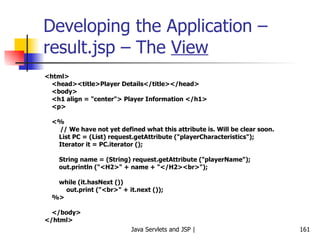
Sample Flow
Assignments
Exercise – 1 Create an application for  Book Library Maintenance , which would do the following: Member registration and maintenance Book maintenance Book Issue/Return/Loss Reports Search for a book Find all books for an author/publisher
Exercise – 2 Create a  Shopping cart  application to do the following: Item maintenance User registration and maintenance Shopping cart display Select items and add to/remove from shopping cart Accept order Receive payments Search for past orders Report of orders for a particular date
Thank You! Questions/Comments?

1 java servlets and jsp

  • 1.
    Java Servlets andJava Server Pages (JSP) Atul Kahate (akahate@gmail.com)
  • 2.
    Introduction to HTTPand Web Interactions
  • 3.
  • 4.
    Java and WebInteractions Socket API Client-side code: Socket socket = new Socket ( www.yahoo.com , 80); InputStream istream = socket.getInputStream ( ); OutputStream ostream = socket.getOutputStream ( ); Once the socket connection is made successfully: GET /mypath.html HTTP/1.0
  • 5.
    HTTP Request-Response ExampleWeb Browser Web Server GET /files/new/image1 HTTP/1.1 Accept: image/gif Accept: image/jpeg HTTP /1.1 200 OK Date: Tue, 19-12-00 15:58:10 GMT Server: MyServer Content-length: 3010 … (Actual data for the image) Request Response
  • 6.
    Important HTTP RequestCommands Remove a Web page DELETE Request to accept data that will be written to the client’s output stream POST Request to obtain just the header of a Web page HEAD Request to obtain a Web page GET Description HTTP command
  • 7.
  • 8.
    Servlets Basics Aservlet is a server-side program Executes inside a Web server, such as Tomcat Receives HTTP requests from users and provides HTTP responses Written in Java, with a few additional APIs specific to this kind of processing
  • 9.
    JSP-Servlet Relationship JSPis an interface on top of Servlets A JSP program is compiled into a Java servlet before execution Why JSP? Easier to write than servlets Designers can write HTML, programmers can write Java portions Servlets came first, followed by JSP See next slide
  • 10.
    JSP-Servlet Concept BrowserWeb server HTTP request (GET) JSP Compile Servlet Interpret and Execute HTML HTTP response (HTML) Servlet Container
  • 11.
    Servlet Overview ServletsIntroduced in 1997 Java classes Extend the Web server functionality Dynamically generate Web pages Servlet container (e.g. Tomcat) Manages servlet loading/unloading Works with the Web server (e.g. Apache) to direct requests to servlets and responses back to clients
  • 12.
    Web Server andServlet Container – Difference
  • 13.
    Need for ContainerCommunications support Handles communications (i.e. protocols) between the Web server and our application Lifecycle management Manages life and death of servlets Multithreading support Creates and destroys threads for user requests and their completion Declarative security XML deployment descriptors are used, no code inside servlets for this JSP support Translate JSP code into servlets
  • 14.
  • 15.
    Servlet Advantages PerformanceGet loaded upon first request and remain in memory indefinitely Multithreading (unlike CGI) Each request runs in its own separate thread Simplicity Run inside controlled server environment No specific client software is needed: Web browser is enough Session management Overcome HTTP’s stateless nature Java technology Network access, Database connectivity, J2EE integration
  • 16.
  • 17.
    How to Createand Run Servlets Download and install Java SE 6 (including JRE) Set PATH=c:\j2sdk1.4.2_04\bin Download Tomcat Download Tomcat from http://jakarta.apche.org/tomcat/ , Create it as c:\tomcat Configure the server Set JAVA_HOME=c:\j2sdk1.4.2_04 Set CATALINA_HOME=c:\tomcat Set CLASSPATH= C:\tomcat\common\lib\ servlet-api.jar Test set up Start tomcat Open browser and type http://localhost:8080
  • 18.
  • 19.
    Tomcat Directories/Files DescriptionTemporary files and directories for Tomcat work Web applications webapps Internal classes server Log files logs JAR files that contain classes that are available to all Web applications lib Configuration files conf Classes available to internal and Web applications common Unpacked classes that are available to all Web applications classes The binary executables and scripts bin Description Directory
  • 20.
    Using Tomcat StartingTomcat Open DOS prompt Execute startup.bat from c:\tomcat\bin Viewing a Web page Open browser Type a URL name in the address text box (e.g. http://localhost:8080/examples/servlets/index.html) Changing port number used by Tomcat Default is 8080 Edit server.xml file in the conf directory and change this to whatever port you want (should be 80 or > 1024)
  • 21.
    How to Deploya Web Application Our application should be under the c:\tomcat\webapps directory All applications that use servlets must have the WEB-INF and WEB-INF\classes directories We can create a root directory for our application under the c:\tomcat\webapps directory (e.g. c:\tomcat\webapps\musicstore) All directories and files pertaining to our applications should be under this diretcory Important directories: See next slide
  • 22.
    Tomcat: Important DirectoriesContains any JAR files that contain Java classes that are needed by this application, but not by other Web applications. \WEB-INF\lib Contains servlets and other Java classes that are not compressed into a JAR file. If Java packages are used, each package must be stored in a subdirectory that has the same name as the package. \WEB-INF\classes Contains a file named web.xml. It can be used to configure servlets and other components that make up the application. \WEB-INF Contains sub-directories, the index file, and HTML/JSP files for the application. doument root Description Directory
  • 23.
    Deploying Servlets andJSPs Servlet Deployment Compile the servlet into a .class file Put the .class file into the classes folder of the above directory structure JSP Deployment No need to compile Just put the JSP file into the document root directory of the above directory structure Tomcat automatically picks up and compiles it If explicit compilation is needed, look for the JSP compiler named jspc in the bin folder
  • 24.
  • 25.
  • 26.
    GenericServlet and HttpServletThese are the two main abstract classes for servlet programming HttpServlet is inherited from GenericServlet When we develop servlets, we need to extend one of these two classes See next slide Important: A servlet does not have a main () method All servlets implement the javax.servlet.http.HttpServlet interface
  • 27.
    <<interface>> javax.servlet.Servlet service(…) init (…) destroy (…) … <<abstract class>> javax.servlet.GenericServlet service (…) init (…) destroy (…) … <<abstract class>> javax.servlet. http.HttpServlet service (…) init (…) destroy (…) doGet (…) doPost (…) …
  • 28.
    Servlet Lifecycle Managedby servlet container Loads a servlet when it is first requested Calls the servlet’s init () method Handles any number of client requests by calling the servlet’s service () method When shutting down, calls the destroy () method of every active servlet
  • 29.
    service () MethodReceives two parameters created by the servlet container ServletRequest Contains information about the client and the request sent by the client ServletResponse Provides means for the servlet to communicate back with the client Rarely used (i.e. we should not override the service method): “HTTP versions” are used instead doGet: Handles HTTP GET requests doPost: Handles HTTP POST requests Option 1 Servlet container calls service () method This method calls doGet () or doPost () , as appropriate Option 2 The programmers can directly code doGet () or doPost () In simple terms, override doGet or doPost : See next slides
  • 30.
    Servlet Execution Overview– 1 Browser HTTP request Web server Container Servlet Container creates HTTPServletRequest and HTTPServletResponse objects and invokes the servlet, passing these objects to the servlet User clicks on a link that sends an HTTP request to the Web server to invoke a servlet Web server receives the request and hands it over to the container Thread Servlet thread is created to serve this request
  • 31.
    Servlet Execution Overview– 2 Container Servlet Container calls (a) The servlet’s service method, if supplied, else (b) The doGet or doPost method The doGet or doPost method generates the response, and embeds it inside the response object – Remember the container still has a reference to it! HTTP response doGet ( ) { … } Thread
  • 32.
    Servlet Execution Overview– 3 Browser HTTP response Web server Container Servlet Servlet thread and the request and response objects are destroyed by now Web server forwards the HTTP response to the browser, which interprets and displays HTML Container forwards the HTTP response to the Web server HTTP response Thread
  • 33.
    Understanding Servlet Lifecycle- 1 import java.io.*; import javax.servlet.*; import javax.servlet.http.*; public class LifeCycleServlet extends HttpServlet { public void init () { System.out.println (&quot;In init () method&quot;); } public void doGet (HttpServletRequest request, HttpServletResponse response) { System.out.println (&quot;In doGet () method&quot;); } public void destroy () { System.out.println (&quot;In destroy () method&quot;); } }
  • 34.
    Deployment Descriptor Deploymentdescriptor is an XML file with the name web.xml It should be in the WEB-INF directory Example follows …
  • 35.
    DD Example <?xmlversion=&quot;1.0&quot; encoding=&quot;ISO-8859-1&quot;?> <!DOCTYPE web-app …> <web-app> <servlet> <servlet-name> LifeCycleServlet </servlet-name> <servlet-class> LifeCycleServlet </servlet-class> </servlet> <servlet-mapping> <servlet-name> LifeCycleServlet </servlet-name> <url-pattern>/servlet/ LifeCycleServlet </url-pattern> </servlet-mapping> </web-app> Name for referring to it elsewhere in the DD Full name, including any package details Name of the servlet again Client’s URL will have this
  • 36.
    Understanding Servlet Lifecycle- 2 Run the example: http://localhost:8080/examples/servlet/LifeCycleServlet Look at the Tomcat messages window To see the message corresponding to destroy () method, just recompile the servlet
  • 37.
    HTTP Request-Response –Step 1 Payment Details Card number: Valid till: Submit Cancel Client Server
  • 38.
    HTTP Request-Response –Step 2 Client Server POST /project/myServlet HTTP/1.1 Accept: image/gif, application/msword, … … cardnumber=1234567890123&validtill=022009 … HTTP request
  • 39.
    init () MethodCalled only when a servlet is called for the very first time Performs the necessary startup tasks Variable initializations Opening database connections We need not override this method unless we want to do such initialization tasks
  • 40.
    HTTP Request-Response –Step 3 Client Server http/1.1 200 OK … <html> <head> <title>Hello World!</title> <body> <h1> … … HTTP response
  • 41.
    Difference Between doGet( ) and doPost ( ) doGet ( ) Corresponds to the HTTP GET command Limit of 256 characters, user’s input gets appended to the URL Example: http://www.test.com?user=test&password=test doPost ( ) Corresponds the HTTP POST command User input is sent inside the HTTP request Example POST /project/myServlet HTTP/1.1 Accept: image/gif, application/msword, … … username=test&password=test …
  • 42.
    Servlets and Multi-threadingContainer runs multiple threads to process multiple client requests for the same servlet Every thread (and therefore, every client) has a separate pair of request and response objects See next slide
  • 43.
    Multi-threading in ServletsWeb browser Container Web browser HTTP request HTTP request Servlet Thread A Thread B request response request response
  • 44.
    destroy () MethodOnly servlet container can destroy a servlet Calling this method inside a servlet has no effect
  • 45.
    “ Hello World”Servlet Example (HelloWWW.java) import java.io.*; import javax.servlet.*; import javax.servlet.http.*; public class HelloWWW extends HttpServlet { public void doGet (HttpServletRequest request, HttpServletResponse response) throws ServletException, IOException { response.setContentType (&quot;text/html&quot;); PrintWriter out = response.getWriter (); out.println(&quot;<HTML>\n&quot; + &quot;<HEAD><TITLE>Hello World</TITLE></HEAD>\n&quot;+ &quot;<BODY>\n&quot; + &quot;<H1>Hello WWW</H1>\n&quot; + &quot;</BODY></HTML>&quot;); } } http://localhost:8080/examples/servlet/HelloWorldExample
  • 46.
    Servlet Code: QuickOverview Regular Java code: New APIs, no new syntax Unfamiliar import statements (Part of Servlet and J2EE APIs, not J2SE) Extends a standard class ( HttpServlet ) Overrides the doGet method
  • 47.
    PrintWriter Class Inpackage java.io Specialized class for text input-output streams Important methods: print and println
  • 48.
    Exercise: Currency ConversionWrite a servlet that displays a table of dollars versus Indian rupees. Assume a conversion rate of 1USD = 45 Indian rupees. Display the table for dollars from 1 to 50.
  • 49.
    Servlets: Accepting UserInput – 1 Write a small application that prompts the user to enter an email ID and then uses a servlet to display that email ID HTML page to display form <html> <head> <title>Servlet Example Using a Form</title> </head> <body> <H1> Forms Example Using Servlets</H1> <FORM ACTION = “servlet/emailServlet&quot;> <!– URL can be /examples/servlet/emailServlet as well, but not /servlet/emailServlet --> Enter your email ID: <INPUT TYPE=&quot;TEXT&quot; NAME=&quot;email&quot;> <INPUT TYPE=&quot;SUBMIT&quot;> </FORM> </body> </html>
  • 50.
    Servlets: Accepting UserInput – 2 Servlet: doGet method protected void doGet(HttpServletRequest request, HttpServletResponse response) throws ServletException, IOException { String email; email = request.getParameter (&quot;email&quot;); response.setContentType(&quot;text/html&quot;); PrintWriter out = response.getWriter(); out.println(&quot;<html>&quot;); out.println(&quot;<head>&quot;); out.println(&quot;<title>Servlet Example</title>&quot;); out.println(&quot;</head>&quot;); out.println(&quot;<body>&quot;); out.println (&quot;<P> The email ID you have entered is: &quot; + email + &quot;</P>&quot;); out.println(&quot;</body>&quot;); out.println(&quot;</html>&quot;); out.close(); }
  • 51.
    Exercise Write aservlet to accept the credit card details from the user using an HTML form and show them back to the user.
  • 52.
    Process Credit CardDetails (HTML Page) <HTML> <HEAD> <TITLE>A sample form using HTML and Servlets</TITLE> </HEAD> <BODY BGCOLOR = &quot;#FDFE6&quot;> <H1 ALIGN = &quot;CENTER&quot;>A sample form using GET</H1> <FORM ACTION = &quot;/sicsr/servlet/CreditCardDetailsServlet&quot; METHOD = &quot;GET&quot;> Item Number: <INPUT TYPE = &quot;TEXT&quot; NAME = &quot;itemNum&quot;><BR> Description: <INPUT TYPE = &quot;TEXT&quot; NAME = &quot;description&quot;><BR> Unit Price: <INPUT TYPE = &quot;TEXT&quot; NAME = &quot;price&quot; value = &quot;Rs.&quot;><BR> <HR> First Name: <INPUT TYPE = &quot;TEXT&quot; NAME = &quot;firstName&quot; value = &quot;Rs.&quot;><BR> Middle Initial: <INPUT TYPE = &quot;TEXT&quot; NAME = &quot;initial&quot; value = &quot;Rs.&quot;><BR> Last Name: <INPUT TYPE = &quot;TEXT&quot; NAME = &quot;lastName&quot; value = &quot;Rs.&quot;><BR> <HR> Address: <TEXTAREA NAME = &quot;address&quot; ROWS = 3 COLS = 40 </TEXTAREA><BR> <HR> <B>Credit Card Details</B><BR> &nbsp;&nbsp;<INPUT TYPE = &quot;RADIO&quot; NAME = &quot;cardType&quot; value = &quot;Visa&quot;><BR> &nbsp;&nbsp;<INPUT TYPE = &quot;RADIO&quot; NAME = &quot;cardType&quot; value = &quot;Master&quot;><BR> &nbsp;&nbsp;<INPUT TYPE = &quot;RADIO&quot; NAME = &quot;cardType&quot; value = &quot;Amex&quot;><BR> &nbsp;&nbsp;<INPUT TYPE = &quot;RADIO&quot; NAME = &quot;cardType&quot; value = &quot;Other&quot;><BR> Credit Card Number: <INPUT TYPE = &quot;PASSWORD&quot; NAME = &quot;cardNum&quot;><BR> <HR><HR> <CENTER><INPUT TYPE = &quot;SUBMIT&quot; VALUE = &quot;Submit Order&quot;></CENTER> </FORM> </BODY> </HTML>
  • 53.
    Credit Card DetailsServlet import java.io.*; import javax.servlet.*; import javax.servlet.http.*; public class CreditCardDetailsServlet extends HttpServlet { public void doGet (HttpServletRequest request, HttpServletResponse response) throws ServletException, IOException { String firstName = request.getParameter (&quot;firstName&quot;); String lastName = request.getParameter (&quot;lastName&quot;); String cardType = request.getParameter (&quot;cardType&quot;); response.setContentType (&quot;text/html&quot;); PrintWriter out = response.getWriter (); out.println (&quot;<HTML><HEAD><TITLE>Order Processing</TITLE></HEAD>&quot;); out.println (&quot;<BODY> <H1> Thank You! </H1>&quot;); out.println (&quot;Hi &quot; + firstName + &quot; &quot; + lastName + &quot;<BR>&quot;); out.println (&quot;Your credit card is &quot; + cardType); out.println (&quot;</BODY></HTML&quot;); out.close (); } }
  • 54.
    Exercises Write aservlet for the following: Accept the user’s age, and then display “You are young” if the age is < 60, else display “You are old”. Accept a number from the user and compute and show its factorial.
  • 55.
    How to readmultiple form values using a different syntax? InputForm.html <HTML> <HEAD> <TITLE>A Sample FORM using POST</TITLE> </HEAD> <BODY BGCOLOR=&quot;#FDF5E6&quot;> <H1 ALIGN=&quot;CENTER&quot;>A Sample FORM using POST</H1> <FORM ACTION=&quot;/ServletExample/ShowParameters&quot; METHOD=&quot;POST&quot;> Item Number: <INPUT TYPE=&quot;TEXT&quot; NAME=&quot;itemNum&quot;><BR> Quantity: <INPUT TYPE=&quot;TEXT&quot; NAME=&quot;quantity&quot;><BR> Price Each: <INPUT TYPE=&quot;TEXT&quot; NAME=&quot;price&quot; VALUE=&quot;$&quot;><BR> <HR> First Name: <INPUT TYPE=&quot;TEXT&quot; NAME=&quot;firstName&quot;><BR> Last Name: <INPUT TYPE=&quot;TEXT&quot; NAME=&quot;lastName&quot;><BR> Middle Initial: <INPUT TYPE=&quot;TEXT&quot; NAME=&quot;initial&quot;><BR> Shipping Address: <TEXTAREA NAME=&quot;address&quot; ROWS=3 COLS=40></TEXTAREA><BR> Credit Card:<BR> <INPUT TYPE=&quot;RADIO&quot; NAME=&quot;cardType&quot; VALUE=&quot;Visa&quot;>Visa<BR> <INPUT TYPE=&quot;RADIO&quot; NAME=&quot;cardType&quot; VALUE=&quot;Master Card&quot;>Master Card<BR> <INPUT TYPE=&quot;RADIO&quot; NAME=&quot;cardType&quot; VALUE=&quot;Amex&quot;>American Express<BR> <INPUT TYPE=&quot;RADIO&quot; NAME=&quot;cardType&quot; VALUE=&quot;Discover&quot;>Discover<BR> <INPUT TYPE=&quot;RADIO&quot; NAME=&quot;cardType&quot; VALUE=&quot;Java SmartCard&quot;>Java SmartCard<BR> Credit Card Number: <INPUT TYPE=&quot;PASSWORD&quot; NAME=&quot;cardNum&quot;><BR> Repeat Credit Card Number: <INPUT TYPE=&quot;PASSWORD&quot; NAME=&quot;cardNum&quot;><BR><BR> <CENTER> <INPUT TYPE=&quot;SUBMIT&quot; VALUE=&quot;Submit Order&quot;> </CENTER> </FORM> </BODY> </HTML>
  • 56.
    Servlet (ShowParameters.java) packagehello; import java.io.*; import javax.servlet.*; import javax.servlet.http.*; import java.util.*; /** Shows all the parameters sent to the servlet via either * GET or POST. Specially marks parameters that have no values or * multiple values. * * Part of tutorial on servlets and JSP that appears at * http://www.apl.jhu.edu/~hall/java/Servlet-Tutorial/ * 1999 Marty Hall; may be freely used or adapted. */ public class ShowParameters extends HttpServlet { public void doGet(HttpServletRequest request, HttpServletResponse response) throws ServletException, IOException { response.setContentType(&quot;text/html&quot;); PrintWriter out = response.getWriter(); String title = &quot;Reading All Request Parameters&quot;; out.println(ServletUtilities.headWithTitle(title) + &quot;<BODY BGCOLOR=\&quot;#FDF5E6\&quot;>\n&quot; + &quot;<H1 ALIGN=CENTER>&quot; + title + &quot;</H1>\n&quot; + &quot;<TABLE BORDER=1 ALIGN=CENTER>\n&quot; + &quot;<TR BGCOLOR=\&quot;#FFAD00\&quot;>\n&quot; + &quot;<TH>Parameter Name<TH>Parameter Value(s)&quot;); Enumeration paramNames = request.getParameterNames(); while(paramNames.hasMoreElements()) { String paramName = (String)paramNames.nextElement(); out.println(&quot;<TR><TD>&quot; + paramName + &quot;\n<TD>&quot;); String[] paramValues = request.getParameterValues(paramName); if (paramValues.length == 1) { String paramValue = paramValues[0]; if (paramValue.length() == 0) out.print(&quot;<I>No Value</I>&quot;); else out.print(paramValue); } else { out.println(&quot;<UL>&quot;); for(int i=0; i<paramValues.length; i++) { out.println(&quot;<LI>&quot; + paramValues[i]); } out.println(&quot;</UL>&quot;); } } out.println(&quot;</TABLE>\n</BODY></HTML>&quot;); } public void doPost(HttpServletRequest request, HttpServletResponse response) throws ServletException, IOException { doGet(request, response); } }
  • 57.
  • 58.
    More Details onthe web.xml File Also called as deployment descriptor Used to configure Web applications Can provide an alias for a servlet class so that a servlet can be called using a different name Define initialization parameters for a servlet or for an entire application Define error pages for an entire application Provide security constraints to restrict access to Web pages and servlets
  • 59.
    Deploy or RedeployServlets Without Restarting Tomcat For Tomcat versions prior to 5.5, in the server.xml file, add the following line <DefaultContext reloadable=&quot;true&quot;/> For Tomcat versions from 5.5, do the following in the context.xml file <Context reloadable=&quot;true&quot;> Should be used in development environments only, as it incurs overhead
  • 60.
    Invoking a ServletWithout a web.xml Mapping
  • 61.
    No need toEdit web.xml Every Time Make the following changes to the c:\tomcat\conf\web.xml file <servlet> <servlet-name>invoker</servlet-name> <servlet-class> org.apache.catalina.servlets.InvokerServlet </servlet-class> <init-param> <param-name>debug</param-name> <param-value>0</param-value> </init-param> <load-on-startup>2</load-on-startup> </servlet> <servlet-mapping> <servlet-name>invoker</servlet-name> <url-pattern>/servlet/*</url-pattern> </servlet-mapping>
  • 62.
    Invoking Servlets NowSimple paths http://localhost:8080/examples/servlet/HelloServletTest Paths containing package names http://localhost:8080/examples/servlet/com.test.mypackage.HelloServletTest
  • 63.
  • 64.
    Use of init() We can perform any initializations that we want, inside this method For example, the following servlet initializes some lottery numbers in the init () method and the doGet () method displays them http://localhost:8080/sicsr/servlet/LotteryNumbers
  • 65.
    Use of init() import java.io.*; import javax.servlet.*; import javax.servlet.http.*; public class LotteryNumbers extends HttpServlet { public long modTime; private int[] numbers = new int [10]; public void init () throws ServletException { modTime = System.currentTimeMillis ( )/1000*1000; for (int i=0; i<numbers.length; i++) { numbers[i] = randomNum (); } } public void doGet (HttpServletRequest request, HttpServletResponse response) throws ServletException, IOException { response.setContentType (&quot;text/html&quot;); PrintWriter out = response.getWriter (); String title = &quot;Your Lottery Numbers&quot;; out.println (&quot;<HTML><HEAD><TITLE>&quot; + title + &quot;</TITLE></HEAD>&quot;); out.println (&quot;H1&quot; + title + &quot;/H1&quot;); out.println (&quot;Your lottery numbers are: &quot; + &quot;<BR>&quot;); out.println (&quot;<OL>&quot;); for (int i=0; i<numbers.length; i++) { out.println (&quot; <LI>&quot; + numbers [i]); } out.println (&quot;</OL></BODY></HTML>&quot;); } private int randomNum () { return ((int) (Math.random () * 100)); } }
  • 66.
  • 67.
    JSP Advantages Automaticallycompiled to servlets whenever necessary HTML-like, so easier to code Servlets System.out.println (“<HTML> … Hello … </HTML>”); JSP <HTML> … Hello … </HTML> Can make use of JavaBeans
  • 68.
    JSP Lifecycle JSPsource code Java source code (Servlet) Compiled Java class Interpret and Execute Written by the developer. Text file ( .jsp ) consisting of HTML code, Java statements, etc. 1. JSP source code JSP container translates JSP code into a servlet (i.e. Java code) as needed. 2. Java source code Servlet code is compiled into Java bytecode (i.e. a .class file), ready to be loaded and executed. 3. Compiled Java class Description Step
  • 69.
  • 70.
    “ Hello World”JSP Example (HelloWWW.jsp) <html> <head> <title>Hello World</title> </head> <body> <h2> Hello World </h2> <% out.print(&quot;<p><b>Hello World!</b>&quot;); %> </body> </html>
  • 71.
    JSP is alsoMulti-threaded
  • 72.
    Elements of JSPJSP Syntax and Semantics
  • 73.
  • 74.
    Components of aJSP Page Directives Instructions to the JSP container Describe what code should be generated Comments Two types Visible only inside the JSP page Visible in the HTML page generated by the JSP code Scripting elements Expressions : Java expression Scriptlets : One or more Java statements Declarations : Declarations of objects, variables, etc Actions JSP elements that create, modify or use objects
  • 75.
  • 76.
  • 77.
    Directives Overview Instructionsto JSP container that describe what code should be generated Generic form <%@ Directive-name Attribute-Value pairs %> There are three directives in JSP page include taglib
  • 78.
    The page Directive Used to specify attributes for the JSP page as a whole Rarely used, except for specialized situations Syntax <%@ page Attribute-Value pairs %> Possible attributes Include other classes, packages etc import Specifies the MIME type to be used contentType Can the page handle multiple client requests? isThreadSafe Indicates whether the JSP page needs session management session Inheritance relationship, if any extends Always Java language Purpose Attribute
  • 79.
    Usage of thepage Directive – 1 language No need to discuss, since it is Java by default extends Not needed in most situations import By default, the following packages are included in every JSP page java.lang java.servlet java.servlet.http java.servlet.jsp No need to import anything else standard in most cases: import your custom packages only session Default is session = “true” Specify session=“false” if the page does not need session management Saves valuable resources
  • 80.
    Usage of thepage Directive – 2 isThreadSafe By default, the servlet engine loads a single servlet instance A pool of threads service individual requests Two or more threads can execute the same servlet method simultaneously, causing simultaneous access to variables <%@ page isThreadSafe=&quot;false&quot; %> would have N servlet instances running for N requests contentType Generally, a JSP page produces HTML output (i.e. content type is “text/html” Other content types can be produced In that case, use <%@ page contentType=“value”> Now, non-HTML output can be sent to the browser
  • 81.
    JSP Comments: TwoTypes Hidden comments (also called as JSP comments) Visible only inside JSP page but not in the generated HTML page Example <%-- This is a hidden JSP comment --%> Comments to be generated inside the output HTML page Example <!-- This comment is included inside the generated HTML --> Notes When the JSP compiler encounters the tag <%--, it ignores everything until it finds a matching end tag --%> Therefore, JSP comments cannot be nested! Use these comments to temporarily hide/enable parts of JSP code
  • 82.
    Scripting Elements ExpressionsScriptlets Declarations
  • 83.
    Expressions Simple meansfor accessing the value of a Java variable or other expressions Results can be merged with the HTML in that page Syntax <%= expression %> Example The current time is <%= new java.util.Date ( ) %> HTML portion Java portion
  • 84.
    More Expression ExamplesSquare root of 2 is <%= Math.sqrt (2) %> The item you are looking for is <%= items [i] %> Sum of a, b, and c is <%= a + b + c %>.
  • 85.
    Exercise: Identify ValidExpressions <%= 5 > 3 %> <% = 42*20 %> <%= String s = “foo” %> <%= Math.random () %> <%= “27” %> <%= ((Math.random () + 5 * 2); %> <%= 27 %> Valid/Invalid and why? Expression
  • 86.
    Exercise: Identify ValidExpressions Valid: Results into a Boolean <%= 5 > 3 %> Invalid: Space between % and = <% = 42*20 %> Invalid: Variable declaration not allowed <%= String s = “foo” %> Valid: method returning a double <%= Math.random () %> Valid: String literal <%= “27” %> Invalid: No semicolon allowed <%= ((Math.random () + 5 * 2); %> Valid: All primitive literals are ok <%= 27 %> Valid/Invalid and why? Expression
  • 87.
    Scriptlets One ormore Java statements in a JSP page Syntax <% Statement; %> Example <TABLE BORDER=2> <% for (int i = 0; i < n; i++) { %> <TR> <TD>Number</TD> <TD><%= i+1 %></TD> </TR> <% } %> </TABLE> HTML code JSP code HTML code JSP code
  • 88.
    Understanding how thisworks The JSP code would be converted into equivalent servlet code to look something like this: out.println (“<TABLE BORDER=2>”); for (int i = 0; i < n; i++) { out.println (“<TR>”); out.println (“<TD>Number</TD>”); out.println (“<TD>” + i+1 + “</TD>”); out.println (“</TR>”); } out.println (“</TABLE”);
  • 89.
    Another Scriptlet Example<% if (hello == true) <%-- hello is assumed to be a boolean variable --%> { %> <P>Hello, world <% } else { %> <P>Goodbye, world <% } %>
  • 90.
    JSP Exercise Acceptamount in USD from the user, convert it into Indian Rupees and display result to the user by using a JSP. Consider that USD 1 = Indian Rupees 39.
  • 91.
    Scriptlets Exercise Writea JSP page to produce Fahrenheit to Celsius conversion table. The temperature should start from 32 degrees Fahrenheit and display the table at the interval of every 20 degrees Fahrenheit. Formula: c = ((f - 32) * 5) / 9.0
  • 92.
    Solution to theScriptlets Exercise <%@ page import=&quot;java.text.*&quot; session = &quot;false&quot; %> <HTML> <HEAD> <TITLE> Scriptlet Example </TITLE> </HEAD> <BODY> <TABLE BORDER = &quot;0&quot; CELLPADDING = &quot;3&quot;> <TR> <TH> Fahrenheit </TH> <TH> Celsius </TH> </TR> <% NumberFormat fmt = new DecimalFormat (&quot;###.000&quot;); for (int f = 32; f <= 212; f += 20) { double c = ((f - 32) * 5) / 9.0; String cs = fmt.format (c); %> <TR> <TD ALIGN = &quot;RIGHT&quot;> <%= f %> </TD> <TD ALIGN = &quot;RIGHT&quot;> <%= cs %> </TD> </TR> <% } %> </TABLE> </BODY> </HTML>
  • 93.
    Declarations Used todeclare objects, variables, methods, etc Syntax <%! Statement %> Examples <%! int i = 0; %> <%! int a, b; double c; %> <%! Circle a = new Circle(2.0); %> We must declare a variable or method in a JSP page before we use it in the page. The scope of a declaration is usually a JSP file, but if the JSP file includes other files with the include directive, the scope expands to cover the included files as well. Resulting code is included outside of any method (unlike scriptlet code)
  • 94.
    Where to declarea Variable? Variables can be declared inside a scriptlet or inside a declaration block Declaring inside a scriptlet Makes the variable local (i.e. inside the service () method of the corresponding servlet) Declaring inside a declaration Makes the variable instance (i.e. outside the service () method of the corresponding servlet) See next slide …
  • 95.
    Declaring a variablein a scriptlet JSP (C:\tomcat\webapps\atul\Vardeclaration\var1.jsp) <html> <body> <% int counter = 0; %> The page count is now: <%= ++counter %> </body> </html> Every time output remains 1! Why?  The resulting servlet has this variable as a local variable of the service method: gets initialized every time.
  • 96.
    Declaring a variablein a declaration JSP (C:\tomcat\webapps\atul\Vardeclaration\var2.jsp) <html> <body> <%! int counter = 0; %> The page count is now: <%= ++counter %> </body> </html> Now counter gets declared before the service method of the servlet; becomes an instance variable (Created and initialized only once, when the servlet instance is first created and never updated) Now, output is as expected
  • 97.
    Another Example Var4.jsp<%@ page import=&quot;java.text.*&quot; %> <%@ page import=&quot;java.util.*&quot; %> <% DateFormat fmt = new SimpleDateFormat (&quot;hh:mm:ss aa&quot;); String now = fmt.format (new Date ()); %> <h4> The time now is <%= now %> </h4> Var5.jsp <%@ page import=&quot;java.text.*&quot; %> <%@ page import=&quot;java.util.*&quot; %> <%! DateFormat fmt = new SimpleDateFormat (&quot;hh:mm:ss aa&quot;); String now = fmt.format (new Date ()); %> <h4> The time now is <%= now %> </h4>
  • 98.
    JSP: A CompleteExample – All Elements
  • 99.
    Actions Will bediscussed later: Just remember the syntax for the time being Two types Standard actions Other actions Standard action example <jsp:include page=“myExample.jsp” /> Other action example <c:set var = “rate” value = “32” />
  • 100.
    Exercise Identify whichof the following is a directive, declaration, scriptlet, expression, and action <%= pageContext.getAttribute (“Name”) %> <jsp include file = “test.html” <%@ page import = “java.util.*” <%! int y = 3; %> <% Float one = new Float (42.5); %> Language element Syntax
  • 101.
    Exercise Identify whichof the following is a directive, declaration, scriptlet, expression, and action Expression Action Directive Declaration Scriptlet Language element Gets translated into write statements of the service method <%= pageContext.getAttribute (“Name”) %> Causes the file to be included <jsp include file = “test.html” A page directive with an import attribute translates into a Java import statement <%@ page import = “java.util.*”> A member declaration is inside a class, but outside of any method <%! int y = 3; %> Goes inside the service method of the JSP <% Float one = new Float (42.5); %> Explanation Syntax
  • 102.
    Exercises Write aJSP for the following: Accept the user’s age, and then display “You are young” if the age is < 60, else display “You are old”. Accept a number from the user and compute and show its factorial.
  • 103.
    Exercise Accept threenumbers from the user using an HTML page and compute and display the factorial of the largest of those three numbers using a JSP (e.g. if the user enters 3, 5, 7; compute the factorial of 7).
  • 104.
    factorial.html <html> <head><title>Compute Factorial of the Largest Number</title> </head> <body> <h1>Compute Factorial of the Largest Number</h1> <form action = &quot;factorial.jsp&quot;> Enter three numbers: <input type = &quot;text&quot; name = &quot;num_1&quot;> &nbsp;&nbsp; <input type = &quot;text&quot; name = &quot;num_2&quot;> &nbsp;&nbsp; <input type = &quot;text&quot; name = &quot;num_3&quot;> <br /> <br /> <input type = &quot;submit&quot; value = &quot;Compute the factorial of the largest&quot;> </form> </body> </html>
  • 105.
    factorial.jsp <html> <head><title>Compute Factorial of the Largest Number</title> </head> <body> <h1>Compute Factorial of the Largest Number</h1> <% String num_1_str = request.getParameter (&quot;num_1&quot;); String num_2_str = request.getParameter (&quot;num_2&quot;); String num_3_str = request.getParameter (&quot;num_3&quot;); int num_1 = Integer.parseInt (num_1_str); int num_2 = Integer.parseInt (num_2_str); int num_3 = Integer.parseInt (num_3_str); int largest = 0; if (num_1 > num_2 && num_1 > num_3) { largest = num_1; } else if (num_2 > largest && num_2 > num_3) { largest = num_2; } else { largest = num_3; } int fact = 1; while (largest > 1) { fact *= largest; largest--; } %> <h3> The numbers entered are: <%= num_1 %>, <%= num_2 %>, and <%= num_3 %>. </h3> <h2> The largest among them is: <%= largest %>, and its factorial is <%= fact %> </h2> </body> </html>
  • 106.
    Exercise Accept currencycode (USD or INR) from the user, and the amount to convert. Depending on the currency selected, convert the amount into equivalent of the other currency. (e.g. if the user provides currency as USD and amount as 10, convert it into equivalent INR).
  • 107.
    CurrencyCrossConversion.html <html> <head><title>Currency Cross-Conversion</title> </head> <body> <h1>Currency Cross-Conversion</h1> <form action = &quot;CurrencyCrossConversion.jsp&quot;> Choose Source Currency <br /> <input type = &quot;radio&quot; name =&quot;currency&quot; value=&quot;USD&quot;>USD<br /> <input type = &quot;radio&quot; name =&quot;currency&quot; value=&quot;INR&quot;>INR<br /> <br /> Type amount: <input type = &quot;text&quot; name = &quot;amount&quot;> <br /> <input type = &quot;submit&quot; value = &quot;Convert&quot;> </form> </body> </html>
  • 108.
    CurrencyCrossConversion.jsp <html> <head><title>Currency Cross Conversion Results</title> </head> <body> <h1>Currency Cross Conversion Results</h1> <% String currency = request.getParameter (&quot;currency&quot;); String amount_str = request.getParameter (&quot;amount&quot;); int sourceAmount = Integer.parseInt (amount_str); float targetAmount = 0; if (currency.equals(&quot;USD&quot;)) { targetAmount = sourceAmount * 39; } else { targetAmount = sourceAmount / 39; } out.println (&quot;Converted amount is: &quot; + targetAmount); %> </body> </html>
  • 109.
    Exercise Accept theUSD value (e.g. 10). Then display a table of USD to INR conversion, starting with this USD value (i.e. 10) for the next 10 USD values (i.e. until USD 20).
  • 110.
    forexample.jsp <html> <head><title>USD to INR Conversion</title> </head> <body> <h1>USD to INR Conversion</h1> <table> <% String usd_str = request.getParameter (&quot;usd&quot;); int usd = Integer.parseInt (usd_str); for (int i=usd; i< (usd + 10); i++) { %> <tr> <td> <%= i * 39 %> </td> </tr> <% } %> </table> </body> </html>
  • 111.
    Simple Example ofusing a Java Class in a Servlet
  • 112.
    Servlet (HelloWWW2.java) packagehello; import java.io.*; import javax.servlet.*; import javax.servlet.http.*; public class HelloWWW2 extends HttpServlet { public void doGet(HttpServletRequest request, HttpServletResponse response) throws ServletException, IOException { response.setContentType(&quot;text/html&quot;); PrintWriter out = response.getWriter(); out.println(ServletUtilities.headWithTitle(&quot;Hello WWW&quot;) + &quot;<BODY>\n&quot; + &quot;<H1>Hello WWW</H1>\n&quot; + &quot;</BODY></HTML>&quot;); } }
  • 113.
    ServletUtilities.java package hello;public class ServletUtilities { public static final String DOCTYPE = &quot;<!DOCTYPE HTML PUBLIC \&quot;-//W3C//DTD HTML 4.0 Transitional//EN\&quot;>&quot;; public static String headWithTitle(String title) { return(DOCTYPE + &quot;\n&quot; + &quot;<HTML>\n&quot; + &quot;<HEAD><TITLE>&quot; + title + &quot;</TITLE></HEAD>\n&quot;); } // Other utilities will be shown later... }
  • 114.
    Important Implicit Objectsin JSP request response pageContext session application out
  • 115.
    Implicit Objects –Basic Concepts Scriptlets and expressions cannot do too much of work themselves They need an environment to operate in JSP container provides this environment in the form of the implicit objects There are six such standard objects, as listed earlier
  • 116.
    Implicit Objects: request Object Web browser (client) sends an HTTP request to a Web server The request object provides a JSP page an access to this information by using this object Web Browser Web Server GET /file/ login.jsp HTTP/1.1 … <Other data> … ID = atul , password = … HTTP Request login.jsp { String uID = request.getParameter (ID); …
  • 117.
    Implicit Objects: response Object Web server sends an HTTP response to the Web browser The response object provides a JSP page an access to this information by using this object Web Browser Web Server <HTTP headers> <HTML> Cookie ID = atul … HTTP Response login.jsp ... <HTML> Cookie mycookie = new Cookie (“ID&quot;, “atul&quot;); response.addCookie (mycookie);
  • 118.
    Implicit Objects: pageContext Object JSP environment hierarchy Application Session Request Page
  • 119.
    Using pageContext Wecan use a pageContext reference to get any attributes from any scope Supports two overloaded getAttribute () methods A one-argument method, which takes a String A two-argument method, which takes a String and an int Examples follow
  • 120.
    pageContext Examples Settinga page-scoped attribute <% Float one = new Float (42.5); %> <% pageContext.setAttribute (“foo”, one); %> Getting a page-scoped attribute <%= pageContext.getAttribute (“foo”); %>
  • 121.
    Implicit Objects: session Object HTTP is a stateless protocol Does not remember what happened between two consecutive requests Example – Online bookshop Browser sends a login request to the server, sending the user ID and password Server authenticates user and responds back with a successful login message along with the menu of options available to the user User clicks on one of the options (say Buy book ) Browser sends user’s request to the server Ideally, we would expect the server to remember who this user is, based on steps 1 and 2 But this does not happen! Server does not know who this user is Browser has to remind server every time! Hence, server is state less
  • 122.
    Implicit Objects: application Object Master object – Consists of all JSP pages, servlets, HTML pages, sessions, etc for an application Used to control actions that affect all users of an application Example: Count the number of hits for a Web page
  • 123.
    Implicit Objects: out Object Used to generate output to be sent to the user Example <% String [] colors = {“red”, “green”, “blue”}; for (int i = 0; i < colors.length; i++) out.println (“<p>” + colors [i] + “</p>”); %> Of course, this can also be written as: <% String [] colors = {“red”, “green”, “blue”}; for (int i = 0; i < colors.length; i++) %> <p> <%= colors [i] %> </p>
  • 124.
    Creating Welcome Filesfor a Web Application
  • 125.
    Configuring Welcome FilesSuppose the user just provides the directory name, and not an actual file name, in the browser We can set up default home page or welcome page that would be displayed to the user, instead of a list of files
  • 126.
    Edit Your ApplicationDirectory’s web.xml file <welcome-file-list> <welcome-file>index.html</welcome-file> <welcome-file>default.jsp</welcome-file> </welcome-file-list> Indicates that if the user types the URL http://localhost:8080/examples , contents of index.html should be shown; and if it is not found, then that of default.jsp should be shown
  • 127.
  • 128.
    Two methods RedirectMakes the browser do all the work Servlet needs to call the sendRedirect () method Request Dispatch Work happens on the server side Browser does not get involved
  • 129.
    Understanding Redirect –1 HTTP Request … 1. Client types a URL in the browser’s URL bar 2. Servlet decides that it cannot handle this – hence, REDIRECT! response.sendRedirect (New URL) HTTP Response Status = 301 Location = new URL 3. Browser sees the 301 status code and looks for a Location header
  • 130.
    Understanding Redirect –2 HTTP Request … 1. Browser sends a new request to the new URL 2. Servlet processes this request like any other request HTTP Response Status = 200 OK … 3. Browser renders HTML as usual
  • 131.
    Understanding Redirect –3 User comes to know of redirection – Sees a new URL in the browser address bar We should not write anything to the response and then do a redirect
  • 132.
    Redirect Example –1 OriginalServlet.java import java.io.*; import javax.servlet.*; import javax.servlet.http.*; public class OriginalServlet extends HttpServlet { public void doGet (HttpServletRequest request, HttpServletResponse response) throws ServletException, IOException { System.out.println (&quot;Inside OriginalServlet ...&quot;); response.sendRedirect (&quot;RedirectedToServlet&quot;); } }
  • 133.
    Redirect Example –2 RedirectedToServlet.java import java.io.*; import javax.servlet.*; import javax.servlet.http.*; public class RedirectedToServlet extends HttpServlet { public void doGet (HttpServletRequest request, HttpServletResponse response) throws ServletException, IOException { System.out.println (&quot;Inside RedirectedToServlet ...&quot;); response.setContentType (&quot;text/html&quot;); PrintWriter out = response.getWriter (); out.println(&quot;<HTML>\n&quot; + &quot;<HEAD><TITLE>Hello World</TITLE></HEAD>\n&quot;+ &quot;<BODY>\n&quot; + &quot;<H1>You have been redirected successfully</H1>\n&quot; + &quot;</BODY></HTML>&quot;); } }
  • 134.
    Understanding Request Dispatch– 1 HTTP Request … 1. Browser sends a request for a servlet 2. Servlet decides to forward this request to another servlet/JSP HTTP Response Status = 200 OK … 4. Browser renders HTML as usual RequestDispatcher view = request.getRequestDispatcher (“result.jsp”); view.forward (request, response); 3. result.jsp produces an HTTP response
  • 135.
    Understanding Request Dispatch– 2 Server automatically does the forwarding, unlike in the previous case URL in the browser does not change
  • 136.
    Dispatch Example –1 OriginalServletTwo.java import java.io.*; import javax.servlet.*; import javax.servlet.http.*; public class OriginalServletTwo extends HttpServlet { public void doGet (HttpServletRequest request, HttpServletResponse response) throws ServletException, IOException { System.out.println (&quot;Inside OriginalServlet ...&quot;); RequestDispatcher view = request.getRequestDispatcher (&quot;/result.jsp&quot;); view.forward (request, response); } }
  • 137.
    Dispatch Example –2 result.jsp <html> <head> <title>Dispatched to a New Page</title> </head> <body> <h2> Dispatched </h2> <% out.print(&quot;<p><b>Hi! I am result.jsp<b>&quot;); System.out.println (&quot;In request.jsp ...&quot;); %> </body> </html>
  • 138.
    Using Regular JavaClasses with JSP http://localhost:8080/examples/join_email.html
  • 139.
    Using Java Classesin JSP: An Example User class Defines a user of the application Contains three instance variables: firstName, lastName, and emailAddress Includes a constructor to accept values for these three instance variables Includes get and set methods to for each instance variable UserIO class Contains a static method addRecord, that writes the values stored in an User object into a text file
  • 140.
    User class: PlainJava class (Actually a JavaBean) //c:\tomcat\webapps\examples\WEB-INF\classes\user\user.java package user; public class User{ private String firstName; private String lastName; private String emailAddress; public User(){} public User(String first, String last, String email){ firstName = first; lastName = last; emailAddress = email; } public void setFirstName(String f){ firstName = f; } public String getFirstName(){ return firstName; } public void setLastName(String l){ lastName = l; } public String getLastName(){ return lastName; } public void setEmailAddress(String e){ emailAddress = e; } public String getEmailAddress(){ return emailAddress; } }
  • 141.
    UserIO class: PlainJava class //c:\tomcat\webapps\examples\WEB-INF\classes\user\userIOr.java package user; import java.io.*; public class UserIO{ public synchronized static void addRecord(User user, String fileName) throws IOException{ PrintWriter out = new PrintWriter(new FileWriter(fileName, true)); out.println(user.getEmailAddress()+ &quot;|&quot; + user.getFirstName() + &quot;|&quot; + user.getLastName()); out.close(); } }
  • 142.
    HTML page C:\tomcat\webapps\examples\join_email.html<html> <head> <title>Email List application</title> </head> <body> <h1>Join our email list</h1> <p>To join our email list, enter your name and email address below. <br> Then, click on the Submit button.</p> <form action=&quot;EmailData.jsp&quot; method=&quot;get&quot;> <table cellspacing=&quot;5&quot; border=&quot;0&quot;> <tr> <td align=&quot;right&quot;>First name:</td> <td><input type=&quot;text&quot; name=&quot;firstName&quot;></td> </tr> <tr> <td align=&quot;right&quot;>Last name:</td> <td><input type=&quot;text&quot; name=&quot;lastName&quot;></td> </tr> <tr> <td align=&quot;right&quot;>Email address:</td> <td><input type=&quot;text&quot; name=&quot;emailAddress&quot;></td> </tr> <tr> <td></td> <td><br><input type=&quot;submit&quot; value=&quot;Submit&quot;></td> </tr> </table> </form> </body> </html>
  • 143.
    JSP page thatuses the Java classes defined earlier <!– c:\tomcat\webapps\examples\EmailData.jsp  <html> <head> <title>Email List application</title> </head> <body> <%@ page import=&quot;user.*&quot; %> <% String firstName = request.getParameter(&quot;firstName&quot;); String lastName = request.getParameter(&quot;lastName&quot;); String emailAddress = request.getParameter(&quot;emailAddress&quot;); User user = new User(firstName, lastName, emailAddress); UserIO.addRecord(user, &quot;c:\\tomcat\\webapps\\examples\\UserEmail.txt&quot;); %> <h1>Thanks for joining our email list</h1> <p>Here is the information that you entered:</p> <table cellspacing=&quot;5&quot; cellpadding=&quot;5&quot; border=&quot;1&quot;> <tr> <td align=&quot;right&quot;>First name:</td> <td><%= user.getFirstName () %></td> </tr> <tr> <td align=&quot;right&quot;>Last name:</td> <td><%= user.getLastName ()%></td> </tr> <tr> <td align=&quot;right&quot;>Email address:</td> <td><%= user.getEmailAddress () %></td> </tr> </table> <p>To enter another email address, click on the Back <br> button in your browser or the Return button shown <br> below.</p> <form action=&quot;join_email.html&quot; method=&quot;post&quot;> <input type=&quot;submit&quot; value=&quot;Return&quot;> </form> </body> </html>
  • 144.
    Using Servlets andJSP Together Model-View-Control (MVC) Architecture
  • 145.
    Traditional Web Applicationsusing Servlets Traditional Web applications would involve writing server-side code for processing client requests One servlet would receive request, process it (i.e. perform database operations, computations, etc) and send back the response in the form of HTML page to the client May be, more than one servlet would be used Still not good enough This model combines What should happen when the user sends a request How should this request be processed How should the result be shown to the user Separate these aspects using Model-View-Controller (MVC) architecture
  • 146.
    The basics ofMVC Model-View-Control (MVC) Architecture Recommended approach for developing Web applications View The end user’s view (i.e. what does the end user see?) Mostly done using JSP Controller Controls the overall flow of the application Usually a servlet Model The back-end of the application Can be legacy code or Java code (usually JavaBeans)
  • 147.
    Separating Request Processing,Business Logic, and Presentation
  • 148.
    MVC: Depicted ClientJSP Servlet Legacy code View Controller Model <% %> JSP: The View 1. Gets the state of the model from the controller 2. Gets the user input and provides it to the controller Servlet: The Controller 1. Takes user input and decides what action to take on it 2. Tells the model to update itself and makes the new model state available to the view (the JSP) class shopping { … Java code: The Model 1. Performs business logic and state management 2. Performs database interactions DB
  • 149.
    Case Study usingMVC Problem statement Design a small Web application that shows names of players to the user. Based on the name selected, some basic information about that player should be displayed on the user’s screen. Use the MVC architecture and write the necessary code in JSP/servlet/HTML, as appropriate.
  • 150.
    Application Flow –Part 1 Web browser Web server Container 1 <html> <head> … </html> SelectPlayer. html 2 1. User sends a request for the page SelectPlayer.html. 2. Web server sends that page to the browser. See next slide Container logic Servlet Player Expert Controller Model Result.jsp View
  • 151.
    Initial HTML Screen– SelectPlayer.html
  • 152.
    Application Flow –Part 2 Web browser Web server Container 3 <html> <head> … </html> 10 3. User selects player. 4. Container calls getPlayer servlet. 5. Servlet calls PlayerExpert class. 6. PlayerExpert class returns an answer, which the servlet adds to the request object. 7. Servlet forwards the request to the JSP. 8. JSP reads the request object. 9. JSP generates the output and sends to the container. 10. Container returns result to the user. Container logic Servlet Player Expert Controller Model Result.jsp View 4 5 6 Request 7 8 9
  • 153.
    Developing the Application– SelectPlayer.html The main HTML page that presents the choice of players to the user <html> <head> <title>Sample JSP Application using MVC Architecture</title> </head> <body> <h1> <center> Player Selection Page </center> </h1> <br> <br> <br> <form method = &quot;post&quot; action = &quot;getPlayer&quot;> <center> <b> Select Player below: </b> </center> <p> <center> <select name = &quot;playerName&quot; size = &quot;1&quot;> <option> Sachin Tendulkar <option> Brian Lara <option> Rahul Dravid <option> Inzamam-ul-Haq </select> </center> <br> <br> <br> <br> <br> <br> <center> <input type = &quot;submit&quot;> </center> </form> </body> </html>
  • 154.
    Developing the Application– Controller Servlet (getPlayer) Aim of the first version: SelectPlayer.html should be able to call and find the servlet protected void processRequest(HttpServletRequest request, HttpServletResponse response) throws ServletException, IOException { response.setContentType(&quot;text/html&quot;); PrintWriter out = response.getWriter(); out.println (&quot;Player Information <br>&quot;); String name = request.getParameter (&quot;playerName&quot;); out.println (&quot;<br> You have selected: &quot; + name); out.close(); } protected void doPost(HttpServletRequest request, HttpServletResponse response) throws ServletException, IOException { processRequest(request, response); }
  • 155.
    Output of theServlet – First Version 1
  • 156.
    Building and Testingthe Model Class (PlayerExpert.java) The model contains the business logic Here, our model is a simple Java class This Java class receives the player name and provides a couple of pieces of information for these players /* PlayerExpert.java */ import java.util.*; public class PlayerExpert { public List getPlayerDetails (String playerName) { List characteristics = new ArrayList (); if (playerName.equals (&quot;Sachin Tendulkar&quot;)) { characteristics.add (&quot;Born on 24 April 1973&quot;); characteristics.add (&quot;RHB RM OB&quot;); } else if (playerName.equals (&quot;Rahul Dravid&quot;)) { characteristics.add (&quot;Born on 11 January 1973&quot;); characteristics.add (&quot;RHB WK&quot;); } return characteristics; } }
  • 157.
    Controller Servlet (getPlayer)– Version 2 Let us now enhance the servlet to call our model Java class protected void processRequest(HttpServletRequest request, HttpServletResponse response) throws ServletException, IOException { response.setContentType(&quot;text/html&quot;); PrintWriter out = response.getWriter(); out.println (&quot;<H1>Player Information</H1><br>&quot;); String name = request.getParameter (&quot;playerName&quot;); out.println (&quot;<H2>&quot; + name + &quot;</H2><br>&quot;); PlayerExpert PE = new PlayerExpert (); List result = PE.getPlayerDetails(name); Iterator it = result.iterator (); while (it.hasNext ()) { out.println (&quot;<br>&quot; + it.next ()); } }
  • 158.
    Sample Output asa Result of Modifying the Controller Servlet
  • 159.
    Our Application FlowAt This Stage Web browser Web server Container 1 <html> <head> … </html> 5 1. Browser sends user’s request to the container. 2. The container finds the correct servlet based on the URL and passes on the user’s request to the servlet. 3. The servlet calls the PlayerExpert class. 4. The servlet outputs the response (which prints more information about the player). 5. The container returns this to the user. Container logic Servlet Player Expert Controller Model 2 3 4
  • 160.
    Our Application Flow- The Ideal Architecture Web browser Web server Container 1 <html> <head> … </html> 8 Container logic Servlet Player Expert Controller Model Result.jsp View 2 3 4 Request 5 6 7
  • 161.
    Developing the Application– result.jsp – The View <html> <head><title>Player Details</title></head> <body> <h1 align = &quot;center&quot;> Player Information </h1> <p> <% // We have not yet defined what this attribute is. Will be clear soon. List PC = (List) request.getAttribute (&quot;playerCharacteristics&quot;); Iterator it = PC.iterator (); String name = (String) request.getAttribute (&quot;playerName&quot;); out.println (&quot;<H2>&quot; + name + &quot;</H2><br>&quot;); while (it.hasNext ()) out.print (&quot;<br>&quot; + it.next ()); %> </body> </html>
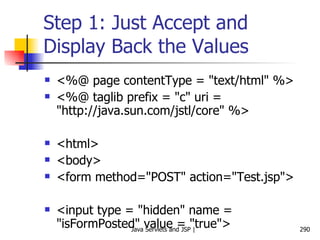
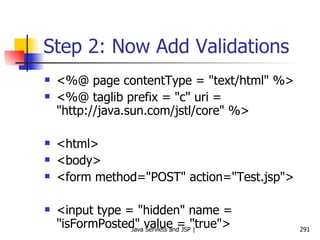
  • 162.
    Changes to theController Servlet What changes to we need to make to the controller servlet so that it uses our JSP now? Add the answer returned by the PlayerExpert class to the request object Do not have any displaying (i.e. view) capabilities in the controller servlet Instead, comment out/remove this code and call the JSP
  • 163.
    Controller Servlet (getPlayer)– Version 3 protected void doPost (HttpServletRequest request, HttpServletResponse response) throws ServletException, IOException { // response.setContentType(&quot;text/html&quot;); // PrintWriter out = response.getWriter(); // out.println (&quot;<H1>Player Information</H1><br>&quot;); String name = request.getParameter (&quot;playerName&quot;); // out.println (&quot;<H2>&quot; + name + &quot;</H2><br>&quot;); PlayerExpert PE = new PlayerExpert (); List result = PE.getPlayerDetails(name); // Iterator it = result.iterator (); // while (it.hasNext ()) // { // out.println (&quot;<br>&quot; + it.next ()); // } request.setAttribute (&quot;playerCharacteristics&quot;, result); request.setAttribute (&quot;playerName&quot;, name); RequestDispatcher view = request.getRequestDispatcher (&quot;result.jsp&quot;); view.forward (request, response); // out.close(); }
  • 164.
    RequestDispatcher Interface consistingof the following method forward (ServletRequest, ServletResponse) Steps Get a RequestDispatcher from a ServletRequest RequestDispatcher view = request.getRequestDispatcher (&quot;result.jsp&quot;); Takes a string path for the resource to which we want to forward the request Call forward () on the RequestDispatcher view.forward (request, response); Forwards the request to the resource mentioned earlier (in this case, to result.jsp )
  • 165.
  • 166.
    The Need forSession Management HTTP is stateless So far, we have seen situations where: The client sends a request The server sends a response The conversation is over How to deal with situations where: The server needs to possibly remember what the client had asked for in the previous requests Use session management Example: Shopping cart
  • 167.
  • 168.
    Technology behind SessionManagement Cookies Small text files that contain the session ID Container creates a cookie and sends it to the client Client creates a temporary file to hold it till the session lasts Alternatives URL rewriting Hidden form variables
  • 169.
    Possible Approaches BrowserServer HTTP Response HTTP/1.0 200 OK Set-cookie: sid=test123 HTTP Request GET /next.jsp HTTP/1.0 Cookie: sid=test123 Cookie method HTTP Response HTTP/1.0 200 OK <input type=hidden name=sid value=test123> HTTP Request POST /next.jsp HTTP/1.0 sid=test123 Hidden form field method HTTP Response HTTP/1.0 200 OK <a href=next.jsp; sid=test123 >Next page</a> HTTP Request GET /next.jsp; sid=test123 HTTP/1.0 URL rewriting method
  • 170.
    Cookie Exchange: TechnicalLevel – 1 Step 1: Cookie is one of the header fields of the HTTP response Web browser Server/ Container HTTP/1.1 200 OK Set-Cookie: JSESSIONID = 0AAB6C8DE415 Content-type: text/html Date: Tue, 29 Mar 2005 11:25:40 GMT … <html> … </html> HTTP Response Here is your cookie containing the session ID
  • 171.
    Cookie Exchange: TechnicalLevel – 2 Step 2: Client sends the cookie with the next request Web browser Server/ Container POST SelectDetails HTTP/1.1 Host: www.cricket.com Cookie: JSESSIONID = 0AAB6C8DE415 Accept: text/xml, … Accept-Language: en-us, … … … HTTP Request Here is my cookie containing the session ID
  • 172.
    Programmer and SessionManagement – 1 Sending a cookie in the HTTP Response HTTPSession session = request.getSession ( ); When the above code executes, the container creates a new session ID (if none exists for this client) The container puts the session ID inside a cookie The container sends the cookie to the client (using the Set-Cookie header seen earlier)
  • 173.
    Programmer and SessionManagement – 2 Getting a cookie from the HTTP Request HTTPSession session = request.getSession ( ); The same method is used for getting a cookie, as was used for setting it! When the above code executes, the container does the following check: If the request object received from the client contains a session ID cookie Find the session matching the session ID of the cookie Else (it means that there is no session in place for this user) Create a new session (as explained earlier)
  • 174.
    Adding and RetrievingSession Variables setAttribute (String name, Object value) Sets a session variable name to the specified value Object getAttribute (String name) Retrieves the value of a session variable set previously Example HttpSession session = request.getSession (); session.setAttribute (“name”, “ram”); … String user_name = (String) session.getAttribute (name); … session.removeAttribute (name); … session.invalidate ();
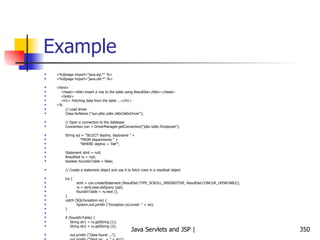
  • 175.
    Session Example <%@page session=&quot;true&quot; %> <HTML> <HEAD> <TITLE>Page Counter using Session Variables</TITLE> <STYLE TYPE=&quot;text/css&quot;> H1 {font-size: 150%;} </STYLE> </HEAD> <BODY> <H1>Page Counter using Session Variables</H1> <% int count = 0; Integer parm = (Integer) session.getAttribute (&quot;count&quot;); if (parm != null) count = parm.intValue (); session.setAttribute (&quot;count&quot;, new Integer (count + 1)); if (count == 0) { %> This is the first time you have accessed the page. <% } else if (count == 1) { %> You have accessed the page once before. <% } else { %> You have accessed the page <%= count %> times before. <% } %> <p> Click <a href= Click <a href=&quot;/atul/CounterSession.jsp&quot;>here </a> to visit again. </p> </body> </html>
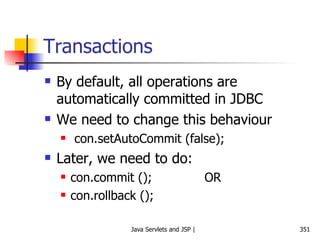
  • 176.
    Another Session Example– 1 sessiondemo.jsp <%@ page import = &quot;java.util.*&quot; %> <html> <head> <title>Session Demo</title> <link href = &quot;mystyle.css&quot; rel = &quot;stylesheet&quot; type = &quot;text/css&quot;> </head> <body> <%! int i = 0; int getCount () { return ++i;} %> <% String user = (String)session.getAttribute (&quot;user&quot;); if (user == null) { user = &quot;Guest&quot;; } %> <br />Refresh Count: <%=getCount ()%>. <br />Click to <a href = &quot;sessiondemo.jsp&quot;>Refresh</a> <hr> <% Date date = new Date (); out.println (date.toString ()); %> <div id=&quot;welcome&quot;> <h2>Welcome <%=user%></h2> </div> <form action = &quot;user_info.jsp&quot; method = &quot;post&quot;> <table> <tr> <td>Enter your full name</td> <td><input type = &quot;text&quot; name = &quot;fullname&quot;></td> </tr> <tr> <td>Enter your city</td> <td><input type = &quot;text&quot; name = &quot;city&quot;></td> </tr> <tr> <td colspan = &quot;2&quot;><input type = &quot;submit&quot; value = &quot;Submit&quot;></td> </tr> </table> </form> </body> </html>
  • 177.
    Another Session Example– 2 Mystyle.css td { font-family: Geneva,Arial,Helvetica,sans-serif; font-size: 12px; color: #000033; font-weight: bold; }
  • 178.
    Another Session Example– 3 User_info.jsp <html> <head> <title>User Information</title> <link href = &quot;mystyle.css&quot; rel = &quot;stylesheet&quot; type = &quot;text/css&quot;> </head> <body> Displaying data using the user's request ... <% String fullname = request.getParameter (&quot;fullname&quot;); String city = request.getParameter (&quot;city&quot;); if (fullname.length() == 0) { out.println (&quot;<br />The full name field is left blank.&quot;); } else { out.println (&quot;<br />Your full name is: &quot; + fullname); } if (city.length() == 0) { out.println (&quot;<br />The city field is left blank.&quot;); } else { out.println (&quot;<br />Your city is: &quot; + city); } %> <br /> <br /> <hr /> Setting full name into the session ... <% if (fullname.length () == 0) { session.setAttribute (&quot;user&quot;, &quot;Guest&quot;); } else { session.setAttribute (&quot;user&quot;, fullname); } %> <h2>You are <%=session.getAttribute (&quot;user&quot;)%></h2> <br /> <br /> <a href = &quot;sessiondemo.jsp&quot;>Back</a> </body> </html>
  • 179.
  • 180.
  • 181.
    URL Rewriting BasicsA URL can have parameters appended, which can travel to the Web sever along with the HTTP request Example http://myserver.com/MyPage.jsp?name=atul&city=pune JSP can retrieve this as: String value1 = request.getParameter (“name”); String value2 = request.getParameter (“city”); These parameters can hold session data
  • 182.
    URL Rewriting Somebrowsers do not accept cookies (user can disable them) Session management will fail in such situations Set-cookie statement would not work! Solution: Use URL Rewriting Append the session ID to the end of every URL Example URL + ;jsessionid = B1237U5619T mail.yahoo.com;jsessionid = B1237U5619T
  • 183.
    URL Rewriting –1 Step 1: Container appends the session ID to the URL that the client would access during the next request Web browser Server/ Container HTTP/1.1 200 OK Content-type: text/html Date: Tue, 29 Mar 2005 11:25:40 GMT … <html> <a href=http://www.cricket.com/PlayerExpert;jsessionid=B1237U5619T Click me </a> … </html> HTTP Response
  • 184.
    URL Rewriting –2 Step 2: When client sends the next request to the container, the session ID travels, appended to the URL Web browser Server/ Container GET /SelectDetails; jsessionid= B1237U5619T Host: www.cricket.com Accept: text/xml, … … HTTP Request The session ID comes back to the server as extra information added to the end of the URL
  • 185.
    Programmer and URLRewriting URL rewriting kicks in only if: Cookies fail AND The programmer has encoded the URLs Example public void doGet (HttpServletRequest request, HttpServletResponse response) throws IOException { response.setContentType (“text/html”); PrintWriter out = response.getWriter (); HttpSession session = request.getSession (); out.println (“<html> <body>”); out.println (“<a href=\”” + response.encodeURL(“SelectDetails”) + “\”>Click me</a”); out.println (“</body> </html>”); } Add session ID info to the URL Get a session
  • 186.
    URL Rewriting: ThePitfalls Never use the jsessionid variable yourself. If you see that as a request parameter, something is wrong! String sessionID = request.getParameter (“jsessionid”); // WRONG Do not try to pass a jsessionid parameter yourself! POST /SelectDetails HTTP 1.1 … JSESSIONID: 0A89B6Y7uUI9 // WRONG!!! The only place where a JSESSIONID can come is inside a cookie header (as shown earlier) POST /SelectDetails HTTP 1.1 … Cookie: JSESSIONID: 0A89B6Y7uUI9 Remember that the above should be done by browser, and not by you!
  • 187.
    URL Rewriting Example(Not for Session ID, but for a User Attribute) <H1>Page Counter using URL Rewriting</H1> <% int count = 0; String parm = request.getParameter (&quot;count&quot;); if (parm != null) { count = Integer.parseInt (parm); } if (count == 0) { %> This is the first time you have accessed the page. <% } else if (count == 1) { %> You have accessed the page once before. <% } else { %> You have accessed the page <%= count %> times before. <% } %> <p> Click <a href=&quot;counter.jsp?count=<%=count + 1 %>&quot;>here </a> to visit again. </p> </body> </html>
  • 188.
    Session Timeouts Whathappens if a user accesses some site, does some work, a session gets created for her and the user does not do anything for a long time? Container would unnecessarily hold session information Session timeouts are used in such situations If a user does not perform an action for some time (say 20 minutes), the session information is automatically destroyed We can change this default programmatically: Session.setMaxInactiveInterval (20 * 60); // 20 minutes
  • 189.
  • 190.
    Cookies A browseris expected to support up to 20 cookies from each Web server, 300 cookies total, and may limit cookie size to 4 KB each
  • 191.
    More on CookiesCookies can be used to store session-related information apart from just the session ID Example: Suppose we want the user to register with our site and thereafter whenever the user visits our site, display a Welcome <user name> message We can create a persistent cookie This type of cookie can be created on the client computer and lasts beyond the lifetime of a single session By default, all cookies are transient (live only for the duration of a session) – they are destroyed the moment a session ends (i.e. when a user closes browser) Example: Create a persistent cookie on the user’s computer and use it the next time the user visits any page belonging to our site
  • 192.
    Writing Cookies Tosend cookies to the client, a servlet needs to: Use the Cookie constructor to create cookies with designated names and values Set optional attributes with Cookie.setxyz (and read them by Cookie.getxyz) Insert cookies into the HTTP response header with response.addCookie
  • 193.
    Reading Cookies Callrequest.getCookies Returns array of Cookie objects corresponding to the cookies the browser has associated with our site OR null if there are no cookies
  • 194.
    Cookie Types TransientCookies Session-level Stored in browser’s memory and deleted when the user quits the browser Persistent Cookies Remain on the user’s hard disk beyond a session
  • 195.
    Writing Cookies Usinga Servlet – CookieWriter.java Cookie myCookie = new Cookie (&quot;userID&quot;, &quot;123&quot;); myCookie.setMaxAge (60 * 60 * 24 * 7); // One week response.addCookie (myCookie);
  • 196.
    HTML Page toAccept User Name <!– c:\tomcat\webapps\sicsr\Cookie_Writer.html”  <html> <head><title>Cookie Writer</title></head> <body> <form method = &quot;get&quot; action = &quot;servlet/CookieWriter&quot;> <center> <b> Please enter your name below: </b> </center> <p> <center> <input type = &quot;text&quot; name = &quot;name&quot;> </center> <br> <br> <br> <br> <br> <br> <center> <input type = &quot;submit&quot;> </center> </form> </body> </html>
  • 197.
    Output of thisHTML Page
  • 198.
    CookeWriter Servlet Thisservlet would do the following: Create a session ID Write the user name to a cookie Write the password to a session variable Interestingly, the user name and session ID get stored as cookies on the client computer, but the password does not! Tells us that the session variables remain on the server, but just the session ID gets sent as a cookie to the client (e.g. password here) On the other hand, if we use cookie variables explicitly, they get stored on the client’s computer (e.g. user id here)
  • 199.
    CookieWriter Servlet /*CookieWriter.java */ import javax.servlet.*; import javax.servlet.http.*; import java.io.*; public class CookieWriter extends HttpServlet { public void doGet (HttpServletRequest request, HttpServletResponse response) throws ServletException, IOException { // String name = request.getParameter (&quot;name&quot;); Cookie cookie = new Cookie (&quot;username&quot;, &quot;SICSR&quot;); cookie.setMaxAge (30 * 60); response.addCookie (cookie); HttpSession session = request.getSession (); session.setAttribute (&quot;password&quot;, &quot;SICSR&quot;); response.setContentType(&quot;text/html&quot;); PrintWriter out = response.getWriter(); out.println(&quot;<html>&quot;); out.println(&quot;<head>&quot;); out.println(&quot;<title>Writing Cookie</title>&quot;); out.println(&quot;</head>&quot;); out.println(&quot;<body>&quot;); out.println (&quot;<H1> This servlet has written a cookie </H1>&quot;); out.println(&quot;</body>&quot;); out.println(&quot;</html>&quot;); out.close(); } }
  • 200.
  • 201.
    Reading Cookies Usinga Servlet – CookieReader.java // http://localhost:8080/sicsr/servlet/CookieReader /* CookieReader.java */ import java.io.*; import javax.servlet.*; import javax.servlet.http.*; public class CookieReader extends HttpServlet { public void doGet (HttpServletRequest request, HttpServletResponse response) throws ServletException, IOException { response.setContentType(&quot;text/html&quot;); PrintWriter out = response.getWriter(); out.println(&quot;<html>&quot;); out.println(&quot;<head>&quot;); out.println(&quot;<title>Cookie Reader</title>&quot;); out.println(&quot;</head>&quot;); out.println(&quot;<body>&quot;); out.println (&quot;<H1> This servlet is reading the cookies set previously </H1>&quot;); out.println (&quot;<P> </P>&quot;); Cookie [] cookies = request.getCookies (); if (cookies == null) { out.println (&quot;No cookies&quot;); } else { Cookie MyCookie; for (int i=0; i < cookies.length; i++) { MyCookie = cookies [i]; String name = MyCookie.getName (); // Cookie name String value = MyCookie.getValue (); // Cookie value int age = MyCookie.getMaxAge(); // Lifetime: -1 if cookie expires on browser closure String domain = MyCookie.getDomain (); // Domain name out.println (&quot;Name = &quot; + name + &quot; Value = &quot; + value + &quot; Domain = &quot; + domain + &quot; Age = &quot; + age); out.println (&quot;\n&quot;); } } out.println (&quot;<h2>Now reading session variables</h2>&quot;); HttpSession session = request.getSession (); String password = (String) session.getAttribute (&quot;password&quot;); out.println (&quot;Password = &quot; + password); out.println(&quot;</body>&quot;); out.println(&quot;</html>&quot;); out.close(); } }
  • 202.
  • 203.
  • 204.
    Tracking if theuser is a first-time visitor or a repeat visitor Write a servlet that detects if the user is visiting your site for the first time, or has visited earlier. Display a Welcome message accordingly.
  • 205.
    RepeatVisitor Servlet importjava.io.*; import javax.servlet.*; import javax.servlet.http.*; public class RepeatVisitor extends HttpServlet { public void doGet (HttpServletRequest request, HttpServletResponse response) throws ServletException, IOException { boolean newUser = true; Cookie [] cookies = request.getCookies (); if (cookies != null) { for (int i=0; i<cookies.length; i++) { Cookie c = cookies[i]; if ((c.getName ().equals (&quot;repeatVisitor&quot;)) && (c.getValue ().equals (&quot;yes&quot;))) { newUser = false; } } } String title; if (newUser) { Cookie returnVisitorCookie = new Cookie (&quot;repeatVisitor&quot;, &quot;yes&quot;); returnVisitorCookie.setMaxAge (60 * 60 * 24 * 365); // 1 year response.addCookie (returnVisitorCookie); title = &quot;Welcome new user&quot;; } else { title = &quot;Welcome back user&quot;; } PrintWriter out = response.getWriter (); out.println (&quot;<HTML>&quot; + &quot;<HEAD>&quot; + &quot;<TITLE>&quot; + &quot;Hello&quot; + &quot;</TITLE>&quot; + &quot;</HEAD>\n&quot;); out.println (&quot;<BODY bgcolor = yellow>&quot; + &quot;<H1>&quot; + title + &quot;</H1>&quot; + &quot;</BODY>&quot; + &quot;</HTML>&quot;); } }
  • 206.
  • 207.
    Registration Forms andCookies Create an HTML form using the first servlet containing first name, last name, and email address. The form sends this data to a second servlet, which checks if any of the form data is missing. It then stores the parameters inside cookies. If any parameter is missing, the second servlet redirects the user to the first servlet for redisplaying form. The first servlet should remember values entered by the user earlier by reading cookies.
  • 208.
    RegistrationForm Servlet importjava.io.*; import javax.servlet.*; import javax.servlet.http.*; public class RegistrationForm extends HttpServlet { public void doGet (HttpServletRequest request, HttpServletResponse response) throws ServletException, IOException { PrintWriter out = response.getWriter (); String actionURL = &quot;RegistrationServlet&quot;; String firstName = CookieUtilities.getCookieValue (request, &quot;firstName&quot;, &quot;&quot;); String lastName = CookieUtilities.getCookieValue (request, &quot;lastName&quot;, &quot;&quot;); String emailAddress = CookieUtilities.getCookieValue (request, &quot;emailAddress&quot;, &quot;&quot;); System.out.println (&quot; &quot;); System.out.println (&quot;*** Inside Registration Form Servlet ***&quot;); System.out.println (&quot;Reading and displaying cookie values ...&quot;); System.out.println (&quot;Cookie firstName = &quot; + firstName); System.out.println (&quot;Cookie lastName = &quot; + lastName); System.out.println (&quot;Cookie emailAddress = &quot; + emailAddress); System.out.println (&quot;*** Out of Registration Form Servlet ***&quot;); System.out.println (&quot; &quot;); out.println (&quot;<HTML>&quot; + &quot;<HEAD>&quot; + &quot;<TITLE>&quot; + &quot;Please register&quot; + &quot;</TITLE>&quot; + &quot;</HEAD>\n&quot;); out.println (&quot;<BODY bgcolor = yellow>&quot; + &quot;<H1>&quot; + &quot;Please register&quot; + &quot;</H1>&quot;); out.println (&quot;<FORM ACTION = \&quot;&quot; + actionURL + &quot;\&quot;>\n&quot; + &quot;First Name: \n&quot; + &quot; <INPUT TYPE=\&quot;TEXT\&quot; NAME=\&quot;firstName\&quot; &quot; + &quot;VALUE=\&quot;&quot; + firstName + &quot;\&quot;><BR>\n&quot; + &quot;Last Name: \n&quot; + &quot; <INPUT TYPE=\&quot;TEXT\&quot; NAME=\&quot;lastName\&quot; &quot; + &quot;VALUE=\&quot;&quot; + lastName + &quot;\&quot;><BR>\n&quot; + &quot;Email Address: \n&quot; + &quot; <INPUT TYPE=\&quot;TEXT\&quot; NAME=\&quot;emailAddress\&quot; &quot; + &quot;VALUE=\&quot;&quot; + emailAddress + &quot;\&quot;><P>\n&quot;); out.println (&quot;<INPUT TYPE=\&quot;SUBMIT\&quot; VALUE=\&quot;Register\&quot;>\n&quot;); out.println (&quot;</FORM>&quot; + &quot;</BODY>&quot; + &quot;</HTML>&quot;); } }
  • 209.
    RegistrationServlet import java.io.*;import javax.servlet.*; import javax.servlet.http.*; public class RegistrationServlet extends HttpServlet { public void doGet (HttpServletRequest request, HttpServletResponse response) throws ServletException, IOException { boolean isMissingValue = false; String firstName = request.getParameter (&quot;firstName&quot;); if (isMissing (firstName)) { firstName = &quot;Missing first name&quot;; isMissingValue = true; } System.out.println (&quot; &quot;); System.out.println (&quot;//// Inside RegistrationServlet ////&quot;); System.out.println (&quot;First name: &quot; + firstName); String lastName = request.getParameter (&quot;lastName&quot;); if (isMissing (lastName)) { lastName = &quot;Missing last name&quot;; isMissingValue = true; } System.out.println (&quot;Last name: &quot; + lastName); String emailAddress = request.getParameter (&quot;emailAddress&quot;); if (isMissing (emailAddress)) { emailAddress = &quot;Missing email address&quot;; isMissingValue = true; } System.out.println (&quot;Email address: &quot; + emailAddress); Cookie c1 = new Cookie (&quot;firstName&quot;, firstName); c1.setMaxAge (3600); // one hour response.addCookie (c1); Cookie c2 = new Cookie (&quot;lastName&quot;, lastName); c2.setMaxAge (3600); // one hour response.addCookie (c2); Cookie c3 = new Cookie (&quot;emailAddress&quot;, emailAddress); c3.setMaxAge (3600); // one hour response.addCookie (c3); String formAddress = &quot;RegistrationForm&quot;; if (isMissingValue) { System.out.println (&quot;Incomplete form data&quot;); response.sendRedirect (formAddress); } else { System.out.println (&quot;Form is complete&quot;); PrintWriter out = response.getWriter (); String title = &quot;Thanks for registering&quot;; out.println (&quot;<HTML>&quot; + &quot;<HEAD>&quot; + &quot;<TITLE>&quot; + title + &quot;</TITLE>&quot; + &quot;</HEAD>\n&quot;); out.println (&quot;<BODY> <UL>\n&quot;); out.println (&quot;<LI><B>First Name</B> : &quot; + firstName + &quot;\n&quot;); out.println (&quot;<LI><B>Last Name</B> : &quot; + lastName + &quot;\n&quot;); out.println (&quot;<LI><B>Email Address</B>: &quot; + emailAddress+ &quot;\n&quot;); out.println (&quot;</UL> </BODY> </HTML>&quot;); } } private boolean isMissing (String param) { return ((param == null) || (param.trim ().equals (&quot;&quot;))); } }
  • 210.
    CookieUtilities Java Classimport javax.servlet.*; import javax.servlet.http.*; public class CookieUtilities { public static String getCookieValue (HttpServletRequest request, String cookieName, String defaultValue) { Cookie [] cookies = request.getCookies (); System.out.println (&quot;=== Inside CookieUtilities.java ===&quot;); System.out.println (&quot;Cookie name: &quot; + cookieName); System.out.println (&quot;Cookie value: &quot; + defaultValue); System.out.println (&quot;* * * *&quot;); if (cookies != null) { for (int i=0; i<cookies.length; i++) { Cookie c = cookies[i]; if (cookieName.equals (c.getName ())) { return (c.getValue ()); } } } return defaultValue; } }
  • 211.
  • 212.
    What if Cookiesare Disabled? Session ID from the server is passed to the browser in the form of a cookie If the user has disabled cookies, how would this work? It would create problems Session management would fail Solution: Use the encodeURL approach, as shown next
  • 213.
    Servlet 1 /** To change this template, choose Tools | Templates * and open the template in the editor. */ package com.iflex; import java.io.*; import java.net.*; import javax.servlet.*; import javax.servlet.http.*; /** * * @author atulk */ public class NewServlet extends HttpServlet { protected void doGet(HttpServletRequest request, HttpServletResponse response) throws ServletException, IOException { response.setContentType(&quot;text/html;charset=UTF-8&quot;); PrintWriter out = response.getWriter(); try { HttpSession session = request.getSession(true); session.setAttribute(&quot;name&quot;, &quot;atul&quot;); // String userName = (String) session.getAttribute(&quot;name&quot;); // System.out.println(userName); out.println(&quot;Hello world&quot;); out.println (&quot;<a href =&quot;); out.print (response.encodeURL(&quot;SecondServlet&quot;)); out.print (&quot;>Click here&quot;); } catch (Exception e) { e.printStackTrace(); } } }
  • 214.
    Servlet 2 /** To change this template, choose Tools | Templates * and open the template in the editor. */ package com.iflex; import java.io.*; import java.net.*; import javax.servlet.*; import javax.servlet.http.*; /** * * @author atulk */ public class SecondServlet extends HttpServlet { protected void doGet(HttpServletRequest request, HttpServletResponse response) throws ServletException, IOException { response.setContentType(&quot;text/html;charset=UTF-8&quot;); PrintWriter out = response.getWriter(); try { HttpSession session = request.getSession(true); // session.setAttribute(&quot;name&quot;, &quot;atul&quot;); String userName = (String) session.getAttribute(&quot;name&quot;); System.out.println(userName); out.println(&quot;Hello world&quot;); out.println (&quot;hello&quot; + userName); out.println (&quot;<a href = \&quot;NewServlet\&quot;>Click here&quot;); } catch (Exception e) { e.printStackTrace(); } } }
  • 215.
    Note When thefirst servlet passes control to the second servlet, it encodes the URL, so that the session ID is passed to the second servlet via the encoded URL, even if the cookies are disabled in the browser If we do not use encodeURL, session management would fail!
  • 216.
    JSTL (JSP StandardTemplate Library)
  • 217.
    What is JSTL?Originally stand-alone, now almost a part of Web applications Allows code development using tags, instead of scriptlets Need: Reduces cluttering of scriptlet code with HTML See next slide
  • 218.
    Easy.jsp <%@ tagliburi=&quot;http://java.sun.com/jstl/core&quot; prefix=&quot;c&quot; %> <!– Try this if it does not work: <%@ taglib uri=&quot;http://java.sun.com /jsp/ jstl/core&quot; prefix=&quot;c&quot; %>  <html> <body> <h1>JSP is as easy as ...</h1> <%-- Calculate the sum of 1, 2, and 3 dynamically --%> 1 + 2 + 3 = <c:out value=&quot;${1 + 2 + 3}&quot; /> </body> </html>
  • 219.
    Needs for UsingJSTL Download JSTL from http://jakarta.apache.org/taglibs/
  • 220.
    Setting up JSTLin NetBeans Using the Libraries -> Add Library menu option, add the above JARs to your project Example (Next Slide)
  • 221.
    JSP Code <html><head> <title>JSP Example with JavaBean </title> </head> <body> <jsp:useBean id=&quot;stringBean&quot; scope=&quot;page&quot; class=&quot;test.StringBean&quot; /> Initial value (getProperty): <jsp:getProperty name=&quot;stringBean&quot; property=&quot;message&quot; /> Initial value (JSP Expression): <%= stringBean.getMessage () %> <jsp:setProperty name = &quot;stringBean&quot; property = &quot;message&quot; value = &quot;New bean value&quot; /> Value after setting property with setProperty: <jsp:getProperty name = &quot;stringBean&quot; property = &quot;message&quot; /> <% stringBean.setMessage (&quot;Modified value again!&quot;); %> Value after setting property with scriptlet: <%= stringBean.getMessage () %> </body> </html>
  • 222.
    Jstl-example-1.jsp (In NetBeans)<%@ taglib uri=&quot;http://java.sun.com/jstl/core&quot; prefix=&quot;c&quot; %> <%@ taglib uri=&quot;http://java.sun.com/jstl/fmt&quot; prefix=&quot;fmt&quot; %> <html> <head> <title>Temperature Conversion</title> <style> body, td, th { font-family: Tahoma, Sans-Serif; font-size: 10pt; } h1 { font-size: 140%; } h2 { font-size: 120%; } </style> </head> <body> <center> <h1>Temperature Conversion</h1> <h2><i>Using JSTL</i></h2> <table border=&quot;1&quot; cellpadding=&quot;3&quot; cellspacing=&quot;0&quot;> <tr> <th align=&quot;right&quot; width=&quot;100&quot;>Fahrenheit</th> <th align=&quot;right&quot; width=&quot;100&quot;>Celcius</th> </tr> <c:forEach var=&quot;f&quot; begin=&quot;32&quot; end=&quot;212&quot; step=&quot;20&quot;> <tr> <td align=&quot;right&quot;> ${f} </td> <td align=&quot;right&quot;> <fmt:formatNumber pattern=&quot;##0.000&quot;> ${(f - 32) * 5 / 9.0} </fmt:formatNumber> </td> </tr> </c:forEach> </table> </center> </body> </html>
  • 223.
    Setting up JSTLin Tomcat - 1 Copy JSTL JAR files into Tomcat’s lib directory Copy all JAR files of JSTL zip file into c:\tomcat\webapps\ROOT\WEB-INF\lib Copy JSTL TLD files into Tomcat’s WEB-INF directory Copy files with .TLD extension from the JSTL zip file into c:\tomcat\webapps\ROOT\WEB-INF Modify the web.xml file in c:\tomcat\webapps\ROOT\WEB-INF to add entries as shown on next slide
  • 224.
    Setting up JSTLin Tomcat - 2 <taglib> <taglib-uri>http://java.sun.com/jstl/fmt</taglib-uri> <taglib-location>/WEB-INF/fmt.tld</taglib-location> </taglib> <taglib> <taglib-uri>http://java.sun.com/jstl/fmt-rt</taglib-uri> <taglib-location>/WEB-INF/fmt-rt.tld</taglib-location> </taglib> <taglib> <taglib-uri>http://java.sun.com/jstl/core</taglib-uri> <taglib-location>/WEB-INF/c.tld</taglib-location> </taglib> <taglib> <taglib-uri>http://java.sun.com/jstl/core-rt</taglib-uri> <taglib-location>/WEB-INF/c-rt.tld</taglib-location> </taglib> <taglib> <taglib-uri>http://java.sun.com/jstl/sql</taglib-uri> <taglib-location>/WEB-INF/sql.tld</taglib-location> </taglib> <taglib> <taglib-uri>http://java.sun.com/jstl/sql-rt</taglib-uri> <taglib-location>/WEB-INF/sql.tld</taglib-location> </taglib> <taglib> <taglib-uri>http://java.sun.com/jstl/x</taglib-uri> <taglib-location>/WEB-INF/x.tld</taglib-location> </taglib> <taglib> <taglib-uri>http://java.sun.com/jstl/x-rt</taglib-uri> <taglib-location>/WEB-INF/x-rt.tld</taglib-location> </taglib>
  • 225.
    Testing JSTL inTomcat Code our earlier JSP (Count.jsp) and save it in c:\tomcat\webapps\examples Try http://localhost:8080/examples/Count.jsp in the browser
  • 226.
    More on ActionsAn action is represented by an HTML-like element in a JSP page If the action element has a body, it is represented by an opening tag, followed by the attribute/value pairs, followed by the closing tag: < prefix:action_name attr1 = “value1” attr2 = “value2” …> action_body </prefix:action_name> OR < prefix:action_name attr1 = “value1” attr2 = “value2” … />
  • 227.
    Actions and TagLibraries Actions are grouped into libraries, called as tag libraries E.g. <%@ taglib prefix=“c” uri=“http://java.sun.com/jsp/jstl/core” %> … <c:out value=“${1 + 2 + 3}” /> …
  • 228.
    Standard Actions Someactions are standard , meaning that the JSP specification itself has defined them They have the jsp: prefix
  • 229.
    Standard Actions ElementsAction element Description <jsp:useBean> Makes a JavaBean component available in a page <jsp:getProperty> Gets a property value from a JavaBean component and adds it to the response <jsp:setProperty> Sets a JavaBean property <jsp:include> Includes the response from a servlet/JSP <jsp:forward> Forwards the processing of a request to a servlet/JSP <jsp:param> Adds a parameter value to a request handed off to another servlet/JSP <jsp:element> Dynamically generates an XML element <jsp:attribute> Adds an attribute to a dynamically generated XML element <jsp:body> Adds body to an XML element <jsp:text> Used when JSP pages are written as XML documents
  • 230.
    Custom Tags/Actions Inaddition to the basic JSP actions set, we can also define our own actions Called as custom tags or custom actions
  • 231.
    JSP Expression Language(EL) Expression Language (EL) is used for setting action attribute values based on runtime data from various sources An EL expression always starts with ${ and ends with } Examples (to produce the same result) <c:out value=“${1 + 2 + 3}” /> OR <1 + 2 + 3 = ${1 + 2 + 3}
  • 232.
    EL Operators OperatorPurpose . Access a bean property or Map entry [] Access an array or list element ( ) Group a sub-expression to change the evaluation order ? : Conditional operator + - / * % Mathematical operators < > <= >= != == (Or lt gt ge eq, …) Relational operators && || ! (or and or not) Logical operators
  • 233.
    Implicit EL VariablesVariable name Purpose pageScope Collection (a map) of all page scope variables requestScope Collection (a map) of all request scope variables sessionScope Collection (a map) of all session scope variables applicationScope Collection (a map) of all application scope variables param Collection (a map) of all request parameter values as a String array per parameter header Collection (a map) of all request header values as a String value per header headerValues Collection (a map) of all request header values as a String array per header cookie Collection (a map) of all request cookie values as a single Cookie value per cookie pageContext An instance of pageContext class, providing access to various request data
  • 234.
    Displaying First 10Numbers – Scriptlet Version <html> <head> <title>Count Example</title> </head> <body> <% for (int i=1; i<=10; i++) { %> <%= i %> <br/> <% } %> </body> </html>
  • 235.
    Displaying First 10Numbers – JSTL Version <%@ taglib uri=&quot;http://java.sun.com/jstl/core&quot; prefix=&quot;c&quot; %> <html> <head> <title>Count Example</title> </head> <body> <c:forEach var=&quot;i&quot; begin=&quot;1&quot; end=&quot;10&quot; step=&quot;1&quot;> <c:out value=&quot;${i}&quot; /> <br/> </c:forEach> </body> </html>
  • 236.
    Accessing Session VariablesUsing JSTL http://localhost:8080/examples/SessionCounterUsingJSTL.jsp <%@ page contentType=&quot;text/html&quot; %> <%@ taglib uri=&quot;http://java.sun.com/jstl/core&quot; prefix=&quot;c&quot; %> <html> <head> <title>Counter Page</title> </head> <body bgcolor=&quot;white&quot;> <%-- Increment counter --%> <c:set var=&quot;sessionCounter&quot; scope=&quot;session&quot; value=&quot;${sessionCounter+1}&quot; /> <h1>Counter Page</h1> This page has been visited <b><c:out value=&quot;${sessionCounter}&quot;/></b> times within the current session. </body> </html>
  • 237.
    MyClock.jsp <%@ tagliburi=&quot;http://java.sun.com/jstl/core&quot; prefix=&quot;c&quot; %> <html> <body bgcolor=&quot;white&quot;> <jsp:useBean id=&quot;clock&quot; class=&quot;java.util.Date&quot; /> <c:choose> <c:when test=&quot;${clock.hours < 12}&quot;> <h1>Good morning!</h1> </c:when> <c:when test=&quot;${clock.hours < 18}&quot;> <h1>Good day!</h1> </c:when> <c:otherwise> <h1>Good evening!</h1> </c:otherwise> </c:choose> Welcome to our site, open 24 hours of the day! </body> </html>
  • 238.
    Another JSTL Example– 1 jstlapp.jsp <%@ taglib prefix = &quot;c&quot; uri = &quot;http://java.sun.com/jstl/core_rt&quot; %> <% String names [] = {&quot;One&quot;, &quot;Two&quot;, &quot;Three&quot;}; request.setAttribute (&quot;usernames&quot;, names); %> <html> <head> <title>Using JSTL</title> <link rel = &quot;stylesheet&quot; type = &quot;text/css&quot; href = &quot;mystyle.css&quot;> </head> <body> <c:set var = &quot;message&quot; value = &quot;Welcome to JSTL&quot; scope = &quot;session&quot; /> <h2><c:out value = &quot;${message}&quot; /></h2> <form action = &quot;jstlmain.jsp&quot; method = &quot;post&quot;> <table> <tr> <td colspan = &quot;2&quot; align = &quot;center&quot;> <h4>User Detail</h4> </td> </tr> <tr> <td>Enter your Name</td> <td> <input type = &quot;text&quot; name = &quot;name&quot;> </td> </tr> <tr> <td>Enter your City</td> <td> <input type = &quot;text&quot; name = &quot;city&quot;> </td> </tr> <tr> <td>Type</td> <td> <select name= &quot;type&quot;> <option>Manager</option> <option>Clerk</option> </select> </td> </tr> <tr> <td colspan = &quot;2&quot;> <input type = &quot;submit&quot; value = &quot;Submit&quot;> </td> </tr> </table> </form> <br /> <br /> Iterating over the array ... <br /> User Names: <c:forEach var = &quot;name&quot; items = &quot;${usernames}&quot;> <c:out value = &quot;${name}&quot; />, </c:forEach> </body> </html>
  • 239.
    Another JSTL Example– 2 jstlmain.jsp <%@ page import = &quot;java.util.*&quot; %> <%@ taglib prefix=&quot;c&quot; uri = &quot;http://java.sun.com/jstl/core_rt&quot; %> <html> <head> <title>JSTL Example</title> <link rel = &quot;stylesheet&quot; type = &quot;text/css&quot; href = &quot;mystyle.css&quot;> </head> <body> <h2> <c:out value = &quot;${message}&quot; /> </h2> <c:set var = &quot;yourType&quot; value = &quot;${param.type}&quot; /> <c:if test = &quot;${yourType eq 'Manager'}&quot;> <c:import url = &quot;menu.jsp&quot;> <c:param name = &quot;option1&quot; value = &quot;Create user&quot; /> <c:param name = &quot;option2&quot; value = &quot;Delete user&quot; /> </c:import> </c:if> <c:if test = &quot;${yourType eq 'Clerk'}&quot;> <c:import url = &quot;menu.jsp&quot;> <c:param name = &quot;option1&quot; value = &quot;Reports&quot; /> <c:param name = &quot;option2&quot; value = &quot;Transactions&quot; /> </c:import> </c:if> Hello <b><c:out value = &quot;${param.name}&quot; />!</b> <br /> <br /> You are using this application as <b><c:out value = &quot;${param.type}&quot; /></b> <c:set var = &quot;city&quot; value = &quot;${param.city}&quot; /> <br /> <br /> Your city is <b><c:out value = &quot;${city}&quot; /></b> <br /> <br /> <c:choose> <c:when test = &quot;${city eq 'Delhi'}&quot;> You are from <b>India</b>. </c:when> <c:when test = &quot;${city eq 'London'}&quot;> You are from <b>UK</b>. </c:when> <c:when test = &quot;${city eq 'Paris'}&quot;> You are from <b>France</b>. </c:when> <c:when test = &quot;${city eq ''}&quot;> You have left the city field blank. </c:when> <c:otherwise> I do not know your country. </c:otherwise> </c:choose> <c:url value = &quot;jstlapp.jsp&quot; var = &quot;backurl&quot; /> <br /> <br /> <a href = &quot;${backurl}&quot;>Back</a> </body> </html>
  • 240.
    Another JSTL Example– 3 menu.jsp <hr> <table align=&quot;center&quot; width = &quot;300&quot; cellspacing=&quot;3&quot;> <tr align=&quot;center&quot; bgcolor = &quot;#fee9c2&quot; height = &quot;20&quot;> <td>${param.option1}</td> <td>${param.option2}</td> </tr> </table> <hr>
  • 241.
    JSTL Types core:General tags that allow us to set-get variables, loop, etc xml: Tags to process XML files sql: Database access and manipulations fmt: For formatting numbers, text, etc
  • 242.
  • 243.
    Traditional HTML <html><head> <title>User Info Entry Form</title> </head> <body bgcolor=&quot;white&quot;> <form action=&quot;process.jsp&quot; method=&quot;post&quot;> <table> <tr> <td>Name:</td> <td> <input type=&quot;text&quot; name=&quot;userName&quot;> </td> </tr> <tr> <td>Birth Date:</td> <td> <input ty=e&quot;text&quot; name=&quot;birthDate&quot;> </td> <td>(Use format yyyy-mm-dd)</td> </tr> <tr> <td>Email Address:</td> <td> <input type=&quot;text&quot; name=&quot;emailAddr&quot;> </td> <td>(Use format name@company.com)</td> </tr> <tr> <td>Gender:</td> <td> <input type=&quot;radio&quot; name=&quot;gender&quot; value=&quot;m&quot; checked>Male<br /> <input type=&quot;radio&quot; name=&quot;gender&quot; value=&quot;f&quot;>Female<br /> </td> </tr> <tr> <td>Lucky number:</td> <td> <input type=&quot;text&quot; name=&quot;luckyNumber&quot;> </td> <td>(A number between 1 and 100)</td> </tr> <tr> <td>Favourite foods:</td> <td> <input type=&quot;checkbox&quot; name=&quot;food&quot; value=&quot;m&quot;>Maharashtrian<br /> <input type=&quot;checkbox&quot; name=&quot;food&quot; value=&quot;s&quot;>South Indian<br /> <input type=&quot;checkbox&quot; name=&quot;food&quot; value=&quot;n&quot;>North Indian<br /> </td> </tr> <tr> <td colspan=2> <input type=&quot;submit&quot; value=&quot;Send data&quot;> </td> </tr> </table> </body> </html>
  • 244.
  • 245.
    Now using JSTL(input_jstl.jsp) <%@ page contentType=&quot;text/html&quot; %> <%@ taglib prefix=&quot;c&quot; uri=&quot;http://java.sun.com/jstl/core&quot; %> <html> <head> <title>User Info Entry Form</title> </head> <body bgcolor=&quot;white&quot;> <form action=&quot;input_jstl.jsp&quot; method=&quot;post&quot;> <table> <tr> <td>Name:</td> <td> <input type=&quot;text&quot; name=&quot;userName&quot;> </td> </tr> <tr> <td>Birth Date:</td> <td> <input ty p e&quot;text&quot; name=&quot;birthDate&quot;> </td> <td>(Use format yyyy-mm-dd)</td> </tr> <tr> <td>Email Address:</td> <td> <input type=&quot;text&quot; name=&quot;emailAddr&quot;> </td> <td>(Use format name@company.com)</td> </tr> <tr> <td>Gender:</td> <td> <input type=&quot;radio&quot; name=&quot;gender&quot; value=&quot;m&quot; checked>Male<br /> <input type=&quot;radio&quot; name=&quot;gender&quot; value=&quot;f&quot;>Female<br /> </td> </tr> <tr> <td>Lucky number:</td> <td> <input type=&quot;text&quot; name=&quot;luckyNumber&quot;> </td> <td>(A number between 1 and 100)</td> </tr> <tr> <td>Favourite foods:</td> <td> <input type=&quot;checkbox&quot; name=&quot;food&quot; value=&quot;m&quot;>Maharashtrian<br /> <input type=&quot;checkbox&quot; name=&quot;food&quot; value=&quot;s&quot;>South Indian<br /> <input type=&quot;checkbox&quot; name=&quot;food&quot; value=&quot;n&quot;>North Indian<br /> </td> </tr> <tr> <td colspan=2> <input type=&quot;submit&quot; value=&quot;Send data&quot;> </td> </tr> </table> </form> You entered:<br> Name: <c:out value=&quot;${param.userName}&quot; /><br> Birth Date: <c:out value=&quot;${param.birthDate}&quot; /><br> Email Address: <c:out value=&quot;${param.emailAddr}&quot; /><br> Gender: <c:out value=&quot;${param.gender}&quot; /><br> Lucky Number: <c:out value=&quot;${param.luckyNumber}&quot; /><br> Favourite food: <c:forEach items=&quot;${paramValues.food}&quot; var=&quot;current&quot;> <c:out value=&quot;${current}&quot; />&nbsp; </c:forEach> </body> </html>
  • 246.
  • 247.
    JavaBeans Technology AJavaBean is a plain Java class, which has a number of attributes (data members) and a get-set method for each of them It can be used for any kinds of requirements, but is most suitable in forms processing Allows ease of coding, instead of writing scriptlets in JSPs
  • 248.
    JavaBeans Syntax Thejsp:setProperty standard action has a built-in method for automatically mapping the values submitted in a form to a JavaBean’s fields/variables Names of the submitted parameters need to be the same as in the Javabean’s setter methods
  • 249.
    JavaBeans Example Acceptuser’s name, department, and email ID from the user. First, process the form values using the traditional method of request.getParameter Use JSTL to do the same Use a JavaBean to store and display them back Use a combination of JavaBean and JSTL for doing the same
  • 250.
    Using JavaScript toValidate Form Values in a JSP
  • 251.
    JSPJavaScript.jsp <%@ tagliburi=&quot;http://java.sun.com/jstl/core&quot; prefix=&quot;c&quot; %> <html> <head> <c:import url=&quot;/WEB-INF/javascript/validate.js&quot; /> <title>Help Page</title> <body> <h2>Please submit your information</h2> <form action=&quot;JSPJavaScript.jsp&quot; onSubmit=&quot; return validate(this) &quot;> <table> <tr> <td>Your name:</td> <td><input type=&quot;text&quot; name=&quot;username&quot; size=&quot;20&quot;></td> </tr> <tr> <td>Your email:</td> <td><input type=&quot;text&quot; name=&quot;email&quot; size=&quot;20&quot;></td> </tr> <tr> <td><input type=&quot;submit&quot; value=&quot;Submit form&quot;></td> </tr> </table> </body> </html>
  • 252.
    Validate.js <script language=&quot;JavaScript&quot;>function validate (form1) { for (i=0; i<form1.length; i++) { if ((form1.elements[i].value == &quot;&quot;)) { alert (&quot;You must provide a value for the field named: &quot; + form1.elements[i].name); return false; } } return true; } </script>
  • 253.
    Server-side Form Processing:Validating Form using the Traditional Method
  • 254.
    GetData.html <html> <body><form method=POST action=&quot;/examples/servlet/ProcessFormServlet&quot;> <b>User Name: </b> <input type = &quot;text&quot; name = &quot;username&quot; size = &quot;20&quot;> <br><br> <b>Department: </b> <input type = &quot;text&quot; name = &quot;department&quot; size = &quot;15&quot;> <br><br> <b>Email: </b> <input type = &quot;text&quot; name = &quot;email&quot; size = &quot;20&quot;> <br><br> <input type = &quot;submit&quot; value = &quot;Submit&quot;> </form> </body> </html>
  • 255.
    ProcessFormServlet.java import javax.servlet.*;import javax.servlet.http.*; public class ProcessFormServlet extends HttpServlet { public void doPost (HttpServletRequest request, HttpServletResponse response) throws ServletException, java.io.IOException { String uname = request.getParameter (&quot;username&quot;); String udepartment = request.getParameter (&quot;department&quot;); String uemail = request.getParameter (&quot;email&quot;); response.setContentType (&quot;text/html&quot;); java.io.PrintWriter out = response.getWriter (); out.println (&quot;<html>&quot;); out.println (&quot;<head>&quot;); out.println (&quot;<title>Welcome</title>&quot;); out.println (&quot;</head>&quot;); out.println (&quot;<body>&quot;); out.println (&quot;<h1>Your identity</h1>&quot;); out.println (&quot;Your name is: &quot; + ( (uname == null || uname.equals (&quot;&quot;)) ? &quot;Unknown&quot; : uname)); out.println (&quot;<br /><br />&quot;); out.println (&quot;Your department is: &quot; + ( (udepartment== null || udepartment.equals (&quot;&quot;)) ? &quot;Unknown&quot; : udepartment)); out.println (&quot;<br /><br />&quot;); out.println (&quot;Your email is: &quot; + ( (uemail == null || uemail.equals (&quot;&quot;)) ? &quot;Unknown&quot; : uemail)); out.println (&quot;<br /><br />&quot;); out.println (&quot;</body>&quot;); out.println (&quot;</html>&quot;); out.close (); } }
  • 256.
    Same Example, FurtherModified to use JSTL
  • 257.
    GetData.html <html> <body><form method=POST action=&quot;ProcessFormJSP.jsp&quot;> <b>User Name: </b> <input type = &quot;text&quot; name = &quot;username&quot; size = &quot;20&quot;> <br><br> <b>Department: </b> <input type = &quot;text&quot; name = &quot;department&quot; size = &quot;15&quot;> <br><br> <b>Email: </b> <input type = &quot;text&quot; name = &quot;email&quot; size = &quot;20&quot;> <br><br> <input type = &quot;submit&quot; value = &quot;Submit&quot;> </form> </body> </html>
  • 258.
    ProcessFormJSP.jsp <%@page contentType=&quot;text/html&quot;%> <%@ taglib uri=&quot;http://java.sun.com/jstl/core&quot; prefix=&quot;c&quot; %> <html> <head> <title>Post Data Viewer</title> </head> <body> <h2>Here is your posted data</h2> <strong>User name</strong> <c:out value =&quot;${param.username}&quot; /> <br /><br /> <strong>Department</strong> <c:out value =&quot;${param.department}&quot; /> <br /><br /> <strong>Email</strong> <c:out value =&quot;${param.email}&quot; /> </body> </html>
  • 259.
  • 260.
    GetData.html <html> <body><form method=POST action=&quot;SetBean.jsp&quot;> <b>User Name: </b> <input type = &quot;text&quot; name = &quot;username&quot; size = &quot;20&quot;> <br><br> <b>Department: </b> <input type = &quot;text&quot; name = &quot;department&quot; size = &quot;15&quot;> <br><br> <b>Email: </b> <input type = &quot;text&quot; name = &quot;email&quot; size = &quot;20&quot;> <br><br> <input type = &quot;submit&quot; value = &quot;Submit&quot;> </form> </body> </html>
  • 261.
    SetBean.jsp <jsp:useBean id=&quot;userBean&quot;class=&quot;com.jspcr.UserBean&quot;> <jsp:setProperty name=&quot;userBean&quot; property=&quot;*&quot; /> </jsp:useBean> <html> <head> <title>Post Data Viewer</title> </head> <body> <h2>Here is your posted data</h2> <strong>User name</strong> <jsp:getProperty name=&quot;userBean&quot; property=&quot;username&quot; /> <br /><br /> <strong>Department</strong> <jsp:getProperty name=&quot;userBean&quot; property=&quot;department&quot; /> <br /><br /> <strong>Email</strong> <jsp:getProperty name=&quot;userBean&quot; property=&quot;email&quot; /> </body> </html>
  • 262.
    UserBean.java package com.jspcr;public class UserBean implements java.io.Serializable { String username; String department; String email; public UserBean () {} public void setusername (String uname) { if (uname != null && uname.length() > 0) { username = uname; } else { username = &quot;Unknown&quot;; } } public String getusername () { if (username != null) { return username; } else { return &quot;Unknown&quot;; } } public void setdepartment(String udepartment) { if (udepartment != null && udepartment.length() > 0) { department = udepartment; } else { department = &quot;Unknown&quot;; } } public String getdepartment () { if (department != null) { return department; } else { return &quot;Unknown&quot;; } } public void setemail (String uemail) { if (uemail != null && uemail.length() > 0) { email = uemail; } else { uemail = &quot;Unknown&quot;; } } public String getemail () { if (email != null) { return email; } else { return &quot;Unknown&quot;; } } }
  • 263.
    Same Example Usinga JavaBean and JSTL
  • 264.
    GetData.html <html> <body><form method=POST action=&quot;ProcessFormJSTLJavaBean.jsp&quot;> <b>User Name: </b> <input type = &quot;text&quot; name = &quot;username&quot; size = &quot;20&quot;> <br><br> <b>Department: </b> <input type = &quot;text&quot; name = &quot;department&quot; size = &quot;15&quot;> <br><br> <b>Email: </b> <input type = &quot;text&quot; name = &quot;email&quot; size = &quot;20&quot;> <br><br> <input type = &quot;submit&quot; value = &quot;Submit&quot;> </form> </body> </html>
  • 265.
    ProcessFormJSTLJavaBean.jsp <%@page contentType=&quot;text/html&quot;%> <%@ taglib uri=&quot;http://java.sun.com/jstl/core&quot; prefix=&quot;c&quot; %> <jsp:useBean id=&quot;userBean&quot; class=&quot;com.jspcr.UserBean&quot;> <jsp:setProperty name=&quot;userBean&quot; property=&quot;*&quot; /> </jsp:useBean> <html> <head> <title>Post Data Viewer</title> </head> <body> <h2>Here is your posted data</h2> <strong>User name</strong> <c:out value =&quot;${userBean.username}&quot; /> <br /><br /> <strong>Department</strong> <c:out value =&quot;${userBean.department}&quot; /> <br /><br /> <strong>Email</strong> <c:out value =&quot;${userBean.email}&quot; /> </body> </html>
  • 266.
    UserBean.java package com.jspcr;public class UserBean implements java.io.Serializable { String username; String department; String email; public UserBean () {} public void setusername (String uname) { if (uname != null && uname.length() > 0) { username = uname; } else { username = &quot;Unknown&quot;; } } public String getusername () { if (username != null) { return username; } else { return &quot;Unknown&quot;; } } public void setdepartment(String udepartment) { if (udepartment != null && udepartment.length() > 0) { department = udepartment; } else { department = &quot;Unknown&quot;; } } public String getdepartment () { if (department != null) { return department; } else { return &quot;Unknown&quot;; } } public void setemail (String uemail) { if (uemail != null && uemail.length() > 0) { email = uemail; } else { uemail = &quot;Unknown&quot;; } } public String getemail () { if (email != null) { return email; } else { return &quot;Unknown&quot;; } } }
  • 267.
    Case Study: OtherSyntaxes for JavaBeans
  • 268.
    JavaBean Code packagetest; public class StringBean { private String message = &quot;No message specified&quot;; public String getMessage () { return message; } public void setMessage (String msg) { message = msg; } }
  • 269.
    StringBeanJSP.jsp <html> <head><title>JSP Example with JavaBean </title> </head> <body> <jsp:useBean id=&quot;stringBean&quot; scope=&quot;page&quot; class=&quot;test.StringBean&quot; /> Initial value (getProperty): <jsp:getProperty name=&quot;stringBean&quot; property=&quot;message&quot; /> Initial value (JSP Expression): <%= stringBean.getMessage () %> <jsp:setProperty name = &quot;stringBean&quot; property = &quot;message&quot; value = &quot;New bean value&quot; /> Value after setting property with setProperty: <jsp:getProperty name = &quot;stringBean&quot; property = &quot;message&quot; /> <% stringBean.setMessage (&quot;Modified value again!&quot;); %> Value after setting property with scriptlet: <%= stringBean.getMessage () %> </body> </html>
  • 270.
  • 271.
    Requirement Have anHTML form that accepts name, email, and age of the user. Have this stored inside a JavaBean via a JSP page. Display the same values in the next JSP, demonstrating that the JavaBean get and set methods work as expected.
  • 272.
    GetName.html <HTML> <BODY><FORM METHOD=POST ACTION=&quot;SaveName.jsp&quot;> What's your name? <INPUT TYPE=TEXT NAME=username SIZE=20><BR> What's your e-mail address? <INPUT TYPE=TEXT NAME=email SIZE=20><BR> What's your age? <INPUT TYPE=TEXT NAME=age SIZE=4> <P><INPUT TYPE=SUBMIT> </FORM> </BODY> </HTML>
  • 273.
    UserData.java public classUserData { String username; String email; int age; public void setUsername( String value ) { username = value; } public void setEmail( String value ) { email = value; } public void setAge( int value ) { age = value; } public String getUsername() { return username; } public String getEmail() { return email; } public int getAge() { return age; } }
  • 274.
    SaveName.jsp <jsp:useBean id=&quot;user&quot;class=&quot;user.UserData&quot; scope=&quot;session&quot;/> <jsp:setProperty name=&quot;user&quot; property=&quot;*&quot;/> <HTML> <BODY> <A HREF=&quot;NextPage.jsp&quot;>Continue</A> </BODY> </HTML>
  • 275.
    NextPage.jsp <jsp:useBean id=&quot;user&quot;class=&quot;user.UserData&quot; scope=&quot;session&quot;/> <HTML> <BODY> You entered<BR> Name: <%= user.getUsername() %><BR> Email: <%= user.getEmail() %><BR> Age: <%= user.getAge() %><BR> </BODY> </HTML>
  • 276.
  • 277.
    Introduction Custom tags(also called tag extensions) are user-developed XML-like additions to the basic JSP page Collections of tags are organized into libraries that can be packaged as JAR files Just as we can use the standard tags using <jsp:getProperty> or <jsp:useBean>, we can now use our own custom tags
  • 278.
    Advantages Separation ofcontent and presentation by allowing short-hand code instead of scriptlets Simplicity: Easy to code and understand Allows for code reuse
  • 279.
    Developing Custom TagsFour steps Define the tag Write the entry in the Tag Library Descriptor (TLD) Write the tag handler Use the tag in a JSP page
  • 280.
    TLD Basics <%taglib prefix = “diag” uri = “http://www.jspcr.com/… %> … … The Web server is: <diag:getWebServer /> … … JSP page <taglib> … <short-name>diag</short-name> <tag> <name>getWebServer</name> <… >com.jspcr..GetWebServerTag<…> </tag> … TLD file GetWebServer class
  • 281.
    Step 1: Definethe Tag What is the name of the tag? Used with namespace qualifier, so always globally unique What attributes does it have? Required or optional, used to enhance the usefulness of the tag Will the tag define scripting elements? Does the tag do anything with the body between its start and end? Let us name our tag getWebServer, having no attributes, no scripting variables, and simply returns the name of the Web server
  • 282.
    Step 2: Createthe TLD Entry A Tag Library Directive (TLD) is an XML document that defines the names and attributes of a collection of related tags
  • 283.
    Our TLD (C:\tomcat\webapps\examples\WEB-INF\tlds \diagnostics.tld) <?xml version=&quot;1.0&quot;?> <!DOCTYPE taglib PUBLIC &quot;-//Sun Microsystems, Inc.//DTD JSP Tag Library 1.2//EN&quot; &quot;http://java.sun.com/dtd/web-jsptaglibrary_1_2.dtd&quot;> <taglib xlmns=&quot;http://java.sun.com/JSP/TagLibraryDescriptor&quot;> <tlib-version>1.0</tlib-version> <jsp-version>1.2</jsp-version> <short-name>diag</short-name> <tag> <name>getWebServer</name> <tag-class> com.jspcr.taglibs.diag.GetWebServerTag </tag-class> <body-content>empty</body-content> </tag> </taglib>
  • 284.
    Understanding the TLD<name>getWebServer</name> Specifies a tag name, which gets mapped to a fully qualified class name, as follows: <tag-class> com.jspcr.taglibs.diag.GetWebServerTag </tag-class> The JSP container uses this mapping to create the appropriate servlet code when it evaluates the custom tag at compile time
  • 285.
    Step 3: Writethe Tag Handler A tag’s action is implemented in a Java class called as tag handler Instances of tag handlers are created and maintained by the JSP container, and predefined methods in these classes are called directly from a JSP page’s generated servlet In this example, we send an HTTP request to the Web server to return its name
  • 286.
    Tag Handler Codepackage com.jspcr.taglibs.diag; // We need to add \tomcat\common\lib\jsp-api.jar to the CLASSPATH to compile this import javax.servlet.http.*; import javax.servlet.jsp.*; import javax.servlet.jsp.tagext.*; import java.io.*; import java.net.*; // A tag handler needs to implement the Tag, IterationTag, or the BodyTag interface // All of these are in javax.servlet.jsp.tagext package // BodyTag is a sub-interface of IterationTag, which is a sub-interface of Tag // We can extend one of these, or the default implementations of one of these // Example: TagSupport and BodyTagSupport implement the above public class GetWebServerTag extends TagSupport { // This method is called when the start tag is encountered, after any attributes it specifies are set // But this is called before the body of the tag is processed // Here, there is no body and no attributes; so all code is inside doStartTag () method // The method returns an integer return code public int doStartTag () throws JspException { try { // Get server host and port number from page context, via the request object // pageContext is defined inside the TagSupport superclass, so we can access it HttpServletRequest request = (HttpServletRequest) pageContext.getRequest (); String host = request.getServerName (); int port = request.getServerPort (); // Send an HTTP request to the server to retrieve the server info //Constructor expects 4 parameters: protocol, server, port number, and path URL url = new URL (&quot;http&quot;, host, port, &quot;/&quot;); HttpURLConnection con = (HttpURLConnection) url.openConnection (); // We specify the OPTIONS method instead of GET or POST because we do not want to open a specific file // OPTIONS returns a list of request methods that the Web server supports con.setRequestMethod (&quot;OPTIONS&quot;); // Send the request to the Web server and read its header fields from the response String webserver = con.getHeaderField (&quot;server&quot;); // Write to the output stream by obtaining the current servlet output stream JspWriter out = pageContext.getOut (); out.print (webserver); } catch (IOException e) { throw new JspException (e.getMessage ()); } // RETURN_BODY is defined in hthe Tag interface // Our tag has no body, and hence we need not evaluate it // If we define any other return type, our JSP page will throw a run-time exception return SKIP_BODY; } }
  • 287.
    Step 4: Incorporatethe Tag in a JSP File <!-- ShowServer.jsp --> <%@ page session=&quot;false&quot; %> <%@ taglib prefix=&quot;diag&quot; uri=&quot;http://www.jspcr.com/taglibs/diagnostics&quot; %> <html> <head> <title>Basic Example of a Custom Tag</title> <style> h1 { font-size: 140% } </style> </head> <body> <h1>Basic Example of a Custom Tag</h1> The Web Server is <diag:getWebServer/> </body> </html>
  • 288.
    Case Study: UserInput Validations
  • 289.
    Requirement Accept thevalues for DVD drive, floppy disk, and battery for a laptop and display them back to the user, using JSTL Modify the example to add validations that ensure that the user inputs are not empty
  • 290.
    Step 1: JustAccept and Display Back the Values <%@ page contentType = &quot;text/html&quot; %> <%@ taglib prefix = &quot;c&quot; uri = &quot;http://java.sun.com/jstl/core&quot; %> <html> <body> <form method=&quot;POST&quot; action=&quot;Test.jsp&quot;> <input type = &quot;hidden&quot; name = &quot;isFormPosted&quot; value = &quot;true&quot;> Please select the features for your laptop<br> DVD Drive: <input type=&quot;text&quot; name=&quot;dvd&quot; value = &quot;<c:out value = &quot;${param.dvd}&quot; />&quot; <br> Floppy drive: <input type=&quot;text&quot; name=&quot;floppy&quot; value = &quot;<c:out value = &quot;${param.floppy}&quot; />&quot; <br> Battery: <input type=&quot;text&quot; name=&quot;battery&quot; value = &quot;<c:out value = &quot;${param.battery}&quot; />&quot; <br> <input type=&quot;submit&quot; value=&quot;Submit form&quot;> </form> </body> </html>
  • 291.
    Step 2: NowAdd Validations <%@ page contentType = &quot;text/html&quot; %> <%@ taglib prefix = &quot;c&quot; uri = &quot;http://java.sun.com/jstl/core&quot; %> <html> <body> <form method=&quot;POST&quot; action=&quot;Test.jsp&quot;> <input type = &quot;hidden&quot; name = &quot;isFormPosted&quot; value = &quot;true&quot;> <h3> Please select the features for your laptop </h3> <br><br> DVD Drive: <input type=&quot;text&quot; name=&quot;dvd&quot; value = &quot;<c:out value = &quot;${param.dvd}&quot; />&quot; <br> <c:if test =&quot;${param.isFormPosted && empty param.dvd}&quot;> <font color = &quot;red&quot;> You must enter a value for the DVD drive <br><br> </font> </c:if> Floppy drive: <input type=&quot;text&quot; name=&quot;floppy&quot; value = &quot;<c:out value = &quot;${param.floppy}&quot; />&quot; <br> <c:if test =&quot;${param.isFormPosted && empty param.floppy}&quot;> <font color = &quot;red&quot;> You must enter a value for the floppy disk <br><br> </font> </c:if> Battery: <input type=&quot;text&quot; name=&quot;battery&quot; value = &quot;<c:out value = &quot;${param.battery}&quot; />&quot; <br> <c:if test =&quot;${param.isFormPosted && empty param.battery}&quot;> <font color = &quot;red&quot;> You must enter a value for battery <br><br> </font> </c:if> <input type=&quot;submit&quot; value=&quot;Submit form&quot;> </form> </body> </html>
  • 292.
  • 293.
    Requirement A JSPpage accepts email ID and zip code from the user. These are posted back to the same JSP page. On the server-side, the same JSP page validates them. In case of errors, the JSP page sends appropriate error messages to the browser, asking the user to correct them and resubmit the form. If everything is ok, the control is passed to another JSP, which displays an OK message.
  • 294.
    The JSP Page<%-- Instantiate the form validation bean and supply the error message map --%> <%@ page import=&quot;com.mycompany.*&quot; %> <jsp:useBean id=&quot;form&quot; class=&quot;com.mycompany.MyForm&quot; scope=&quot;request&quot;> <jsp:setProperty name=&quot;form&quot; property=&quot;errorMessages&quot; value='<%= errorMap %>'/> </jsp:useBean> <% // If process is true, attempt to validate and process the form if (&quot;true&quot;.equals(request.getParameter(&quot;process&quot;))) { %> <jsp:setProperty name=&quot;form&quot; property=&quot;*&quot; /> <% // Attempt to process the form if (form.process()) { // Go to success page response.sendRedirect(“ F ormDone.jsp&quot;); return; } } %> <html> <head><title>A Simple Form</title></head> <body> <%-- When submitting the form, resubmit to this page --%> <form action='<%= request.getRequestURI() %>' method=&quot;POST&quot;> <%-- email --%> <font color=red><%= form.getErrorMessage(&quot;email&quot;) %></font><br> Email: <input type=&quot;TEXT&quot; name=&quot;email&quot; value='<%= form.getEmail() %>'> <br> <%-- zipcode --%> <font color=red><%= form.getErrorMessage(&quot;zipcode&quot;) %></font><br> Zipcode: <input type=&quot;TEXT&quot; name=&quot;zipcode&quot; value='<%= form.getZipcode() %>'> <br> <input type=&quot;SUBMIT&quot; value=&quot;OK&quot;> <input type=&quot;HIDDEN&quot; name=&quot;process&quot; value=&quot;true&quot;> </form> </body> </html> <%! // Define error messages java.util.Map errorMap = new java.util.HashMap(); public void jspInit() { errorMap.put(MyForm.ERR_EMAIL_ENTER, &quot;Please enter an email address&quot;); errorMap.put(MyForm.ERR_EMAIL_INVALID, &quot;The email address is not valid&quot;); errorMap.put(MyForm.ERR_ZIPCODE_ENTER, &quot;Please enter a zipcode&quot;); errorMap.put(MyForm.ERR_ZIPCODE_INVALID, &quot;The zipcode must be 5 digits&quot;); errorMap.put(MyForm.ERR_ZIPCODE_NUM_ONLY, &quot;The zipcode must contain only digits&quot;); } %>
  • 295.
    The JavaBean (JavaClass) package com.mycompany; import java.util.*; public class MyForm { /* The properties */ String email = &quot;&quot;; String zipcode = &quot;&quot;; public String getEmail() { return email; } public void setEmail(String email) { this.email = email.trim(); } public String getZipcode() { return zipcode; } public void setZipcode(String zipcode) { this.zipcode = zipcode.trim(); } /* Errors */ public static final Integer ERR_EMAIL_ENTER = new Integer(1); public static final Integer ERR_EMAIL_INVALID = new Integer(2); public static final Integer ERR_ZIPCODE_ENTER = new Integer(3); public static final Integer ERR_ZIPCODE_INVALID = new Integer(4); public static final Integer ERR_ZIPCODE_NUM_ONLY = new Integer(5); // Holds error messages for the properties Map errorCodes = new HashMap(); // Maps error codes to textual messages. // This map must be supplied by the object that instantiated this bean. Map msgMap; public void setErrorMessages(Map msgMap) { this.msgMap = msgMap; } public String getErrorMessage(String propName) { Integer code = (Integer)(errorCodes.get(propName)); if (code == null) { return &quot;&quot;; } else if (msgMap != null) { String msg = (String)msgMap.get(code); if (msg != null) { return msg; } } return &quot;Error&quot;; } /* Form validation and processing */ public boolean isValid() { // Clear all errors errorCodes.clear(); // Validate email if (email.length() == 0) { errorCodes.put(&quot;email&quot;, ERR_EMAIL_ENTER); } else if (!email.matches(&quot;.+@.+\\..+&quot;)) { errorCodes.put(&quot;email&quot;, ERR_EMAIL_INVALID); } // Validate zipcode if (zipcode.length() == 0) { errorCodes.put(&quot;zipcode&quot;, ERR_ZIPCODE_ENTER); } else if (zipcode.length() != 5) { errorCodes.put(&quot;zipcode&quot;, ERR_ZIPCODE_INVALID); } else { try { int i = Integer.parseInt(zipcode); } catch (NumberFormatException e) { errorCodes.put(&quot;zipcode&quot;, ERR_ZIPCODE_NUM_ONLY); } } // If no errors, form is valid return errorCodes.size() == 0; } public boolean process() { if (!isValid()) { return false; } // Process form... // Clear the form email = &quot;&quot;; zipcode = &quot;&quot;; errorCodes.clear(); return true; } }
  • 296.
    FormDone.jsp <html> <head><title>Forms Processing</title> </head> <body> <h1>Your form submission was successful!</h1> </body> </html>
  • 297.
  • 298.
    Creating Users andPasswords with Tomcat Add the user names, passwords, and roles to c:\tomcat\conf\ tomcat-users.xml file <?xml version='1.0' encoding='utf-8'?> <tomcat-users> <role rolename=&quot;tomcat&quot;/> <role rolename=&quot;role1&quot;/> <role rolename=&quot;manager&quot;/> <user username=&quot;both&quot; password=&quot;tomcat&quot; roles=&quot;tomcat,role1&quot;/> <user username=&quot;tomcat&quot; password=&quot;tomcat&quot; roles=&quot;tomcat&quot;/> <user username=&quot;role1&quot; password=&quot;tomcat&quot; roles=&quot;role1&quot;/> <user username=&quot;atul&quot; password=&quot;atul&quot; roles=&quot;manager&quot; /> </tomcat-users>
  • 299.
    Setting Up SSLon Tomcat Create a digital certificate on the Tomcat Server Use the keytool utility to create a keystore file encapsulating a digital certificate used by the server for secure connections keytool –genkey –alias tomcat –keyalg RSA This creates a self-signed certificate for the Tomcat server with keystore file named .keystore
  • 300.
  • 301.
    Using BASIC AuthenticationCreate a security-constraint element in the deployment descriptor ( web.xml ), specifying the resources for which we require authentication See next slide
  • 302.
    Changes to localweb.xml file - 1 <security-constraint> <web-resource-collection> <web-resource-name>My JSP</web-resource-name> <url-pattern>/Test.jsp</url-pattern> <http-method>GET</http-method> <http-method>POST</http-method> </web-resource-collection> <auth-constraint> <role-name>manager</role-name> </auth-constraint> <user-data-constraint> <transport-guarantee>CONFIDENTIAL</transport-guarantee> </user-data-constraint> </security-constraint> <login-config> <auth-method>BASIC</auth-method> </login-config> <security-role> <role-name>manager</role-name> </security-role>
  • 303.
    Changes to localweb.xml file - 2 Applicable to GET and POST methods (indicated by the http-method elements) Only users with a manager role can access the protected Web resource, even if they specify the right user name and password (indicated by the role-name element inside auth-constraint ) The auth-method specifies BASIC Indicates that user names and passwords are sent across the network using Base-64 encoding
  • 304.
    Changes to c:\tomcat\conf\server.xmlUncomment the following part <!-- Define a SSL HTTP/1.1 Connector on port 8443 --> <Connector port=&quot;8443&quot; maxHttpHeaderSize=&quot;8192&quot; maxThreads=&quot;150&quot; minSpareThreads=&quot;25&quot; maxSpareThreads=&quot;75&quot; enableLookups=&quot;false&quot; disableUploadTimeout=&quot;true&quot; acceptCount=&quot;100&quot; scheme=&quot;https&quot; secure=&quot;true&quot; clientAuth=&quot;false&quot; sslProtocol=&quot;TLS&quot; /> Indicates that TLS protocol should be enabled
  • 305.
    In case ofErrors … <!-- Define an SSL HTTP/1.1 Connector on port 443 -->     <Connector className=&quot;org.apache.catalina.connector.http.HttpConnector&quot;                port=&quot;443&quot; minProcessors=&quot;5&quot; maxProcessors=&quot;75&quot;                keystoreFile=&quot;path.to.keystore&quot;                enableLookups=&quot;true&quot;                acceptCount=&quot;10&quot; debug=&quot;0&quot; scheme=&quot;https&quot; secure=&quot;true&quot;>       <Factory className=&quot;org.apache.catalina.net.SSLServerSocketFactory&quot;                clientAuth=&quot;false&quot; protocol=&quot;TLS&quot; keystorePass=&quot;keystore.password&quot;/>     </Connector>
  • 306.
    Running the Application - 1 ( http://localhost:8080/examples/Test.jsp )
  • 307.
  • 308.
  • 309.
  • 310.
  • 311.
    What is Forms-BasedAuthentication? Allows our own form to be used for authentication, instead of the standard dialog box that pops up in the BASIC method Customized authentication and error handling is possible
  • 312.
    Changes to Localweb.xml <security-constraint> <web-resource-collection> <web-resource-name>My JSP</web-resource-name> <url-pattern>/Test.jsp</url-pattern> <http-method>GET</http-method> <http-method>POST</http-method> </web-resource-collection> … . </security-constraint> <login-config> <auth-method>FORM</auth-method> <form-login-config> <form-login-page>/login.html</form-login-page> <form-error-page>/LoginError.jsp</form-error-page> </form-login-config> </login-config> <security-role> <role-name>manager</role-name> </security-role>
  • 313.
    Result of theseChanges Authentication type is now forms-based Whenever the user attempts to access any protected resource, Tomcat automatically redirects the request to the login page (called as login.html) If authentication fails, it calls LoginError.jsp
  • 314.
    login.html <html> <head><title>Welcome</title> </head> <body bgcolor=&quot;#ffffff&quot;> <h2>Please Login to the Application</h2> <form method=&quot;POST&quot; action=&quot;j_security_check&quot;> <table border=&quot;0&quot;> <tr> <td>Enter the user name:</td> <td> <input type=&quot;text&quot; name=&quot;j_username&quot; size=&quot;15&quot;> </td> </tr> <tr> <td>Enter the password:</td> <td> <input type=&quot;password&quot; name=&quot;j_password&quot; size=&quot;15&quot;> </td> </tr> <tr> <td> <input type=&quot;submit&quot; value=&quot;Submit&quot;> </td> </tr> </table> </form> </body> </html>
  • 315.
    LoginError.jsp <html> <head><title>Login Error</title> </head> <body bgcolor=&quot;#ffffff&quot;> <h2>We Apologize, A Login Error Occurred</h2> Please click <a href=&quot;http://localhost:8080/home/Test.jsp&quot;>here</a> for another try. </body> </html>
  • 316.
  • 317.
  • 318.
    Correct Used IDand Password
  • 319.
    JSP and DatabaseAccess JDBC
  • 320.
    JDBC Overview Oneof the oldest Java APIs Goal is to make database processing available to any Java programmer in an uniform manner JDBC design goals SQL-level API Reuse of existing concepts Simple
  • 321.
    JDBC Execution Embedan SQL query inside a JDBC method call and send it to the DBMS Process the query results or exceptions as Java objects Earlier: Open Database Connectivity (ODBC) Windows only Complex
  • 322.
    JDBC Architecture JDBCprovides a set of Java interfaces These interfaces are implemented differently by different vendors The set of classes that implement the JDBC interfaces for a particular database engine is called as its JDBC driver Programmers need to think only about the JDBC interfaces, not the implementation
  • 323.
    End-programmer’s View ofJDBC Application A Application B JDBC Oracle SQL Server DB2
  • 324.
    JDBC Drivers Mostcommercial databases ship with a driver, or allow us to download one Four types Type 1: Bridge between JDBC and another database-independent API, e.g. ODBC, comes with JDK Type 2: Translates JDBC calls into native API provided by the database vendor Type 3: Network bridge that use a vendor-neutral intermediate layer Type 4: Directly talks to a database using a network protocol, no native calls, can run on an JVM
  • 325.
    Setting up MS-Accessfor JDBC Control Panel -> Administrative Tools -> Data Sources (ODBC)
  • 326.
    Java Database Connectivity(JDBC) Operations Load a JDBC driver for your DBMS Class.forName () method is used Use the driver to open a database connection getConnection (URL) method is used Issue SQL statements through the connection Use the Statement object Process results returned by the SQL operations Use the ResultSet interface
  • 327.
    JDBC Operations: DepictedDriver Connection Statement Result Set Database 1. Load the JDBC driver class: Class.forName (“driver name”); 2. Open a database connection: DriverManager.getConnection (“jdbc:xxx:data source”); 3. Issue SQL statements: Stmt = con.createStatement (); Stmt.executeQuery (“SELECT …”); 4. Process result sets: while (rs.next ()){ name = rs.getString (“emp_name”); … }
  • 328.
    Main JDBC InterfacesThe JDBC interface is contained in the packages: java.sql – Core API, part of J2SE Javax.sql – Optional extensions API, part of J2EE Why an interface, and not classes? Allows individual vendors to implement the interface as they like Overall, about 30 interfaces and 9 classes are provided The ones of our interest are: Connection Statement PreparedStatement ResultSet SQLException
  • 329.
    More on UsefulJDBC Interfaces Connection object Pipe between a Java program and a database Created by calling DriverManager.getConnection () or DataSource.getConnection () Statement object Allows SQL statements to be sent through a connection Retrieves result sets Three types Statement: Static SQL statements PreparedStatement: Dynamic SQL CallableStatement: Invokes a stored procedure ResultSet An extract of the result of executing an SQL query SQLException Error handling
  • 330.
    JDBC Exception TypesSQLException Most methods in java.sql throw this to indicate failures, which requires a try/catch block SQLWarning Subclass of SQLException DataTruncation Indicates that a data value is truncated
  • 331.
    SELECT Example –Problem Consider a table containing student code, name, total marks, and percentage. Write a JSP page that would display the student code and name for all the students from this table.
  • 332.
    Solution – student_select.jsp <%@page import=&quot;java.sql.*&quot; %> <%@page import=&quot;java.util.*&quot; %> <html> <head><title>Student Information</title></head> <body> <table bgcolor = &quot;silver&quot; border = &quot;2&quot;> <% // Open Database Connection Class.forName (&quot;sun.jdbc.odbc.JdbcOdbcDriver&quot;); // Open a connection to the database Connection con = DriverManager.getConnection(&quot;jdbc:odbc:student&quot;); String sql = &quot;SELECT student_code, student_name FROM student_table&quot;; // Create a statement object and use it to fetch rows in a resultset object Statement stmt = con.createStatement (); ResultSet rs = stmt.executeQuery (sql); while (rs.next ()) { String code = rs.getString (1); String name = rs.getString (2); %> <tr> <td><%= code %></td> <td><%= name %></td> </tr> <% } rs.close (); rs = null; stmt.close(); stmt=null; con.close (); %> </table> <br> <br> <b>-- END OF DATA --</b> </body> </html>
  • 333.
  • 334.
    Simple JDBC ExampleCREATE TABLE departments ( deptno CHAR (2), deptname CHAR (40), deptmgr CHAR (4) ); CREATE TABLE employees ( empno CHAR (4), lname CHAR (20), fname CHAR (20), hiredate DATE, ismgr BOOLEAN, deptno CHAR (2), title CHAR (50), email CHAR (32), phone CHAR (4) );
  • 335.
    Problem Statement Writea JSP program to display a list of departments with their manager name, title, telephone number, and email address. The SQL query that would be required: SELECT D.deptname, E.fname, E.lname, E.title, E.email, E.phone FROM departments D, employees E WHERE D.deptmgr = E.empno ORDER BY D.deptname
  • 336.
    JSP Code –1 <%@page contentType=&quot;text/html&quot;%> <%@page pageEncoding=&quot;UTF-8&quot;%> <%@page session=&quot;false&quot; %> <%@page import=&quot;java.sql.*&quot; %> <%@page import=&quot;java.util.*&quot; %> <html> <head><title>Department Managers</title></head> <body> <% // Open Database Connection Class.forName (&quot;sun.jdbc.odbc.JdbcOdbcDriver&quot;); // Open a connection to the database Connection con = DriverManager.getConnection(&quot;jdbc:odbc:Employee&quot;); String sql = &quot;SELECT D.deptname, E.fname, E.lname, E.title, E.email, E.phone &quot; + &quot;FROM departments D, employees E &quot; + &quot;WHERE D.deptmgr = E.empno &quot; + &quot;ORDER BY D.deptname&quot;;
  • 337.
    JSP Code –2 // Create a statement object and use it to fetch rows in a resultset object Statement stmt = con.createStatement (); ResultSet rs = stmt.executeQuery (sql); while (rs.next ()) { String dept = rs.getString (1); String fname = rs.getString (2); String lname = rs.getString (3); String title = rs.getString (4); String email = rs.getString (5); String phone = rs.getString (6); %> <h5>Department: <%= dept %> </h5> <%= fname %> <%= lname %>, <%= title %> <br> (91 20) 2290 <%= phone %>, <%= email %> <% } rs.close (); rs = null; stmt.close(); stmt=null; con.close (); %> <br> <br> <b>-- END OF DATA --</b> </body> </html>
  • 338.
  • 339.
    Scrollable Result SetsBy default, result sets are forward-only Scrollable result sets allow us to move in either direction Statement stmt = con.createStatement (ResultSet.TYPE_SCROLL_SENSITIVE, ResultSet.CONCUR_READ_ONLY); Now, it is possible to call the following methods: previous (), absolute (), relative () Options for 1 st parameter: TYPE_FORWARD_ONLY, TYPE_SCROLL_SENSITIVE, TYPE_SCROLL_INSENSITIVE Sensitive and insensitive allow movement in both directions. Insensitive means ignore concurrent changes made by other programs to the same data; sensitive means consider those changes in your results Options for 2 nd parameter: CONCUR_READ_ONLY, CONCUR_UPDATABLE
  • 340.
    More on theStatement Interface Does not have a constructor Execute the createStatement () method on the connection object Example Connection con = DriverManager.getConnection(&quot;jdbc:odbc:Employee&quot;); Statement stmt = con.createStatement (); … Supported methods Batch update executeBatch Similar to (1) and (2) above, but does not return a result set (returns a Boolean value) execute INSERT/UPDATE/DELETE or DDL, returns count of rows affected executeUpdate Execute a SELECT and return result set executeQuery Purpose Method
  • 341.
    executeUpdate Example (Ifit does not exist,) add a new column titled location to the departments table using ALTER TABLE. Programmatically, set the value of that column to Near SICSR for all the departments. Display the values before and after the update.
  • 342.
    executeUpdate Code –1 <%@page contentType=&quot;text/html&quot;%> <%@page pageEncoding=&quot;UTF-8&quot;%> <%@page session=&quot;false&quot; %> <%@page import=&quot;java.sql.*&quot; %> <%@page import=&quot;java.util.*&quot; %> <html> <head><title>Update Employees</title></head> <body> <H1> List of Locations BEFORE the Update</H1> <% // Open Database Connection Class.forName (&quot;sun.jdbc.odbc.JdbcOdbcDriver&quot;); // Open a connection to the database Connection con = DriverManager.getConnection(&quot;jdbc:odbc:Employee&quot;); String sql = &quot;SELECT location &quot; + &quot;FROM departments&quot;; // Create a statement object and use it to fetch rows in a resultset object Statement stmt = con.createStatement (); ResultSet rs = stmt.executeQuery (sql); while (rs.next ()) { String location = rs.getString (1); %>
  • 343.
    executeUpdate Code –2 <h5><%= location %> </h5> <% } rs.close (); rs = null; %> <p><H1> Now updating ... </H1></P> <br> <br> <% try { String location = “Near SICSR&quot;; int nRows = stmt.executeUpdate ( &quot;UPDATE departments &quot; + &quot;SET location = '&quot; + location + &quot;'&quot;); out.println (&quot;Number of rows updated: &quot; + nRows); stmt.close (); stmt=null; con.close (); } catch (SQLException se) { out.println (se.getMessage ()); } %> </body> </html>
  • 344.
  • 345.
    Data updates througha result set Once the executeQuery () method returns a ResultSet, we can use the updateXXX () method to change the value of a column in the current row of the result set Then call the updateRow () method
  • 346.
    Example <%@page import=&quot;java.sql.*&quot;%> <%@page import=&quot;java.util.*&quot; %> <html> <head><title>Update Department Name using ResultSet</title></head> <body> <H1> Fetching data from the table ...</H1> <% // Open Database Connection Class.forName (&quot;sun.jdbc.odbc.JdbcOdbcDriver&quot;); // Open a connection to the database Connection con = DriverManager.getConnection(&quot;jdbc:odbc:Employee&quot;); String sql = &quot;SELECT deptname &quot; + &quot;FROM departments &quot; + &quot;WHERE deptno = 'Test'&quot;; Statement stmt = null; ResultSet rs = null; boolean foundInTable = false; // Create a statement object and use it to fetch rows in a resultset object try { stmt = con.createStatement (ResultSet.TYPE_SCROLL_INSENSITIVE, ResultSet.CONCUR_UPDATABLE); rs = stmt.executeQuery (sql); foundInTable = rs.next (); } catch (SQLException ex) { System.out.println (&quot;Exception occurred: &quot; + ex); } if (foundInTable) { String str = rs.getString (1); out.println (&quot;Data found&quot;); out.println (&quot;Old value = &quot; + str); } else { out.println (&quot;Data not found&quot;); } if (foundInTable) { try { rs.updateString (1, &quot;New name&quot;); rs.updateRow (); rs.close (); rs = null; } catch (SQLException ex) { System.out.println (&quot;Exception occurred: &quot; + ex); } out.println (&quot;Update successful&quot;); } try { stmt.close (); stmt=null; con.close (); } catch (SQLException ex) { System.out.println (&quot;Exception occurred: &quot; + ex); } %> </body> </html>
  • 347.
    Deletion through aresult set Once the executeQuery () method returns a ResultSet, we can use the deleteRow () method
  • 348.
    Example <%@page import=&quot;java.sql.*&quot;%> <%@page import=&quot;java.util.*&quot; %> <html> <head><title>Delete Department Name using ResultSet</title></head> <body> <H1> Fetching data from the table ...</H1> <% // Load driver Class.forName (&quot;sun.jdbc.odbc.JdbcOdbcDriver&quot;); // Open a connection to the database Connection con = DriverManager.getConnection(&quot;jdbc:odbc:Employee&quot;); String sql = &quot;SELECT deptname &quot; + &quot;FROM departments &quot; + &quot;WHERE deptno = 'Del'&quot;; Statement stmt = null; ResultSet rs = null; boolean foundInTable = false; // Create a statement object and use it to fetch rows in a resultset object try { stmt = con.createStatement (ResultSet.TYPE_SCROLL_INSENSITIVE, ResultSet.CONCUR_UPDATABLE); rs = stmt.executeQuery (sql); foundInTable = rs.next (); } catch (SQLException ex) { System.out.println (&quot;Exception occurred: &quot; + ex); } if (foundInTable) { String str = rs.getString (1); out.println (&quot;Data found&quot;); out.println (&quot;Old value = &quot; + str); } else { out.println (&quot;Data not found&quot;); } if (foundInTable) { try { rs.deleteRow (); rs.close (); rs = null; } catch (SQLException ex) { System.out.println (&quot;Exception occurred: &quot; + ex); } out.println (&quot;Delete successful&quot;); } try { stmt.close (); stmt=null; con.close (); } catch (SQLException ex) { System.out.println (&quot;Exception occurred: &quot; + ex); } %> </body> </html>
  • 349.
    Insertion through aresult set Call updateXXX (), followed by insertRow ()
  • 350.
    Example <%@page import=&quot;java.sql.*&quot;%> <%@page import=&quot;java.util.*&quot; %> <html> <head><title>Insert a row to the table using ResultSet</title></head> <body> <H1> Fetching data from the table ...</H1> <% // Load driver Class.forName (&quot;sun.jdbc.odbc.JdbcOdbcDriver&quot;); // Open a connection to the database Connection con = DriverManager.getConnection(&quot;jdbc:odbc:Employee&quot;); String sql = &quot;SELECT deptno, deptname &quot; + &quot;FROM departments &quot; + &quot;WHERE deptno = 'Del'&quot;; Statement stmt = null; ResultSet rs = null; boolean foundInTable = false; // Create a statement object and use it to fetch rows in a resultset object try { stmt = con.createStatement (ResultSet.TYPE_SCROLL_INSENSITIVE, ResultSet.CONCUR_UPDATABLE); rs = stmt.executeQuery (sql); foundInTable = rs.next (); } catch (SQLException ex) { System.out.println (&quot;Exception occurred: &quot; + ex); } if (foundInTable) { String str1 = rs.getString (1); String str2 = rs.getString (2); out.println (&quot;Data found ...&quot;); out.println (&quot;Dept no = &quot; + str1); out.println (&quot;Dept name = &quot; + str2); } else { out.println (&quot;Data not found&quot;); } if (foundInTable == false) { try { rs.updateString (1, &quot;Del&quot;); rs.updateString (2, &quot;Delete this&quot;); rs.insertRow (); rs.close (); rs = null; } catch (SQLException ex) { System.out.println (&quot;Exception occurred: &quot; + ex); } out.println (&quot;\n\nInsert successful&quot;); } try { stmt.close (); stmt=null; con.close (); } catch (SQLException ex) { System.out.println (&quot;Exception occurred: &quot; + ex); } %> </body> </html>
  • 351.
    Transactions By default,all operations are automatically committed in JDBC We need to change this behaviour con.setAutoCommit (false); Later, we need to do: con.commit (); OR con.rollback ();
  • 352.
    Using Prepared StatementsUsed to parameterize the SQL statements Useful for repeated statements Reduces checking and rechecking efforts Better performance Example String preparedSQL = “SELECT location FROM departments WHERE deptno = ?”; PreparedStatement ps = connection.prepareStatement (preparedSQL); ps.setString (1, user_deptno); ResultSet rs = ps.executeQuery (); See C:\tomcat\webapps\atul\JDBCExample\preparedstmt.jsp
  • 353.
    Assignment Consider a student table containing student_code (char) and student_marks (number) Code an HTML page to accept student code from the user Write a JSP to fetch and display marks for this student – if the student code is not found, display an error Allow the user to perform this as many times as desired
  • 354.
    D:\tomcat\webapps\atul\JDBCExample\Student-PreparedSelect.html <html> <head><title>Student Details</title> </head> <body> <h1>Student Selection</h1> <form action = &quot;Student-PreparedSelect.jsp&quot;> <table border = &quot;2&quot;> <tr> <td>Student Code:</td> <td><input type = &quot;text&quot; name = &quot;student_code&quot;></td> </tr> <tr span = &quot;2&quot;> <td><input type = &quot;submit&quot; text = &quot;Submit&quot;></td> </tr> </table> </form> </body> </html>
  • 355.
    D:\tomcat\webapps\atul\JDBCExample\Student-PreparedSelect.jsp <%@page import=&quot;java.sql.*&quot;%> <%@page import=&quot;java.util.*&quot; %> <html> <head><title>Student Selection using PreparedStatement</title></head> <body> <% // Open Database Connection Class.forName (&quot;sun.jdbc.odbc.JdbcOdbcDriver&quot;); // Open a connection to the database Connection con = DriverManager.getConnection(&quot;jdbc:odbc:student&quot;); String sql = &quot;SELECT student_marks FROM student_table WHERE student_code = ?&quot;; String user_student_code = request.getParameter (&quot;student_code&quot;); PreparedStatement ps = con.prepareStatement (sql); ps.setString (1, user_student_code); ResultSet rs = ps.executeQuery (); int marks = 0; if (rs.next ()) { marks = rs.getInt (1); // out.println (&quot;Marks for student &quot; + user_student_code + &quot; are &quot; + marks); } else { marks = -999; // out.println (&quot;Student with ID &quot; + user_student_code + &quot; was not found&quot;); } rs.close (); rs = null; con.close (); %> <form> <% if (marks != -999) { %> <h5>Marks for student with student code <%= user_student_code %> are <%= marks %></h5> <% } else { %> <h5>Error -- Student with student code <%= user_student_code %> was not found!</h5> <% } %> <a href = &quot;Student-PreparedSelect.html&quot;> Try for another student</a> </form> </body> </html>
  • 356.
    Prepared statement forinserting a record String preparedQuery = “INSERT INTO departments (deptno, deptname, deptmgr, location) VALUES (?, ?, ?, ?)”; PreparedStatement ps = con.prepareStatement (preparedQuery); ps.setString (1, user_deptno); ps.setString (2, user_deptname); ps.setString (3, user_deptmgr); ps.setString (4, user_location); ps.executeUpdate (); See preparedinsert.jsp
  • 357.
    Prepared Statement forUpdate Update String preparedSQL = “UPDATE departments SET deptname = ? WHERE deptno = ?”; PreparedStatement ps = con.prepareStatement (preparedSQL); ps.setString (1, user_deptname); ps.setString (2, user_deptno); ps.executeUpdate (); See preparedupdate.jsp Delete String preparedQuery = “DELETE FROM departments WHERE deptno = ?”; PreparedStatement ps = con.prepareStatement (preparedQuery); ps.setString (1, user_deptno); ps.executeUpdate (); See prepareddelete.jsp
  • 358.
    Prepared Statement andTransaction Example <%@page contentType=&quot;text/html&quot;%> <%@page pageEncoding=&quot;UTF-8&quot;%> <%@page session=&quot;false&quot; %> <%@page import=&quot;java.sql.*&quot; %> <%@page import=&quot;java.util.*&quot; %> <% boolean ucommit = true; %> <html> <head><title>JDBC Transactions Application</title></head> <body> <h1> Account Balances BEFORE the transaction </h1> <table bgcolor = &quot;yellow&quot; border = &quot;2&quot;> <tr> <th>Account Number</th> <th>Account Name</th> <th>Account Balance</th> </tr> <% // Open Database Connection Class.forName (&quot;sun.jdbc.odbc.JdbcOdbcDriver&quot;); // Open a connection to the database Connection con = DriverManager.getConnection(&quot;jdbc:odbc:accounts&quot;); // ************************************************************************************ // THIS PART OF THE CODE DISPLAYS THE ACCOUNT DETAILS BEFORE THE TRANSACTION OPERATION // ************************************************************************************ String sql = &quot;SELECT Account_Number, Account_Name, Balance &quot; + &quot;FROM accounts &quot; + &quot;ORDER BY Account_Name&quot;; // Create a statement object and use it to fetch rows in a resultset object Statement stmt = con.createStatement (); ResultSet rs = stmt.executeQuery (sql); while (rs.next ()) { String account_Number = rs.getString (1); String account_Name = rs.getString (2); String balance = rs.getString (3); %> <tr> <td><%= account_Number %> </td> <td><%= account_Name %> </td> <td><%= balance %> </td> </tr> <% } rs.close (); rs = null; stmt.close(); stmt=null; %> </table> <br> <br> <b>-- END OF DATA --</b> <br><br> <% // ************************************************************************************ // THIS PART OF THE CODE ATTEMPTS TO EXECUTE THE TRANSACTION IF COMMIT WAS SELECTED // ************************************************************************************ if (request.getParameter (&quot;Commit&quot;) == null) { // Rollback was selected out.println (&quot;<b> You have chosen to ROLL BACK the funds transfer. No changes would be made to the database. </b>&quot;); } else { // Now try and execute the database operations int fromAccount = Integer.parseInt (request.getParameter (&quot;fromAcc&quot;)); int toAccount = Integer.parseInt (request.getParameter (&quot;toAcc&quot;)); int amount = Integer.parseInt (request.getParameter (&quot;amount&quot;)); int nRows = 0; // Debit FROM account PreparedStatement stmt_upd = con.prepareStatement (&quot;UPDATE accounts &quot; + &quot;SET Balance = Balance - ?&quot; + &quot; WHERE Account_Number = ?&quot;); stmt_upd.setInt (1, amount); stmt_upd.setInt (2, fromAccount); out.print (&quot;<br> Amount = &quot; + amount); out.print (&quot;<br> From Acc = &quot; + fromAccount); try { nRows = stmt_upd.executeUpdate (); out.print (&quot;<br>&quot; + nRows); // out.print (&quot;<br>&quot; + stmt_upd); stmt_upd.clearParameters (); } catch (SQLException se) { ucommit = false; out.println (se.getMessage ()); } // Credit TO account stmt_upd = con.prepareStatement (&quot;UPDATE accounts &quot; + &quot;SET Balance = Balance + ?&quot; + &quot; WHERE Account_Number = ?&quot;); stmt_upd.setInt (1, amount); stmt_upd.setInt (2, toAccount); out.print (&quot;<br> Amount = &quot; + amount); out.print (&quot;<br> To Acc = &quot; + toAccount); try { nRows = stmt_upd.executeUpdate (); out.print (&quot;<br>&quot; + nRows); // out.print (&quot;<br>&quot; + stmt_upd); stmt_upd.clearParameters (); } catch (SQLException se) { ucommit = false; out.println (se.getMessage ()); } if (ucommit) { // No problems, go ahead and commit transaction con.commit (); out.println (&quot;<b> Transaction committed successfully! </b>&quot;); } else { con.rollback (); out.println (&quot;<b> Transaction had to be rolled back! </b>&quot;); } } %> <% // ************************************************************************************ // THIS PART OF THE CODE DISPLAYS THE ACCOUNT DETAILS AFTER THE TRANSACTION OPERATION // ************************************************************************************ %> <table bgcolor = &quot;lightblue&quot; border = &quot;2&quot;> <tr> <th>Account Number</th> <th>Account Name</th> <th>Account Balance</th> </tr> <% sql = &quot;SELECT Account_Number, Account_Name, Balance &quot; + &quot;FROM accounts &quot; + &quot;ORDER BY Account_Name&quot;; // Create a statement object and use it to fetch rows in a resultset object stmt = con.createStatement (); rs = stmt.executeQuery (sql); while (rs.next ()) { String account_Number = rs.getString (1); String account_Name = rs.getString (2); String balance = rs.getString (3); %> <tr> <td><%= account_Number %> </td> <td><%= account_Name %> </td> <td><%= balance %> </td> </tr> <% } rs.close (); rs = null; stmt.close(); stmt=null; con.close (); %> </table> <br> <br> <b>-- END OF DATA --</b> <br><br> </body> </html>
  • 359.
    executeBatch Method Groupof statements can be executed together clearBatch: Resets a batch to the empty state addBatch: Adds an update statement to the batch executeBatch: Submits the batch Also think of transaction management here con.setAutoCommit (false): Sets auto-commit feature off con.commit: Commits a transaction con.rollback: Commits a transaction
  • 360.
    Batch Example –HTML <HEAD> <TITLE>JDBC Batch Processing Example</TITLE> </HEAD> <BODY BGCOLOR = &quot;#FDFE6&quot;> <H1 ALIGN = &quot;CENTER&quot;>One Operation: 10 Occurrences</H1> <FORM ACTION = &quot;/sicsr/FundsTransferBatch.jsp&quot; METHOD = &quot;GET&quot;> Account: <INPUT TYPE = &quot;TEXT&quot; NAME = &quot;account&quot;><HR> Amount: <INPUT TYPE = &quot;TEXT&quot; NAME = &quot;amount&quot; value = &quot;Rs.&quot;><BR><BR><BR> <HR> <CENTER><INPUT TYPE = &quot;SUBMIT&quot; NAME = &quot;Commit&quot; VALUE = &quot;Commit&quot;></CENTER> <CENTER><INPUT TYPE = &quot;SUBMIT&quot; NAME = &quot;Commit&quot; VALUE = &quot;Rollback&quot;></CENTER> </FORM> </BODY> </HTML>
  • 361.
    Batch Example –JSP <%@page contentType=&quot;text/html&quot;%> <%@page pageEncoding=&quot;UTF-8&quot;%> <%@page session=&quot;false&quot; %> <%@page import=&quot;java.sql.*&quot; %> <%@page import=&quot;java.util.*&quot; %> <% boolean ucommit = true; %> <html> <head><title>JDBC Transactions Application</title></head> <body> <% // ************************************************************************************ // THIS PART OF THE CODE PERFORMS BASIC INITIALIZATIONS SUCH AS DB CONNECTION, ETC // ************************************************************************************ // Open Database Connection Class.forName (&quot;sun.jdbc.odbc.JdbcOdbcDriver&quot;); // Open a connection to the database Connection con = DriverManager.getConnection(&quot;jdbc:odbc:accounts&quot;); int account = Integer.parseInt (request.getParameter (&quot;account&quot;)); int amount = Integer.parseInt (request.getParameter (&quot;amount&quot;)); ResultSet rs = null; %> <% // ************************************************************************************ // THIS PART OF THE CODE DISPLAYS THE ACCOUNT DETAILS BEFORE THE BATCH OPERATION // ************************************************************************************ %> <h1> Account Balance AFTER the batch update </h1> <table bgcolor = &quot;yellow&quot; border = &quot;2&quot;> <tr> <th>Account Number</th> <th>Account Name</th> <th>Account Balance</th> </tr> <% PreparedStatement stmt = con.prepareStatement (&quot;SELECT Account_Number, Account_Name, Balance &quot; + &quot;FROM accounts &quot; + &quot;WHERE Account_Number = ?&quot;); stmt.setInt (1, account); // Create a statement object and use it to fetch rows in a resultset object try { rs = stmt.executeQuery (); } catch (SQLException se) { ucommit = false; out.println (se.getMessage ()); } while (rs.next ()) { String account_Number = rs.getString (1); String account_Name = rs.getString (2); String balance = rs.getString (3); %> <tr> <td><%= account_Number %> </td> <td><%= account_Name %> </td> <td><%= balance %> </td> </tr> <% } rs.close (); rs = null; stmt.close(); stmt=null; %> </table> <br> <br> <b>-- END OF DATA --</b> <br><br> <% // ************************************************************************************ // THIS PART OF THE CODE ATTEMPTS TO EXECUTE BATCH // ************************************************************************************ if (request.getParameter (&quot;Commit&quot;) == null) { // Rollback was selected out.println (&quot;<b> You have chosen to ROLL BACK the funds transfer. No changes would be made to the database. </b>&quot;); } else { // Now try and execute the database operations int[] rows; // Create a PreparedStatement object PreparedStatement stmt_upd = con.prepareStatement (&quot;UPDATE accounts &quot; + &quot;SET balance = balance + ? &quot; + &quot;WHERE account_number = ?&quot;); for (int i=1; i<=10; i++) { stmt_upd.setInt (1, amount); stmt_upd.setInt (2, account); System.out.println (&quot;Account = &quot; + account); System.out.println (&quot;Amount = &quot; + amount); System.out.println (&quot;Statement = &quot; + stmt_upd); try { stmt_upd.addBatch (); } catch (SQLException se) { ucommit = false; out.println (se.getMessage ()); } } try { rows = stmt_upd.executeBatch (); con.commit (); for (int i=1; i<10; i++) System.out.println (&quot;Result = &quot; + rows[i]); } catch (SQLException se) { ucommit = false; out.println (se.getMessage ()); } } %> <% // ************************************************************************************ // THIS PART OF THE CODE DISPLAYS THE ACCOUNT DETAILS AFTER THE BATCH OPERATION // ************************************************************************************ %> <h1> Account Balance AFTER the batch update </h1> <table bgcolor = &quot;lightblue&quot; border = &quot;2&quot;> <tr> <th>Account Number</th> <th>Account Name</th> <th>Account Balance</th> </tr> <% stmt = con.prepareStatement (&quot;SELECT Account_Number, Account_Name, Balance &quot; + &quot;FROM accounts &quot; + &quot;WHERE Account_Number = ?&quot;); stmt.setInt (1, account); // Create a statement object and use it to fetch rows in a resultset object try { rs = stmt.executeQuery (); } catch (SQLException se) { ucommit = false; out.println (se.getMessage ()); } while (rs.next ()) { String account_Number = rs.getString (1); String account_Name = rs.getString (2); String balance = rs.getString (3); %> <tr> <td><%= account_Number %> </td> <td><%= account_Name %> </td> <td><%= balance %> </td> </tr> <% } rs.close (); rs = null; stmt.close(); stmt=null; con.close (); %> </table> <br> <br> <b>-- END OF DATA --</b> <br><br> </body> </html>
  • 362.
  • 363.
    Brief Requirements Createan application to maintain student records. Use the following features/guidelines. Make use of MVC A student table should have four columns: roll (integer), name (string), course (string), and course (string) The application should be a mix of servlets, JSP and Java classes
  • 364.
  • 365.
  • 366.
    Exercise – 1Create an application for Book Library Maintenance , which would do the following: Member registration and maintenance Book maintenance Book Issue/Return/Loss Reports Search for a book Find all books for an author/publisher
  • 367.
    Exercise – 2Create a Shopping cart application to do the following: Item maintenance User registration and maintenance Shopping cart display Select items and add to/remove from shopping cart Accept order Receive payments Search for past orders Report of orders for a particular date
  • 368.

Editor's Notes

  • #49 /* * CurrencyConvertor.java * * Created on March 25, 2005, 4:14 PM */ import java.io.*; import java.net.*; import javax.servlet.*; import javax.servlet.http.*; /** * * @author comp * @version */ public class CurrencyConvertor extends HttpServlet { /** Initializes the servlet. */ public void init(ServletConfig config) throws ServletException { super.init(config); } /** Destroys the servlet. */ public void destroy() { } /** Processes requests for both HTTP &lt;code&gt;GET&lt;/code&gt; and &lt;code&gt;POST&lt;/code&gt; methods. * @param request servlet request * @param response servlet response */ protected void processRequest(HttpServletRequest request, HttpServletResponse response) throws ServletException, IOException { response.setContentType(&amp;quot;text/html&amp;quot;); PrintWriter out = response.getWriter(); /* TODO output your page here */ out.println(&amp;quot;&lt;html&gt;&amp;quot;); out.println(&amp;quot;&lt;head&gt;&amp;quot;); out.println(&amp;quot;&lt;title&gt;Dollars to Rupees Conversion Chart&lt;/title&gt;&amp;quot;); out.println(&amp;quot;&lt;/head&gt;&amp;quot;); out.println(&amp;quot;&lt;body&gt;&amp;quot;); out.println (&amp;quot;&lt;center&gt;&amp;quot;); out.println (&amp;quot;&lt;h1&gt;Currency Conversion Chart&lt;/h1&gt;&amp;quot;); out.println (&amp;quot;&lt;table border=&apos;1&apos; cellpadding=&apos;3&apos; cellspacing=&apos;0&apos;&gt;&amp;quot;); out.println (&amp;quot;&lt;tr&gt;&amp;quot;); out.println (&amp;quot;&lt;th&gt;Dollars&lt;/th&gt;&amp;quot;); out.println (&amp;quot;&lt;th&gt;Rupees&lt;/th&gt;&amp;quot;); out.println (&amp;quot;&lt;/tr&amp;quot;); for (int dollars = 1; dollars &lt;= 50; dollars++) { int rupees = dollars * 45; out.println (&amp;quot;&lt;tr&gt;&amp;quot; + &amp;quot;&lt;td align=&apos;right&apos;&gt;&amp;quot; + dollars + &amp;quot;&lt;/td&gt;&amp;quot; + &amp;quot;&lt;td align=&apos;right&apos;&gt;&amp;quot; + rupees + &amp;quot;&lt;/td&gt;&amp;quot; + &amp;quot;&lt;/tr&gt;&amp;quot;); } out.println(&amp;quot;&lt;/table&gt;&amp;quot;); out.println(&amp;quot;&lt;/center&gt;&amp;quot;); out.println(&amp;quot;&lt;/body&gt;&amp;quot;); out.println(&amp;quot;&lt;/html&gt;&amp;quot;); out.close(); } /** Handles the HTTP &lt;code&gt;GET&lt;/code&gt; method. * @param request servlet request * @param response servlet response */ protected void doGet(HttpServletRequest request, HttpServletResponse response) throws ServletException, IOException { processRequest(request, response); } /** Handles the HTTP &lt;code&gt;POST&lt;/code&gt; method. * @param request servlet request * @param response servlet response */ protected void doPost(HttpServletRequest request, HttpServletResponse response) throws ServletException, IOException { processRequest(request, response); } /** Returns a short description of the servlet. */ public String getServletInfo() { return &amp;quot;Short description&amp;quot;; } }
  • #51 import java.io.*; import java.net.*; import javax.servlet.*; import javax.servlet.http.*; /** * * @author comp * @version */ public class emailServlet extends HttpServlet { /** Initializes the servlet. */ public void init(ServletConfig config) throws ServletException { super.init(config); } /** Destroys the servlet. */ public void destroy() { } /** Processes requests for both HTTP &lt;code&gt;GET&lt;/code&gt; and &lt;code&gt;POST&lt;/code&gt; methods. * @param request servlet request * @param response servlet response */ protected void processRequest(HttpServletRequest request, HttpServletResponse response) throws ServletException, IOException { String email; email = request.getParameter (&amp;quot;email&amp;quot;); response.setContentType(&amp;quot;text/html&amp;quot;); PrintWriter out = response.getWriter(); out.println(&amp;quot;&lt;html&gt;&amp;quot;); out.println(&amp;quot;&lt;head&gt;&amp;quot;); out.println(&amp;quot;&lt;title&gt;Servlet Example&lt;/title&gt;&amp;quot;); out.println(&amp;quot;&lt;/head&gt;&amp;quot;); out.println(&amp;quot;&lt;body&gt;&amp;quot;); out.println (&amp;quot;&lt;P&gt; The email ID you have entered is: &amp;quot; + email + &amp;quot;&lt;/P&gt;&amp;quot;); out.println(&amp;quot;&lt;/body&gt;&amp;quot;); out.println(&amp;quot;&lt;/html&gt;&amp;quot;); out.close(); } /** Handles the HTTP &lt;code&gt;GET&lt;/code&gt; method. * @param request servlet request * @param response servlet response */ protected void doGet(HttpServletRequest request, HttpServletResponse response) throws ServletException, IOException { processRequest(request, response); } /** Handles the HTTP &lt;code&gt;POST&lt;/code&gt; method. * @param request servlet request * @param response servlet response */ protected void doPost(HttpServletRequest request, HttpServletResponse response) throws ServletException, IOException { processRequest(request, response); } /** Returns a short description of the servlet. */ public String getServletInfo() { return &amp;quot;Short description&amp;quot;; } }
  • #196 /* * cookieWriter.java * * Created on March 25, 2005, 4:51 PM */ import java.io.*; import java.net.*; import javax.servlet.*; import javax.servlet.http.*; /** * * @author comp * @version */ public class cookieWriter extends HttpServlet { /** Initializes the servlet. */ public void init(ServletConfig config) throws ServletException { super.init(config); } /** Destroys the servlet. */ public void destroy() { } /** Processes requests for both HTTP &lt;code&gt;GET&lt;/code&gt; and &lt;code&gt;POST&lt;/code&gt; methods. * @param request servlet request * @param response servlet response */ protected void processRequest(HttpServletRequest request, HttpServletResponse response) throws ServletException, IOException { /* TODO output your page here */ Cookie myCookie = new Cookie (&amp;quot;userID&amp;quot;, &amp;quot;123&amp;quot;); response.addCookie (myCookie); response.setContentType(&amp;quot;text/html&amp;quot;); PrintWriter out = response.getWriter(); out.println(&amp;quot;&lt;html&gt;&amp;quot;); out.println(&amp;quot;&lt;head&gt;&amp;quot;); out.println(&amp;quot;&lt;title&gt;Writing Cookie&lt;/title&gt;&amp;quot;); out.println(&amp;quot;&lt;/head&gt;&amp;quot;); out.println(&amp;quot;&lt;body&gt;&amp;quot;); out.println (&amp;quot;&lt;H1&gt; This servlet has written a cookie &lt;/H1&gt;&amp;quot;); out.println(&amp;quot;&lt;/body&gt;&amp;quot;); out.println(&amp;quot;&lt;/html&gt;&amp;quot;); out.close(); } /** Handles the HTTP &lt;code&gt;GET&lt;/code&gt; method. * @param request servlet request * @param response servlet response */ protected void doGet(HttpServletRequest request, HttpServletResponse response) throws ServletException, IOException { processRequest(request, response); } /** Handles the HTTP &lt;code&gt;POST&lt;/code&gt; method. * @param request servlet request * @param response servlet response */ protected void doPost(HttpServletRequest request, HttpServletResponse response) throws ServletException, IOException { processRequest(request, response); } /** Returns a short description of the servlet. */ public String getServletInfo() { return &amp;quot;Short description&amp;quot;; } }
  • #202 /* * cookieReader.java * * Created on March 25, 2005, 5:12 PM */ import java.io.*; import java.net.*; import java.lang.*; import javax.servlet.*; import javax.servlet.http.*; /** * * @author comp * @version */ public class cookieReader extends HttpServlet { /** Initializes the servlet. */ public void init(ServletConfig config) throws ServletException { super.init(config); } /** Destroys the servlet. */ public void destroy() { } /** Processes requests for both HTTP &lt;code&gt;GET&lt;/code&gt; and &lt;code&gt;POST&lt;/code&gt; methods. * @param request servlet request * @param response servlet response */ protected void processRequest(HttpServletRequest request, HttpServletResponse response) throws ServletException, IOException { response.setContentType(&amp;quot;text/html&amp;quot;); PrintWriter out = response.getWriter(); /* TODO output your page here */ out.println(&amp;quot;&lt;html&gt;&amp;quot;); out.println(&amp;quot;&lt;head&gt;&amp;quot;); out.println(&amp;quot;&lt;title&gt;Cookie Reader&lt;/title&gt;&amp;quot;); out.println(&amp;quot;&lt;/head&gt;&amp;quot;); out.println(&amp;quot;&lt;body&gt;&amp;quot;); out.println (&amp;quot;&lt;H1&gt; This servlet is reading the cookie set previously &lt;/H1&gt;&amp;quot;); out.println (&amp;quot;&lt;P&gt; &lt;/P&gt;&amp;quot;); Cookie [] cookies = request.getCookies (); if (cookies == null) { out.println (&amp;quot;No cookies&amp;quot;); } else { Cookie MyCookie; for (int i=0; i &lt; cookies.length; i++) { MyCookie = cookies [i]; String name = MyCookie.getName (); // Cookie name String value = MyCookie.getValue (); // Cookie value int age = MyCookie.getMaxAge(); // Lifetime: -1 if cookie expires on browser closure String domain = MyCookie.getDomain (); // Domain name out.println (name + &amp;quot; &amp;quot; + value + &amp;quot; &amp;quot; + domain + &amp;quot; &amp;quot; + age); } } out.println(&amp;quot;&lt;/body&gt;&amp;quot;); out.println(&amp;quot;&lt;/html&gt;&amp;quot;); out.close(); } /** Handles the HTTP &lt;code&gt;GET&lt;/code&gt; method. * @param request servlet request * @param response servlet response */ protected void doGet(HttpServletRequest request, HttpServletResponse response) throws ServletException, IOException { processRequest(request, response); } /** Handles the HTTP &lt;code&gt;POST&lt;/code&gt; method. * @param request servlet request * @param response servlet response */ protected void doPost(HttpServletRequest request, HttpServletResponse response) throws ServletException, IOException { processRequest(request, response); } /** Returns a short description of the servlet. */ public String getServletInfo() { return &amp;quot;Short description&amp;quot;; } }