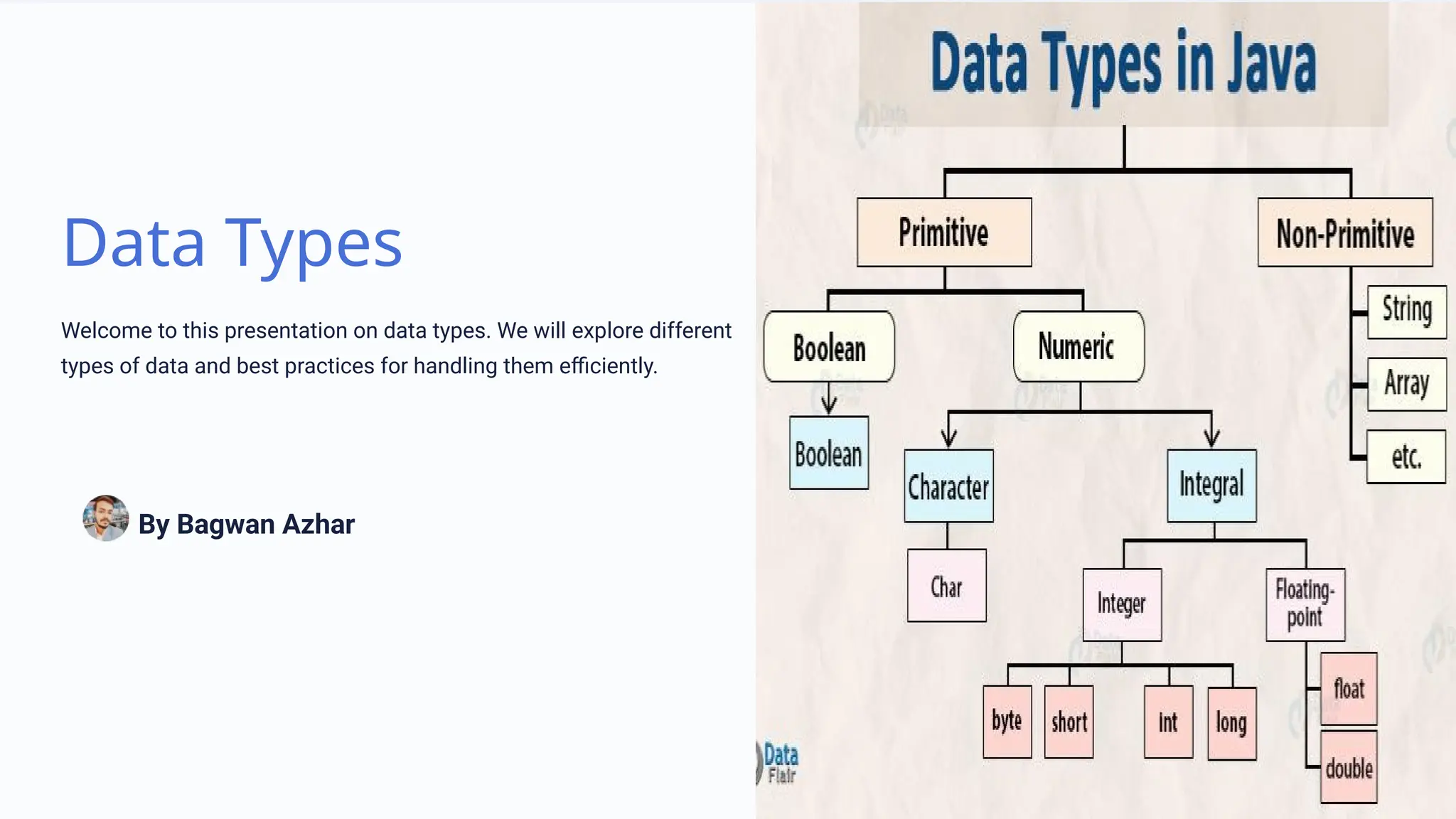
Data Types
Welcome to this presentation on data types. We will explore different
types of data and best practices for handling them efficiently.
By Bagwan Azhar
Numeric Data Types
Numeric data types are used to store numerical values. There are several types such as integers,
decimals, and floating-point numbers. We'll cover their differences and learn how to use them.
Integers
Represent whole numbers and can be positive or negative values
Decimals
Represent a fractional value with fixed precision
Floating-Point Numbers
Require more memory as they represent decimal numbers with variable precision
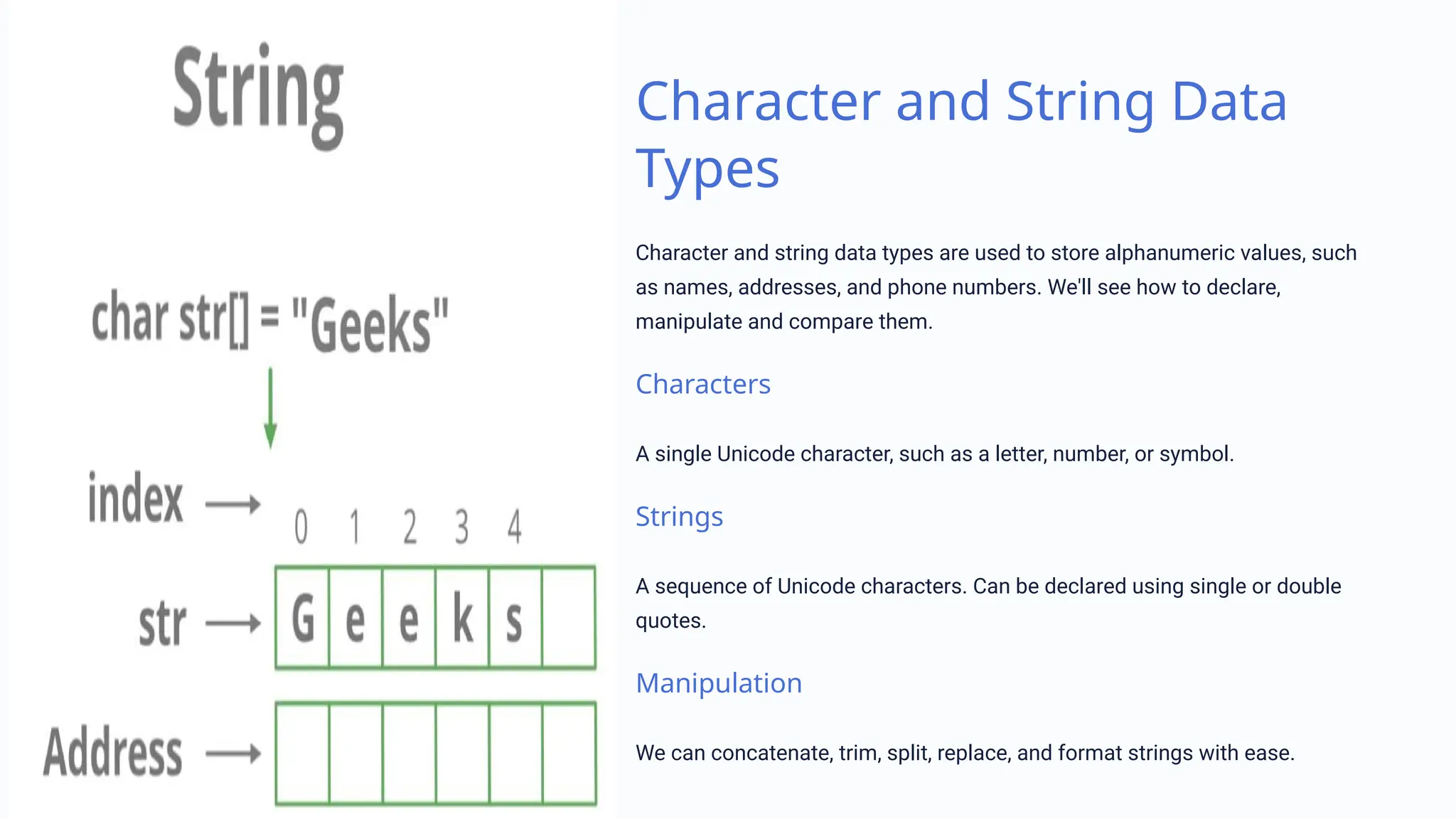
Character and String Data
Types
Character and string data types are used to store alphanumeric values, such
as names, addresses, and phone numbers. We'll see how to declare,
manipulate and compare them.
Characters
A single Unicode character, such as a letter, number, or symbol.
Strings
A sequence of Unicode characters. Can be declared using single or double
quotes.
Manipulation
We can concatenate, trim, split, replace, and format strings with ease.
Boolean Data Types
Boolean data types represent a binary value. Either true or false. We'll see how to use them to
conditionally execute code and logical expressions.
1 Declaration
Boolean values are declared either as true or false.
2 Control Structures
We can use boolean variables to control the flow of a program.
3 Logical Expressions
Operators like AND, OR, and NOT can help us create complex conditions with multiple
boolean variables.
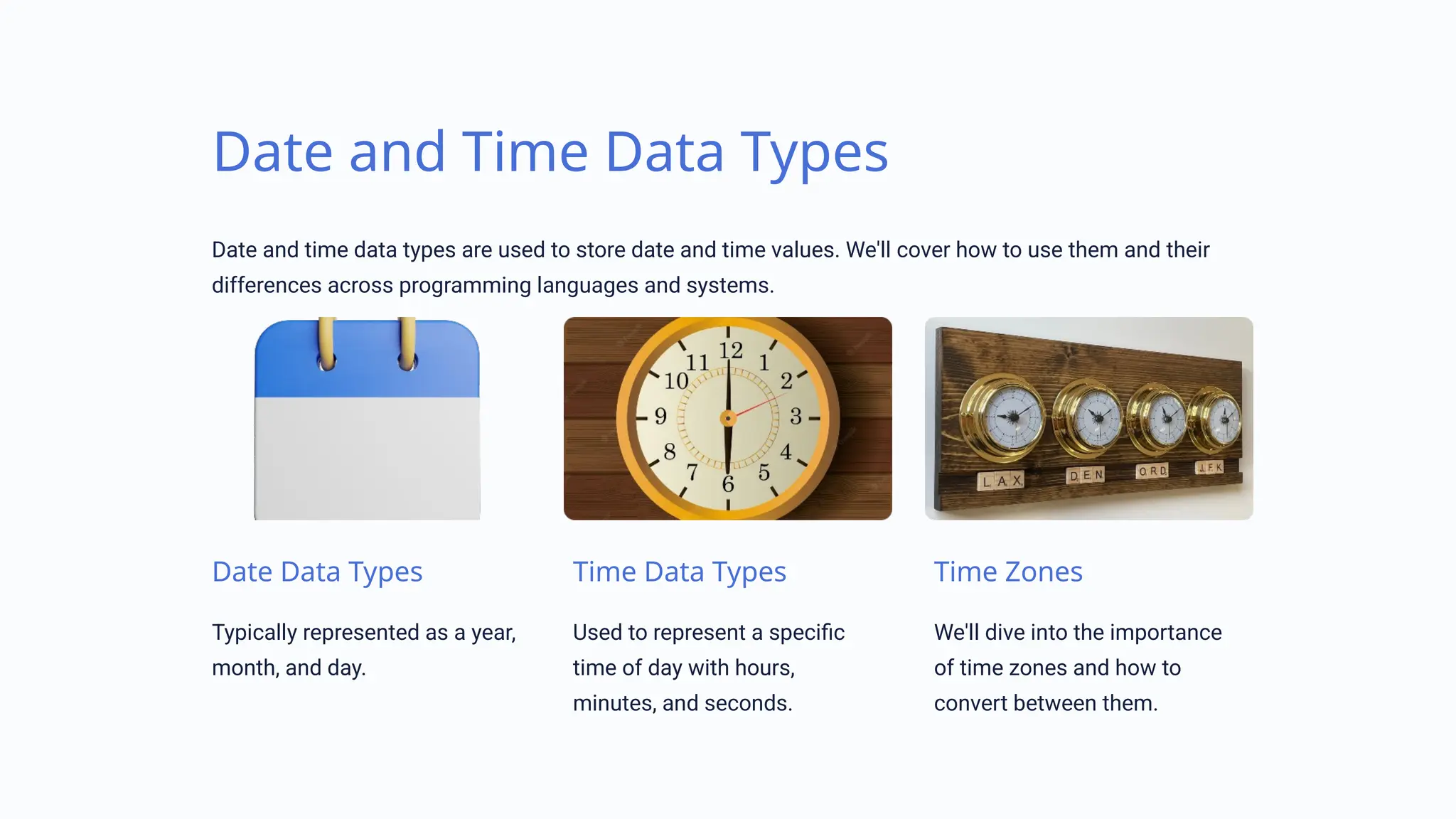
Date and Time Data Types
Date and time data types are used to store date and time values. We'll cover how to use them and their
differences across programming languages and systems.
Date Data Types
Typically represented as a year,
month, and day.
Time Data Types
Used to represent a specific
time of day with hours,
minutes, and seconds.
Time Zones
We'll dive into the importance
of time zones and how to
convert between them.
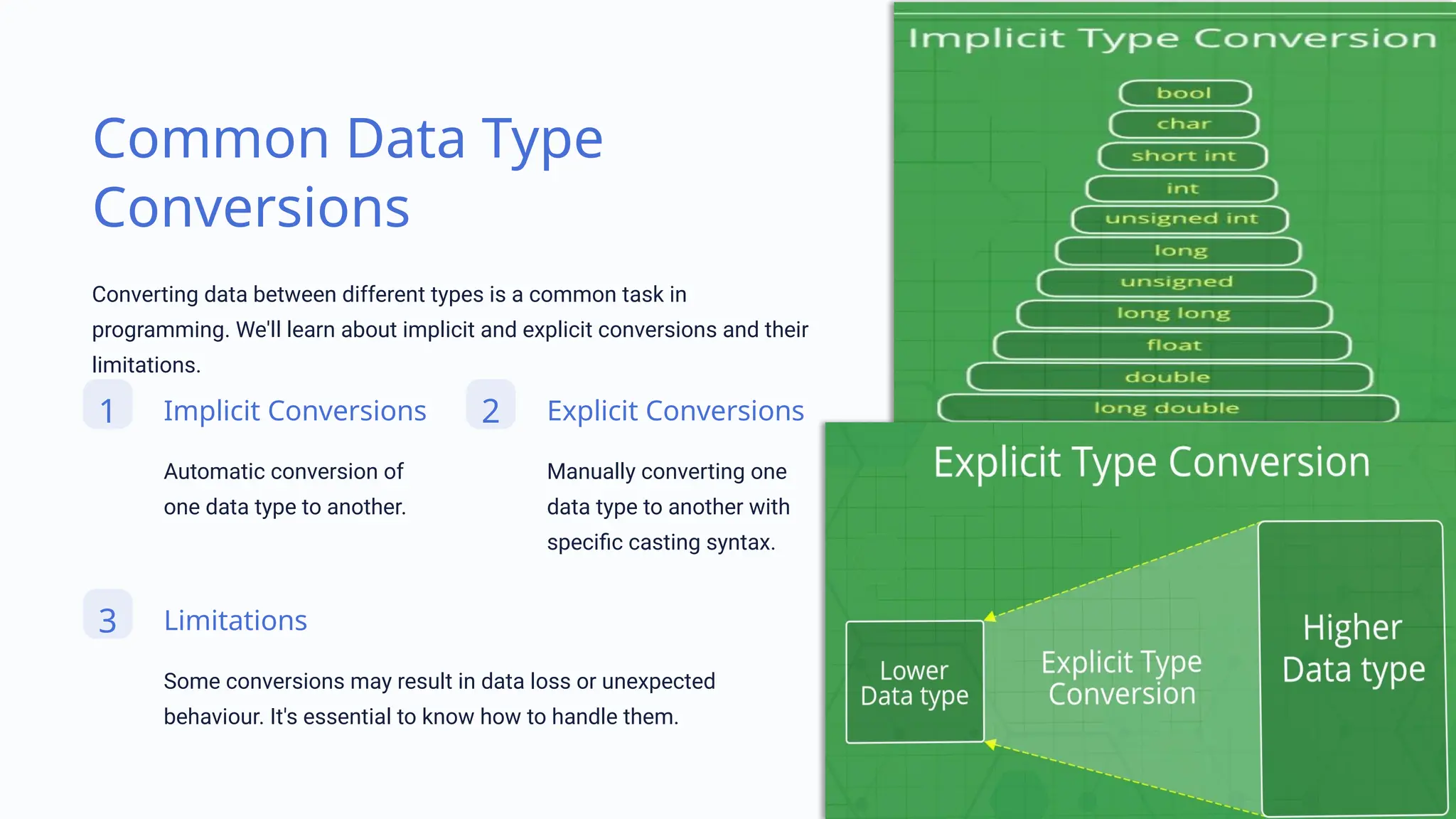
Common Data Type
Conversions
Converting data between different types is a common task in
programming. We'll learn about implicit and explicit conversions and their
limitations.
1 Implicit Conversions
Automatic conversion of
one data type to another.
2 Explicit Conversions
Manually converting one
data type to another with
specific casting syntax.
3 Limitations
Some conversions may result in data loss or unexpected
behaviour. It's essential to know how to handle them.
Best Practices for Handling Data Types
Handling data types efficiently is key to writing robust, secure, and scalable programs. In this section, I'll
cover some best practices to follow.
Choose the Right Data Type
Avoid using larger data types than necessary.
This helps keep memory usage low.
Use Type Checking
Always check for type compatibility to avoid
errors.
Avoid Mixing Data Types
Conversions can cause errors and impact
efficiency.
Be Careful with Conversions
Some conversions may lose data or change
the original value.
Conclusion
I hope that you found this presentation informative and engaging. Data types are the foundation of
programming, and understanding how to handle them will make you a better developer.

Understanding Data Types in Programming.pptx

  • 1.
    Data Types Welcome tothis presentation on data types. We will explore different types of data and best practices for handling them efficiently. By Bagwan Azhar
  • 2.
    Numeric Data Types Numericdata types are used to store numerical values. There are several types such as integers, decimals, and floating-point numbers. We'll cover their differences and learn how to use them. Integers Represent whole numbers and can be positive or negative values Decimals Represent a fractional value with fixed precision Floating-Point Numbers Require more memory as they represent decimal numbers with variable precision
  • 3.
    Character and StringData Types Character and string data types are used to store alphanumeric values, such as names, addresses, and phone numbers. We'll see how to declare, manipulate and compare them. Characters A single Unicode character, such as a letter, number, or symbol. Strings A sequence of Unicode characters. Can be declared using single or double quotes. Manipulation We can concatenate, trim, split, replace, and format strings with ease.
  • 4.
    Boolean Data Types Booleandata types represent a binary value. Either true or false. We'll see how to use them to conditionally execute code and logical expressions. 1 Declaration Boolean values are declared either as true or false. 2 Control Structures We can use boolean variables to control the flow of a program. 3 Logical Expressions Operators like AND, OR, and NOT can help us create complex conditions with multiple boolean variables.
  • 5.
    Date and TimeData Types Date and time data types are used to store date and time values. We'll cover how to use them and their differences across programming languages and systems. Date Data Types Typically represented as a year, month, and day. Time Data Types Used to represent a specific time of day with hours, minutes, and seconds. Time Zones We'll dive into the importance of time zones and how to convert between them.
  • 6.
    Common Data Type Conversions Convertingdata between different types is a common task in programming. We'll learn about implicit and explicit conversions and their limitations. 1 Implicit Conversions Automatic conversion of one data type to another. 2 Explicit Conversions Manually converting one data type to another with specific casting syntax. 3 Limitations Some conversions may result in data loss or unexpected behaviour. It's essential to know how to handle them.
  • 7.
    Best Practices forHandling Data Types Handling data types efficiently is key to writing robust, secure, and scalable programs. In this section, I'll cover some best practices to follow. Choose the Right Data Type Avoid using larger data types than necessary. This helps keep memory usage low. Use Type Checking Always check for type compatibility to avoid errors. Avoid Mixing Data Types Conversions can cause errors and impact efficiency. Be Careful with Conversions Some conversions may lose data or change the original value.
  • 8.
    Conclusion I hope thatyou found this presentation informative and engaging. Data types are the foundation of programming, and understanding how to handle them will make you a better developer.