Übercool, pixel perfct 
& slick design 
...that just doesn't work 
by @samuelbednar
Next few minutes 
1. Who the fuck am I & who was I? 
2. 99 problems of a graphic designer 
3. Let’s give a fuck about this app: Spendee 
4. What the fuck should you do to be cool
My journey 
ex-Graphic Designer @ Home and Agency 
ex-Online Art Director @ MADE BY VACULIK 
Interactive designer @ ESET
shift #1 
many clients & short time projects 
to 
one client & long time project
shift #2 
graphic design 
to 
interaction design
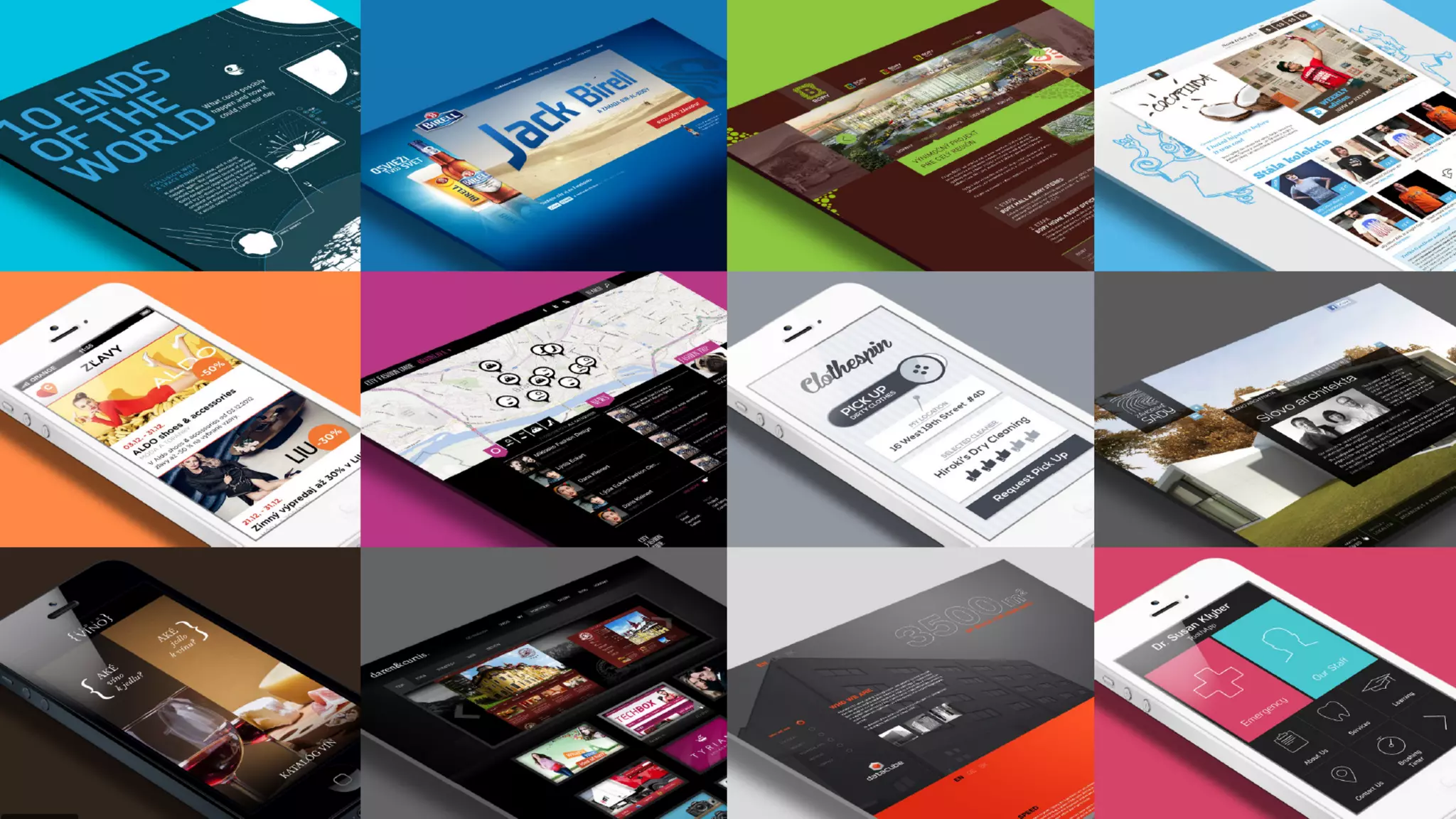
Picture http://goo.gl/Lxq8JW 
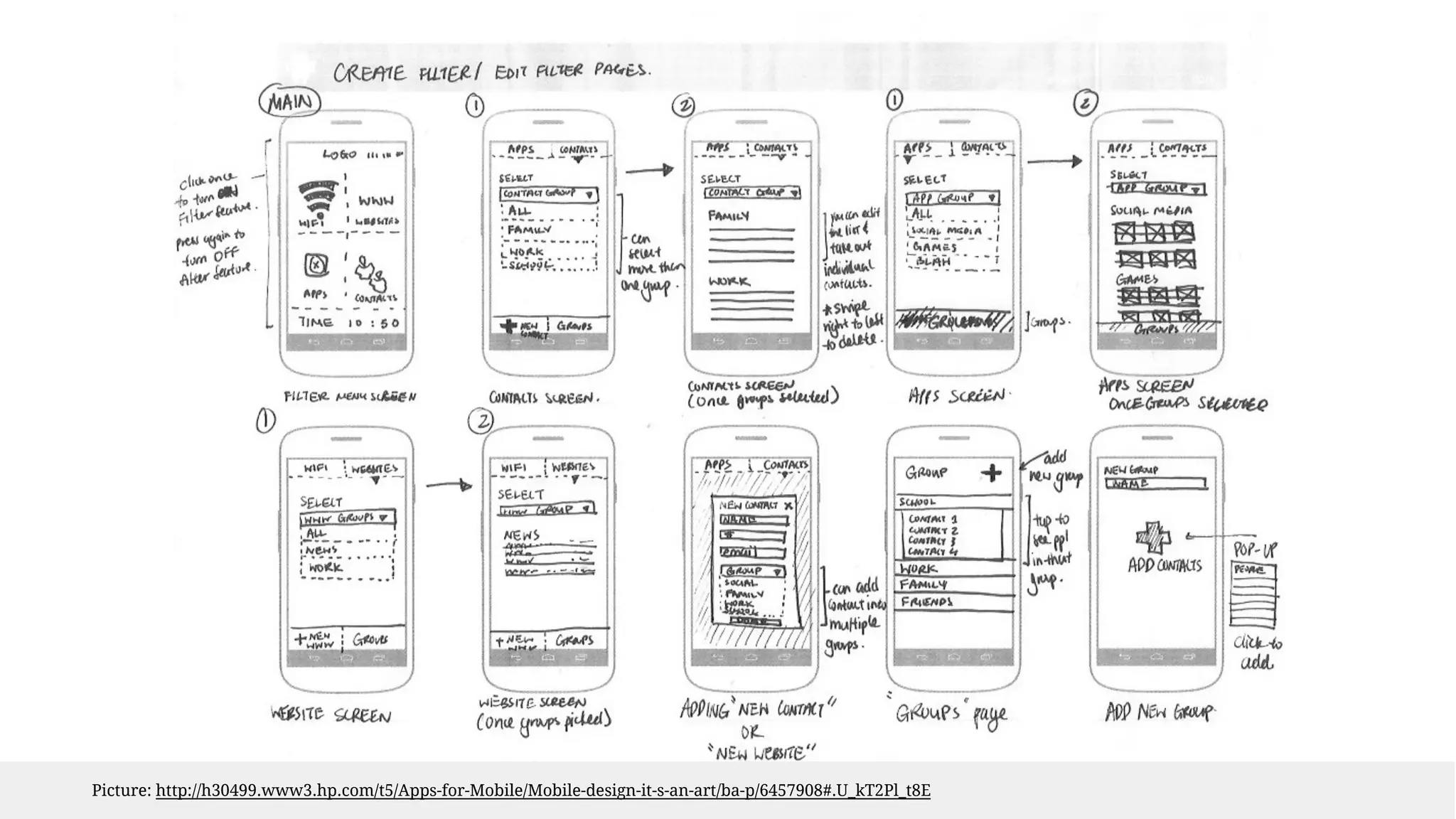
Picture: http://h30499.www3.hp.com/t5/Apps-for-Mobile/Mobile-design-it-s-an-art/ba-p/6457908#.U_kT2Pl_t8E
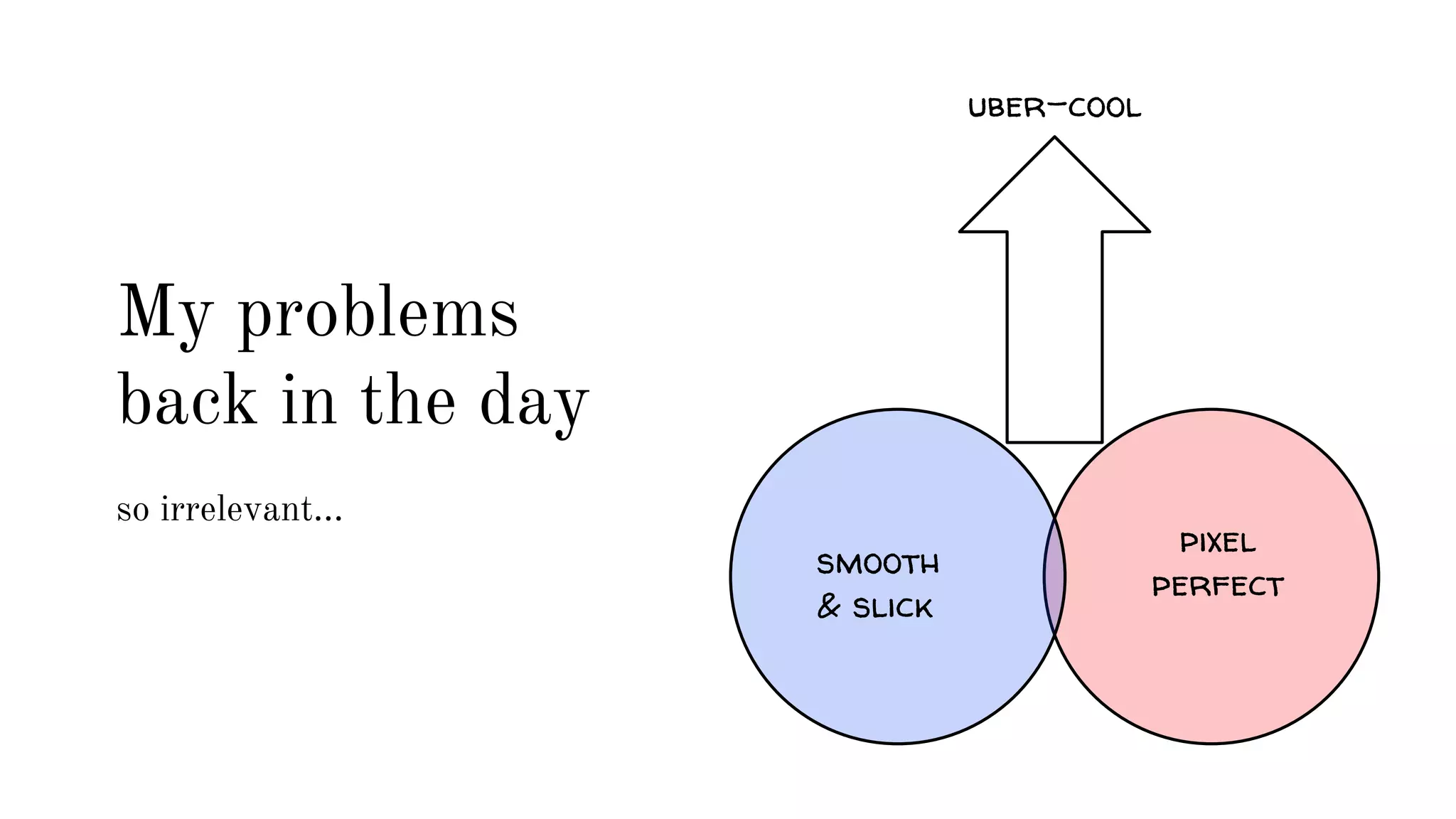
pixel 
uber-cool 
smooth perfect 
& slick 
My problems 
back in the day 
so irrelevant...
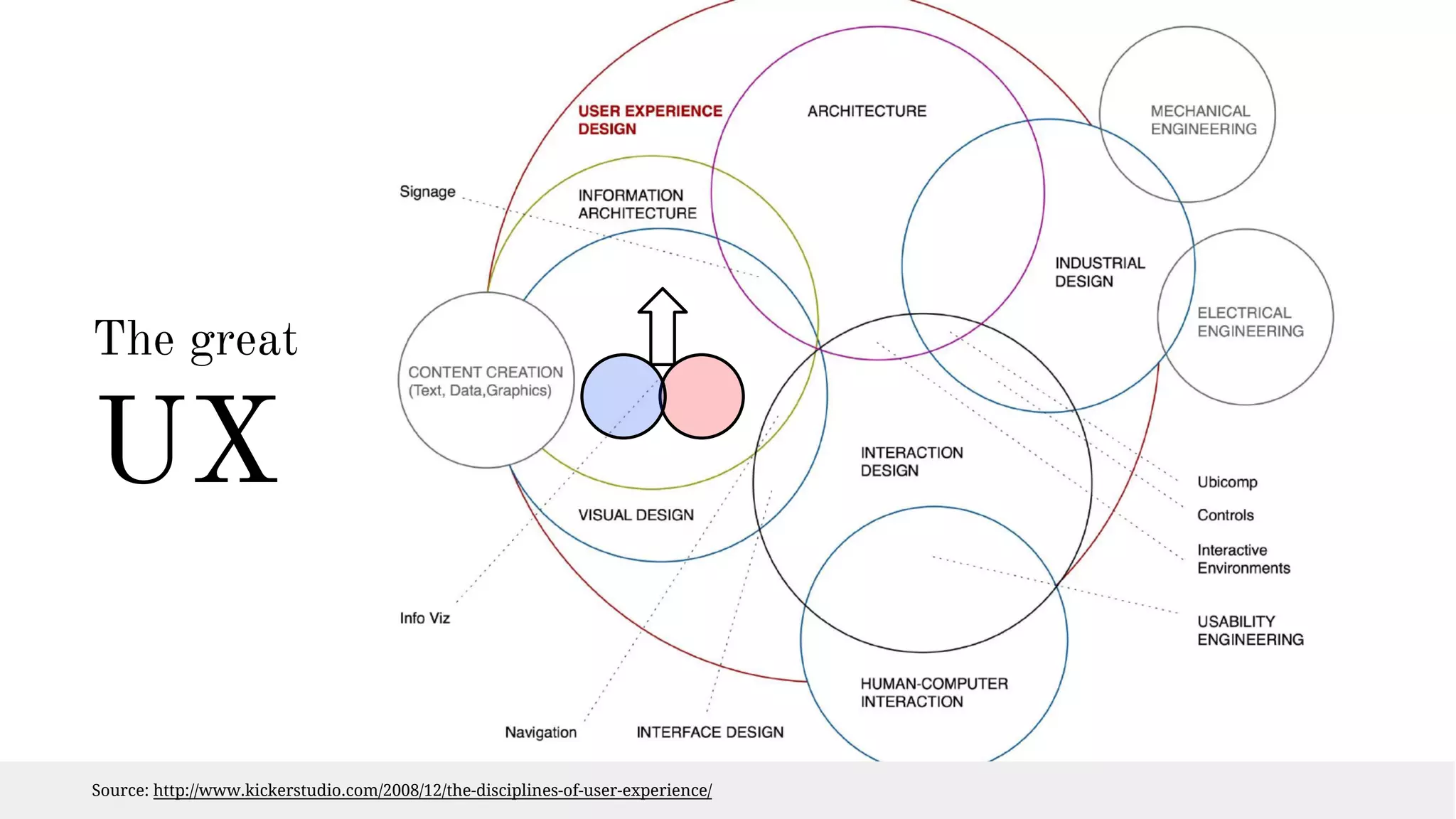
The great 
UX 
Source: http://www.kickerstudio.com/2008/12/the-disciplines-of-user-experience/
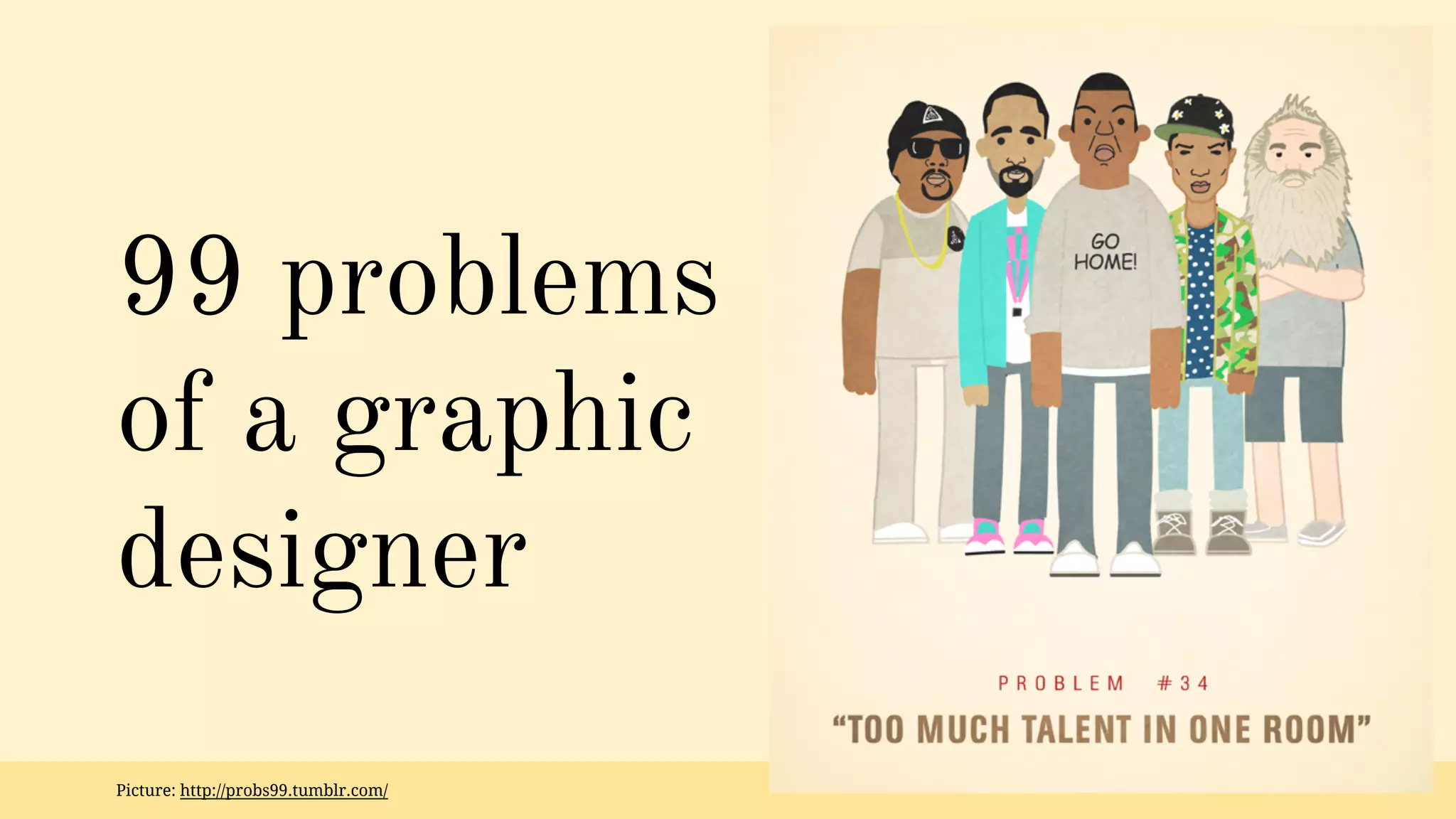
99 problems 
of a graphic 
designer 
Picture: http://probs99.tumblr.com/
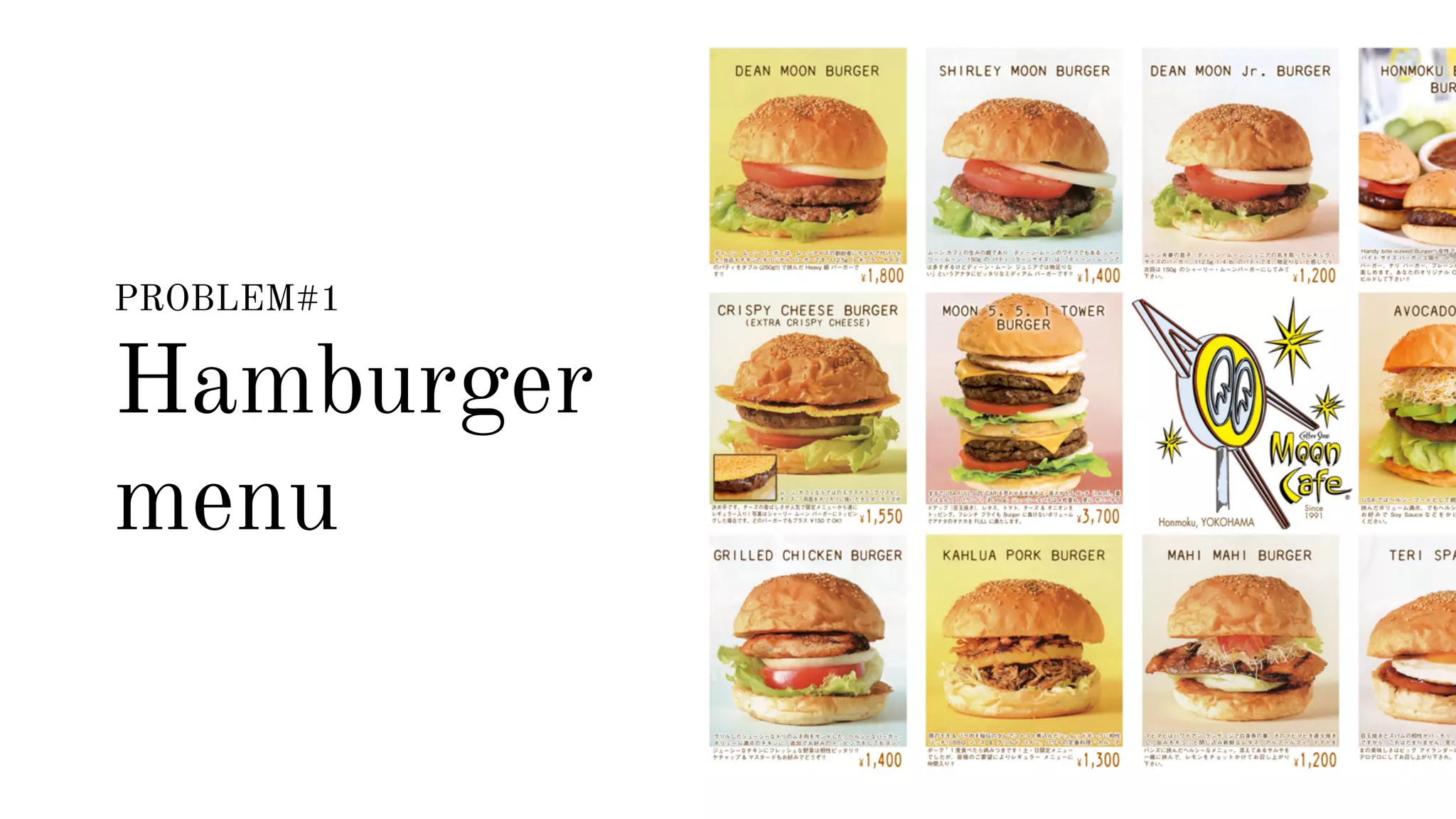
PROBLEM#1 
Hamburger 
menu
Hamburger menu 
I thought - this is a global & default way to 
deal with navigation. A clean, simple & 
effective solution. Saving precious space.
Hamburger menu 
Default way? 
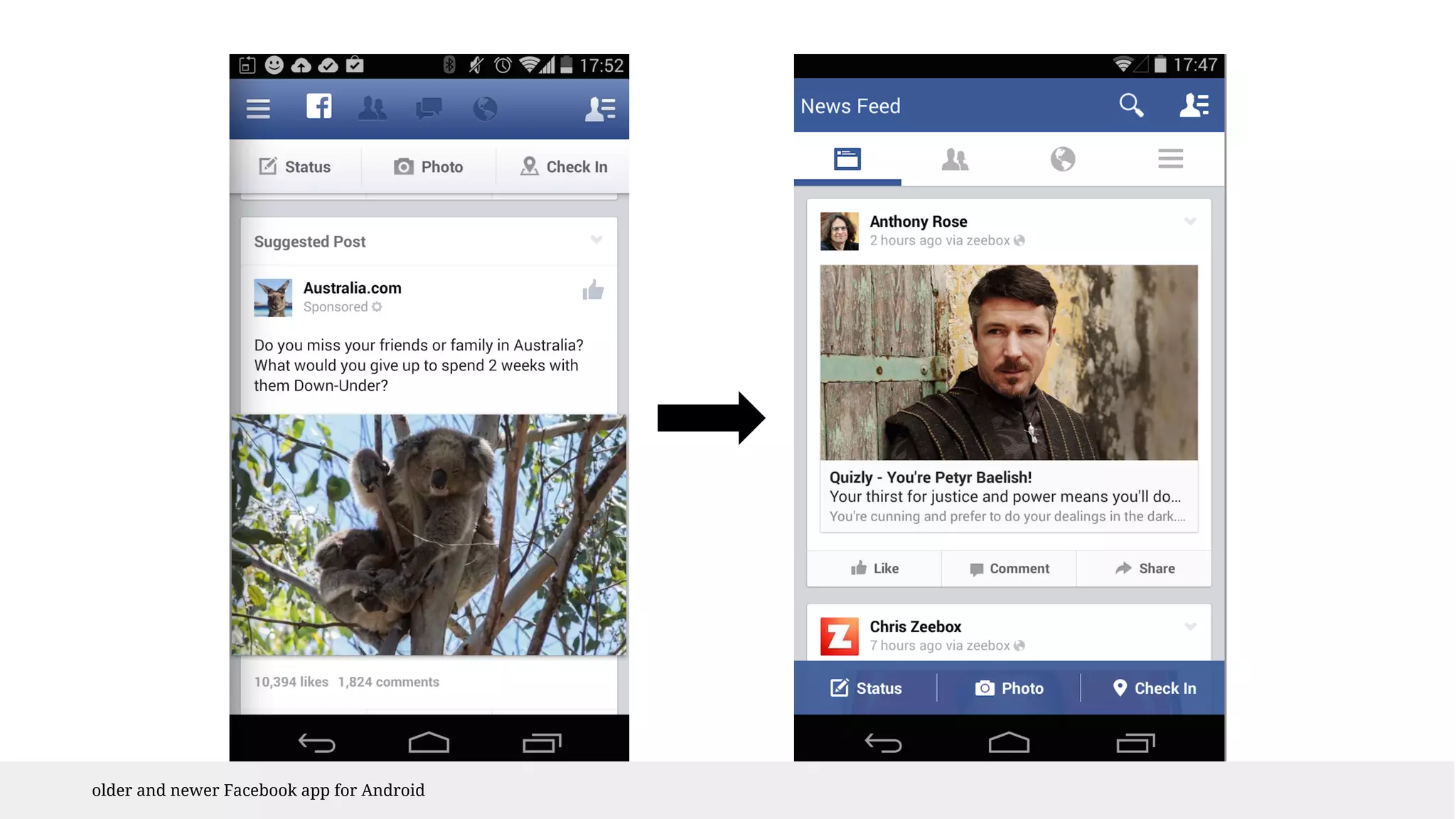
Be honest - there are few other options 
Adding next layer - forcing a user to tap 
Hiding options - user has to know he needs to 
navigate
older and newer Facebook app for Android
Hamburger menu 
Clean and simple? 
Sweeping issue under the carpet 
No pressure to make it denser & more 
efficient, to improve categorization, wordings 
and prioritize
Hamburger menu 
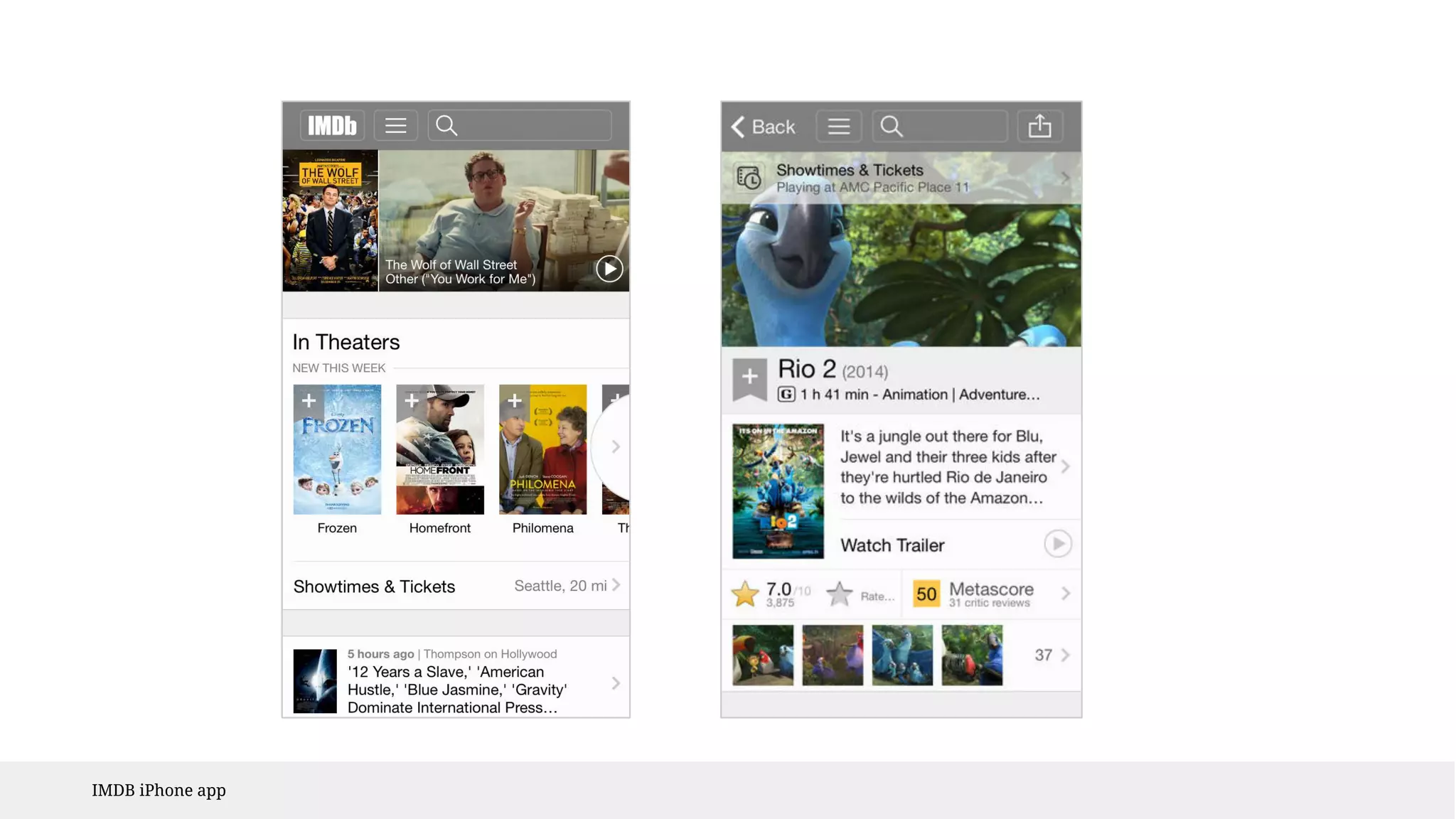
Saving space? 
Has to be kept on the top all the time 
Conflicting with the back button 
Users don’t focus on the whole screen
IMDB iPhone app
Hamburger menu 
DON’Ts 
1. Don’t use as default - compare 
2. Don’t overlook the navigation importance 
when you decide to hide it 
3. Don’t use to save space - not a good reason 
Learn more: https://lmjabreu.com/post/why-and-how-to-avoid-hamburger-menus/
PROBLEM#2 
Icons
Icons 
I thought icons are new words! 
I can create new words!
Icons 
The cruel truth 
Nobody understands them 
Not that necessary - becoming overused 
Keep the things interesting, that’s mostly it
Icons 
Outlook 
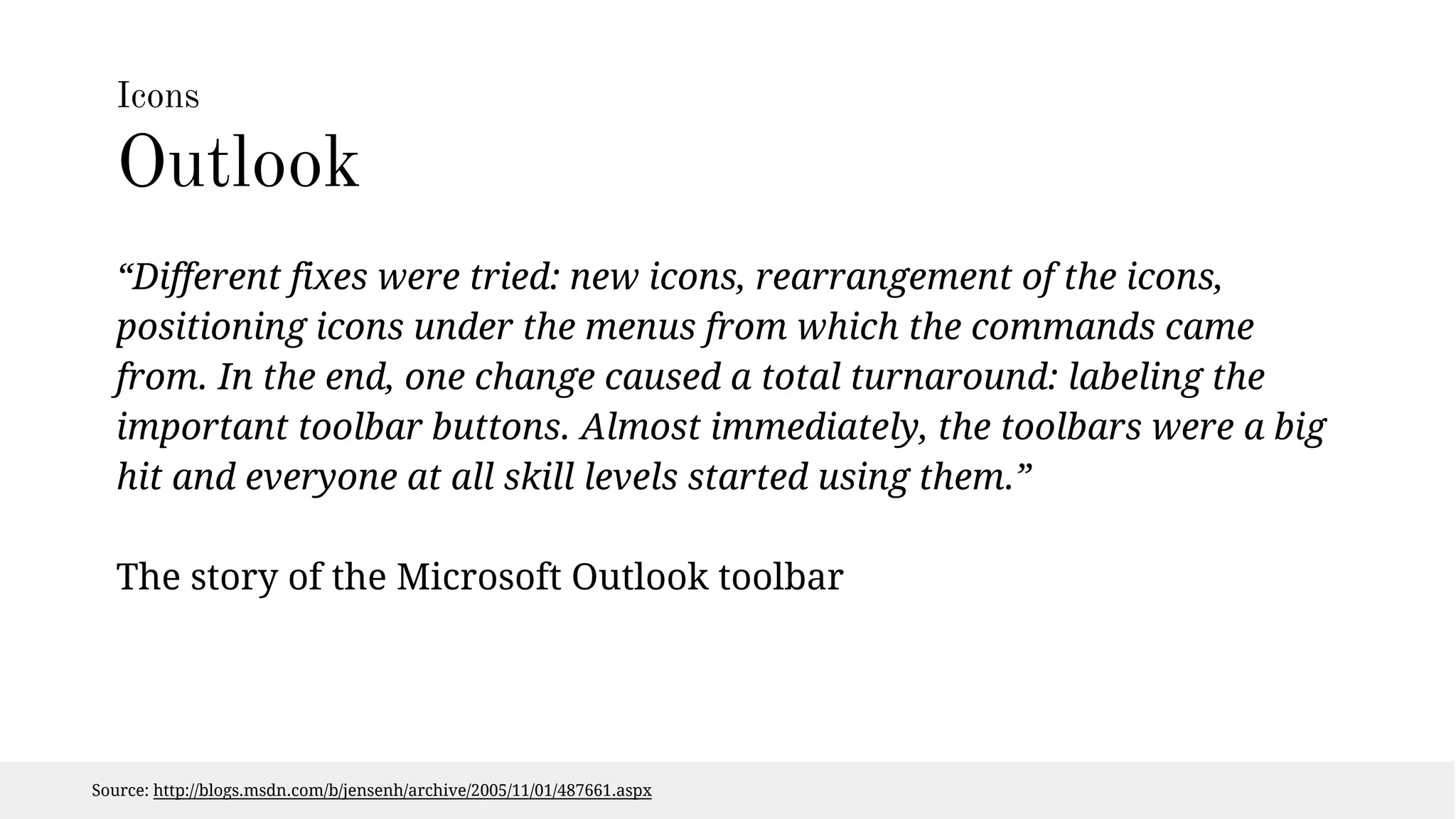
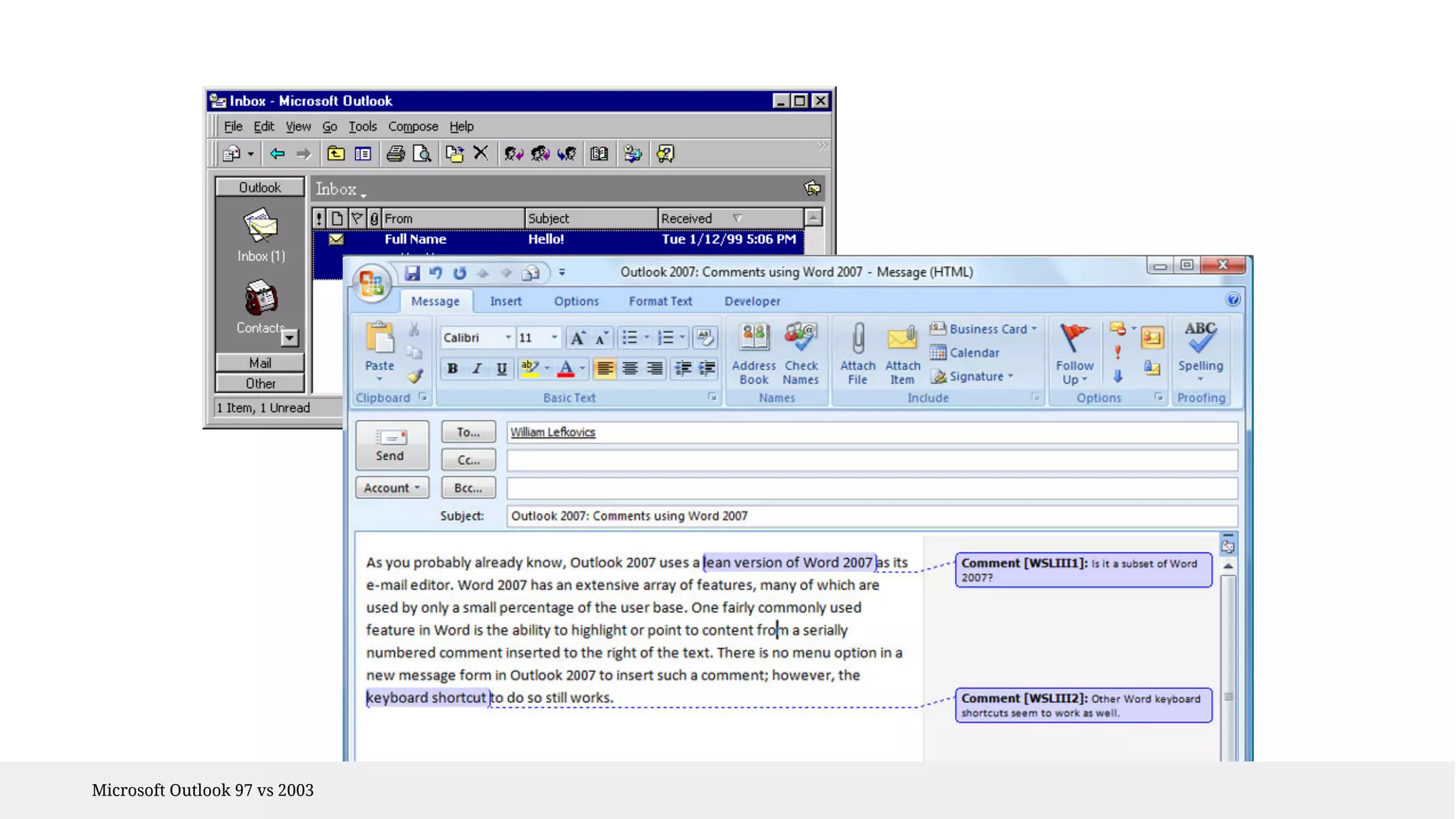
“Different fixes were tried: new icons, rearrangement of the icons, 
positioning icons under the menus from which the commands came 
from. In the end, one change caused a total turnaround: labeling the 
important toolbar buttons. Almost immediately, the toolbars were a big 
hit and everyone at all skill levels started using them.” 
The story of the Microsoft Outlook toolbar 
Source: http://blogs.msdn.com/b/jensenh/archive/2005/11/01/487661.aspx
Microsoft Outlook 97 vs 2003
Icons 
CMS editor 
...conducted test how people understand icons of a CMS editor. The 
result: the widely used ‘insert link’ icon was understood only by 35% of 
the participants, even the classic ‘undo’ and ‘redo’ icons were only 
recognized by half of the participants. 
Test by Peter Steen Høgenhaug 
Source: http://stiern.com/articles/usability/usability-in-icons/
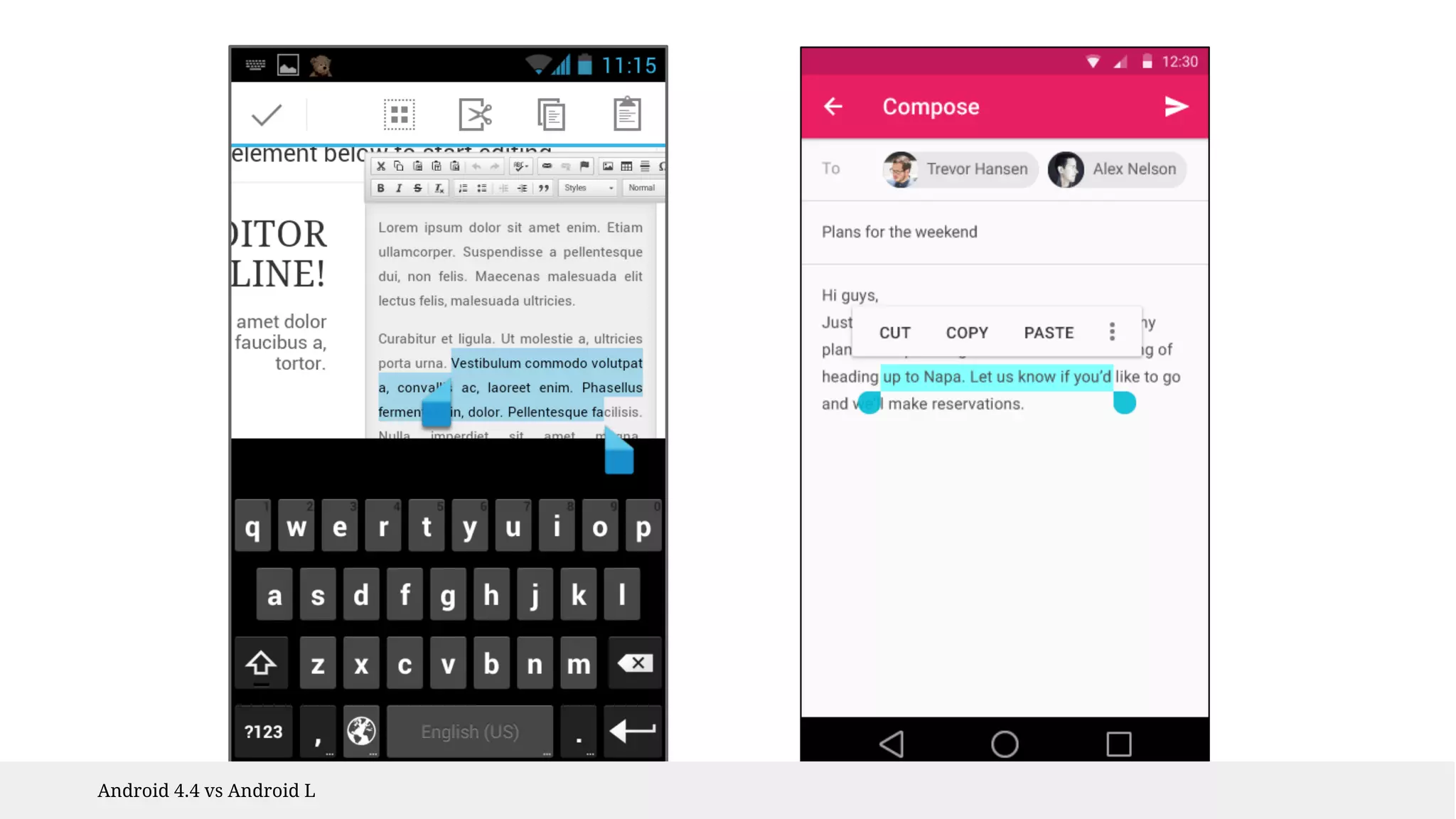
Android 4.4 vs Android L
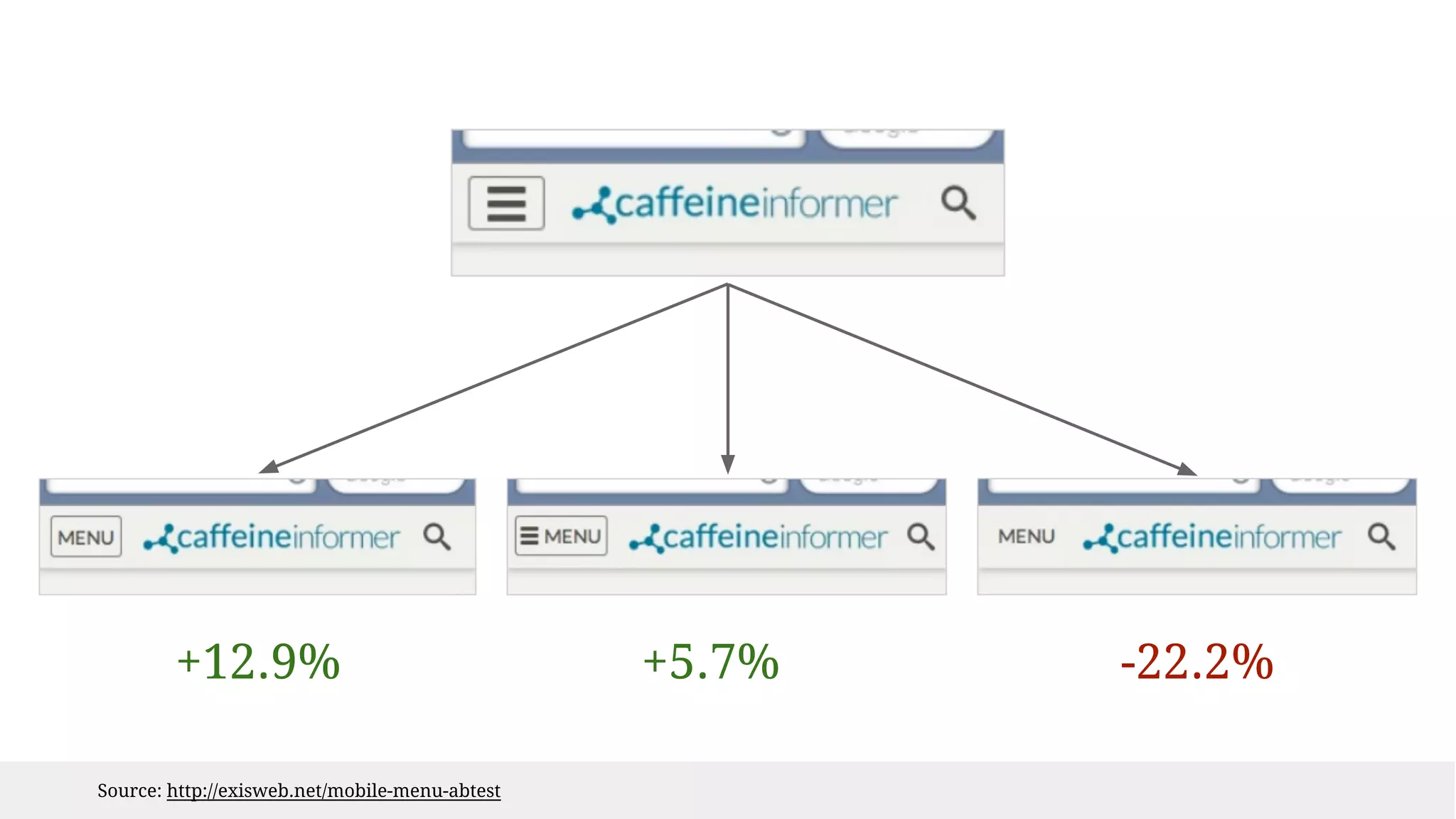
+12.9% +5.7% -22.2% 
Source: http://exisweb.net/mobile-menu-abtest
Icons DON’Ts 
1. Don’t overuse 
2. Don’t use custom when general is 
available 
3. Don’t decorate 
Learn more: http://uxmyths.com/post/715009009/myth-icons-enhance-usability
PROBLEM#3 
Gestures 
Gangsta yo pics: http://lorizzle.nl/
Gestures 
I can ditch my old icon controls! 
I don’t have to waste precious real estate.
Learn to gesture 
Not all are natural to a user. 
How to present them? 
1. Give content clues 
2. Use real-time education 
3. Keep an alternative
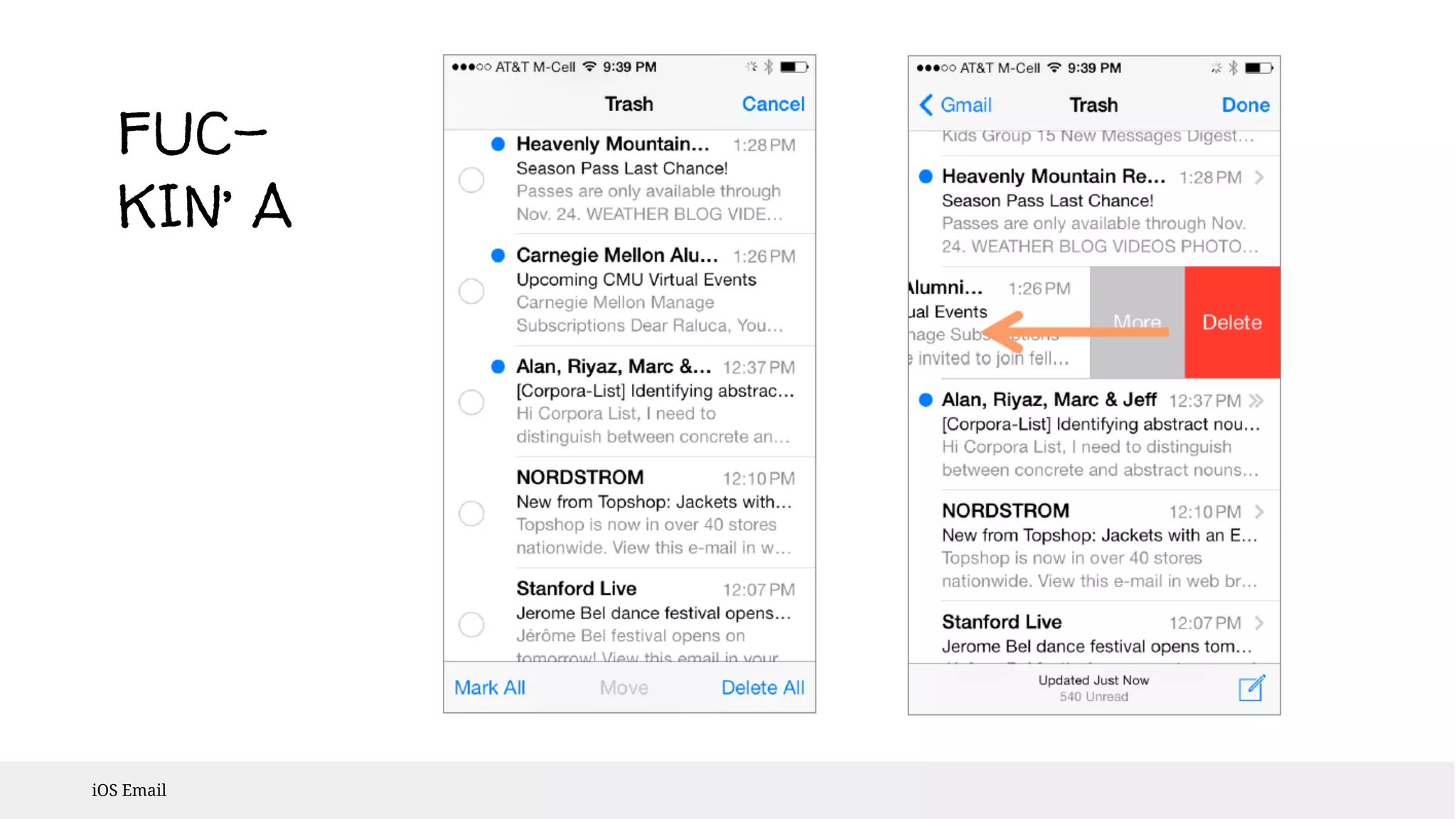
FUC-KIN’ 
iOS Email 
A
OK 
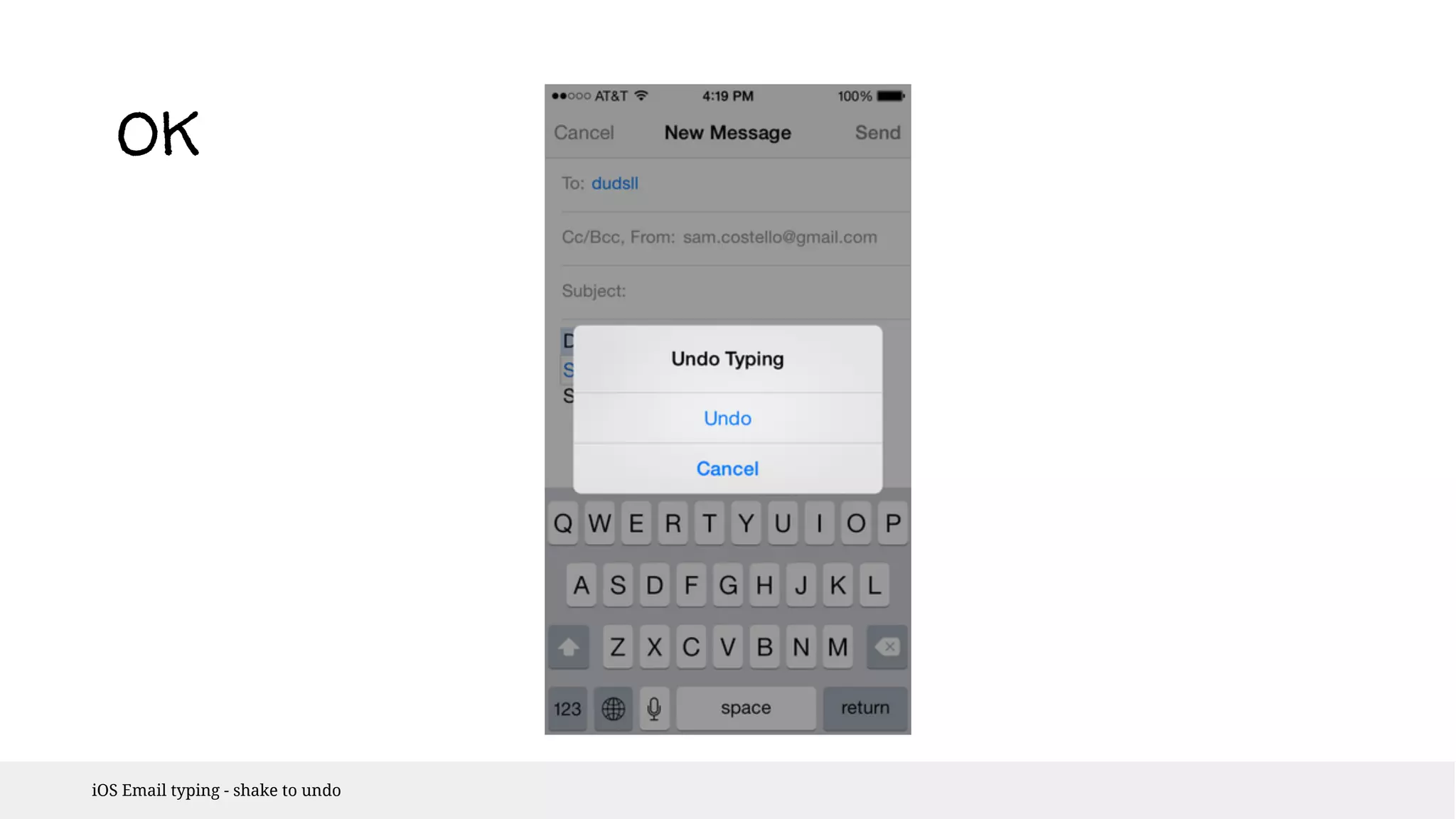
iOS Email typing - shake to undo
not 
OK 
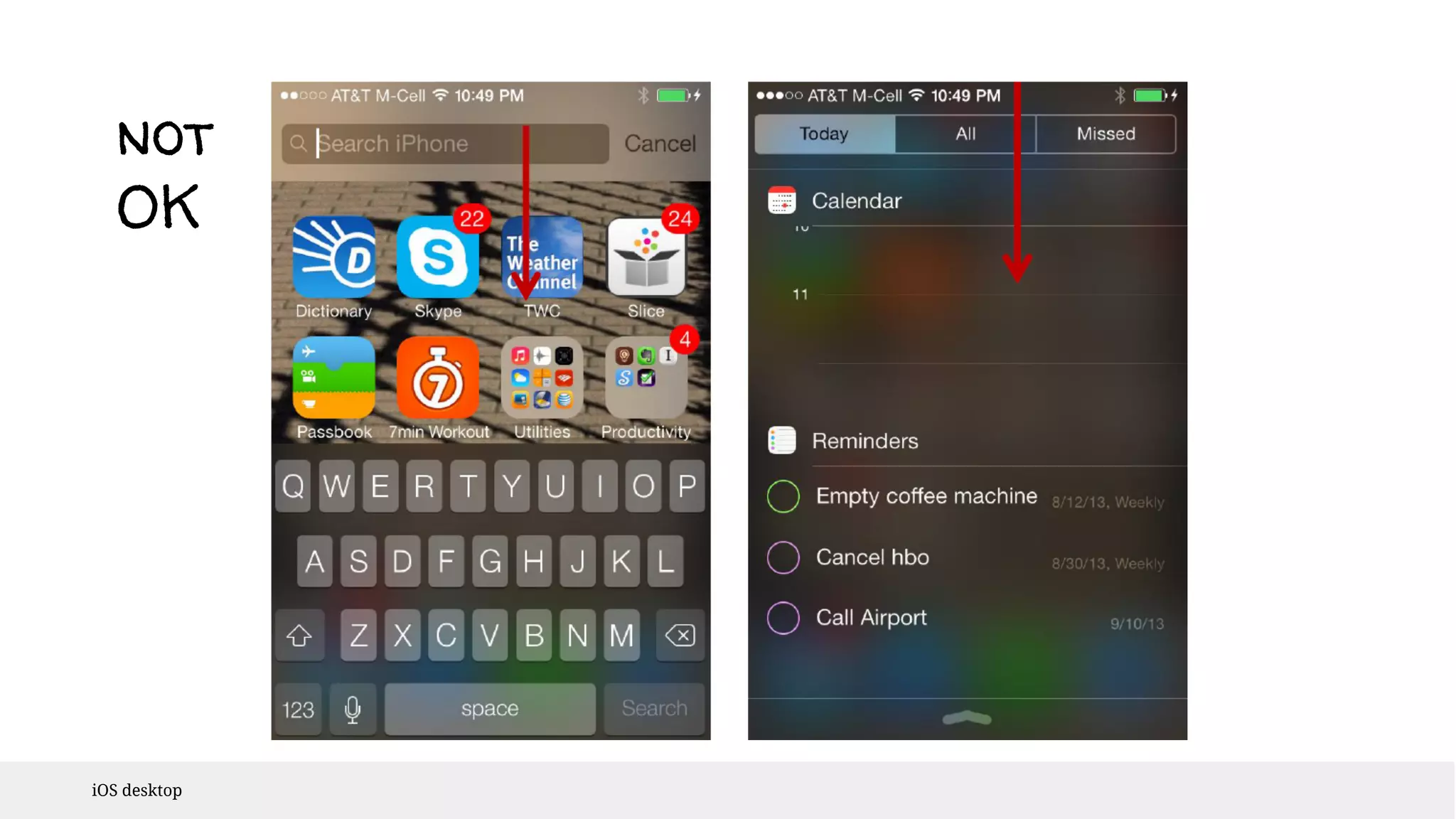
iOS desktop
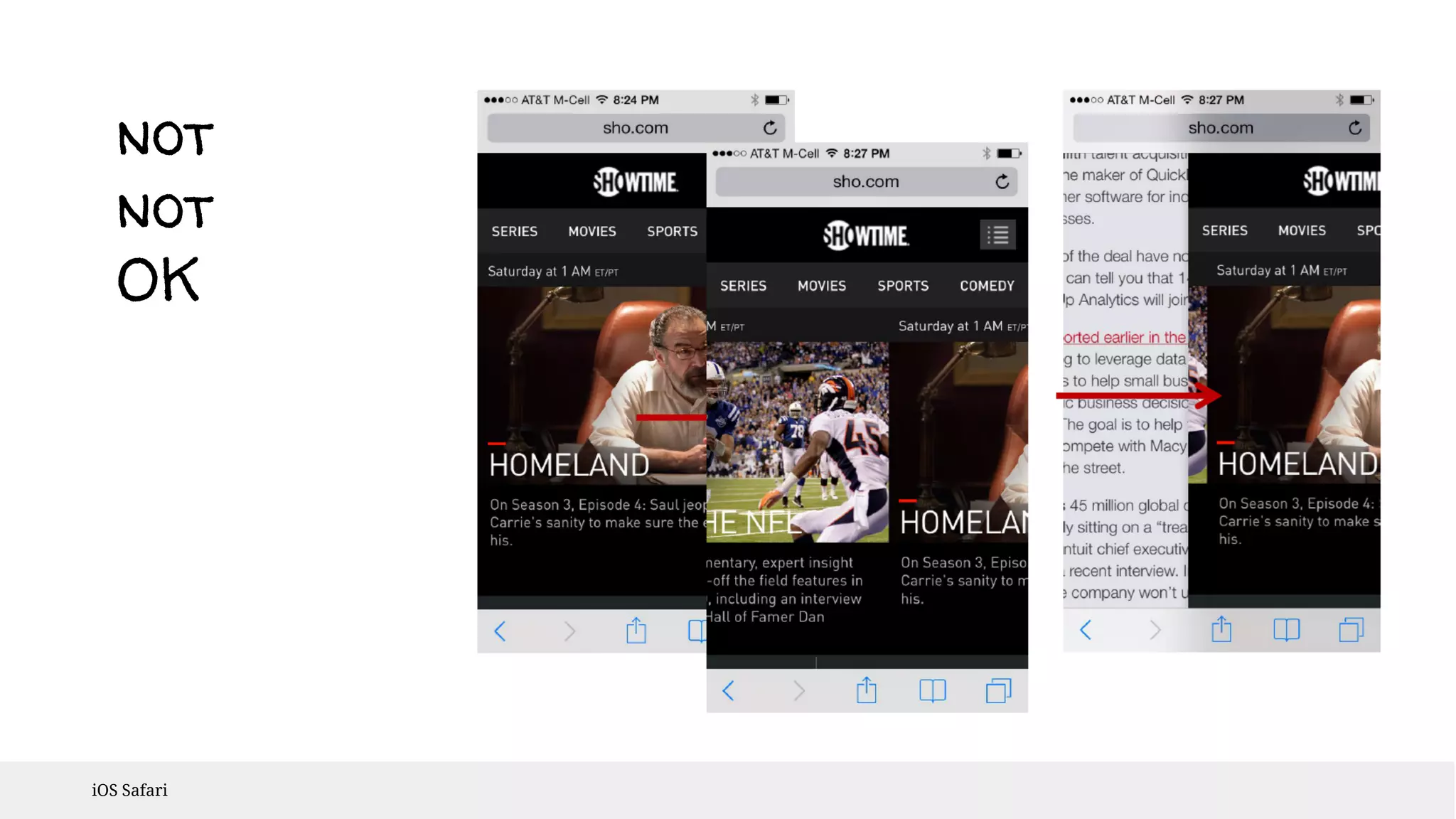
not 
not 
OK 
iOS Safari
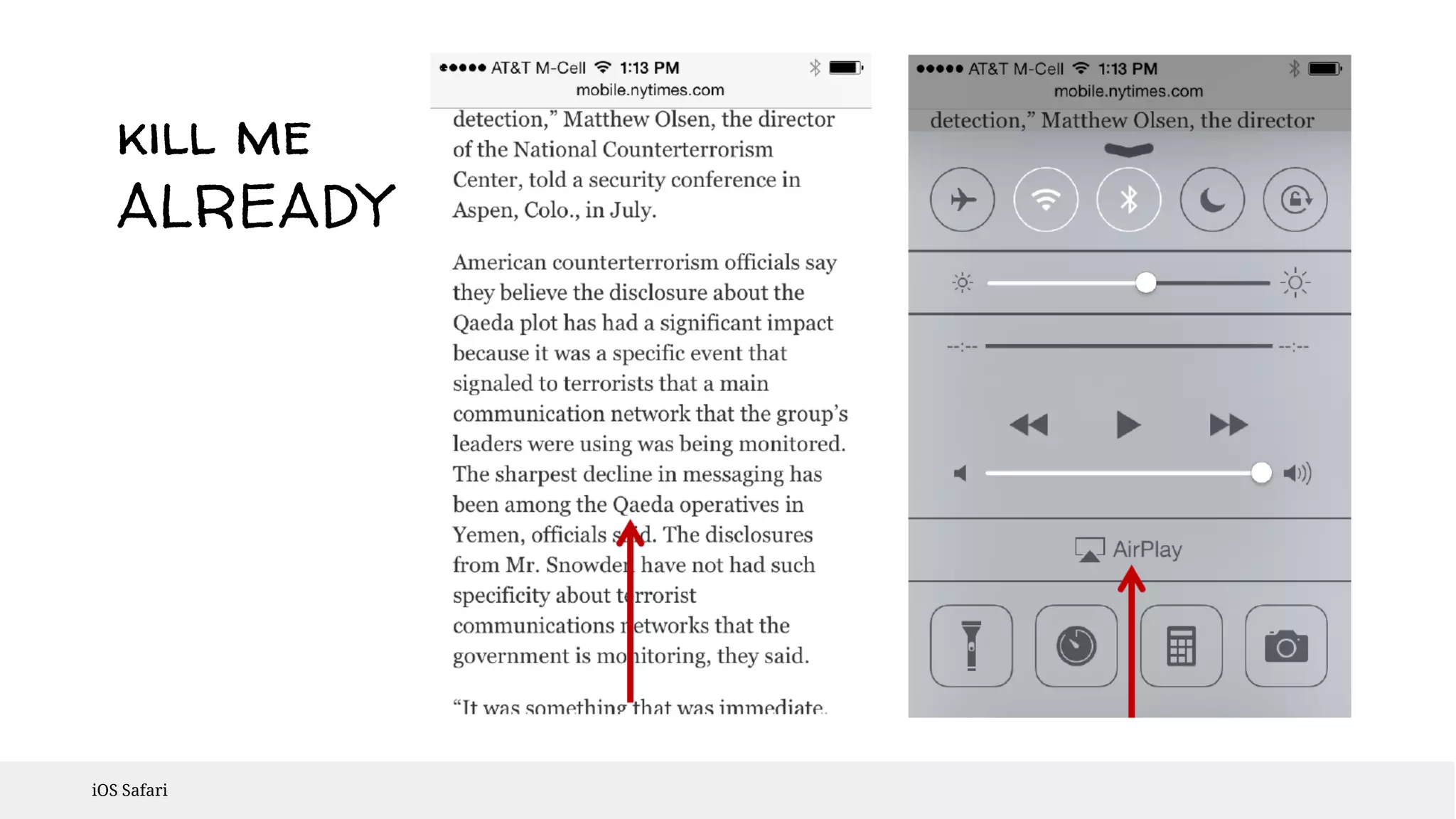
kill me 
ALREADY 
iOS Safari
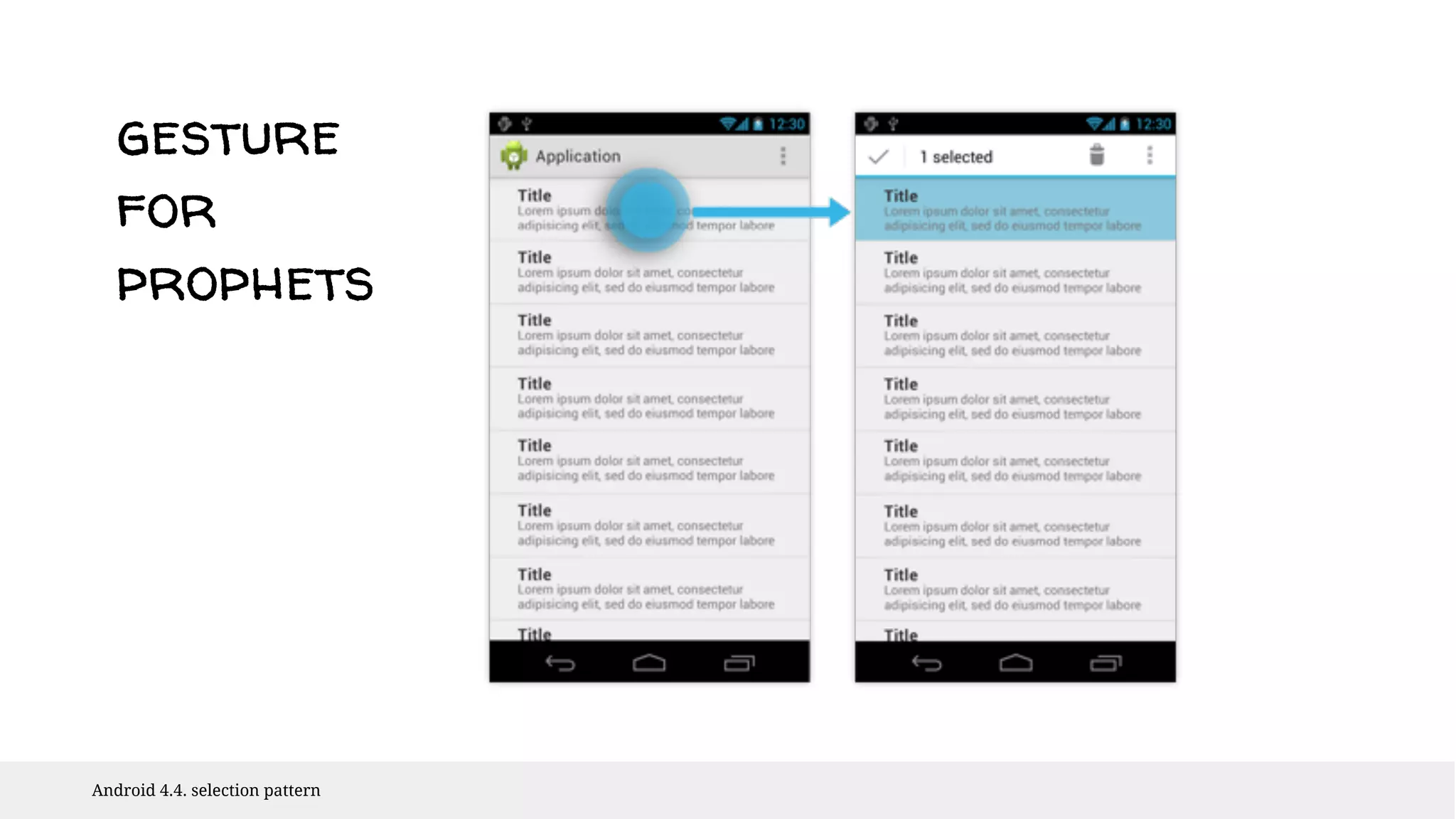
gesture 
for 
prophets 
Android 4.4. selection pattern
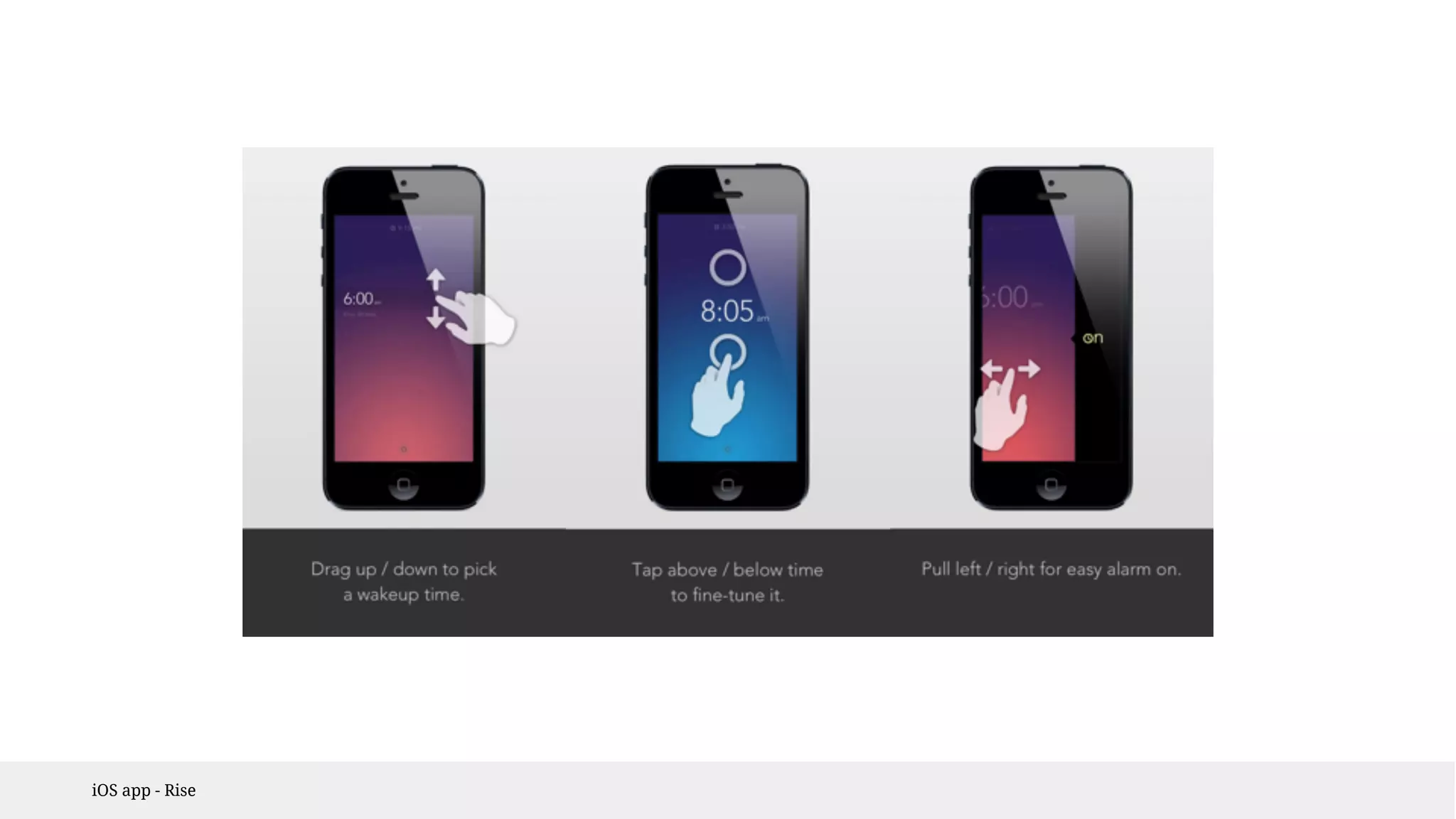
iOS app - Rise
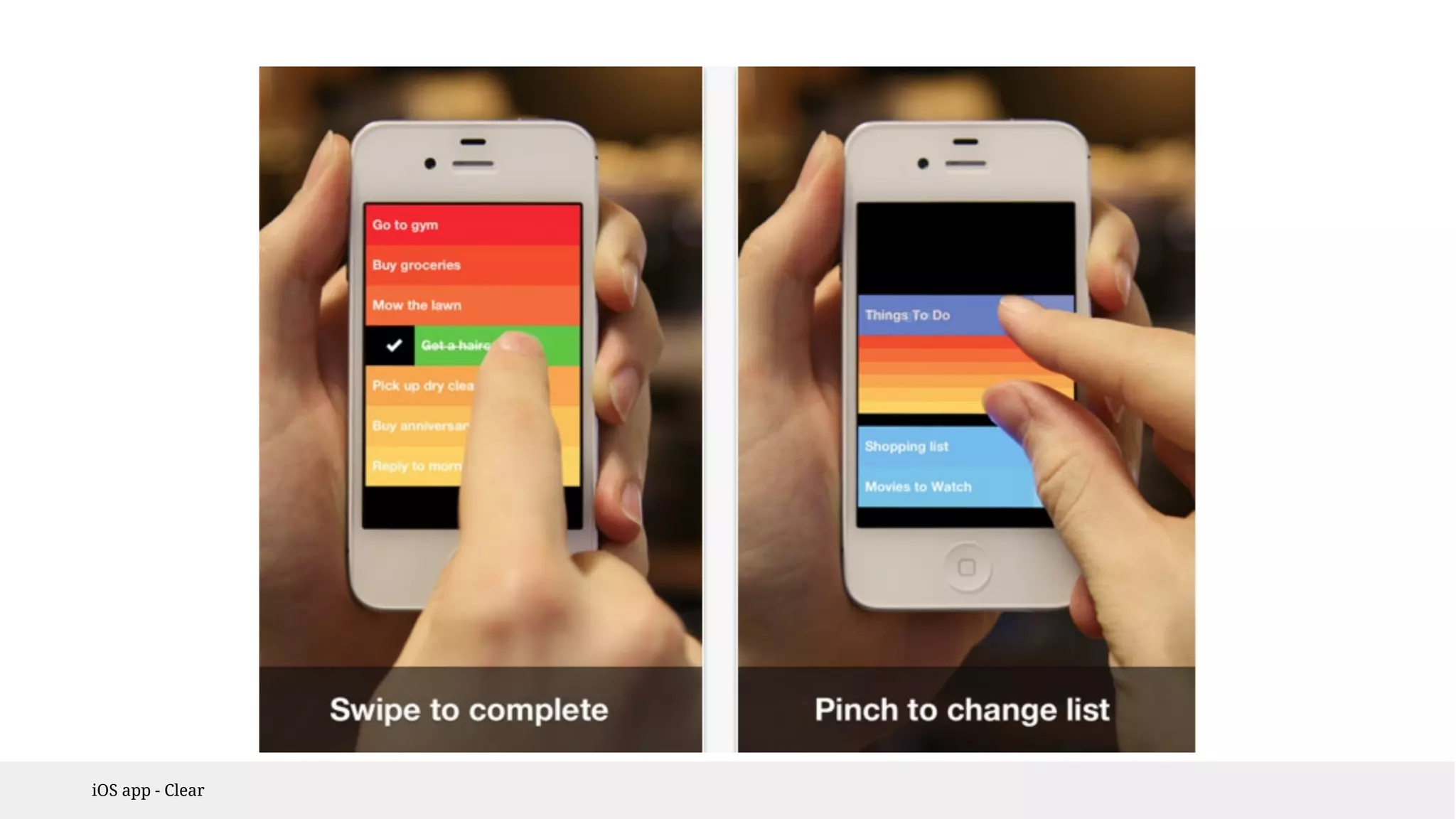
iOS app - Clear
PROBLEM#4 
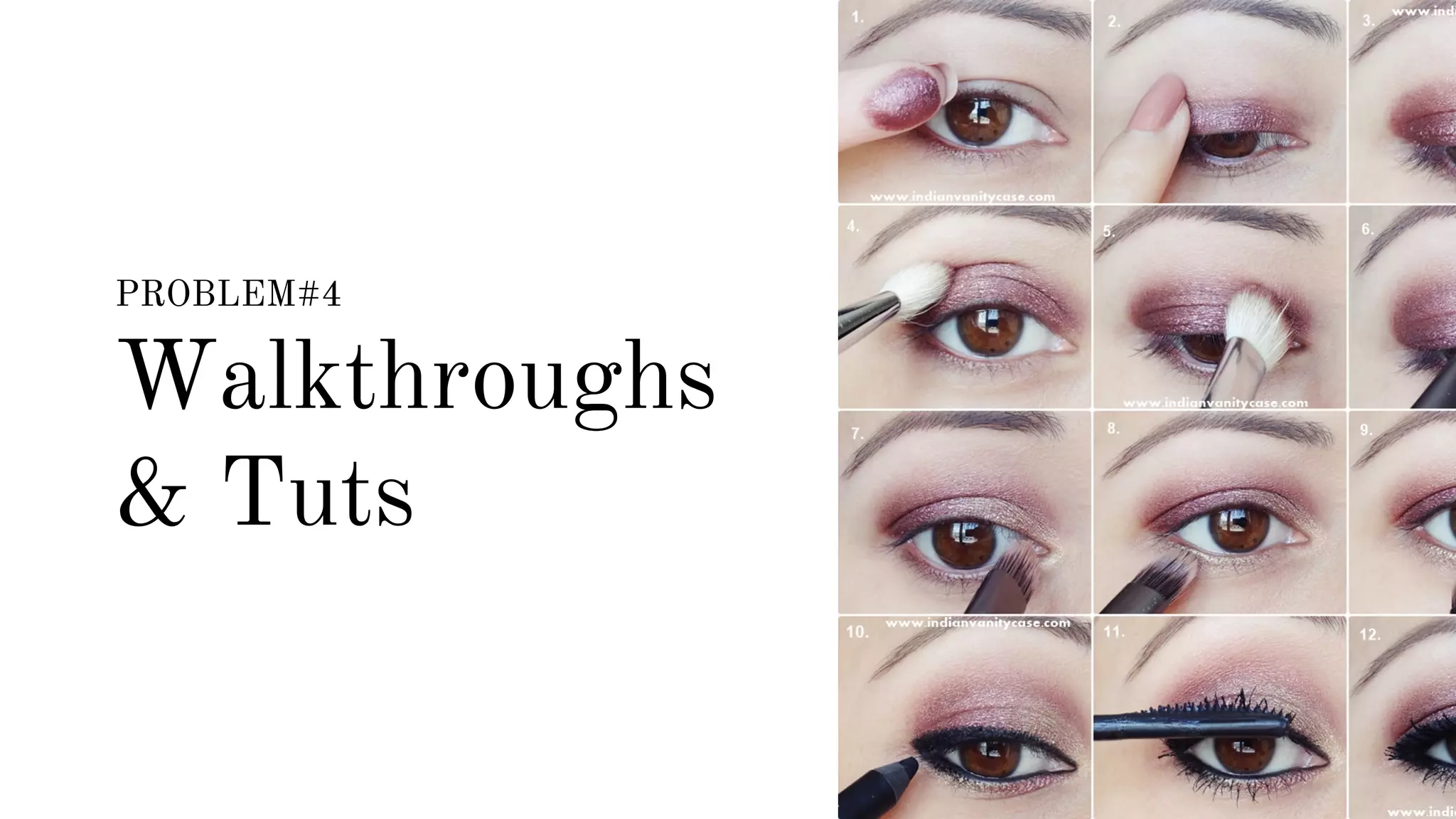
Walkthroughs 
& Tuts
Walkthroughs & Tuts 
A nice stylish walkthrough on the start will 
learn a user everything he needs to know.
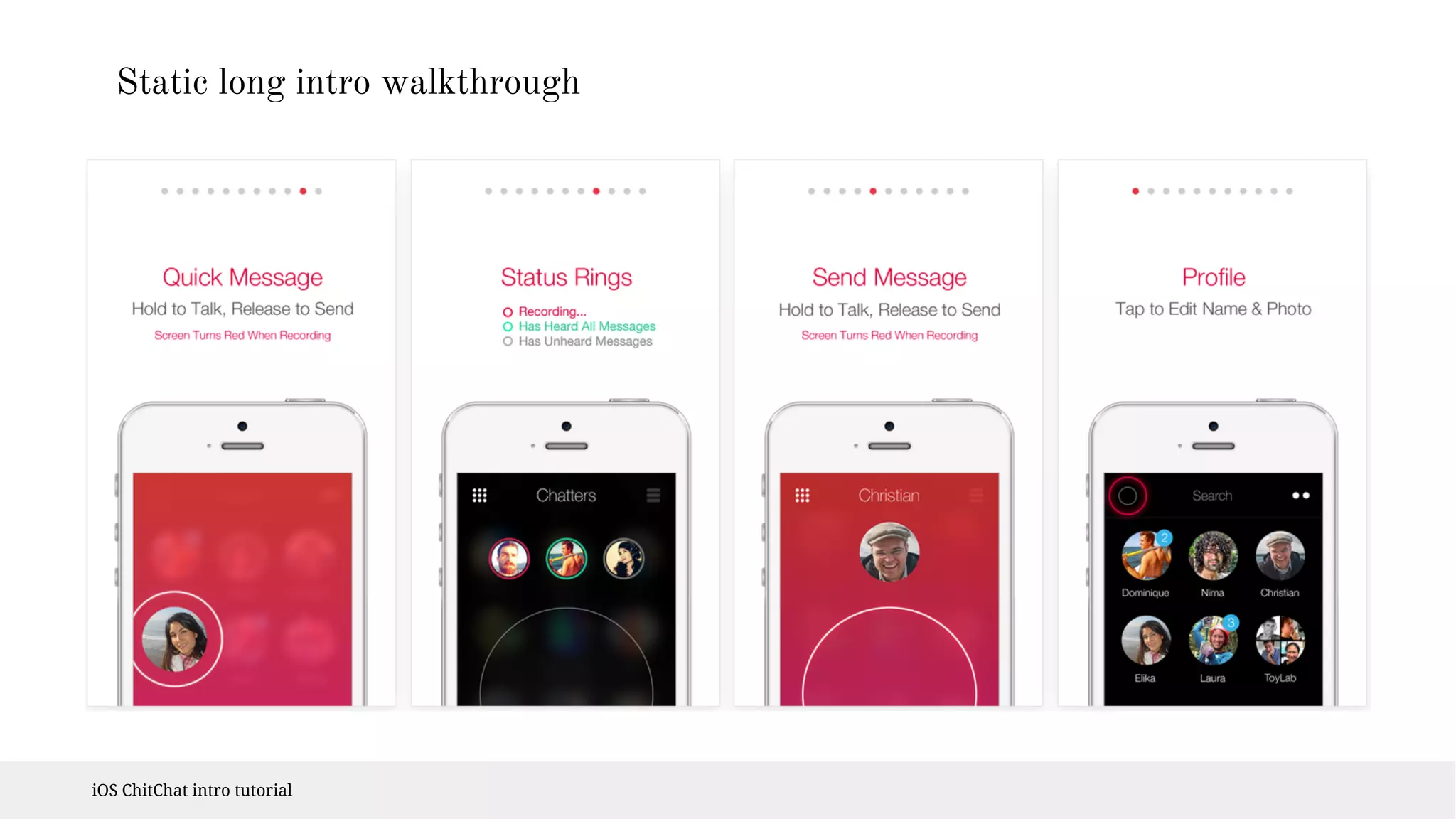
Static long intro walkthrough 
iOS ChitChat intro tutorial
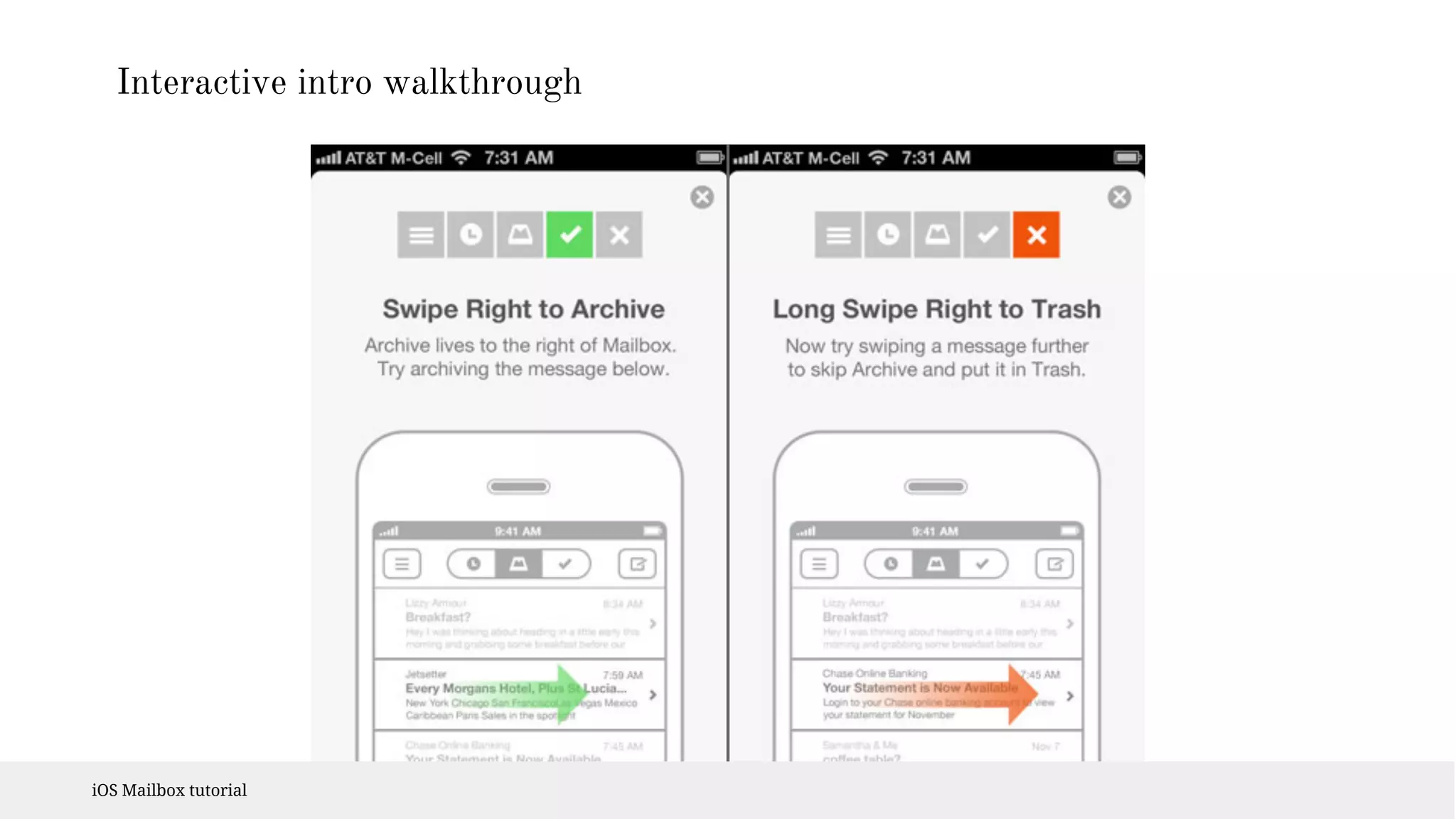
Intro walkthrough 
Instructions out of the context are hard to remember 
Users are not motivated to memorize the instructions. 
Use for the general overview of the app, 
not how to use tut.
Tutorial 
In context 
In overlay or a part of the content 
- one at a time 
- can be dismissed 
- must be clearly distinguished from the content
Interactive intro walkthrough 
iOS Mailbox tutorial
First impression 
The first impression is everything - tutorial can 
dramatically influence it 
#BlankAppFail - ıf possıble preload an example content, 
a user can learn how to use the app on ıt
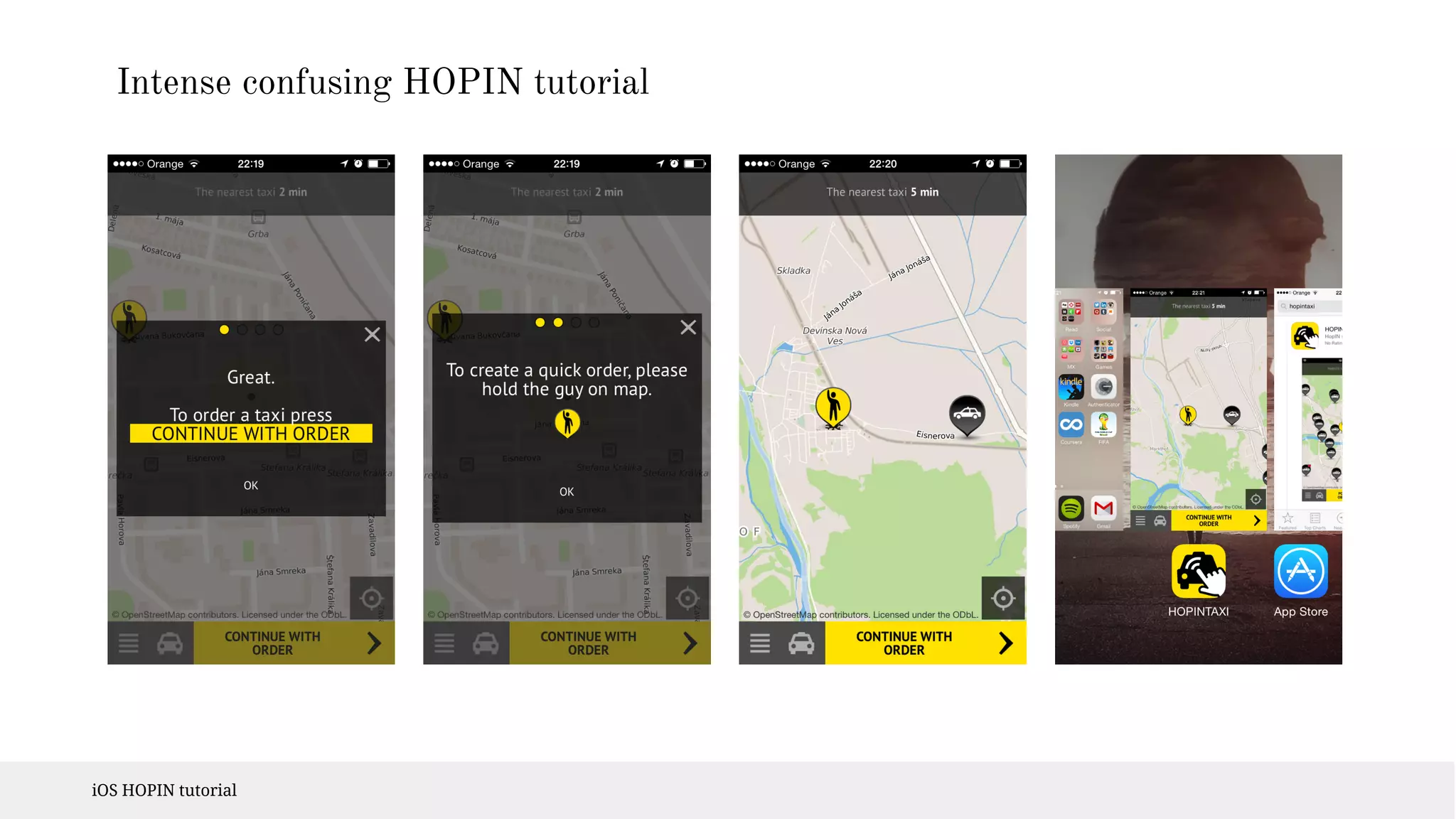
Intense confusing HOPIN tutorial 
iOS HOPIN tutorial
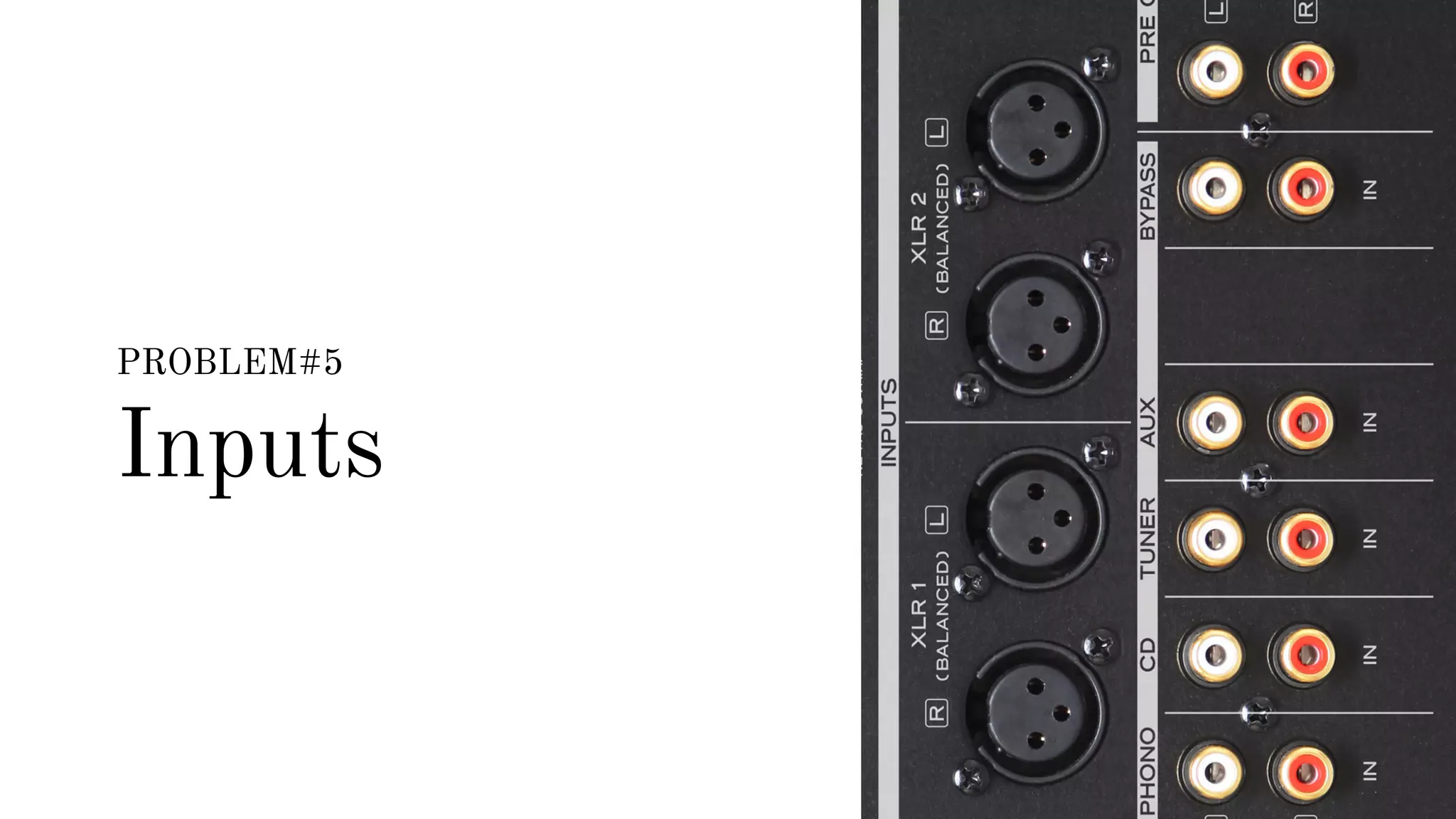
PROBLEM#5 
Inputs
Inputs 
I got the full library of them!
Inputs 
- part of almost every app 
- small display = it’s hard to type in 
- can you make experience better with custom input? 
- using custom input? 
- test it 
- do you really need input? 
- Posterous account only via email 
- license key input via link
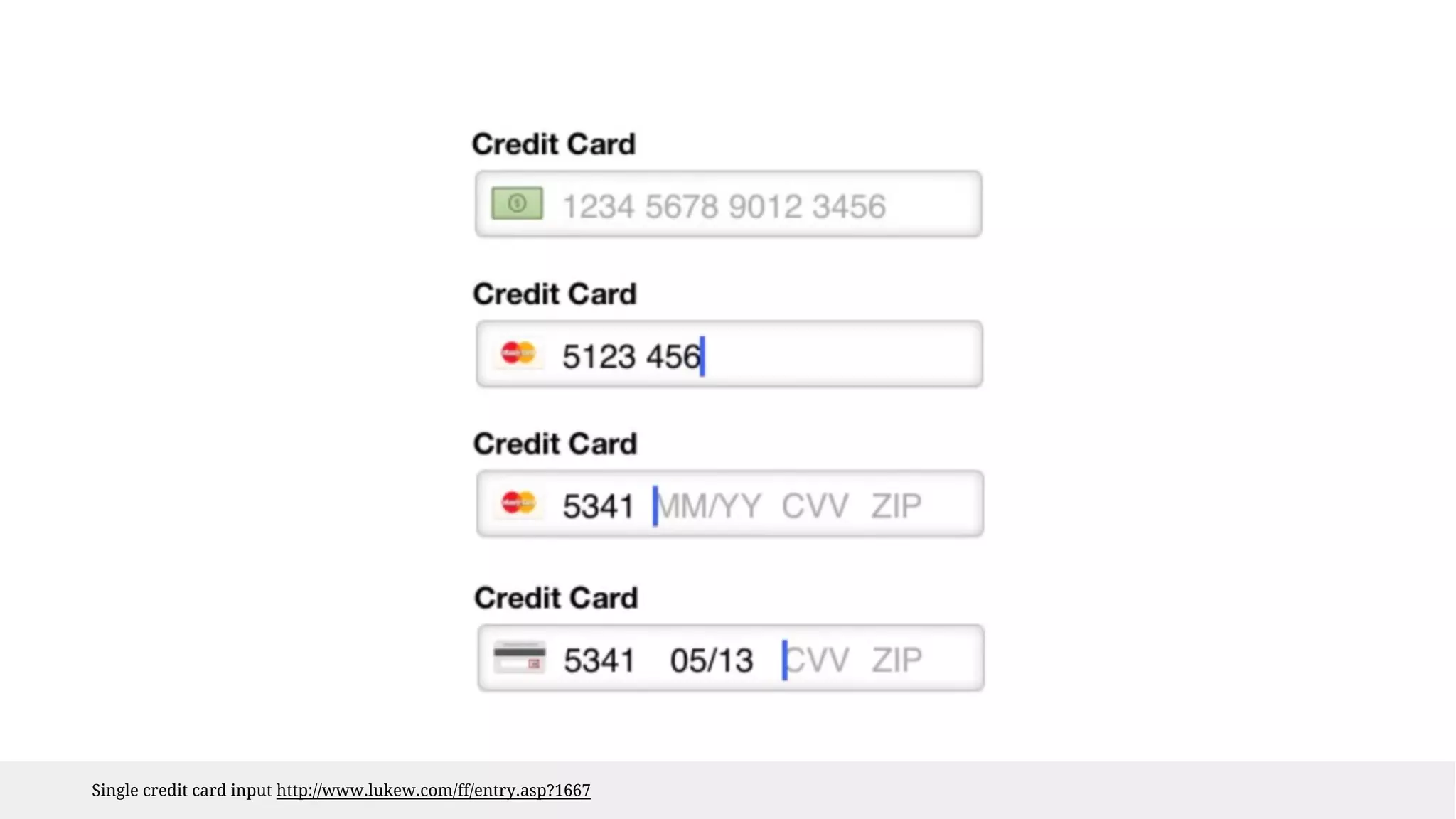
Single credit card input http://www.lukew.com/ff/entry.asp?1667
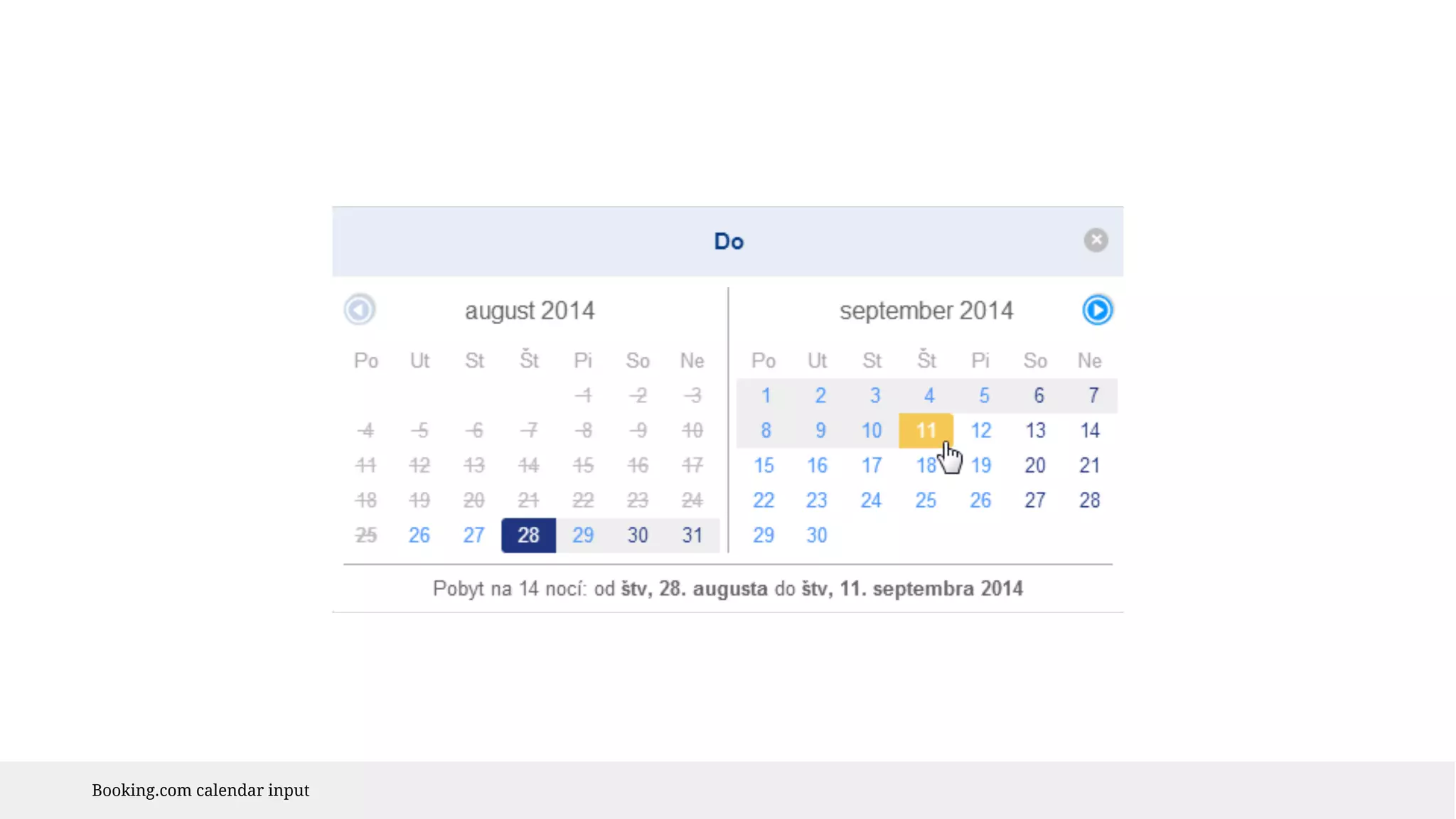
Booking.com calendar input
PROBLEM#6 
Consistency
Consistency 
Don’t be boring and limited. Use your 
creativity to fill your page with unique 
elements. Don’t always copy same old ones.
What is consistency 
Dead simple, still so hard: 
Keep using the same elements over and over.
Consistent with what? 
Consistent with the OS 
Consistent within itself 
Consistent with the older version 
Consistent within the brand 
Case to case decisions about priorities
Consistency 
Does text use uniform terminology and style? 
Do the same icons always mean the same thing? 
Can people predict what will happen when they perform the same action 
in different places? 
Do custom UI elements look and behave the same throughout the app? 
iOS Human Interface Guidelines 
Source https://developer.apple.com/library/ios/documentation/userexperience/conceptual/mobilehig/Principles.html
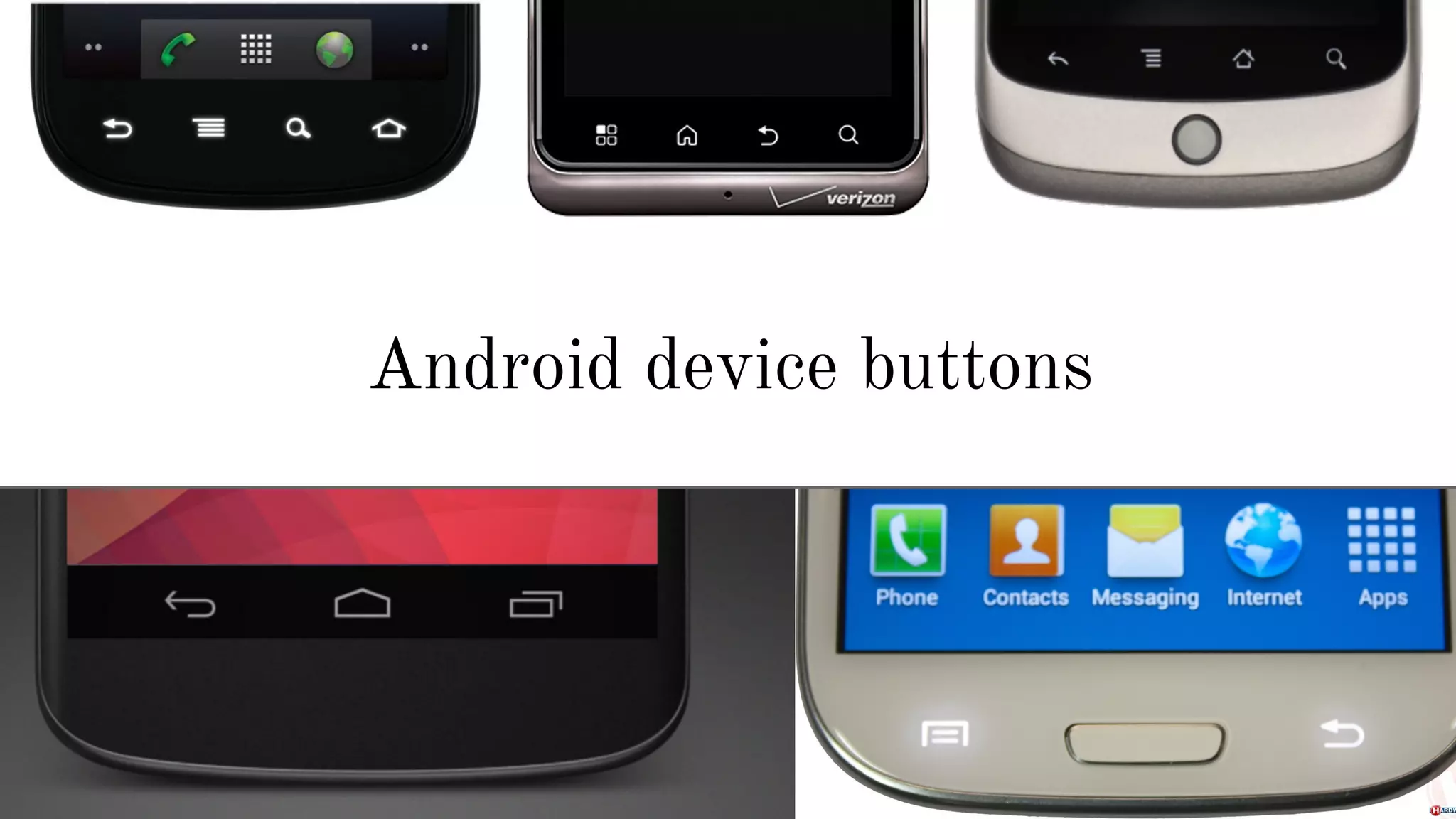
Android device buttons
OK, speed up...
PROBLEM#17 
Size doesn’t matter 
If you make the items smaller to add extra 3, 
it’s worth it! The size matters, the bigger is 
better!
Size matters 
- design for thumbs 
- size can be also related to spacing & position 
- size is the matter of use - are your users on the move? 
iOS defines 44px targets 
MIT 45-57px, thumbs 72px 
#PinkyFingerFAIL 
Learn more: http://www.smashingmagazine.com/2012/02/21/finger-friendly-design-ideal-mobile-touchscreen-target-sizes/
PROBLEM#58 
Smooth look 
Keep the look the same as much as possible. 
The same layer styles, color codes, margins.
Smooth look 
Use smooth design to set tone 
Use contrast to caught attention 
Spacing - use to group elements 
Buttons - make sure they won’t be mistaken for other 
elements 
Common #FlatDesignFAIL
PROBLEM#98 
Wording 
Lorem ipsum dolor sit amet, consectetur 
adipiscing elit. Maecenas velit orci, euismod at 
orci ac, luctus ornare massa.
Wording 
Take care of your wordings. They are integral part of 
design and usability. Many design flaws can be fixed with 
the right label or hint. 
Are you a designer learning to code without learning the 
basics of copywriting for online media? Really? 
Learn more: http://www.amazon.com/Yahoo-Style-Guide-Ultimate-Sourcebook-ebook/dp/B003P8QDFU/
PROBLEM#99 
Fuck you and 
your stupid rules!
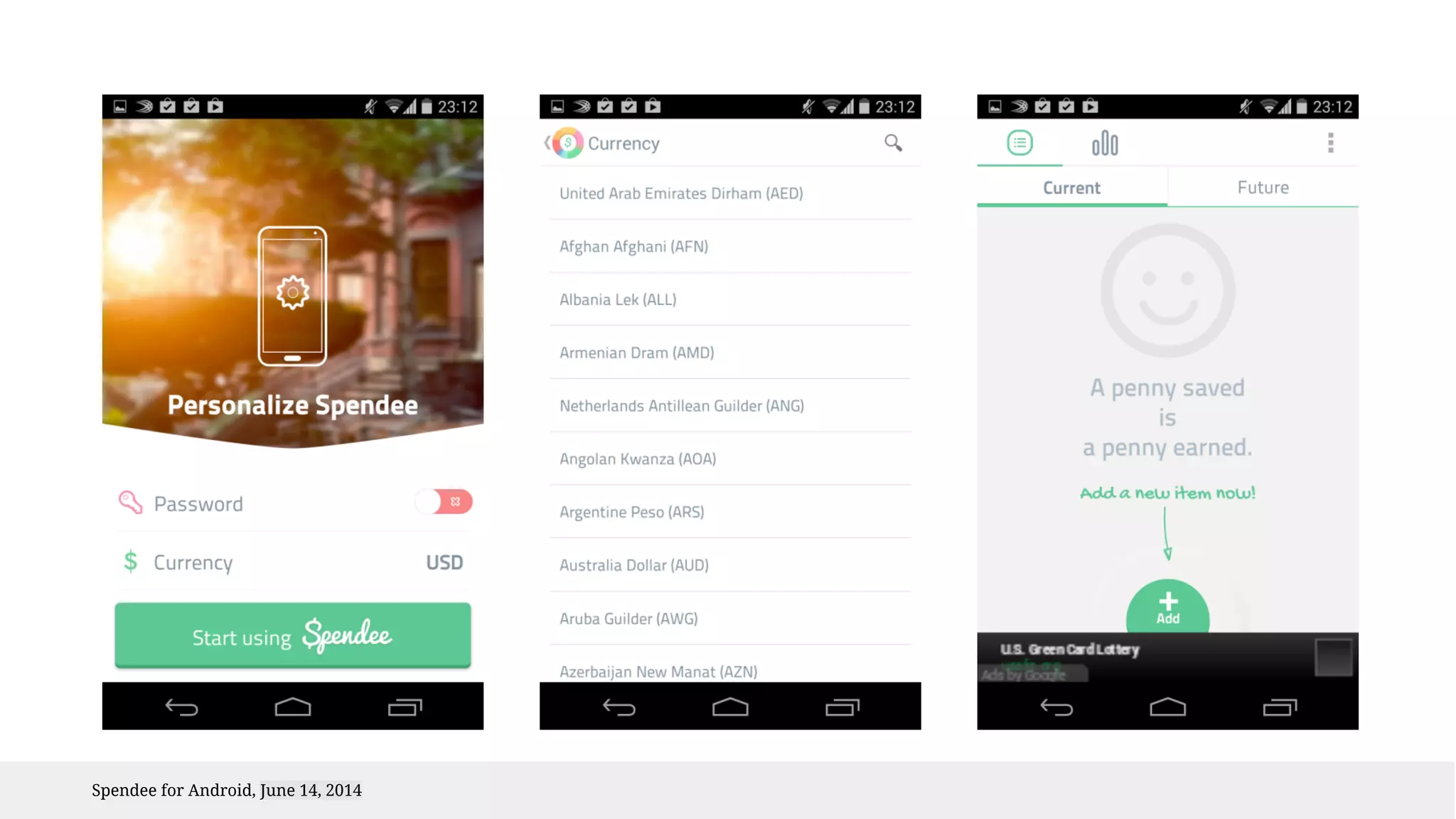
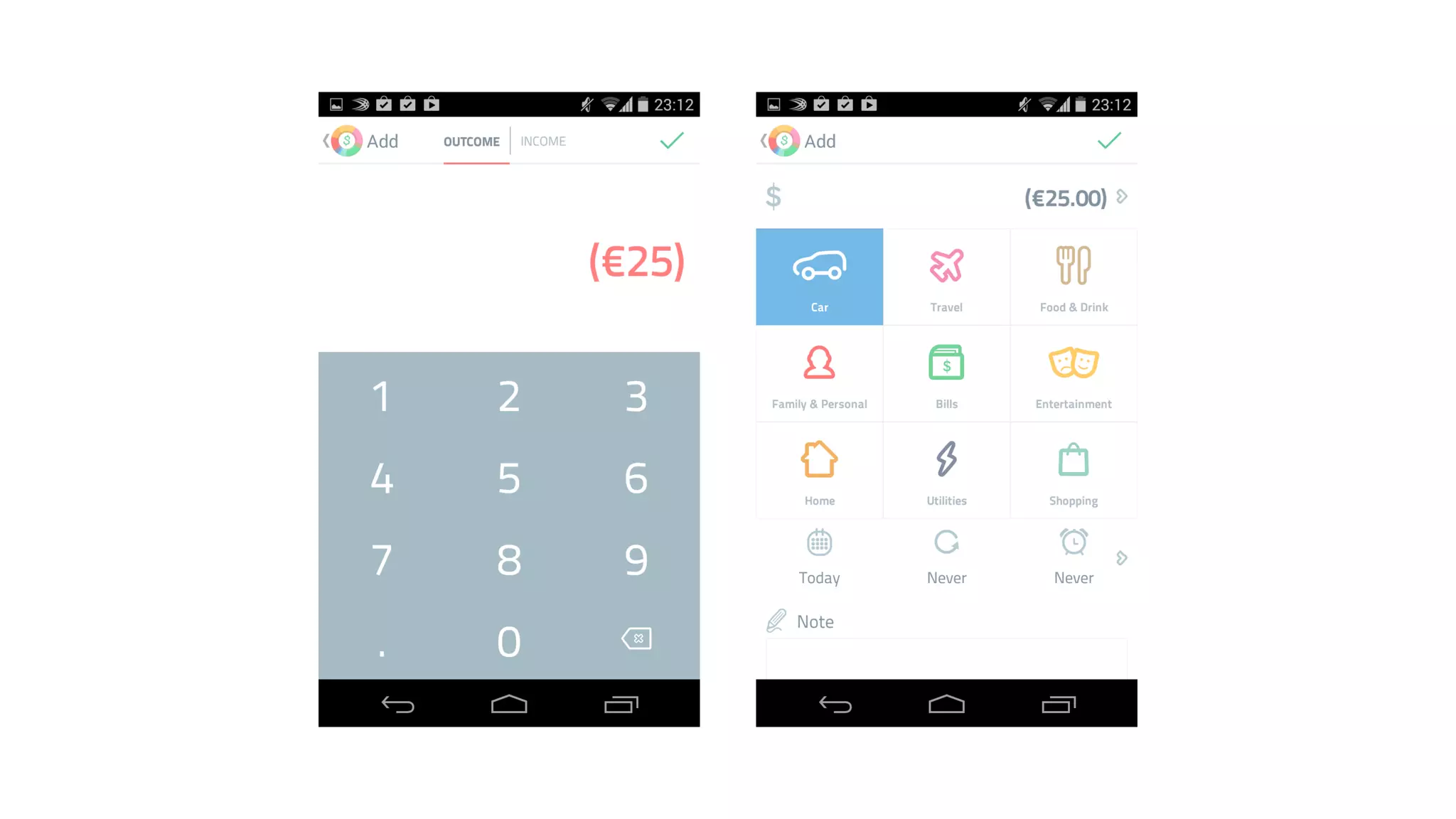
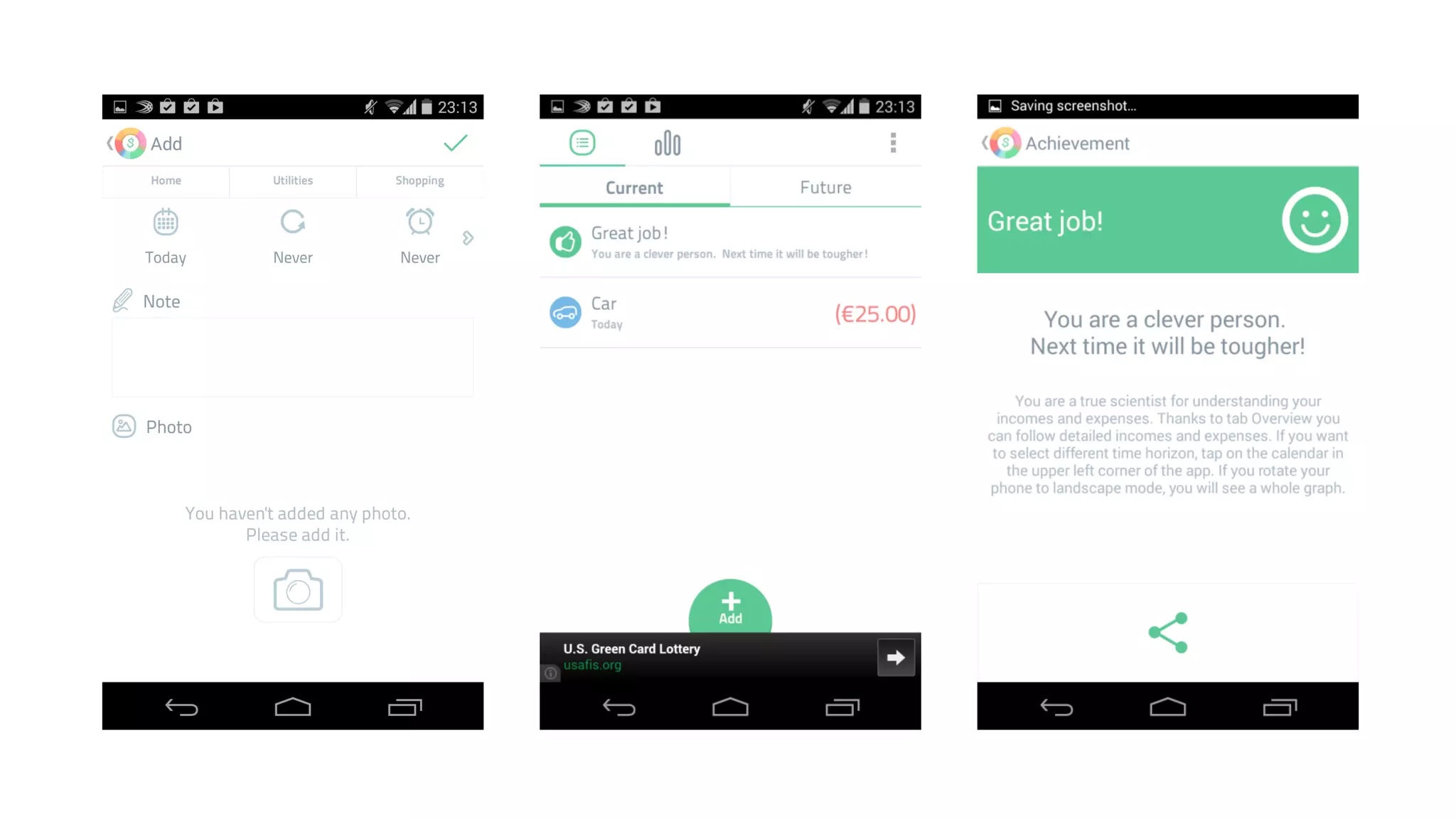
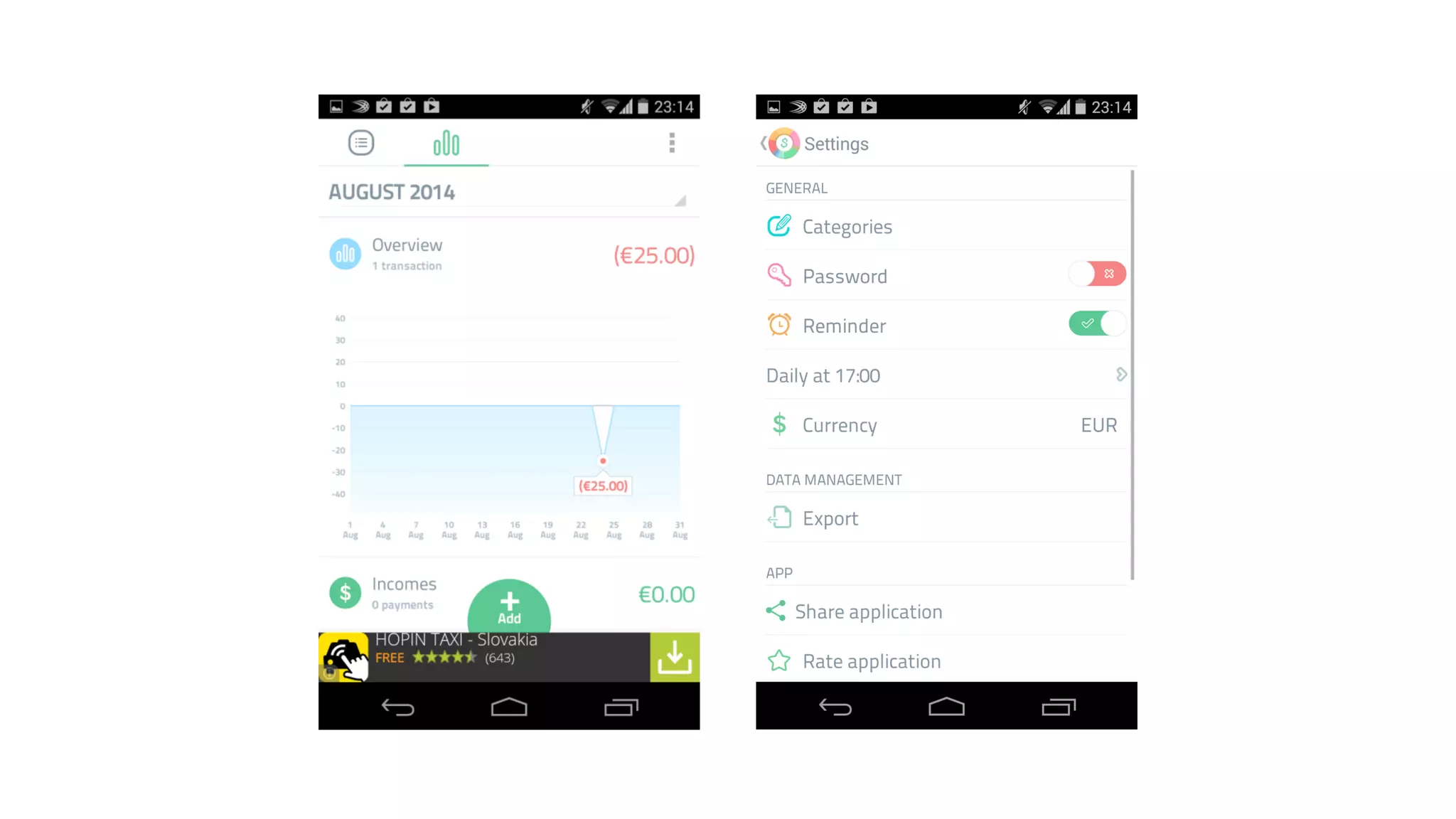
Let’s give a fuck about 
Spendee
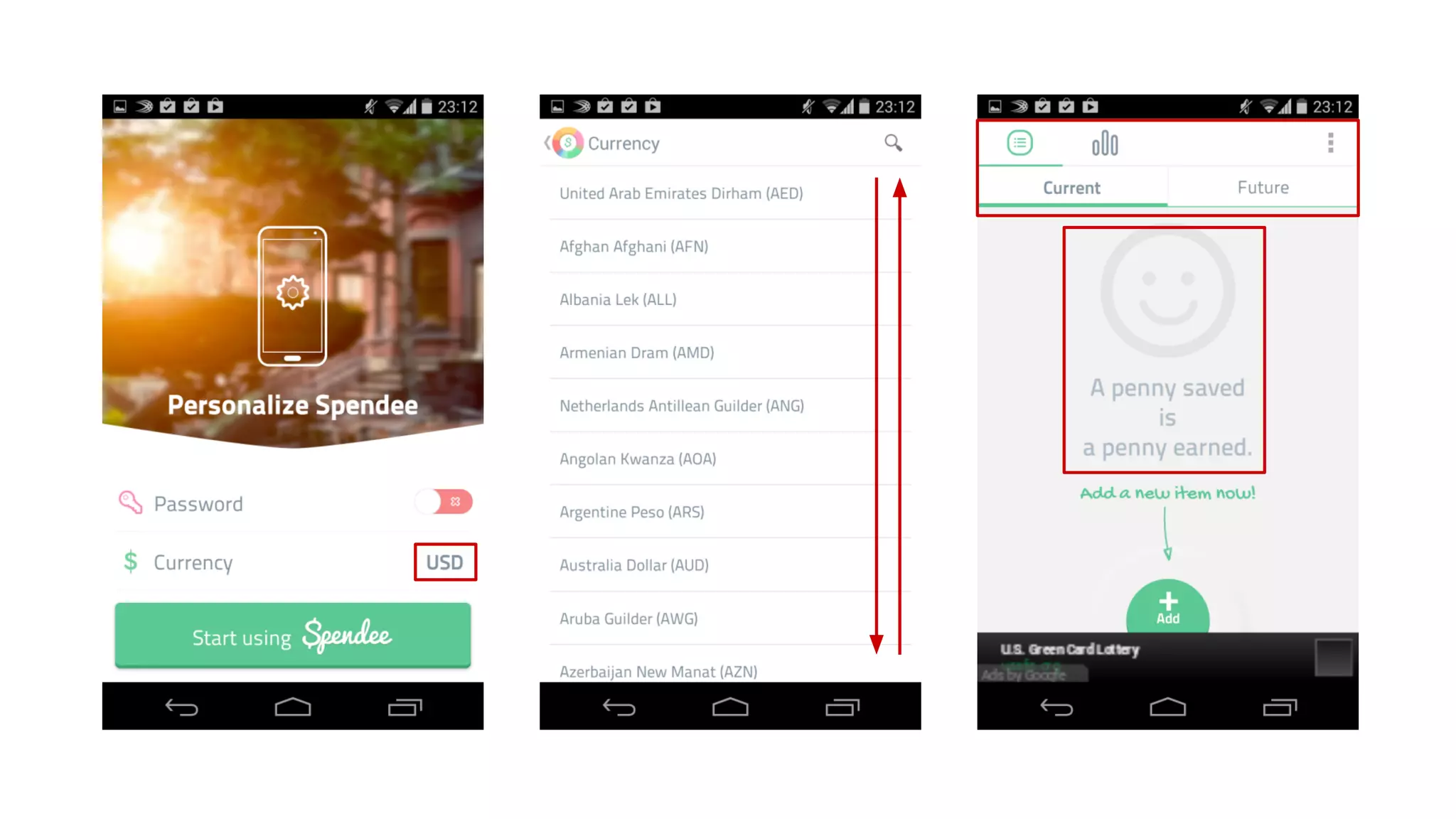
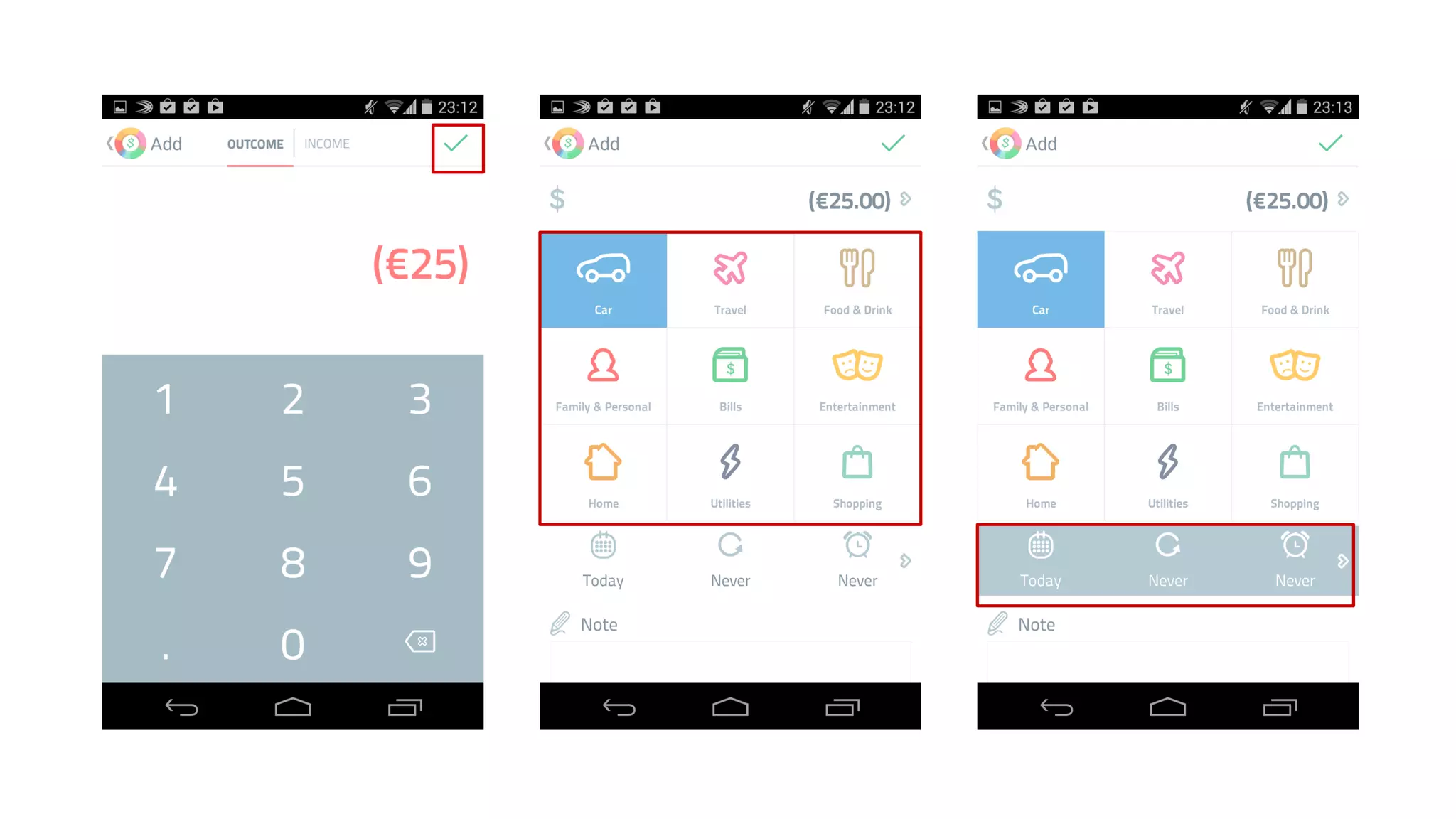
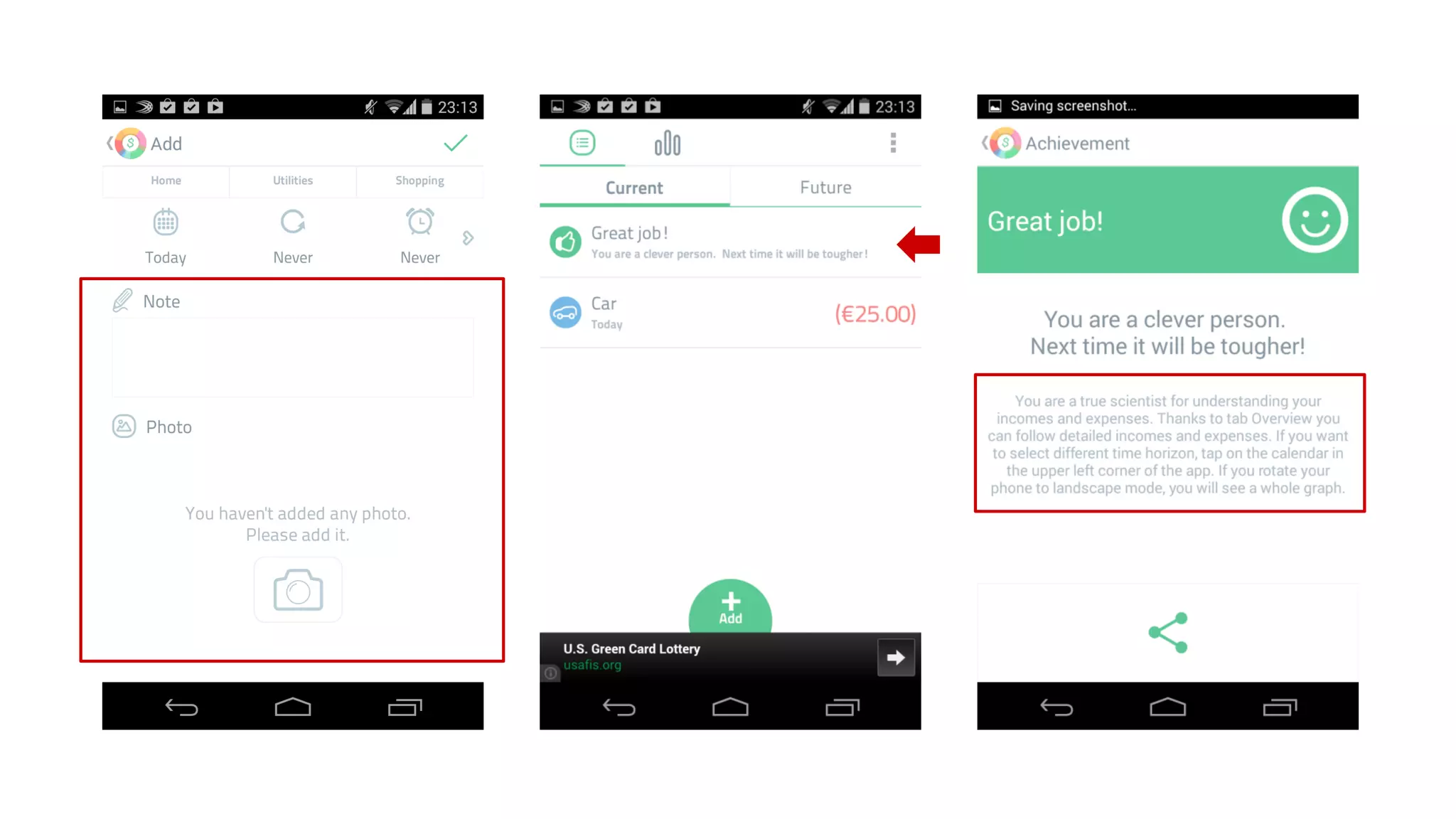
Spendee for Android, June 14, 2014
Let’s give a fuck about 
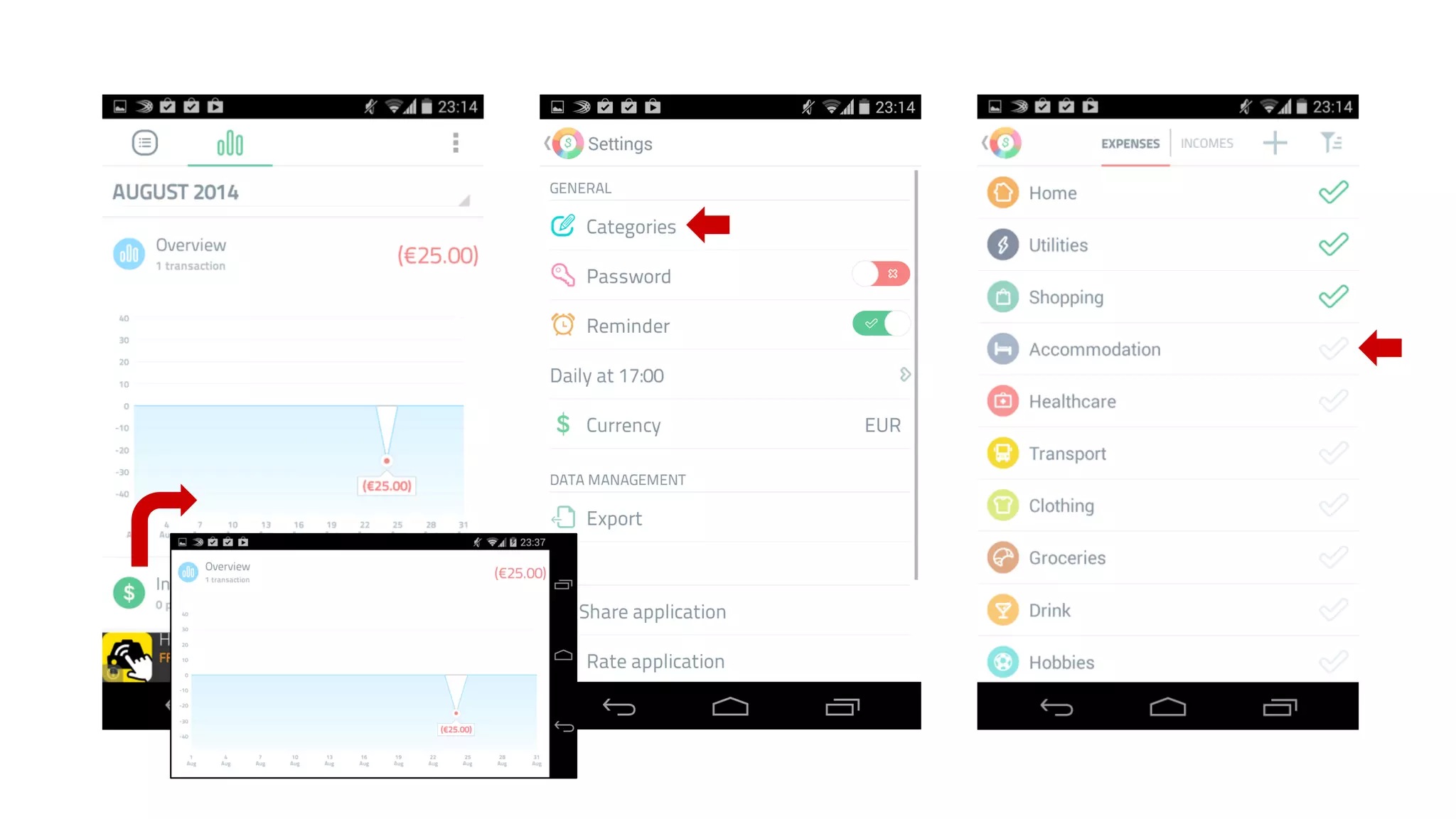
Spendee, pt.2 “Closer look”
What can I do to be a better 
designer and simply not 
SUCK as a HUMAN being?
Wireframe the shit out of it 
Wireframing will save you lot of time, 
money and reduce frustration.
Become paranoid 
You are a scientist. Research everytime you 
start a new project and use new element.
Design in group 
Iterative design in constant communication 
with users.
Research 
Design 
Test 
Repeat 
Presentation by @samuelbednar

Ubercool, pixel perfct & slick design… that just doesn't work

  • 1.
    Übercool, pixel perfct & slick design ...that just doesn't work by @samuelbednar
  • 2.
    Next few minutes 1. Who the fuck am I & who was I? 2. 99 problems of a graphic designer 3. Let’s give a fuck about this app: Spendee 4. What the fuck should you do to be cool
  • 3.
    My journey ex-GraphicDesigner @ Home and Agency ex-Online Art Director @ MADE BY VACULIK Interactive designer @ ESET
  • 4.
    shift #1 manyclients & short time projects to one client & long time project
  • 5.
    shift #2 graphicdesign to interaction design
  • 8.
    Picture http://goo.gl/Lxq8JW Picture:http://h30499.www3.hp.com/t5/Apps-for-Mobile/Mobile-design-it-s-an-art/ba-p/6457908#.U_kT2Pl_t8E
  • 11.
    pixel uber-cool smoothperfect & slick My problems back in the day so irrelevant...
  • 12.
    The great UX Source: http://www.kickerstudio.com/2008/12/the-disciplines-of-user-experience/
  • 13.
    99 problems ofa graphic designer Picture: http://probs99.tumblr.com/
  • 14.
  • 15.
    Hamburger menu Ithought - this is a global & default way to deal with navigation. A clean, simple & effective solution. Saving precious space.
  • 16.
    Hamburger menu Defaultway? Be honest - there are few other options Adding next layer - forcing a user to tap Hiding options - user has to know he needs to navigate
  • 17.
    older and newerFacebook app for Android
  • 18.
    Hamburger menu Cleanand simple? Sweeping issue under the carpet No pressure to make it denser & more efficient, to improve categorization, wordings and prioritize
  • 19.
    Hamburger menu Savingspace? Has to be kept on the top all the time Conflicting with the back button Users don’t focus on the whole screen
  • 20.
  • 21.
    Hamburger menu DON’Ts 1. Don’t use as default - compare 2. Don’t overlook the navigation importance when you decide to hide it 3. Don’t use to save space - not a good reason Learn more: https://lmjabreu.com/post/why-and-how-to-avoid-hamburger-menus/
  • 22.
  • 23.
    Icons I thoughticons are new words! I can create new words!
  • 24.
    Icons The crueltruth Nobody understands them Not that necessary - becoming overused Keep the things interesting, that’s mostly it
  • 25.
    Icons Outlook “Differentfixes were tried: new icons, rearrangement of the icons, positioning icons under the menus from which the commands came from. In the end, one change caused a total turnaround: labeling the important toolbar buttons. Almost immediately, the toolbars were a big hit and everyone at all skill levels started using them.” The story of the Microsoft Outlook toolbar Source: http://blogs.msdn.com/b/jensenh/archive/2005/11/01/487661.aspx
  • 26.
  • 27.
    Icons CMS editor ...conducted test how people understand icons of a CMS editor. The result: the widely used ‘insert link’ icon was understood only by 35% of the participants, even the classic ‘undo’ and ‘redo’ icons were only recognized by half of the participants. Test by Peter Steen Høgenhaug Source: http://stiern.com/articles/usability/usability-in-icons/
  • 28.
    Android 4.4 vsAndroid L
  • 29.
    +12.9% +5.7% -22.2% Source: http://exisweb.net/mobile-menu-abtest
  • 30.
    Icons DON’Ts 1.Don’t overuse 2. Don’t use custom when general is available 3. Don’t decorate Learn more: http://uxmyths.com/post/715009009/myth-icons-enhance-usability
  • 31.
    PROBLEM#3 Gestures Gangstayo pics: http://lorizzle.nl/
  • 32.
    Gestures I canditch my old icon controls! I don’t have to waste precious real estate.
  • 33.
    Learn to gesture Not all are natural to a user. How to present them? 1. Give content clues 2. Use real-time education 3. Keep an alternative
  • 34.
  • 35.
    OK iOS Emailtyping - shake to undo
  • 36.
    not OK iOSdesktop
  • 37.
    not not OK iOS Safari
  • 38.
    kill me ALREADY iOS Safari
  • 39.
    gesture for prophets Android 4.4. selection pattern
  • 40.
  • 41.
    iOS app -Clear
  • 42.
  • 43.
    Walkthroughs & Tuts A nice stylish walkthrough on the start will learn a user everything he needs to know.
  • 44.
    Static long introwalkthrough iOS ChitChat intro tutorial
  • 45.
    Intro walkthrough Instructionsout of the context are hard to remember Users are not motivated to memorize the instructions. Use for the general overview of the app, not how to use tut.
  • 46.
    Tutorial In context In overlay or a part of the content - one at a time - can be dismissed - must be clearly distinguished from the content
  • 47.
    Interactive intro walkthrough iOS Mailbox tutorial
  • 48.
    First impression Thefirst impression is everything - tutorial can dramatically influence it #BlankAppFail - ıf possıble preload an example content, a user can learn how to use the app on ıt
  • 49.
    Intense confusing HOPINtutorial iOS HOPIN tutorial
  • 50.
  • 51.
    Inputs I gotthe full library of them!
  • 52.
    Inputs - partof almost every app - small display = it’s hard to type in - can you make experience better with custom input? - using custom input? - test it - do you really need input? - Posterous account only via email - license key input via link
  • 53.
    Single credit cardinput http://www.lukew.com/ff/entry.asp?1667
  • 54.
  • 55.
  • 56.
    Consistency Don’t beboring and limited. Use your creativity to fill your page with unique elements. Don’t always copy same old ones.
  • 57.
    What is consistency Dead simple, still so hard: Keep using the same elements over and over.
  • 58.
    Consistent with what? Consistent with the OS Consistent within itself Consistent with the older version Consistent within the brand Case to case decisions about priorities
  • 59.
    Consistency Does textuse uniform terminology and style? Do the same icons always mean the same thing? Can people predict what will happen when they perform the same action in different places? Do custom UI elements look and behave the same throughout the app? iOS Human Interface Guidelines Source https://developer.apple.com/library/ios/documentation/userexperience/conceptual/mobilehig/Principles.html
  • 60.
  • 61.
  • 62.
    PROBLEM#17 Size doesn’tmatter If you make the items smaller to add extra 3, it’s worth it! The size matters, the bigger is better!
  • 63.
    Size matters -design for thumbs - size can be also related to spacing & position - size is the matter of use - are your users on the move? iOS defines 44px targets MIT 45-57px, thumbs 72px #PinkyFingerFAIL Learn more: http://www.smashingmagazine.com/2012/02/21/finger-friendly-design-ideal-mobile-touchscreen-target-sizes/
  • 64.
    PROBLEM#58 Smooth look Keep the look the same as much as possible. The same layer styles, color codes, margins.
  • 65.
    Smooth look Usesmooth design to set tone Use contrast to caught attention Spacing - use to group elements Buttons - make sure they won’t be mistaken for other elements Common #FlatDesignFAIL
  • 66.
    PROBLEM#98 Wording Loremipsum dolor sit amet, consectetur adipiscing elit. Maecenas velit orci, euismod at orci ac, luctus ornare massa.
  • 67.
    Wording Take careof your wordings. They are integral part of design and usability. Many design flaws can be fixed with the right label or hint. Are you a designer learning to code without learning the basics of copywriting for online media? Really? Learn more: http://www.amazon.com/Yahoo-Style-Guide-Ultimate-Sourcebook-ebook/dp/B003P8QDFU/
  • 68.
    PROBLEM#99 Fuck youand your stupid rules!
  • 69.
    Let’s give afuck about Spendee
  • 70.
    Spendee for Android,June 14, 2014
  • 74.
    Let’s give afuck about Spendee, pt.2 “Closer look”
  • 79.
    What can Ido to be a better designer and simply not SUCK as a HUMAN being?
  • 80.
    Wireframe the shitout of it Wireframing will save you lot of time, money and reduce frustration.
  • 81.
    Become paranoid Youare a scientist. Research everytime you start a new project and use new element.
  • 82.
    Design in group Iterative design in constant communication with users.
  • 83.
    Research Design Test Repeat Presentation by @samuelbednar