Typography
basics
typography basics
WhAtIs
Typography
typography basics
Typography: the science of type.
The art & process of arranging type on a
page,nowadays mostly produced on a
computer.
typography basics
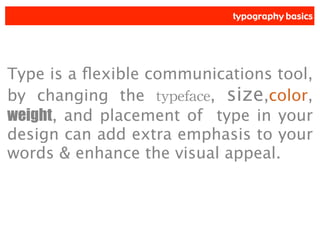
Type is a flexible communications tool,
by changing the typeface, size,color,
weight, and placement of type in your
design can add extra emphasis to your
words & enhance the visual appeal.
typography basics
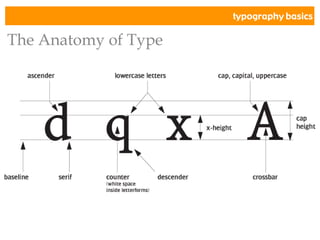
The Anatomy of Type
typography basics
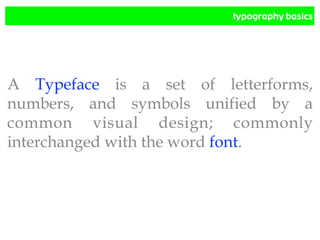
A Typeface is a set of letterforms,
numbers, and symbols unified by a
common visual design; commonly
interchanged with the word font.
typography basics
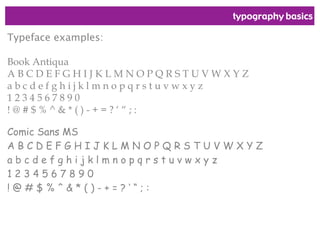
Typeface examples:
Book Antiqua
A B C D E F G H I J K L M N O P Q R S T U V W X Y Z
a b c d e f g h i j k l m n o p q r s t u v w x y z
1 2 3 4 5 6 7 8 9 0
! @ # $ % ^ & * ( ) - + = ? โ€˜ โ€œ ; :
Comic Sans MS
A B C D E F G H I J K L M N O P Q R S T U V W X Y Z
a b c d e f g h i j k l m n o p q r s t u v w x y z
1 2 3 4 5 6 7 8 9 0
! @ # $ % ^ & * ( ) - + = ? โ€˜ โ€œ ; :
typography basics
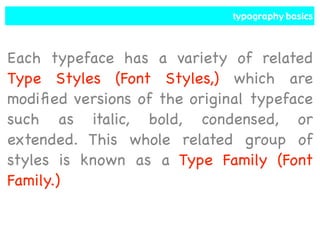
Each typeface has a variety of related
Type Styles (Font Styles,) which are
modified versions of the original typeface
such as italic, bold, condensed, or
extended. This whole related group of
styles is known as a Type Family (Font
Family.)
typography basics
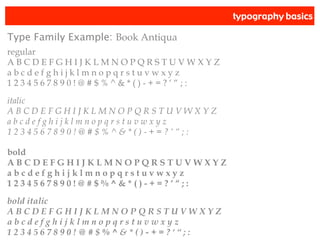
Type Family Example: Book Antiqua
regular
A B C D E F G H I J K L M N O P Q R S T U V W X Y Z
a b c d e f g h i j k l m n o p q r s t u v w x y z
1 2 3 4 5 6 7 8 9 0 ! @ # $ % ^ & * ( ) - + = ? โ€˜ โ€œ ; :
italic
A B C D E F G H I J K L M N O P Q R S T U V W X Y Z
a b c d e f g h i j k l m n o p q r s t u v w x y z
1 2 3 4 5 6 7 8 9 0 ! @ # $ % ^ & * ( ) - + = ? โ€˜ โ€œ ; :
bold
A B C D E F G H I J K L M N O P Q R S T U V W X Y Z
a b c d e f g h i j k l m n o p q r s t u v w x y z
1 2 3 4 5 6 7 8 9 0 ! @ # $ % ^ & * ( ) - + = ? โ€˜ โ€œ ; :
bold italic
A B C D E F G H I J K L M N O P Q R S T U V W X Y Z
a b c d e f g h i j k l m n o p q r s t u v w x y z
1 2 3 4 5 6 7 8 9 0 ! @ # $ % ^ & * ( ) - + = ? โ€˜ โ€œ ; :
typography basics
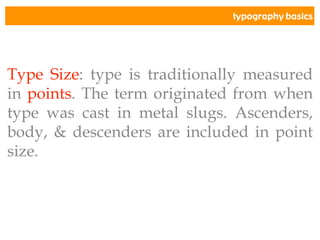
Type Size: type is traditionally measured
in points. The term originated from when
type was cast in metal slugs. Ascenders,
body, & descenders are included in point
size.
typography basics
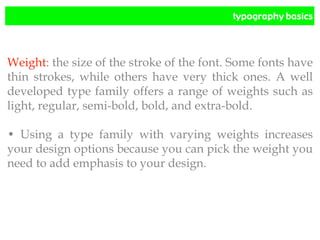
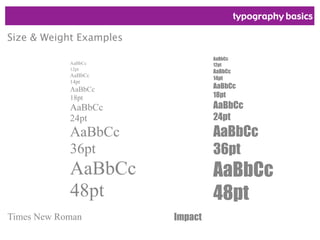
Weight: the size of the stroke of the font. Some fonts have
thin strokes, while others have very thick ones. A well
developed type family offers a range of weights such as
light, regular, semi-bold, bold, and extra-bold.
โ€ข Using a type family with varying weights increases
your design options because you can pick the weight you
need to add emphasis to your design.
typography basics
AaBbCc
12pt
AaBbCc
14pt
AaBbCc
18pt
AaBbCc
24pt
AaBbCc
36pt
AaBbCc
48pt
Times New Roman
Size & Weight Examples
AaBbCc
12pt
AaBbCc
14pt
AaBbCc
18pt
AaBbCc
24pt
AaBbCc
36pt
AaBbCc
48pt
Impact
typography basics
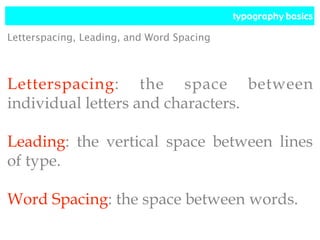
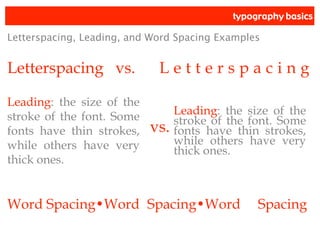
Letterspacing: the space between
individual letters and characters.
Leading: the vertical space between lines
of type.
Word Spacing: the space between words.
Letterspacing, Leading, and Word Spacing
typography basics
Letterspacing vs. L e t t e r s p a c i n g
Letterspacing, Leading, and Word Spacing Examples
Leading: the size of the
stroke of the font. Some
fonts have thin strokes,
while others have very
thick ones.
Leading: the size of the
stroke of the font. Some
fonts have thin strokes,
while others have very
thick ones.
vs.
Word Spacingโ€ขWord Spacingโ€ขWord Spacing
typography basics
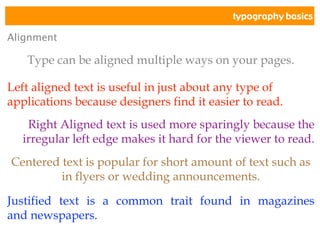
Alignment
Type can be aligned multiple ways on your pages.
Left aligned text is useful in just about any type of
applications because designers find it easier to read.
Right Aligned text is used more sparingly because the
irregular left edge makes it hard for the viewer to read.
Centered text is popular for short amount of text such as
in flyers or wedding announcements.
Justified text is a common trait found in magazines
and newspapers.
typography basics
Categories of Type
With all the thousands of typefaces
available, you can narrow them down to
specific typeface categories.
typography basics
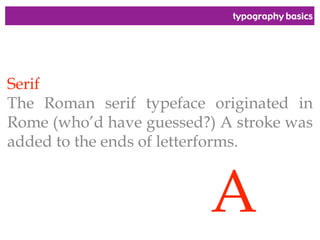
Serif
The Roman serif typeface originated in
Rome (whoโ€™d have guessed?) A stroke was
added to the ends of letterforms.
A
typography basics
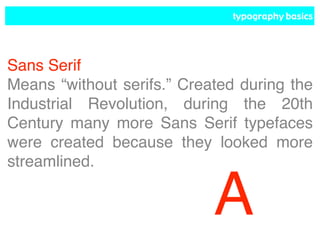
Sans Serif
Means โ€œwithout serifs.โ€ Created during the
Industrial Revolution, during the 20th
Century many more Sans Serif typefaces
were created because they looked more
streamlined.
A
typography basics
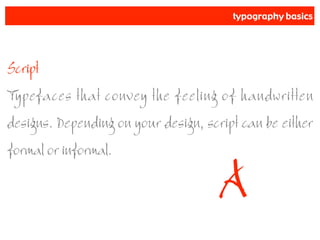
Script
Typefaces that convey the feeling of handwritten
designs. Depending on your design, script can be either
formal or informal.
A
typography basics
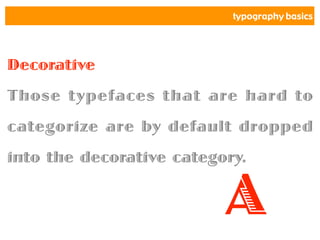
Decorative
Those typefaces that are hard to
categorize are by default dropped
into the decorative category.
A
typography basics
Font Software Formats
There are three main software formats
created for Computer Graphics and
Desktop Publishing with their large array
of applications.
typography basics
PostScript
A language created by Adobe that has
become a standard for most high-end laser
printers. Incorporates a two font process
using screen fonts and printer fonts.
typography basics
TrueType
A font format that works both on Macโ€™s
and PCโ€™s. These fonts generally show
perfectly fine on-screen but have problems
printing. Fonts must be created into
outlines or rasterized to print correctly on
a PostScript Printer.
typography basics
OpenType
A merging of both PostScript and
TrueType fonts. OpenType incorporates
both PostScript data and TrueType screen
fidelity.
typography basics
A Few Simple
Rules!
typography basics
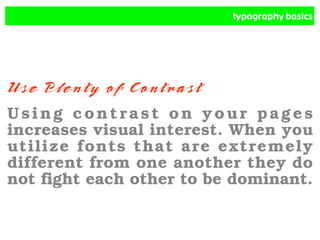
Use Plenty of Contrast
Using contrast on your pages
increases visual interest. When you
utilize fonts that are extremely
different from one another they do
not fight each other to be dominant.
typography basics
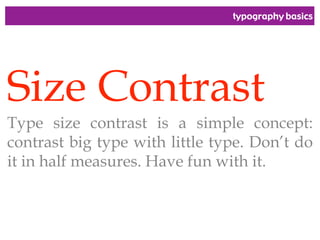
Size Contrast
Type size contrast is a simple concept:
contrast big type with little type. Donโ€™t do
it in half measures. Have fun with it.
typography basics
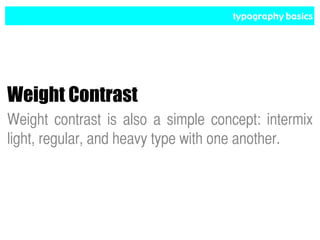
Weight Contrast
Weight contrast is also a simple concept: intermix
light, regular, and heavy type with one another.
typography basics
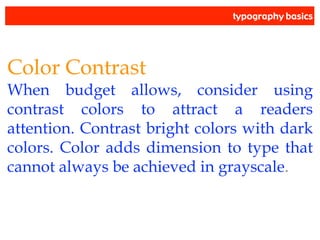
Color Contrast
When budget allows, consider using
contrast colors to attract a readers
attention. Contrast bright colors with dark
colors. Color adds dimension to type that
cannot always be achieved in grayscale.
typography basics
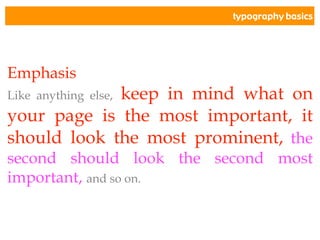
Emphasis
Like anything else, keep in mind what on
your page is the most important, it
should look the most prominent, the
second should look the second most
important, and so on.
typography basics
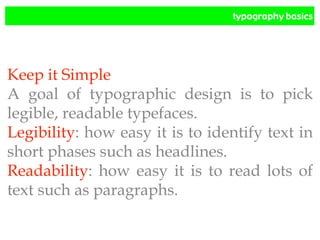
Keep it Simple
A goal of typographic design is to pick
legible, readable typefaces.
Legibility: how easy it is to identify text in
short phases such as headlines.
Readability: how easy it is to read lots of
text such as paragraphs.
typography basics
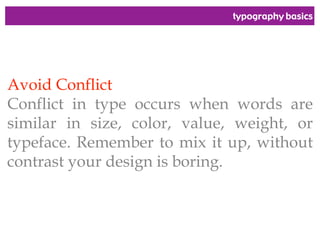
Avoid Conflict
Conflict in type occurs when words are
similar in size, color, value, weight, or
typeface. Remember to mix it up, without
contrast your design is boring.
typography basics
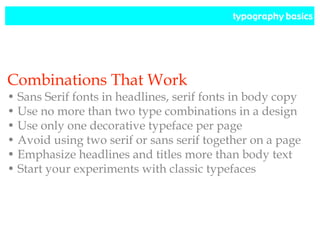
Combinations That Work
โ€ข Sans Serif fonts in headlines, serif fonts in body copy
โ€ข Use no more than two type combinations in a design
โ€ข Use only one decorative typeface per page
โ€ข Avoid using two serif or sans serif together on a page
โ€ข Emphasize headlines and titles more than body text
โ€ข Start your experiments with classic typefaces
typography basics
A Few Things to consider
โ€ข Donโ€™t be afraid to break the rules of type, but to
meaningfully break the rules you must understand them
โ€ข Place readability and communication before style
โ€ข If you have a hard time reading it, its hard to read
โ€ข Consider the page format and purpose
โ€ข Type should be appropriate for the tone of page and
should appeal to the audience
โ€ข AVOID ALL CAPS LIKE THE PLAGUE
โ€ข Just because a program will let you apply bold, italic,
and outlined at once doesnโ€™t mean it should be done
โ€ข Alignment, letterspacing, and word spacing are all
critical to readability
โ€ข If all else fails just K.I.S.S. it (Keep It Simple Stupid)

Typography Basics Lecture-Design 101.pdf

  • 1.
  • 2.
  • 3.
    typography basics Typography: thescience of type. The art & process of arranging type on a page,nowadays mostly produced on a computer.
  • 4.
    typography basics Type isa flexible communications tool, by changing the typeface, size,color, weight, and placement of type in your design can add extra emphasis to your words & enhance the visual appeal.
  • 5.
  • 6.
    typography basics A Typefaceis a set of letterforms, numbers, and symbols unified by a common visual design; commonly interchanged with the word font.
  • 7.
    typography basics Typeface examples: BookAntiqua A B C D E F G H I J K L M N O P Q R S T U V W X Y Z a b c d e f g h i j k l m n o p q r s t u v w x y z 1 2 3 4 5 6 7 8 9 0 ! @ # $ % ^ & * ( ) - + = ? โ€˜ โ€œ ; : Comic Sans MS A B C D E F G H I J K L M N O P Q R S T U V W X Y Z a b c d e f g h i j k l m n o p q r s t u v w x y z 1 2 3 4 5 6 7 8 9 0 ! @ # $ % ^ & * ( ) - + = ? โ€˜ โ€œ ; :
  • 8.
    typography basics Each typefacehas a variety of related Type Styles (Font Styles,) which are modified versions of the original typeface such as italic, bold, condensed, or extended. This whole related group of styles is known as a Type Family (Font Family.)
  • 9.
    typography basics Type FamilyExample: Book Antiqua regular A B C D E F G H I J K L M N O P Q R S T U V W X Y Z a b c d e f g h i j k l m n o p q r s t u v w x y z 1 2 3 4 5 6 7 8 9 0 ! @ # $ % ^ & * ( ) - + = ? โ€˜ โ€œ ; : italic A B C D E F G H I J K L M N O P Q R S T U V W X Y Z a b c d e f g h i j k l m n o p q r s t u v w x y z 1 2 3 4 5 6 7 8 9 0 ! @ # $ % ^ & * ( ) - + = ? โ€˜ โ€œ ; : bold A B C D E F G H I J K L M N O P Q R S T U V W X Y Z a b c d e f g h i j k l m n o p q r s t u v w x y z 1 2 3 4 5 6 7 8 9 0 ! @ # $ % ^ & * ( ) - + = ? โ€˜ โ€œ ; : bold italic A B C D E F G H I J K L M N O P Q R S T U V W X Y Z a b c d e f g h i j k l m n o p q r s t u v w x y z 1 2 3 4 5 6 7 8 9 0 ! @ # $ % ^ & * ( ) - + = ? โ€˜ โ€œ ; :
  • 10.
    typography basics Type Size:type is traditionally measured in points. The term originated from when type was cast in metal slugs. Ascenders, body, & descenders are included in point size.
  • 11.
    typography basics Weight: thesize of the stroke of the font. Some fonts have thin strokes, while others have very thick ones. A well developed type family offers a range of weights such as light, regular, semi-bold, bold, and extra-bold. โ€ข Using a type family with varying weights increases your design options because you can pick the weight you need to add emphasis to your design.
  • 12.
    typography basics AaBbCc 12pt AaBbCc 14pt AaBbCc 18pt AaBbCc 24pt AaBbCc 36pt AaBbCc 48pt Times NewRoman Size & Weight Examples AaBbCc 12pt AaBbCc 14pt AaBbCc 18pt AaBbCc 24pt AaBbCc 36pt AaBbCc 48pt Impact
  • 13.
    typography basics Letterspacing: thespace between individual letters and characters. Leading: the vertical space between lines of type. Word Spacing: the space between words. Letterspacing, Leading, and Word Spacing
  • 14.
    typography basics Letterspacing vs.L e t t e r s p a c i n g Letterspacing, Leading, and Word Spacing Examples Leading: the size of the stroke of the font. Some fonts have thin strokes, while others have very thick ones. Leading: the size of the stroke of the font. Some fonts have thin strokes, while others have very thick ones. vs. Word Spacingโ€ขWord Spacingโ€ขWord Spacing
  • 15.
    typography basics Alignment Type canbe aligned multiple ways on your pages. Left aligned text is useful in just about any type of applications because designers find it easier to read. Right Aligned text is used more sparingly because the irregular left edge makes it hard for the viewer to read. Centered text is popular for short amount of text such as in flyers or wedding announcements. Justified text is a common trait found in magazines and newspapers.
  • 16.
    typography basics Categories ofType With all the thousands of typefaces available, you can narrow them down to specific typeface categories.
  • 17.
    typography basics Serif The Romanserif typeface originated in Rome (whoโ€™d have guessed?) A stroke was added to the ends of letterforms. A
  • 18.
    typography basics Sans Serif Meansโ€œwithout serifs.โ€ Created during the Industrial Revolution, during the 20th Century many more Sans Serif typefaces were created because they looked more streamlined. A
  • 19.
    typography basics Script Typefaces thatconvey the feeling of handwritten designs. Depending on your design, script can be either formal or informal. A
  • 20.
    typography basics Decorative Those typefacesthat are hard to categorize are by default dropped into the decorative category. A
  • 21.
    typography basics Font SoftwareFormats There are three main software formats created for Computer Graphics and Desktop Publishing with their large array of applications.
  • 22.
    typography basics PostScript A languagecreated by Adobe that has become a standard for most high-end laser printers. Incorporates a two font process using screen fonts and printer fonts.
  • 23.
    typography basics TrueType A fontformat that works both on Macโ€™s and PCโ€™s. These fonts generally show perfectly fine on-screen but have problems printing. Fonts must be created into outlines or rasterized to print correctly on a PostScript Printer.
  • 24.
    typography basics OpenType A mergingof both PostScript and TrueType fonts. OpenType incorporates both PostScript data and TrueType screen fidelity.
  • 25.
  • 26.
    typography basics Use Plentyof Contrast Using contrast on your pages increases visual interest. When you utilize fonts that are extremely different from one another they do not fight each other to be dominant.
  • 27.
    typography basics Size Contrast Typesize contrast is a simple concept: contrast big type with little type. Donโ€™t do it in half measures. Have fun with it.
  • 28.
    typography basics Weight Contrast Weightcontrast is also a simple concept: intermix light, regular, and heavy type with one another.
  • 29.
    typography basics Color Contrast Whenbudget allows, consider using contrast colors to attract a readers attention. Contrast bright colors with dark colors. Color adds dimension to type that cannot always be achieved in grayscale.
  • 30.
    typography basics Emphasis Like anythingelse, keep in mind what on your page is the most important, it should look the most prominent, the second should look the second most important, and so on.
  • 31.
    typography basics Keep itSimple A goal of typographic design is to pick legible, readable typefaces. Legibility: how easy it is to identify text in short phases such as headlines. Readability: how easy it is to read lots of text such as paragraphs.
  • 32.
    typography basics Avoid Conflict Conflictin type occurs when words are similar in size, color, value, weight, or typeface. Remember to mix it up, without contrast your design is boring.
  • 33.
    typography basics Combinations ThatWork โ€ข Sans Serif fonts in headlines, serif fonts in body copy โ€ข Use no more than two type combinations in a design โ€ข Use only one decorative typeface per page โ€ข Avoid using two serif or sans serif together on a page โ€ข Emphasize headlines and titles more than body text โ€ข Start your experiments with classic typefaces
  • 34.
    typography basics A FewThings to consider โ€ข Donโ€™t be afraid to break the rules of type, but to meaningfully break the rules you must understand them โ€ข Place readability and communication before style โ€ข If you have a hard time reading it, its hard to read โ€ข Consider the page format and purpose โ€ข Type should be appropriate for the tone of page and should appeal to the audience โ€ข AVOID ALL CAPS LIKE THE PLAGUE โ€ข Just because a program will let you apply bold, italic, and outlined at once doesnโ€™t mean it should be done โ€ข Alignment, letterspacing, and word spacing are all critical to readability โ€ข If all else fails just K.I.S.S. it (Keep It Simple Stupid)