Directions: Write thename of each Illustrator workspace section next to its corresponding letter on the lines below. Use the Word Bank below to help
you. Each word is used only once.
A - ________________________
B - ________________________
C - ________________________
D - ________________________
E - ________________________
F - ________________________
G - ________________________
H - ________________________
F
C
G
D
A
E
Pg 1
B
Control Panel
Menu Bar
Status Bar
Artboard
Tools Panel
Document Window
Properties Panels
Collapsed Panels
WORD BANK
H
adobe illustrator
2.
Name: __________________________________ Date:_______________________
ADOBE ILLUSTRATOR CC QUIZ: Workspace Vocabulary
Directions: Write the name of each Illustrator workspace section next to its corresponding definition on the lines below. Use the Word Bank
below to help you. Each word is used only once.
1. ____________________________ – Displays the file(s) you are working on.
2. ____________________________ – White area on which printable artwork is created. Artboards are like pages in Adobe InDesign.
3. ____________________________ – Displays the various options for each tool as you use it, commands, and options.
4. ____________________________ – Used to monitor and modify work. Certain panels are displayed by default. You can display any panel
by choosing it from the Window menu.
5. ____________________________ – Contains tools for creating and editing images, artwork, page elements, and more. Related tools are
grouped together.
6. ____________________________ - Appears at the lower-left edge of the Document window. Displays information, zooming, and
navigation controls.
7. ____________________________ – Menus of selectable commands and options located at the top of the workspace. Illustrator, File,
Edit, Object, Type, Select, Effect, View, Window, and Help comprise the Menu Bar.
8. ____________________________ - Located across the top of the workspace. Contains application controls, the Workspace Switcher and
Search.
Pg 2
Control Panel
Menu Bar
Status Bar
Artboard
Tools Panel
Document Window
Properties Panels
Collapsed Panels
WORD BANK
3.
ADOBE ILLUSTRATOR TOOLS:MAIN MENU
Directions: Label each one of these Illustrator tools. Use the Word Bank below to help you
with the correct terms and spelling. Each term in the Word Bank will be used only once.
WORD BANK
Lasso Tool
Pen Tool
Zoom Tool
Line Segment Tool
Rotate Tool
Scale Tool
Color
Draw Inside
Mesh Tool
Paintbrush Tool
Perspective Grid
Tool Symbol Sprayer
Tool Column Graph
Tool Fill
Gradient Tool
Artboard Tool Slice
Tool
None
Swap Fill and Stroke
Edit Tool Bar
adobe photshop
4.
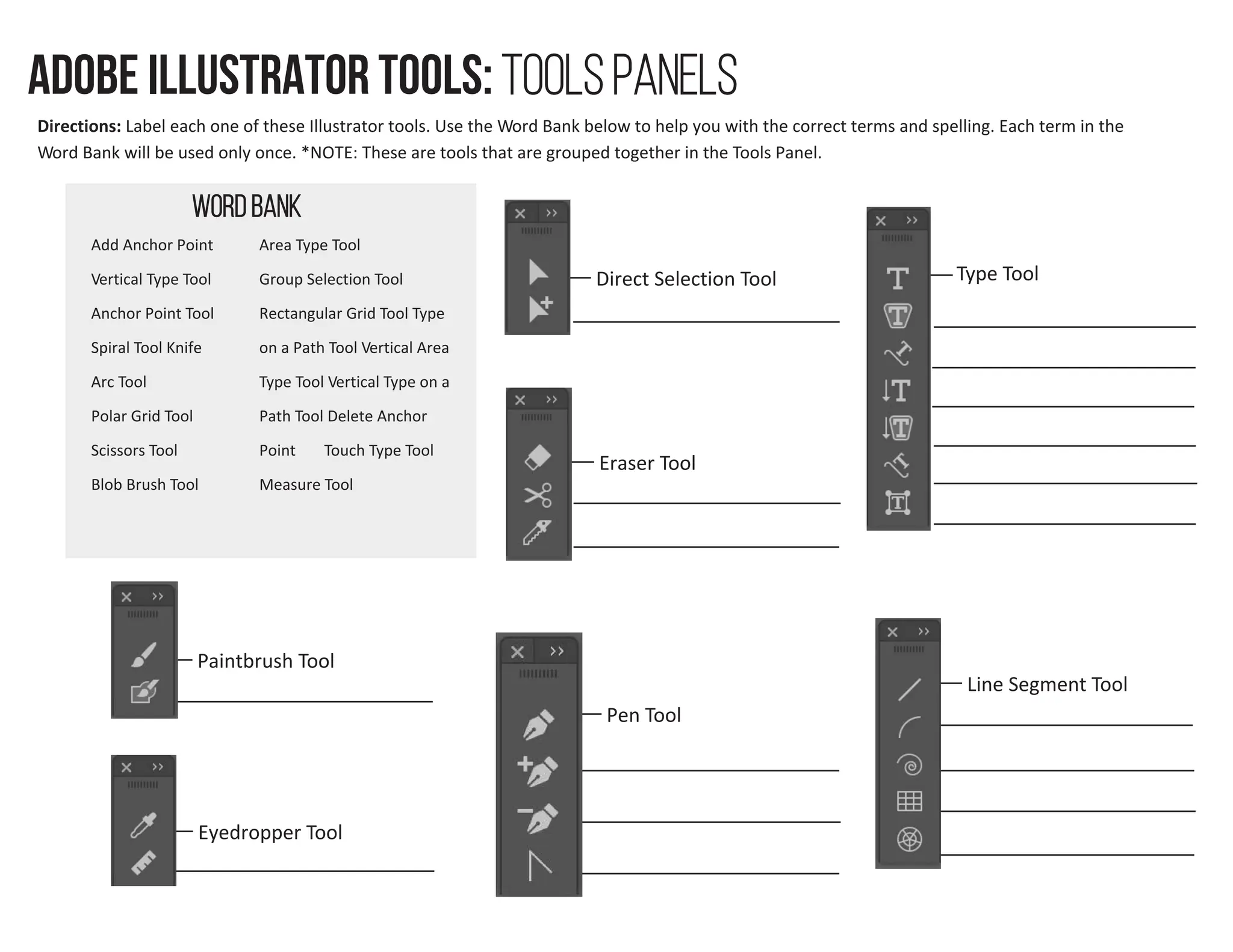
WORD BANK
Area TypeTool
Group Selection Tool
Rectangular Grid Tool Type
on a Path Tool Vertical Area
Type Tool Vertical Type on a
Path Tool Delete Anchor
Point Touch Type Tool
Measure Tool
Direct Selection Tool Type Tool
Paintbrush Tool
Eyedropper Tool
Pen Tool
Eraser Tool
Line Segment Tool
ADOBE ILLUSTRATOR TOOLS: Tools Panels
Directions: Label each one of these Illustrator tools. Use the Word Bank below to help you with the correct terms and spelling. Each term in the
Word Bank will be used only once. *NOTE: These are tools that are grouped together in the Tools Panel.
5.
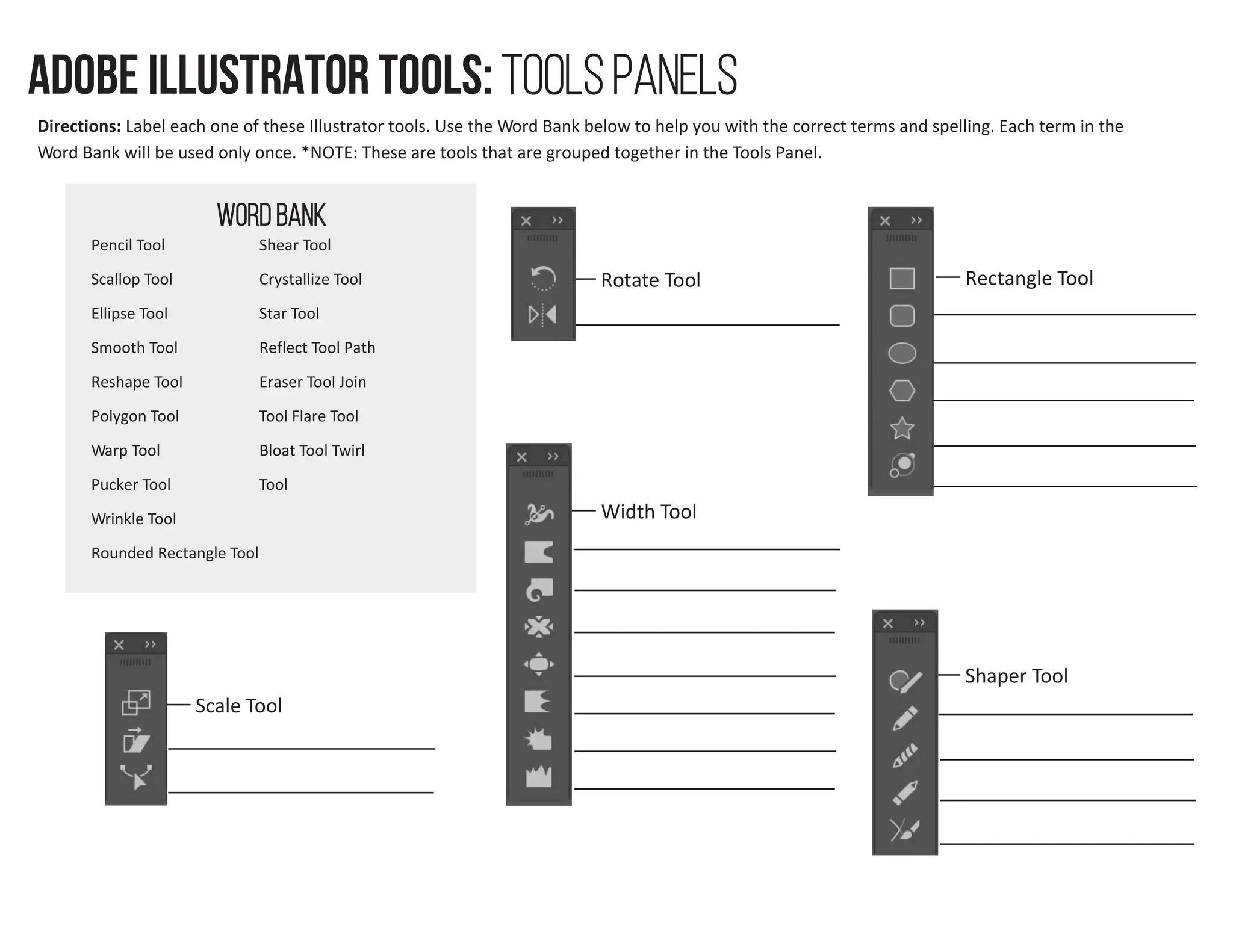
WORD BANK
Crystallize Tool
Rounded Rectangle Tool
Rotate Tool
Width Tool
Scale Tool
Rectangle Tool
Shaper Tool
ADOBE ILLUSTRATOR TOOLS: Tools Panels
Directions: Label each one of these Illustrator tools. Use the Word Bank below to help you with the correct terms and spelling. Each term in the
Word Bank will be used only once. *NOTE: These are tools that are grouped together in the Tools Panel.
6.
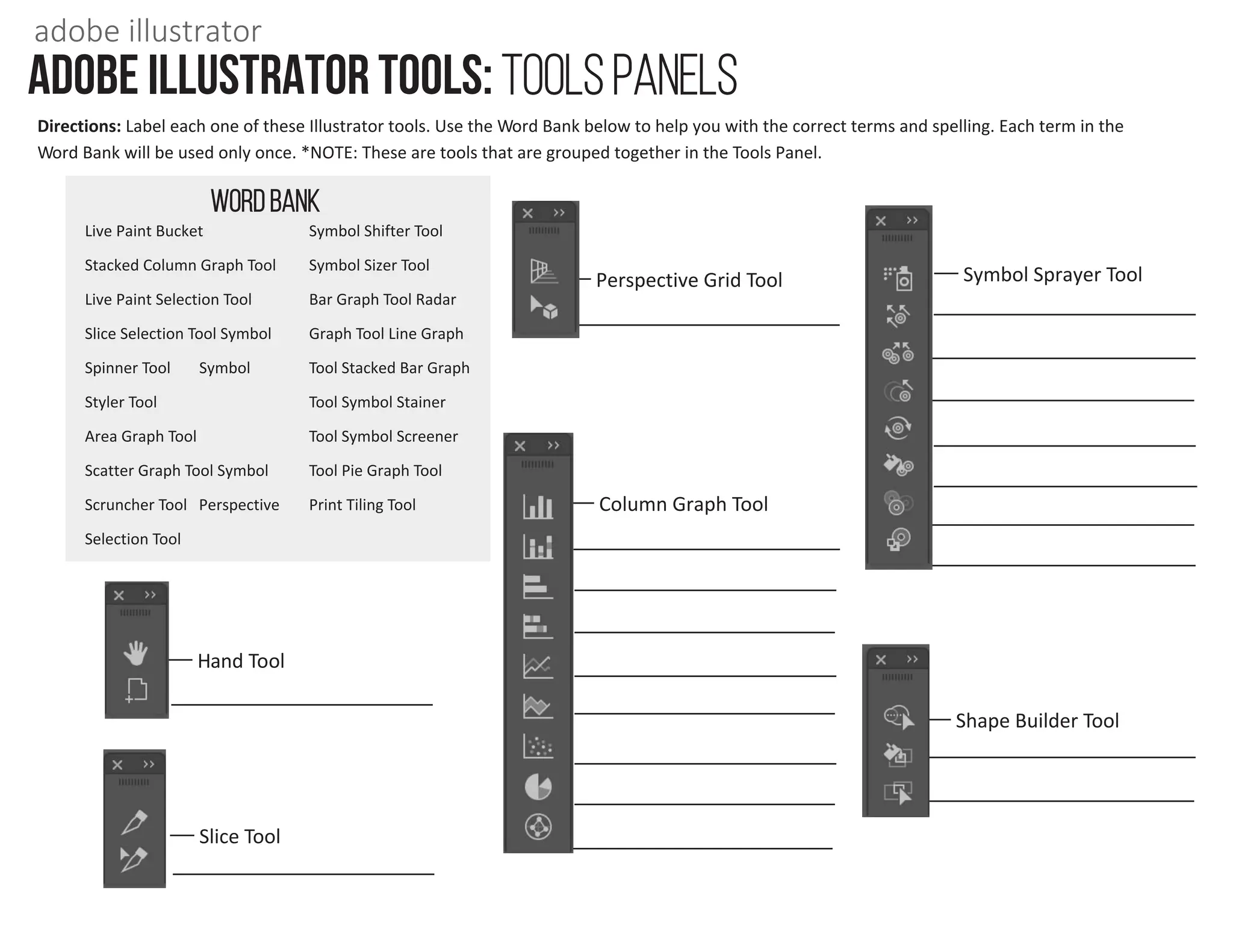
WORD BANK
Symbol SizerTool
Bar Graph Tool Radar
Graph Tool Line Graph
Tool Stacked Bar Graph
Tool Symbol Stainer
Tool Symbol Screener
Tool Pie Graph Tool
Print Tiling Tool
Hand Tool
Slice Tool
Perspective Grid Tool Symbol Sprayer Tool
Column Graph Tool
Shape Builder Tool
ADOBE ILLUSTRATOR TOOLS: Tools Panels
Directions: Label each one of these Illustrator tools. Use the Word Bank below to help you with the correct terms and spelling. Each term in the
Word Bank will be used only once. *NOTE: These are tools that are grouped together in the Tools Panel.
adobe illustrator