Types Of Operating System
Batch System
Interactive System
Time Sharing System
Real Time Sharing
System
Network System
Parallel System
Distributed System
Clustered System
Handheld System
Batch Operating System
 The users of batch operating system do not
interact with the computer directly.
 Each user prepares his job on an off-line device
like punch cards and submits it to the computer
operator. To speed up processing, jobs with similar
needs are batched together and run as a group.
 Thus, the programmers left their programs with
the operator. The operator then sorts programs
into batches with similar requirements.
Batch Operating System
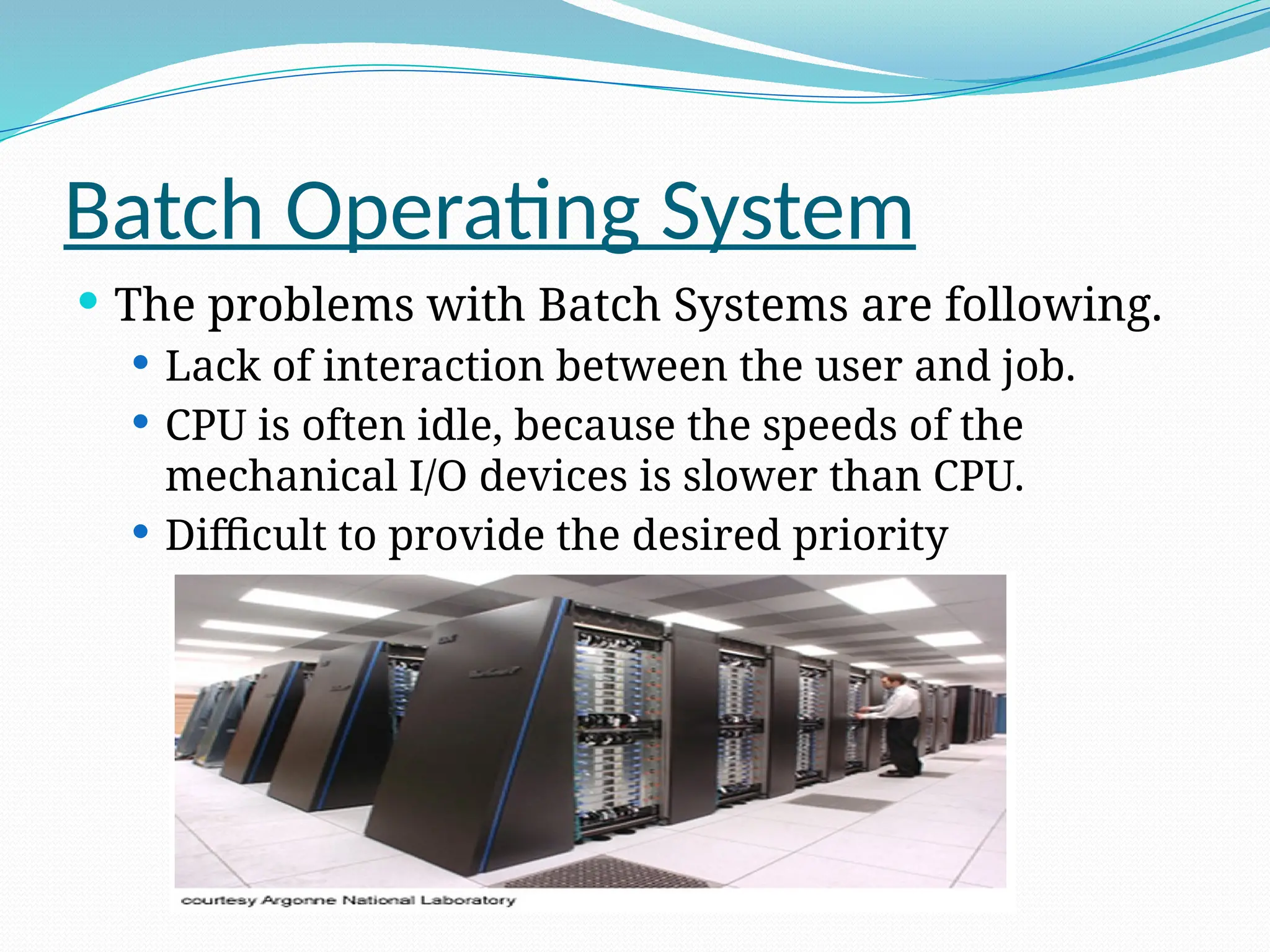
 The problems with Batch Systems are following.
 Lack of interaction between the user and job.
 CPU is often idle, because the speeds of the
mechanical I/O devices is slower than CPU.
 Difficult to provide the desired priority
Interactive Operating System
 In an interactive operating system, the user
interacts directly with the operating system to
supply commands and data as the application
program executes and
 the user receives the results of processing
immediately. The user is in direct two way
communication with the computer
 Most operating system is this type
Interactive Operating System
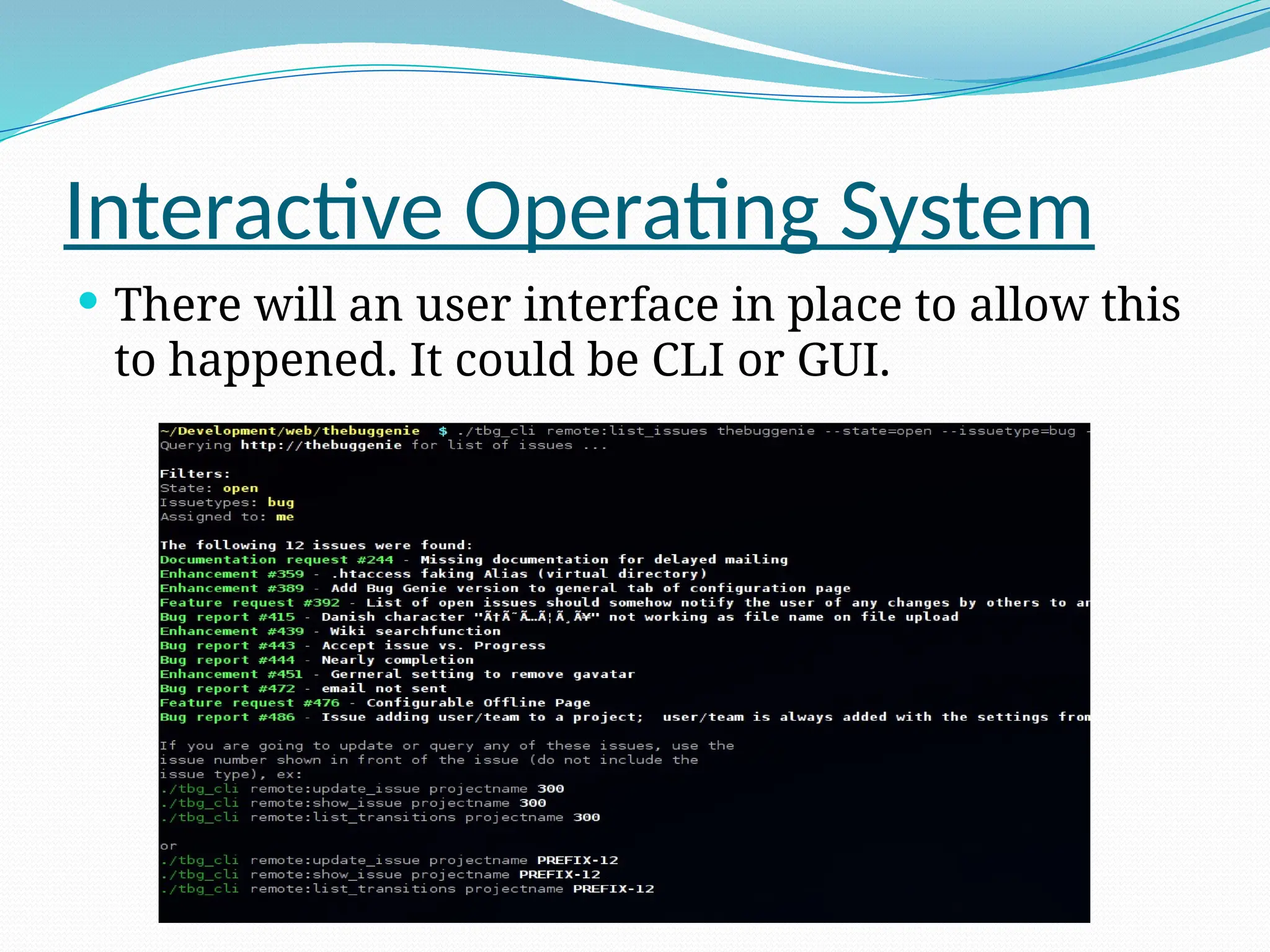
 There will an user interface in place to allow this
to happened. It could be CLI or GUI.
Time Sharing Operating System
 Time sharing is a technique which enables many people,
located at various terminals, to use a particular
computer system at the same time.
 Time-sharing or multitasking is a logical extension of
multiprogramming. Processor's time which is shared
among multiple users simultaneously is termed as time-
sharing.
 The main difference between Multiprogrammed
Batch Systems and Time-Sharing Systems is that in
case of Multiprogrammed batch systems, objective is
to maximize processor use, whereas in Time-Sharing
Systems objective is to minimize response time.
Time Sharing Operating System
 Multiple jobs are executed by the CPU by switching so
frequently. Thus, the user can receives an immediate
response.
 Advantages
 Provide advantage of quick response.
 Avoids duplication of software.
 Reduces CPU idle time.
 Disadvantages
 Problem of reliability.
 Question of security and integrity of user programs and
data.
 Problem of data communication.
Real Time Operating System
 Provides environment for executing programs
 Process abstraction for multitasking/concurrency
 Scheduling
 Hardware abstraction layer (device drivers)
 File systems
 Communication
Real Time Operating System
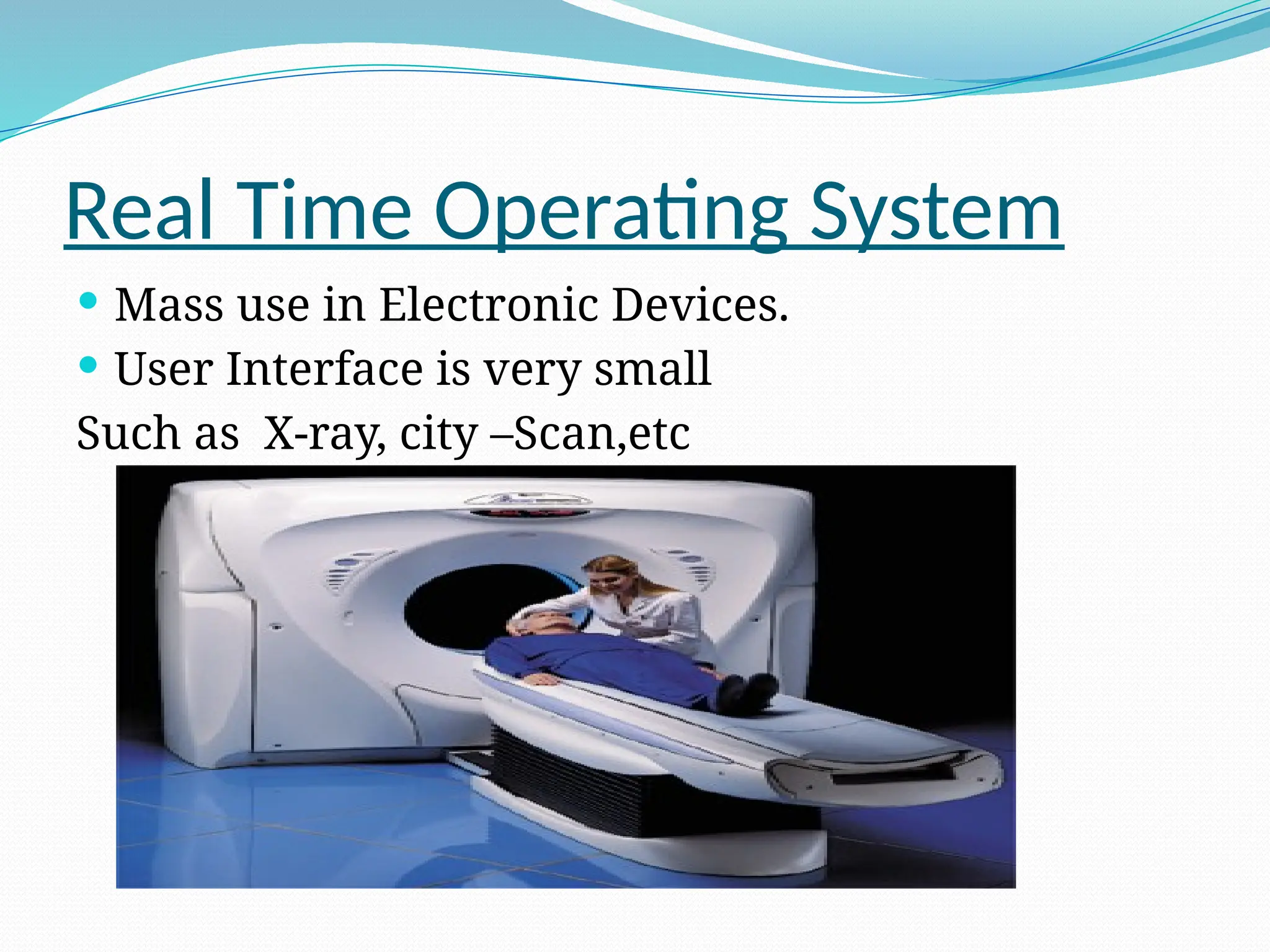
 Mass use in Electronic Devices.
 User Interface is very small
Such as X-ray, city –Scan,etc
Network Operating System
 Runs on a server and provides server the capability to
manage data, users, groups, security, applications, and
other networking functions.
 The primary purpose of the network operating system is
to allow shared file and printer access among multiple
computers in a network, typically a local area network
(LAN), a private network or to other networks.
 Examples of network operating systems are Microsoft
Windows Server 2003, Microsoft Windows Server 2008,
UNIX, Linux, Mac OS X, Novell NetWare, and BSD.
Network Operating System
 The advantages
 Centralized servers are highly stable.
 Security is server managed.
 Upgrades to new technologies and hardware can be
easily integrated into the system.
 Remote access to servers is possible from different
locations and types of systems.
 The disadvantages
 High cost of buying and running a server.
 Dependency on a central location for most operations.
 Regular maintenance and updates are required.
Parallel Operating System
 Parallel operating systems are used to interface multiple
networked computers to complete tasks in parallel.
 The architecture of the software is often a UNIX-based
platform, which allows it to coordinate distributed loads
between multiple computers in a network.
 Parallel operating systems are able to use software to
manage all of the different resources of the computers
running in parallel, such as memory, caches, storage
space, and processing power.
 Parallel operating systems also allow a user to directly
interface with all of the computers in the network
Parallel Operating System
 A parallel operating system works by dividing sets of
calculations into smaller parts and distributing them
between the machines on a network. To facilitate
communication between the processor cores and memory
arrays, routing software has to either share its memory by
assigning the same address space to all of the networked
computers, or distribute its memory by assigning a
different address space to each processing core.
 Scientists, researches, and industries often choose to use
parallel operating systems because of its cost effectiveness
as well. It costs far less money to assemble a parallel
computer network than it costs to develop and build a
super computer for research.
Distributed Operating System
 Distributed systems use multiple central processors to
serve multiple real time application and multiple users.
Data processing jobs are distributed among the
processors accordingly to which one can perform each
job most efficiently.
 The processors communicate with one another through
various communication lines (such as high-speed buses
or telephone lines). These are referred as loosely
coupled systems or distributed systems. Processors in a
distributed system may vary in size and function. These
processors are referred as sites, nodes, computers and
so on.
Distributed Operating System
 The advantages
 With resource sharing facility user at one site may
be able to use the resources available at another.
 Speedup the exchange of data with one another
via electronic mail.
 If one site fails in a distributed system, the
remaining sites can potentially continue operating.
 Better service to the customers.
 Reduction of the load on the host computer.
 Reduction of delays in data processing.
Clustered Operating System
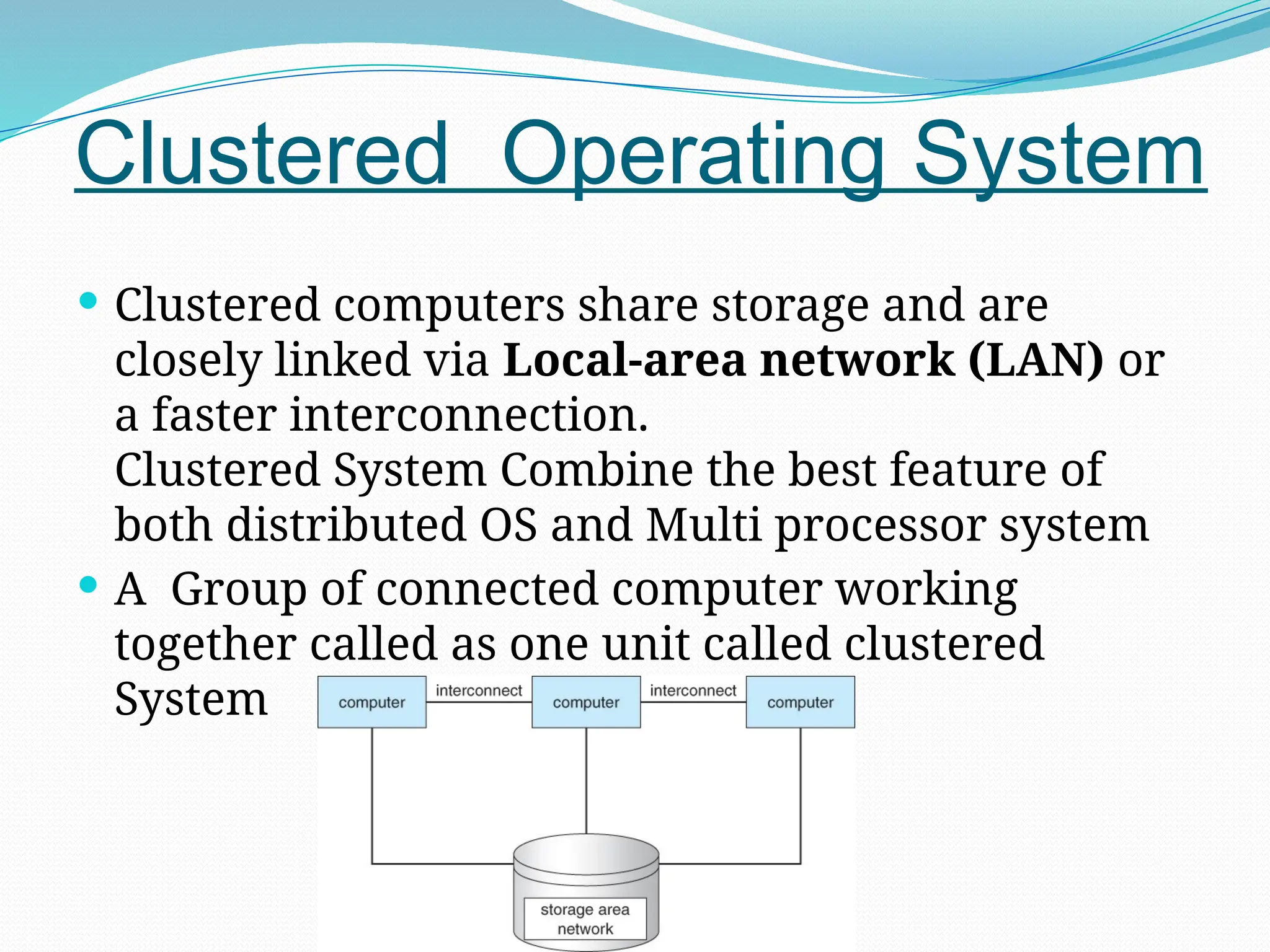
 Clustered computers share storage and are
closely linked via Local-area network (LAN) or
a faster interconnection.
Clustered System Combine the best feature of
both distributed OS and Multi processor system
 A Group of connected computer working
together called as one unit called clustered
System
Handheld Operating System
 Handheld OS known as Mobile Operating system such
as Smartphone, tablet, PDA, or other mobile device.
 It’s a combine features of a personal computer
operating system with other features useful for
mobile or handheld use; usually including, and most
of the following considered essential in modern
mobile systems; a touchscreen, cellular, Bluetooth, Wi-
Fi, GPS mobile navigation, camera, video
camera, speech recognition, voice recorder, music
player, near field communication and infrared blaster.

types of operating system an overview of the topics.pptx

  • 1.
    Types Of OperatingSystem Batch System Interactive System Time Sharing System Real Time Sharing System Network System Parallel System Distributed System Clustered System Handheld System
  • 2.
    Batch Operating System The users of batch operating system do not interact with the computer directly.  Each user prepares his job on an off-line device like punch cards and submits it to the computer operator. To speed up processing, jobs with similar needs are batched together and run as a group.  Thus, the programmers left their programs with the operator. The operator then sorts programs into batches with similar requirements.
  • 3.
    Batch Operating System The problems with Batch Systems are following.  Lack of interaction between the user and job.  CPU is often idle, because the speeds of the mechanical I/O devices is slower than CPU.  Difficult to provide the desired priority
  • 4.
    Interactive Operating System In an interactive operating system, the user interacts directly with the operating system to supply commands and data as the application program executes and  the user receives the results of processing immediately. The user is in direct two way communication with the computer  Most operating system is this type
  • 5.
    Interactive Operating System There will an user interface in place to allow this to happened. It could be CLI or GUI.
  • 6.
    Time Sharing OperatingSystem  Time sharing is a technique which enables many people, located at various terminals, to use a particular computer system at the same time.  Time-sharing or multitasking is a logical extension of multiprogramming. Processor's time which is shared among multiple users simultaneously is termed as time- sharing.  The main difference between Multiprogrammed Batch Systems and Time-Sharing Systems is that in case of Multiprogrammed batch systems, objective is to maximize processor use, whereas in Time-Sharing Systems objective is to minimize response time.
  • 7.
    Time Sharing OperatingSystem  Multiple jobs are executed by the CPU by switching so frequently. Thus, the user can receives an immediate response.  Advantages  Provide advantage of quick response.  Avoids duplication of software.  Reduces CPU idle time.  Disadvantages  Problem of reliability.  Question of security and integrity of user programs and data.  Problem of data communication.
  • 8.
    Real Time OperatingSystem  Provides environment for executing programs  Process abstraction for multitasking/concurrency  Scheduling  Hardware abstraction layer (device drivers)  File systems  Communication
  • 9.
    Real Time OperatingSystem  Mass use in Electronic Devices.  User Interface is very small Such as X-ray, city –Scan,etc
  • 10.
    Network Operating System Runs on a server and provides server the capability to manage data, users, groups, security, applications, and other networking functions.  The primary purpose of the network operating system is to allow shared file and printer access among multiple computers in a network, typically a local area network (LAN), a private network or to other networks.  Examples of network operating systems are Microsoft Windows Server 2003, Microsoft Windows Server 2008, UNIX, Linux, Mac OS X, Novell NetWare, and BSD.
  • 11.
    Network Operating System The advantages  Centralized servers are highly stable.  Security is server managed.  Upgrades to new technologies and hardware can be easily integrated into the system.  Remote access to servers is possible from different locations and types of systems.  The disadvantages  High cost of buying and running a server.  Dependency on a central location for most operations.  Regular maintenance and updates are required.
  • 12.
    Parallel Operating System Parallel operating systems are used to interface multiple networked computers to complete tasks in parallel.  The architecture of the software is often a UNIX-based platform, which allows it to coordinate distributed loads between multiple computers in a network.  Parallel operating systems are able to use software to manage all of the different resources of the computers running in parallel, such as memory, caches, storage space, and processing power.  Parallel operating systems also allow a user to directly interface with all of the computers in the network
  • 13.
    Parallel Operating System A parallel operating system works by dividing sets of calculations into smaller parts and distributing them between the machines on a network. To facilitate communication between the processor cores and memory arrays, routing software has to either share its memory by assigning the same address space to all of the networked computers, or distribute its memory by assigning a different address space to each processing core.  Scientists, researches, and industries often choose to use parallel operating systems because of its cost effectiveness as well. It costs far less money to assemble a parallel computer network than it costs to develop and build a super computer for research.
  • 14.
    Distributed Operating System Distributed systems use multiple central processors to serve multiple real time application and multiple users. Data processing jobs are distributed among the processors accordingly to which one can perform each job most efficiently.  The processors communicate with one another through various communication lines (such as high-speed buses or telephone lines). These are referred as loosely coupled systems or distributed systems. Processors in a distributed system may vary in size and function. These processors are referred as sites, nodes, computers and so on.
  • 15.
    Distributed Operating System The advantages  With resource sharing facility user at one site may be able to use the resources available at another.  Speedup the exchange of data with one another via electronic mail.  If one site fails in a distributed system, the remaining sites can potentially continue operating.  Better service to the customers.  Reduction of the load on the host computer.  Reduction of delays in data processing.
  • 16.
    Clustered Operating System Clustered computers share storage and are closely linked via Local-area network (LAN) or a faster interconnection. Clustered System Combine the best feature of both distributed OS and Multi processor system  A Group of connected computer working together called as one unit called clustered System
  • 17.
    Handheld Operating System Handheld OS known as Mobile Operating system such as Smartphone, tablet, PDA, or other mobile device.  It’s a combine features of a personal computer operating system with other features useful for mobile or handheld use; usually including, and most of the following considered essential in modern mobile systems; a touchscreen, cellular, Bluetooth, Wi- Fi, GPS mobile navigation, camera, video camera, speech recognition, voice recorder, music player, near field communication and infrared blaster.