
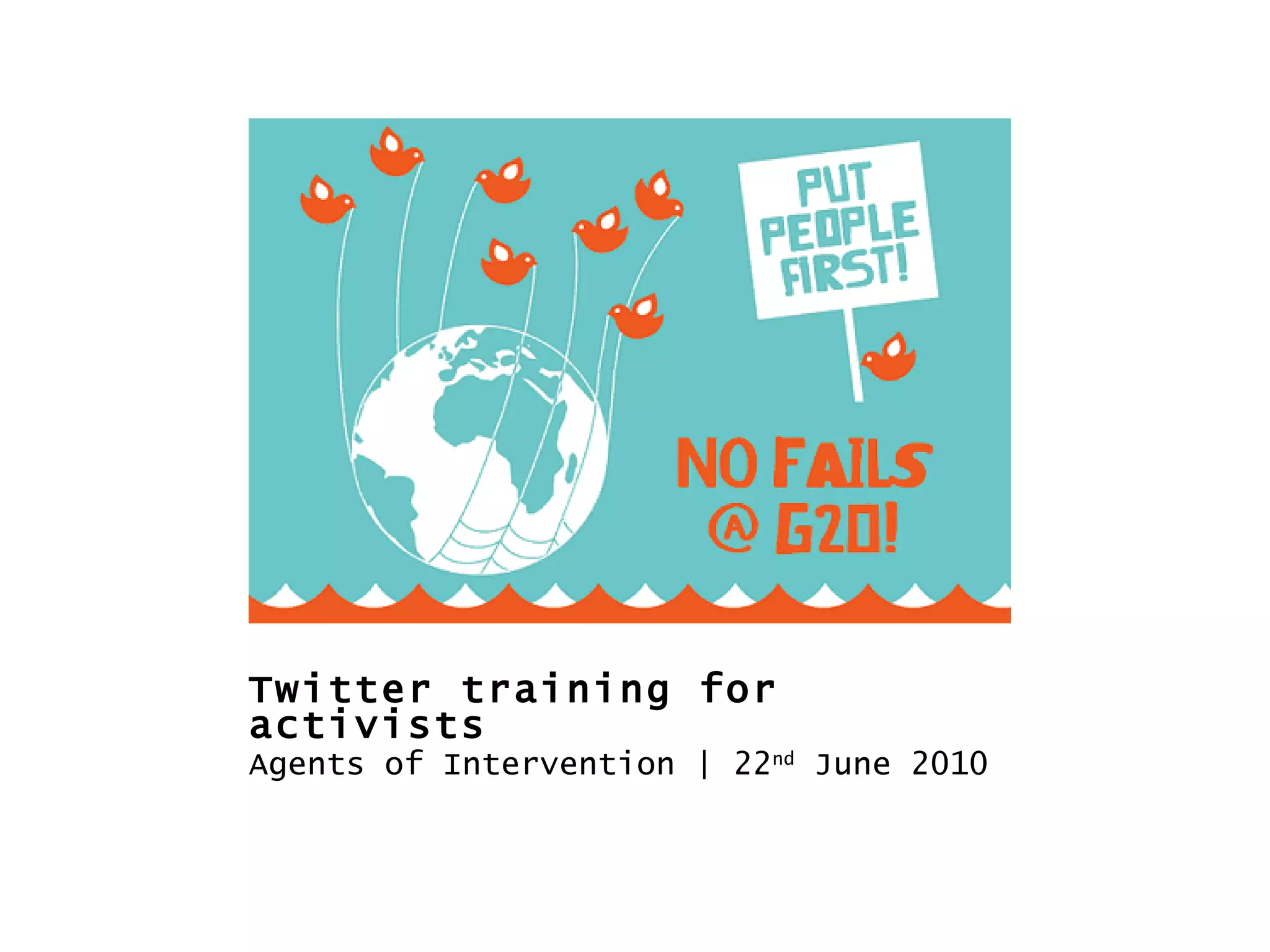

Twitter training for activists 22 nd  June 2010
Overview 7.00-7.30  - Introduction to Twitter 7.30-8pm  - An Anatomy of Twitter +++ 8.00-8.15pm  -  SHORT BREAK +++ 8.20-8.45pm  - Building a community/movement 8.45-9.15pm  - Using Twitter for activism
Social media: a short intro
Internet as social condition "The Internet is actually a social condition where everyone in the network society is connected directly, without intermediation, to everyone else." Eben Moglen, Anarchism triumphant: Free Software and the Death of Copyright
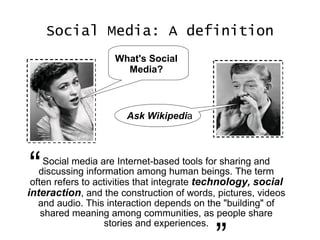
Social Media: A definition Social media are Internet-based tools for sharing and discussing information among human beings. The term often refers to activities that integrate  technology ,   social interaction , and the construction of words, pictures, videos and audio. This interaction depends on the "building" of shared meaning among communities, as people share stories and experiences. “ ” What's Social Media? Ask Wikipedi a
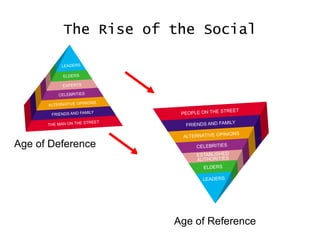
The Rise of the Social Age of Deference Age of Reference
Technological factors Storage costs (car vs glass of wine) Free/low cost How the first leads to the second technology (inc free software movement)
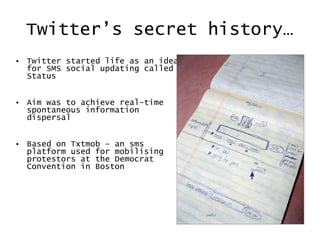
Twitter’s secret history… Twitter started life as an idea for SMS social updating called Status Aim was to achieve real-time spontaneous information dispersal Based on Txtmob – an sms platform used for mobilising protestors at the Democrat Convention in Boston
An Anatomy of Twitter
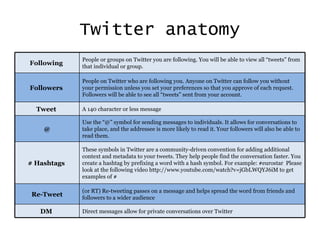
Twitter anatomy Following  People or groups on Twitter you are following. You will be able to view all “tweets” from that individual or group. Followers  People on Twitter who are following you. Anyone on Twitter can follow you without your permission unless you set your preferences so that you approve of each request. Followers will be able to see all “tweets” sent from your account. Tweet  A 140 character or less message @ Use the “@” symbol for sending messages to individuals. It allows for conversations to take place, and the addressee is more likely to read it. Your followers will also be able to read them. # Hashtags  These symbols in Twitter are a community-driven convention for adding additional context and metadata to your tweets. They help people find the conversation faster. You create a hashtag by prefixing a word with a hash symbol. For example: #eurostar  Please look at the following video  http://www.youtube.com/watch?v=jGbLWQYJ6iM to get examples of # Re-Tweet (or RT) Re-tweeting passes on a message and helps spread the word from friends and followers to a wider audience DM  Direct messages allow for private conversations over Twitter
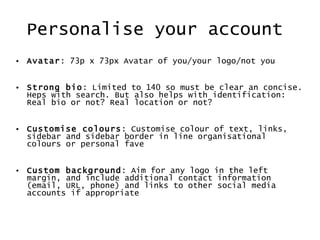
Personalise your account  Avatar : 73p x 73px Avatar of you/your logo/not you Strong bio : Limited to 140 so must be clear an concise. Heps with search. But also helps with identification: Real bio or not? Real location or not?  Customise colours : Customise colour of text, links, sidebar and sidebar border in line organisational colours or personal fave Custom background : Aim for any logo in the left margin, and include additional contact information (email, URL, phone) and links to other social media accounts if appropriate
Twitter add-ons Twitpic Tweetvideo Bit.ly etc
Twitter clients
Building a community
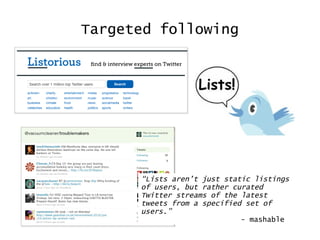
Targeted following “ Lists aren’t just static listings of users, but rather curated Twitter streams of the latest tweets from a specified set of users.” - mashable
Tone of voice The way we communicate in social media is as important, if not more important, than what we’re actually sayin g To  this end, the language you should use should reflect who you are or your organisation’s personality where appropriate This will give you a ‘voice’ in social media and encourage engagement, trust and credibility
Engaging: a word to the wise Your Twitter account is your your organisation’s  “human face” on the social web It mustn’t advertise anything or post links It must engage others in discussion. The more compelling the conversation, the more people will want to engage
Engagement Listen to your followers: respond, add value, be helpful – reactively and proactively Check to see if your fave journos or ‘celebrities’ use Twitter and talk to them when appropriate Follow relevant events, news stories, hashtags, etc and engage wider networks when and where appropriate
Using Twitter for Activism
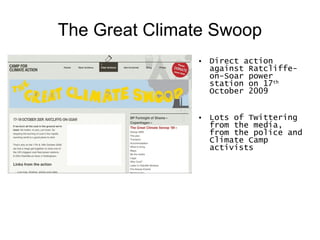
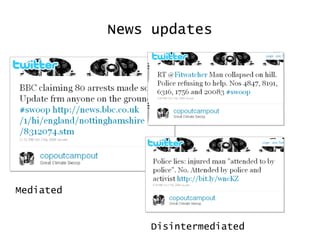
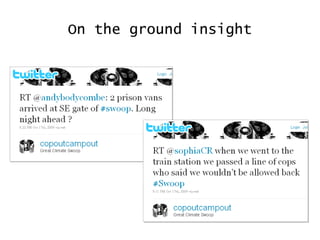
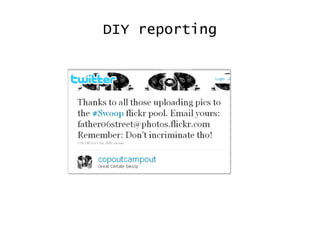
The Great Climate Swoop Direct action against Ratcliffe-on-Soar power station on 17 th  October 2009 Lots of Twittering from the media, from the police and Climate Camp activists
Action reporting & coordinating
News updates Mediated Disintermediated
On the ground insight
DIY reporting
Twitter & Media Swoop example Election example
 
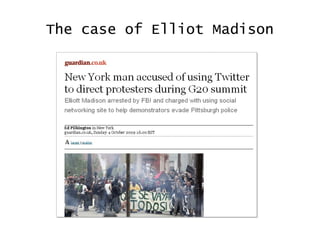
The case of Elliot Madison
Just Do It! Vs the Daily Mail Using election #hashtags to find media outlet on Twitter Sending @messages to media/journalist profiles Most asked permission or paid up… not the Daily Mail
Twitter security Some things to think about… Are you incriminating anyone via Twitpics, Tweetvideos; linked content (e.g. YouTube, Flickr etc) or username, e.g. “With @joeblogs scaling fence” If you wish to remain low-key or anonymous think about your Twitter bio, e.g. Does your personal URL section link to your Facebook Page? Is your hometown listed in location, etc Think before you tweet – it’s very way to say the wrong thing; if it makes you stop and think then stop and think
Twitcablary The tool is Twitter If you use it you are a Twitterer Tweet is both a (n) and (v): You post tweets You tweet information Never ‘twit or ‘twat’ (viz. Cameron, D., 2009) GO FORTH AND TWEET!

Twitter Training for Activists

  • 1.
    Twitter training foractivists 22 nd June 2010
  • 2.
    Overview 7.00-7.30 - Introduction to Twitter 7.30-8pm - An Anatomy of Twitter +++ 8.00-8.15pm - SHORT BREAK +++ 8.20-8.45pm - Building a community/movement 8.45-9.15pm - Using Twitter for activism
  • 3.
    Social media: ashort intro
  • 4.
    Internet as socialcondition "The Internet is actually a social condition where everyone in the network society is connected directly, without intermediation, to everyone else." Eben Moglen, Anarchism triumphant: Free Software and the Death of Copyright
  • 5.
    Social Media: Adefinition Social media are Internet-based tools for sharing and discussing information among human beings. The term often refers to activities that integrate technology , social interaction , and the construction of words, pictures, videos and audio. This interaction depends on the "building" of shared meaning among communities, as people share stories and experiences. “ ” What's Social Media? Ask Wikipedi a
  • 6.
    The Rise ofthe Social Age of Deference Age of Reference
  • 7.
    Technological factors Storagecosts (car vs glass of wine) Free/low cost How the first leads to the second technology (inc free software movement)
  • 8.
    Twitter’s secret history…Twitter started life as an idea for SMS social updating called Status Aim was to achieve real-time spontaneous information dispersal Based on Txtmob – an sms platform used for mobilising protestors at the Democrat Convention in Boston
  • 9.
  • 10.
    Twitter anatomy Following People or groups on Twitter you are following. You will be able to view all “tweets” from that individual or group. Followers People on Twitter who are following you. Anyone on Twitter can follow you without your permission unless you set your preferences so that you approve of each request. Followers will be able to see all “tweets” sent from your account. Tweet A 140 character or less message @ Use the “@” symbol for sending messages to individuals. It allows for conversations to take place, and the addressee is more likely to read it. Your followers will also be able to read them. # Hashtags These symbols in Twitter are a community-driven convention for adding additional context and metadata to your tweets. They help people find the conversation faster. You create a hashtag by prefixing a word with a hash symbol. For example: #eurostar Please look at the following video http://www.youtube.com/watch?v=jGbLWQYJ6iM to get examples of # Re-Tweet (or RT) Re-tweeting passes on a message and helps spread the word from friends and followers to a wider audience DM Direct messages allow for private conversations over Twitter
  • 11.
    Personalise your account Avatar : 73p x 73px Avatar of you/your logo/not you Strong bio : Limited to 140 so must be clear an concise. Heps with search. But also helps with identification: Real bio or not? Real location or not? Customise colours : Customise colour of text, links, sidebar and sidebar border in line organisational colours or personal fave Custom background : Aim for any logo in the left margin, and include additional contact information (email, URL, phone) and links to other social media accounts if appropriate
  • 12.
    Twitter add-ons TwitpicTweetvideo Bit.ly etc
  • 13.
  • 14.
  • 15.
    Targeted following “Lists aren’t just static listings of users, but rather curated Twitter streams of the latest tweets from a specified set of users.” - mashable
  • 16.
    Tone of voiceThe way we communicate in social media is as important, if not more important, than what we’re actually sayin g To this end, the language you should use should reflect who you are or your organisation’s personality where appropriate This will give you a ‘voice’ in social media and encourage engagement, trust and credibility
  • 17.
    Engaging: a wordto the wise Your Twitter account is your your organisation’s “human face” on the social web It mustn’t advertise anything or post links It must engage others in discussion. The more compelling the conversation, the more people will want to engage
  • 18.
    Engagement Listen toyour followers: respond, add value, be helpful – reactively and proactively Check to see if your fave journos or ‘celebrities’ use Twitter and talk to them when appropriate Follow relevant events, news stories, hashtags, etc and engage wider networks when and where appropriate
  • 19.
  • 20.
    The Great ClimateSwoop Direct action against Ratcliffe-on-Soar power station on 17 th October 2009 Lots of Twittering from the media, from the police and Climate Camp activists
  • 21.
    Action reporting &coordinating
  • 22.
    News updates MediatedDisintermediated
  • 23.
  • 24.
  • 25.
    Twitter & MediaSwoop example Election example
  • 26.
  • 27.
    The case ofElliot Madison
  • 28.
    Just Do It!Vs the Daily Mail Using election #hashtags to find media outlet on Twitter Sending @messages to media/journalist profiles Most asked permission or paid up… not the Daily Mail
  • 29.
    Just Do It!Vs the Daily Mail Using election #hashtags to find media outlet on Twitter Sending @messages to media/journalist profiles Most asked permission or paid up… not the Daily Mail
  • 30.
    Twitter security Somethings to think about… Are you incriminating anyone via Twitpics, Tweetvideos; linked content (e.g. YouTube, Flickr etc) or username, e.g. “With @joeblogs scaling fence” If you wish to remain low-key or anonymous think about your Twitter bio, e.g. Does your personal URL section link to your Facebook Page? Is your hometown listed in location, etc Think before you tweet – it’s very way to say the wrong thing; if it makes you stop and think then stop and think
  • 31.
    Twitcablary The toolis Twitter If you use it you are a Twitterer Tweet is both a (n) and (v): You post tweets You tweet information Never ‘twit or ‘twat’ (viz. Cameron, D., 2009) GO FORTH AND TWEET!