Top Tools in Your SEO Tool Kit
          Denise Cowan, Digital Marketing Manager
          & Lea Glover, Digital Marketing Executive


          The Web Bureau Ltd
          www.thewebbureau.com | info@thewebbureau.com

                @thewebbureau


                facebook.com/thewebbureau


                linkedin.com/in/thewebbureau
Who We Are
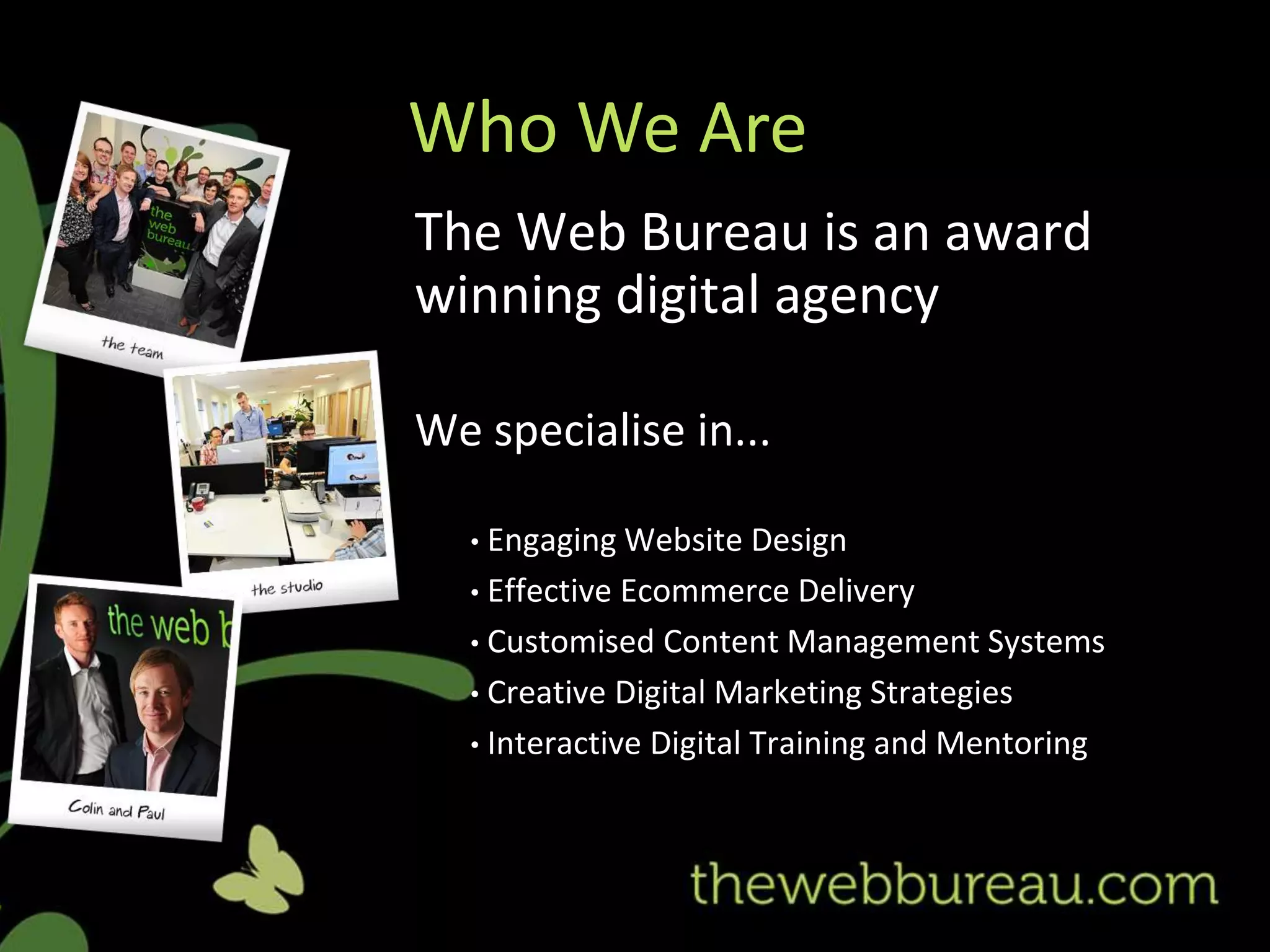
The Web Bureau is an award
winning digital agency

We specialise in...

  • Engaging Website    Design
  • Effective Ecommerce Delivery
  • Customised Content Management Systems
  • Creative Digital Marketing Strategies
  • Interactive Digital Training and Mentoring
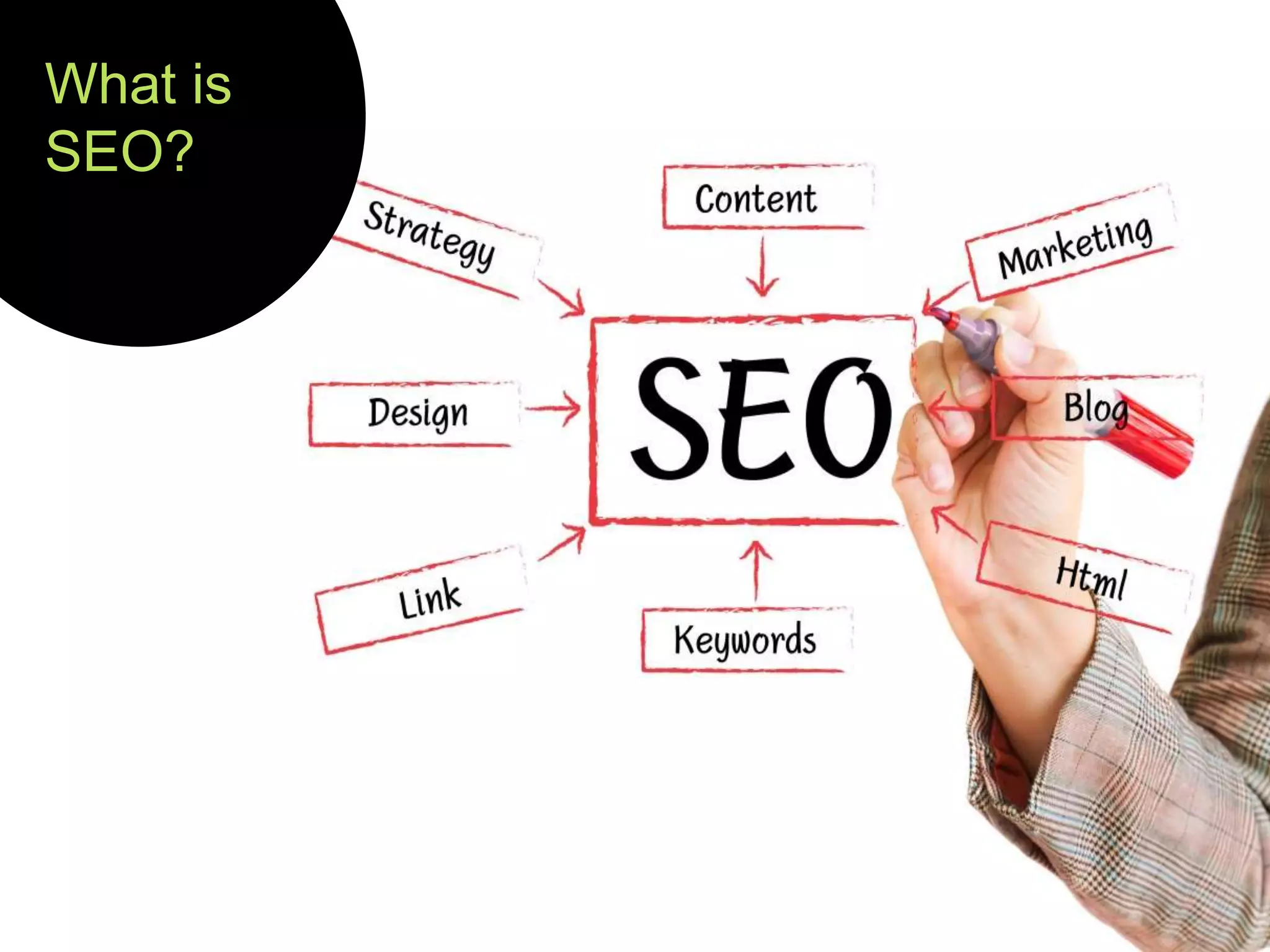
What is
SEO?
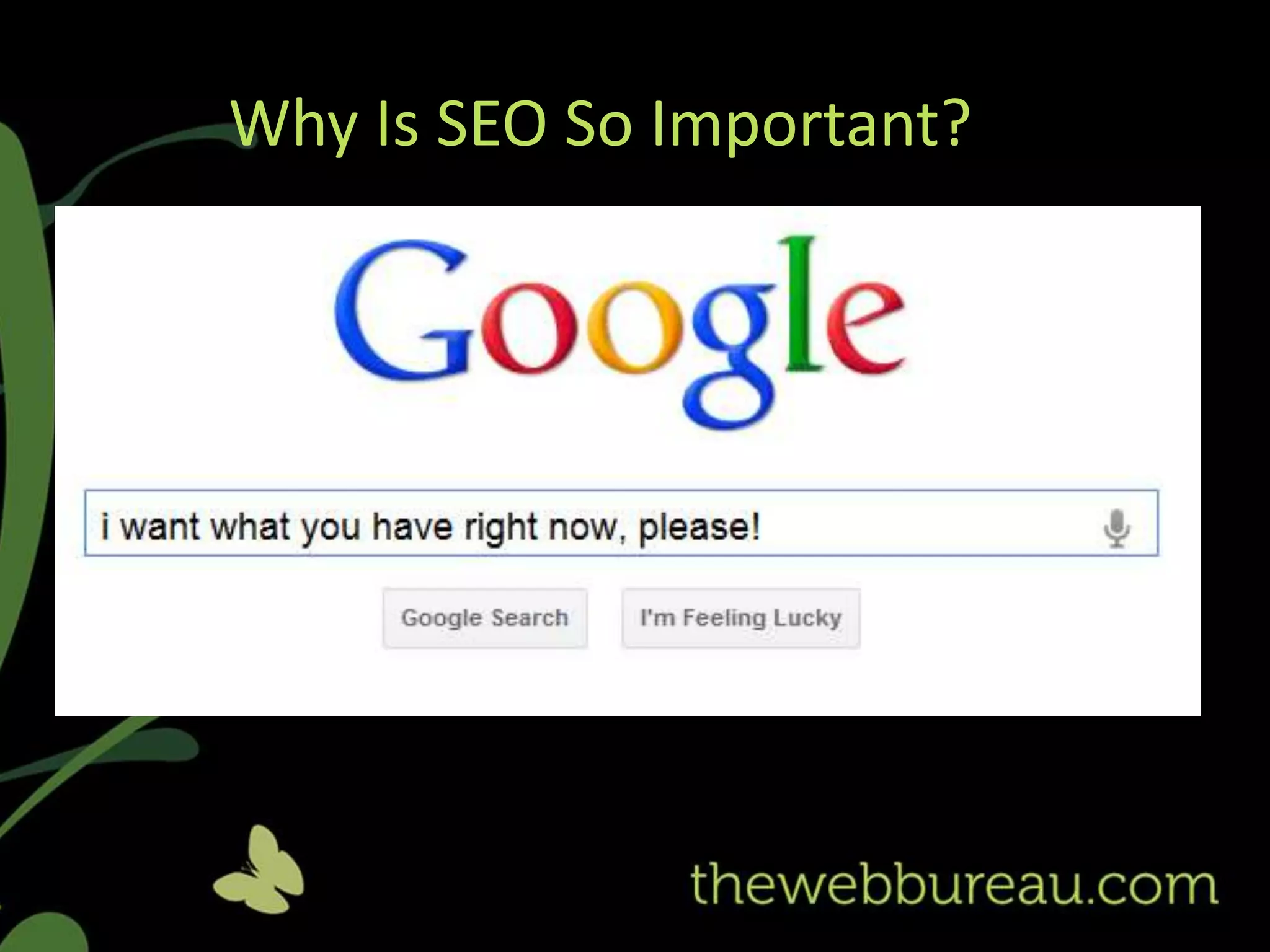
Why Is SEO So Important?


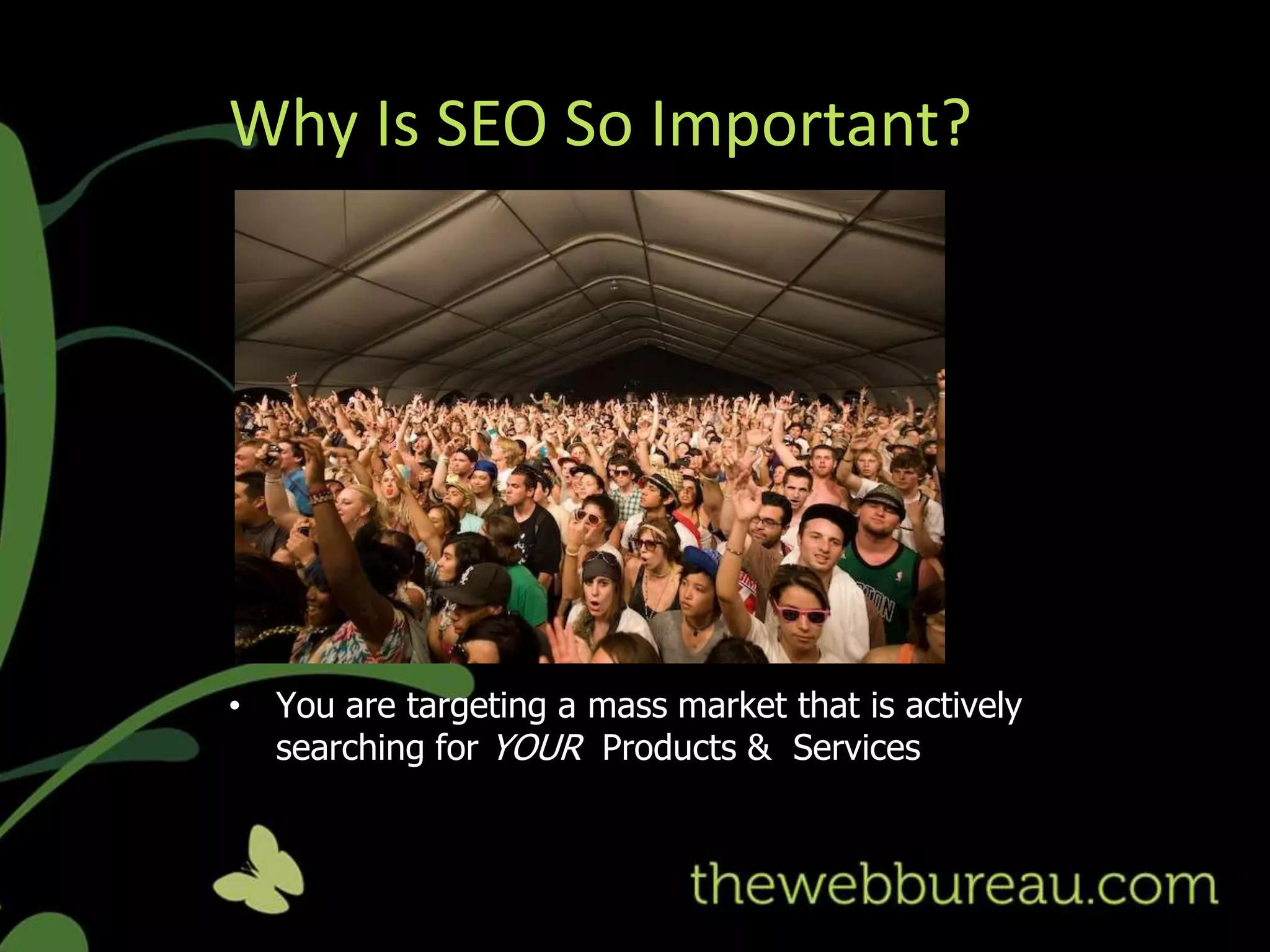
• You are targeting a mass market that is actively
  searching for YOUR Products & Services
Why Is SEO So Important?
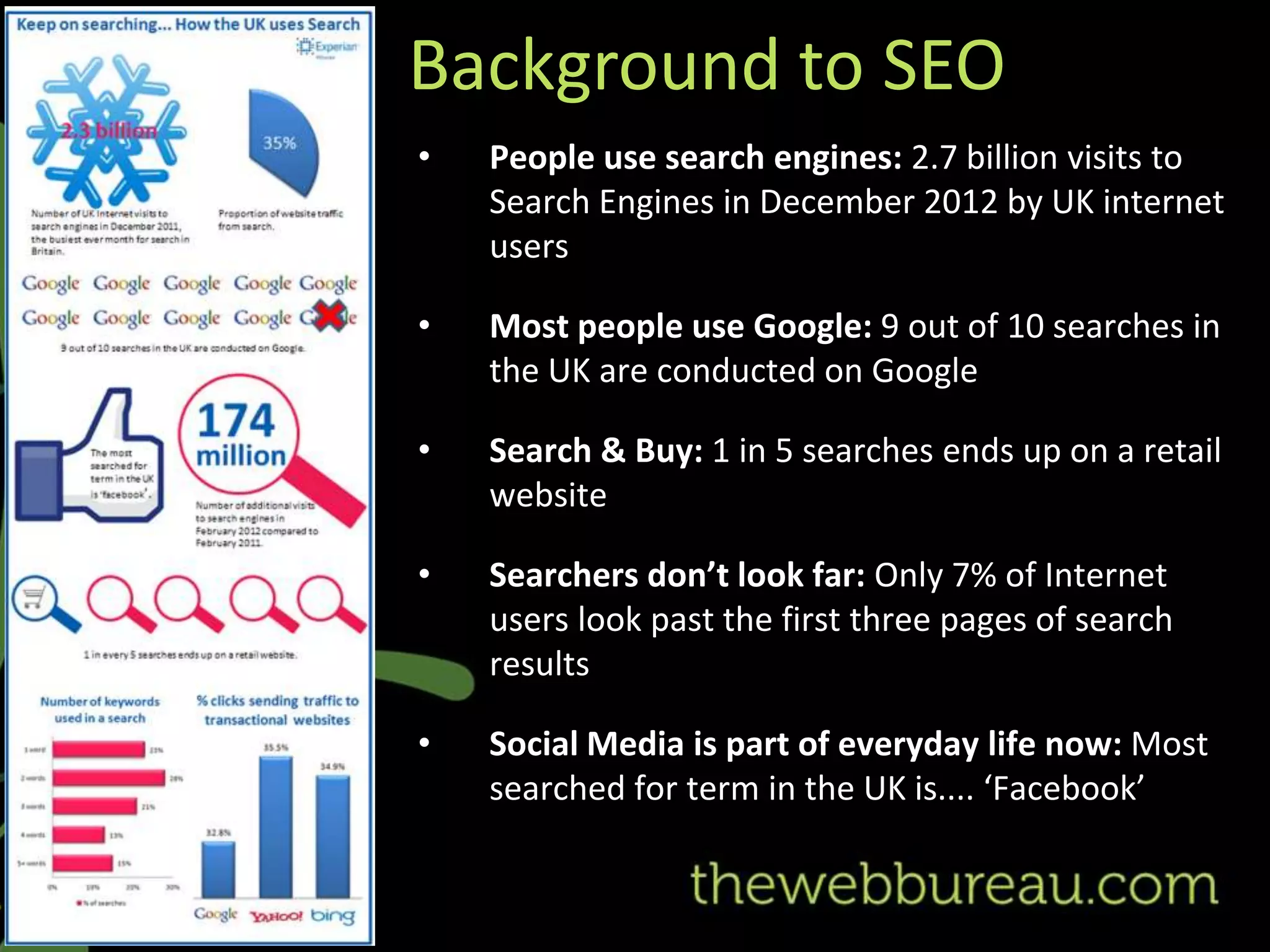
Background to SEO
•   People use search engines: 2.7 billion visits to
    Search Engines in December 2012 by UK internet
    users

•   Most people use Google: 9 out of 10 searches in
    the UK are conducted on Google

•   Search & Buy: 1 in 5 searches ends up on a retail
    website

•   Searchers don’t look far: Only 7% of Internet
    users look past the first three pages of search
    results

•   Social Media is part of everyday life now: Most
    searched for term in the UK is.... ‘Facebook’
SEO
Tools
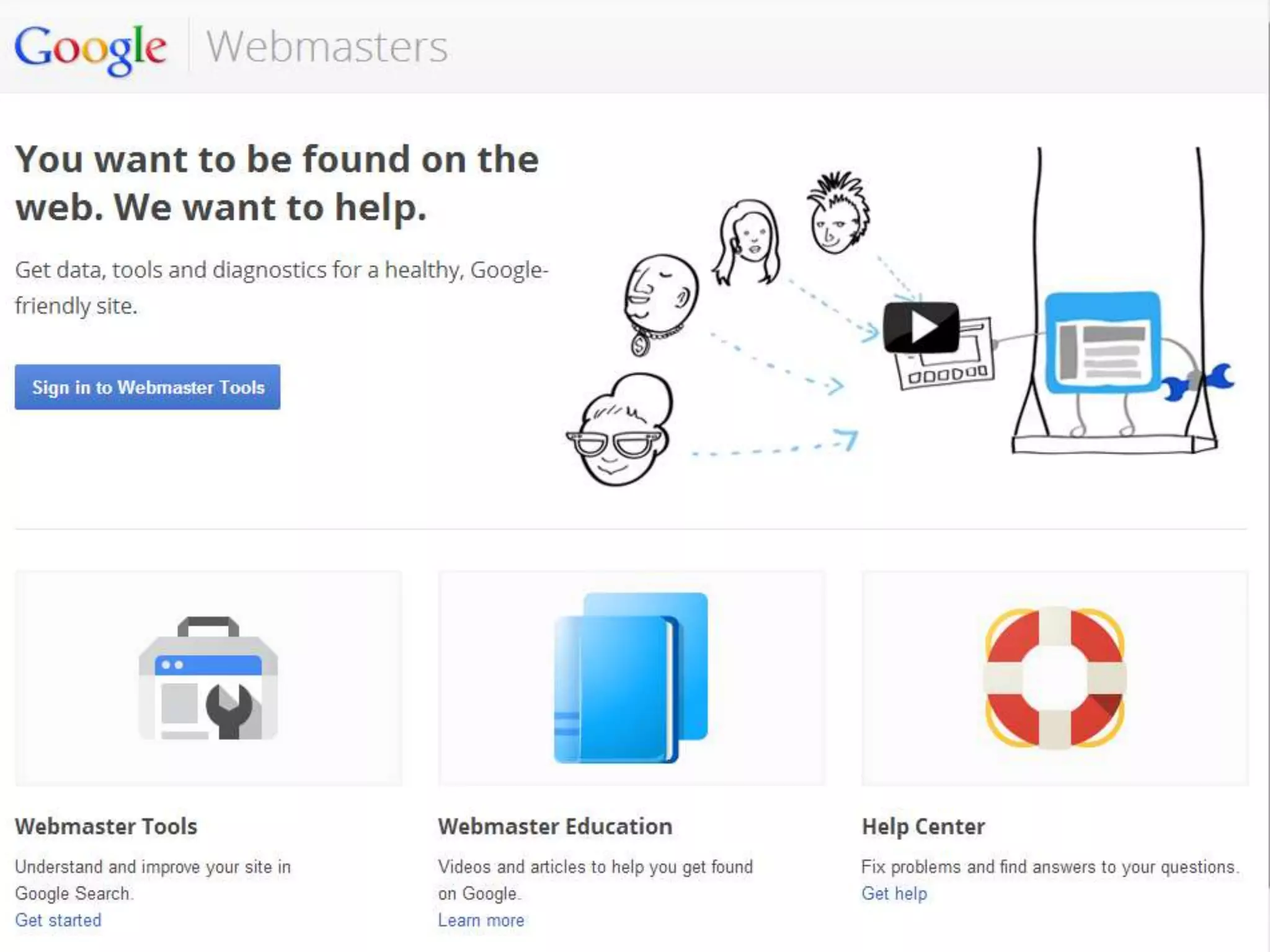
Google Webmasters
• Free Service for Website managers
• Verify your site ownership
• Monitor the health of your website
• Submit and check sitemap
• Identify internal, external & broken site links
• View keywords people used to find your site
• Identify crawl errors & check site speed
• ‘Fetch as Google’ - allows you to see a page
  as Google sees it
• Manage geographic targeting

Resources: http://support.google.com/webmasters/
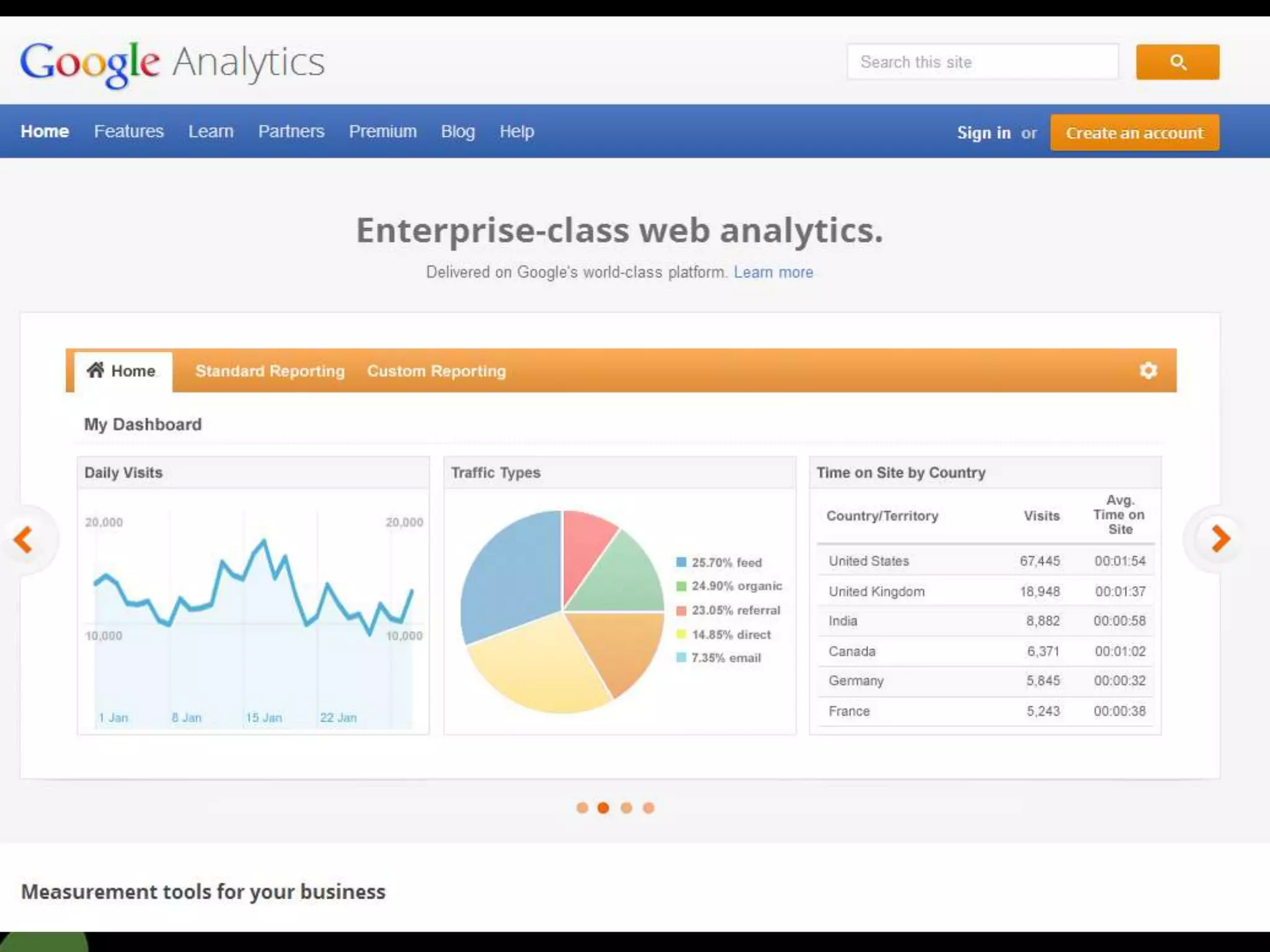
Google Analytics
• Measure website performance
• Detailed Statistics about website traffic and sources
  help to identify where to focus your SEO efforts
• Create customised reports
   Identify keywords driving traffic to your site
   Identify most engaging content, popular pages -
     number of visits, average visit duration, bounce
     rate, percentage of new visits
   Audience demographic s -
     country, language, browser behaviour
   Segment visitors from search engines, direct
     visits, social network referrals & other referring sites
   Conversion tracking shows goal completion - track
     newsletter sign-ups, enquires on a contact
     page, sales & drop off points on e-commerce
     websites
Resources: http://support.google.com/analytics/
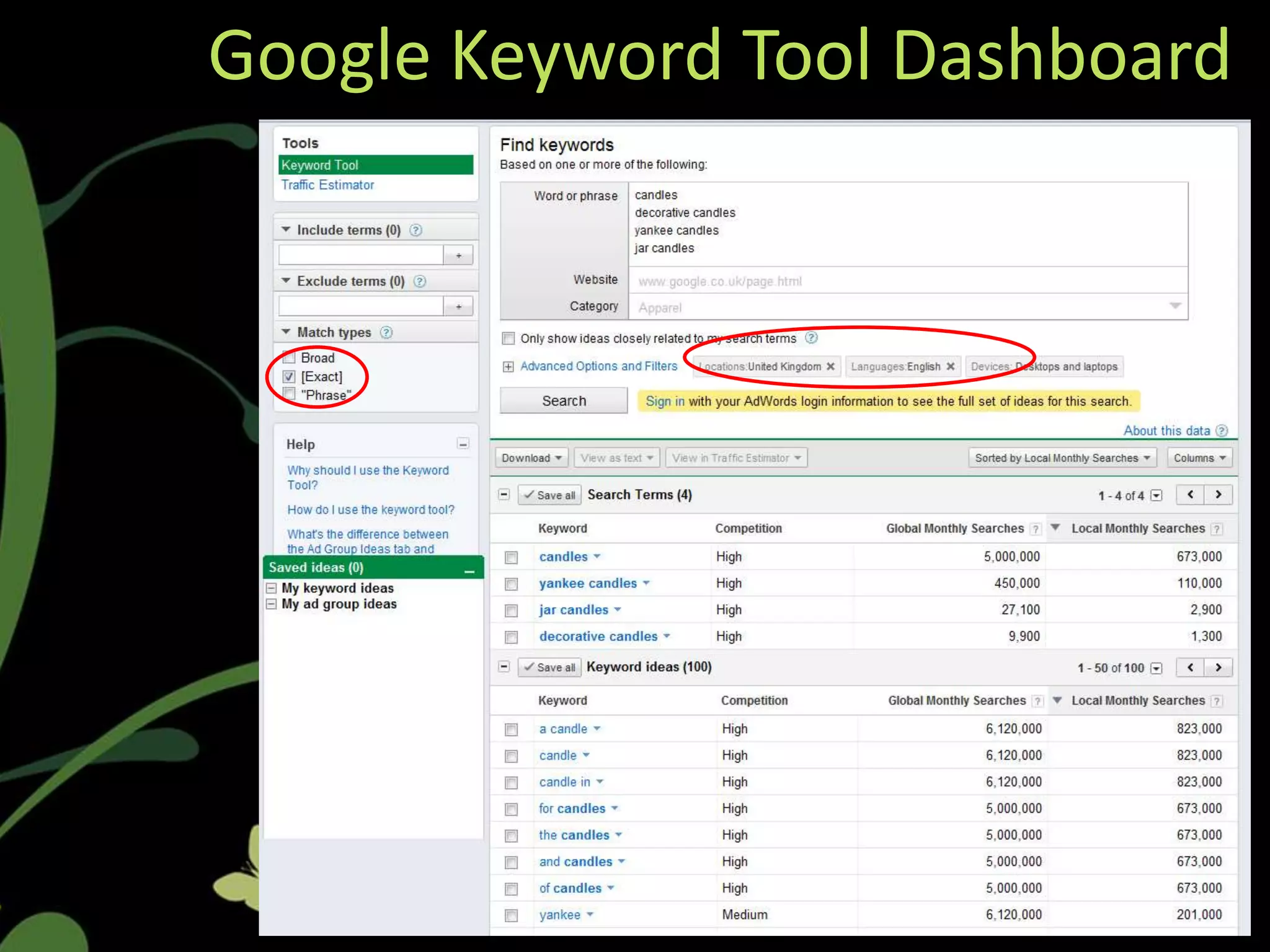
Google Keyword Tool
•    Used for organic and paid search research
•    Removes the guess work - no point ranking for
     words people don’t search for
•    Helps eliminate over-use of internal or
     industry jargon
•    Provides valuable insights into how users
     search online
•    Indicates popularity and competitiveness of
     keywords that are relevant to your business
•    Provides additional suggestions you may not
     have considered
•    Identifies related keywords
•    Filter list by category, country, language and
     devices
Resources: https://adwords.google.com/o/KeywordTool
Google Keyword Tool Dashboard
Google Trends
• Formerly Google Insights & Trends were
  separate, now amalgamated into one
• Tool for performing keyword research –
  complements Google Keyword Tool
• Identifies hot topics, searches and
  emerging trends
• Related keywords based on popularity
• Great for SEO content creation – identify
  topical themes for blog posts
• Basing your content on what people are
  searching for will boost rankings!
• Can help define advertising messages
• Regional and seasonal insights
• Help define new markets
Resources: www.google.com/trends/
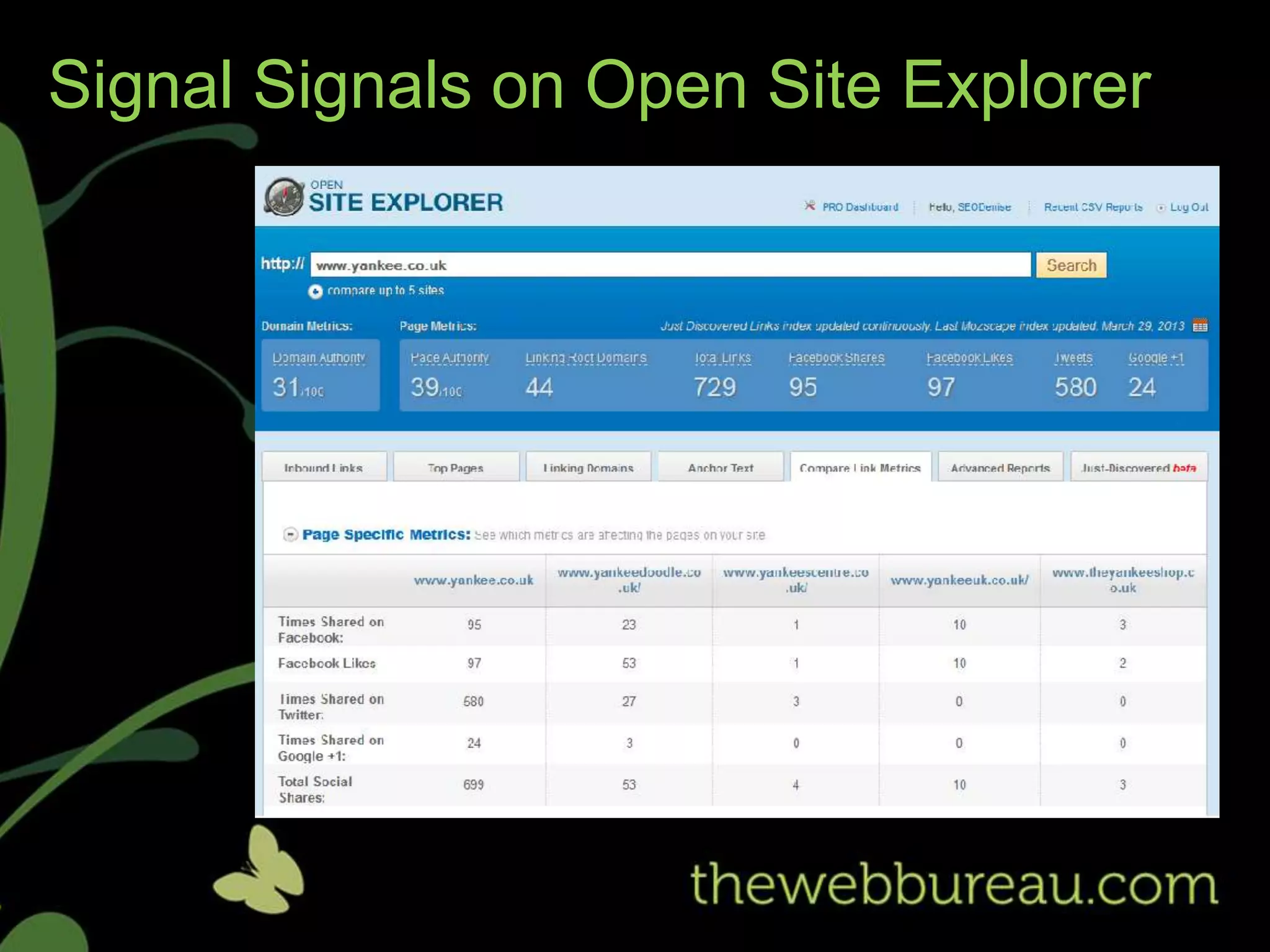
SEOMoz Open Site Explorer
• The search engine for links
• Search engines look at links to determine a
  website’s popularity and authority
• Higher authority = higher rankings & traffic
• Identifies links pointing to your website
• Highlights broken links
• compare competitor links
• Filter information by top pages, linking
  domains and anchor text
• CSV export reports
• New feature called ‘just discovered’ shows
  new links as fast as 4 minutes old!
• *Limited access as guest user
 Resources: www.opensiteexplorer.org
Microsoft IIS SEO Toolkit
• Make your website more search engine
  friendly!
• Large site crawl
• Discover common website issues
    • Canonical errors - duplicate content
    • Title Tags – missing, too short/long
    • Meta Descriptions – missing, too
       short/long
    • H1 tags missing
    • Alt tags on images - missing
    • Coding errors – invalid mark-up
    • Unnecessary redirects
• Enables you to take action and optimise it
  better
• Provides recommendations and guidance
Resources: www.iis.net
Link Assistant Rank Checker
• Reports can be set up to check your search
  engine rankings
• Shows if your site moved up or down in
  search results
• Suggests other relevant keywords
• Supports 341 different search engines
• Competitor tracking – Compares up to 5
  websites at once
• Saves time!


Resources: www.link-assistant.com/rank-tracker/
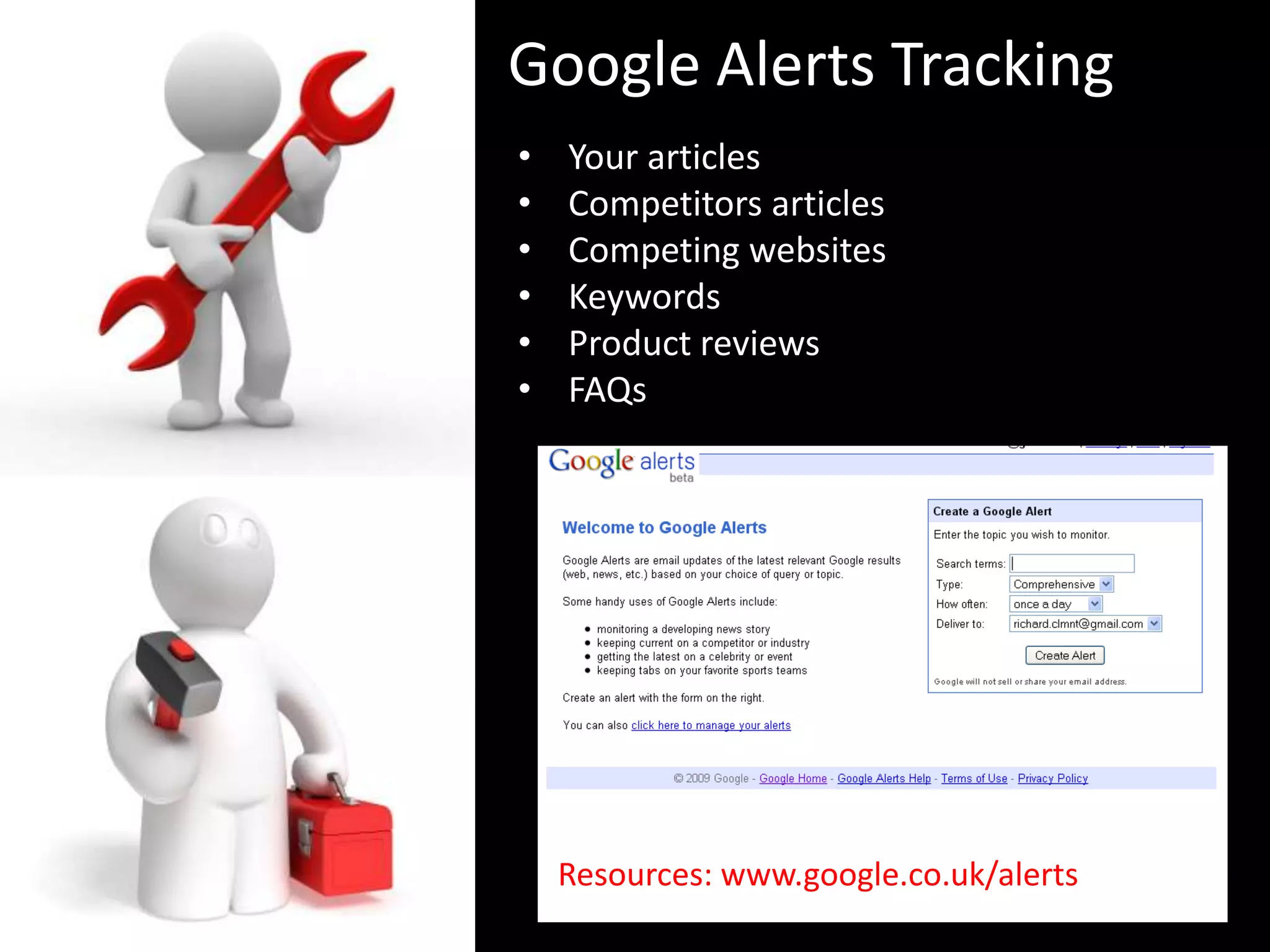
Google Alerts Tracking
•   Your articles
•   Competitors articles
•   Competing websites
•   Keywords
•   Product reviews
•   FAQs


    Resources: www.google.co.uk/alerts
Social Optimisation Tools
•   Google +
•   YouTube
•   Pinterest
•   Facebook
•   Twitter
•   LinkedIn

2010: Matt Cutt's announced that Google
definitely uses social signs in calculating
rankings.

2012: The Year That SEO and Social Media Got
Married

Social search ultimately relies on people and not
algorithms
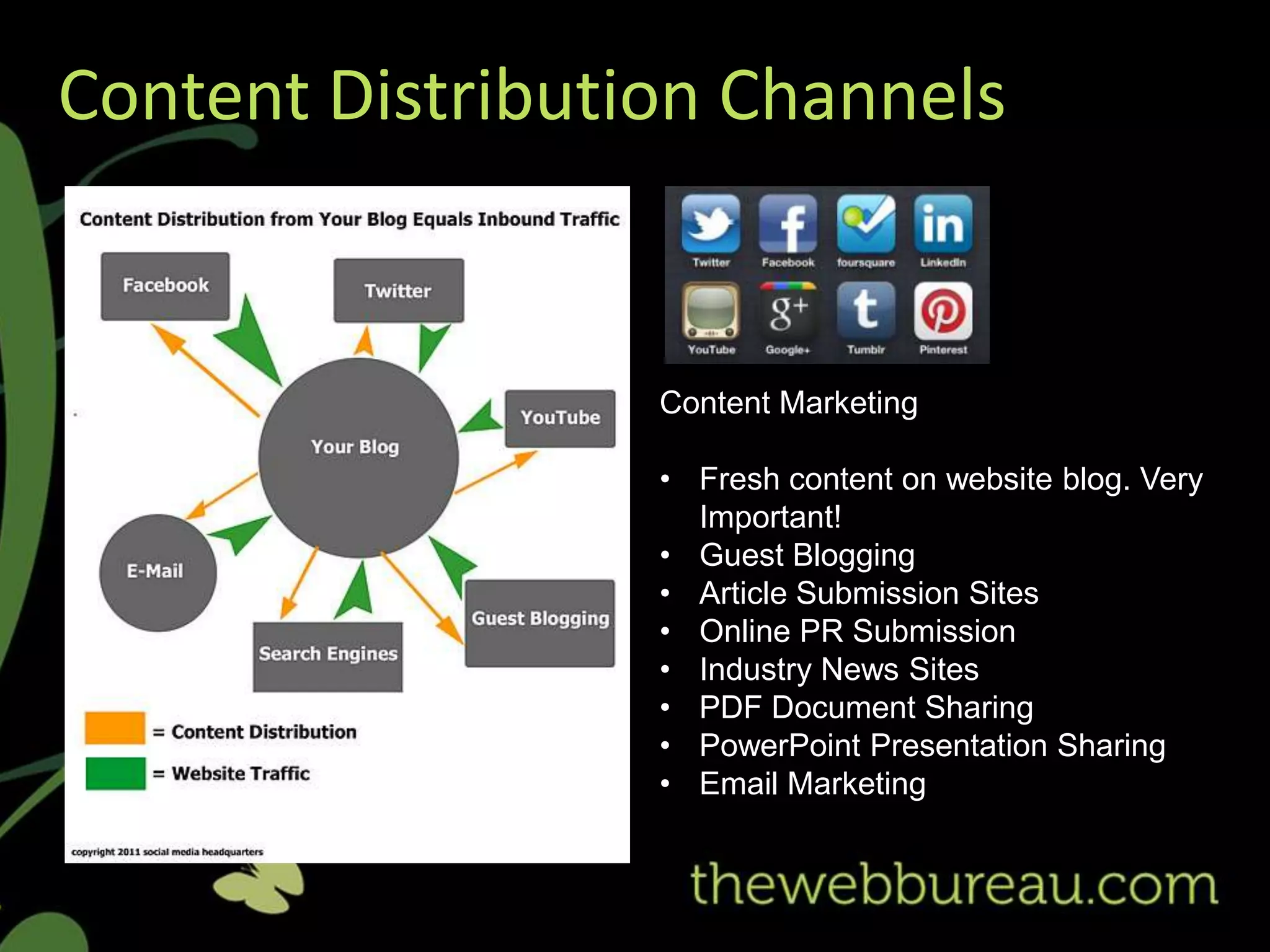
Content Distribution Channels


                  Content Marketing

                  • Fresh content on website blog. Very
                    Important!
                  • Guest Blogging
                  • Article Submission Sites
                  • Online PR Submission
                  • Industry News Sites
                  • PDF Document Sharing
                  • PowerPoint Presentation Sharing
                  • Email Marketing
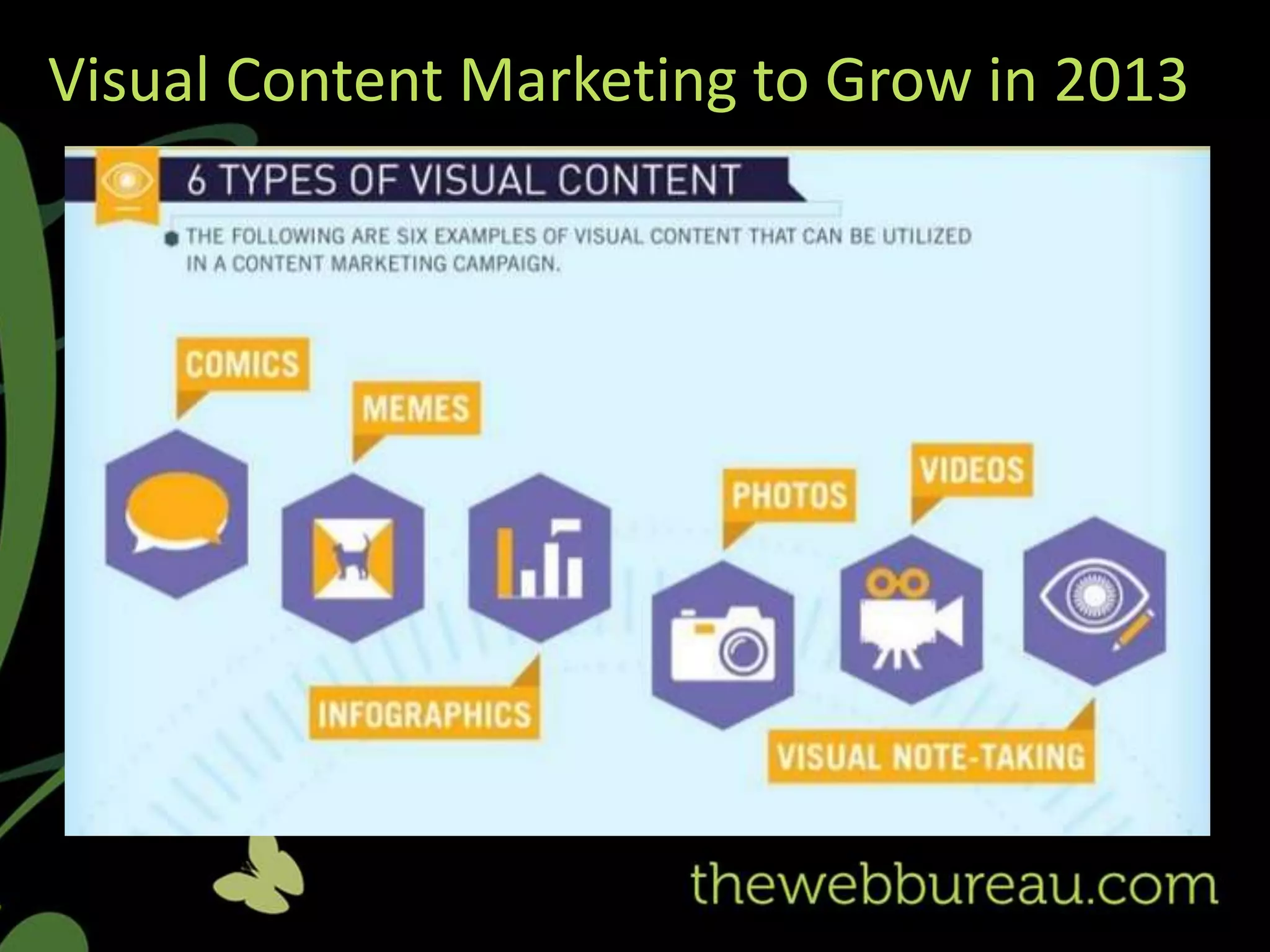
Visual Content Marketing to Grow in 2013
Signal Signals on Open Site Explorer
Further Reading
                                         Online
Books                                    •    Matt Cutts (Google Blogger)
                                              www.mattcutts.com
   McDonald, Jason (2012),
    SEO Fitness Workbook,                •    Search Engine Land
    Your Step-by-step Guide to                http://searchengineland.com

    Dominating Google and Bing           •    SEO Moz
                                              www.seomoz.org/blog
                                         •    SEO Book
   Enge, Eric et al. (2012),
                                              www.seobook.com/blog
    The Art of SEO,
    Second Edition                       •    SE Round Table
                                              www.seroundtable.com
    (Eric Enge, Stephan
    Spencer, Jessie Stricchiola & Rand   •    State of Search
    Fishkin)                                  www.stateofsearch.com
                                         •    Smart Insights
                                              www.smartinsights.com/blog
                                         •    E-Consultancy
                                              http://econsultancy.com/uk
Top Tools in Your SEO Tool Kit
          Denise Cowan, Digital Marketing Manager
          & Lea Glover, Digital Marketing Executive


          The Web Bureau Ltd
          www.thewebbureau.com | info@thewebbureau.com

                @thewebbureau


                facebook.com/thewebbureau


                linkedin.com/in/thewebbureau
Tools for SEO - Bizcamp Belfast 2013

Tools for SEO - Bizcamp Belfast 2013

  • 1.
    Top Tools inYour SEO Tool Kit Denise Cowan, Digital Marketing Manager & Lea Glover, Digital Marketing Executive The Web Bureau Ltd www.thewebbureau.com | info@thewebbureau.com @thewebbureau facebook.com/thewebbureau linkedin.com/in/thewebbureau
  • 2.
    Who We Are TheWeb Bureau is an award winning digital agency We specialise in... • Engaging Website Design • Effective Ecommerce Delivery • Customised Content Management Systems • Creative Digital Marketing Strategies • Interactive Digital Training and Mentoring
  • 3.
  • 4.
    Why Is SEOSo Important? • You are targeting a mass market that is actively searching for YOUR Products & Services
  • 5.
    Why Is SEOSo Important?
  • 6.
    Background to SEO • People use search engines: 2.7 billion visits to Search Engines in December 2012 by UK internet users • Most people use Google: 9 out of 10 searches in the UK are conducted on Google • Search & Buy: 1 in 5 searches ends up on a retail website • Searchers don’t look far: Only 7% of Internet users look past the first three pages of search results • Social Media is part of everyday life now: Most searched for term in the UK is.... ‘Facebook’
  • 7.
  • 8.
    Google Webmasters • FreeService for Website managers • Verify your site ownership • Monitor the health of your website • Submit and check sitemap • Identify internal, external & broken site links • View keywords people used to find your site • Identify crawl errors & check site speed • ‘Fetch as Google’ - allows you to see a page as Google sees it • Manage geographic targeting Resources: http://support.google.com/webmasters/
  • 10.
    Google Analytics • Measurewebsite performance • Detailed Statistics about website traffic and sources help to identify where to focus your SEO efforts • Create customised reports  Identify keywords driving traffic to your site  Identify most engaging content, popular pages - number of visits, average visit duration, bounce rate, percentage of new visits  Audience demographic s - country, language, browser behaviour  Segment visitors from search engines, direct visits, social network referrals & other referring sites  Conversion tracking shows goal completion - track newsletter sign-ups, enquires on a contact page, sales & drop off points on e-commerce websites Resources: http://support.google.com/analytics/
  • 12.
    Google Keyword Tool • Used for organic and paid search research • Removes the guess work - no point ranking for words people don’t search for • Helps eliminate over-use of internal or industry jargon • Provides valuable insights into how users search online • Indicates popularity and competitiveness of keywords that are relevant to your business • Provides additional suggestions you may not have considered • Identifies related keywords • Filter list by category, country, language and devices Resources: https://adwords.google.com/o/KeywordTool
  • 13.
  • 14.
    Google Trends • FormerlyGoogle Insights & Trends were separate, now amalgamated into one • Tool for performing keyword research – complements Google Keyword Tool • Identifies hot topics, searches and emerging trends • Related keywords based on popularity • Great for SEO content creation – identify topical themes for blog posts • Basing your content on what people are searching for will boost rankings! • Can help define advertising messages • Regional and seasonal insights • Help define new markets Resources: www.google.com/trends/
  • 15.
    SEOMoz Open SiteExplorer • The search engine for links • Search engines look at links to determine a website’s popularity and authority • Higher authority = higher rankings & traffic • Identifies links pointing to your website • Highlights broken links • compare competitor links • Filter information by top pages, linking domains and anchor text • CSV export reports • New feature called ‘just discovered’ shows new links as fast as 4 minutes old! • *Limited access as guest user Resources: www.opensiteexplorer.org
  • 16.
    Microsoft IIS SEOToolkit • Make your website more search engine friendly! • Large site crawl • Discover common website issues • Canonical errors - duplicate content • Title Tags – missing, too short/long • Meta Descriptions – missing, too short/long • H1 tags missing • Alt tags on images - missing • Coding errors – invalid mark-up • Unnecessary redirects • Enables you to take action and optimise it better • Provides recommendations and guidance Resources: www.iis.net
  • 17.
    Link Assistant RankChecker • Reports can be set up to check your search engine rankings • Shows if your site moved up or down in search results • Suggests other relevant keywords • Supports 341 different search engines • Competitor tracking – Compares up to 5 websites at once • Saves time! Resources: www.link-assistant.com/rank-tracker/
  • 18.
    Google Alerts Tracking • Your articles • Competitors articles • Competing websites • Keywords • Product reviews • FAQs Resources: www.google.co.uk/alerts
  • 19.
    Social Optimisation Tools • Google + • YouTube • Pinterest • Facebook • Twitter • LinkedIn 2010: Matt Cutt's announced that Google definitely uses social signs in calculating rankings. 2012: The Year That SEO and Social Media Got Married Social search ultimately relies on people and not algorithms
  • 20.
    Content Distribution Channels Content Marketing • Fresh content on website blog. Very Important! • Guest Blogging • Article Submission Sites • Online PR Submission • Industry News Sites • PDF Document Sharing • PowerPoint Presentation Sharing • Email Marketing
  • 21.
    Visual Content Marketingto Grow in 2013
  • 22.
    Signal Signals onOpen Site Explorer
  • 23.
    Further Reading Online Books • Matt Cutts (Google Blogger)  www.mattcutts.com  McDonald, Jason (2012), SEO Fitness Workbook, • Search Engine Land Your Step-by-step Guide to  http://searchengineland.com Dominating Google and Bing • SEO Moz  www.seomoz.org/blog • SEO Book  Enge, Eric et al. (2012),  www.seobook.com/blog The Art of SEO, Second Edition • SE Round Table  www.seroundtable.com (Eric Enge, Stephan Spencer, Jessie Stricchiola & Rand • State of Search Fishkin)  www.stateofsearch.com • Smart Insights  www.smartinsights.com/blog • E-Consultancy  http://econsultancy.com/uk
  • 24.
    Top Tools inYour SEO Tool Kit Denise Cowan, Digital Marketing Manager & Lea Glover, Digital Marketing Executive The Web Bureau Ltd www.thewebbureau.com | info@thewebbureau.com @thewebbureau facebook.com/thewebbureau linkedin.com/in/thewebbureau