Turabian 8th EditionBeulah Heights University
Writing Lab
Developed by: Jacqueline Griffin
Disclosure
 Instructions are for Microsoft Word 2010 & 2013
 Follow the general format
 Consult the instructor
 Consult the 8th edition Turabian book
Developed by: Jacqueline Griffin
Tips
 Visit www.Eturabian.com
 Visit www.bibme.org to organize your sources.
 Its free.
 Sign up using your BHU email.
 Paragraphs are 5-7 sentences.
Developed by: Jacqueline Griffin
Formatting Paper
 Click Page Layout
 Click Margins
 Should be set at no less than 1” and no
greater than 1.5” per your instructor’s
directions.
Developed by: Jacqueline Griffin
Formatting Paper Cont’d
 Select “Home” Tab and click the Font arrow to
choose font
 Set the font to Times New Roman, Courier New,
or Helvetica, body regular, and size 12
 Click Page Layout, search for Spacing After and
Before, set to Zero “0”
 Click in paragraph, for “line spacing” click
“Double” , then OK
Developed by: Jacqueline Griffin
Page Number
 Click “Insert” Tab
 Page Number
 Then select Format Page Numbers and set to
“1, 2, 3 …”
Developed by: Jacqueline Griffin
Page Number Cont’d
 Then select start at Zero “0”
 Click OK
 Repeat “Page Number”
 Choose either Bottom or Top of Page
 Choose Plain Number 2 or 3
Developed by: Jacqueline Griffin
Page Number Cont’d
 Click different from First Page
 Close Header
Developed by: Jacqueline Griffin
Cover Page
 The title should be centered a third of the way
down the page.
 Drop 7 spaces down from the top of page
 Title Bolded in upper /lower case
Developed by: Jacqueline Griffin
Coverage Cont’d
 For subtitles, end the title line with a colon
and place the subtitle on the line below the
title.
 Drop 7 spaces down from the title
 Your name, class information, and date.
Developed by: Jacqueline Griffin
Main Body
 Click “Insert”
 Click “Page Break”
5/25/2016Developed by: Jacqueline Griffin
Main Body Cont’d
 Start paper on page 1 with Introduction
centered
 On Keyboard click “Enter”
 Click “Home”
 Click “Align Left”
Developed by: Jacqueline Griffin
Main Body Cont’d
 On Keyboard click “Tab”
 Begin typing your Introduction Paragraph”
 Book and periodical titles (titles of larger works)
should be italicized.
 Article and chapter titles (titles of shorter works)
should be enclosed in double quotation marks.
5/25/2016Developed by: Jacqueline Griffin
Main Body Cont’d
 Main Heading: Boldfaced, centered, headline-
style capitalization;
 Level 2 Heading: Centered, headline-style
capitalization;
 Level 3 Heading: Boldfaced, flush left, or
italic uppercase and lowercase.
Developed by: Jacqueline Griffin
Main Body Cont’d
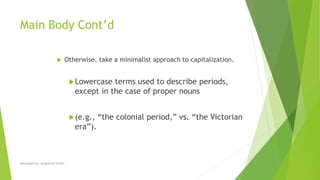
 Otherwise, take a minimalist approach to capitalization.
Lowercase terms used to describe periods,
except in the case of proper nouns
(e.g., “the colonial period,” vs. “the Victorian
era”).
Developed by: Jacqueline Griffin
Footnotes
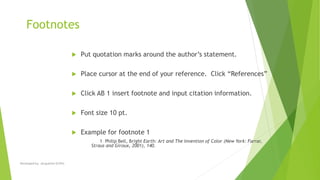
 Put quotation marks around the author’s statement.
 Place cursor at the end of your reference. Click “References”
 Click AB 1 insert footnote and input citation information.
 Font size 10 pt.
 Example for footnote 1
1 Philip Bell, Bright Earth: Art and The Invention of Color (New York: Farrar,
Straus and Giroux, 2001), 140.
Developed by: Jacqueline Griffin
Footnotes
Internet Source
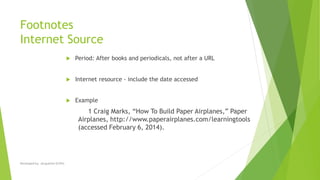
 Period: After books and periodicals, not after a URL
 Internet resource - include the date accessed
 Example
1 Craig Marks, “How To Build Paper Airplanes,” Paper
Airplanes, http://www.paperairplanes.com/learningtools
(accessed February 6, 2014).
Developed by: Jacqueline Griffin
Footnotes Cont’d
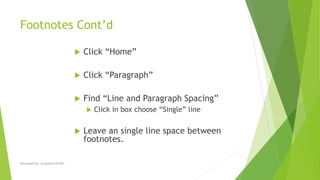
 Click “Home”
 Click “Paragraph”
 Find “Line and Paragraph Spacing”
 Click in box choose “Single” line
 Leave an single line space between
footnotes.
Developed by: Jacqueline Griffin
Short Forms of Footnotes
 Use Author’s last name, title of resource, and
page number
 Example - Bell, Bright Earth, 204.
Developed by: Jacqueline Griffin
Short Forms of Footnotes
 Citing the same source twice on the
same page
 Use Ibid and page number
 Example - Ibid., 141
 Subsequent citation of a source
throughout the paper
 Use Author’s last name, page number
 Example - Bell, 204.
Developed by: Jacqueline Griffin
Footnote Cite Bible Sources
 Depending on the context, you may either spell out
the name of the version, at least first occurrence, or
use abbreviation.
 Since different versions of the scriptures use
different names and numbers for books, identify the
version you are citing.
 1 Song of Sol. 2:1-5 NRSV
 Ruth 3:14 NAB
Developed by: Jacqueline Griffin
In-Text Bible Source
 Examples of parenthetical citation:
 (Gen. 12:1-3 [Revised Standard Version])
 (Jn 3:16-17 [NAB])
Developed by: Jacqueline Griffin
Block Quotations
 Text should be consistently double-spaced,
with the following exceptions:
 Block quotations, table titles, and figure
captions should be single-spaced.
Developed by: Jacqueline Griffin
Block Quotations Cont’d
 A prose quotation of five or more lines should be
blocked.
 A blocked quotation does not get enclosed in quotation
marks.
 An single line space should immediately precede and
follow a blocked quotation.
 Blocked quotations are indented .5” from both
margins.
Developed by: Jacqueline Griffin
Bibliography
 Leave two blank lines between the Bibliography Heading and your
first entry.
 Bibliographies should be singled-spaced internally; however, leave
an single line space between notes and bibliographic entries.
 Bibles do not appear on Bibliography pages; they are included in
the footnotes.
Developed by: Jacqueline Griffin
Bibliography Cont’d
 Bibliography entries use “Hanging Indentations”
 Click “Paragraph” the “Line & Paragraph Spacing options
 Look for “Special,” then select “Hanging”
Developed by: Jacqueline Griffin
Bib. Cont’d
 Click in box and choose “Hanging.”
 Leave one blank line between remaining entries.
 List entries in letter-by-letter alphabetical order
according to the first word in each entry.
5/25/2016Developed by: Jacqueline Griffin
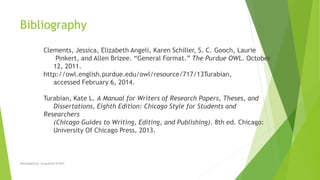
Bibliography
Clements, Jessica, Elizabeth Angeli, Karen Schiller, S. C. Gooch, Laurie
Pinkert, and Allen Brizee. “General Format.” The Purdue OWL. October
12, 2011.
http://owl.english.purdue.edu/owl/resource/717/13Turabian,
accessed February 6, 2014.
Turabian, Kate L. A Manual for Writers of Research Papers, Theses, and
Dissertations, Eighth Edition: Chicago Style for Students and
Researchers
(Chicago Guides to Writing, Editing, and Publishing). 8th ed. Chicago:
University Of Chicago Press, 2013.
Developed by: Jacqueline Griffin

Turabian 8th edition ppt

  • 1.
    Turabian 8th EditionBeulahHeights University Writing Lab Developed by: Jacqueline Griffin
  • 2.
    Disclosure  Instructions arefor Microsoft Word 2010 & 2013  Follow the general format  Consult the instructor  Consult the 8th edition Turabian book Developed by: Jacqueline Griffin
  • 3.
    Tips  Visit www.Eturabian.com Visit www.bibme.org to organize your sources.  Its free.  Sign up using your BHU email.  Paragraphs are 5-7 sentences. Developed by: Jacqueline Griffin
  • 4.
    Formatting Paper  ClickPage Layout  Click Margins  Should be set at no less than 1” and no greater than 1.5” per your instructor’s directions. Developed by: Jacqueline Griffin
  • 5.
    Formatting Paper Cont’d Select “Home” Tab and click the Font arrow to choose font  Set the font to Times New Roman, Courier New, or Helvetica, body regular, and size 12  Click Page Layout, search for Spacing After and Before, set to Zero “0”  Click in paragraph, for “line spacing” click “Double” , then OK Developed by: Jacqueline Griffin
  • 6.
    Page Number  Click“Insert” Tab  Page Number  Then select Format Page Numbers and set to “1, 2, 3 …” Developed by: Jacqueline Griffin
  • 7.
    Page Number Cont’d Then select start at Zero “0”  Click OK  Repeat “Page Number”  Choose either Bottom or Top of Page  Choose Plain Number 2 or 3 Developed by: Jacqueline Griffin
  • 8.
    Page Number Cont’d Click different from First Page  Close Header Developed by: Jacqueline Griffin
  • 9.
    Cover Page  Thetitle should be centered a third of the way down the page.  Drop 7 spaces down from the top of page  Title Bolded in upper /lower case Developed by: Jacqueline Griffin
  • 10.
    Coverage Cont’d  Forsubtitles, end the title line with a colon and place the subtitle on the line below the title.  Drop 7 spaces down from the title  Your name, class information, and date. Developed by: Jacqueline Griffin
  • 11.
    Main Body  Click“Insert”  Click “Page Break” 5/25/2016Developed by: Jacqueline Griffin
  • 12.
    Main Body Cont’d Start paper on page 1 with Introduction centered  On Keyboard click “Enter”  Click “Home”  Click “Align Left” Developed by: Jacqueline Griffin
  • 13.
    Main Body Cont’d On Keyboard click “Tab”  Begin typing your Introduction Paragraph”  Book and periodical titles (titles of larger works) should be italicized.  Article and chapter titles (titles of shorter works) should be enclosed in double quotation marks. 5/25/2016Developed by: Jacqueline Griffin
  • 14.
    Main Body Cont’d Main Heading: Boldfaced, centered, headline- style capitalization;  Level 2 Heading: Centered, headline-style capitalization;  Level 3 Heading: Boldfaced, flush left, or italic uppercase and lowercase. Developed by: Jacqueline Griffin
  • 15.
    Main Body Cont’d Otherwise, take a minimalist approach to capitalization. Lowercase terms used to describe periods, except in the case of proper nouns (e.g., “the colonial period,” vs. “the Victorian era”). Developed by: Jacqueline Griffin
  • 16.
    Footnotes  Put quotationmarks around the author’s statement.  Place cursor at the end of your reference. Click “References”  Click AB 1 insert footnote and input citation information.  Font size 10 pt.  Example for footnote 1 1 Philip Bell, Bright Earth: Art and The Invention of Color (New York: Farrar, Straus and Giroux, 2001), 140. Developed by: Jacqueline Griffin
  • 17.
    Footnotes Internet Source  Period:After books and periodicals, not after a URL  Internet resource - include the date accessed  Example 1 Craig Marks, “How To Build Paper Airplanes,” Paper Airplanes, http://www.paperairplanes.com/learningtools (accessed February 6, 2014). Developed by: Jacqueline Griffin
  • 18.
    Footnotes Cont’d  Click“Home”  Click “Paragraph”  Find “Line and Paragraph Spacing”  Click in box choose “Single” line  Leave an single line space between footnotes. Developed by: Jacqueline Griffin
  • 19.
    Short Forms ofFootnotes  Use Author’s last name, title of resource, and page number  Example - Bell, Bright Earth, 204. Developed by: Jacqueline Griffin
  • 20.
    Short Forms ofFootnotes  Citing the same source twice on the same page  Use Ibid and page number  Example - Ibid., 141  Subsequent citation of a source throughout the paper  Use Author’s last name, page number  Example - Bell, 204. Developed by: Jacqueline Griffin
  • 21.
    Footnote Cite BibleSources  Depending on the context, you may either spell out the name of the version, at least first occurrence, or use abbreviation.  Since different versions of the scriptures use different names and numbers for books, identify the version you are citing.  1 Song of Sol. 2:1-5 NRSV  Ruth 3:14 NAB Developed by: Jacqueline Griffin
  • 22.
    In-Text Bible Source Examples of parenthetical citation:  (Gen. 12:1-3 [Revised Standard Version])  (Jn 3:16-17 [NAB]) Developed by: Jacqueline Griffin
  • 23.
    Block Quotations  Textshould be consistently double-spaced, with the following exceptions:  Block quotations, table titles, and figure captions should be single-spaced. Developed by: Jacqueline Griffin
  • 24.
    Block Quotations Cont’d A prose quotation of five or more lines should be blocked.  A blocked quotation does not get enclosed in quotation marks.  An single line space should immediately precede and follow a blocked quotation.  Blocked quotations are indented .5” from both margins. Developed by: Jacqueline Griffin
  • 25.
    Bibliography  Leave twoblank lines between the Bibliography Heading and your first entry.  Bibliographies should be singled-spaced internally; however, leave an single line space between notes and bibliographic entries.  Bibles do not appear on Bibliography pages; they are included in the footnotes. Developed by: Jacqueline Griffin
  • 26.
    Bibliography Cont’d  Bibliographyentries use “Hanging Indentations”  Click “Paragraph” the “Line & Paragraph Spacing options  Look for “Special,” then select “Hanging” Developed by: Jacqueline Griffin
  • 27.
    Bib. Cont’d  Clickin box and choose “Hanging.”  Leave one blank line between remaining entries.  List entries in letter-by-letter alphabetical order according to the first word in each entry. 5/25/2016Developed by: Jacqueline Griffin
  • 28.
    Bibliography Clements, Jessica, ElizabethAngeli, Karen Schiller, S. C. Gooch, Laurie Pinkert, and Allen Brizee. “General Format.” The Purdue OWL. October 12, 2011. http://owl.english.purdue.edu/owl/resource/717/13Turabian, accessed February 6, 2014. Turabian, Kate L. A Manual for Writers of Research Papers, Theses, and Dissertations, Eighth Edition: Chicago Style for Students and Researchers (Chicago Guides to Writing, Editing, and Publishing). 8th ed. Chicago: University Of Chicago Press, 2013. Developed by: Jacqueline Griffin