BY
G.NAGESH KUMAR
SENIOR ASSISTANT PROF.
G.P.R.E.C, KURNOOL

10 February 2014

1
Nomenclature
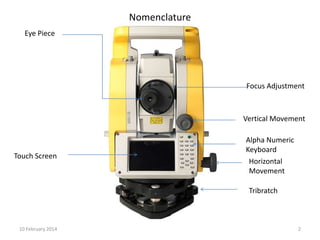
Eye Piece

Focus Adjustment

Vertical Movement

Touch Screen

Alpha Numeric
Keyboard
Horizontal
Movement

Tribratch

10 February 2014

2
Nomenclature
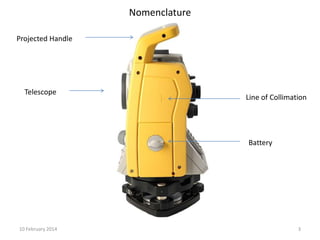
Projected Handle

Telescope

Line of Collimation

Battery

10 February 2014

3
Nomenclature

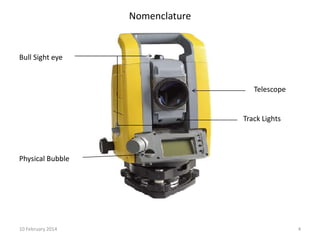
Bull Sight eye

Telescope

Track Lights

Physical Bubble

10 February 2014

4
Nomenclature
Pen Drive Slot

Data Transfer
PC Connection
Battery

10 February 2014

Laser Plummet

5
OPERATION

10 February 2014

6
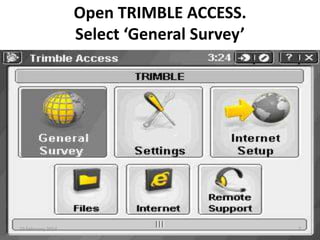
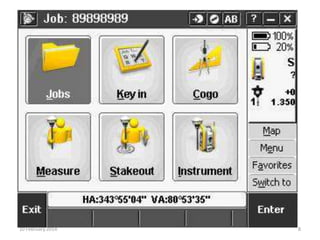
Open TRIMBLE ACCESS.
Select ‘General Survey’

10 February 2014

7
10 February 2014

8
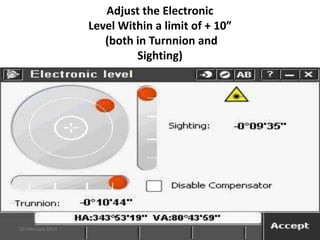
Adjust the Electronic
Level Within a limit of + 10”
(both in Turnnion and
Sighting)

10 February 2014

9
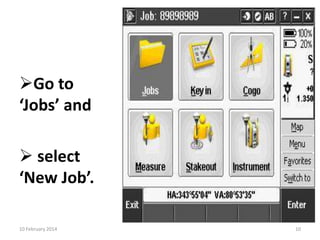
Go to
‘Jobs’ and
 select
‘New Job’.
10 February 2014

10
Give a name to the new job Enter
Accept.

10 February 2014

11
STATION SETUP [One known coordinate and one angle]
Go

10 February 2014

12
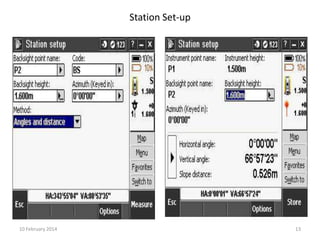
Station Set-up

10 February 2014

13
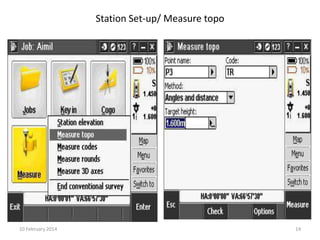
Station Set-up/ Measure topo

10 February 2014

14
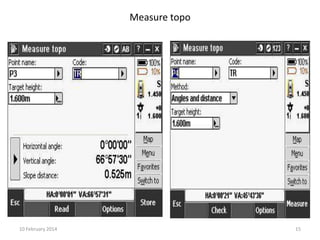
Measure topo

10 February 2014

15
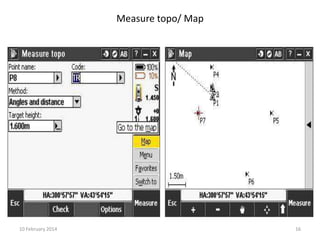
Measure topo/ Map

10 February 2014

16
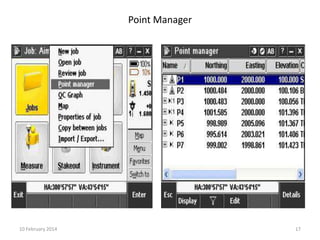
Point Manager

10 February 2014

17
STATION SETUP [Two Known Coordinates]
Go

10 February 2014

18
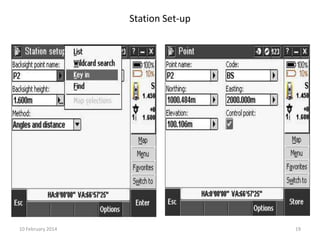
Station Set-up

10 February 2014

19
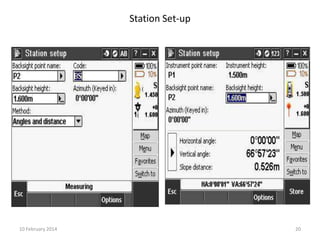
Station Set-up

10 February 2014

20
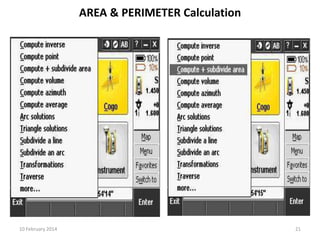
AREA & PERIMETER Calculation

10 February 2014

21
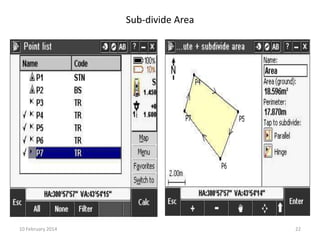
Sub-divide Area

10 February 2014

22
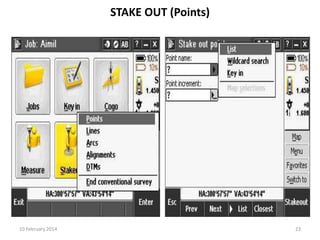
STAKE OUT (Points)

10 February 2014

23
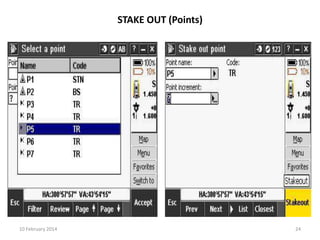
STAKE OUT (Points)

10 February 2014

24
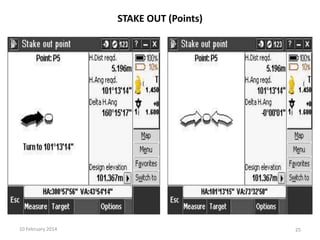
STAKE OUT (Points)

10 February 2014

25
STAKE OUT (Points)

10 February 2014

26
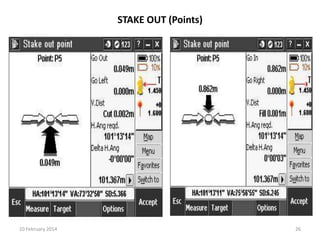
STAKE OUT (Points)

10 February 2014

27
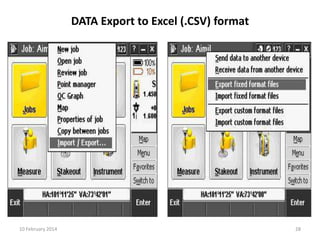
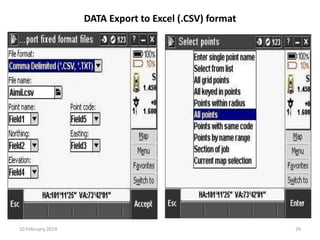
DATA Export to Excel (.CSV) format

10 February 2014

28
DATA Export to Excel (.CSV) format

10 February 2014

29
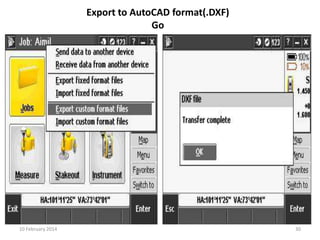
Export to AutoCAD format(.DXF)
Go

10 February 2014

30
BACKGROUND MAP

10 February 2014

31
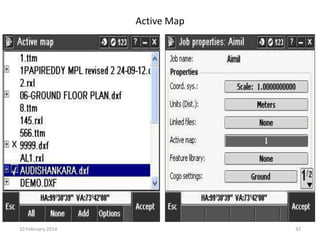
Active Map

10 February 2014

32
THANK
YOU….
10 February 2014

33

Trimble total station