TREX 1001 
INTRO TO CREATIVITY 
Kelly Kobiela, Systems Librarian 
Heterick Memorial Library
WELCOME TO THE LIBRARY 
 Kelly Kobiela, k-kobiela@onu.edu 
 Jenny Donley, j-donley.1@onu.edu 
 Traci Moritz, t-moritz@onu.edu 
 Kathleen Baril, k-baril@onu.edu 
 Reference Email, reference@onu.edu 
 Librarians on duty: 
 Monday – Thursday 
 8:00 AM – 4:30 PM 
 6:00 PM – 9:00 PM 
 Friday 
 8:00 AM – 4:30 PM
UH…I’M NOT GOING TO REMEMBER ALL OF 
THIS…
UH…I’M NOT GOING TO REMEMBER ALL OF 
THIS…
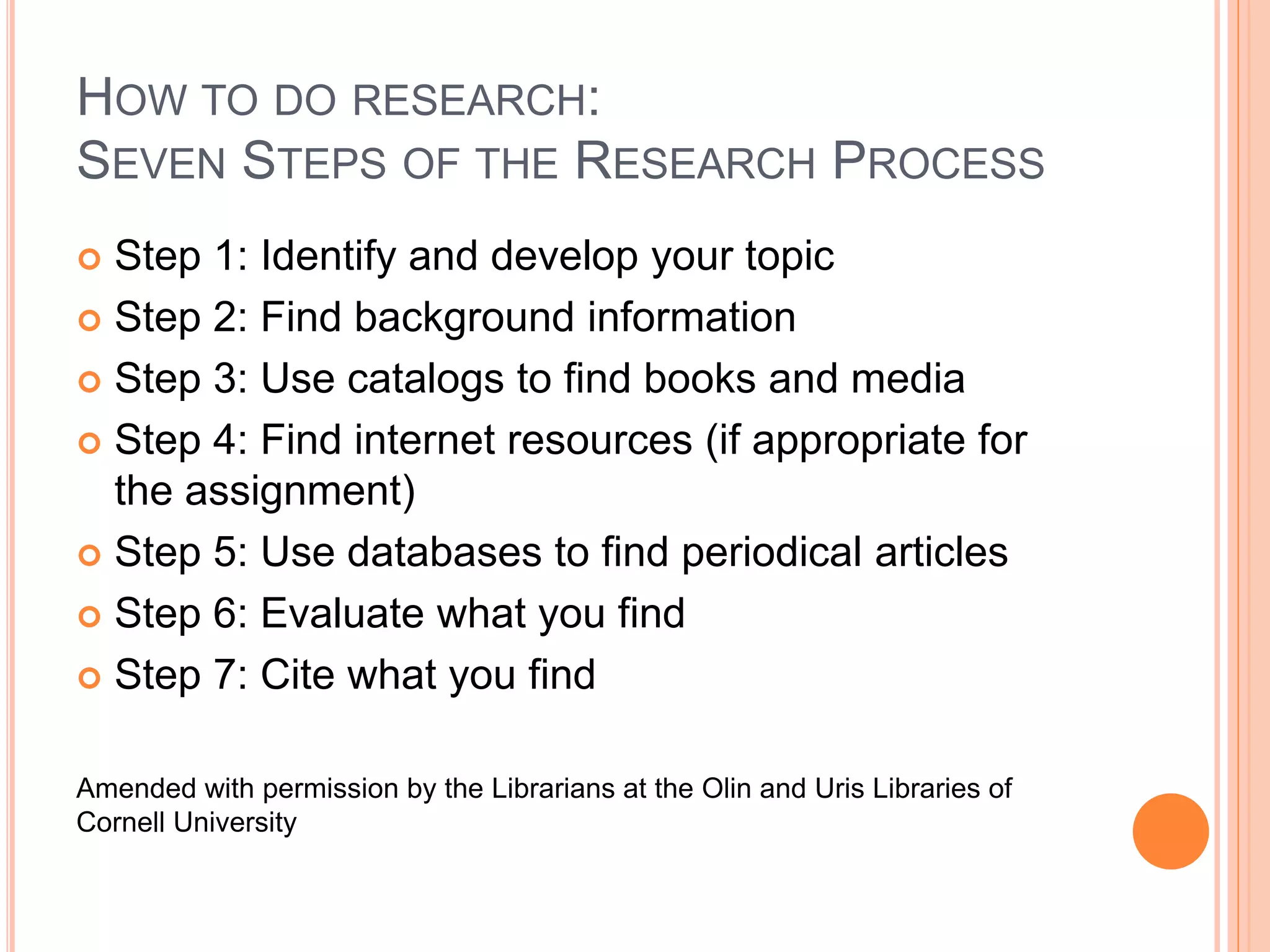
HOW TO DO RESEARCH: 
SEVEN STEPS OF THE RESEARCH PROCESS 
 Step 1: Identify and develop your topic 
 Step 2: Find background information 
 Step 3: Use catalogs to find books and media 
 Step 4: Find internet resources (if appropriate for 
the assignment) 
 Step 5: Use databases to find periodical articles 
 Step 6: Evaluate what you find 
 Step 7: Cite what you find 
Amended with permission by the Librarians at the Olin and Uris Libraries of 
Cornell University
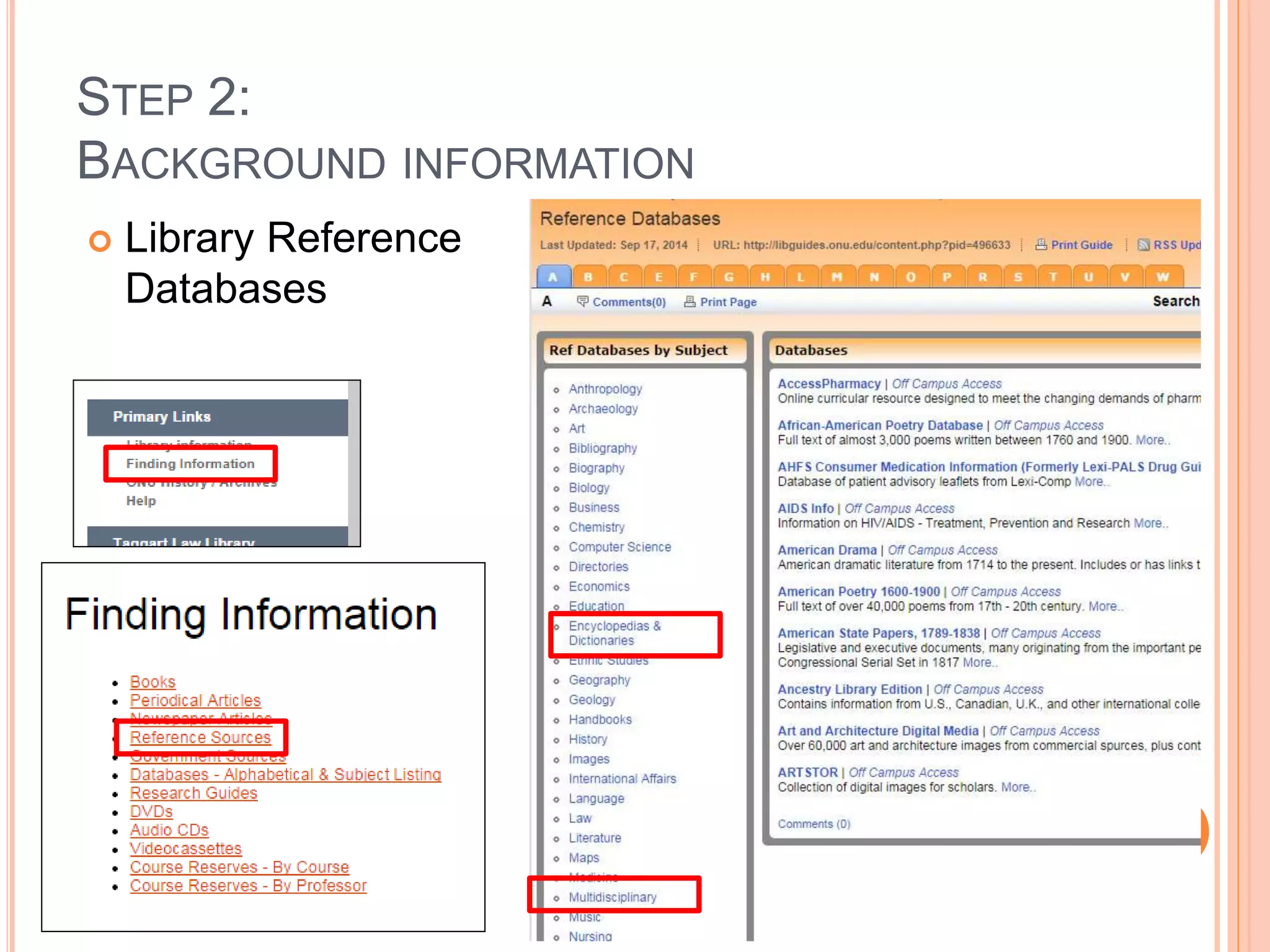
STEP 2: 
BACKGROUND INFORMATION 
 Library Reference 
Databases
STEP 4: 
INTERNET RESOURCES 
 Google 
 Google Scholar 
 Wikipedia 
 Helpful for identifying additional keywords and 
subjects for your concept map 
 Does the information located satisfy the research 
need? 
 Is the information factual and unbiased? 
 Refer to Critically Analyzing Web Sources/CRAAP 
Test
STEP 6: CRITICALLY ANALYZING WEB SOURCES 
CRAAP TEST 
 Currency 
 Timeliness of the information 
 Relevance/Coverage 
 Depth and importance of the information 
 Authority 
 Source of the information 
 Accuracy 
 Reliability of the information 
 Purpose/Objectivity 
 Possible bias present in the information
STEP 3: 
USE CATALOGS TO FIND BOOKS AND MEDIA 
 POLAR Catalog – Search for physical and electronic items 
(ebooks and ejournals) that are available from Heterick 
Memorial Library and Taggart Law Library
FIND A BOOK – POLAR: KEYWORD SEARCH 
 Looks in several locations 
 Subject 
 Article title 
 Abstracts 
 Table of contents 
 Does not require an exact match 
 Generates comparatively large number of hits 
 Good if you are not familiar with terminology 
 Good for a beginning search
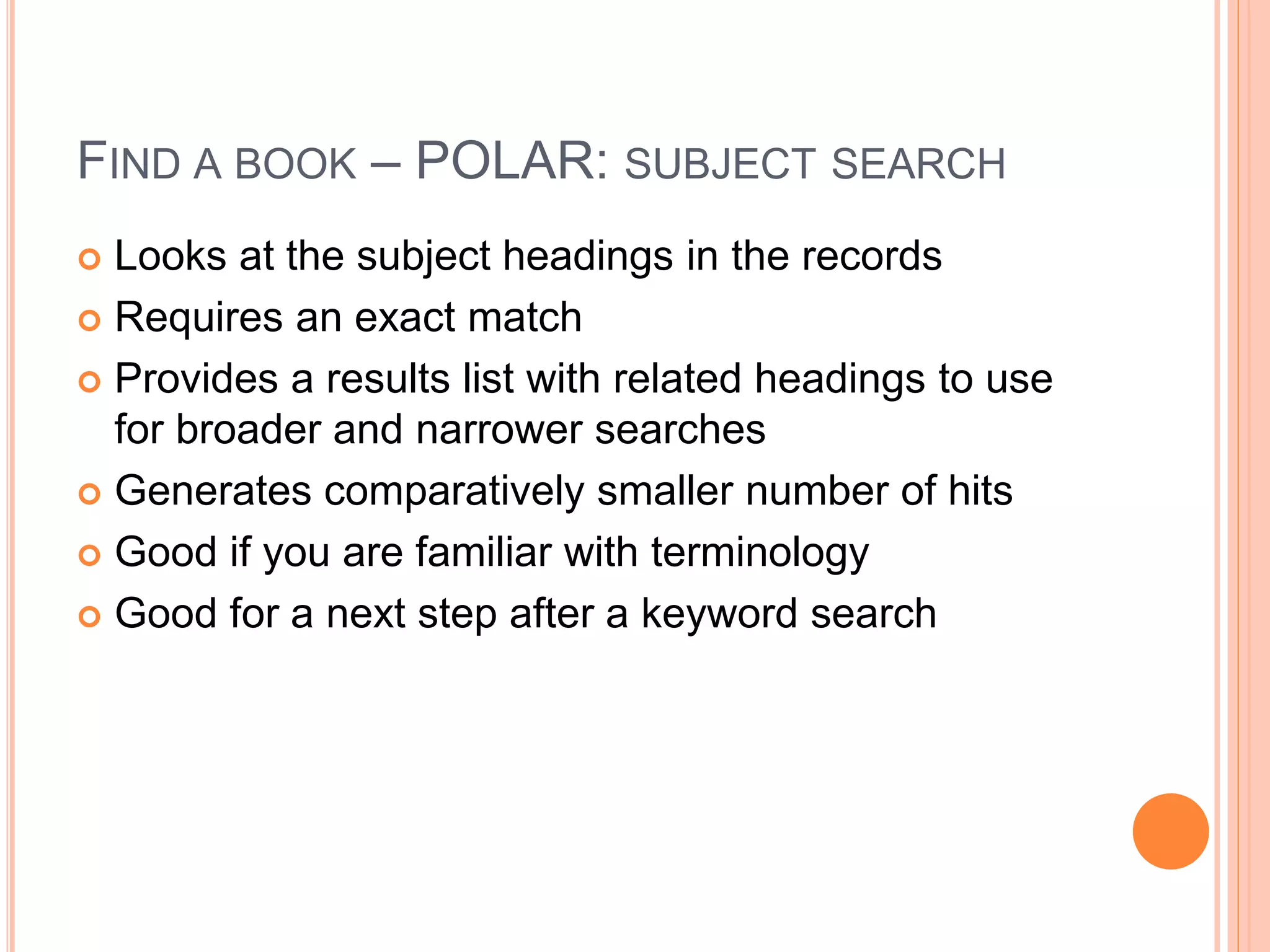
FIND A BOOK – POLAR: SUBJECT SEARCH 
 Looks at the subject headings in the records 
 Requires an exact match 
 Provides a results list with related headings to use 
for broader and narrower searches 
 Generates comparatively smaller number of hits 
 Good if you are familiar with terminology 
 Good for a next step after a keyword search
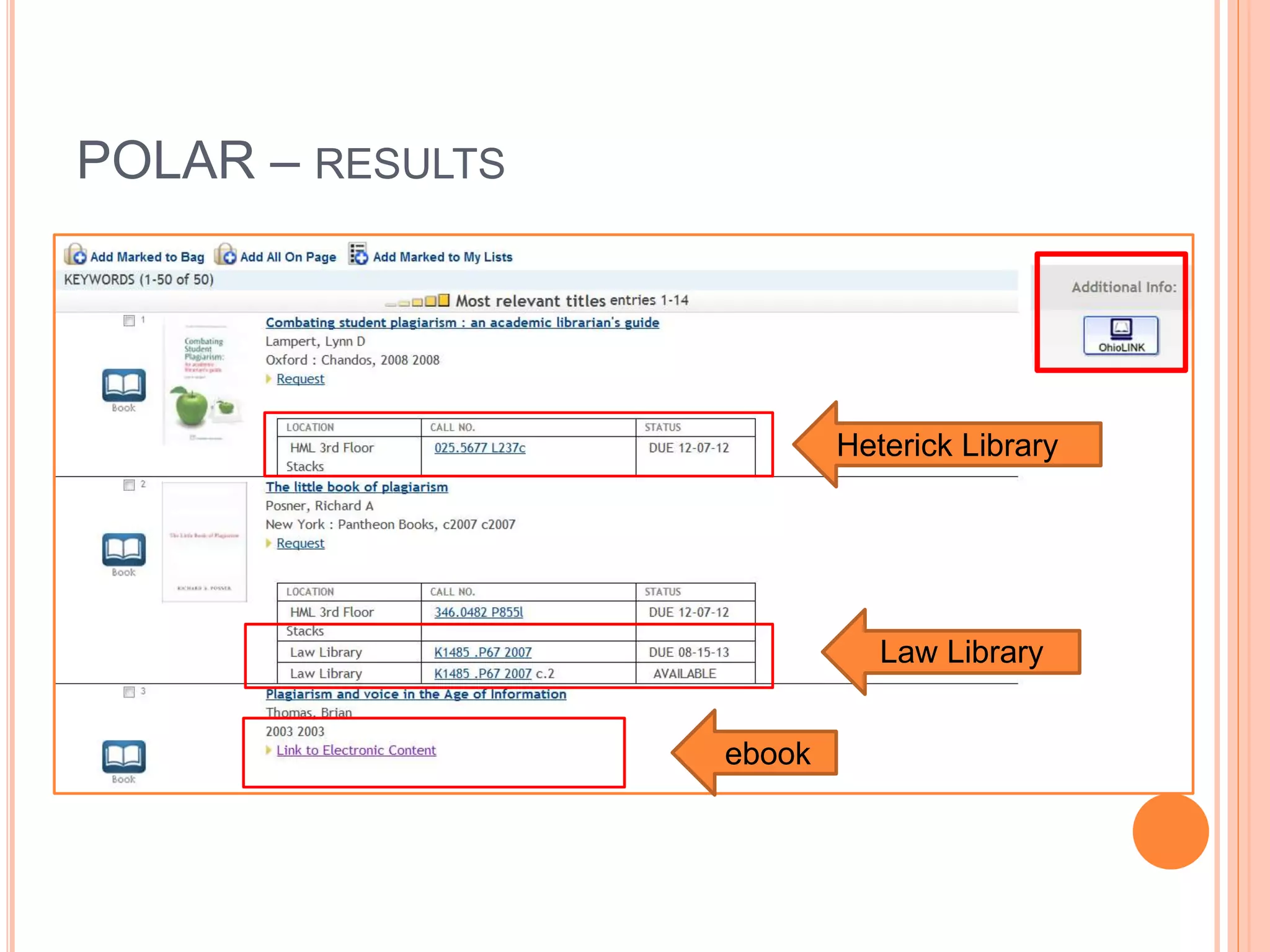
POLAR – RESULTS 
ebook 
Heterick Library 
Law Library
FIND A BOOK – OHIOLINK 
 Materials owned by 92 other libraries in Ohio: 
colleges, universities, public libraries 
 Can submit request for an item to be delivered to 
Heterick Memorial Library 
 Most requests arrive in 2-3 working days 
 No charge to request items (unless they become 
overdue) 
 Maximum of 25 requests at a time 
 Items can usually be renewed
FIND A BOOK – OHIOLINK 
 From POLAR results list: 
 Button will recreate the POLAR search in OhioLINK 
 From an item record: 
 Button will go directly to the same item 
 Use if the copy in POLAR is checked out 
 Direct link to the OhioLINK catalog: 
 http://olc1.ohiolink.edu/search
STEP 5: 
FIND ARTICLES – DATABASES 
 What is the basic definition of a library database? 
 A library database is an electronic (online) catalog or index 
 Library databases contain information about published items 
 Library databases are searchable 
 The library subscribes to many databases so the ONU community has 
access to these resources. When you’re searching a database, you 
are not searching “the web.” 
 What types of items are indexed by library databases? 
 Articles in Journals/Magazines/Newspapers 
 Reference Information (i.e. entries from Encyclopedias, Dictionaries, 
etc.) 
 Books & other documents 
Source: http://web.calstatela.edu/library/whatisadatabase.htm
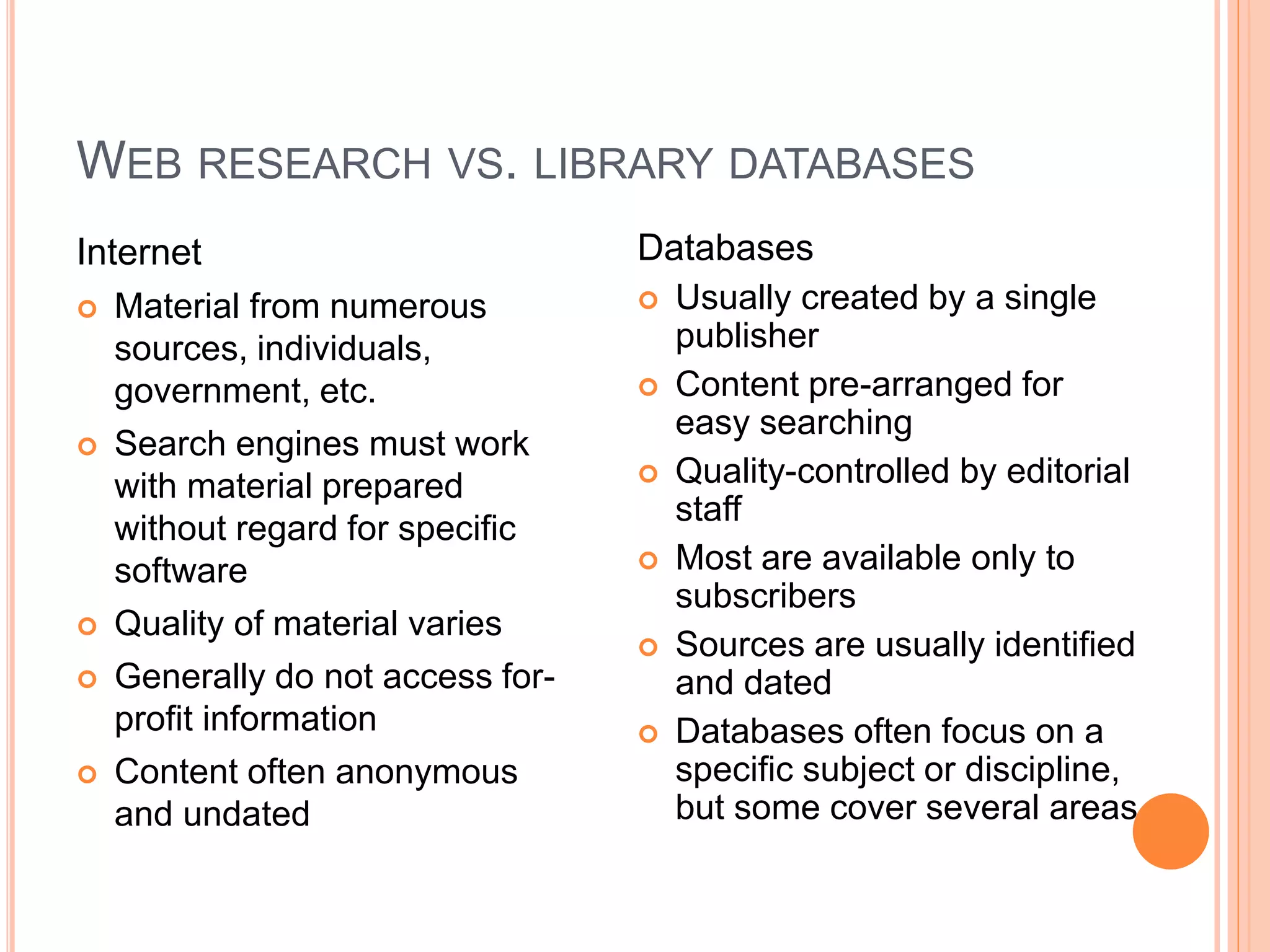
WEB RESEARCH VS. LIBRARY DATABASES 
Internet 
 Material from numerous 
sources, individuals, 
government, etc. 
 Search engines must work 
with material prepared 
without regard for specific 
software 
 Quality of material varies 
 Generally do not access for-profit 
information 
 Content often anonymous 
and undated 
Databases 
 Usually created by a single 
publisher 
 Content pre-arranged for 
easy searching 
 Quality-controlled by editorial 
staff 
 Most are available only to 
subscribers 
 Sources are usually identified 
and dated 
 Databases often focus on a 
specific subject or discipline, 
but some cover several areas
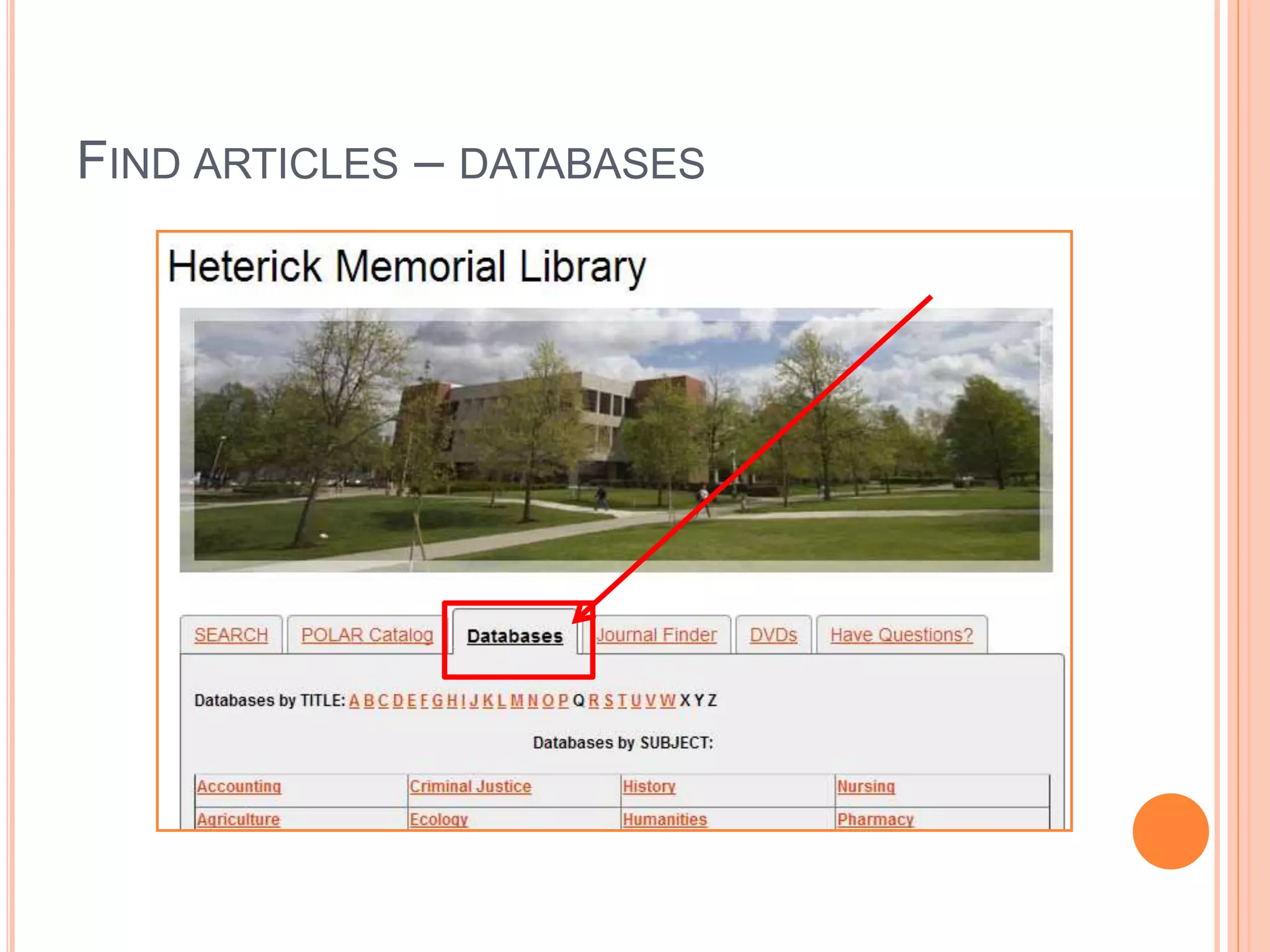
FIND ARTICLES – DATABASES
FIND ARTICLES – DATABASES 
 General Databases 
 Academic Search 
Complete 
 Business Source 
Complete 
 JSTOR 
 Lexis-Nexis 
 MasterFILE Premier 
 MEDLINE with Full 
Text 
 Databases by Subject
STEP 6: 
ARTICLES – POPULAR VS. SCHOLARLY 
 Popular = Magazine 
 Scholarly = Journal 
 Magazines tend to have glossy pages, lots of 
pictures, and can be read and understood by the 
general public 
 Scholarly journals are usually peer-reviewed and 
tend to be aimed at professionals in the field 
 Make sure to use the types of sources that are 
appropriate for the assignment: a research paper 
may use only peer-reviewed sources, but an 
overview paper may use a combination
ARTICLES – FULL TEXT
FIND IT @ ONU 
 Find It @ ONU takes you from a database where 
you don’t have full text access to a database where 
you do have full text access
STEP 7: 
CITING YOUR SOURCES
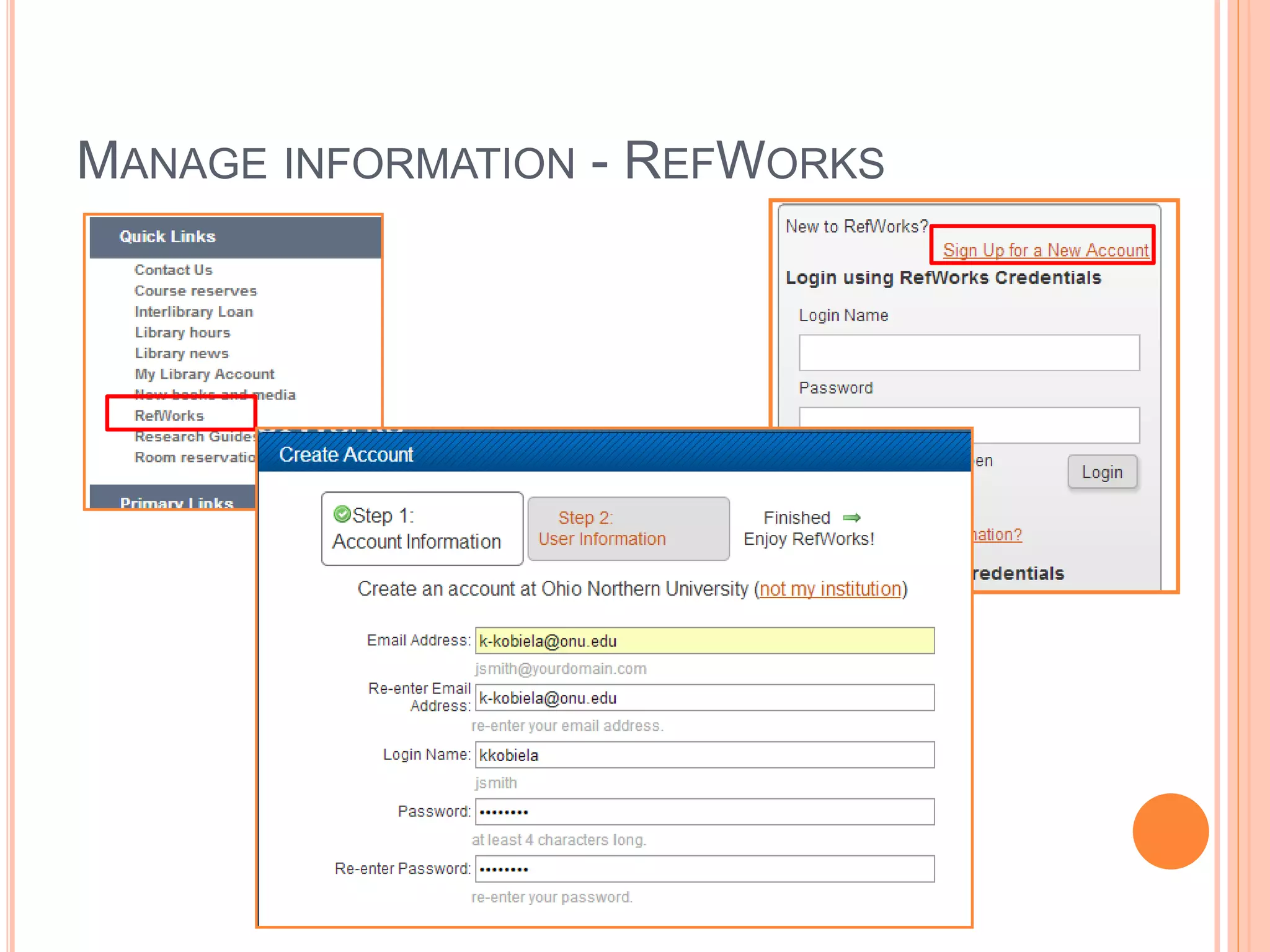
MANAGE INFORMATION - REFWORKS
EXPORT TO REFWORKS 
 Most databases 
will have 
“export” 
 If there isn’t an 
export, check for 
“download”

Trex1001Creativity

  • 1.
    TREX 1001 INTROTO CREATIVITY Kelly Kobiela, Systems Librarian Heterick Memorial Library
  • 2.
    WELCOME TO THELIBRARY  Kelly Kobiela, k-kobiela@onu.edu  Jenny Donley, j-donley.1@onu.edu  Traci Moritz, t-moritz@onu.edu  Kathleen Baril, k-baril@onu.edu  Reference Email, reference@onu.edu  Librarians on duty:  Monday – Thursday  8:00 AM – 4:30 PM  6:00 PM – 9:00 PM  Friday  8:00 AM – 4:30 PM
  • 3.
    UH…I’M NOT GOINGTO REMEMBER ALL OF THIS…
  • 4.
    UH…I’M NOT GOINGTO REMEMBER ALL OF THIS…
  • 5.
    HOW TO DORESEARCH: SEVEN STEPS OF THE RESEARCH PROCESS  Step 1: Identify and develop your topic  Step 2: Find background information  Step 3: Use catalogs to find books and media  Step 4: Find internet resources (if appropriate for the assignment)  Step 5: Use databases to find periodical articles  Step 6: Evaluate what you find  Step 7: Cite what you find Amended with permission by the Librarians at the Olin and Uris Libraries of Cornell University
  • 6.
    STEP 2: BACKGROUNDINFORMATION  Library Reference Databases
  • 7.
    STEP 4: INTERNETRESOURCES  Google  Google Scholar  Wikipedia  Helpful for identifying additional keywords and subjects for your concept map  Does the information located satisfy the research need?  Is the information factual and unbiased?  Refer to Critically Analyzing Web Sources/CRAAP Test
  • 8.
    STEP 6: CRITICALLYANALYZING WEB SOURCES CRAAP TEST  Currency  Timeliness of the information  Relevance/Coverage  Depth and importance of the information  Authority  Source of the information  Accuracy  Reliability of the information  Purpose/Objectivity  Possible bias present in the information
  • 9.
    STEP 3: USECATALOGS TO FIND BOOKS AND MEDIA  POLAR Catalog – Search for physical and electronic items (ebooks and ejournals) that are available from Heterick Memorial Library and Taggart Law Library
  • 10.
    FIND A BOOK– POLAR: KEYWORD SEARCH  Looks in several locations  Subject  Article title  Abstracts  Table of contents  Does not require an exact match  Generates comparatively large number of hits  Good if you are not familiar with terminology  Good for a beginning search
  • 11.
    FIND A BOOK– POLAR: SUBJECT SEARCH  Looks at the subject headings in the records  Requires an exact match  Provides a results list with related headings to use for broader and narrower searches  Generates comparatively smaller number of hits  Good if you are familiar with terminology  Good for a next step after a keyword search
  • 12.
    POLAR – RESULTS ebook Heterick Library Law Library
  • 13.
    FIND A BOOK– OHIOLINK  Materials owned by 92 other libraries in Ohio: colleges, universities, public libraries  Can submit request for an item to be delivered to Heterick Memorial Library  Most requests arrive in 2-3 working days  No charge to request items (unless they become overdue)  Maximum of 25 requests at a time  Items can usually be renewed
  • 14.
    FIND A BOOK– OHIOLINK  From POLAR results list:  Button will recreate the POLAR search in OhioLINK  From an item record:  Button will go directly to the same item  Use if the copy in POLAR is checked out  Direct link to the OhioLINK catalog:  http://olc1.ohiolink.edu/search
  • 15.
    STEP 5: FINDARTICLES – DATABASES  What is the basic definition of a library database?  A library database is an electronic (online) catalog or index  Library databases contain information about published items  Library databases are searchable  The library subscribes to many databases so the ONU community has access to these resources. When you’re searching a database, you are not searching “the web.”  What types of items are indexed by library databases?  Articles in Journals/Magazines/Newspapers  Reference Information (i.e. entries from Encyclopedias, Dictionaries, etc.)  Books & other documents Source: http://web.calstatela.edu/library/whatisadatabase.htm
  • 16.
    WEB RESEARCH VS.LIBRARY DATABASES Internet  Material from numerous sources, individuals, government, etc.  Search engines must work with material prepared without regard for specific software  Quality of material varies  Generally do not access for-profit information  Content often anonymous and undated Databases  Usually created by a single publisher  Content pre-arranged for easy searching  Quality-controlled by editorial staff  Most are available only to subscribers  Sources are usually identified and dated  Databases often focus on a specific subject or discipline, but some cover several areas
  • 17.
  • 18.
    FIND ARTICLES –DATABASES  General Databases  Academic Search Complete  Business Source Complete  JSTOR  Lexis-Nexis  MasterFILE Premier  MEDLINE with Full Text  Databases by Subject
  • 19.
    STEP 6: ARTICLES– POPULAR VS. SCHOLARLY  Popular = Magazine  Scholarly = Journal  Magazines tend to have glossy pages, lots of pictures, and can be read and understood by the general public  Scholarly journals are usually peer-reviewed and tend to be aimed at professionals in the field  Make sure to use the types of sources that are appropriate for the assignment: a research paper may use only peer-reviewed sources, but an overview paper may use a combination
  • 20.
  • 21.
    FIND IT @ONU  Find It @ ONU takes you from a database where you don’t have full text access to a database where you do have full text access
  • 22.
    STEP 7: CITINGYOUR SOURCES
  • 23.
  • 24.
    EXPORT TO REFWORKS  Most databases will have “export”  If there isn’t an export, check for “download”