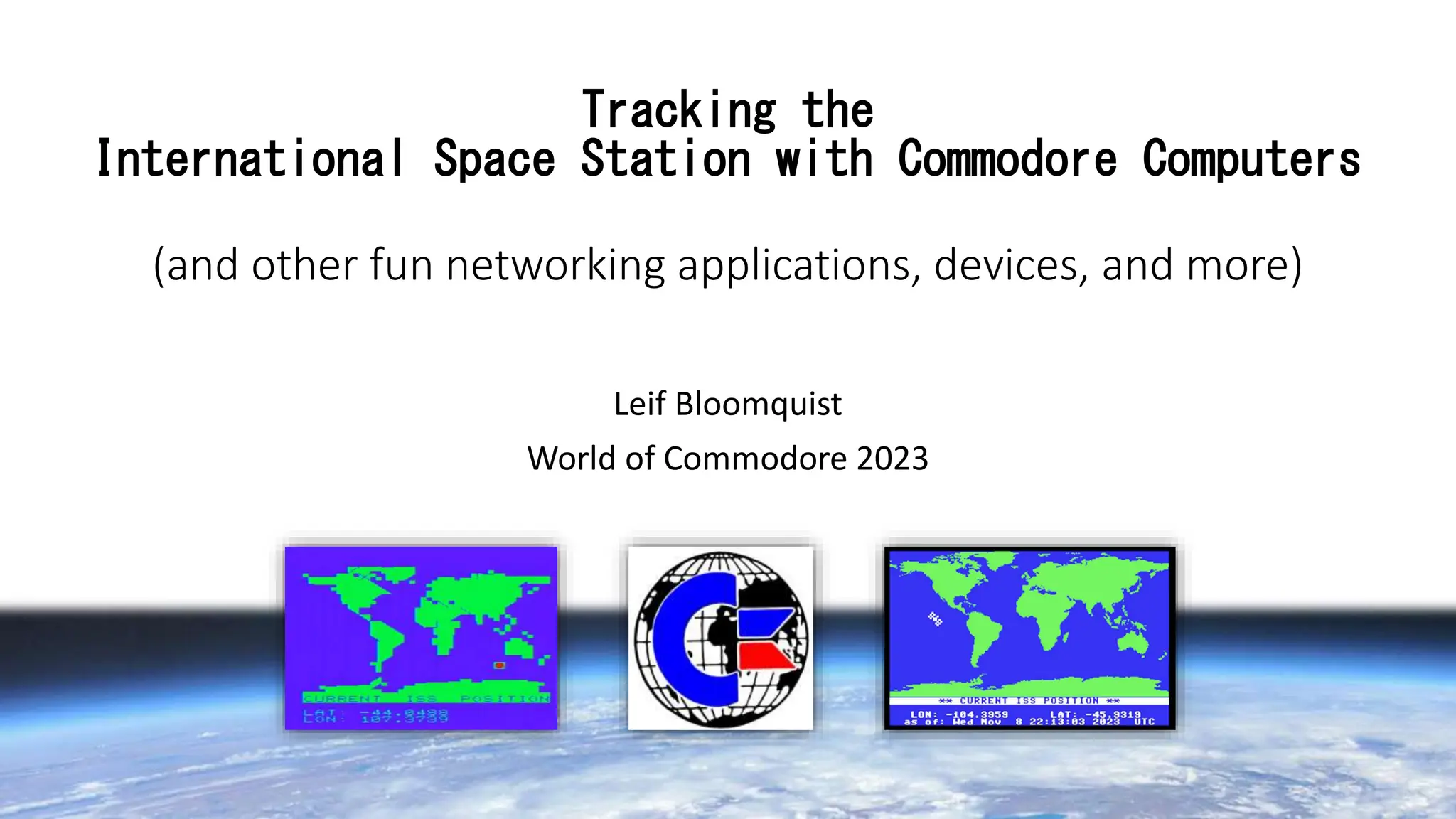
Tracking the
International Space Station with Commodore Computers
(and other fun networking applications, devices, and more)
Leif Bloomquist
World of Commodore 2023
What’s Coming Up
• History
• Networking 101
• Summary of networking interfaces for Commodore computers
• The FujiNet Project, Meatloaf, and the ISS Tracker demo application
• Porting the ISS Tracker to the Ultimate 64
• What next?
Credits!
• Thomas Cherryhomes: FujiNet Project, developed many demo
applications, including original ISS Tracker for VIC-20 and C64
• Jaime Idolpx: Meatloaf IEC Wi-Fi interface, code and tons of support
• Scott Hutter: Networking Library for the Ultimate 64
First, a bit of history…
1986
Won a C64 in a raffle
draw
1984
Bought a VIC-20 with
paper route money 2008-2009
Lead Developer on SSRMS
(Canadarm 2) Control GUI on the ISS
A bunch
of stuff
happens
More stuff
happens
2020-2022
Project Engineer for Canada’s ISS
Logistics and Sustaining Engineering
Data Archival/Analysis Team
2022-Present
Product Manager for Canadarm 3
(Lunar Gateway)
Mission Planning Tools Development
I stopped
writing code
at work
around here
Why Connect Commodores to the Internet???
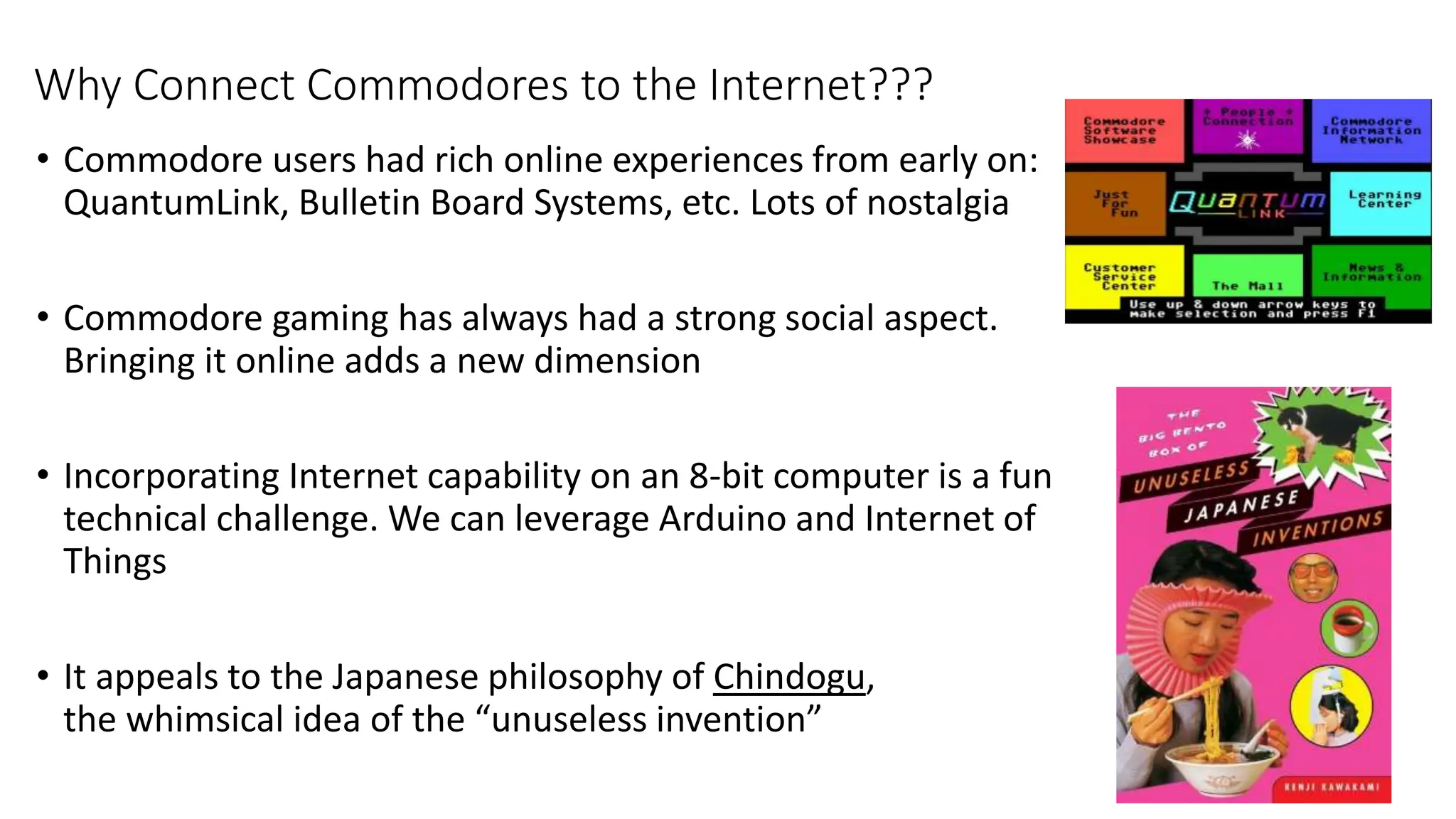
• Commodore users had rich online experiences from early on:
QuantumLink, Bulletin Board Systems, etc. Lots of nostalgia
• Commodore gaming has always had a strong social aspect.
Bringing it online adds a new dimension
• Incorporating Internet capability on an 8-bit computer is a fun
technical challenge. We can leverage Arduino and Internet of
Things
• It appeals to the Japanese philosophy of Chindogu,
the whimsical idea of the “unuseless invention”
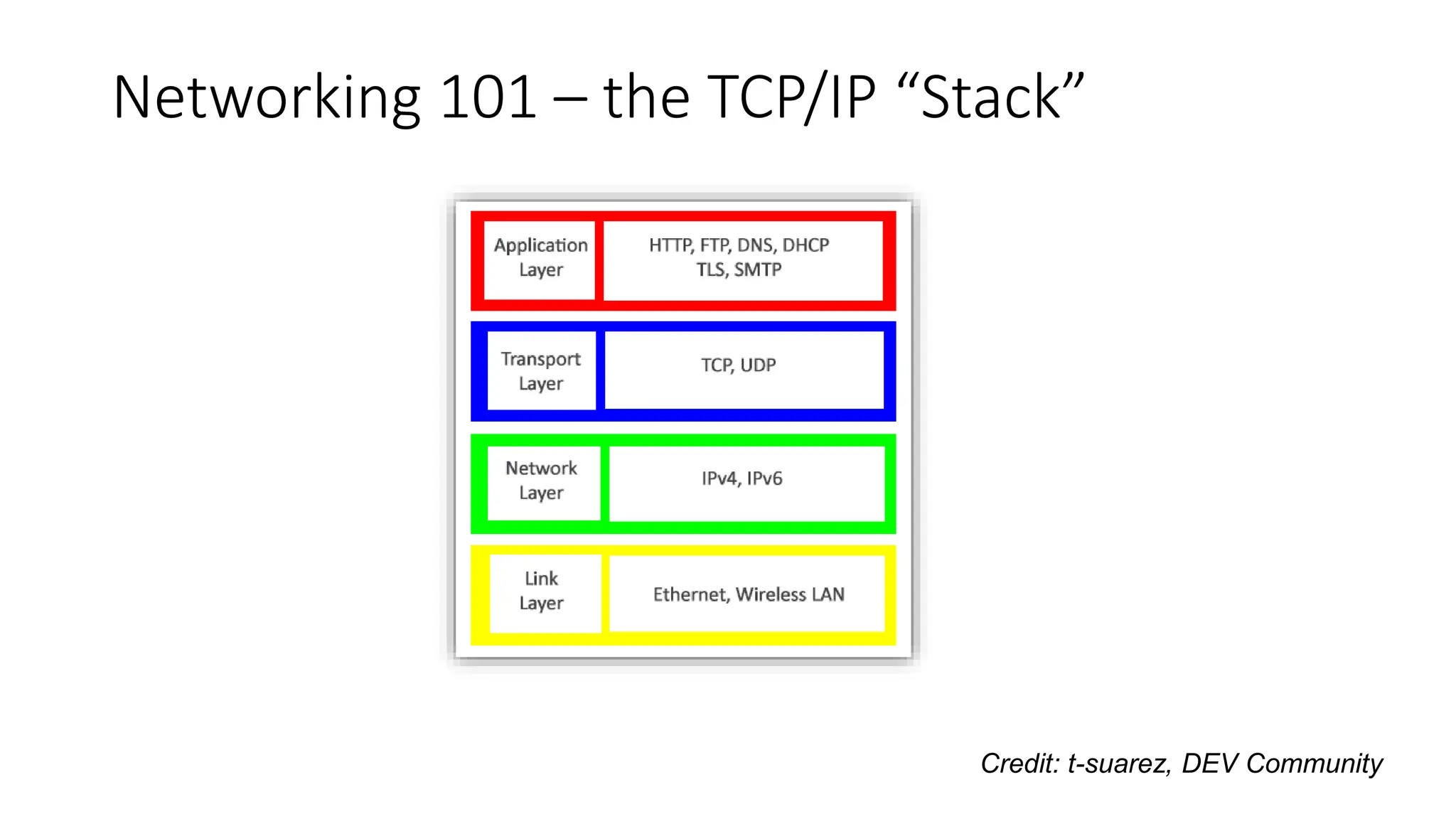
Networking 101 – the TCP/IP “Stack”
Credit: t-suarez, DEV Community
Ethernet
Ethernet (and Wireless Ethernet, Wi-Fi) have become the de facto standard for
commercial “link layer” - the actual connection between computers on a network.
It specifies the cables, frequencies, etc at the lowest level.
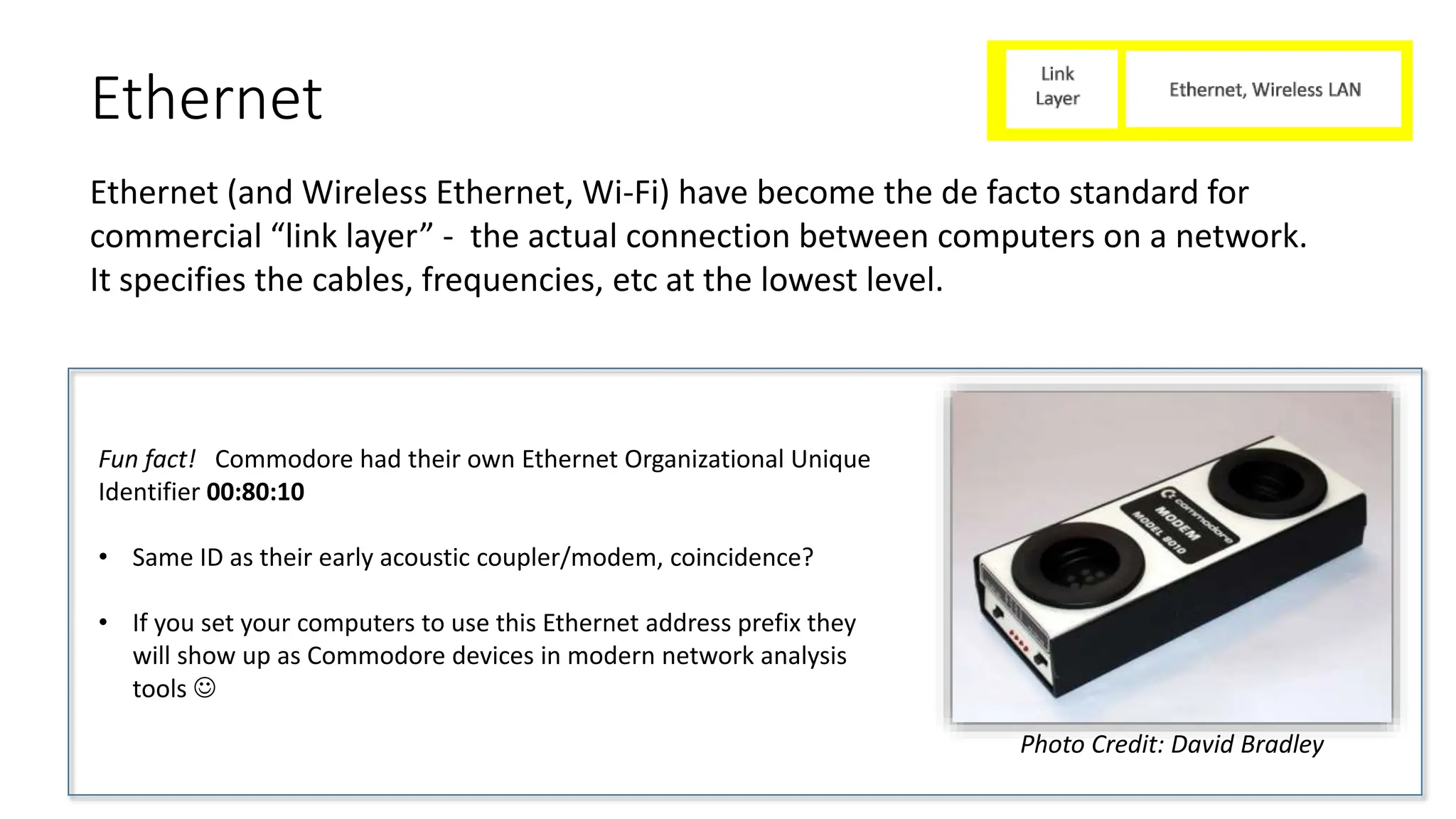
Fun fact! Commodore had their own Ethernet Organizational Unique
Identifier 00:80:10
• Same ID as their early acoustic coupler/modem, coincidence?
• If you set your computers to use this Ethernet address prefix they
will show up as Commodore devices in modern network analysis
tools 
Photo Credit: David Bradley
IP (Internet Protocol)
• The Internet Protocol is the next layer up, which provides addressing information (source
address, destination address, etc) and basic information about the type of data
• It doesn’t do much on its own – other protocols like TCP and UDP (next slides) are used to
actually carry data
UDP (User Datagram Protocol)
• UDP is one of the simplest methods for sending data over the Internet
• It’s “fire and forget” – you collect your data into a small bundle (called a “packet”) and send it
across the Internet with a destination address attached
• Routers and modems along the way do their best to get the packets to their destination, in
the right order, but there are no guarantees
• Analogy: Postcard
• Ideal for real-time games, and quite manageable
by 8-bit machines with the right hardware
TCP (Transport Control Protocol)
• Unlike UDP, TCP provides a “reliable” connection and ensures your data gets through
• You collect your data into a “stream” and TCP handles the rest
• The protocol creates a connection, acknowledges that the data got through in the correct
order, and tries again if needed. Continues streaming data until either end “hangs up”.
• Analogy: Phone Call
• Ideal for (ie) strategy games, applications where the data must get through i.e. Email, chat
apps like WhatsApp, Web browsing
• Manageable by 8-bit machines with the right hardware, but requires significantly more
resources and memory
HTTP (Hypertext Transfer Protocol)
“HTTP (Hypertext Transfer Protocol) is the set of rules for transferring files -- such as text,
images, sound, video and other multimedia files -- over the web.” – TechTarget.com
• HTTP (and its secure encrypted big brother, HTTPS) are the “language of the web”
• Built “on top of” TCP
• Every web page you visit, file you download, video you watch…involves HTTP(S) in some way.
• Once you have access to HTTP on a Commodore, many cool possibilities open up!
• Simple web browsing
• Download files (PRG files or D64 disk images can be loaded directly from the web)
• Access to JSON files
JSON (JavaScript Object Notation)
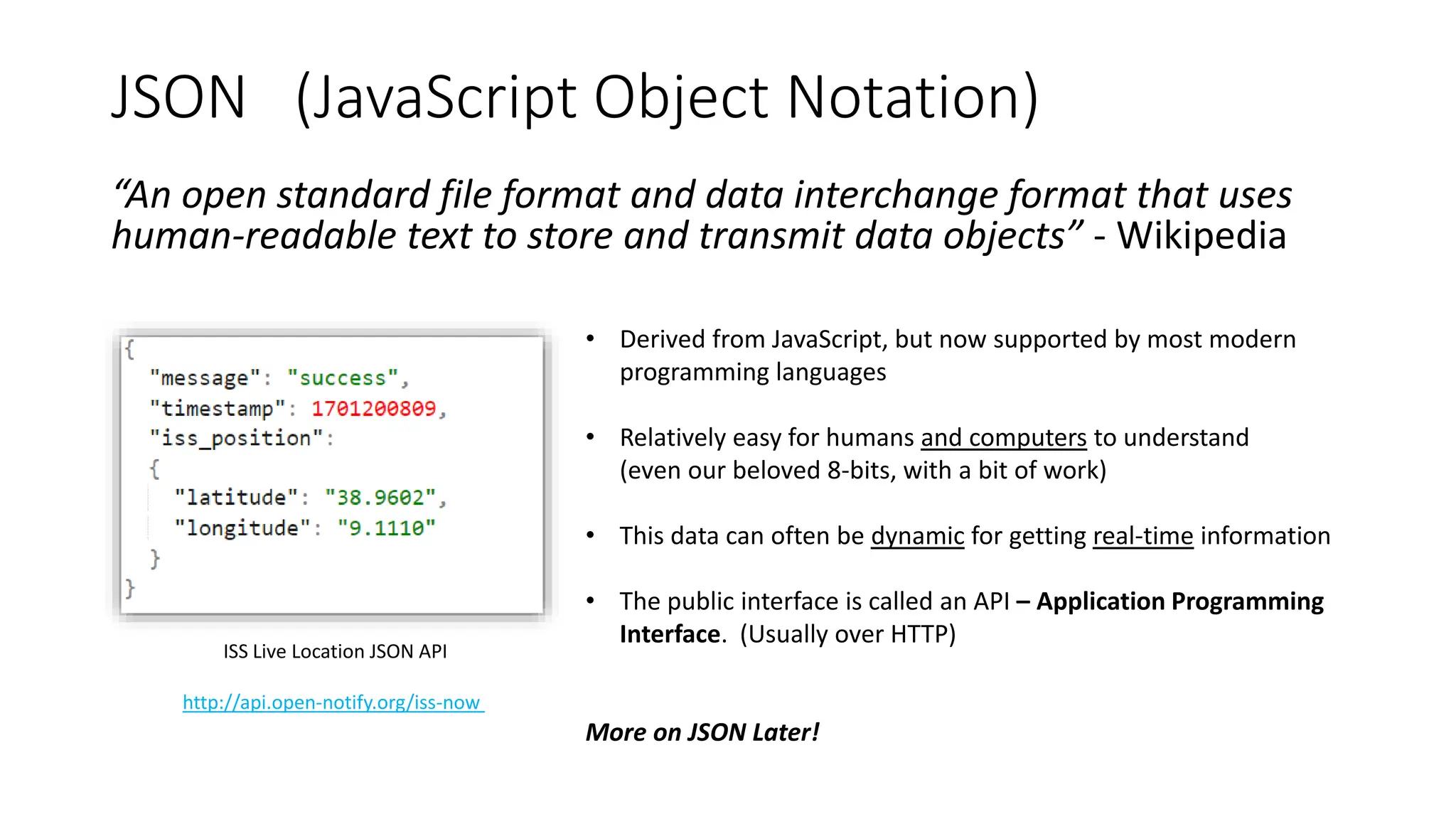
“An open standard file format and data interchange format that uses
human-readable text to store and transmit data objects” - Wikipedia
• Derived from JavaScript, but now supported by most modern
programming languages
• Relatively easy for humans and computers to understand
(even our beloved 8-bits, with a bit of work)
• This data can often be dynamic for getting real-time information
• The public interface is called an API – Application Programming
Interface. (Usually over HTTP)
More on JSON Later!
ISS Live Location JSON API
http://api.open-notify.org/iss-now
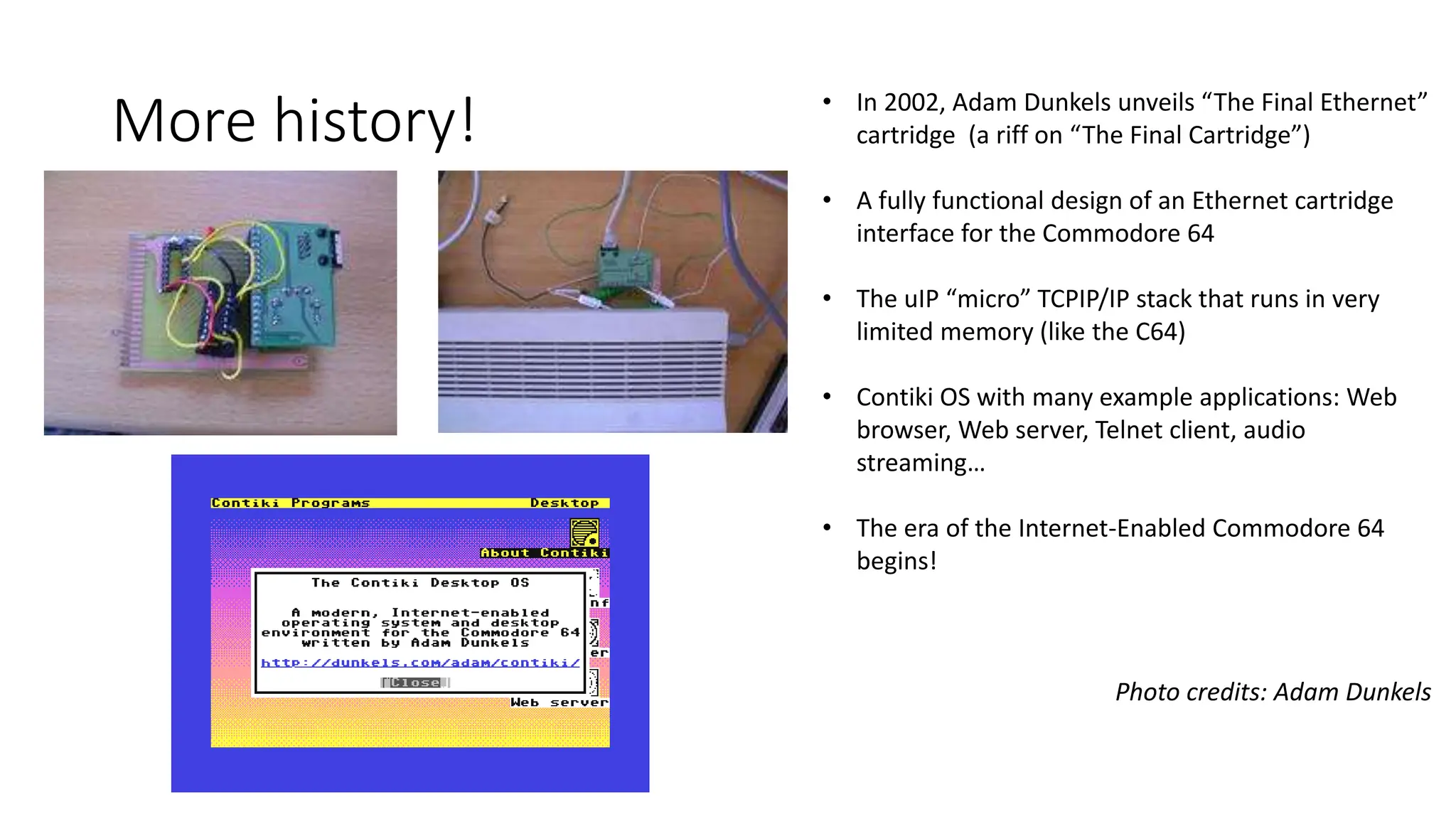
More history! • In 2002, Adam Dunkels unveils “The Final Ethernet”
cartridge (a riff on “The Final Cartridge”)
• A fully functional design of an Ethernet cartridge
interface for the Commodore 64
• The uIP “micro” TCPIP/IP stack that runs in very
limited memory (like the C64)
• Contiki OS with many example applications: Web
browser, Web server, Telnet client, audio
streaming…
• The era of the Internet-Enabled Commodore 64
begins!
Photo credits: Adam Dunkels
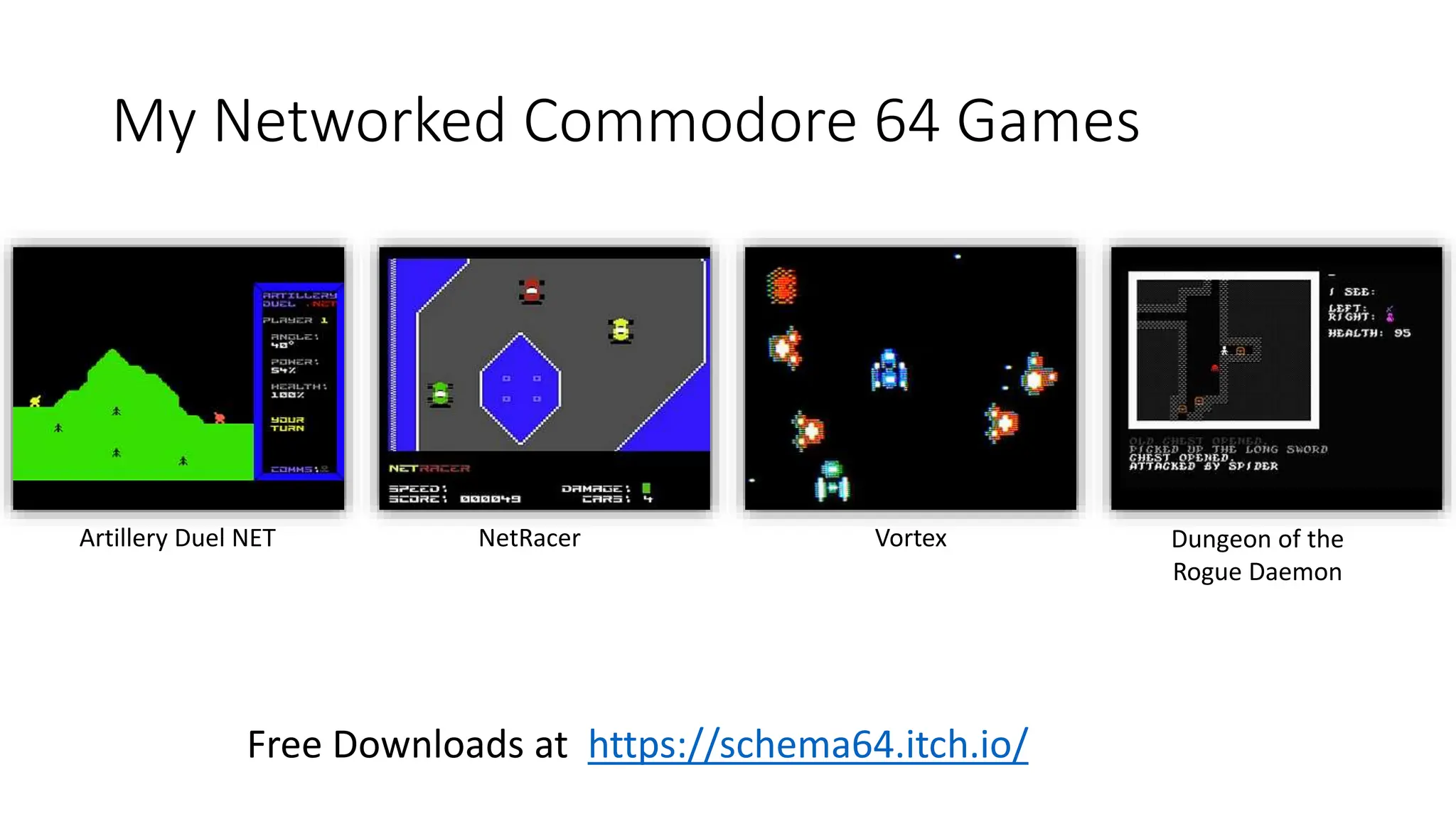
My Networked Commodore 64 Games
Free Downloads at https://schema64.itch.io/
Artillery Duel NET NetRacer Vortex Dungeon of the
Rogue Daemon
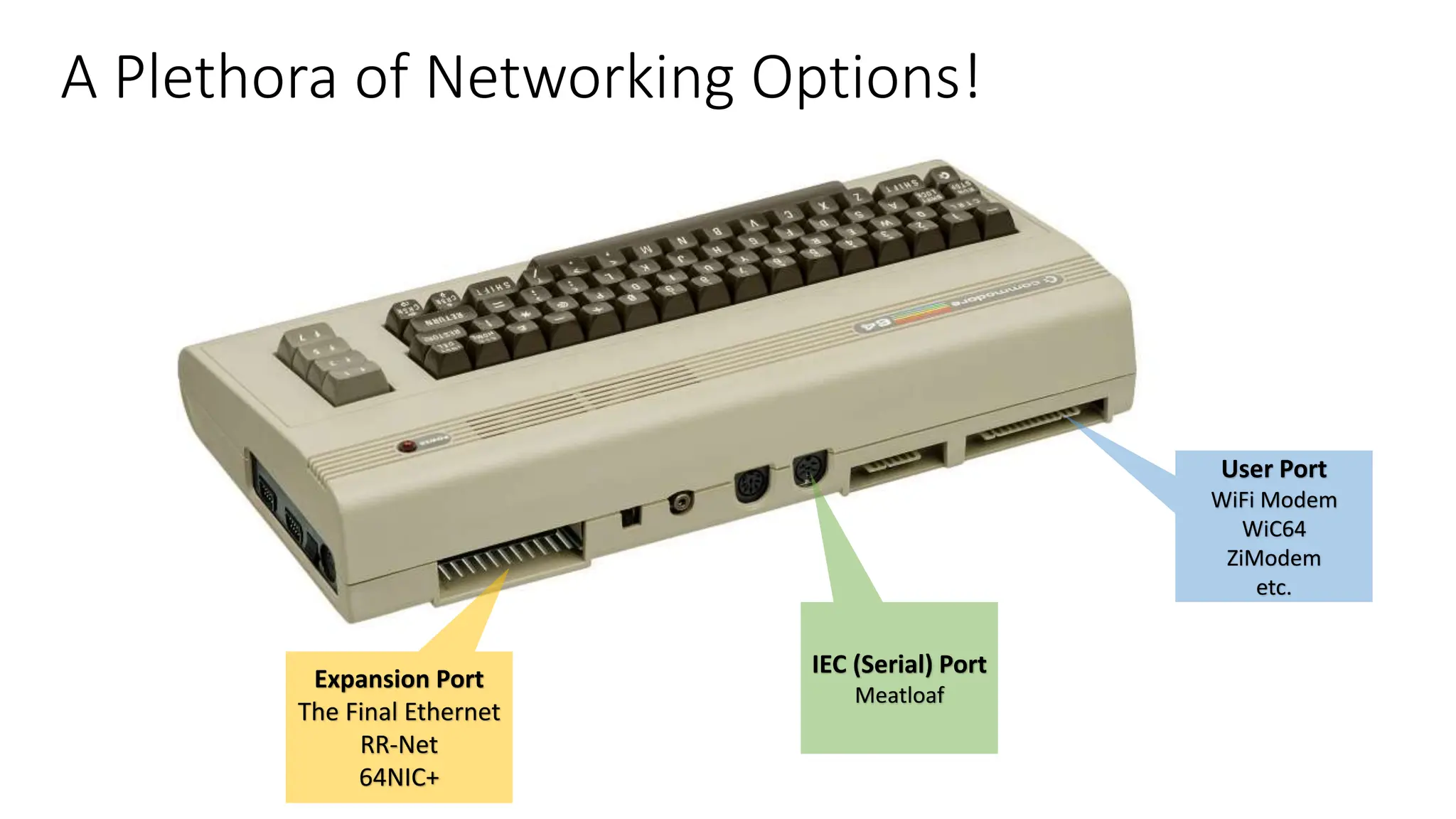
A Plethora of Networking Options!
Expansion Port
The Final Ethernet
RR-Net
64NIC+
User Port
WiFi Modem
WiC64
ZiModem
etc.
IEC (Serial) Port
Meatloaf
Credit: xkcd
User Port “Modems”
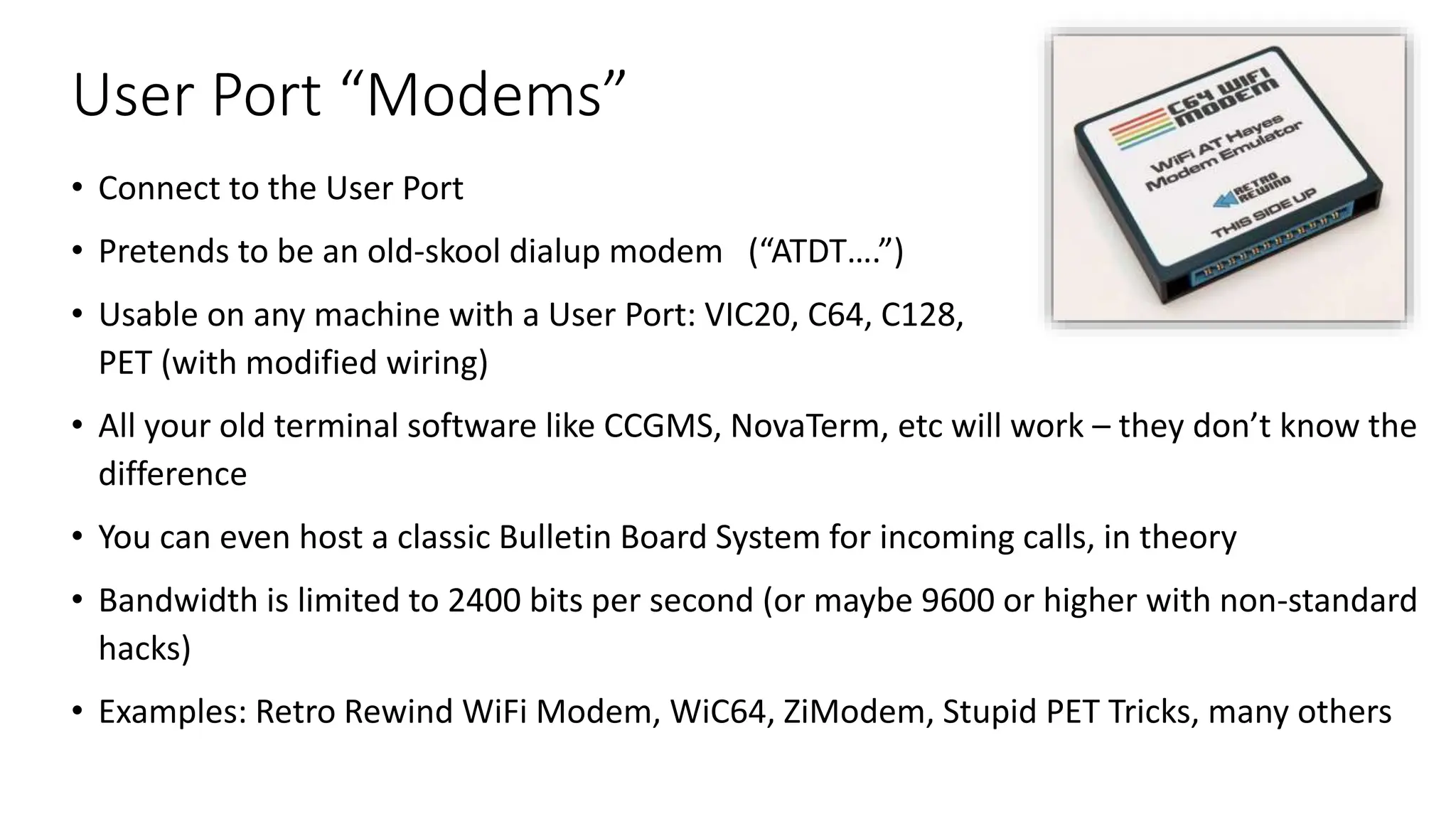
• Connect to the User Port
• Pretends to be an old-skool dialup modem (“ATDT….”)
• Usable on any machine with a User Port: VIC20, C64, C128,
PET (with modified wiring)
• All your old terminal software like CCGMS, NovaTerm, etc will work – they don’t know the
difference
• You can even host a classic Bulletin Board System for incoming calls, in theory
• Bandwidth is limited to 2400 bits per second (or maybe 9600 or higher with non-standard
hacks)
• Examples: Retro Rewind WiFi Modem, WiC64, ZiModem, Stupid PET Tricks, many others
Expansion Port Interfaces
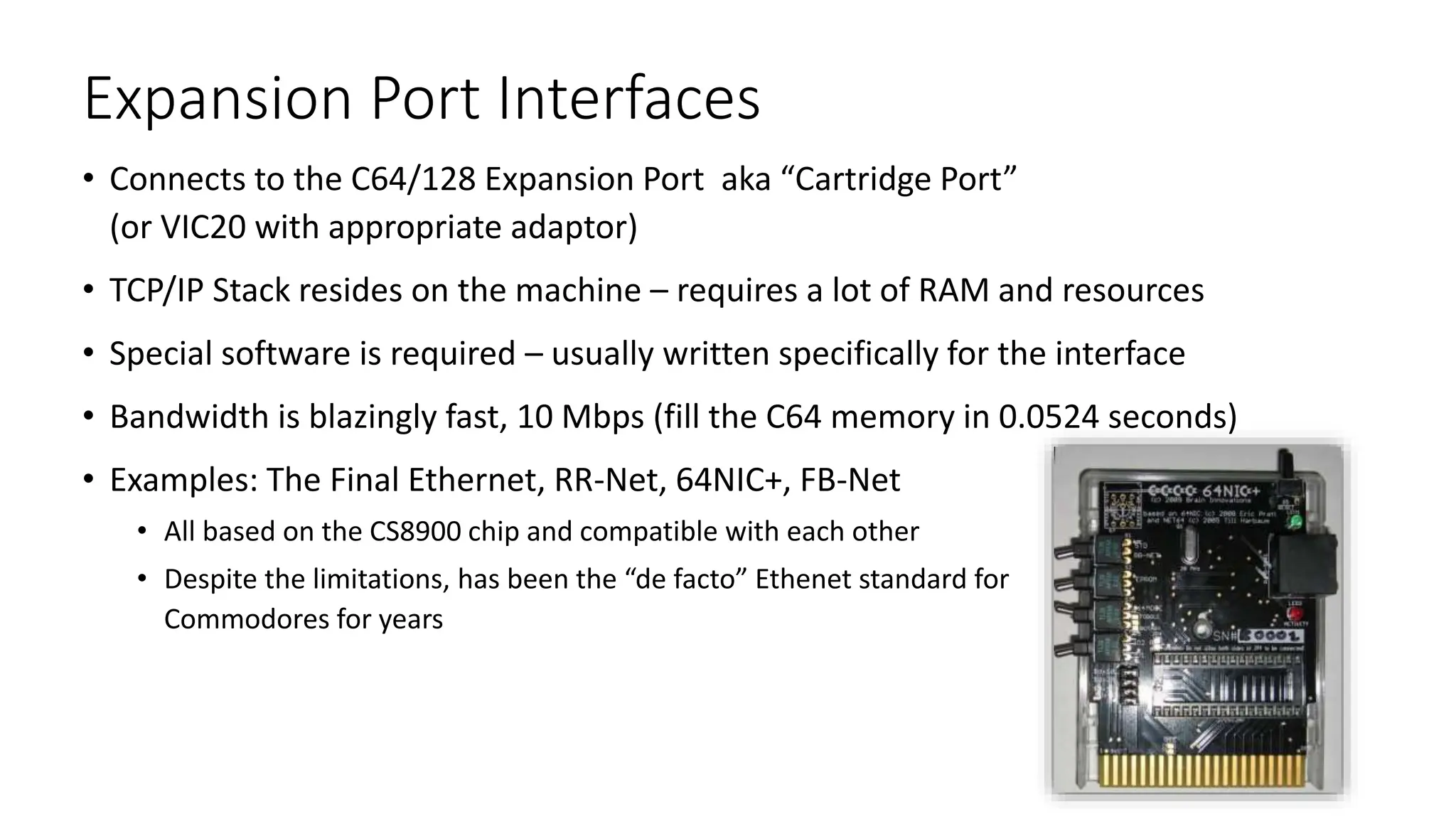
• Connects to the C64/128 Expansion Port aka “Cartridge Port”
(or VIC20 with appropriate adaptor)
• TCP/IP Stack resides on the machine – requires a lot of RAM and resources
• Special software is required – usually written specifically for the interface
• Bandwidth is blazingly fast, 10 Mbps (fill the C64 memory in 0.0524 seconds)
• Examples: The Final Ethernet, RR-Net, 64NIC+, FB-Net
• All based on the CS8900 chip and compatible with each other
• Despite the limitations, has been the “de facto” Ethenet standard for
Commodores for years
Proprietary Interfaces: Ultimate 64 and MEGA65
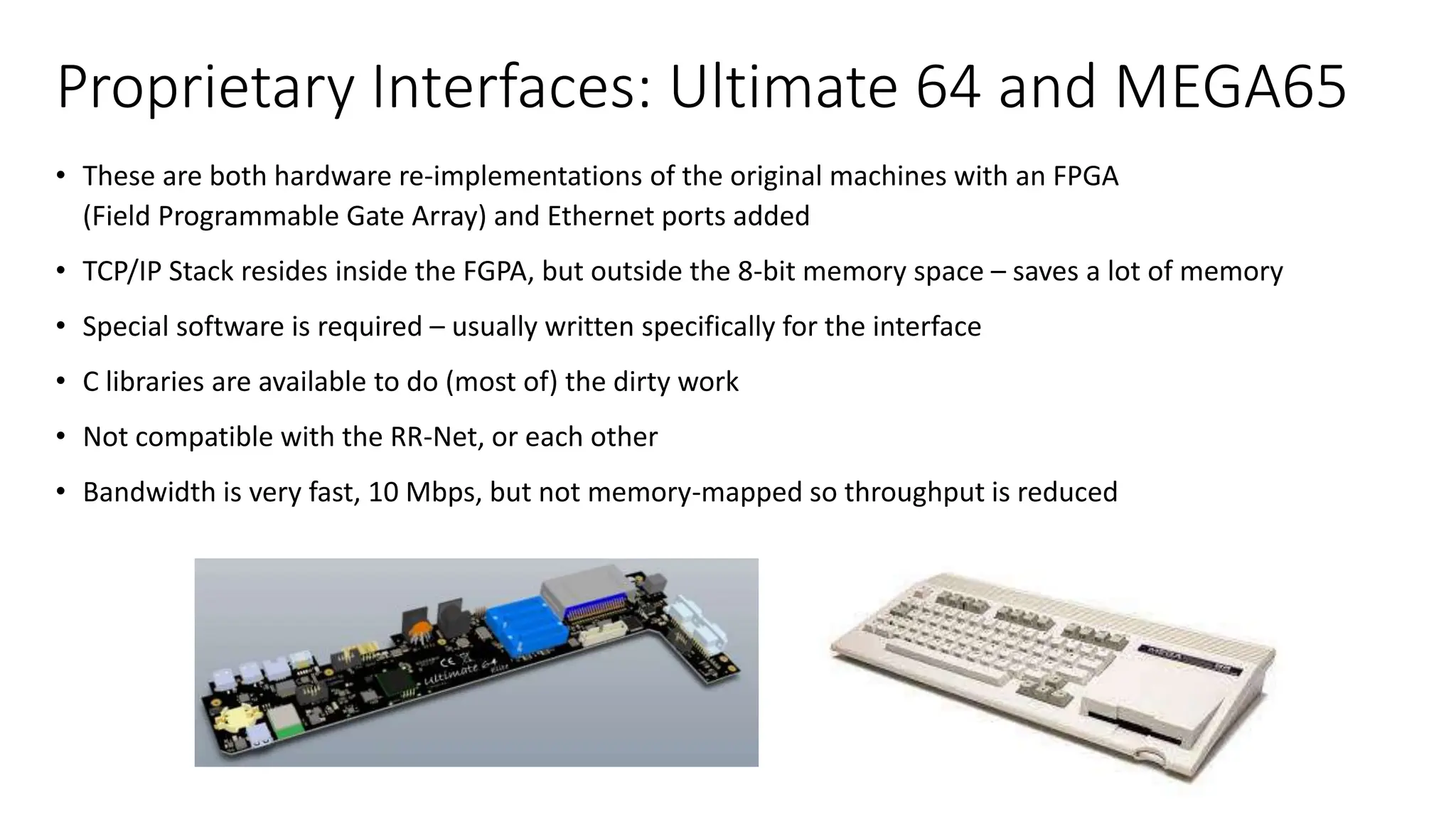
• These are both hardware re-implementations of the original machines with an FPGA
(Field Programmable Gate Array) and Ethernet ports added
• TCP/IP Stack resides inside the FGPA, but outside the 8-bit memory space – saves a lot of memory
• Special software is required – usually written specifically for the interface
• C libraries are available to do (most of) the dirty work
• Not compatible with the RR-Net, or each other
• Bandwidth is very fast, 10 Mbps, but not memory-mapped so throughput is reduced
• FujiNet is a multi-peripheral emulator and WiFi network device for vintage computers.
• The first completed hardware was for Atari 8-Bit computers and development has begun for other systems with the goal of
supporting as many as possible.
• FujiNet allows vintage computers that do not have enough processing power to handle TCP/IP connections talk to the modern
internet over Wifi.
• Many example programs have been created: Card games, strategy games, PLATOTERM client, news readers, ISS Tracker, more!
• These example programs are available on GitHub under the GNU Public License so encourage you to build your own
To Learn More: https://fujinet.online/
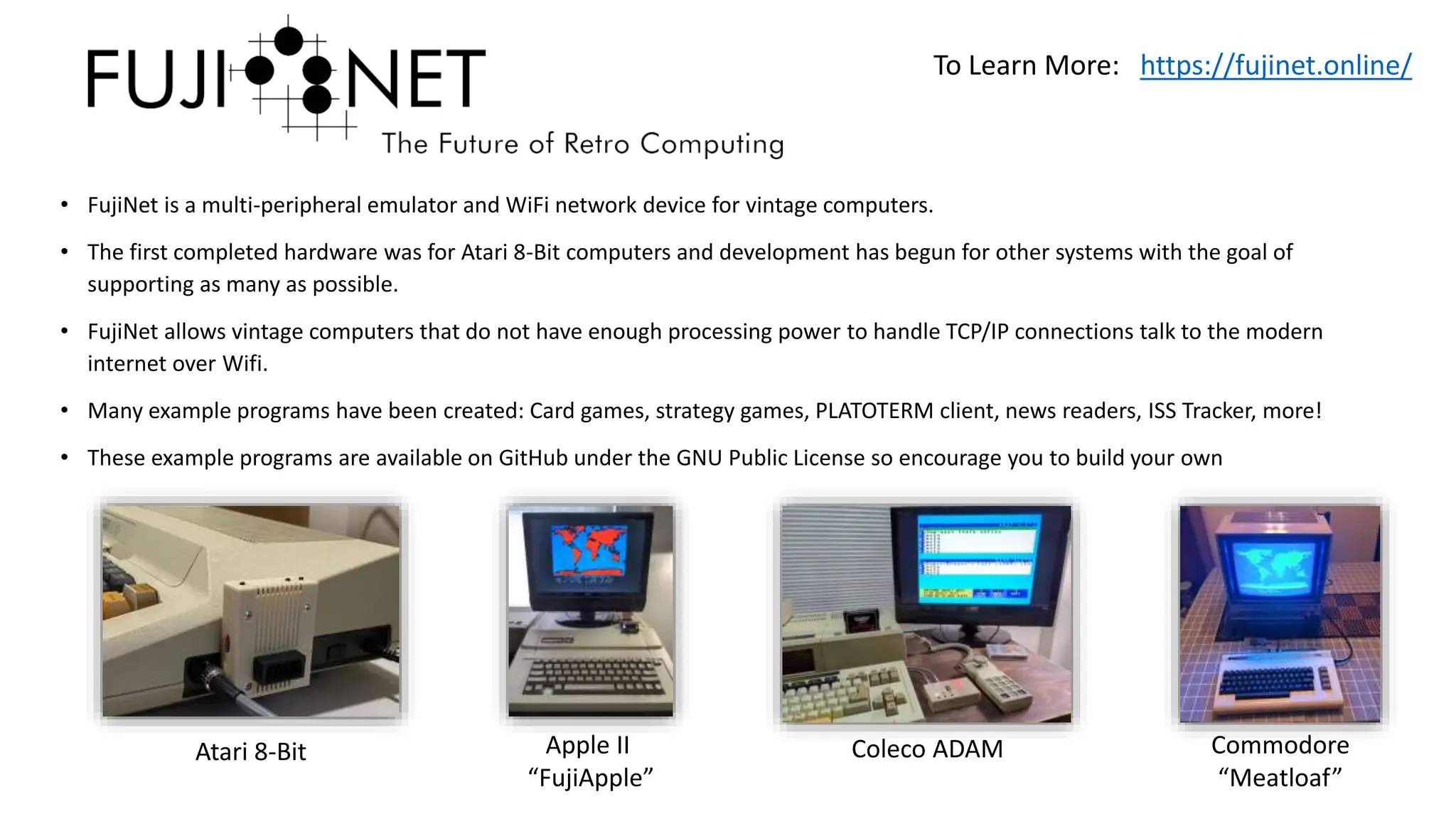
Atari 8-Bit Apple II
“FujiApple”
Coleco ADAM Commodore
“Meatloaf”
IEC Interfaces: Meatloaf
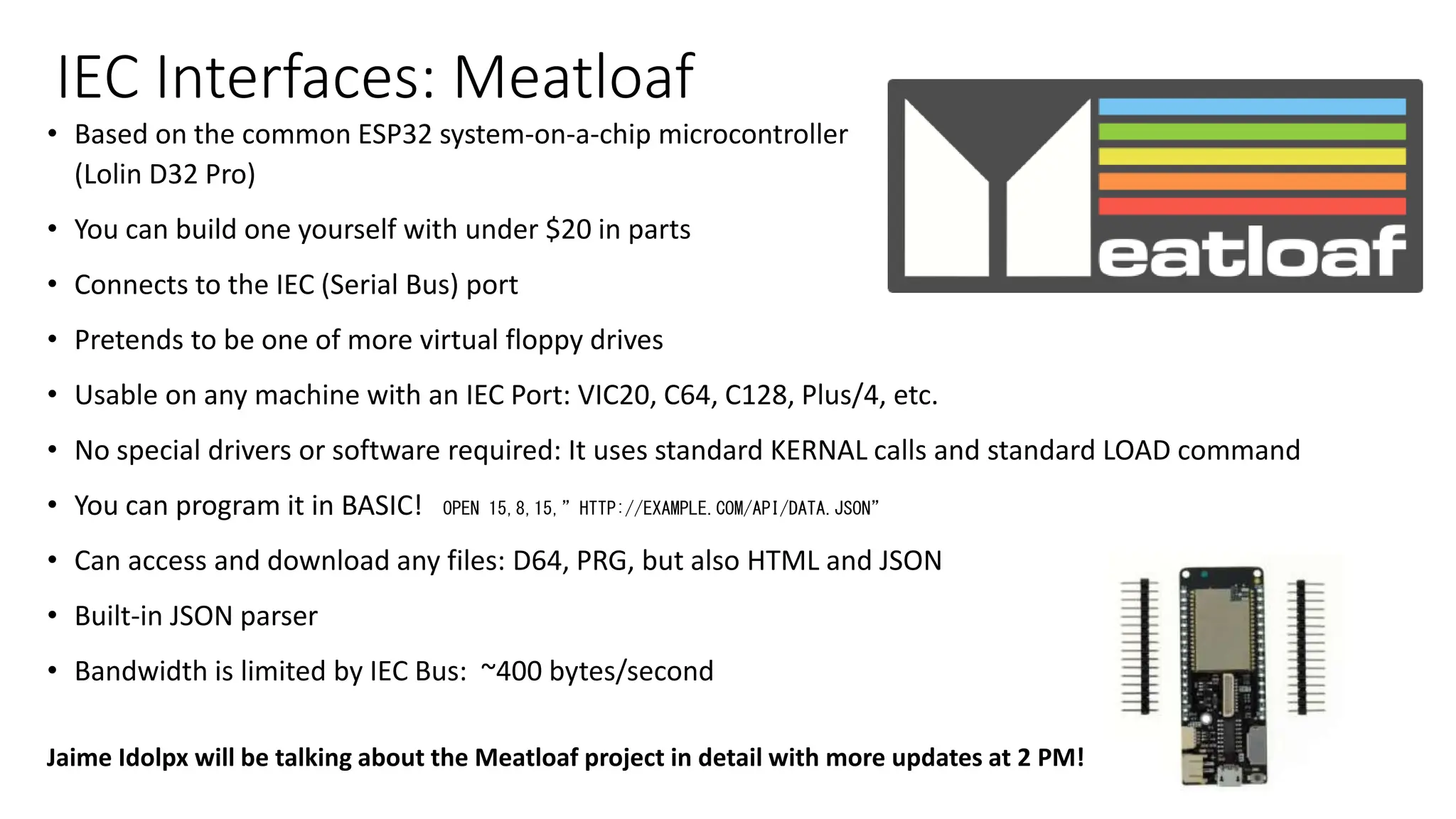
• Based on the common ESP32 system-on-a-chip microcontroller
(Lolin D32 Pro)
• You can build one yourself with under $20 in parts
• Connects to the IEC (Serial Bus) port
• Pretends to be one of more virtual floppy drives
• Usable on any machine with an IEC Port: VIC20, C64, C128, Plus/4, etc.
• No special drivers or software required: It uses standard KERNAL calls and standard LOAD command
• You can program it in BASIC! OPEN 15,8,15,”HTTP://EXAMPLE.COM/API/DATA.JSON”
• Can access and download any files: D64, PRG, but also HTML and JSON
• Built-in JSON parser
• Bandwidth is limited by IEC Bus: ~400 bytes/second
Jaime Idolpx will be talking about the Meatloaf project in detail with more updates at 2 PM!
…Tracking the International Space Station
• Demo applications developed by Thomas Cherryhomes
for the FujiNet project, including Commodore versions
• Meatloaf has everything we need!
• IEC Interface
• TCP/IP Stack
• HTTP(S) Interface
• JSON Parser
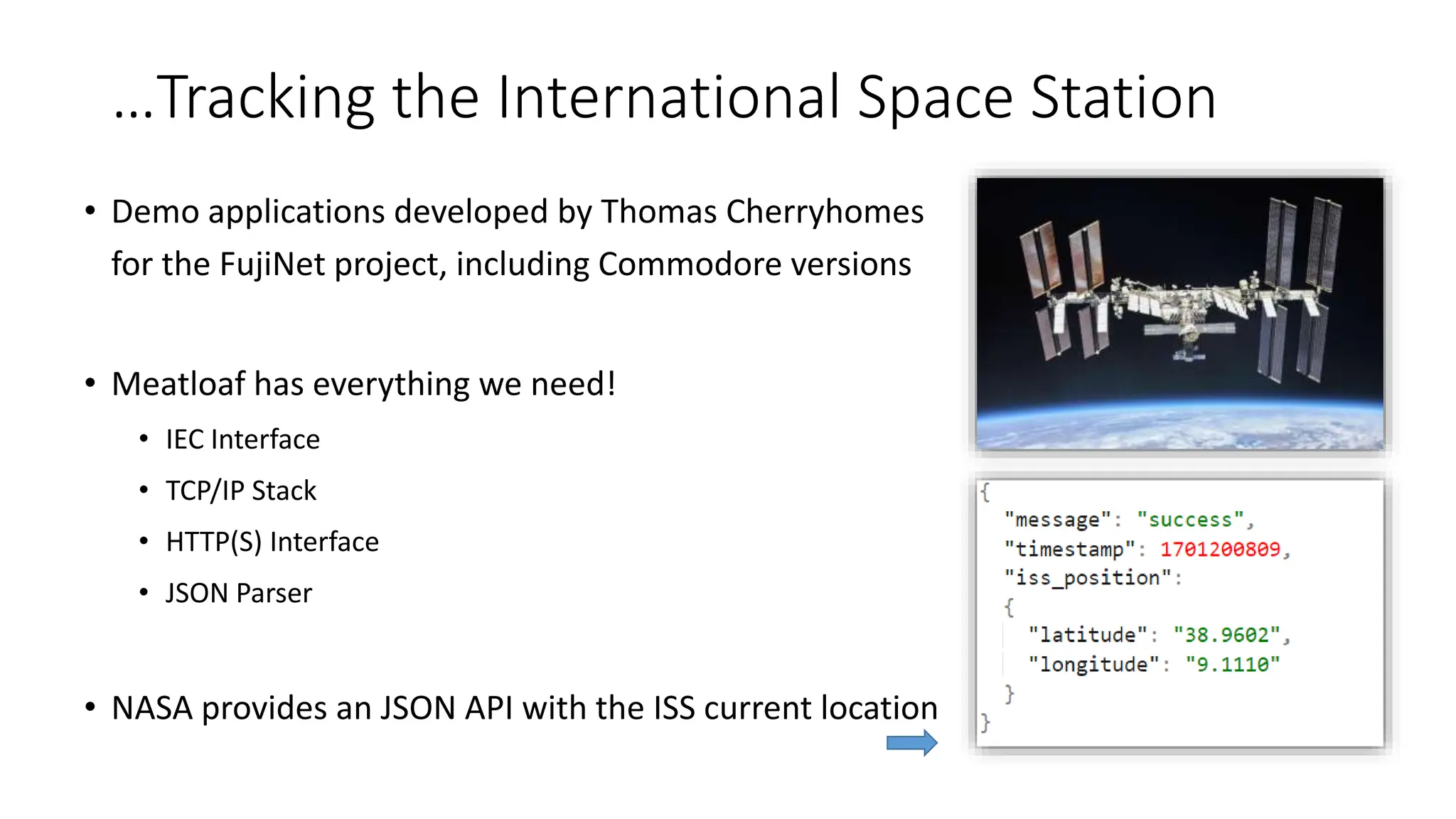
• NASA provides an JSON API with the ISS current location
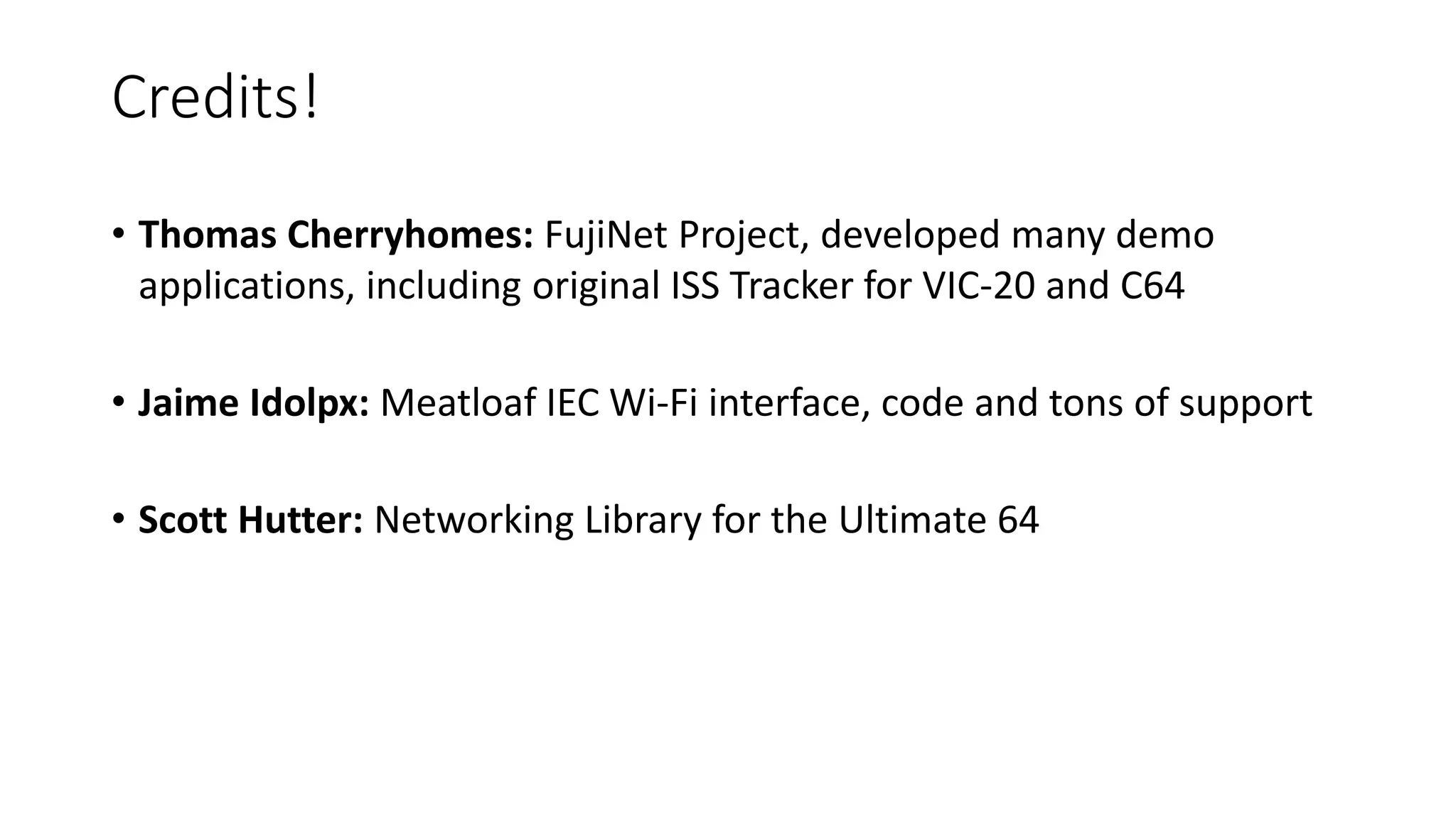
Tracking the ISS on an Unexpanded VIC-20
• Since the TCP/IP stack, HTTP interface, and JSON parser reside on the Meatloaf, this can even be
done on an unexpanded VIC-20 from 1980 with 5K of RAM
• Application runs as a cartridge ROM image, program size ~2,791 bytes
• Remaining RAM on the VIC used for temporary variables
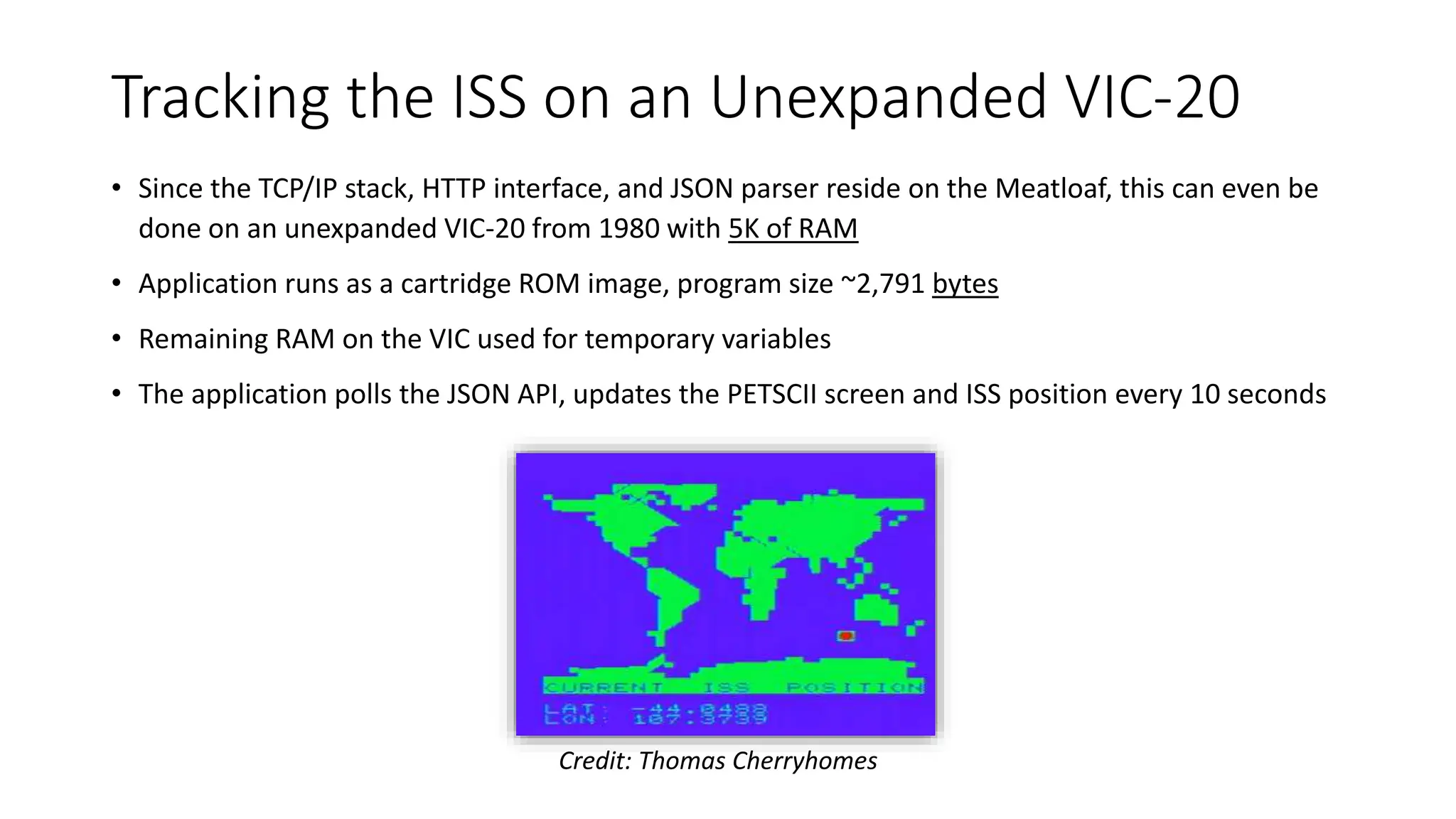
• The application polls the JSON API, updates the PETSCII screen and ISS position every 10 seconds
Credit: Thomas Cherryhomes
Tracking the ISS on an Ultimate 64
• The Ultimate 64 is a modern, FPGA-based, implementation of a C64
• Can be overclocked to 48MHz
• U64 has its own proprietary but well-documented
Ethernet interface with TCP and UDP
• Ported the FujiNet version to the Ultimate 64:
• Adapted to use Scott Hutter’s Ultimate 64 Library
• Implemented a crude HTTP interface in C to “GET” the JSON files
• Implemented a crude JSON parser in C that pulls the data from the
received data object
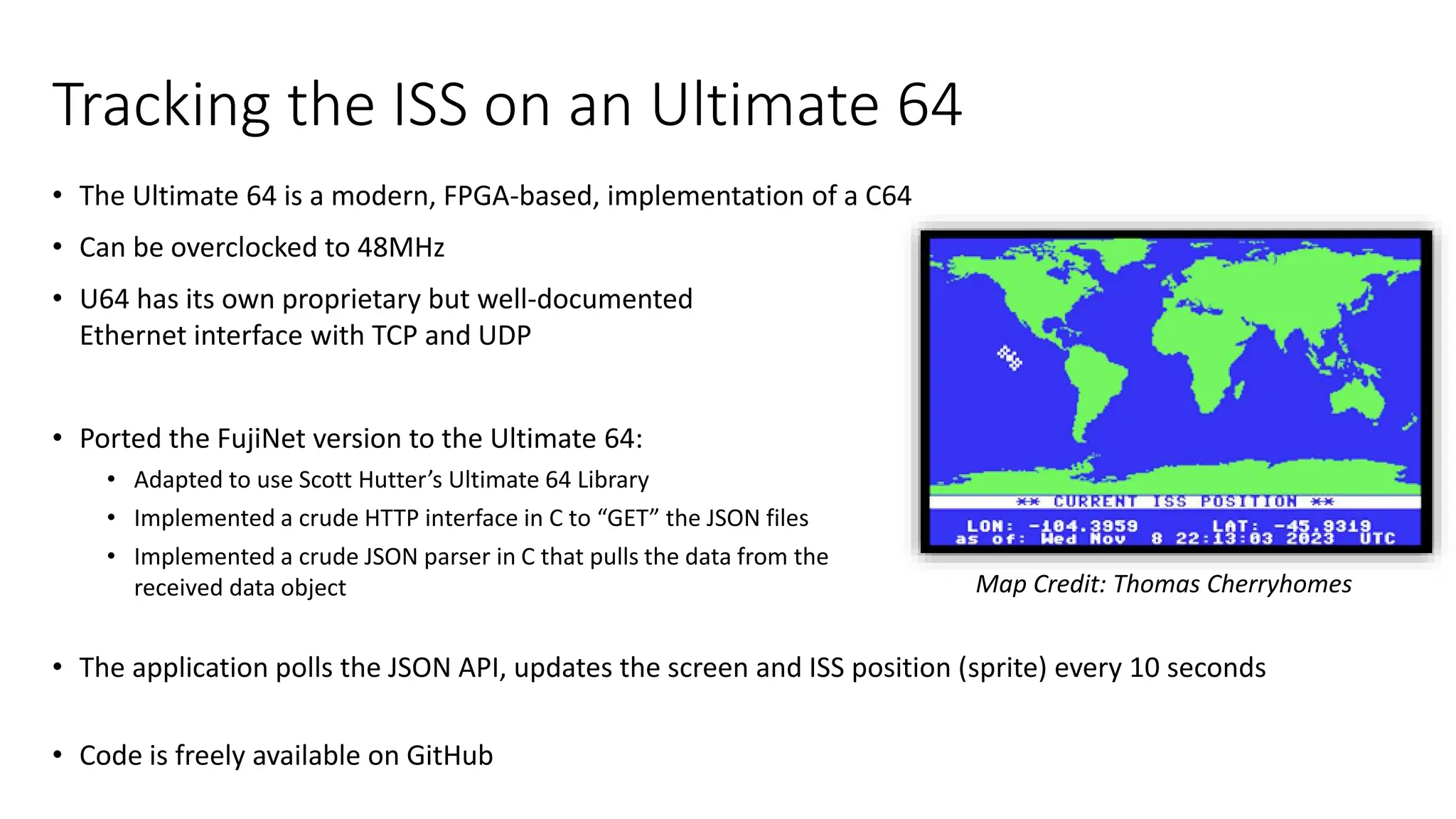
• The application polls the JSON API, updates the screen and ISS position (sprite) every 10 seconds
• Code is freely available on GitHub
Map Credit: Thomas Cherryhomes
Some other cool JSON APIs
• Weather, News, etc.
• Stock Prices! (Many APIs out there, some free)
• Cheerlights Xmas Lights! http://cheerlights.com/api/
• Realtime Earthquake Notification! http://earthquake.usgs.gov/fdsnws/event/1/queryformat=geojson
• Chuck Norris Facts! http://api.chucknorris.io/
• Geolocation (track your computer’s location)! http://ip-api.com/docs/api:json
• International Space Station Location! http://api.open-notify.org/iss-now
• …thousands more!
Fun JSON uses on your Commodore?
• News/weather apps?
• Shared high-score tables for new games?
• News and notifications of new releases of demos and games, with the ability to directly
download or run them?
• List of current players of games – ie a lobby for online games?
• Dynamically grab game updates, maps, new content “on the fly”?
• Patches and upgrades, new libraries and content for systems like 64OS?
• …Your idea here!
Discussion

Tracking the International Space Station with Commodore Computers

  • 1.
    Tracking the International SpaceStation with Commodore Computers (and other fun networking applications, devices, and more) Leif Bloomquist World of Commodore 2023
  • 2.
    What’s Coming Up •History • Networking 101 • Summary of networking interfaces for Commodore computers • The FujiNet Project, Meatloaf, and the ISS Tracker demo application • Porting the ISS Tracker to the Ultimate 64 • What next?
  • 3.
    Credits! • Thomas Cherryhomes:FujiNet Project, developed many demo applications, including original ISS Tracker for VIC-20 and C64 • Jaime Idolpx: Meatloaf IEC Wi-Fi interface, code and tons of support • Scott Hutter: Networking Library for the Ultimate 64
  • 4.
    First, a bitof history… 1986 Won a C64 in a raffle draw 1984 Bought a VIC-20 with paper route money 2008-2009 Lead Developer on SSRMS (Canadarm 2) Control GUI on the ISS A bunch of stuff happens More stuff happens 2020-2022 Project Engineer for Canada’s ISS Logistics and Sustaining Engineering Data Archival/Analysis Team 2022-Present Product Manager for Canadarm 3 (Lunar Gateway) Mission Planning Tools Development I stopped writing code at work around here
  • 5.
    Why Connect Commodoresto the Internet??? • Commodore users had rich online experiences from early on: QuantumLink, Bulletin Board Systems, etc. Lots of nostalgia • Commodore gaming has always had a strong social aspect. Bringing it online adds a new dimension • Incorporating Internet capability on an 8-bit computer is a fun technical challenge. We can leverage Arduino and Internet of Things • It appeals to the Japanese philosophy of Chindogu, the whimsical idea of the “unuseless invention”
  • 6.
    Networking 101 –the TCP/IP “Stack” Credit: t-suarez, DEV Community
  • 7.
    Ethernet Ethernet (and WirelessEthernet, Wi-Fi) have become the de facto standard for commercial “link layer” - the actual connection between computers on a network. It specifies the cables, frequencies, etc at the lowest level. Fun fact! Commodore had their own Ethernet Organizational Unique Identifier 00:80:10 • Same ID as their early acoustic coupler/modem, coincidence? • If you set your computers to use this Ethernet address prefix they will show up as Commodore devices in modern network analysis tools  Photo Credit: David Bradley
  • 8.
    IP (Internet Protocol) •The Internet Protocol is the next layer up, which provides addressing information (source address, destination address, etc) and basic information about the type of data • It doesn’t do much on its own – other protocols like TCP and UDP (next slides) are used to actually carry data
  • 9.
    UDP (User DatagramProtocol) • UDP is one of the simplest methods for sending data over the Internet • It’s “fire and forget” – you collect your data into a small bundle (called a “packet”) and send it across the Internet with a destination address attached • Routers and modems along the way do their best to get the packets to their destination, in the right order, but there are no guarantees • Analogy: Postcard • Ideal for real-time games, and quite manageable by 8-bit machines with the right hardware
  • 10.
    TCP (Transport ControlProtocol) • Unlike UDP, TCP provides a “reliable” connection and ensures your data gets through • You collect your data into a “stream” and TCP handles the rest • The protocol creates a connection, acknowledges that the data got through in the correct order, and tries again if needed. Continues streaming data until either end “hangs up”. • Analogy: Phone Call • Ideal for (ie) strategy games, applications where the data must get through i.e. Email, chat apps like WhatsApp, Web browsing • Manageable by 8-bit machines with the right hardware, but requires significantly more resources and memory
  • 11.
    HTTP (Hypertext TransferProtocol) “HTTP (Hypertext Transfer Protocol) is the set of rules for transferring files -- such as text, images, sound, video and other multimedia files -- over the web.” – TechTarget.com • HTTP (and its secure encrypted big brother, HTTPS) are the “language of the web” • Built “on top of” TCP • Every web page you visit, file you download, video you watch…involves HTTP(S) in some way. • Once you have access to HTTP on a Commodore, many cool possibilities open up! • Simple web browsing • Download files (PRG files or D64 disk images can be loaded directly from the web) • Access to JSON files
  • 12.
    JSON (JavaScript ObjectNotation) “An open standard file format and data interchange format that uses human-readable text to store and transmit data objects” - Wikipedia • Derived from JavaScript, but now supported by most modern programming languages • Relatively easy for humans and computers to understand (even our beloved 8-bits, with a bit of work) • This data can often be dynamic for getting real-time information • The public interface is called an API – Application Programming Interface. (Usually over HTTP) More on JSON Later! ISS Live Location JSON API http://api.open-notify.org/iss-now
  • 13.
    More history! •In 2002, Adam Dunkels unveils “The Final Ethernet” cartridge (a riff on “The Final Cartridge”) • A fully functional design of an Ethernet cartridge interface for the Commodore 64 • The uIP “micro” TCPIP/IP stack that runs in very limited memory (like the C64) • Contiki OS with many example applications: Web browser, Web server, Telnet client, audio streaming… • The era of the Internet-Enabled Commodore 64 begins! Photo credits: Adam Dunkels
  • 14.
    My Networked Commodore64 Games Free Downloads at https://schema64.itch.io/ Artillery Duel NET NetRacer Vortex Dungeon of the Rogue Daemon
  • 15.
    A Plethora ofNetworking Options! Expansion Port The Final Ethernet RR-Net 64NIC+ User Port WiFi Modem WiC64 ZiModem etc. IEC (Serial) Port Meatloaf
  • 16.
  • 17.
    User Port “Modems” •Connect to the User Port • Pretends to be an old-skool dialup modem (“ATDT….”) • Usable on any machine with a User Port: VIC20, C64, C128, PET (with modified wiring) • All your old terminal software like CCGMS, NovaTerm, etc will work – they don’t know the difference • You can even host a classic Bulletin Board System for incoming calls, in theory • Bandwidth is limited to 2400 bits per second (or maybe 9600 or higher with non-standard hacks) • Examples: Retro Rewind WiFi Modem, WiC64, ZiModem, Stupid PET Tricks, many others
  • 18.
    Expansion Port Interfaces •Connects to the C64/128 Expansion Port aka “Cartridge Port” (or VIC20 with appropriate adaptor) • TCP/IP Stack resides on the machine – requires a lot of RAM and resources • Special software is required – usually written specifically for the interface • Bandwidth is blazingly fast, 10 Mbps (fill the C64 memory in 0.0524 seconds) • Examples: The Final Ethernet, RR-Net, 64NIC+, FB-Net • All based on the CS8900 chip and compatible with each other • Despite the limitations, has been the “de facto” Ethenet standard for Commodores for years
  • 19.
    Proprietary Interfaces: Ultimate64 and MEGA65 • These are both hardware re-implementations of the original machines with an FPGA (Field Programmable Gate Array) and Ethernet ports added • TCP/IP Stack resides inside the FGPA, but outside the 8-bit memory space – saves a lot of memory • Special software is required – usually written specifically for the interface • C libraries are available to do (most of) the dirty work • Not compatible with the RR-Net, or each other • Bandwidth is very fast, 10 Mbps, but not memory-mapped so throughput is reduced
  • 20.
    • FujiNet isa multi-peripheral emulator and WiFi network device for vintage computers. • The first completed hardware was for Atari 8-Bit computers and development has begun for other systems with the goal of supporting as many as possible. • FujiNet allows vintage computers that do not have enough processing power to handle TCP/IP connections talk to the modern internet over Wifi. • Many example programs have been created: Card games, strategy games, PLATOTERM client, news readers, ISS Tracker, more! • These example programs are available on GitHub under the GNU Public License so encourage you to build your own To Learn More: https://fujinet.online/ Atari 8-Bit Apple II “FujiApple” Coleco ADAM Commodore “Meatloaf”
  • 21.
    IEC Interfaces: Meatloaf •Based on the common ESP32 system-on-a-chip microcontroller (Lolin D32 Pro) • You can build one yourself with under $20 in parts • Connects to the IEC (Serial Bus) port • Pretends to be one of more virtual floppy drives • Usable on any machine with an IEC Port: VIC20, C64, C128, Plus/4, etc. • No special drivers or software required: It uses standard KERNAL calls and standard LOAD command • You can program it in BASIC! OPEN 15,8,15,”HTTP://EXAMPLE.COM/API/DATA.JSON” • Can access and download any files: D64, PRG, but also HTML and JSON • Built-in JSON parser • Bandwidth is limited by IEC Bus: ~400 bytes/second Jaime Idolpx will be talking about the Meatloaf project in detail with more updates at 2 PM!
  • 22.
    …Tracking the InternationalSpace Station • Demo applications developed by Thomas Cherryhomes for the FujiNet project, including Commodore versions • Meatloaf has everything we need! • IEC Interface • TCP/IP Stack • HTTP(S) Interface • JSON Parser • NASA provides an JSON API with the ISS current location
  • 23.
    Tracking the ISSon an Unexpanded VIC-20 • Since the TCP/IP stack, HTTP interface, and JSON parser reside on the Meatloaf, this can even be done on an unexpanded VIC-20 from 1980 with 5K of RAM • Application runs as a cartridge ROM image, program size ~2,791 bytes • Remaining RAM on the VIC used for temporary variables • The application polls the JSON API, updates the PETSCII screen and ISS position every 10 seconds Credit: Thomas Cherryhomes
  • 24.
    Tracking the ISSon an Ultimate 64 • The Ultimate 64 is a modern, FPGA-based, implementation of a C64 • Can be overclocked to 48MHz • U64 has its own proprietary but well-documented Ethernet interface with TCP and UDP • Ported the FujiNet version to the Ultimate 64: • Adapted to use Scott Hutter’s Ultimate 64 Library • Implemented a crude HTTP interface in C to “GET” the JSON files • Implemented a crude JSON parser in C that pulls the data from the received data object • The application polls the JSON API, updates the screen and ISS position (sprite) every 10 seconds • Code is freely available on GitHub Map Credit: Thomas Cherryhomes
  • 25.
    Some other coolJSON APIs • Weather, News, etc. • Stock Prices! (Many APIs out there, some free) • Cheerlights Xmas Lights! http://cheerlights.com/api/ • Realtime Earthquake Notification! http://earthquake.usgs.gov/fdsnws/event/1/queryformat=geojson • Chuck Norris Facts! http://api.chucknorris.io/ • Geolocation (track your computer’s location)! http://ip-api.com/docs/api:json • International Space Station Location! http://api.open-notify.org/iss-now • …thousands more!
  • 26.
    Fun JSON useson your Commodore? • News/weather apps? • Shared high-score tables for new games? • News and notifications of new releases of demos and games, with the ability to directly download or run them? • List of current players of games – ie a lobby for online games? • Dynamically grab game updates, maps, new content “on the fly”? • Patches and upgrades, new libraries and content for systems like 64OS? • …Your idea here!
  • 27.