Session ID:
Prepared by:
Top Seven Steps for
Optimizing Cross-Validation
Rules in General Ledger
#10505
@eprentise
Harrison Figura
Delivery Quality Assurance Manager
eprentise, LLC
2
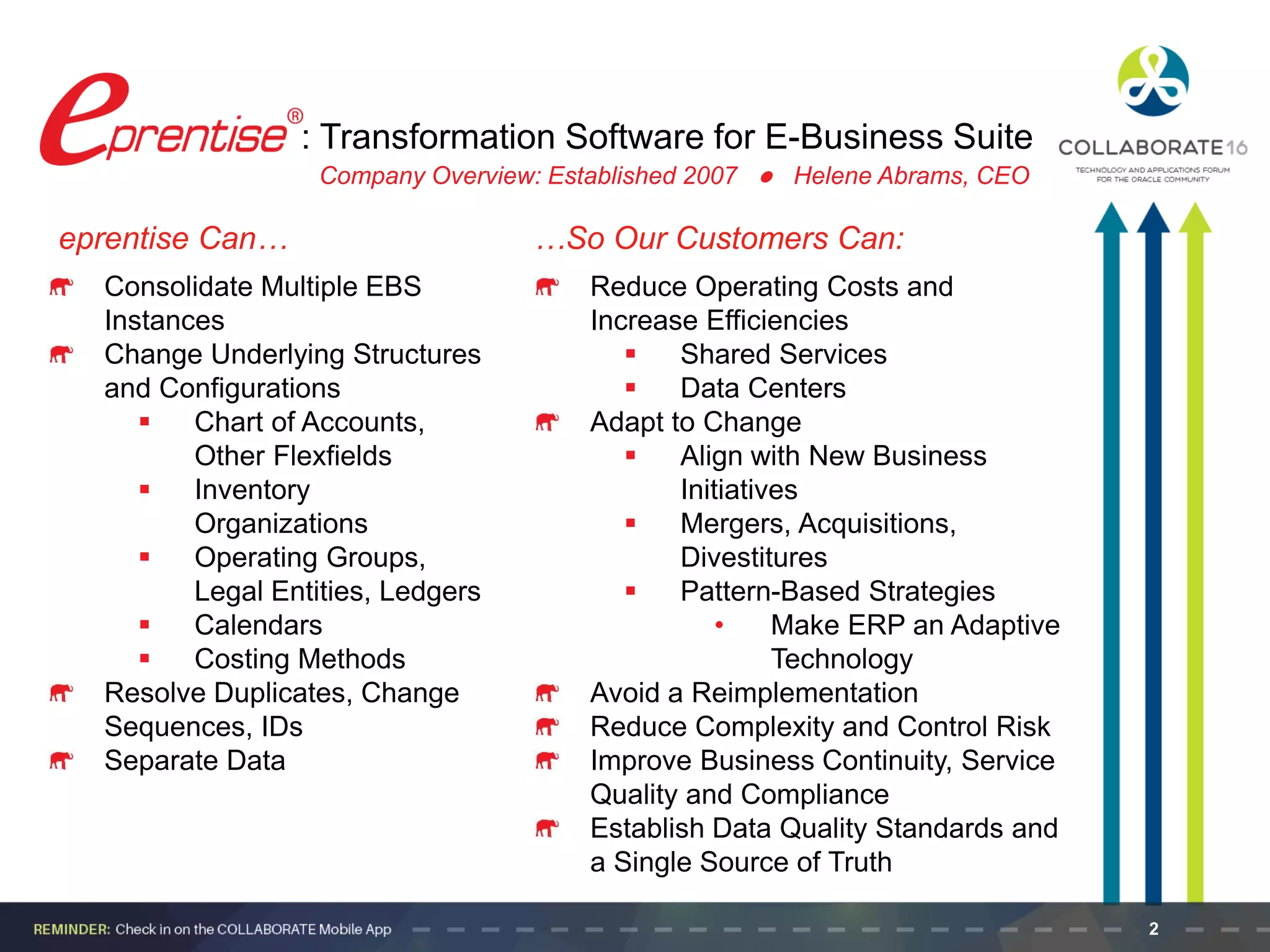
eprentise Can… …So Our Customers Can:
Consolidate Multiple EBS
Instances
Change Underlying Structures
and Configurations
 Chart of Accounts,
Other Flexfields
 Inventory
Organizations
 Operating Groups,
Legal Entities, Ledgers
 Calendars
 Costing Methods
Resolve Duplicates, Change
Sequences, IDs
Separate Data
: Transformation Software for E-Business Suite
Reduce Operating Costs and
Increase Efficiencies
 Shared Services
 Data Centers
Adapt to Change
 Align with New Business
Initiatives
 Mergers, Acquisitions,
Divestitures
 Pattern-Based Strategies
• Make ERP an Adaptive
Technology
Avoid a Reimplementation
Reduce Complexity and Control Risk
Improve Business Continuity, Service
Quality and Compliance
Establish Data Quality Standards and
a Single Source of Truth
Company Overview: Established 2007 l Helene Abrams, CEO
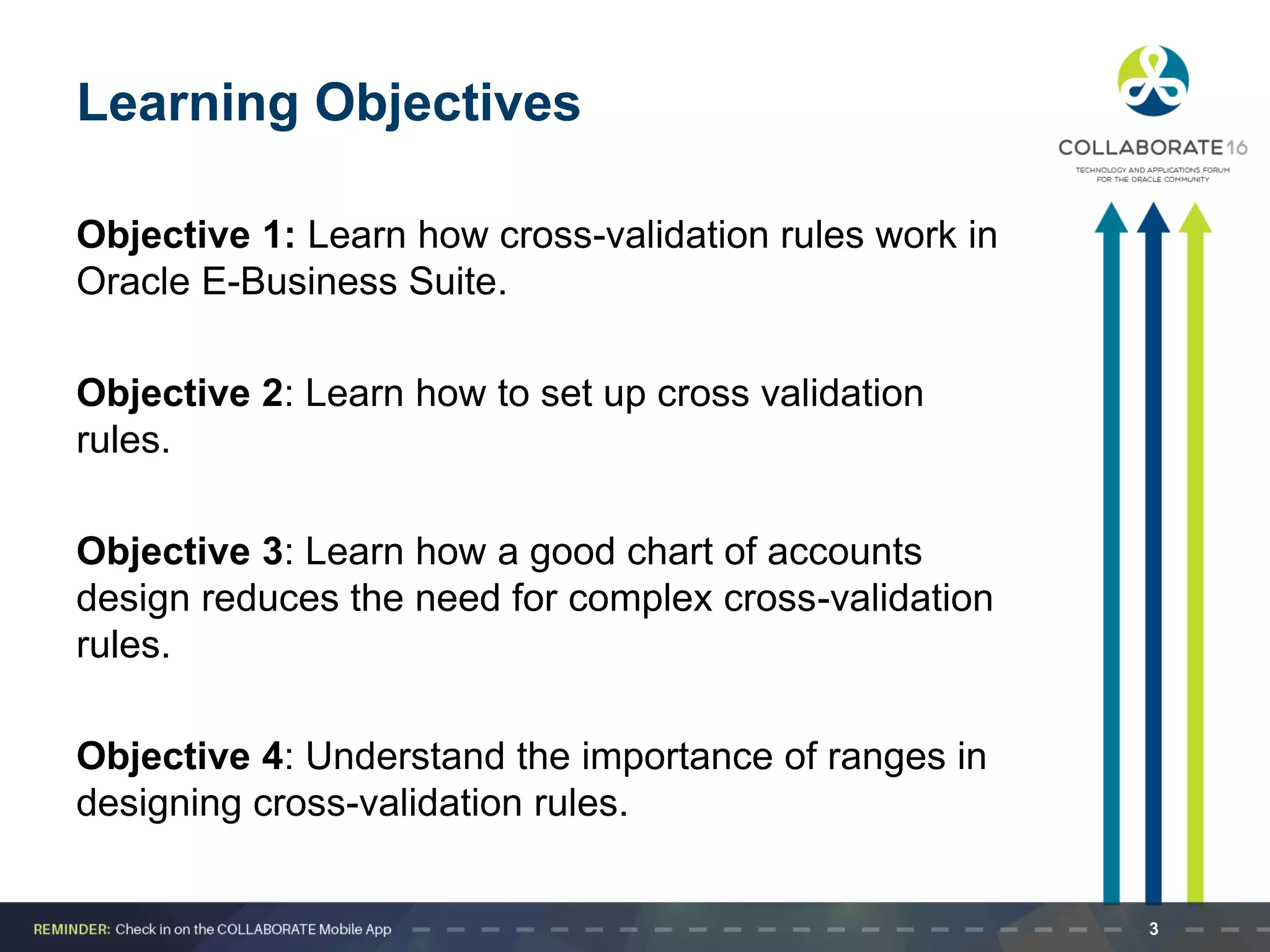
Learning Objectives
Objective 1: Learn how cross-validation rules work in
Oracle E-Business Suite.
Objective 2: Learn how to set up cross validation
rules.
Objective 3: Learn how a good chart of accounts
design reduces the need for complex cross-validation
rules.
Objective 4: Understand the importance of ranges in
designing cross-validation rules.
3
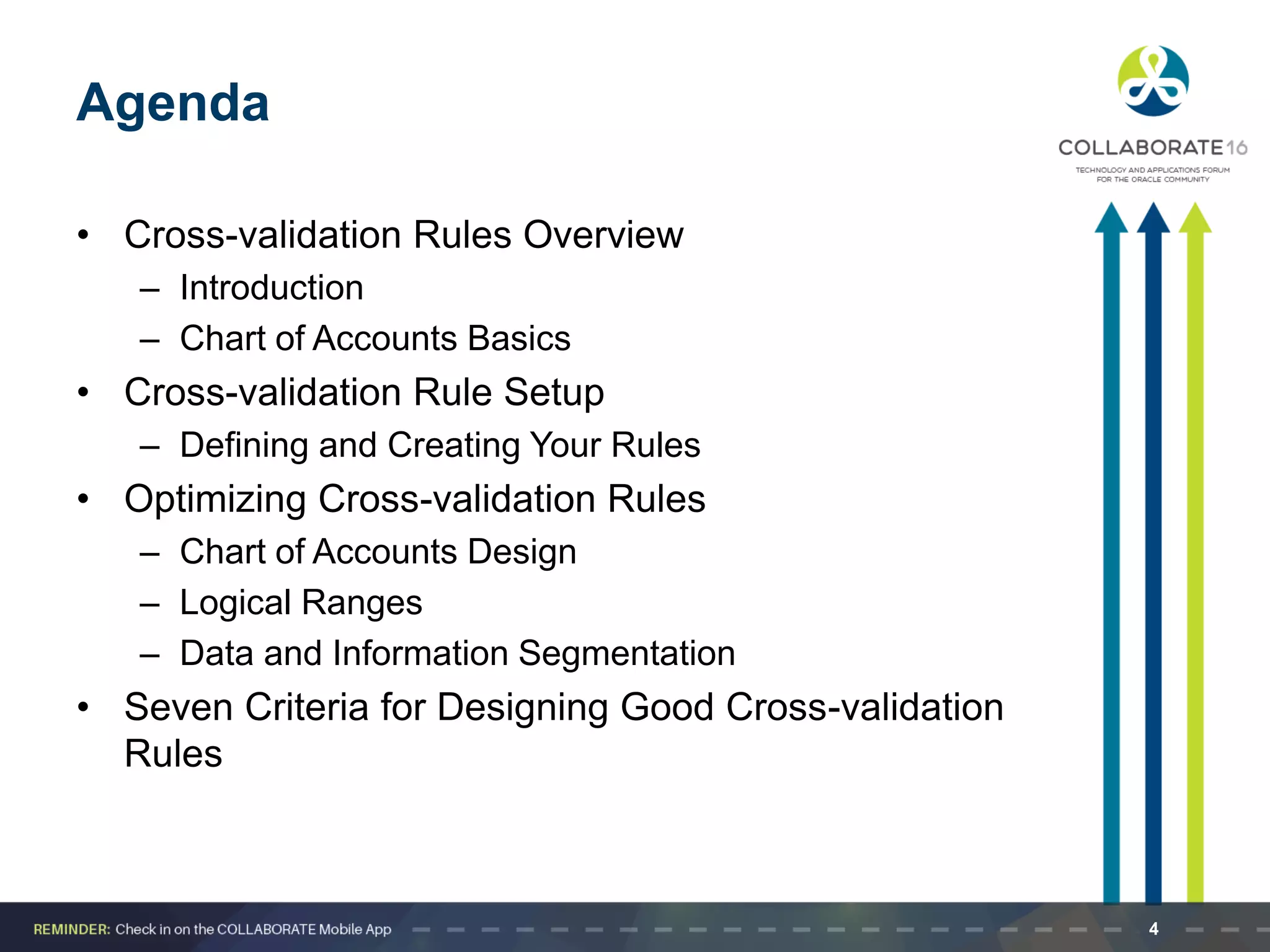
Agenda
• Cross-validation Rules Overview
– Introduction
– Chart of Accounts Basics
• Cross-validation Rule Setup
– Defining and Creating Your Rules
• Optimizing Cross-validation Rules
– Chart of Accounts Design
– Logical Ranges
– Data and Information Segmentation
• Seven Criteria for Designing Good Cross-validation
Rules
4
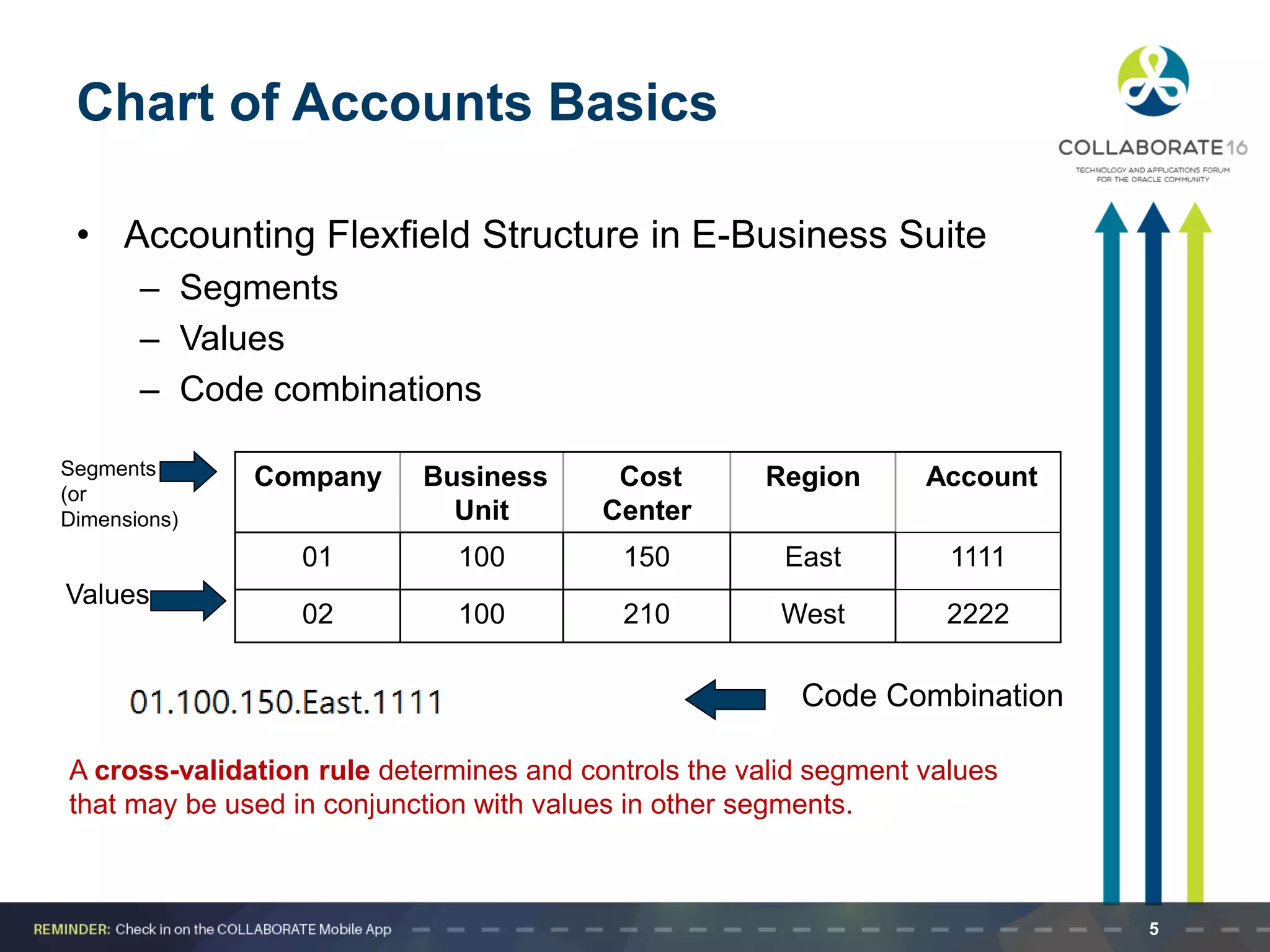
Chart of Accounts Basics
• Accounting Flexfield Structure in E-Business Suite
– Segments
– Values
– Code combinations
A cross-validation rule determines and controls the valid segment values
that may be used in conjunction with values in other segments.
Company Business
Unit
Cost
Center
Region Account
01 100 150 East 1111
02 100 210 West 2222
Segments
(or
Dimensions)
Values
Code Combination
5
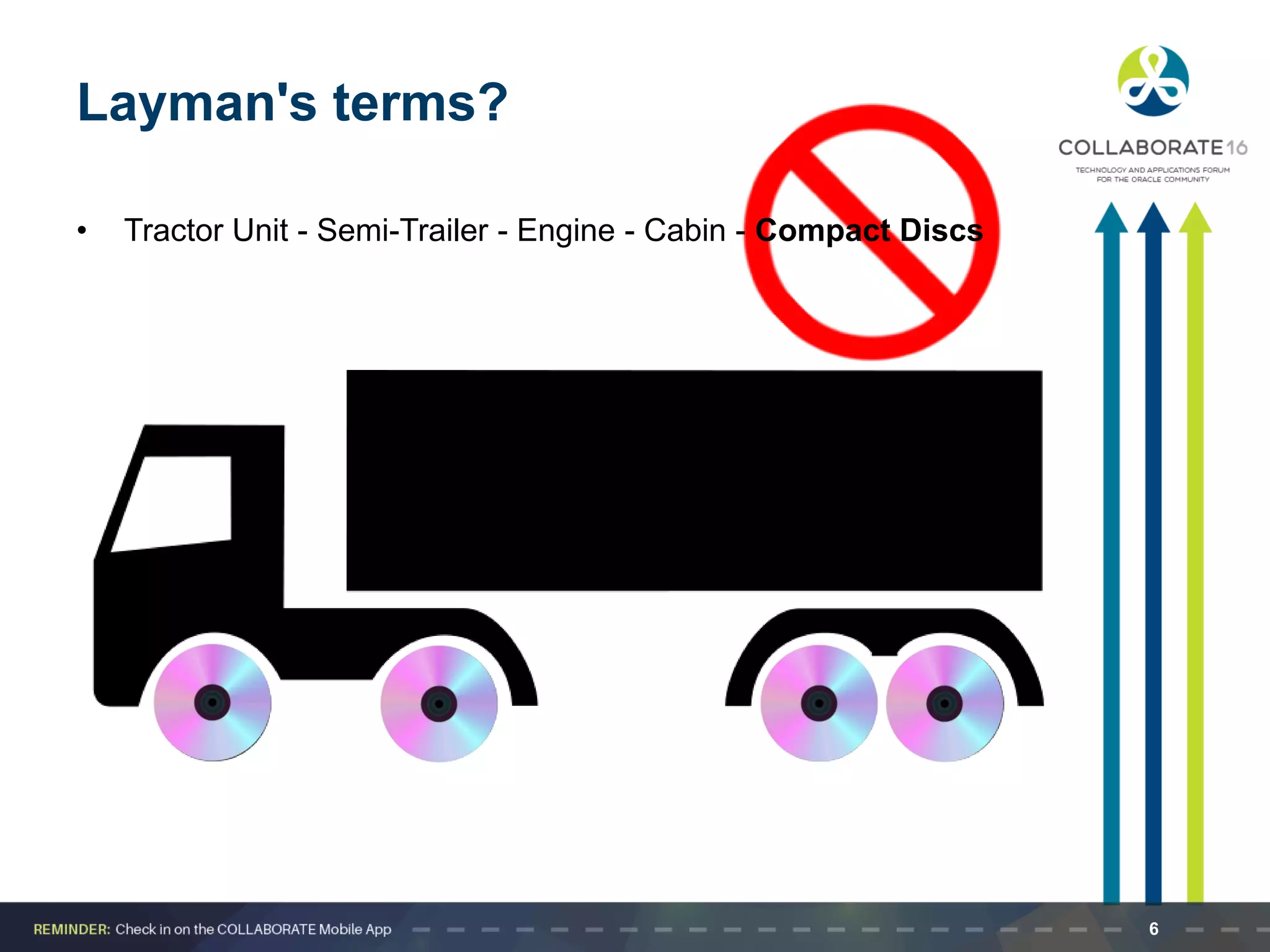
Layman's terms?
• Tractor Unit - Semi-Trailer - Engine - Cabin - Compact Discs
6
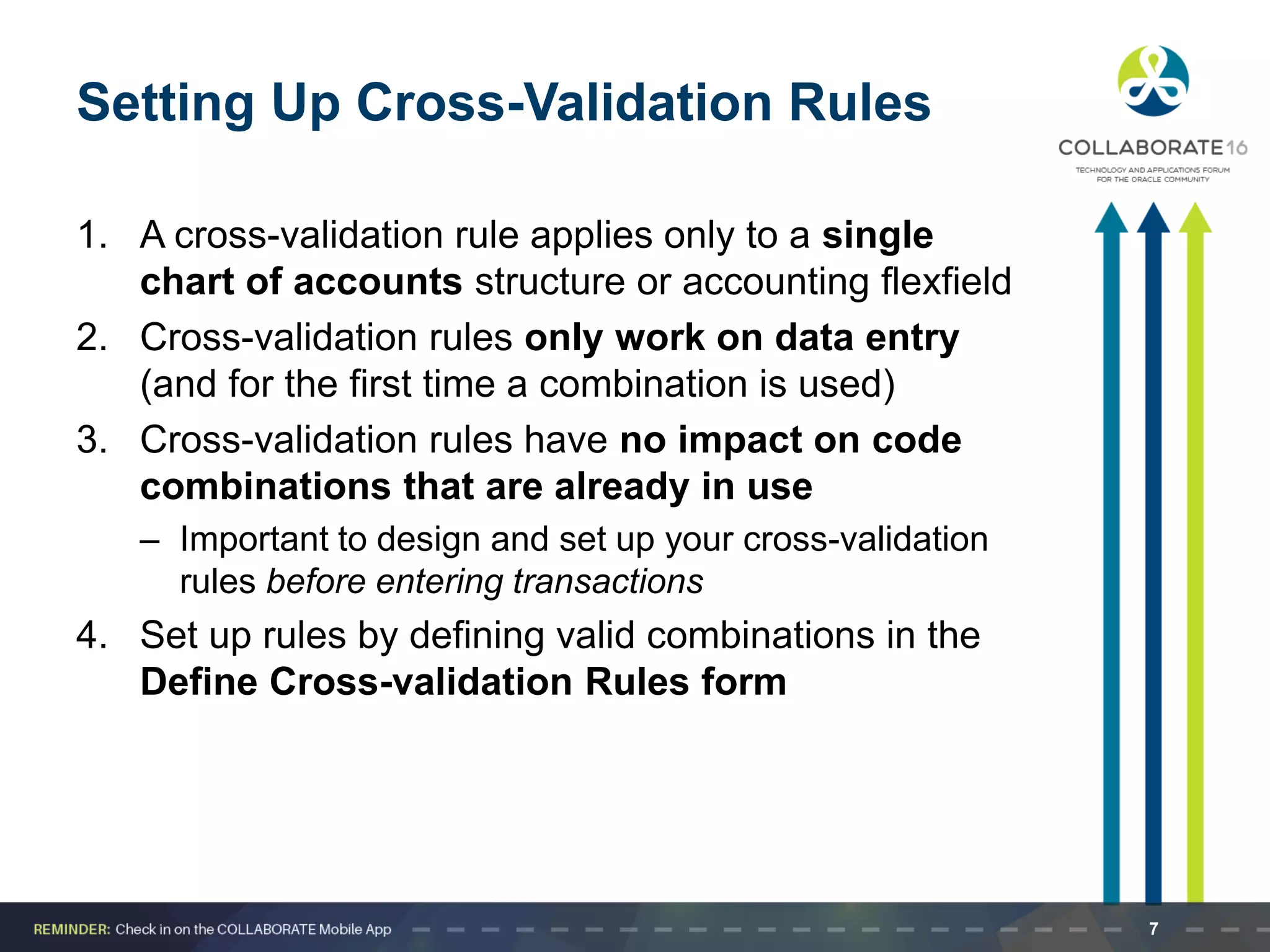
Setting Up Cross-Validation Rules
1. A cross-validation rule applies only to a single
chart of accounts structure or accounting flexfield
2. Cross-validation rules only work on data entry
(and for the first time a combination is used)
3. Cross-validation rules have no impact on code
combinations that are already in use
– Important to design and set up your cross-validation
rules before entering transactions
4. Set up rules by defining valid combinations in the
Define Cross-validation Rules form
7
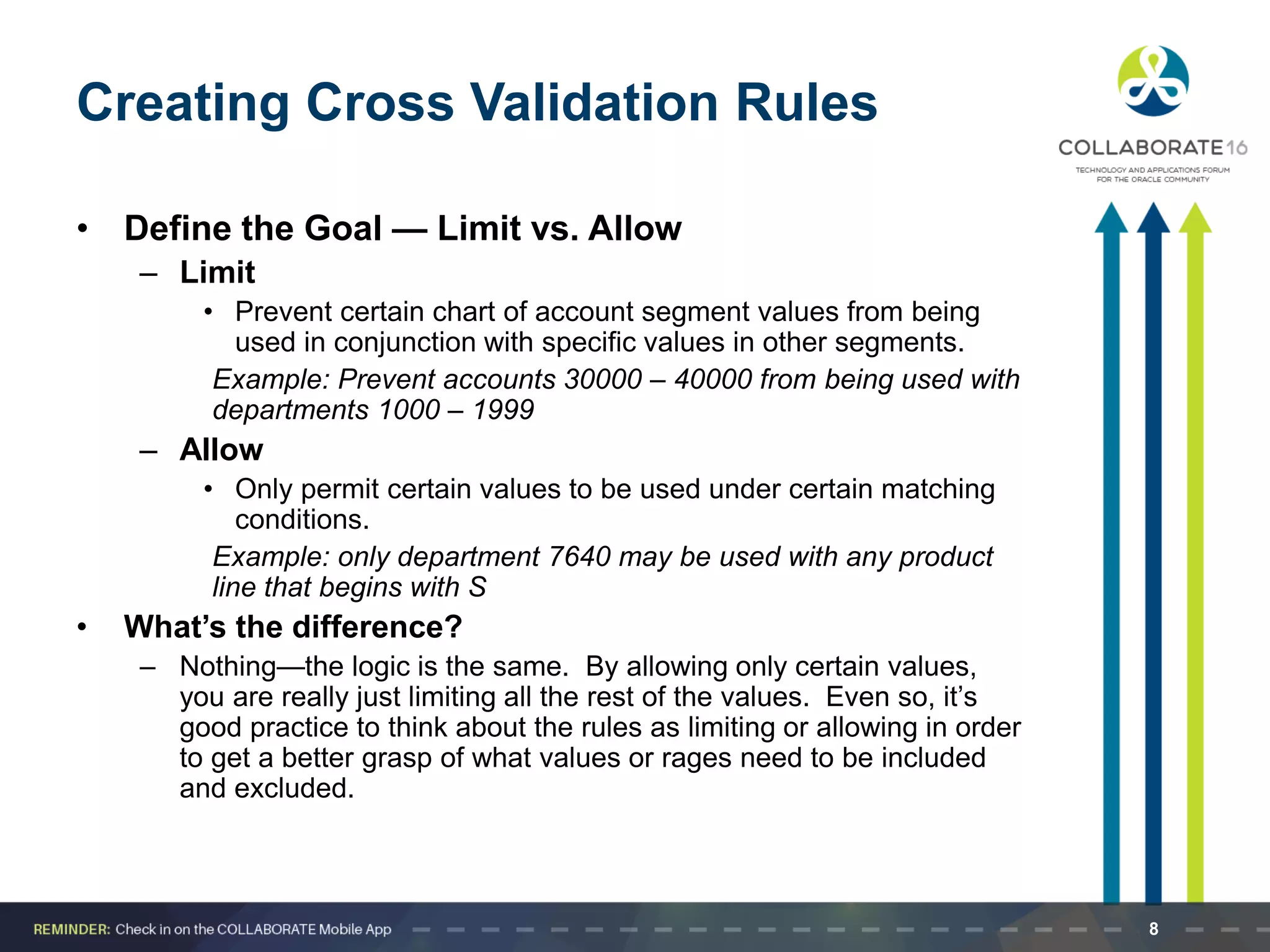
Creating Cross Validation Rules
• Define the Goal — Limit vs. Allow
– Limit
• Prevent certain chart of account segment values from being
used in conjunction with specific values in other segments.
Example: Prevent accounts 30000 – 40000 from being used with
departments 1000 – 1999
– Allow
• Only permit certain values to be used under certain matching
conditions.
Example: only department 7640 may be used with any product
line that begins with S
• What’s the difference?
– Nothing—the logic is the same. By allowing only certain values,
you are really just limiting all the rest of the values. Even so, it’s
good practice to think about the rules as limiting or allowing in order
to get a better grasp of what values or rages need to be included
and excluded.
8
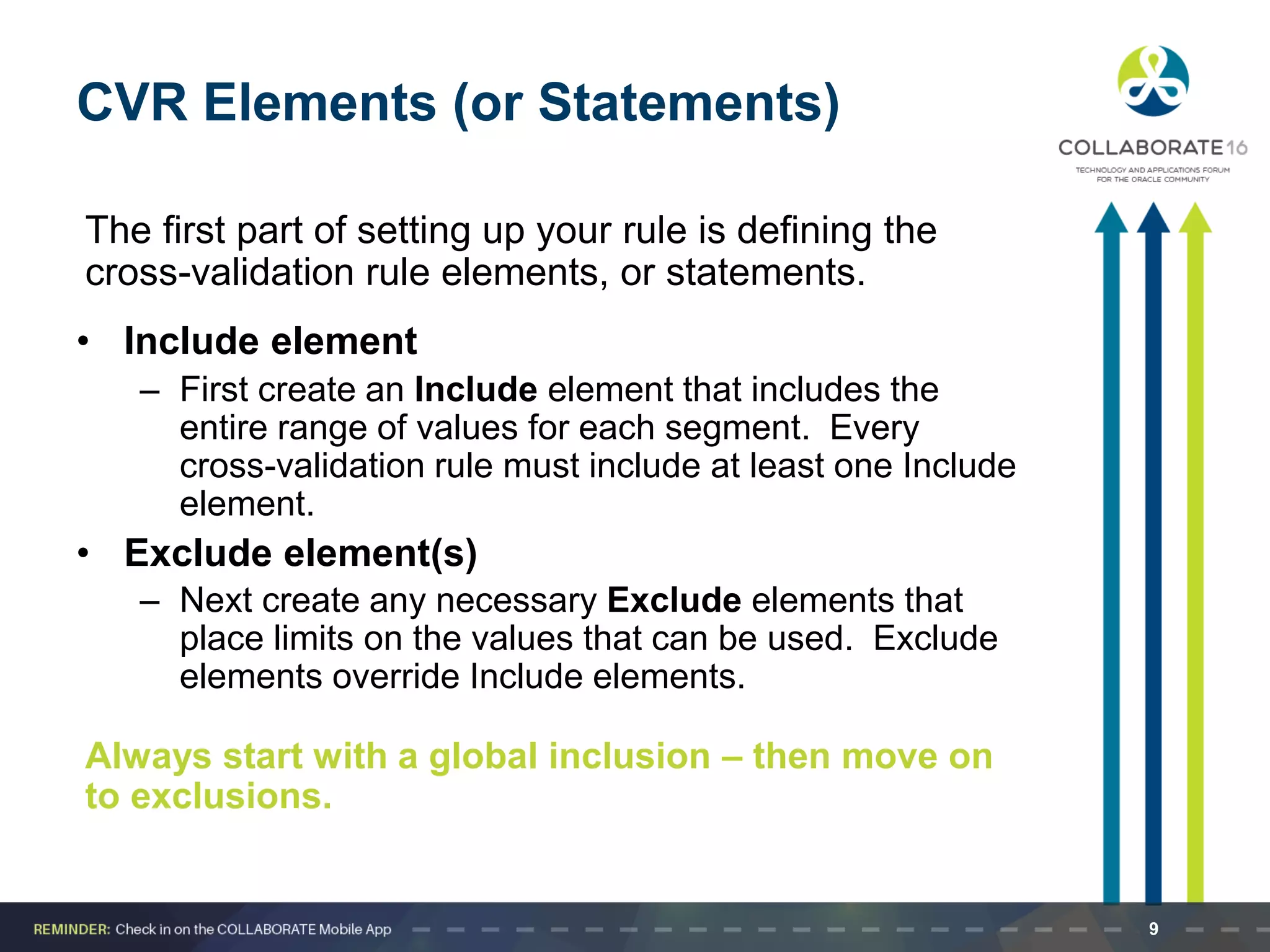
CVR Elements (or Statements)
The first part of setting up your rule is defining the
cross-validation rule elements, or statements.
• Include element
– First create an Include element that includes the
entire range of values for each segment. Every
cross-validation rule must include at least one Include
element.
• Exclude element(s)
– Next create any necessary Exclude elements that
place limits on the values that can be used. Exclude
elements override Include elements.
Always start with a global inclusion – then move on
to exclusions.
9
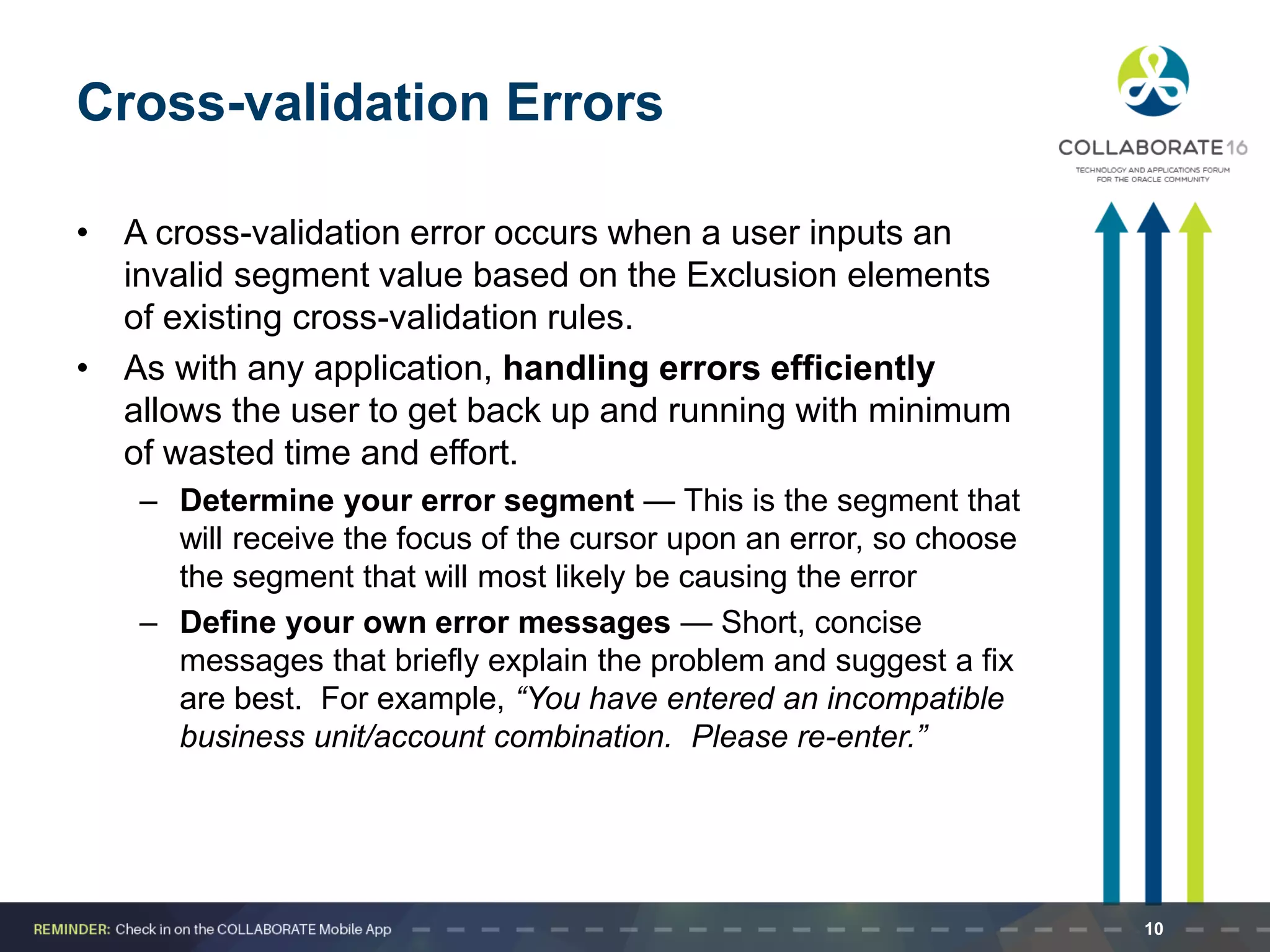
Cross-validation Errors
• A cross-validation error occurs when a user inputs an
invalid segment value based on the Exclusion elements
of existing cross-validation rules.
• As with any application, handling errors efficiently
allows the user to get back up and running with minimum
of wasted time and effort.
– Determine your error segment — This is the segment that
will receive the focus of the cursor upon an error, so choose
the segment that will most likely be causing the error
– Define your own error messages — Short, concise
messages that briefly explain the problem and suggest a fix
are best. For example, “You have entered an incompatible
business unit/account combination. Please re-enter.”
10
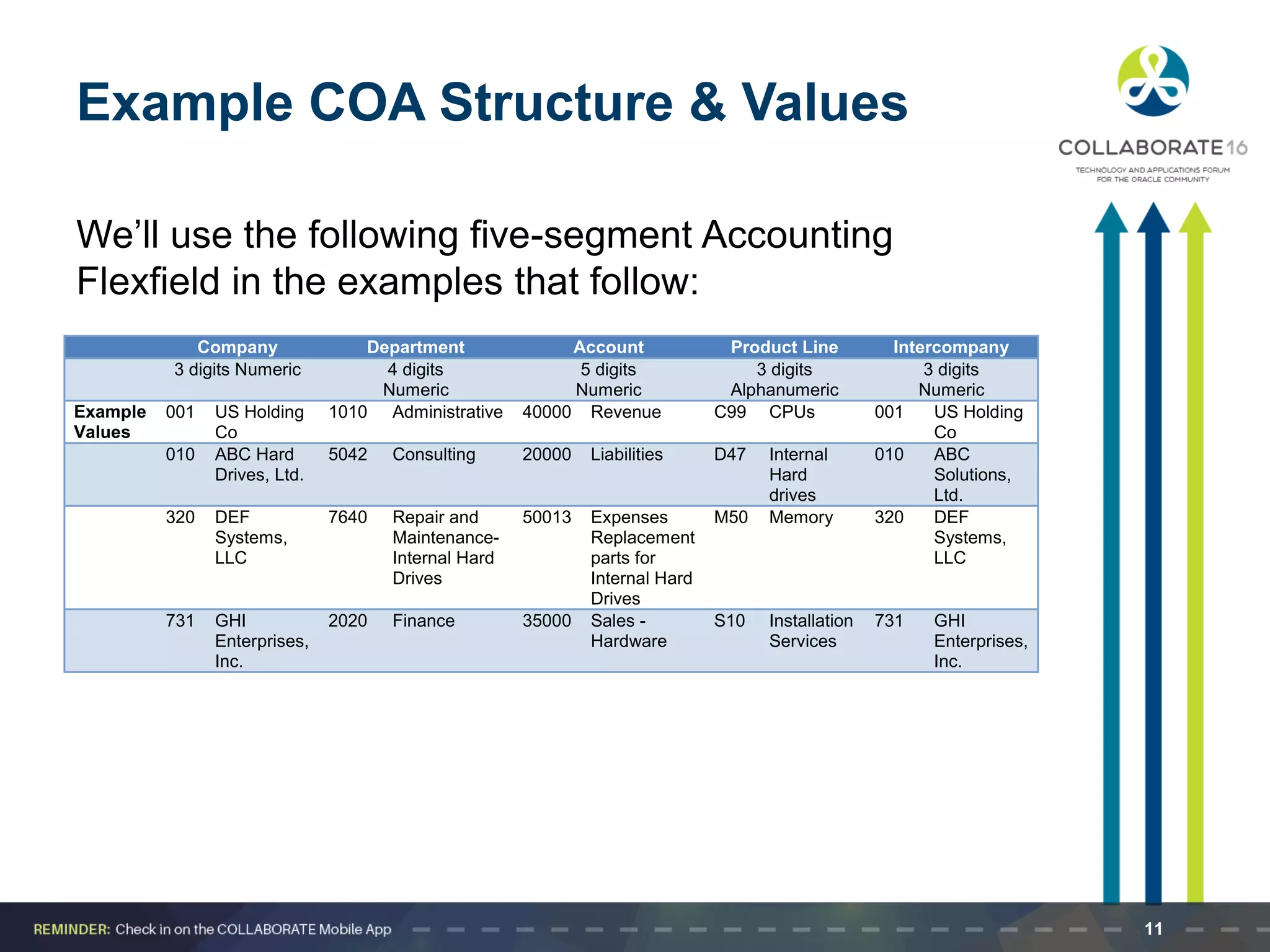
Example COA Structure & Values
We’ll use the following five-segment Accounting
Flexfield in the examples that follow:
Company Department Account Product Line Intercompany
3 digits Numeric 4 digits
Numeric
5 digits
Numeric
3 digits
Alphanumeric
3 digits
Numeric
Example
Values
001 US Holding
Co
1010 Administrative 40000 Revenue C99 CPUs 001 US Holding
Co
010 ABC Hard
Drives, Ltd.
5042 Consulting 20000 Liabilities D47 Internal
Hard
drives
010 ABC
Solutions,
Ltd.
320 DEF
Systems,
LLC
7640 Repair and
Maintenance-
Internal Hard
Drives
50013 Expenses
Replacement
parts for
Internal Hard
Drives
M50 Memory 320 DEF
Systems,
LLC
731 GHI
Enterprises,
Inc.
2020 Finance 35000 Sales -
Hardware
S10 Installation
Services
731 GHI
Enterprises,
Inc.
11
CVR Example 1
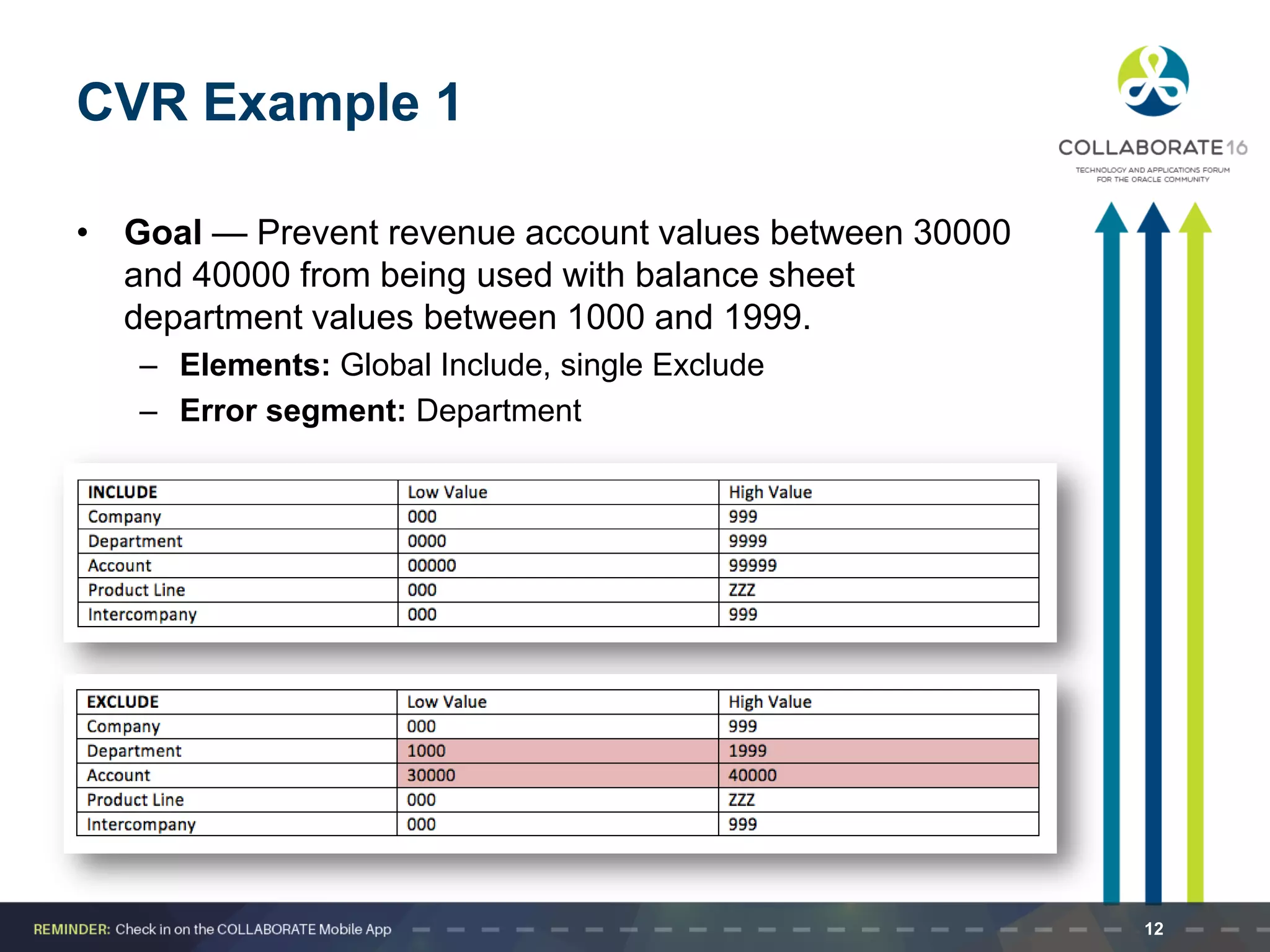
• Goal — Prevent revenue account values between 30000
and 40000 from being used with balance sheet
department values between 1000 and 1999.
– Elements: Global Include, single Exclude
– Error segment: Department
12
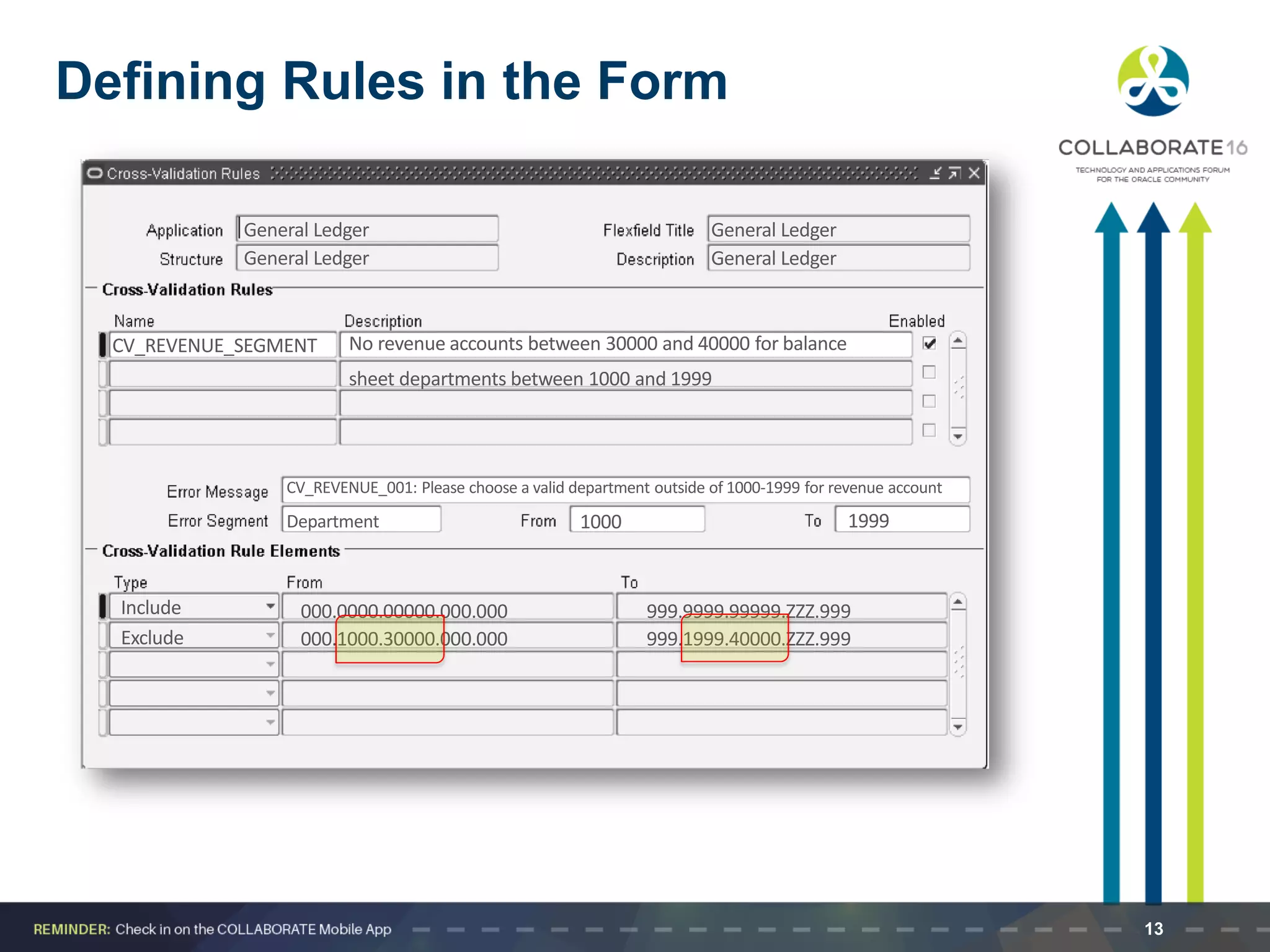
Defining Rules in the Form
General Ledger General Ledger
CV_REVENUE_SEGMENT No revenue accounts between 30000 and 40000 for balance
sheet departments between 1000 and 1999
Include
Exclude 000.1000.30000.000.000
000.0000.00000.000.000 999.9999.99999.ZZZ.999
999.1999.40000.ZZZ.999
CV_REVENUE_001: Please choose a valid department outside of 1000-1999 for revenue account
Department 1000 1999
13
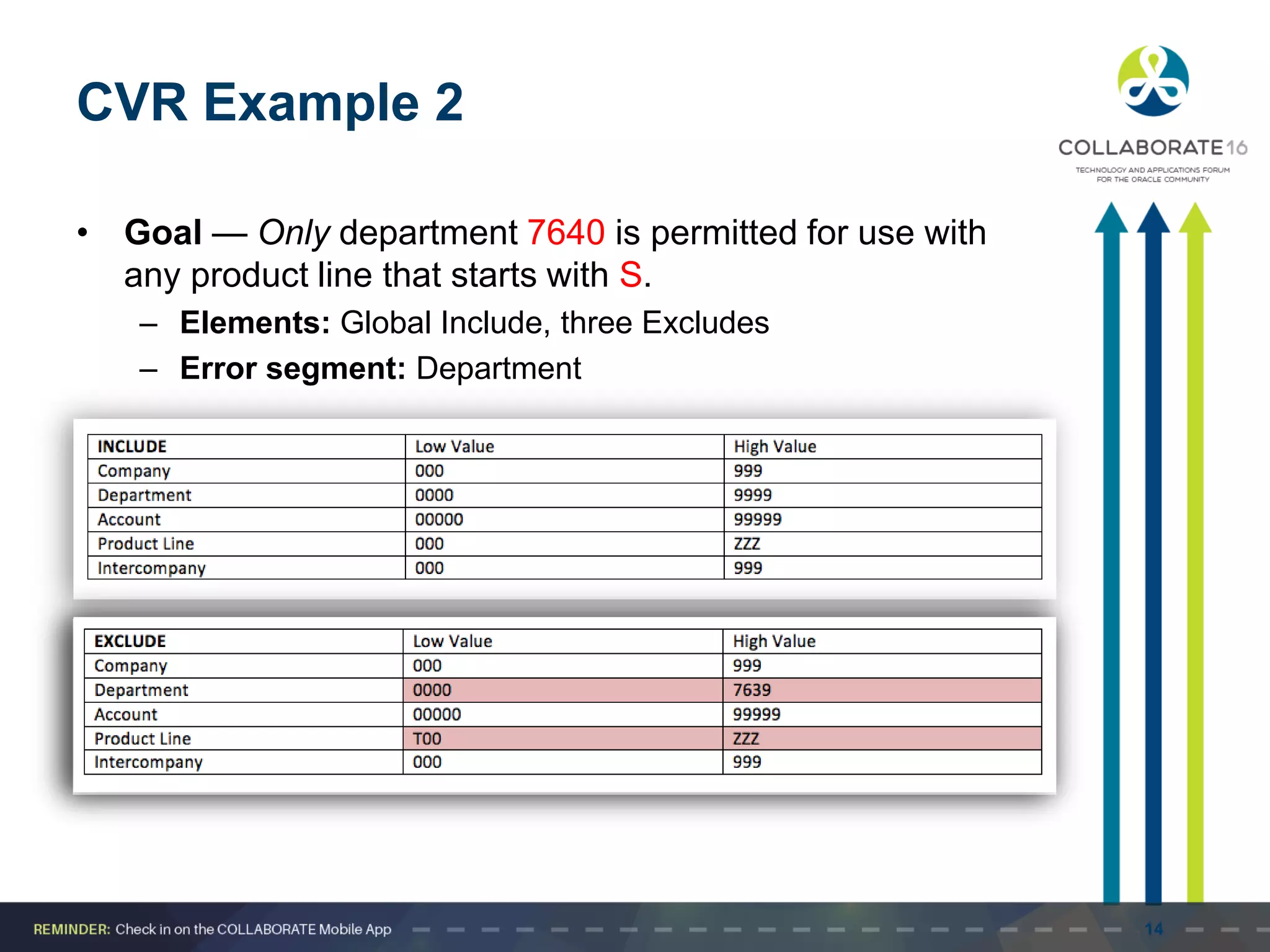
CVR Example 2
• Goal — Only department 7640 is permitted for use with
any product line that starts with S.
– Elements: Global Include, three Excludes
– Error segment: Department
14
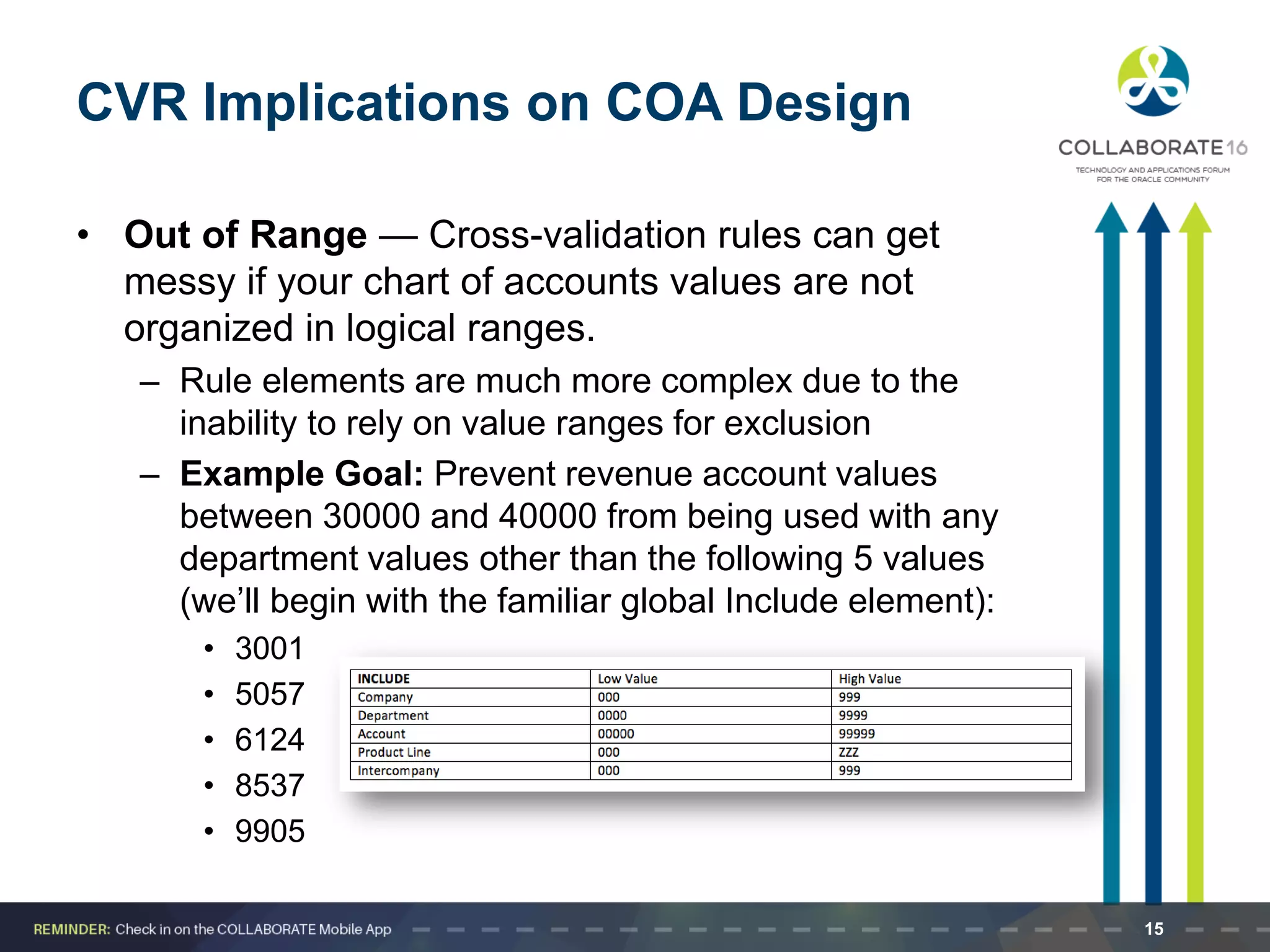
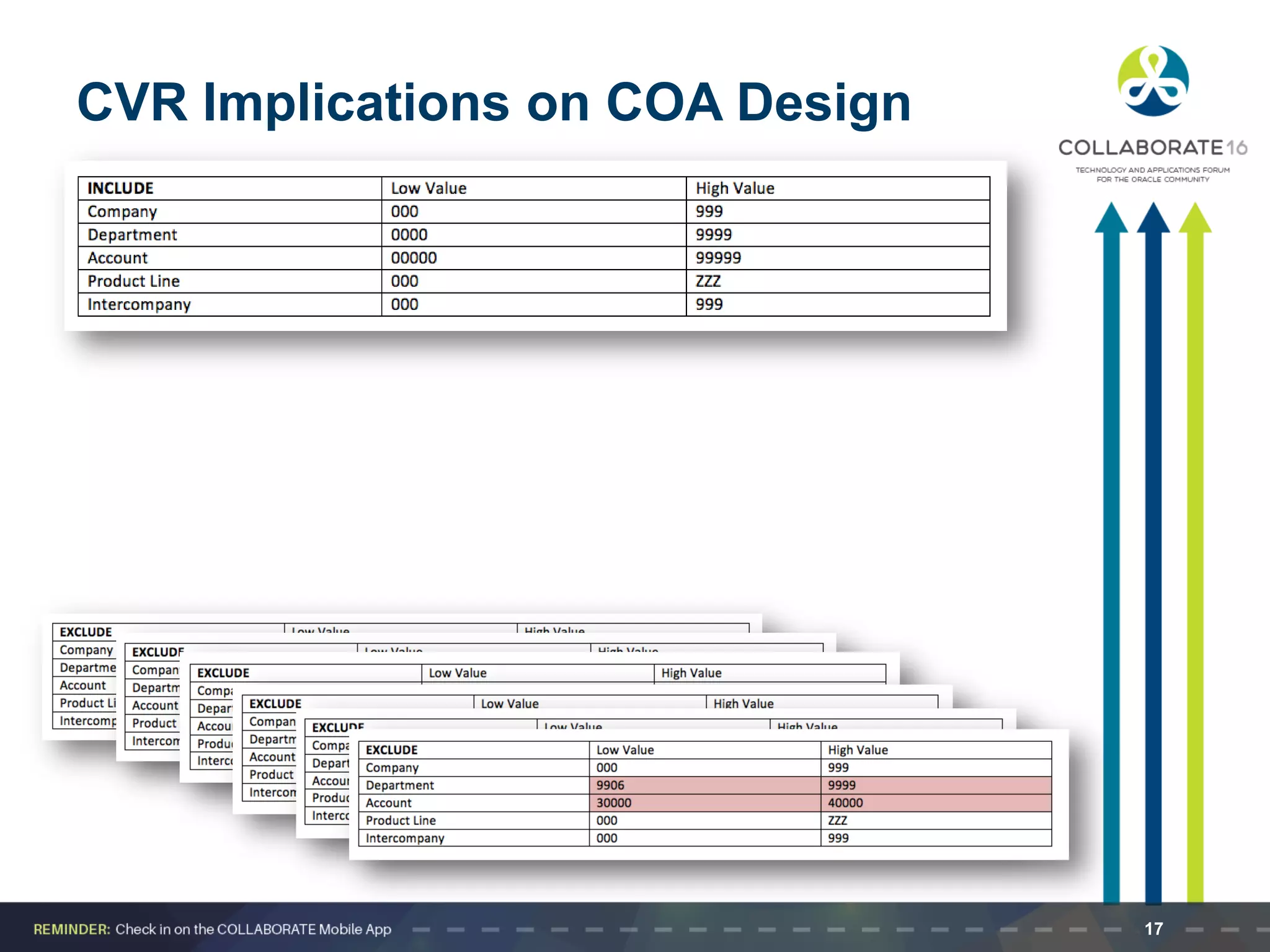
CVR Implications on COA Design
• Out of Range — Cross-validation rules can get
messy if your chart of accounts values are not
organized in logical ranges.
– Rule elements are much more complex due to the
inability to rely on value ranges for exclusion
– Example Goal: Prevent revenue account values
between 30000 and 40000 from being used with any
department values other than the following 5 values
(we’ll begin with the familiar global Include element):
• 3001
• 5057
• 6124
• 8537
• 9905
15
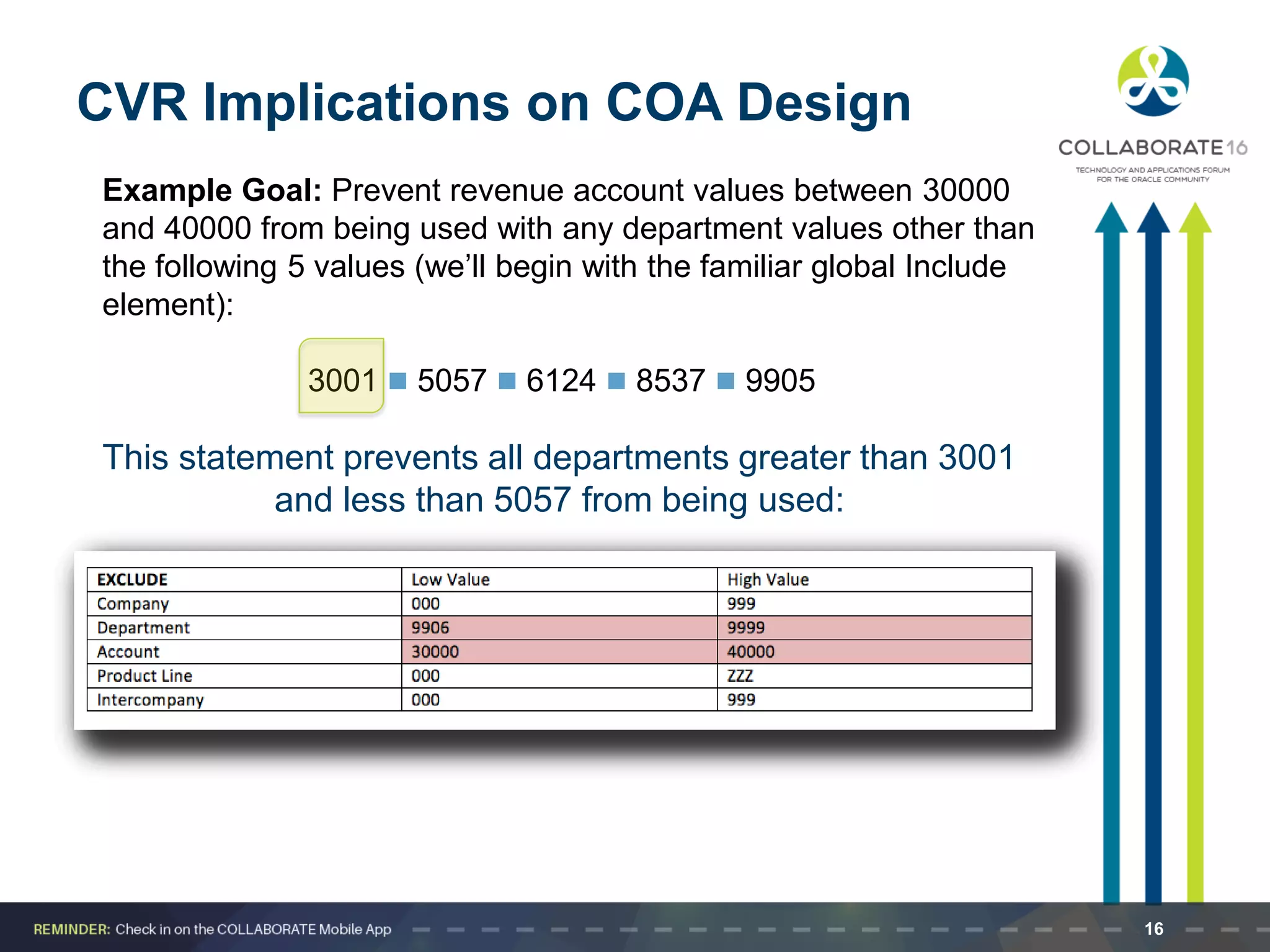
Example Goal: Prevent revenue account values between 30000
and 40000 from being used with any department values other than
the following 5 values (we’ll begin with the familiar global Include
element):
3001  5057  6124  8537  9905
CVR Implications on COA Design
This statement prevents all departments greater than 3001
and less than 5057 from being used:
16
CVR Implications on COA Design
17
Best Practices
• Trying to include more than two segments in a
cross-validation rule is too complex and leads to
even more required Exclude elements.
– Soon, you’re at thousands of rules to maintain
• It’s easy to steer clear of this problem by adhering
to best practices when designing your chart of
accounts
– Ranges
– One type of data in one (and only one) segment
– Similar data in only one segment
18
Maintaining Your CV Rules and Valid
Combinations
• Review existing key flexfields when you update your
cross-validation rules to maintain consistent
validation.
– Regardless of your current validation rules, GL
accepts a key flexfield combination if the combination
already exists and is enabled.
• Maintenance Suggestions:
– Decide upon your cross-validation rules when you
first set up your key flexfield structure.
– Review existing combinations and disable any
combinations that do not match the criteria of your
new rules.
19
Available Reports
Reports for Checking Cross-validation Rules:
• Cross-Validation Rule Violation Report
This report provides a listing of all the previously-created
flexfield combinations that violate your cross-validation
rules. You can also choose to have the report program
actually disable the existing combinations that violate
your new rules.
• Cross-Validation Rules Listing Report
This report lists all the cross-validation rules that exist for
a particular flexfield structure. This is the information you
define using the Define Cross-Validation Rules form,
presented in a multiple-rule format you can review and
keep for your records for a given flexfield structure.
20
Seven Criteria for an Optimized CVR Design
1. Design your chart of accounts with cross-validation
rules in mind.
2. Start each rule with an include statement that includes
the entire range of values.
3. Limit each rule to only 2 segments.
4. Make your error messages very descriptive so that
when a user gets an error, he or she understands what
changes need to be made to the entered code
combination.
5. Use several simple rules rather than one complex rule.
6. Start your Cross-validation Error Messages with CV so
that the user knows that the combination is failing
because of a Cross-validation rule (as opposed to a
security rule, or an end-dated value) when they get the
error message.
7. Use a single chart of accounts for all your operations.
This greatly reduces the number of cross-validation
rules necessary.
21
Questions? Comments?
22
THANK YOU
Harrison Figura
Delivery Quality Assurance Manager
hfigura@eprentise.com
eprentise, LLC
www.eprentise.com
Accelerating the time for change in
Oracle E-Business Suite
Visit eprentise at booth 1423!
23
Please complete the session
evaluation.
Session #10505
We appreciate your feedback and insight.
You may complete the session evaluation form on your
COLLABORATE 16 agenda builder and networking
app!

Top Seven Steps for Optimizing Cross-Validation Rules in General Ledger

  • 1.
    Session ID: Prepared by: TopSeven Steps for Optimizing Cross-Validation Rules in General Ledger #10505 @eprentise Harrison Figura Delivery Quality Assurance Manager eprentise, LLC
  • 2.
    2 eprentise Can… …SoOur Customers Can: Consolidate Multiple EBS Instances Change Underlying Structures and Configurations  Chart of Accounts, Other Flexfields  Inventory Organizations  Operating Groups, Legal Entities, Ledgers  Calendars  Costing Methods Resolve Duplicates, Change Sequences, IDs Separate Data : Transformation Software for E-Business Suite Reduce Operating Costs and Increase Efficiencies  Shared Services  Data Centers Adapt to Change  Align with New Business Initiatives  Mergers, Acquisitions, Divestitures  Pattern-Based Strategies • Make ERP an Adaptive Technology Avoid a Reimplementation Reduce Complexity and Control Risk Improve Business Continuity, Service Quality and Compliance Establish Data Quality Standards and a Single Source of Truth Company Overview: Established 2007 l Helene Abrams, CEO
  • 3.
    Learning Objectives Objective 1:Learn how cross-validation rules work in Oracle E-Business Suite. Objective 2: Learn how to set up cross validation rules. Objective 3: Learn how a good chart of accounts design reduces the need for complex cross-validation rules. Objective 4: Understand the importance of ranges in designing cross-validation rules. 3
  • 4.
    Agenda • Cross-validation RulesOverview – Introduction – Chart of Accounts Basics • Cross-validation Rule Setup – Defining and Creating Your Rules • Optimizing Cross-validation Rules – Chart of Accounts Design – Logical Ranges – Data and Information Segmentation • Seven Criteria for Designing Good Cross-validation Rules 4
  • 5.
    Chart of AccountsBasics • Accounting Flexfield Structure in E-Business Suite – Segments – Values – Code combinations A cross-validation rule determines and controls the valid segment values that may be used in conjunction with values in other segments. Company Business Unit Cost Center Region Account 01 100 150 East 1111 02 100 210 West 2222 Segments (or Dimensions) Values Code Combination 5
  • 6.
    Layman's terms? • TractorUnit - Semi-Trailer - Engine - Cabin - Compact Discs 6
  • 7.
    Setting Up Cross-ValidationRules 1. A cross-validation rule applies only to a single chart of accounts structure or accounting flexfield 2. Cross-validation rules only work on data entry (and for the first time a combination is used) 3. Cross-validation rules have no impact on code combinations that are already in use – Important to design and set up your cross-validation rules before entering transactions 4. Set up rules by defining valid combinations in the Define Cross-validation Rules form 7
  • 8.
    Creating Cross ValidationRules • Define the Goal — Limit vs. Allow – Limit • Prevent certain chart of account segment values from being used in conjunction with specific values in other segments. Example: Prevent accounts 30000 – 40000 from being used with departments 1000 – 1999 – Allow • Only permit certain values to be used under certain matching conditions. Example: only department 7640 may be used with any product line that begins with S • What’s the difference? – Nothing—the logic is the same. By allowing only certain values, you are really just limiting all the rest of the values. Even so, it’s good practice to think about the rules as limiting or allowing in order to get a better grasp of what values or rages need to be included and excluded. 8
  • 9.
    CVR Elements (orStatements) The first part of setting up your rule is defining the cross-validation rule elements, or statements. • Include element – First create an Include element that includes the entire range of values for each segment. Every cross-validation rule must include at least one Include element. • Exclude element(s) – Next create any necessary Exclude elements that place limits on the values that can be used. Exclude elements override Include elements. Always start with a global inclusion – then move on to exclusions. 9
  • 10.
    Cross-validation Errors • Across-validation error occurs when a user inputs an invalid segment value based on the Exclusion elements of existing cross-validation rules. • As with any application, handling errors efficiently allows the user to get back up and running with minimum of wasted time and effort. – Determine your error segment — This is the segment that will receive the focus of the cursor upon an error, so choose the segment that will most likely be causing the error – Define your own error messages — Short, concise messages that briefly explain the problem and suggest a fix are best. For example, “You have entered an incompatible business unit/account combination. Please re-enter.” 10
  • 11.
    Example COA Structure& Values We’ll use the following five-segment Accounting Flexfield in the examples that follow: Company Department Account Product Line Intercompany 3 digits Numeric 4 digits Numeric 5 digits Numeric 3 digits Alphanumeric 3 digits Numeric Example Values 001 US Holding Co 1010 Administrative 40000 Revenue C99 CPUs 001 US Holding Co 010 ABC Hard Drives, Ltd. 5042 Consulting 20000 Liabilities D47 Internal Hard drives 010 ABC Solutions, Ltd. 320 DEF Systems, LLC 7640 Repair and Maintenance- Internal Hard Drives 50013 Expenses Replacement parts for Internal Hard Drives M50 Memory 320 DEF Systems, LLC 731 GHI Enterprises, Inc. 2020 Finance 35000 Sales - Hardware S10 Installation Services 731 GHI Enterprises, Inc. 11
  • 12.
    CVR Example 1 •Goal — Prevent revenue account values between 30000 and 40000 from being used with balance sheet department values between 1000 and 1999. – Elements: Global Include, single Exclude – Error segment: Department 12
  • 13.
    Defining Rules inthe Form General Ledger General Ledger General Ledger General Ledger CV_REVENUE_SEGMENT No revenue accounts between 30000 and 40000 for balance sheet departments between 1000 and 1999 Include Exclude 000.1000.30000.000.000 000.0000.00000.000.000 999.9999.99999.ZZZ.999 999.1999.40000.ZZZ.999 CV_REVENUE_001: Please choose a valid department outside of 1000-1999 for revenue account Department 1000 1999 13
  • 14.
    CVR Example 2 •Goal — Only department 7640 is permitted for use with any product line that starts with S. – Elements: Global Include, three Excludes – Error segment: Department 14
  • 15.
    CVR Implications onCOA Design • Out of Range — Cross-validation rules can get messy if your chart of accounts values are not organized in logical ranges. – Rule elements are much more complex due to the inability to rely on value ranges for exclusion – Example Goal: Prevent revenue account values between 30000 and 40000 from being used with any department values other than the following 5 values (we’ll begin with the familiar global Include element): • 3001 • 5057 • 6124 • 8537 • 9905 15
  • 16.
    Example Goal: Preventrevenue account values between 30000 and 40000 from being used with any department values other than the following 5 values (we’ll begin with the familiar global Include element): 3001  5057  6124  8537  9905 CVR Implications on COA Design This statement prevents all departments greater than 3001 and less than 5057 from being used: 16
  • 17.
    CVR Implications onCOA Design 17
  • 18.
    Best Practices • Tryingto include more than two segments in a cross-validation rule is too complex and leads to even more required Exclude elements. – Soon, you’re at thousands of rules to maintain • It’s easy to steer clear of this problem by adhering to best practices when designing your chart of accounts – Ranges – One type of data in one (and only one) segment – Similar data in only one segment 18
  • 19.
    Maintaining Your CVRules and Valid Combinations • Review existing key flexfields when you update your cross-validation rules to maintain consistent validation. – Regardless of your current validation rules, GL accepts a key flexfield combination if the combination already exists and is enabled. • Maintenance Suggestions: – Decide upon your cross-validation rules when you first set up your key flexfield structure. – Review existing combinations and disable any combinations that do not match the criteria of your new rules. 19
  • 20.
    Available Reports Reports forChecking Cross-validation Rules: • Cross-Validation Rule Violation Report This report provides a listing of all the previously-created flexfield combinations that violate your cross-validation rules. You can also choose to have the report program actually disable the existing combinations that violate your new rules. • Cross-Validation Rules Listing Report This report lists all the cross-validation rules that exist for a particular flexfield structure. This is the information you define using the Define Cross-Validation Rules form, presented in a multiple-rule format you can review and keep for your records for a given flexfield structure. 20
  • 21.
    Seven Criteria foran Optimized CVR Design 1. Design your chart of accounts with cross-validation rules in mind. 2. Start each rule with an include statement that includes the entire range of values. 3. Limit each rule to only 2 segments. 4. Make your error messages very descriptive so that when a user gets an error, he or she understands what changes need to be made to the entered code combination. 5. Use several simple rules rather than one complex rule. 6. Start your Cross-validation Error Messages with CV so that the user knows that the combination is failing because of a Cross-validation rule (as opposed to a security rule, or an end-dated value) when they get the error message. 7. Use a single chart of accounts for all your operations. This greatly reduces the number of cross-validation rules necessary. 21
  • 22.
  • 23.
    THANK YOU Harrison Figura DeliveryQuality Assurance Manager hfigura@eprentise.com eprentise, LLC www.eprentise.com Accelerating the time for change in Oracle E-Business Suite Visit eprentise at booth 1423! 23
  • 24.
    Please complete thesession evaluation. Session #10505 We appreciate your feedback and insight. You may complete the session evaluation form on your COLLABORATE 16 agenda builder and networking app!